Presentation Skills
By: Syed Yasir Hassan
Agenda
• Introduction
• Types of people.
• Fear and causes of fear.
• Effective presentation.
• Presentation planning.
• Presentation Sequence.
• Effective presentation Techniques.
• Visual Aids.
Introvert VS Extrovert
• Like to be alone with their
thoughts.
• Think before they speak
• Get energized by being
alone.
• Don’t deal well with
interruptions.
• Like advance notice of
changes.
• Like to get feedback
privately.
• Like to talk things out
with others.
• Like to dive in
immediately
• Get energized by being
with others.
• Deal with interruptions
• Like Surprises
• Like public
acknowledgement and
compliments
What Type of Personality You are
Fear
Sign of fear
Causes of fear
• Fear of Loss of Control.
• Lack of self confidence.
• Lack of knowledge
• No Backup Plan
• No Interest For Subject
• Focus of Attention
Presentation
• The giving of something to someone,
especially as part of a formal ceremony.
• Something set forth to an audience for the
attention of the mind
Effective
• Achievement of desire results
Effective Presentations
• Control Anxiety – Don’t Fight It
• Audience Centered
• Accomplishes Objective
• Fun For Audience
• Fun For You
• Conducted Within Time Frame
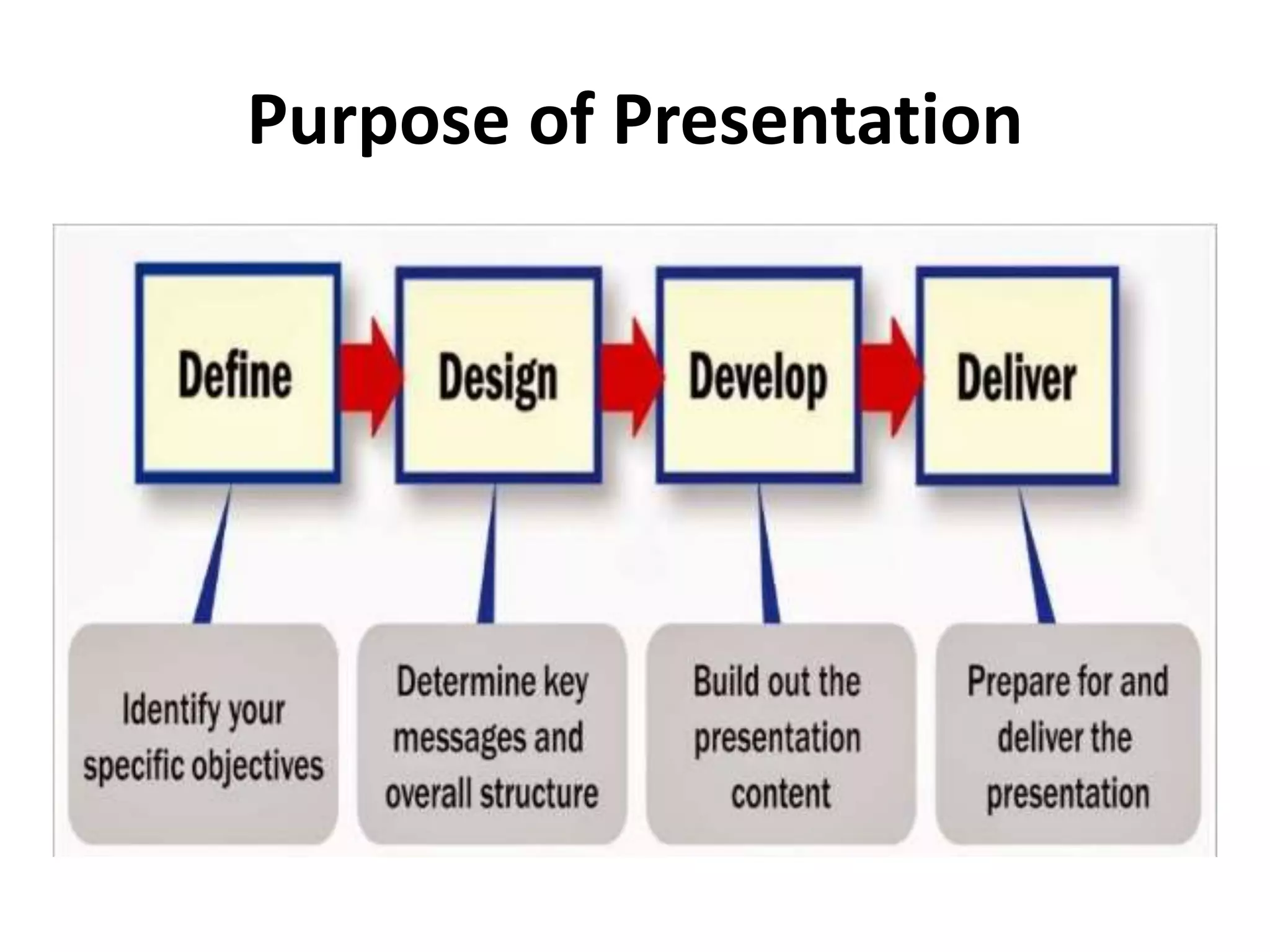
Purpose of Presentation
Presentation Planning
Plan Your Presentation
1. Determine Purpose
2. Assess Your Audience
 “Success depends on your ability to reach your
audience.”
 Size
 Demographics
 Knowledge Level
 Motivation
Plan Your Presentation
3. Plan Space
 Number of Seats
 Seating Arrangement
 Audio/Visual Equipment
 Distracters
Plan Your Presentation
4. Organization
 Determine Main Points (2-5)
 Evidence
 Transitions
 Prepare Outline
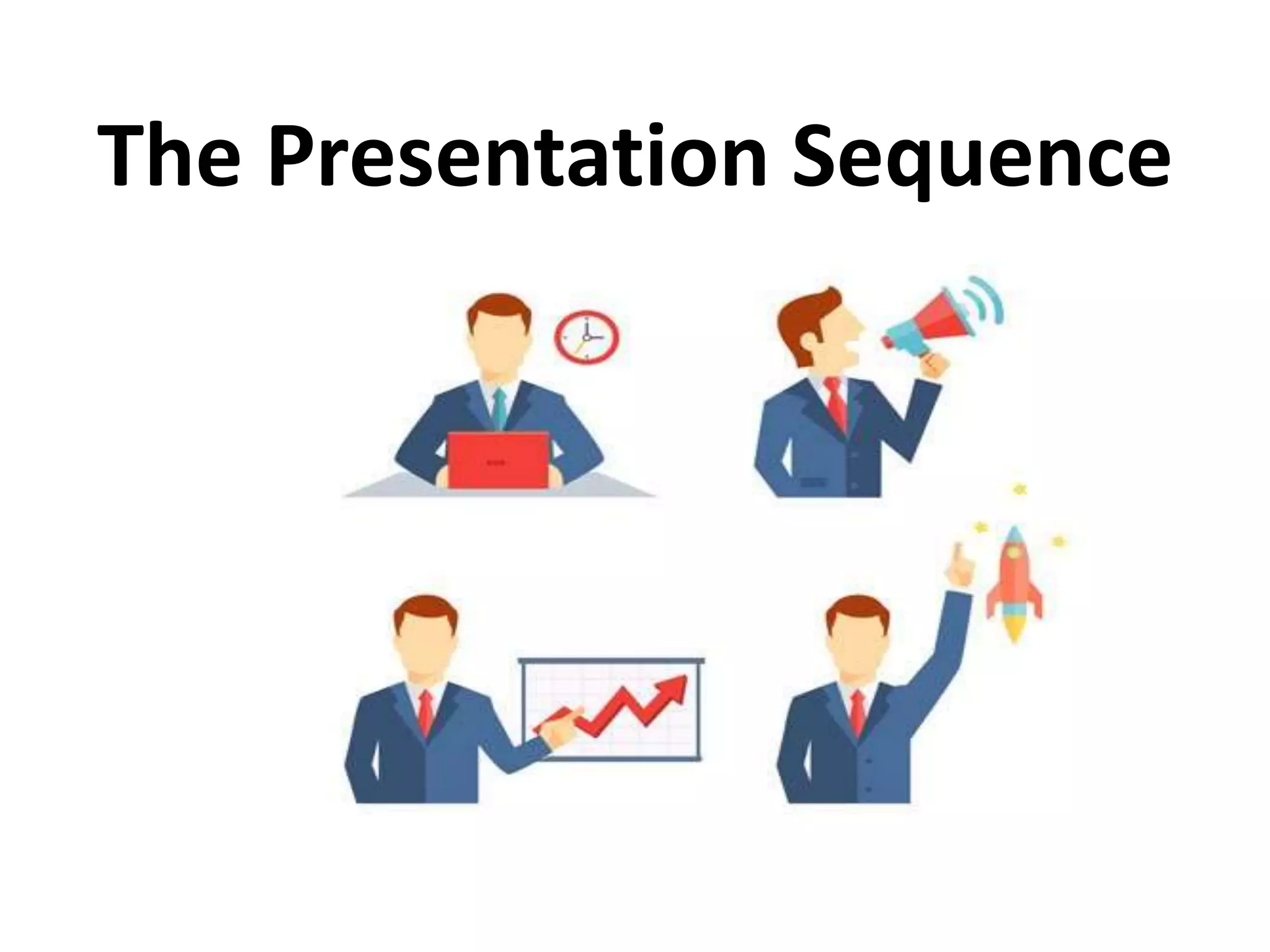
The Presentation Sequence
Rapport building
• Relation marked by agreement.
• Audience members who trust you and feel that you
care
• Show interest in audience.
• Smile
• Start Before You Begin
• Learn Names
• Opportunity to reinforce or correct audience
assessment.
• Good First Impression
• Be like them
• People Listen To People They Like
Opening Your Presentation
• Introduce Yourself – Why Should They Listen
• Get Attention, Build More Rapport, Introduce
Topic
 Humor
 Short Story
 Starling Statistic
 Make Audience Think
 Invite Participation
• Get Audience Response
Completing the Opening
• Clearly Defining Topic
• If Informative…
• Clear parameters for content within time
• If Persuasive…
• What’s the problem
• Who cares
• What’s the solution
• Overview
Presenting Main
Points
• Main points.
• Examples
• Feedback & Questions From Audience
• Attention to, and Focus on, Audience
(Listening)
Concluding Your Presentation
• Inform audience that you’re about to close
• Summarize main points
• Something to remember or call-to-action
• Answer questions
Effective
Presentation Techniques
Presentation style
3 Elements
1. Vocal Techniques
 Loudness
 Pitch
 Pause
• Deviations From the Norm for Emphasis.
Presentation style
3 Elements
2. Body Language
 Eye Contact, Gestures, Posture
3. Use of Space
 Can Everyone See You?
 Movement
Common Problems
• Verbal fillers
– “Um”, “uh”, “like”
– Any unrelated word or phrase
• Swaying, rocking, and pacing
• Hands in pockets
• Lip smacking
• Failure to be audience-centered
5 Presentation Tips
1. Smile
2. Breathe
3. Water
4. Notes
5. Finish On Or Under Time
Creating Effective Visual
Aids
Visual Aids
• Enhance Understanding
• Add Variety
• Support Claims
• Lasting Impact
Used Poorly…A Distraction…Ineffective
Presentation
Visual Aids - Examples
 PowerPoint Slides
 Graphs/Charts
 Pictures
 Films/Video
 Flip Charts
 Sketches
Visual Aids Should…
• Supplement presentation
• Outline of main points
• Serve audience’s needs, not speaker’s
• Simple and clear
The Purpose of Using Visual Aids
• Visual aids support your ideas and improve
audience comprehension of your presentation
• Visual aids add variety to your presentation by
giving the audience a break from listening and
letting the see something
• Visual aids help illustrate complex ideas or
concepts and are helpful in reinforcing your
ideas
Visual Aids
 Improve comprehension
 Add variety
 Illustrate complex ideas
Presentation skills
Presentation skills

Presentation skills

  • 1.
  • 2.
    Agenda • Introduction • Typesof people. • Fear and causes of fear. • Effective presentation. • Presentation planning. • Presentation Sequence. • Effective presentation Techniques. • Visual Aids.
  • 4.
  • 5.
    Introvert VS Extrovert •Like to be alone with their thoughts. • Think before they speak • Get energized by being alone. • Don’t deal well with interruptions. • Like advance notice of changes. • Like to get feedback privately. • Like to talk things out with others. • Like to dive in immediately • Get energized by being with others. • Deal with interruptions • Like Surprises • Like public acknowledgement and compliments
  • 6.
    What Type ofPersonality You are
  • 7.
  • 8.
  • 9.
    Causes of fear •Fear of Loss of Control. • Lack of self confidence. • Lack of knowledge • No Backup Plan • No Interest For Subject • Focus of Attention
  • 10.
    Presentation • The givingof something to someone, especially as part of a formal ceremony. • Something set forth to an audience for the attention of the mind Effective • Achievement of desire results
  • 11.
    Effective Presentations • ControlAnxiety – Don’t Fight It • Audience Centered • Accomplishes Objective • Fun For Audience • Fun For You • Conducted Within Time Frame
  • 12.
  • 13.
  • 14.
    Plan Your Presentation 1.Determine Purpose 2. Assess Your Audience  “Success depends on your ability to reach your audience.”  Size  Demographics  Knowledge Level  Motivation
  • 15.
    Plan Your Presentation 3.Plan Space  Number of Seats  Seating Arrangement  Audio/Visual Equipment  Distracters
  • 16.
    Plan Your Presentation 4.Organization  Determine Main Points (2-5)  Evidence  Transitions  Prepare Outline
  • 17.
  • 18.
    Rapport building • Relationmarked by agreement. • Audience members who trust you and feel that you care • Show interest in audience. • Smile • Start Before You Begin • Learn Names • Opportunity to reinforce or correct audience assessment. • Good First Impression • Be like them • People Listen To People They Like
  • 19.
    Opening Your Presentation •Introduce Yourself – Why Should They Listen • Get Attention, Build More Rapport, Introduce Topic  Humor  Short Story  Starling Statistic  Make Audience Think  Invite Participation • Get Audience Response
  • 20.
    Completing the Opening •Clearly Defining Topic • If Informative… • Clear parameters for content within time • If Persuasive… • What’s the problem • Who cares • What’s the solution • Overview
  • 21.
    Presenting Main Points • Mainpoints. • Examples • Feedback & Questions From Audience • Attention to, and Focus on, Audience (Listening)
  • 22.
    Concluding Your Presentation •Inform audience that you’re about to close • Summarize main points • Something to remember or call-to-action • Answer questions
  • 23.
  • 24.
    Presentation style 3 Elements 1.Vocal Techniques  Loudness  Pitch  Pause • Deviations From the Norm for Emphasis.
  • 25.
    Presentation style 3 Elements 2.Body Language  Eye Contact, Gestures, Posture 3. Use of Space  Can Everyone See You?  Movement
  • 26.
    Common Problems • Verbalfillers – “Um”, “uh”, “like” – Any unrelated word or phrase • Swaying, rocking, and pacing • Hands in pockets • Lip smacking • Failure to be audience-centered
  • 27.
    5 Presentation Tips 1.Smile 2. Breathe 3. Water 4. Notes 5. Finish On Or Under Time
  • 28.
  • 29.
    Visual Aids • EnhanceUnderstanding • Add Variety • Support Claims • Lasting Impact Used Poorly…A Distraction…Ineffective Presentation
  • 30.
    Visual Aids -Examples  PowerPoint Slides  Graphs/Charts  Pictures  Films/Video  Flip Charts  Sketches
  • 31.
    Visual Aids Should… •Supplement presentation • Outline of main points • Serve audience’s needs, not speaker’s • Simple and clear
  • 32.
    The Purpose ofUsing Visual Aids • Visual aids support your ideas and improve audience comprehension of your presentation • Visual aids add variety to your presentation by giving the audience a break from listening and letting the see something • Visual aids help illustrate complex ideas or concepts and are helpful in reinforcing your ideas
  • 34.
    Visual Aids  Improvecomprehension  Add variety  Illustrate complex ideas