SIXTH SENSE
TECHNOLOGY

CREATED BY:
CHAUHAN
GURUPREETKAUR
CONTENTS
INTRODUCTION
EARLIER

WHY

EXPLORATIONS

SIXTH SENSE

COMPONENTS
WORKING
APPLICATIONS
RELATED

TECHNOLOGIES

ADVANTAGES
CONCLUSION
REFERENCES
INTRODUCTION
Sixth

Sense is a wearable gesture interface
that augments the physical world around us
with digital information and lets you use
natural hand gestures to interact with that
information.
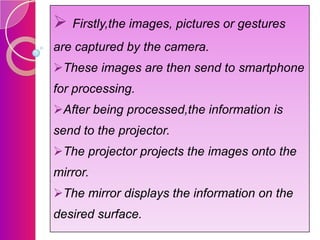
 It is developed by Pranav Mistry,a Phd
student in the Fluid Interfaces Group at MIT
media lab.
 Sixth sense prototype is comprised of - a
pocket projector,a mirror and a camera.
The

camera,mirror and projector are
connected
wirelessly
to
bluetooth
smartphone device that can easily fit into
user's pocket.
A software then processes the data that is
collected by capturing device and produces
analysis.
EARLIER
EXPLORATIONS
Gesture

interface device
Sticky notes
Pen that can draw in 3d
Google Maps in physical
world
Why sixth sense
Hereby

physical world is painted with digital

information.
You

can carry your digital world with you

wherever you go.
You

can start with any wall or any other

surface as an interface even your palm.
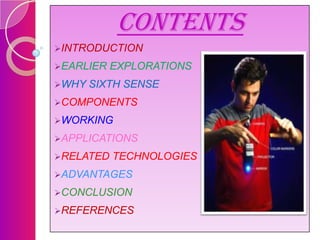
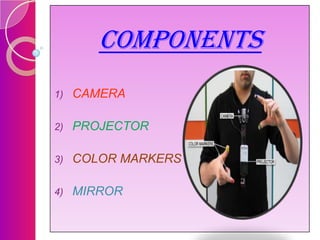
COMPONENTS
1)

CAMERA

2)

PROJECTOR

3)

COLOR MARKERS

4)

MIRROR
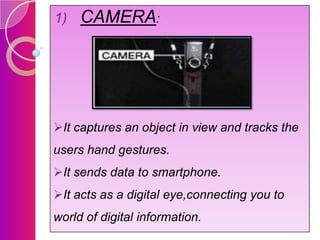
1)

CAMERA:

It captures an object in view and tracks the
users hand gestures.
It sends data to smartphone.

It acts as a digital eye,connecting you to
world of digital information.
2)

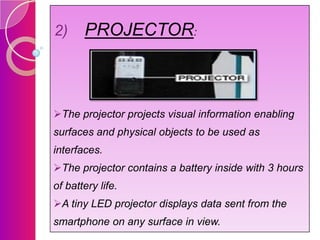
PROJECTOR:

The projector projects visual information enabling
surfaces and physical objects to be used as
interfaces.
The projector contains a battery inside with 3 hours
of battery life.
A tiny LED projector displays data sent from the
smartphone on any surface in view.
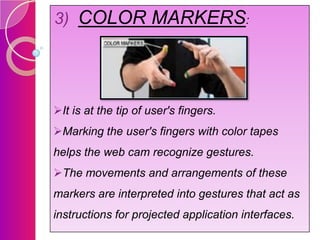
3) COLOR MARKERS:

It is at the tip of user's fingers.
Marking the user's fingers with color tapes
helps the web cam recognize gestures.
The movements and arrangements of these

markers are interpreted into gestures that act as
instructions for projected application interfaces.
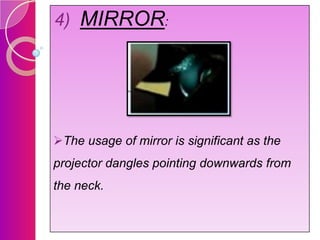
4) MIRROR:

The usage of mirror is significant as the
projector dangles pointing downwards from
the neck.
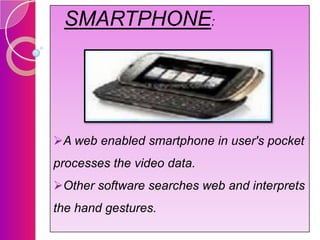
SMARTPHONE:

A web enabled smartphone in user's pocket
processes the video data.
Other software searches web and interprets
the hand gestures.
WORKING:
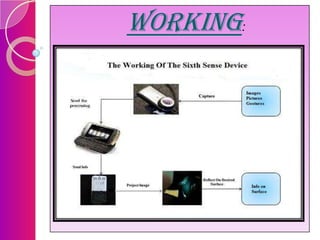
 Firstly,the images, pictures or gestures
are captured by the camera.
These images are then send to smartphone

for processing.
After being processed,the information is
send to the projector.
The projector projects the images onto the
mirror.

The mirror displays the information on the
desired surface.
APPLICATIONS
1)

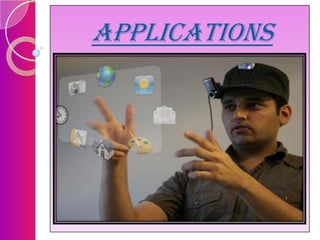
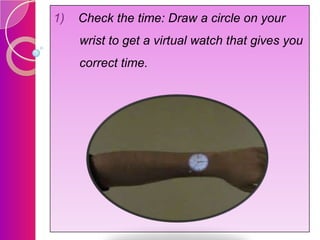
Check the time: Draw a circle on your
wrist to get a virtual watch that gives you
correct time.
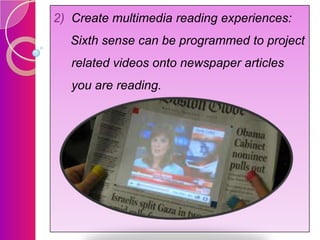
2) Create multimedia reading experiences:
Sixth sense can be programmed to project
related videos onto newspaper articles

you are reading.
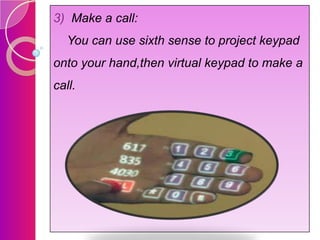
3) Make a call:
You can use sixth sense to project keypad
onto your hand,then virtual keypad to make a

call.
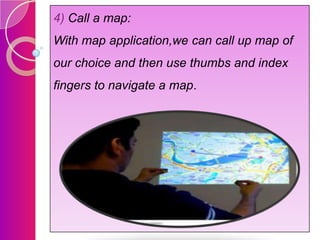
4) Call a map:
With map application,we can call up map of
our choice and then use thumbs and index

fingers to navigate a map.
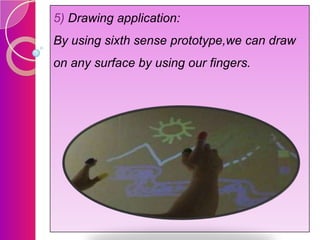
5) Drawing application:
By using sixth sense prototype,we can draw
on any surface by using our fingers.
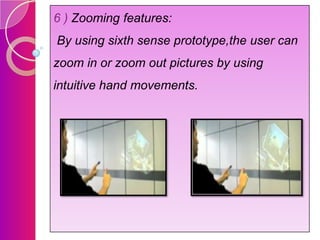
6 ) Zooming features:
By using sixth sense prototype,the user can
zoom in or zoom out pictures by using

intuitive hand movements.
ADVANTAGES
Portable
Connects digital world and physical world.
Supports multitouch and multiuser
interaction.
Cost effective
Data access directly from machine in real

time.
CONCLUSION
Sixth

sense recognizes the objects around

us,displaying information automatically and

letting us to access it in anyway we need.
In

simple,it is almost like installing a digital

system(computer) into our body and further
making it as sixth sense of our body.
The

sixth sense prototype implements

several applications that demonstrate the
usefulness and flexibility of system.
REFERENCES
Http://en.wikipedia.org/wiki/sixthsense

Http://code.google.com/p/sixthsense
Http://seminarslides.com/ppt/sixthsense
Http://authorstream.com/ppt/sixthsense
Http://www.youtube.com
THANK YOU

Sixth sense technology ppt