SIXTH SENSE TECHNOLOGY


SUBMITTED TO:        SUBMITTED BY:
MISS DAISY AGRAWAL   AMIT KR. AGRAWAL
(DEPTT. OF IT)       (I.T. 6TH SEM.)
INTRODUCTION
• Sixth Sense is a wearable gestural interface that augments the
  physical world around us with digital information and lets us
  use natural hand gestures to interact with that information.
• It was developed by Pranav Mistry, a PhD student in the Fluid
  Interfaces Group at the MIT Media Lab.
• SixthSense bridges the gap by bringing intangible, digital
  information out into the tangible world, and allowing us to
  interact with this information via natural hand.
• SixthSense comprises a pocket projector, a mirror, a camera
  and a smartphone. The hardware components are coupled in a
  pendant like mobile wearable device.
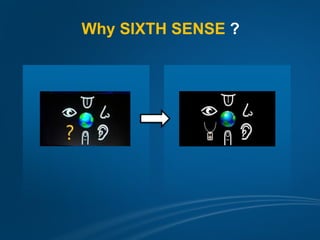
Why SIXTH SENSE ?
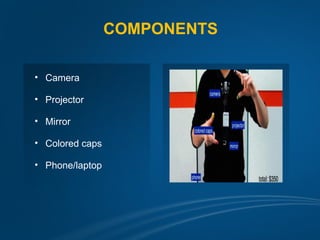
COMPONENTS

• Camera

• Projector

• Mirror

• Colored caps

• Phone/laptop
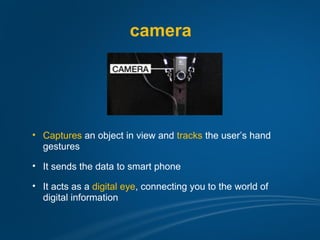
camera


• Captures an object in view and tracks the user’s hand
  gestures

• It sends the data to smart phone

• It acts as a digital eye, connecting you to the world of
  digital information
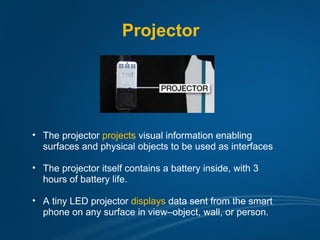
Projector


• The projector projects visual information enabling
  surfaces and physical objects to be used as interfaces

• The projector itself contains a battery inside, with 3
  hours of battery life.

• A tiny LED projector displays data sent from the smart
  phone on any surface in view–object, wall, or person.
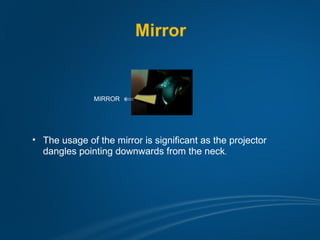
Mirror


               MIRROR


• The usage of the mirror is significant as the projector
  dangles pointing downwards from the neck.
Smart Phone


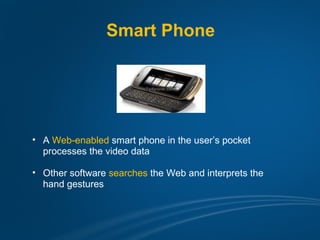
• A Web-enabled smart phone in the user’s pocket
  processes the video data

• Other software searches the Web and interprets the
  hand gestures
Color Markers


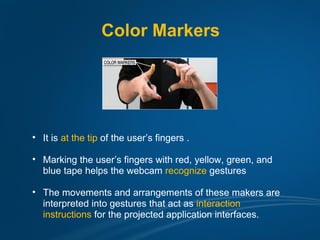
• It is at the tip of the user’s fingers .

• Marking the user’s fingers with red, yellow, green, and
  blue tape helps the webcam recognize gestures

• The movements and arrangements of these makers are
  interpreted into gestures that act as interaction
  instructions for the projected application interfaces.
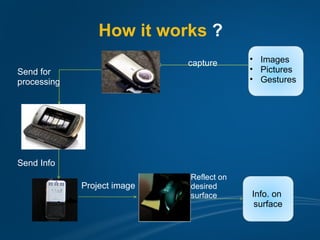
How it works ?
                             capture      • Images
Send for                                  • Pictures
processing                                • Gestures


Send Info
                             Reflect on
             Project image   desired
                             surface      Info. on
                                           surface
•   The hardware that makes Sixth Sense work is a pendant like mobile
    wearable interface

•   It has a camera, a mirror and a projector and is connected wirelessly to
    a Bluetooth smart phone that can slip comfortably into one’s pocket

•   The camera recognizes individuals, images, pictures, gestures one
    makes with their hands

•   Information is sent to the Smartphone for processing

•   The downward-facing projector projects the output image on to the
    mirror

•   Mirror reflects image on to the desired surface

•   Thus, digital information is freed from its confines and placed in the
    physical world.
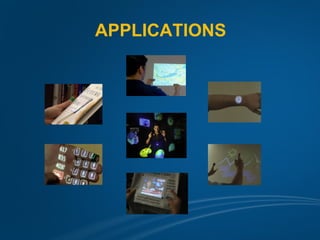
APPLICATIONS
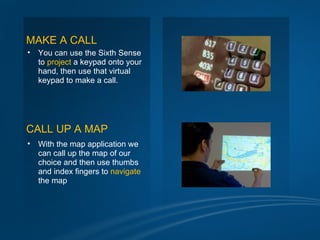
MAKE A CALL
•   You can use the Sixth Sense
    to project a keypad onto your
    hand, then use that virtual
    keypad to make a call.


CALL UP A MAP
•   With the map application we
    can call up the map of our
    choice and then use thumbs
    and index fingers to navigate
    the map
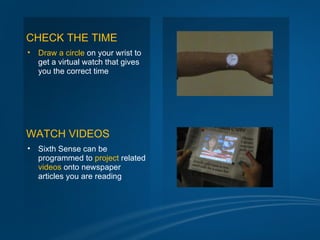
CHECK THE TIME
•   Draw a circle on your wrist to
    get a virtual watch that gives
    you the correct time


WATCH VIDEOS
•   Sixth Sense can be
    programmed to project related
    videos onto newspaper
    articles you are reading
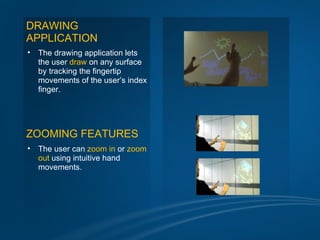
DRAWING
APPLICATION
•   The drawing application lets
    the user draw on any surface
    by tracking the fingertip
    movements of the user’s index
    finger.


ZOOMING FEATURES
•   The user can zoom in or zoom
    out using intuitive hand
    movements.
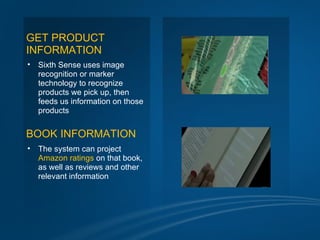
GET PRODUCT
INFORMATION
•   Sixth Sense uses image
    recognition or marker
    technology to recognize
    products we pick up, then
    feeds us information on those
    products


BOOK INFORMATION
•   The system can project
    Amazon ratings on that book,
    as well as reviews and other
    relevant information
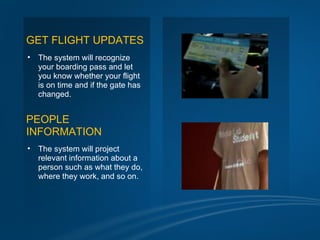
GET FLIGHT UPDATES
•   The system will recognize
    your boarding pass and let
    you know whether your flight
    is on time and if the gate has
    changed.


PEOPLE
INFORMATION
•   The system will project
    relevant information about a
    person such as what they do,
    where they work, and so on.
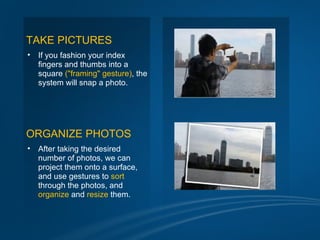
TAKE PICTURES
•   If you fashion your index
    fingers and thumbs into a
    square ("framing" gesture), the
    system will snap a photo.


ORGANIZE PHOTOS
•   After taking the desired
    number of photos, we can
    project them onto a surface,
    and use gestures to sort
    through the photos, and
    organize and resize them.
ADVANTAGES

•   Connectedness between world and information.

•   Data access directly from machine in real time.

•   Mind map the data anywhere.

•   Portable.

•   Inexpensive.

•   Cool.

•   OPEN SOURCE.
CONCLUSION

•   Sixth Sense recognizes the objects around us, displaying
    information automatically and letting us to access it in any way we
    need

•   The Sixth Sense prototype implements several applications that
    demonstrate the usefulness, viability and flexibility of the system

•   Allowing us to interact with this information via natural hand
    gestures

•   The potential of becoming the ultimate "transparent" user interface
    for accessing information about everything around us
Final words to say……


“ Personality is an unbroken series of
  successful gestures.
          ”
  .
  .
  .
  .
“ Technology is an unbroken series of
  successful gestures.
          ”
REFERENCES

•   http://boingboing.net/2009/11/12/sixth-sense-technolo.html

•   http://gizmodo.com/5167790/sixth-sense-technology-may-change-
    how-we-look-at-the-world-forever

•   http://www.ted.com/talks/pattie_maes_demos_the_sixth_sense.ht
    ml

•   http://theviewspaper.net/sixth-sense-technology-will-revolutionize-
    the-world/

•   http://www.freshcreation.com/entry/sixth_sense_technology/

•   http://www.pranavmistry.com
RESOURCE ACCESS LINKS
QUERIES…?
THANK YOU…!

Sixth Sense Technology

  • 1.
    SIXTH SENSE TECHNOLOGY SUBMITTEDTO: SUBMITTED BY: MISS DAISY AGRAWAL AMIT KR. AGRAWAL (DEPTT. OF IT) (I.T. 6TH SEM.)
  • 2.
    INTRODUCTION • Sixth Senseis a wearable gestural interface that augments the physical world around us with digital information and lets us use natural hand gestures to interact with that information. • It was developed by Pranav Mistry, a PhD student in the Fluid Interfaces Group at the MIT Media Lab. • SixthSense bridges the gap by bringing intangible, digital information out into the tangible world, and allowing us to interact with this information via natural hand. • SixthSense comprises a pocket projector, a mirror, a camera and a smartphone. The hardware components are coupled in a pendant like mobile wearable device.
  • 3.
  • 4.
    COMPONENTS • Camera • Projector •Mirror • Colored caps • Phone/laptop
  • 5.
    camera • Captures anobject in view and tracks the user’s hand gestures • It sends the data to smart phone • It acts as a digital eye, connecting you to the world of digital information
  • 6.
    Projector • The projectorprojects visual information enabling surfaces and physical objects to be used as interfaces • The projector itself contains a battery inside, with 3 hours of battery life. • A tiny LED projector displays data sent from the smart phone on any surface in view–object, wall, or person.
  • 7.
    Mirror MIRROR • The usage of the mirror is significant as the projector dangles pointing downwards from the neck.
  • 8.
    Smart Phone • AWeb-enabled smart phone in the user’s pocket processes the video data • Other software searches the Web and interprets the hand gestures
  • 9.
    Color Markers • Itis at the tip of the user’s fingers . • Marking the user’s fingers with red, yellow, green, and blue tape helps the webcam recognize gestures • The movements and arrangements of these makers are interpreted into gestures that act as interaction instructions for the projected application interfaces.
  • 10.
    How it works? capture • Images Send for • Pictures processing • Gestures Send Info Reflect on Project image desired surface Info. on surface
  • 11.
    The hardware that makes Sixth Sense work is a pendant like mobile wearable interface • It has a camera, a mirror and a projector and is connected wirelessly to a Bluetooth smart phone that can slip comfortably into one’s pocket • The camera recognizes individuals, images, pictures, gestures one makes with their hands • Information is sent to the Smartphone for processing • The downward-facing projector projects the output image on to the mirror • Mirror reflects image on to the desired surface • Thus, digital information is freed from its confines and placed in the physical world.
  • 12.
  • 13.
    MAKE A CALL • You can use the Sixth Sense to project a keypad onto your hand, then use that virtual keypad to make a call. CALL UP A MAP • With the map application we can call up the map of our choice and then use thumbs and index fingers to navigate the map
  • 14.
    CHECK THE TIME • Draw a circle on your wrist to get a virtual watch that gives you the correct time WATCH VIDEOS • Sixth Sense can be programmed to project related videos onto newspaper articles you are reading
  • 15.
    DRAWING APPLICATION • The drawing application lets the user draw on any surface by tracking the fingertip movements of the user’s index finger. ZOOMING FEATURES • The user can zoom in or zoom out using intuitive hand movements.
  • 16.
    GET PRODUCT INFORMATION • Sixth Sense uses image recognition or marker technology to recognize products we pick up, then feeds us information on those products BOOK INFORMATION • The system can project Amazon ratings on that book, as well as reviews and other relevant information
  • 17.
    GET FLIGHT UPDATES • The system will recognize your boarding pass and let you know whether your flight is on time and if the gate has changed. PEOPLE INFORMATION • The system will project relevant information about a person such as what they do, where they work, and so on.
  • 18.
    TAKE PICTURES • If you fashion your index fingers and thumbs into a square ("framing" gesture), the system will snap a photo. ORGANIZE PHOTOS • After taking the desired number of photos, we can project them onto a surface, and use gestures to sort through the photos, and organize and resize them.
  • 19.
    ADVANTAGES • Connectedness between world and information. • Data access directly from machine in real time. • Mind map the data anywhere. • Portable. • Inexpensive. • Cool. • OPEN SOURCE.
  • 20.
    CONCLUSION • Sixth Sense recognizes the objects around us, displaying information automatically and letting us to access it in any way we need • The Sixth Sense prototype implements several applications that demonstrate the usefulness, viability and flexibility of the system • Allowing us to interact with this information via natural hand gestures • The potential of becoming the ultimate "transparent" user interface for accessing information about everything around us
  • 21.
    Final words tosay…… “ Personality is an unbroken series of successful gestures. ” . . . . “ Technology is an unbroken series of successful gestures. ”
  • 22.
    REFERENCES • http://boingboing.net/2009/11/12/sixth-sense-technolo.html • http://gizmodo.com/5167790/sixth-sense-technology-may-change- how-we-look-at-the-world-forever • http://www.ted.com/talks/pattie_maes_demos_the_sixth_sense.ht ml • http://theviewspaper.net/sixth-sense-technology-will-revolutionize- the-world/ • http://www.freshcreation.com/entry/sixth_sense_technology/ • http://www.pranavmistry.com
  • 23.
  • 24.
  • 25.