Signal Flow &
Audio Consoles
MSD2013 – SOUND DESIGN I
Prepared by: Mr. Ajoi
Signal Flow
Why…??
Knowing the audio path through a mixing
console is absolutely critical to a sound
engineer’s success.
Using this information, the engineer can quickly
TROUBLESHOOT the likely causes of common
problems, and can even narrow down the
possibilities of unexpected major problems.
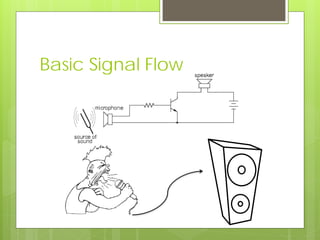
Basic Signal Flow
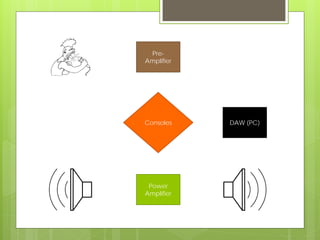
Pre-
Amplifier
Consoles
Power
Amplifier
DAW (PC)
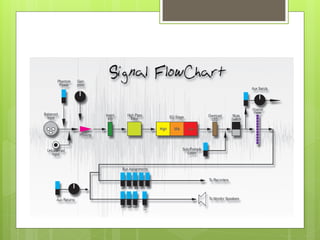
Analog Console Signal Flow
Mixer vs. Console
Mixer vs. Console
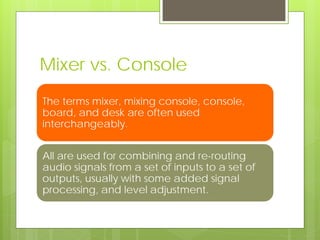
The terms mixer, mixing console, console,
board, and desk are often used
interchangeably.
All are used for combining and re-routing
audio signals from a set of inputs to a set of
outputs, usually with some added signal
processing, and level adjustment.
Mixer vs. Console
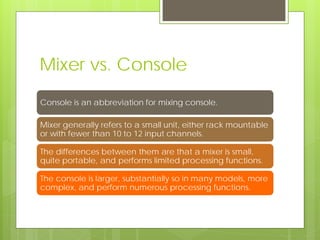
Console is an abbreviation for mixing console.
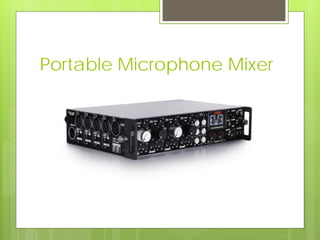
Mixer generally refers to a small unit, either rack mountable
or with fewer than 10 to 12 input channels.
The differences between them are that a mixer is small,
quite portable, and performs limited processing functions.
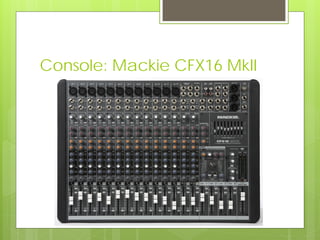
The console is larger, substantially so in many models, more
complex, and perform numerous processing functions.
Portable Microphone Mixer
Analog Consoles
Console: Mackie CFX16 MkII
Analog Consoles
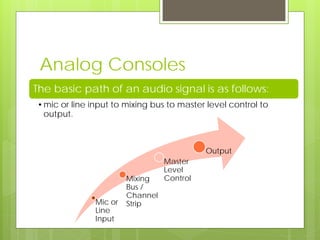
The basic path of an audio signal is as follows:
•mic or line input to mixing bus to master level control to
output.
Mic or
Line
Input
Mixing
Bus /
Channel
Strip
Master
Level
Control
Output
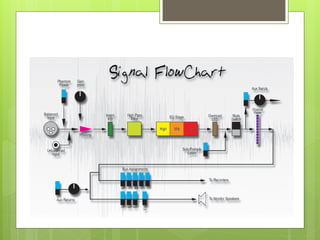
Analog Console Signal Flow
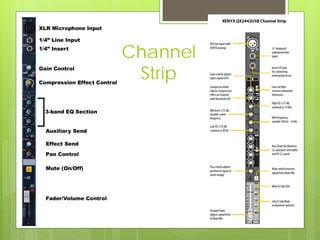
Channel
Strip
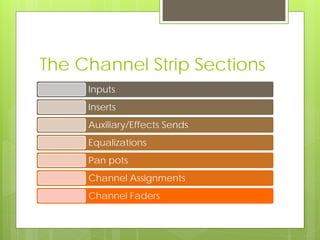
The Channel Strip Sections
Inputs
Inserts
Auxiliary/Effects Sends
Equalizations
Pan pots
Channel Assignments
Channel Faders
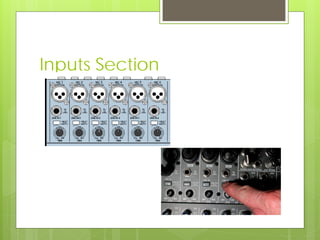
Inputs Section
Microphone-line input selector
•controls which signal source enters the input section.
Phantom power
•Just ahead of the microphone preamplifier is the phantom power supply ( 48 volts
DC).
•When activated it provides voltage for condenser mics, thus eliminating the need for
batteries.
Trim/Gain Knob
•The trim is a gain control that controls the nominal input levels of various input sources.
Pad
•reduces the power of a signal. It is used when the trim, by itself, cannot prevent
overload in the mic signal.
Inputs Section
Inserts Section
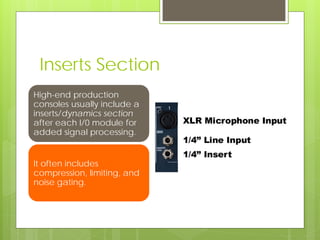
High-end production
consoles usually include a
inserts/dynamics section
after each I/0 module for
added signal processing.
It often includes
compression, limiting, and
noise gating.
Auxiliary Sends Section
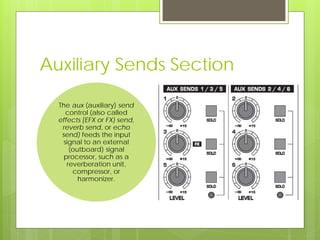
The aux (auxiliary) send
control (also called
effects [EFX or FX} send,
reverb send, or echo
send) feeds the input
signal to an external
(outboard) signal
processor, such as a
reverberation unit,
compressor, or
harmonizer.
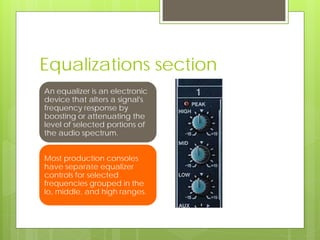
Equalizations section
An equalizer is an electronic
device that alters a signal's
frequency response by
boosting or attenuating the
level of selected portions of
the audio spectrum.
Most production consoles
have separate equalizer
controls for selected
frequencies grouped in the
lo, middle, and high ranges.
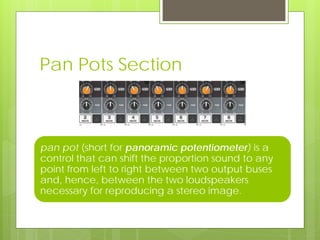
Pan Pots Section
pan pot (short for panoramic potentiometer) is a
control that can shift the proportion sound to any
point from left to right between two output buses
and, hence, between the two loudspeakers
necessary for reproducing a stereo image.
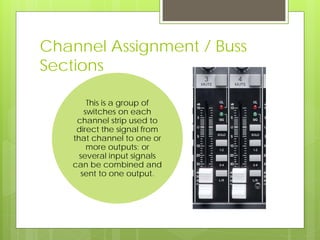
Channel Assignment / Buss
Sections
This is a group of
switches on each
channel strip used to
direct the signal from
that channel to one or
more outputs; or
several input signals
can be combined and
sent to one output.
Solo & Mute Switches
Solo
• This is a group of
switches on each I/O
channel used to direct
the signal from that
channel to one or more
outputs; or several input
signals can be
combined and sent to
one output.
Mute
• The mute function, also
called channel on/off,
turns off the signals from
the I/O channel.
Channel Faders
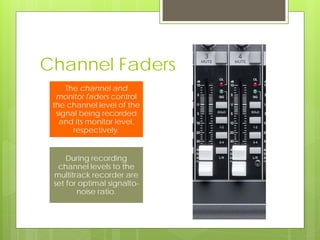
The channel and
monitor faders control
the channel level of the
signal being recorded
and its monitor level,
respectively.
During recording
channel levels to the
multitrack recorder are
set for optimal signalto-
noise ratio.
Other Sections
• master buses, master fader, aux (or
effects) send, aux (or effects) return,
and meters.
Master section
includes:
• Speakers volume, recorder select,
send, mix, loudspeaker select, and
mono switches.
Monitor section
includes:
• talkback, slate/talkback, and
oscillator.
Communications
section includes:
Video
 Mixing Console Explain (Part II):
 http://www.youtube.com/watch?v=_11Z3B
EUArY
Digital consoles
Digital Consoles
Digital consoles use the assignable concept in
three configurations:
• in an analog console that is digitally
controlled
• in an all-digital console
• in a virtual console which is not a console per
se, but an integrated system that combines a
harddisk computer and specialized software
to record and process audio direct to disk.
Digital Consoles
With digital consoles, instead of
individual controls for channel-to-
track routing on each channel
strip, these functions have been
centralized into single sets so they
can be assigned to any channel.
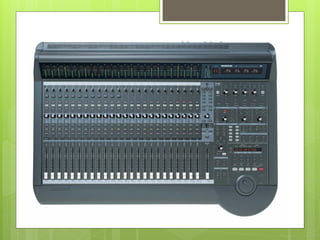
Digital Console: Mackie d8b
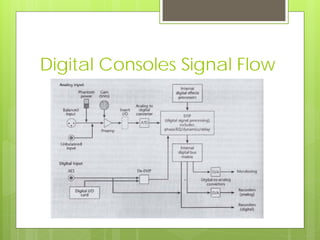
Digital Consoles Signal Flow
Video
 Sound One Studios:
 http://vimeo.com/19688642
References
Alten, Stanley R.. Audio in media. 6th
ed. Belmont, Calif.: Wadsworth Pub.
Co., 2002. Print.
Davis, Gary D., and Ralph Jones. The
sound reinforcement handbook. 2nd
ed. Milwaukee: Hal Leonard, 1989. Print.
THANK YOU

Signal flow and Audio Consoles

  • 1.
    Signal Flow & AudioConsoles MSD2013 – SOUND DESIGN I Prepared by: Mr. Ajoi
  • 2.
  • 3.
    Why…?? Knowing the audiopath through a mixing console is absolutely critical to a sound engineer’s success. Using this information, the engineer can quickly TROUBLESHOOT the likely causes of common problems, and can even narrow down the possibilities of unexpected major problems.
  • 4.
  • 5.
  • 6.
  • 7.
  • 8.
    Mixer vs. Console Theterms mixer, mixing console, console, board, and desk are often used interchangeably. All are used for combining and re-routing audio signals from a set of inputs to a set of outputs, usually with some added signal processing, and level adjustment.
  • 9.
    Mixer vs. Console Consoleis an abbreviation for mixing console. Mixer generally refers to a small unit, either rack mountable or with fewer than 10 to 12 input channels. The differences between them are that a mixer is small, quite portable, and performs limited processing functions. The console is larger, substantially so in many models, more complex, and perform numerous processing functions.
  • 10.
  • 11.
  • 12.
  • 13.
    Analog Consoles The basicpath of an audio signal is as follows: •mic or line input to mixing bus to master level control to output. Mic or Line Input Mixing Bus / Channel Strip Master Level Control Output
  • 14.
  • 15.
  • 16.
    The Channel StripSections Inputs Inserts Auxiliary/Effects Sends Equalizations Pan pots Channel Assignments Channel Faders
  • 17.
    Inputs Section Microphone-line inputselector •controls which signal source enters the input section. Phantom power •Just ahead of the microphone preamplifier is the phantom power supply ( 48 volts DC). •When activated it provides voltage for condenser mics, thus eliminating the need for batteries. Trim/Gain Knob •The trim is a gain control that controls the nominal input levels of various input sources. Pad •reduces the power of a signal. It is used when the trim, by itself, cannot prevent overload in the mic signal.
  • 18.
  • 19.
    Inserts Section High-end production consolesusually include a inserts/dynamics section after each I/0 module for added signal processing. It often includes compression, limiting, and noise gating.
  • 20.
    Auxiliary Sends Section Theaux (auxiliary) send control (also called effects [EFX or FX} send, reverb send, or echo send) feeds the input signal to an external (outboard) signal processor, such as a reverberation unit, compressor, or harmonizer.
  • 21.
    Equalizations section An equalizeris an electronic device that alters a signal's frequency response by boosting or attenuating the level of selected portions of the audio spectrum. Most production consoles have separate equalizer controls for selected frequencies grouped in the lo, middle, and high ranges.
  • 22.
    Pan Pots Section panpot (short for panoramic potentiometer) is a control that can shift the proportion sound to any point from left to right between two output buses and, hence, between the two loudspeakers necessary for reproducing a stereo image.
  • 23.
    Channel Assignment /Buss Sections This is a group of switches on each channel strip used to direct the signal from that channel to one or more outputs; or several input signals can be combined and sent to one output.
  • 24.
    Solo & MuteSwitches Solo • This is a group of switches on each I/O channel used to direct the signal from that channel to one or more outputs; or several input signals can be combined and sent to one output. Mute • The mute function, also called channel on/off, turns off the signals from the I/O channel.
  • 25.
    Channel Faders The channeland monitor faders control the channel level of the signal being recorded and its monitor level, respectively. During recording channel levels to the multitrack recorder are set for optimal signalto- noise ratio.
  • 26.
    Other Sections • masterbuses, master fader, aux (or effects) send, aux (or effects) return, and meters. Master section includes: • Speakers volume, recorder select, send, mix, loudspeaker select, and mono switches. Monitor section includes: • talkback, slate/talkback, and oscillator. Communications section includes:
  • 27.
    Video  Mixing ConsoleExplain (Part II):  http://www.youtube.com/watch?v=_11Z3B EUArY
  • 28.
  • 29.
    Digital Consoles Digital consolesuse the assignable concept in three configurations: • in an analog console that is digitally controlled • in an all-digital console • in a virtual console which is not a console per se, but an integrated system that combines a harddisk computer and specialized software to record and process audio direct to disk.
  • 30.
    Digital Consoles With digitalconsoles, instead of individual controls for channel-to- track routing on each channel strip, these functions have been centralized into single sets so they can be assigned to any channel.
  • 31.
  • 32.
  • 33.
    Video  Sound OneStudios:  http://vimeo.com/19688642
  • 34.
    References Alten, Stanley R..Audio in media. 6th ed. Belmont, Calif.: Wadsworth Pub. Co., 2002. Print. Davis, Gary D., and Ralph Jones. The sound reinforcement handbook. 2nd ed. Milwaukee: Hal Leonard, 1989. Print.
  • 35.