Fundamentals of Audio Production Chapter Five: Mixing Consoles
Three Functions of the Mixing Console Amplify Mix Route or Direct
Amplification The “gain stage” is the first stage in the console. Setting proper gain is  critical  for clear audio. Gain settings too low result in noise Gain settings too high result in distortion Click  to hear distortion from high gain Click  to hear noise from low gain
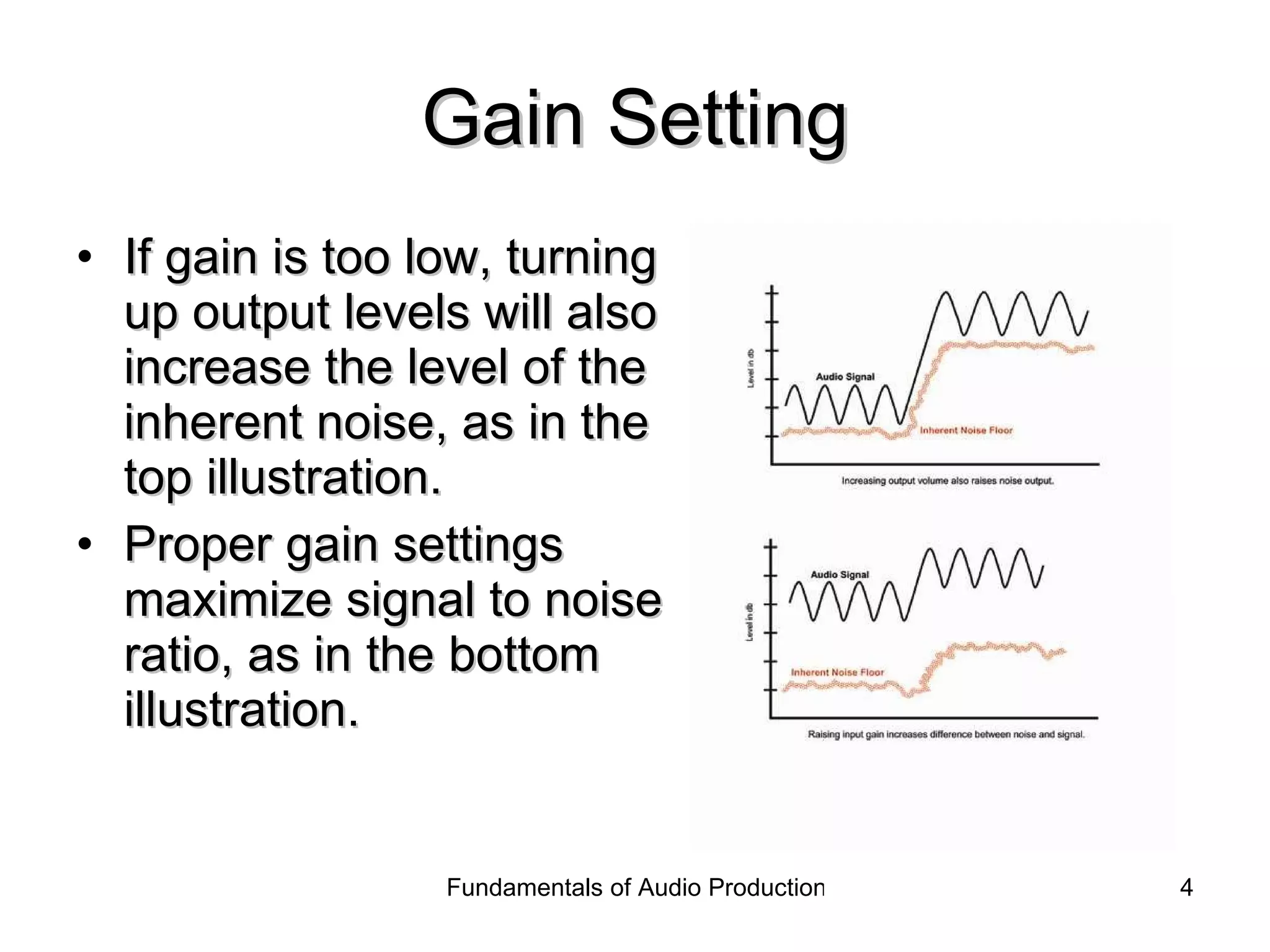
Gain Setting If gain is too low, turning up output levels will also increase the level of the inherent noise, as in the top illustration. Proper gain settings maximize signal to noise ratio, as in the bottom illustration.
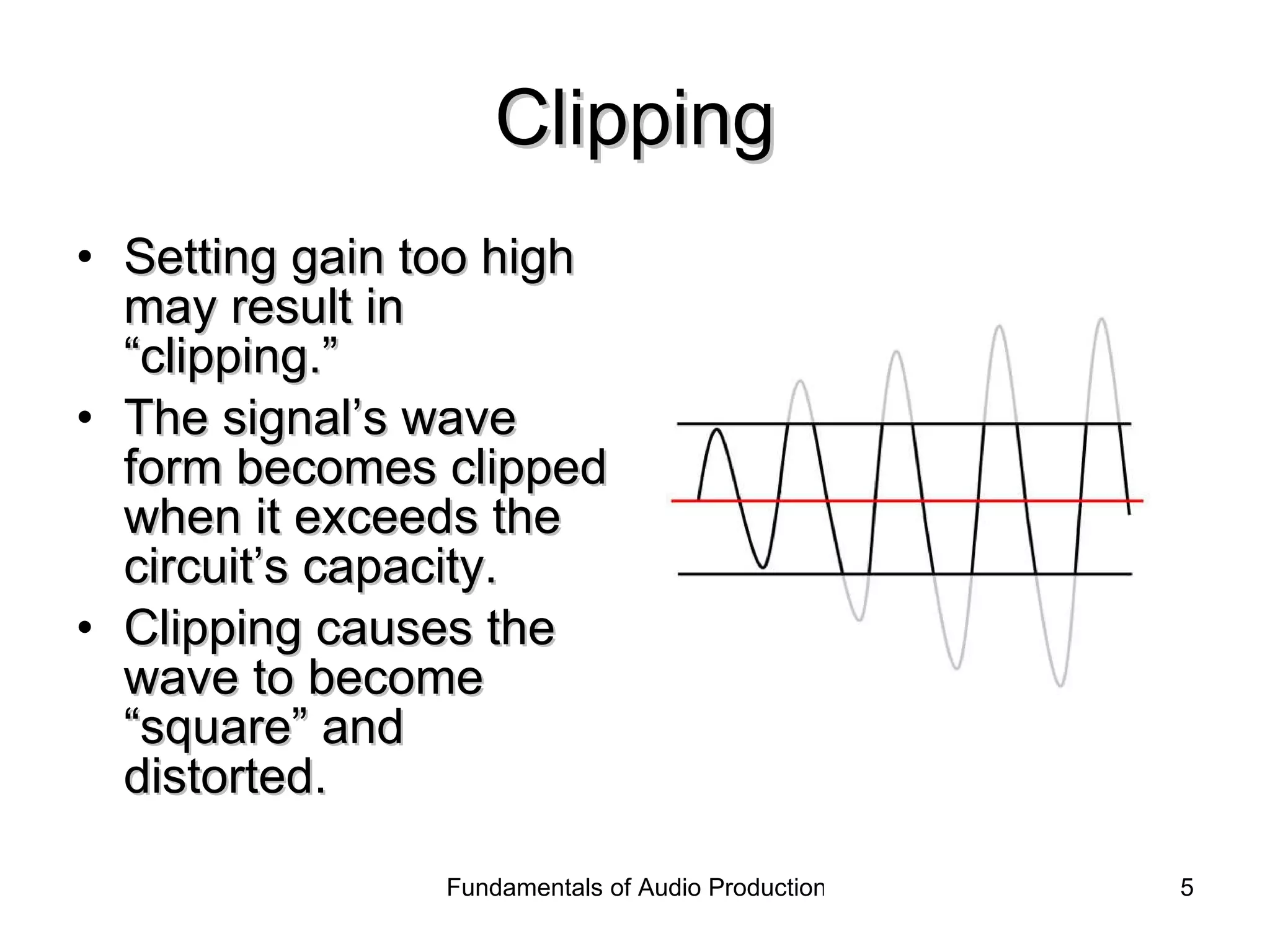
Clipping Setting gain too high may result in “clipping.” The signal’s wave form becomes clipped when it exceeds the circuit’s capacity. Clipping causes the wave to become “square” and distorted.
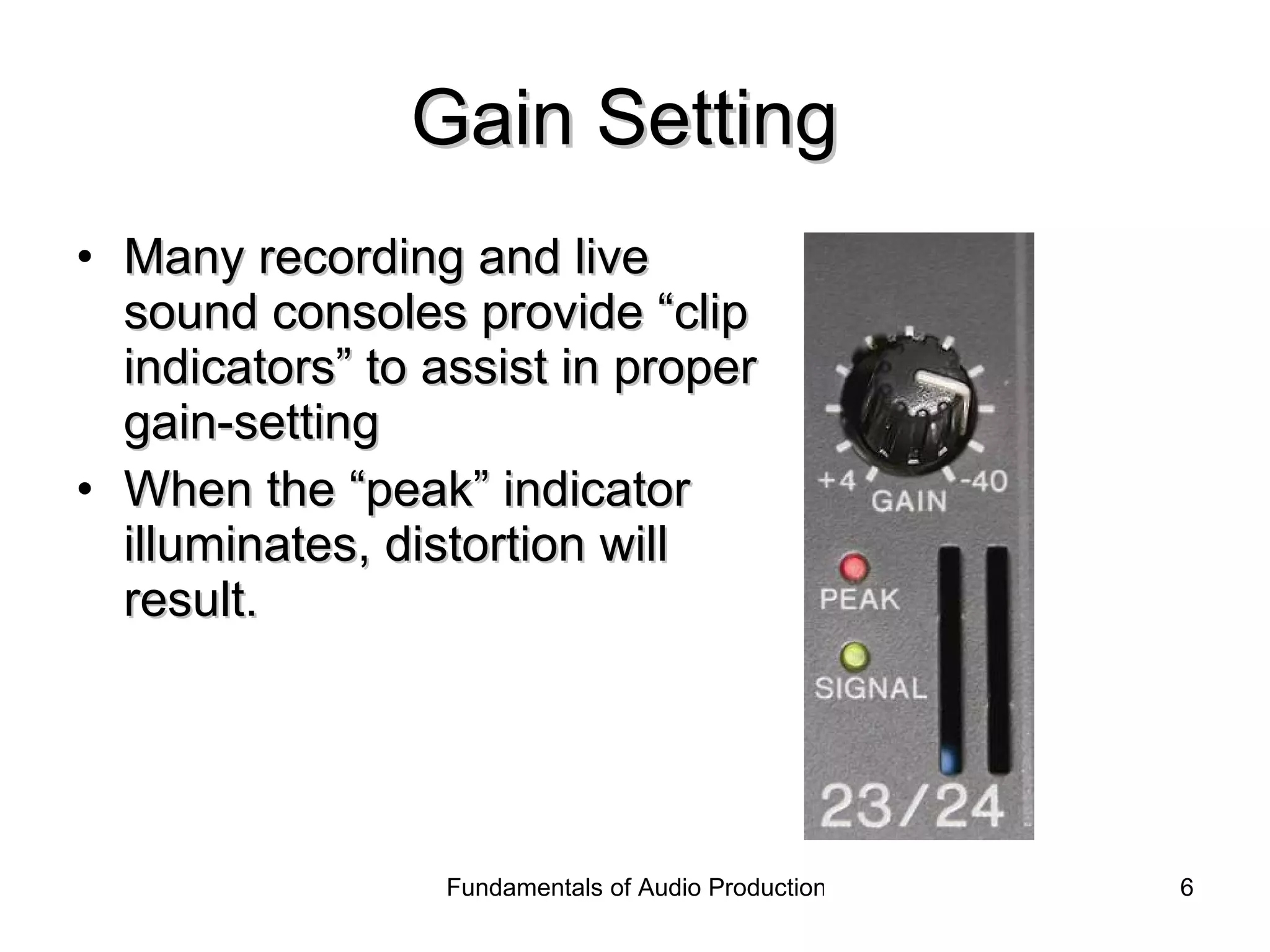
Gain Setting  Many recording and live sound consoles provide “clip indicators” to assist in proper gain-setting When the “peak” indicator illuminates, distortion will result.
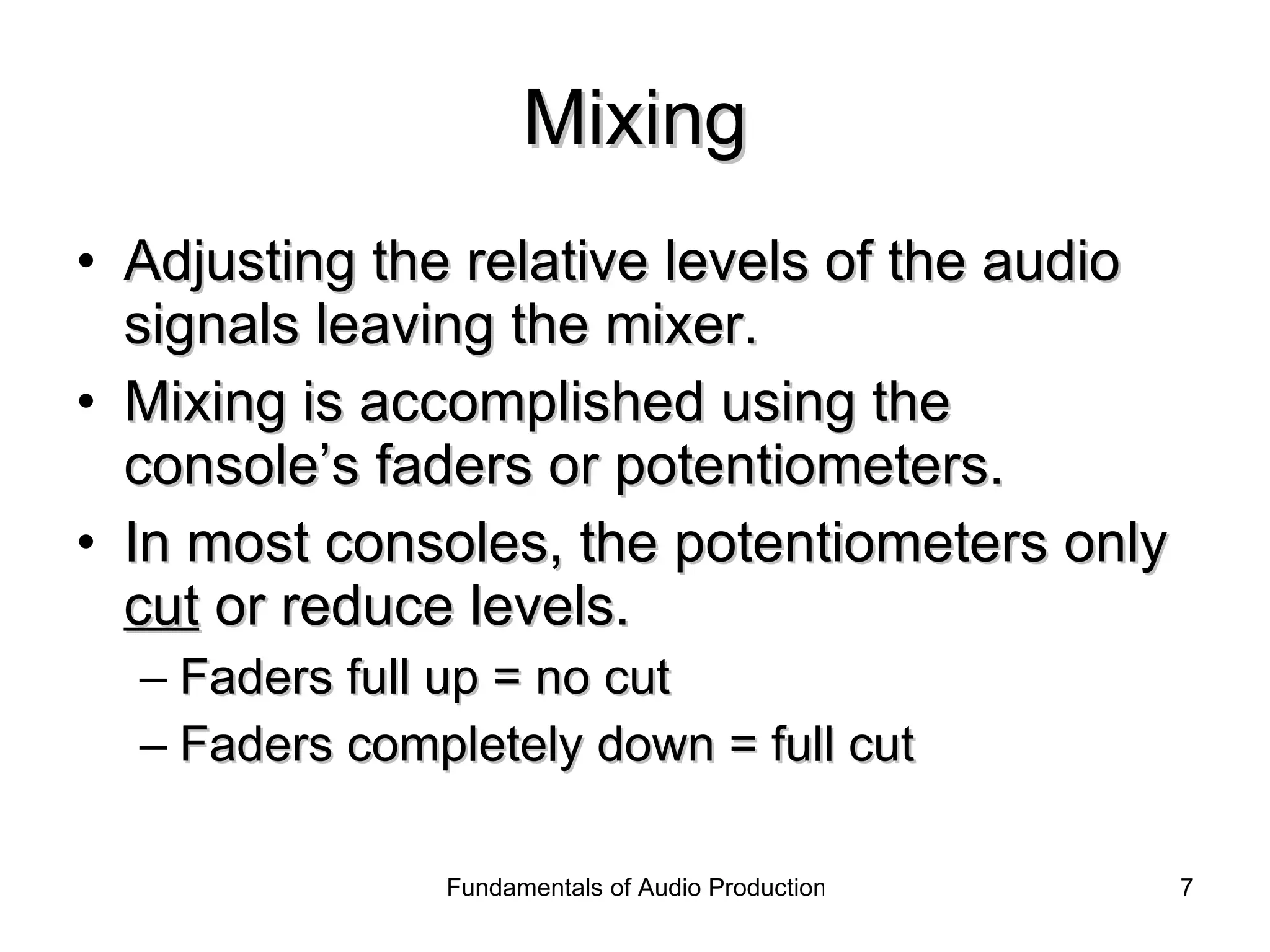
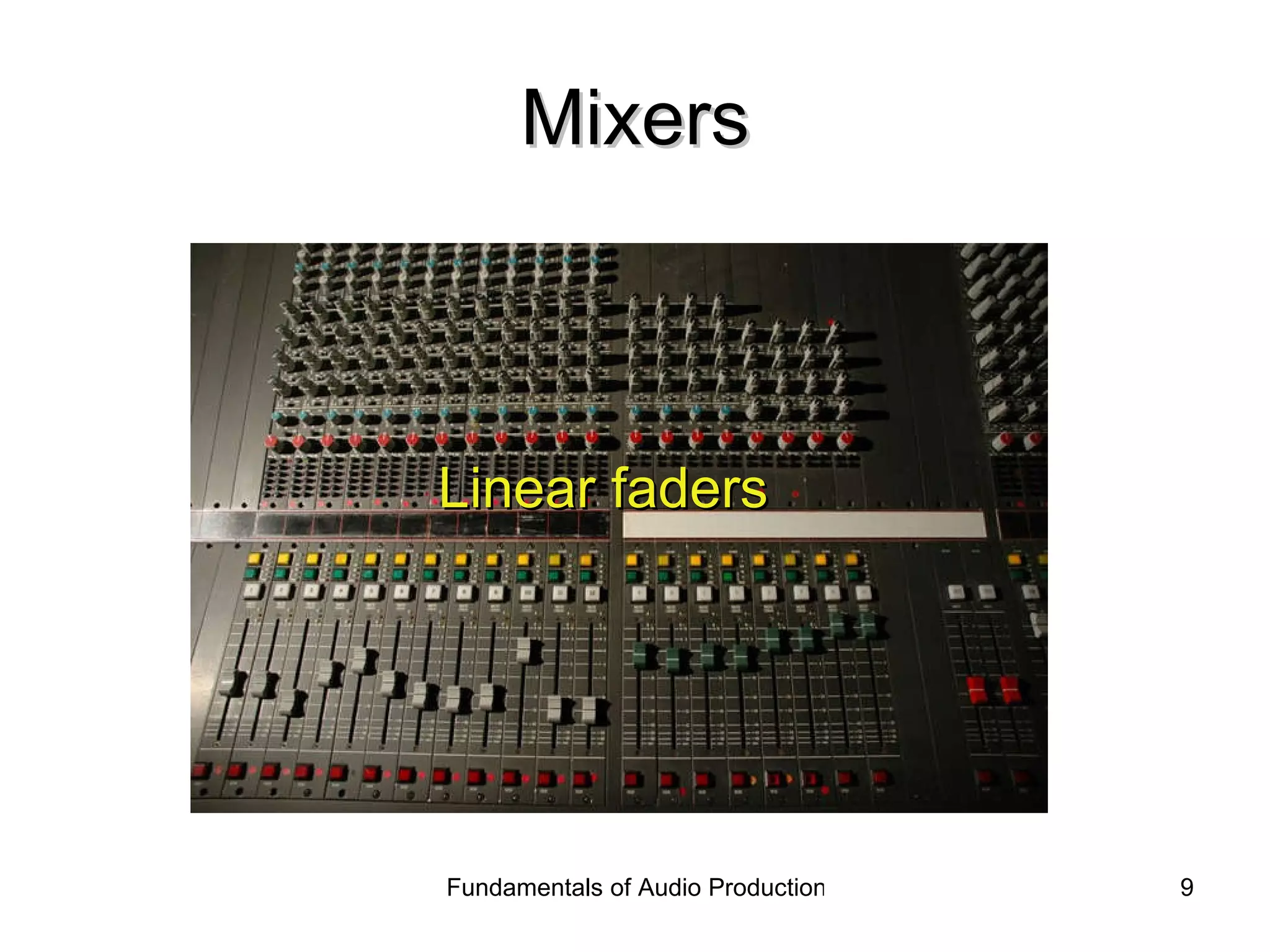
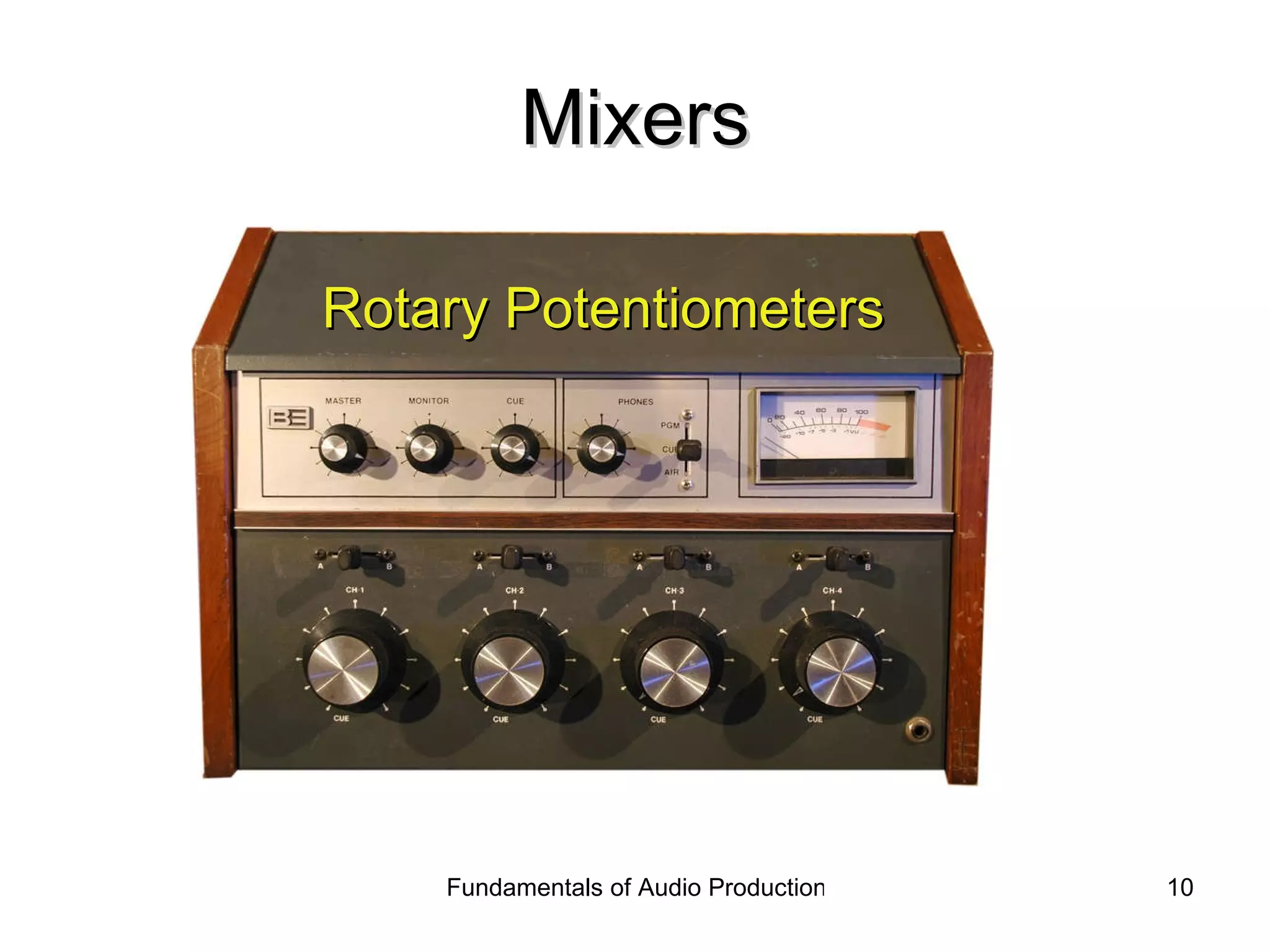
Mixing Adjusting the relative levels of the audio signals leaving the mixer. Mixing is accomplished using the console’s faders or potentiometers. In most consoles, the potentiometers only  cut  or reduce levels. Faders full up = no cut Faders completely down = full cut
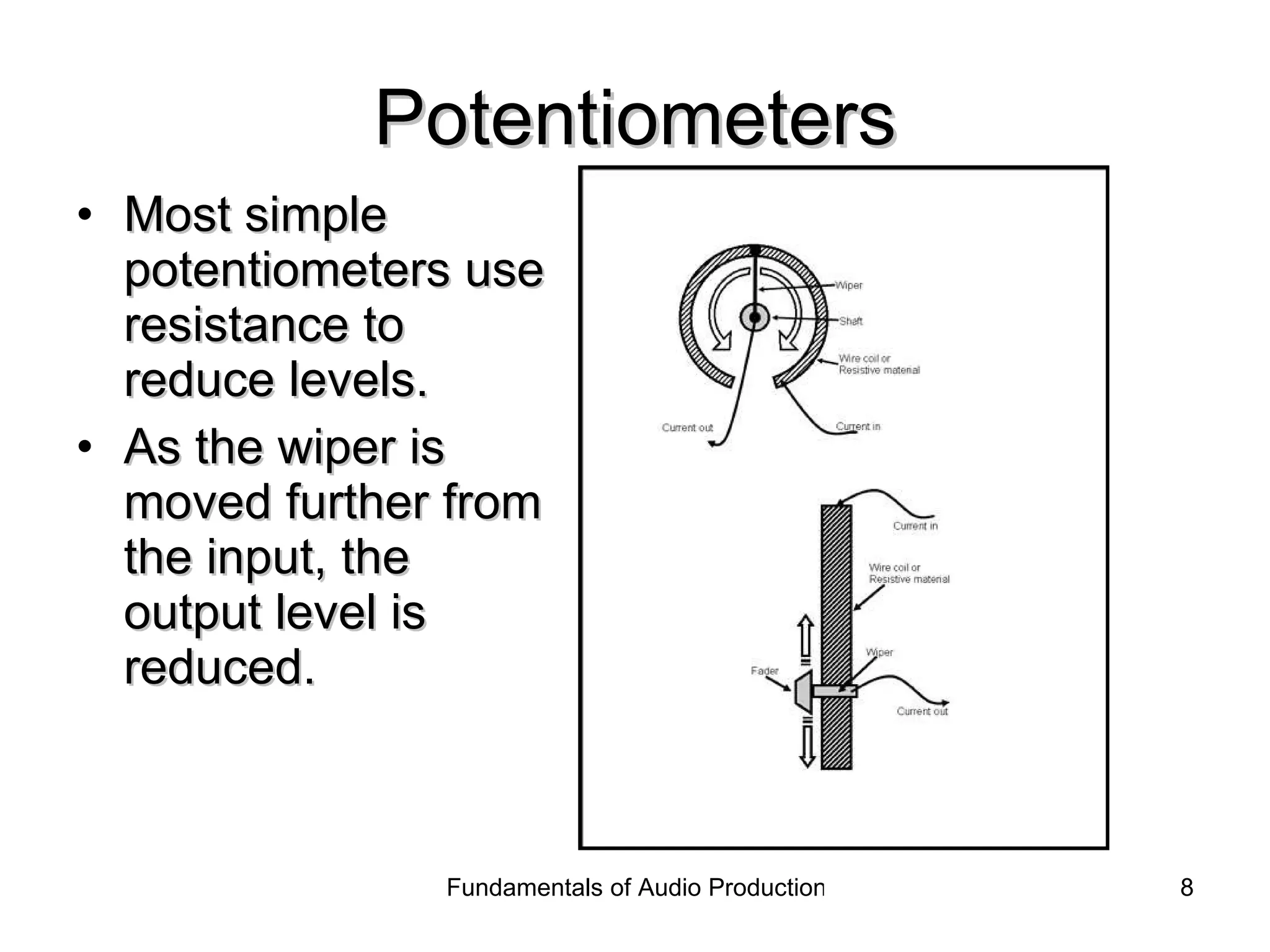
Potentiometers Most simple potentiometers use resistance to reduce levels. As the wiper is moved further from the input, the output level is reduced.
Mixers Linear faders
Mixers Rotary Potentiometers
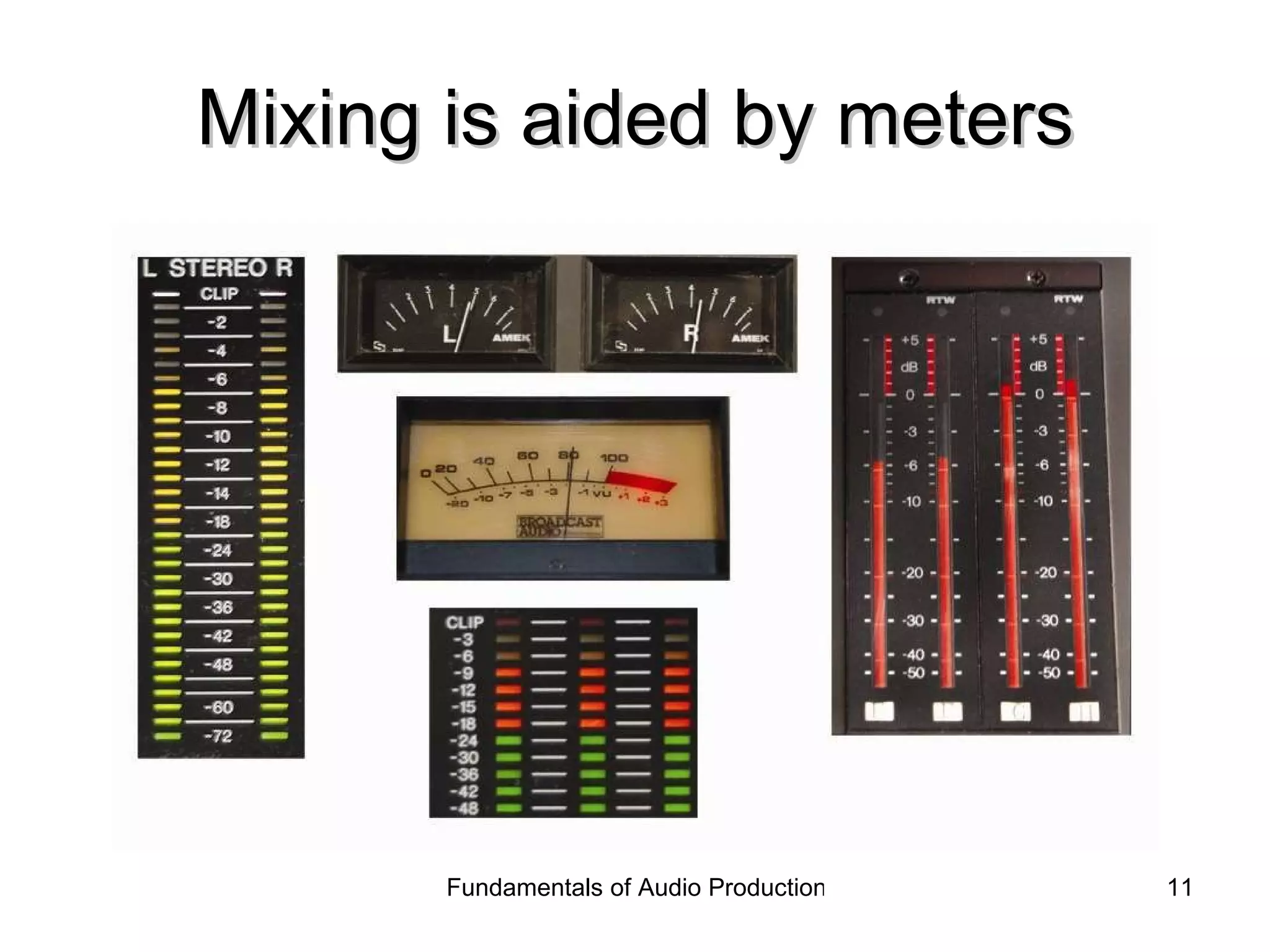
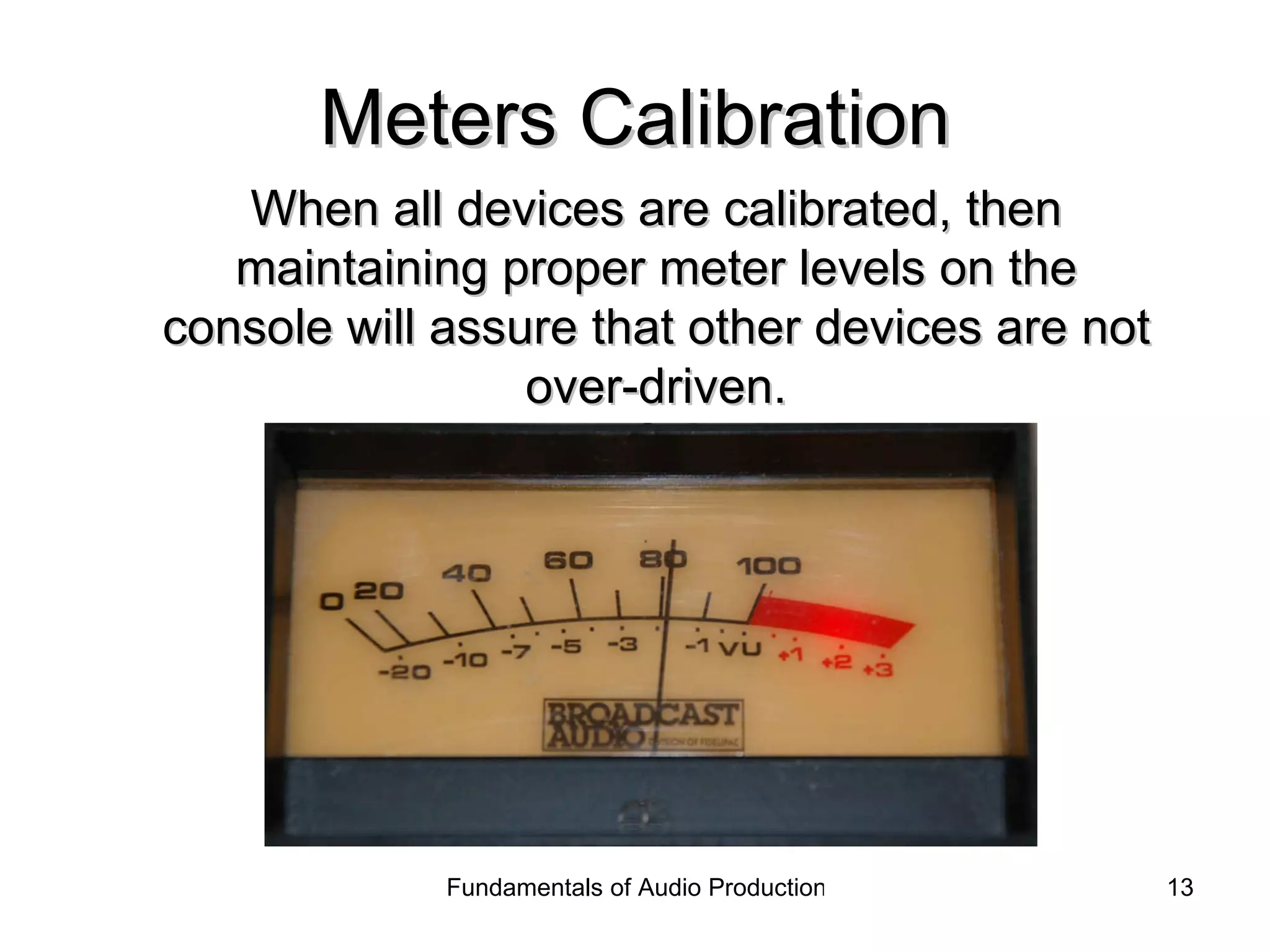
Mixing is aided by meters
Meters Calibration All devices in the recording chain must be calibrated to assure proper levels. Using a steady tone, the console meter is set to 100% modulation or “0 VU.” Then all device inputs are adjusted so their meters match.
Meters Calibration When all devices are calibrated, then maintaining proper meter levels on the console will assure that other devices are not over-driven.
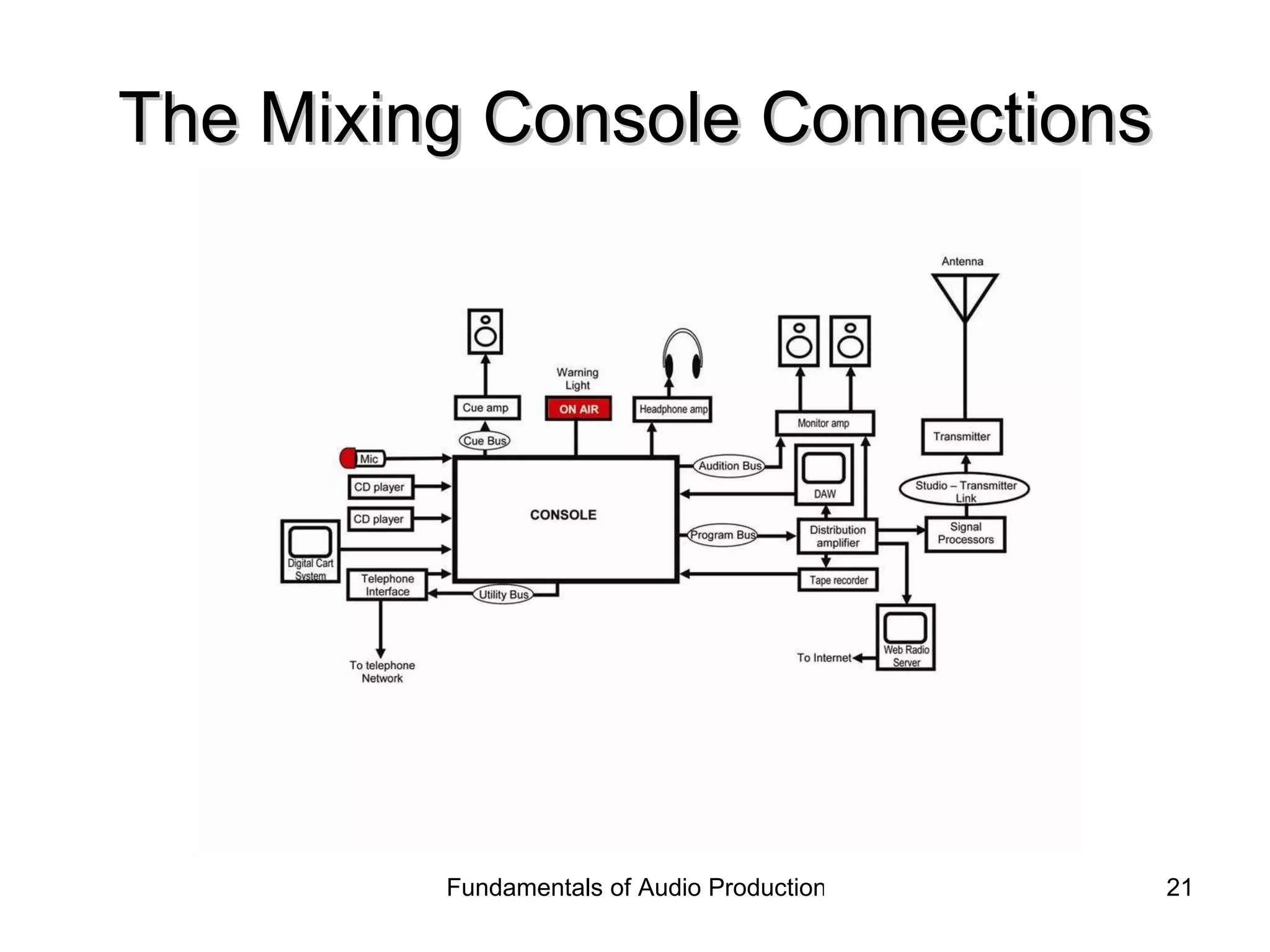
Routing or Directing Sending the signal to a variety of destinations. Signals are transported via “buses.” Buses are simply wires or paths for the signal to travel.
Routing or Directing Typical console outputs Main  or  stereo  bus Subgroups   Monitor  or foldback send to headphones Effects  sends to outboard effects devices Auxiliary  sends  Cue  sends to headphones or cue speakers Different manufacturers use different terms
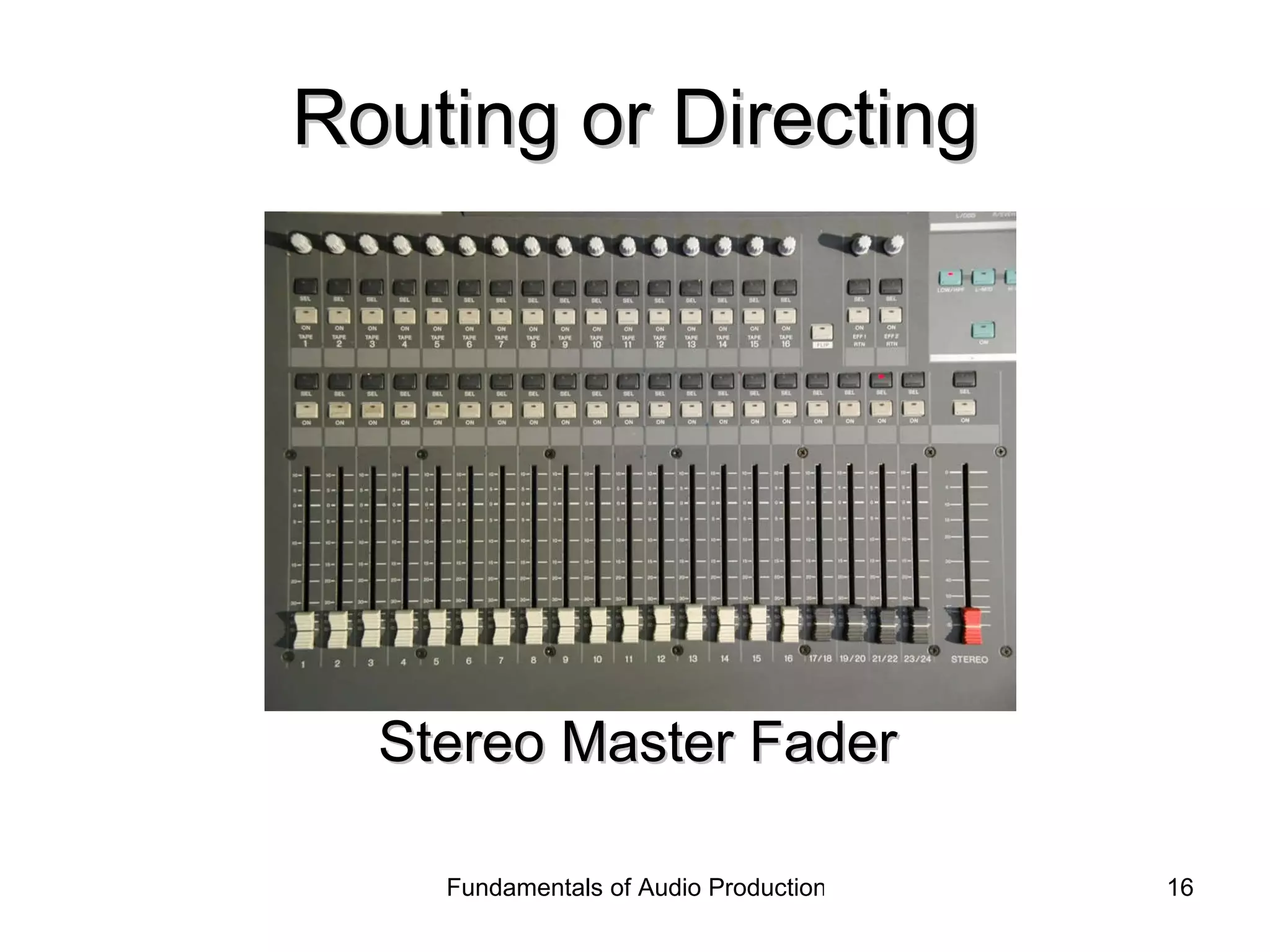
Routing or Directing Stereo Master Fader
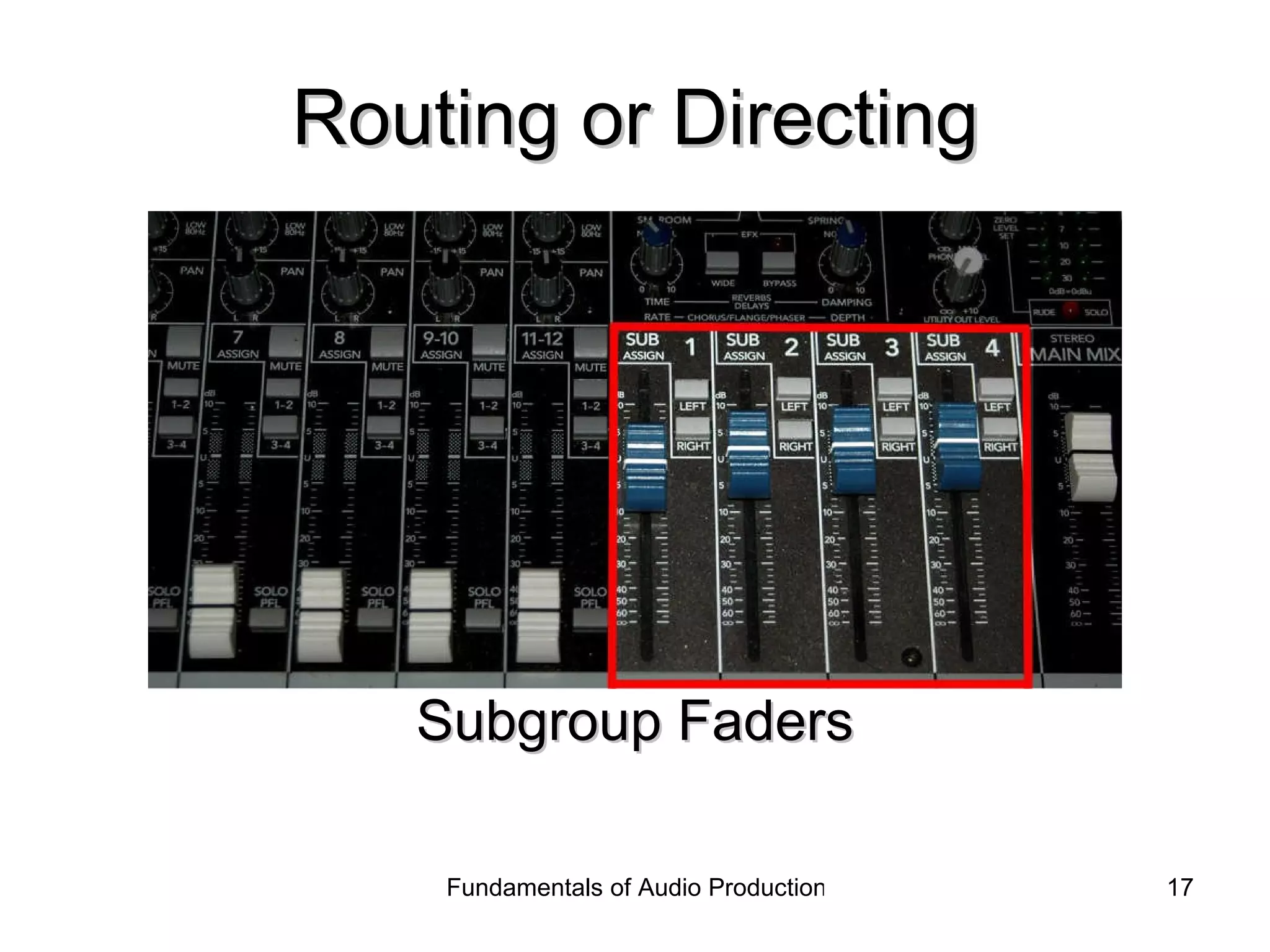
Routing or Directing Subgroup Faders
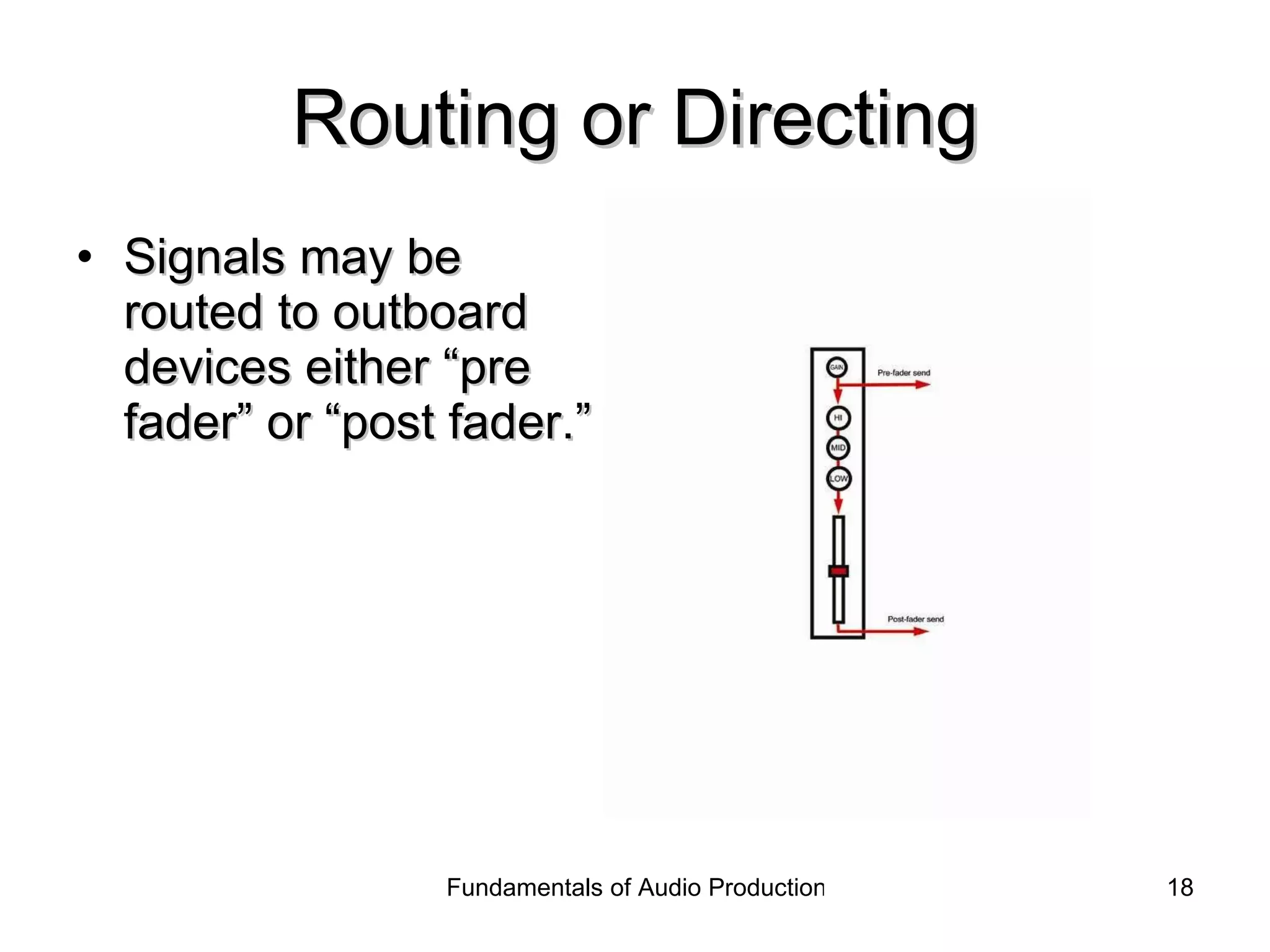
Routing or Directing Signals may be routed to outboard devices either “pre fader” or “post fader.”
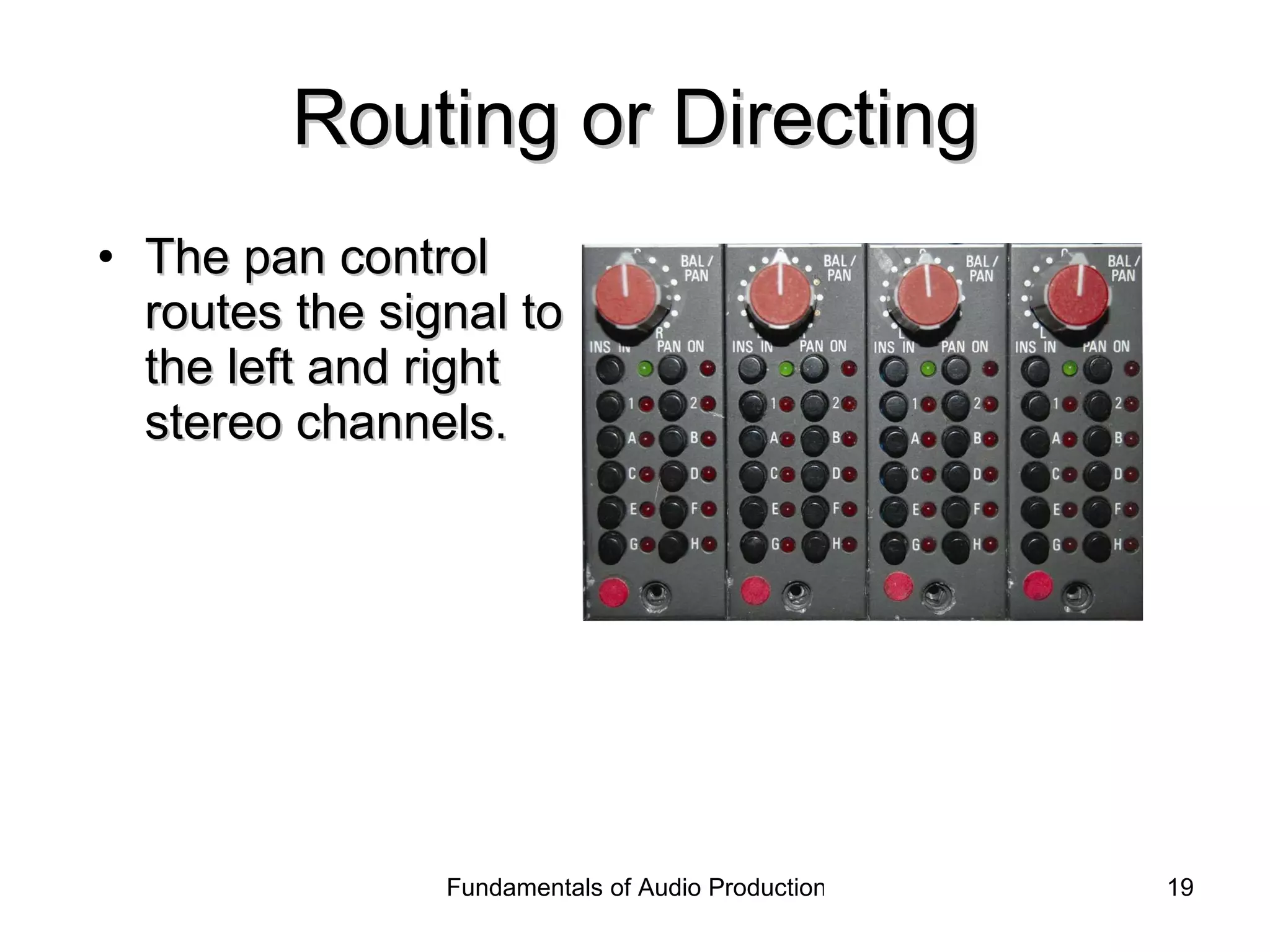
Routing or Directing The pan control routes the signal to the left and right stereo channels.
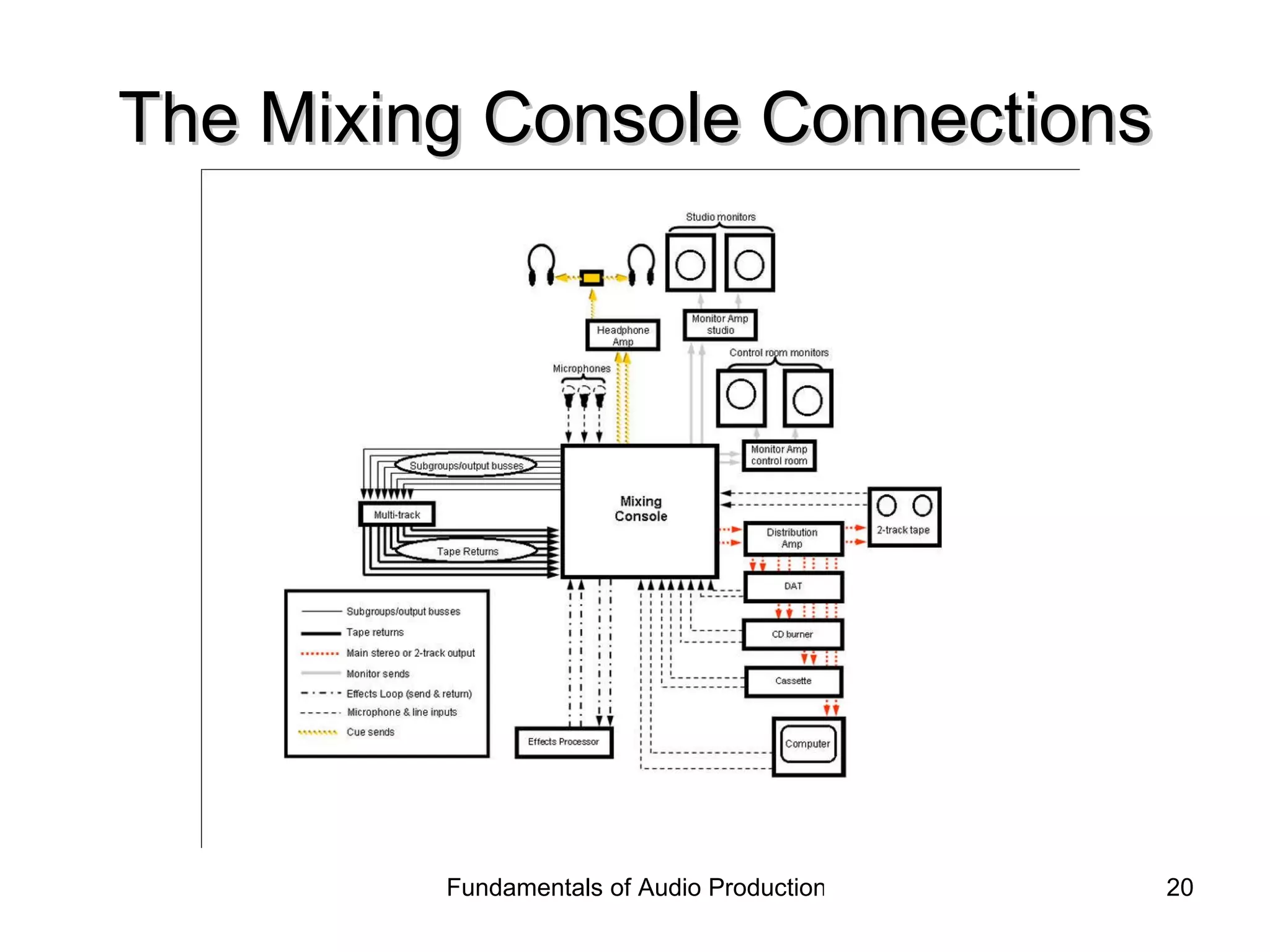
The Mixing Console Connections
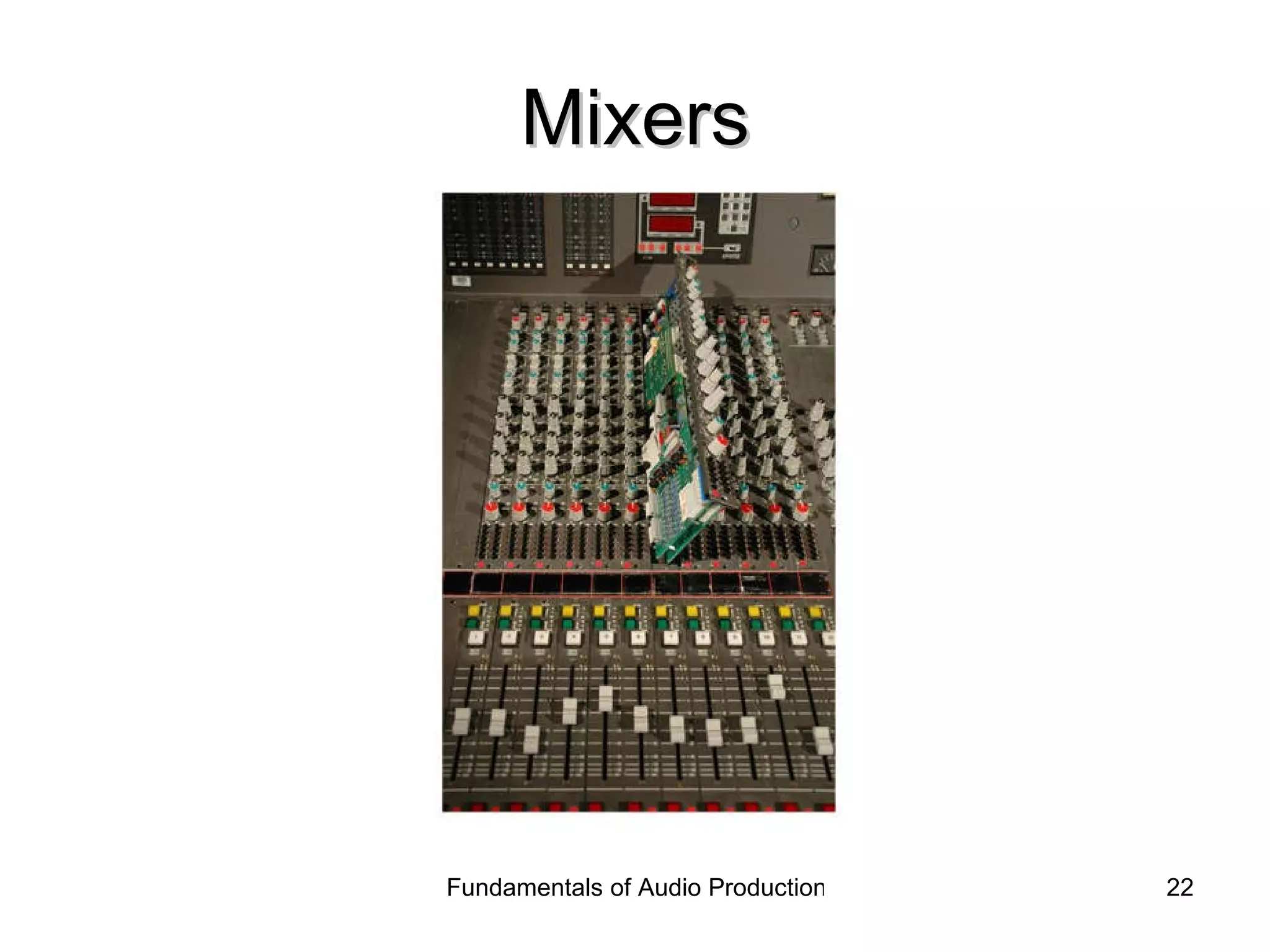
Mixers
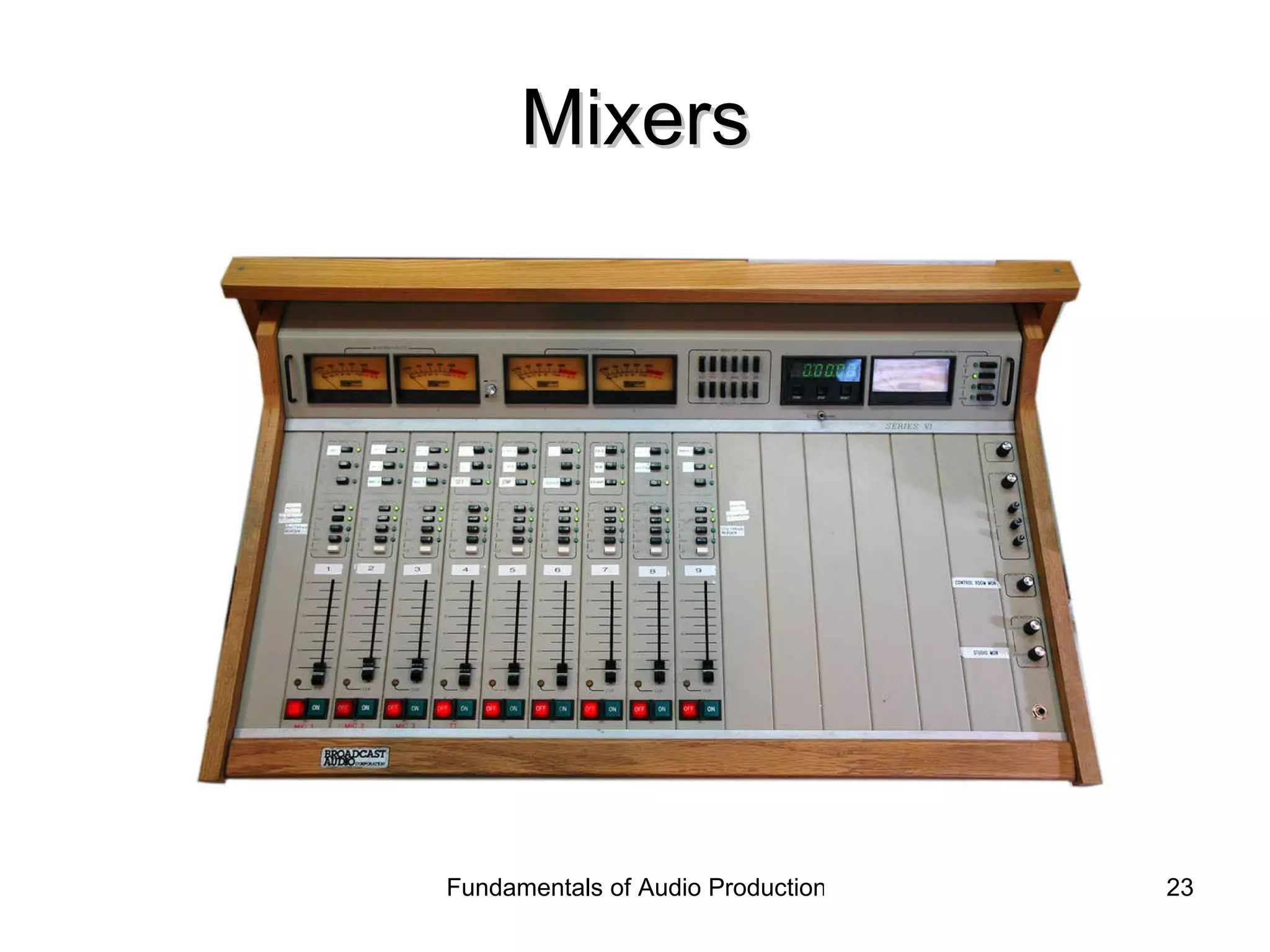
Mixers
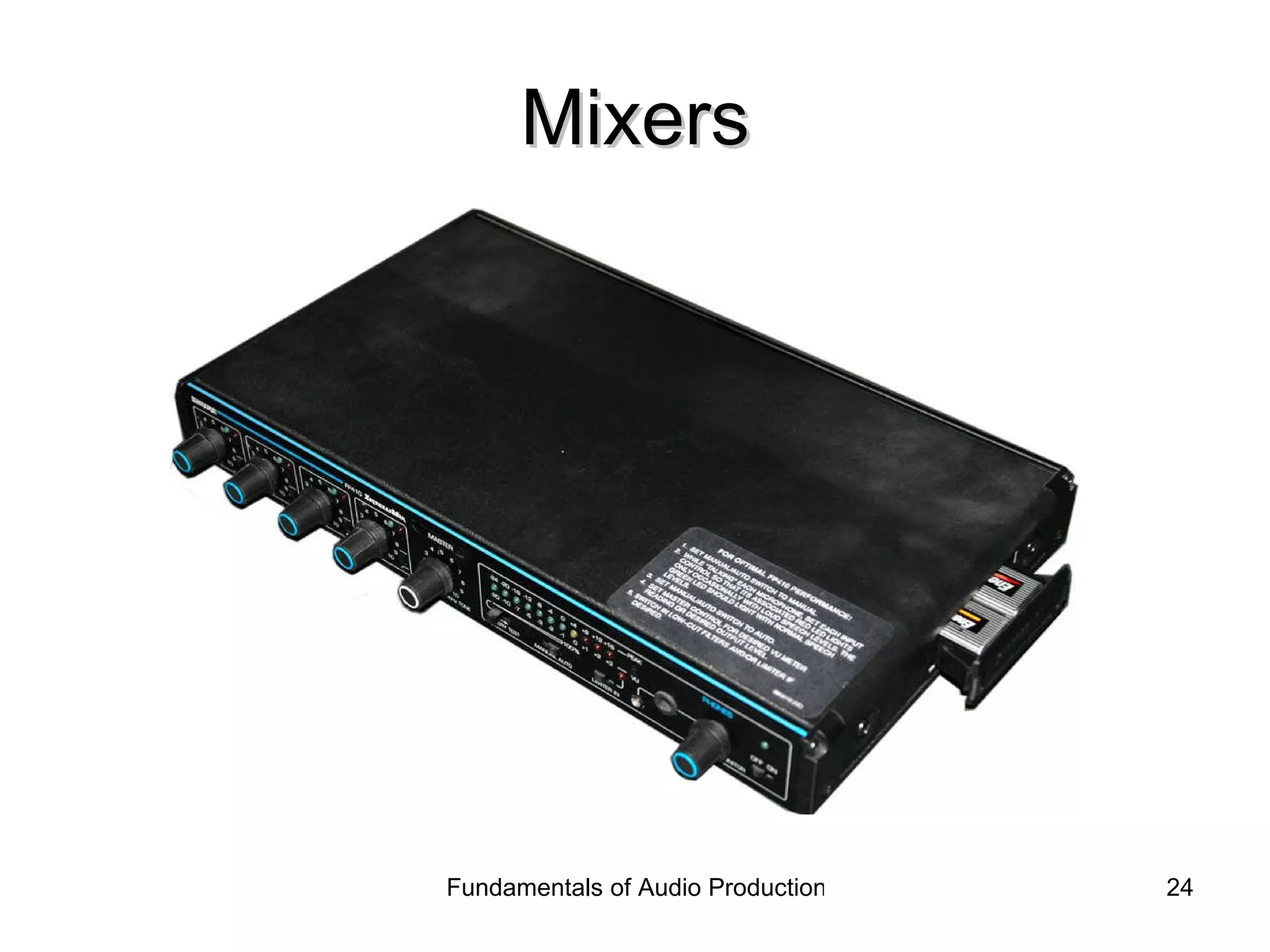
Mixers

DME 2: Audio: Chapter 5 Mixing Consoles

  • 1.
    Fundamentals of AudioProduction Chapter Five: Mixing Consoles
  • 2.
    Three Functions ofthe Mixing Console Amplify Mix Route or Direct
  • 3.
    Amplification The “gainstage” is the first stage in the console. Setting proper gain is critical for clear audio. Gain settings too low result in noise Gain settings too high result in distortion Click to hear distortion from high gain Click to hear noise from low gain
  • 4.
    Gain Setting Ifgain is too low, turning up output levels will also increase the level of the inherent noise, as in the top illustration. Proper gain settings maximize signal to noise ratio, as in the bottom illustration.
  • 5.
    Clipping Setting gaintoo high may result in “clipping.” The signal’s wave form becomes clipped when it exceeds the circuit’s capacity. Clipping causes the wave to become “square” and distorted.
  • 6.
    Gain Setting Many recording and live sound consoles provide “clip indicators” to assist in proper gain-setting When the “peak” indicator illuminates, distortion will result.
  • 7.
    Mixing Adjusting therelative levels of the audio signals leaving the mixer. Mixing is accomplished using the console’s faders or potentiometers. In most consoles, the potentiometers only cut or reduce levels. Faders full up = no cut Faders completely down = full cut
  • 8.
    Potentiometers Most simplepotentiometers use resistance to reduce levels. As the wiper is moved further from the input, the output level is reduced.
  • 9.
  • 10.
  • 11.
    Mixing is aidedby meters
  • 12.
    Meters Calibration Alldevices in the recording chain must be calibrated to assure proper levels. Using a steady tone, the console meter is set to 100% modulation or “0 VU.” Then all device inputs are adjusted so their meters match.
  • 13.
    Meters Calibration Whenall devices are calibrated, then maintaining proper meter levels on the console will assure that other devices are not over-driven.
  • 14.
    Routing or DirectingSending the signal to a variety of destinations. Signals are transported via “buses.” Buses are simply wires or paths for the signal to travel.
  • 15.
    Routing or DirectingTypical console outputs Main or stereo bus Subgroups Monitor or foldback send to headphones Effects sends to outboard effects devices Auxiliary sends Cue sends to headphones or cue speakers Different manufacturers use different terms
  • 16.
    Routing or DirectingStereo Master Fader
  • 17.
    Routing or DirectingSubgroup Faders
  • 18.
    Routing or DirectingSignals may be routed to outboard devices either “pre fader” or “post fader.”
  • 19.
    Routing or DirectingThe pan control routes the signal to the left and right stereo channels.
  • 20.
    The Mixing ConsoleConnections
  • 21.
    The Mixing ConsoleConnections
  • 22.
  • 23.
  • 24.