Project Presentation on
 E-Peripheral System


               Submitted By:
               Ajay Singh Ranawat
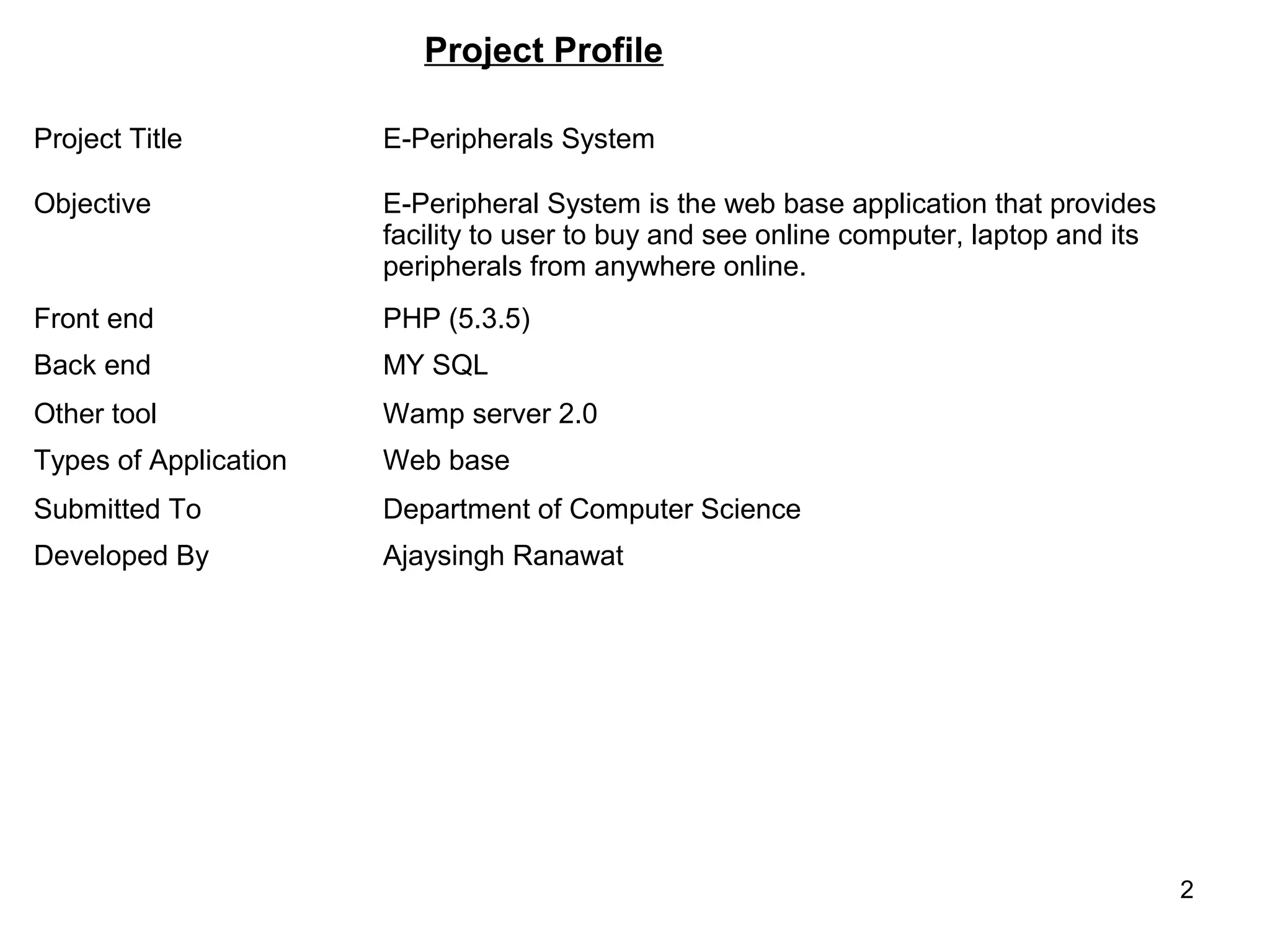
Project Profile

Project Title          E-Peripherals System

Objective              E-Peripheral System is the web base application that provides
                       facility to user to buy and see online computer, laptop and its
                       peripherals from anywhere online.
Front end              PHP (5.3.5)
Back end               MY SQL
Other tool             Wamp server 2.0
Types of Application   Web base
Submitted To           Department of Computer Science
Developed By           Ajaysingh Ranawat


                                                                                         2
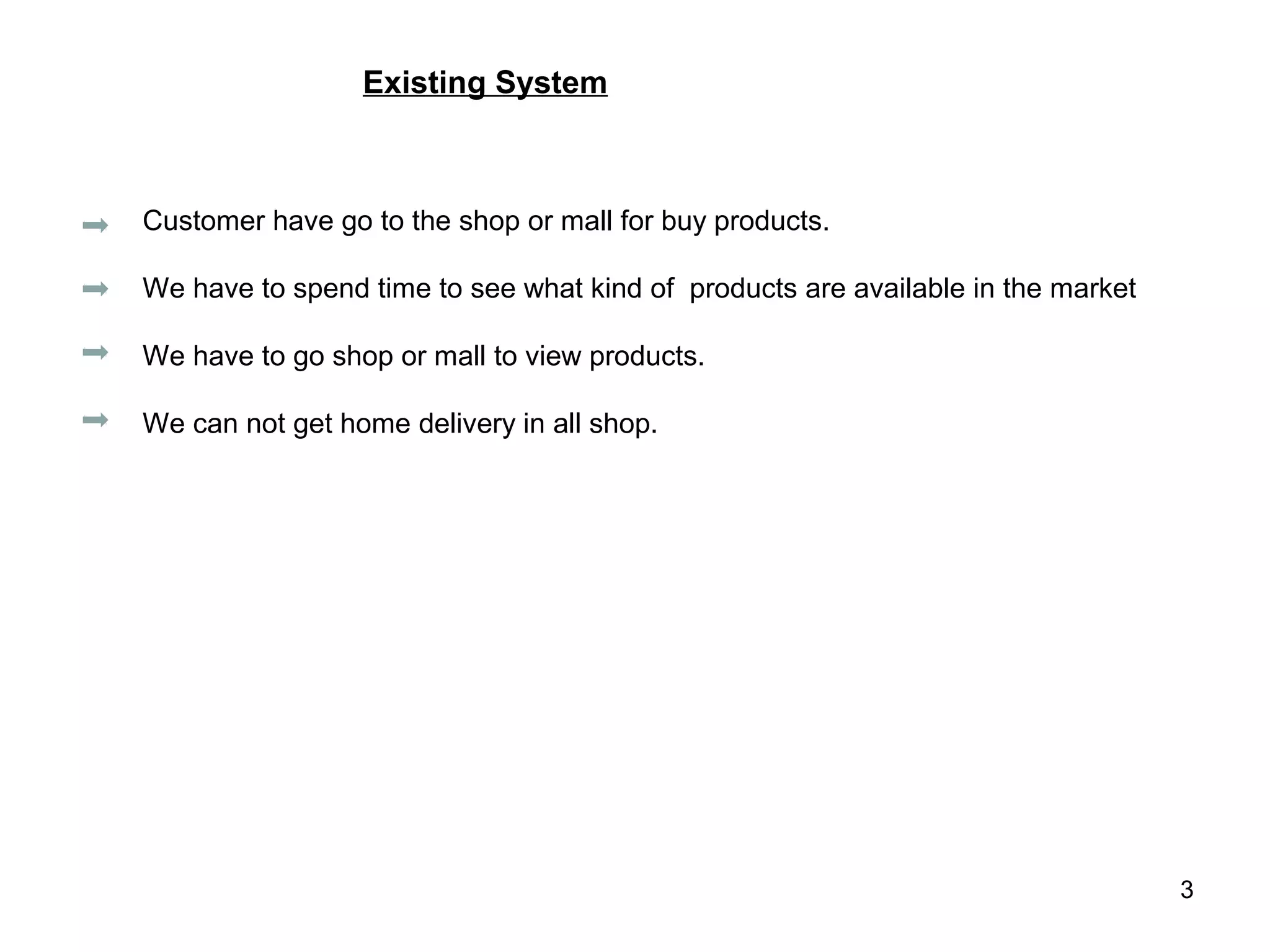
Existing System


Customer have go to the shop or mall for buy products.

We have to spend time to see what kind of products are available in the market

We have to go shop or mall to view products.

We can not get home delivery in all shop.


                                                                                 3
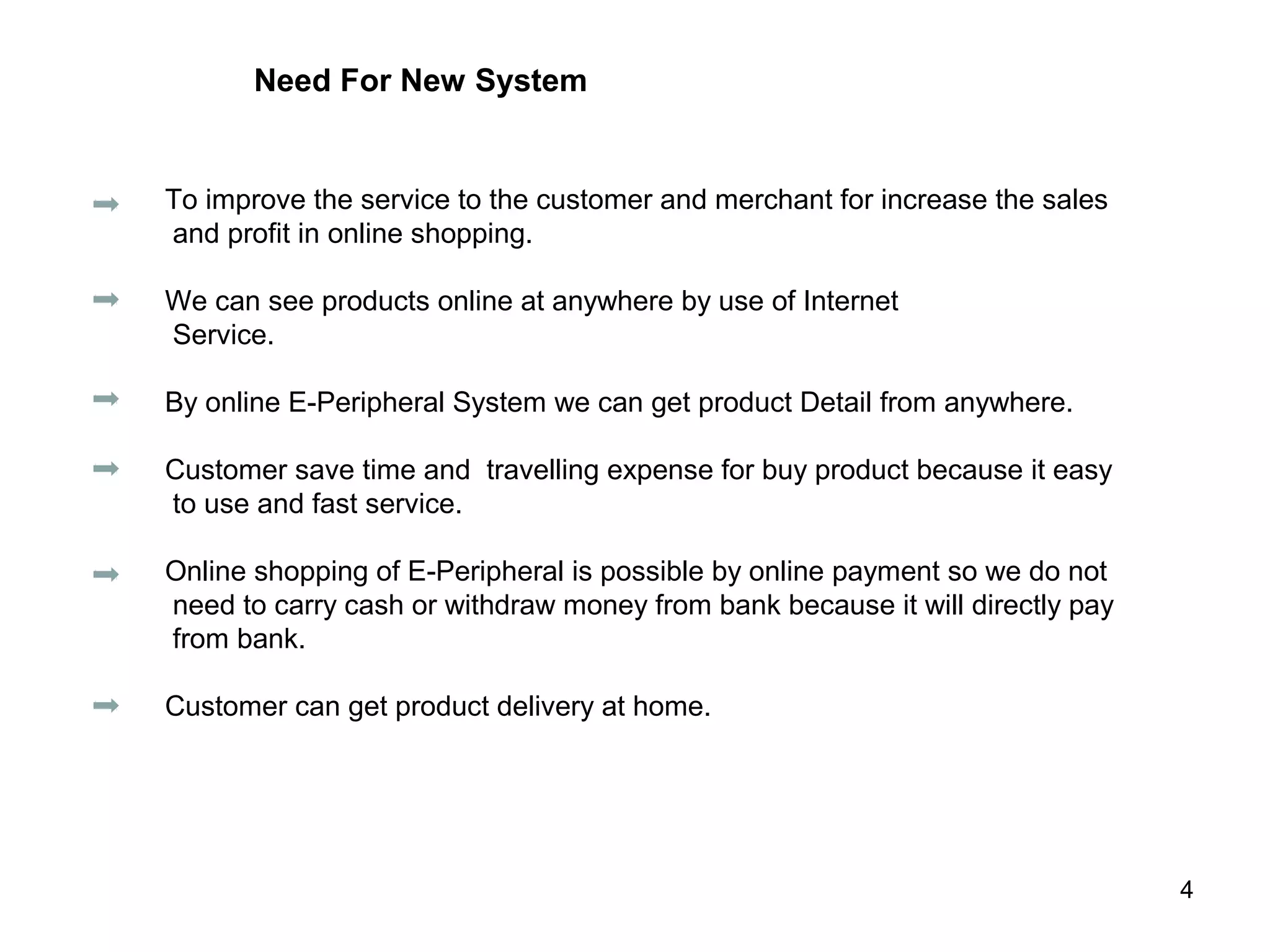
Need For New System


To improve the service to the customer and merchant for increase the sales
and profit in online shopping.

We can see products online at anywhere by use of Internet
Service.

By online E-Peripheral System we can get product Detail from anywhere.

Customer save time and travelling expense for buy product because it easy
to use and fast service.

Online shopping of E-Peripheral is possible by online payment so we do not
need to carry cash or withdraw money from bank because it will directly pay
from bank.

Customer can get product delivery at home.


                                                                              4
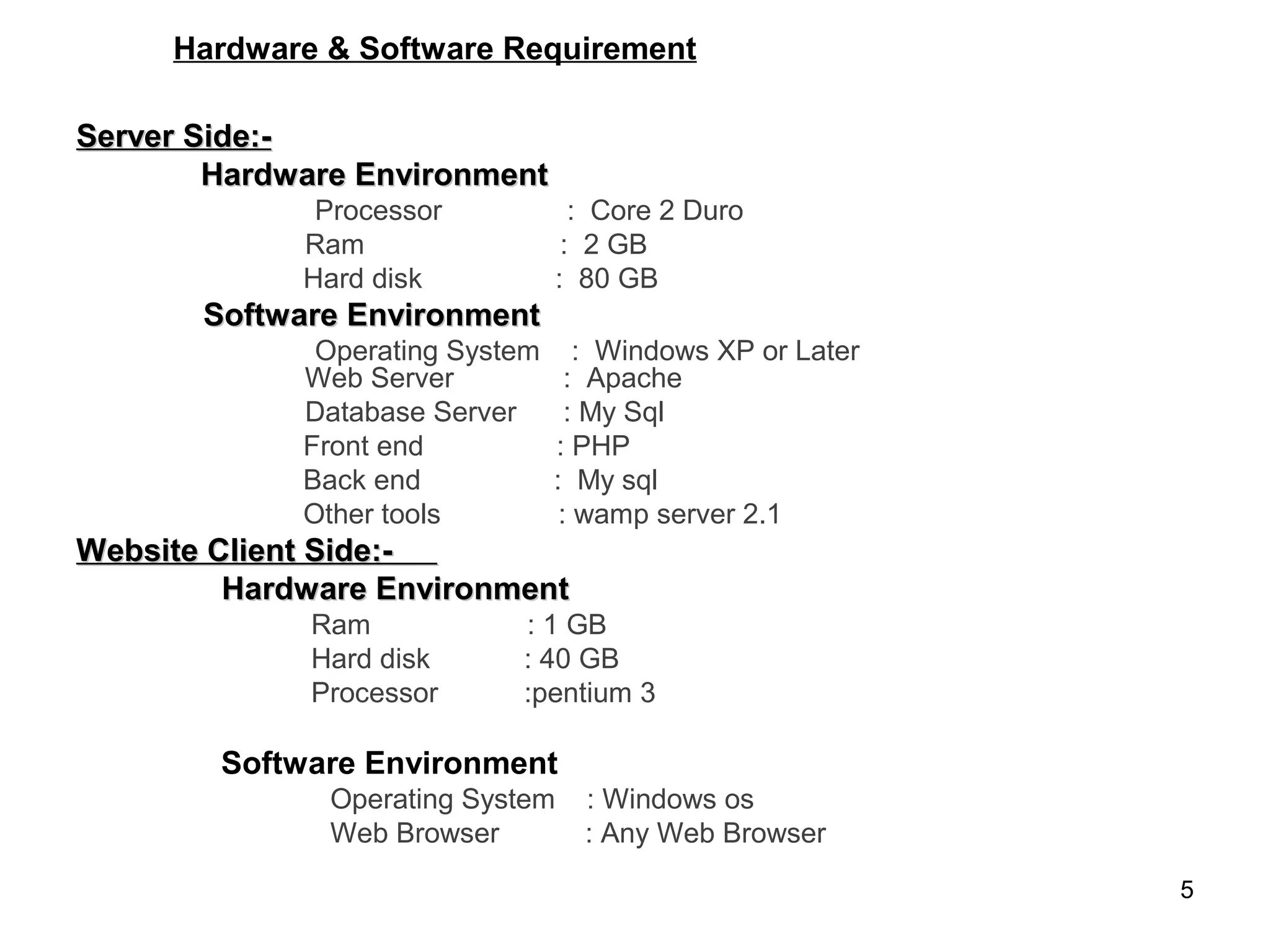
Hardware & Software Requirement

Server Side:-
        Hardware Environment
              Processor             : Core 2 Duro
             Ram                   : 2 GB
             Hard disk            : 80 GB
       Software Environment
              Operating System      : Windows XP or Later
             Web Server            : Apache
             Database Server       : My Sql
             Front end           : PHP
             Back end            : My sql
             Other tools          : wamp server 2.1
Website Client Side:-
         Hardware Environment
             Ram            : 1 GB
             Hard disk      : 40 GB
             Processor      :pentium 3

        Software Environment
               Operating System     : Windows os
               Web Browser          : Any Web Browser
                                                            5
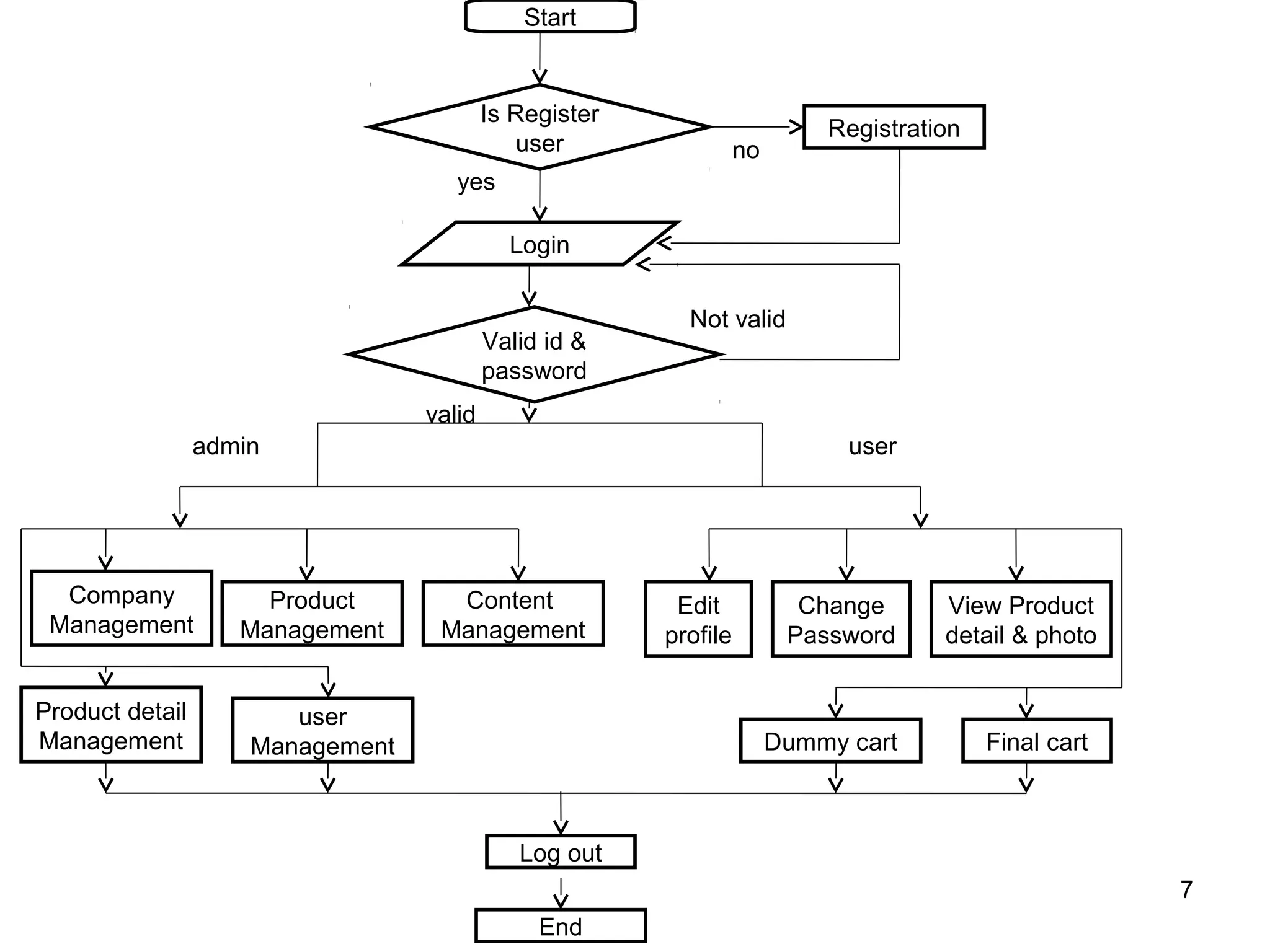
System flow chart


                    6
Start


                                          Is Register
                                                                           Registration
                                             user                 no
                                     yes

                                            Login


                                                          Not valid
                                          Valid id &
                                          password
                                  valid
                 admin                                                       user


  Company             Product       Content              Edit            Change      View Product
 Management         Management     Management           profile         Password     detail & photo


Product detail          user
Management           Management                                        Dummy cart         Final cart


                                             Log out
                                                                                                       7
                                               End
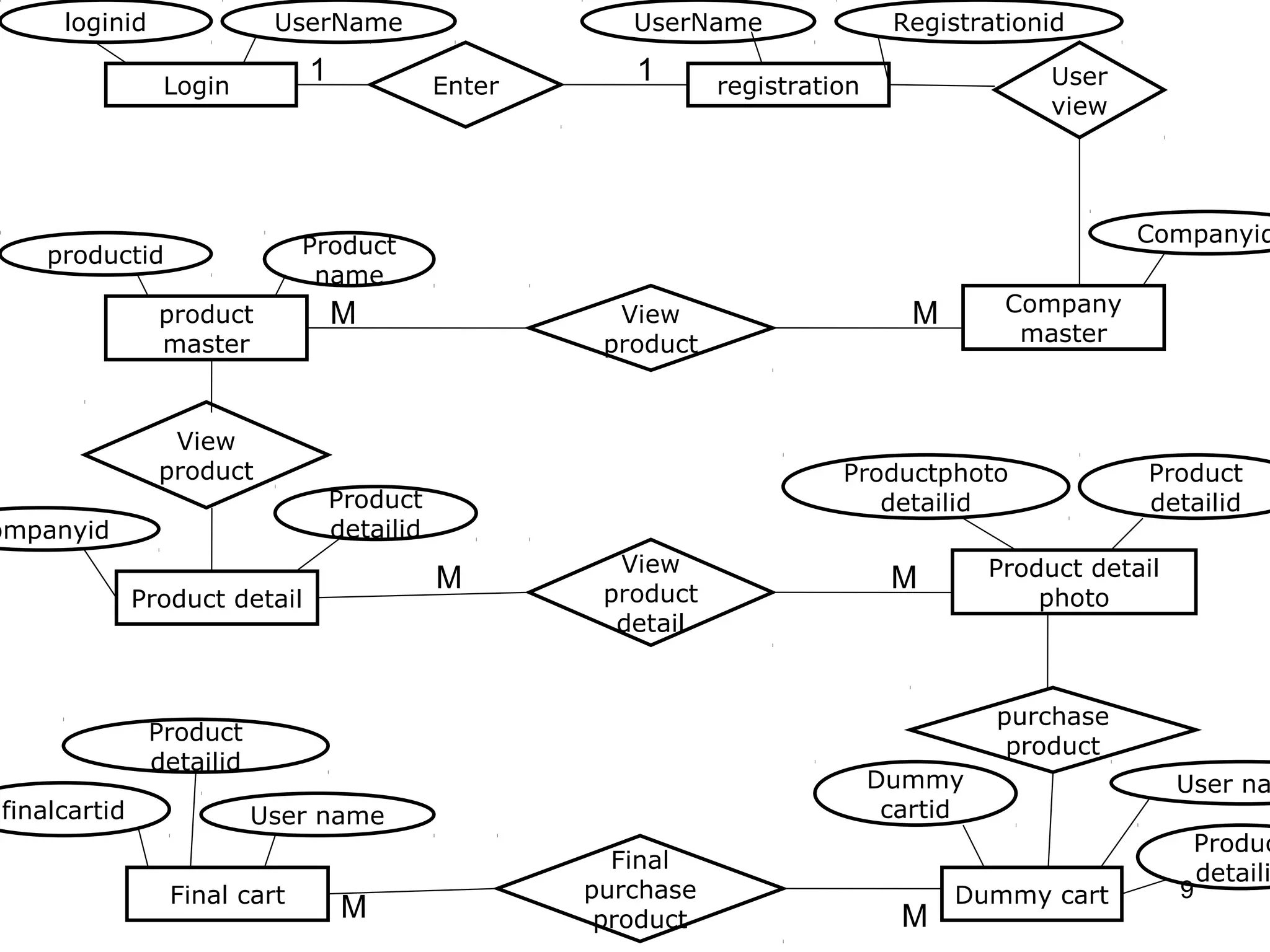
E-R-Diagram


              8
loginid               UserName                      UserName                Registrationid

                Login
                               1              Enter
                                                         1       registration                  User
                                                                                               view


                              Product                                                                 Companyid
    productid
                               name
                product            M                    View                       M       Company
                master                                 product                              master


                 View
                product                                                    Productphoto                Product
                                   Product                                    detailid                 detailid
ompanyid                           detailid
                                                        View                              Product detail
                                              M        product
                                                                                 M
              Product detail                                                                  photo
                                                        detail


                                                                                          purchase
               Product
                                                                                           product
               detailid
                                                                                Dummy                      User na
finalcartid               User name                                              cartid
                                                                                                            Produc
                                                        Final
                                                                                                             detaili
                 Final cart                           purchase                         Dummy cart          9
                                    M                  product                    M
Screenshots


              10
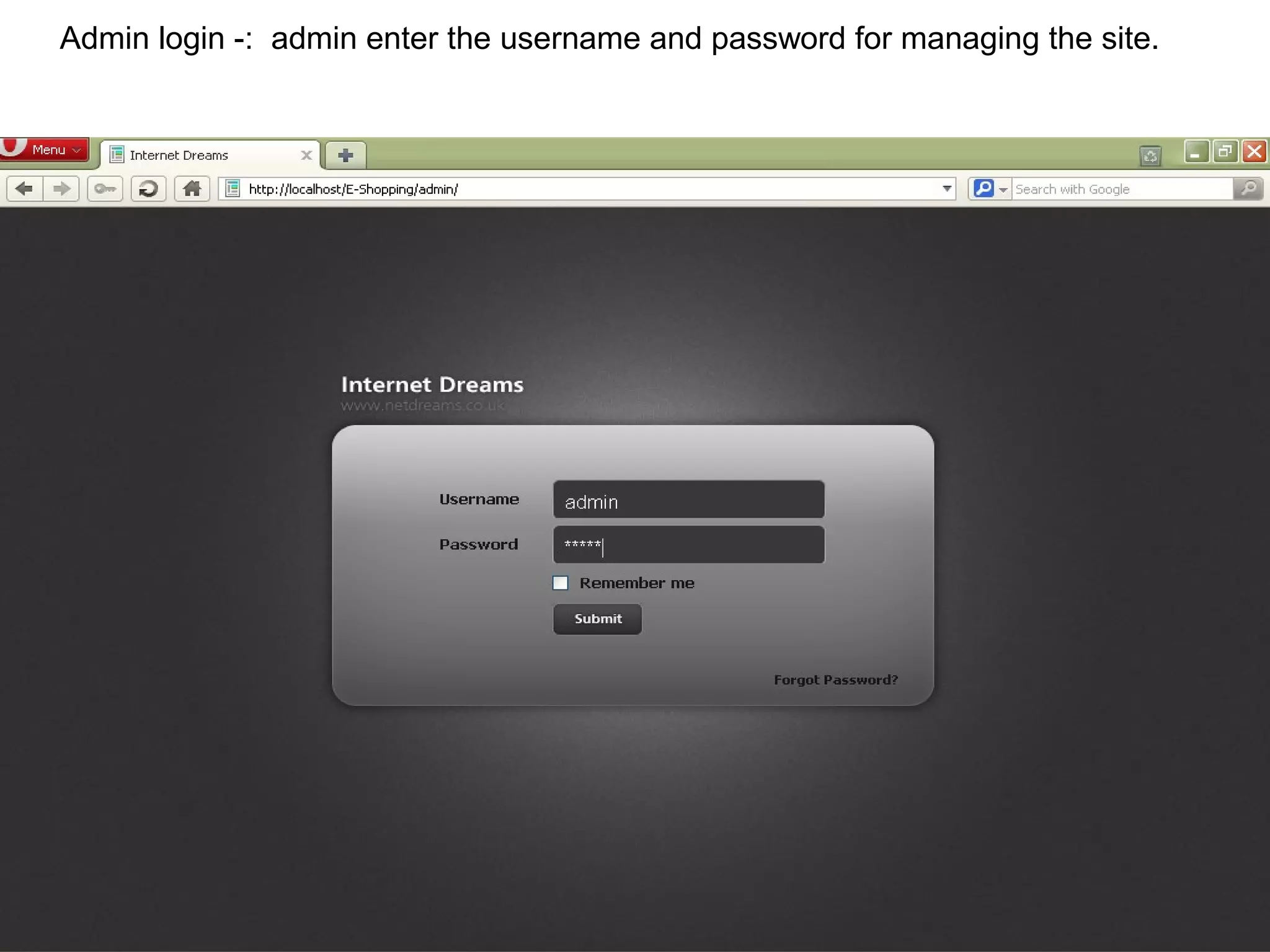
Admin login -: admin enter the username and password for managing the site.


                                                                              11
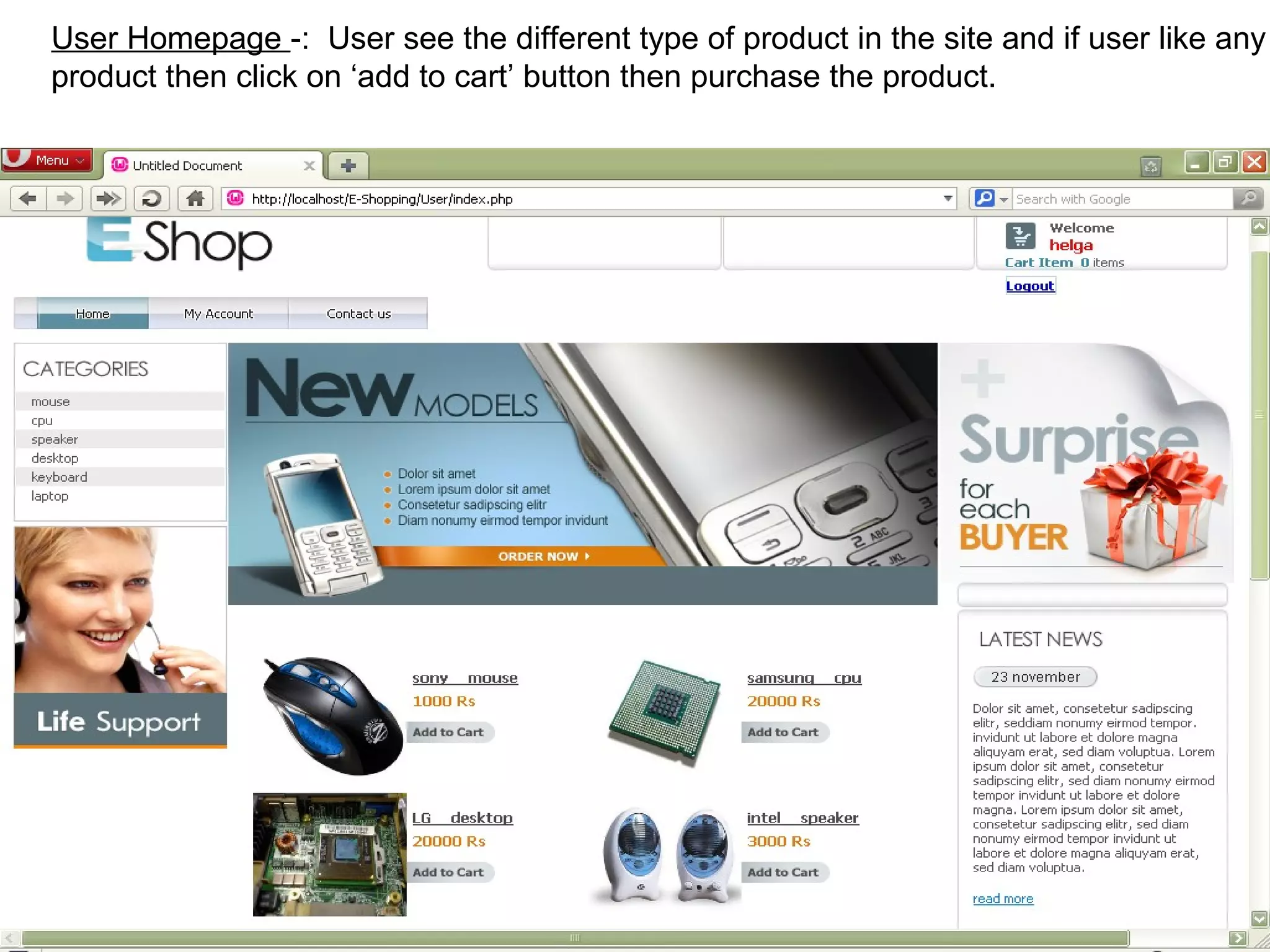
User Homepage -: User see the different type of product in the site and if user like any
product then click on ‘add to cart’ button then purchase the product.


                                                                                12
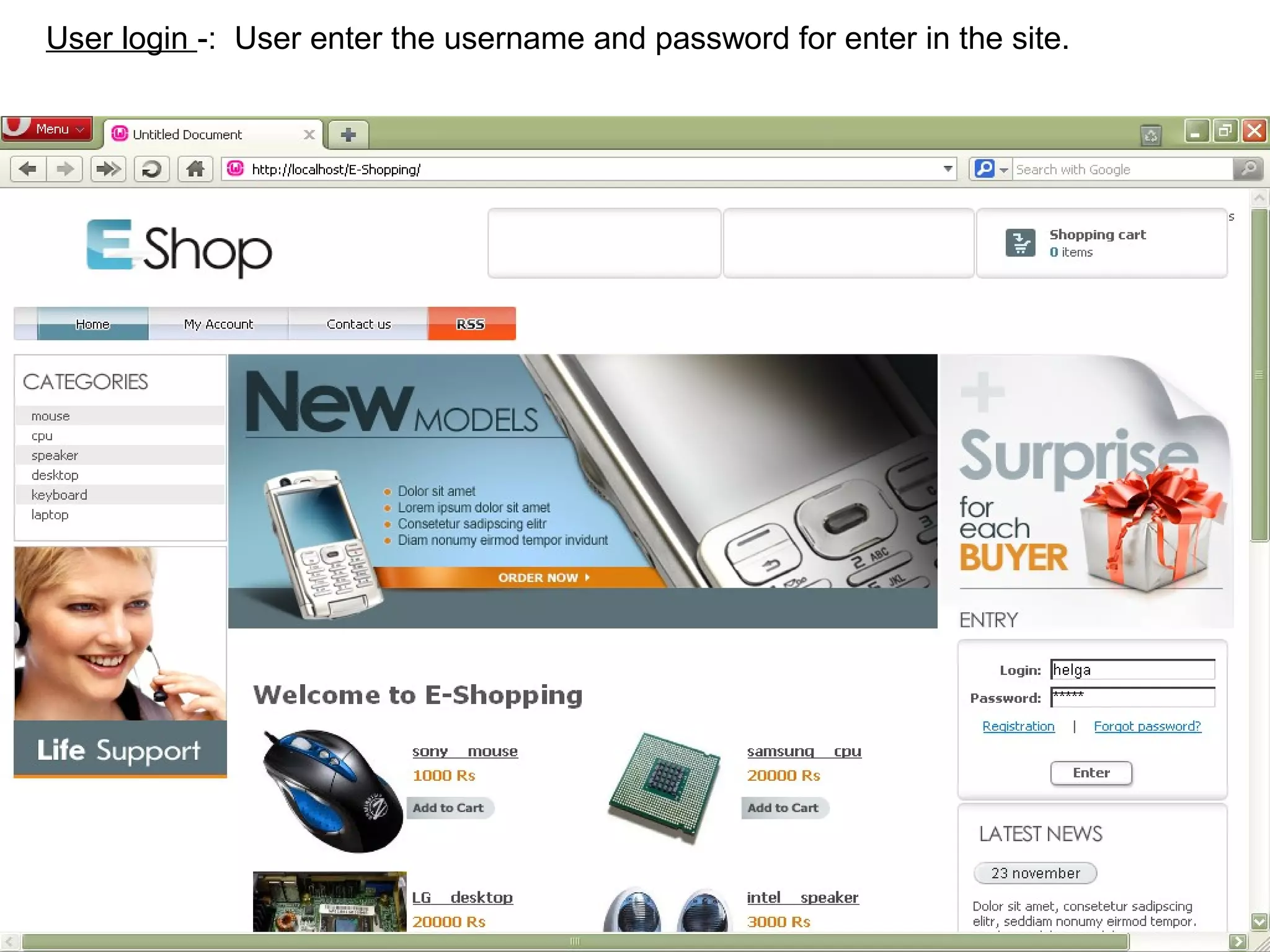
User login -: User enter the username and password for enter in the site.


                                                                            13
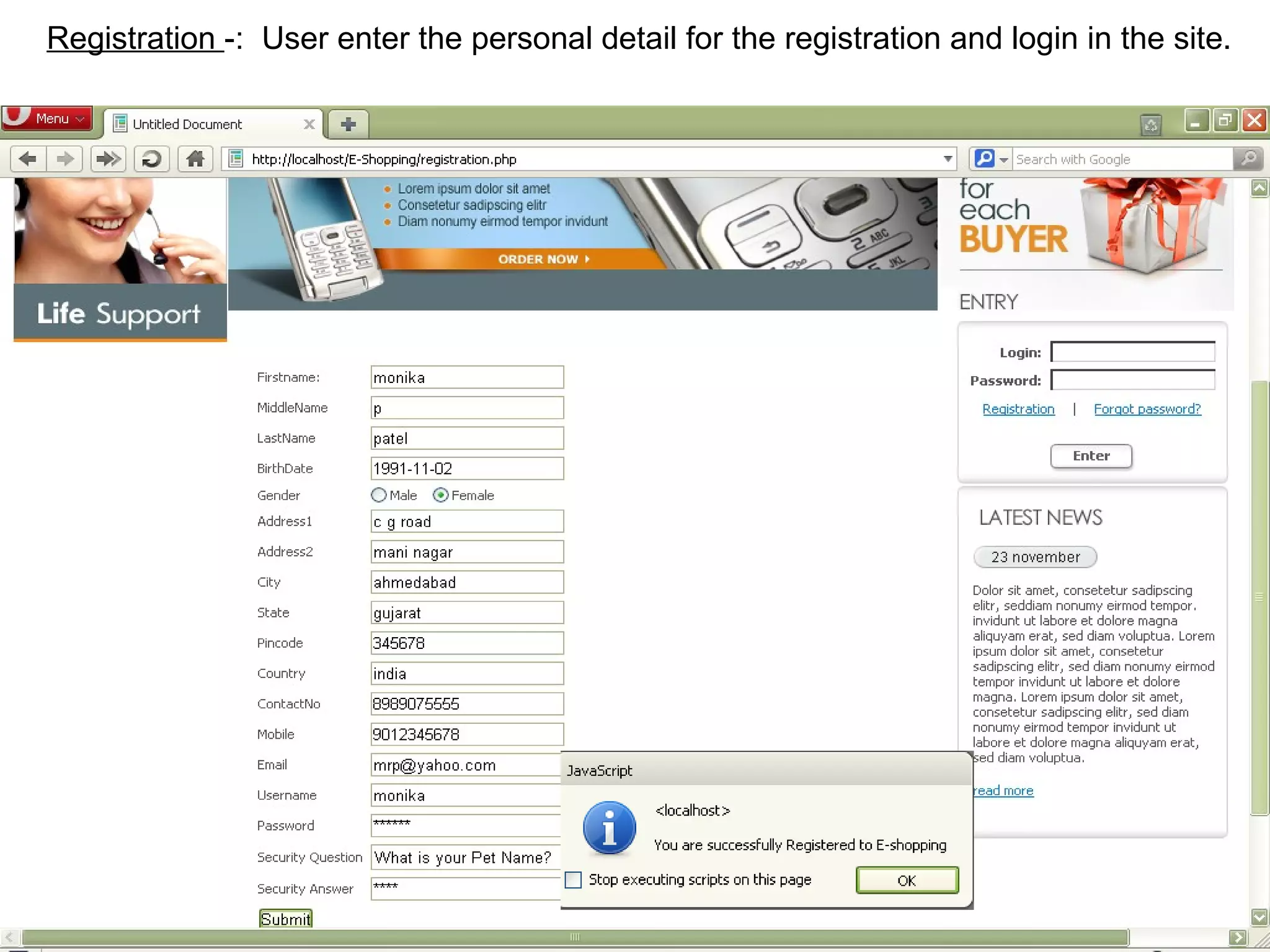
Registration -: User enter the personal detail for the registration and login in the site.


                                                                                     14
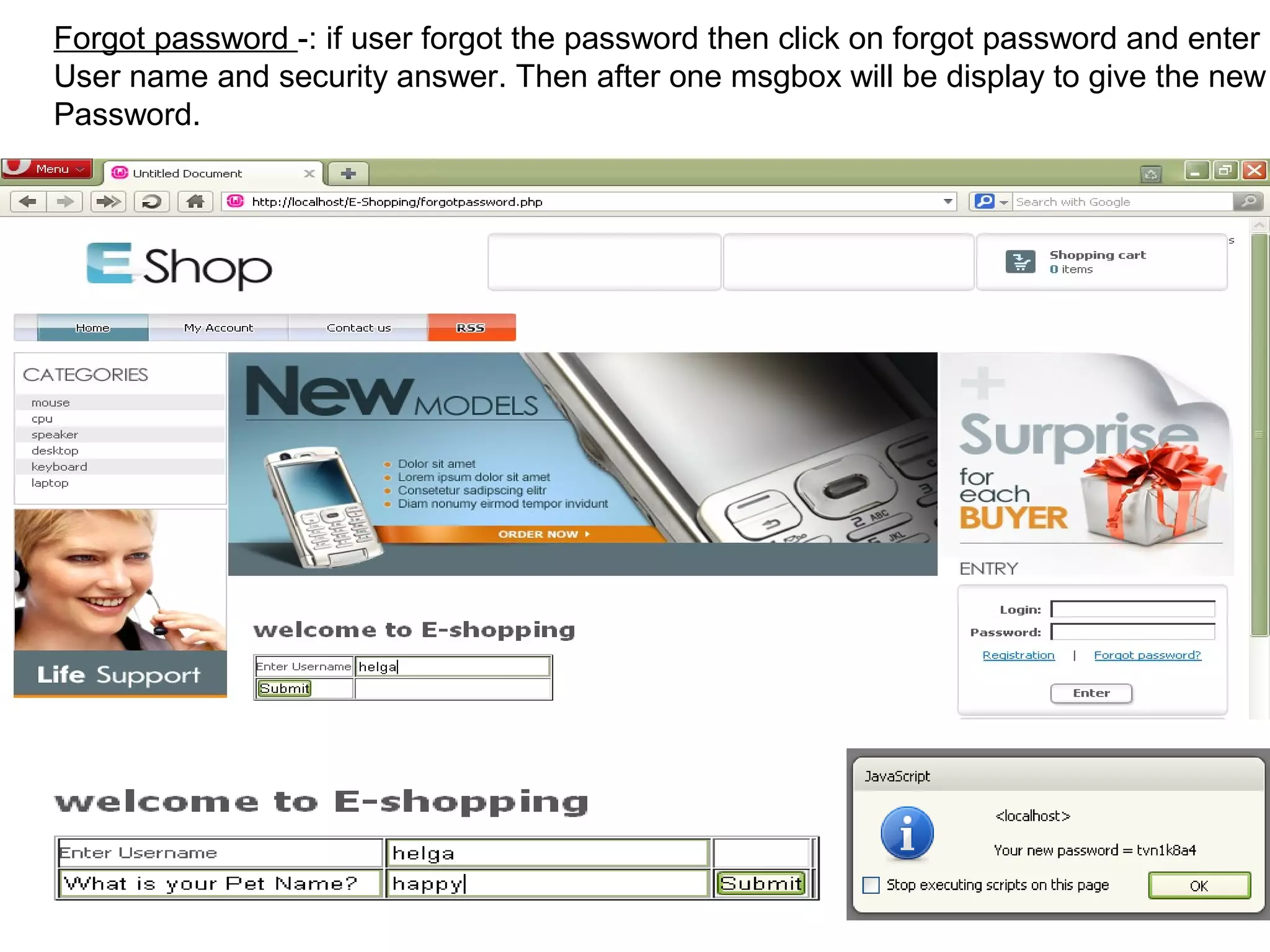
Forgot password -: if user forgot the password then click on forgot password and enter
User name and security answer. Then after one msgbox will be display to give the new
Password.


                                                                              15
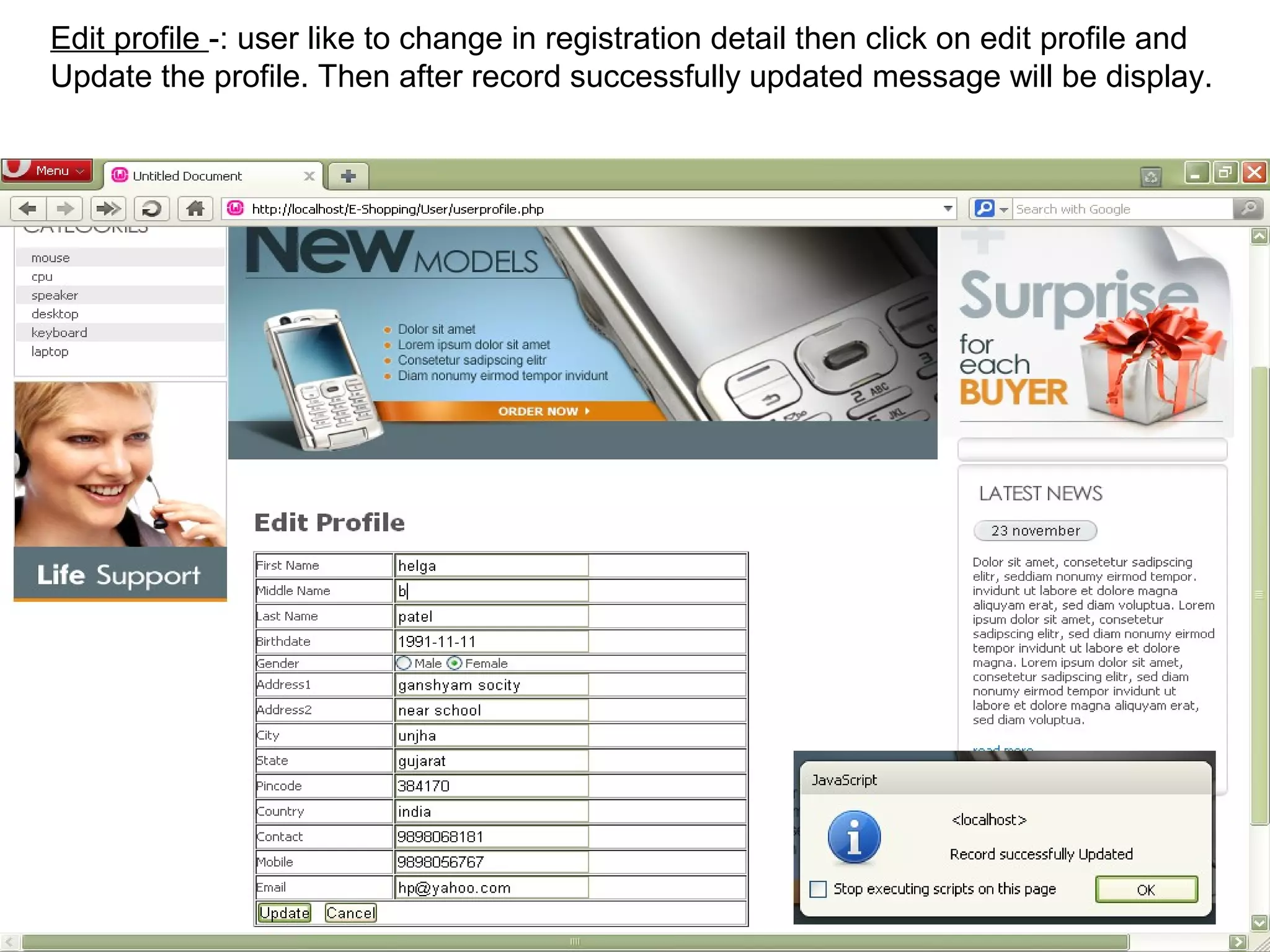
Edit profile -: user like to change in registration detail then click on edit profile and
Update the profile. Then after record successfully updated message will be display.


                                                                                     16
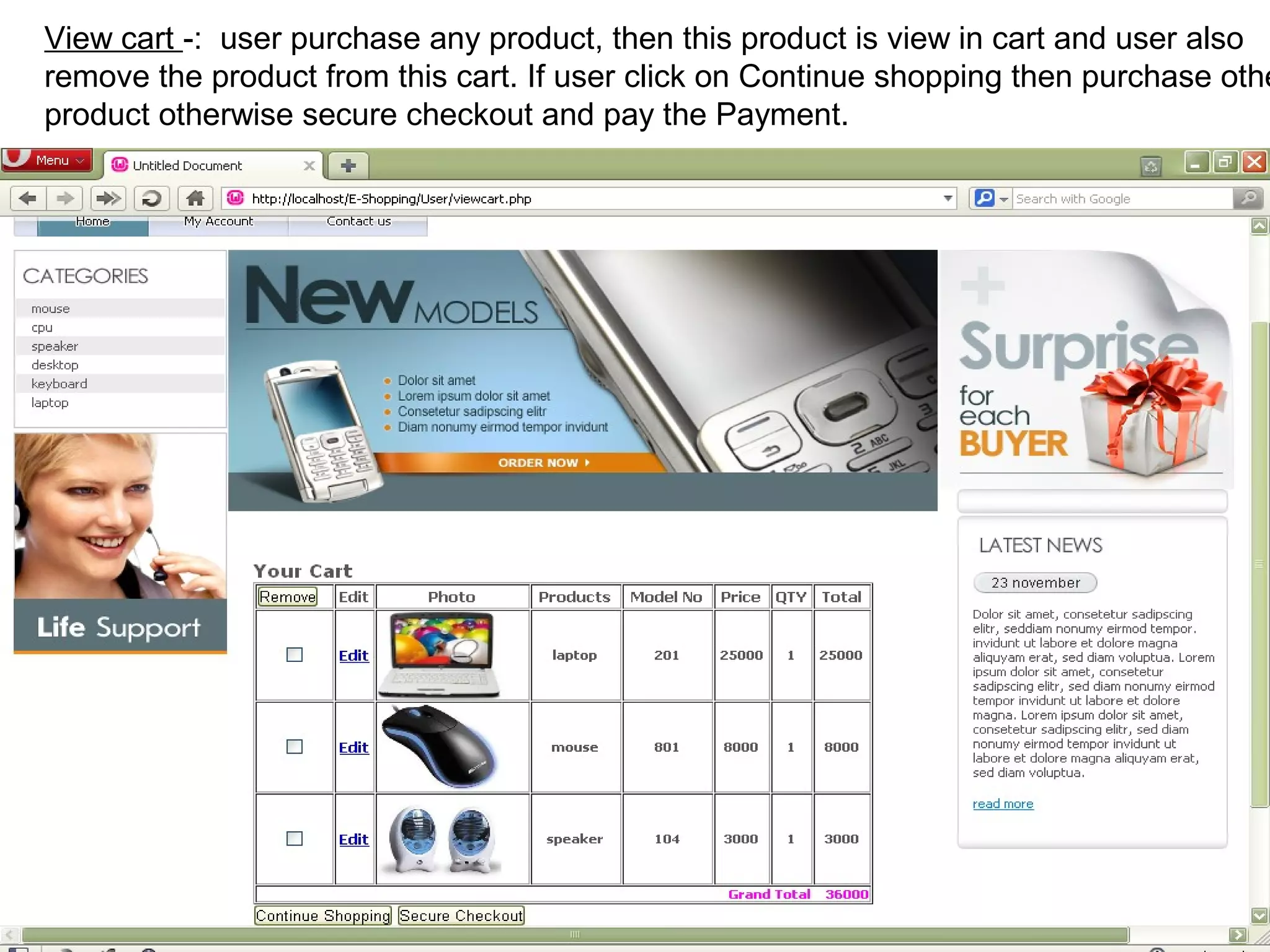
View cart -: user purchase any product, then this product is view in cart and user also
remove the product from this cart. If user click on Continue shopping then purchase othe
product otherwise secure checkout and pay the Payment.


                                                                               17
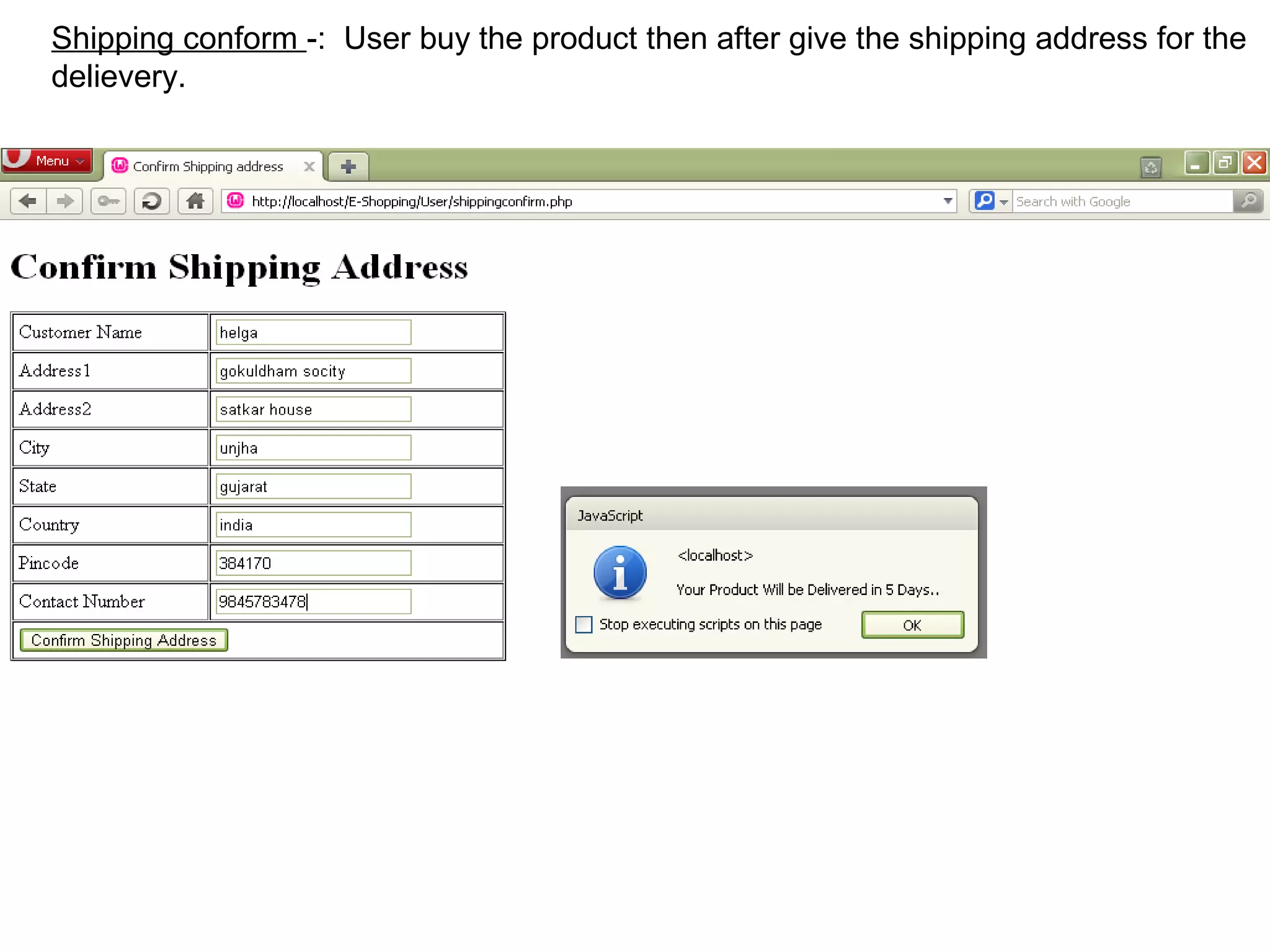
Shipping conform -: User buy the product then after give the shipping address for the
delievery.


                                                                               18
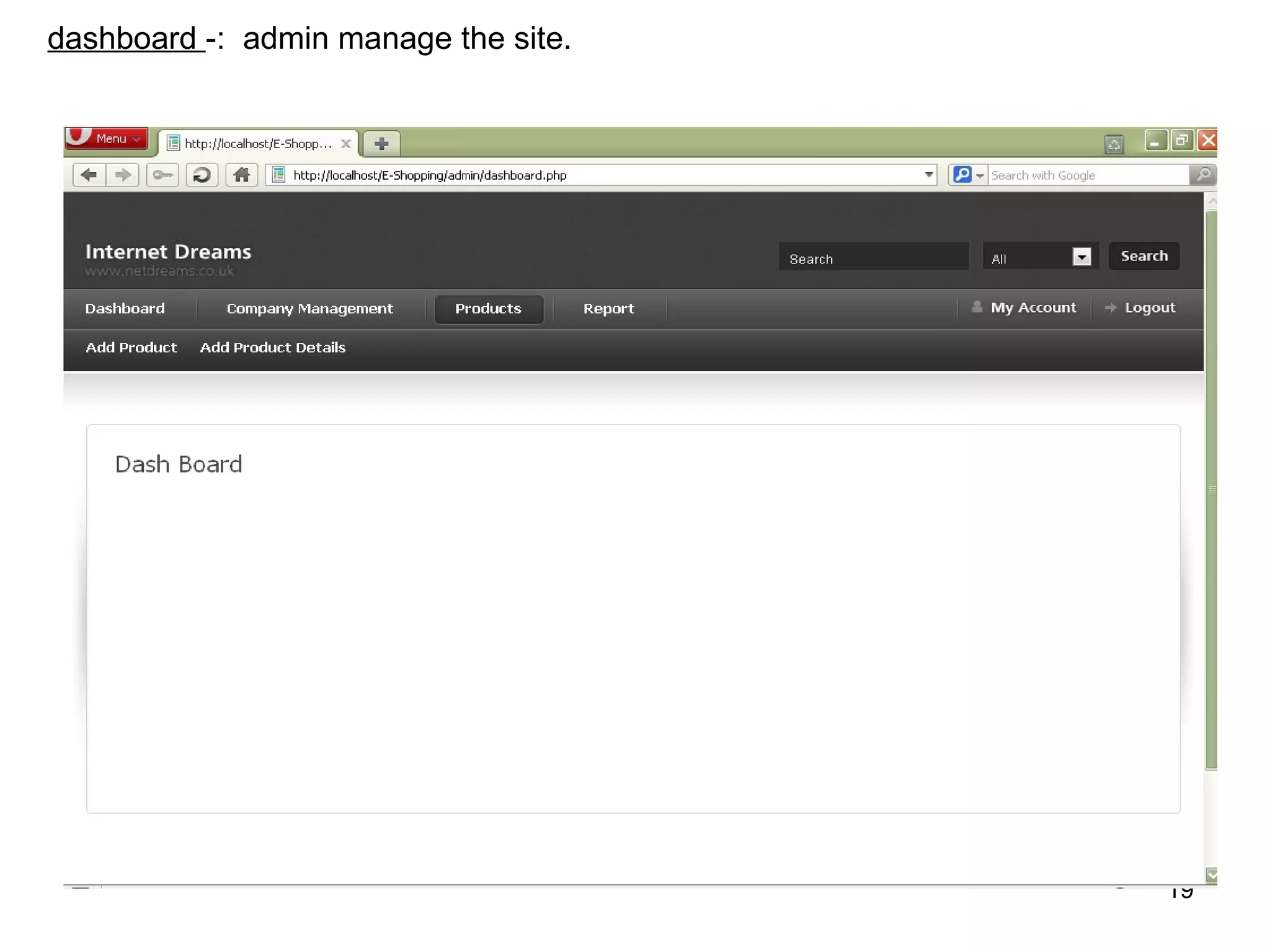
dashboard -: admin manage the site.


                                      19
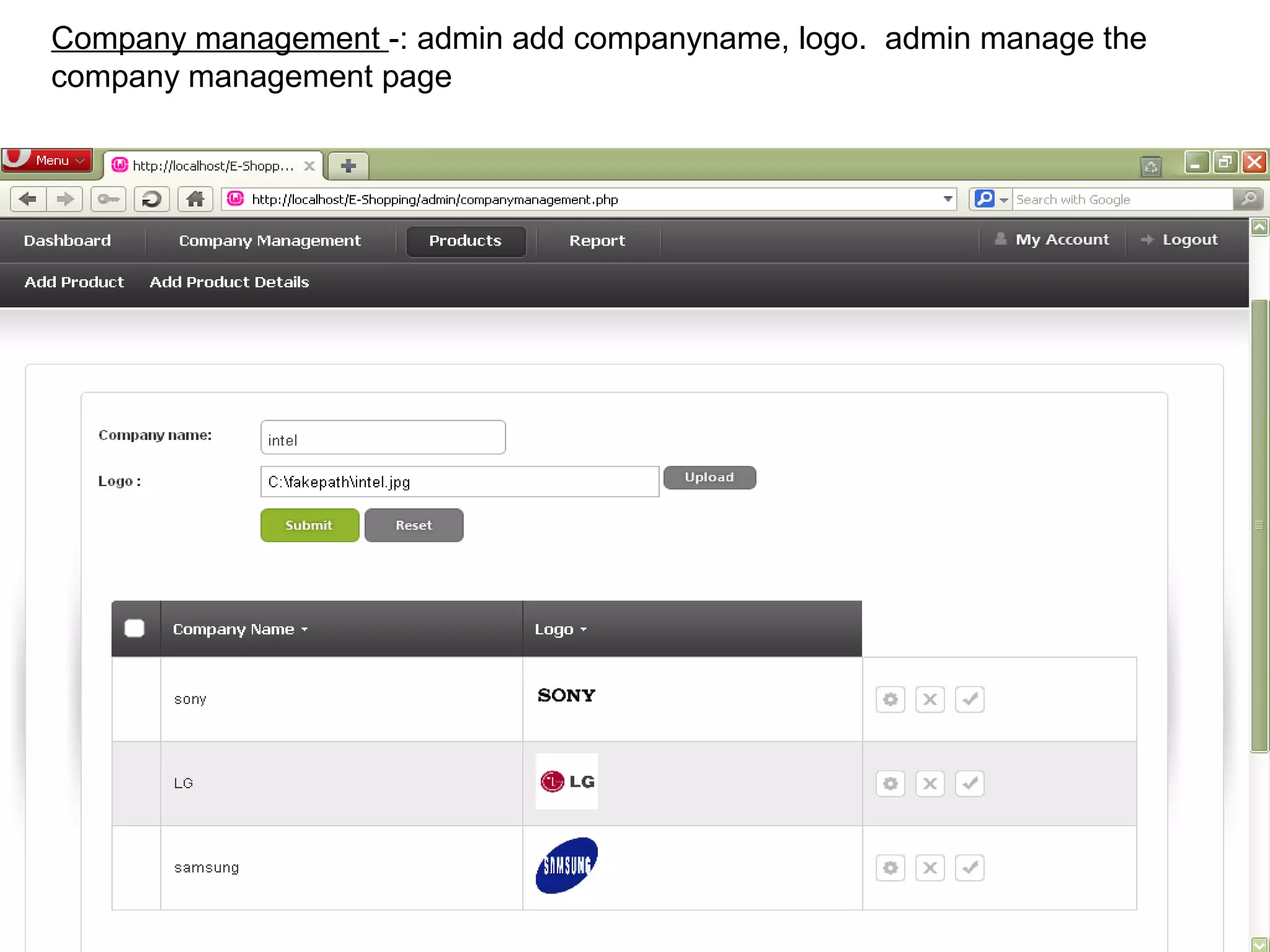
Company management -: admin add companyname, logo. admin manage the
company management page


                                                                      20
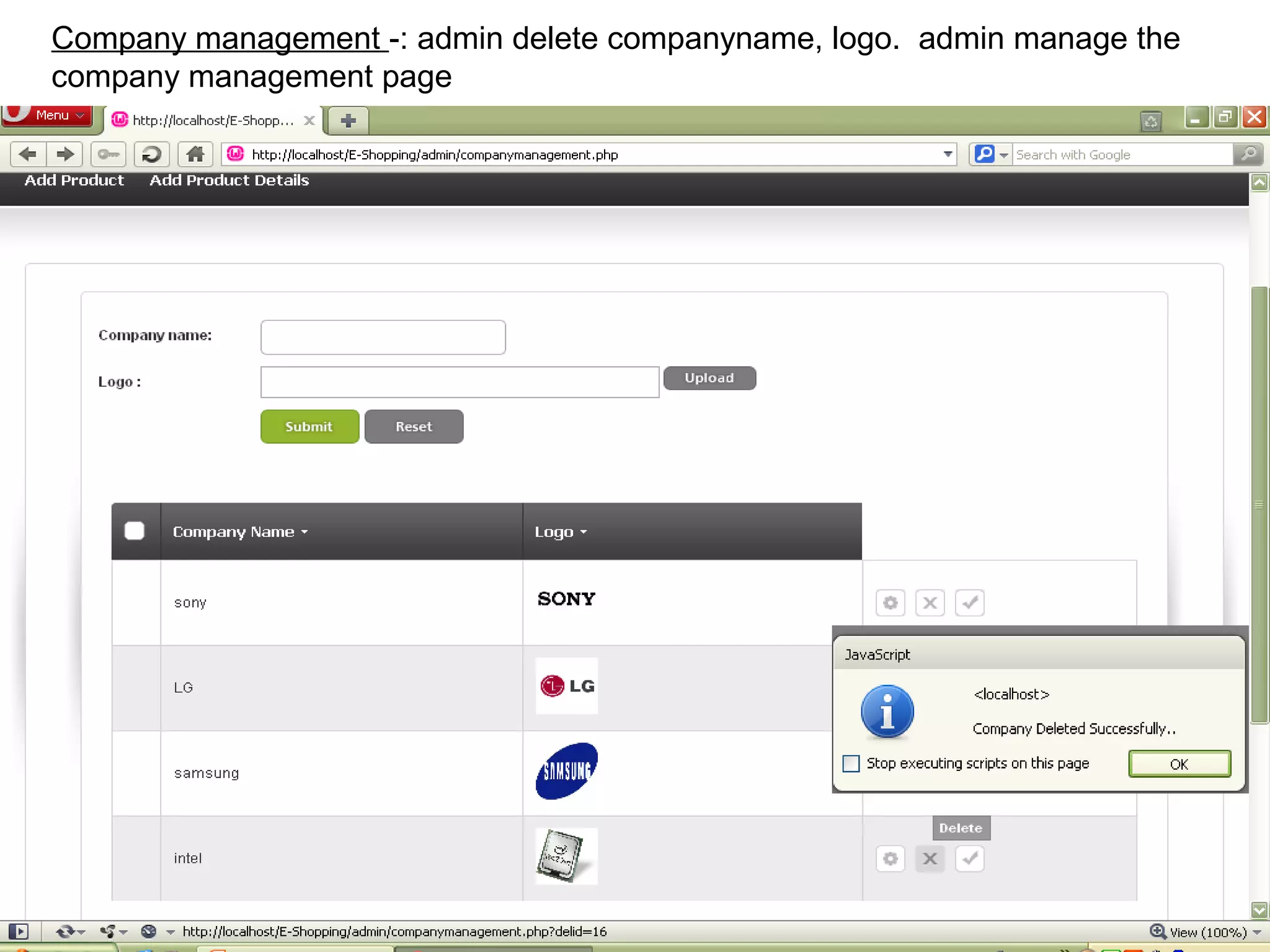
Company management -: admin delete companyname, logo. admin manage the
company management page


                                                                     21
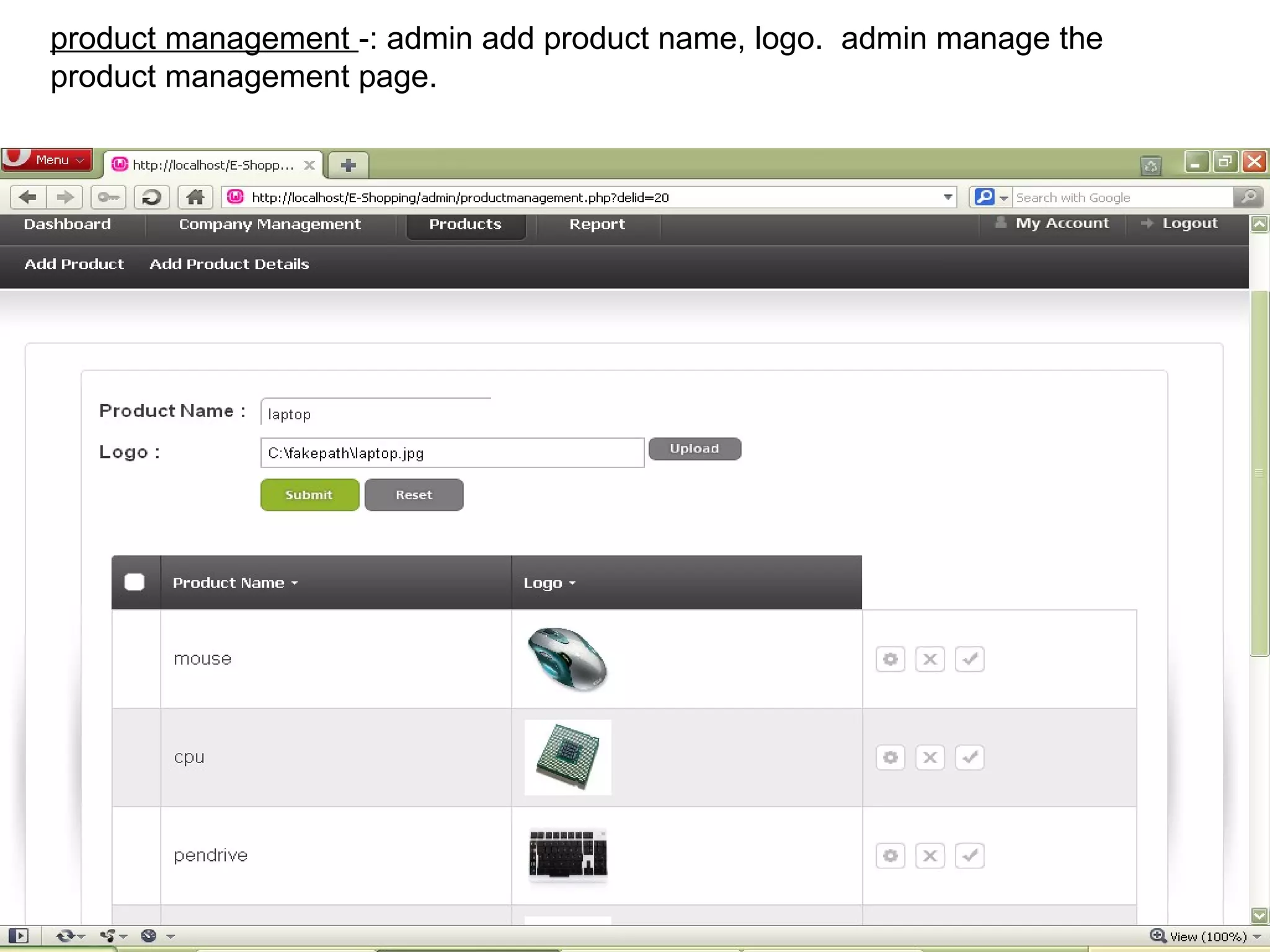
product management -: admin add product name, logo. admin manage the
product management page.


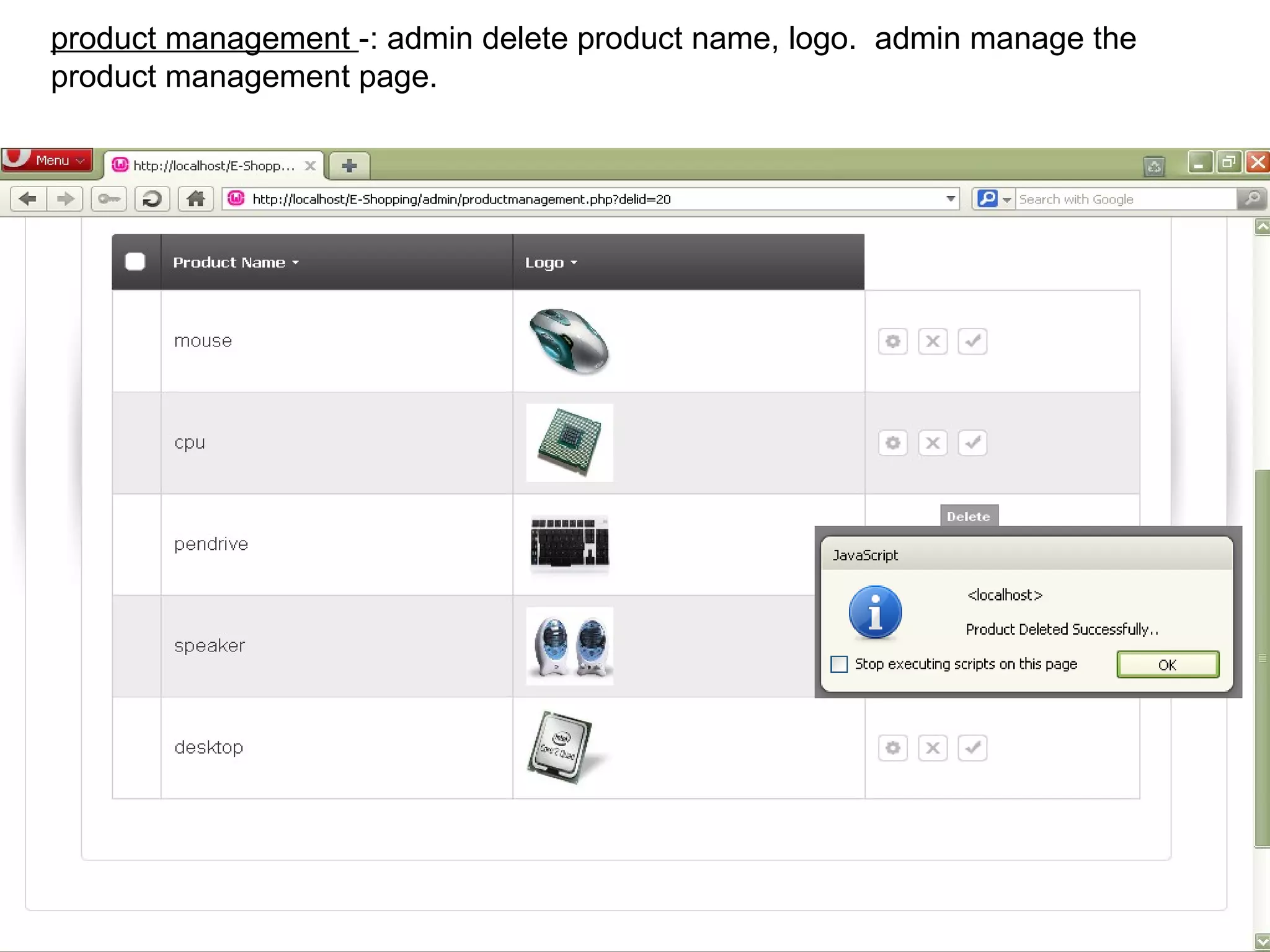
                                                                       22
product management -: admin delete product name, logo. admin manage the
product management page.


                                                                          23
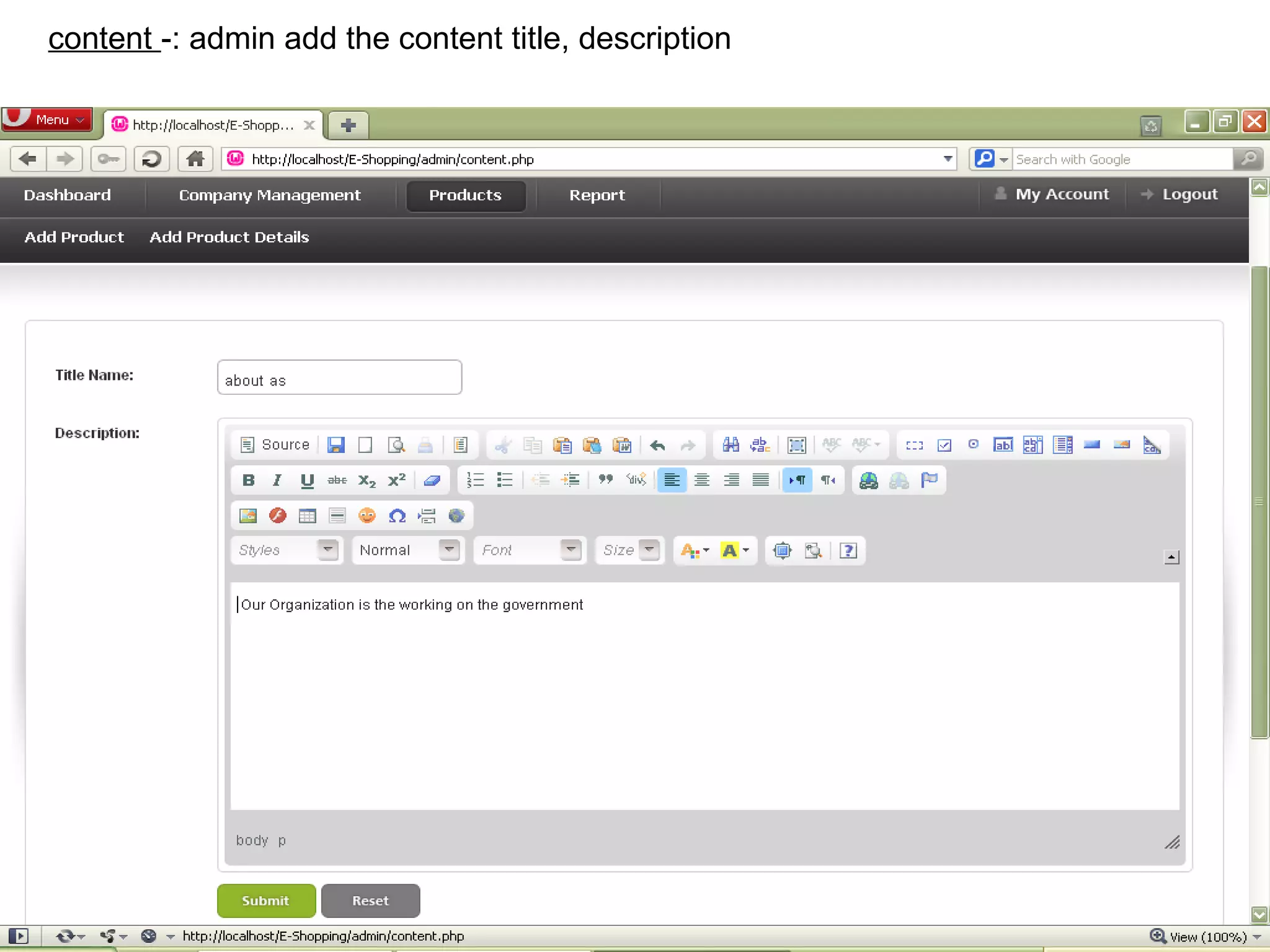
content -: admin add the content title, description


                                                      24
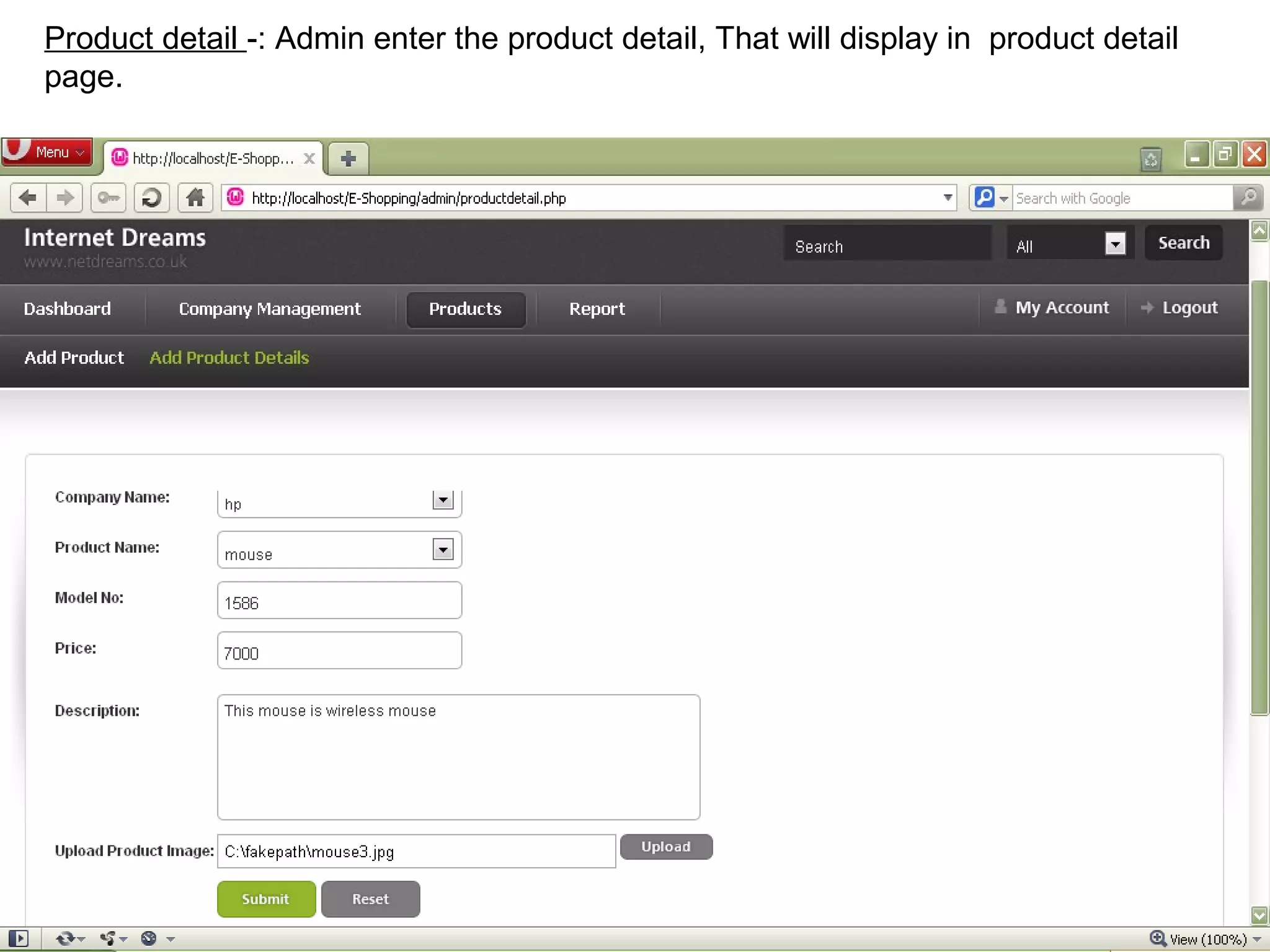
Product detail -: Admin enter the product detail, That will display in product detail
page.


                                                                                    25
::: output design:::


                       26
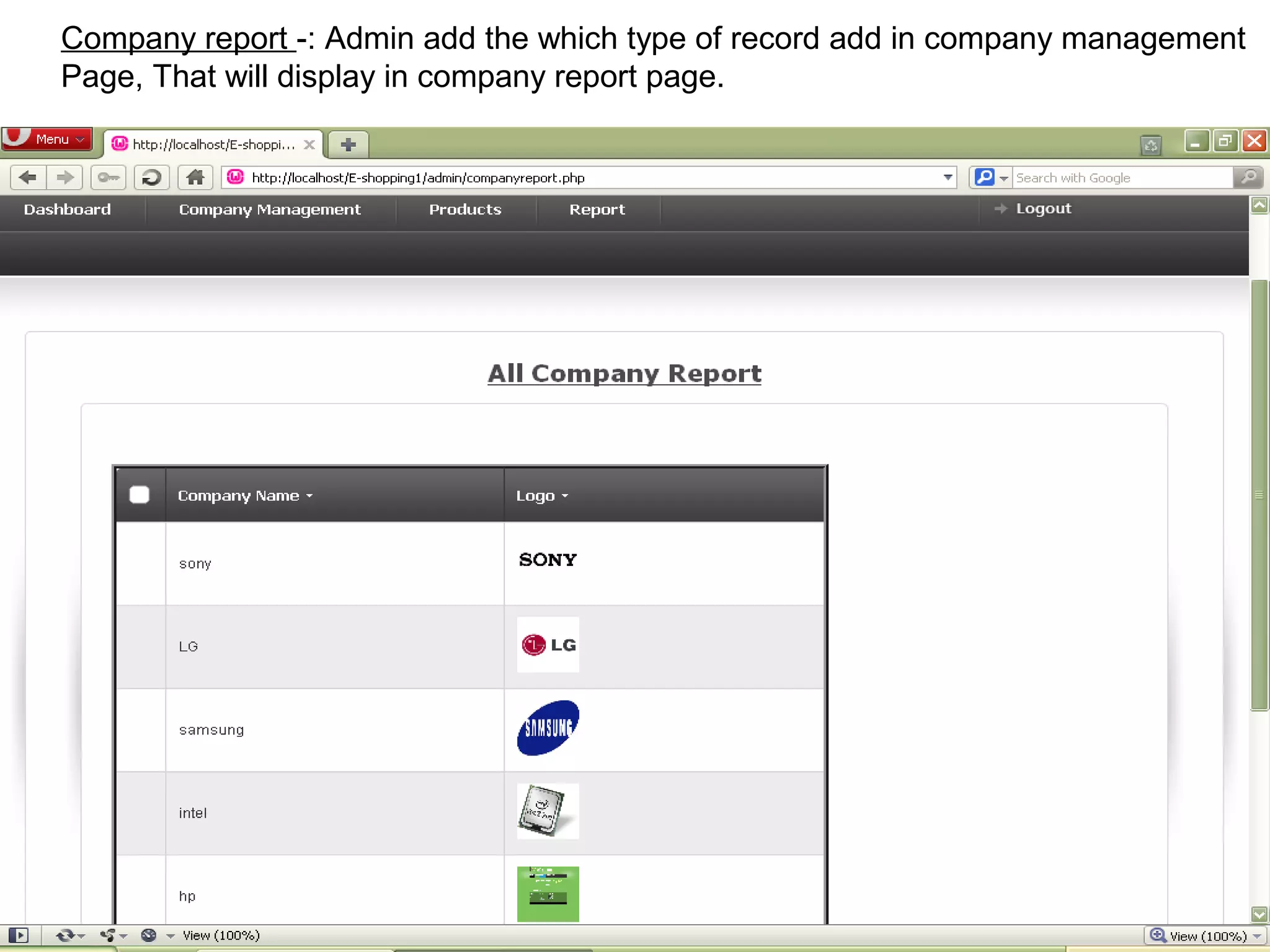
Company report -: Admin add the which type of record add in company management
Page, That will display in company report page.


                                                                        27
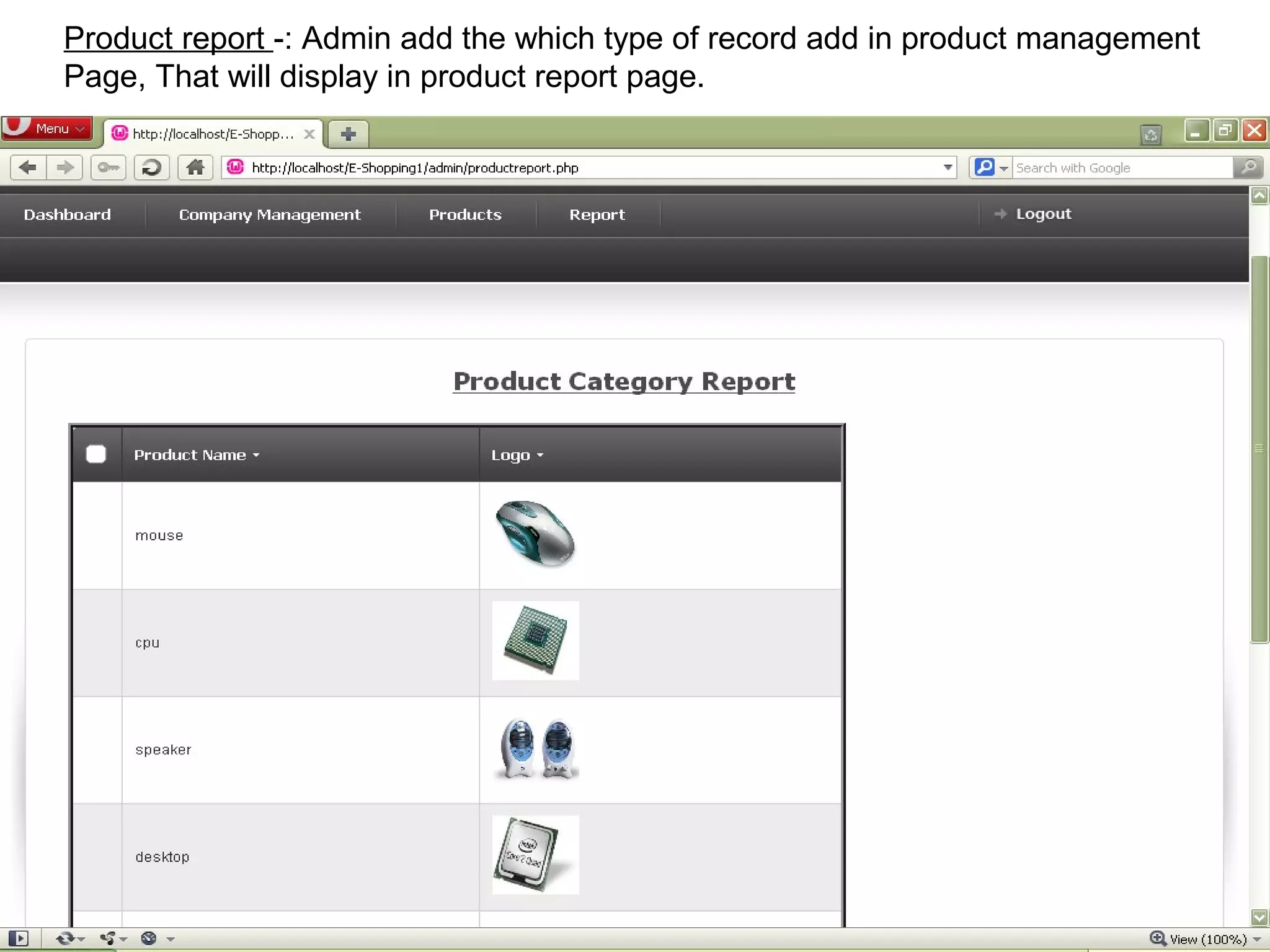
Product report -: Admin add the which type of record add in product management
Page, That will display in product report page.


                                                                           28
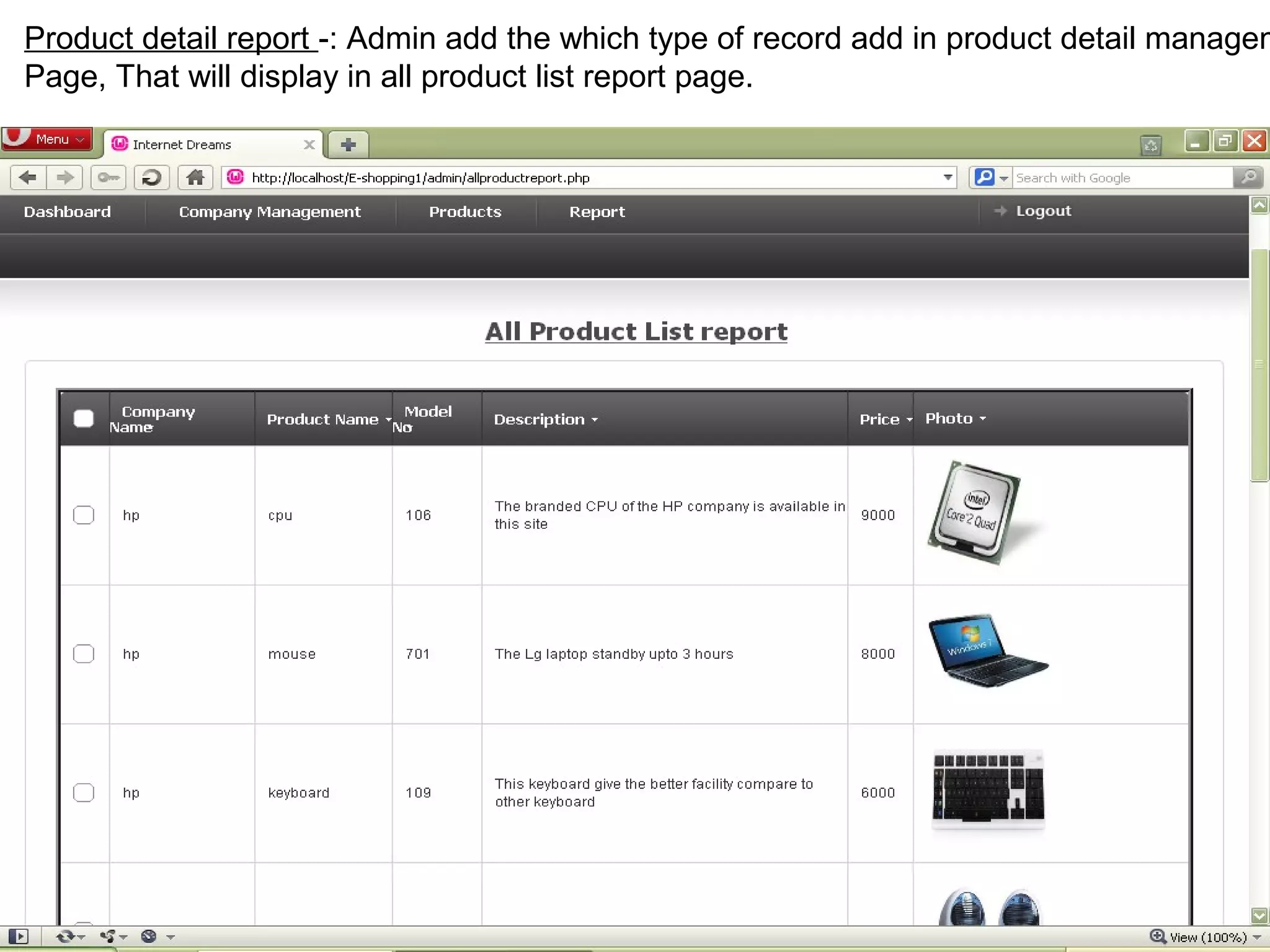
Product detail report -: Admin add the which type of record add in product detail managem
Page, That will display in all product list report page.


                                                                                29
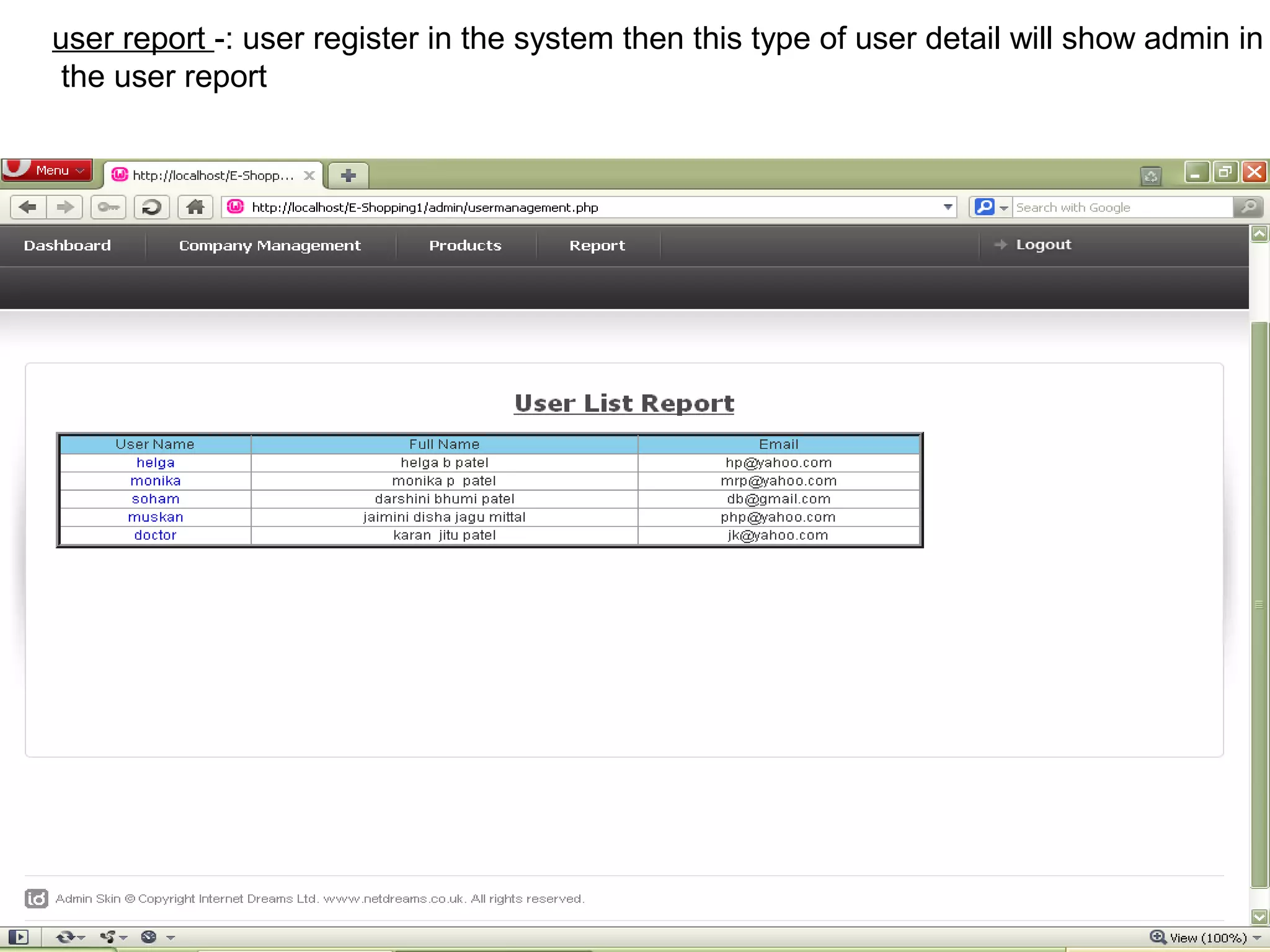
user report -: user register in the system then this type of user detail will show admin in
 the user report


                                                                                   30
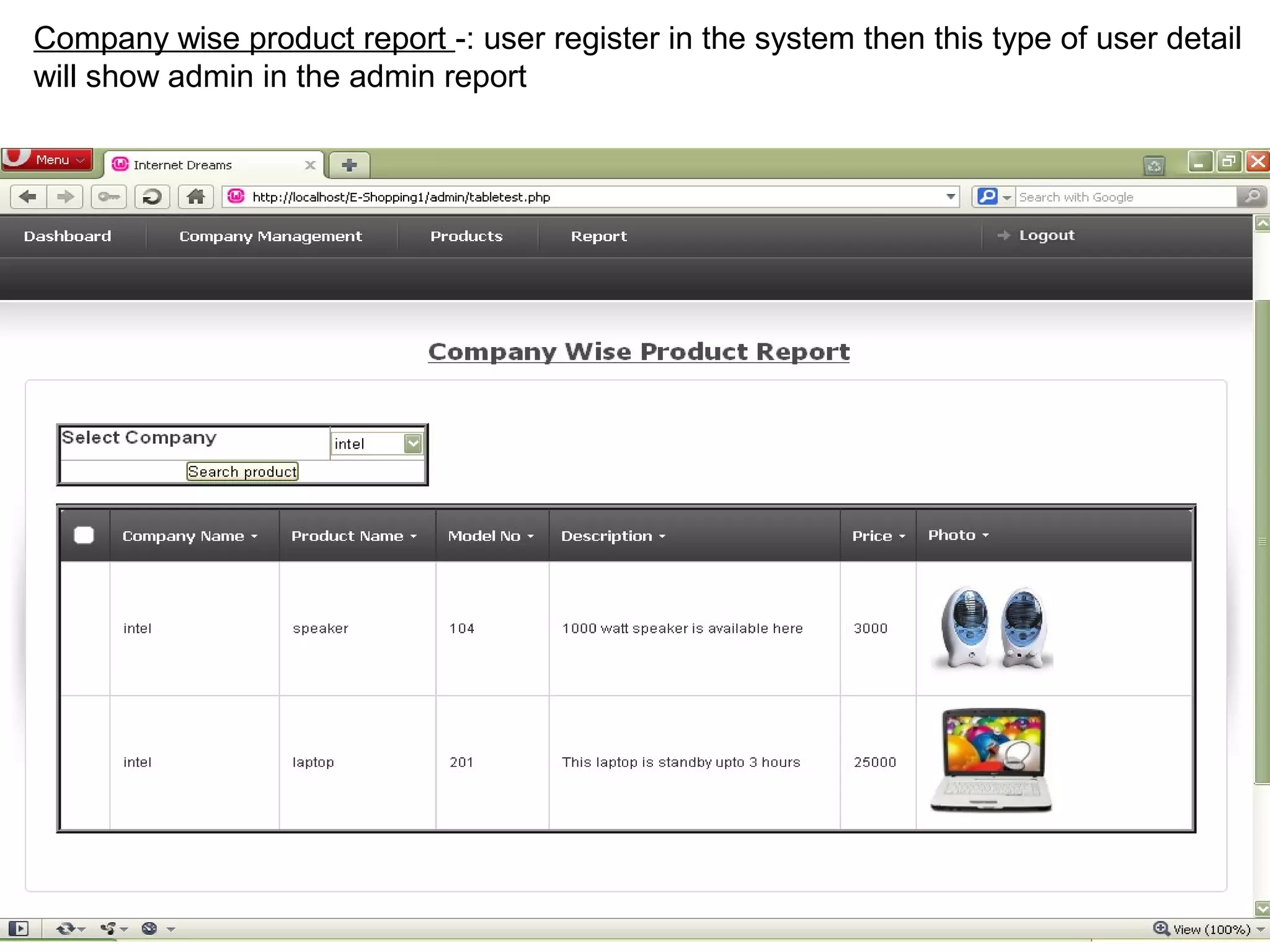
Company wise product report -: user register in the system then this type of user detail
will show admin in the admin report


                                                                                  31
FUTURE ENHANCEMENT


              We think that not a single project is ever consider as complete forever because our mind is
 always thinking new and our necessities also are growing day by day . we always want something more
 that want we have . our application also , it still nature and fully automatics.


        Some are the expansion which we have thought of are:


We also provide services module for any parts.
We enhance the productivity e.g.: electronics product, mobile product.


                                                                                                    32
BIBLIOGRAPHY

     During the development of our system , we have taken the reference from books. And also help of
Google.


   books

  PHP6, Apache, MySQL- Web development
   (Author: jason Gerner
            :jeremy stolz
            :Michael K.Glass.

  websites
  www.google.com
  www.homeshop18.com
  www.ebay.com


                                                                                               33
Thank you


            34

Shopping cart project geekssay.com

  • 1.
    Project Presentation on E-Peripheral System Submitted By: Ajay Singh Ranawat
  • 2.
    Project Profile Project Title E-Peripherals System Objective E-Peripheral System is the web base application that provides facility to user to buy and see online computer, laptop and its peripherals from anywhere online. Front end PHP (5.3.5) Back end MY SQL Other tool Wamp server 2.0 Types of Application Web base Submitted To Department of Computer Science Developed By Ajaysingh Ranawat 2
  • 3.
    Existing System Customer havego to the shop or mall for buy products. We have to spend time to see what kind of products are available in the market We have to go shop or mall to view products. We can not get home delivery in all shop. 3
  • 4.
    Need For NewSystem To improve the service to the customer and merchant for increase the sales and profit in online shopping. We can see products online at anywhere by use of Internet Service. By online E-Peripheral System we can get product Detail from anywhere. Customer save time and travelling expense for buy product because it easy to use and fast service. Online shopping of E-Peripheral is possible by online payment so we do not need to carry cash or withdraw money from bank because it will directly pay from bank. Customer can get product delivery at home. 4
  • 5.
    Hardware & SoftwareRequirement Server Side:- Hardware Environment Processor : Core 2 Duro Ram : 2 GB Hard disk : 80 GB Software Environment Operating System : Windows XP or Later Web Server : Apache Database Server : My Sql Front end : PHP Back end : My sql Other tools : wamp server 2.1 Website Client Side:- Hardware Environment Ram : 1 GB Hard disk : 40 GB Processor :pentium 3 Software Environment Operating System : Windows os Web Browser : Any Web Browser 5
  • 6.
  • 7.
    Start Is Register Registration user no yes Login Not valid Valid id & password valid admin user Company Product Content Edit Change View Product Management Management Management profile Password detail & photo Product detail user Management Management Dummy cart Final cart Log out 7 End
  • 8.
  • 9.
    loginid UserName UserName Registrationid Login 1 Enter 1 registration User view Product Companyid productid name product M View M Company master product master View product Productphoto Product Product detailid detailid ompanyid detailid View Product detail M product M Product detail photo detail purchase Product product detailid Dummy User na finalcartid User name cartid Produc Final detaili Final cart purchase Dummy cart 9 M product M
  • 10.
  • 11.
    Admin login -:admin enter the username and password for managing the site. 11
  • 12.
    User Homepage -:User see the different type of product in the site and if user like any product then click on ‘add to cart’ button then purchase the product. 12
  • 13.
    User login -:User enter the username and password for enter in the site. 13
  • 14.
    Registration -: Userenter the personal detail for the registration and login in the site. 14
  • 15.
    Forgot password -:if user forgot the password then click on forgot password and enter User name and security answer. Then after one msgbox will be display to give the new Password. 15
  • 16.
    Edit profile -:user like to change in registration detail then click on edit profile and Update the profile. Then after record successfully updated message will be display. 16
  • 17.
    View cart -:user purchase any product, then this product is view in cart and user also remove the product from this cart. If user click on Continue shopping then purchase othe product otherwise secure checkout and pay the Payment. 17
  • 18.
    Shipping conform -:User buy the product then after give the shipping address for the delievery. 18
  • 19.
    dashboard -: adminmanage the site. 19
  • 20.
    Company management -:admin add companyname, logo. admin manage the company management page 20
  • 21.
    Company management -:admin delete companyname, logo. admin manage the company management page 21
  • 22.
    product management -:admin add product name, logo. admin manage the product management page. 22
  • 23.
    product management -:admin delete product name, logo. admin manage the product management page. 23
  • 24.
    content -: adminadd the content title, description 24
  • 25.
    Product detail -:Admin enter the product detail, That will display in product detail page. 25
  • 26.
  • 27.
    Company report -:Admin add the which type of record add in company management Page, That will display in company report page. 27
  • 28.
    Product report -:Admin add the which type of record add in product management Page, That will display in product report page. 28
  • 29.
    Product detail report-: Admin add the which type of record add in product detail managem Page, That will display in all product list report page. 29
  • 30.
    user report -:user register in the system then this type of user detail will show admin in the user report 30
  • 31.
    Company wise productreport -: user register in the system then this type of user detail will show admin in the admin report 31
  • 32.
    FUTURE ENHANCEMENT We think that not a single project is ever consider as complete forever because our mind is always thinking new and our necessities also are growing day by day . we always want something more that want we have . our application also , it still nature and fully automatics. Some are the expansion which we have thought of are: We also provide services module for any parts. We enhance the productivity e.g.: electronics product, mobile product. 32
  • 33.
    BIBLIOGRAPHY During the development of our system , we have taken the reference from books. And also help of Google. books PHP6, Apache, MySQL- Web development  (Author: jason Gerner :jeremy stolz :Michael K.Glass. websites www.google.com www.homeshop18.com www.ebay.com 33
  • 34.

Editor's Notes