Wordpress
By Samir Lakhani
Contents - 1
● Introduction Of WordPress
● Installation Of Wordpress
● Structure Of Wordpress
● Wordpress Database
Structure
● Themes
● Popular Themes
● Plugins
● Popular Plugins
● Posts and pages
● Category And Tags
● Wordpress Query
● Wordpress Hooks
● Widgets
● Wordpress Shortcodes
● Wordpress Security Steps
● Wordpress Speed
(Performance) Optimization
1. Introduction Of WordPress
● Wordpress Is Open Source, Most Popular CMS (Content Management
System).
● Wordpress Developed By Matt Mullenweg And Mike Little on 27th May, 2003
● On Web 34% Over Websites Are Made With Wordpress.
● Wordpress allows the users to build dynamic websites and blog.
● Wordpress helps in editing, publishing and modifying the content of the
website.
● Features Of Wordpress:
❖ MultiLingual
❖ SEO
❖ User Management
❖ Media Management
2. Installation Of Wordpress
1. Download the Wordpress Installation Package.
2. Create A MYSQL Database For Wordpress To Use.
3. Go Through Installation Process.
4. Select Language, Lets Go, Add Database Host Details Submit,
Run Installation.
5. Add Site Title, Admin Username, Password, Email Details Then
Install Wordpress
6. Login
3. Structure Of Wordpress
● [dir] wp-admin
● [dir] wp-includes
● Index.php license.txt
● readme.html
● wp-activate.php
● wp-blog-header.php
● Wp-comments-post.php
● Wp-config-sample.php
● wp-cron.php
● wp-links-opml.php
● wp-load.php
● wp-login.php
● wp-mail.php
● wp-settings.php
● wp-signup.php
● wp-trackback.php
● xmlrpc.php
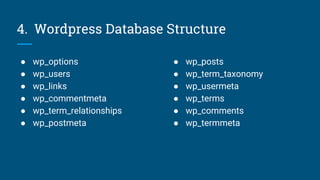
4. Wordpress Database Structure
● wp_options
● wp_users
● wp_links
● wp_commentmeta
● wp_term_relationships
● wp_postmeta
● wp_posts
● wp_term_taxonomy
● wp_usermeta
● wp_terms
● wp_comments
● wp_termmeta
5. Wordpress Theme
● Theme Allows You To Define The Appearance And Display of a
wordpress Site..
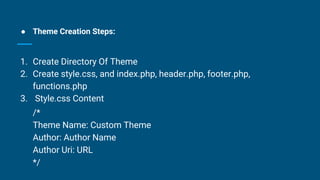
● Theme Creation Steps:
1. Create Directory Of Theme
2. Create style.css, and index.php, header.php, footer.php,
functions.php
3. Style.css Content
/*
Theme Name: Custom Theme
Author: Author Name
Author Uri: URL
*/
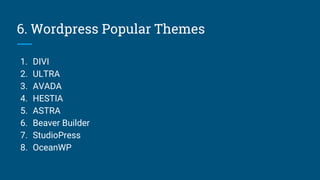
6. Wordpress Popular Themes
1. DIVI
2. ULTRA
3. AVADA
4. HESTIA
5. ASTRA
6. Beaver Builder
7. StudioPress
8. OceanWP
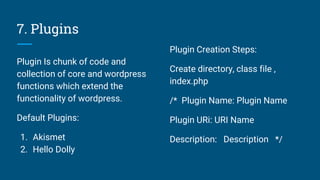
7. Plugins
Plugin Is chunk of code and
collection of core and wordpress
functions which extend the
functionality of wordpress.
Default Plugins:
1. Akismet
2. Hello Dolly
Plugin Creation Steps:
Create directory, class file ,
index.php
/* Plugin Name: Plugin Name
Plugin URi: URI Name
Description: Description */
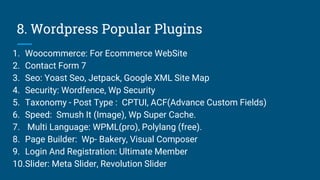
8. Wordpress Popular Plugins
1. Woocommerce: For Ecommerce WebSite
2. Contact Form 7
3. Seo: Yoast Seo, Jetpack, Google XML Site Map
4. Security: Wordfence, Wp Security
5. Taxonomy - Post Type : CPTUI, ACF(Advance Custom Fields)
6. Speed: Smush It (Image), Wp Super Cache.
7. Multi Language: WPML(pro), Polylang (free).
8. Page Builder: Wp- Bakery, Visual Composer
9. Login And Registration: Ultimate Member
10.Slider: Meta Slider, Revolution Slider
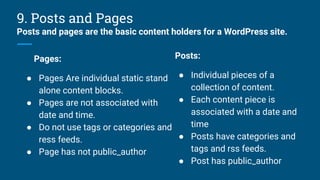
9. Posts and Pages
Posts and pages are the basic content holders for a WordPress site.
Pages:
● Pages Are individual static stand
alone content blocks.
● Pages are not associated with
date and time.
● Do not use tags or categories and
ress feeds.
● Page has not public_author
Posts:
● Individual pieces of a
collection of content.
● Each content piece is
associated with a date and
time
● Posts have categories and
tags and rss feeds.
● Post has public_author
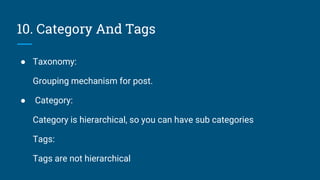
10. Category And Tags
● Taxonomy:
Grouping mechanism for post.
● Category:
Category is hierarchical, so you can have sub categories
Tags:
Tags are not hierarchical
11. Wordpress Query
Wp_query:
Wp_query used request data of posts
$args=array( ‘post_type’=>’post’,’tag_id’=>12,’cat’=>4,’author_in’=>array(1,2));
Query: $wpdb->query(“sql query”);
Insert: $wpdb->insert(‘post_type’,$array); $array(‘key’=>’value’);
update:$wpdb->update(‘post_type’$array_change_value,$array_where_clause);
result: $wpdb->get_results($sql_query,’[type]’);
row: $wpdb->get_row($sql_query);
12. Wordpress Hooks
Action Hooks:
has_action, do_action, add_action,
remove_action
add_action( $hook, function_to_add,
$priority, $accepted_args );
has_action/remove_action( $hook);
do_action($hook[,’$args’],’[‘’$priority]’
);
Filter Hooks:
has_filter, add_filter, apply_filter
add_filter( $hook, $function_to_add,
$priority, $accepted_args );
has_filter($hooks);
apply_filter($hooks,$args,$priority)
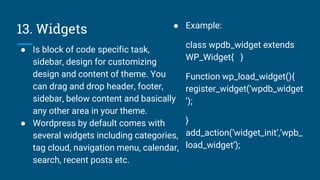
13. Widgets
● Is block of code specific task,
sidebar, design for customizing
design and content of theme. You
can drag and drop header, footer,
sidebar, below content and basically
any other area in your theme.
● Wordpress by default comes with
several widgets including categories,
tag cloud, navigation menu, calendar,
search, recent posts etc.
● Example:
class wpdb_widget extends
WP_Widget{ }
Function wp_load_widget(){
register_widget(‘wpdb_widget
’);
}
add_action(‘widget_init’,’wpb_
load_widget’);
14. Shortcodes
● Special Tag That Put Shortcode
for use in post and pages.
● You Can Also Pass Arguments In
Shortcodes.
add_shortcode(‘shortcode_name
’,’function’)
do_shortcode( string $content, bool
$ignore_html = false );
Example:
Function shorcode_func(){
}
add_shortcode(‘shorcode_tag’,’sh
orcode_func’,[ $args]); or
[‘shorcode_tag’, [$args]];
15. Security Steps For Wordpress Site
Before Hack:
1. Keep wordpress version, theme,
plugins updated.
2. Set .htaccess security rules, file
permissions
3. Set strong password, prefix of
database prefix
4. Use Plugins like: wp-security,
wordefinece, wp- hide login etc.
5. Take backup of files and
database regularly.
After Hack:
1. Check server log and recently modified file
2. Search files with base64, eval,exec
preg_replace, move_uploaded_file replace
with file
3. Manually replace new wordpress wp-
admin, wp-includes, update plugins and
themes
4. Reset password, Prefix Of Database, Ftp
Credentials , Generate New Secret Key
Generator
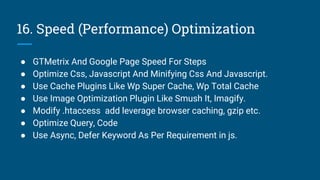
16. Speed (Performance) Optimization
● GTMetrix And Google Page Speed For Steps
● Optimize Css, Javascript And Minifying Css And Javascript.
● Use Cache Plugins Like Wp Super Cache, Wp Total Cache
● Use Image Optimization Plugin Like Smush It, Imagify.
● Modify .htaccess add leverage browser caching, gzip etc.
● Optimize Query, Code
● Use Async, Defer Keyword As Per Requirement in js.
Thank You
Thank You For Study This Article,
Samir Lakhani
Email: samirlakhanitemp@gmail.com

Wordpress

  • 1.
  • 2.
    Contents - 1 ●Introduction Of WordPress ● Installation Of Wordpress ● Structure Of Wordpress ● Wordpress Database Structure ● Themes ● Popular Themes ● Plugins ● Popular Plugins ● Posts and pages ● Category And Tags ● Wordpress Query ● Wordpress Hooks ● Widgets ● Wordpress Shortcodes ● Wordpress Security Steps ● Wordpress Speed (Performance) Optimization
  • 3.
    1. Introduction OfWordPress ● Wordpress Is Open Source, Most Popular CMS (Content Management System). ● Wordpress Developed By Matt Mullenweg And Mike Little on 27th May, 2003 ● On Web 34% Over Websites Are Made With Wordpress. ● Wordpress allows the users to build dynamic websites and blog. ● Wordpress helps in editing, publishing and modifying the content of the website. ● Features Of Wordpress: ❖ MultiLingual ❖ SEO ❖ User Management ❖ Media Management
  • 4.
    2. Installation OfWordpress 1. Download the Wordpress Installation Package. 2. Create A MYSQL Database For Wordpress To Use. 3. Go Through Installation Process. 4. Select Language, Lets Go, Add Database Host Details Submit, Run Installation. 5. Add Site Title, Admin Username, Password, Email Details Then Install Wordpress 6. Login
  • 5.
    3. Structure OfWordpress ● [dir] wp-admin ● [dir] wp-includes ● Index.php license.txt ● readme.html ● wp-activate.php ● wp-blog-header.php ● Wp-comments-post.php ● Wp-config-sample.php ● wp-cron.php ● wp-links-opml.php ● wp-load.php ● wp-login.php ● wp-mail.php ● wp-settings.php ● wp-signup.php ● wp-trackback.php ● xmlrpc.php
  • 6.
    4. Wordpress DatabaseStructure ● wp_options ● wp_users ● wp_links ● wp_commentmeta ● wp_term_relationships ● wp_postmeta ● wp_posts ● wp_term_taxonomy ● wp_usermeta ● wp_terms ● wp_comments ● wp_termmeta
  • 7.
    5. Wordpress Theme ●Theme Allows You To Define The Appearance And Display of a wordpress Site..
  • 8.
    ● Theme CreationSteps: 1. Create Directory Of Theme 2. Create style.css, and index.php, header.php, footer.php, functions.php 3. Style.css Content /* Theme Name: Custom Theme Author: Author Name Author Uri: URL */
  • 9.
    6. Wordpress PopularThemes 1. DIVI 2. ULTRA 3. AVADA 4. HESTIA 5. ASTRA 6. Beaver Builder 7. StudioPress 8. OceanWP
  • 10.
    7. Plugins Plugin Ischunk of code and collection of core and wordpress functions which extend the functionality of wordpress. Default Plugins: 1. Akismet 2. Hello Dolly Plugin Creation Steps: Create directory, class file , index.php /* Plugin Name: Plugin Name Plugin URi: URI Name Description: Description */
  • 11.
    8. Wordpress PopularPlugins 1. Woocommerce: For Ecommerce WebSite 2. Contact Form 7 3. Seo: Yoast Seo, Jetpack, Google XML Site Map 4. Security: Wordfence, Wp Security 5. Taxonomy - Post Type : CPTUI, ACF(Advance Custom Fields) 6. Speed: Smush It (Image), Wp Super Cache. 7. Multi Language: WPML(pro), Polylang (free). 8. Page Builder: Wp- Bakery, Visual Composer 9. Login And Registration: Ultimate Member 10.Slider: Meta Slider, Revolution Slider
  • 12.
    9. Posts andPages Posts and pages are the basic content holders for a WordPress site. Pages: ● Pages Are individual static stand alone content blocks. ● Pages are not associated with date and time. ● Do not use tags or categories and ress feeds. ● Page has not public_author Posts: ● Individual pieces of a collection of content. ● Each content piece is associated with a date and time ● Posts have categories and tags and rss feeds. ● Post has public_author
  • 13.
    10. Category AndTags ● Taxonomy: Grouping mechanism for post. ● Category: Category is hierarchical, so you can have sub categories Tags: Tags are not hierarchical
  • 14.
    11. Wordpress Query Wp_query: Wp_queryused request data of posts $args=array( ‘post_type’=>’post’,’tag_id’=>12,’cat’=>4,’author_in’=>array(1,2)); Query: $wpdb->query(“sql query”); Insert: $wpdb->insert(‘post_type’,$array); $array(‘key’=>’value’); update:$wpdb->update(‘post_type’$array_change_value,$array_where_clause); result: $wpdb->get_results($sql_query,’[type]’); row: $wpdb->get_row($sql_query);
  • 15.
    12. Wordpress Hooks ActionHooks: has_action, do_action, add_action, remove_action add_action( $hook, function_to_add, $priority, $accepted_args ); has_action/remove_action( $hook); do_action($hook[,’$args’],’[‘’$priority]’ ); Filter Hooks: has_filter, add_filter, apply_filter add_filter( $hook, $function_to_add, $priority, $accepted_args ); has_filter($hooks); apply_filter($hooks,$args,$priority)
  • 16.
    13. Widgets ● Isblock of code specific task, sidebar, design for customizing design and content of theme. You can drag and drop header, footer, sidebar, below content and basically any other area in your theme. ● Wordpress by default comes with several widgets including categories, tag cloud, navigation menu, calendar, search, recent posts etc. ● Example: class wpdb_widget extends WP_Widget{ } Function wp_load_widget(){ register_widget(‘wpdb_widget ’); } add_action(‘widget_init’,’wpb_ load_widget’);
  • 17.
    14. Shortcodes ● SpecialTag That Put Shortcode for use in post and pages. ● You Can Also Pass Arguments In Shortcodes. add_shortcode(‘shortcode_name ’,’function’) do_shortcode( string $content, bool $ignore_html = false ); Example: Function shorcode_func(){ } add_shortcode(‘shorcode_tag’,’sh orcode_func’,[ $args]); or [‘shorcode_tag’, [$args]];
  • 18.
    15. Security StepsFor Wordpress Site Before Hack: 1. Keep wordpress version, theme, plugins updated. 2. Set .htaccess security rules, file permissions 3. Set strong password, prefix of database prefix 4. Use Plugins like: wp-security, wordefinece, wp- hide login etc. 5. Take backup of files and database regularly. After Hack: 1. Check server log and recently modified file 2. Search files with base64, eval,exec preg_replace, move_uploaded_file replace with file 3. Manually replace new wordpress wp- admin, wp-includes, update plugins and themes 4. Reset password, Prefix Of Database, Ftp Credentials , Generate New Secret Key Generator
  • 19.
    16. Speed (Performance)Optimization ● GTMetrix And Google Page Speed For Steps ● Optimize Css, Javascript And Minifying Css And Javascript. ● Use Cache Plugins Like Wp Super Cache, Wp Total Cache ● Use Image Optimization Plugin Like Smush It, Imagify. ● Modify .htaccess add leverage browser caching, gzip etc. ● Optimize Query, Code ● Use Async, Defer Keyword As Per Requirement in js.
  • 20.
    Thank You Thank YouFor Study This Article, Samir Lakhani Email: samirlakhanitemp@gmail.com