Handling large amounts of data in VISSIM Transportforum Linköping 2011 by Martin Holmstedt
Handling large amounts of data in VISSIM Illustrated through the project Kungens Kurva (Kings Bend) in Stockholm Picture space – Select Insert Picture (from file)
Background
Background
Route Choice
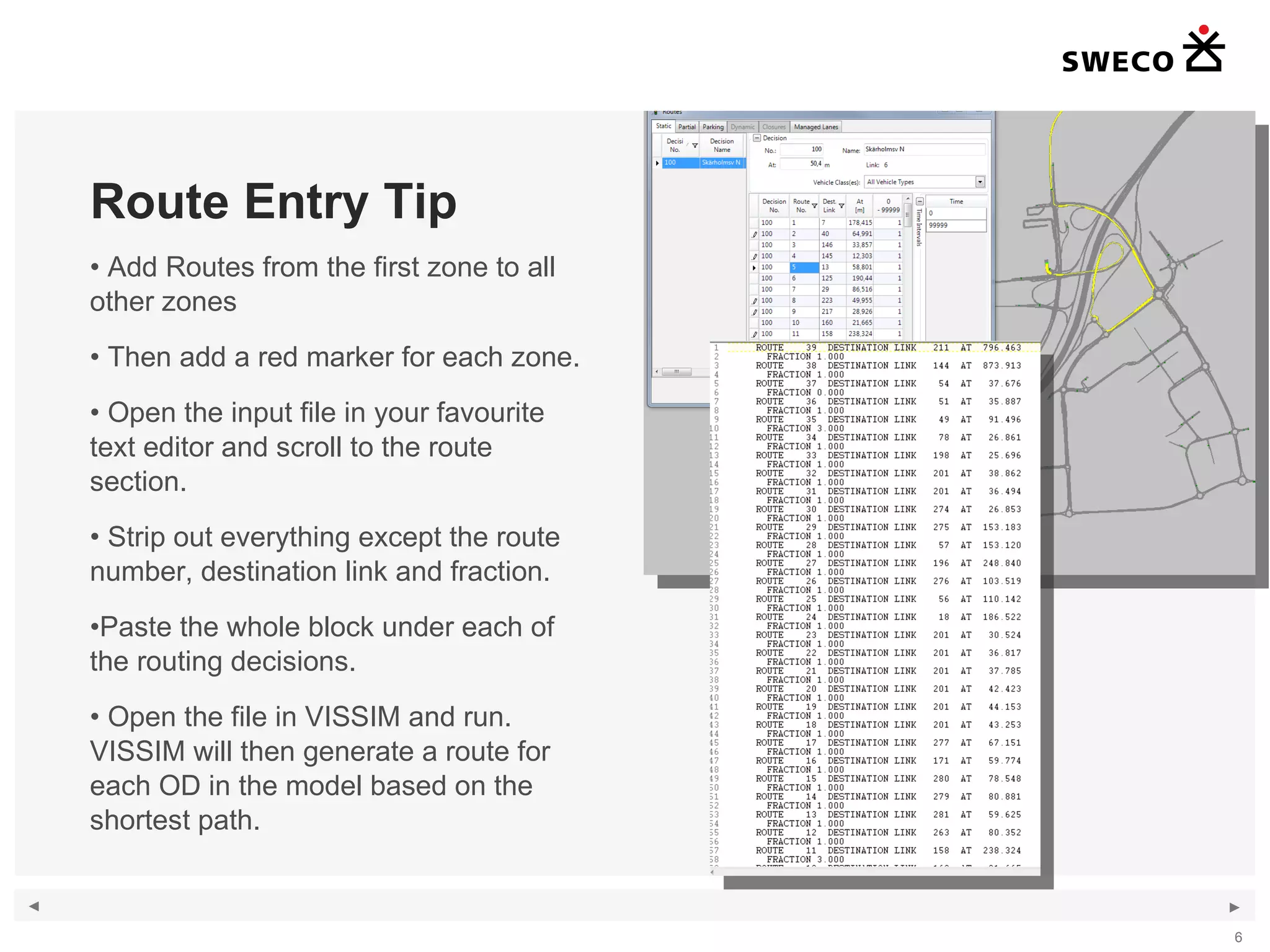
Route Entry Tip Add Routes from the first zone to all other zones Then add a red marker for each zone. Open the input file in your favourite text editor and scroll to the route section. Strip out everything except the route number, destination link and fraction. Paste the whole block under each of the routing decisions. Open the file in VISSIM and run. VISSIM will then generate a route for each OD in the model based on the shortest path.
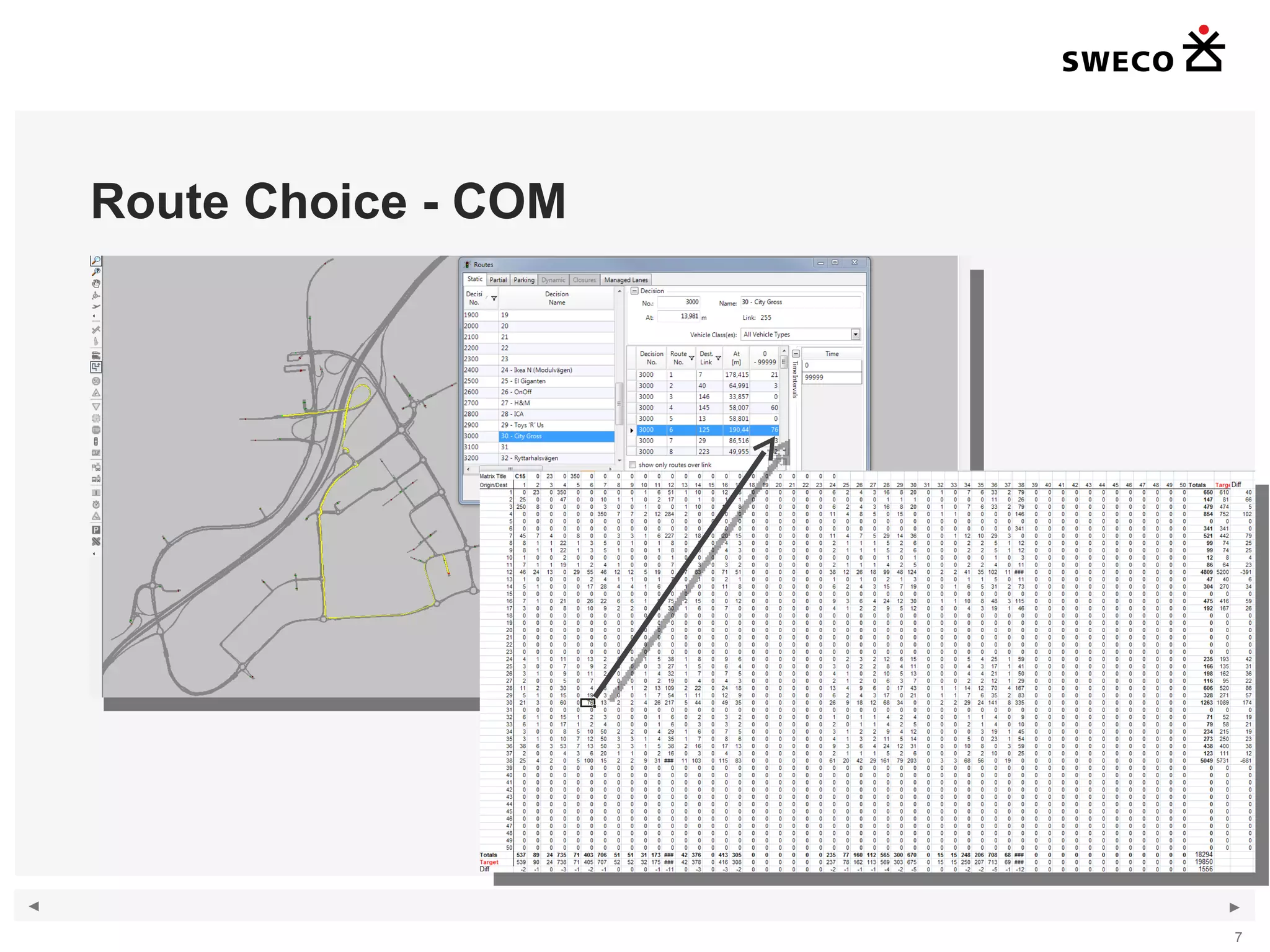
Route Choice - COM
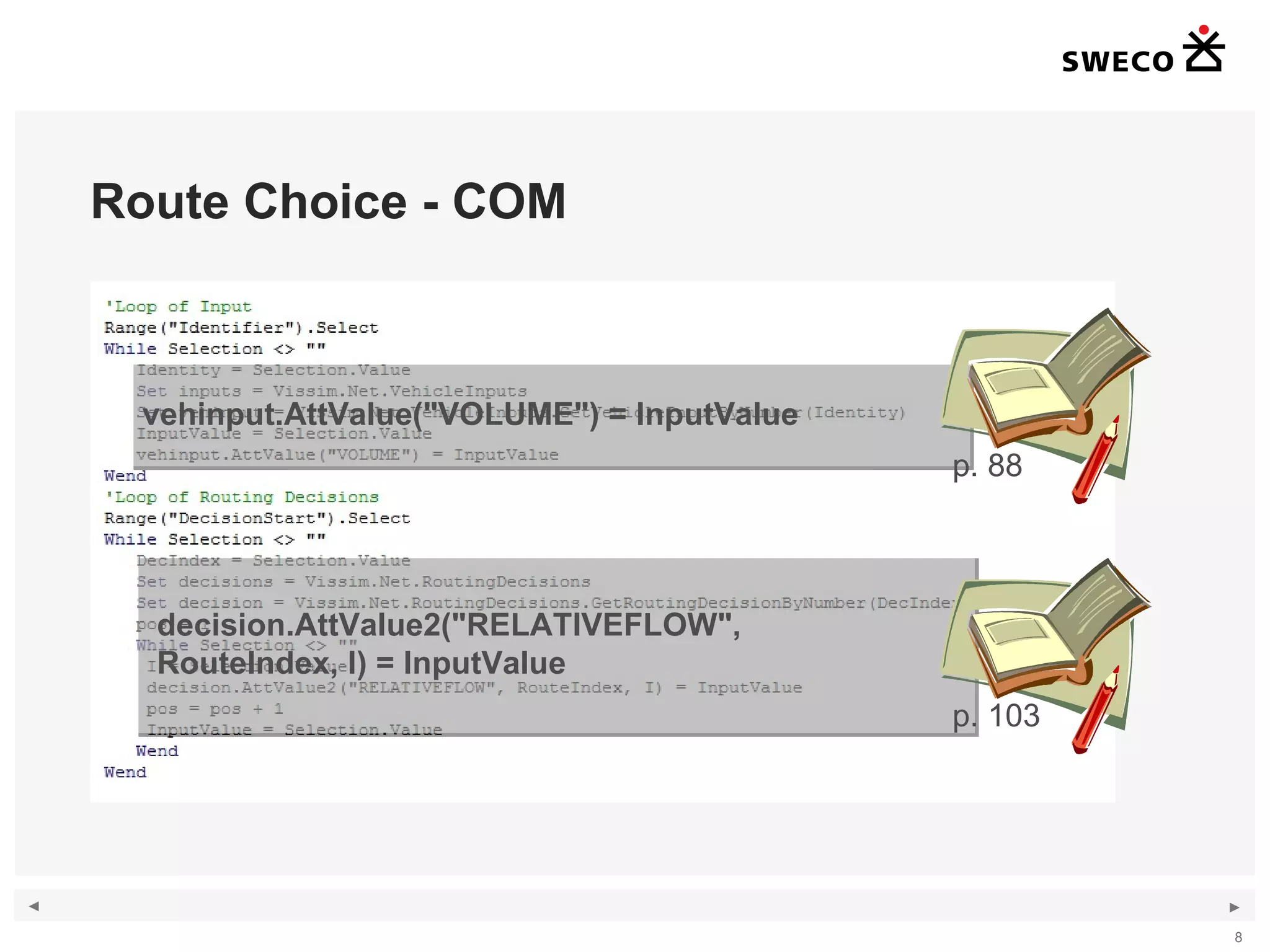
Route Choice - COM vehinput.AttValue("VOLUME") = InputValue decision.AttValue2("RELATIVEFLOW",  RouteIndex, I) = InputValue p. 88 p. 103
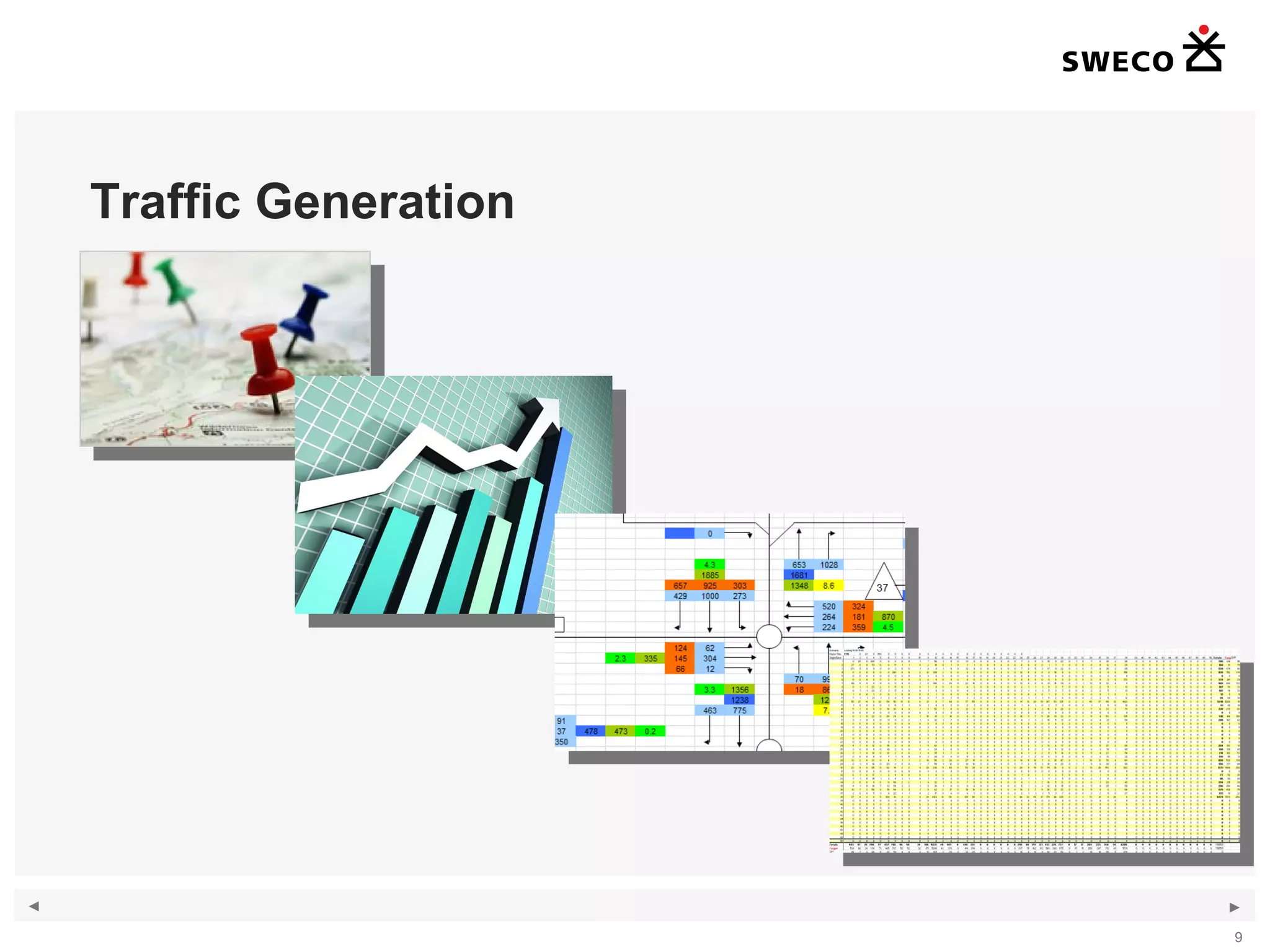
Traffic Generation
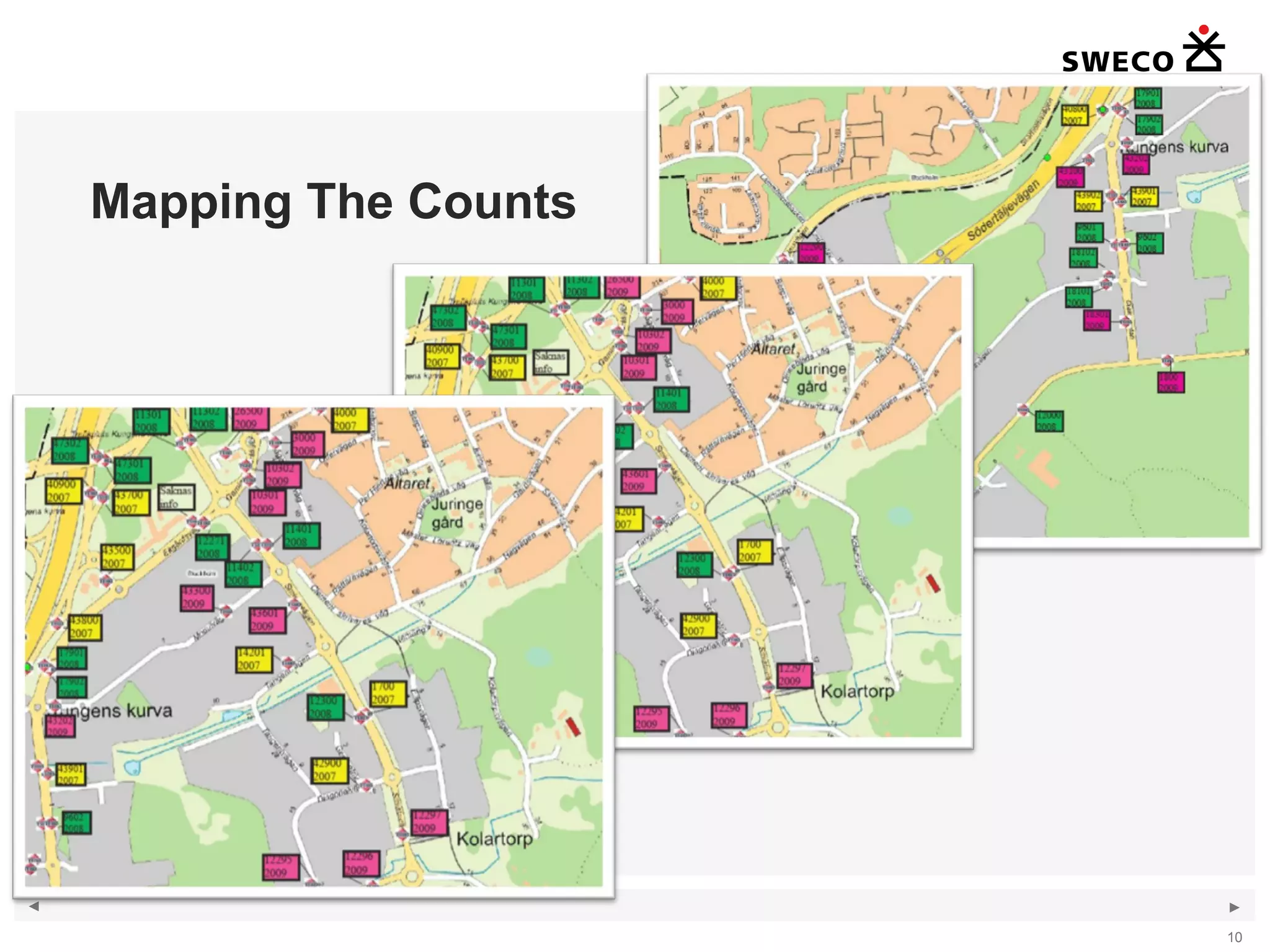
Mapping The Counts
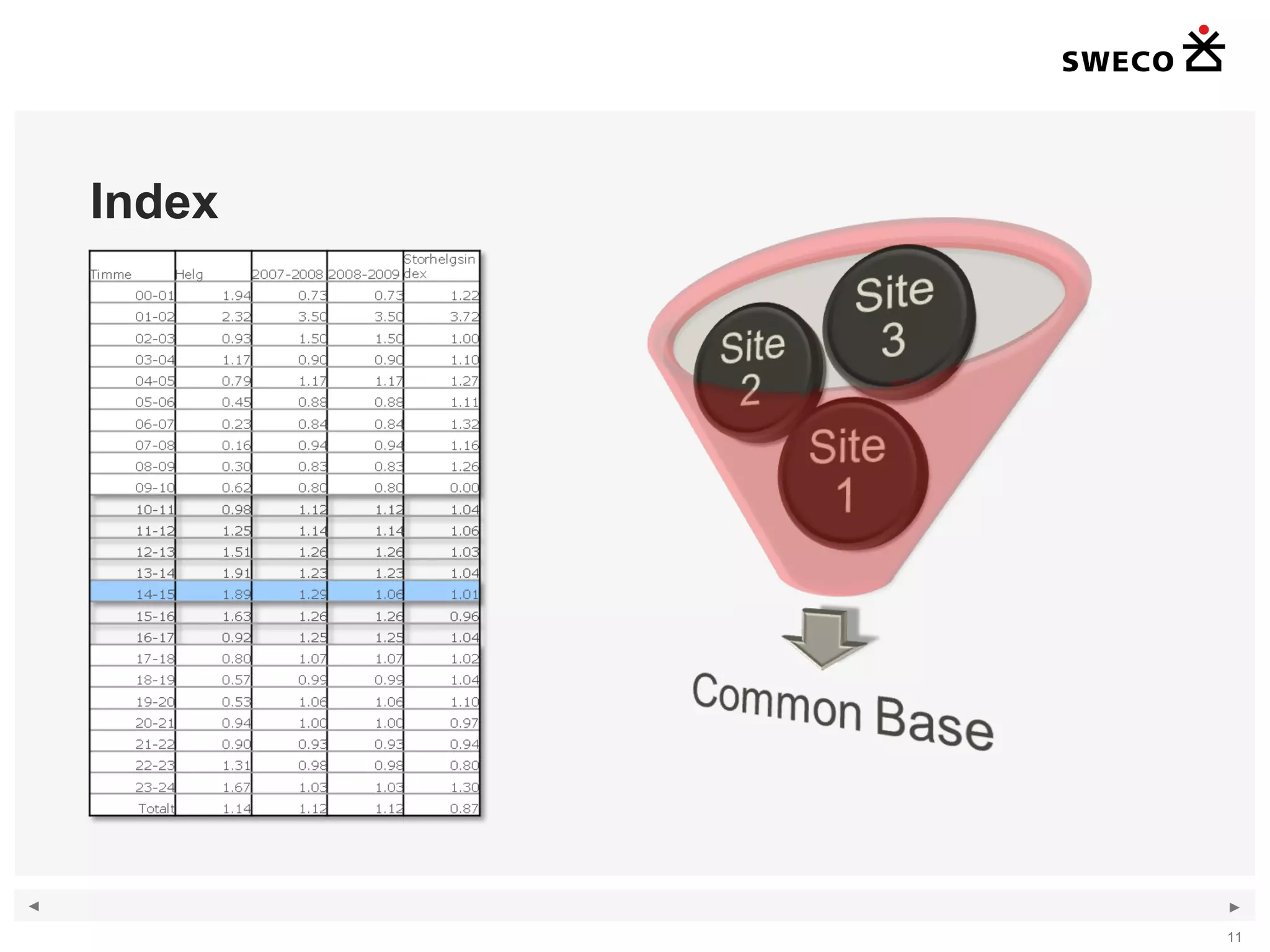
Index
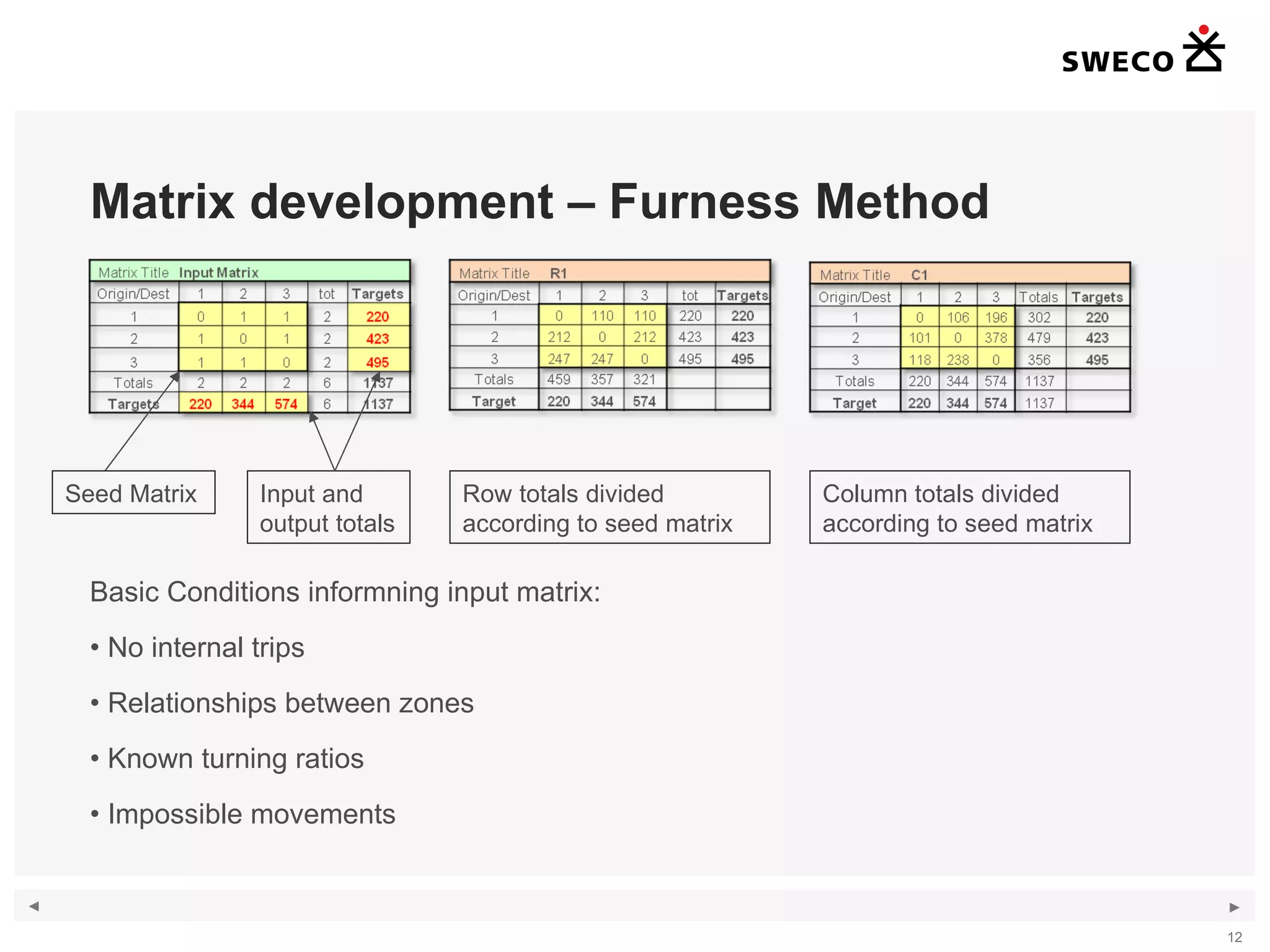
Matrix development – Furness Method Basic Conditions informning input matrix: No internal trips Relationships between zones Known turning ratios Impossible movements Seed Matrix Input and output totals Row totals divided according to seed matrix  Column totals divided according to seed matrix
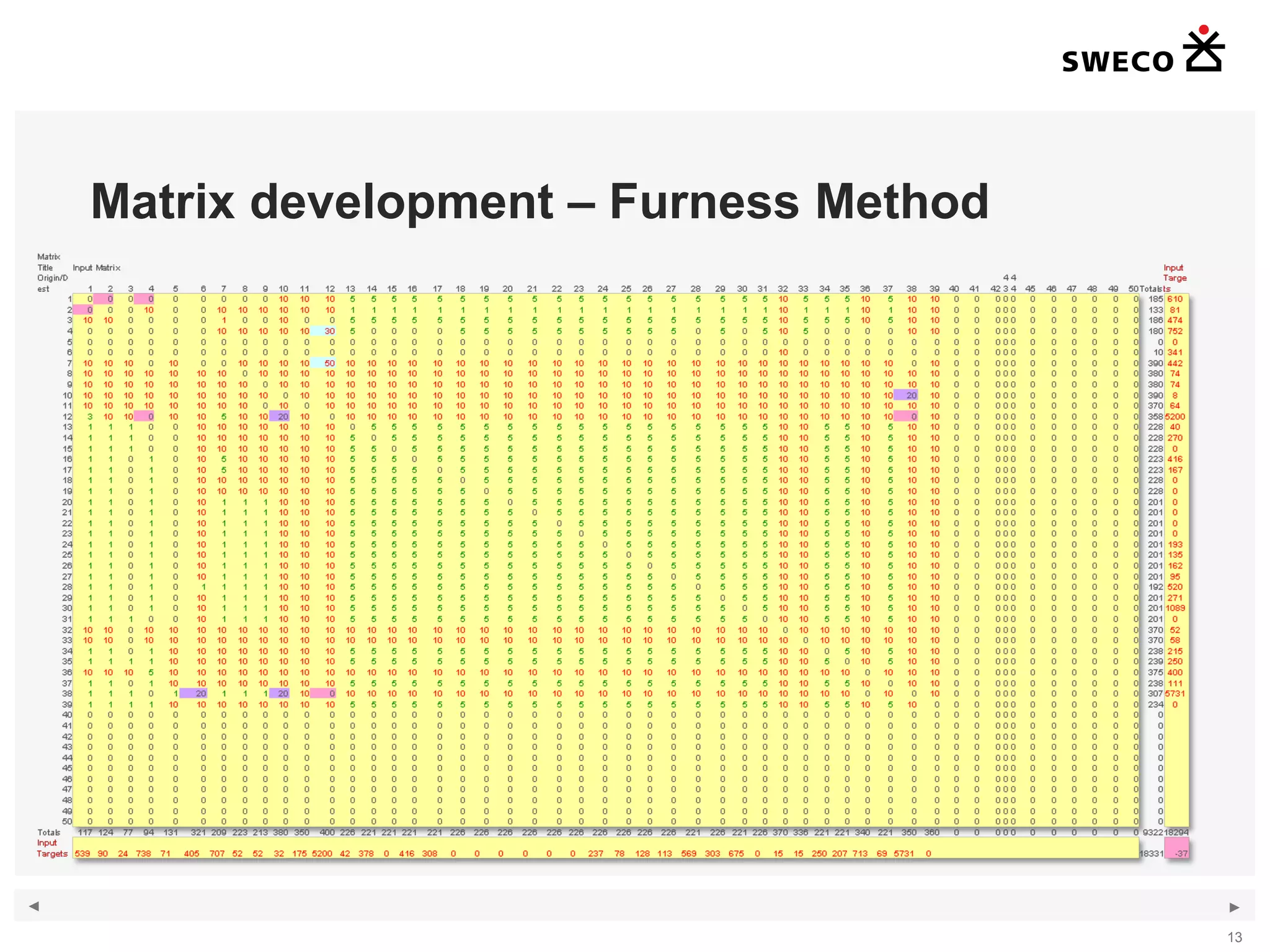
Matrix development – Furness Method
Route Diagram
Matrix Development Iteration
Validation Difficulties
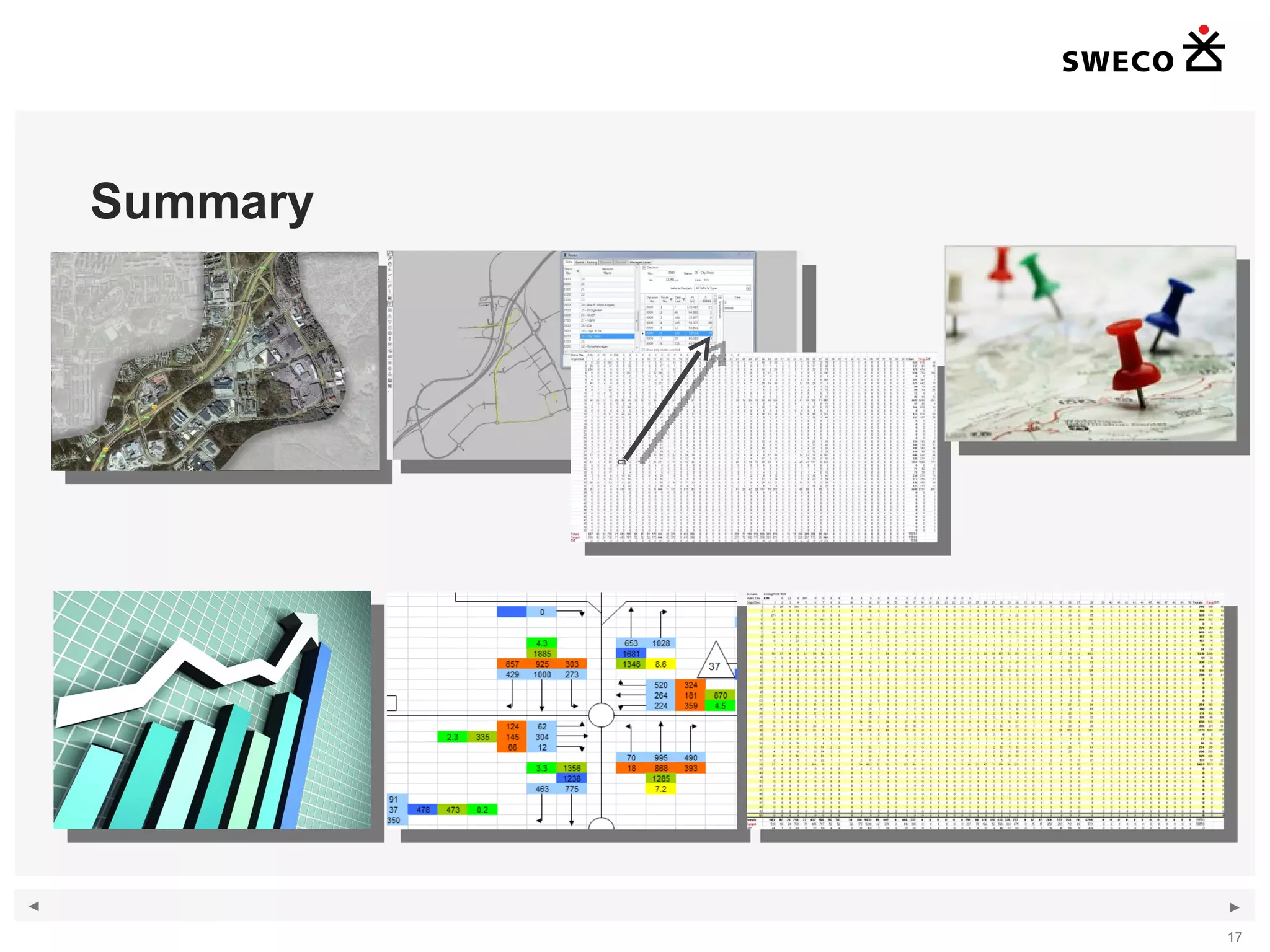
Summary
Questions

Session 38 Martin Holmstedt

Editor's Notes

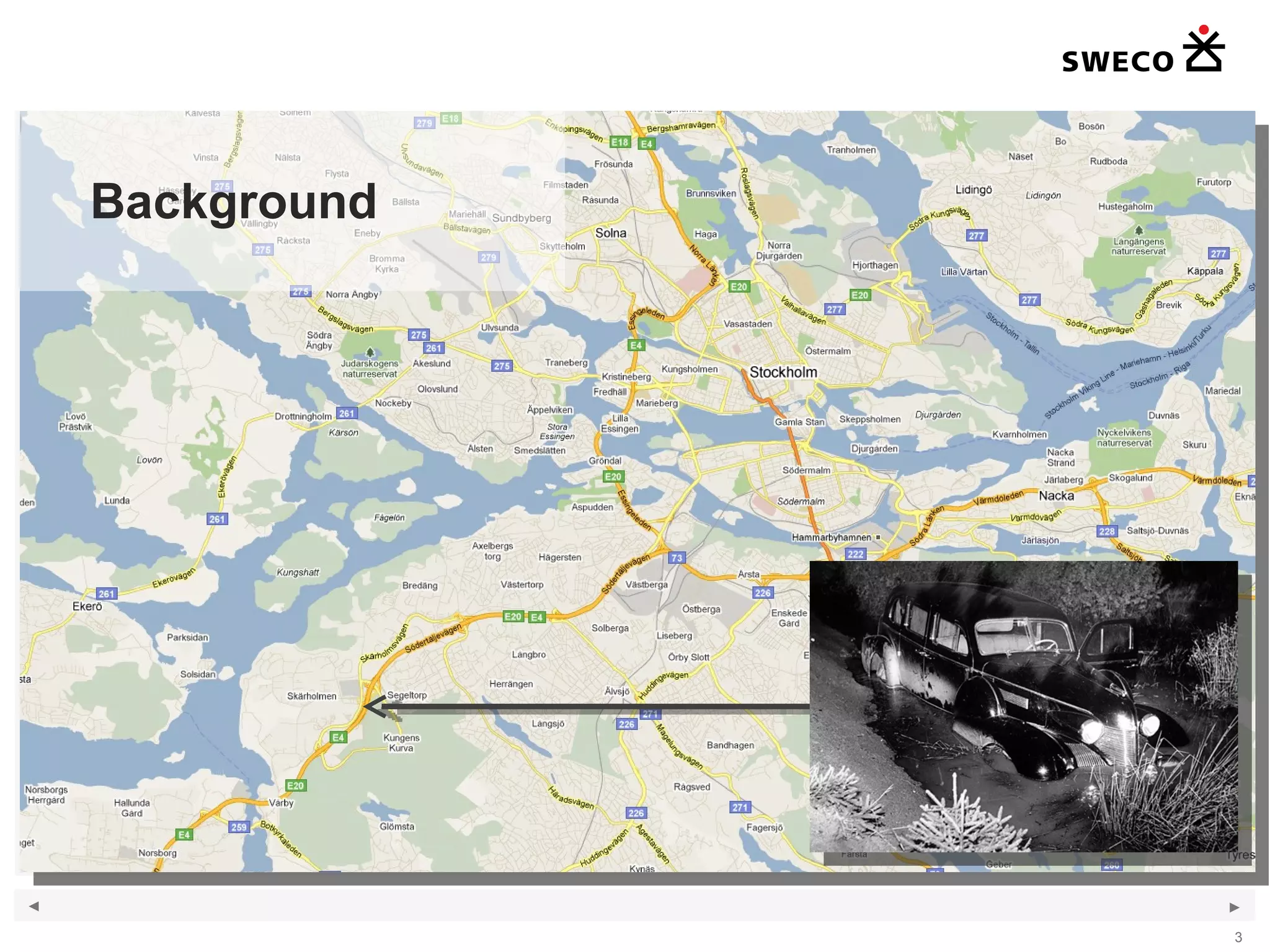
  • #4 Kungens Kurva is an area 15 km southwest of the city centre of Stockholm. It got it’s name when in 1946 the King of Sweden was going past the area and his driver lost control of the Cadillac and ended up in the ditch.
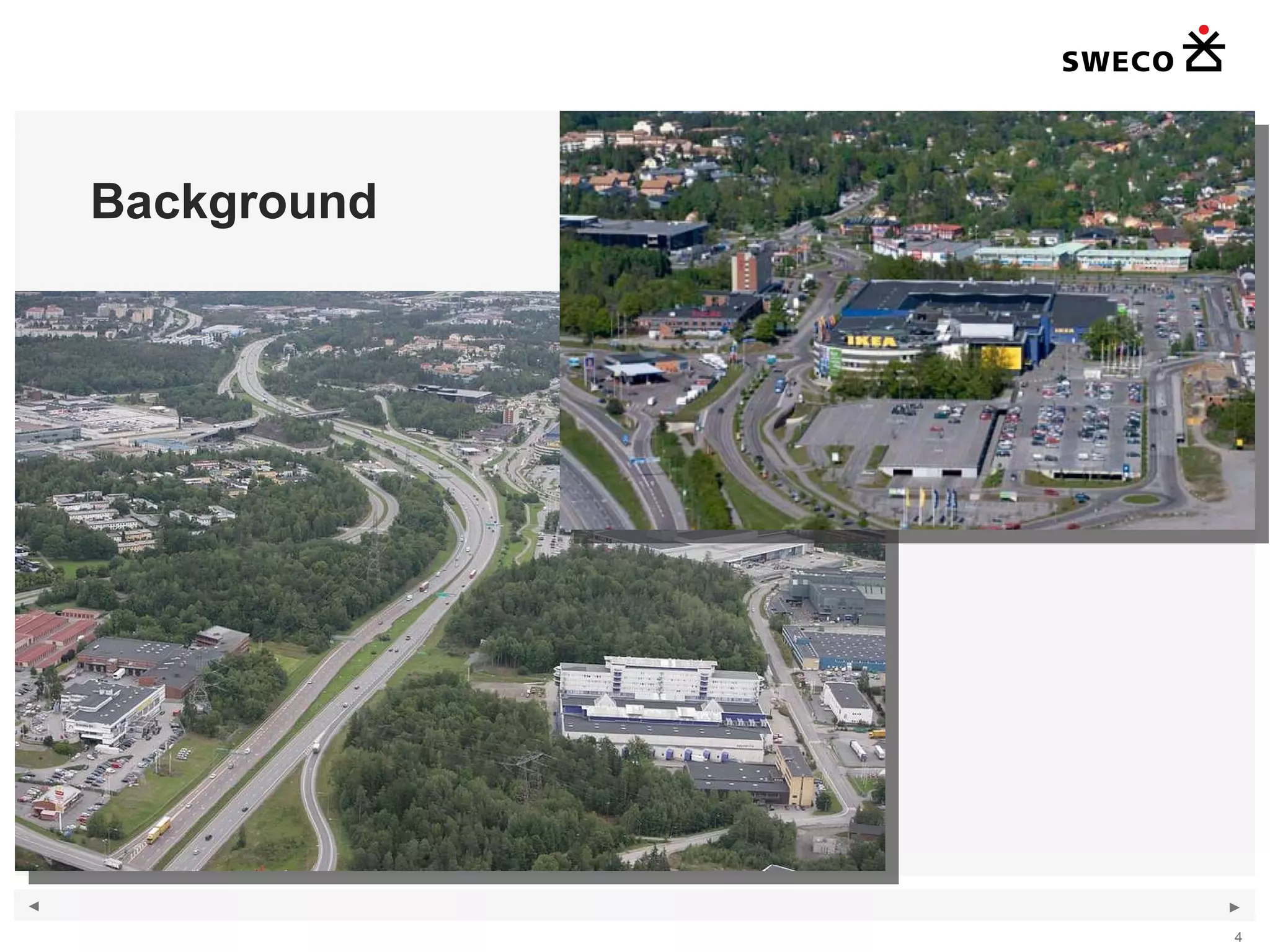
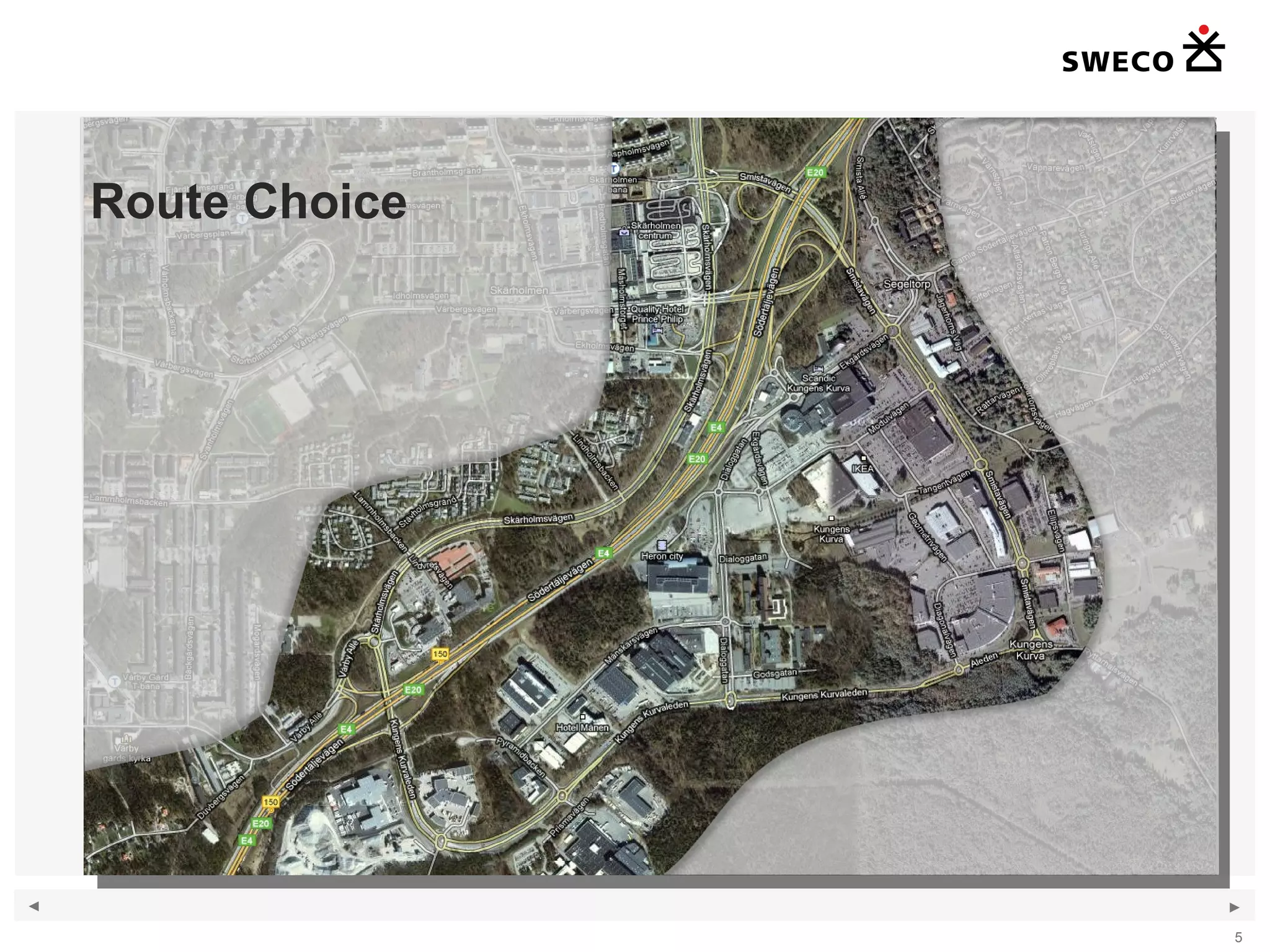
  • #5 It has now become the largest retail area in Scandinavia of some 250 000 sqm GFA. The two main arteries E4 and E20 from the south merges and runs through the area. The road network is subject to significant volumes of traffic and the retail areas is particularly busy during the weekend. We were asked to look at a few different future scenarios to determine how much expansion the area can handle and what changes to the infrastructure would be needed.
  • #6 With a model of this size, it would be natural to opt for dynamic assignment, since a relatively large amount of routes have to be coded. However it has been observed that drivers do not necessarily take the shortest or quickest path to their destination. In fact some of the traffic congestion could be reduced if traffic could utilize the network in a more efficient way. My experience with dynamic routing has been that it can be quite difficult to achieve good validation as it is quite a laborious process changing the weighting of routes, banning turns and routes etc. It also brings with it the disadvantage that the model has to be converted every time a small amendment is carried out. We therefore chose to utilize static routing. However with a model of 50 zones, this would lead to some 2500 different routes. I claim however that the time taken to insert these routes is less than the time taken to correct the routes generated by dynamic assignment. The real problem arises when the flows on the routes have to be adjusted. This is where COM comes in! Haha
  • #7 Before getting to COM here’s a little tip on how to get VISSIM to create your routes for you. Make sure you check each route as the shortest route in the network not always is the path traffic takes in reality.
  • #8 Manually entering the values of every route and every input would be tedious to say the least. Not to mention expensive! By doing it manually we also need to check that the input has been done correctly or risk populating the model with erronious data. Clearly there is a need for an automatic approach. Assuming we already have a matrix with total input values and the volumes on each route, using a visual basic macro in Excel with the VISSIM COM interface is a straightforward way of inputting the flows. Once the macro is written model flows can be input in the model in a matter of seconds. If you find an error, no problem, just run the process one more time!
  • #10 OK, so where do we get the matrix? That’s the really difficult task! We worked along a four step process: Map the available counts Create indecies to get the couts to a common basis Create a flow spreadsheet Generate a OD Matrix
  • #11 Ideally we would like to have done counts specifically for this study. It turned out that the council had done counts regularly across the site, so it was natural to use these. At first we we surprised to see te amount of data. It’s unusual to have such good coverage. However it soon turned out that getting the data to a common base year and time would be quite a challange. We decided early on not to use data older than 2007. The colours above show counts from 2007 in yellow, 2008 in green and 2009 in pink. What is not showing is what time of year and indeed what day the count was done.
  • #12 It turns out that the council pretty much had collected data by using a single pneumatic tube, which was moved from one site to the next on a daily basis. That ment we had Monday data on one site, Tuesday on the next etc. Some sites had data for longer periods, but there was no single site that had data for the whole period. Ideally we would have liked to created an index based on a centrally located site for which we had data for the whole period, That way all other sites could have been increased or decreased to get it to the right hour of the base year. Instead what we had to do was to create a sort of average flow for each hour on a weekday, and then a second for a Saturday, Sunday etc. On top we also developed indecies for each month of the year to allow for seasonal and yearly changes. Needless to say this process introduces uncertainties, but given the data we had, there wasn’t anything else we could do. In my experience, getting reliable source data is by far the most difficult part of a large project, since it has such large consequenses on te budget. For smaller projects, this is seldom an issue.
  • #13 The matrix development has been carried out using the furnessing procedure, also known as Iterative Proportional Fitting. Named after the K.P. Furness in 1965. The method is used to work out the matrix OD-pairs given the known input and output totals. It also needs a initial seed matrix. Typically this method would be used to workout a forecast matrix using the base matrix as a seed matrix. In our case we didn’t have a good seed matrix, therefore we would start with an number of basic conditions and the interatively refine the seed matrix until we achieved good validation. I’ll explain the steps in detail as we go on. Feel free to ask questions as I know this can be difficult to follow if you are new to the idea of matrix estimation.
  • #14 The matrix development has been carried out using the furnessing procedure, also known as Iterative Proportional Fitting. Named after the K.P. Furness in 1965. The method is used to work out the matrix OD-pairs given the known input and output totals. It also needs a initial seed matrix. Typically this method would be used to workout a forecast matrix using the base matrix as a seed matrix. In our case we didn’t have a good seed matrix, therefore we would start with an number of basic conditions and the interatively refine the seed matrix until we achieved good validation. I’ll explain the steps in detail as we go on. Feel free to ask questions as I know this can be difficult to follow if you are new to the idea of matrix estimation.
  • #15 The purpose of the flow network is to check the modelled flows against the counted flows. The first task was to setup a schematic network plan with turning movement indicated by arrows. The second was to place traffic counters in the VISSIM model and record all vehicles and then import these into the excel spreadsheet using a macro. Basically all turns for which we have count data, we also have modelled data. A formula displaying the GEH-value provides an indication of the level of validity in the network.