









| SEO 201 1
| SEO 201 2
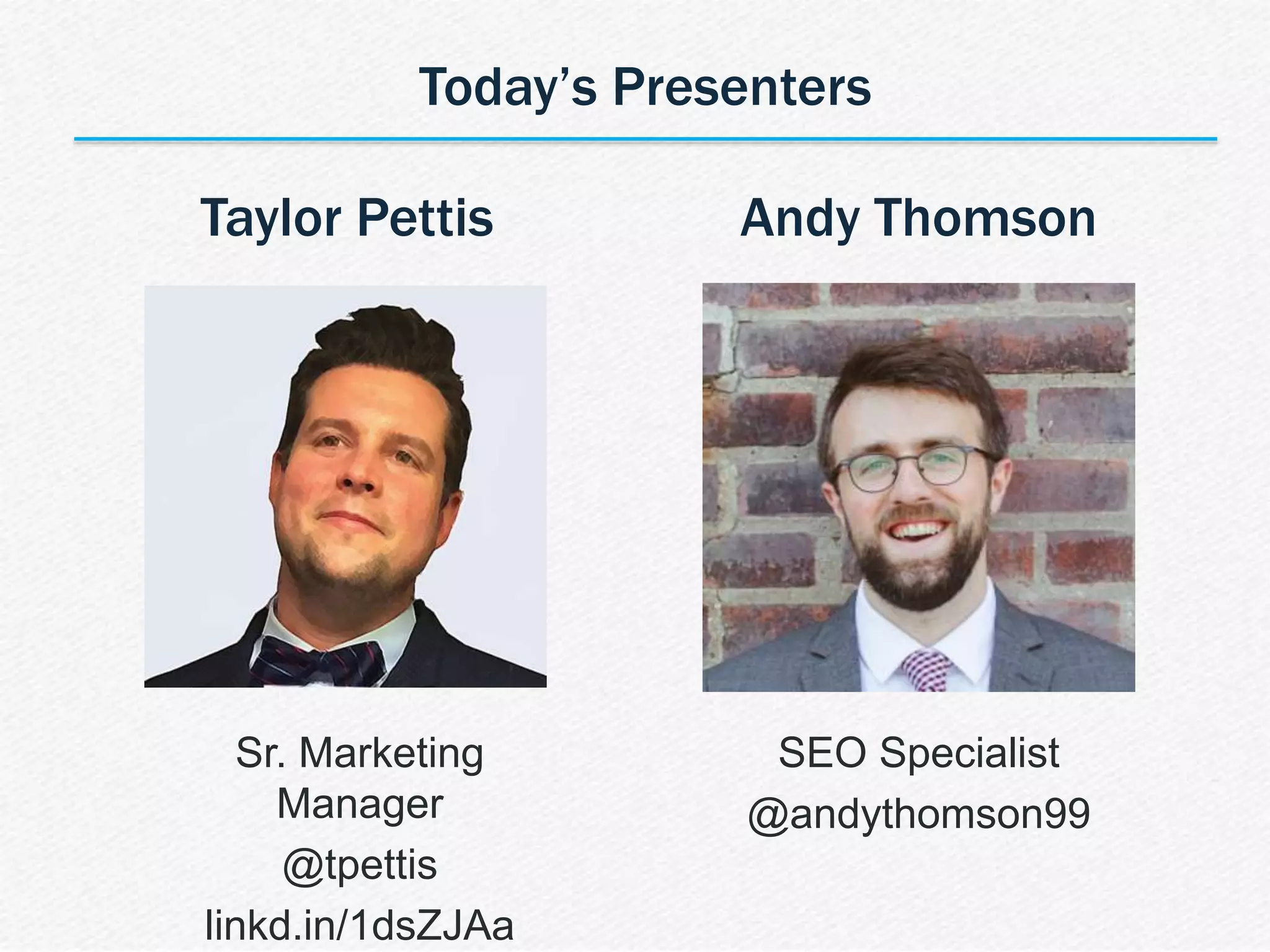
Andy Thomson
SEO Specialist
@andythomson99
Today’s Presenters
Taylor Pettis
Sr. Marketing
Manager
@tpettis
linkd.in/1dsZJAa
| SEO 201 3
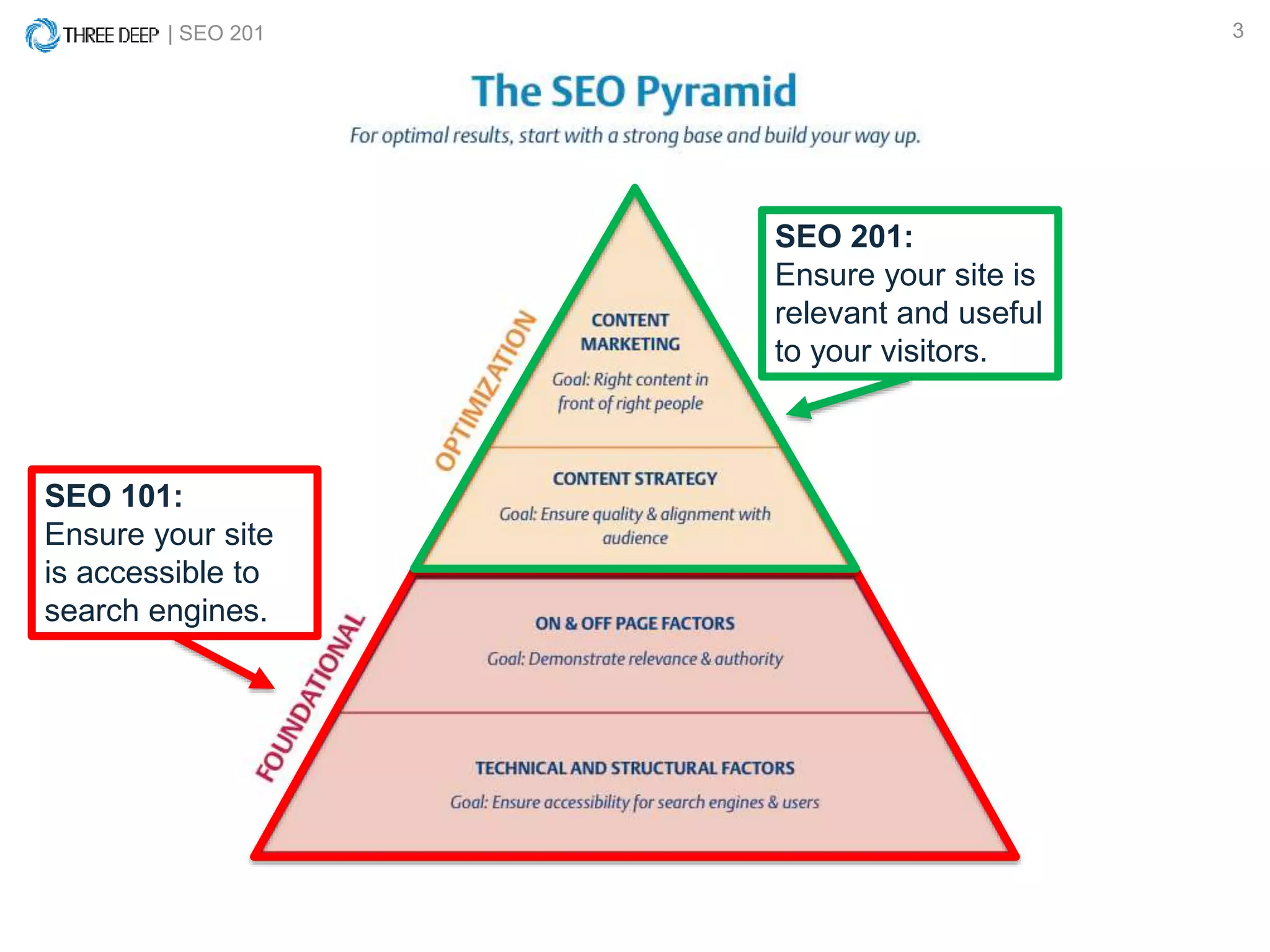
SEO 101:
Ensure your site
is accessible to
search engines.
SEO 201:
Ensure your site is
relevant and useful
to your visitors.
| SEO 201 4
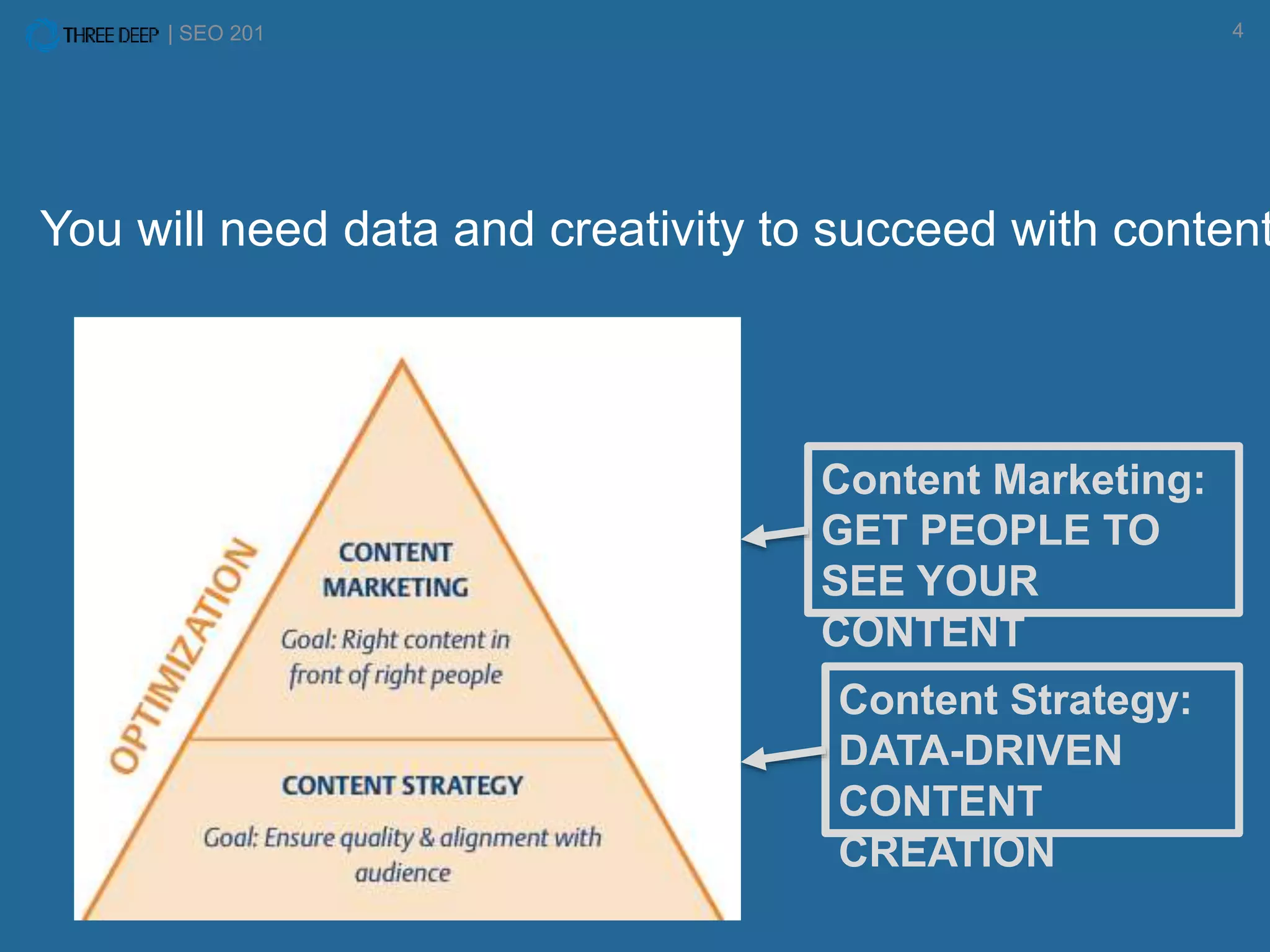
Content Marketing:
GET PEOPLE TO
SEE YOUR
CONTENT
Content Strategy:
DATA-DRIVEN
CONTENT
CREATION
You will need data and creativity to succeed with content
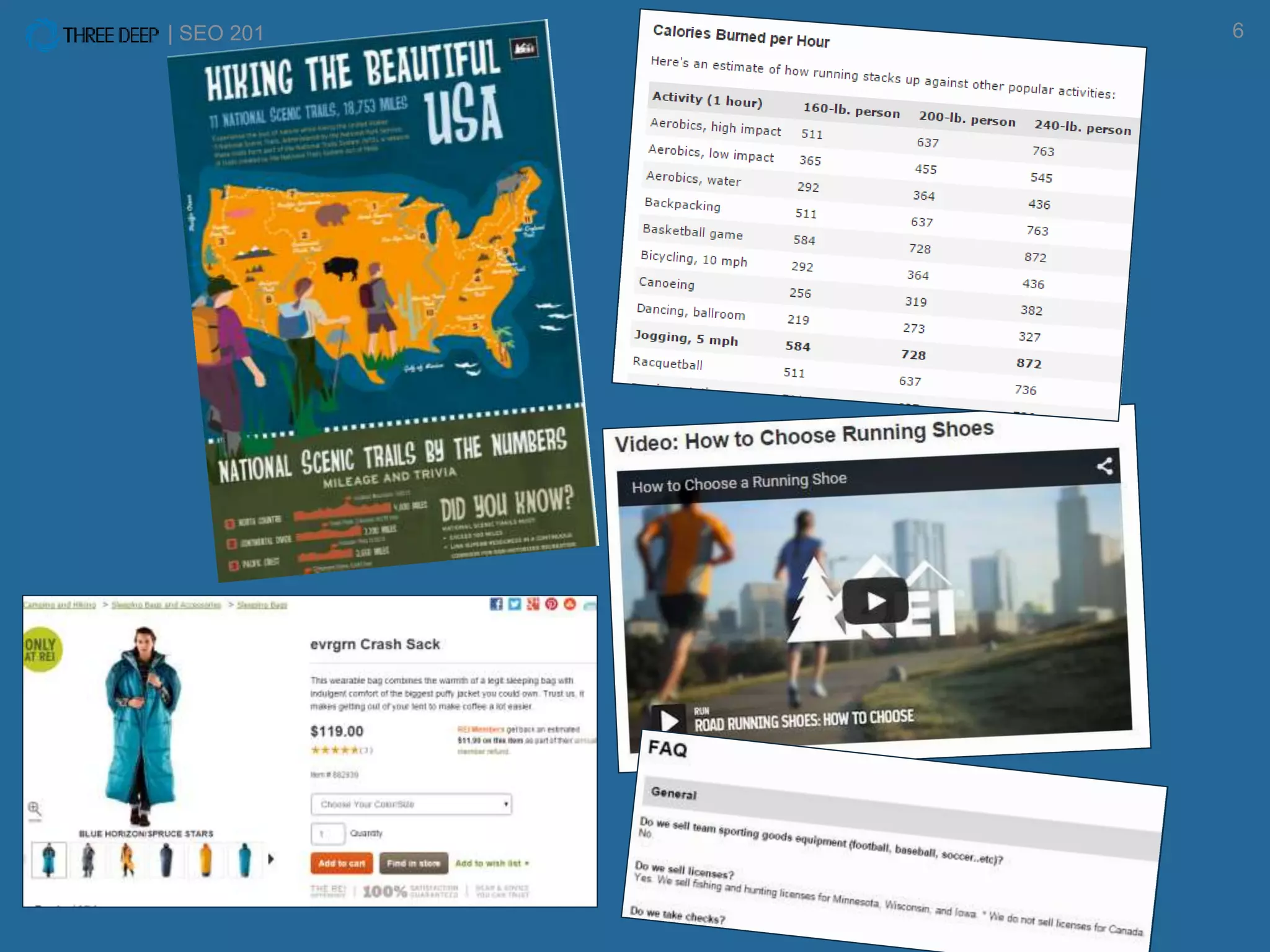
WHAT IS CONTENT?
| SEO 201 6
IS CONTENT WORTH THE INVESTMENT?
| SEO 201 8
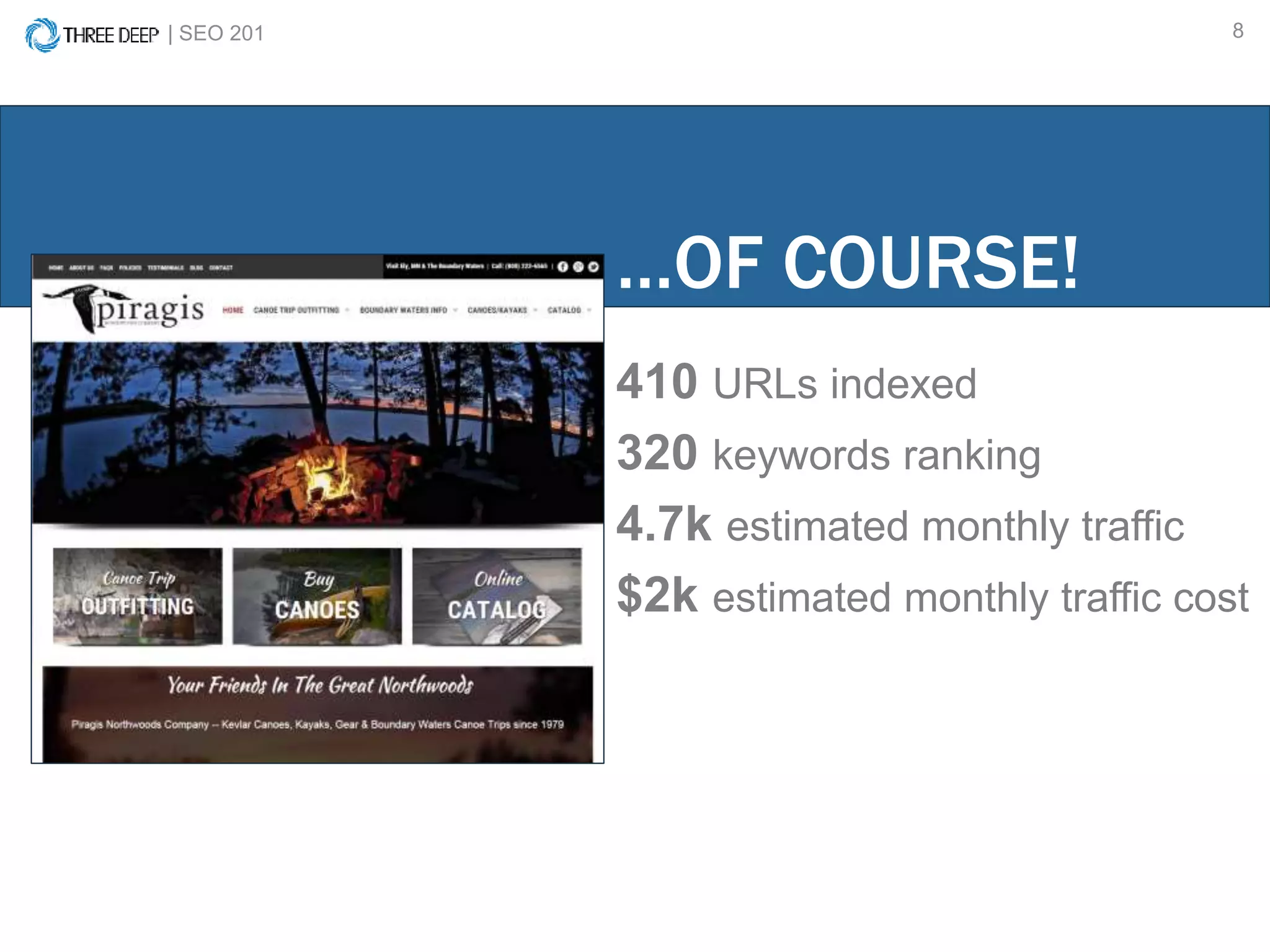
410 URLs indexed
320 keywords ranking
4.7k estimated monthly traffic
$2k estimated monthly traffic cost
…OF COURSE!
| SEO 201 9
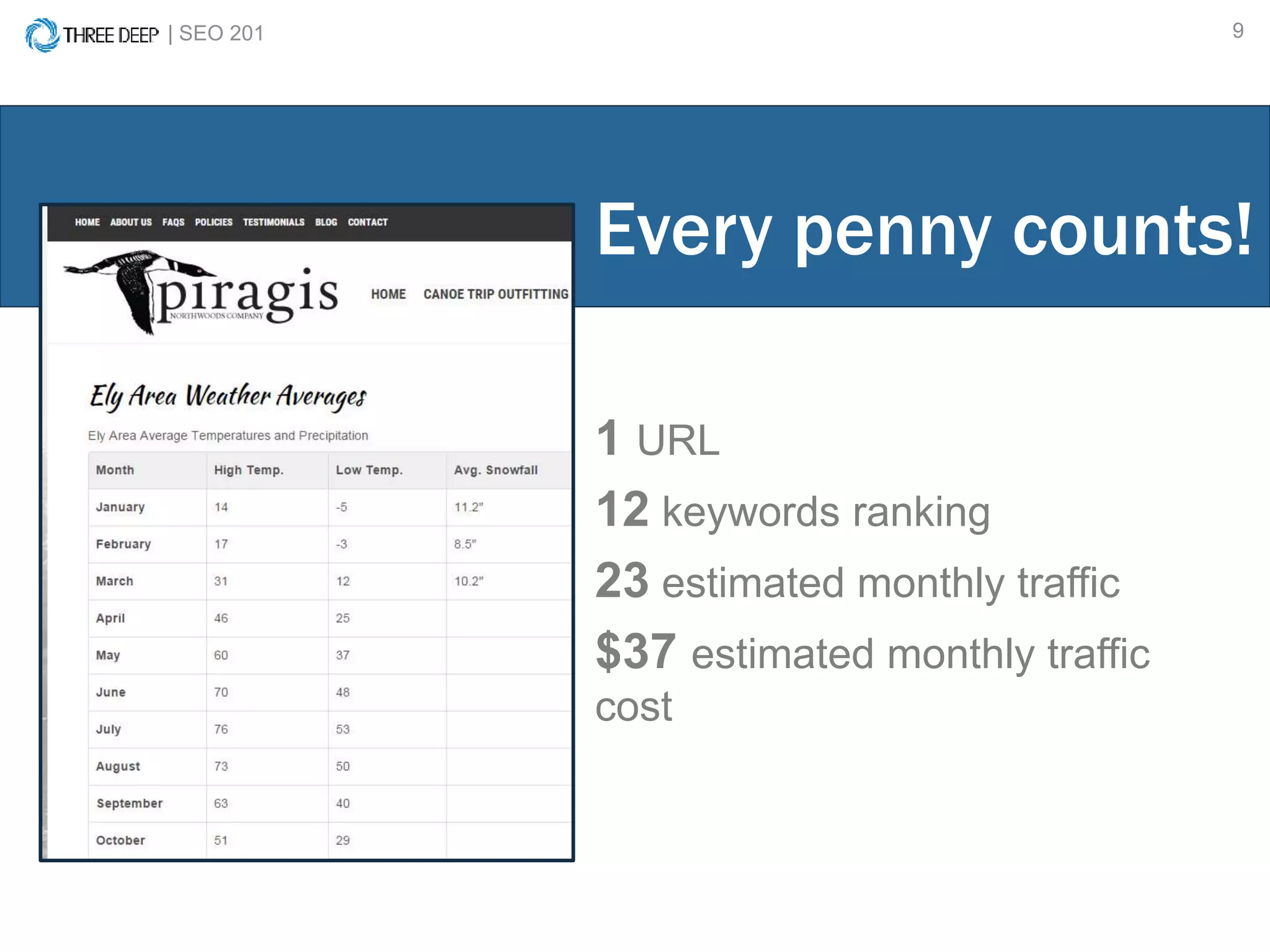
1 URL
12 keywords ranking
23 estimated monthly traffic
$37 estimated monthly traffic
cost
Every penny counts!
What you’ll learn:
• Basic Website Organization
• Keyword Research & Application
• Content Marketing/Promotion
BASIC WEBSITE ORGANIZATION
| SEO 201 12
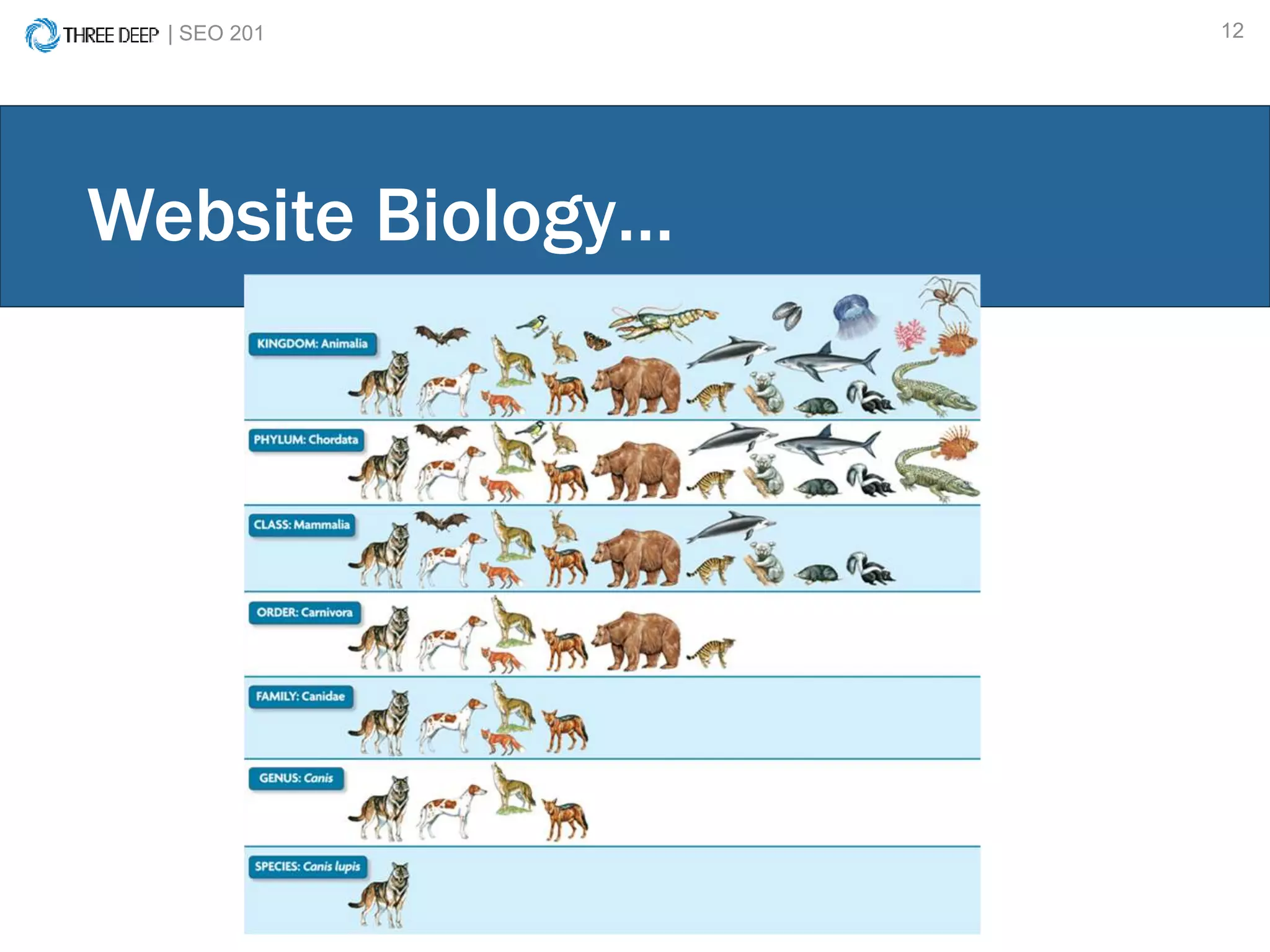
Website Biology…
| SEO 201 13
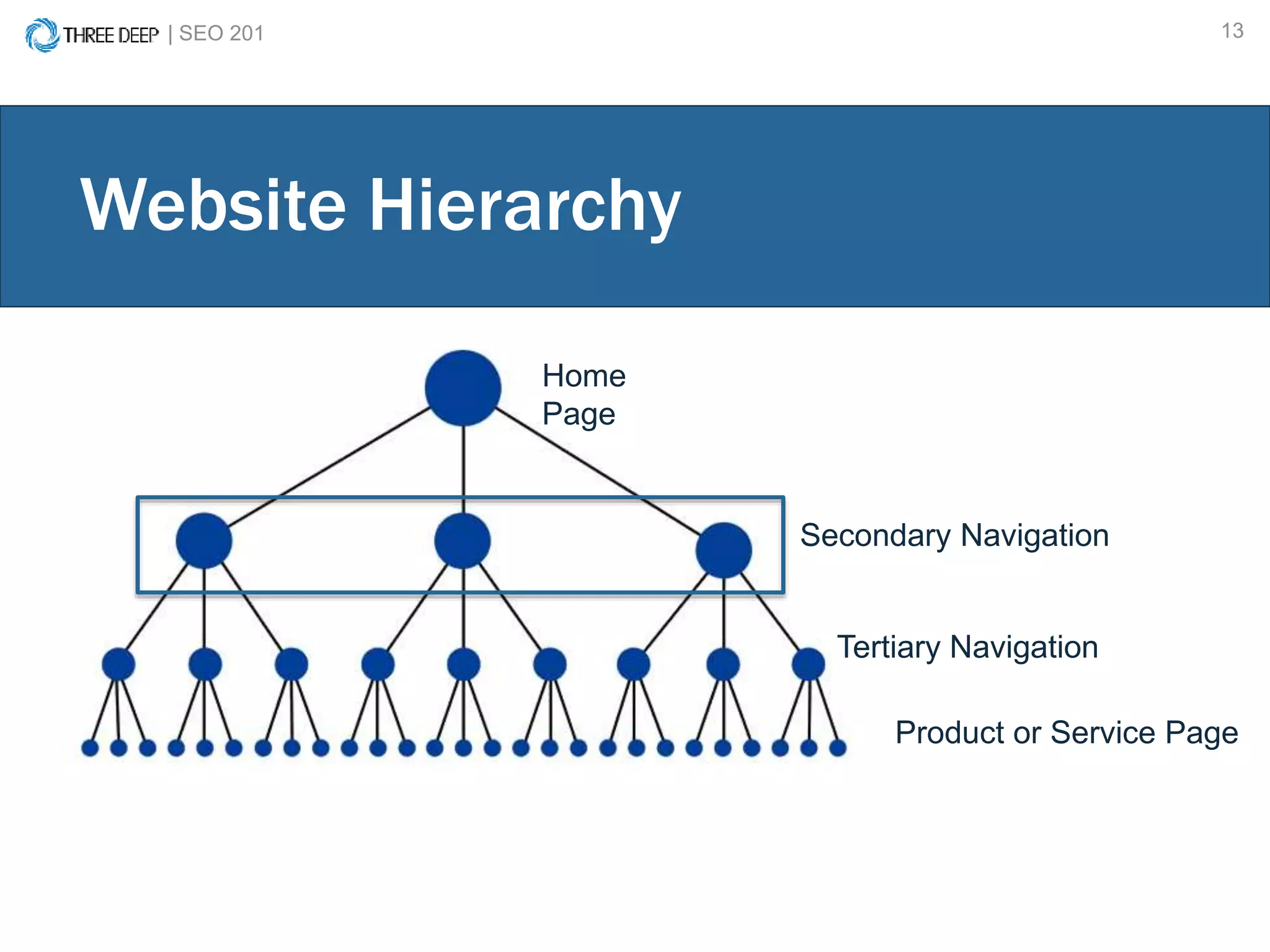
Website Hierarchy
Home
Page
Secondary Navigation
Tertiary Navigation
Product or Service Page
| SEO 201 14
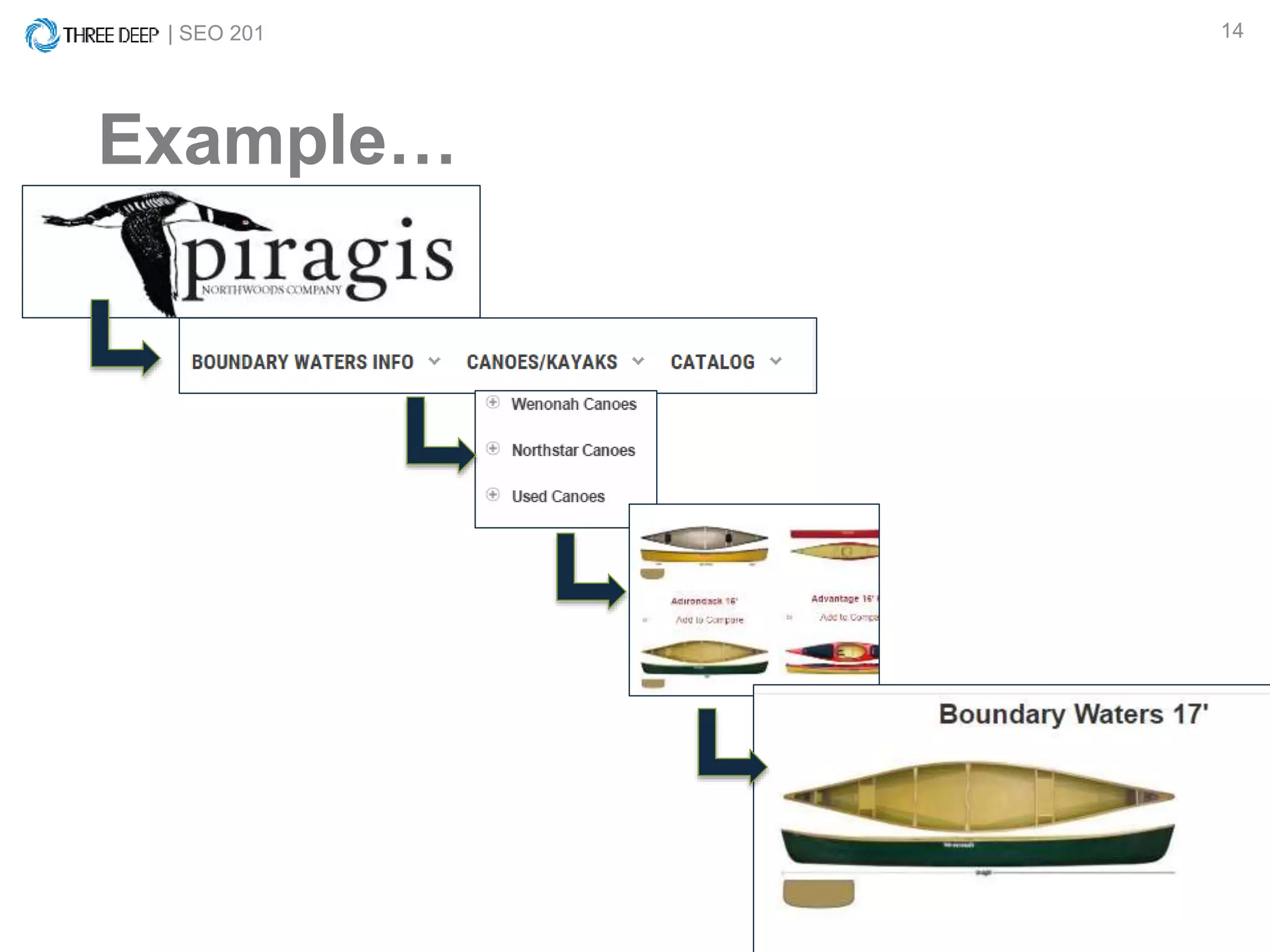
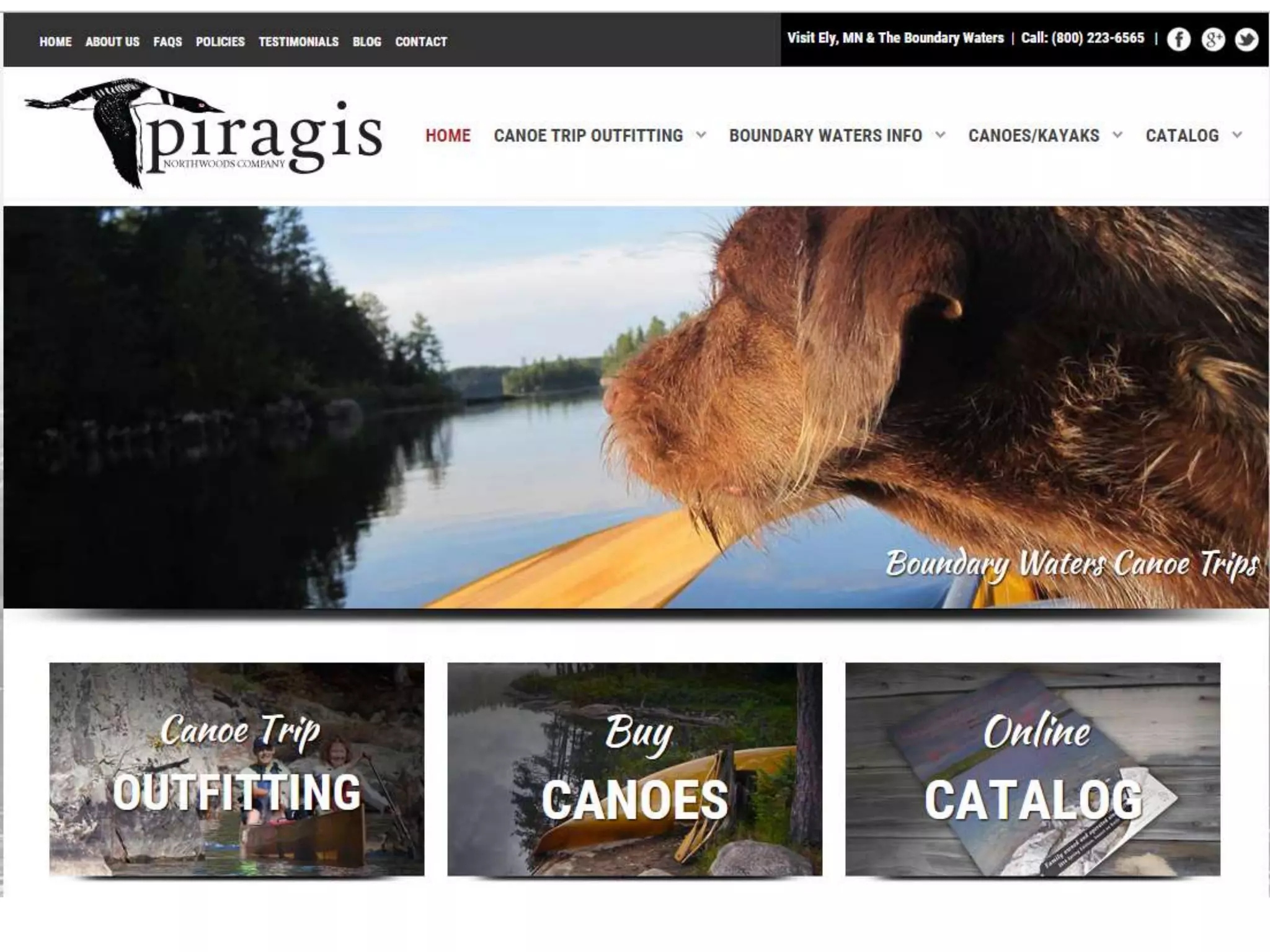
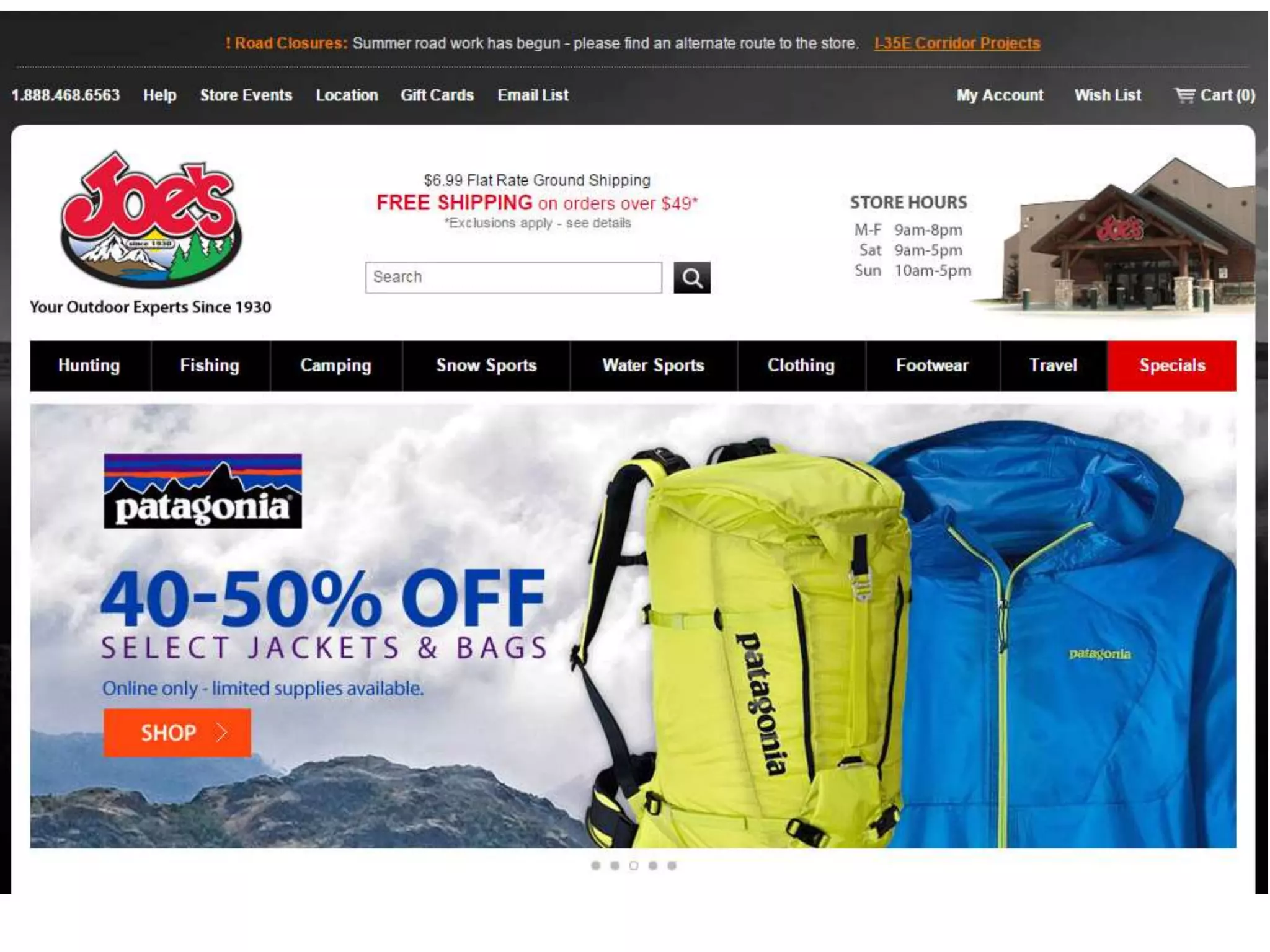
Example…
| SEO 201 15
Website Taxonomy
| SEO 201 16
Website Taxonomy
| SEO 201 17
| SEO 201 18
Human readable
Concise
Lowercase (or consistent
capitalization)
Trailing slash (/) consistency
Use dash: –
Not underscore: _
URL Structure
| SEO 201 19
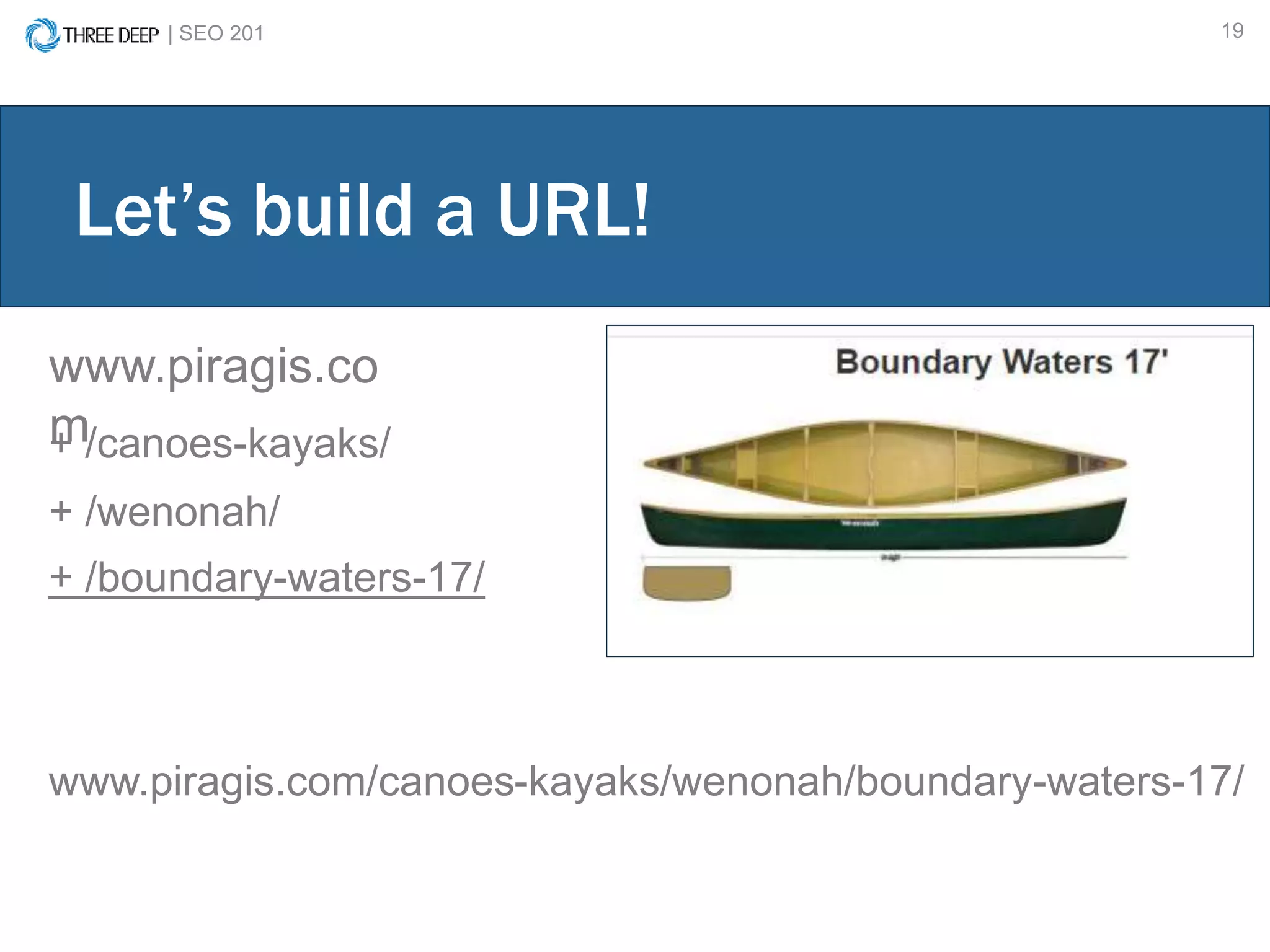
www.piragis.co
m
Let’s build a URL!
+ /canoes-kayaks/
+ /wenonah/
+ /boundary-waters-17/
www.piragis.com/canoes-kayaks/wenonah/boundary-waters-17/
| SEO 201 20
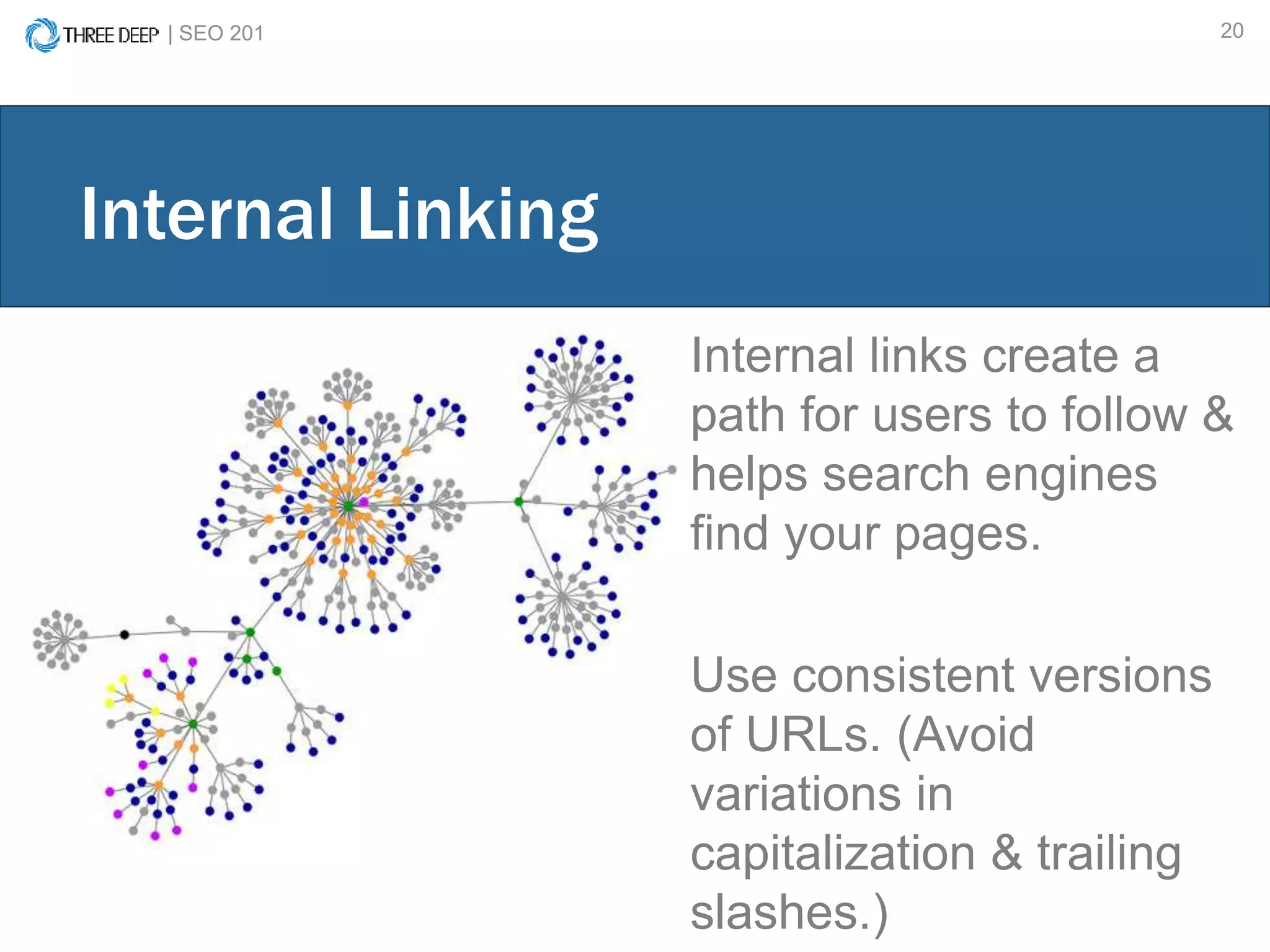
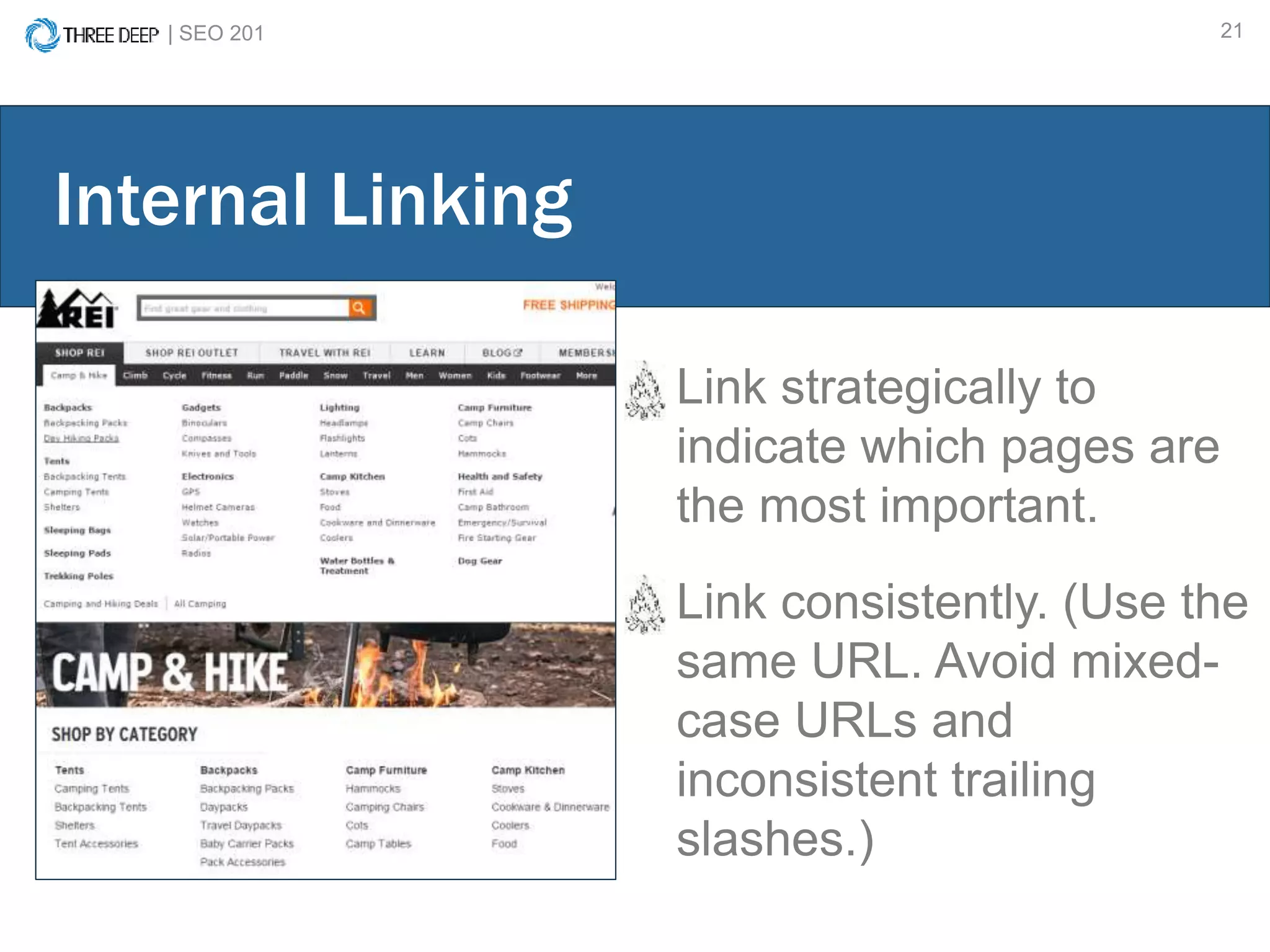
Internal links create a
path for users to follow &
helps search engines
find your pages.
Use consistent versions
of URLs. (Avoid
variations in
capitalization & trailing
slashes.)
Internal Linking
| SEO 201 21
Link strategically to
indicate which pages are
the most important.
Link consistently. (Use the
same URL. Avoid mixed-
case URLs and
inconsistent trailing
slashes.)
Internal Linking
BASIC WEBSITE ORGANIZATION
Website Hierarchy/ Organization
URL Structure
Internal Linking
| SEO 201 23
KEYWORD RESEARCH
| SEO 201 24
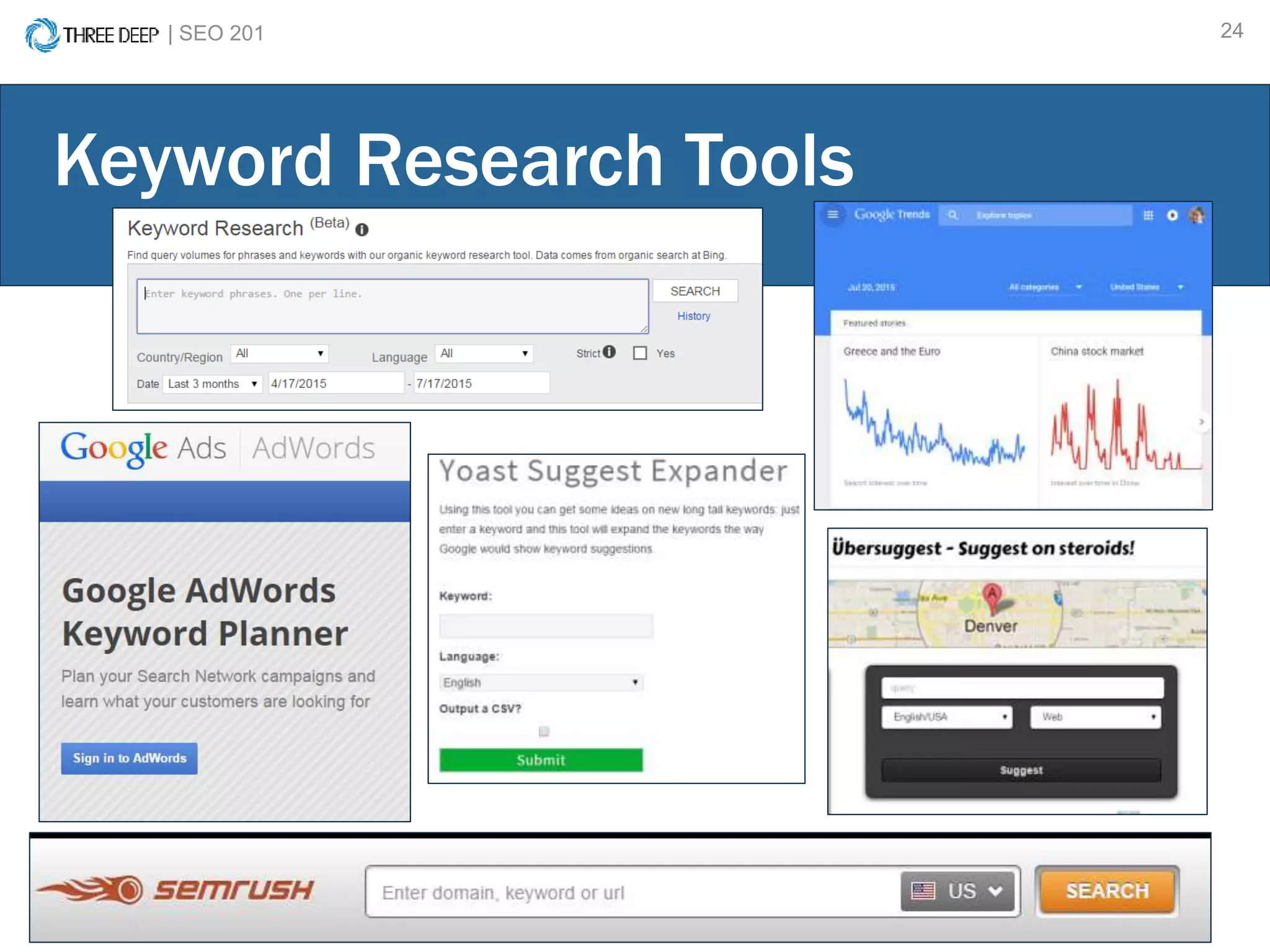
Keyword Research Tools
| SEO 201 25
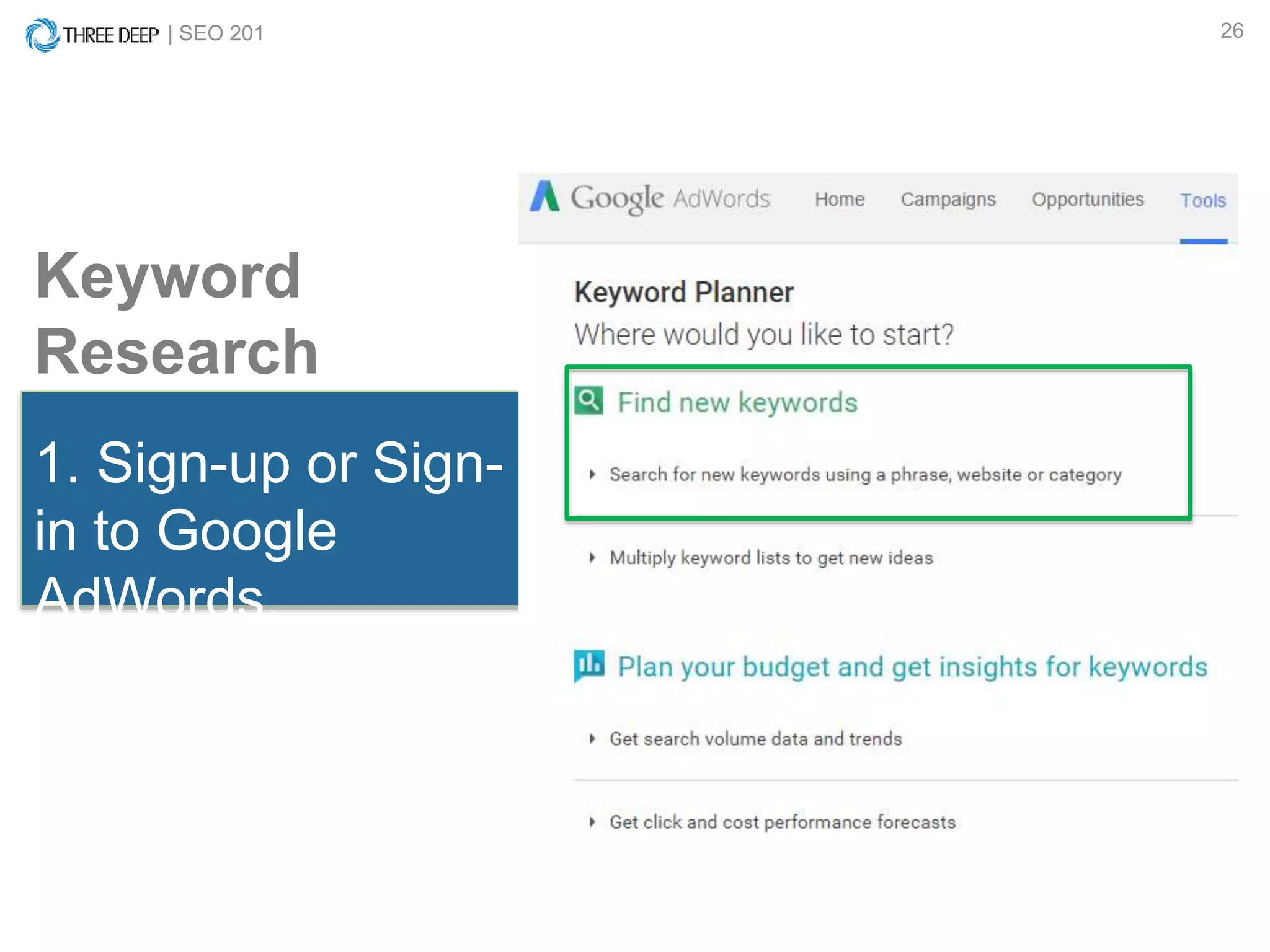
1. Sign-up or Sign-in to Google
Adwords.
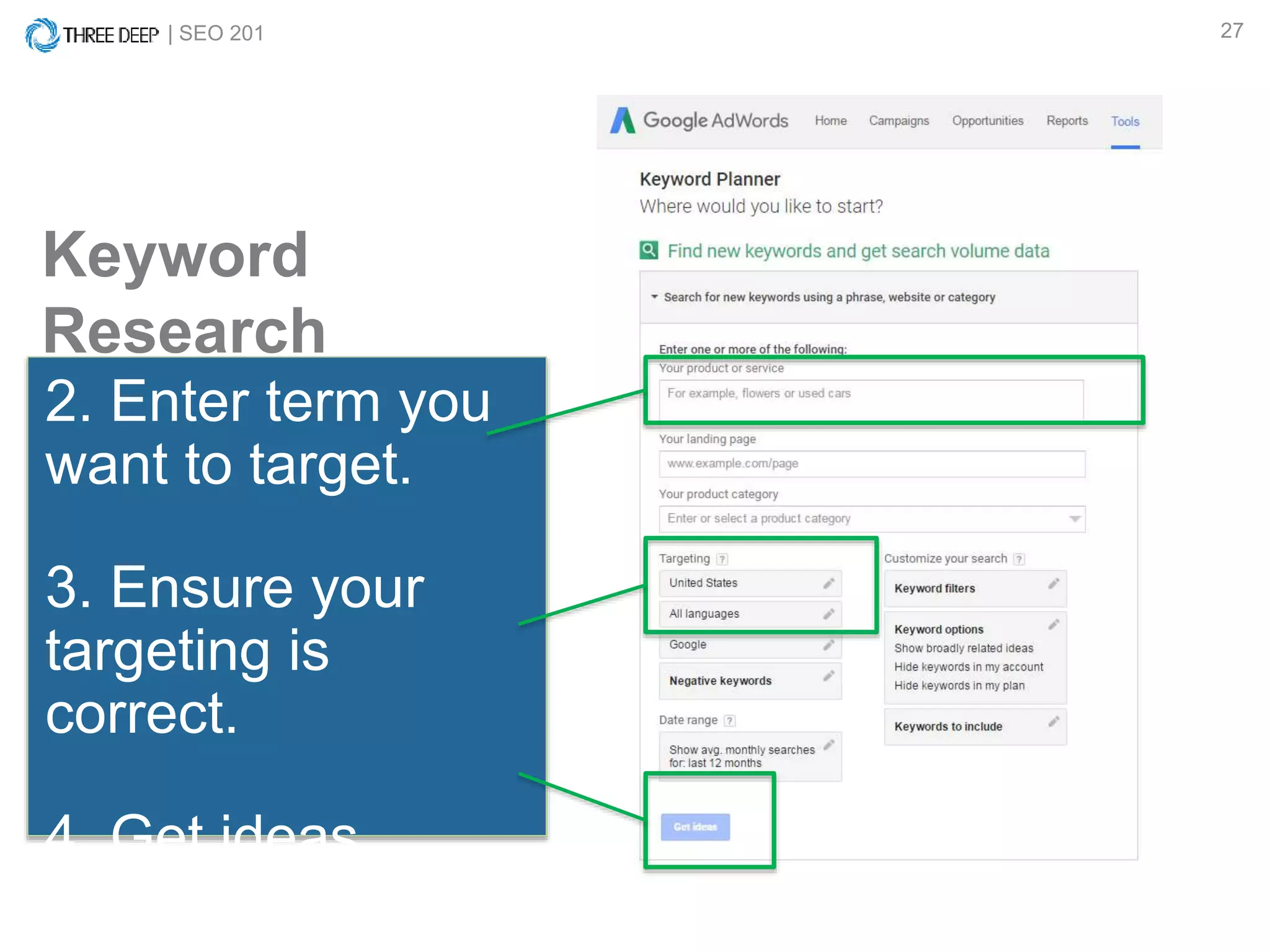
2. Enter term you want to target.
3. Ensure your targeting is
correct.
4. Get ideas.
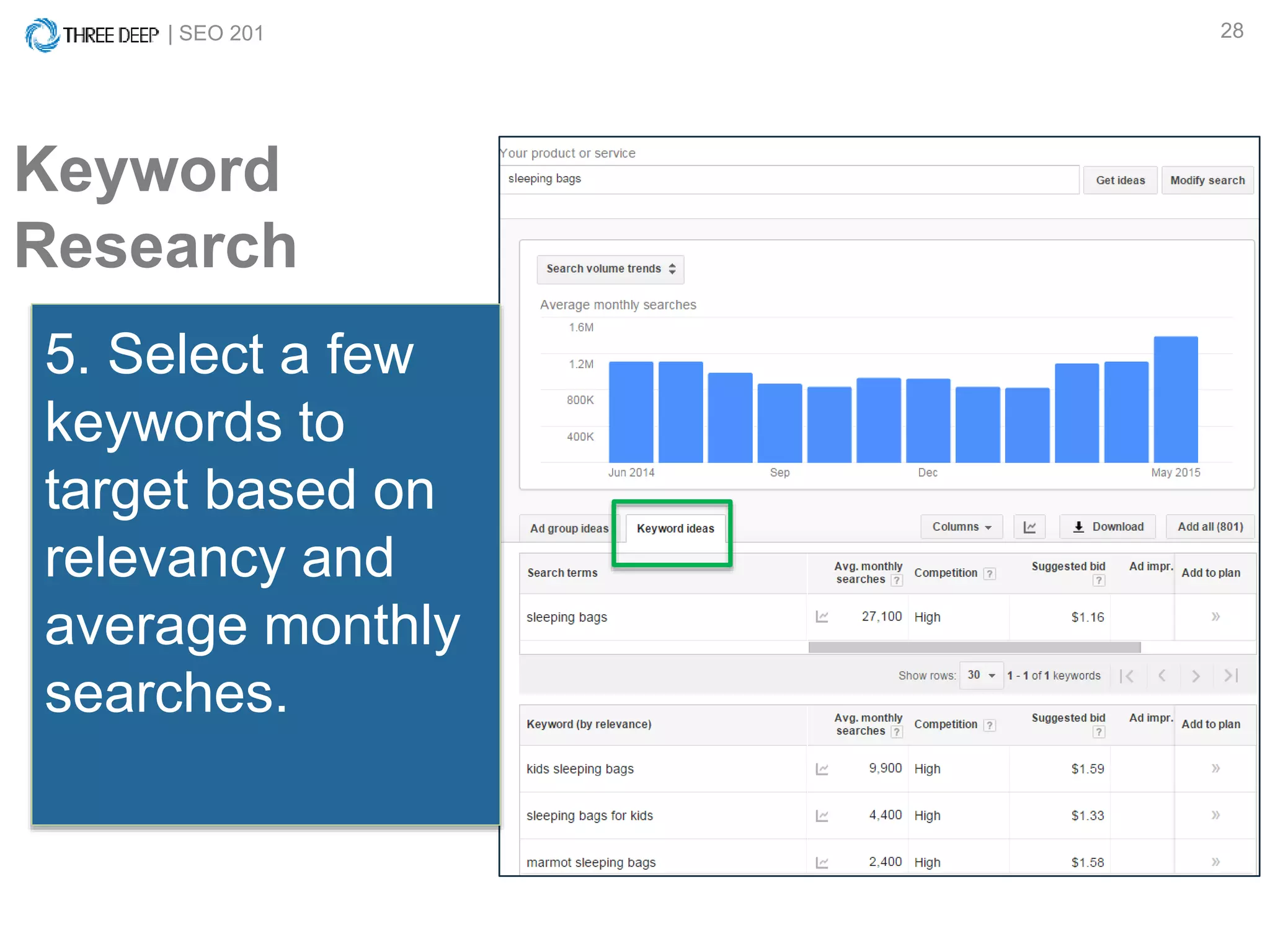
5. Select a few keywords to
target based on relevancy and
average monthly searches.
6. Apply terms to page.
Keyword Research How-to:
(Using Google Adwords Keyword Planner)
| SEO 201 26
Keyword
Research
1. Sign-up or Sign-
in to Google
AdWords.
| SEO 201 27
2. Enter term you
want to target.
3. Ensure your
targeting is
correct.
4. Get ideas.
Keyword
Research
| SEO 201 28
Keyword
Research
5. Select a few
keywords to
target based on
relevancy and
average monthly
searches.
| SEO 201 29
Keyword
Research
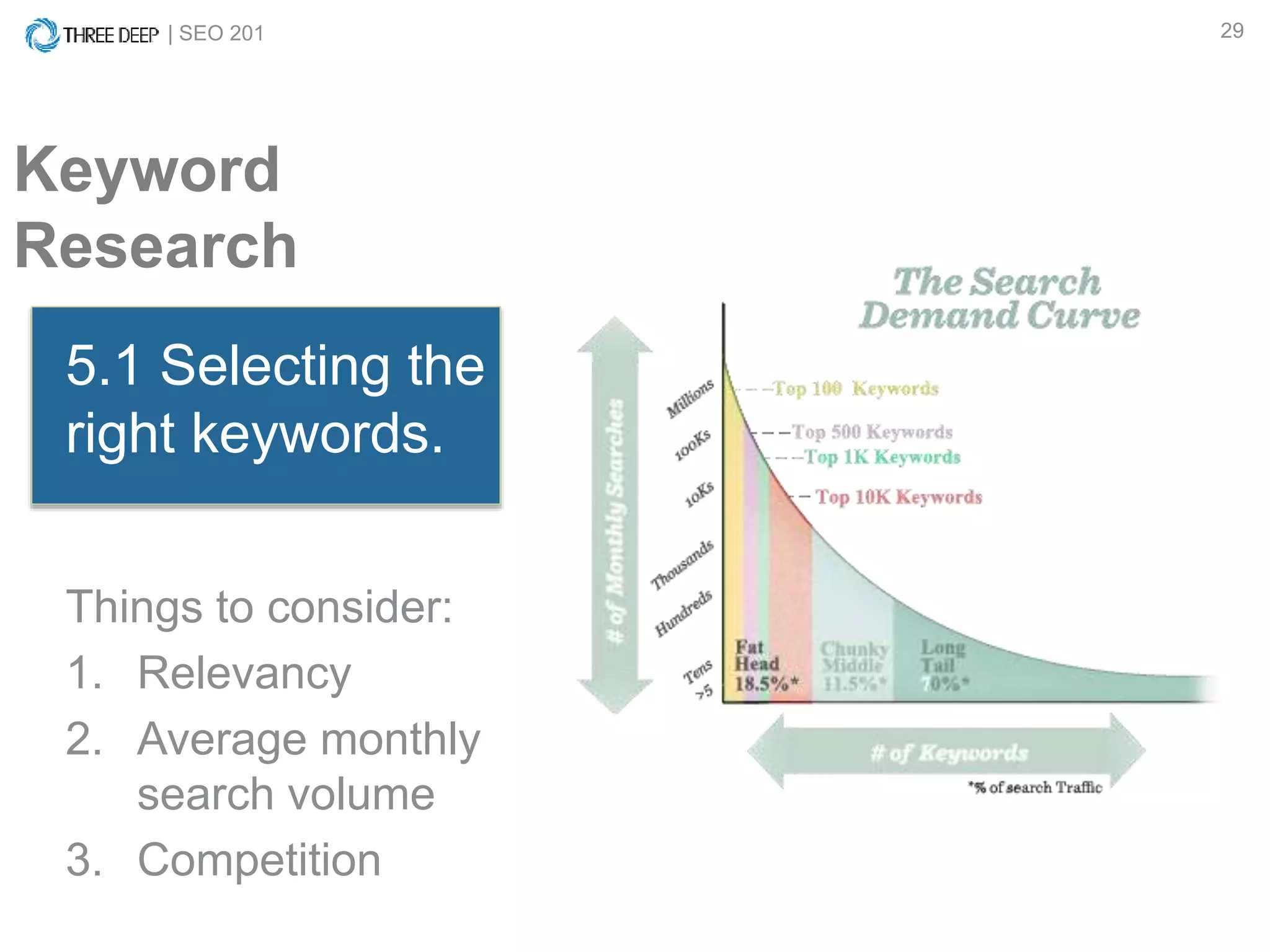
5.1 Selecting the
right keywords.
Things to consider:
1. Relevancy
2. Average monthly
search volume
3. Competition
| SEO 201 30
Keyword
Research
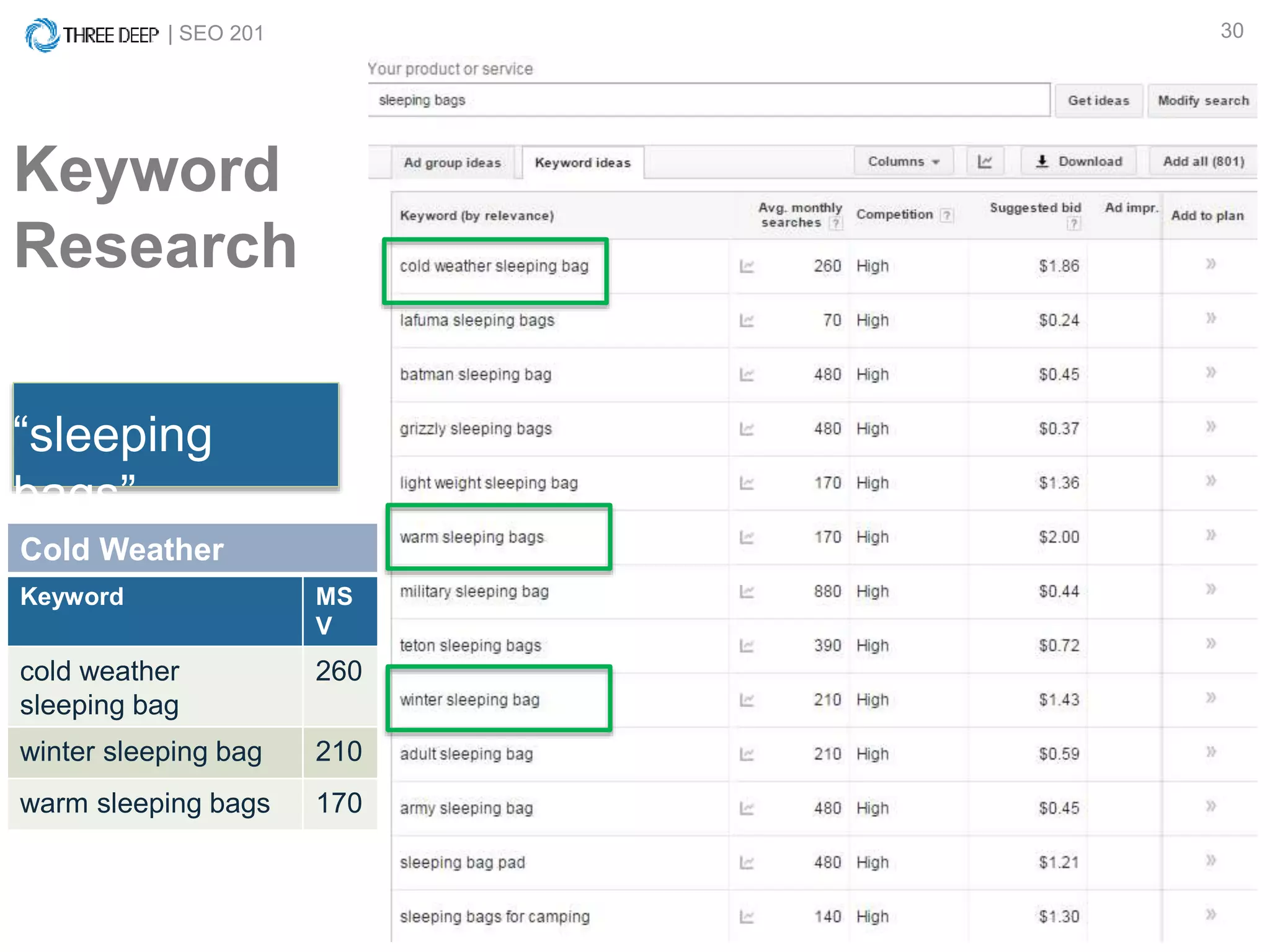
“sleeping
bags”
Cold Weather
Keyword MS
V
cold weather
sleeping bag
260
winter sleeping bag 210
warm sleeping bags 170
APPLYING KEYWORD RESEARCH
| SEO 201 32
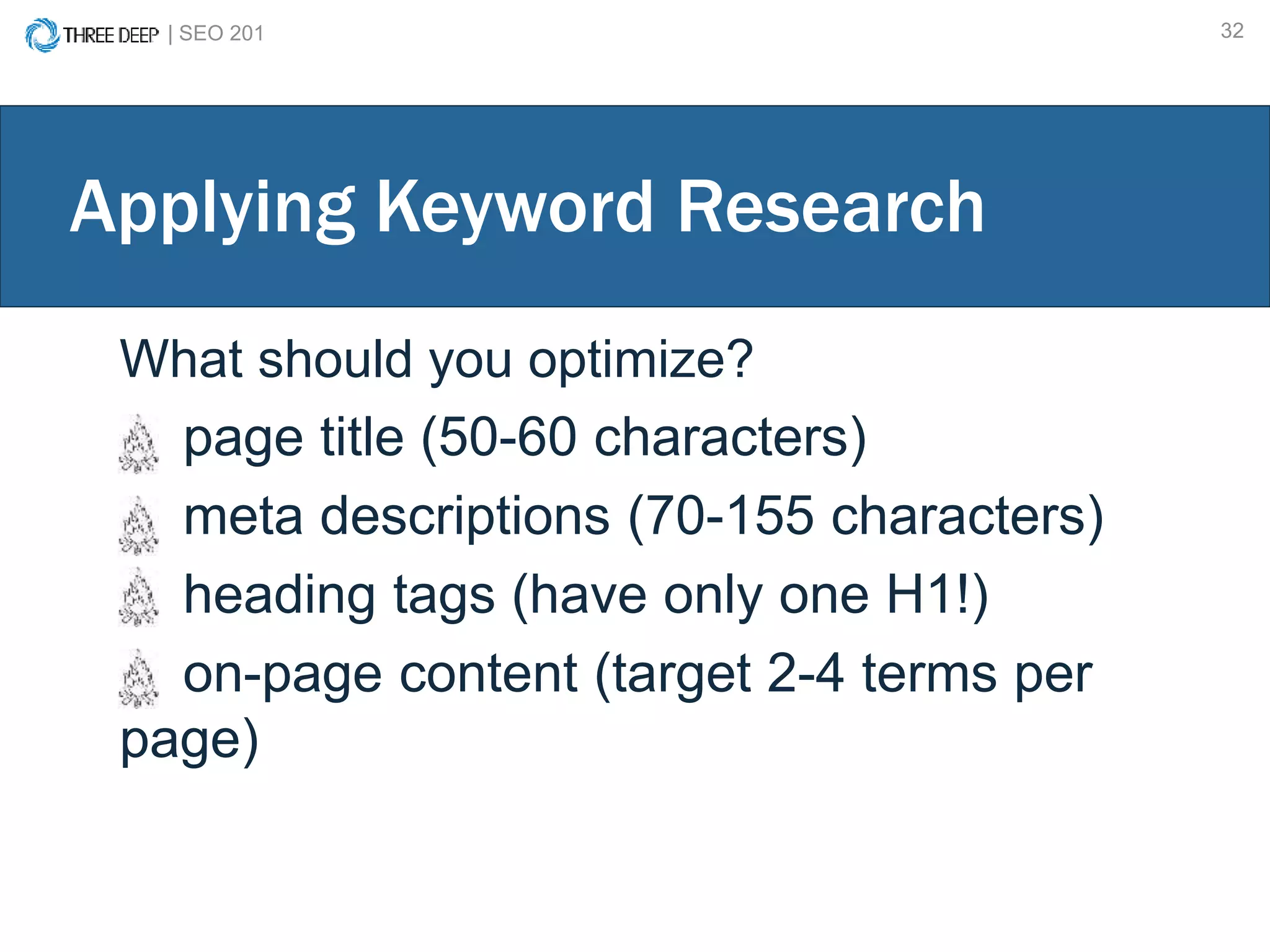
Applying Keyword Research
What should you optimize?
page title (50-60 characters)
meta descriptions (70-155 characters)
heading tags (have only one H1!)
on-page content (target 2-4 terms per
page)
| SEO 201 33
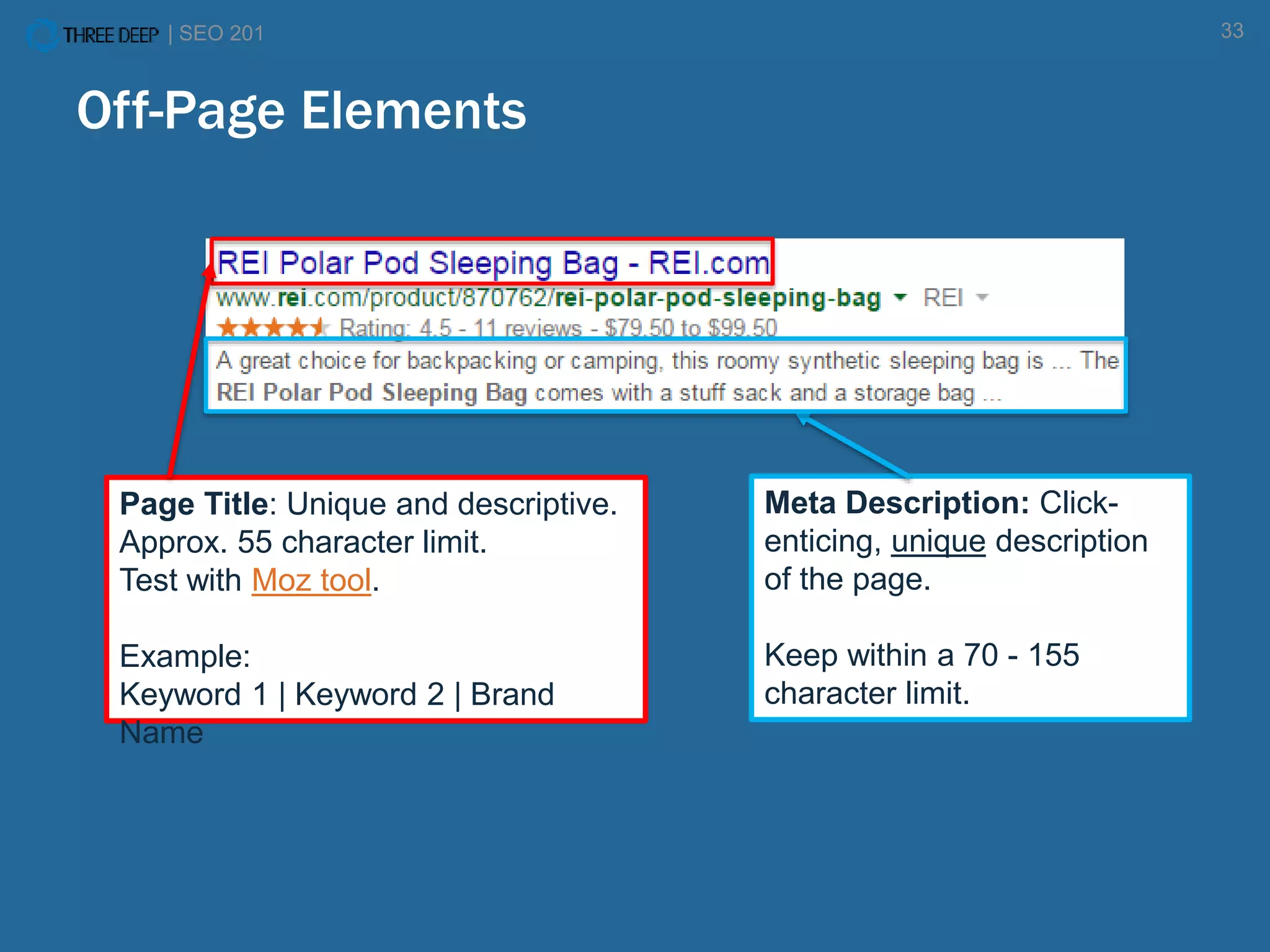
Page Title: Unique and descriptive.
Approx. 55 character limit.
Test with Moz tool.
Example:
Keyword 1 | Keyword 2 | Brand
Name
Meta Description: Click-
enticing, unique description
of the page.
Keep within a 70 - 155
character limit.
Off-Page Elements
| SEO 201 34
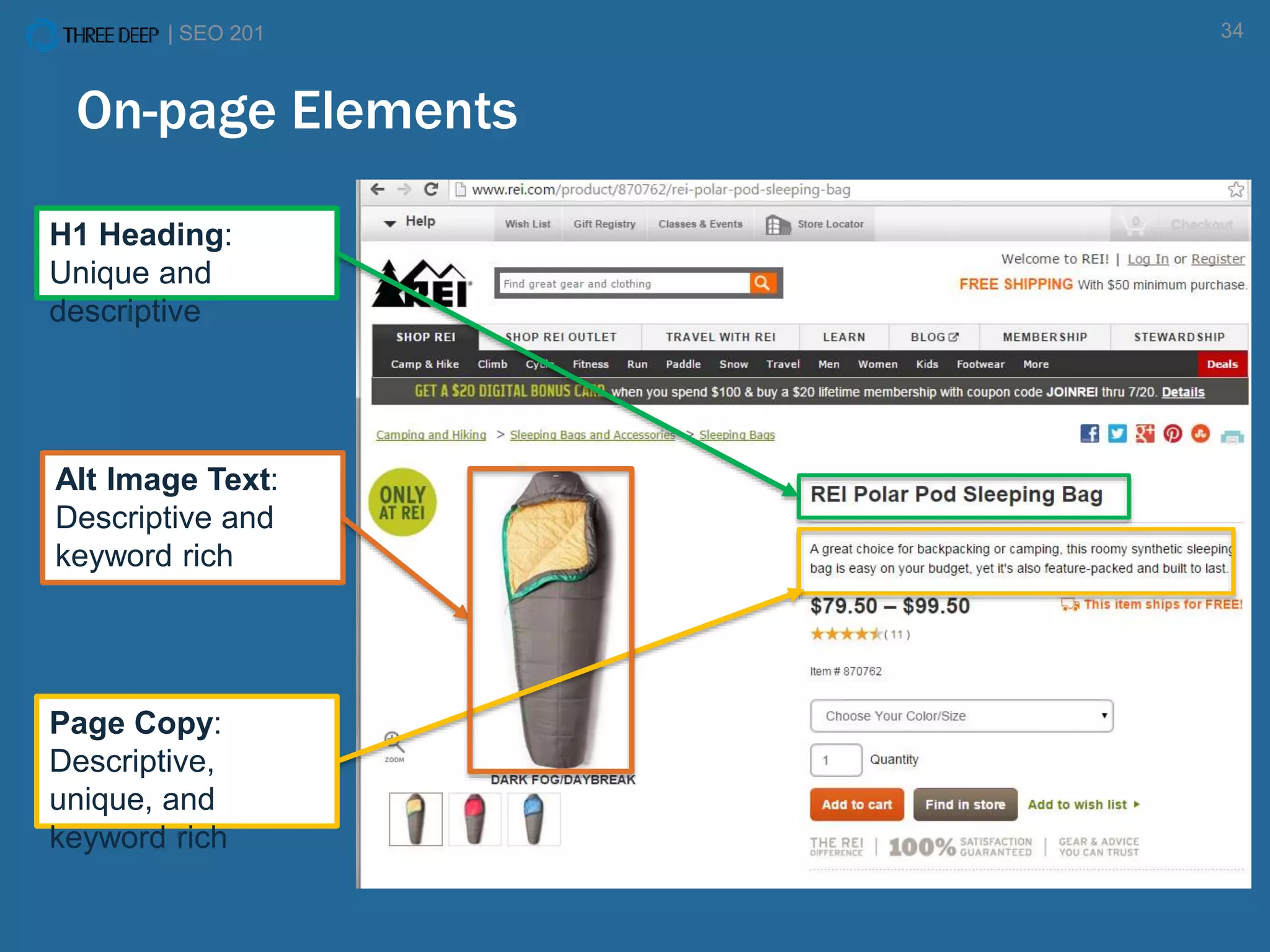
H1 Heading:
Unique and
descriptive
Page Copy:
Descriptive,
unique, and
keyword rich
Alt Image Text:
Descriptive and
keyword rich
On-page Elements
KEYWORD RESEARCH
How to do keyword research
How to apply keyword research
CONTENT MARKETING
STRATEGY, EXECTUTION & PROMOTION
| SEO 201 37
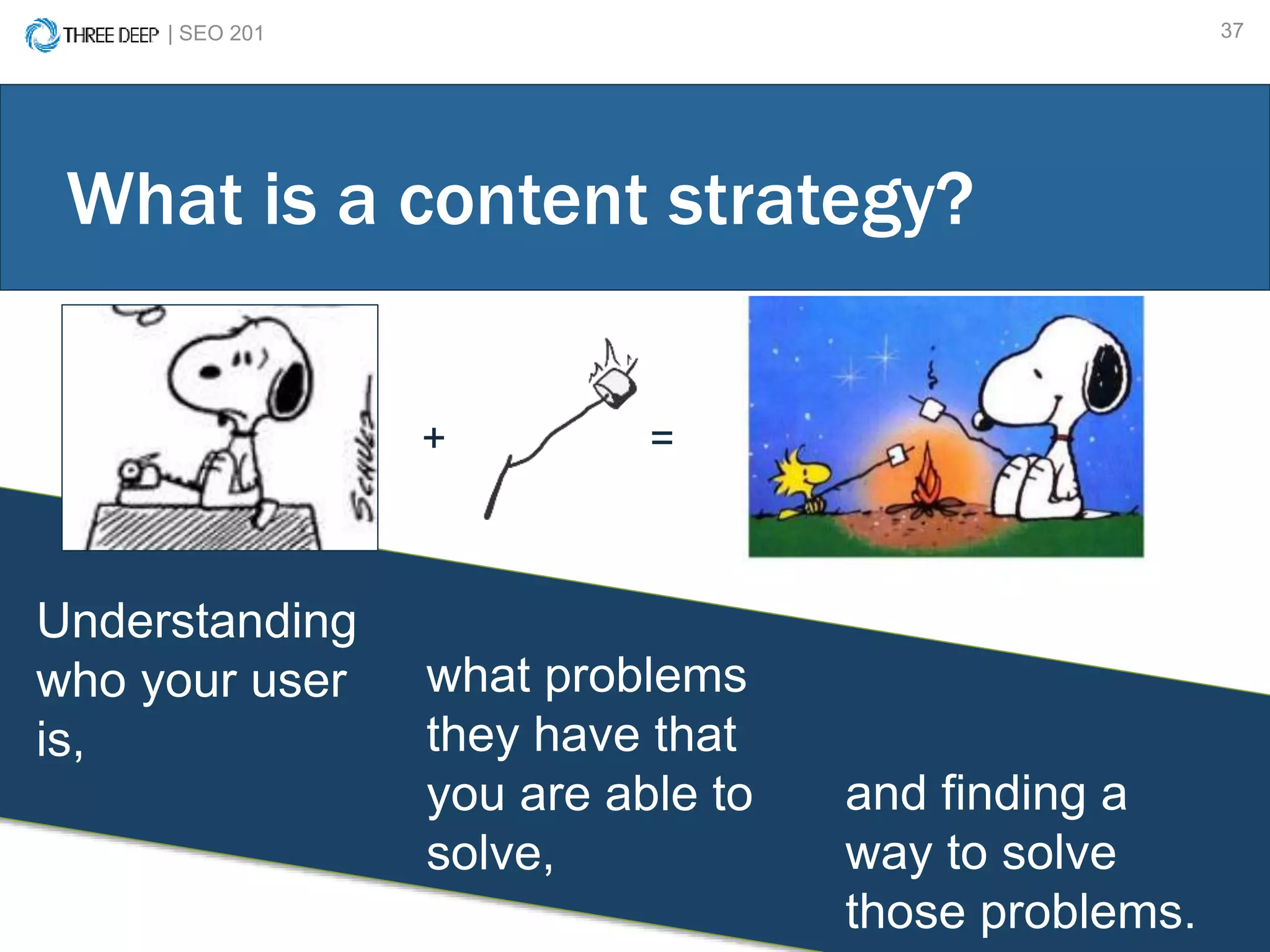
Understanding
who your user
is,
What is a content strategy?
+ =
what problems
they have that
you are able to
solve,
and finding a
way to solve
those problems.
UNDERSTAND YOUR USER
| SEO 201 39
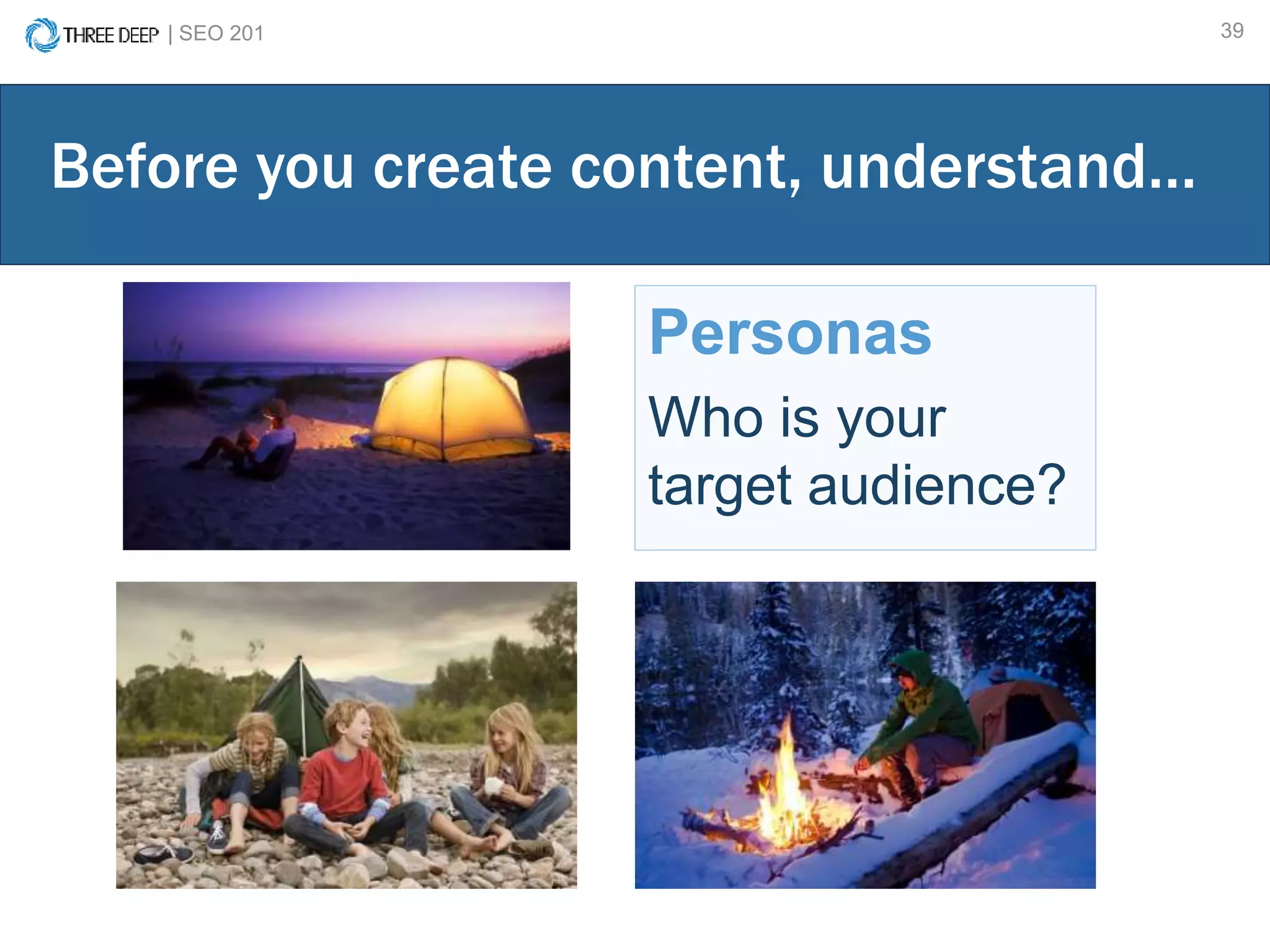
Personas
Who is your
target audience?
Before you create content, understand…
| SEO 201 40
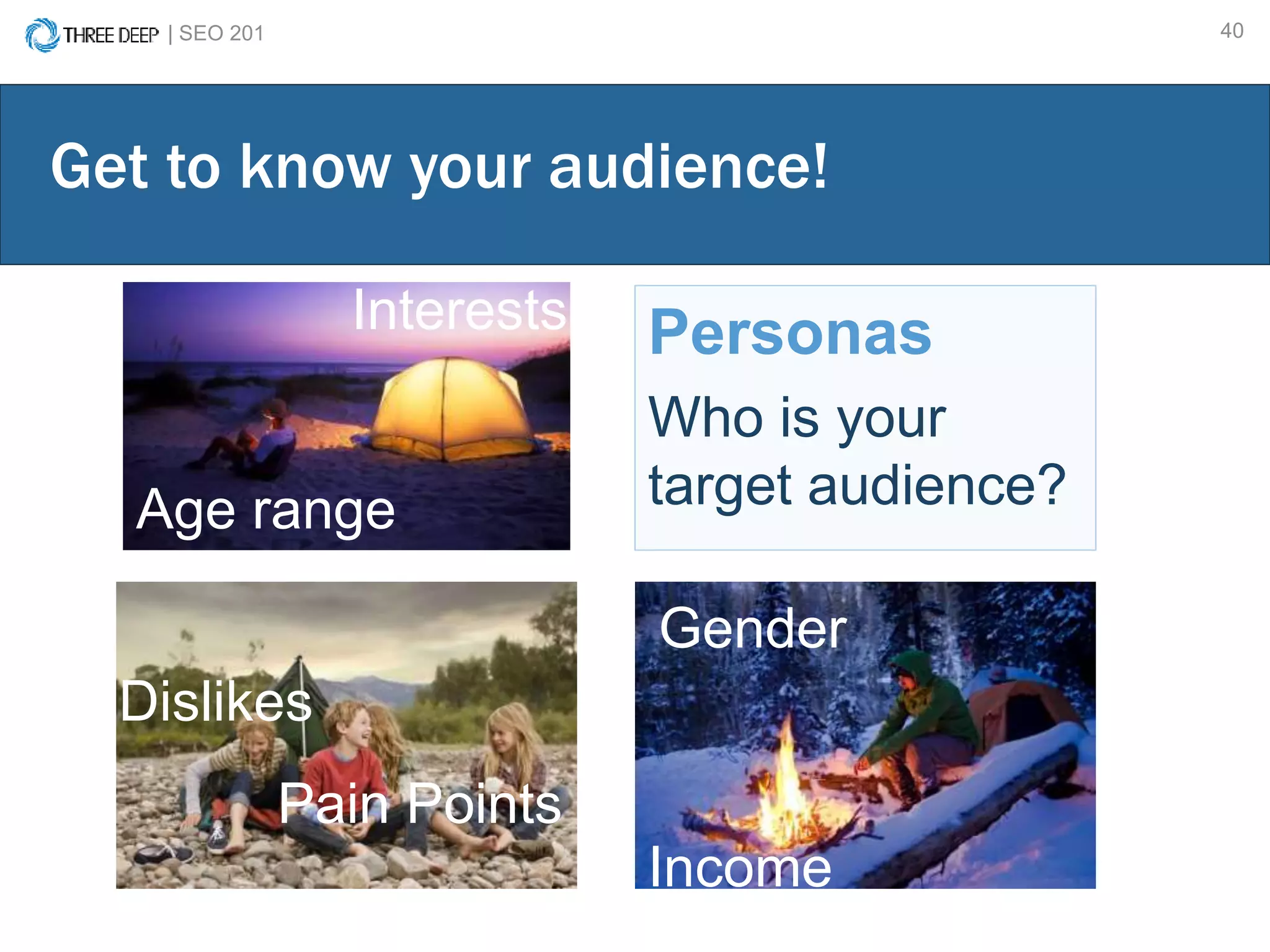
Personas
Who is your
target audience?
Get to know your audience!
Age range
Gender
Income
Interests
Dislikes
Pain Points
| SEO 201 41
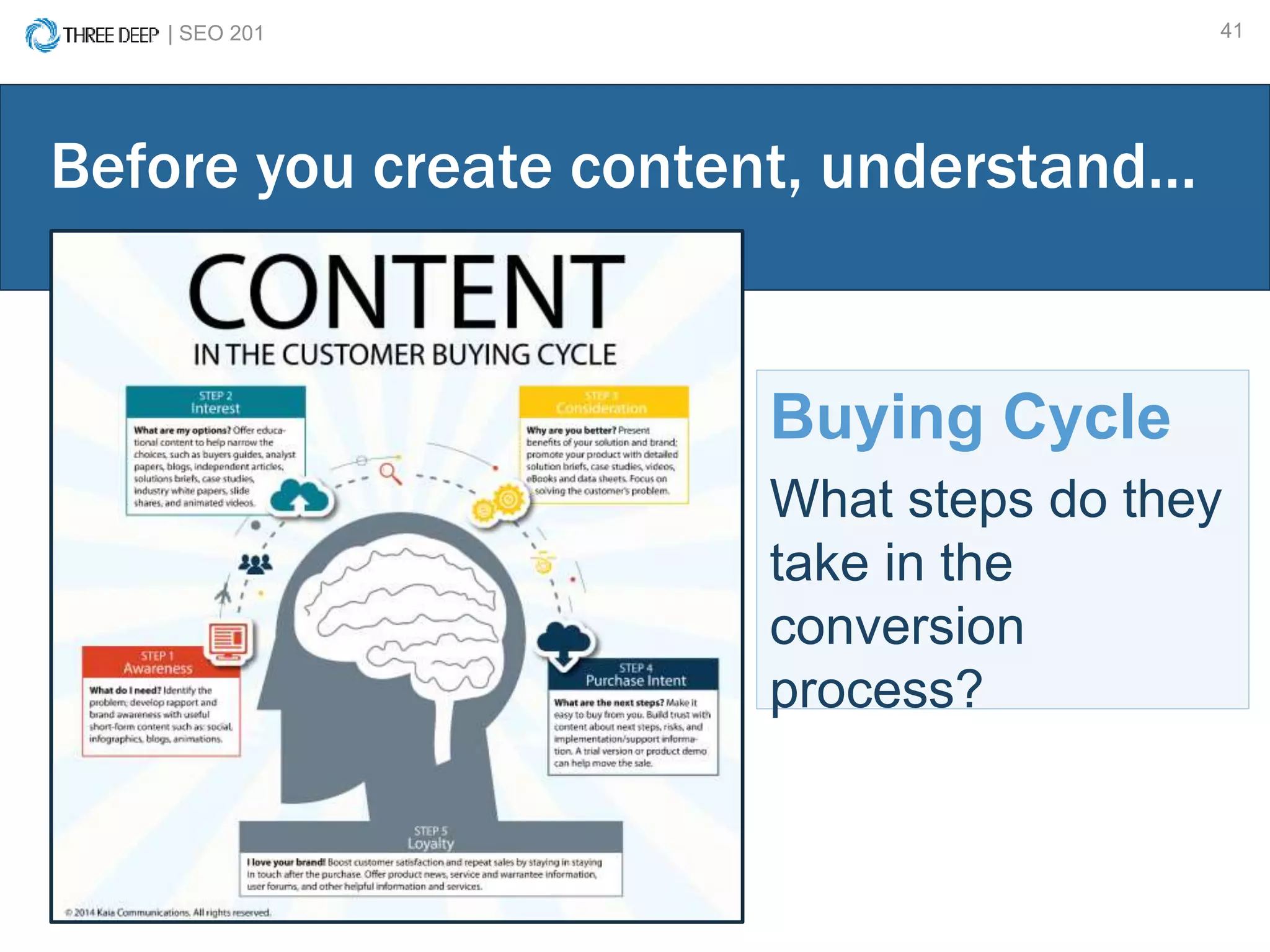
Buying Cycle
What steps do they
take in the
conversion
process?
Before you create content, understand…
| SEO 201 42
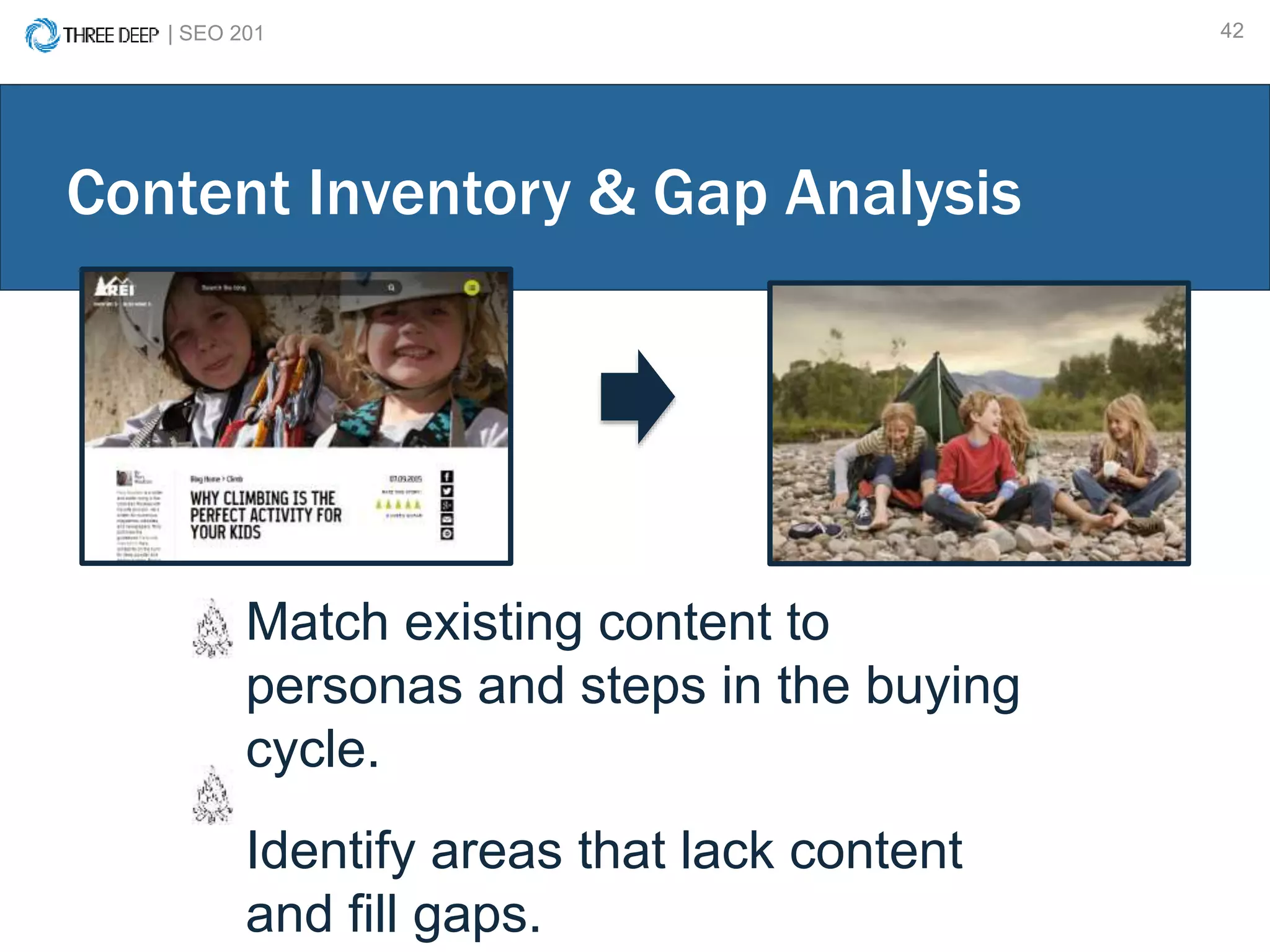
Match existing content to
personas and steps in the buying
cycle.
Identify areas that lack content
and fill gaps.
Content Inventory & Gap Analysis
| SEO 201 43
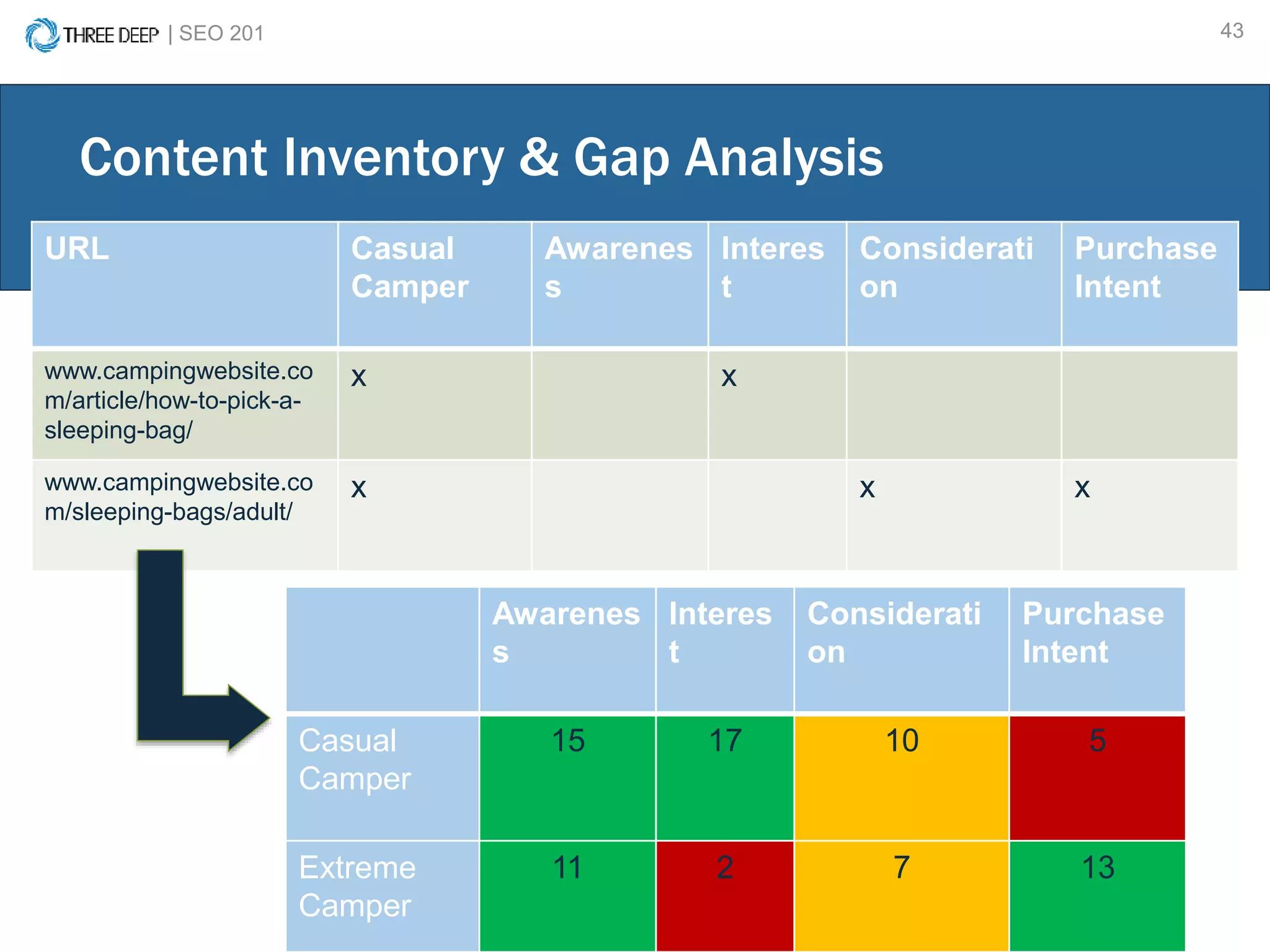
Content Inventory & Gap Analysis
URL Casual
Camper
Awarenes
s
Interes
t
Considerati
on
Purchase
Intent
www.campingwebsite.co
m/article/how-to-pick-a-
sleeping-bag/
x x
www.campingwebsite.co
m/sleeping-bags/adult/
x x x
Awarenes
s
Interes
t
Considerati
on
Purchase
Intent
Casual
Camper
15 17 10 5
Extreme
Camper
11 2 7 13
BLOGGING & CONTENT CALENDAR CREATION
| SEO 201 45
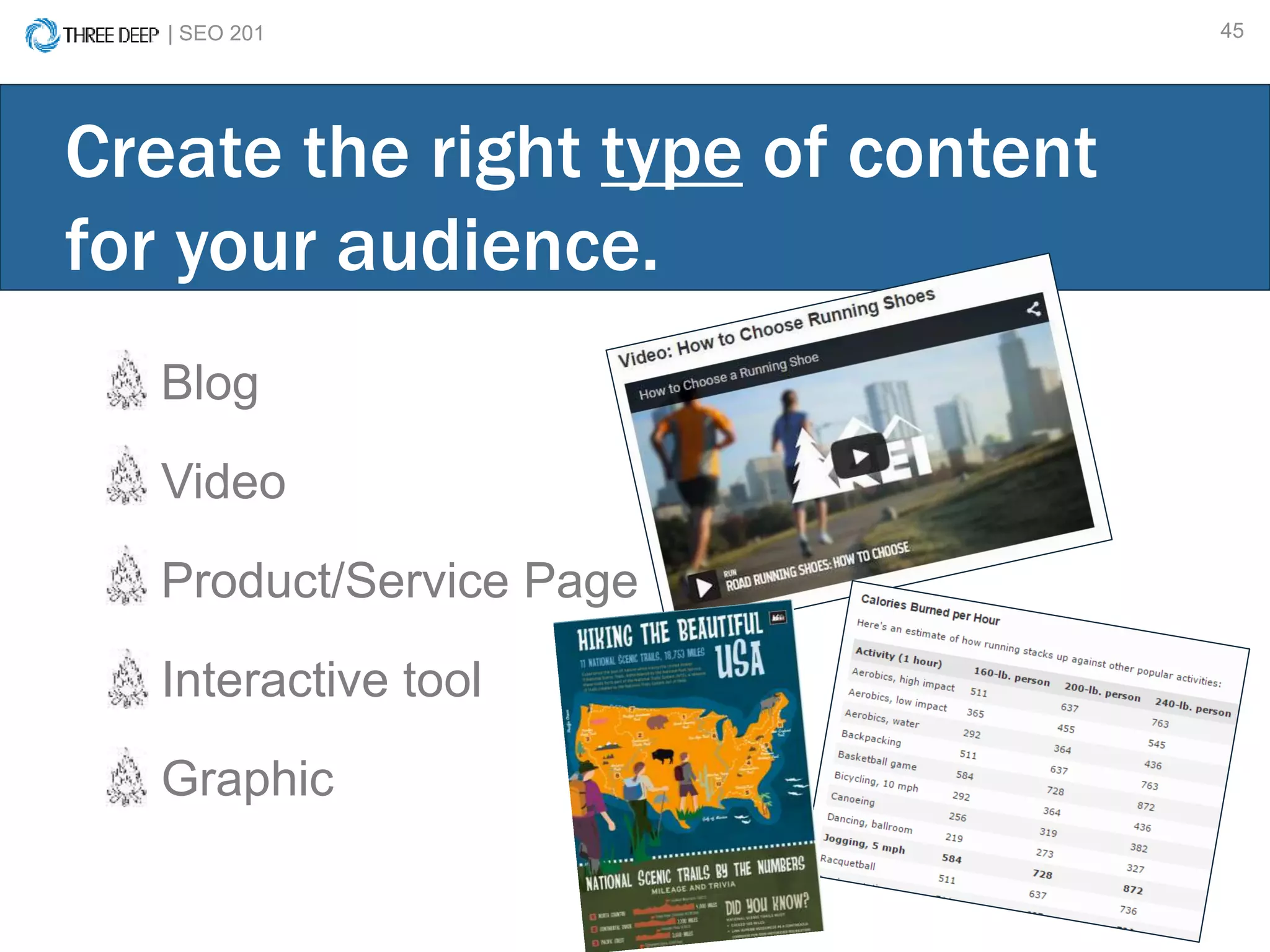
Blog
Video
Product/Service Page
Interactive tool
Graphic
Create the right type of content
for your audience.
| SEO 201 46
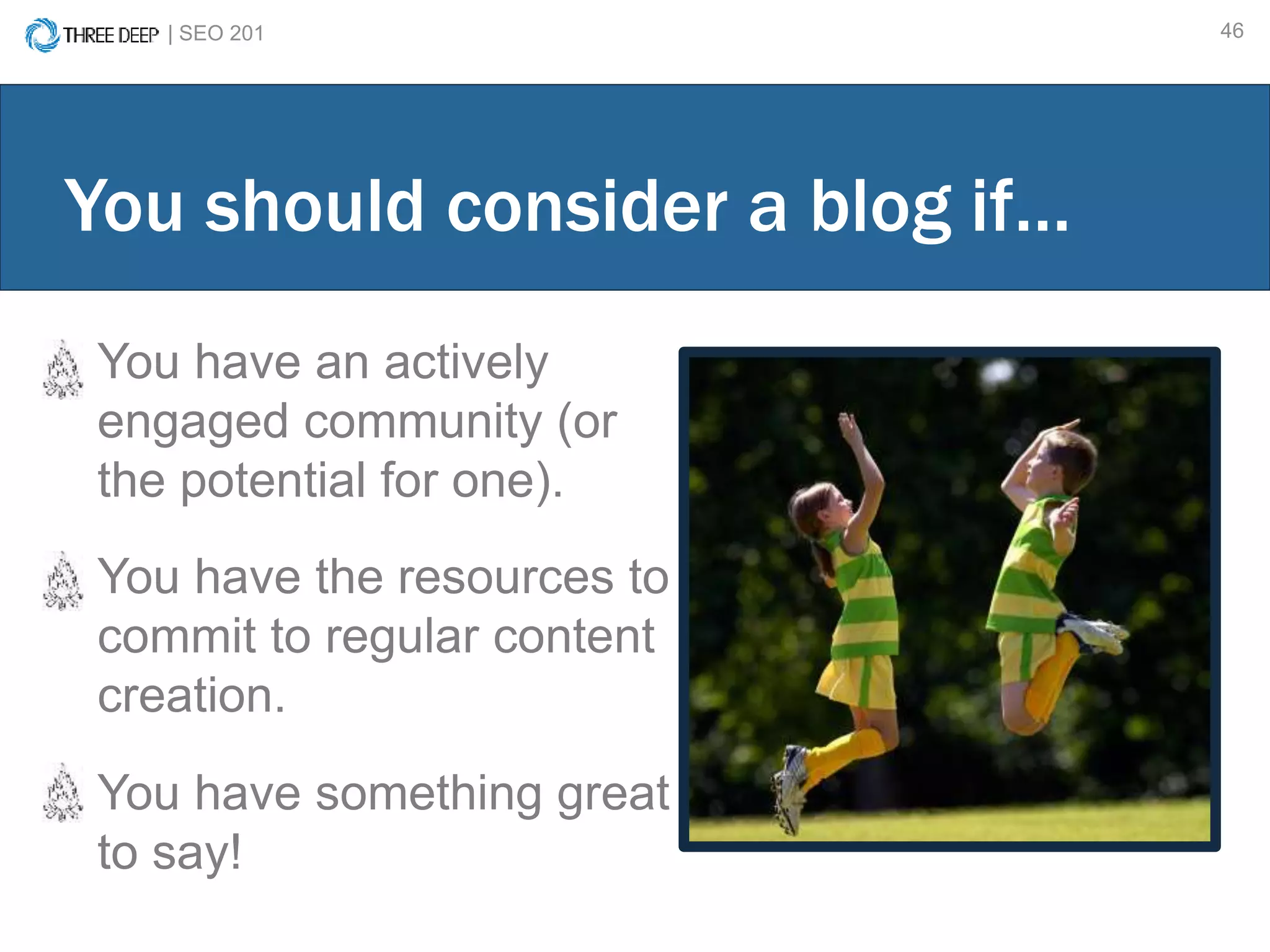
You have an actively
engaged community (or
the potential for one).
You have the resources to
commit to regular content
creation.
You have something great
to say!
You should consider a blog if…
| SEO 201 47
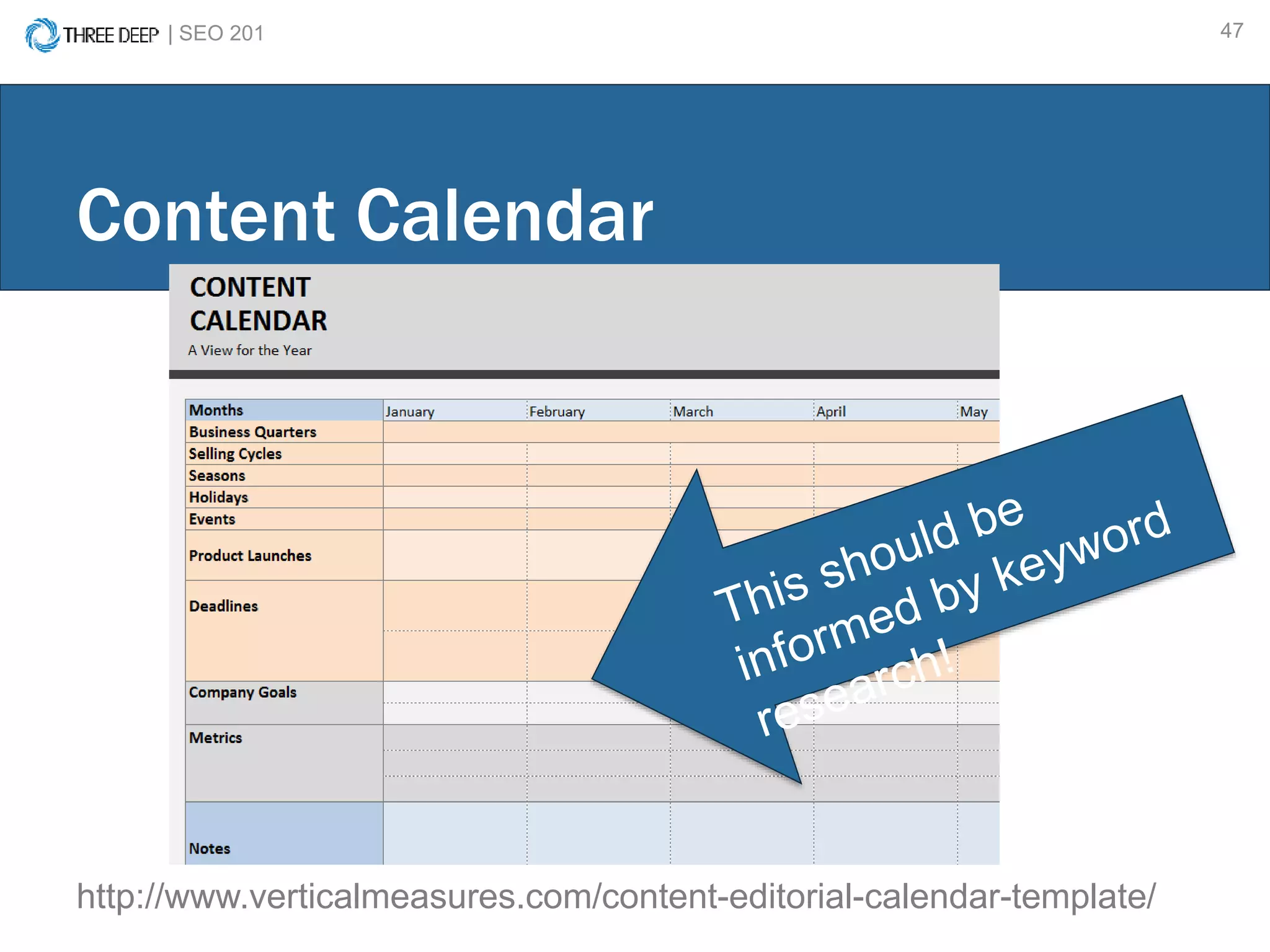
Content Calendar
http://www.verticalmeasures.com/content-editorial-calendar-template/
| SEO 201 48
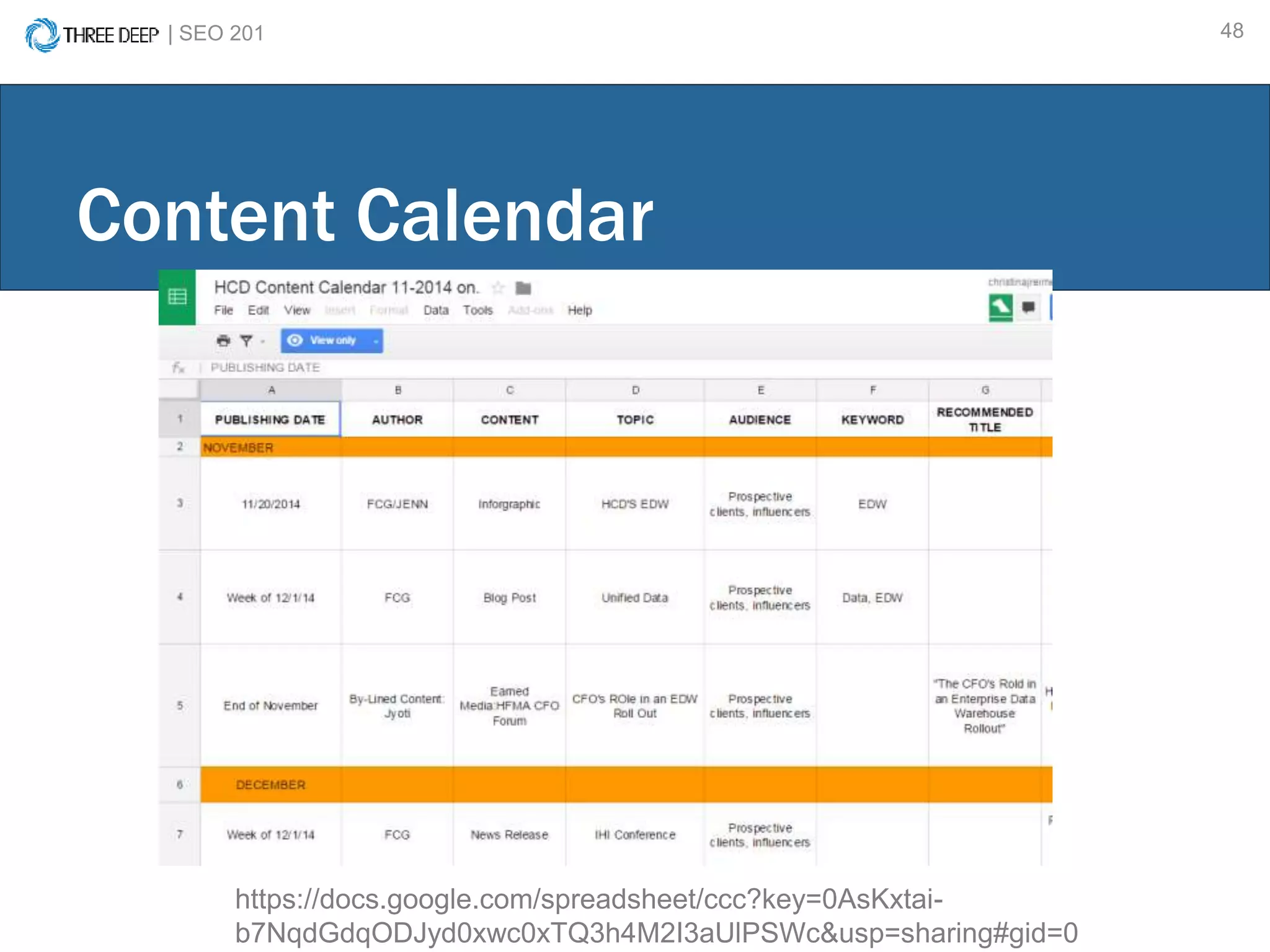
Content Calendar
https://docs.google.com/spreadsheet/ccc?key=0AsKxtai-
b7NqdGdqODJyd0xwc0xTQ3h4M2I3aUlPSWc&usp=sharing#gid=0
| SEO 201 49
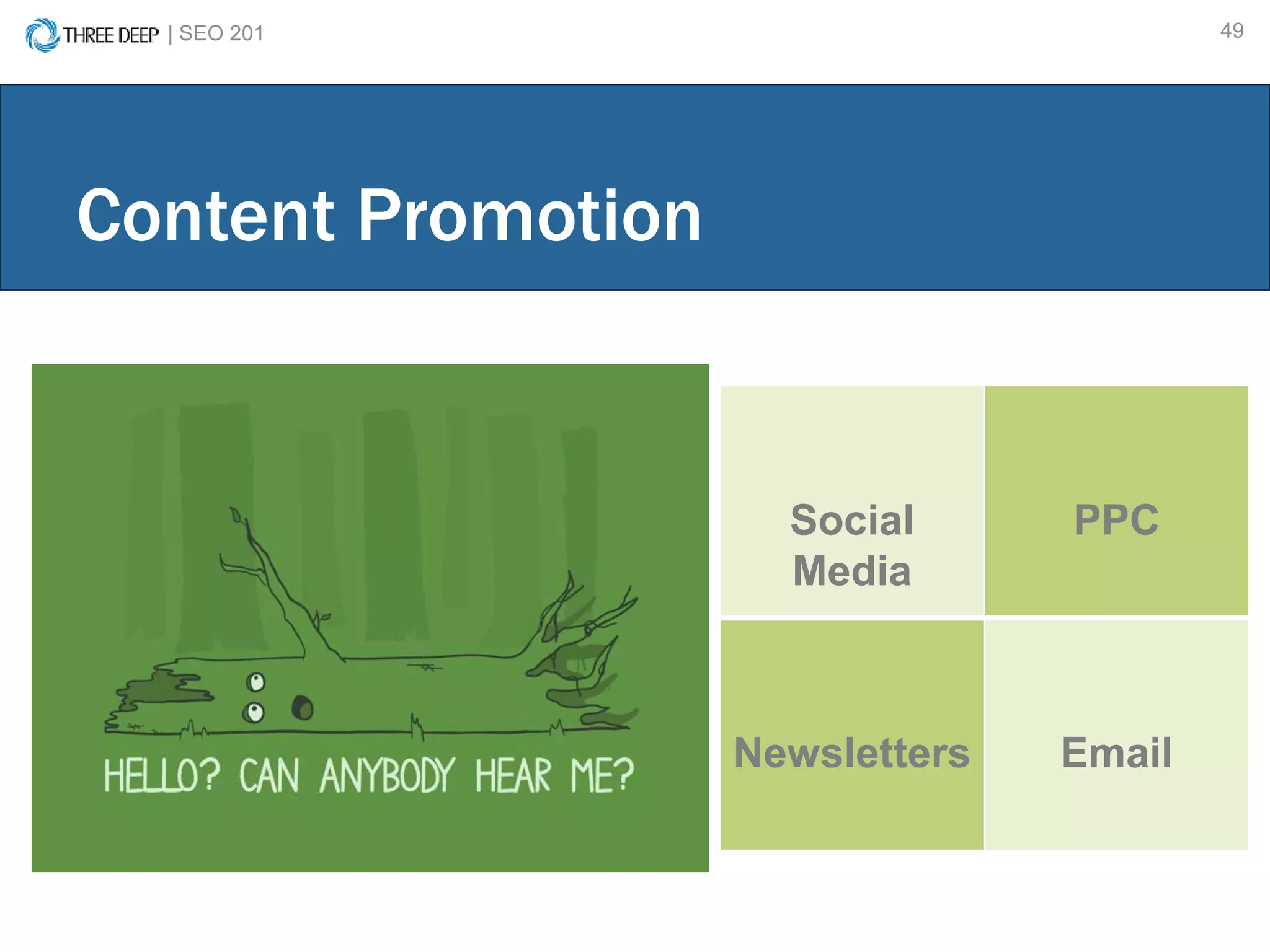
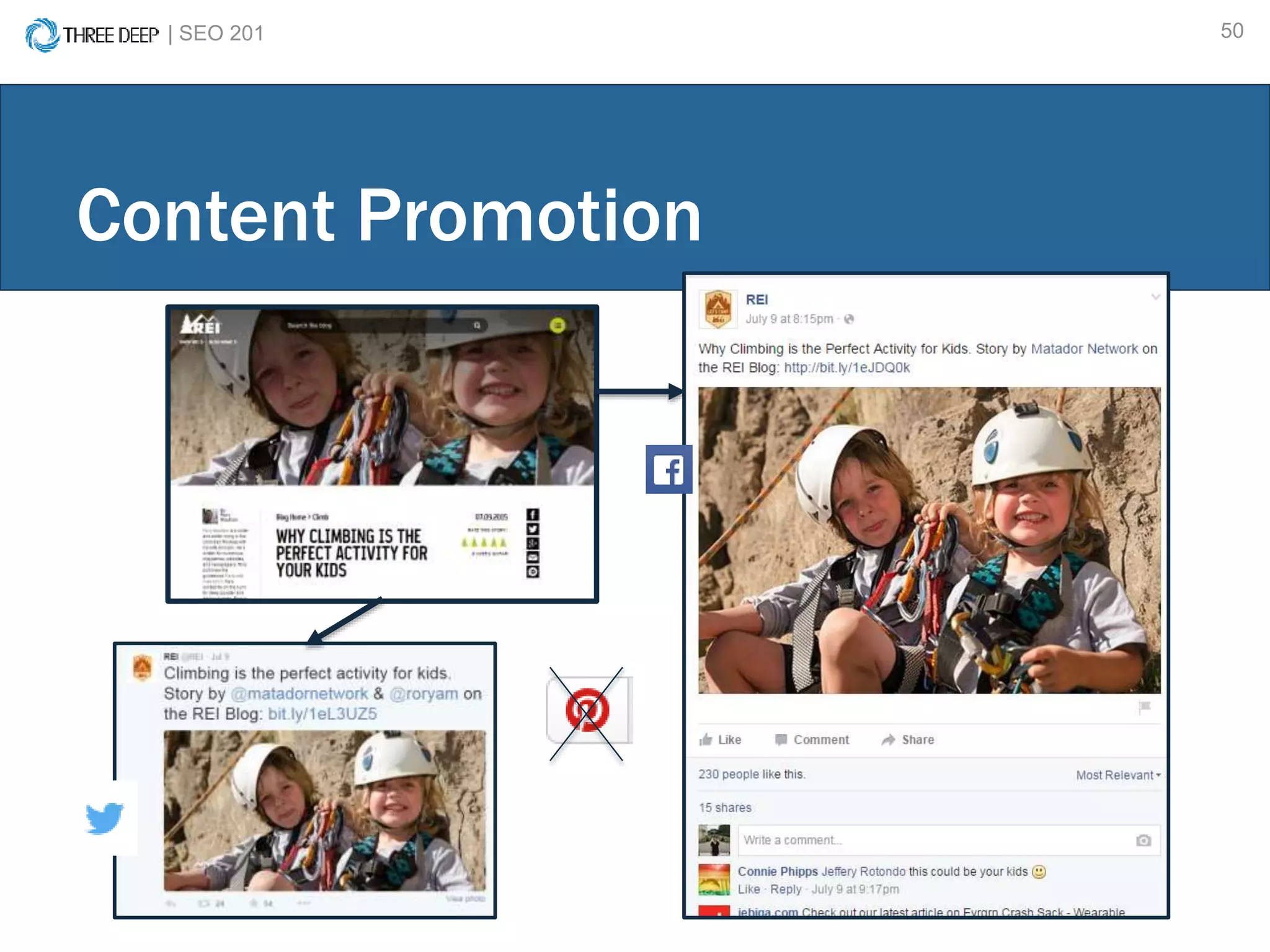
Content Promotion
Social
Media
PPC
Newsletters Email
| SEO 201 50
Content Promotion
CONTENT STRATEGY
Personas & the Buying Cycle
Content Inventory & Gap Analysis
Content Calendar & Blogging
Content Promotion
REVIEW
| SEO 201 53
Website Organization
Website Hierarchy/ Organization
URL Structure
Internal Linking
Keyword Research
How to do keyword research
How to apply keyword research
Content Strategy
Personas & the Buying Cycle
Content Inventory & Gap Analysis
Content Calendar & Blogging
Content Promotion
Review
| SEO 201 54
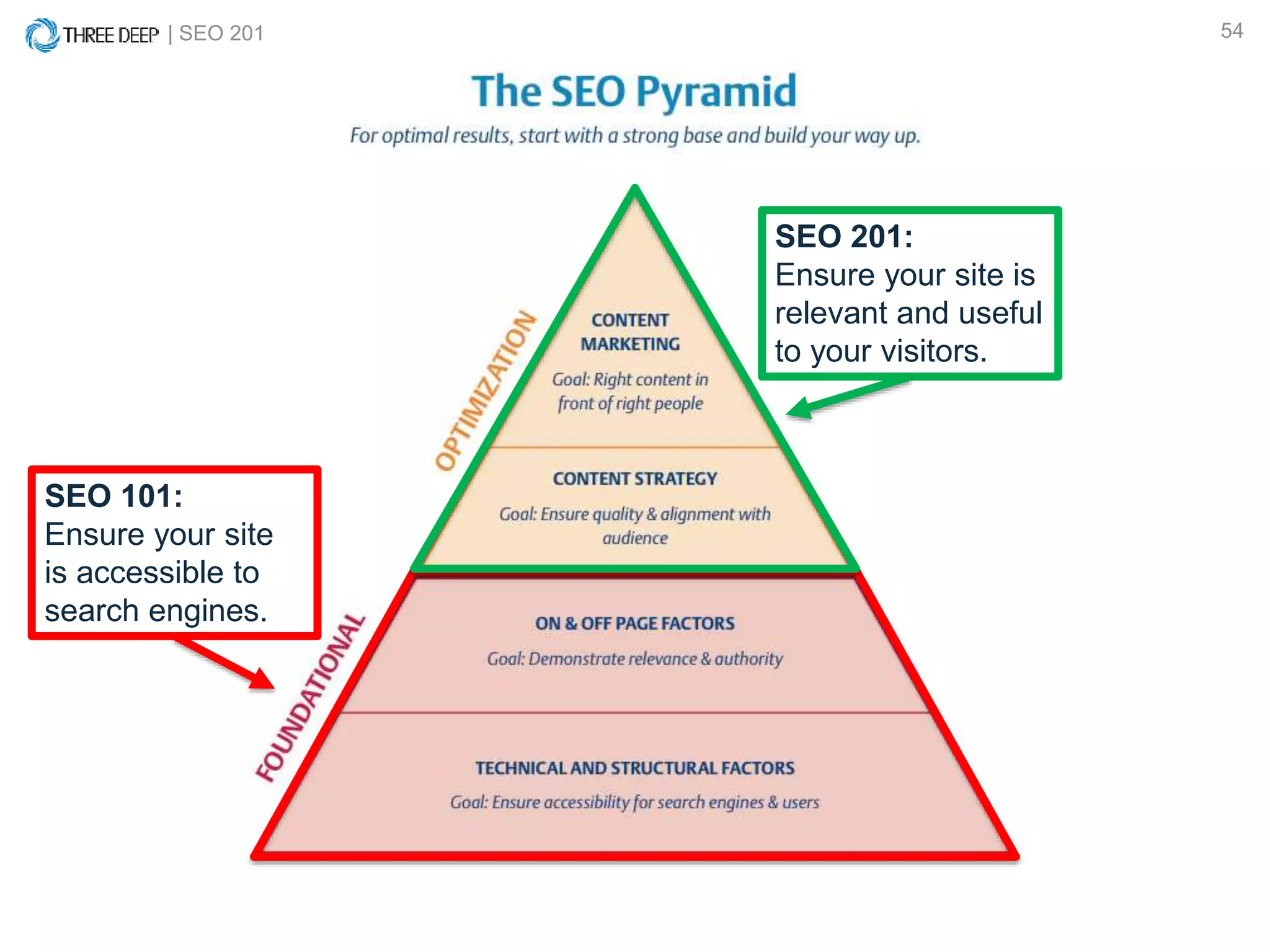
SEO 101:
Ensure your site
is accessible to
search engines.
SEO 201:
Ensure your site is
relevant and useful
to your visitors.
| SEO 201 55
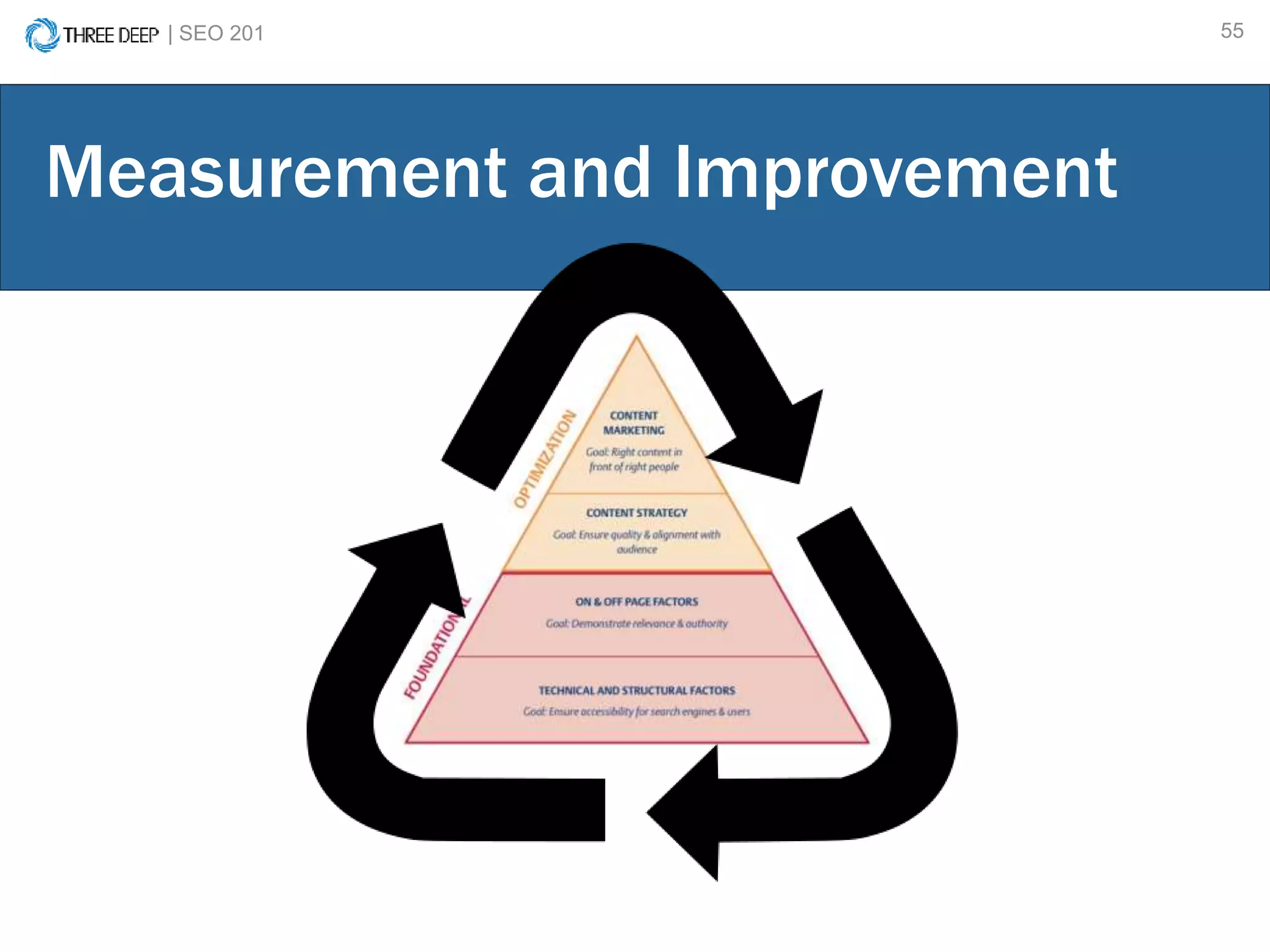
Measurement and Improvement
| SEO 201 56
Questions?

SEO - 201: Content Optimization and Strategy

  • 1.
  • 2.
    | SEO 2012 Andy Thomson SEO Specialist @andythomson99 Today’s Presenters Taylor Pettis Sr. Marketing Manager @tpettis linkd.in/1dsZJAa
  • 3.
    | SEO 2013 SEO 101: Ensure your site is accessible to search engines. SEO 201: Ensure your site is relevant and useful to your visitors.
  • 4.
    | SEO 2014 Content Marketing: GET PEOPLE TO SEE YOUR CONTENT Content Strategy: DATA-DRIVEN CONTENT CREATION You will need data and creativity to succeed with content
  • 5.
  • 6.
  • 7.
    IS CONTENT WORTHTHE INVESTMENT?
  • 8.
    | SEO 2018 410 URLs indexed 320 keywords ranking 4.7k estimated monthly traffic $2k estimated monthly traffic cost …OF COURSE!
  • 9.
    | SEO 2019 1 URL 12 keywords ranking 23 estimated monthly traffic $37 estimated monthly traffic cost Every penny counts!
  • 10.
    What you’ll learn: •Basic Website Organization • Keyword Research & Application • Content Marketing/Promotion
  • 11.
  • 12.
    | SEO 20112 Website Biology…
  • 13.
    | SEO 20113 Website Hierarchy Home Page Secondary Navigation Tertiary Navigation Product or Service Page
  • 14.
    | SEO 20114 Example…
  • 15.
    | SEO 20115 Website Taxonomy
  • 16.
    | SEO 20116 Website Taxonomy
  • 17.
  • 18.
    | SEO 20118 Human readable Concise Lowercase (or consistent capitalization) Trailing slash (/) consistency Use dash: – Not underscore: _ URL Structure
  • 19.
    | SEO 20119 www.piragis.co m Let’s build a URL! + /canoes-kayaks/ + /wenonah/ + /boundary-waters-17/ www.piragis.com/canoes-kayaks/wenonah/boundary-waters-17/
  • 20.
    | SEO 20120 Internal links create a path for users to follow & helps search engines find your pages. Use consistent versions of URLs. (Avoid variations in capitalization & trailing slashes.) Internal Linking
  • 21.
    | SEO 20121 Link strategically to indicate which pages are the most important. Link consistently. (Use the same URL. Avoid mixed- case URLs and inconsistent trailing slashes.) Internal Linking
  • 22.
    BASIC WEBSITE ORGANIZATION WebsiteHierarchy/ Organization URL Structure Internal Linking
  • 23.
    | SEO 20123 KEYWORD RESEARCH
  • 24.
    | SEO 20124 Keyword Research Tools
  • 25.
    | SEO 20125 1. Sign-up or Sign-in to Google Adwords. 2. Enter term you want to target. 3. Ensure your targeting is correct. 4. Get ideas. 5. Select a few keywords to target based on relevancy and average monthly searches. 6. Apply terms to page. Keyword Research How-to: (Using Google Adwords Keyword Planner)
  • 26.
    | SEO 20126 Keyword Research 1. Sign-up or Sign- in to Google AdWords.
  • 27.
    | SEO 20127 2. Enter term you want to target. 3. Ensure your targeting is correct. 4. Get ideas. Keyword Research
  • 28.
    | SEO 20128 Keyword Research 5. Select a few keywords to target based on relevancy and average monthly searches.
  • 29.
    | SEO 20129 Keyword Research 5.1 Selecting the right keywords. Things to consider: 1. Relevancy 2. Average monthly search volume 3. Competition
  • 30.
    | SEO 20130 Keyword Research “sleeping bags” Cold Weather Keyword MS V cold weather sleeping bag 260 winter sleeping bag 210 warm sleeping bags 170
  • 31.
  • 32.
    | SEO 20132 Applying Keyword Research What should you optimize? page title (50-60 characters) meta descriptions (70-155 characters) heading tags (have only one H1!) on-page content (target 2-4 terms per page)
  • 33.
    | SEO 20133 Page Title: Unique and descriptive. Approx. 55 character limit. Test with Moz tool. Example: Keyword 1 | Keyword 2 | Brand Name Meta Description: Click- enticing, unique description of the page. Keep within a 70 - 155 character limit. Off-Page Elements
  • 34.
    | SEO 20134 H1 Heading: Unique and descriptive Page Copy: Descriptive, unique, and keyword rich Alt Image Text: Descriptive and keyword rich On-page Elements
  • 35.
    KEYWORD RESEARCH How todo keyword research How to apply keyword research
  • 36.
  • 37.
    | SEO 20137 Understanding who your user is, What is a content strategy? + = what problems they have that you are able to solve, and finding a way to solve those problems.
  • 38.
  • 39.
    | SEO 20139 Personas Who is your target audience? Before you create content, understand…
  • 40.
    | SEO 20140 Personas Who is your target audience? Get to know your audience! Age range Gender Income Interests Dislikes Pain Points
  • 41.
    | SEO 20141 Buying Cycle What steps do they take in the conversion process? Before you create content, understand…
  • 42.
    | SEO 20142 Match existing content to personas and steps in the buying cycle. Identify areas that lack content and fill gaps. Content Inventory & Gap Analysis
  • 43.
    | SEO 20143 Content Inventory & Gap Analysis URL Casual Camper Awarenes s Interes t Considerati on Purchase Intent www.campingwebsite.co m/article/how-to-pick-a- sleeping-bag/ x x www.campingwebsite.co m/sleeping-bags/adult/ x x x Awarenes s Interes t Considerati on Purchase Intent Casual Camper 15 17 10 5 Extreme Camper 11 2 7 13
  • 44.
    BLOGGING & CONTENTCALENDAR CREATION
  • 45.
    | SEO 20145 Blog Video Product/Service Page Interactive tool Graphic Create the right type of content for your audience.
  • 46.
    | SEO 20146 You have an actively engaged community (or the potential for one). You have the resources to commit to regular content creation. You have something great to say! You should consider a blog if…
  • 47.
    | SEO 20147 Content Calendar http://www.verticalmeasures.com/content-editorial-calendar-template/
  • 48.
    | SEO 20148 Content Calendar https://docs.google.com/spreadsheet/ccc?key=0AsKxtai- b7NqdGdqODJyd0xwc0xTQ3h4M2I3aUlPSWc&usp=sharing#gid=0
  • 49.
    | SEO 20149 Content Promotion Social Media PPC Newsletters Email
  • 50.
    | SEO 20150 Content Promotion
  • 51.
    CONTENT STRATEGY Personas &the Buying Cycle Content Inventory & Gap Analysis Content Calendar & Blogging Content Promotion
  • 52.
  • 53.
    | SEO 20153 Website Organization Website Hierarchy/ Organization URL Structure Internal Linking Keyword Research How to do keyword research How to apply keyword research Content Strategy Personas & the Buying Cycle Content Inventory & Gap Analysis Content Calendar & Blogging Content Promotion Review
  • 54.
    | SEO 20154 SEO 101: Ensure your site is accessible to search engines. SEO 201: Ensure your site is relevant and useful to your visitors.
  • 55.
    | SEO 20155 Measurement and Improvement
  • 56.
    | SEO 20156 Questions?

Editor's Notes

  • #7 Content is essentially anything a user consumes on your website.
  • #10 If you consider what it would cost to rank for these keywords in PPC ads, you are saving $37 per month which is almost $450 per year. Depending on how much the piece of content costs you to make, content pays for itself in no time.
  • #23 That covers the basics of how users and search engines interact with the pages on your website. Now let’s talk about creating the actual content on your website with data to support it.
  • #30 Both SEMrush and moz have keyword difficulty tools to help. Google the term you want to rank for- can you beat those pages? USE INCOGNITO WINDOWS TO AVOID PERSONALIZED SEARCH RESULTS
  • #31 Identify themes and put together a short list per page. You can also perform another search to refine your list and find other related terms. KW Research differs based on the purpose. A product page is more specific, blog ideas can be broader and more of a discovery, etc
  • #33 You can use keyword research as topical discovery as we just covered. It should also, however, inform on-page optimization.
  • #35 Test that your page is clear and concise: have someone else read the page and tell you in a term or two what the page is about.
  • #36 Now that we’ve covered how to acquire keyword data & how to apply it on a page by page level, let’s take a more high-level, strategic view of the content on your website.
  • #40 Persona’s: coastal beach campers, extreme campers, family camper These should be clearly defined people, heck, give em a name!
  • #41 Persona’s: coastal beach campers, extreme campers, family camper These should be clearly defined people, heck, give em a name!
  • #42 Buying cycle:
  • #43 Gather all existing assets you have. Understand the landscape and move forward.
  • #44 Not all personas or steps are created equal. You should have content to support all of your personas at each step in the cycle, but you may focus on some areas more than others.
  • #48 Google ‘create content calendar’ or ‘content calendar template’ to get some great examples. Essentially, consider overall demand as well as search trends, holidays, and seasonality when planning content.
  • #50 Don’t expect that users are visiting your site or blog daily for new content. Share your content regularly on channels your customers engage with.