Student Driven Digital Portfolios
Introduction for Teachers
What is Seesaw?
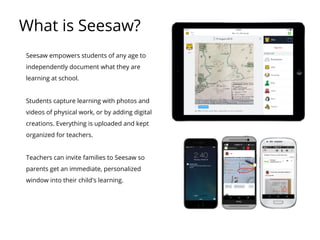
Seesaw empowers students of any age to
independently document what they are
learning at school.
Students capture learning with photos and
videos of physical work, or by adding digital
creations. Everything is uploaded and kept
organized for teachers.
Teachers can invite families to Seesaw so
parents get an immediate, personalized
window into their child's learning.
Get Seesaw for Your Device
Computers with
Chrome or Firefox
Seesaw supports all the platforms you use and seamlessly works between
them, making Seesaw great for BYOD environments.
iOS Devices Android Devices Chromebooks
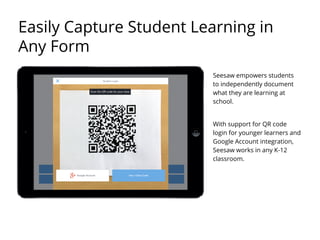
Seesaw empowers students
to independently document
what they are learning at
school.
With support for QR code
login for younger learners and
Google Account integration,
Seesaw works in any K-12
classroom.
Easily Capture Student Learning in
Any Form
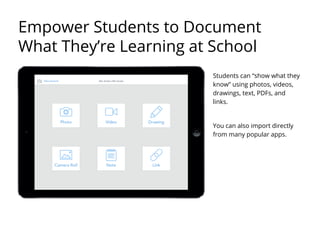
Students can “show what they
know” using photos, videos,
drawings, text, PDFs, and
links.
You can also import directly
from many popular apps.
Empower Students to Document
What They’re Learning at School
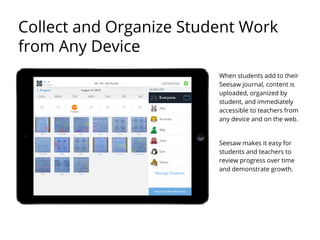
When students add to their
Seesaw journal, content is
uploaded, organized by
student, and immediately
accessible to teachers from
any device and on the web.
Seesaw makes it easy for
students and teachers to
review progress over time
and demonstrate growth.
Collect and Organize Student Work
from Any Device
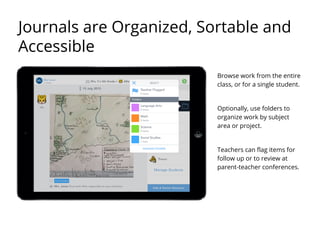
Browse work from the entire
class, or for a single student.
Optionally, use folders to
organize work by subject
area or project.
Teachers can flag items for
follow up or to review at
parent-teacher conferences.
Journals are Organized, Sortable and
Accessible
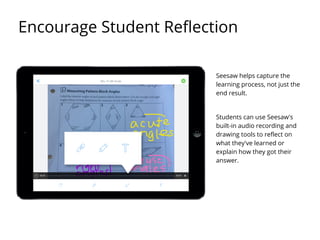
Seesaw helps capture the
learning process, not just the
end result.
Students can use Seesaw's
built-in audio recording and
drawing tools to reflect on
what they've learned or
explain how they got their
answer.
Encourage Student Reflection
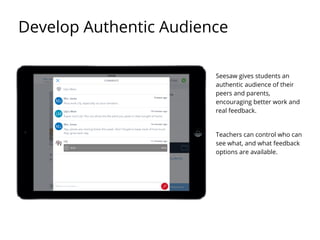
Seesaw gives students an
authentic audience of their
peers and parents,
encouraging better work and
real feedback.
Teachers can control who can
see what, and what feedback
options are available.
Develop Authentic Audience
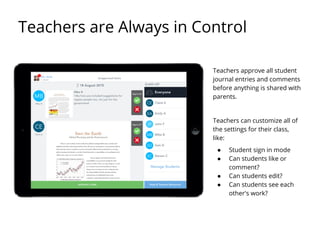
Teachers approve all student
journal entries and comments
before anything is shared with
parents.
Teachers can customize all of
the settings for their class,
like:
● Student sign in mode
● Can students like or
comment?
● Can students edit?
● Can students see each
other's work?
Teachers are Always in Control
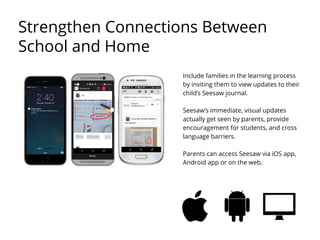
Include families in the learning process
by inviting them to view updates to their
child’s Seesaw journal.
Seesaw’s immediate, visual updates
actually get seen by parents, provide
encouragement for students, and cross
language barriers.
Parents can access Seesaw via iOS app,
Android app or on the web.
Strengthen Connections Between
School and Home
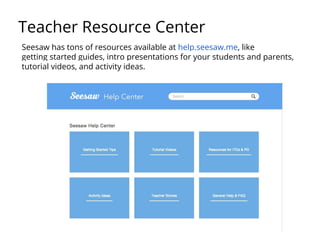
Teacher Resource Center
Seesaw has tons of resources available at help.seesaw.me, like
getting started guides, intro presentations for your students and parents,
tutorial videos, and activity ideas.
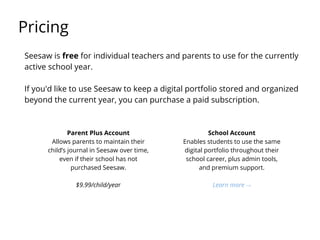
Seesaw is free for individual teachers and parents to use for the currently
active school year.
If you'd like to use Seesaw to keep a digital portfolio stored and organized
beyond the current year, you can purchase a paid subscription.
Pricing
Parent Plus Account
Allows parents to maintain their
child’s journal in Seesaw over time,
even if their school has not
purchased Seesaw.
$9.99/child/year
School Account
Enables students to use the same
digital portfolio throughout their
school career, plus admin tools,
and premium support.
Learn more →
Seesaw takes protecting your students’ security and privacy seriously.
● We will never sell or share any account information or journal content with 3rd parties
without your explicit request. See our Privacy Policy for more details.
● Student journal content is only accessible to the people you invite to view it, like parents
and administrators.
● Seesaw has taken the Student Privacy Pledge.
● You can read about all of our security measures we have in place on our website.
Student Data is Safe and Secure
Still Need Help?
Contact the Seesaw Team
Send us an email:
help@seesaw.me
Reach out on Twitter:
@Seesaw
Join #SeesawChat on Twitter. 2nd and 4th Thursdays at 4 pm PST.
Connect with a
Seesaw
Ambassador
Find a Seesaw
Ambassador in your area
to share their tips and
tricks at web.seesaw.me

Seesaw 2.0 overview teachers

  • 1.
    Student Driven DigitalPortfolios Introduction for Teachers
  • 2.
    What is Seesaw? Seesawempowers students of any age to independently document what they are learning at school. Students capture learning with photos and videos of physical work, or by adding digital creations. Everything is uploaded and kept organized for teachers. Teachers can invite families to Seesaw so parents get an immediate, personalized window into their child's learning.
  • 3.
    Get Seesaw forYour Device Computers with Chrome or Firefox Seesaw supports all the platforms you use and seamlessly works between them, making Seesaw great for BYOD environments. iOS Devices Android Devices Chromebooks
  • 4.
    Seesaw empowers students toindependently document what they are learning at school. With support for QR code login for younger learners and Google Account integration, Seesaw works in any K-12 classroom. Easily Capture Student Learning in Any Form
  • 5.
    Students can “showwhat they know” using photos, videos, drawings, text, PDFs, and links. You can also import directly from many popular apps. Empower Students to Document What They’re Learning at School
  • 6.
    When students addto their Seesaw journal, content is uploaded, organized by student, and immediately accessible to teachers from any device and on the web. Seesaw makes it easy for students and teachers to review progress over time and demonstrate growth. Collect and Organize Student Work from Any Device
  • 7.
    Browse work fromthe entire class, or for a single student. Optionally, use folders to organize work by subject area or project. Teachers can flag items for follow up or to review at parent-teacher conferences. Journals are Organized, Sortable and Accessible
  • 8.
    Seesaw helps capturethe learning process, not just the end result. Students can use Seesaw's built-in audio recording and drawing tools to reflect on what they've learned or explain how they got their answer. Encourage Student Reflection
  • 9.
    Seesaw gives studentsan authentic audience of their peers and parents, encouraging better work and real feedback. Teachers can control who can see what, and what feedback options are available. Develop Authentic Audience
  • 10.
    Teachers approve allstudent journal entries and comments before anything is shared with parents. Teachers can customize all of the settings for their class, like: ● Student sign in mode ● Can students like or comment? ● Can students edit? ● Can students see each other's work? Teachers are Always in Control
  • 11.
    Include families inthe learning process by inviting them to view updates to their child’s Seesaw journal. Seesaw’s immediate, visual updates actually get seen by parents, provide encouragement for students, and cross language barriers. Parents can access Seesaw via iOS app, Android app or on the web. Strengthen Connections Between School and Home
  • 12.
    Teacher Resource Center Seesawhas tons of resources available at help.seesaw.me, like getting started guides, intro presentations for your students and parents, tutorial videos, and activity ideas.
  • 13.
    Seesaw is freefor individual teachers and parents to use for the currently active school year. If you'd like to use Seesaw to keep a digital portfolio stored and organized beyond the current year, you can purchase a paid subscription. Pricing Parent Plus Account Allows parents to maintain their child’s journal in Seesaw over time, even if their school has not purchased Seesaw. $9.99/child/year School Account Enables students to use the same digital portfolio throughout their school career, plus admin tools, and premium support. Learn more →
  • 14.
    Seesaw takes protectingyour students’ security and privacy seriously. ● We will never sell or share any account information or journal content with 3rd parties without your explicit request. See our Privacy Policy for more details. ● Student journal content is only accessible to the people you invite to view it, like parents and administrators. ● Seesaw has taken the Student Privacy Pledge. ● You can read about all of our security measures we have in place on our website. Student Data is Safe and Secure
  • 15.
    Still Need Help? Contactthe Seesaw Team Send us an email: help@seesaw.me Reach out on Twitter: @Seesaw Join #SeesawChat on Twitter. 2nd and 4th Thursdays at 4 pm PST. Connect with a Seesaw Ambassador Find a Seesaw Ambassador in your area to share their tips and tricks at web.seesaw.me