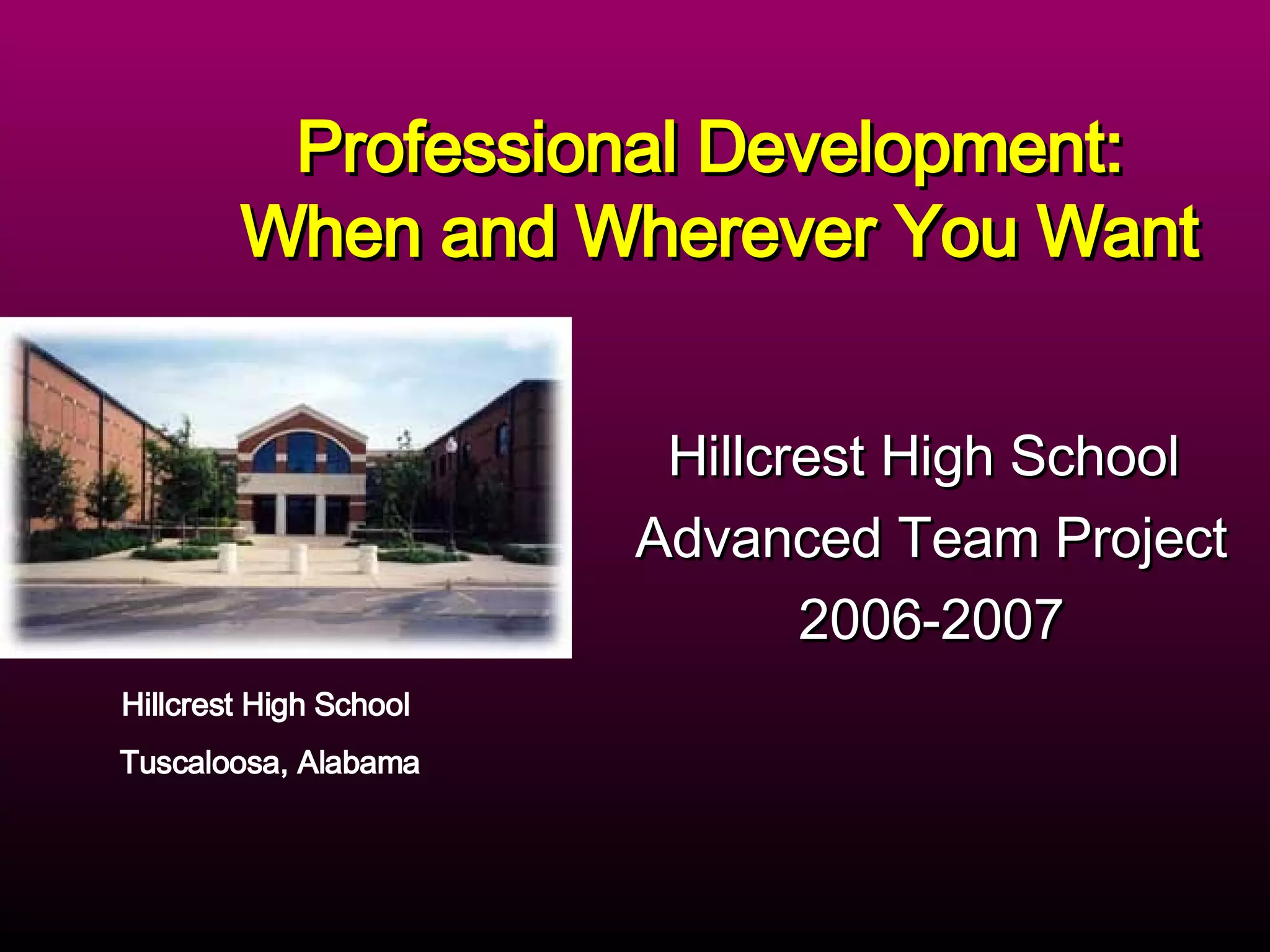
Hillcrest High School  Advanced Team Project 2006-2007 Professional Development:  When and Wherever You Want Hillcrest High School  Tuscaloosa, Alabama
The Project  During the first year of our designation as a 21st Century School, we began the Hillcrest Faculty blog at  http://www.patriotsfaculty.edublogs.org  .  We began working with our blog late in the spring and we added new material this year.  Our project is intended to aid us in reaching at-risk students.  Faculty members will be participating in staff development on the blog and in development from other sources intended to help us achieve our goal.
Project Goals and Objectives Develop a professional development blog.  Create a non-threatening climate for learning the use of 21st century tools.  Create a learning community to study successful strategies for teaching at-risk students.  Create a body of work that can be used as part of our school improvement plan.
Resources and Strategies Create a blog for use by faculty for professional development.  Creating and utilizing the blog in as a group enables our faculty to experiment with blogging before actually implementing the use of a blog in their own classrooms.
Resources and Strategies Utilize materials gathered by teachers and administrators that illustrate successful strategies and read and reflect on how they could be implemented at Hillcrest High School. Utilize materials and strategies gathered by teachers and administrators from various locations on the web and in print that improve student performance on standardized tests.
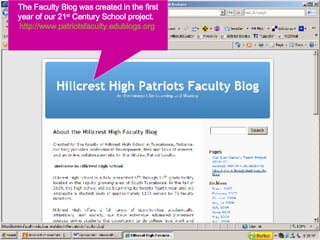
The Faculty Blog was created in the first year of our 21 st  Century School project.  http://www.patriotsfaculty.edublogs.org
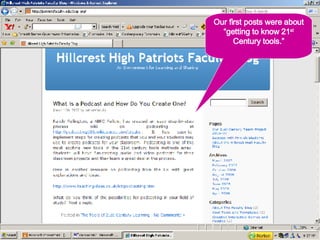
Our first posts were about “getting to know 21 st  Century tools.”
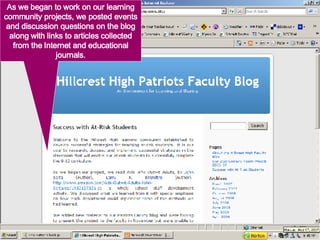
As we began to work on our learning community projects, we posted events and discussion questions on the blog along with links to articles collected from the Internet and educational journals.
Benefits of the Professional Development Blog Online staff development allows teachers to determine the time and place of their staff development, making it much more convenient and efficient. Blogging allows collaboration within the learning community between teachers and administrators. Online staff development has the potential to include experts from many locations, not just local ones. Working with a professional development blog encourages experimentation among faculty members with blogging and other 21 st  Century tools in their classrooms.
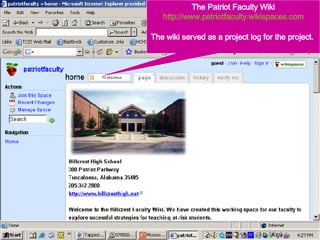
The Patriot Faculty Wiki http://www.patriotfaculty.wikispaces.com The wiki served as a project log for the project.
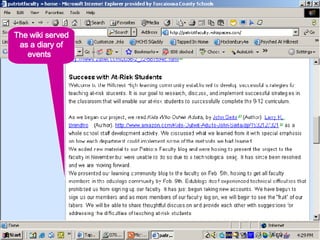
The wiki served as a diary of events
Problems…Opportunities?? There were problems early in the year with our blog which made us unable to launch the new page on the blog as planned.  Server/security issues caused Edublogs to briefly block our use of our site. These were corrected and we conducted our Faculty introduction to the blog in January.
Problems…Opportunities?? In January our system installed a new server which has intermittently been offline as the “bugs” have been worked out of the system.  The result:  The project has been slow to get off the ground.  Our expectations for next year:  Continued use of the blog with a re-introduction of 21 st  Century tools to the faculty and renewed emphasis on their use, both for staff development and in the classroom.
What Have We Accomplished? Our exposure to the 21 st  Century School project has been invaluable.  We have changed our methods to incorporate web 2.0 tools into our teaching.  Several of our classrooms have been using blogs and in at least one classroom we actively use  www.tappedin.org  and wikis for classroom projects.  We have students and teachers using  www.Flickr.com  and  www.thinkfree.com  to complete projects.  The days of the poster board project are over.  The seeds of change have been sown and as more teachers experiment with the new tools both the faculty and students will benefit. Samples of this classroom work follow…
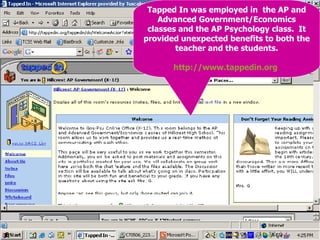
Tapped In was employed in  the AP and Advanced Government/Economics classes and the AP Psychology class.  It provided unexpected benefits to both the teacher and the students. http://www.tappedin.org
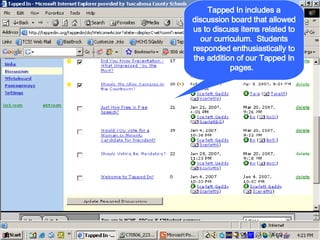
Tapped In includes a discussion board that allowed us to discuss items related to our curriculum.  Students responded enthusiastically to the addition of our Tapped In pages.
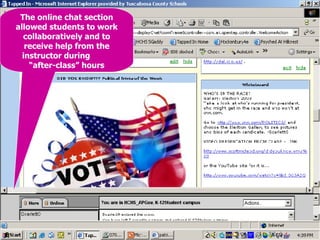
The online chat section allowed students to work collaboratively and to receive help from the instructor during  “after-class” hours
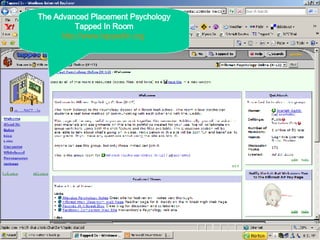
The Advanced Placement Psychology Tapped In Room http://www.tappedin.org
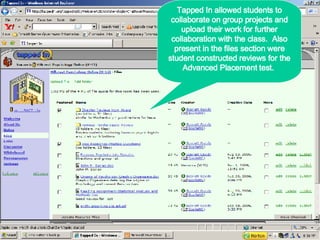
Tapped In allowed students to collaborate on group projects and upload their work for further collaboration with the class.  Also present in the files section were student constructed reviews for the Advanced Placement test.
Benefits of Tapped In Created an online presence for the class. Tapped In contains a discussion board that encouraged extended discussion of classroom curriculum.  The real-time chat feature allowed students to work together collaboratively and to get help from the instructor when she was “in the room” also.  Students are better prepared for online work required in college courses they will take in the future. Tapped In allowed students to experiment in a safe environment controlled by the instructor.
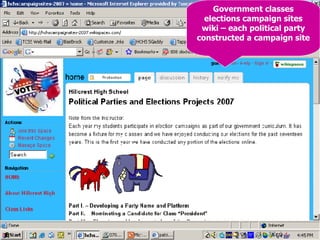
Government classes elections campaign sites wiki – each political party constructed a campaign site
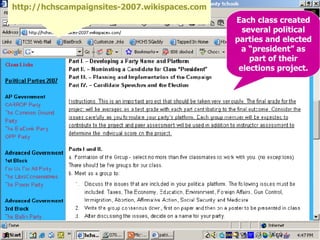
Each class created several political parties and elected a “president” as part of their elections project. http://hchscampaignsites-2007.wikispaces.com
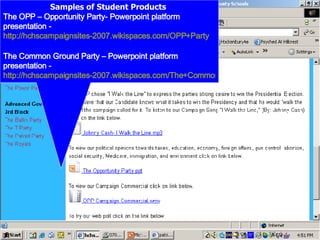
Samples of Student Products  The OPP – Opportunity Party- Powerpoint platform presentation -  http://hchscampaignsites-2007.wikispaces.com/OPP+Party   The Common Ground Party – Powerpoint platform presentation -  http://hchscampaignsites-2007.wikispaces.com/The+Common+Ground++Party
Student Campaign Site Sample Campaign Commercial
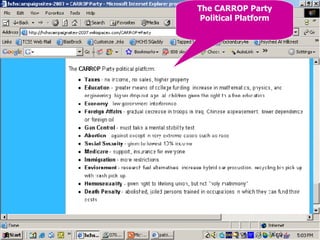
The CARROP Party Political Platform
Goals for Continued Progress Planned for next year: Use the blog as a means continuing work on the solution to poor performance of at-risk students. Continued collection of other staff development topics for use on the blog. In-school workshops on the use of various 21 st  century tools in the classroom. Further expansion of Web 2.0 tools into the classroom.
Many Thanks To: All the wonderful folks at the Alabama Best Practices Center who have contributed so much time and effort to making the 21 st  Century Schools Project a success. Microsoft Corporation for the generous grant that made the project possible.  The Tuscaloosa County School System which allowed team members and the 21 st  Century Fellow professional leave time to expand their horizons and grow as professional educators.

21st Century Schools Project Presentation 05 08 07

  • 1.
    Hillcrest High School Advanced Team Project 2006-2007 Professional Development: When and Wherever You Want Hillcrest High School Tuscaloosa, Alabama
  • 2.
    The Project During the first year of our designation as a 21st Century School, we began the Hillcrest Faculty blog at http://www.patriotsfaculty.edublogs.org .  We began working with our blog late in the spring and we added new material this year.  Our project is intended to aid us in reaching at-risk students.  Faculty members will be participating in staff development on the blog and in development from other sources intended to help us achieve our goal.
  • 3.
    Project Goals andObjectives Develop a professional development blog. Create a non-threatening climate for learning the use of 21st century tools. Create a learning community to study successful strategies for teaching at-risk students. Create a body of work that can be used as part of our school improvement plan.
  • 4.
    Resources and StrategiesCreate a blog for use by faculty for professional development. Creating and utilizing the blog in as a group enables our faculty to experiment with blogging before actually implementing the use of a blog in their own classrooms.
  • 5.
    Resources and StrategiesUtilize materials gathered by teachers and administrators that illustrate successful strategies and read and reflect on how they could be implemented at Hillcrest High School. Utilize materials and strategies gathered by teachers and administrators from various locations on the web and in print that improve student performance on standardized tests.
  • 6.
    The Faculty Blogwas created in the first year of our 21 st Century School project. http://www.patriotsfaculty.edublogs.org
  • 7.
    Our first postswere about “getting to know 21 st Century tools.”
  • 8.
    As we beganto work on our learning community projects, we posted events and discussion questions on the blog along with links to articles collected from the Internet and educational journals.
  • 9.
    Benefits of theProfessional Development Blog Online staff development allows teachers to determine the time and place of their staff development, making it much more convenient and efficient. Blogging allows collaboration within the learning community between teachers and administrators. Online staff development has the potential to include experts from many locations, not just local ones. Working with a professional development blog encourages experimentation among faculty members with blogging and other 21 st Century tools in their classrooms.
  • 10.
    The Patriot FacultyWiki http://www.patriotfaculty.wikispaces.com The wiki served as a project log for the project.
  • 11.
    The wiki servedas a diary of events
  • 12.
    Problems…Opportunities?? There wereproblems early in the year with our blog which made us unable to launch the new page on the blog as planned. Server/security issues caused Edublogs to briefly block our use of our site. These were corrected and we conducted our Faculty introduction to the blog in January.
  • 13.
    Problems…Opportunities?? In Januaryour system installed a new server which has intermittently been offline as the “bugs” have been worked out of the system. The result: The project has been slow to get off the ground. Our expectations for next year: Continued use of the blog with a re-introduction of 21 st Century tools to the faculty and renewed emphasis on their use, both for staff development and in the classroom.
  • 14.
    What Have WeAccomplished? Our exposure to the 21 st Century School project has been invaluable. We have changed our methods to incorporate web 2.0 tools into our teaching. Several of our classrooms have been using blogs and in at least one classroom we actively use www.tappedin.org and wikis for classroom projects. We have students and teachers using www.Flickr.com and www.thinkfree.com to complete projects. The days of the poster board project are over. The seeds of change have been sown and as more teachers experiment with the new tools both the faculty and students will benefit. Samples of this classroom work follow…
  • 15.
    Tapped In wasemployed in the AP and Advanced Government/Economics classes and the AP Psychology class. It provided unexpected benefits to both the teacher and the students. http://www.tappedin.org
  • 16.
    Tapped In includesa discussion board that allowed us to discuss items related to our curriculum. Students responded enthusiastically to the addition of our Tapped In pages.
  • 17.
    The online chatsection allowed students to work collaboratively and to receive help from the instructor during “after-class” hours
  • 18.
    The Advanced PlacementPsychology Tapped In Room http://www.tappedin.org
  • 19.
    Tapped In allowedstudents to collaborate on group projects and upload their work for further collaboration with the class. Also present in the files section were student constructed reviews for the Advanced Placement test.
  • 20.
    Benefits of TappedIn Created an online presence for the class. Tapped In contains a discussion board that encouraged extended discussion of classroom curriculum. The real-time chat feature allowed students to work together collaboratively and to get help from the instructor when she was “in the room” also. Students are better prepared for online work required in college courses they will take in the future. Tapped In allowed students to experiment in a safe environment controlled by the instructor.
  • 21.
    Government classes electionscampaign sites wiki – each political party constructed a campaign site
  • 22.
    Each class createdseveral political parties and elected a “president” as part of their elections project. http://hchscampaignsites-2007.wikispaces.com
  • 23.
    Samples of StudentProducts The OPP – Opportunity Party- Powerpoint platform presentation - http://hchscampaignsites-2007.wikispaces.com/OPP+Party The Common Ground Party – Powerpoint platform presentation - http://hchscampaignsites-2007.wikispaces.com/The+Common+Ground++Party
  • 24.
    Student Campaign SiteSample Campaign Commercial
  • 25.
    The CARROP PartyPolitical Platform
  • 26.
    Goals for ContinuedProgress Planned for next year: Use the blog as a means continuing work on the solution to poor performance of at-risk students. Continued collection of other staff development topics for use on the blog. In-school workshops on the use of various 21 st century tools in the classroom. Further expansion of Web 2.0 tools into the classroom.
  • 27.
    Many Thanks To:All the wonderful folks at the Alabama Best Practices Center who have contributed so much time and effort to making the 21 st Century Schools Project a success. Microsoft Corporation for the generous grant that made the project possible. The Tuscaloosa County School System which allowed team members and the 21 st Century Fellow professional leave time to expand their horizons and grow as professional educators.