Colloquium - sed
v1.0.1
A. Magee
March 26, 2010
1 / 22
Colloquium - sed, v1.0.1
A. Magee
Outline
1 Introduction
What does sed offer?
When should I use sed?
2 Learning by example
Sample File
Probing for info
Eighty-sixing specific lines
The almighty regular expression
3 Sed’s limitations
2 / 22
Colloquium - sed, v1.0.1
A. Magee
Outline
1 Introduction
What does sed offer?
When should I use sed?
2 Learning by example
Sample File
Probing for info
Eighty-sixing specific lines
The almighty regular expression
3 Sed’s limitations
2 / 22
Colloquium - sed, v1.0.1
A. Magee
Outline
1 Introduction
What does sed offer?
When should I use sed?
2 Learning by example
Sample File
Probing for info
Eighty-sixing specific lines
The almighty regular expression
3 Sed’s limitations
2 / 22
Colloquium - sed, v1.0.1
A. Magee
Introduction What?
What does sed offer?
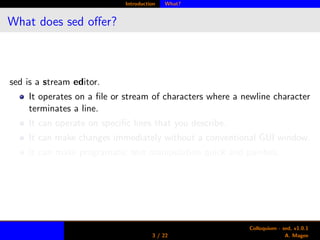
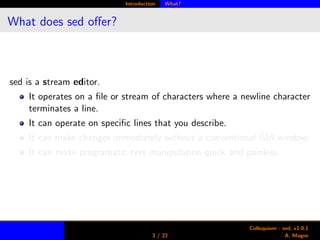
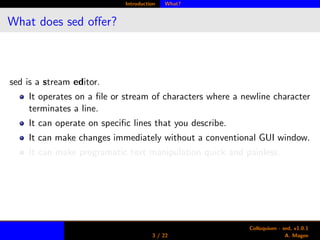
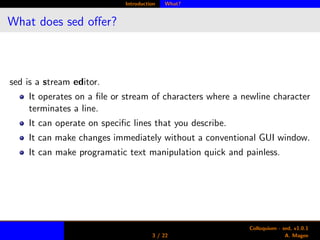
sed is a stream editor.
It operates on a file or stream of characters where a newline character
terminates a line.
It can operate on specific lines that you describe.
It can make changes immediately without a conventional GUI window.
It can make programatic text manipulation quick and painless.
3 / 22
Colloquium - sed, v1.0.1
A. Magee
Introduction What?
What does sed offer?
sed is a stream editor.
It operates on a file or stream of characters where a newline character
terminates a line.
It can operate on specific lines that you describe.
It can make changes immediately without a conventional GUI window.
It can make programatic text manipulation quick and painless.
3 / 22
Colloquium - sed, v1.0.1
A. Magee
Introduction What?
What does sed offer?
sed is a stream editor.
It operates on a file or stream of characters where a newline character
terminates a line.
It can operate on specific lines that you describe.
It can make changes immediately without a conventional GUI window.
It can make programatic text manipulation quick and painless.
3 / 22
Colloquium - sed, v1.0.1
A. Magee
Introduction What?
What does sed offer?
sed is a stream editor.
It operates on a file or stream of characters where a newline character
terminates a line.
It can operate on specific lines that you describe.
It can make changes immediately without a conventional GUI window.
It can make programatic text manipulation quick and painless.
3 / 22
Colloquium - sed, v1.0.1
A. Magee
Introduction When?
When should I use sed?
For repetitive file edits or probes.
For editing a file at precisely defined places.
When you are too lazy (or smart) to open a WYSIWYG editor.
4 / 22
Colloquium - sed, v1.0.1
A. Magee
Introduction When?
When should I use sed?
For repetitive file edits or probes.
For editing a file at precisely defined places.
When you are too lazy (or smart) to open a WYSIWYG editor.
4 / 22
Colloquium - sed, v1.0.1
A. Magee
Introduction When?
When should I use sed?
For repetitive file edits or probes.
For editing a file at precisely defined places.
When you are too lazy (or smart) to open a WYSIWYG editor.
4 / 22
Colloquium - sed, v1.0.1
A. Magee
Examples Sample File
A sample file
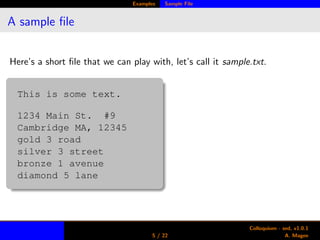
Here’s a short file that we can play with, let’s call it sample.txt.
This is some text.
1234 Main St. #9
Cambridge MA, 12345
gold 3 road
silver 3 street
bronze 1 avenue
diamond 5 lane
5 / 22
Colloquium - sed, v1.0.1
A. Magee
Examples Printing
Example 1
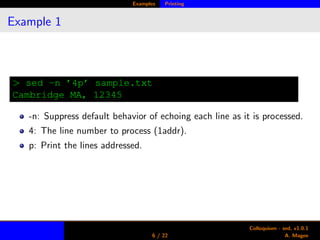
> sed -n ’4p’ sample.txt
Cambridge MA, 12345
-n: Suppress default behavior of echoing each line as it is processed.
4: The line number to process (1addr).
p: Print the lines addressed.
6 / 22
Colloquium - sed, v1.0.1
A. Magee
Examples Printing
Example 2 & 3
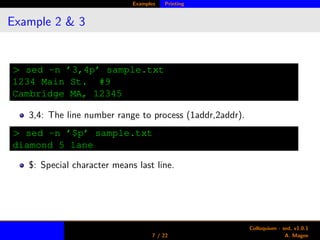
> sed -n ’3,4p’ sample.txt
1234 Main St. #9
Cambridge MA, 12345
3,4: The line number range to process (1addr,2addr).
> sed -n ’$p’ sample.txt
diamond 5 lane
$: Special character means last line.
7 / 22
Colloquium - sed, v1.0.1
A. Magee
Examples Printing
Example 4 & 5
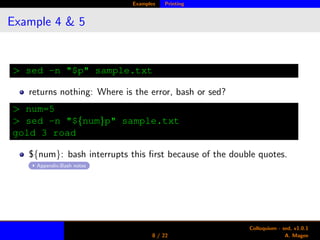
> sed -n "$p" sample.txt
returns nothing: Where is the error, bash or sed?
> num=5
> sed -n "${num}p" sample.txt
gold 3 road
${num}: bash interrupts this first because of the double quotes.
Appendix:Bash notes
8 / 22
Colloquium - sed, v1.0.1
A. Magee
Examples Printing
Example 6
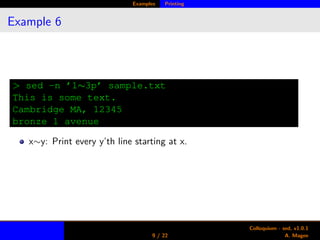
> sed -n ’1∼3p’ sample.txt
This is some text.
Cambridge MA, 12345
bronze 1 avenue
x∼y: Print every y’th line starting at x.
9 / 22
Colloquium - sed, v1.0.1
A. Magee
Examples Deleting
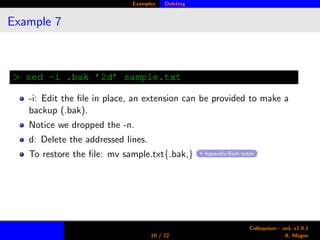
Example 7
> sed -i .bak ’2d’ sample.txt
-i: Edit the file in place, an extension can be provided to make a
backup (.bak).
Notice we dropped the -n.
d: Delete the addressed lines.
To restore the file: mv sample.txt{.bak,} Appendix:Bash notes
10 / 22
Colloquium - sed, v1.0.1
A. Magee
Examples Deleting
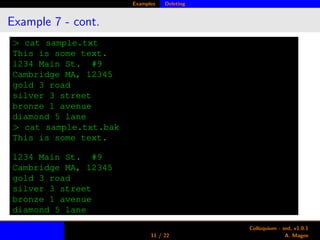
Example 7 - cont.
> cat sample.txt
This is some text.
1234 Main St. #9
Cambridge MA, 12345
gold 3 road
silver 3 street
bronze 1 avenue
diamond 5 lane
> cat sample.txt.bak
This is some text.
1234 Main St. #9
Cambridge MA, 12345
gold 3 road
silver 3 street
bronze 1 avenue
diamond 5 lane
11 / 22
Colloquium - sed, v1.0.1
A. Magee
Examples Regex
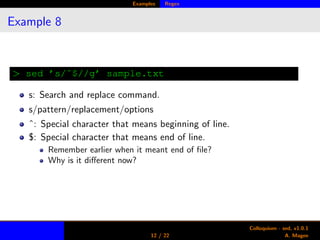
Example 8
> sed ’s/ˆ$//g’ sample.txt
s: Search and replace command.
s/pattern/replacement/options
ˆ: Special character that means beginning of line.
$: Special character that means end of line.
Remember earlier when it meant end of file?
Why is it different now?
12 / 22
Colloquium - sed, v1.0.1
A. Magee
Examples Regex
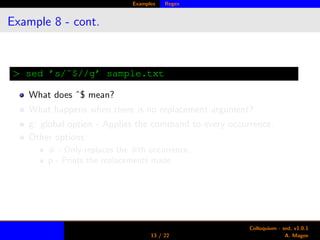
Example 8 - cont.
> sed ’s/ˆ$//g’ sample.txt
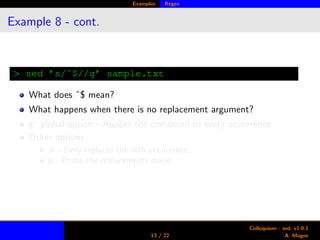
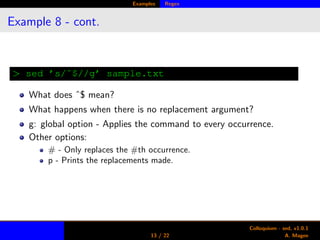
What does ˆ$ mean?
What happens when there is no replacement argument?
g: global option - Applies the command to every occurrence.
Other options:
# - Only replaces the #th occurrence.
p - Prints the replacements made.
13 / 22
Colloquium - sed, v1.0.1
A. Magee
Examples Regex
Example 8 - cont.
> sed ’s/ˆ$//g’ sample.txt
What does ˆ$ mean?
What happens when there is no replacement argument?
g: global option - Applies the command to every occurrence.
Other options:
# - Only replaces the #th occurrence.
p - Prints the replacements made.
13 / 22
Colloquium - sed, v1.0.1
A. Magee
Examples Regex
Example 8 - cont.
> sed ’s/ˆ$//g’ sample.txt
What does ˆ$ mean?
What happens when there is no replacement argument?
g: global option - Applies the command to every occurrence.
Other options:
# - Only replaces the #th occurrence.
p - Prints the replacements made.
13 / 22
Colloquium - sed, v1.0.1
A. Magee
Examples Regex
Example 9
> sed -E ’s/[0-9]+/###/g’ sample.txt
This is some text.
### Main St. ####
Cambridge MA, ###
gold ### road
silver ### street
bronze ### avenue
diamond ### lane
-E: Use extended regex (very common, suggest alias). Appendix:Bash notes
[0-9]+: Match one or more digits.
###: Replacement is three octothorpes.
14 / 22
Colloquium - sed, v1.0.1
A. Magee
Examples Regex
Example 10
> sed -E ’s/[0-9]/#/g’ sample.txt
This is some text.
#### Main St. ##
Cambridge MA, #####
gold # road
silver # street
bronze # avenue
diamond # lane
[0-9]: Match one digit.
#: Replacement is a single octothorpe.
Notice the length of the hidden number is the same as the actual
number.
15 / 22
Colloquium - sed, v1.0.1
A. Magee
Examples Regex
Example 11
> sed -n -E ’s/[0-9]/#/gp’ sample.txt
#### Main St. ##
Cambridge MA, #####
gold # road
silver # street
bronze # avenue
diamond # lane
From earlier, the -n suppresses the default printing behavior.
The p option prints lines that were matched with replacements.
Effect is that non-matched lines are not printed.
16 / 22
Colloquium - sed, v1.0.1
A. Magee
Examples Regex
Example 12
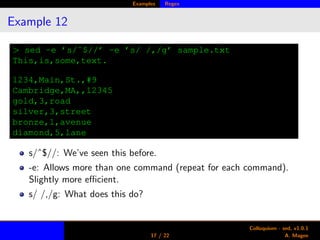
> sed -e ’s/ˆ$//’ -e ’s/ /,/g’ sample.txt
This,is,some,text.
1234,Main,St.,#9
Cambridge,MA,,12345
gold,3,road
silver,3,street
bronze,1,avenue
diamond,5,lane
s/ˆ$//: We’ve seen this before.
-e: Allows more than one command (repeat for each command).
Slightly more efficient.
s/ /,/g: What does this do?
17 / 22
Colloquium - sed, v1.0.1
A. Magee
Sed’s limitations
What basic sed can’t do
Non-greedy matching (easily). Recommend ssed (super-sed).
Multiple line matches, or any operation that needs the newline
character.
Arithmetics, don’t even try. Use awk instead.
18 / 22
Colloquium - sed, v1.0.1
A. Magee
Appendix
4 Appendix
Quick notes on bash
Complex examples
19 / 22
Colloquium - sed, v1.0.1
A. Magee
Appendix Quick notes on bash
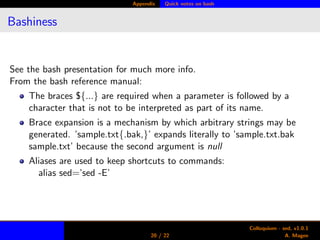
Bashiness
See the bash presentation for much more info.
From the bash reference manual:
The braces ${...} are required when a parameter is followed by a
character that is not to be interpreted as part of its name.
Brace expansion is a mechanism by which arbitrary strings may be
generated. ’sample.txt{.bak,}’ expands literally to ’sample.txt.bak
sample.txt’ because the second argument is null
Aliases are used to keep shortcuts to commands:
alias sed=’sed -E’
20 / 22
Colloquium - sed, v1.0.1
A. Magee
Appendix Complex examples
Some harder stuff
> sed -E -i ’s/[[:space:]]+/,/g’ somefile
> sed -i ’s/.$//’ somefile
> sed -E -i ’/ˆ#/ s/[0-9]+//’ somefile
> sed -i ’:s:[0-9][0-9]*::g’ somefile
21 / 22
Colloquium - sed, v1.0.1
A. Magee
Appendix Complex examples
Harder stuff explained
1 Replace all groups of whitespace with a comma.
2 Convert Windows line endings to Unix line endings. The .$ matches
rn and replaces the r with null.
3 /.../ gives addresses matching a pattern, like awk and perl. Deletes
the first number of any line that starts with a #.
4 Starting with  redefines the argument separator; a colon in this case.
5 Notice that [0-9]+ requires -E, whereas [0-9][0-9]* does not. They
match the same expressions.
22 / 22
Colloquium - sed, v1.0.1
A. Magee

Sed Introduction

  • 1.
    Colloquium - sed v1.0.1 A.Magee March 26, 2010 1 / 22 Colloquium - sed, v1.0.1 A. Magee
  • 2.
    Outline 1 Introduction What doessed offer? When should I use sed? 2 Learning by example Sample File Probing for info Eighty-sixing specific lines The almighty regular expression 3 Sed’s limitations 2 / 22 Colloquium - sed, v1.0.1 A. Magee
  • 3.
    Outline 1 Introduction What doessed offer? When should I use sed? 2 Learning by example Sample File Probing for info Eighty-sixing specific lines The almighty regular expression 3 Sed’s limitations 2 / 22 Colloquium - sed, v1.0.1 A. Magee
  • 4.
    Outline 1 Introduction What doessed offer? When should I use sed? 2 Learning by example Sample File Probing for info Eighty-sixing specific lines The almighty regular expression 3 Sed’s limitations 2 / 22 Colloquium - sed, v1.0.1 A. Magee
  • 5.
    Introduction What? What doessed offer? sed is a stream editor. It operates on a file or stream of characters where a newline character terminates a line. It can operate on specific lines that you describe. It can make changes immediately without a conventional GUI window. It can make programatic text manipulation quick and painless. 3 / 22 Colloquium - sed, v1.0.1 A. Magee
  • 6.
    Introduction What? What doessed offer? sed is a stream editor. It operates on a file or stream of characters where a newline character terminates a line. It can operate on specific lines that you describe. It can make changes immediately without a conventional GUI window. It can make programatic text manipulation quick and painless. 3 / 22 Colloquium - sed, v1.0.1 A. Magee
  • 7.
    Introduction What? What doessed offer? sed is a stream editor. It operates on a file or stream of characters where a newline character terminates a line. It can operate on specific lines that you describe. It can make changes immediately without a conventional GUI window. It can make programatic text manipulation quick and painless. 3 / 22 Colloquium - sed, v1.0.1 A. Magee
  • 8.
    Introduction What? What doessed offer? sed is a stream editor. It operates on a file or stream of characters where a newline character terminates a line. It can operate on specific lines that you describe. It can make changes immediately without a conventional GUI window. It can make programatic text manipulation quick and painless. 3 / 22 Colloquium - sed, v1.0.1 A. Magee
  • 9.
    Introduction When? When shouldI use sed? For repetitive file edits or probes. For editing a file at precisely defined places. When you are too lazy (or smart) to open a WYSIWYG editor. 4 / 22 Colloquium - sed, v1.0.1 A. Magee
  • 10.
    Introduction When? When shouldI use sed? For repetitive file edits or probes. For editing a file at precisely defined places. When you are too lazy (or smart) to open a WYSIWYG editor. 4 / 22 Colloquium - sed, v1.0.1 A. Magee
  • 11.
    Introduction When? When shouldI use sed? For repetitive file edits or probes. For editing a file at precisely defined places. When you are too lazy (or smart) to open a WYSIWYG editor. 4 / 22 Colloquium - sed, v1.0.1 A. Magee
  • 12.
    Examples Sample File Asample file Here’s a short file that we can play with, let’s call it sample.txt. This is some text. 1234 Main St. #9 Cambridge MA, 12345 gold 3 road silver 3 street bronze 1 avenue diamond 5 lane 5 / 22 Colloquium - sed, v1.0.1 A. Magee
  • 13.
    Examples Printing Example 1 >sed -n ’4p’ sample.txt Cambridge MA, 12345 -n: Suppress default behavior of echoing each line as it is processed. 4: The line number to process (1addr). p: Print the lines addressed. 6 / 22 Colloquium - sed, v1.0.1 A. Magee
  • 14.
    Examples Printing Example 2& 3 > sed -n ’3,4p’ sample.txt 1234 Main St. #9 Cambridge MA, 12345 3,4: The line number range to process (1addr,2addr). > sed -n ’$p’ sample.txt diamond 5 lane $: Special character means last line. 7 / 22 Colloquium - sed, v1.0.1 A. Magee
  • 15.
    Examples Printing Example 4& 5 > sed -n "$p" sample.txt returns nothing: Where is the error, bash or sed? > num=5 > sed -n "${num}p" sample.txt gold 3 road ${num}: bash interrupts this first because of the double quotes. Appendix:Bash notes 8 / 22 Colloquium - sed, v1.0.1 A. Magee
  • 16.
    Examples Printing Example 6 >sed -n ’1∼3p’ sample.txt This is some text. Cambridge MA, 12345 bronze 1 avenue x∼y: Print every y’th line starting at x. 9 / 22 Colloquium - sed, v1.0.1 A. Magee
  • 17.
    Examples Deleting Example 7 >sed -i .bak ’2d’ sample.txt -i: Edit the file in place, an extension can be provided to make a backup (.bak). Notice we dropped the -n. d: Delete the addressed lines. To restore the file: mv sample.txt{.bak,} Appendix:Bash notes 10 / 22 Colloquium - sed, v1.0.1 A. Magee
  • 18.
    Examples Deleting Example 7- cont. > cat sample.txt This is some text. 1234 Main St. #9 Cambridge MA, 12345 gold 3 road silver 3 street bronze 1 avenue diamond 5 lane > cat sample.txt.bak This is some text. 1234 Main St. #9 Cambridge MA, 12345 gold 3 road silver 3 street bronze 1 avenue diamond 5 lane 11 / 22 Colloquium - sed, v1.0.1 A. Magee
  • 19.
    Examples Regex Example 8 >sed ’s/ˆ$//g’ sample.txt s: Search and replace command. s/pattern/replacement/options ˆ: Special character that means beginning of line. $: Special character that means end of line. Remember earlier when it meant end of file? Why is it different now? 12 / 22 Colloquium - sed, v1.0.1 A. Magee
  • 20.
    Examples Regex Example 8- cont. > sed ’s/ˆ$//g’ sample.txt What does ˆ$ mean? What happens when there is no replacement argument? g: global option - Applies the command to every occurrence. Other options: # - Only replaces the #th occurrence. p - Prints the replacements made. 13 / 22 Colloquium - sed, v1.0.1 A. Magee
  • 21.
    Examples Regex Example 8- cont. > sed ’s/ˆ$//g’ sample.txt What does ˆ$ mean? What happens when there is no replacement argument? g: global option - Applies the command to every occurrence. Other options: # - Only replaces the #th occurrence. p - Prints the replacements made. 13 / 22 Colloquium - sed, v1.0.1 A. Magee
  • 22.
    Examples Regex Example 8- cont. > sed ’s/ˆ$//g’ sample.txt What does ˆ$ mean? What happens when there is no replacement argument? g: global option - Applies the command to every occurrence. Other options: # - Only replaces the #th occurrence. p - Prints the replacements made. 13 / 22 Colloquium - sed, v1.0.1 A. Magee
  • 23.
    Examples Regex Example 9 >sed -E ’s/[0-9]+/###/g’ sample.txt This is some text. ### Main St. #### Cambridge MA, ### gold ### road silver ### street bronze ### avenue diamond ### lane -E: Use extended regex (very common, suggest alias). Appendix:Bash notes [0-9]+: Match one or more digits. ###: Replacement is three octothorpes. 14 / 22 Colloquium - sed, v1.0.1 A. Magee
  • 24.
    Examples Regex Example 10 >sed -E ’s/[0-9]/#/g’ sample.txt This is some text. #### Main St. ## Cambridge MA, ##### gold # road silver # street bronze # avenue diamond # lane [0-9]: Match one digit. #: Replacement is a single octothorpe. Notice the length of the hidden number is the same as the actual number. 15 / 22 Colloquium - sed, v1.0.1 A. Magee
  • 25.
    Examples Regex Example 11 >sed -n -E ’s/[0-9]/#/gp’ sample.txt #### Main St. ## Cambridge MA, ##### gold # road silver # street bronze # avenue diamond # lane From earlier, the -n suppresses the default printing behavior. The p option prints lines that were matched with replacements. Effect is that non-matched lines are not printed. 16 / 22 Colloquium - sed, v1.0.1 A. Magee
  • 26.
    Examples Regex Example 12 >sed -e ’s/ˆ$//’ -e ’s/ /,/g’ sample.txt This,is,some,text. 1234,Main,St.,#9 Cambridge,MA,,12345 gold,3,road silver,3,street bronze,1,avenue diamond,5,lane s/ˆ$//: We’ve seen this before. -e: Allows more than one command (repeat for each command). Slightly more efficient. s/ /,/g: What does this do? 17 / 22 Colloquium - sed, v1.0.1 A. Magee
  • 27.
    Sed’s limitations What basicsed can’t do Non-greedy matching (easily). Recommend ssed (super-sed). Multiple line matches, or any operation that needs the newline character. Arithmetics, don’t even try. Use awk instead. 18 / 22 Colloquium - sed, v1.0.1 A. Magee
  • 28.
    Appendix 4 Appendix Quick noteson bash Complex examples 19 / 22 Colloquium - sed, v1.0.1 A. Magee
  • 29.
    Appendix Quick noteson bash Bashiness See the bash presentation for much more info. From the bash reference manual: The braces ${...} are required when a parameter is followed by a character that is not to be interpreted as part of its name. Brace expansion is a mechanism by which arbitrary strings may be generated. ’sample.txt{.bak,}’ expands literally to ’sample.txt.bak sample.txt’ because the second argument is null Aliases are used to keep shortcuts to commands: alias sed=’sed -E’ 20 / 22 Colloquium - sed, v1.0.1 A. Magee
  • 30.
    Appendix Complex examples Someharder stuff > sed -E -i ’s/[[:space:]]+/,/g’ somefile > sed -i ’s/.$//’ somefile > sed -E -i ’/ˆ#/ s/[0-9]+//’ somefile > sed -i ’:s:[0-9][0-9]*::g’ somefile 21 / 22 Colloquium - sed, v1.0.1 A. Magee
  • 31.
    Appendix Complex examples Harderstuff explained 1 Replace all groups of whitespace with a comma. 2 Convert Windows line endings to Unix line endings. The .$ matches rn and replaces the r with null. 3 /.../ gives addresses matching a pattern, like awk and perl. Deletes the first number of any line that starts with a #. 4 Starting with redefines the argument separator; a colon in this case. 5 Notice that [0-9]+ requires -E, whereas [0-9][0-9]* does not. They match the same expressions. 22 / 22 Colloquium - sed, v1.0.1 A. Magee