Securing in a Hurry
When You’ve Waited Until the Last Minute to Get
         Your Application Audit On

                 May 2nd, 2012


                                 www.NTOBJECTives.com
Today's Presenters

         Wendy Nather
         Research Director


         Dan Kuykendall
         Co-CEO & Chief Technology Officer
Securing in a Hurry
Ready, set … scan! (or) The fire drill begins!

•   You’re already under attack and you
    need to know how many other holes
    you have that could be exploited
•   You forgot about that part of PCI-DSS
    and the QSA arrives in a week
•   You need to perform due diligence for a
    merger or acquisition
•   Your CEO switched from Talls to Ventis
What do you need to know first?
•   Where the applications live – all of them
     ‒ Very few have a good/comprehensive list

•   Which ones you’ll be allowed to scan

•   Who to contact when something goes wrong

•   Are QA/Staging environments available
     ‒ Better to test against non-production when possible

•   What you’ll do once you find things
     ‒ How much can you fix?
     ‒ What can you block with a WAF?
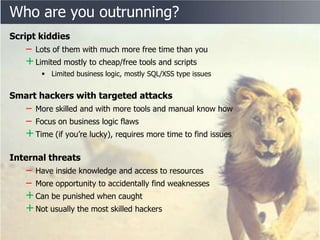
Who are you outrunning?
Script kiddies
   ‒ Lots of them with much more free time than you
   + Limited mostly to cheap/free tools and scripts
        Limited business logic, mostly SQL/XSS type issues


Smart hackers with targeted attacks
   ‒ More skilled and with more tools and manual know how
   ‒ Focus on business logic flaws
   + Time (if you’re lucky), requires more time to find issues
Internal threats
   ‒ Have inside knowledge and access to resources
   ‒ More opportunity to accidentally find weaknesses
   + Can be punished when caught
   + Not usually the most skilled hackers
How sure do you need to be?
• Automated vs. manual pen-testing
   ‒ Technology considerations
   ‒ Either or Both?

• Checking for logic flaws in most
  critical applications
   ‒ Hint: this is going to take a lot longer

• Decide how far down the rabbit hole
  you’re going to go
   ‒ How important is it to know the worst case
     for each vulnerability being exploited

• False positives...
  Oh yes, there will be some
How sure do you need to be?
• Automated vs. manual pen-testing
    ‒ Technology considerations
    ‒ Either or Both?
• Checking for logic flaws in most critical applications
    ‒ Hint: this is going to take a lot longer
• Decide how far down the rabbit hole you’re going to go
    ‒ How important is it to know the worst case for each vulnerability being
      exploited
• False positives...
   Oh yes, there will be some
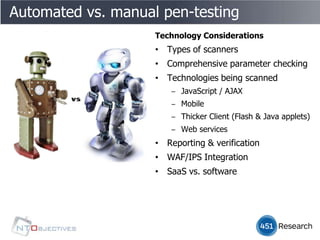
Automated vs. manual pen-testing
                    Technology Considerations
                    • Types of scanners
                    • Comprehensive parameter checking
                    • Technologies being scanned
                       ‒ JavaScript / AJAX
                       ‒ Mobile
                       ‒ Thicker Client (Flash & Java applets)
                       ‒ Web services
                    • Reporting & verification
                    • WAF/IPS Integration
                    • SaaS vs. software
Automated vs. manual pen-testing
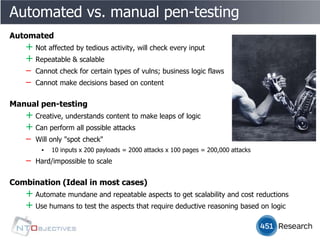
Automated
   + Not affected by tedious activity, will check every input
   + Repeatable & scalable
   ‒ Cannot check for certain types of vulns; business logic flaws
   ‒ Cannot make decisions based on content

Manual pen-testing
   + Creative, understands content to make leaps of logic
   + Can perform all possible attacks
   ‒ Will only "spot check"
        ▪   10 inputs x 200 payloads = 2000 attacks x 100 pages = 200,000 attacks
   ‒   Hard/impossible to scale


Combination (Ideal in most cases)
   + Automate mundane and repeatable aspects to get scalability and cost reductions
   + Use humans to test the aspects that require deductive reasoning based on logic
How sure do you need to be?
• Automated vs. Manual pen-testing
    ‒ Technology considerations
    ‒ Either or Both?
• Checking for logic flaws in most critical applications
    ‒ Hint: this is going to take a lot longer
• Decide how far down the rabbit hole you’re going to go
    ‒ How important is it to know the worst case for each vulnerability being
      exploited
• False positives...
   Oh yes, there will be some
How sure do you need to be?
• Automated vs. Manual pen-testing
    ‒ Technology considerations
    ‒ Either or Both?
• Checking for logic flaws in most critical applications
    ‒ Hint: this is going to take a lot longer
• Decide how far down the rabbit hole you’re going to go
    ‒ How important is it to know the worst case for each vulnerability being
      exploited
• False positives...
   Oh yes, there will be some
How sure do you need to be?
• Automated vs. Manual pen-testing
    ‒ Technology considerations
    ‒ Either or Both?
• Checking for logic flaws in most critical applications
    ‒ Hint: this is going to take a lot longer
• Decide how far down the rabbit hole you’re going to go
    ‒ How important is it to know the worst case for each vulnerability being
      exploited
• False positives...
   Oh yes, there will be some
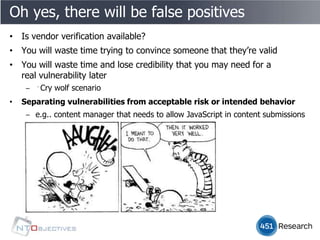
Oh yes, there will be false positives
• Is vendor verification available?
• You will waste time trying to convince someone that they’re valid
• You will waste time and lose credibility that you may need for a
  real vulnerability later
    ‒ Cry wolf scenario
• Separating vulnerabilities from acceptable risk or intended behavior
    ‒ e.g.. content manager that needs to allow JavaScript in content submissions
Oh yes, there will be false positives
• Is vendor verification available?
• You will waste time trying to convince someone that they’re valid
• You will waste time and lose credibility that you may need for a
  real vulnerability later
    ‒ Cry wolf scenario
• Separating vulnerabilities from acceptable risk or intended behavior
    ‒ e.g.. content manager that needs to allow JavaScript in content submissions
Oh yes, there will be false positives
• Is vendor verification available?
• You will waste time trying to convince someone that they’re
  valid
• You will waste time and lose credibility that you may need for a
  real vulnerability later
    ‒ Cry wolf scenario
• Separating vulnerabilities from acceptable risk or intended behavior
    ‒ e.g.. content manager that needs to allow JavaScript in content submissions
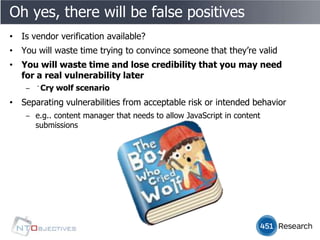
Oh yes, there will be false positives
• Is vendor verification available?
• You will waste time trying to convince someone that they’re valid
• You will waste time and lose credibility that you may need
  for a real vulnerability later
    ‒ Cry wolf scenario
• Separating vulnerabilities from acceptable risk or intended behavior
    ‒ e.g.. content manager that needs to allow JavaScript in content
      submissions
Oh yes, there will be false positives
• Is vendor verification available?
• You will waste time trying to convince someone that they’re valid
• You will waste time and lose credibility that you may need for a
  real vulnerability later
    ‒ Cry wolf scenario
•   Separating vulnerabilities from acceptable risk or intended behavior
    ‒ e.g.. content manager that needs to allow JavaScript in content submissions
Preparing for battle
•   Set up a pipeline for the results
     ‒   Developers, sysadmins, project managers, QA


•   Make sure the scanner can reach all the apps
     ‒   Set up credentials, roles for widest coverage


•   Determine maximum scanning rate
     ‒   Server connection limits
     ‒   Problems when vhost'ing websites
     ‒   Enforcing concurrent scanning limits


•   Warn the operations team
     ‒   It’s about to get noisy in here
     ‒   You may want to mute the logging alerts
     ‒   Disable automatic routines that report hacking activity to ISP


•   Get emergency contact numbers for both sides
Questions you need answered first
• How target rich is your environment?
    ‒ How many applications have vulnerabilities
• Who can exploit the vulnerabilities ?
    ‒ e.g.. everyone, intranet only, auth required, verified accounts
• How easy to discover?
    ‒ Easy to find SQL/XSS type issues vs. business logic issues
• How hard to get fixed in code?
• How much residual risk?
    ‒ Decide with your management what you’ll be comfortable with
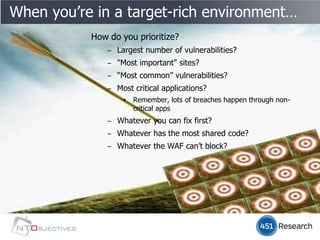
When you’re in a target-rich environment…
           How do you prioritize?
               ‒ Largest number of vulnerabilities?
               ‒ "Most important" sites?
               ‒ “Most common” vulnerabilities?
               ‒ Most critical applications?
                   ▪   Remember, lots of breaches happen through non-
                       critical apps
               ‒ Whatever you can fix first?
               ‒ Whatever has the most shared code?
               ‒ Whatever the WAF can’t block?
Questions you need answered first
• How target rich is your environment?
   ‒ How many applications have vulnerabilities
• Who can exploit the vulnerabilities ?
   ‒ e.g.. intranet only, auth required, verified accounts
• How easy to discover?
   ‒ Easy to find SQL/XSS type issues vs. business logic issues
• How hard to get fixed in code?
• How much residual risk?
   ‒ Decide with your management what you’ll be comfortable with
Questions you need answered first
• How target rich is your environment?
    ‒ How many applications have vulnerabilities
• Who can exploit the vulnerabilities ?
    ‒ e.g.. intranet only, auth required, verified accounts
• How easy to discover?
    ‒ Easy to find SQL/XSS type issues vs. business logic issues
• How hard to get fixed in code?
• How much residual risk?
    ‒ Decide with your management what you’ll be comfortable with
Questions you need answered first
• How target rich is your environment?
    ‒ How many applications have vulnerabilities
• Who can exploit the vulnerabilities ?
    ‒ e.g.. intranet only, auth required, verified accounts
• How easy to discover?
    ‒ Easy to find SQL/XSS type issues vs. business logic issues
• How hard to get fixed in code?
• How much residual risk?
    ‒ Decide with your management what you’ll be comfortable with
How hard to get fixed in code?
• Are developers still available?
• In-house or outsourced?
• Is application still in active development?
• When is next planned release?
• Amount of time/process for standard/required QA verification?
• Is WAF/IPS filter an option for quick and temporary protection against
  exploit?
Questions you need answered first
• How target rich is your environment?
    ‒ How many applications have vulnerabilities
• Who can exploit the vulnerabilities ?
    ‒ e.g.. intranet only, auth required, verified accounts
• How easy to discover?
    ‒ Easy to find SQL/XSS type issues vs. business logic issues
• How hard to get fixed in code?
• How much residual risk?
    ‒ Decide with your management what you’ll be comfortable with
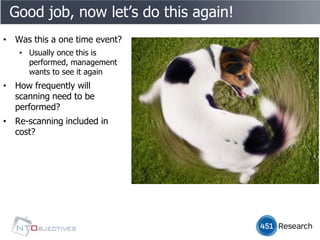
Good job, now let’s do this again!
• Was this a one time event?
   • Usually once this is
     performed, management
     wants to see it again
• How frequently will
  scanning need to be
  performed?
• Re-scanning included in
  cost?
NT OBJECTives, Inc.
• Dedicated to application security > 10+ years


• Software, Services & SaaS
   ‒ NTOSpider: Dynamic Application Scanning Technology (DAST)
   ‒ NTOEnterprise: Enterprise web portal interface to manage scanning
     activity, access controls & report storage & access
   ‒ NTOSpider On-Demand: SaaS based on NTOEnterprise
   ‒ NTODefend: WAF/IPS integration tool to generate filters from scan results
Discussion & contact information

           Wendy Nather
           Research Director
              @451wendy
              http://idoneous-security.blogspot.com/


           Dan Kuykendall
           Co-CEO & CTO
              @dan_kuykendall
              http://manvswebapp.com
Securing in a Hurry
  Questions & Discussion


                  www.NTOBJECTives.com

Application security in a hurry webinar

  • 1.
    Securing in aHurry When You’ve Waited Until the Last Minute to Get Your Application Audit On May 2nd, 2012 www.NTOBJECTives.com
  • 2.
    Today's Presenters Wendy Nather Research Director Dan Kuykendall Co-CEO & Chief Technology Officer
  • 3.
  • 4.
    Ready, set …scan! (or) The fire drill begins! • You’re already under attack and you need to know how many other holes you have that could be exploited • You forgot about that part of PCI-DSS and the QSA arrives in a week • You need to perform due diligence for a merger or acquisition • Your CEO switched from Talls to Ventis
  • 5.
    What do youneed to know first? • Where the applications live – all of them ‒ Very few have a good/comprehensive list • Which ones you’ll be allowed to scan • Who to contact when something goes wrong • Are QA/Staging environments available ‒ Better to test against non-production when possible • What you’ll do once you find things ‒ How much can you fix? ‒ What can you block with a WAF?
  • 6.
    Who are yououtrunning? Script kiddies ‒ Lots of them with much more free time than you + Limited mostly to cheap/free tools and scripts  Limited business logic, mostly SQL/XSS type issues Smart hackers with targeted attacks ‒ More skilled and with more tools and manual know how ‒ Focus on business logic flaws + Time (if you’re lucky), requires more time to find issues Internal threats ‒ Have inside knowledge and access to resources ‒ More opportunity to accidentally find weaknesses + Can be punished when caught + Not usually the most skilled hackers
  • 7.
    How sure doyou need to be? • Automated vs. manual pen-testing ‒ Technology considerations ‒ Either or Both? • Checking for logic flaws in most critical applications ‒ Hint: this is going to take a lot longer • Decide how far down the rabbit hole you’re going to go ‒ How important is it to know the worst case for each vulnerability being exploited • False positives... Oh yes, there will be some
  • 8.
    How sure doyou need to be? • Automated vs. manual pen-testing ‒ Technology considerations ‒ Either or Both? • Checking for logic flaws in most critical applications ‒ Hint: this is going to take a lot longer • Decide how far down the rabbit hole you’re going to go ‒ How important is it to know the worst case for each vulnerability being exploited • False positives... Oh yes, there will be some
  • 9.
    Automated vs. manualpen-testing Technology Considerations • Types of scanners • Comprehensive parameter checking • Technologies being scanned ‒ JavaScript / AJAX ‒ Mobile ‒ Thicker Client (Flash & Java applets) ‒ Web services • Reporting & verification • WAF/IPS Integration • SaaS vs. software
  • 10.
    Automated vs. manualpen-testing Automated + Not affected by tedious activity, will check every input + Repeatable & scalable ‒ Cannot check for certain types of vulns; business logic flaws ‒ Cannot make decisions based on content Manual pen-testing + Creative, understands content to make leaps of logic + Can perform all possible attacks ‒ Will only "spot check" ▪ 10 inputs x 200 payloads = 2000 attacks x 100 pages = 200,000 attacks ‒ Hard/impossible to scale Combination (Ideal in most cases) + Automate mundane and repeatable aspects to get scalability and cost reductions + Use humans to test the aspects that require deductive reasoning based on logic
  • 11.
    How sure doyou need to be? • Automated vs. Manual pen-testing ‒ Technology considerations ‒ Either or Both? • Checking for logic flaws in most critical applications ‒ Hint: this is going to take a lot longer • Decide how far down the rabbit hole you’re going to go ‒ How important is it to know the worst case for each vulnerability being exploited • False positives... Oh yes, there will be some
  • 12.
    How sure doyou need to be? • Automated vs. Manual pen-testing ‒ Technology considerations ‒ Either or Both? • Checking for logic flaws in most critical applications ‒ Hint: this is going to take a lot longer • Decide how far down the rabbit hole you’re going to go ‒ How important is it to know the worst case for each vulnerability being exploited • False positives... Oh yes, there will be some
  • 13.
    How sure doyou need to be? • Automated vs. Manual pen-testing ‒ Technology considerations ‒ Either or Both? • Checking for logic flaws in most critical applications ‒ Hint: this is going to take a lot longer • Decide how far down the rabbit hole you’re going to go ‒ How important is it to know the worst case for each vulnerability being exploited • False positives... Oh yes, there will be some
  • 14.
    Oh yes, therewill be false positives • Is vendor verification available? • You will waste time trying to convince someone that they’re valid • You will waste time and lose credibility that you may need for a real vulnerability later ‒ Cry wolf scenario • Separating vulnerabilities from acceptable risk or intended behavior ‒ e.g.. content manager that needs to allow JavaScript in content submissions
  • 15.
    Oh yes, therewill be false positives • Is vendor verification available? • You will waste time trying to convince someone that they’re valid • You will waste time and lose credibility that you may need for a real vulnerability later ‒ Cry wolf scenario • Separating vulnerabilities from acceptable risk or intended behavior ‒ e.g.. content manager that needs to allow JavaScript in content submissions
  • 16.
    Oh yes, therewill be false positives • Is vendor verification available? • You will waste time trying to convince someone that they’re valid • You will waste time and lose credibility that you may need for a real vulnerability later ‒ Cry wolf scenario • Separating vulnerabilities from acceptable risk or intended behavior ‒ e.g.. content manager that needs to allow JavaScript in content submissions
  • 17.
    Oh yes, therewill be false positives • Is vendor verification available? • You will waste time trying to convince someone that they’re valid • You will waste time and lose credibility that you may need for a real vulnerability later ‒ Cry wolf scenario • Separating vulnerabilities from acceptable risk or intended behavior ‒ e.g.. content manager that needs to allow JavaScript in content submissions
  • 18.
    Oh yes, therewill be false positives • Is vendor verification available? • You will waste time trying to convince someone that they’re valid • You will waste time and lose credibility that you may need for a real vulnerability later ‒ Cry wolf scenario • Separating vulnerabilities from acceptable risk or intended behavior ‒ e.g.. content manager that needs to allow JavaScript in content submissions
  • 19.
    Preparing for battle • Set up a pipeline for the results ‒ Developers, sysadmins, project managers, QA • Make sure the scanner can reach all the apps ‒ Set up credentials, roles for widest coverage • Determine maximum scanning rate ‒ Server connection limits ‒ Problems when vhost'ing websites ‒ Enforcing concurrent scanning limits • Warn the operations team ‒ It’s about to get noisy in here ‒ You may want to mute the logging alerts ‒ Disable automatic routines that report hacking activity to ISP • Get emergency contact numbers for both sides
  • 20.
    Questions you needanswered first • How target rich is your environment? ‒ How many applications have vulnerabilities • Who can exploit the vulnerabilities ? ‒ e.g.. everyone, intranet only, auth required, verified accounts • How easy to discover? ‒ Easy to find SQL/XSS type issues vs. business logic issues • How hard to get fixed in code? • How much residual risk? ‒ Decide with your management what you’ll be comfortable with
  • 21.
    When you’re ina target-rich environment… How do you prioritize? ‒ Largest number of vulnerabilities? ‒ "Most important" sites? ‒ “Most common” vulnerabilities? ‒ Most critical applications? ▪ Remember, lots of breaches happen through non- critical apps ‒ Whatever you can fix first? ‒ Whatever has the most shared code? ‒ Whatever the WAF can’t block?
  • 22.
    Questions you needanswered first • How target rich is your environment? ‒ How many applications have vulnerabilities • Who can exploit the vulnerabilities ? ‒ e.g.. intranet only, auth required, verified accounts • How easy to discover? ‒ Easy to find SQL/XSS type issues vs. business logic issues • How hard to get fixed in code? • How much residual risk? ‒ Decide with your management what you’ll be comfortable with
  • 23.
    Questions you needanswered first • How target rich is your environment? ‒ How many applications have vulnerabilities • Who can exploit the vulnerabilities ? ‒ e.g.. intranet only, auth required, verified accounts • How easy to discover? ‒ Easy to find SQL/XSS type issues vs. business logic issues • How hard to get fixed in code? • How much residual risk? ‒ Decide with your management what you’ll be comfortable with
  • 24.
    Questions you needanswered first • How target rich is your environment? ‒ How many applications have vulnerabilities • Who can exploit the vulnerabilities ? ‒ e.g.. intranet only, auth required, verified accounts • How easy to discover? ‒ Easy to find SQL/XSS type issues vs. business logic issues • How hard to get fixed in code? • How much residual risk? ‒ Decide with your management what you’ll be comfortable with
  • 25.
    How hard toget fixed in code? • Are developers still available? • In-house or outsourced? • Is application still in active development? • When is next planned release? • Amount of time/process for standard/required QA verification? • Is WAF/IPS filter an option for quick and temporary protection against exploit?
  • 26.
    Questions you needanswered first • How target rich is your environment? ‒ How many applications have vulnerabilities • Who can exploit the vulnerabilities ? ‒ e.g.. intranet only, auth required, verified accounts • How easy to discover? ‒ Easy to find SQL/XSS type issues vs. business logic issues • How hard to get fixed in code? • How much residual risk? ‒ Decide with your management what you’ll be comfortable with
  • 27.
    Good job, nowlet’s do this again! • Was this a one time event? • Usually once this is performed, management wants to see it again • How frequently will scanning need to be performed? • Re-scanning included in cost?
  • 28.
    NT OBJECTives, Inc. •Dedicated to application security > 10+ years • Software, Services & SaaS ‒ NTOSpider: Dynamic Application Scanning Technology (DAST) ‒ NTOEnterprise: Enterprise web portal interface to manage scanning activity, access controls & report storage & access ‒ NTOSpider On-Demand: SaaS based on NTOEnterprise ‒ NTODefend: WAF/IPS integration tool to generate filters from scan results
  • 29.
    Discussion & contactinformation Wendy Nather Research Director @451wendy http://idoneous-security.blogspot.com/ Dan Kuykendall Co-CEO & CTO @dan_kuykendall http://manvswebapp.com
  • 30.
    Securing in aHurry Questions & Discussion www.NTOBJECTives.com