SECURITY IS NOT A FEATURE
It’s a state of mind
WHY TALK ABOUT SECURITY?
• Everyone knows you filter input and escape output
• Everyone knows you use https or tls or some other magic cryptography
• Everyone knows you use prepared statements
• Everyone knows you apply security patches to your system
• Everyone knows as long as you’re PCI compliant you’re safe
• Everyone knows a firewall appliance blocks everything
• Everyone is stupid
E_TOTALLY_SCREWED
AND REMEMBER, THE NSA IS
WATCHING…
LIES AND DAMN STATISTICS
• 91% increase in targeted attacks campaigns in 2013
• 62% increase in the number of breaches in 2013
• Over 552M identities were exposed via breaches in 2013
• 23 zero-day vulnerabilities discovered
• 38% of mobile users have experienced mobile cybercrime in past 12 months
• Spam volume dropped to 66% of all email traffic
• 1 in 392 emails contain a phishing attacks
• Web-based attacks are up 23%
• 1 in 8 legitimate websites have a critical vulnerability
Symantec 2014 Internet Security Threat Report, Volume 19
MAKE IT SO
Ok, site done, now security++
“
”
THE STATE OF BEING PROTECTED OR SAFE FROM
HARM
THINGS DONE TO MAKE PEOPLE OR PLACES SAFE
Definition of Security from merriam-webster
Both a state and a process
SECURITY !== …
• A feature at the end of the project
• Meeting some compliance checklist
• A single person or team’s job
• Hiring someone to do it afterward
• A tool or appliance
• A boolean
SECURITY === …
• An ongoing process
• A paranoid way of thinking
• The acknowledgment that you will be hacked at some point
• Habit
• Everybody’s problem
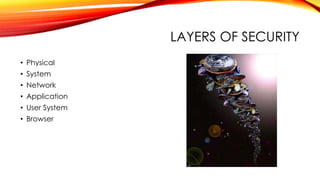
LAYERS OF SECURITY
• Physical
• System
• Network
• Application
• User System
• Browser
DEVELOPERS DEVELOPERS DEVELOPERS
• Application Security
• Knowing your threats.
• Securing the network, host and application.
• Incorporating security into your software development process
IT’S ALL ABOUT THE DATA
Ownership and Potential for Abuse
A WORD OF WARNING
Checklists do not solve all problems, but they do help those with swiss-
cheese memories (like me)
STEP 1: KNOW YOUR DATA
• What are you storing?
• Who does it come from?
• Who owns it?
• Does it need to have restricted access?
• Is it confidential?
• Does it need to be archived?
• Do we NEED this data?
STEP 2: KNOW YOUR USERS
• Are you attractive for hactivists?
• Are you attractive for ransom?
• Are you likely to be popular enough to be ddos’d?
• Will your competitors pay to have you hacked?
• Did you piss off an old dev or sysadmin who might be gunning for you?
• Do you have a lot of soccer moms?
• Do you have a lot of bored geeks?
STEP 3: KNOW YOUR LAWS
• http://www.csoonline.com/article/2126072/compliance/the-security-laws--
regulations-and-guidelines-directory.html
• There are a lot!!
• Basically, if you store financial information, medical information, information
about children under 13, or personal information that can be used for
identity theft – you need to do some reading up on laws.
STEP 4: MAKE GOOD DECISIONS
• Who has access?
• How will things be protected?
• How are you backing up?
• Do you have disaster plan?
• What happens if you get hacked?
• What happens if you derp? (Humans are so error-prone)
• What level of brokenness can you accept from a third party?
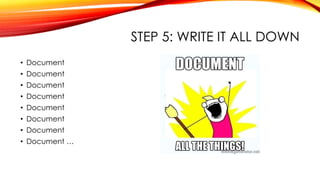
STEP 5: WRITE IT ALL DOWN
• Document
• Document
• Document
• Document
• Document
• Document
• Document
• Document …
ISN’T THIS KIND OF LIKE RISK
MANAGEMENT STUFF?
• Yes
• No
• Maybe
PRACTICE MAKES PERFECT
• Test your data backup and recovery plans
• Test your “you got hacked” plans
• Test your rules for data access
• Test hacking your site – it’s fun!
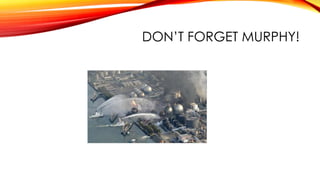
DON’T FORGET MURPHY!
BALANCING ACTS
Sometimes $x is > $y
WHY CONTEXT IS IMPORTANT
• Always balance
• Sailor moon forums are not as important as a bank website
• But that’s no reason to screw the basics
• People reuse passwords, you can’t stop them
• But you can’t be responsible for all user stupidity in the world
BEING SECURITY MINDED
But I’m only a developer and have no say!
THE PHYSICAL LAYER
• Usually someone else’s problem and decision
• But not always – did you get a say on the hosting provider?
• So do your research
THE SYSTEM LAYER
• Often someone else’s problem
• Unless you’re devops
• In which case – do your research
• Wait – in any case do your research
• Update, update, update and FIGHT for updates!!
THE NETWORK LAYER
• Learn how to use wireshark
• Learn about network design
• Learn about https and man-in-the-middle
• So when they ask you to talk to a database in another subnet you can tell
them “not without the proper encryption”
THE APPLICATION LAYER
• This is your problem
• “Just get it finished, we’ll secure it later” <- stupidest thing ever
• Good habits in coding breed secure code
• How do you create good habits?
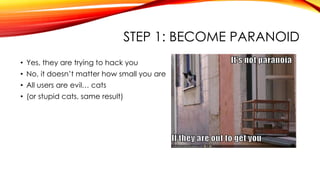
STEP 1: BECOME PARANOID
• Yes, they are trying to hack you
• No, it doesn’t matter how small you are
• All users are evil… cats
• (or stupid cats, same result)
STEP 2: KNOW YOUR VECTORS
• Input Validation
• Authentication
• Authorization
• Configuration management, Sensitive information, System
• Cryptography
• Parameter manipulation
• Exception/Error management
• Auditing and logging
OWASP TOP TEN
• Injection
• Broken Authentication and Session Management
• Cross-Site Scripting (XSS)
• Insecure Direct Object References
• Security Misconfiguration
• Sensitive Data Exposure
• Missing Function Level Access Control
• Cross-Site Request Forgery (CSRF)
• Using Components with Known Vulnerabilities
• Unvalidated Redirects and Forwards
INPUT VALIDATION
• Validate Input, Escape Output
• OWASP: Injection, XSS, Unvalidated Redirects and Forwards
• Make sure you get what you expected, always
• Do not assume anything
• Always be aware of context
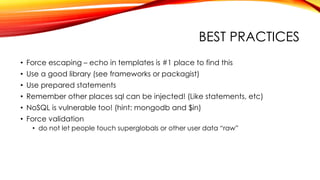
BEST PRACTICES
• Force escaping – echo in templates is #1 place to find this
• Use a good library (see frameworks or packagist)
• Use prepared statements
• Remember other places sql can be injected! (Like statements, etc)
• NoSQL is vulnerable too! (hint: mongodb and $in)
• Force validation
• do not let people touch superglobals or other user data “raw”
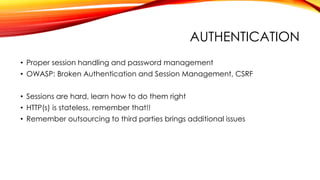
AUTHENTICATION
• Proper session handling and password management
• OWASP: Broken Authentication and Session Management, CSRF
• Sessions are hard, learn how to do them right
• HTTP(s) is stateless, remember that!!
• Remember outsourcing to third parties brings additional issues
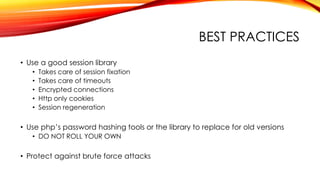
BEST PRACTICES
• Use a good session library
• Takes care of session fixation
• Takes care of timeouts
• Encrypted connections
• Http only cookies
• Session regeneration
• Use php’s password hashing tools or the library to replace for old versions
• DO NOT ROLL YOUR OWN
• Protect against brute force attacks
AUTHORIZATION
• What is your allowed access?
• OWASP: Insecure Direct Object References, Missing Function Level Access
Control
• Make sure you are locking down all paths to restricted data
• Whitelist instead of blacklisting access
BEST PRACTICES
• Use a library
• Test your code, both by hand and with testing frameworks
• Audit access to sensitive information
• Audit logins
• Make sure authentication is correct! Bad Authentication == bad
authorization!
CONFIGURATION MANAGEMENT,
SENSITIVE INFORMATION
SYSTEM SECURITY
• Access to information or system information
• OWASP: Security Misconfiguration, Sensitive Data Exposure
• Make sure you don’t let people see everything about your system and setup
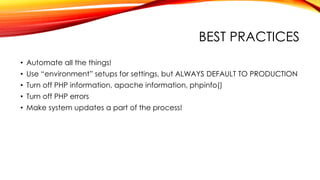
BEST PRACTICES
• Automate all the things!
• Use “environment” setups for settings, but ALWAYS DEFAULT TO PRODUCTION
• Turn off PHP information, apache information, phpinfo()
• Turn off PHP errors
• Make system updates a part of the process!
CRYPTOGRAPHY
• Using the wrong tool for the job
• OWASP: Security Misconfiguration, Using Components with Known
Vulnerabilities
• Cryptography is hard
• Are you a math major with specialization in cryptography?
BEST PRACTICES
• Do not roll your own
• Use PHP libraries
• Use PHP password tools
• Keep those libraries up to date!
• Heartbleed
PARAMETER MANIPULATION
• Evil Cat Users will muck with anything they can
• Headers
• Query params
• Post data
• Cookies
• OWASP: All of them
• Be prepared for everything
BEST PRACTICES
• Validate everything explicitly
• Whitelist, don’t blacklist
• Do not ever sanitize, instead escape output
EXCEPTION/ERROR MANAGEMENT
• Showing sensitive information or exploiting errors to tie up resources
• OWASP: Sensitive Data Exposure
• Make sure the USER doesn’t see the problem, that’s for the developer and
sysadmin
BEST PRACTICES
• Log (most) everything
• Don’t display errors
AUDITING AND LOGGING
• Do it
• Test it
• People will try REALLY hard to bypass it, so watch for patterns!
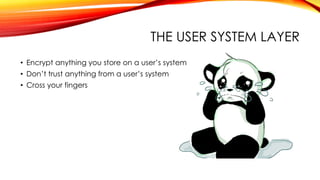
THE USER SYSTEM LAYER
• Encrypt anything you store on a user’s system
• Don’t trust anything from a user’s system
• Cross your fingers
THE BROWSER LAYER
• Use a good library for cross-browser abstraction
• Make sure to be aware of browser bugs and exploits
• Use the flags browser provide
• Remember that xss and all the other attacks occur in javascript too!
• http://www.slideshare.net/michael_coates/enabling-browser-security-in-
web-applications <- read up on mitigation
HOW CAN YOU HELP?
• Wish #1 – an open source PHP penetration test tool
• Wish #2 – an open source PHP static analysis tool
SECURITY TOOLS
• https://code.google.com/p/skipfish/
• http://rips-scanner.sourceforge.net/
• https://www.owasp.org/index.php/OWASP_Zed_Attack_Proxy_Project
• https://www.owasp.org/index.php/Appendix_A:_Testing_Tools
• http://www.symantec.com/security_response/publications/threatreport.jsp
WEB APPLICATION RESOURCES
• http://www.danielmiessler.com/projects/webappsec_testing_resources/
• http://owasp.org
• https://buildsecurityin.us-cert.gov/articles/best-practices/security-testing/risk-
based-and-functional-security-testing
• https://www.ethicalhacker.net/features/book-reviews/how-to-break-web-
software
• http://www.sans.org/security-resources/
PHP SECURITY RESOURCES
• http://www.php.net/manual/en/security.php
• http://phpsec.org/
• http://docforge.com/wiki/Web_application/Security
• http://www.phptherightway.com/
• http://websec.io/
• https://drupal.org/developing/best-practices
GO FORTH AND CONTACT
• auroraeosrose@gmail.com
• http://emsmith.net
• http://omniti.com/seeds/security-is-not-a-feature-its-a-state-of-mind
• https://joind.in/10619

Security is not a feature

  • 1.
    SECURITY IS NOTA FEATURE It’s a state of mind
  • 2.
    WHY TALK ABOUTSECURITY? • Everyone knows you filter input and escape output • Everyone knows you use https or tls or some other magic cryptography • Everyone knows you use prepared statements • Everyone knows you apply security patches to your system • Everyone knows as long as you’re PCI compliant you’re safe • Everyone knows a firewall appliance blocks everything • Everyone is stupid
  • 3.
  • 4.
    AND REMEMBER, THENSA IS WATCHING…
  • 5.
    LIES AND DAMNSTATISTICS • 91% increase in targeted attacks campaigns in 2013 • 62% increase in the number of breaches in 2013 • Over 552M identities were exposed via breaches in 2013 • 23 zero-day vulnerabilities discovered • 38% of mobile users have experienced mobile cybercrime in past 12 months • Spam volume dropped to 66% of all email traffic • 1 in 392 emails contain a phishing attacks • Web-based attacks are up 23% • 1 in 8 legitimate websites have a critical vulnerability Symantec 2014 Internet Security Threat Report, Volume 19
  • 6.
    MAKE IT SO Ok,site done, now security++
  • 7.
    “ ” THE STATE OFBEING PROTECTED OR SAFE FROM HARM THINGS DONE TO MAKE PEOPLE OR PLACES SAFE Definition of Security from merriam-webster Both a state and a process
  • 8.
    SECURITY !== … •A feature at the end of the project • Meeting some compliance checklist • A single person or team’s job • Hiring someone to do it afterward • A tool or appliance • A boolean
  • 9.
    SECURITY === … •An ongoing process • A paranoid way of thinking • The acknowledgment that you will be hacked at some point • Habit • Everybody’s problem
  • 10.
    LAYERS OF SECURITY •Physical • System • Network • Application • User System • Browser
  • 11.
    DEVELOPERS DEVELOPERS DEVELOPERS •Application Security • Knowing your threats. • Securing the network, host and application. • Incorporating security into your software development process
  • 12.
    IT’S ALL ABOUTTHE DATA Ownership and Potential for Abuse
  • 13.
    A WORD OFWARNING Checklists do not solve all problems, but they do help those with swiss- cheese memories (like me)
  • 14.
    STEP 1: KNOWYOUR DATA • What are you storing? • Who does it come from? • Who owns it? • Does it need to have restricted access? • Is it confidential? • Does it need to be archived? • Do we NEED this data?
  • 15.
    STEP 2: KNOWYOUR USERS • Are you attractive for hactivists? • Are you attractive for ransom? • Are you likely to be popular enough to be ddos’d? • Will your competitors pay to have you hacked? • Did you piss off an old dev or sysadmin who might be gunning for you? • Do you have a lot of soccer moms? • Do you have a lot of bored geeks?
  • 16.
    STEP 3: KNOWYOUR LAWS • http://www.csoonline.com/article/2126072/compliance/the-security-laws-- regulations-and-guidelines-directory.html • There are a lot!! • Basically, if you store financial information, medical information, information about children under 13, or personal information that can be used for identity theft – you need to do some reading up on laws.
  • 17.
    STEP 4: MAKEGOOD DECISIONS • Who has access? • How will things be protected? • How are you backing up? • Do you have disaster plan? • What happens if you get hacked? • What happens if you derp? (Humans are so error-prone) • What level of brokenness can you accept from a third party?
  • 18.
    STEP 5: WRITEIT ALL DOWN • Document • Document • Document • Document • Document • Document • Document • Document …
  • 19.
    ISN’T THIS KINDOF LIKE RISK MANAGEMENT STUFF? • Yes • No • Maybe
  • 20.
    PRACTICE MAKES PERFECT •Test your data backup and recovery plans • Test your “you got hacked” plans • Test your rules for data access • Test hacking your site – it’s fun!
  • 21.
  • 22.
  • 23.
    WHY CONTEXT ISIMPORTANT • Always balance • Sailor moon forums are not as important as a bank website • But that’s no reason to screw the basics • People reuse passwords, you can’t stop them • But you can’t be responsible for all user stupidity in the world
  • 24.
    BEING SECURITY MINDED ButI’m only a developer and have no say!
  • 25.
    THE PHYSICAL LAYER •Usually someone else’s problem and decision • But not always – did you get a say on the hosting provider? • So do your research
  • 26.
    THE SYSTEM LAYER •Often someone else’s problem • Unless you’re devops • In which case – do your research • Wait – in any case do your research • Update, update, update and FIGHT for updates!!
  • 27.
    THE NETWORK LAYER •Learn how to use wireshark • Learn about network design • Learn about https and man-in-the-middle • So when they ask you to talk to a database in another subnet you can tell them “not without the proper encryption”
  • 28.
    THE APPLICATION LAYER •This is your problem • “Just get it finished, we’ll secure it later” <- stupidest thing ever • Good habits in coding breed secure code • How do you create good habits?
  • 29.
    STEP 1: BECOMEPARANOID • Yes, they are trying to hack you • No, it doesn’t matter how small you are • All users are evil… cats • (or stupid cats, same result)
  • 30.
    STEP 2: KNOWYOUR VECTORS • Input Validation • Authentication • Authorization • Configuration management, Sensitive information, System • Cryptography • Parameter manipulation • Exception/Error management • Auditing and logging
  • 31.
    OWASP TOP TEN •Injection • Broken Authentication and Session Management • Cross-Site Scripting (XSS) • Insecure Direct Object References • Security Misconfiguration • Sensitive Data Exposure • Missing Function Level Access Control • Cross-Site Request Forgery (CSRF) • Using Components with Known Vulnerabilities • Unvalidated Redirects and Forwards
  • 32.
    INPUT VALIDATION • ValidateInput, Escape Output • OWASP: Injection, XSS, Unvalidated Redirects and Forwards • Make sure you get what you expected, always • Do not assume anything • Always be aware of context
  • 33.
    BEST PRACTICES • Forceescaping – echo in templates is #1 place to find this • Use a good library (see frameworks or packagist) • Use prepared statements • Remember other places sql can be injected! (Like statements, etc) • NoSQL is vulnerable too! (hint: mongodb and $in) • Force validation • do not let people touch superglobals or other user data “raw”
  • 34.
    AUTHENTICATION • Proper sessionhandling and password management • OWASP: Broken Authentication and Session Management, CSRF • Sessions are hard, learn how to do them right • HTTP(s) is stateless, remember that!! • Remember outsourcing to third parties brings additional issues
  • 35.
    BEST PRACTICES • Usea good session library • Takes care of session fixation • Takes care of timeouts • Encrypted connections • Http only cookies • Session regeneration • Use php’s password hashing tools or the library to replace for old versions • DO NOT ROLL YOUR OWN • Protect against brute force attacks
  • 36.
    AUTHORIZATION • What isyour allowed access? • OWASP: Insecure Direct Object References, Missing Function Level Access Control • Make sure you are locking down all paths to restricted data • Whitelist instead of blacklisting access
  • 37.
    BEST PRACTICES • Usea library • Test your code, both by hand and with testing frameworks • Audit access to sensitive information • Audit logins • Make sure authentication is correct! Bad Authentication == bad authorization!
  • 38.
    CONFIGURATION MANAGEMENT, SENSITIVE INFORMATION SYSTEMSECURITY • Access to information or system information • OWASP: Security Misconfiguration, Sensitive Data Exposure • Make sure you don’t let people see everything about your system and setup
  • 39.
    BEST PRACTICES • Automateall the things! • Use “environment” setups for settings, but ALWAYS DEFAULT TO PRODUCTION • Turn off PHP information, apache information, phpinfo() • Turn off PHP errors • Make system updates a part of the process!
  • 40.
    CRYPTOGRAPHY • Using thewrong tool for the job • OWASP: Security Misconfiguration, Using Components with Known Vulnerabilities • Cryptography is hard • Are you a math major with specialization in cryptography?
  • 41.
    BEST PRACTICES • Donot roll your own • Use PHP libraries • Use PHP password tools • Keep those libraries up to date! • Heartbleed
  • 42.
    PARAMETER MANIPULATION • EvilCat Users will muck with anything they can • Headers • Query params • Post data • Cookies • OWASP: All of them • Be prepared for everything
  • 43.
    BEST PRACTICES • Validateeverything explicitly • Whitelist, don’t blacklist • Do not ever sanitize, instead escape output
  • 44.
    EXCEPTION/ERROR MANAGEMENT • Showingsensitive information or exploiting errors to tie up resources • OWASP: Sensitive Data Exposure • Make sure the USER doesn’t see the problem, that’s for the developer and sysadmin
  • 45.
    BEST PRACTICES • Log(most) everything • Don’t display errors
  • 46.
    AUDITING AND LOGGING •Do it • Test it • People will try REALLY hard to bypass it, so watch for patterns!
  • 47.
    THE USER SYSTEMLAYER • Encrypt anything you store on a user’s system • Don’t trust anything from a user’s system • Cross your fingers
  • 48.
    THE BROWSER LAYER •Use a good library for cross-browser abstraction • Make sure to be aware of browser bugs and exploits • Use the flags browser provide • Remember that xss and all the other attacks occur in javascript too! • http://www.slideshare.net/michael_coates/enabling-browser-security-in- web-applications <- read up on mitigation
  • 49.
    HOW CAN YOUHELP? • Wish #1 – an open source PHP penetration test tool • Wish #2 – an open source PHP static analysis tool
  • 50.
    SECURITY TOOLS • https://code.google.com/p/skipfish/ •http://rips-scanner.sourceforge.net/ • https://www.owasp.org/index.php/OWASP_Zed_Attack_Proxy_Project • https://www.owasp.org/index.php/Appendix_A:_Testing_Tools • http://www.symantec.com/security_response/publications/threatreport.jsp
  • 51.
    WEB APPLICATION RESOURCES •http://www.danielmiessler.com/projects/webappsec_testing_resources/ • http://owasp.org • https://buildsecurityin.us-cert.gov/articles/best-practices/security-testing/risk- based-and-functional-security-testing • https://www.ethicalhacker.net/features/book-reviews/how-to-break-web- software • http://www.sans.org/security-resources/
  • 52.
    PHP SECURITY RESOURCES •http://www.php.net/manual/en/security.php • http://phpsec.org/ • http://docforge.com/wiki/Web_application/Security • http://www.phptherightway.com/ • http://websec.io/ • https://drupal.org/developing/best-practices
  • 53.
    GO FORTH ANDCONTACT • auroraeosrose@gmail.com • http://emsmith.net • http://omniti.com/seeds/security-is-not-a-feature-its-a-state-of-mind • https://joind.in/10619

Editor's Notes

  • #2 So this talk actually started because I noticed fewer security talks, both for beginners and advanced users, popping up at conferences. I pitch on average one security talk to every conference so I know it can’t possibly be for that reason However this is the most broad I’ve spoken about and might get a little ranty Why I like security – my very first conference was at php|tek in 2007 where Chris Schiflett spoke on security In fact, he opened up a website and hacked amazon That really opened my eyes to the fact that the things you’re doing can be used in bad ways
  • #3 I believe these are some of the reasons you DON’T see as many security talks as you used to Part of it has to do with the PHP community growing up – and forgetting that for every advanced dev there are still 2 jr. devs Part of it is the boredom factor of having the same kinds of talks year after year… and yet people still need that same information every time Part of it is the advent of people selling security, as though the magic bullet fixes all the things Part of it is over reliance on other people’s solutions to security without a good solid look at what they’re peddling
  • #4 However, forgetting about security and failing to realize that security can totally screw you over leads not only to huge data breaches, but small ones as well Even php.net was hacked this year And often the attack vector is not what you think – there are literally thousands of ways to be up a creek without a paddle, hundreds of ways that things can totally break
  • #5 IN addition to people trying to hack systems for glory and money and anything else, remember there are also governments undermining the worlds And so much of what you did is built by volunteers Best thing you can really do? Learn some C and help out with your stack
  • #6 These stats should scare you – the amount of attacks going on right now is unprecented – for example name 3 big attacks from the last year Who remembers how they occurred? Mention – heartbleed (simple bounds check missing), target (guy stole the hvac password who had COMPLETE ACCESS to the system) adobe – the list goes on
  • #7 “is our site secure” “ok it’s time to add security” “let’s run that through the analyzer to make it secure” What – like toggle the security flag? you can never protect anything perfectly all the time. So the question should be, "Is our site secure enough?"
  • #8 So there are multiple definitions of security – we’re going to take two One defines security as a state – a Boolean one or zero – but as you know the only things that are really 1s and 0s in computing are the bits flowing in the machine So that’s a horrible thing to view as security So the other thing is to view security as a process But like a process, security is never done So there is no “we are secure”
  • #9 The minute you allow your brain to see security as Boolean on or off, you fail Your site will be hacked, and you will be an unhappy camper – or your boss will be and you’ll be fired Any time you let someone else “worry about security” you’re also screwed Don’t let people sell you security!! They’re going to waste your money! So if all these things are NOT security – what IS security?
  • #10 Evil monkey’s talk – Imagine all your users are evil cats – because I’ve been told evil monkeys is “speciest”
  • #32 Wait– these look pretty damn similar don’t’ they? The OWASP Top Ten represents a broad consensus about what the most critical web application security flaws are. Project members include a variety of security experts from around the world who have shared their expertise to produce this list. We urge all companies to adopt this awareness document within their organization and start the process of ensuring that their web applications do not contain these flaws. Adopting the OWASP Top Ten is perhaps the most effective first step towards changing the software development culture within your organization into one that produces secure code Open Web Application Security Project
  • #33 Buffer overflow; cross-site scripting; SQL injection; canonicalization However I’m going to say don’t “filter” naything – that’s a poorly overloaded word and attempting to “sanitize” or “clean” data is always fail
  • #34 Wrap echo up in something so you’re sure that data coming out is always sanitized ZF2 and the autoescape in templates issue (and my take on the whole thing) Be aware of things like mongodb! Theres a page on injection security at php.net AND at the mongodb site – READ AND LEARN
  • #35 Network eavesdropping ; Brute force attack; dictionary attacks; cookie replay; credential theft Session hijacking; session replay; man in the middle
  • #36 Credentials can be guessed or overwritten through weak account management functions (e.g., account creation, change password, recover password, weak session IDs). Session IDs are exposed in the URL (e.g., URL rewriting). Session IDs are vulnerable to session fixation attacks. Session IDs don’t timeout, or user sessions or authentication tokens, particularly single sign-on (SSO) tokens, aren’t properly invalidated during logout. Session IDs aren’t rotated after successful login. Passwords, session IDs, and other credentials are sent over unencrypted connections. See A6.
  • #37 Elevation of privilege; disclosure of confidential data; data tampering; luring attacks
  • #39 Unauthorized access to administration interfaces; unauthorized access to configuration stores; retrieval of clear text configuration data; lack of individual accountability; over-privileged process and service accounts Access sensitive data in storage; network eavesdropping; data tampering