Online giving
for K-12 public schools
      made simple
                          1
   In order to hear the audio for this webinar
    please dial in on a phone.

   The number is 866.740.1260

   The pass code is: 3254294


                                                  2
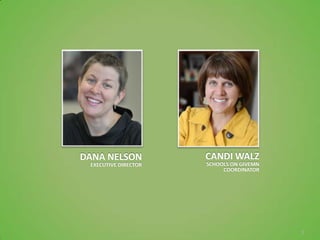
DANA NELSON           CANDI WALZ
 EXECUTIVE DIRECTOR   SCHOOLS ON GIVEMN
                           COORDINATOR


                                          3
AGENDA

               How Does GiveMN Work?
                 How do I get started?
                  Give to the Max Day
              Promoting your school page
(For Give to the Max Day and beyond; communications
                       inventory)
                        Examples
                          Q&A


                                                      4
GiveMN is a collaborative venture to grow charitable
   giving in Minnesota and move more of it online.

GiveMN is an independent 501c3 support organization
of the Minnesota Community Foundation, which is an
      affiliate of Minnesota Philanthropy Partners.


                                                       5
Public schools
are on GiveMN.org!
                     6
Online Giving Trends
   The nonprofit sector has experience double-digit
    growth in online giving since 2009 (Blackbaud)
   Since its launch in 2009, GiveMN has helped raise
    over $50 million for over 6,600 nonprofits,
    outpacing the national platform Facebook Causes
    which had raised $40 million between 2007-2011.
   Give to the Max Day is the largest one-day
    fundraising event in Minnesota. In 2011, $13.4
    million was donated by over 47,000 people for
    3,978 charities.
                                                        7
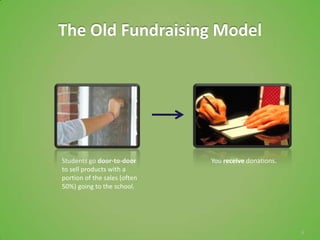
The Old Fundraising Model


Students go door-to-door      You receive donations.
to sell products with a
portion of the sales (often
50%) going to the school.


                                                       8
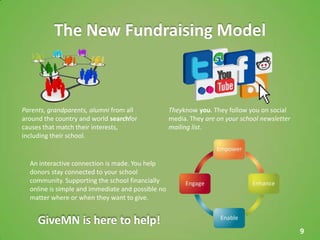
The New Fundraising Model


Parents, grandparents, alumni from all             Theyknow you. They follow you on social
around the country and world searchfor             media. They are on your school newsletter
causes that match their interests,                 mailing list.
including their school.


  An interactive connection is made. You help
  donors stay connected to your school
  community. Supporting the school financially
  online is simple and immediate and possible no
  matter where or when they want to give.


     GiveMN is here to help!
                                                                                               9
Who is GiveMN?


                 10
Who is GiveMN?


                 11
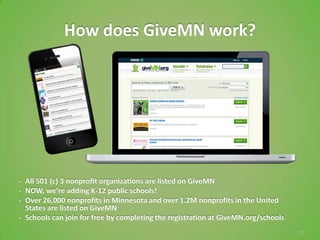
How does GiveMN work?


•   All 501 (c) 3 nonprofit organizations are listed on GiveMN
•   NOW, we’re adding K-12 public schools!
•   Over 26,000 nonprofits in Minnesota and over 1.2M nonprofits in the United
    States are listed on GiveMN
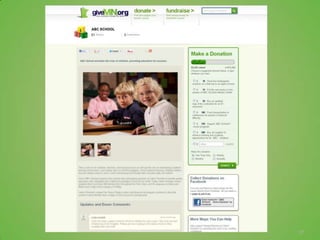
•   Schools can join for free by completing the registration at GiveMN.org/schools
                                                                                     12
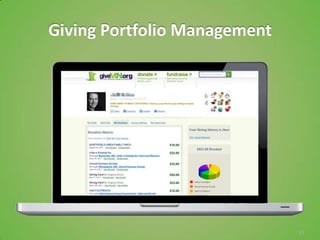
Giving Portfolio Management


                              13
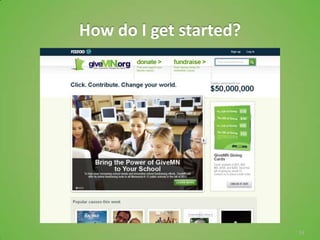
How do I get started?


                        14
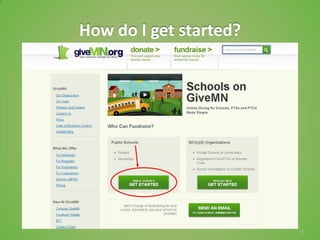
How do I get started?


                        15
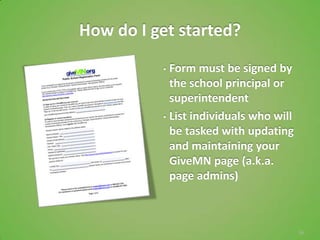
How do I get started?
          • Form must be signed by
            the school principal or
            superintendent
          • List individuals who will
            be tasked with updating
            and maintaining your
            GiveMN page (a.k.a.
            page admins)


                                        16
17
18
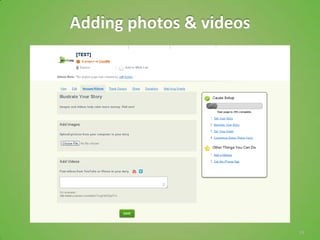
Adding photos & videos


                         19
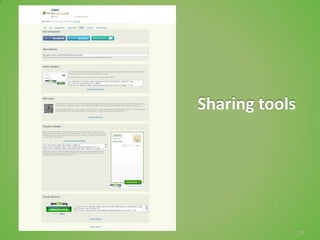
Sharing tools


                20
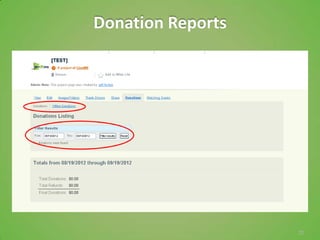
Donation Reports


                   21
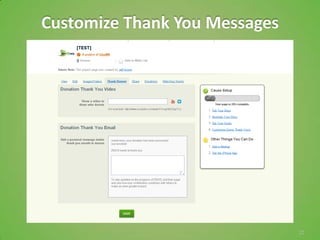
Customize Thank You Messages


                               22
Customizing a Thank You Message
   Thank You Video
     Videos pop up immediately after a donor makes a
      donation.

   Thank you message
     Add a few lines of text to make the thank you email
      more personal.
     Consider adding special thank you messages for Give
      to the Max Day


                                                            23
Thank your donors
Send a thank you from your school to the donor in addition
to the confirmation email sent from Razoo/GiveMN.
• Make it personal
• Make it meaningful
• Be prompt – research shows that this increases the
   likelihood of receiving future gifts from the donor
    Email in within 1-2 days
    Mail within two weeks

Whether you send the thank-you by mail or email may depend on the address
information provided by the donor. Consider email only thank you letters for
gifts under $100 or if you have a very small staff. Many donors give prefer
email acknowledgements over paper – especially if they’re giving online.

                                                                               24
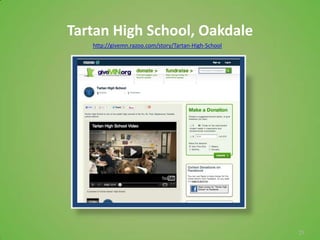
Tartan High School, Oakdale
   http://givemn.razoo.com/story/Tartan-High-School


                                                      25
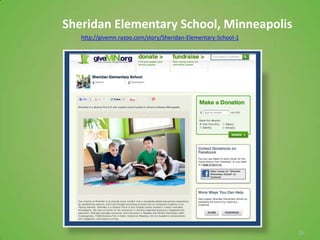
Sheridan Elementary School, Minneapolis
   http://givemn.razoo.com/story/Sheridan-Elementary-School-1


                                                                26
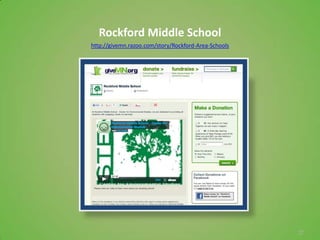
Rockford Middle School
http://givemn.razoo.com/story/Rockford-Area-Schools


                                                      27
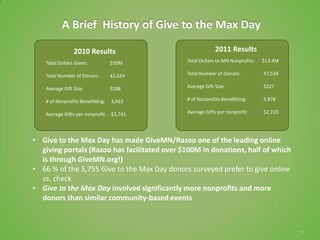
A Brief History of Give to the Max Day

                 2010 Results                              2011 Results
    Total Dollars Given:           $10M       Total Dollars to MN Nonprofits:   $13.4M

    Total Number of Donors:        42,624     Total Number of Donors:           47,534

    Average Gift Size:             $188       Average Gift Size:                $227

    # of Nonprofits Benefitting:   3,663      # of Nonprofits Benefitting:      3,978

    Average Gifts per nonprofit: $2,741       Average Gifts per nonprofit:      $2,720


• Give to the Max Day has made GiveMN/Razoo one of the leading online
  giving portals (Razoo has facilitated over $100M in donations, half of which
  is through GiveMN.org!)
• 66 % of the 5,755 Give to the Max Day donors surveyed prefer to give online
  vs. check
• Give to the Max Day involved significantly more nonprofits and more
  donors than similar community-based events


                                                                                         29
Give to the Max Day is THE day to give – a NEW category
                 for K-12 public schools !

During Give to the Max Day, 2012 K-12 public schools will be
eligible for prize grants in the form of hourly “Golden Tickets”
– an hourly drawing to add $1,000 to a person’s donation,
randomly selected from donors who gave during each hour of
the event. At the end of the event, one K-12 public school
donor will be drawn to receive a Super-sized Golden Ticket,
adding $10,000 to their donation!

This golden ticket category includes K-12 public schools, K-12
public school PTAs, charter schools and K-12 public school
foundations.


                                                                   30
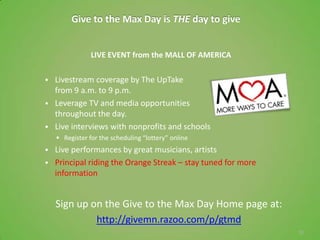
Give to the Max Day is THE day to give


                LIVE EVENT from the MALL OF AMERICA

   Livestream coverage by The UpTake
    from 9 a.m. to 9 p.m.
   Leverage TV and media opportunities
    throughout the day.
   Live interviews with nonprofits and schools
     Register for the scheduling “lottery” online
   Live performances by great musicians, artists
   Principal riding the Orange Streak – stay tuned for more
    information


    Sign up on the Give to the Max Day Home page at:
             http://givemn.razoo.com/p/gtmd
                                                               31
Getting Ready for Give to the Max Day
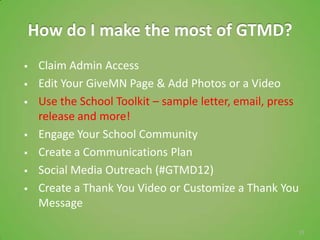
How do I make the most of GTMD?
    Claim Admin Access
    Edit Your GiveMN Page & Add Photos or a Video
    Use the School Toolkit – sample letter, email, press
     release and more!
    Engage Your School Community
    Create a Communications Plan
    Social Media Outreach (#GTMD12)
    Create a Thank You Video or Customize a Thank You
     Message

                                                        33
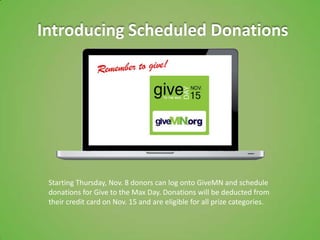
Introducing Scheduled Donations


 Starting Thursday, Nov. 8 donors can log onto GiveMN and schedule
 donations for Give to the Max Day. Donations will be deducted from
 their credit card on Nov. 15 and are eligible for all prize categories.
Communication Inventory
   Share the link to donate on your PTA page if you have
    one and on your school web page if you are allowed
   Share the online donation information in all your print
    materials - like a flyer that goes home in students’
    backpacks
   Email the link to parents, ask them to give and to
    forward the link to others
   Share the link on social media, and encourage parents,
    students, alumni etc. to do so
     Facebook
     Other social media (Twitter, Google+, Pinterest)?


                                                              35
Connect with us
 Facebook.com/givemn
 Twitter.com/givemn
 YouTube.com/givemn
 Blog.givemn.org

 Email: info@givemn.org

 Sign up for the Schools on GiveMN
 eNewsletter (The sign up link
 is at the bottom of our homepage)


                                     36

Schools on GiveMN: Public Schools Webinar

  • 1.
    Online giving for K-12public schools made simple 1
  • 2.
    In order to hear the audio for this webinar please dial in on a phone.  The number is 866.740.1260  The pass code is: 3254294 2
  • 3.
    DANA NELSON CANDI WALZ EXECUTIVE DIRECTOR SCHOOLS ON GIVEMN COORDINATOR 3
  • 4.
    AGENDA How Does GiveMN Work? How do I get started? Give to the Max Day Promoting your school page (For Give to the Max Day and beyond; communications inventory) Examples Q&A 4
  • 5.
    GiveMN is acollaborative venture to grow charitable giving in Minnesota and move more of it online. GiveMN is an independent 501c3 support organization of the Minnesota Community Foundation, which is an affiliate of Minnesota Philanthropy Partners. 5
  • 6.
    Public schools are onGiveMN.org! 6
  • 7.
    Online Giving Trends  The nonprofit sector has experience double-digit growth in online giving since 2009 (Blackbaud)  Since its launch in 2009, GiveMN has helped raise over $50 million for over 6,600 nonprofits, outpacing the national platform Facebook Causes which had raised $40 million between 2007-2011.  Give to the Max Day is the largest one-day fundraising event in Minnesota. In 2011, $13.4 million was donated by over 47,000 people for 3,978 charities. 7
  • 8.
    The Old FundraisingModel Students go door-to-door You receive donations. to sell products with a portion of the sales (often 50%) going to the school. 8
  • 9.
    The New FundraisingModel Parents, grandparents, alumni from all Theyknow you. They follow you on social around the country and world searchfor media. They are on your school newsletter causes that match their interests, mailing list. including their school. An interactive connection is made. You help donors stay connected to your school community. Supporting the school financially online is simple and immediate and possible no matter where or when they want to give. GiveMN is here to help! 9
  • 10.
  • 11.
  • 12.
    How does GiveMNwork? • All 501 (c) 3 nonprofit organizations are listed on GiveMN • NOW, we’re adding K-12 public schools! • Over 26,000 nonprofits in Minnesota and over 1.2M nonprofits in the United States are listed on GiveMN • Schools can join for free by completing the registration at GiveMN.org/schools 12
  • 13.
  • 14.
    How do Iget started? 14
  • 15.
    How do Iget started? 15
  • 16.
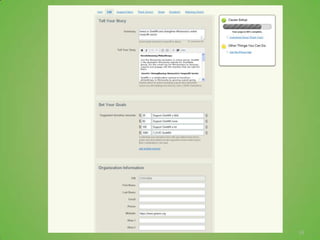
    How do Iget started? • Form must be signed by the school principal or superintendent • List individuals who will be tasked with updating and maintaining your GiveMN page (a.k.a. page admins) 16
  • 17.
  • 18.
  • 19.
    Adding photos &videos 19
  • 20.
  • 21.
  • 22.
  • 23.
    Customizing a ThankYou Message  Thank You Video  Videos pop up immediately after a donor makes a donation.  Thank you message  Add a few lines of text to make the thank you email more personal.  Consider adding special thank you messages for Give to the Max Day 23
  • 24.
    Thank your donors Senda thank you from your school to the donor in addition to the confirmation email sent from Razoo/GiveMN. • Make it personal • Make it meaningful • Be prompt – research shows that this increases the likelihood of receiving future gifts from the donor  Email in within 1-2 days  Mail within two weeks Whether you send the thank-you by mail or email may depend on the address information provided by the donor. Consider email only thank you letters for gifts under $100 or if you have a very small staff. Many donors give prefer email acknowledgements over paper – especially if they’re giving online. 24
  • 25.
    Tartan High School,Oakdale http://givemn.razoo.com/story/Tartan-High-School 25
  • 26.
    Sheridan Elementary School,Minneapolis http://givemn.razoo.com/story/Sheridan-Elementary-School-1 26
  • 27.
  • 29.
    A Brief Historyof Give to the Max Day 2010 Results 2011 Results Total Dollars Given: $10M Total Dollars to MN Nonprofits: $13.4M Total Number of Donors: 42,624 Total Number of Donors: 47,534 Average Gift Size: $188 Average Gift Size: $227 # of Nonprofits Benefitting: 3,663 # of Nonprofits Benefitting: 3,978 Average Gifts per nonprofit: $2,741 Average Gifts per nonprofit: $2,720 • Give to the Max Day has made GiveMN/Razoo one of the leading online giving portals (Razoo has facilitated over $100M in donations, half of which is through GiveMN.org!) • 66 % of the 5,755 Give to the Max Day donors surveyed prefer to give online vs. check • Give to the Max Day involved significantly more nonprofits and more donors than similar community-based events 29
  • 30.
    Give to theMax Day is THE day to give – a NEW category for K-12 public schools ! During Give to the Max Day, 2012 K-12 public schools will be eligible for prize grants in the form of hourly “Golden Tickets” – an hourly drawing to add $1,000 to a person’s donation, randomly selected from donors who gave during each hour of the event. At the end of the event, one K-12 public school donor will be drawn to receive a Super-sized Golden Ticket, adding $10,000 to their donation! This golden ticket category includes K-12 public schools, K-12 public school PTAs, charter schools and K-12 public school foundations. 30
  • 31.
    Give to theMax Day is THE day to give LIVE EVENT from the MALL OF AMERICA  Livestream coverage by The UpTake from 9 a.m. to 9 p.m.  Leverage TV and media opportunities throughout the day.  Live interviews with nonprofits and schools  Register for the scheduling “lottery” online  Live performances by great musicians, artists  Principal riding the Orange Streak – stay tuned for more information Sign up on the Give to the Max Day Home page at: http://givemn.razoo.com/p/gtmd 31
  • 32.
    Getting Ready forGive to the Max Day
  • 33.
    How do Imake the most of GTMD?  Claim Admin Access  Edit Your GiveMN Page & Add Photos or a Video  Use the School Toolkit – sample letter, email, press release and more!  Engage Your School Community  Create a Communications Plan  Social Media Outreach (#GTMD12)  Create a Thank You Video or Customize a Thank You Message 33
  • 34.
    Introducing Scheduled Donations Starting Thursday, Nov. 8 donors can log onto GiveMN and schedule donations for Give to the Max Day. Donations will be deducted from their credit card on Nov. 15 and are eligible for all prize categories.
  • 35.
    Communication Inventory  Share the link to donate on your PTA page if you have one and on your school web page if you are allowed  Share the online donation information in all your print materials - like a flyer that goes home in students’ backpacks  Email the link to parents, ask them to give and to forward the link to others  Share the link on social media, and encourage parents, students, alumni etc. to do so  Facebook  Other social media (Twitter, Google+, Pinterest)? 35
  • 36.
    Connect with us Facebook.com/givemn Twitter.com/givemn YouTube.com/givemn Blog.givemn.org Email: info@givemn.org Sign up for the Schools on GiveMN eNewsletter (The sign up link is at the bottom of our homepage) 36

Editor's Notes

  • #14 Account tracks all online donations on GiveMN – provides giving history, account summary and an opportunity to set up recurring donations
  • #15 Look for the Schools on GiveMN image and click “Learn more”
  • #16 Look for the Schools on GiveMN image and click “Learn more”
  • #17 Look for the Schools on GiveMN image and click “Learn more”
  • #35 Creating a Project page is the same process as creating a Fundraiser page. The difference lies in who is creating the page. If you are an admin, the page created with be a project of your nonprofit. If you are not an admin, you will be prompted to create a fundraising page for a nonprofit.