Start Time: 2:00pm EST
Welcome!
Webinar Audio:
You can dial the telephone numbers located on your webinar panel.
Or listen in using your microphone or computer speakers.
Live Webinar
Webinar Details
• Presentation is roughly 1 hour
• All phone lines are muted
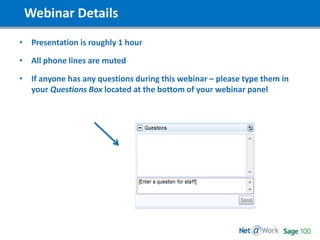
• If anyone has any questions during this webinar – please type them in
your Questions Box located at the bottom of your webinar panel
Today’s Slide Deck
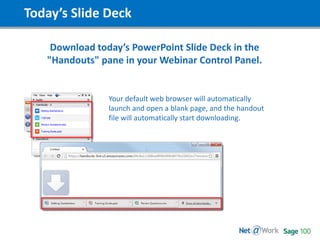
Download today’s PowerPoint Slide Deck in the
"Handouts" pane in your Webinar Control Panel.
Your default web browser will automatically
launch and open a blank page, and the handout
file will automatically start downloading.
Today’s Presenters
Maureen Bartels | Net@Work
Sage 100 Senior Business Consultant/Analyst
mbartels@netatwork.com
Sean Munzert | Net@Work
Sage 100 Client Care Executive
smunzert@netatwork.com
Today’s Agenda
• Backup – System / Companies
• Year-End
- Timing
- Module Closing Process
• Year-End Tax Table & Service Packs
• Accounts Payable - 1099s
• Payroll - W2s and ACA
• 2017 Tax Table Download
• Q & A
Start Time: 2:00pm EST
Let’s Get Started!
Backup!
• Test backups, please, throughout the year.
• At end of year, create a new company, give it a description of 2016 BU or
something similar and copy the current company to it.
• Ask your IT to create a backup for the full MAS 90 directory and save it for
Year End 20XX each year.
Year End Procedures
Who closes each module?
Set by Security in Role Maintenance, is usually run with accountants
direction.
When do I close each module?
Once all data has been entered for the prior year for each module and
reports are run and reconciled. Except for General Ledger and Payroll.
Why?
Simply said, to stop any processing into the past.
Where?
Period End Processing
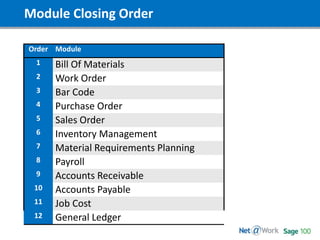
Module Closing Order
Order Module
1 Bill Of Materials
2 Work Order
3 Bar Code
4 Purchase Order
5 Sales Order
6 Inventory Management
7 Material Requirements Planning
8 Payroll
9 Accounts Receivable
10 Accounts Payable
11 Job Cost
12 General Ledger
Year End Procedures
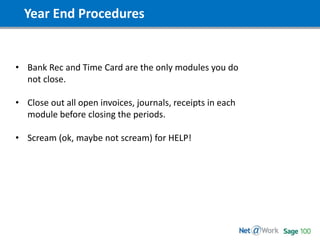
• Bank Rec and Time Card are the only modules you do
not close.
• Close out all open invoices, journals, receipts in each
module before closing the periods.
• Scream (ok, maybe not scream) for HELP!
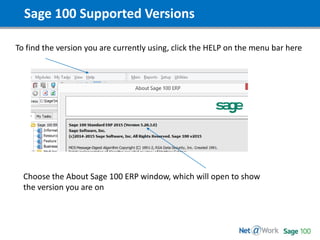
Sage 100 Supported Versions
To find the version you are currently using, click the HELP on the menu bar here
Choose the About Sage 100 ERP window, which will open to show
the version you are on
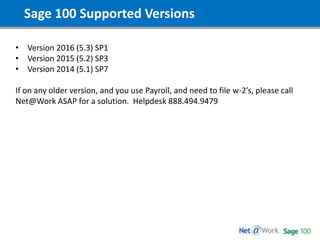
Sage 100 Supported Versions
• Version 2016 (5.3) SP1
• Version 2015 (5.2) SP3
• Version 2014 (5.1) SP7
If on any older version, and you use Payroll, and need to file w-2’s, please call
Net@Work ASAP for a solution. Helpdesk 888.494.9479
Year End SP’s, IRD and TTU
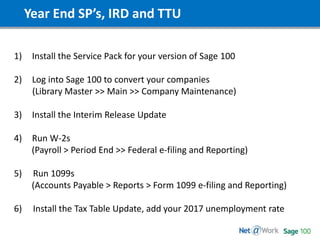
1) Install the Service Pack for your version of Sage 100
2) Log into Sage 100 to convert your companies
(Library Master >> Main >> Company Maintenance)
3) Install the Interim Release Update
4) Run W-2s
(Payroll > Period End >> Federal e-filing and Reporting)
5) Run 1099s
(Accounts Payable > Reports > Form 1099 e-filing and Reporting)
6) Install the Tax Table Update, add your 2017 unemployment rate
1099s
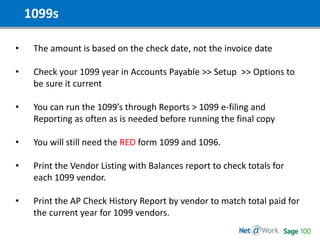
• The amount is based on the check date, not the invoice date
• Check your 1099 year in Accounts Payable >> Setup >> Options to
be sure it current
• You can run the 1099’s through Reports > 1099 e-filing and
Reporting as often as is needed before running the final copy
• You will still need the RED form 1099 and 1096.
• Print the Vendor Listing with Balances report to check totals for
each 1099 vendor.
• Print the AP Check History Report by vendor to match total paid for
the current year for 1099 vendors.
W-2’s
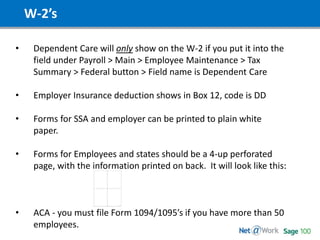
• Dependent Care will only show on the W-2 if you put it into the
field under Payroll > Main > Employee Maintenance > Tax
Summary > Federal button > Field name is Dependent Care
• Employer Insurance deduction shows in Box 12, code is DD
• Forms for SSA and employer can be printed to plain white
paper.
• Forms for Employees and states should be a 4-up perforated
page, with the information printed on back. It will look like this:
• ACA - you must file Form 1094/1095’s if you have more than 50
employees.
W-2’s
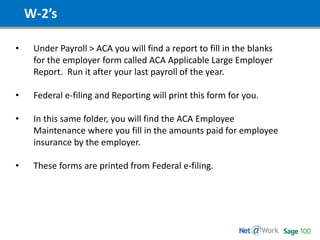
• Under Payroll > ACA you will find a report to fill in the blanks
for the employer form called ACA Applicable Large Employer
Report. Run it after your last payroll of the year.
• Federal e-filing and Reporting will print this form for you.
• In this same folder, you will find the ACA Employee
Maintenance where you fill in the amounts paid for employee
insurance by the employer.
• These forms are printed from Federal e-filing.
Important Websites
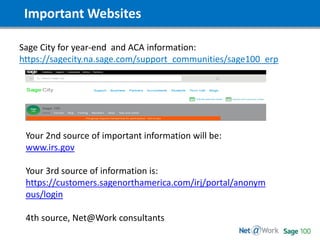
Sage City for year-end and ACA information:
https://sagecity.na.sage.com/support_communities/sage100_erp
Your 2nd source of important information will be:
www.irs.gov
Your 3rd source of information is:
https://customers.sagenorthamerica.com/irj/portal/anonym
ous/login
4th source, Net@Work consultants
Start Time: 2:00pm EST
Please type in
your questions
Thank You!
Shaun Garrity | Net@Work
Phone: (781) 713-0817
sgarrity@netatwork.com
Pat Russo | Net@Work
Phone: (646) 293-1767
prusso@netatwork.com
Stephanie Davis | Net@Work
Phone: 804-298-3812
sdavis@netatwork.com
Nicole Zandier | Net@Work
Phone: 215.809.2947
nzandier@netatwork.com
For more information, contact Your Net@Work Account Manager:
Maureen Bartels| Net@Work
Phone: 847.232.8805
mbartels@netatwork.com
Sean Munzert| Net@Work
Phone: (646) 293-1781
smunzert@netatwork.com

Sage 100 Year End Closing

  • 1.
    Start Time: 2:00pmEST Welcome! Webinar Audio: You can dial the telephone numbers located on your webinar panel. Or listen in using your microphone or computer speakers. Live Webinar
  • 2.
    Webinar Details • Presentationis roughly 1 hour • All phone lines are muted • If anyone has any questions during this webinar – please type them in your Questions Box located at the bottom of your webinar panel
  • 3.
    Today’s Slide Deck Downloadtoday’s PowerPoint Slide Deck in the "Handouts" pane in your Webinar Control Panel. Your default web browser will automatically launch and open a blank page, and the handout file will automatically start downloading.
  • 4.
    Today’s Presenters Maureen Bartels| Net@Work Sage 100 Senior Business Consultant/Analyst mbartels@netatwork.com Sean Munzert | Net@Work Sage 100 Client Care Executive smunzert@netatwork.com
  • 5.
    Today’s Agenda • Backup– System / Companies • Year-End - Timing - Module Closing Process • Year-End Tax Table & Service Packs • Accounts Payable - 1099s • Payroll - W2s and ACA • 2017 Tax Table Download • Q & A
  • 6.
    Start Time: 2:00pmEST Let’s Get Started!
  • 7.
    Backup! • Test backups,please, throughout the year. • At end of year, create a new company, give it a description of 2016 BU or something similar and copy the current company to it. • Ask your IT to create a backup for the full MAS 90 directory and save it for Year End 20XX each year.
  • 8.
    Year End Procedures Whocloses each module? Set by Security in Role Maintenance, is usually run with accountants direction. When do I close each module? Once all data has been entered for the prior year for each module and reports are run and reconciled. Except for General Ledger and Payroll. Why? Simply said, to stop any processing into the past. Where? Period End Processing
  • 9.
    Module Closing Order OrderModule 1 Bill Of Materials 2 Work Order 3 Bar Code 4 Purchase Order 5 Sales Order 6 Inventory Management 7 Material Requirements Planning 8 Payroll 9 Accounts Receivable 10 Accounts Payable 11 Job Cost 12 General Ledger
  • 10.
    Year End Procedures •Bank Rec and Time Card are the only modules you do not close. • Close out all open invoices, journals, receipts in each module before closing the periods. • Scream (ok, maybe not scream) for HELP!
  • 11.
    Sage 100 SupportedVersions To find the version you are currently using, click the HELP on the menu bar here Choose the About Sage 100 ERP window, which will open to show the version you are on
  • 12.
    Sage 100 SupportedVersions • Version 2016 (5.3) SP1 • Version 2015 (5.2) SP3 • Version 2014 (5.1) SP7 If on any older version, and you use Payroll, and need to file w-2’s, please call Net@Work ASAP for a solution. Helpdesk 888.494.9479
  • 13.
    Year End SP’s,IRD and TTU 1) Install the Service Pack for your version of Sage 100 2) Log into Sage 100 to convert your companies (Library Master >> Main >> Company Maintenance) 3) Install the Interim Release Update 4) Run W-2s (Payroll > Period End >> Federal e-filing and Reporting) 5) Run 1099s (Accounts Payable > Reports > Form 1099 e-filing and Reporting) 6) Install the Tax Table Update, add your 2017 unemployment rate
  • 14.
    1099s • The amountis based on the check date, not the invoice date • Check your 1099 year in Accounts Payable >> Setup >> Options to be sure it current • You can run the 1099’s through Reports > 1099 e-filing and Reporting as often as is needed before running the final copy • You will still need the RED form 1099 and 1096. • Print the Vendor Listing with Balances report to check totals for each 1099 vendor. • Print the AP Check History Report by vendor to match total paid for the current year for 1099 vendors.
  • 15.
    W-2’s • Dependent Carewill only show on the W-2 if you put it into the field under Payroll > Main > Employee Maintenance > Tax Summary > Federal button > Field name is Dependent Care • Employer Insurance deduction shows in Box 12, code is DD • Forms for SSA and employer can be printed to plain white paper. • Forms for Employees and states should be a 4-up perforated page, with the information printed on back. It will look like this: • ACA - you must file Form 1094/1095’s if you have more than 50 employees.
  • 16.
    W-2’s • Under Payroll> ACA you will find a report to fill in the blanks for the employer form called ACA Applicable Large Employer Report. Run it after your last payroll of the year. • Federal e-filing and Reporting will print this form for you. • In this same folder, you will find the ACA Employee Maintenance where you fill in the amounts paid for employee insurance by the employer. • These forms are printed from Federal e-filing.
  • 17.
    Important Websites Sage Cityfor year-end and ACA information: https://sagecity.na.sage.com/support_communities/sage100_erp Your 2nd source of important information will be: www.irs.gov Your 3rd source of information is: https://customers.sagenorthamerica.com/irj/portal/anonym ous/login 4th source, Net@Work consultants
  • 18.
    Start Time: 2:00pmEST Please type in your questions
  • 19.
    Thank You! Shaun Garrity| Net@Work Phone: (781) 713-0817 sgarrity@netatwork.com Pat Russo | Net@Work Phone: (646) 293-1767 prusso@netatwork.com Stephanie Davis | Net@Work Phone: 804-298-3812 sdavis@netatwork.com Nicole Zandier | Net@Work Phone: 215.809.2947 nzandier@netatwork.com For more information, contact Your Net@Work Account Manager: Maureen Bartels| Net@Work Phone: 847.232.8805 mbartels@netatwork.com Sean Munzert| Net@Work Phone: (646) 293-1781 smunzert@netatwork.com