Webinar Audio:
You can dial the telephone numbers located on your webinar panel.
Or listen in using your headphones or computer speakers.
FFCRA Planning & Working
Remotely Due to COVID-19
Wewillbeginshortly.
Welcome!
Live Webinar:
• Presentation is roughly 1 hour
• All phone lines are muted
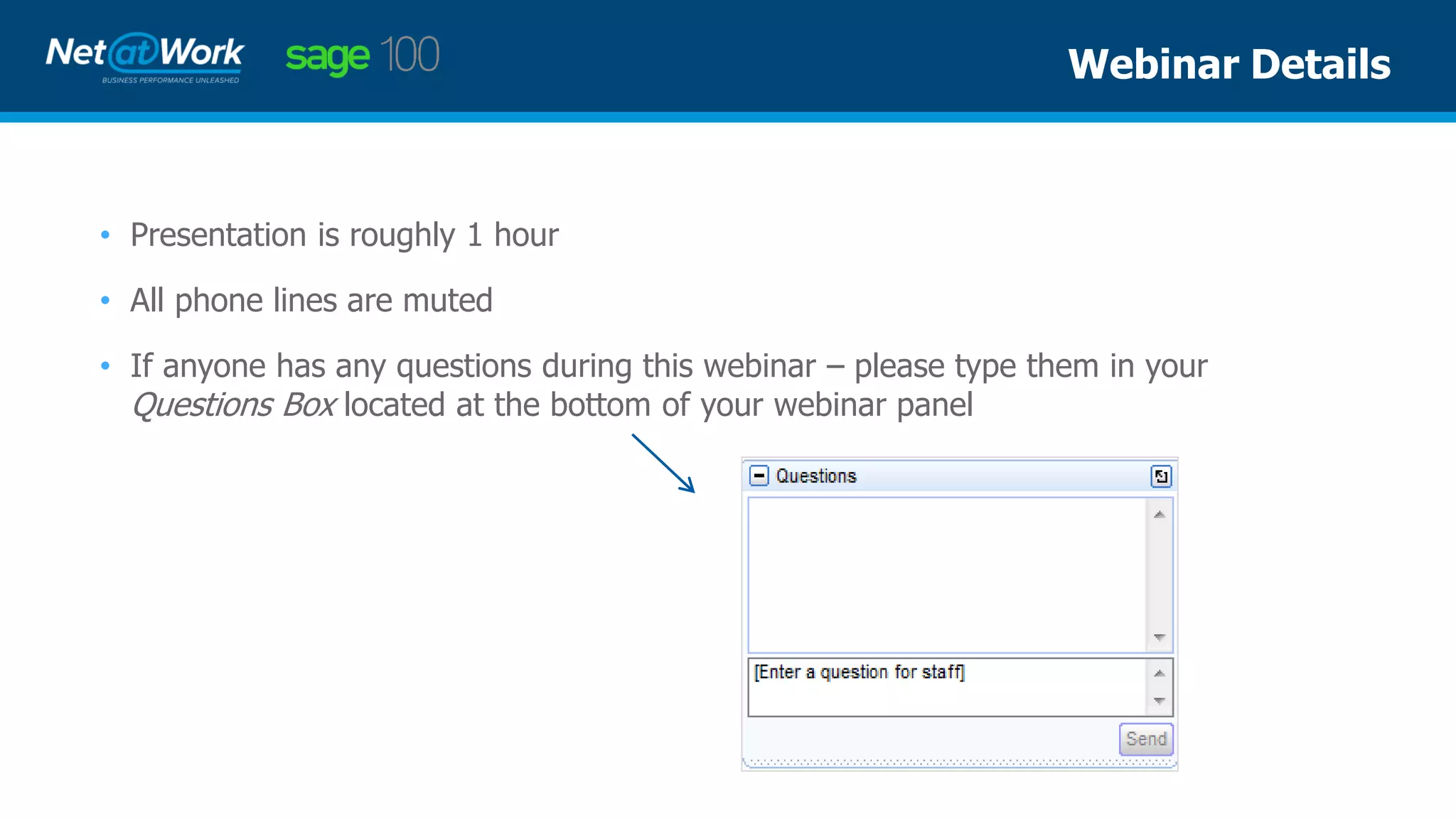
• If anyone has any questions during this webinar – please type them in your
Questions Box located at the bottom of your webinar panel
Webinar Details
Maureen Bartels | Net at Work
Senior Business Consultant
Presenter
• Security & Separation of Duties
• Automated processes for Sage 100
• Payroll – New Tax Rules v 2018 & v 2019
• Payroll – Earning Code Setup
• BI Reporting
• Cloud Hosting Options, with Tyler Bower
Agenda
Role Maintenance
• Split the processes to fit the location
Accounts Payable
• Allow 1 to enter the invoices, give another the ability to update them
• Allow 1 to select invoices to be paid, another to print and update
Security & Separation of Duties
Electronic Payments
• Accounts Payable – ACH payments for vendors
• Payroll – Direct Deposit for employees
Electronic signatures on checks
Email customer invoices and statements
Automated Processes
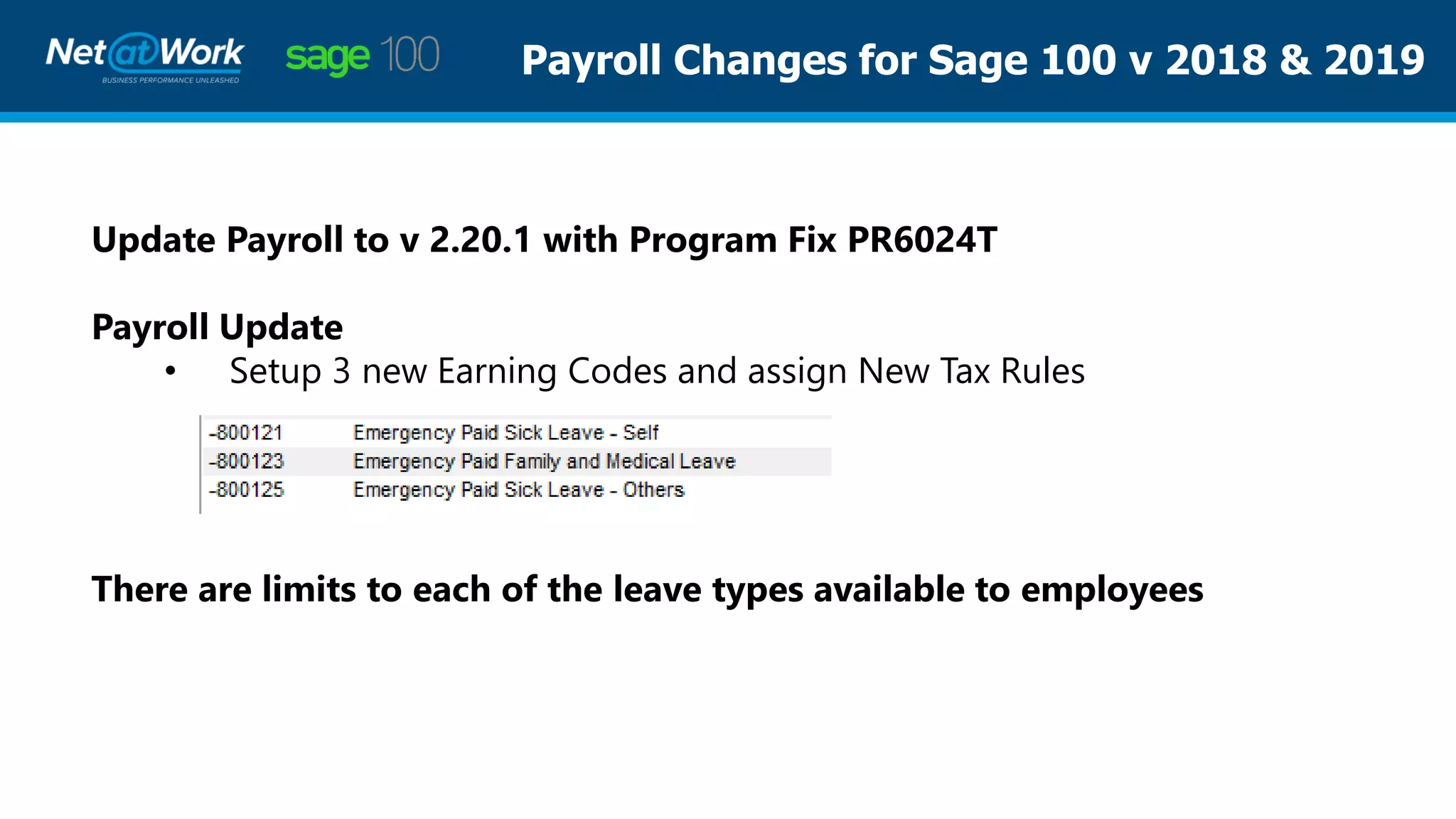
Payroll Changes for Sage 100 v 2018 & 2019
Update Payroll to v 2.20.1 with Program Fix PR6024T
Payroll Update
• Setup 3 new Earning Codes and assign New Tax Rules
There are limits to each of the leave types available to employees
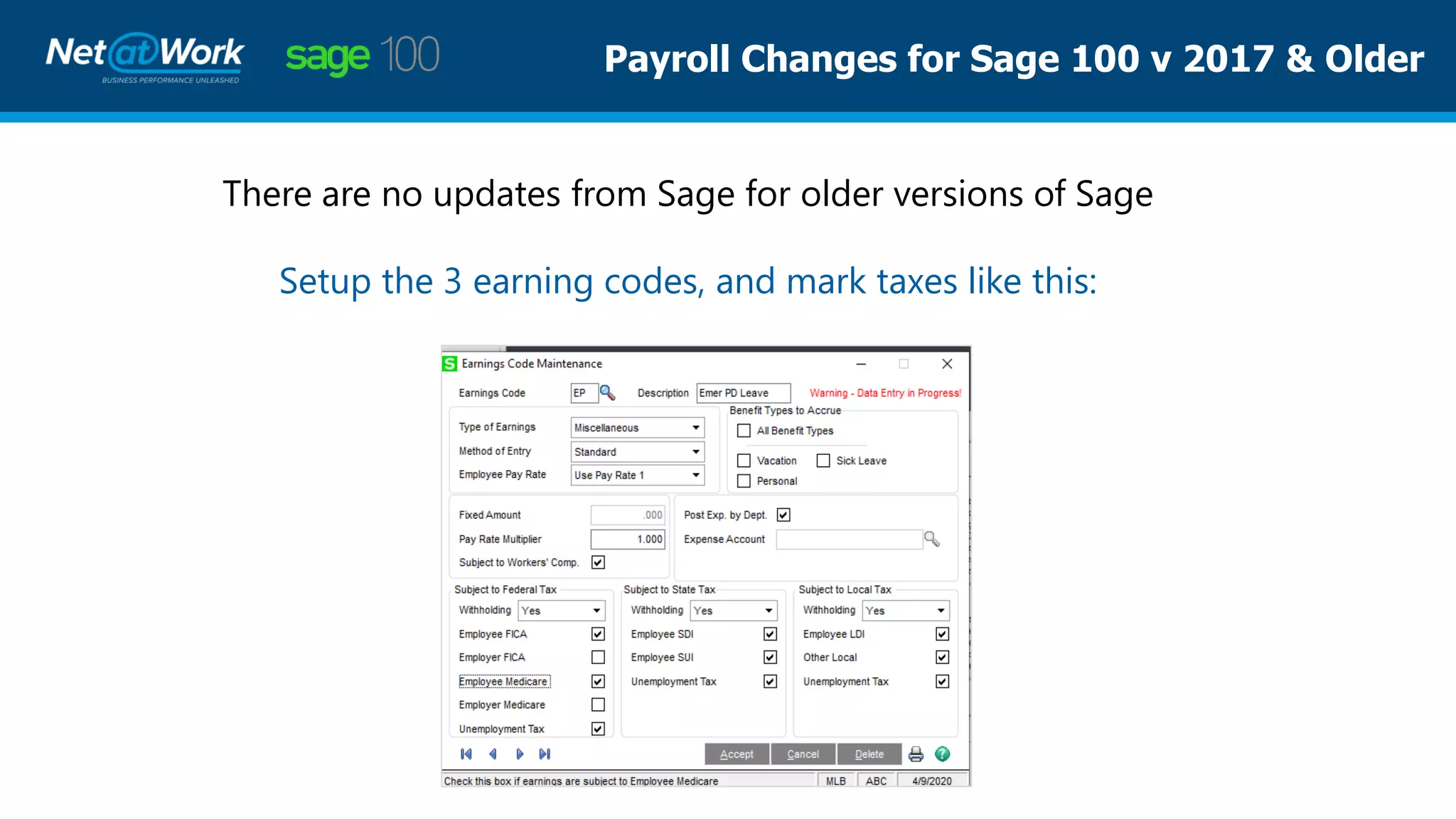
Payroll Changes for Sage 100 v 2017 & Older
There are no updates from Sage for older versions of Sage
Setup the 3 earning codes, and mark taxes like this:
Business Insights Reporting
✓ If new GL accounts are setup to track these new wages,
you can use BI Explorer to track them.
✓ Tracking specific accounts for specific dates for reporting
for your bank can also be done using BI Explorer
Important Websites for FFCRA Updates:
Your 1st source of important information will be:
www.irs.gov
Your 2nd source of important information will be:
https://sagecity.na.sage.com
Your 3rd source of information is:
https://customers.sagenorthamerica.com/irj/portal/anonymous/login
Your 4th source: Net at Work Consultants
Sage 100 & Cloud Hosting
Tyler Bower
Director of Cloud & Hosting Services
Cloud at Work, A Net at Work Sister Co.
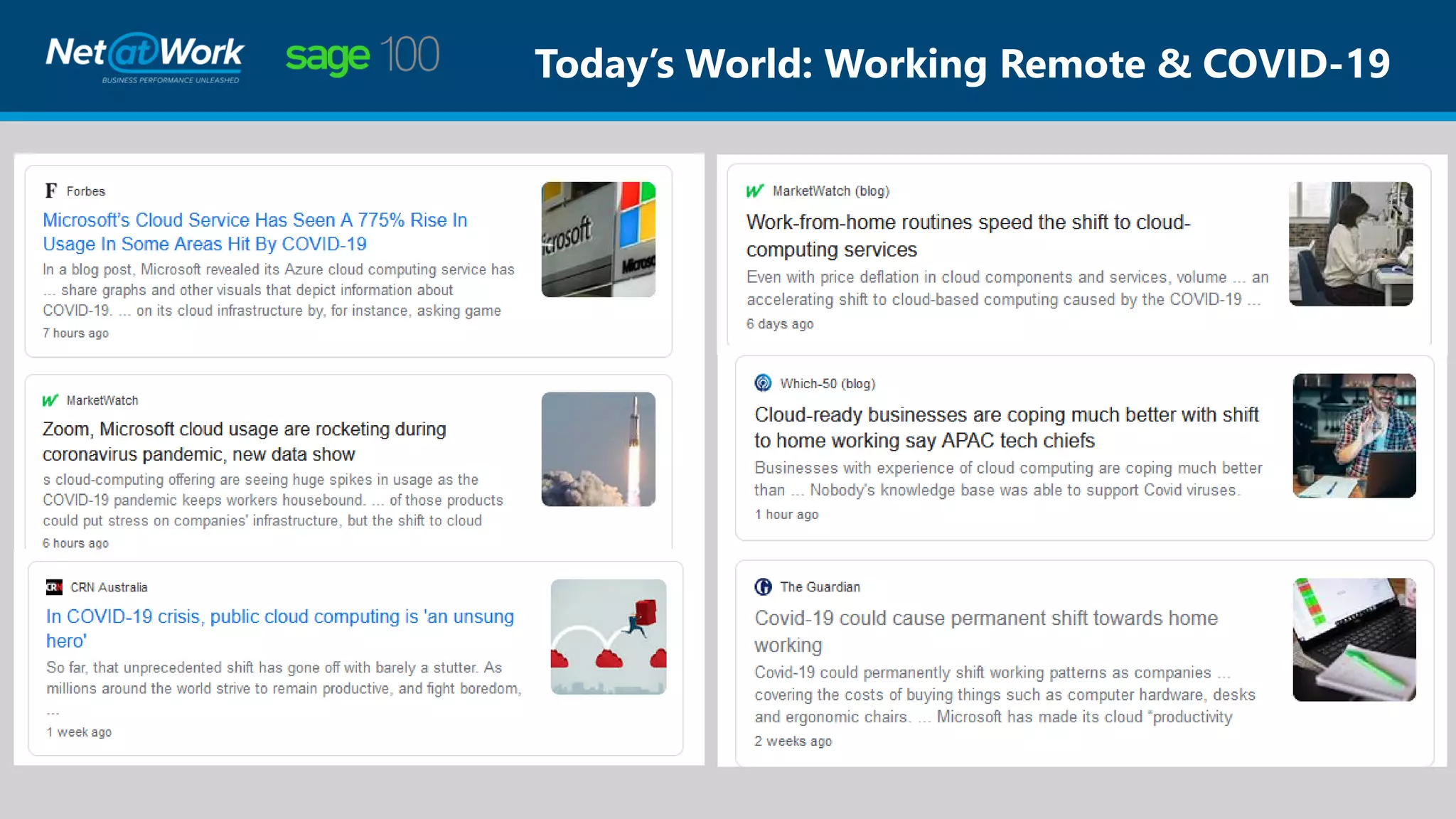
Today’s World: Working Remote & COVID-19
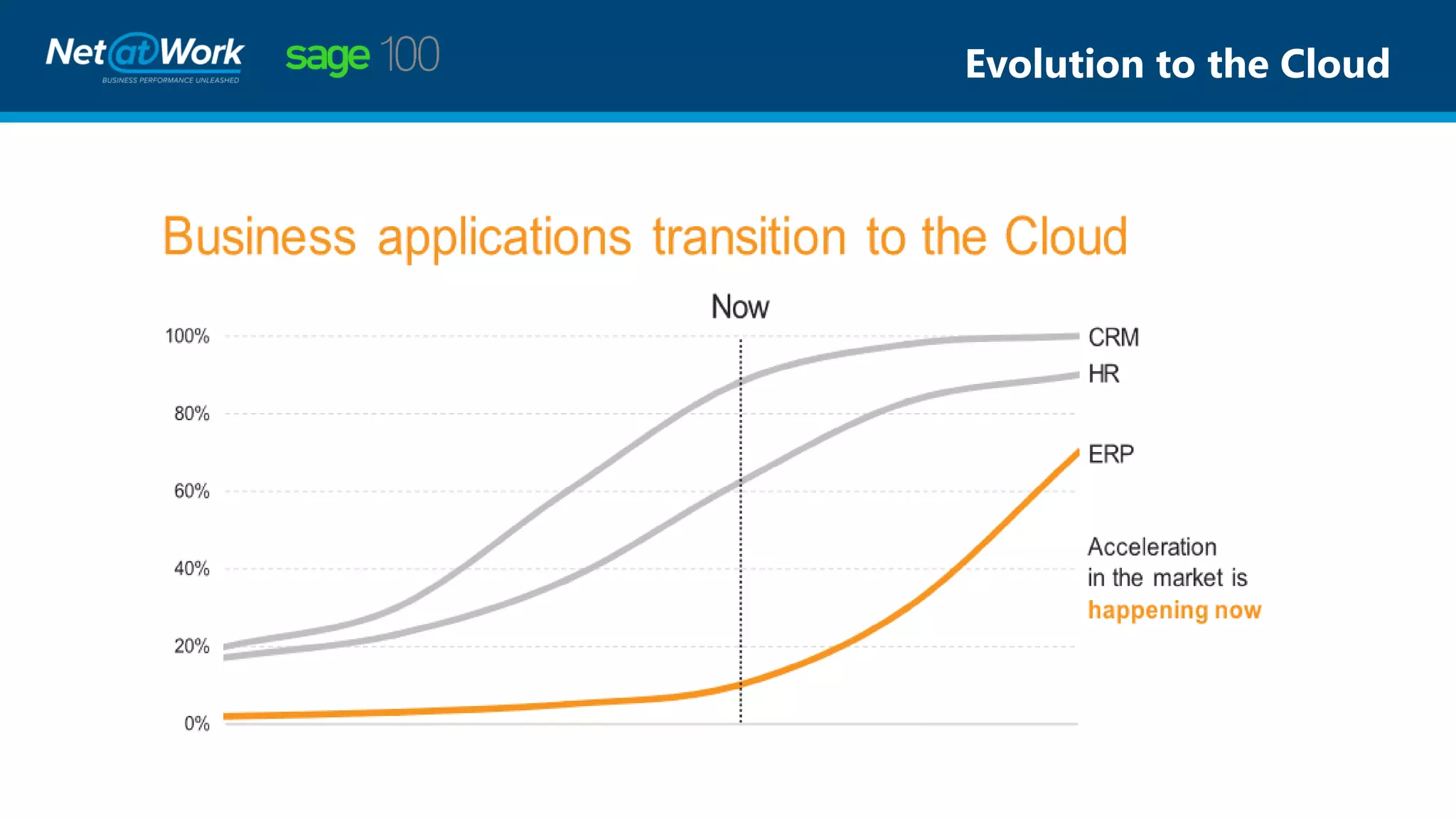
Evolution to the Cloud
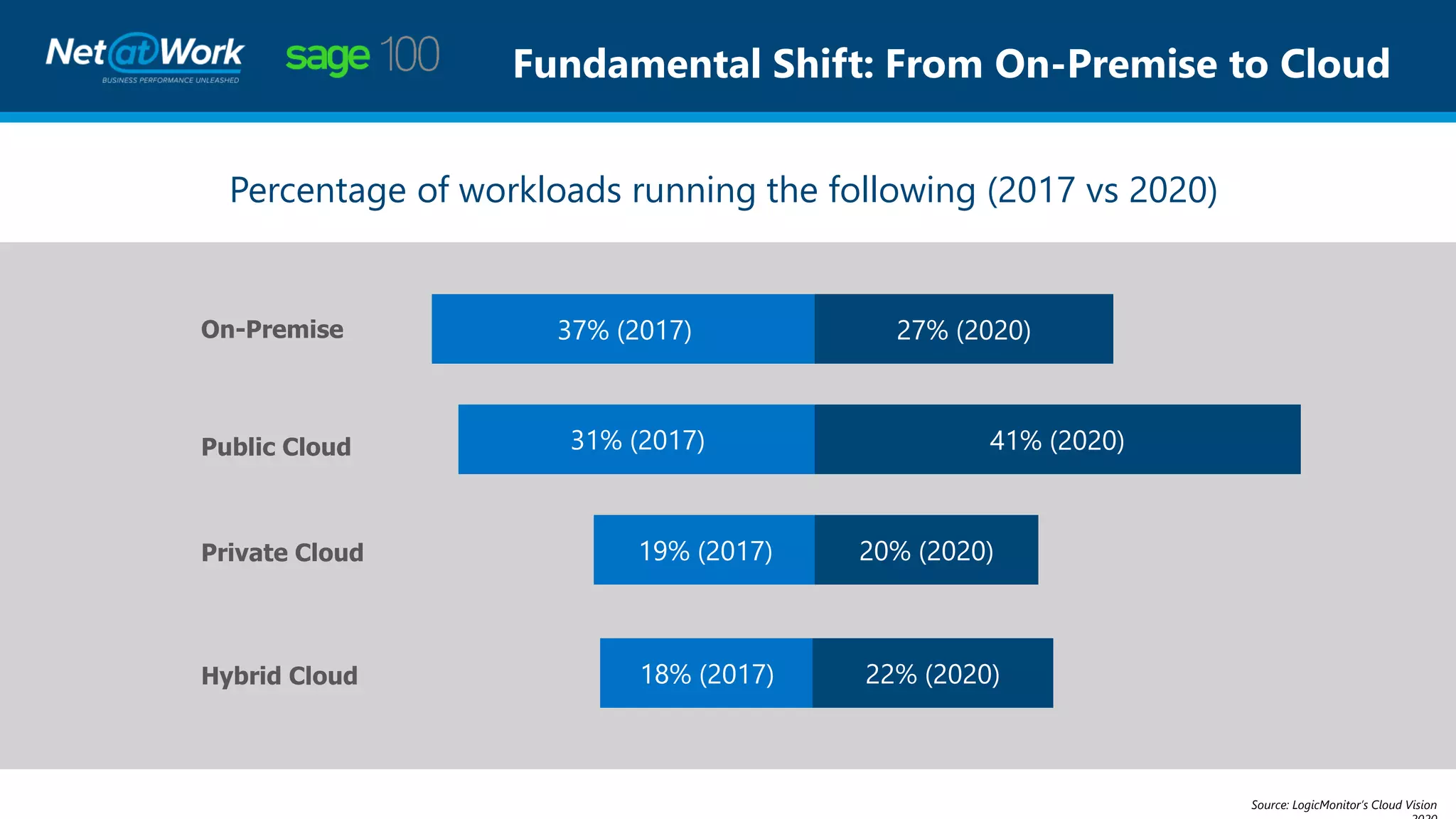
Fundamental Shift: From On-Premise to Cloud
Percentage of workloads running the following (2017 vs 2020)
On-Premise
Source: LogicMonitor’s Cloud Vision
Public Cloud
Private Cloud
Hybrid Cloud
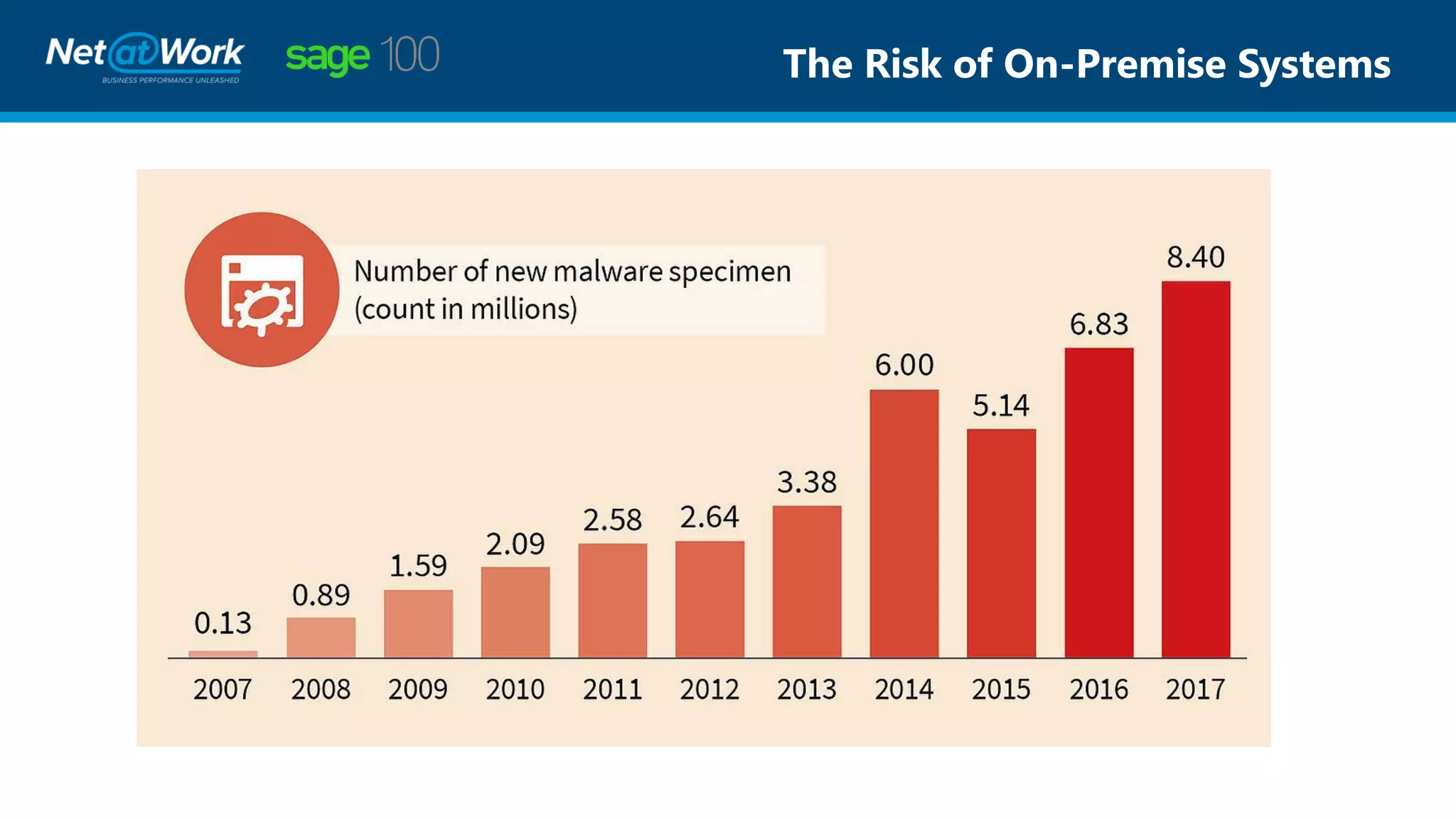
The Risk of On-Premise Systems
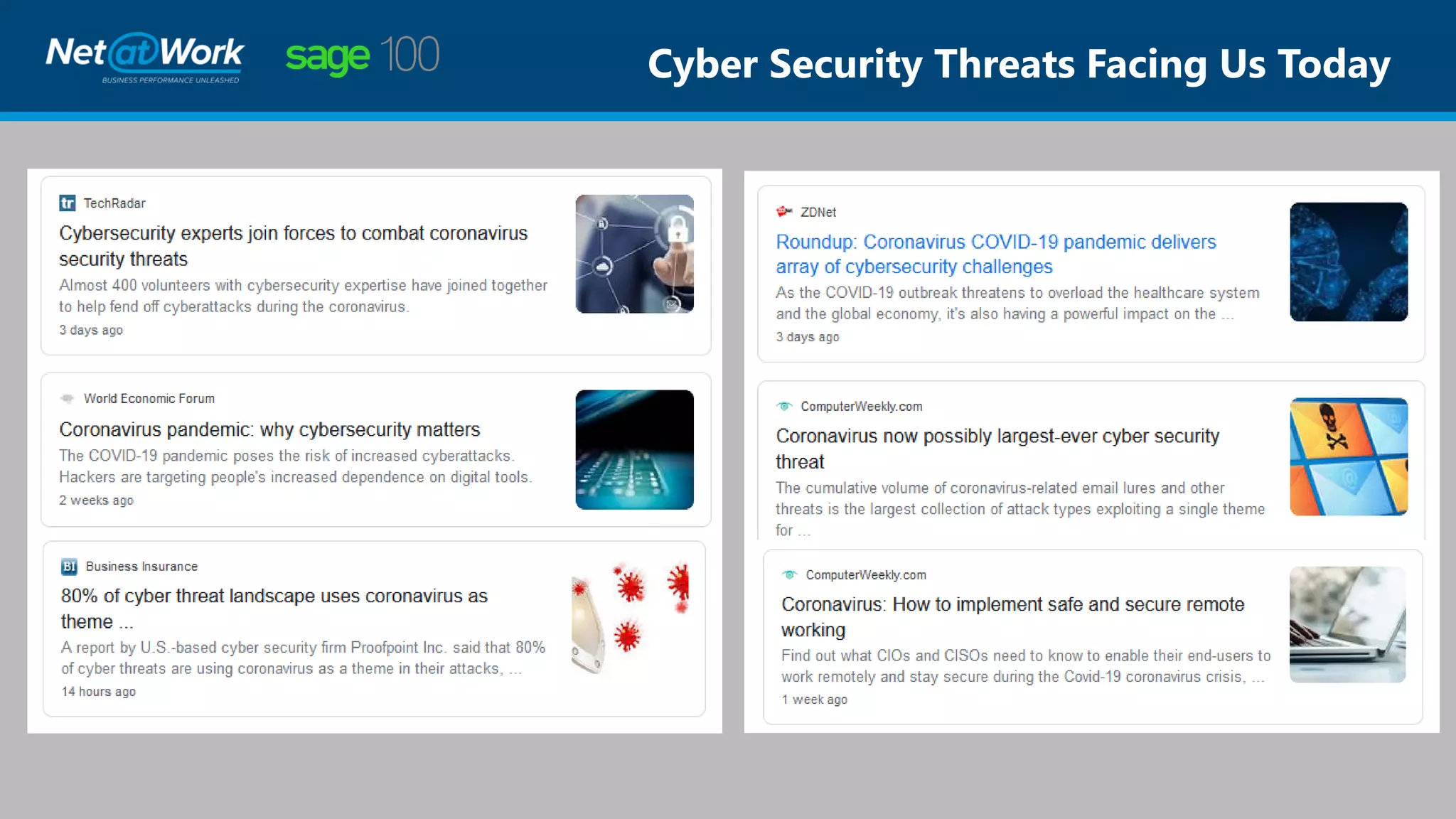
Cyber Security Threats Facing Us Today
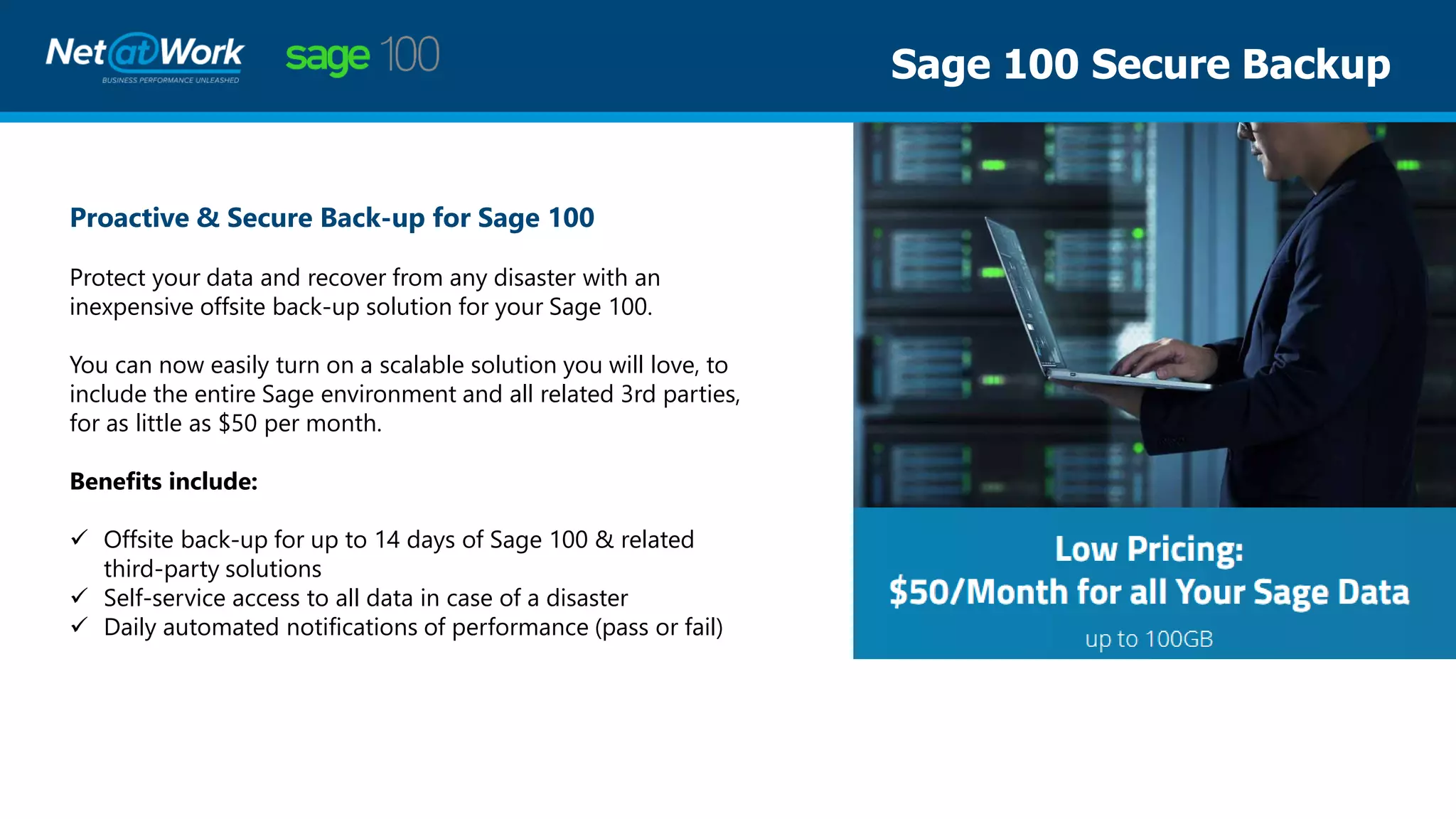
Sage 100 Secure Backup
Proactive & Secure Back-up for Sage 100
Protect your data and recover from any disaster with an
inexpensive offsite back-up solution for your Sage 100.
You can now easily turn on a scalable solution you will love, to
include the entire Sage environment and all related 3rd parties,
for as little as $50 per month.
Benefits include:
✓ Offsite back-up for up to 14 days of Sage 100 & related
third-party solutions
✓ Self-service access to all data in case of a disaster
✓ Daily automated notifications of performance (pass or fail)
Sage 100 Hybrid Secure
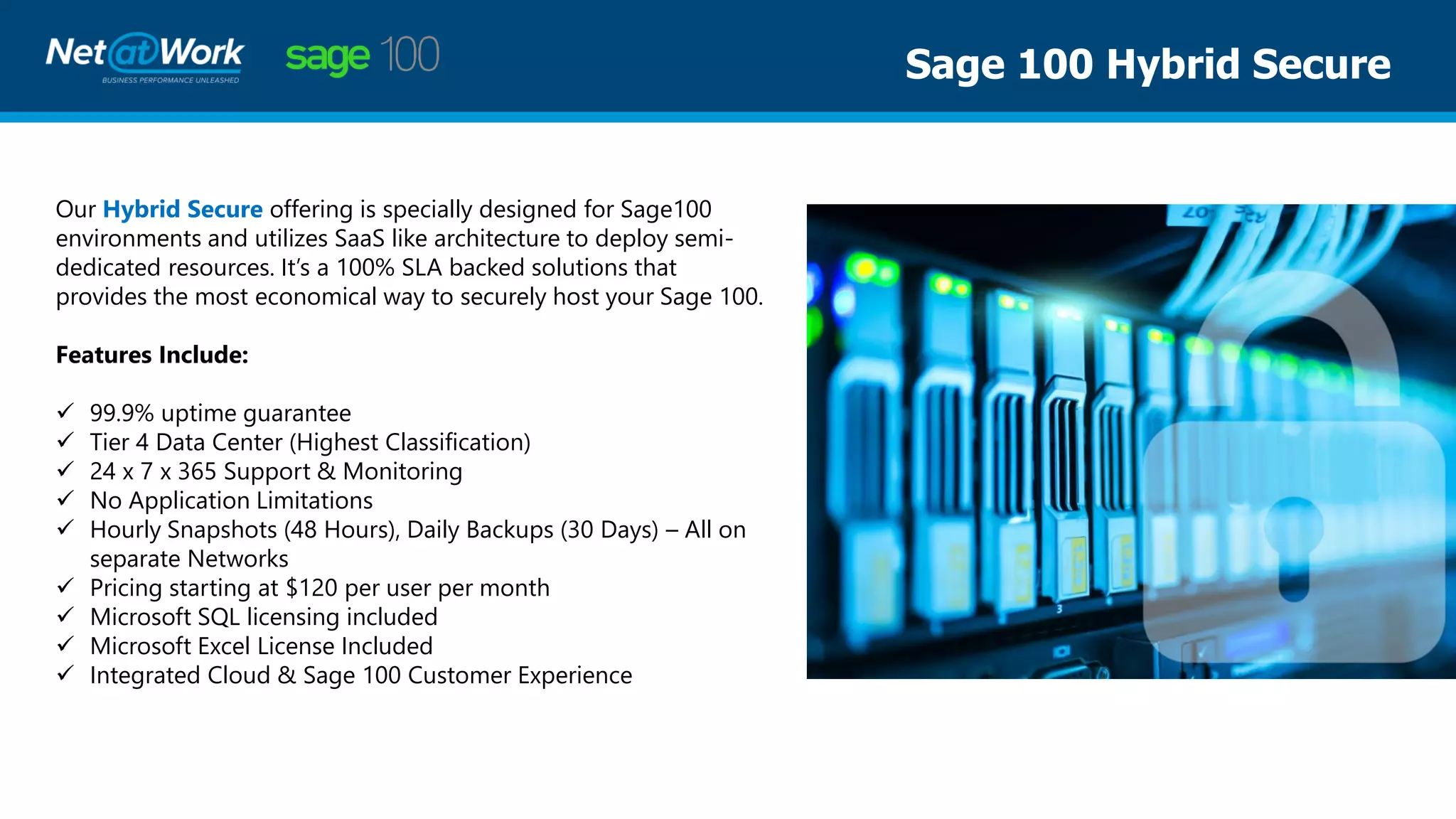
Our Hybrid Secure offering is specially designed for Sage100
environments and utilizes SaaS like architecture to deploy semi-
dedicated resources. It’s a 100% SLA backed solutions that
provides the most economical way to securely host your Sage 100.
Features Include:
✓ 99.9% uptime guarantee
✓ Tier 4 Data Center (Highest Classification)
✓ 24 x 7 x 365 Support & Monitoring
✓ No Application Limitations
✓ Hourly Snapshots (48 Hours), Daily Backups (30 Days) – All on
separate Networks
✓ Pricing starting at $120 per user per month
✓ Microsoft SQL licensing included
✓ Microsoft Excel License Included
✓ Integrated Cloud & Sage 100 Customer Experience
Sage 100 Virtual Private Cloud
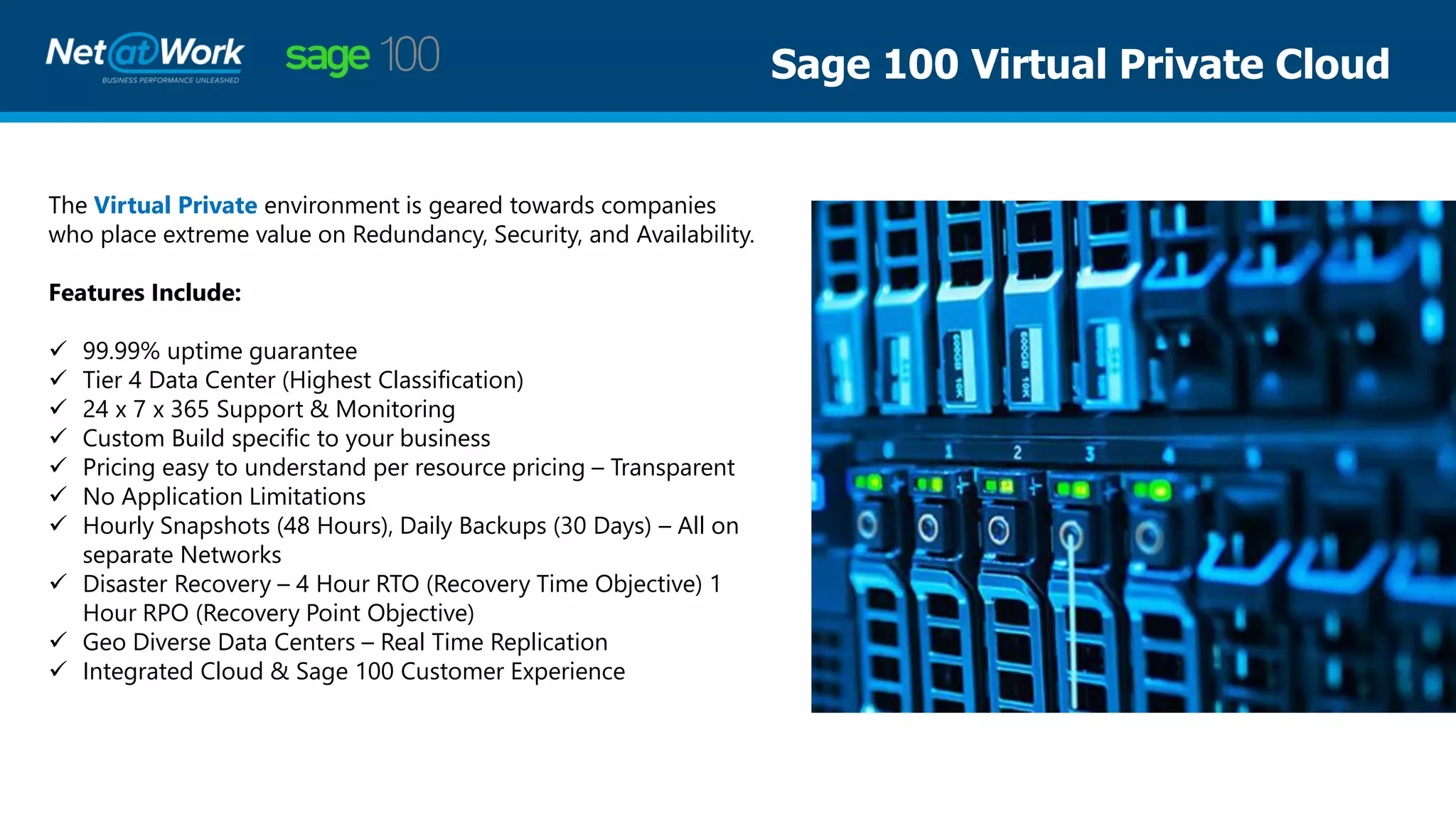
The Virtual Private environment is geared towards companies
who place extreme value on Redundancy, Security, and Availability.
Features Include:
✓ 99.99% uptime guarantee
✓ Tier 4 Data Center (Highest Classification)
✓ 24 x 7 x 365 Support & Monitoring
✓ Custom Build specific to your business
✓ Pricing easy to understand per resource pricing – Transparent
✓ No Application Limitations
✓ Hourly Snapshots (48 Hours), Daily Backups (30 Days) – All on
separate Networks
✓ Disaster Recovery – 4 Hour RTO (Recovery Time Objective) 1
Hour RPO (Recovery Point Objective)
✓ Geo Diverse Data Centers – Real Time Replication
✓ Integrated Cloud & Sage 100 Customer Experience
Sage 100 Live Online Training Courses
New Sage Courses are offered in April & May
Register on our website:
www.netatwork.com/events
• During this time, Net at Work is offering several 1-hour refresher sessions
on the Core and Distribution modules.
• These sessions are free.
• Other classes during April & May will be offered buy 1, get 1 free.
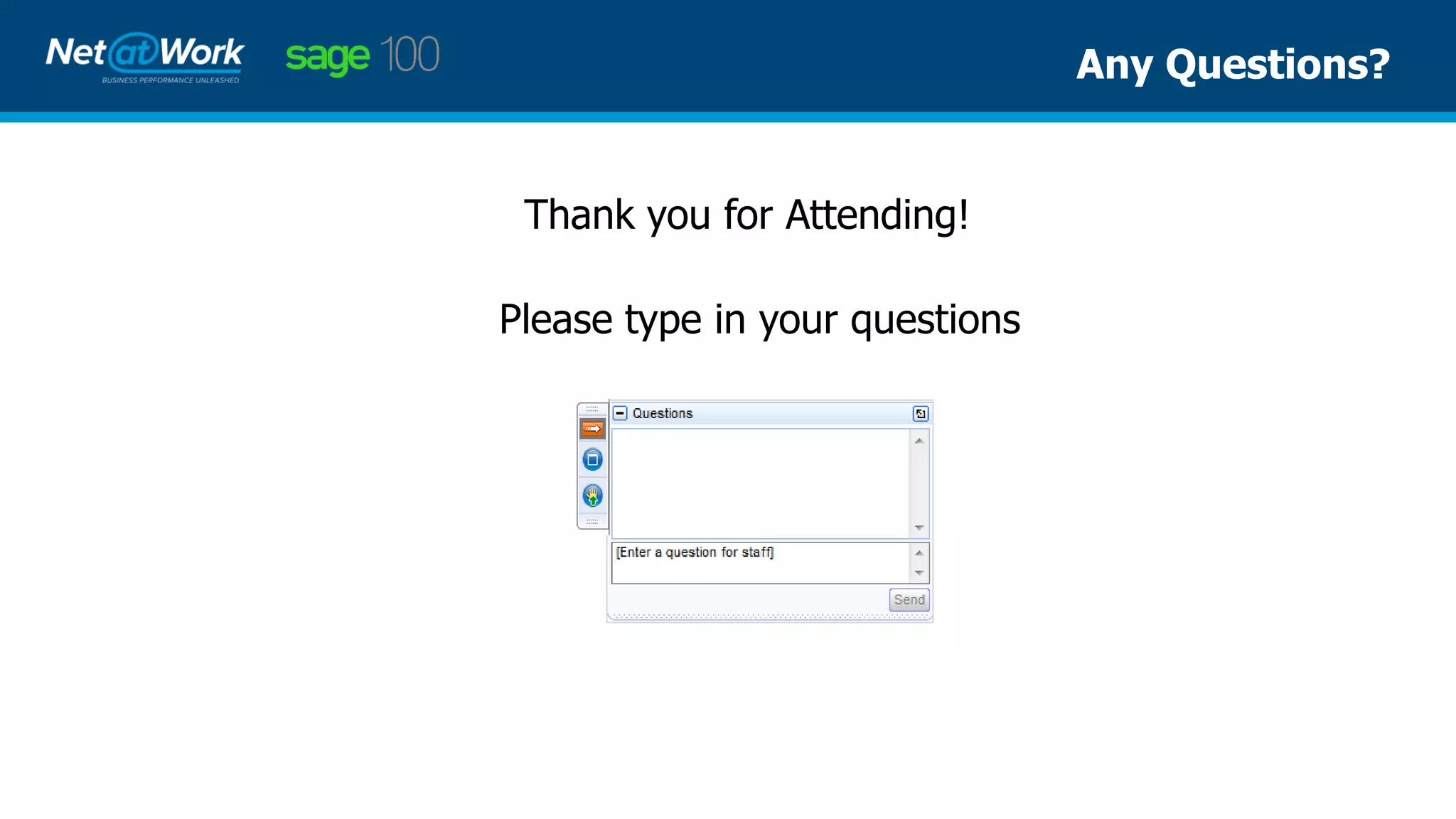
Please type in your questions
Any Questions?
Thank you for Attending!
Maureen Bartels | Net at Work
Sage 100 Senior Business Consultant
Phone: 847.232.8805
mbartels@netatwork.com
www.netatwork.com
Connect with Net at Work
800-719-3307
www.netatwork.com
netatwork.com/blog
Net at Work YouTube
Follow us on Twitter: @netatwork_corp
Follow Net at Work on LinkedIn
Follow Net at Work on Facebook
Contact your Net at Work Account Manager for any questions or concerns.
Or you can reach out to us via the information below!
Thank You For Attending!
Tyler Bower| Cloud at Work
Director Cloud & Hosting Services
Phone: 847.232.8805
tbower@netatwork.com
www.netatwork.com

Sage 100: Enabling Your Team to Work Remotely with the Impact from COVID-19 & FFCRA

  • 1.
    Webinar Audio: You candial the telephone numbers located on your webinar panel. Or listen in using your headphones or computer speakers. FFCRA Planning & Working Remotely Due to COVID-19 Wewillbeginshortly. Welcome! Live Webinar:
  • 2.
    • Presentation isroughly 1 hour • All phone lines are muted • If anyone has any questions during this webinar – please type them in your Questions Box located at the bottom of your webinar panel Webinar Details
  • 3.
    Maureen Bartels |Net at Work Senior Business Consultant Presenter
  • 4.
    • Security &Separation of Duties • Automated processes for Sage 100 • Payroll – New Tax Rules v 2018 & v 2019 • Payroll – Earning Code Setup • BI Reporting • Cloud Hosting Options, with Tyler Bower Agenda
  • 5.
    Role Maintenance • Splitthe processes to fit the location Accounts Payable • Allow 1 to enter the invoices, give another the ability to update them • Allow 1 to select invoices to be paid, another to print and update Security & Separation of Duties
  • 6.
    Electronic Payments • AccountsPayable – ACH payments for vendors • Payroll – Direct Deposit for employees Electronic signatures on checks Email customer invoices and statements Automated Processes
  • 7.
    Payroll Changes forSage 100 v 2018 & 2019 Update Payroll to v 2.20.1 with Program Fix PR6024T Payroll Update • Setup 3 new Earning Codes and assign New Tax Rules There are limits to each of the leave types available to employees
  • 8.
    Payroll Changes forSage 100 v 2017 & Older There are no updates from Sage for older versions of Sage Setup the 3 earning codes, and mark taxes like this:
  • 9.
    Business Insights Reporting ✓If new GL accounts are setup to track these new wages, you can use BI Explorer to track them. ✓ Tracking specific accounts for specific dates for reporting for your bank can also be done using BI Explorer
  • 10.
    Important Websites forFFCRA Updates: Your 1st source of important information will be: www.irs.gov Your 2nd source of important information will be: https://sagecity.na.sage.com Your 3rd source of information is: https://customers.sagenorthamerica.com/irj/portal/anonymous/login Your 4th source: Net at Work Consultants
  • 11.
    Sage 100 &Cloud Hosting Tyler Bower Director of Cloud & Hosting Services Cloud at Work, A Net at Work Sister Co.
  • 12.
    Today’s World: WorkingRemote & COVID-19
  • 13.
  • 14.
    Fundamental Shift: FromOn-Premise to Cloud Percentage of workloads running the following (2017 vs 2020) On-Premise Source: LogicMonitor’s Cloud Vision Public Cloud Private Cloud Hybrid Cloud
  • 15.
    The Risk ofOn-Premise Systems
  • 16.
    Cyber Security ThreatsFacing Us Today
  • 17.
    Sage 100 SecureBackup Proactive & Secure Back-up for Sage 100 Protect your data and recover from any disaster with an inexpensive offsite back-up solution for your Sage 100. You can now easily turn on a scalable solution you will love, to include the entire Sage environment and all related 3rd parties, for as little as $50 per month. Benefits include: ✓ Offsite back-up for up to 14 days of Sage 100 & related third-party solutions ✓ Self-service access to all data in case of a disaster ✓ Daily automated notifications of performance (pass or fail)
  • 18.
    Sage 100 HybridSecure Our Hybrid Secure offering is specially designed for Sage100 environments and utilizes SaaS like architecture to deploy semi- dedicated resources. It’s a 100% SLA backed solutions that provides the most economical way to securely host your Sage 100. Features Include: ✓ 99.9% uptime guarantee ✓ Tier 4 Data Center (Highest Classification) ✓ 24 x 7 x 365 Support & Monitoring ✓ No Application Limitations ✓ Hourly Snapshots (48 Hours), Daily Backups (30 Days) – All on separate Networks ✓ Pricing starting at $120 per user per month ✓ Microsoft SQL licensing included ✓ Microsoft Excel License Included ✓ Integrated Cloud & Sage 100 Customer Experience
  • 19.
    Sage 100 VirtualPrivate Cloud The Virtual Private environment is geared towards companies who place extreme value on Redundancy, Security, and Availability. Features Include: ✓ 99.99% uptime guarantee ✓ Tier 4 Data Center (Highest Classification) ✓ 24 x 7 x 365 Support & Monitoring ✓ Custom Build specific to your business ✓ Pricing easy to understand per resource pricing – Transparent ✓ No Application Limitations ✓ Hourly Snapshots (48 Hours), Daily Backups (30 Days) – All on separate Networks ✓ Disaster Recovery – 4 Hour RTO (Recovery Time Objective) 1 Hour RPO (Recovery Point Objective) ✓ Geo Diverse Data Centers – Real Time Replication ✓ Integrated Cloud & Sage 100 Customer Experience
  • 20.
    Sage 100 LiveOnline Training Courses New Sage Courses are offered in April & May Register on our website: www.netatwork.com/events • During this time, Net at Work is offering several 1-hour refresher sessions on the Core and Distribution modules. • These sessions are free. • Other classes during April & May will be offered buy 1, get 1 free.
  • 21.
    Please type inyour questions Any Questions? Thank you for Attending!
  • 22.
    Maureen Bartels |Net at Work Sage 100 Senior Business Consultant Phone: 847.232.8805 mbartels@netatwork.com www.netatwork.com Connect with Net at Work 800-719-3307 www.netatwork.com netatwork.com/blog Net at Work YouTube Follow us on Twitter: @netatwork_corp Follow Net at Work on LinkedIn Follow Net at Work on Facebook Contact your Net at Work Account Manager for any questions or concerns. Or you can reach out to us via the information below! Thank You For Attending! Tyler Bower| Cloud at Work Director Cloud & Hosting Services Phone: 847.232.8805 tbower@netatwork.com www.netatwork.com