







Live Webinar:
Webinar Audio:
You can dial the telephone numbers located on your webinar panel.
Or listen in using your headphones or computer speakers.
Welcome!
Webinar Details
• Presentation is roughly 1 hour
• All phone lines are muted
• If anyone has any questions during this webinar – please type them in your
Questions Box located at the bottom of your webinar panel
Today’s Presenters
Tony Choquehuanca| Net@Work
Sr. Sales Specialist
Mark Whitbeck| Altec
Sales Engineer
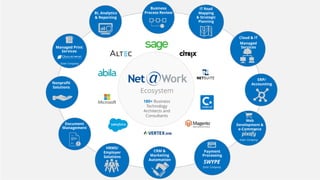
180+ Business
Technology
Architects and
Consultants
IT Road
Mapping
& Strategic
Planning
Business
Process Review
Ecosystem
BI, Analytics
& Reporting
Cloud & IT
Managed
Services
ERP/
Accounting
Web
Development &
e-Commerce
Sister Company
Payment
Processing
SWYPE
Sister Company
CRM &
Marketing
Automation
HRMS/
Employer
Solutions
Document
Management
Nonprofit
Solutions
Managed Print
Services
Sister Company
Taking Everything Digital
Document Capture:
Never Touch a Document Again
What do you do
with all the data
that comes into
your business?
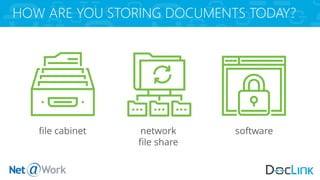
HOW ARE YOU STORING DOCUMENTS TODAY?
file cabinet network
file share
software
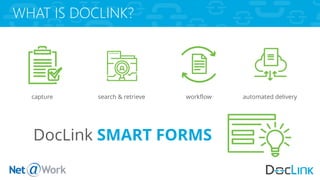
WHAT IS DOCLINK?
DocLink SMART FORMS
capture search & retrieve workflow automated delivery
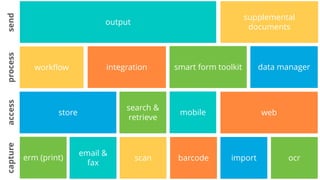
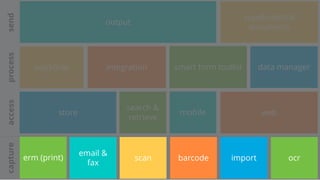
erm (print) scan barcode import ocr
email &
fax
capture
search &
retrieve
mobilestore web
access
integrationworkflow smart form toolkit data manager
process
output
supplemental
documents
send
erm (print) scan barcode import ocr
email &
fax
capture
search &
retrieve
mobilestore web
access
integrationworkflow smart form toolkit data manager
process
output
supplemental
documents
send
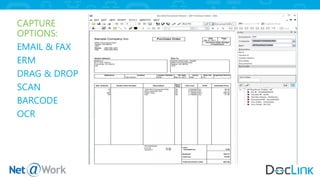
CAPTURE
OPTIONS:
EMAIL & FAX
ERM
DRAG & DROP
SCAN
BARCODE
OCR
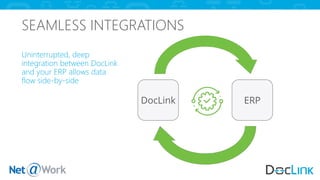
SEAMLESS INTEGRATIONS
Uninterrupted, deep
integration between DocLink
and your ERP allows data
flow side-by-side
DocLink ERP
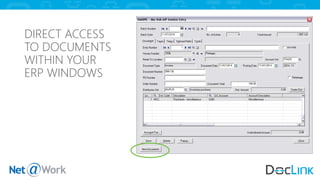
DIRECT ACCESS
TO DOCUMENTS
WITHIN YOUR
ERP WINDOWS
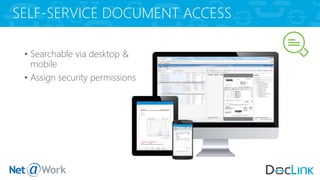
SELF-SERVICE DOCUMENT ACCESS
• Searchable via desktop &
mobile
• Assign security permissions
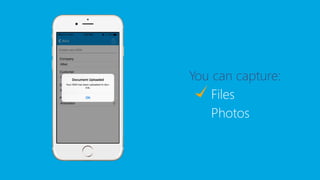
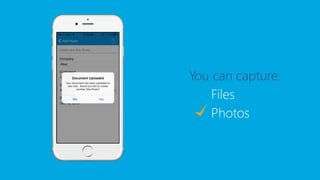
CAPTURE DATA ANYWHERE
You can capture:
Files
Photos
You can capture:
Files
Photos
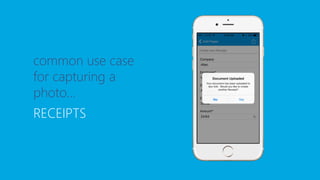
common use case
for capturing a
photo…
RECEIPTS
mobile capture:
another way to index documents into DocLink; great
for staff that work outside the office – or those that
just like the convenience of a mobile device!
ERM
DOCUMENT CAPTURE: ERM
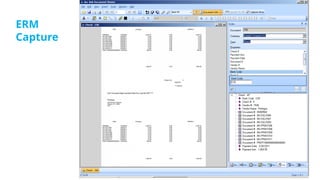
ERM Capture – Enterprise Report Management
Automatically Capturing Static Layout Reports from any 3rd party system.
Example: Check, Purchase Order etc.
ERM
Capture
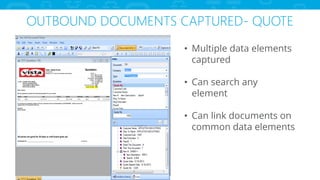
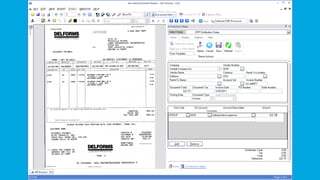
OUTBOUND DOCUMENTS CAPTURED- QUOTE
• Multiple data elements
captured
• Can search any
element
• Can link documents on
common data elements
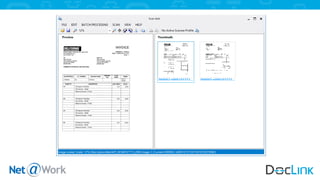
Scan-Link
Barcode
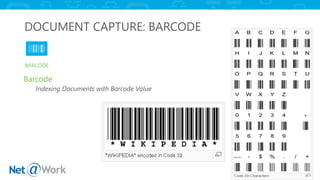
DOCUMENT CAPTURE: BARCODE
Barcode
Indexing Documents with Barcode Value
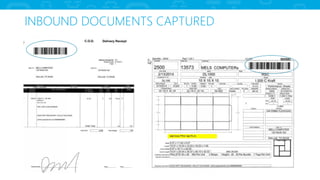
INBOUND DOCUMENTS CAPTURED
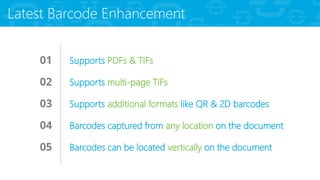
01 Supports PDFs & TIFs
02 Supports multi-page TIFs
03 Supports additional formats like QR & 2D barcodes
04 Barcodes captured from any location on the document
05 Barcodes can be located vertically on the document
Latest Barcode Enhancement
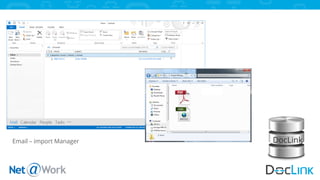
Automatic Email Import Using
Import Manager
DocLinkEmail – import Manager
OCR
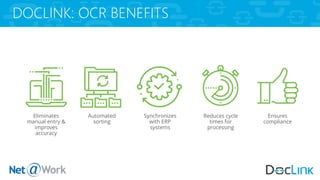
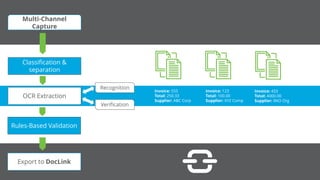
DOCLINK: OCR BENEFITS
Eliminates
manual entry &
improves
accuracy
Automated
sorting
Reduces cycle
times for
processing
Ensures
compliance
Synchronizes
with ERP
systems
Invoice: 555
Total: 250.33
Supplier: ABC Corp
Invoice: 123
Total: 100.00
Supplier: XYZ Comp
Invoice: 433
Total: 4000.00
Supplier: RKO Org
Multi-Channel
Capture
Classification &
separation
OCR Extraction
Rules-Based Validation
Export to DocLink
Recognition
Verification
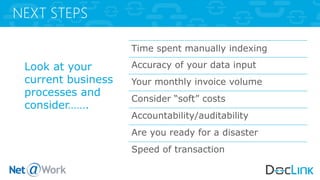
NEXT STEPS
Look at your
current business
processes and
consider…….
Time spent manually indexing
Accuracy of your data input
Your monthly invoice volume
Consider “soft” costs
Accountability/auditability
Are you ready for a disaster
Speed of transaction
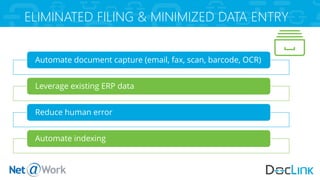
ELIMINATED FILING & MINIMIZED DATA ENTRY
Automate document capture (email, fax, scan, barcode, OCR)
Leverage existing ERP data
Reduce human error
Automate indexing
Choosing the Right Option
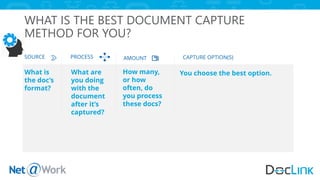
WHAT IS THE BEST DOCUMENT CAPTURE
METHOD FOR YOU?
What is
the doc’s
format?
SOURCE PROCESS AMOUNT CAPTURE OPTION(S)
What are
you doing
with the
document
after it’s
captured?
How many,
or how
often, do
you process
these docs?
You choose the best option.
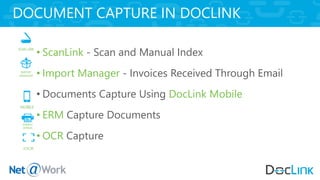
• ScanLink - Scan and Manual Index
• Import Manager - Invoices Received Through Email
• Documents Capture Using DocLink Mobile
• ERM Capture Documents
• OCR Capture
DOCUMENT CAPTURE IN DOCLINK
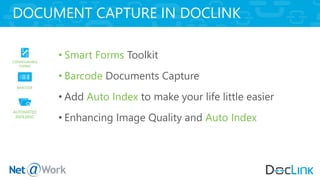
• Smart Forms Toolkit
• Barcode Documents Capture
• Add Auto Index to make your life little easier
• Enhancing Image Quality and Auto Index
DOCUMENT CAPTURE IN DOCLINK
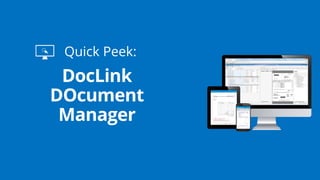
Quick Peek:
Please type in
your questions
Any Questions?
Thank You For Attending!
Connect with
800-719-3307
www.netatwork.com
netatwork.com/blog
Net@Work YouTube
Follow us on Twitter: @netatwork_corp
Follow Net@Work on LinkedIn
Follow Net@Work on Google+
Follow Net@Work on Facebook
Contact your Net@Work Account Manager for any questions or concerns.
Or you can reach out to us via the information below!
Tony Choquehuanca | Net@Work
Sr. Sales Specialist
(P) 646-517-6164
(E) tchoquehuanca@netatwork.com

Document Capture: Never Touch a Document Again

  • 1.
    Live Webinar: Webinar Audio: Youcan dial the telephone numbers located on your webinar panel. Or listen in using your headphones or computer speakers. Welcome!
  • 2.
    Webinar Details • Presentationis roughly 1 hour • All phone lines are muted • If anyone has any questions during this webinar – please type them in your Questions Box located at the bottom of your webinar panel
  • 3.
    Today’s Presenters Tony Choquehuanca|Net@Work Sr. Sales Specialist Mark Whitbeck| Altec Sales Engineer
  • 4.
    180+ Business Technology Architects and Consultants ITRoad Mapping & Strategic Planning Business Process Review Ecosystem BI, Analytics & Reporting Cloud & IT Managed Services ERP/ Accounting Web Development & e-Commerce Sister Company Payment Processing SWYPE Sister Company CRM & Marketing Automation HRMS/ Employer Solutions Document Management Nonprofit Solutions Managed Print Services Sister Company
  • 5.
    Taking Everything Digital DocumentCapture: Never Touch a Document Again
  • 6.
    What do youdo with all the data that comes into your business?
  • 7.
    HOW ARE YOUSTORING DOCUMENTS TODAY? file cabinet network file share software
  • 8.
    WHAT IS DOCLINK? DocLinkSMART FORMS capture search & retrieve workflow automated delivery
  • 9.
    erm (print) scanbarcode import ocr email & fax capture search & retrieve mobilestore web access integrationworkflow smart form toolkit data manager process output supplemental documents send
  • 10.
    erm (print) scanbarcode import ocr email & fax capture search & retrieve mobilestore web access integrationworkflow smart form toolkit data manager process output supplemental documents send
  • 11.
  • 12.
    SEAMLESS INTEGRATIONS Uninterrupted, deep integrationbetween DocLink and your ERP allows data flow side-by-side DocLink ERP
  • 13.
  • 14.
    SELF-SERVICE DOCUMENT ACCESS •Searchable via desktop & mobile • Assign security permissions
  • 15.
  • 16.
  • 17.
  • 18.
    common use case forcapturing a photo… RECEIPTS
  • 19.
    mobile capture: another wayto index documents into DocLink; great for staff that work outside the office – or those that just like the convenience of a mobile device!
  • 20.
  • 21.
    DOCUMENT CAPTURE: ERM ERMCapture – Enterprise Report Management Automatically Capturing Static Layout Reports from any 3rd party system. Example: Check, Purchase Order etc.
  • 22.
  • 23.
    OUTBOUND DOCUMENTS CAPTURED-QUOTE • Multiple data elements captured • Can search any element • Can link documents on common data elements
  • 24.
  • 26.
  • 27.
    DOCUMENT CAPTURE: BARCODE Barcode IndexingDocuments with Barcode Value
  • 28.
  • 29.
    01 Supports PDFs& TIFs 02 Supports multi-page TIFs 03 Supports additional formats like QR & 2D barcodes 04 Barcodes captured from any location on the document 05 Barcodes can be located vertically on the document Latest Barcode Enhancement
  • 30.
    Automatic Email ImportUsing Import Manager
  • 31.
  • 32.
  • 33.
    DOCLINK: OCR BENEFITS Eliminates manualentry & improves accuracy Automated sorting Reduces cycle times for processing Ensures compliance Synchronizes with ERP systems
  • 36.
    Invoice: 555 Total: 250.33 Supplier:ABC Corp Invoice: 123 Total: 100.00 Supplier: XYZ Comp Invoice: 433 Total: 4000.00 Supplier: RKO Org Multi-Channel Capture Classification & separation OCR Extraction Rules-Based Validation Export to DocLink Recognition Verification
  • 37.
    NEXT STEPS Look atyour current business processes and consider……. Time spent manually indexing Accuracy of your data input Your monthly invoice volume Consider “soft” costs Accountability/auditability Are you ready for a disaster Speed of transaction
  • 38.
    ELIMINATED FILING &MINIMIZED DATA ENTRY Automate document capture (email, fax, scan, barcode, OCR) Leverage existing ERP data Reduce human error Automate indexing
  • 39.
  • 40.
    WHAT IS THEBEST DOCUMENT CAPTURE METHOD FOR YOU? What is the doc’s format? SOURCE PROCESS AMOUNT CAPTURE OPTION(S) What are you doing with the document after it’s captured? How many, or how often, do you process these docs? You choose the best option.
  • 41.
    • ScanLink -Scan and Manual Index • Import Manager - Invoices Received Through Email • Documents Capture Using DocLink Mobile • ERM Capture Documents • OCR Capture DOCUMENT CAPTURE IN DOCLINK
  • 42.
    • Smart FormsToolkit • Barcode Documents Capture • Add Auto Index to make your life little easier • Enhancing Image Quality and Auto Index DOCUMENT CAPTURE IN DOCLINK
  • 43.
  • 44.
    Please type in yourquestions Any Questions?
  • 45.
    Thank You ForAttending! Connect with 800-719-3307 www.netatwork.com netatwork.com/blog Net@Work YouTube Follow us on Twitter: @netatwork_corp Follow Net@Work on LinkedIn Follow Net@Work on Google+ Follow Net@Work on Facebook Contact your Net@Work Account Manager for any questions or concerns. Or you can reach out to us via the information below! Tony Choquehuanca | Net@Work Sr. Sales Specialist (P) 646-517-6164 (E) tchoquehuanca@netatwork.com