What Should Teachers Know About Technology and Its Impact on Schools? Chapter Seven
Three Stages of  Technology Application Technology is: Applied to things we already do Used to improve on tasks we already do Used to do things that were not possible before
Sources of Pressure to Integrate Technology Parents  Students  Teachers  Businesses  Global competition  Governmental agencies Digital Divide
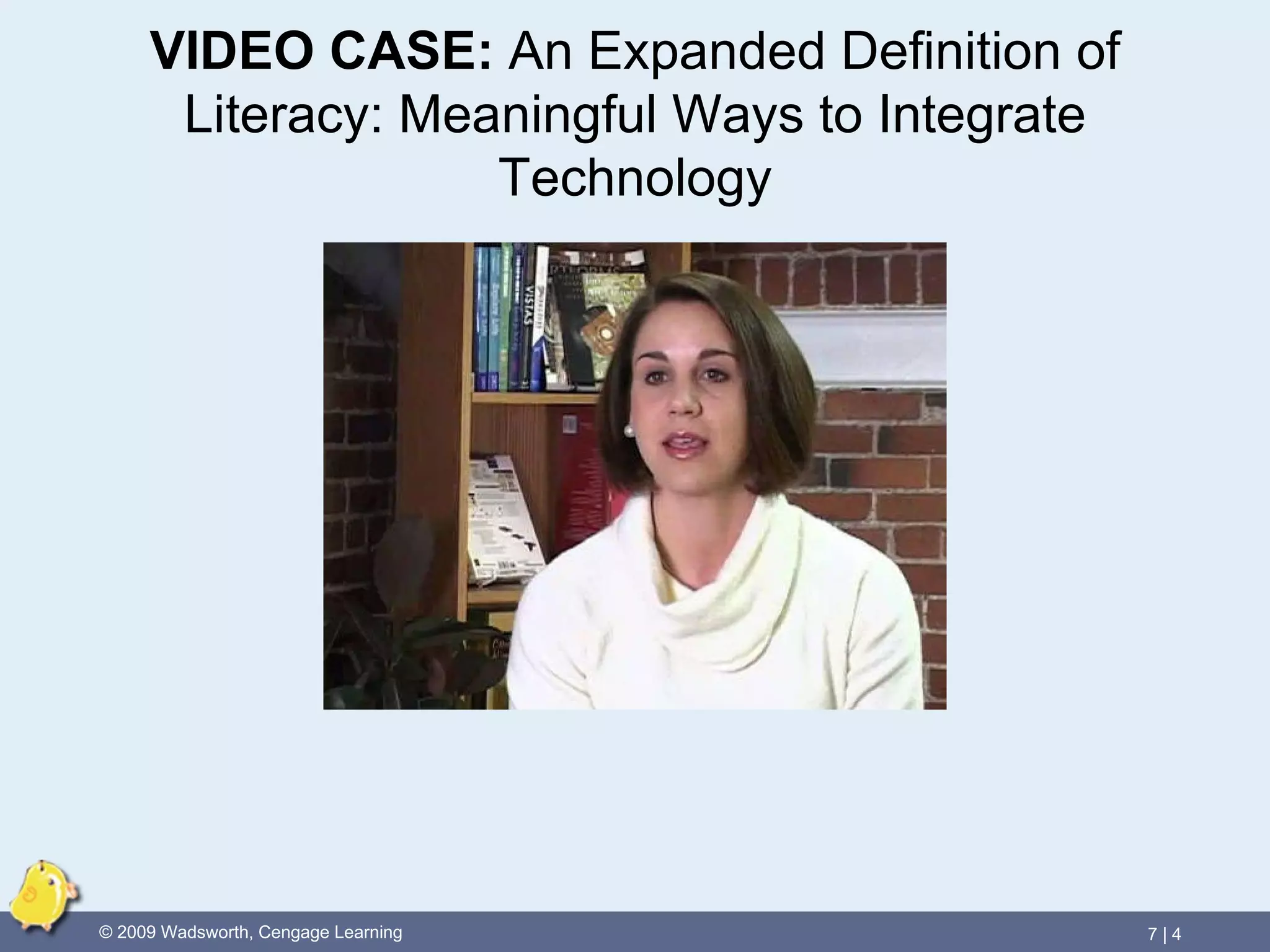
VIDEO CASE:   An Expanded Definition of Literacy: Meaningful Ways to Integrate Technology
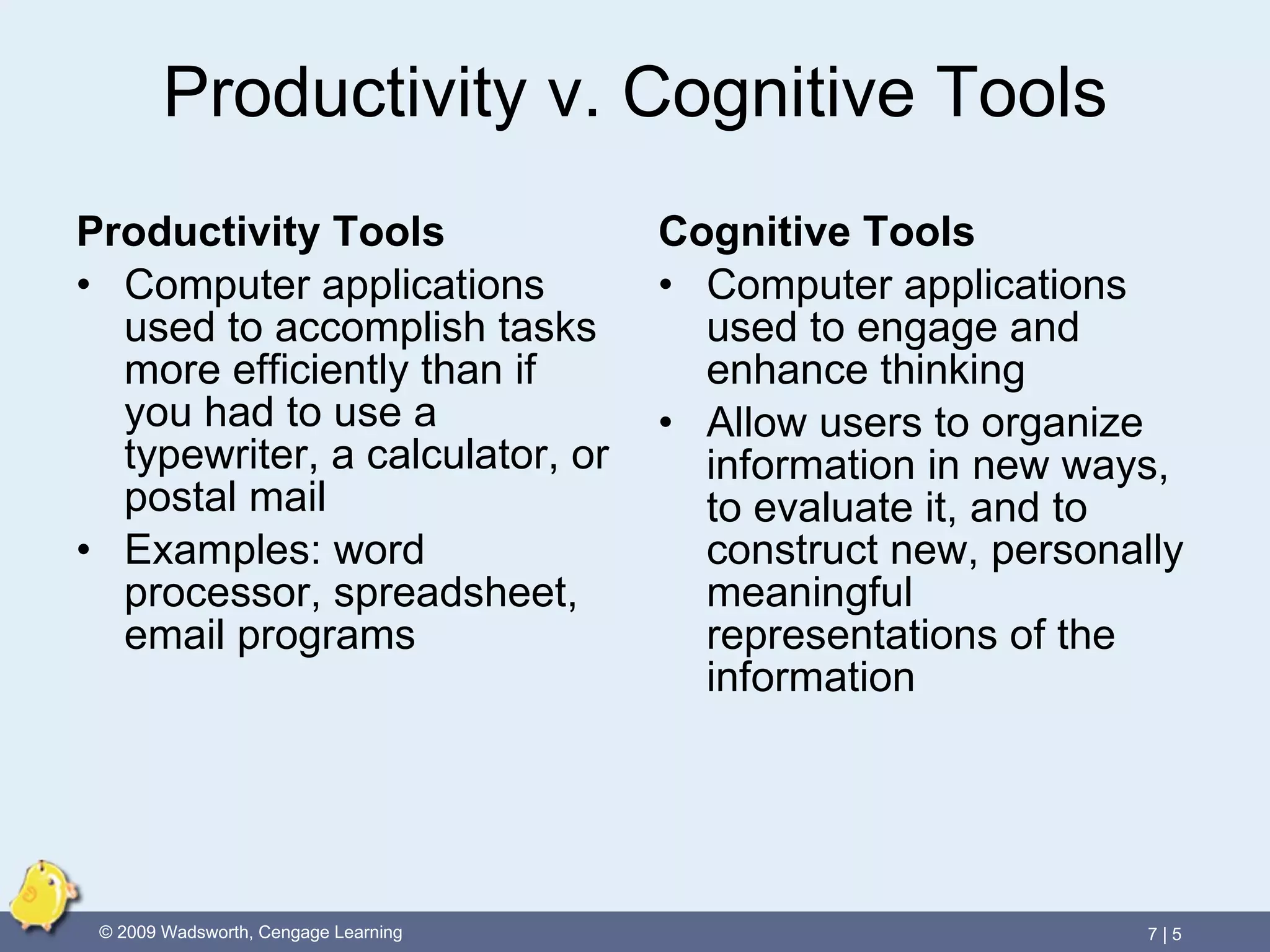
Productivity v. Cognitive Tools Productivity Tools Computer applications used to accomplish tasks more efficiently than if you had to use a typewriter, a calculator, or postal mail Examples: word processor, spreadsheet, email programs Cognitive Tools Computer applications used to engage and enhance thinking Allow users to organize information in new ways, to evaluate it, and to construct new, personally meaningful representations of the information
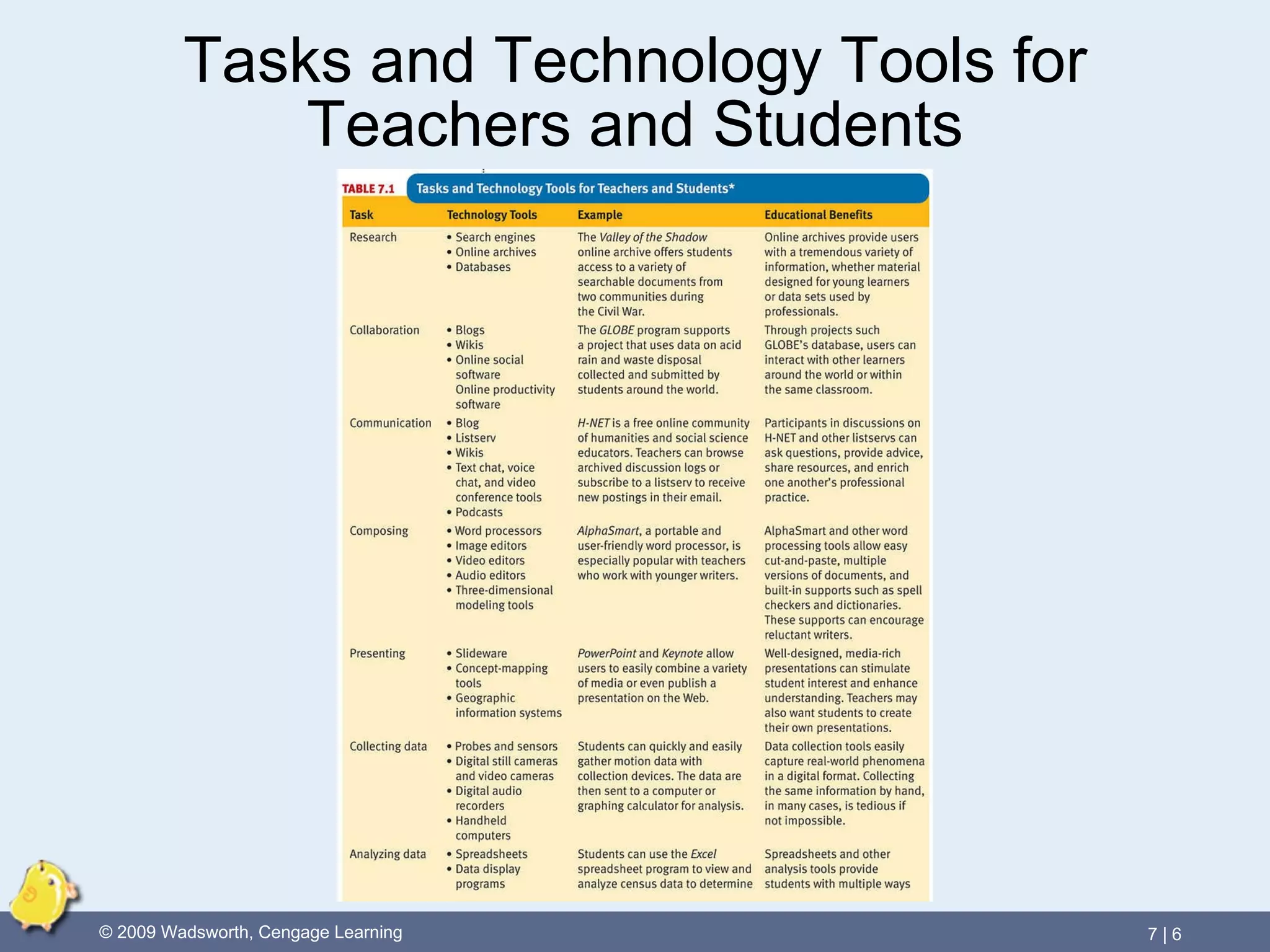
Tasks and Technology Tools for Teachers and Students
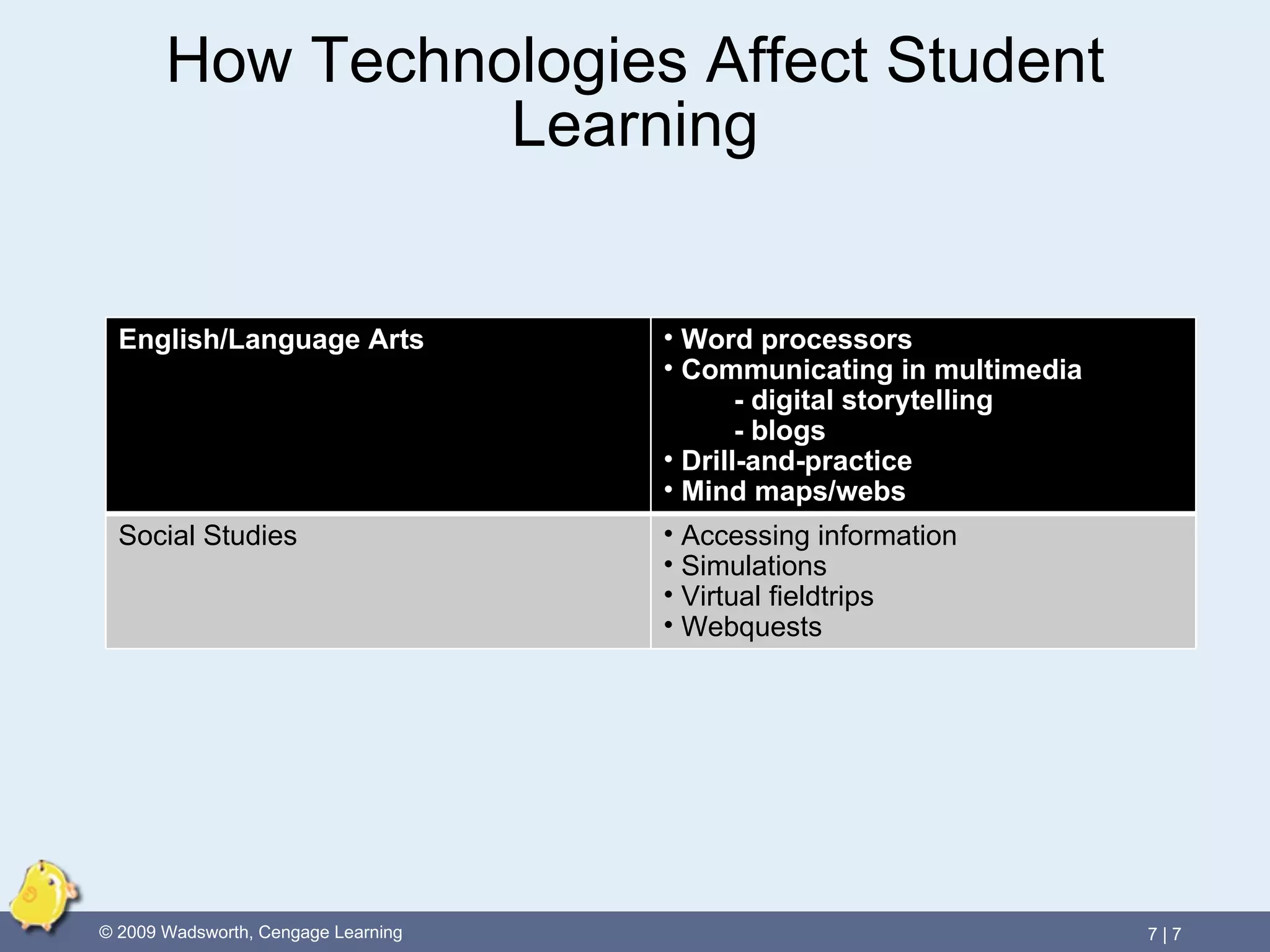
How Technologies Affect Student Learning English/Language Arts Word processors Communicating in multimedia - digital storytelling - blogs Drill-and-practice  Mind maps/webs Social Studies Accessing information Simulations Virtual fieldtrips Webquests
VIDEO CASE:   Multimedia Literacy: Integrating Technology into the Middle School Curriculum
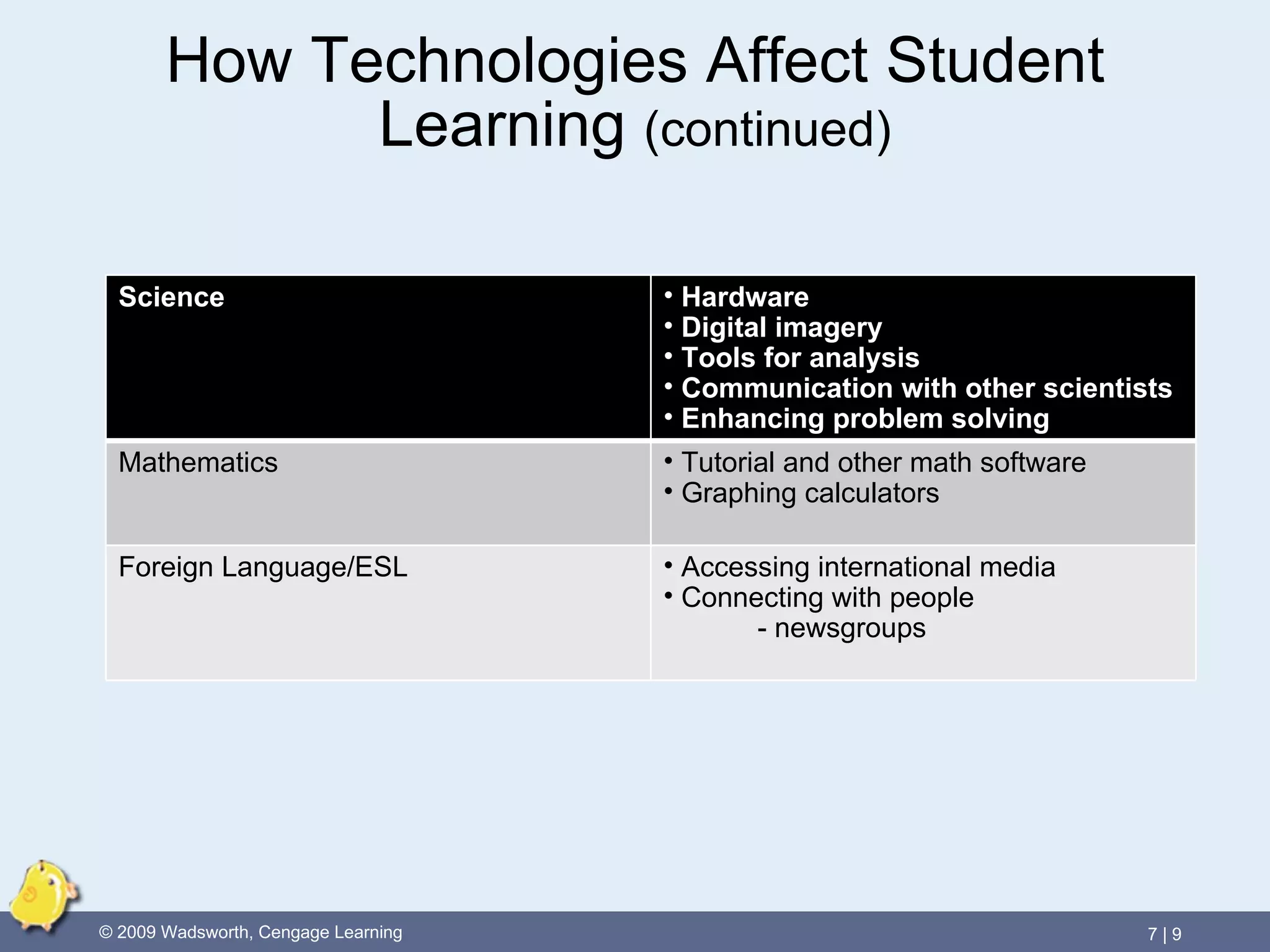
How Technologies Affect Student Learning  (continued) Science Hardware Digital imagery Tools for analysis Communication with other scientists Enhancing problem solving Mathematics Tutorial and other math software Graphing calculators Foreign Language/ESL Accessing international media Connecting with people - newsgroups
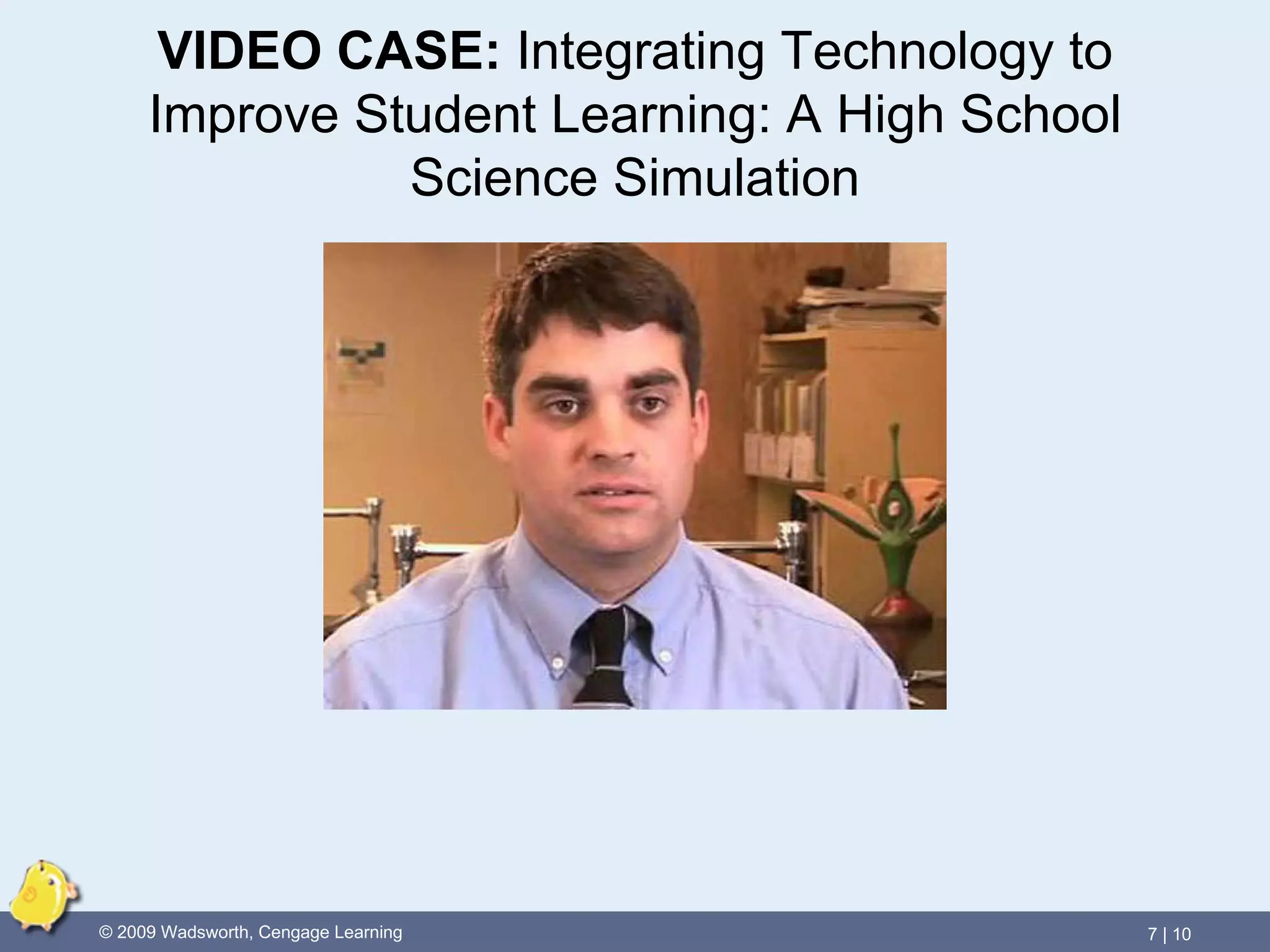
VIDEO CASE:   Integrating Technology to Improve Student Learning: A High School Science Simulation
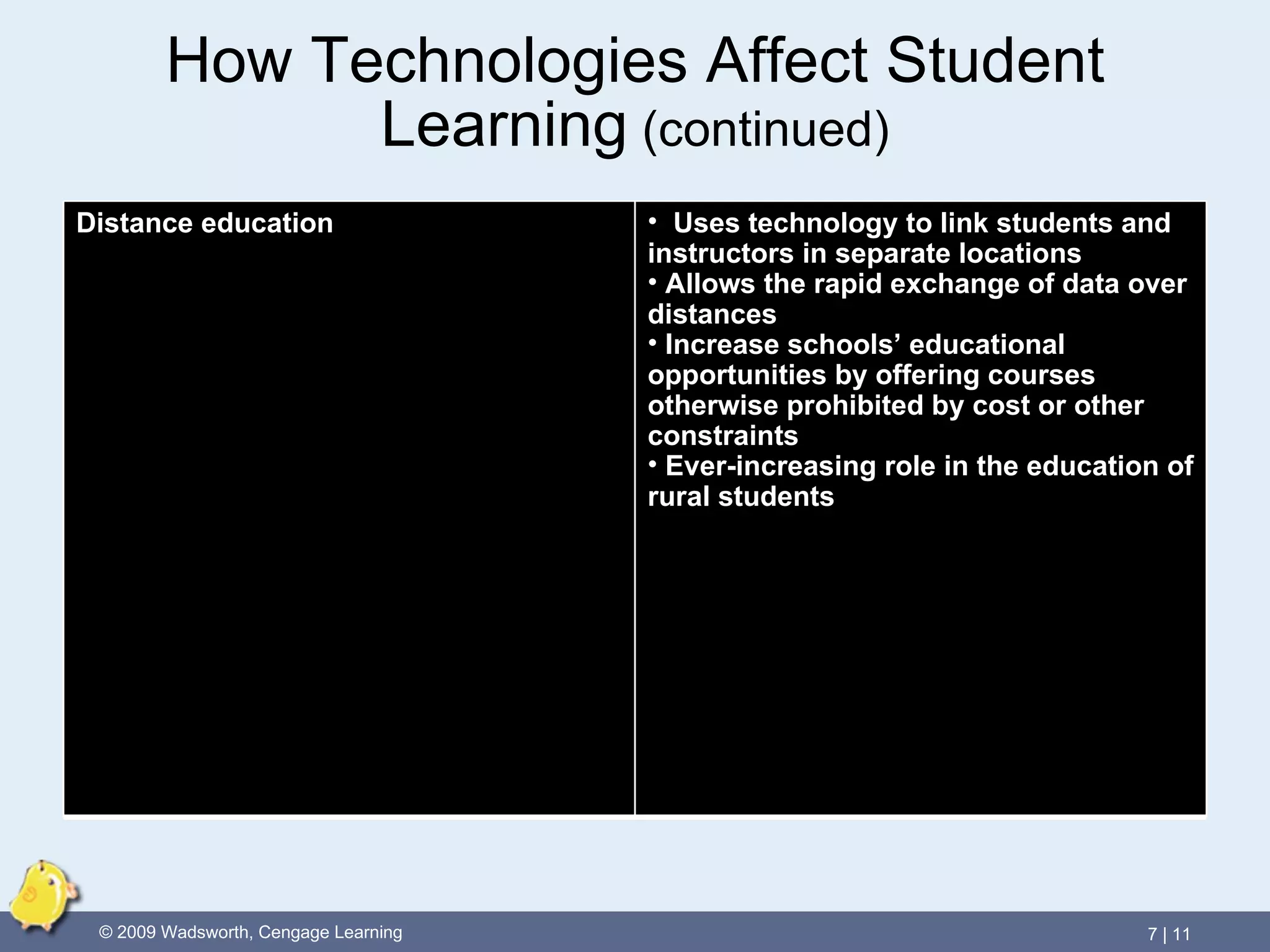
How Technologies Affect Student Learning  (continued) Distance education Uses technology to link students and instructors in separate locations Allows the rapid exchange of data over distances Increase schools’ educational opportunities by offering courses otherwise prohibited by cost or other constraints Ever-increasing role in the education of rural students
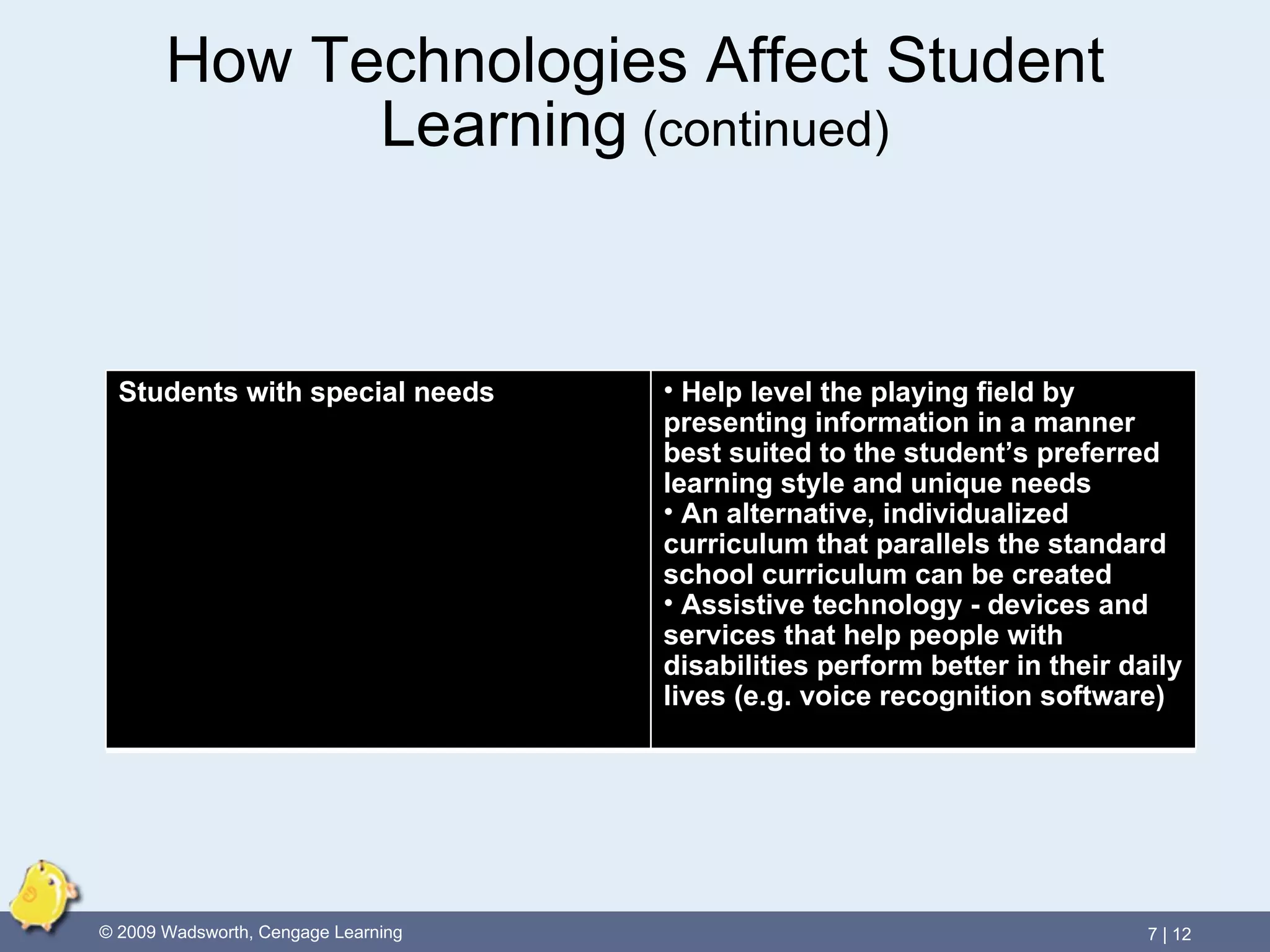
How Technologies Affect Student Learning  (continued) Students with special needs Help level the playing field by presenting information in a manner best suited to the student’s preferred learning style and unique needs An alternative, individualized curriculum that parallels the standard school curriculum can be created  Assistive technology - devices and services that help people with disabilities perform better in their daily lives (e.g. voice recognition software)
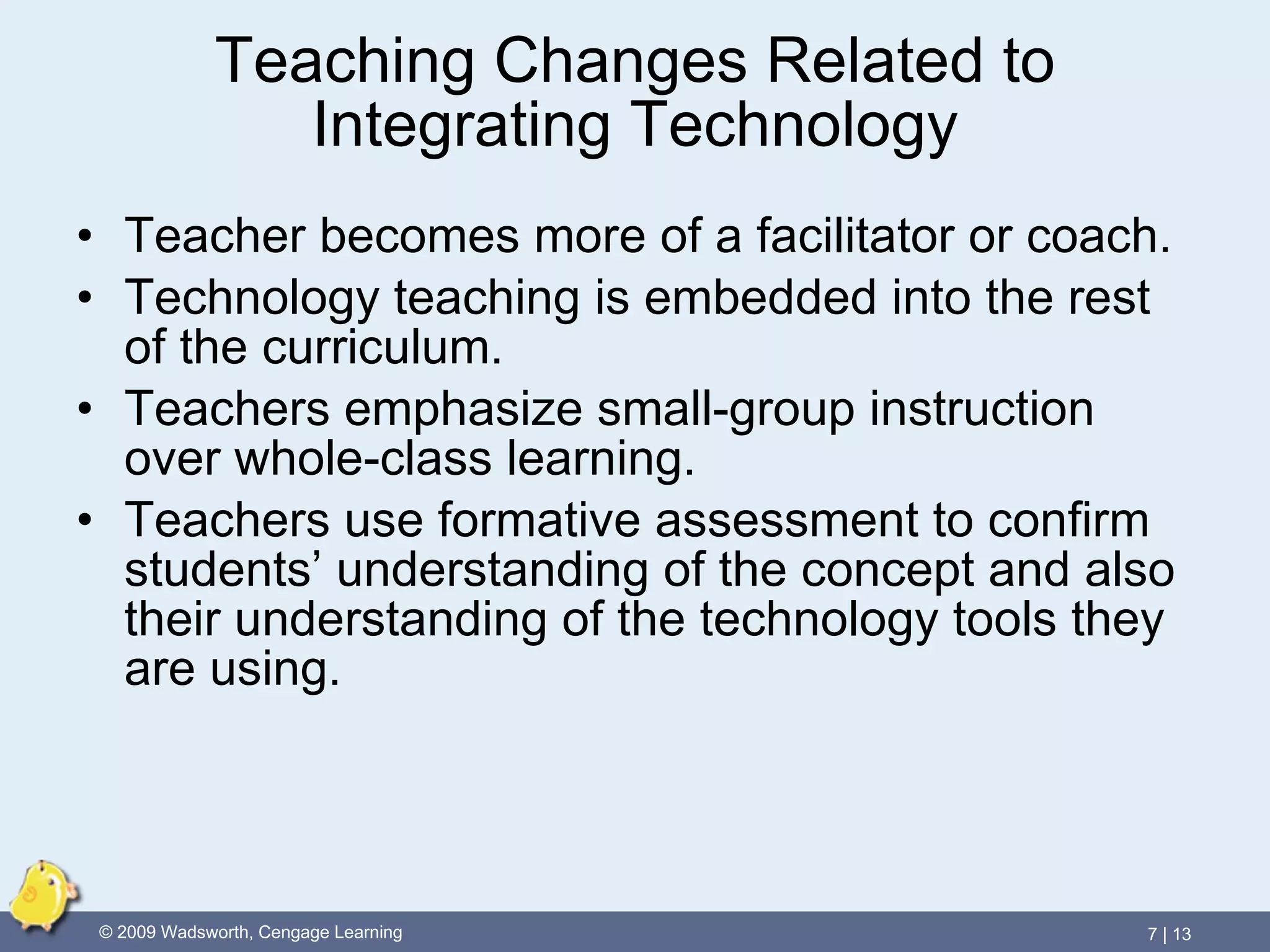
Teaching Changes Related to Integrating Technology Teacher becomes more of a facilitator or coach. Technology teaching is embedded into the rest of the curriculum. Teachers emphasize small-group instruction over whole-class learning. Teachers use formative assessment to confirm students’ understanding of the concept and also their understanding of the technology tools they are using.
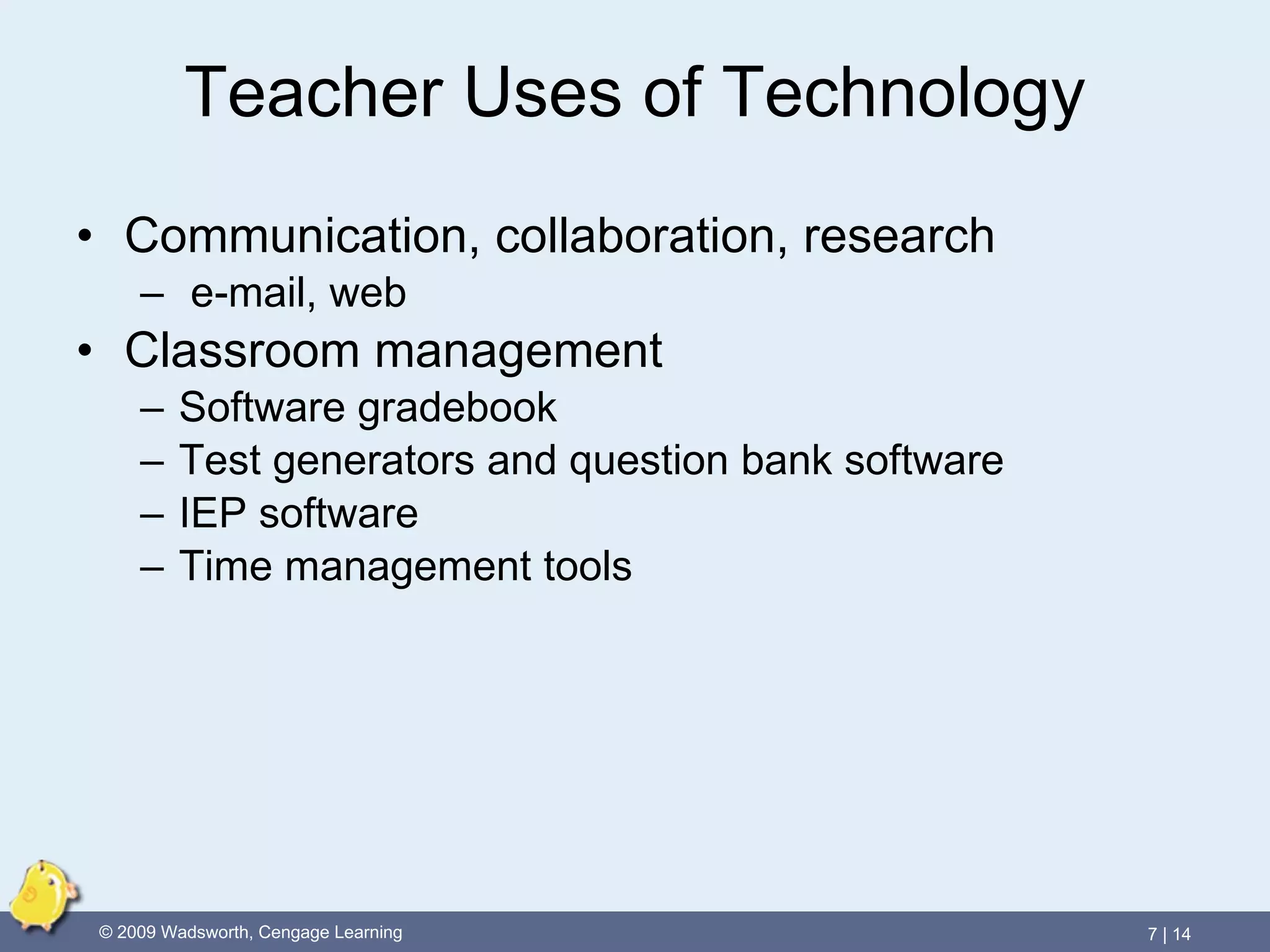
Teacher Uses of Technology Communication, collaboration, research e-mail, web Classroom management Software gradebook Test generators and question bank software IEP software Time management tools
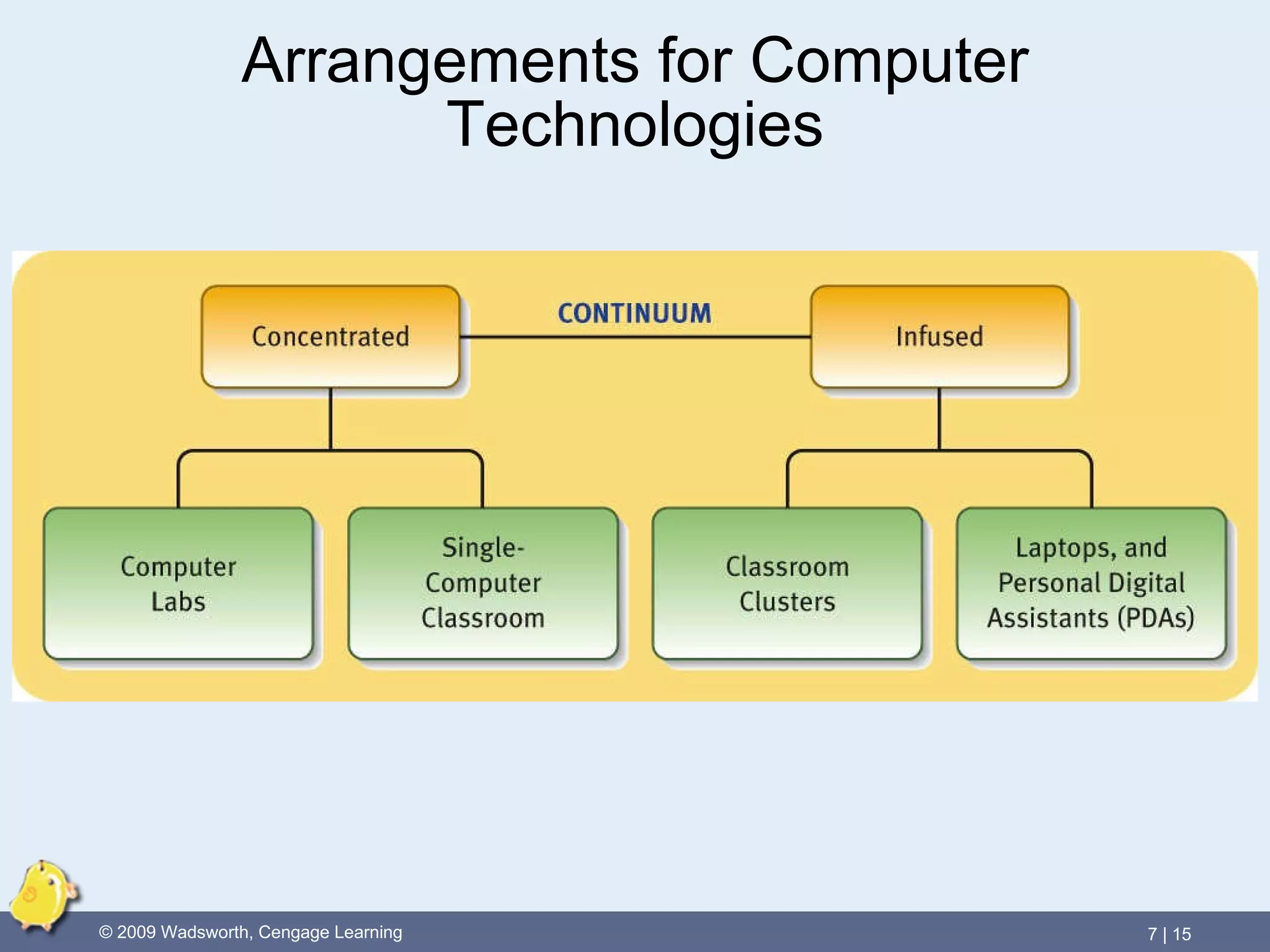
Arrangements for Computer Technologies
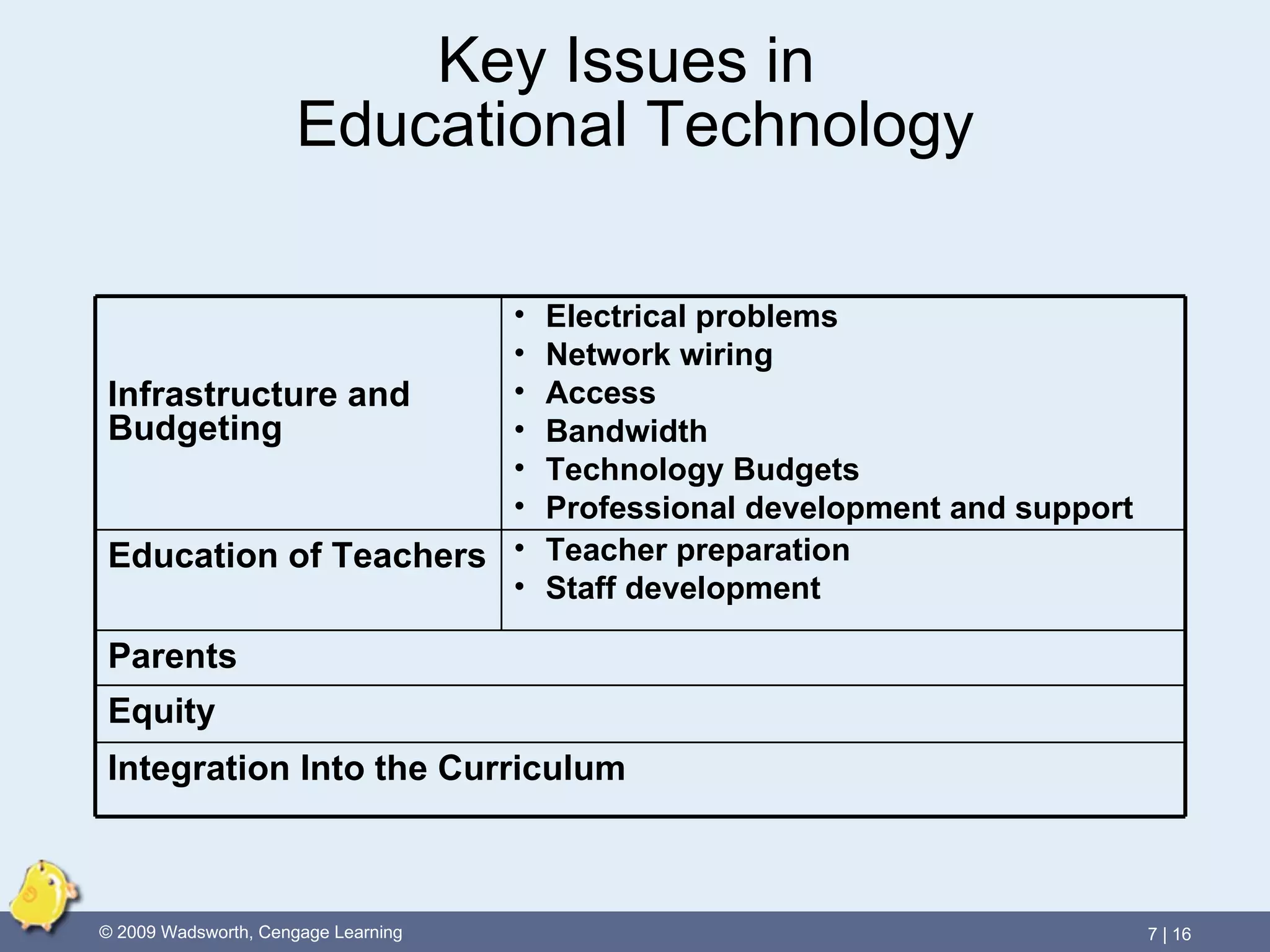
Key Issues in  Educational Technology Infrastructure and Budgeting Electrical problems Network wiring Access Bandwidth Technology Budgets Professional development and support Education of Teachers Teacher preparation Staff development Parents Equity Integration Into the Curriculum

Chapter 7: Technology and Its Impact on Schools

  • 1.
    What Should TeachersKnow About Technology and Its Impact on Schools? Chapter Seven
  • 2.
    Three Stages of Technology Application Technology is: Applied to things we already do Used to improve on tasks we already do Used to do things that were not possible before
  • 3.
    Sources of Pressureto Integrate Technology Parents Students Teachers Businesses Global competition Governmental agencies Digital Divide
  • 4.
    VIDEO CASE: An Expanded Definition of Literacy: Meaningful Ways to Integrate Technology
  • 5.
    Productivity v. CognitiveTools Productivity Tools Computer applications used to accomplish tasks more efficiently than if you had to use a typewriter, a calculator, or postal mail Examples: word processor, spreadsheet, email programs Cognitive Tools Computer applications used to engage and enhance thinking Allow users to organize information in new ways, to evaluate it, and to construct new, personally meaningful representations of the information
  • 6.
    Tasks and TechnologyTools for Teachers and Students
  • 7.
    How Technologies AffectStudent Learning English/Language Arts Word processors Communicating in multimedia - digital storytelling - blogs Drill-and-practice Mind maps/webs Social Studies Accessing information Simulations Virtual fieldtrips Webquests
  • 8.
    VIDEO CASE: Multimedia Literacy: Integrating Technology into the Middle School Curriculum
  • 9.
    How Technologies AffectStudent Learning (continued) Science Hardware Digital imagery Tools for analysis Communication with other scientists Enhancing problem solving Mathematics Tutorial and other math software Graphing calculators Foreign Language/ESL Accessing international media Connecting with people - newsgroups
  • 10.
    VIDEO CASE: Integrating Technology to Improve Student Learning: A High School Science Simulation
  • 11.
    How Technologies AffectStudent Learning (continued) Distance education Uses technology to link students and instructors in separate locations Allows the rapid exchange of data over distances Increase schools’ educational opportunities by offering courses otherwise prohibited by cost or other constraints Ever-increasing role in the education of rural students
  • 12.
    How Technologies AffectStudent Learning (continued) Students with special needs Help level the playing field by presenting information in a manner best suited to the student’s preferred learning style and unique needs An alternative, individualized curriculum that parallels the standard school curriculum can be created Assistive technology - devices and services that help people with disabilities perform better in their daily lives (e.g. voice recognition software)
  • 13.
    Teaching Changes Relatedto Integrating Technology Teacher becomes more of a facilitator or coach. Technology teaching is embedded into the rest of the curriculum. Teachers emphasize small-group instruction over whole-class learning. Teachers use formative assessment to confirm students’ understanding of the concept and also their understanding of the technology tools they are using.
  • 14.
    Teacher Uses ofTechnology Communication, collaboration, research e-mail, web Classroom management Software gradebook Test generators and question bank software IEP software Time management tools
  • 15.
  • 16.
    Key Issues in Educational Technology Infrastructure and Budgeting Electrical problems Network wiring Access Bandwidth Technology Budgets Professional development and support Education of Teachers Teacher preparation Staff development Parents Equity Integration Into the Curriculum