eZ Platform on Kubernetes
Managing services running in Linux containers known as Docker
technology
Björn Dieding (about me)
Degree in computer science
Working for over 13 years for my own company
Doing technical and strategic advisory
Believes open source is often the better choice.
xrow GmbH (about us)
We plan and deliver content & commerce solutions
and digital processes.
We deploy applications in business critical
environments and make them scale.
We select, aggregate and integrate open source
technology and combine them for the benefit of the
client.
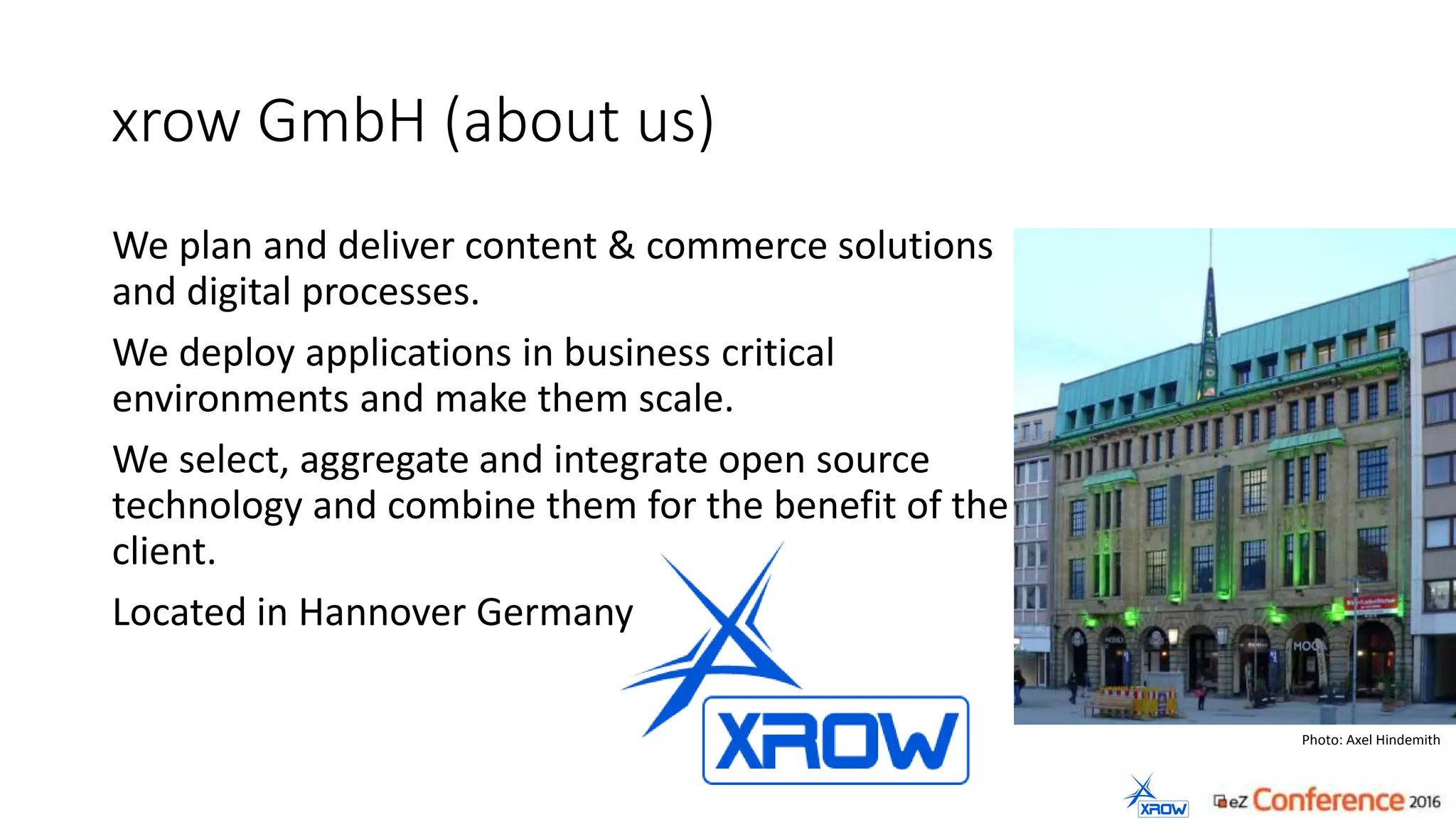
Located in Hannover Germany
Photo: Axel Hindemith
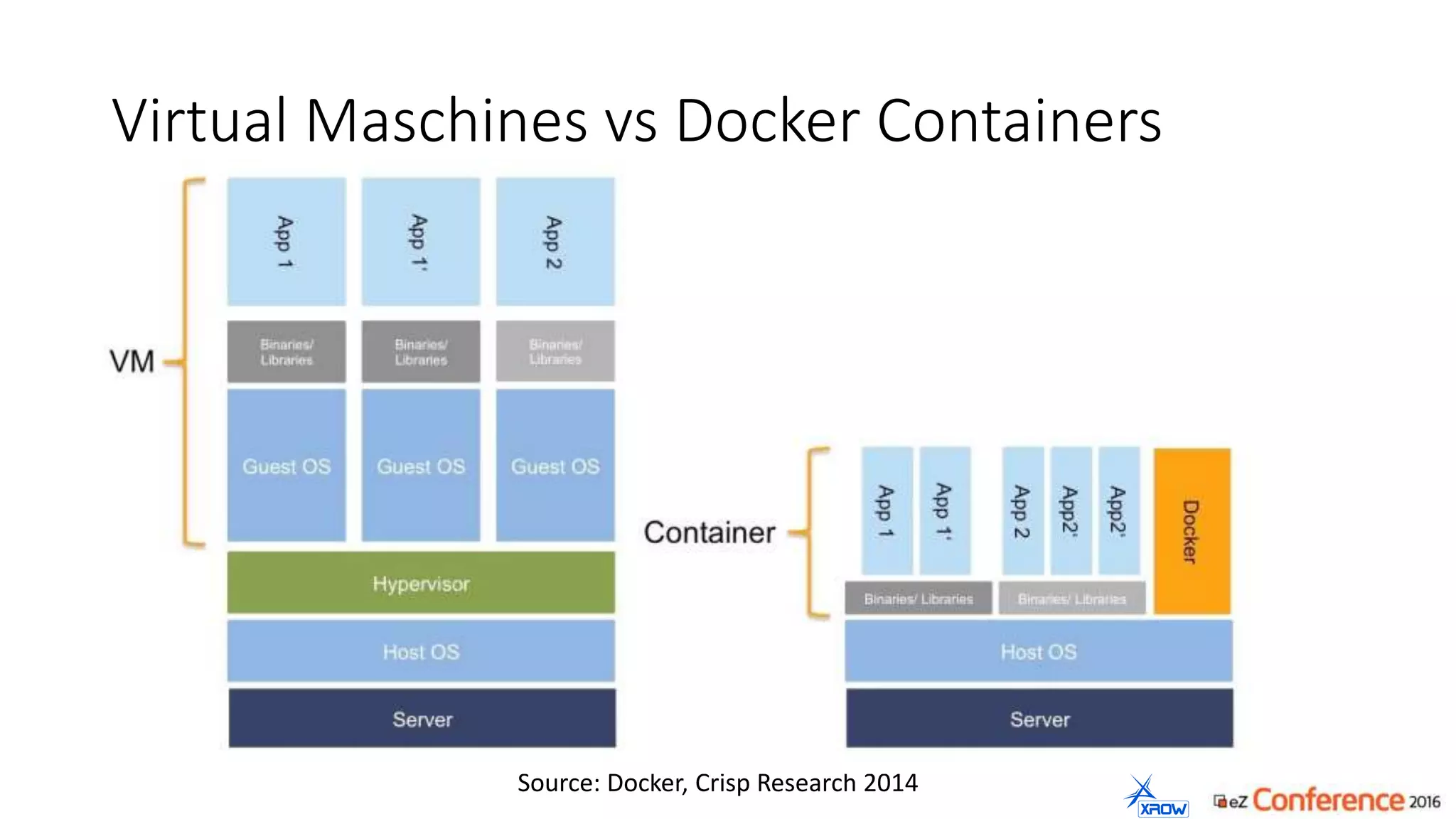
Virtual Maschines vs Docker Containers
Source: Docker, Crisp Research 2014
Containers: Advantages for the developer
• Save, clean and portable runtime for applications
• Puts all the dependencies inside the container
• Hassle-free deployments
• Each application is an isolated and versioned container
„Once it is build – it will run anywhere“
Container: Advantages for the administrator
• There are no inconsistencies between test and production
environments
• Fast deployments (continuous deployment / continuous integration)
• A standard format for developers to ship applications
• Containers have better performance
„Once configured – it runs everywhere“
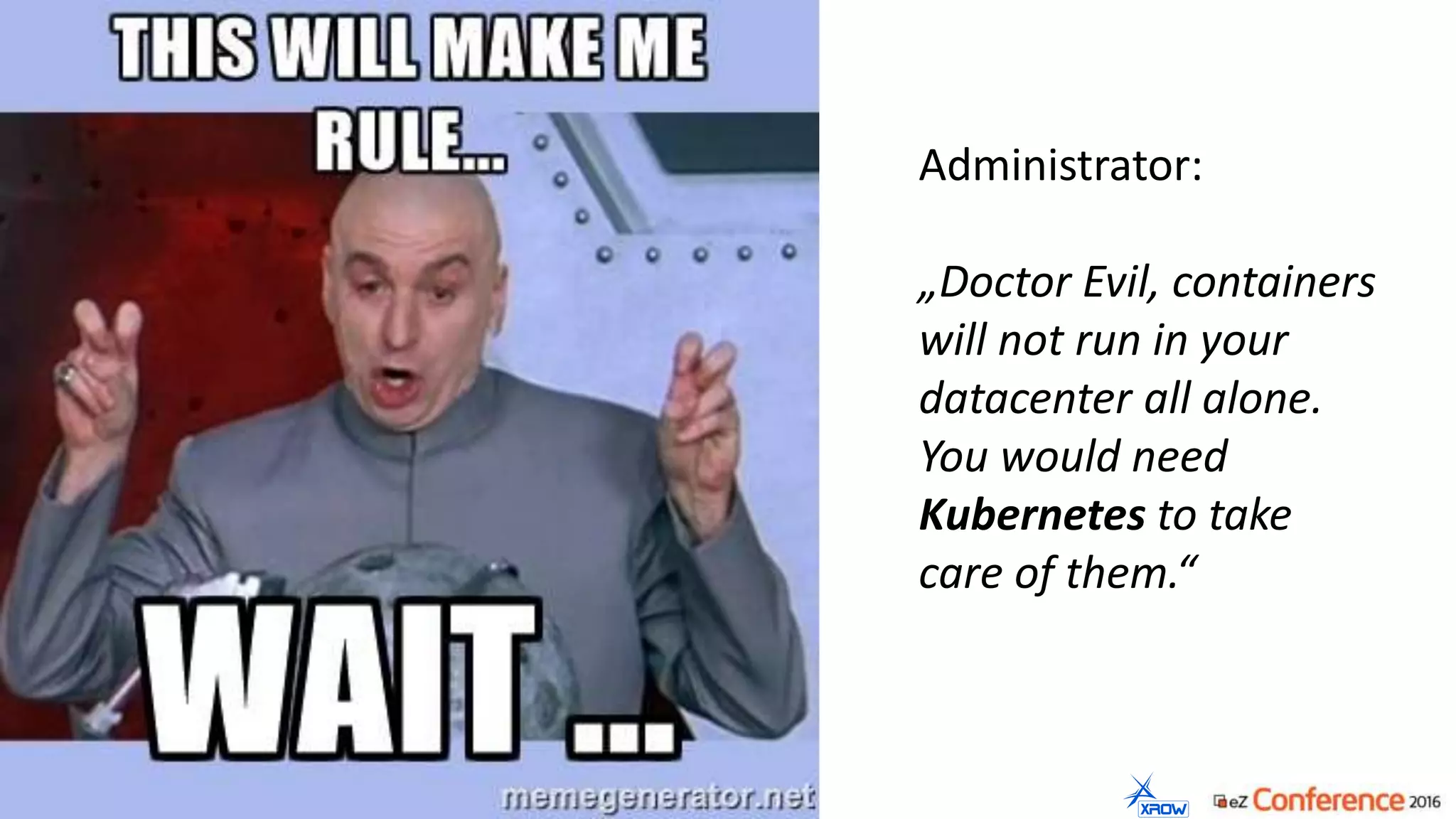
Administrator:
„Doctor Evil, containers
will not run in your
datacenter all alone.
You would need
Kubernetes to take
care of them.“
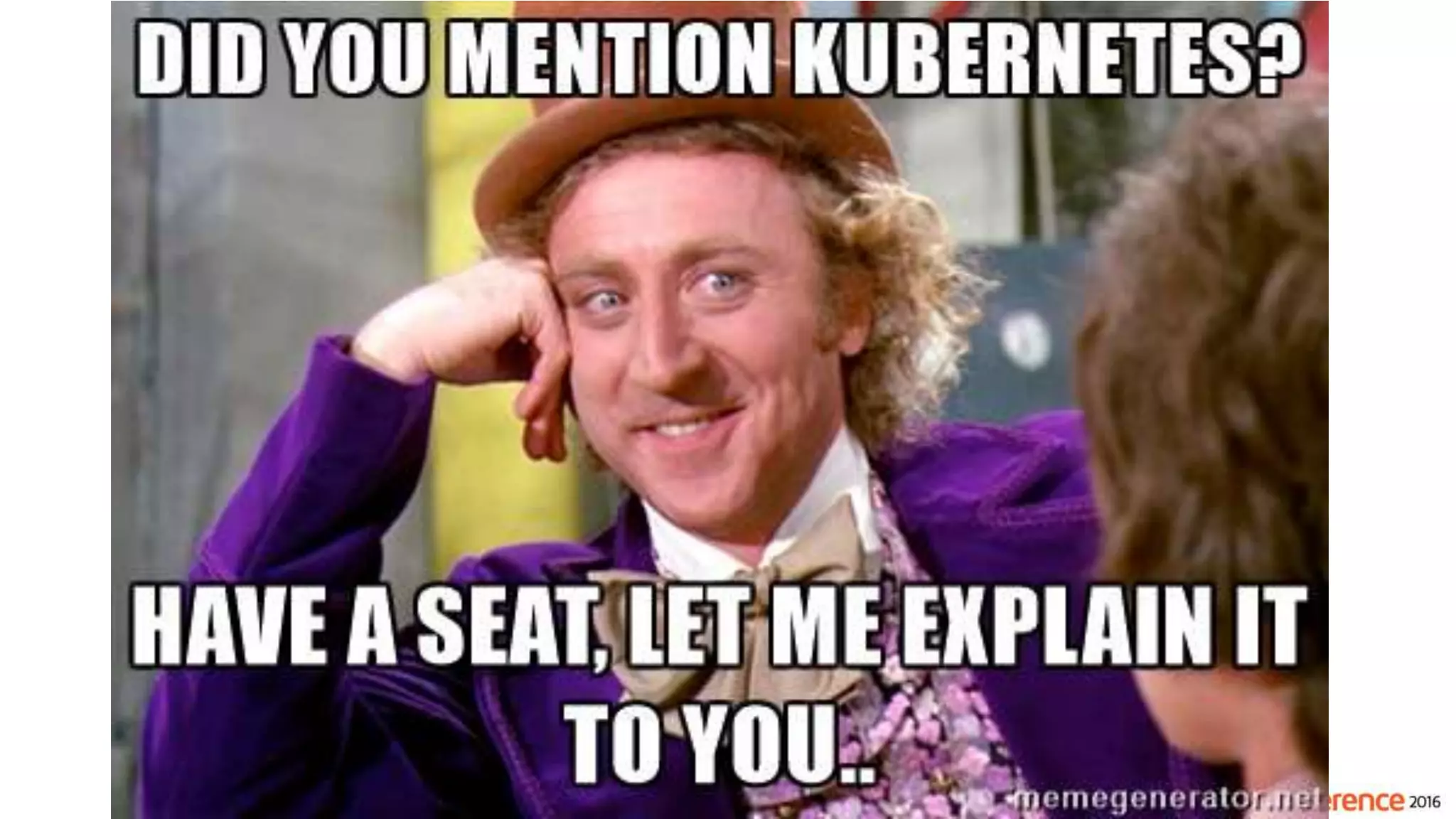
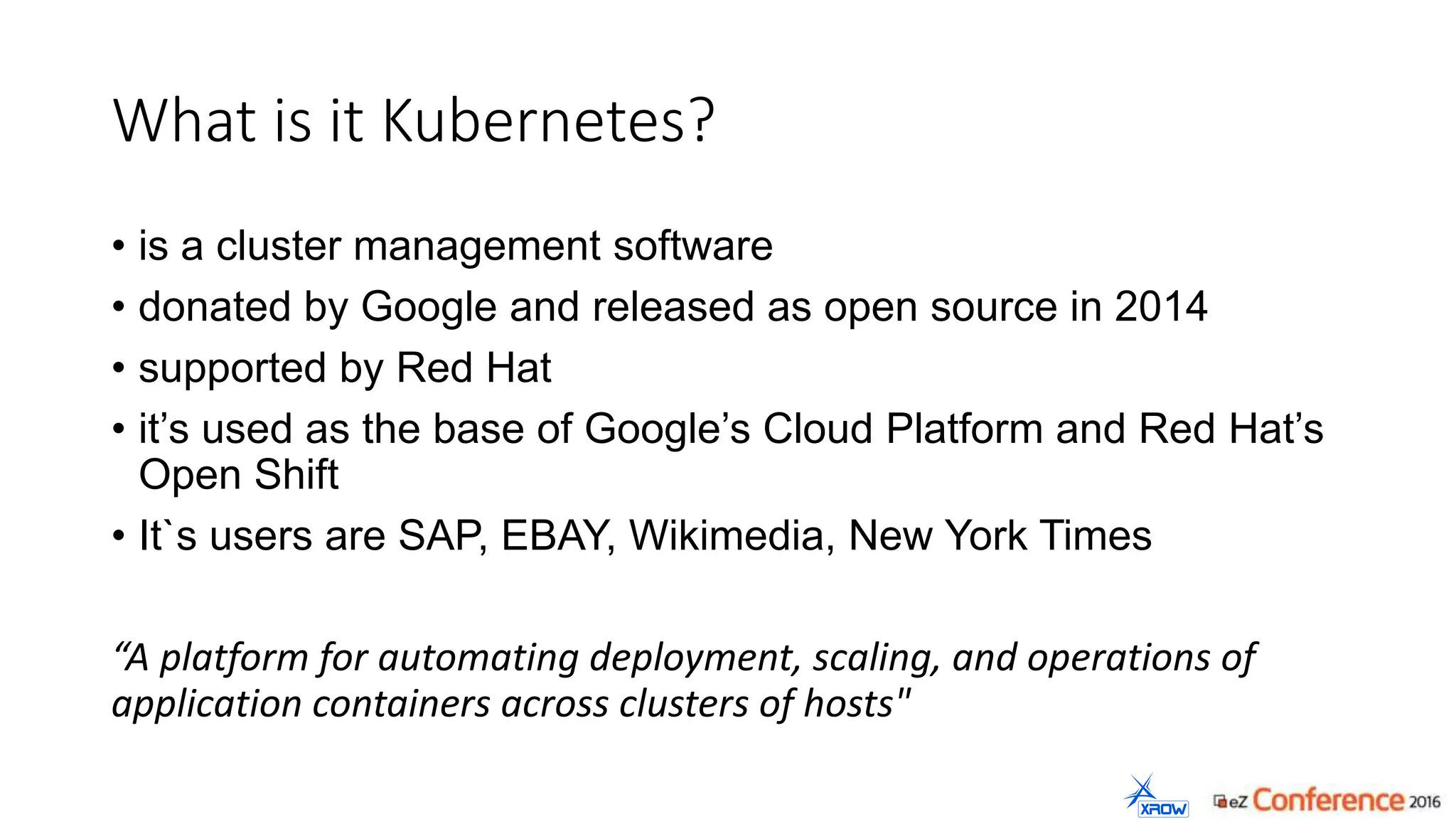
What is it Kubernetes?
• is a cluster management software
• donated by Google and released as open source in 2014
• supported by Red Hat
• it’s used as the base of Google’s Cloud Platform and Red Hat’s
Open Shift
• It`s users are SAP, EBAY, Wikimedia, New York Times
“A platform for automating deployment, scaling, and operations of
application containers across clusters of hosts"
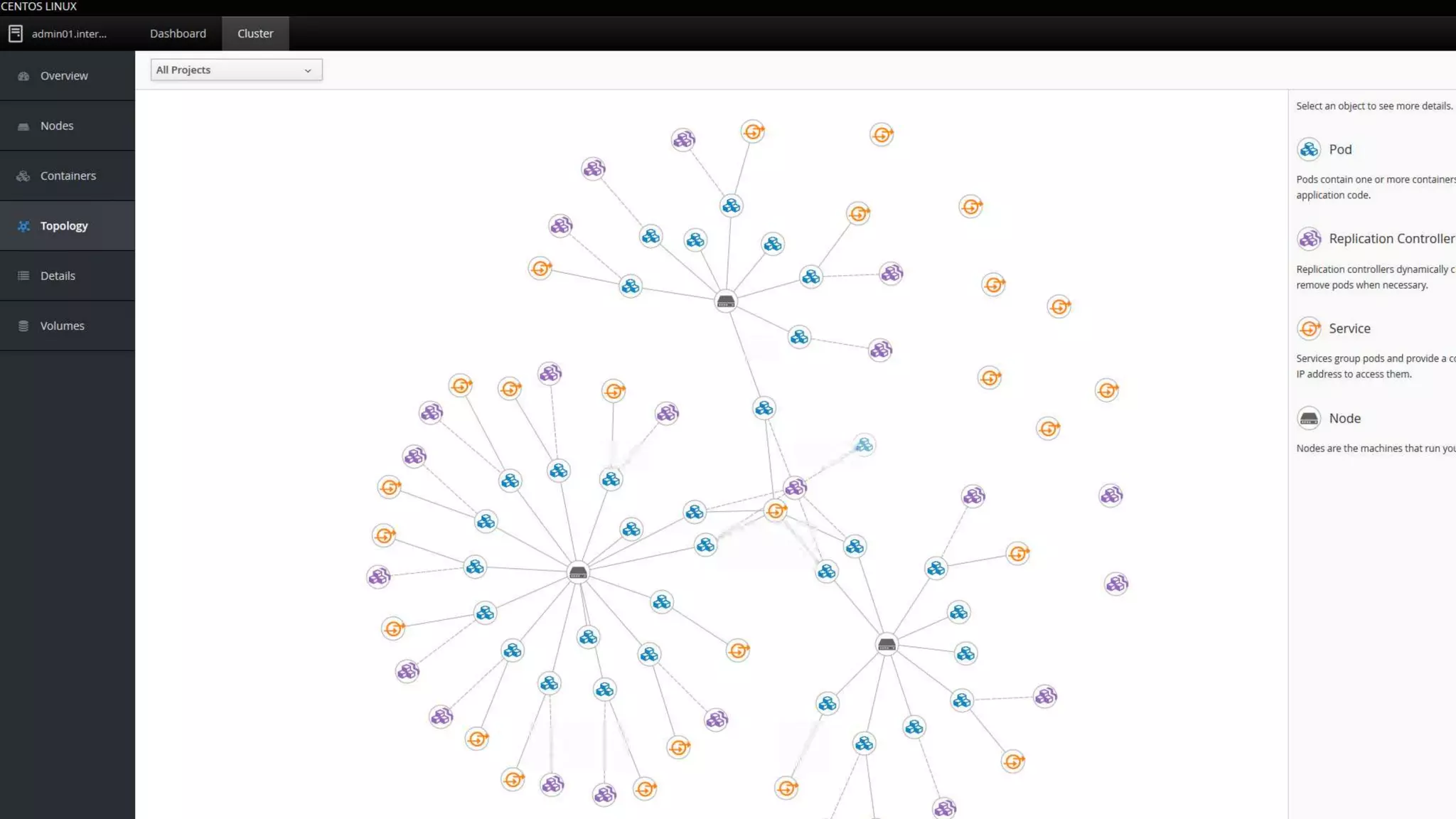
Cockpit
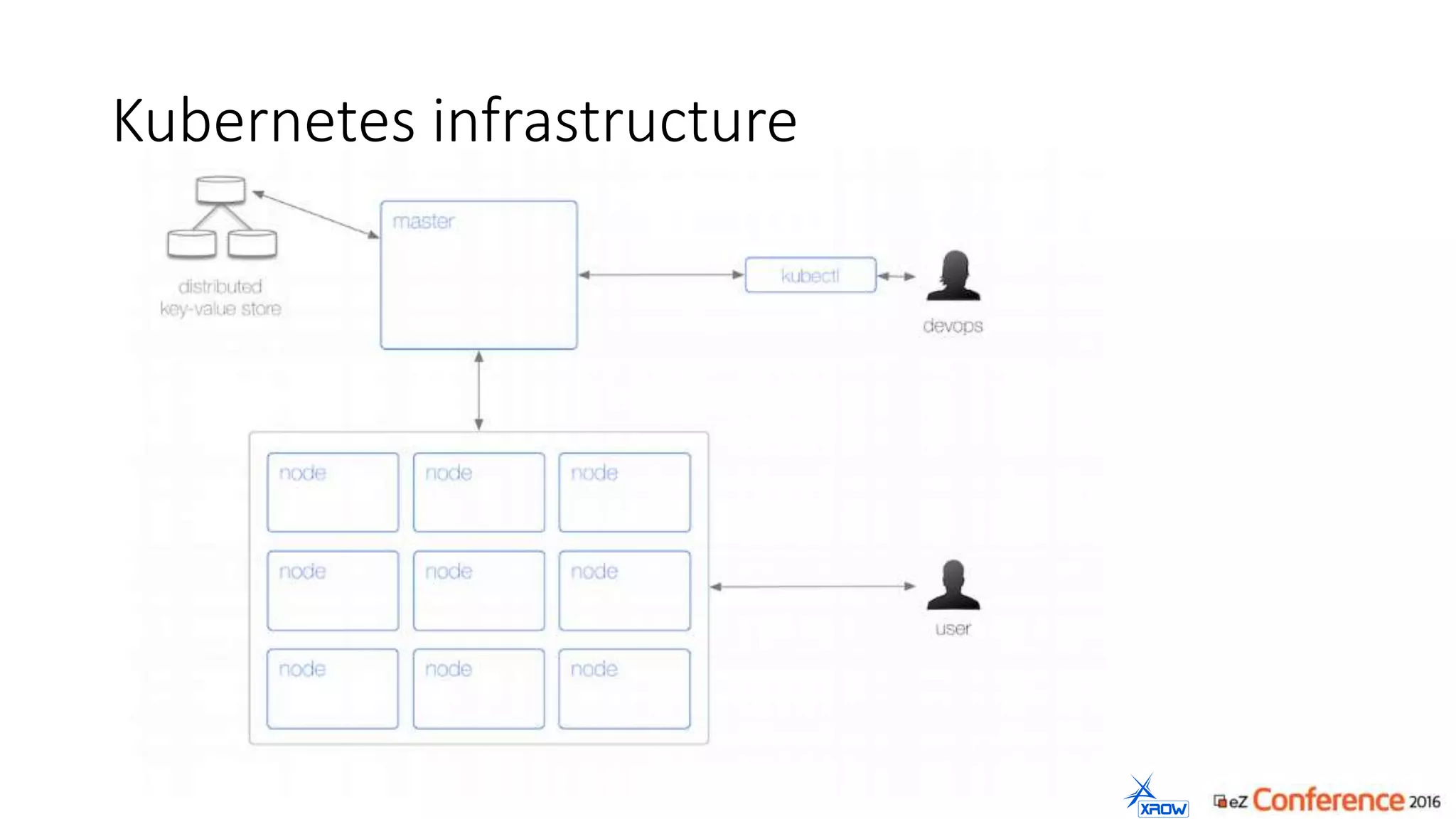
Kubernetes infrastructure
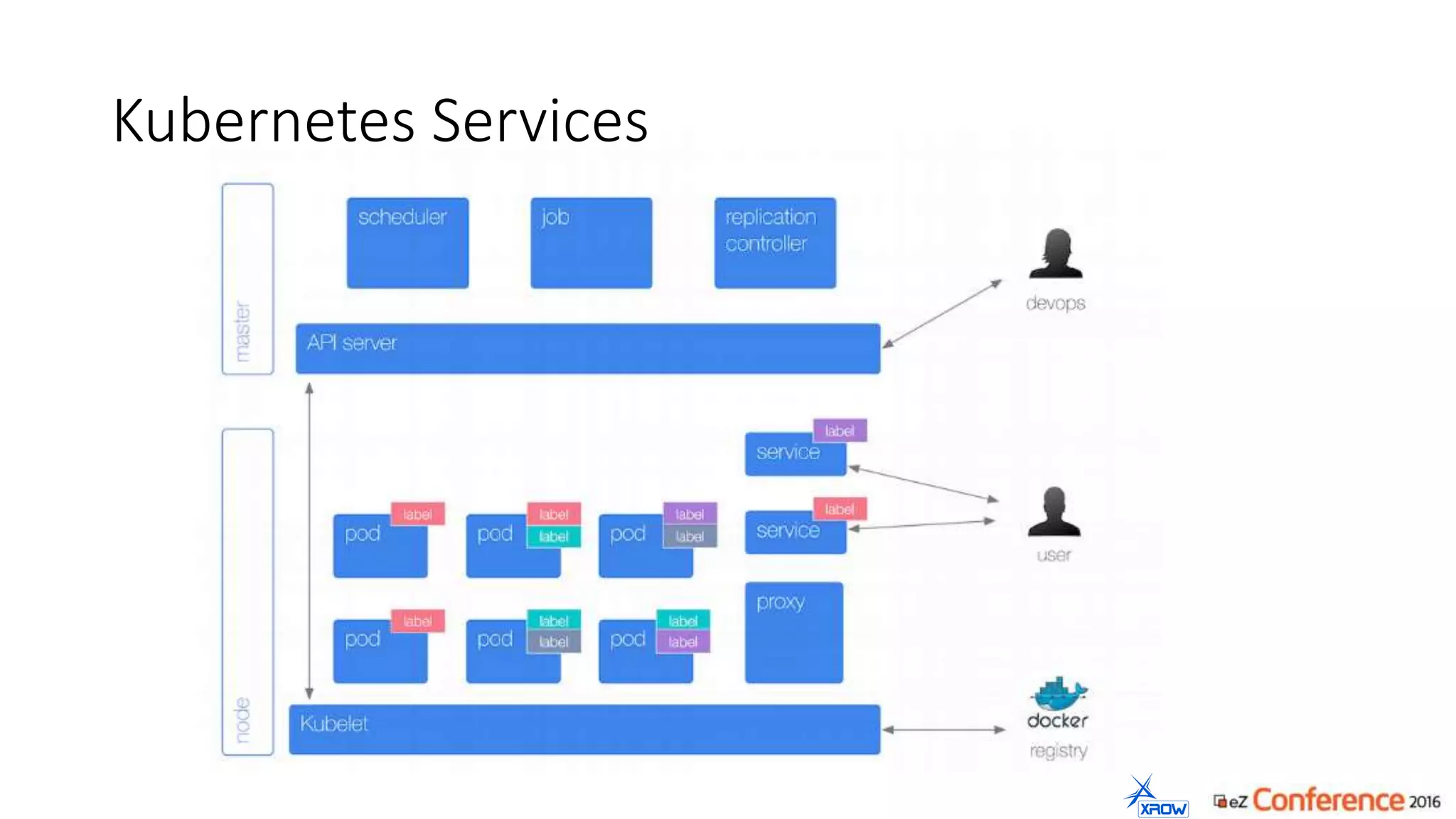
Kubernetes Services
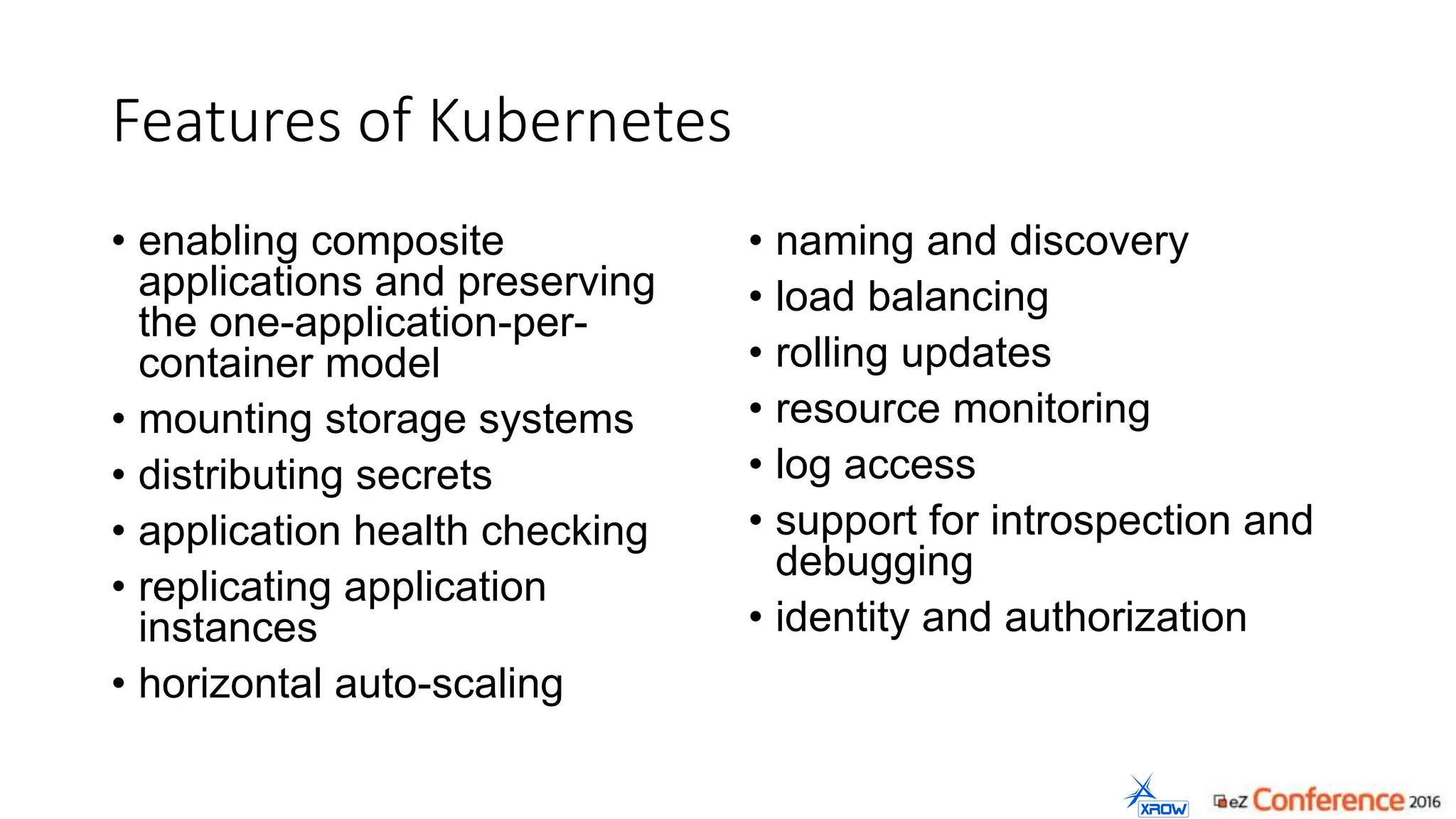
Features of Kubernetes
• enabling composite
applications and preserving
the one-application-per-
container model
• mounting storage systems
• distributing secrets
• application health checking
• replicating application
instances
• horizontal auto-scaling
• naming and discovery
• load balancing
• rolling updates
• resource monitoring
• log access
• support for introspection and
debugging
• identity and authorization
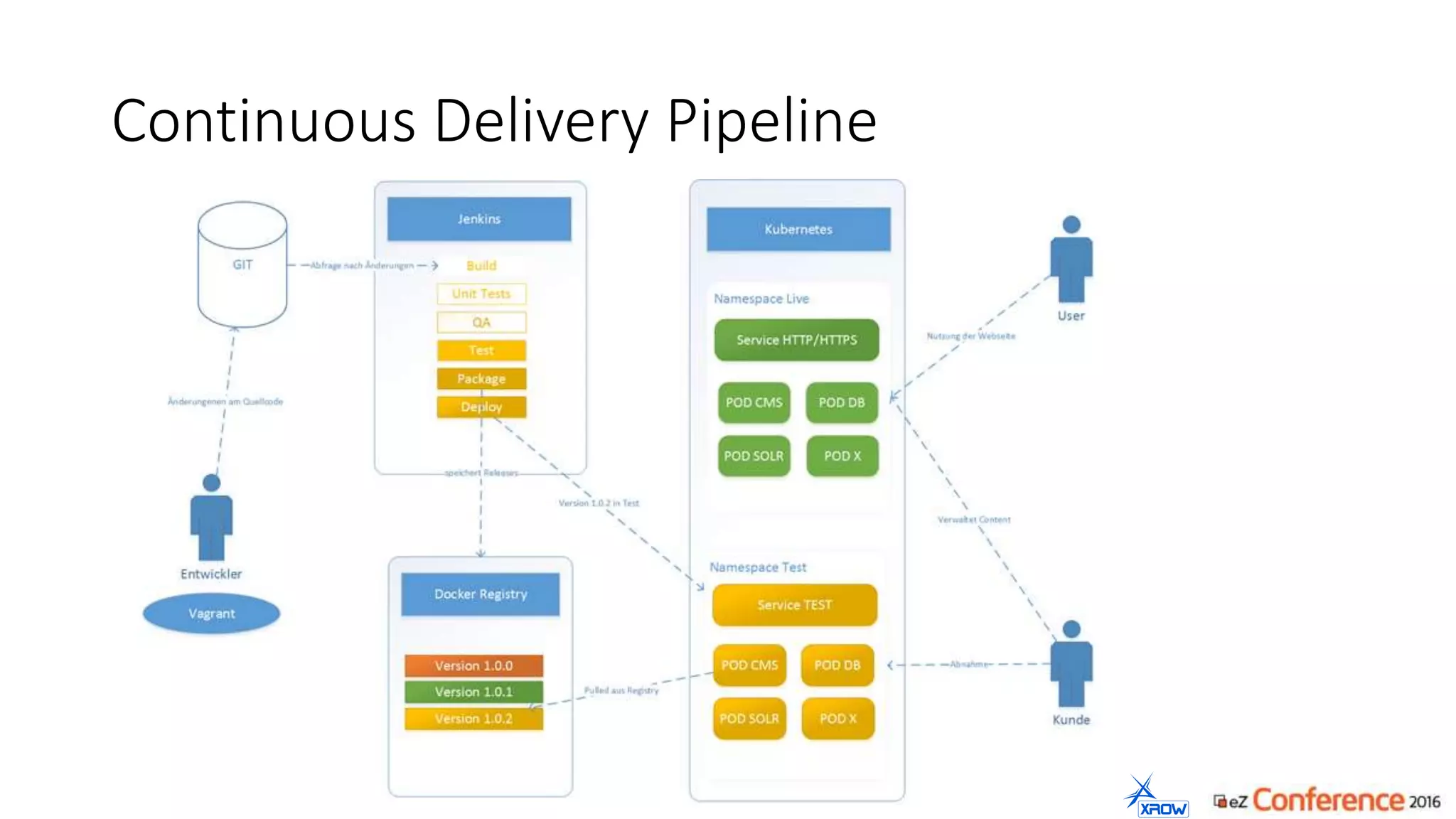
Continuous Delivery Pipeline
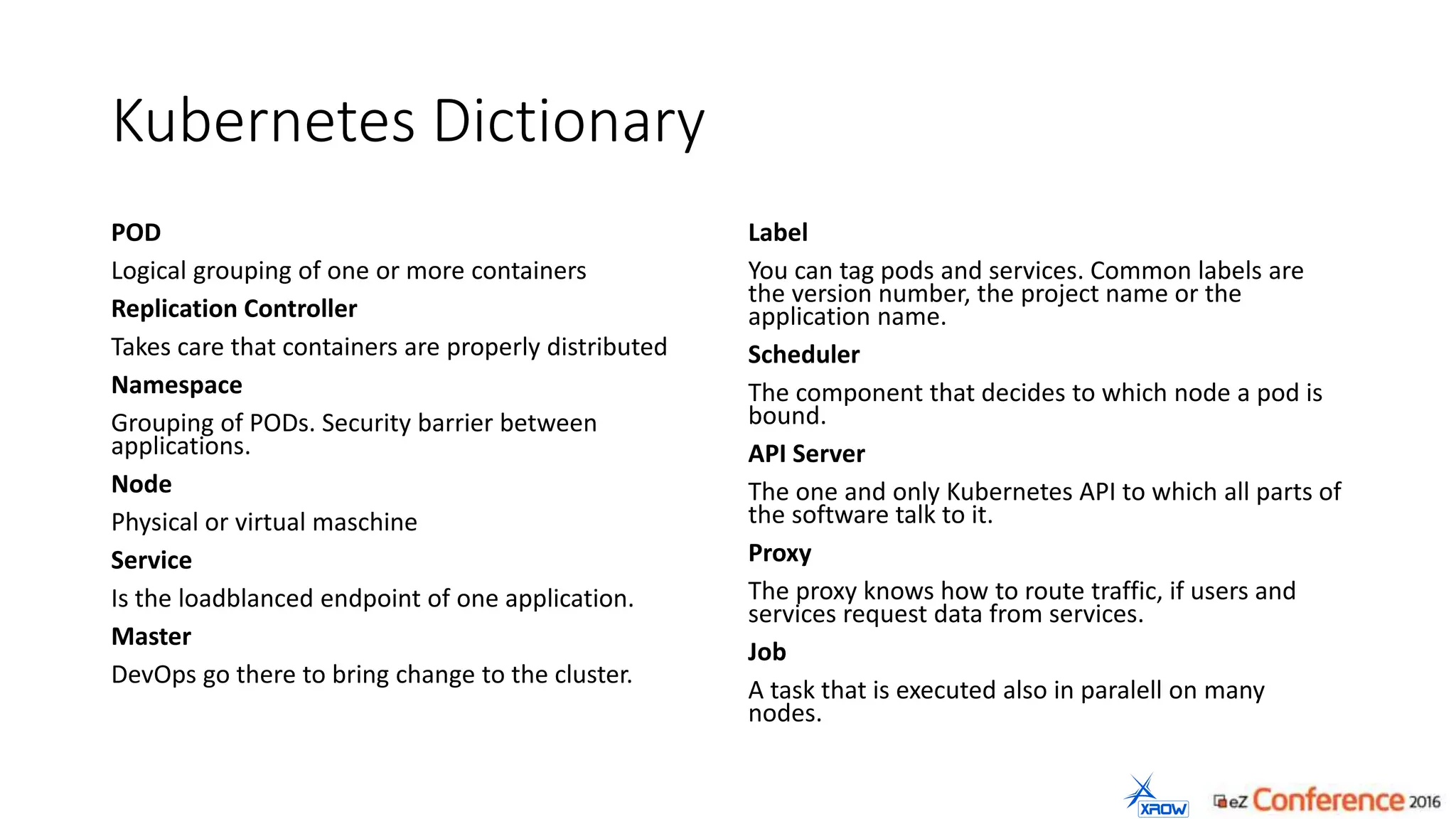
Kubernetes Dictionary
POD
Logical grouping of one or more containers
Replication Controller
Takes care that containers are properly distributed
Namespace
Grouping of PODs. Security barrier between
applications.
Node
Physical or virtual maschine
Service
Is the loadblanced endpoint of one application.
Master
DevOps go there to bring change to the cluster.
Label
You can tag pods and services. Common labels are
the version number, the project name or the
application name.
Scheduler
The component that decides to which node a pod is
bound.
API Server
The one and only Kubernetes API to which all parts of
the software talk to it.
Proxy
The proxy knows how to route traffic, if users and
services request data from services.
Job
A task that is executed also in paralell on many
nodes.
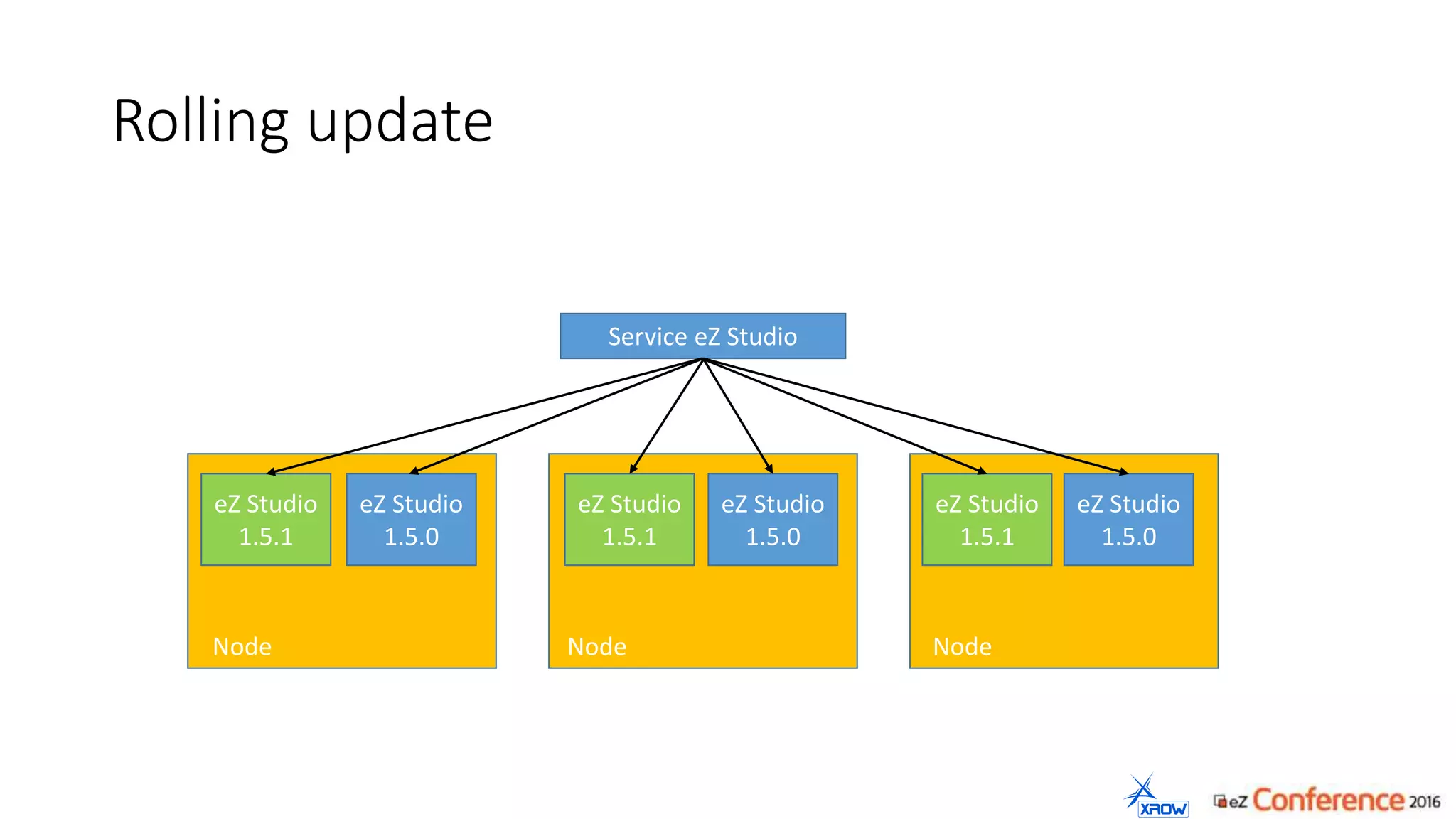
Rolling update
Service eZ Studio
eZ Studio
1.5.0
eZ Studio
1.5.0
eZ Studio
1.5.0
eZ Studio
1.5.1
eZ Studio
1.5.1
eZ Studio
1.5.1
Node Node Node
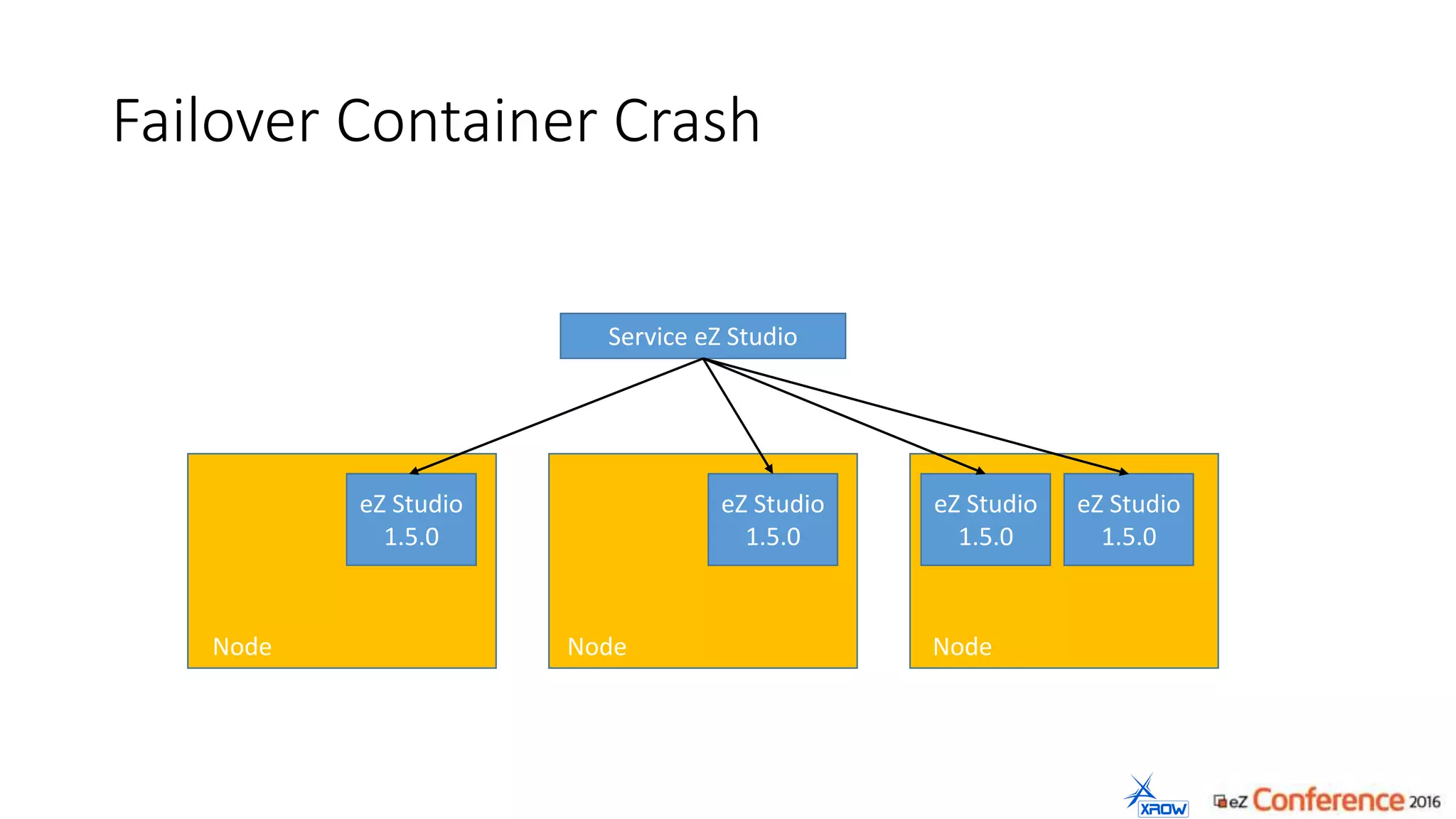
Failover Container Crash
Service eZ Studio
eZ Studio
1.5.0
eZ Studio
1.5.0
eZ Studio
1.5.0
Node Node Node
eZ Studio
1.5.0
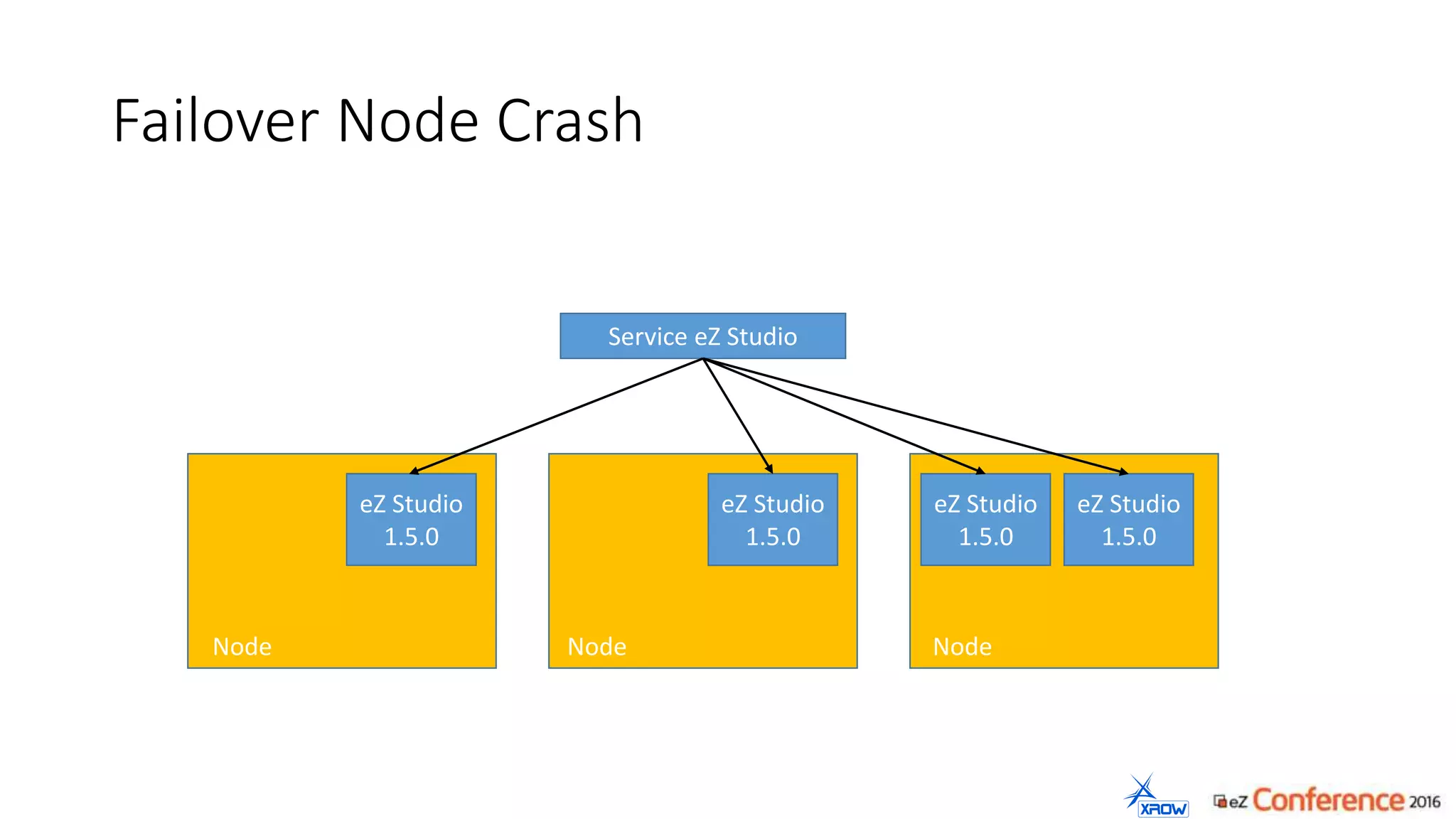
Failover Node Crash
Service eZ Studio
eZ Studio
1.5.0
eZ Studio
1.5.0
Node
eZ Studio
1.5.0
Node Node
eZ Studio
1.5.0
Autodiscovery of services
$url = "https://10.254.0.1:443/api/v1/namespaces/project123-prod/services";
$json = json_decode(file_get_contents($url));
$ip = $this->services->items["mariadb"]->spec->clusterIP;
$container->setParameter("database_server", $ip );
• Read all services from the API
• Set the proper parameters in your symfony application
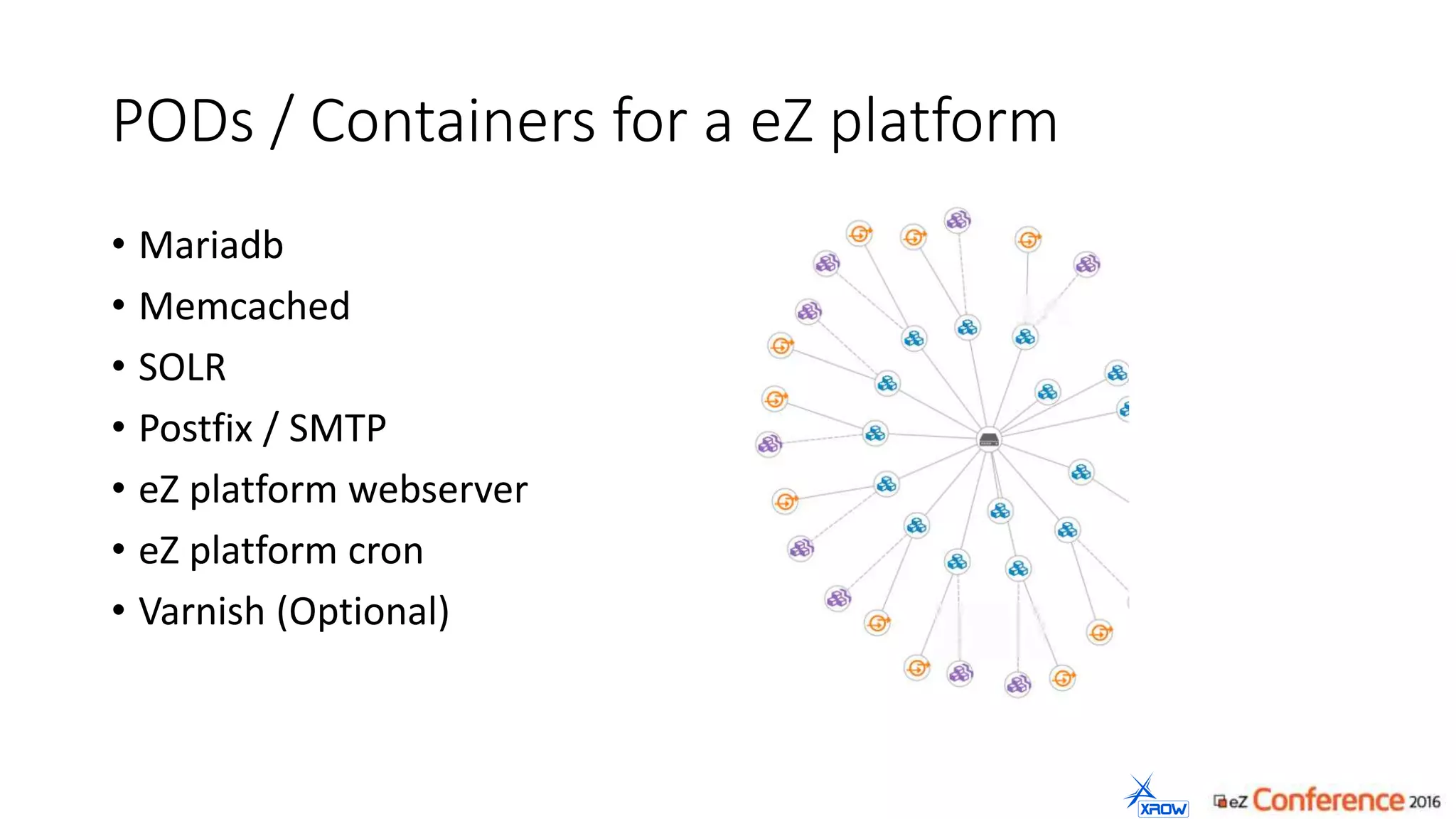
PODs / Containers for a eZ platform
• Mariadb
• Memcached
• SOLR
• Postfix / SMTP
• eZ platform webserver
• eZ platform cron
• Varnish (Optional)
Perils of Kubernetes / Docker
• Filesystem wisely. They all have different features.
• RENAME function is limited in AUFS and OverlayFS
• Make sure the NFS is fast enough
• Take your time to get used to all a new software pieces
• Beware of kernels. Newer kernels have more features, but might be not as
secure.
• Clean up your systems regulary. Rotating containers leaves a lot of junk on
disk.
• Warm your caches before taking containers online.
• Some apps still need to get configured per customer.
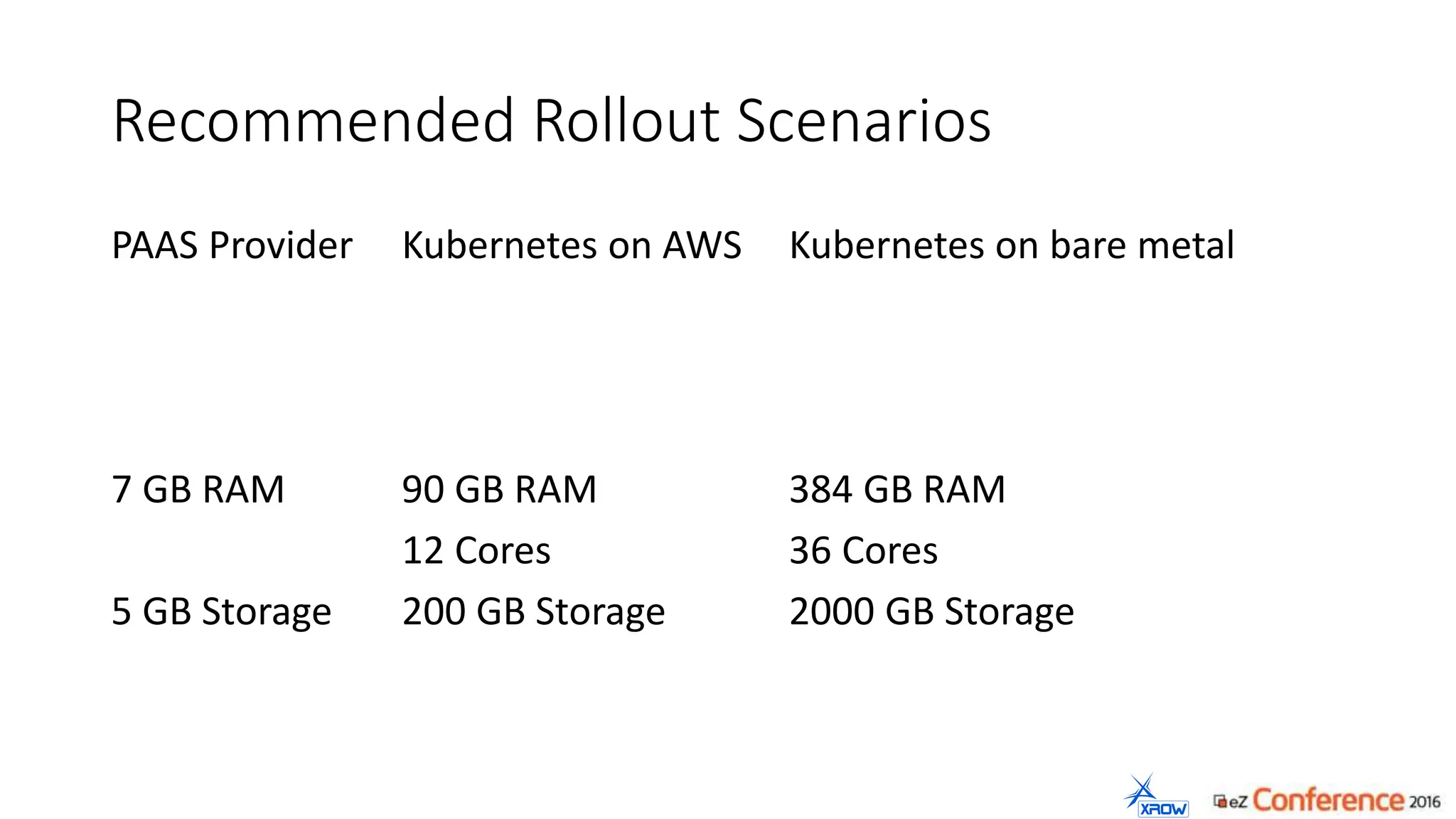
Recommended Rollout Scenarios
PAAS Provider
7 GB RAM
5 GB Storage
Kubernetes on AWS
90 GB RAM
12 Cores
200 GB Storage
Kubernetes on bare metal
384 GB RAM
36 Cores
2000 GB Storage
Björn Dieding
bjoern@xrow.de

Running eZ Platform on Kubernetes (presented by Björn Dieding at eZ Conference 2016)

  • 1.
    eZ Platform onKubernetes Managing services running in Linux containers known as Docker technology
  • 2.
    Björn Dieding (aboutme) Degree in computer science Working for over 13 years for my own company Doing technical and strategic advisory Believes open source is often the better choice.
  • 3.
    xrow GmbH (aboutus) We plan and deliver content & commerce solutions and digital processes. We deploy applications in business critical environments and make them scale. We select, aggregate and integrate open source technology and combine them for the benefit of the client. Located in Hannover Germany Photo: Axel Hindemith
  • 4.
    Virtual Maschines vsDocker Containers Source: Docker, Crisp Research 2014
  • 5.
    Containers: Advantages forthe developer • Save, clean and portable runtime for applications • Puts all the dependencies inside the container • Hassle-free deployments • Each application is an isolated and versioned container „Once it is build – it will run anywhere“
  • 6.
    Container: Advantages forthe administrator • There are no inconsistencies between test and production environments • Fast deployments (continuous deployment / continuous integration) • A standard format for developers to ship applications • Containers have better performance „Once configured – it runs everywhere“
  • 7.
    Administrator: „Doctor Evil, containers willnot run in your datacenter all alone. You would need Kubernetes to take care of them.“
  • 9.
    What is itKubernetes? • is a cluster management software • donated by Google and released as open source in 2014 • supported by Red Hat • it’s used as the base of Google’s Cloud Platform and Red Hat’s Open Shift • It`s users are SAP, EBAY, Wikimedia, New York Times “A platform for automating deployment, scaling, and operations of application containers across clusters of hosts"
  • 10.
  • 11.
  • 12.
  • 13.
    Features of Kubernetes •enabling composite applications and preserving the one-application-per- container model • mounting storage systems • distributing secrets • application health checking • replicating application instances • horizontal auto-scaling • naming and discovery • load balancing • rolling updates • resource monitoring • log access • support for introspection and debugging • identity and authorization
  • 14.
  • 15.
    Kubernetes Dictionary POD Logical groupingof one or more containers Replication Controller Takes care that containers are properly distributed Namespace Grouping of PODs. Security barrier between applications. Node Physical or virtual maschine Service Is the loadblanced endpoint of one application. Master DevOps go there to bring change to the cluster. Label You can tag pods and services. Common labels are the version number, the project name or the application name. Scheduler The component that decides to which node a pod is bound. API Server The one and only Kubernetes API to which all parts of the software talk to it. Proxy The proxy knows how to route traffic, if users and services request data from services. Job A task that is executed also in paralell on many nodes.
  • 16.
    Rolling update Service eZStudio eZ Studio 1.5.0 eZ Studio 1.5.0 eZ Studio 1.5.0 eZ Studio 1.5.1 eZ Studio 1.5.1 eZ Studio 1.5.1 Node Node Node
  • 17.
    Failover Container Crash ServiceeZ Studio eZ Studio 1.5.0 eZ Studio 1.5.0 eZ Studio 1.5.0 Node Node Node eZ Studio 1.5.0
  • 18.
    Failover Node Crash ServiceeZ Studio eZ Studio 1.5.0 eZ Studio 1.5.0 Node eZ Studio 1.5.0 Node Node eZ Studio 1.5.0
  • 19.
    Autodiscovery of services $url= "https://10.254.0.1:443/api/v1/namespaces/project123-prod/services"; $json = json_decode(file_get_contents($url)); $ip = $this->services->items["mariadb"]->spec->clusterIP; $container->setParameter("database_server", $ip ); • Read all services from the API • Set the proper parameters in your symfony application
  • 20.
    PODs / Containersfor a eZ platform • Mariadb • Memcached • SOLR • Postfix / SMTP • eZ platform webserver • eZ platform cron • Varnish (Optional)
  • 21.
    Perils of Kubernetes/ Docker • Filesystem wisely. They all have different features. • RENAME function is limited in AUFS and OverlayFS • Make sure the NFS is fast enough • Take your time to get used to all a new software pieces • Beware of kernels. Newer kernels have more features, but might be not as secure. • Clean up your systems regulary. Rotating containers leaves a lot of junk on disk. • Warm your caches before taking containers online. • Some apps still need to get configured per customer.
  • 22.
    Recommended Rollout Scenarios PAASProvider 7 GB RAM 5 GB Storage Kubernetes on AWS 90 GB RAM 12 Cores 200 GB Storage Kubernetes on bare metal 384 GB RAM 36 Cores 2000 GB Storage
  • 23.