2014 겨울 AWSKRUG Meetup
ElasticBeanstalk First-look
and Git 2
이성환@AWSKRUG Meetup
lethee@{github,twitter,gmail}
sean@weaveus
이성환@LGE SW Platform lab.
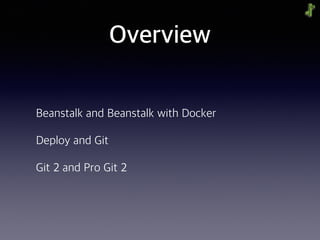
Overview
Beanstalk and Beanstalk with Docker
Deploy and Git
Git 2 and Pro Git 2
Beanstalk First-look
Import a Python/Flask WebApp Project
Beanstalk, what is?
Import a Python/Flask with Docker Container
Import
existing Python/Flask project
into
Beanstalk
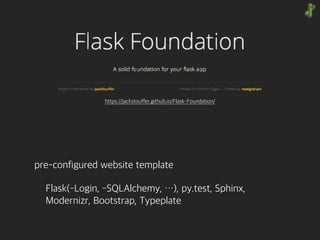
pre-configured website template
Flask(-Login, -SQLAlchemy, …), py.test, Sphinx,

Modernizr, Bootstrap, Typeplate
https://jackstouffer.github.io/Flask-Foundation/
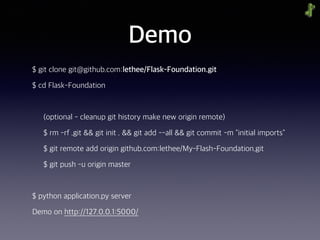
Demo
$ git clone git@github.com:lethee/Flask-Foundation.git
$ cd Flask-Foundation
(optional - cleanup git history make new origin remote)
$ rm -rf .git && git init . && git add --all && git commit -m "initial imports"
$ git remote add origin github.com:lethee/My-Flash-Foundation.git
$ git push -u origin master
$ python application.py server
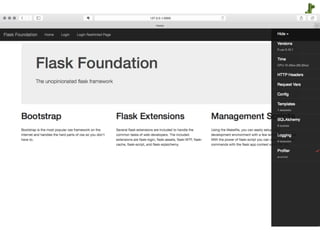
Demo on http://127.0.0.1:5000/
Import
FlaskFoundation Project
into
Beanstalk
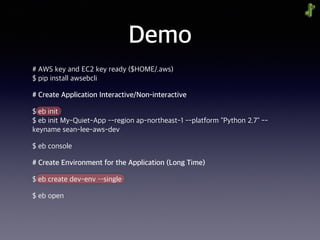
Demo
# AWS key and EC2 key ready ($HOME/.aws)

$ pip install awsebcli
# Create Application Interactive/Non-interactive
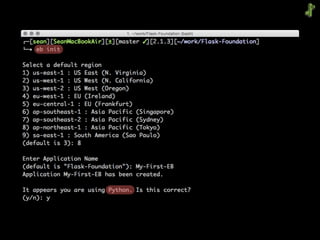
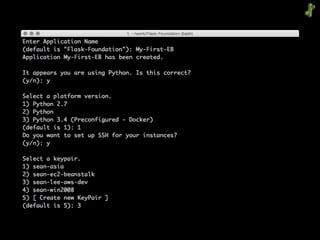
$ eb init

$ eb init My-Quiet-App --region ap-northeast-1 --platform "Python 2.7" --
keyname sean-lee-aws-dev
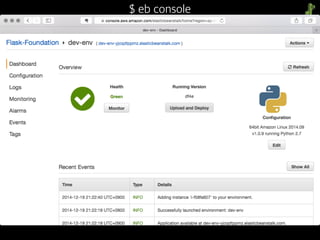
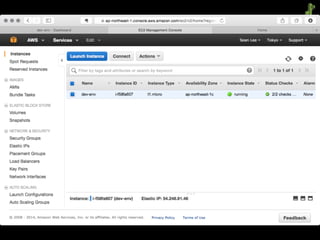
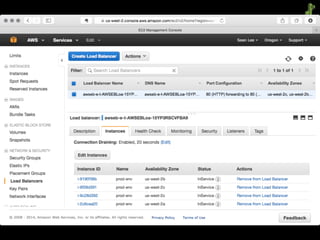
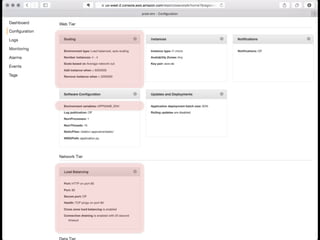
$ eb console
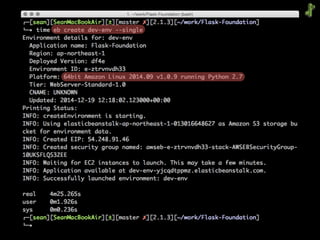
# Create Environment for the Application (Long Time)
$ eb create dev-env ––single
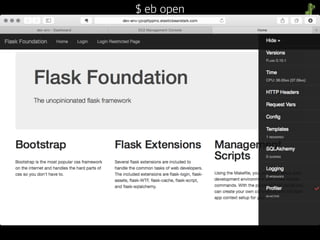
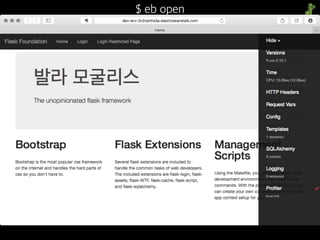
$ eb open
(demo1 - shell)
$ eb console
$ eb open
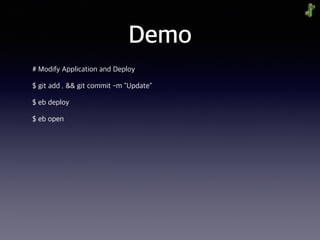
Demo
# Modify Application and Deploy
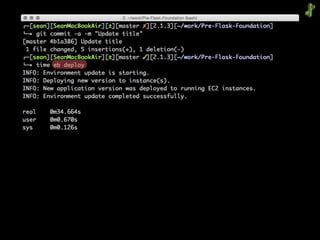
$ git add . && git commit -m "Update"
$ eb deploy
$ eb open
(demo2 - shell)
$ eb open
Demo
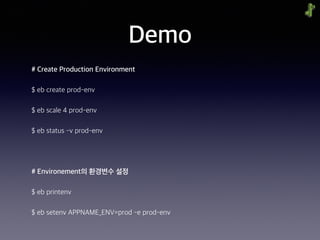
# Create Production Environment
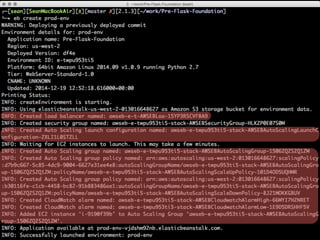
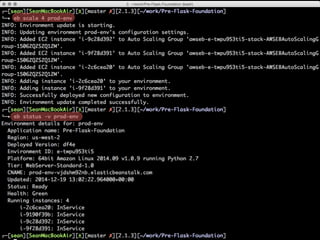
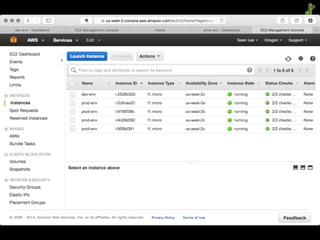
$ eb create prod-env
$ eb scale 4 prod-env
$ eb status -v prod-env
# Environement의 환경변수 설정
$ eb printenv
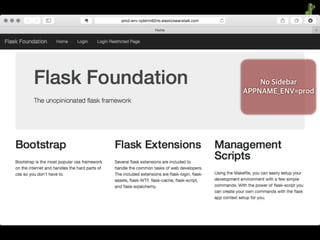
$ eb setenv APPNAME_ENV=prod -e prod-env
(demo3 - shell)
No Sidebar
APPNAME_ENV=prod
ElasticBeanstalk
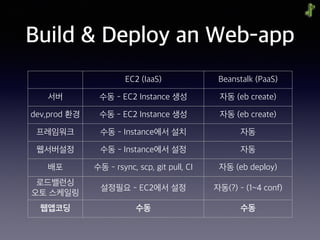
Build & Deploy an Web-app
EC2 (IaaS) Beanstalk (PaaS)
서버 수동 - EC2 Instance 생성 자동 (eb create)
dev,prod 환경 수동 - EC2 Instance 생성 자동 (eb create)
프레임워크 수동 - Instance에서 설치 자동
웹서버설정 수동 - Instance에서 설정 자동
배포 수동 - rsync, scp, git pull, CI 자동 (eb deploy)
로드밸런싱

오토 스케일링
설정필요 - EC2에서 설정 자동(?) - (1~4 conf)
웹앱코딩 수동 수동
ElasticBeanstalk creates and manages everything else
‘Focus on building your application’
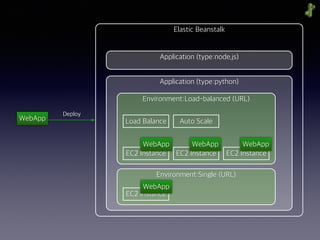
Elastic Beanstalk
Application (type:python)
Environment:Load-balanced (URL)
Environment:Single (URL)
EC2 Instance EC2 Instance EC2 Instance
EC2 Instance
WebApp
Deploy
WebApp WebApp WebApp
WebApp
Application (type:node.js)
Load Balance Auto Scale
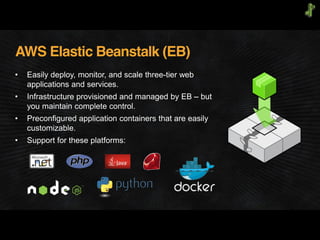
AWS Elastic Beanstalk (EB)
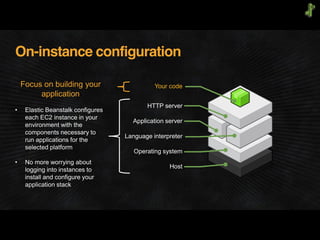
On-instance configuration
Your code
HTTP server
Application server
Language interpreter
Operating system
Host
Focus on building your
application
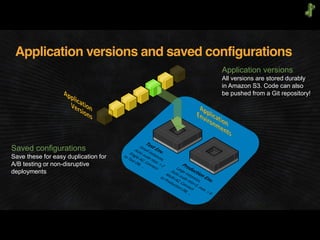
Application versions and saved configurations
Saved configurations
Save these for easy duplication for
A/B testing or non-disruptive
deployments
Application versions
All versions are stored durably
in Amazon S3. Code can also
be pushed from a Git repository!
Import
Python/Flask
into
Beanstalk
with
Docker
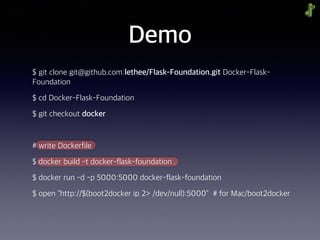
Demo
$ git clone git@github.com:lethee/Flask-Foundation.git Docker-Flask-
Foundation
$ cd Docker-Flask-Foundation
$ git checkout docker
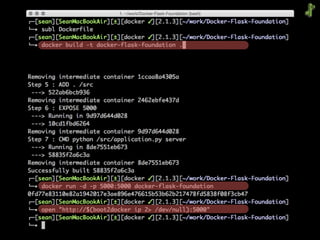
# write Dockerfile
$ docker build -t docker-flask-foundation .
$ docker run -d -p 5000:5000 docker-flask-foundation
$ open "http://$(boot2docker ip 2> /dev/null):5000" # for Mac/boot2docker
Demo
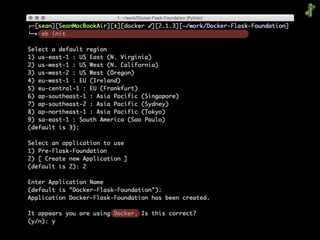
# Create Application
$ eb init
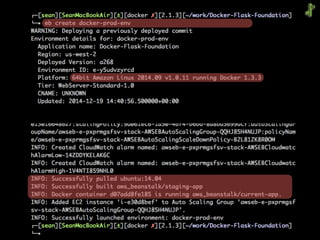
# Create Environment
$ eb create-env docker-prod-env
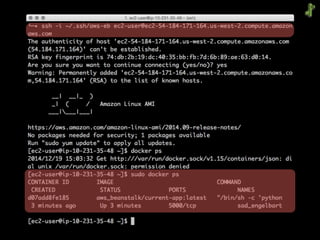
# confirm the docker process
$ ssh -i ~/.ssh/aws-eb ec2-user@{host}.compute.amazonaws.com
[ec2-user@ip-10-231-35-48 ~]$ sudo docker ps
(demo4 - shell)
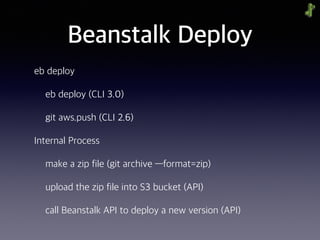
Beanstalk Deploy
eb deploy
eb deploy (CLI 3.0)
git aws.push (CLI 2.6)
Internal Process
make a zip file (git archive —format=zip)
upload the zip file into S3 bucket (API)
call Beanstalk API to deploy a new version (API)
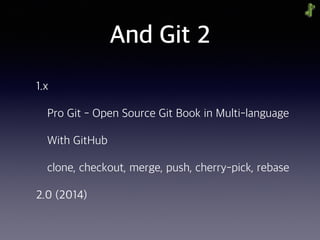
And Git 2
1.x
Pro Git - Open Source Git Book in Multi-language
With GitHub
clone, checkout, merge, push, cherry-pick, rebase
2.0 (2014)
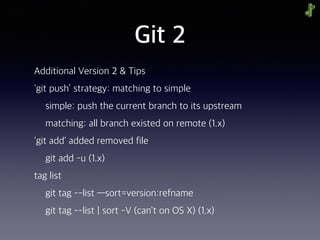
Git 2
Additional Version 2 & Tips
'git push’ strategy: matching to simple
simple: push the current branch to its upstream
matching: all branch existed on remote (1.x)
'git add' added removed file
git add -u (1.x)
tag list
git tag --list —sort=version:refname
git tag --list | sort -V (can’t on OS X) (1.x)
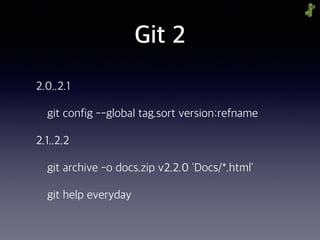
Git 2
2.0..2.1
git config --global tag.sort version:refname
2.1..2.2
git archive -o docs.zip v2.2.0 'Docs/*.html'
git help everyday
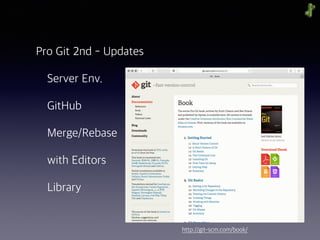
Pro Git 2nd - Updates
Server Env.
GitHub
Merge/Rebase
with Editors
Library
http://git-scm.com/book/
Introduction
lethee@{github,twitter,gmail}
sean@weaveus
이성환@LGE SW Platform lab.
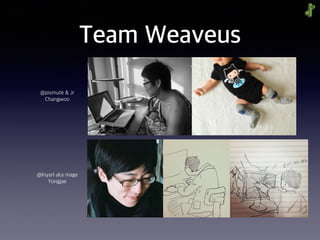
Team Weaveus
@pismute & Jr
Changwoo
@lnyarl aka mage
Yongjae
Team Weaveus
{pismute, lethee, mage}@weaveus
Coding and Living
Study and Translations
dogfeet.github.io
Grails Doc., Meteor Doc., …
관심사 - Docker, Ansible
Pro Git (and Pro Git 2 soon)
Team Weaveus
{pismute, lethee, mage}@weaveus
Coding and Living
Study and Translations
dogfeet.github.io
Grails Doc., Meteor Doc., …
Docker, Ansible
Pro Git (and Pro Git 2 soon) - require(구입)
Refs. and See-also
re:Invent
APP201 - Going Zero to Sixty with AWS Elastic Beanstalk
APP202 - Deploy, Manage, Scale Apps w/ AWS
OpsWorks & AWS Elastic Beanstalk
APP303 - Lightning Fast Deploys with Docker
Containers and AWS
APP313 - NEW LAUNCH: Amazon EC2 Container Service
in Action
Refs. and See-also
아마존 웹 서비스를 다루는 기술 by pyrasis
http://pyrasis.com/book/
TheArtOfAmazonWebServices/Chapter23
AWS lab
http://github.com/awslabs
• AWS 서비스 연동 예제

http://github.com/awslabs/eb-py-flask-signup
Demo Project
Flask Foundation
https://github.com/lethee/Flask-Foundation
Docker 프로젝트는 docker 브랜치
2014 겨울 AWSKRUG Meetup
묻고 답하기
http://aws.amazon.com/ko/elasticbeanstalk/faqs/
2014 겨울 AWSKRUG Meetup
ElasticBeanstalk First-look
and Git 2
이성환@AWSKRUG Meetup

빈스톡 첫인상 with Git