Discover eZ Platform v2.3
October 10th, 2018
Product Timeline
www.ez.no
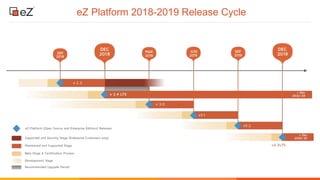
eZ Platform 2018-2019 Release Cycle
www.ez.no
What’s in eZ Platform 2.3
www.ez.no
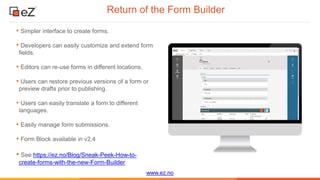
Return of the Form Builder
• Simpler interface to create forms.
• Developers can easily customize and extend form
fields.
• Editors can re-use forms in different locations.
• Users can restore previous versions of a form or
preview drafts prior to publishing.
• Users can easily translate a form to different
languages.
• Easily manage form submissions.
• Form Block available in v2.4
• See https://ez.no/Blog/Sneak-Peek-How-to-
create-forms-with-the-new-Form-Builder
www.ez.no
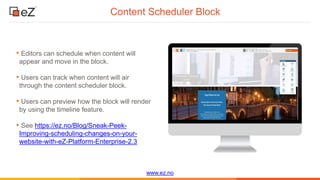
Content Scheduler Block
• Editors can schedule when content will
appear and move in the block.
• Users can track when content will air
through the content scheduler block.
• Users can preview how the block will render
by using the timeline feature.
• See https://ez.no/Blog/Sneak-Peek-
Improving-scheduling-changes-on-your-
website-with-eZ-Platform-Enterprise-2.3
www.ez.no
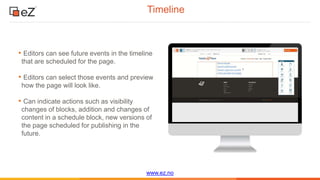
Timeline
• Editors can see future events in the timeline
that are scheduled for the page.
• Editors can select those events and preview
how the page will look like.
• Can indicate actions such as visibility
changes of blocks, addition and changes of
content in a schedule block, new versions of
the page scheduled for publishing in the
future.
www.ez.no
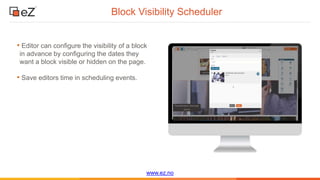
Block Visibility Scheduler
• Editor can configure the visibility of a block
in advance by configuring the dates they
want a block visible or hidden on the page.
• Save editors time in scheduling events.
www.ez.no
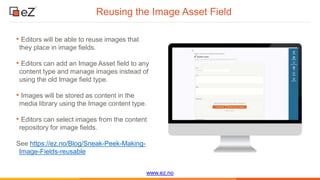
Reusing the Image Asset Field
• Editors will be able to reuse images that
they place in image fields.
• Editors can add an Image Asset field to any
content type and manage images instead of
using the old Image field type.
• Images will be stored as content in the
media library using the Image content type.
• Editors can select images from the content
repository for image fields.
See https://ez.no/Blog/Sneak-Peek-Making-
Image-Fields-reusable
www.ez.no
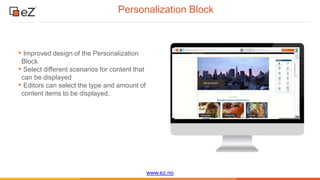
Personalization Block
• Improved design of the Personalization
Block
• Select different scenarios for content that
can be displayed
• Editors can select the type and amount of
content items to be displayed.
www.ez.no
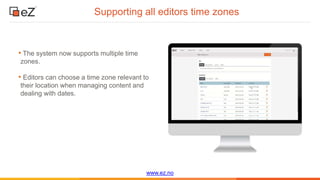
Supporting all editors time zones
• The system now supports multiple time
zones.
• Editors can choose a time zone relevant to
their location when managing content and
dealing with dates.
www.ez.no
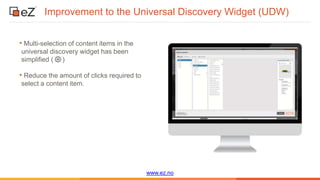
Improvement to the Universal Discovery Widget (UDW)
• Multi-selection of content items in the
universal discovery widget has been
simplified ( )
• Reduce the amount of clicks required to
select a content item.
www.ez.no
Additional surprises
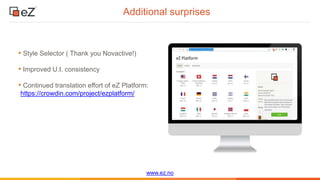
• Style Selector ( Thank you Novactive!)
• Improved U.I. consistency
• Continued translation effort of eZ Platform:
https://crowdin.com/project/ezplatform/
www.ez.no
Additional Resources…
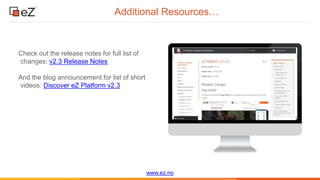
Check out the release notes for full list of
changes: v2.3 Release Notes
And the blog announcement for list of short
videos: Discover eZ Platform v2.3
What next?
www.ez.no
Product Roadmap & Product Feedback
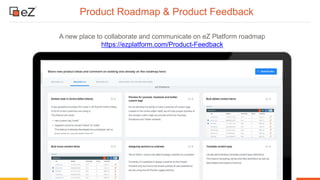
A new place to collaborate and communicate on eZ Platform roadmap
https://ezplatform.com/Product-Feedback
Thank You!
Product feedback: productmanagement@ez.no
Personal?: amit.gutin@ez.no
Stay tuned by following https://ez.no/Blog/
and https://discuss.ezplatform.com/

Community webinar discover e z platform v2.3 (9.10.2018)

  • 1.
    Discover eZ Platformv2.3 October 10th, 2018
  • 2.
  • 3.
  • 4.
  • 5.
    www.ez.no Return of theForm Builder • Simpler interface to create forms. • Developers can easily customize and extend form fields. • Editors can re-use forms in different locations. • Users can restore previous versions of a form or preview drafts prior to publishing. • Users can easily translate a form to different languages. • Easily manage form submissions. • Form Block available in v2.4 • See https://ez.no/Blog/Sneak-Peek-How-to- create-forms-with-the-new-Form-Builder
  • 6.
    www.ez.no Content Scheduler Block •Editors can schedule when content will appear and move in the block. • Users can track when content will air through the content scheduler block. • Users can preview how the block will render by using the timeline feature. • See https://ez.no/Blog/Sneak-Peek- Improving-scheduling-changes-on-your- website-with-eZ-Platform-Enterprise-2.3
  • 7.
    www.ez.no Timeline • Editors cansee future events in the timeline that are scheduled for the page. • Editors can select those events and preview how the page will look like. • Can indicate actions such as visibility changes of blocks, addition and changes of content in a schedule block, new versions of the page scheduled for publishing in the future.
  • 8.
    www.ez.no Block Visibility Scheduler •Editor can configure the visibility of a block in advance by configuring the dates they want a block visible or hidden on the page. • Save editors time in scheduling events.
  • 9.
    www.ez.no Reusing the ImageAsset Field • Editors will be able to reuse images that they place in image fields. • Editors can add an Image Asset field to any content type and manage images instead of using the old Image field type. • Images will be stored as content in the media library using the Image content type. • Editors can select images from the content repository for image fields. See https://ez.no/Blog/Sneak-Peek-Making- Image-Fields-reusable
  • 10.
    www.ez.no Personalization Block • Improveddesign of the Personalization Block • Select different scenarios for content that can be displayed • Editors can select the type and amount of content items to be displayed.
  • 11.
    www.ez.no Supporting all editorstime zones • The system now supports multiple time zones. • Editors can choose a time zone relevant to their location when managing content and dealing with dates.
  • 12.
    www.ez.no Improvement to theUniversal Discovery Widget (UDW) • Multi-selection of content items in the universal discovery widget has been simplified ( ) • Reduce the amount of clicks required to select a content item.
  • 13.
    www.ez.no Additional surprises • StyleSelector ( Thank you Novactive!) • Improved U.I. consistency • Continued translation effort of eZ Platform: https://crowdin.com/project/ezplatform/
  • 14.
    www.ez.no Additional Resources… Check outthe release notes for full list of changes: v2.3 Release Notes And the blog announcement for list of short videos: Discover eZ Platform v2.3
  • 15.
  • 16.
    www.ez.no Product Roadmap &Product Feedback A new place to collaborate and communicate on eZ Platform roadmap https://ezplatform.com/Product-Feedback
  • 17.
    Thank You! Product feedback:productmanagement@ez.no Personal?: amit.gutin@ez.no Stay tuned by following https://ez.no/Blog/ and https://discuss.ezplatform.com/

Editor's Notes

  • #5 Now I am happy to introduce the new features that wil lbe delivered with v2.3. The way I will present this section is that I will present the slides of each feature and then demo it for you all. Lets kick it off with our new form builder.