






Vinay Kumar, ORACLE ACE
@vinaykuma201
Sangam18-Bengaluru
1
2
• O RACL E ACE
• Enterp ris e Arc h itec t
• Au th or of Book “Beginning Oracle
Web Center p ortal 1 2 c”
• O rac le c ertified p ro fes s io n al
• B lo g ger-http ://w w w.tech artifact. com/b logs
• So ftware Con s u ltant
• JAVA EE GUARDI AN
4
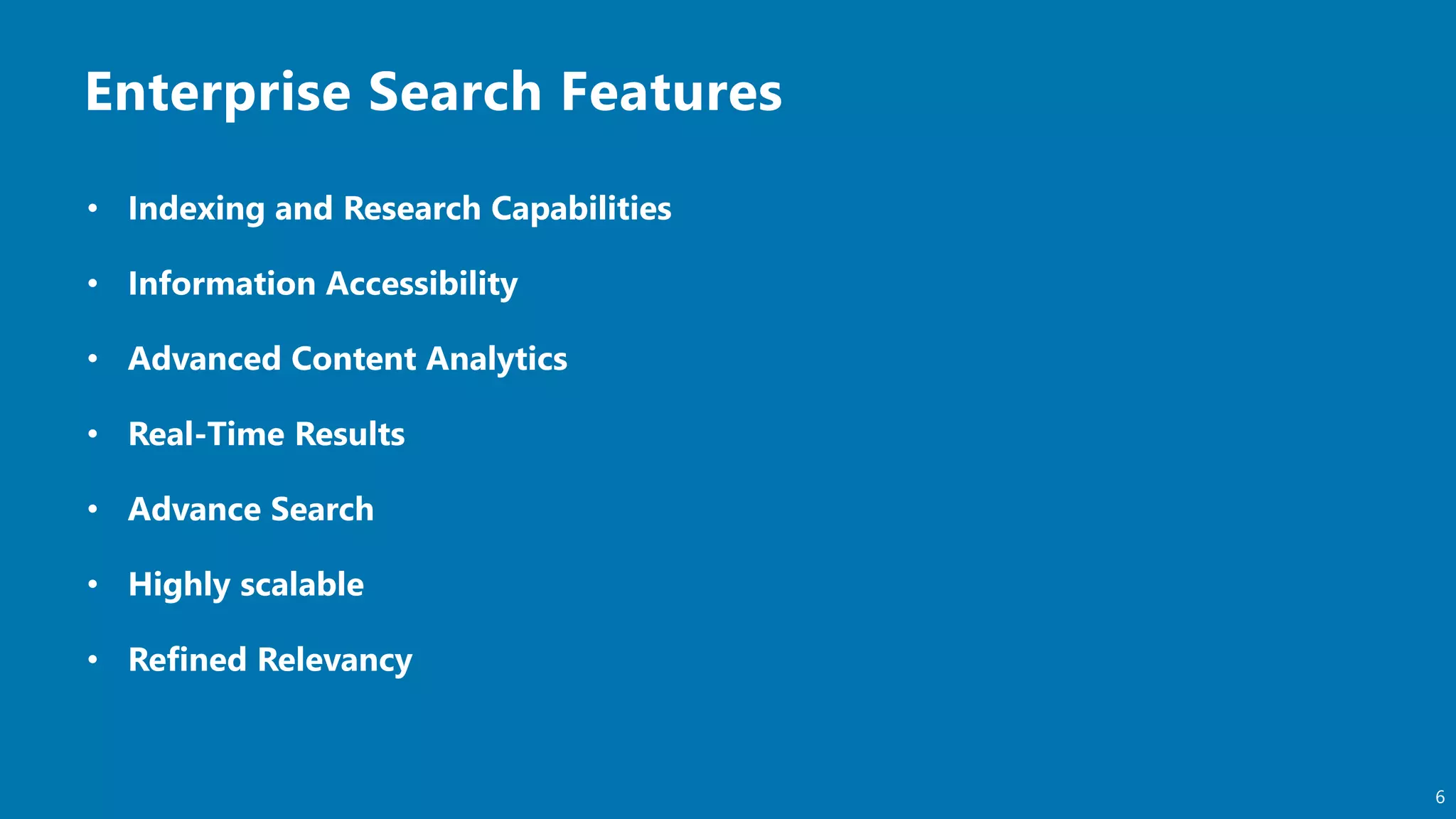
• Un der st an din g En terprise S earch
• Elast ic S earch in t rodu ct ion
• Elast ic St ack Arch itect u re
• Elast ic S earch core con cept s
• Elast ic S earch AP Is
• In tegration of Elastic Search with Oracle F MW
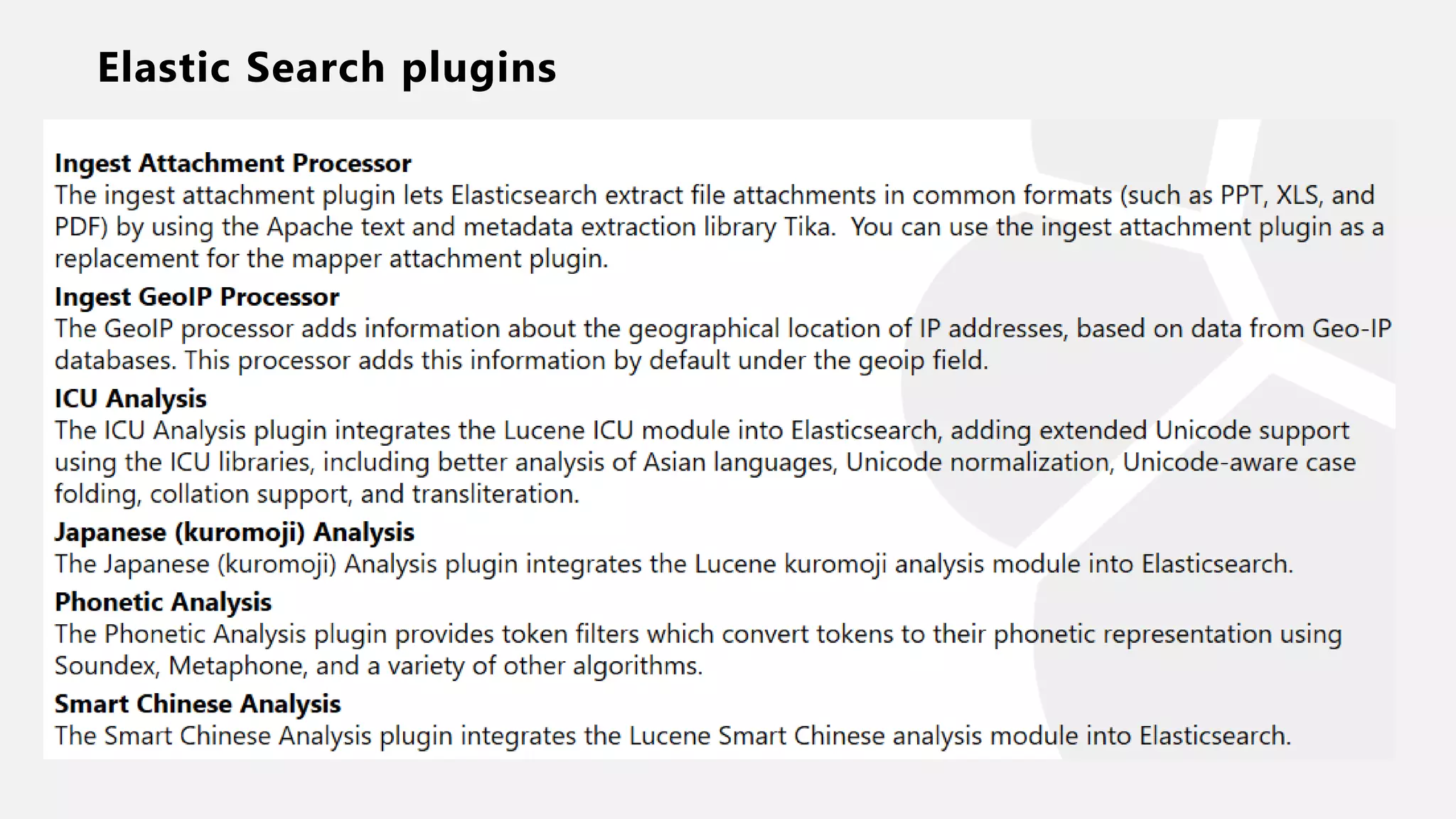
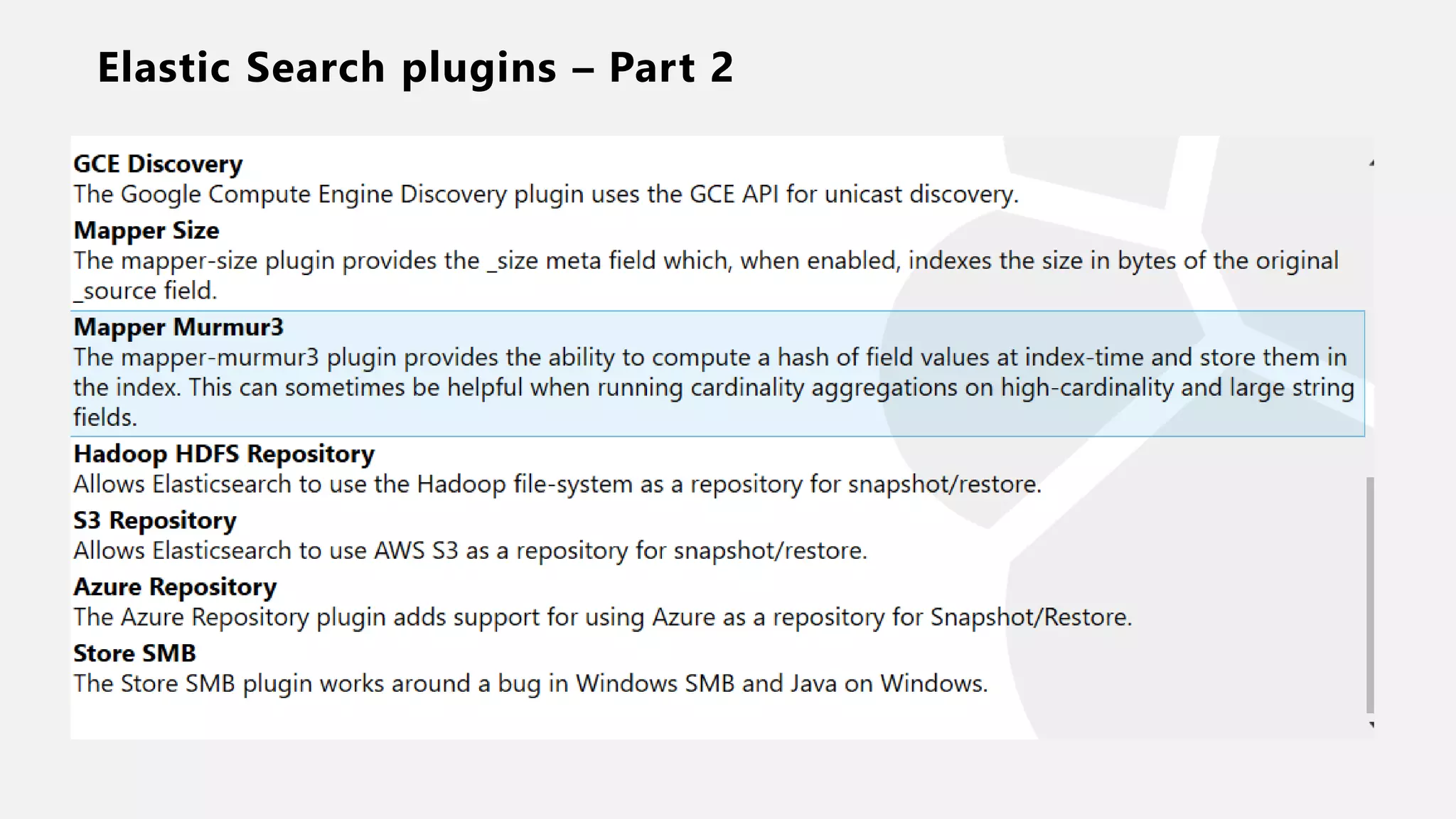
• Elast ic S earch plu gin s
• Demo
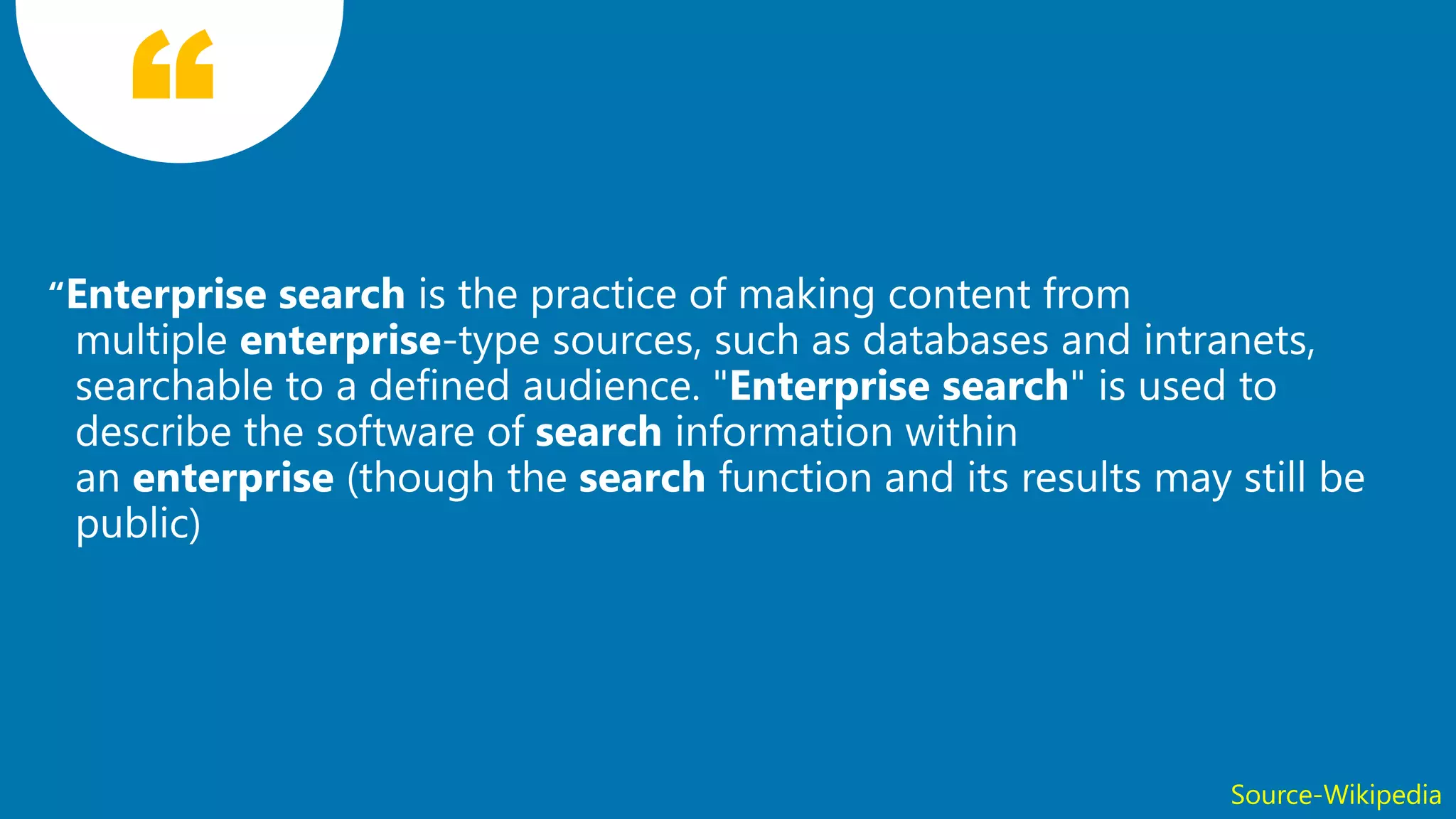
5Source-Wikipedia
6
7
Understanding Elastic
Search
8
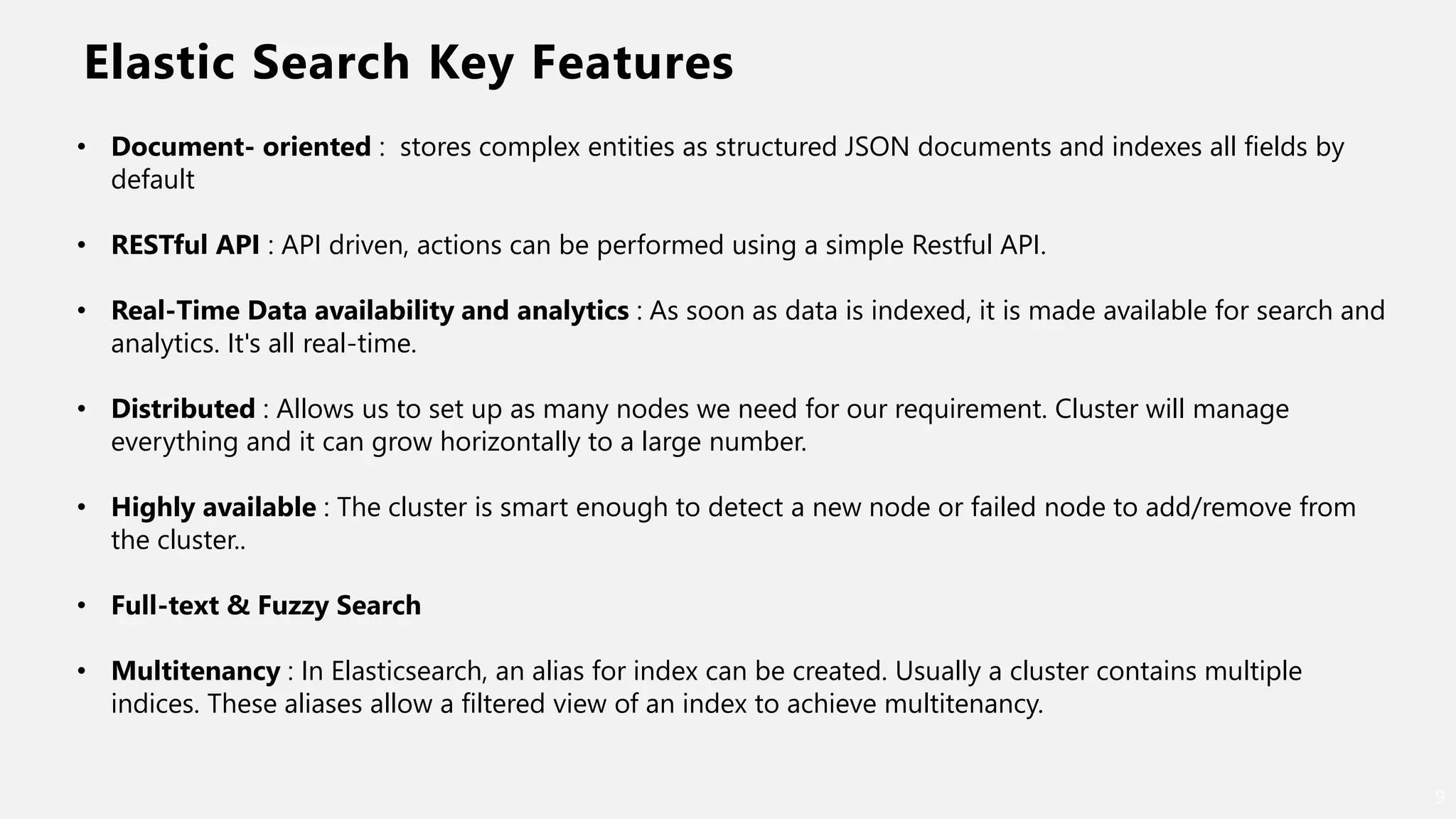
Elastic Search Key Features
9
• Document- oriented : stores complex entities as structured JSON documents and indexes all fields by
default
• RESTful API : API driven, actions can be performed using a simple Restful API.
• Real-Time Data availability and analytics : As soon as data is indexed, it is made available for search and
analytics. It's all real-time.
• Distributed : Allows us to set up as many nodes we need for our requirement. Cluster will manage
everything and it can grow horizontally to a large number.
• Highly available : The cluster is smart enough to detect a new node or failed node to add/remove from
the cluster..
• Full-text & Fuzzy Search
• Multitenancy : In Elasticsearch, an alias for index can be created. Usually a cluster contains multiple
indices. These aliases allow a filtered view of an index to achieve multitenancy.
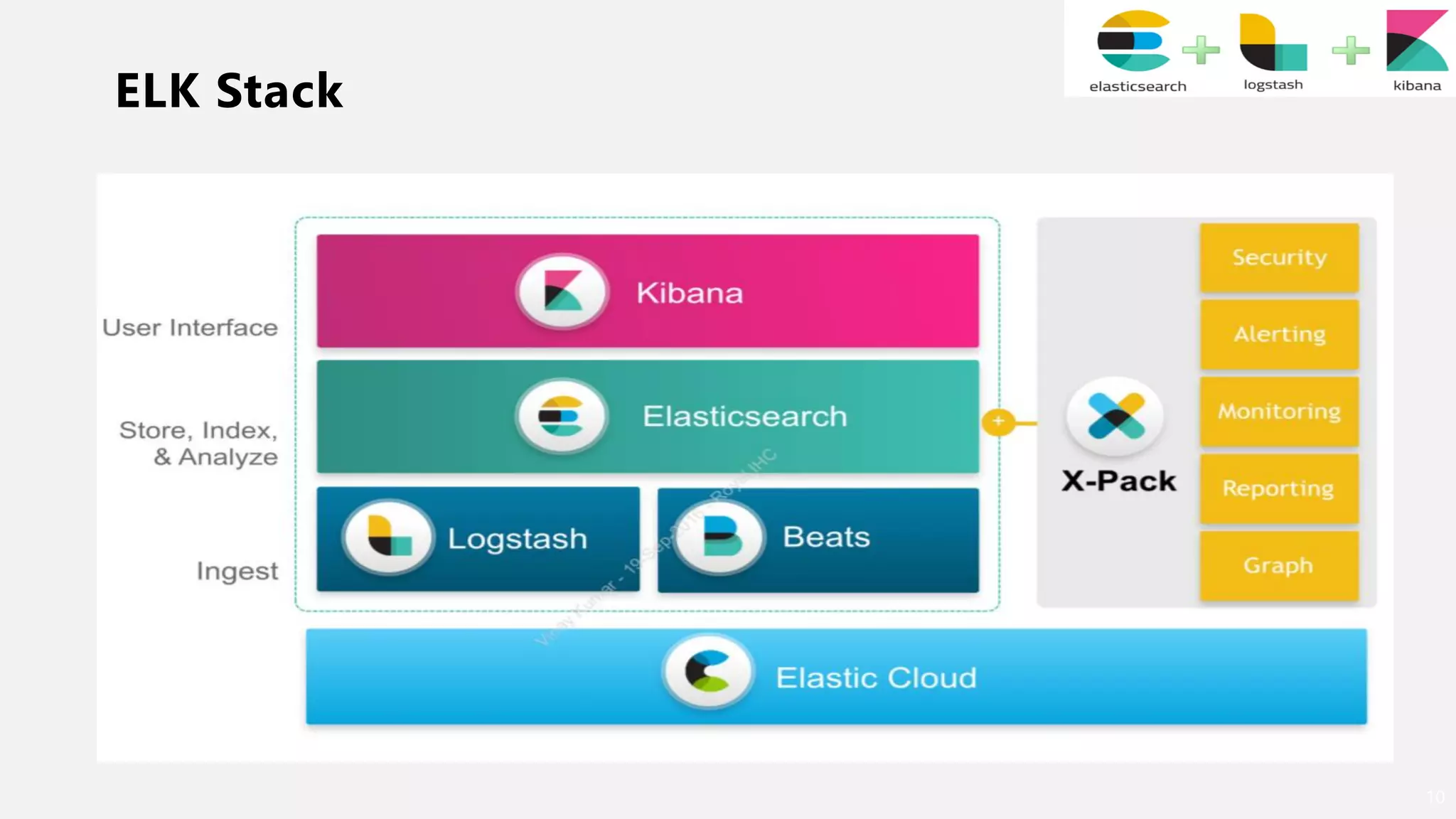
ELK Stack
10
ELK Stack
11
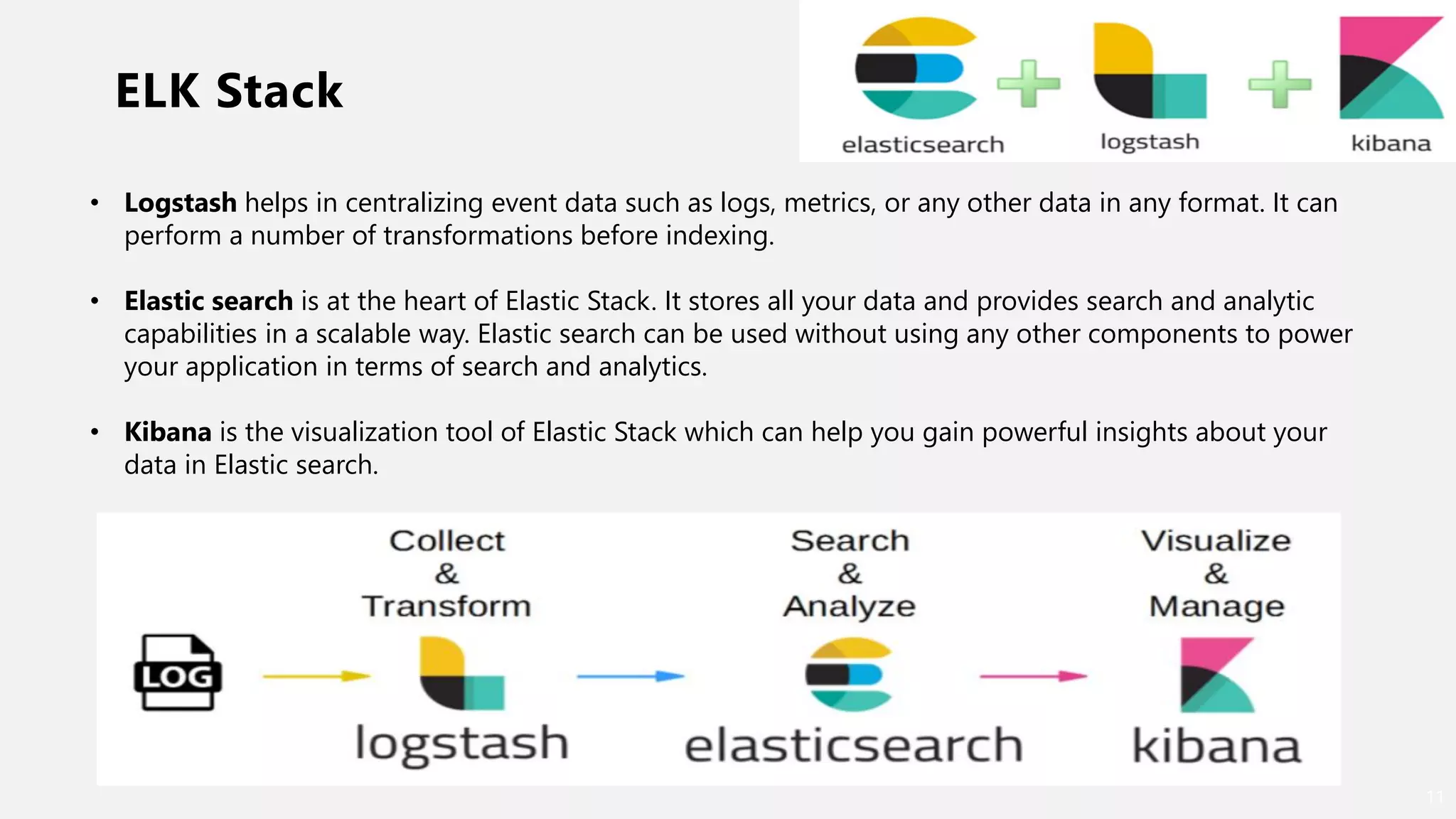
• Logstash helps in centralizing event data such as logs, metrics, or any other data in any format. It can
perform a number of transformations before indexing.
• Elastic search is at the heart of Elastic Stack. It stores all your data and provides search and analytic
capabilities in a scalable way. Elastic search can be used without using any other components to power
your application in terms of search and analytics.
• Kibana is the visualization tool of Elastic Stack which can help you gain powerful insights about your
data in Elastic search.
Logstash
12
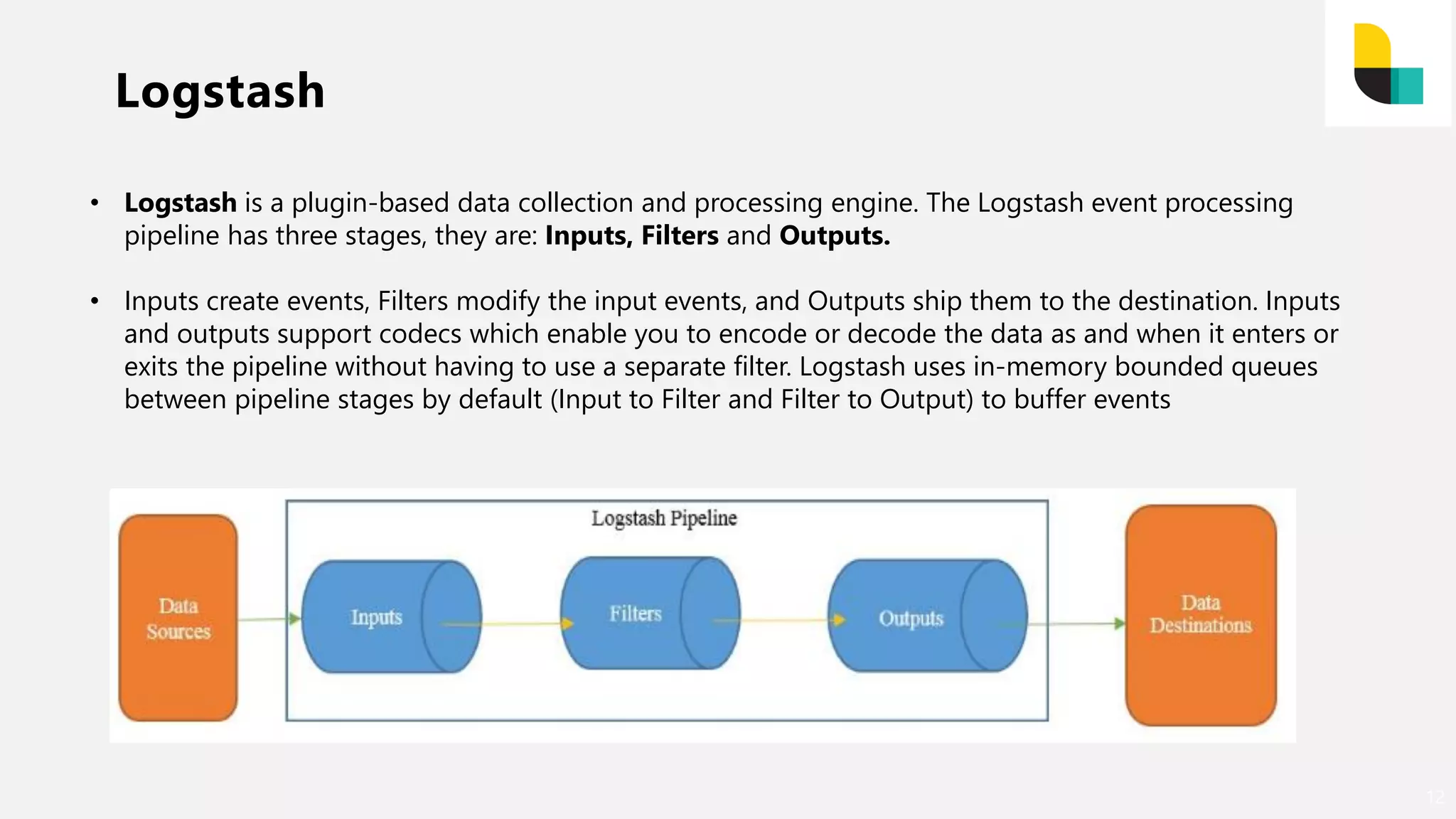
• Logstash is a plugin-based data collection and processing engine. The Logstash event processing
pipeline has three stages, they are: Inputs, Filters and Outputs.
• Inputs create events, Filters modify the input events, and Outputs ship them to the destination. Inputs
and outputs support codecs which enable you to encode or decode the data as and when it enters or
exits the pipeline without having to use a separate filter. Logstash uses in-memory bounded queues
between pipeline stages by default (Input to Filter and Filter to Output) to buffer events
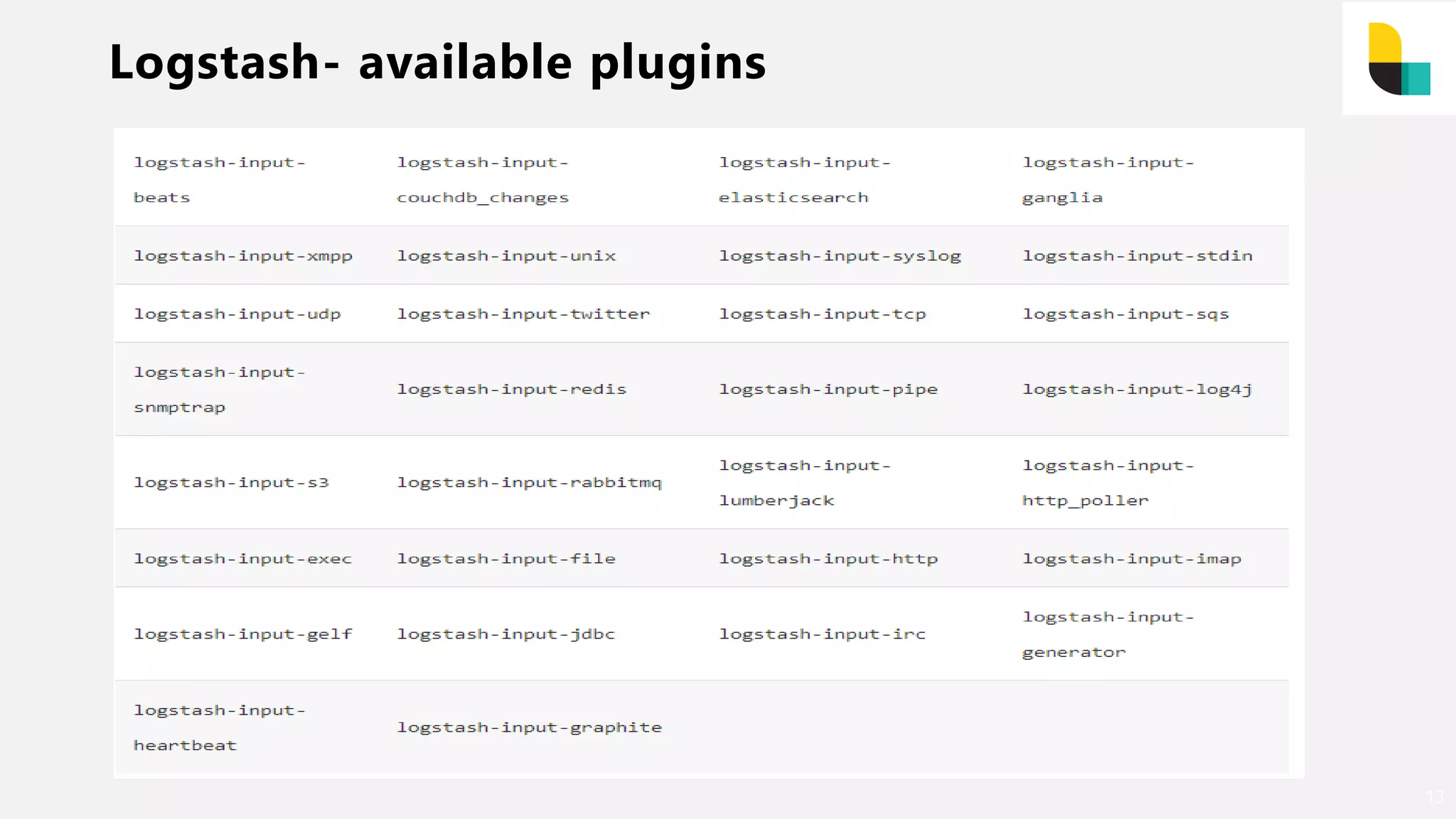
Logstash- available plugins
13
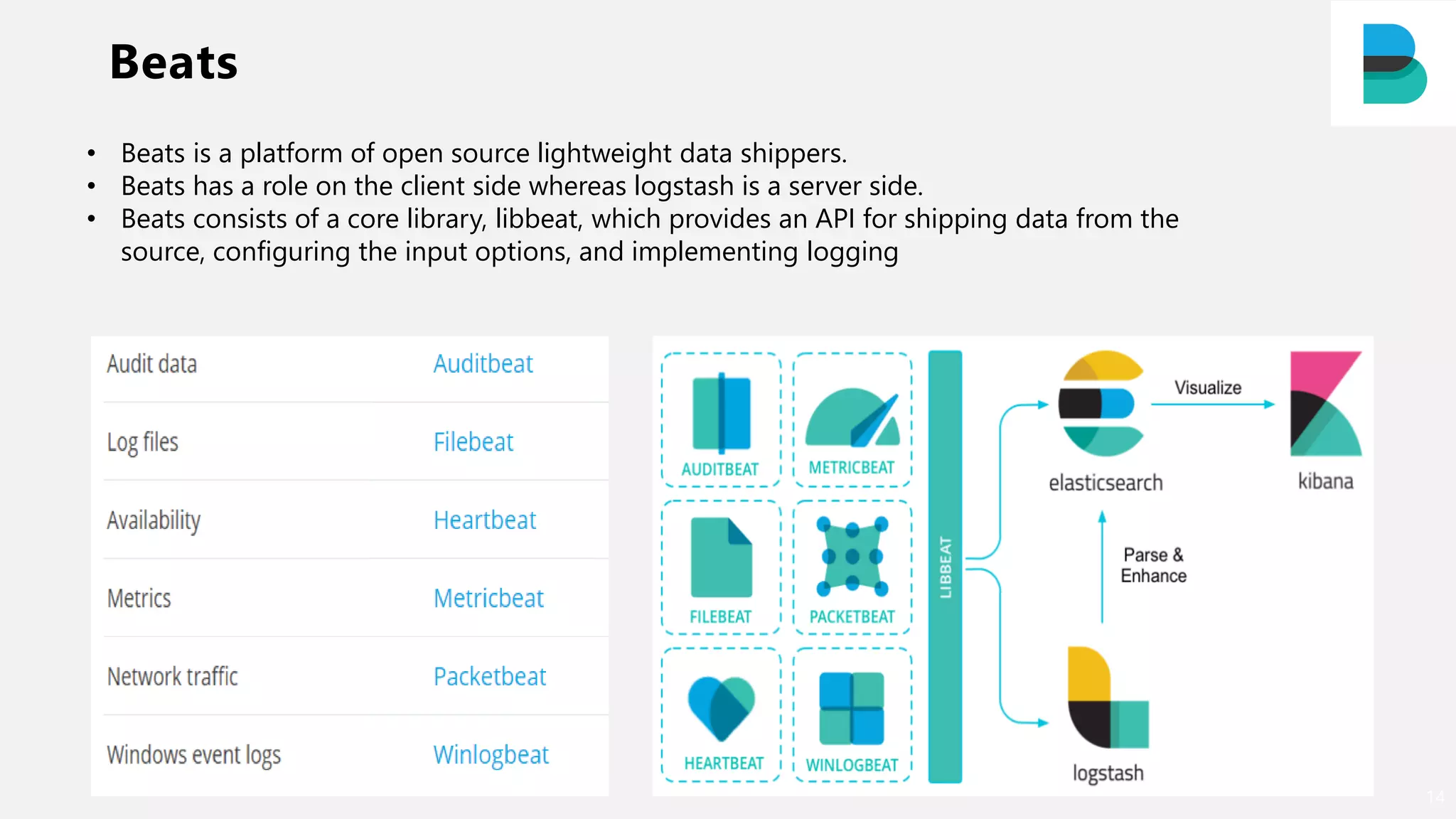
Beats
14
• Beats is a platform of open source lightweight data shippers.
• Beats has a role on the client side whereas logstash is a server side.
• Beats consists of a core library, libbeat, which provides an API for shipping data from the
source, configuring the input options, and implementing logging
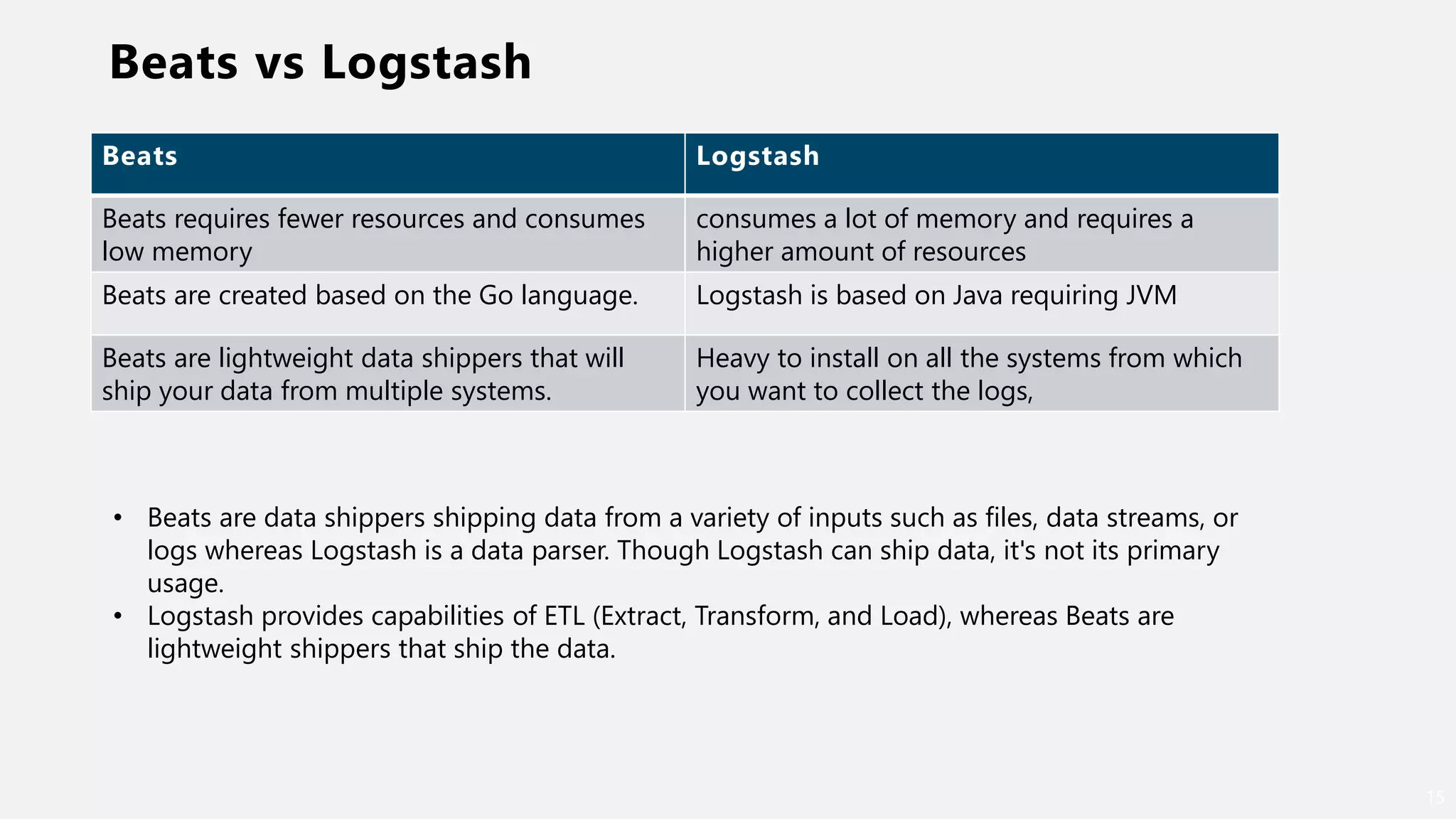
Beats vs Logstash
15
Beats Logstash
Beats requires fewer resources and consumes
low memory
consumes a lot of memory and requires a
higher amount of resources
Beats are created based on the Go language. Logstash is based on Java requiring JVM
Beats are lightweight data shippers that will
ship your data from multiple systems.
Heavy to install on all the systems from which
you want to collect the logs,
• Beats are data shippers shipping data from a variety of inputs such as files, data streams, or
logs whereas Logstash is a data parser. Though Logstash can ship data, it's not its primary
usage.
• Logstash provides capabilities of ETL (Extract, Transform, and Load), whereas Beats are
lightweight shippers that ship the data.
What is Elastic Search
16
“Software that makes massive amounts of
structured and unstructured data usable
for search, logging, analytics, and more
in mission critical system and
application…..”
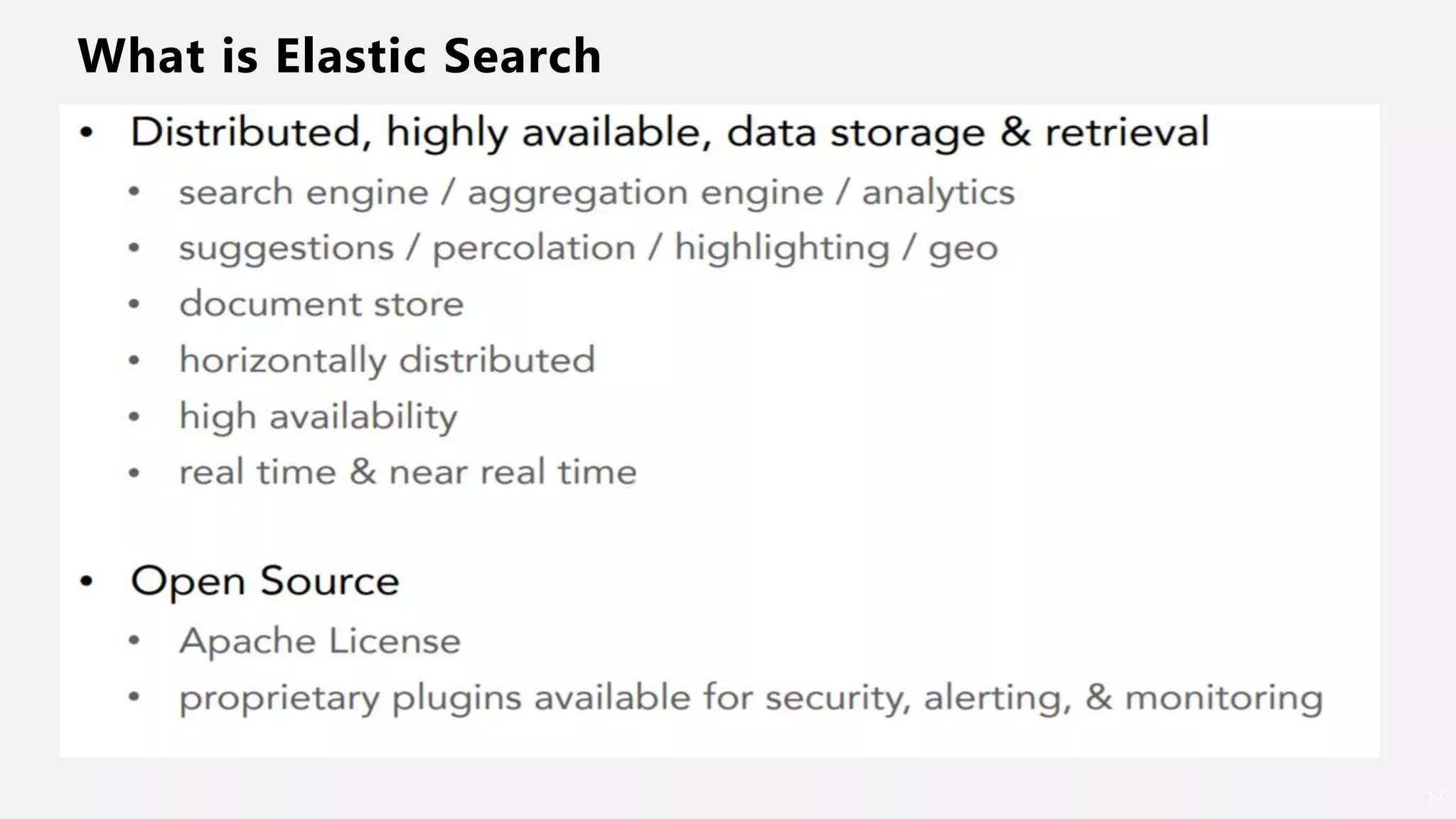
What is Elastic Search
17
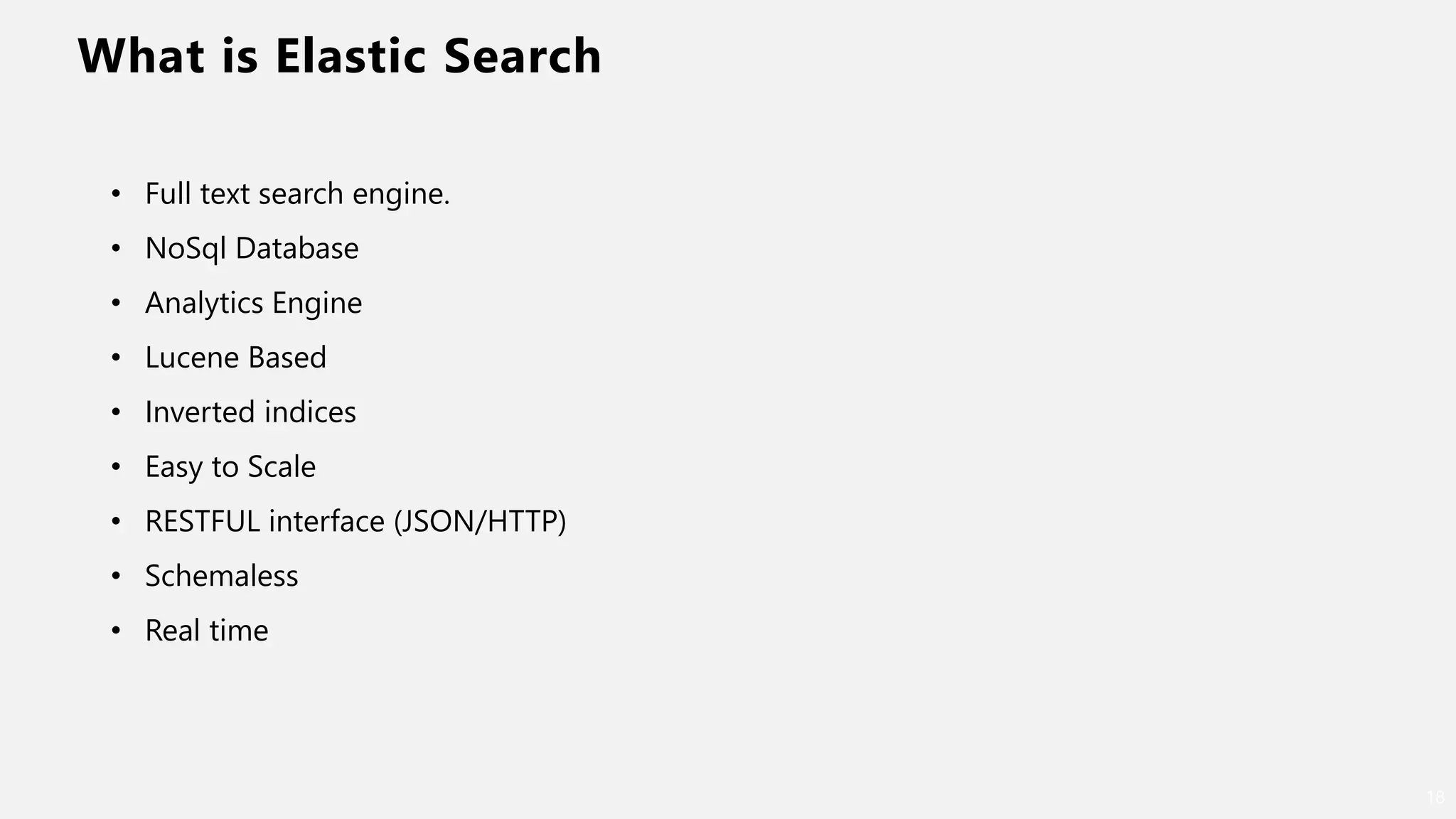
What is Elastic Search
18
• Full text search engine.
• NoSql Database
• Analytics Engine
• Lucene Based
• Inverted indices
• Easy to Scale
• RESTFUL interface (JSON/HTTP)
• Schemaless
• Real time
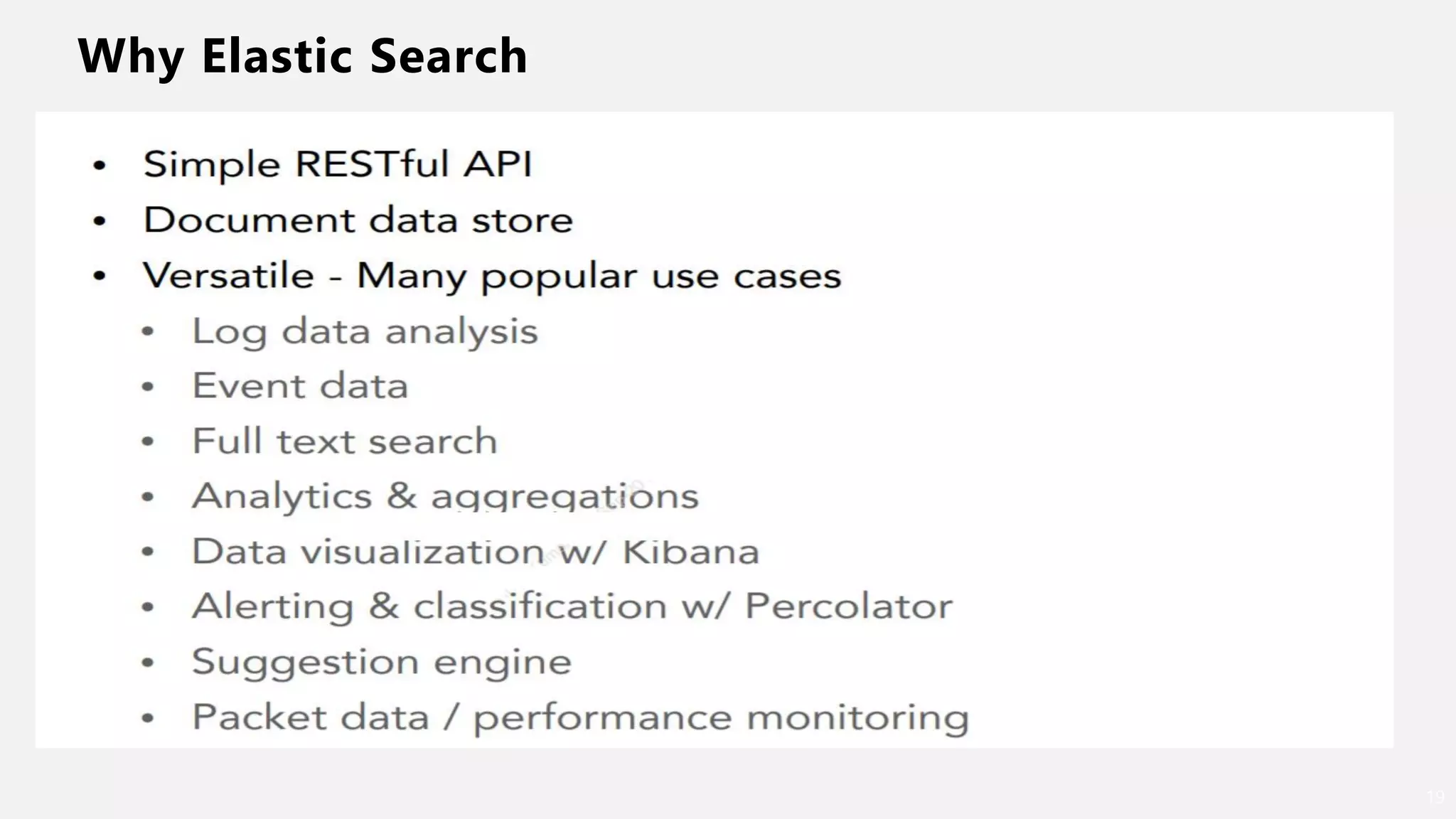
Why Elastic Search
19
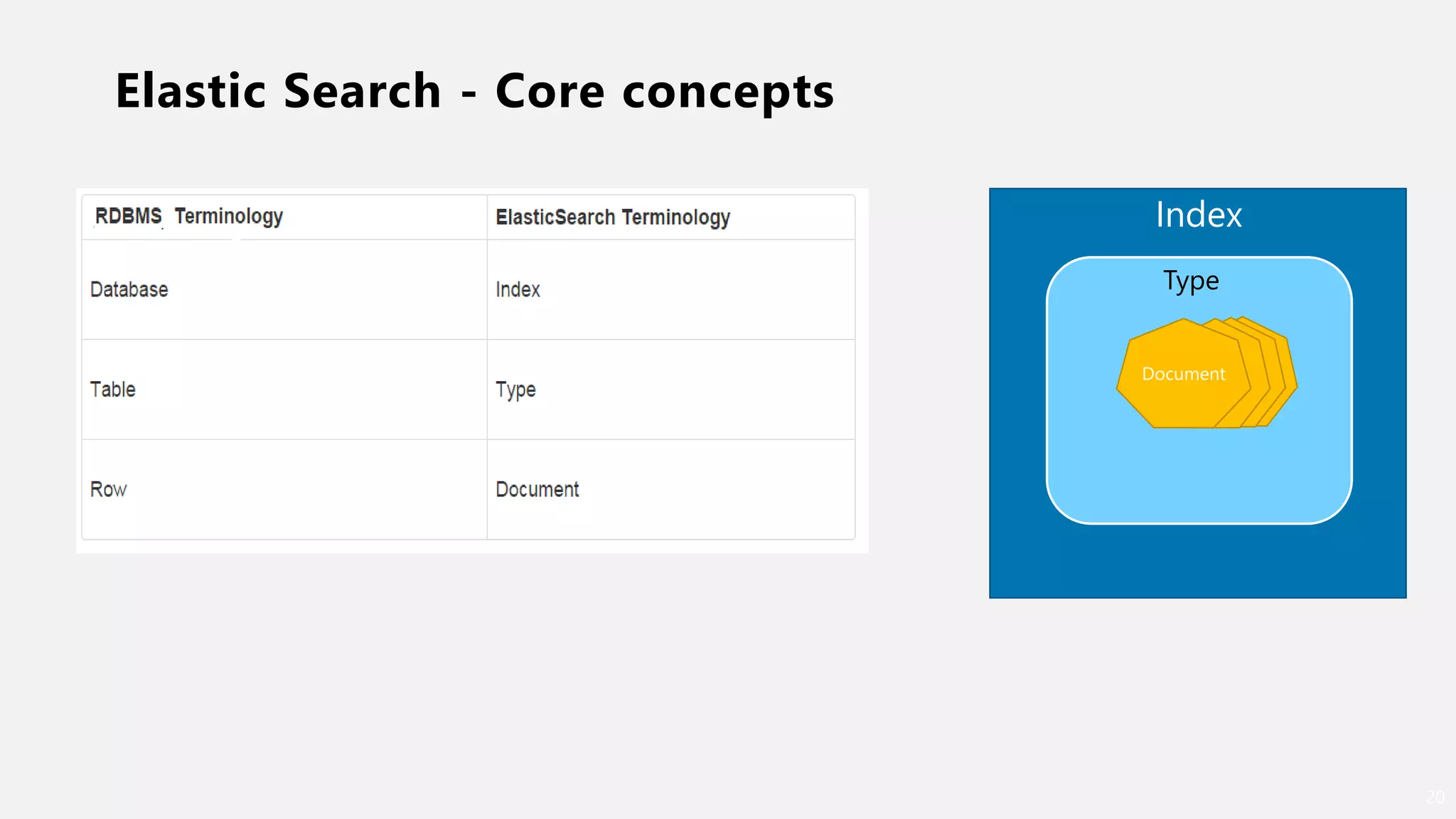
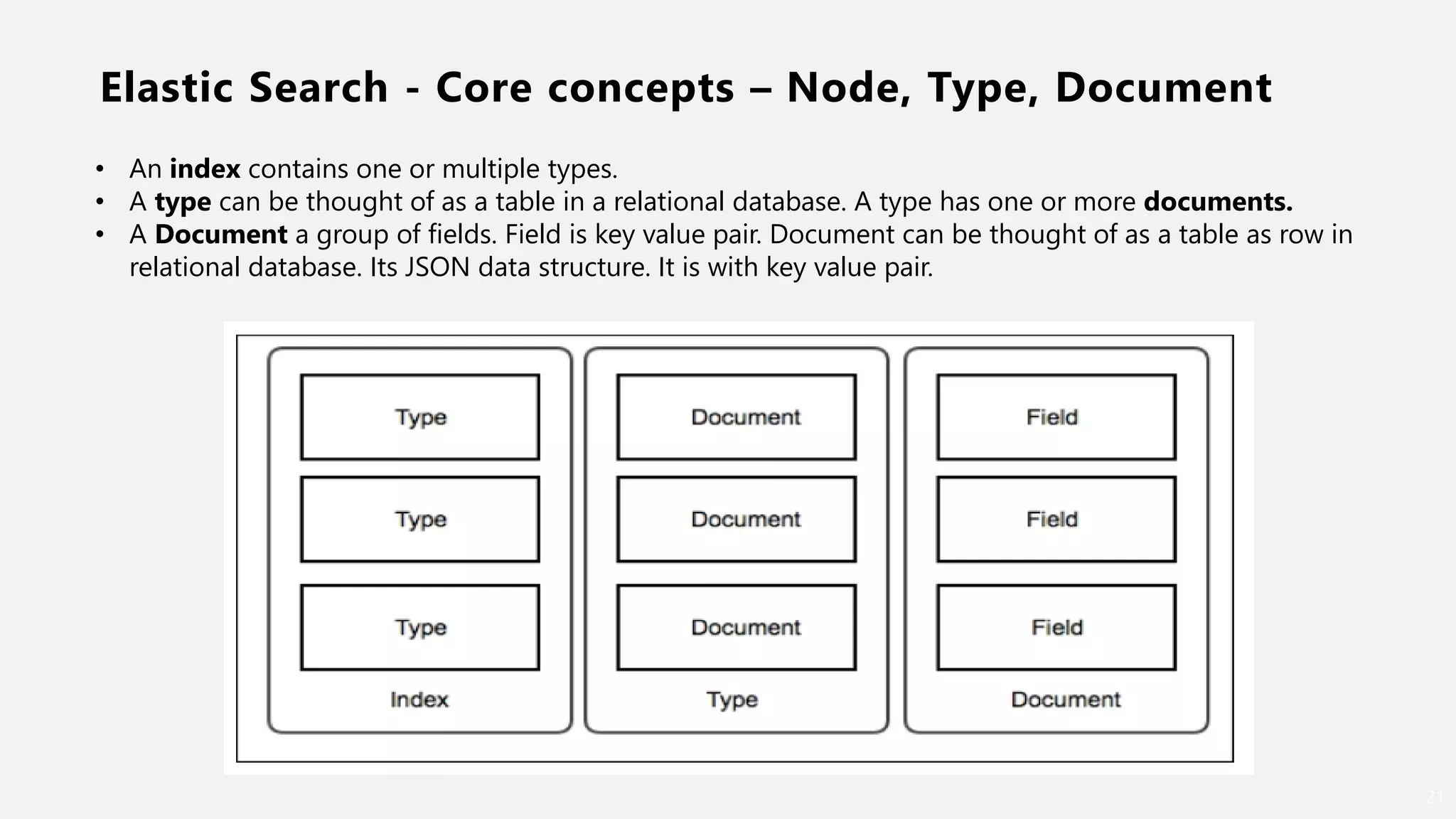
Elastic Search - Core concepts
20
Type
Document
Type
Index
Elastic Search - Core concepts – Node, Type, Document
21
• An index contains one or multiple types.
• A type can be thought of as a table in a relational database. A type has one or more documents.
• A Document a group of fields. Field is key value pair. Document can be thought of as a table as row in
relational database. Its JSON data structure. It is with key value pair.
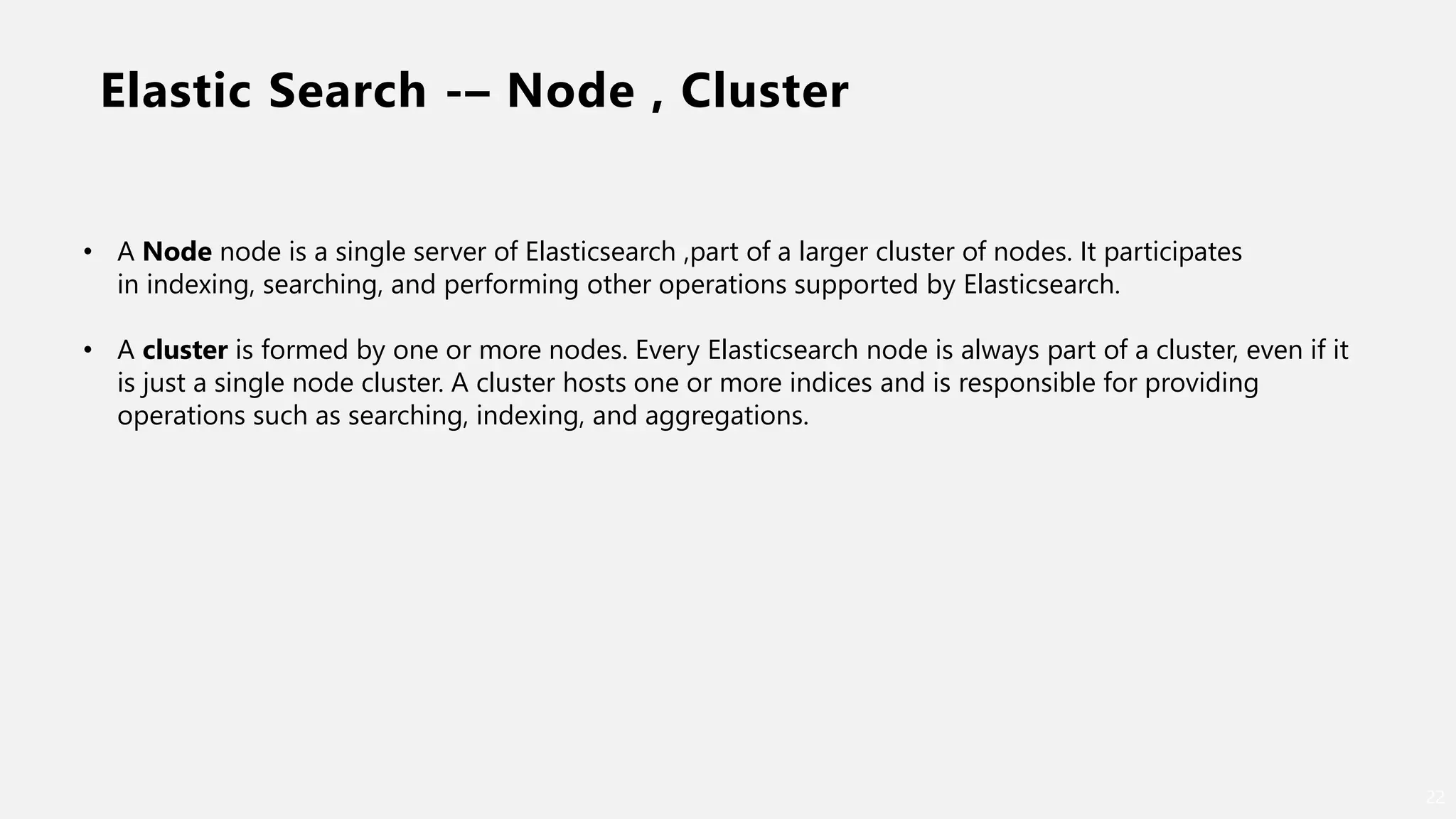
Elastic Search -– Node , Cluster
22
• A Node node is a single server of Elasticsearch ,part of a larger cluster of nodes. It participates
in indexing, searching, and performing other operations supported by Elasticsearch.
• A cluster is formed by one or more nodes. Every Elasticsearch node is always part of a cluster, even if it
is just a single node cluster. A cluster hosts one or more indices and is responsible for providing
operations such as searching, indexing, and aggregations.
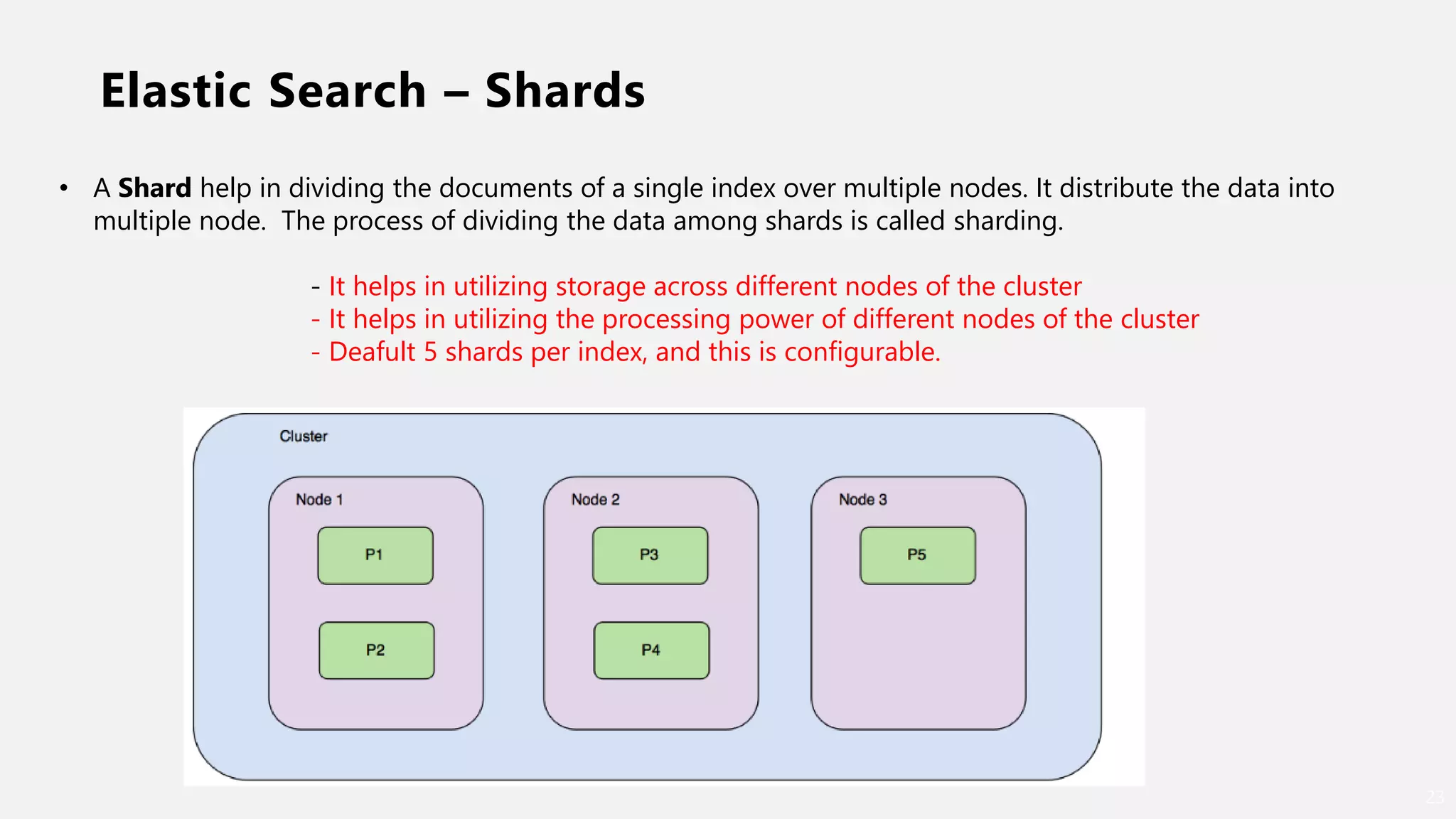
Elastic Search – Shards
23
• A Shard help in dividing the documents of a single index over multiple nodes. It distribute the data into
multiple node. The process of dividing the data among shards is called sharding.
- It helps in utilizing storage across different nodes of the cluster
- It helps in utilizing the processing power of different nodes of the cluster
- Deafult 5 shards per index, and this is configurable.
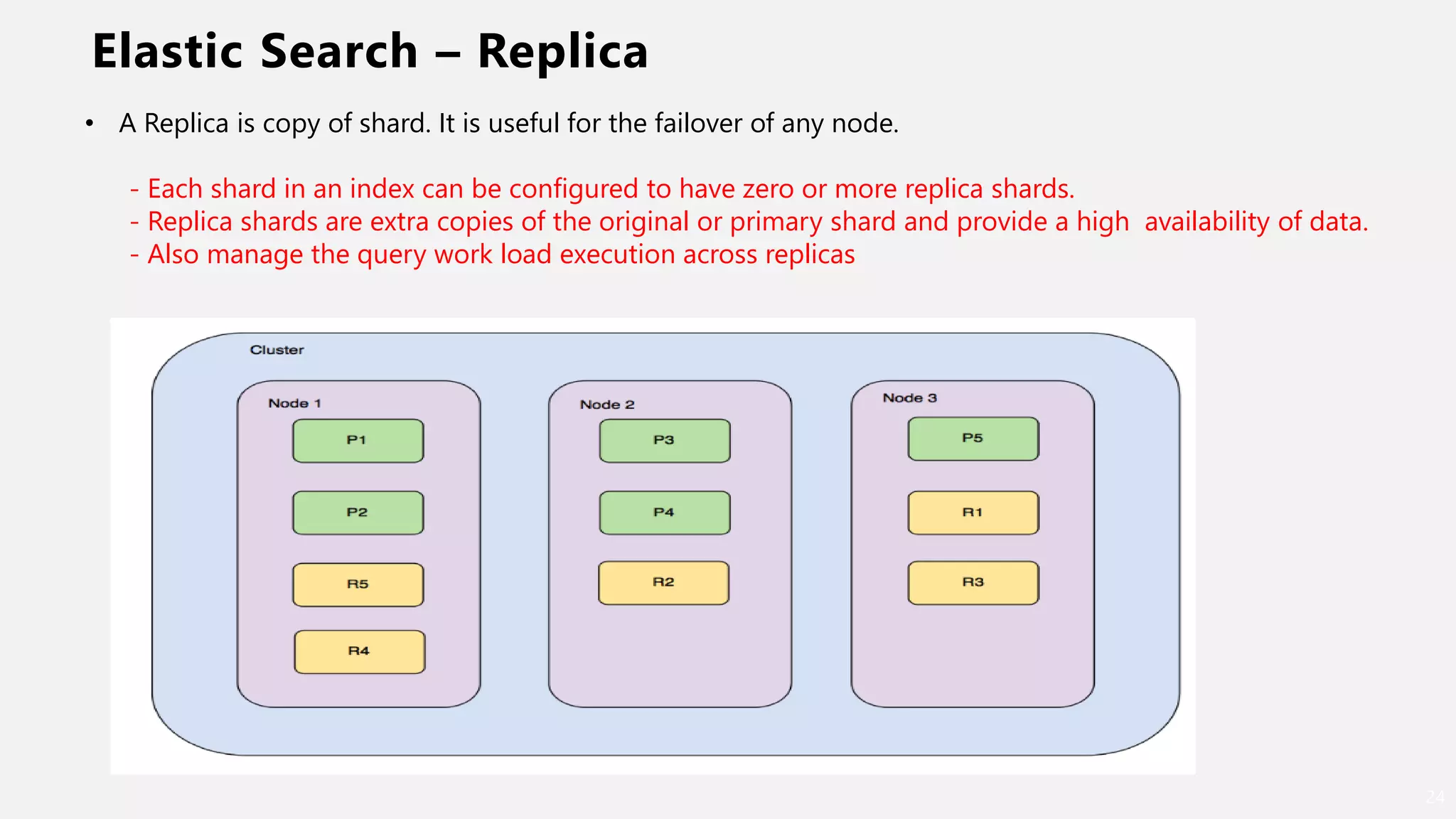
Elastic Search – Replica
24
• A Replica is copy of shard. It is useful for the failover of any node.
- Each shard in an index can be configured to have zero or more replica shards.
- Replica shards are extra copies of the original or primary shard and provide a high availability of data.
- Also manage the query work load execution across replicas
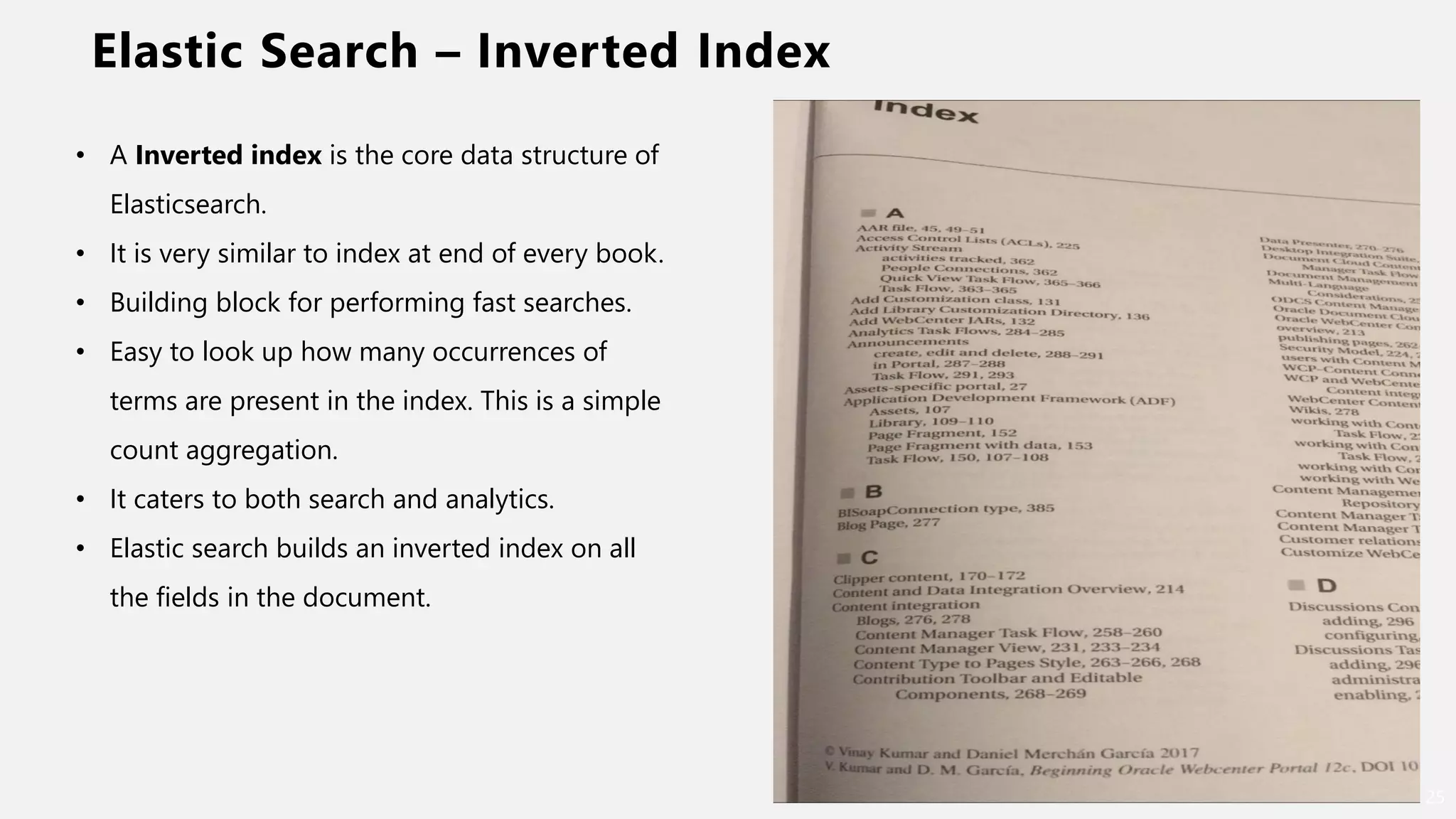
Elastic Search – Inverted Index
25
• A Inverted index is the core data structure of
Elasticsearch.
• It is very similar to index at end of every book.
• Building block for performing fast searches.
• Easy to look up how many occurrences of
terms are present in the index. This is a simple
count aggregation.
• It caters to both search and analytics.
• Elastic search builds an inverted index on all
the fields in the document.
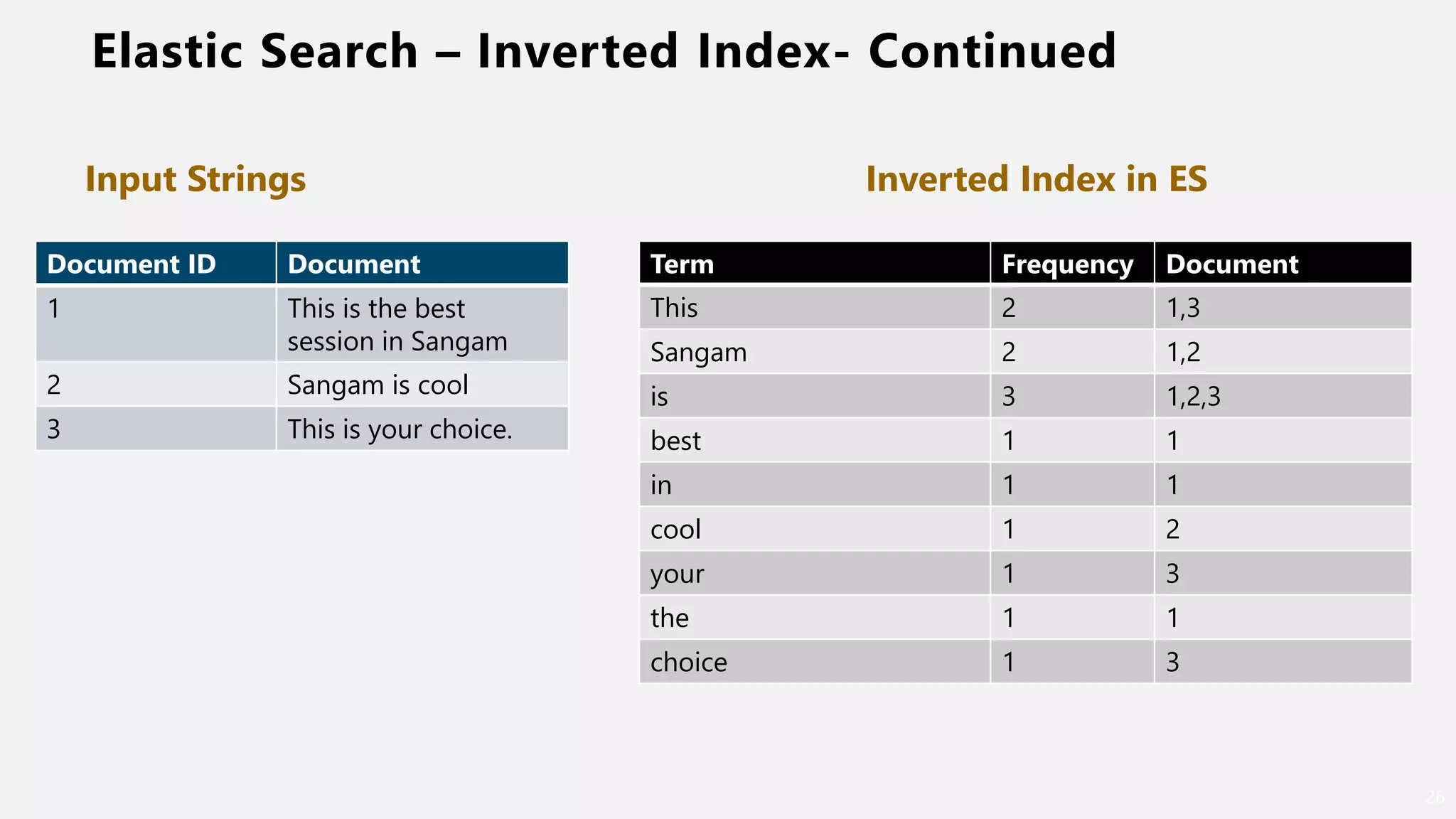
Elastic Search – Inverted Index- Continued
26
Document ID Document
1 This is the best
session in Sangam
2 Sangam is cool
3 This is your choice.
Term Frequency Document
This 2 1,3
Sangam 2 1,2
is 3 1,2,3
best 1 1
in 1 1
cool 1 2
your 1 3
the 1 1
choice 1 3
Inverted Index in ESInput Strings
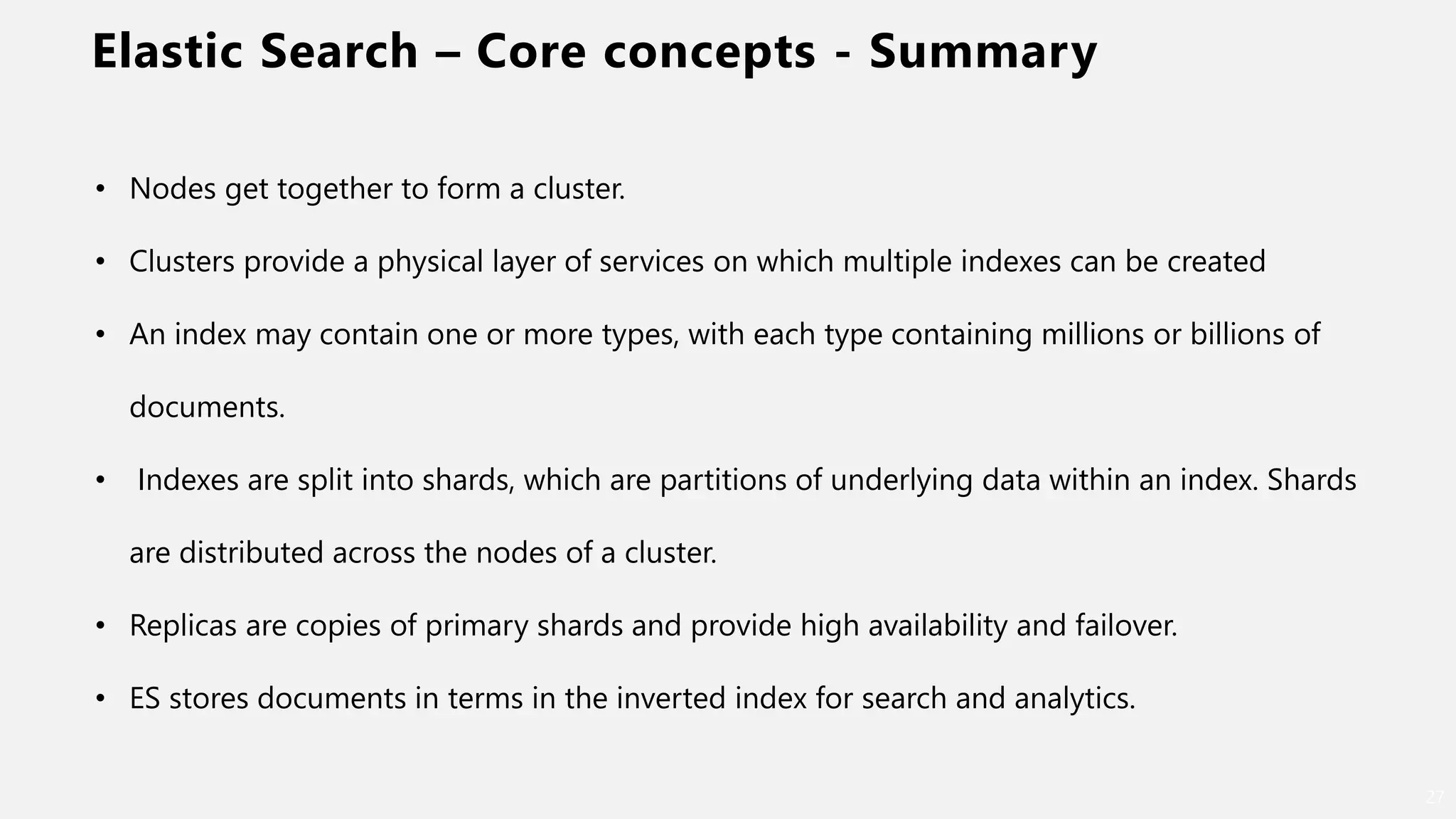
Elastic Search – Core concepts - Summary
27
• Nodes get together to form a cluster.
• Clusters provide a physical layer of services on which multiple indexes can be created
• An index may contain one or more types, with each type containing millions or billions of
documents.
• Indexes are split into shards, which are partitions of underlying data within an index. Shards
are distributed across the nodes of a cluster.
• Replicas are copies of primary shards and provide high availability and failover.
• ES stores documents in terms in the inverted index for search and analytics.
Core concepts – Data type
28
• Text data
• Numbers
• Booleans
• Binary objects
• Arrays, objects
• Nested types
• Geo-points
• Geo-shapes
• IPv4 and IPv6 addresses.
Elastic Search Client – Polyglot
29
• Java
• Javascript
• Java REST client
• Groovy
• .NET
• PERL
• PHP
• PYTHON
• Ruby
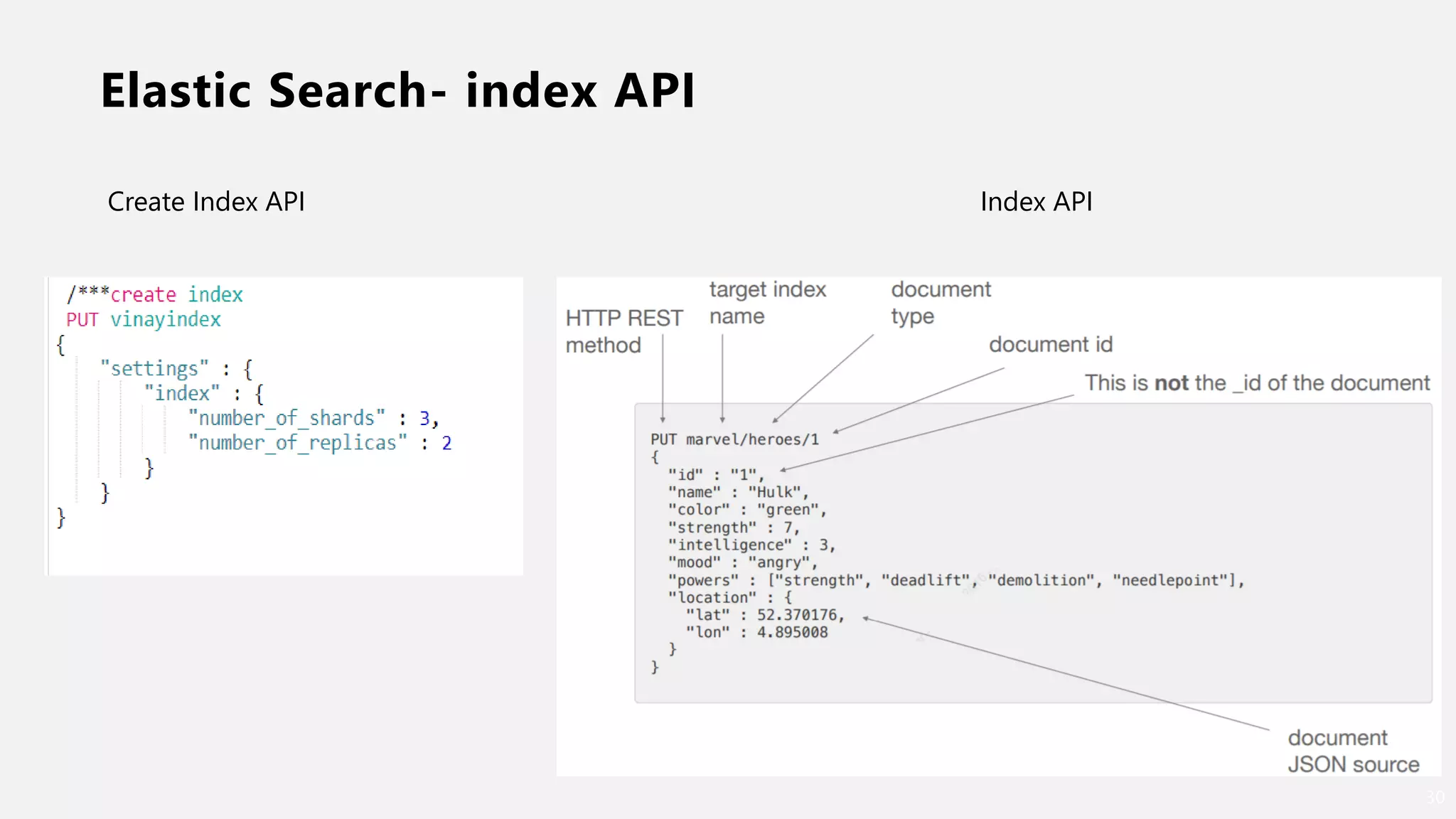
Elastic Search- index API
30
Create Index API Index API
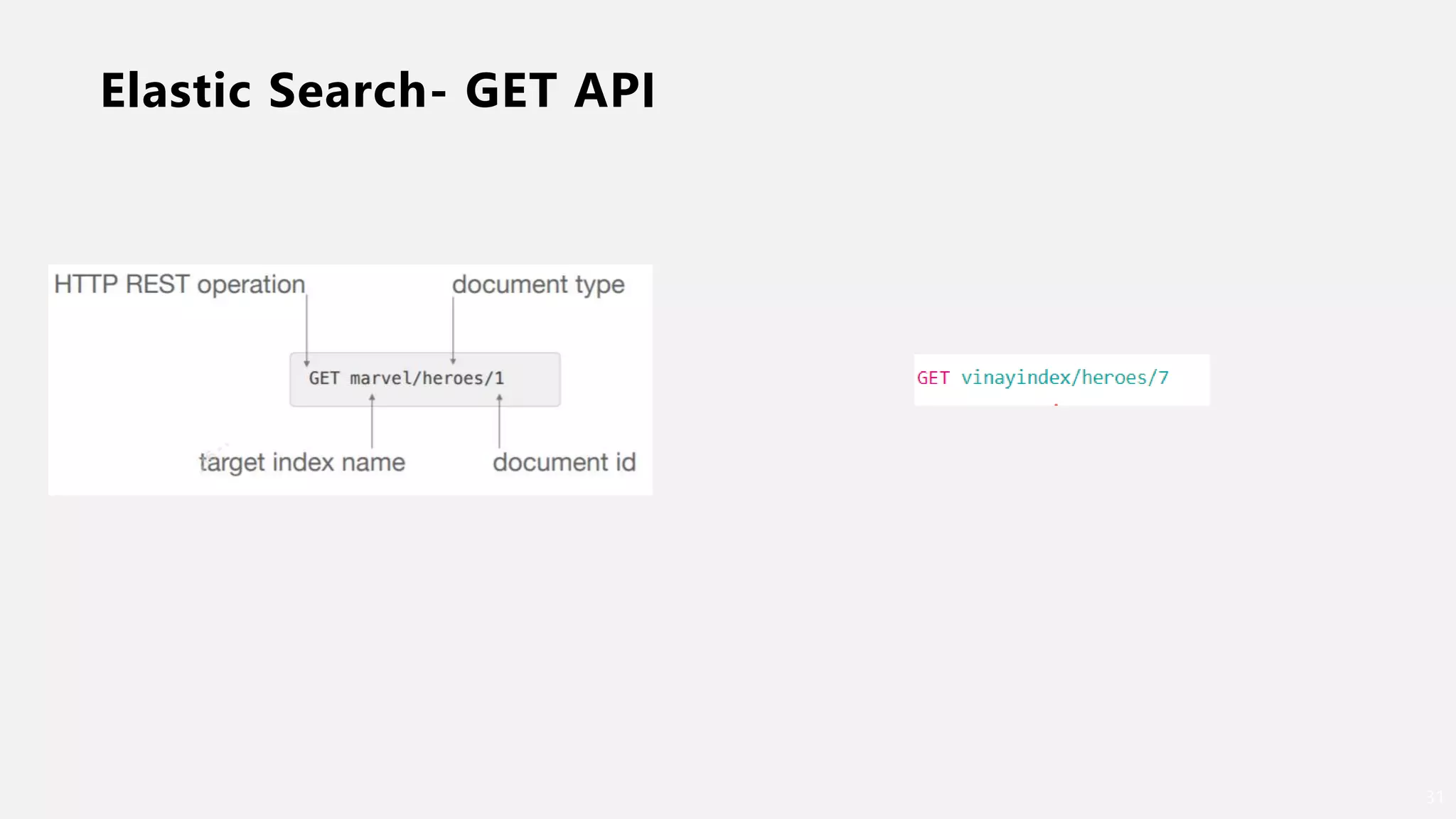
Elastic Search- GET API
31
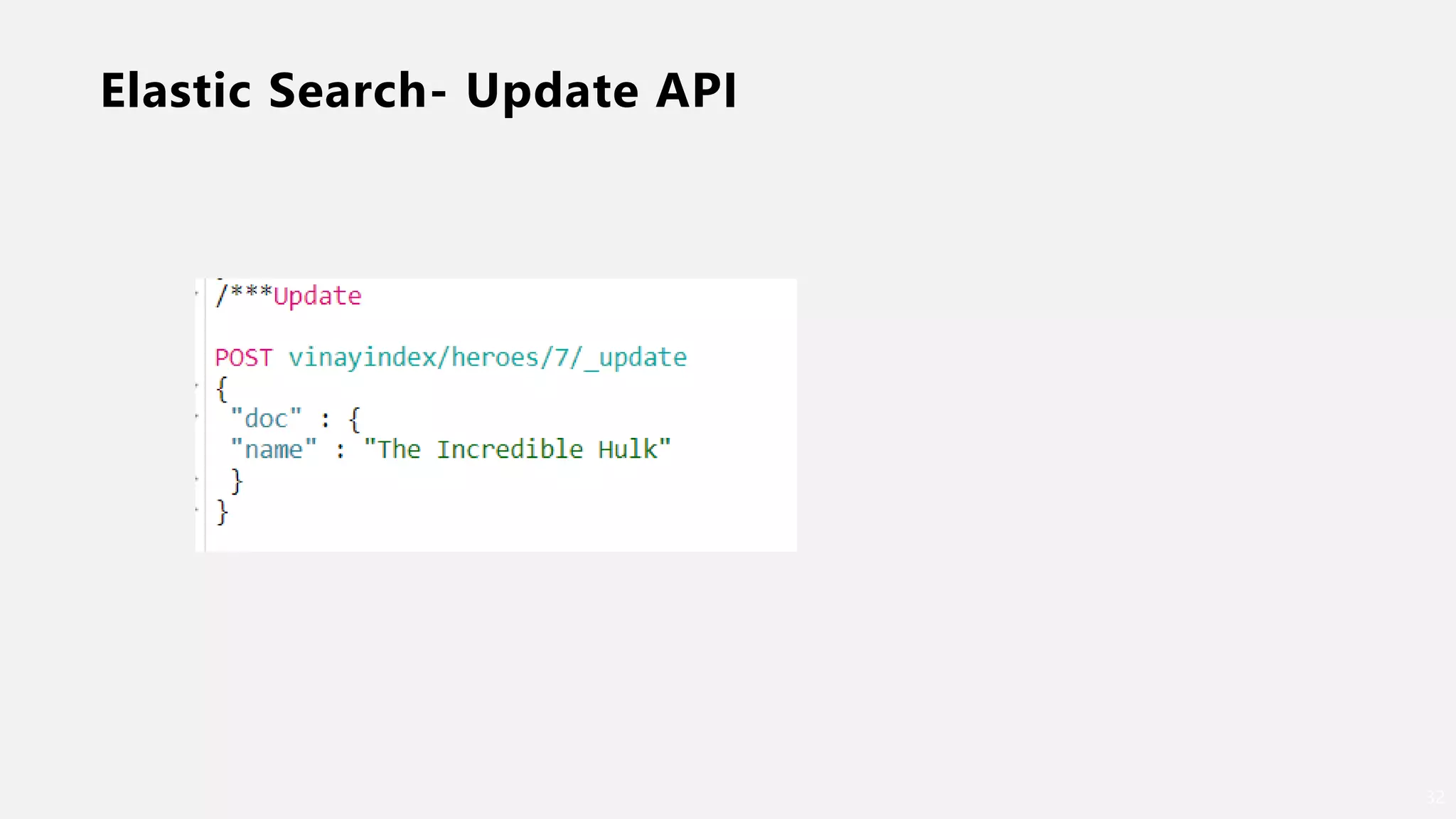
Elastic Search- Update API
32
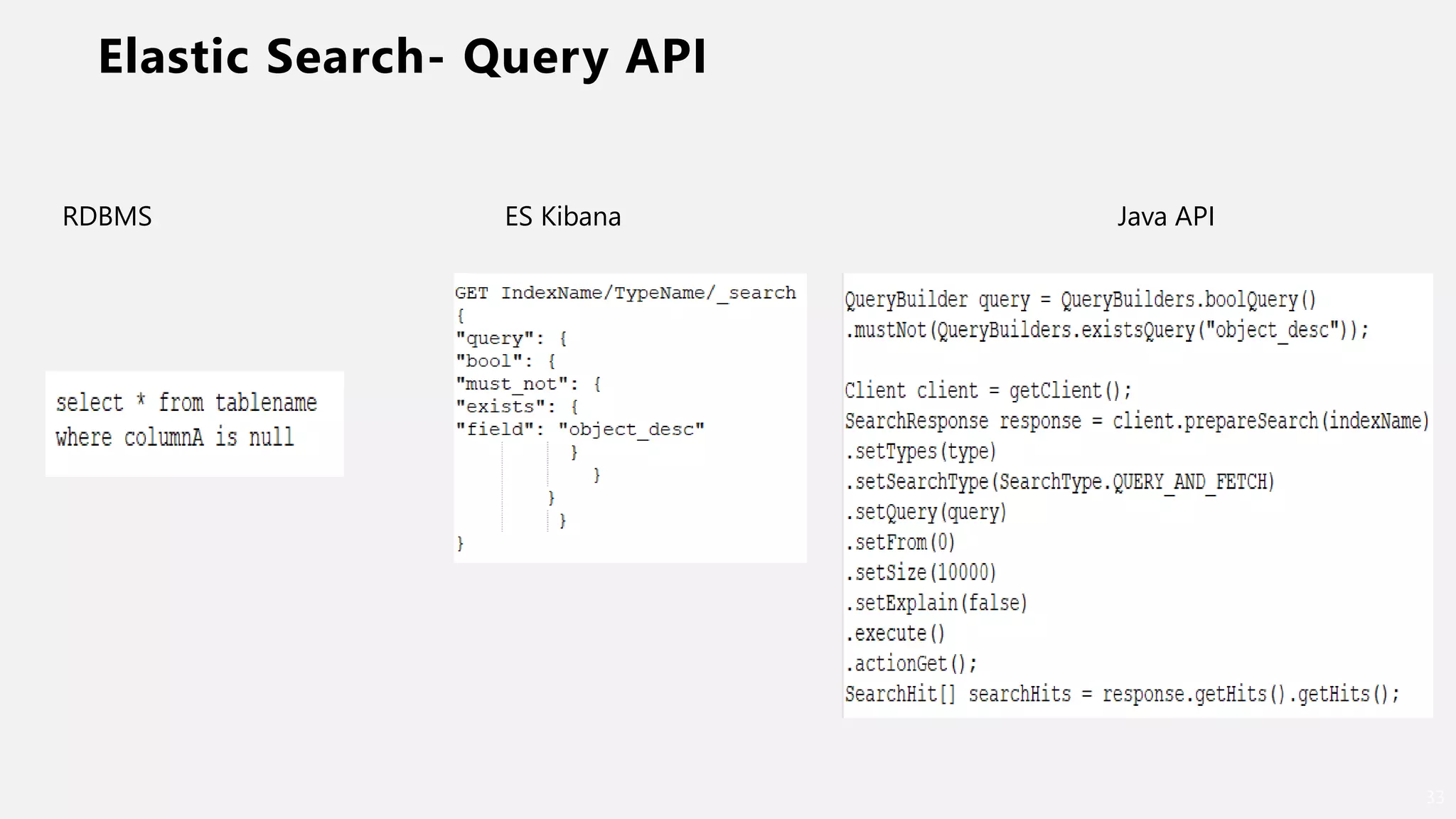
Elastic Search- Query API
33
RDBMS ES Kibana Java API
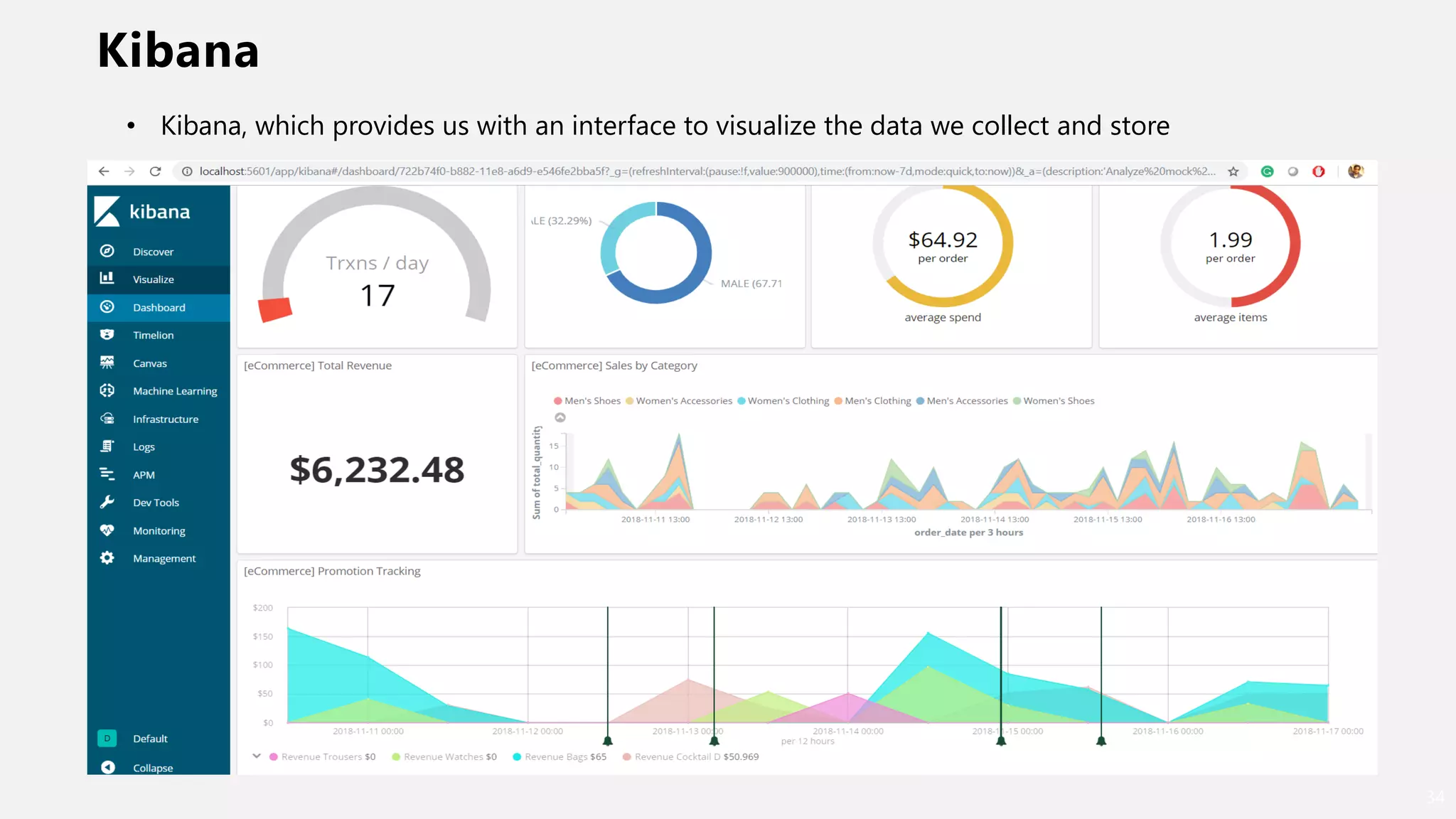
Kibana
34
• Kibana, which provides us with an interface to visualize the data we collect and store
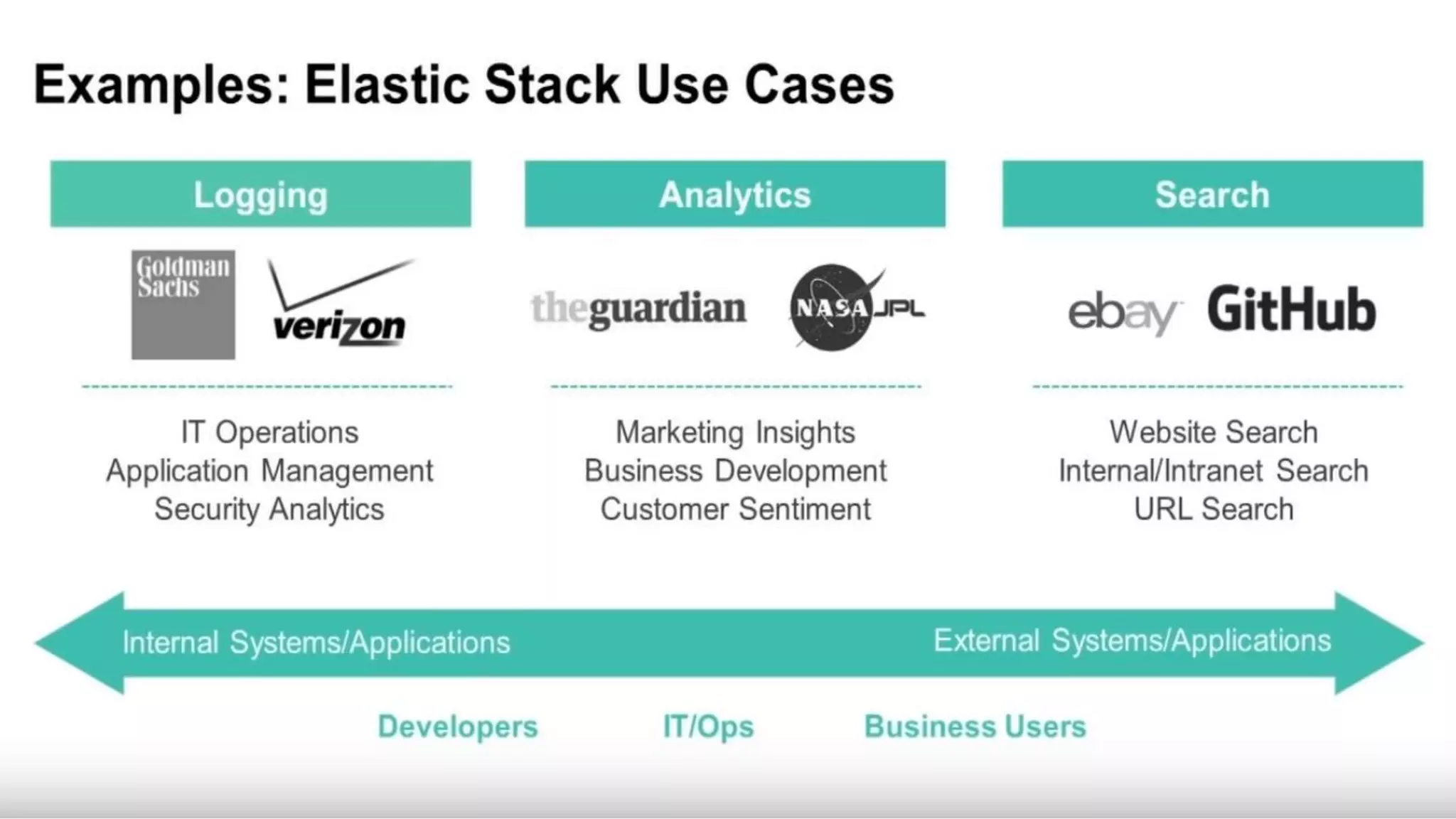
Elastic Search Use case
35
Elastic Search & Oracle
• WebCenter Portal uses Elastic Search
• PeopleSoft uses Elastic search…
• Cloud Apps…?
• Custom integration … Yes, why not….
Opportunity……………….. ?
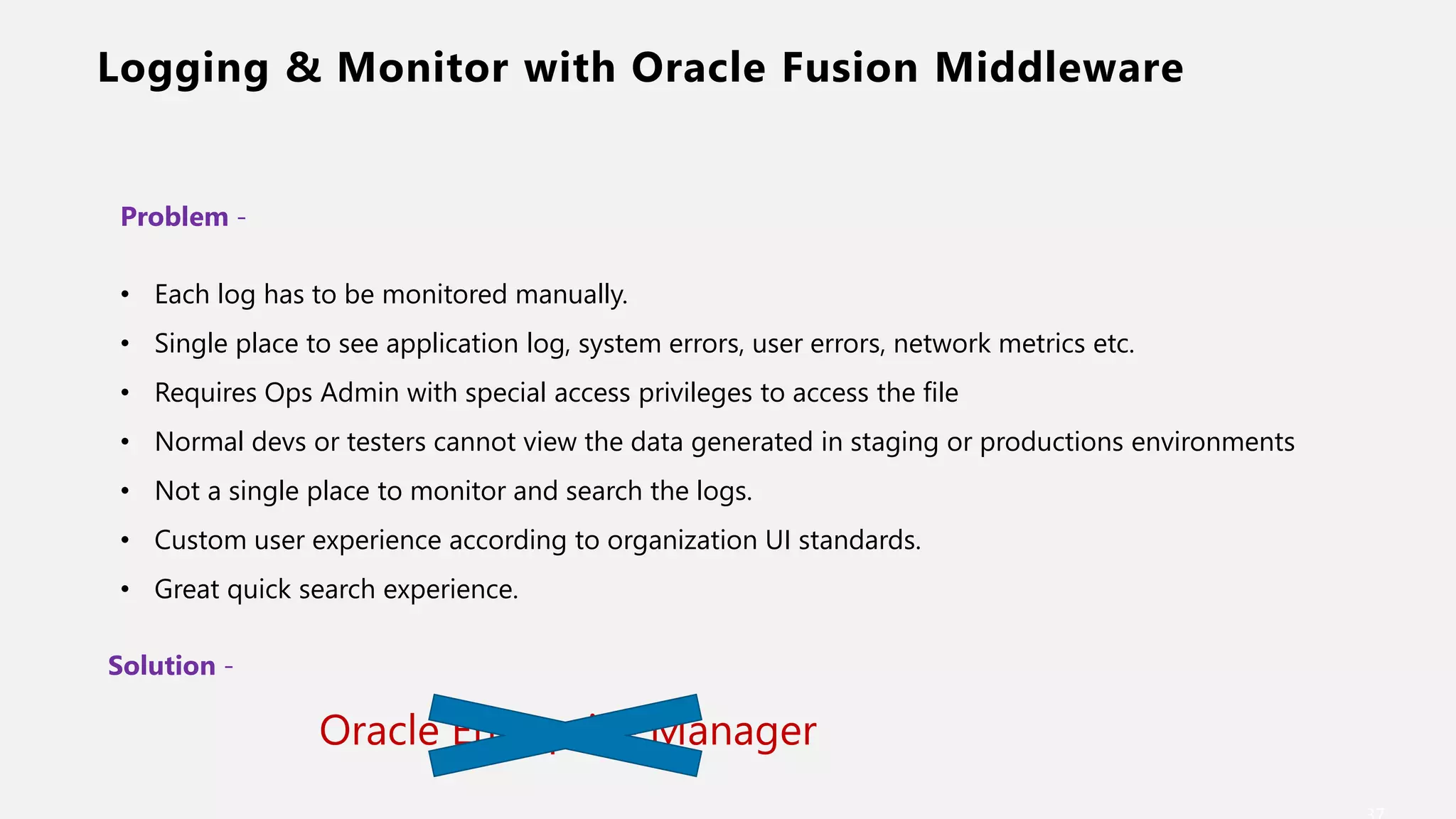
Logging & Monitor with Oracle Fusion Middleware
Problem -
• Each log has to be monitored manually.
• Single place to see application log, system errors, user errors, network metrics etc.
• Requires Ops Admin with special access privileges to access the file
• Normal devs or testers cannot view the data generated in staging or productions environments
• Not a single place to monitor and search the logs.
• Custom user experience according to organization UI standards.
• Great quick search experience.
Solution -
Oracle Enterprise Manager
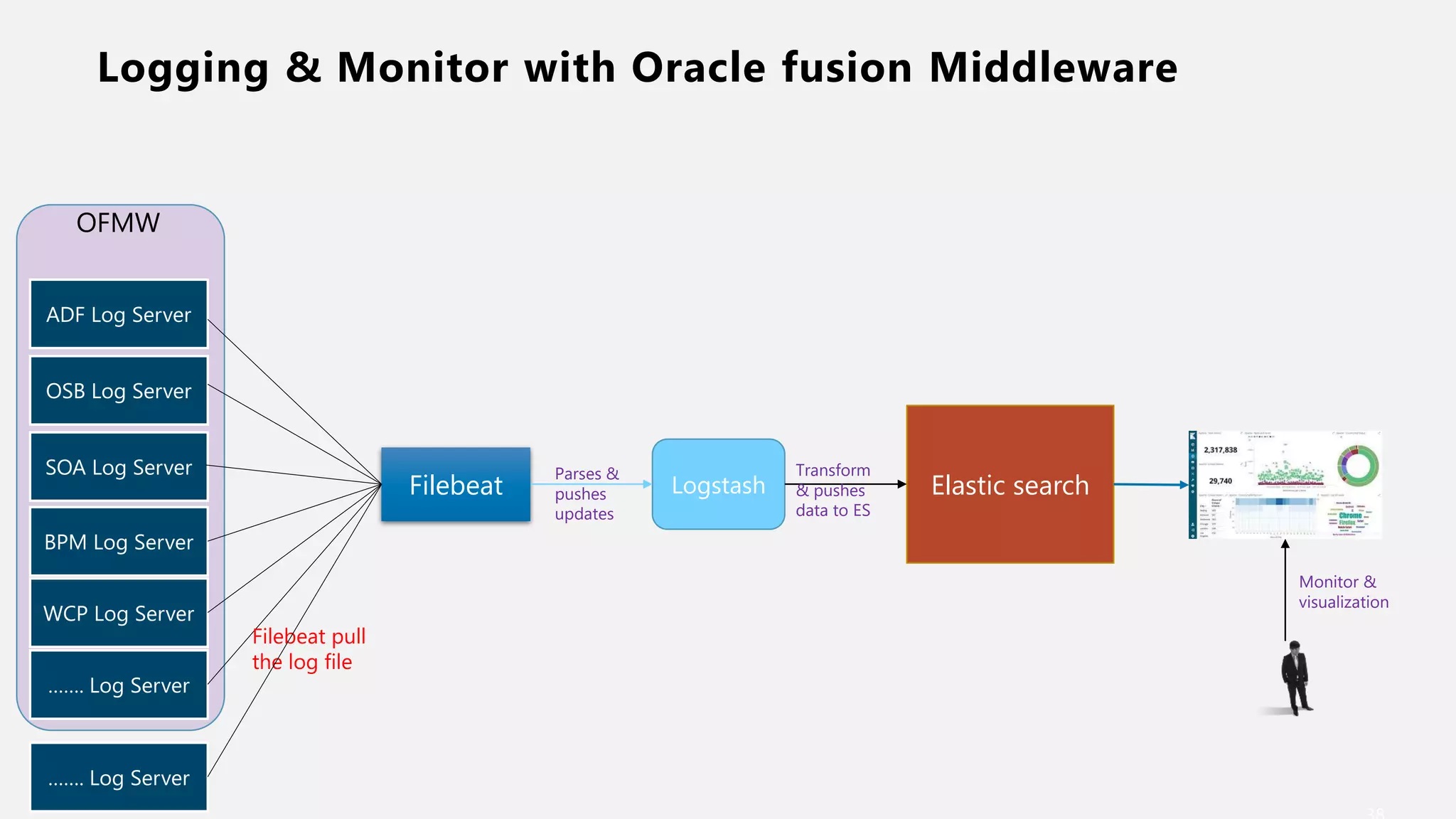
Logging & Monitor with Oracle fusion Middleware
ADF Log Server
OSB Log Server
SOA Log Server
WCP Log Server
BPM Log Server
……. Log Server
Filebeat
Filebeat pull
the log file
Logstash
Parses &
pushes
updates
Elastic search
Transform
& pushes
data to ES
Monitor &
visualization
OFMW
……. Log Server
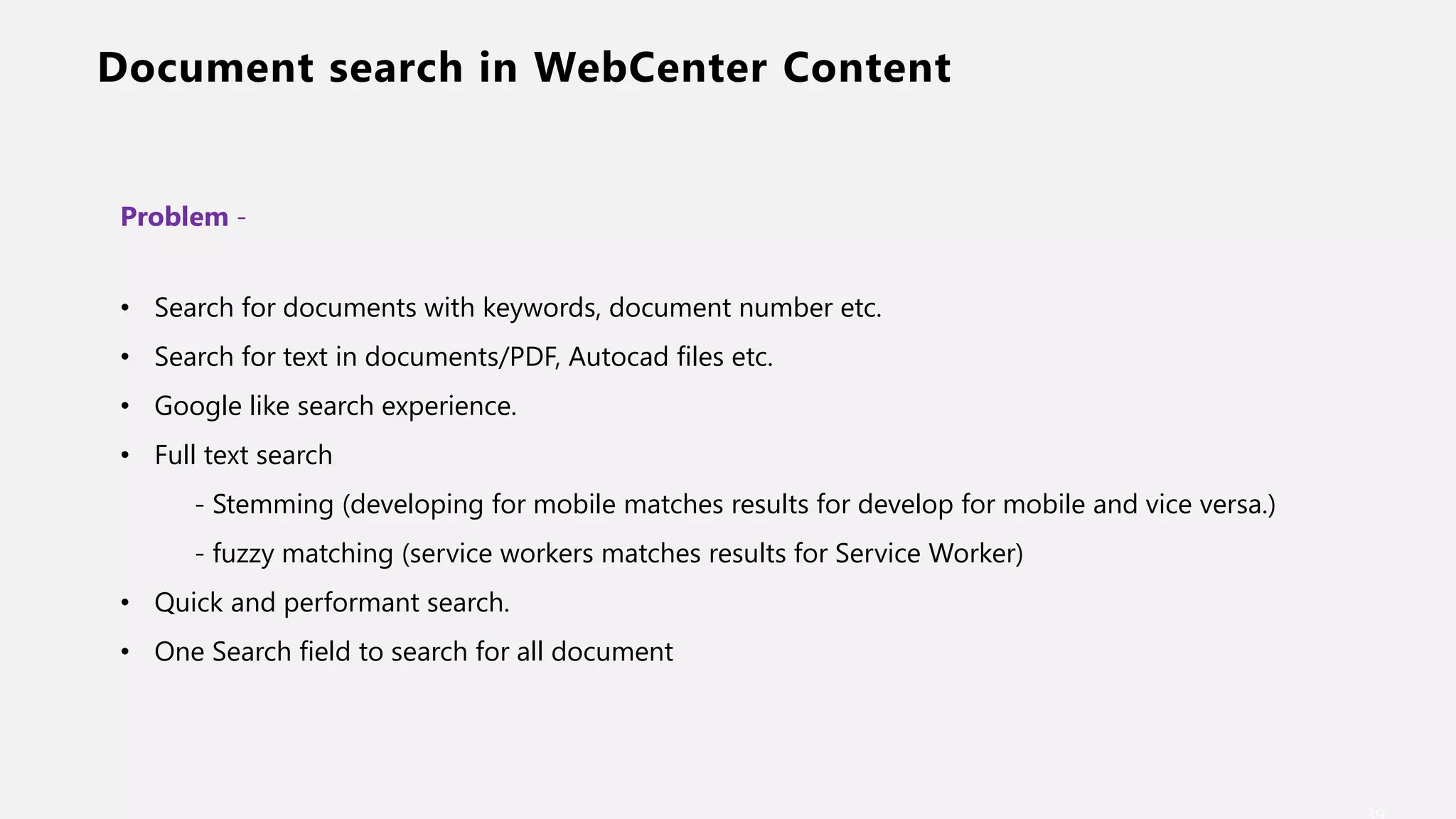
Document search in WebCenter Content
Problem -
• Search for documents with keywords, document number etc.
• Search for text in documents/PDF, Autocad files etc.
• Google like search experience.
• Full text search
- Stemming (developing for mobile matches results for develop for mobile and vice versa.)
- fuzzy matching (service workers matches results for Service Worker)
• Quick and performant search.
• One Search field to search for all document
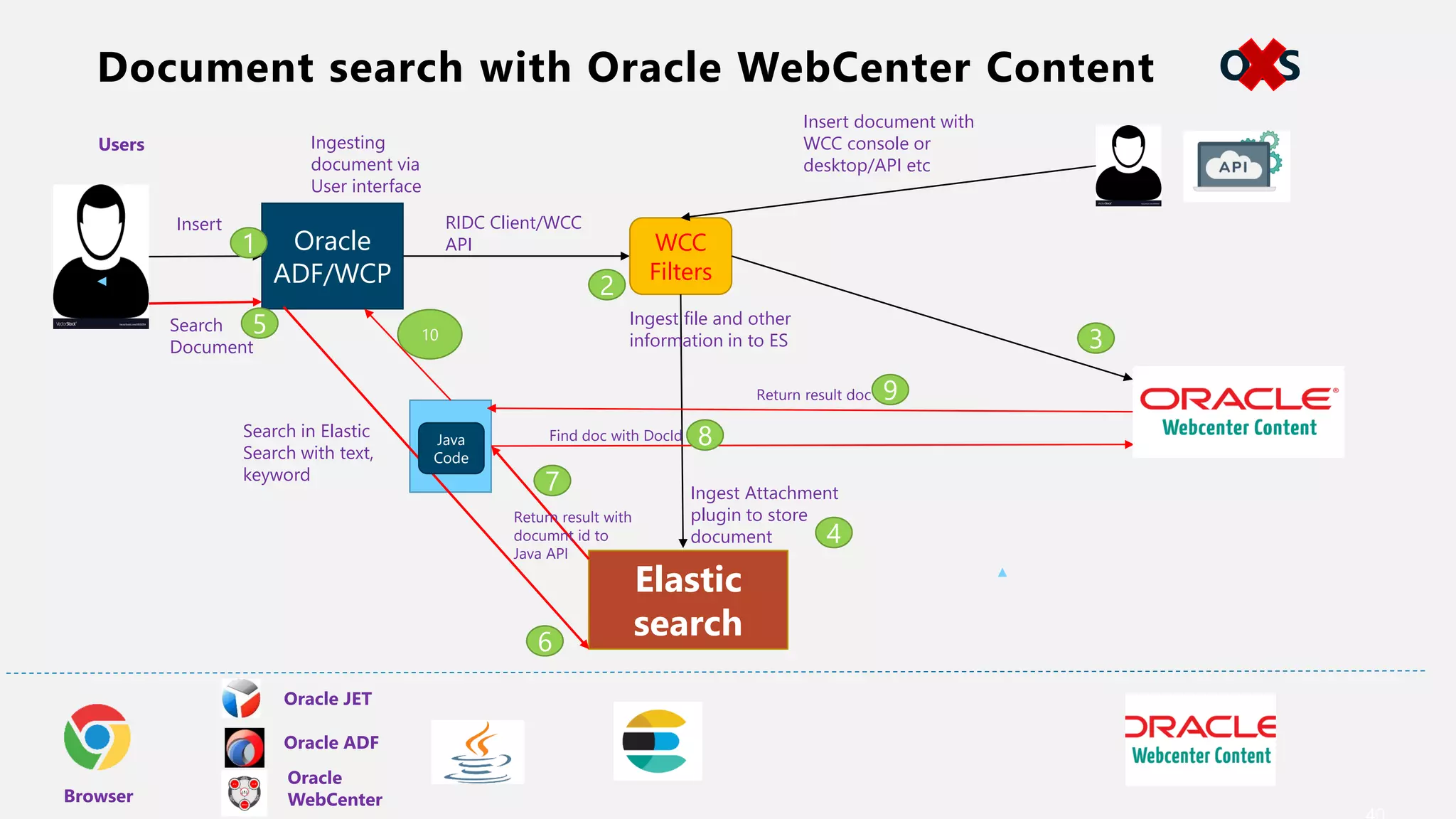
Document search with Oracle WebCenter Content
Elastic
search
WCC
Filters
Oracle
ADF/WCP
RIDC Client/WCC
API
Oracle JET
Oracle ADF
Oracle
WebCenterBrowser
Users Ingesting
document via
User interface
Ingest file and other
information in to ES
Insert
Search
Document
Search in Elastic
Search with text,
keyword
Ingest Attachment
plugin to store
document
Return result with
documnt id to
Java API
Java
Code
Find doc with DocId
Return result doc
1
2
4
3
5
6
7
8
9
10
Insert document with
WCC console or
desktop/API etc
OTS
Document search in WebCenter Content
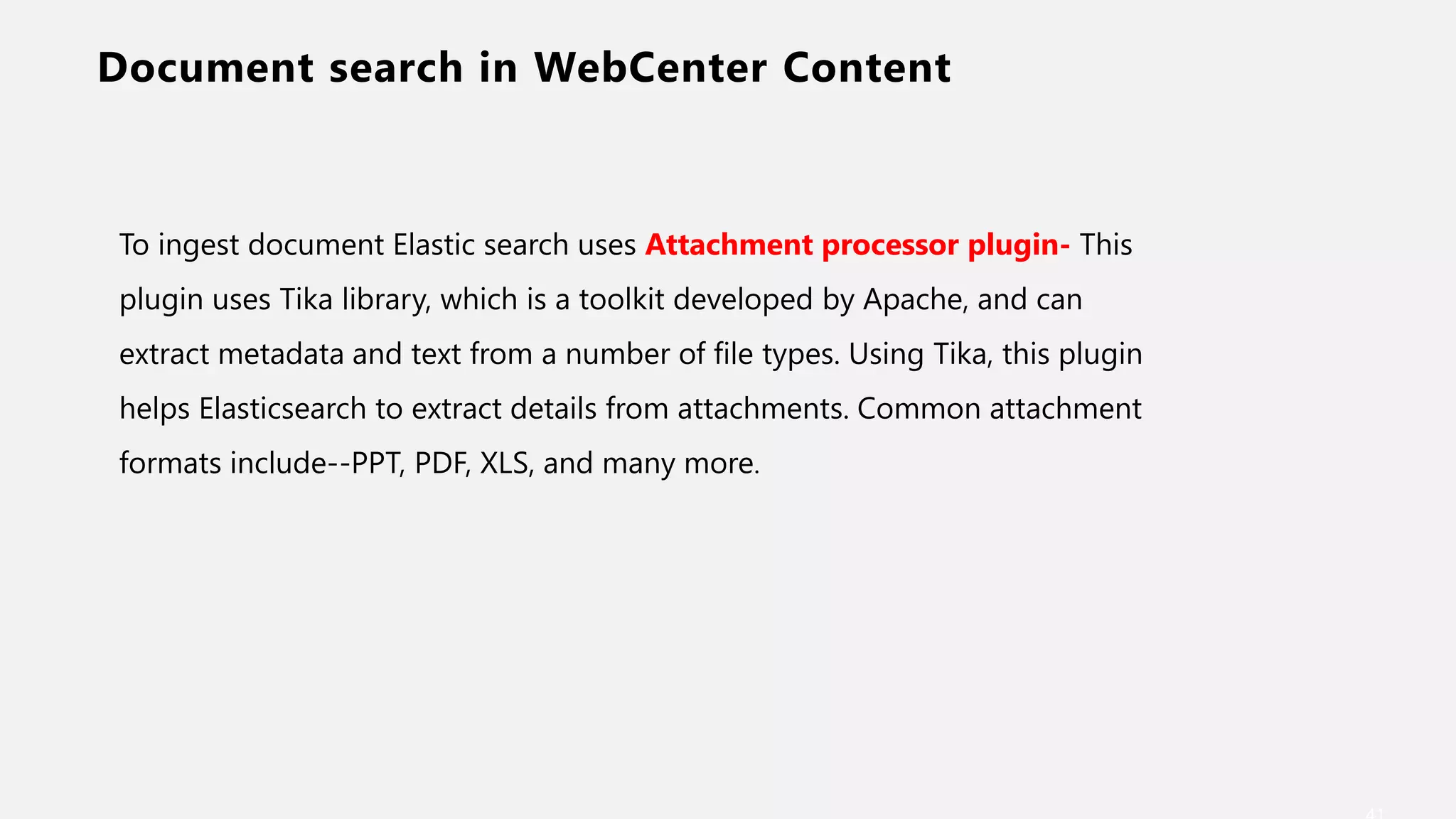
To ingest document Elastic search uses Attachment processor plugin- This
plugin uses Tika library, which is a toolkit developed by Apache, and can
extract metadata and text from a number of file types. Using Tika, this plugin
helps Elasticsearch to extract details from attachments. Common attachment
formats include--PPT, PDF, XLS, and many more.
Web Search with ERPs
Problem -
• Multiple sources of data i.e. 3 ERPs – IFS, Oracle E Business, MS Dynamic
• Single Search screen to retrieve result from 3 ERP in WebCenter Portal Screen.
• Google like search experience.
• Full text search .
• Quick and performant search.
• One Search field to search across the ERPs.
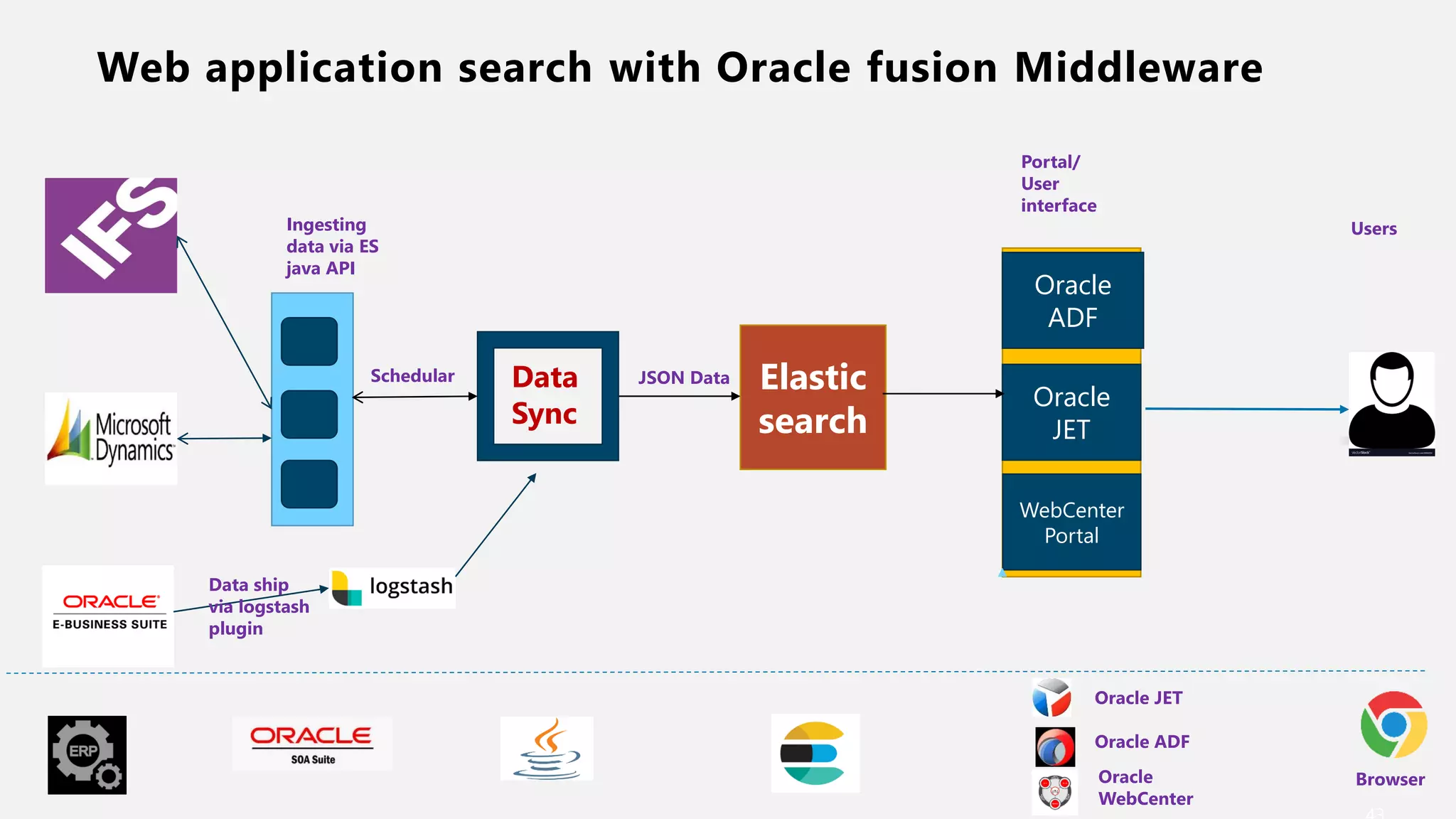
Web application search with Oracle fusion Middleware
Data
Sync
Elastic
search
Schedular
IFS Ingesting
data via ES
java API
Oracle
ADF
Oracle
JET
WebCenter
Portal
Portal/
User
interface
Users
Oracle JET
Oracle ADF
Oracle
WebCenter
Data ship
via logstash
plugin
Browser
JSON Data
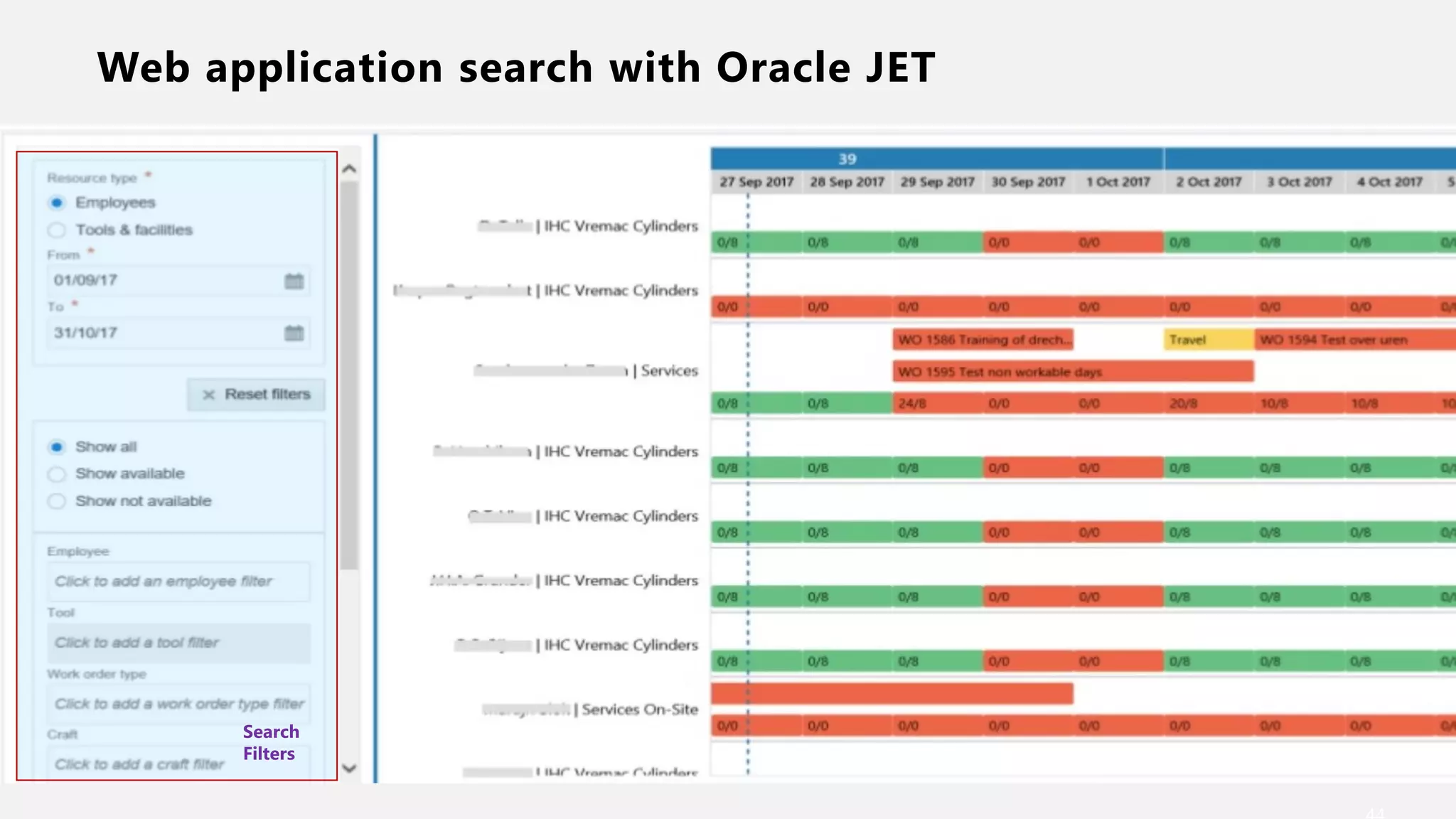
Web application search with Oracle JET
ADF Log Server
OSB Log Server
SOA Log Server
WCP Log Server
BPM Log Server
……. Log Server
Filebeat
Filebeat pull
the log file
Logstash
Parses &
pushes
updates
Elastic search
Transform
& pushes
data to ES
Monitor &
visualization
OFMW
Search
Filters
Elastic Search plugins
Elastic Search plugins – Part 2
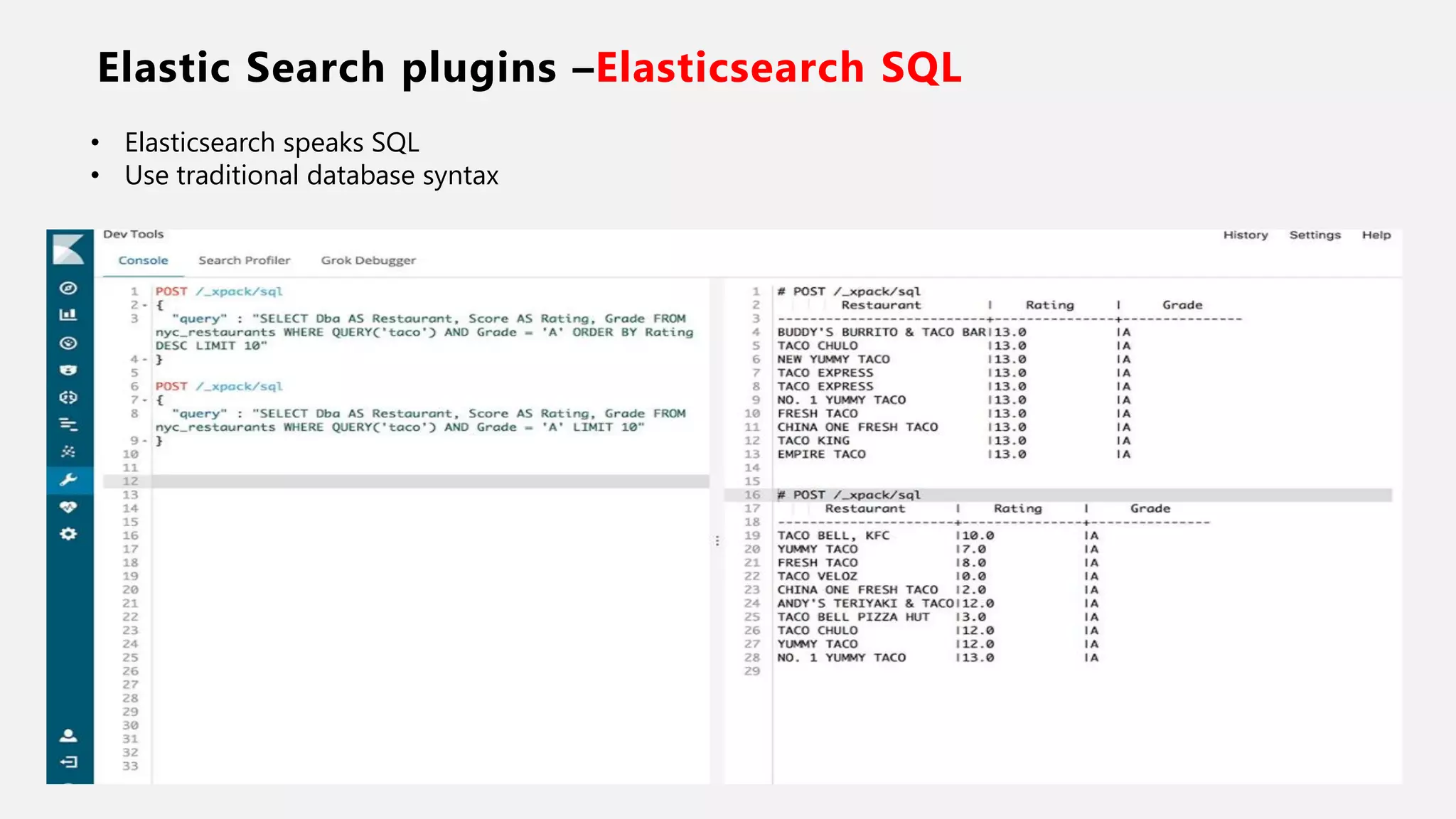
Elastic Search plugins –Elasticsearch SQL
• Elasticsearch speaks SQL
• Use traditional database syntax
48
49
Neal Creative | click & Learn moreNeal Creative ©
THANK YOU
Vinay Kumar
@Vinaykuma201
mail2vinayku@gmail.com
www.techartifact.com/blogs
medium.com/@vinaykuma201

Roaring with elastic search sangam2018

  • 1.
    Vinay Kumar, ORACLEACE @vinaykuma201 Sangam18-Bengaluru 1
  • 2.
    2 • O RACLE ACE • Enterp ris e Arc h itec t • Au th or of Book “Beginning Oracle Web Center p ortal 1 2 c” • O rac le c ertified p ro fes s io n al • B lo g ger-http ://w w w.tech artifact. com/b logs • So ftware Con s u ltant • JAVA EE GUARDI AN
  • 4.
    4 • Un derst an din g En terprise S earch • Elast ic S earch in t rodu ct ion • Elast ic St ack Arch itect u re • Elast ic S earch core con cept s • Elast ic S earch AP Is • In tegration of Elastic Search with Oracle F MW • Elast ic S earch plu gin s • Demo
  • 5.
  • 6.
  • 7.
  • 8.
  • 9.
    Elastic Search KeyFeatures 9 • Document- oriented : stores complex entities as structured JSON documents and indexes all fields by default • RESTful API : API driven, actions can be performed using a simple Restful API. • Real-Time Data availability and analytics : As soon as data is indexed, it is made available for search and analytics. It's all real-time. • Distributed : Allows us to set up as many nodes we need for our requirement. Cluster will manage everything and it can grow horizontally to a large number. • Highly available : The cluster is smart enough to detect a new node or failed node to add/remove from the cluster.. • Full-text & Fuzzy Search • Multitenancy : In Elasticsearch, an alias for index can be created. Usually a cluster contains multiple indices. These aliases allow a filtered view of an index to achieve multitenancy.
  • 10.
  • 11.
    ELK Stack 11 • Logstashhelps in centralizing event data such as logs, metrics, or any other data in any format. It can perform a number of transformations before indexing. • Elastic search is at the heart of Elastic Stack. It stores all your data and provides search and analytic capabilities in a scalable way. Elastic search can be used without using any other components to power your application in terms of search and analytics. • Kibana is the visualization tool of Elastic Stack which can help you gain powerful insights about your data in Elastic search.
  • 12.
    Logstash 12 • Logstash isa plugin-based data collection and processing engine. The Logstash event processing pipeline has three stages, they are: Inputs, Filters and Outputs. • Inputs create events, Filters modify the input events, and Outputs ship them to the destination. Inputs and outputs support codecs which enable you to encode or decode the data as and when it enters or exits the pipeline without having to use a separate filter. Logstash uses in-memory bounded queues between pipeline stages by default (Input to Filter and Filter to Output) to buffer events
  • 13.
  • 14.
    Beats 14 • Beats isa platform of open source lightweight data shippers. • Beats has a role on the client side whereas logstash is a server side. • Beats consists of a core library, libbeat, which provides an API for shipping data from the source, configuring the input options, and implementing logging
  • 15.
    Beats vs Logstash 15 BeatsLogstash Beats requires fewer resources and consumes low memory consumes a lot of memory and requires a higher amount of resources Beats are created based on the Go language. Logstash is based on Java requiring JVM Beats are lightweight data shippers that will ship your data from multiple systems. Heavy to install on all the systems from which you want to collect the logs, • Beats are data shippers shipping data from a variety of inputs such as files, data streams, or logs whereas Logstash is a data parser. Though Logstash can ship data, it's not its primary usage. • Logstash provides capabilities of ETL (Extract, Transform, and Load), whereas Beats are lightweight shippers that ship the data.
  • 16.
    What is ElasticSearch 16 “Software that makes massive amounts of structured and unstructured data usable for search, logging, analytics, and more in mission critical system and application…..”
  • 17.
    What is ElasticSearch 17
  • 18.
    What is ElasticSearch 18 • Full text search engine. • NoSql Database • Analytics Engine • Lucene Based • Inverted indices • Easy to Scale • RESTFUL interface (JSON/HTTP) • Schemaless • Real time
  • 19.
  • 20.
    Elastic Search -Core concepts 20 Type Document Type Index
  • 21.
    Elastic Search -Core concepts – Node, Type, Document 21 • An index contains one or multiple types. • A type can be thought of as a table in a relational database. A type has one or more documents. • A Document a group of fields. Field is key value pair. Document can be thought of as a table as row in relational database. Its JSON data structure. It is with key value pair.
  • 22.
    Elastic Search -–Node , Cluster 22 • A Node node is a single server of Elasticsearch ,part of a larger cluster of nodes. It participates in indexing, searching, and performing other operations supported by Elasticsearch. • A cluster is formed by one or more nodes. Every Elasticsearch node is always part of a cluster, even if it is just a single node cluster. A cluster hosts one or more indices and is responsible for providing operations such as searching, indexing, and aggregations.
  • 23.
    Elastic Search –Shards 23 • A Shard help in dividing the documents of a single index over multiple nodes. It distribute the data into multiple node. The process of dividing the data among shards is called sharding. - It helps in utilizing storage across different nodes of the cluster - It helps in utilizing the processing power of different nodes of the cluster - Deafult 5 shards per index, and this is configurable.
  • 24.
    Elastic Search –Replica 24 • A Replica is copy of shard. It is useful for the failover of any node. - Each shard in an index can be configured to have zero or more replica shards. - Replica shards are extra copies of the original or primary shard and provide a high availability of data. - Also manage the query work load execution across replicas
  • 25.
    Elastic Search –Inverted Index 25 • A Inverted index is the core data structure of Elasticsearch. • It is very similar to index at end of every book. • Building block for performing fast searches. • Easy to look up how many occurrences of terms are present in the index. This is a simple count aggregation. • It caters to both search and analytics. • Elastic search builds an inverted index on all the fields in the document.
  • 26.
    Elastic Search –Inverted Index- Continued 26 Document ID Document 1 This is the best session in Sangam 2 Sangam is cool 3 This is your choice. Term Frequency Document This 2 1,3 Sangam 2 1,2 is 3 1,2,3 best 1 1 in 1 1 cool 1 2 your 1 3 the 1 1 choice 1 3 Inverted Index in ESInput Strings
  • 27.
    Elastic Search –Core concepts - Summary 27 • Nodes get together to form a cluster. • Clusters provide a physical layer of services on which multiple indexes can be created • An index may contain one or more types, with each type containing millions or billions of documents. • Indexes are split into shards, which are partitions of underlying data within an index. Shards are distributed across the nodes of a cluster. • Replicas are copies of primary shards and provide high availability and failover. • ES stores documents in terms in the inverted index for search and analytics.
  • 28.
    Core concepts –Data type 28 • Text data • Numbers • Booleans • Binary objects • Arrays, objects • Nested types • Geo-points • Geo-shapes • IPv4 and IPv6 addresses.
  • 29.
    Elastic Search Client– Polyglot 29 • Java • Javascript • Java REST client • Groovy • .NET • PERL • PHP • PYTHON • Ruby
  • 30.
    Elastic Search- indexAPI 30 Create Index API Index API
  • 31.
  • 32.
  • 33.
    Elastic Search- QueryAPI 33 RDBMS ES Kibana Java API
  • 34.
    Kibana 34 • Kibana, whichprovides us with an interface to visualize the data we collect and store
  • 35.
  • 36.
    Elastic Search &Oracle • WebCenter Portal uses Elastic Search • PeopleSoft uses Elastic search… • Cloud Apps…? • Custom integration … Yes, why not…. Opportunity……………….. ?
  • 37.
    Logging & Monitorwith Oracle Fusion Middleware Problem - • Each log has to be monitored manually. • Single place to see application log, system errors, user errors, network metrics etc. • Requires Ops Admin with special access privileges to access the file • Normal devs or testers cannot view the data generated in staging or productions environments • Not a single place to monitor and search the logs. • Custom user experience according to organization UI standards. • Great quick search experience. Solution - Oracle Enterprise Manager
  • 38.
    Logging & Monitorwith Oracle fusion Middleware ADF Log Server OSB Log Server SOA Log Server WCP Log Server BPM Log Server ……. Log Server Filebeat Filebeat pull the log file Logstash Parses & pushes updates Elastic search Transform & pushes data to ES Monitor & visualization OFMW ……. Log Server
  • 39.
    Document search inWebCenter Content Problem - • Search for documents with keywords, document number etc. • Search for text in documents/PDF, Autocad files etc. • Google like search experience. • Full text search - Stemming (developing for mobile matches results for develop for mobile and vice versa.) - fuzzy matching (service workers matches results for Service Worker) • Quick and performant search. • One Search field to search for all document
  • 40.
    Document search withOracle WebCenter Content Elastic search WCC Filters Oracle ADF/WCP RIDC Client/WCC API Oracle JET Oracle ADF Oracle WebCenterBrowser Users Ingesting document via User interface Ingest file and other information in to ES Insert Search Document Search in Elastic Search with text, keyword Ingest Attachment plugin to store document Return result with documnt id to Java API Java Code Find doc with DocId Return result doc 1 2 4 3 5 6 7 8 9 10 Insert document with WCC console or desktop/API etc OTS
  • 41.
    Document search inWebCenter Content To ingest document Elastic search uses Attachment processor plugin- This plugin uses Tika library, which is a toolkit developed by Apache, and can extract metadata and text from a number of file types. Using Tika, this plugin helps Elasticsearch to extract details from attachments. Common attachment formats include--PPT, PDF, XLS, and many more.
  • 42.
    Web Search withERPs Problem - • Multiple sources of data i.e. 3 ERPs – IFS, Oracle E Business, MS Dynamic • Single Search screen to retrieve result from 3 ERP in WebCenter Portal Screen. • Google like search experience. • Full text search . • Quick and performant search. • One Search field to search across the ERPs.
  • 43.
    Web application searchwith Oracle fusion Middleware Data Sync Elastic search Schedular IFS Ingesting data via ES java API Oracle ADF Oracle JET WebCenter Portal Portal/ User interface Users Oracle JET Oracle ADF Oracle WebCenter Data ship via logstash plugin Browser JSON Data
  • 44.
    Web application searchwith Oracle JET ADF Log Server OSB Log Server SOA Log Server WCP Log Server BPM Log Server ……. Log Server Filebeat Filebeat pull the log file Logstash Parses & pushes updates Elastic search Transform & pushes data to ES Monitor & visualization OFMW Search Filters
  • 45.
  • 46.
  • 47.
    Elastic Search plugins–Elasticsearch SQL • Elasticsearch speaks SQL • Use traditional database syntax
  • 48.
  • 49.
  • 50.
    Neal Creative |click & Learn moreNeal Creative © THANK YOU Vinay Kumar @Vinaykuma201 mail2vinayku@gmail.com www.techartifact.com/blogs medium.com/@vinaykuma201