Agenda
• What it does?
• Use case examples
• What is Elasticsearch?
• History & growth
• Elsatic Stack
• Elastic Cloud and X-Pack
• Cluster, Node, Index, Type, Document
• Primary and replica shards
• Search & Aggregations
• Elastic Stack installation on AWS
Elasticsearch
What it Does?
• Stores Data
• Search Data
• Perform Analytics on searched data
– Facets / Aggregations
– Nested Aggregations
Elasticsearch
Use Cases / Customers
https://www.elastic.co/use-cases
Example Use Cases
https://www.booking.com (store, search, aggregations/Facets)
https://en.wikipedia.org (Full Text search)
http://www.blubolt.com/customers (Blue commerce - B2B/B2C)
Elasticsearch
• Search Engine/Analytics
• Horizontally scalable ( Scale Out)
• Near real time
• Highly Available
• JSON REST API
• Distributed System
• Built over Lucene (Java Library)
• Log and data analysis, full text search, alerting,
recommendations, classifications,
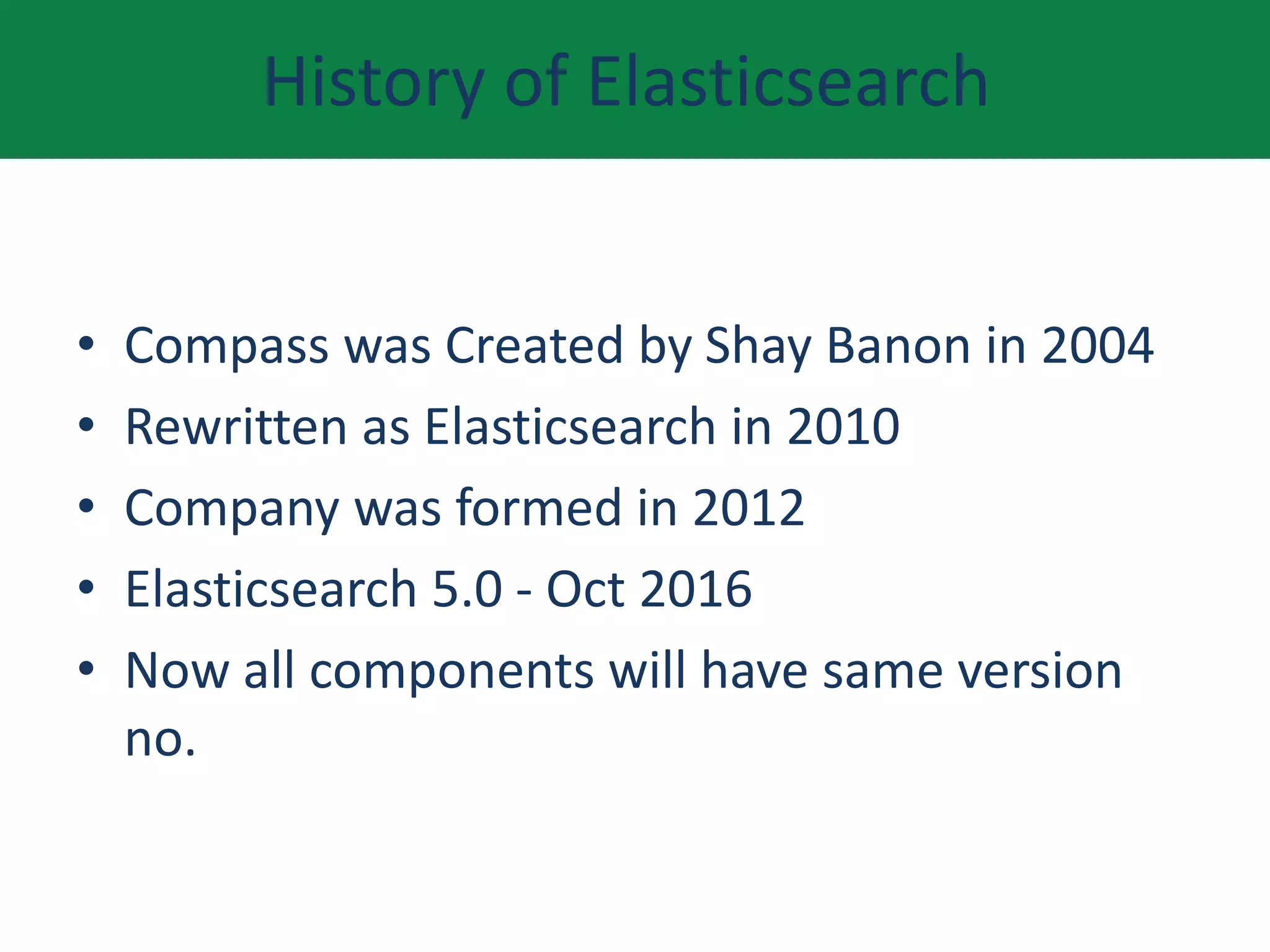
History of Elasticsearch
• Compass was Created by Shay Banon in 2004
• Rewritten as Elasticsearch in 2010
• Company was formed in 2012
• Elasticsearch 5.0 - Oct 2016
• Now all components will have same version
no.
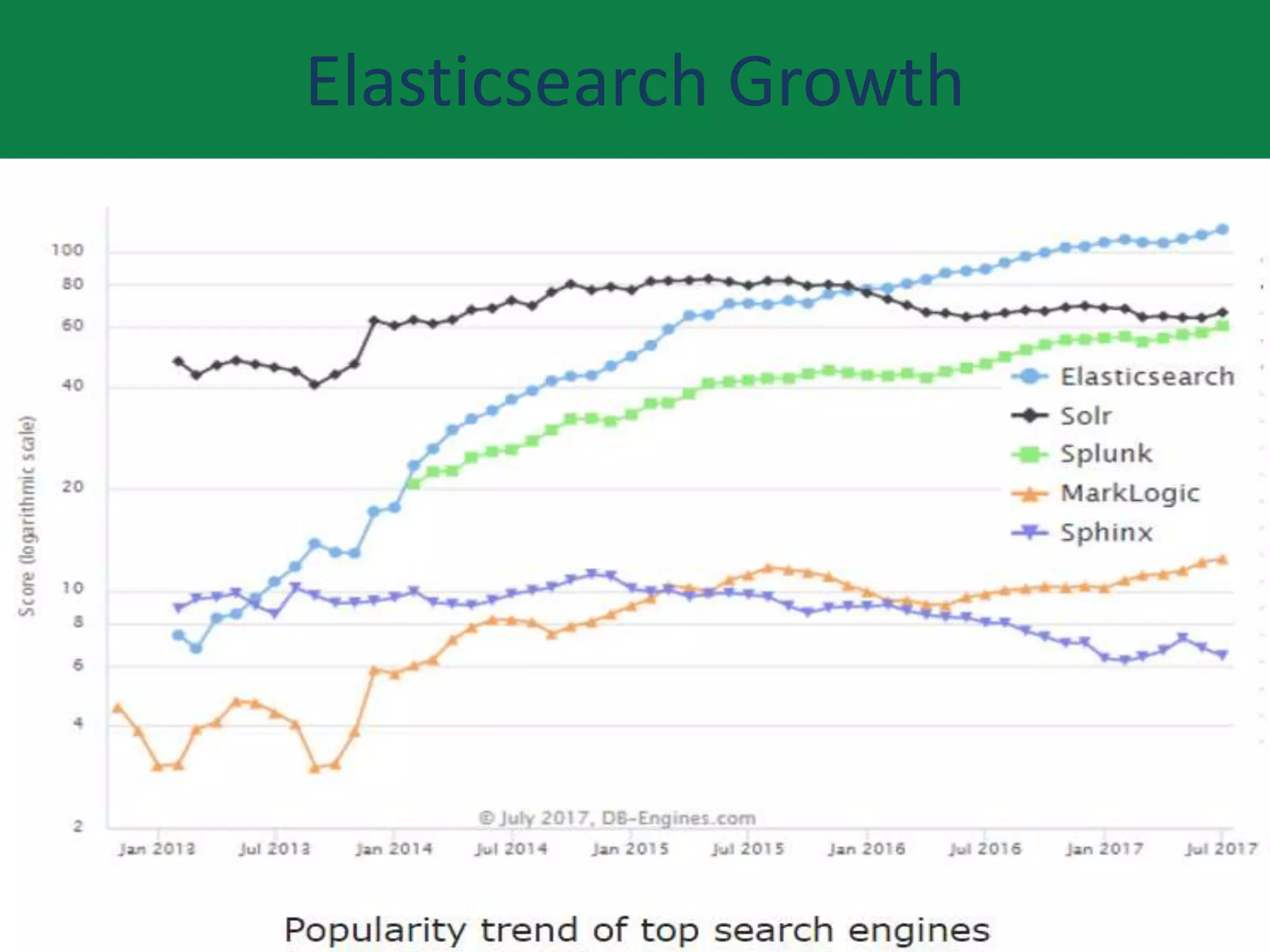
Elasticsearch Growth
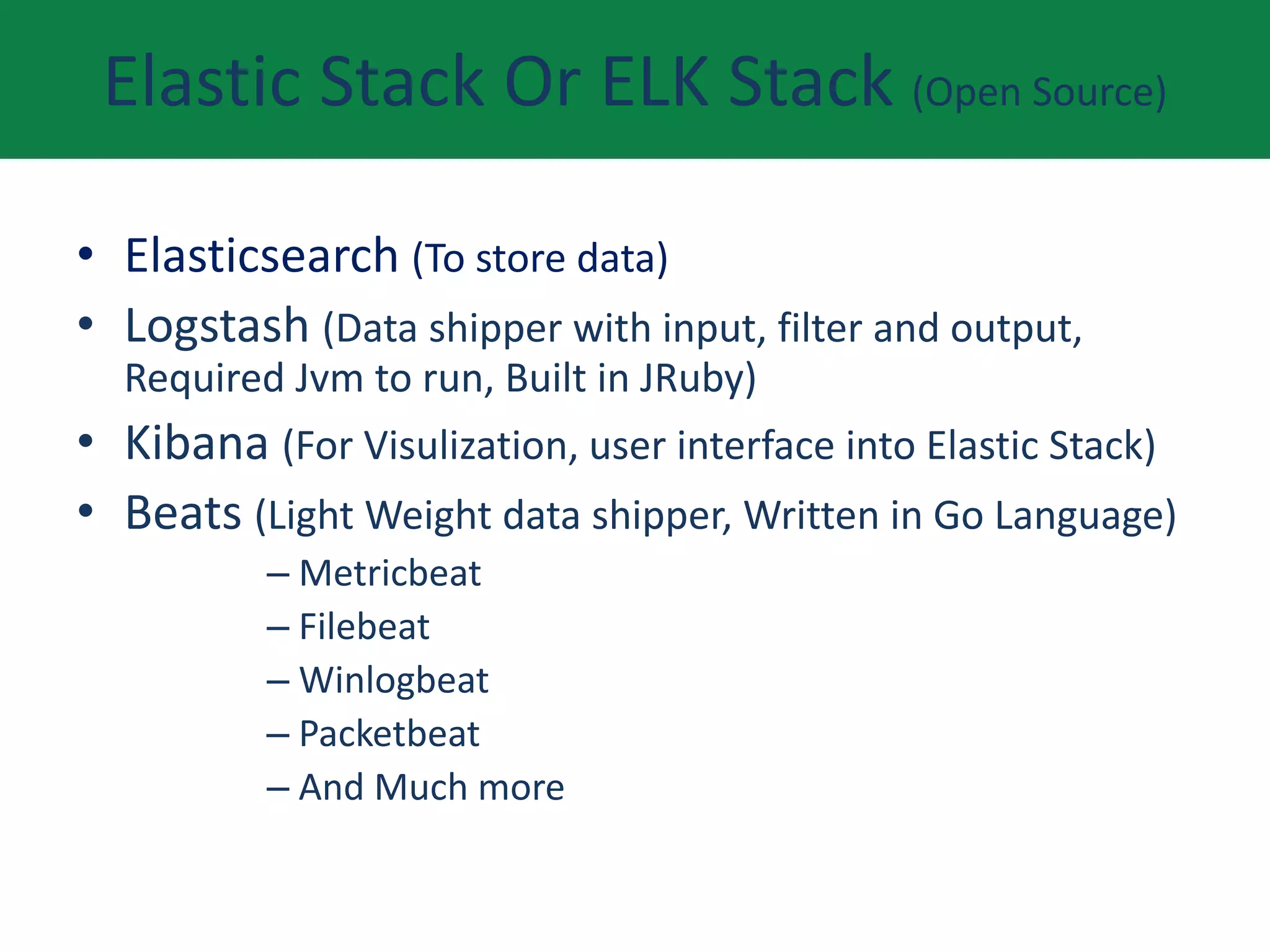
Elastic Stack Or ELK Stack (Open Source)
• Elasticsearch (To store data)
• Logstash (Data shipper with input, filter and output,
Required Jvm to run, Built in JRuby)
• Kibana (For Visulization, user interface into Elastic Stack)
• Beats (Light Weight data shipper, Written in Go Language)
– Metricbeat
– Filebeat
– Winlogbeat
– Packetbeat
– And Much more
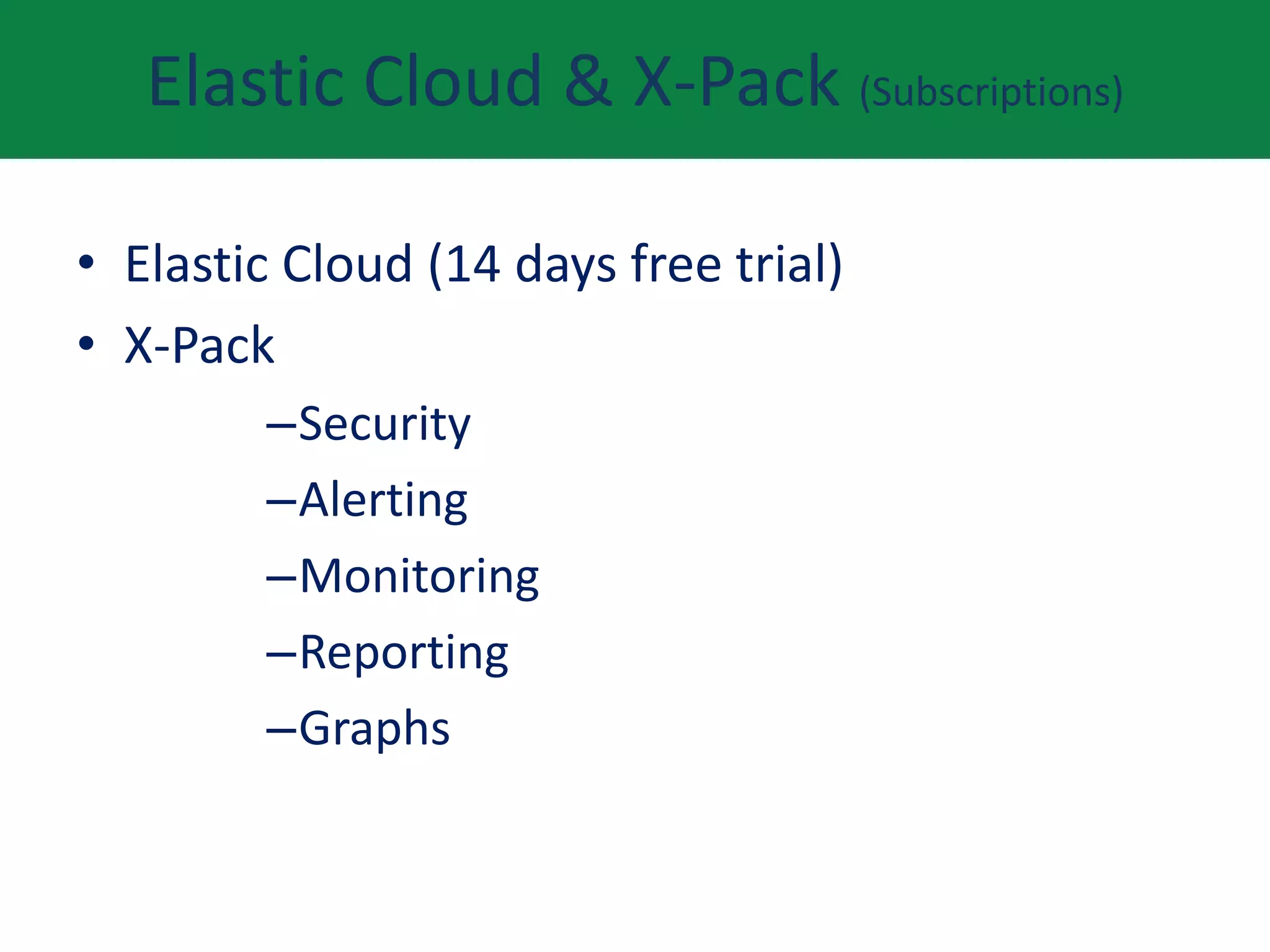
Elastic Cloud & X-Pack (Subscriptions)
• Elastic Cloud (14 days free trial)
• X-Pack
–Security
–Alerting
–Monitoring
–Reporting
–Graphs
Cluster
• A cluster is a combination of one or more
running instances of elasticsearch called
node(s) or server(s).
• Cluster hold data on one node or across
different nodes
• Every cluster must have a unique name
• New instance of elasticsearch will find cluster
by its unique name
• By default it's name is "Elasticsearch"
Nodes
• Node is single running instance of elastic
search on a server.
• One node per server ( recommended )
• Part of cluster
• Stores data
• Every node has a name to identify it
• By default every node is configured to join
cluster "Elasticsearch"
Index & Indices
• Collection of documents
• Similar characteristics
• Every index have a name ( must be lowercase)
• Name is use to refer to index when performing
– Indexing
– Search
– Update
– delete
• Set of shards
Type
• Exists within index
• One index can have multiple types
• Group documents of same logic
• Logical partition of index
• Examples
– User data
– Monitoring data
– Logs data
Document(s)
• Basic unit of information to index
• Contains data
• JSON objects ( JavaScript Object Notation )
• Examples
–Document of single employee
–Document of single employer
–Document of single product
Shard(s) & Replication
• Every index is subdivided into shards
• Default no of shards is 5
• We can specify no of shards at the time of creation of
index
• Shards can live on one node or can be distributed
across node to utilize system resources
• Shards can be primary or replica
• Each document in index live on a single shard
• Once index is created, we can't change no of shards
• Replicas can be changed dynamically
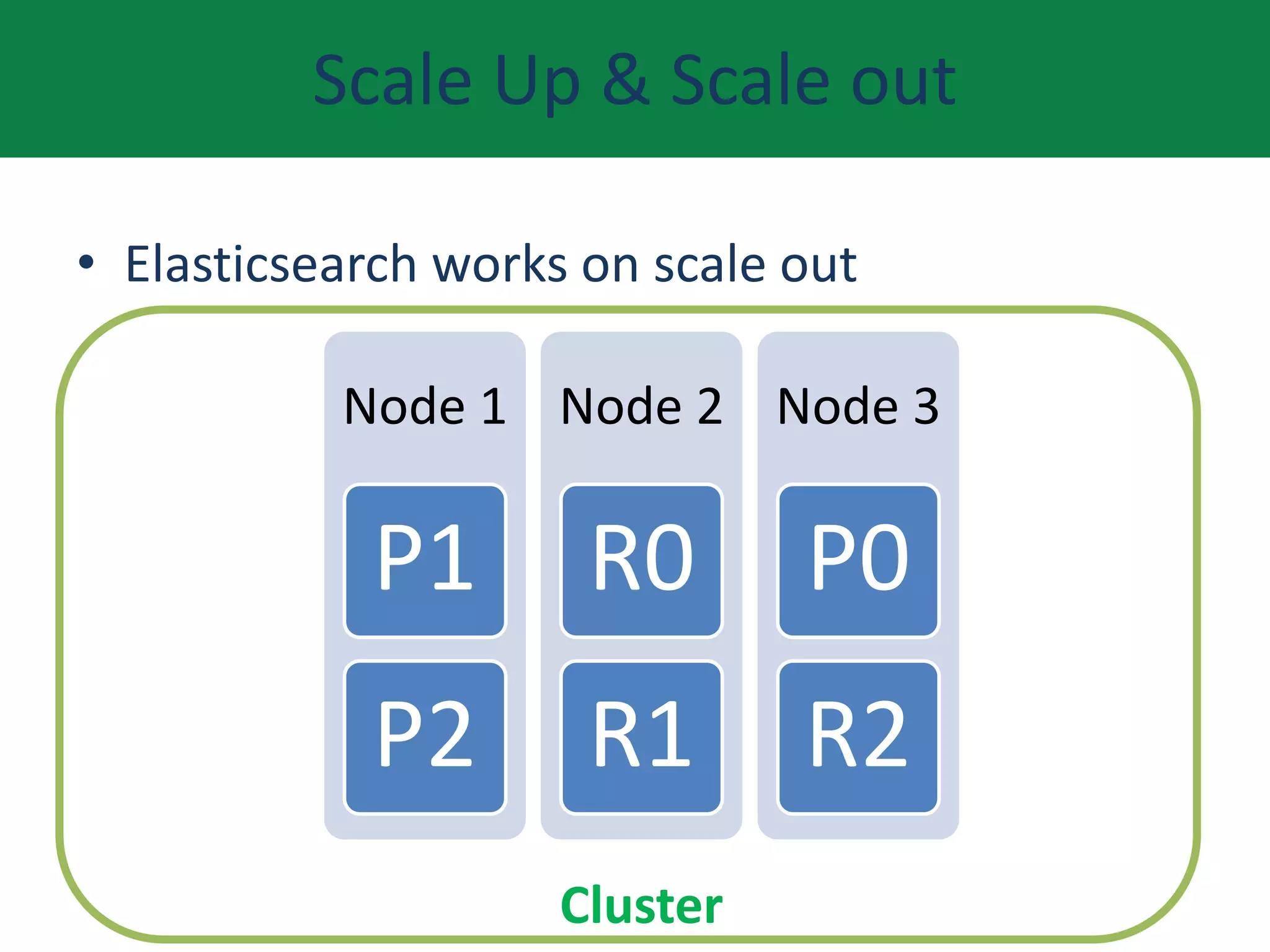
Scale Up & Scale out
• Elasticsearch works on scale out
Node 1
P1
P2
Node 2
R0
R1
Node 3
P0
R2
Cluster
Search
• Queries
– Unstructured data
– Free text search
– results are based on relevancy score
• Filter
– Structured data
– No relevancy scoring, Its either yes or no
– Fast result
• Combination of Queries & Filter
– For complex scenarios
Aggregations (Slice & dice data)
• Bucket (Date Histogram, Term, Ranges)
• Nested Buckets
• Metric (Max, Min, Average, Sum)
• Matrix
• Pipeline
# Guide {https://www.elastic.co/learn }

Elasticsearch { "Meetup" : "talk" }

  • 1.
    Agenda • What itdoes? • Use case examples • What is Elasticsearch? • History & growth • Elsatic Stack • Elastic Cloud and X-Pack • Cluster, Node, Index, Type, Document • Primary and replica shards • Search & Aggregations • Elastic Stack installation on AWS
  • 2.
    Elasticsearch What it Does? •Stores Data • Search Data • Perform Analytics on searched data – Facets / Aggregations – Nested Aggregations
  • 3.
    Elasticsearch Use Cases /Customers https://www.elastic.co/use-cases Example Use Cases https://www.booking.com (store, search, aggregations/Facets) https://en.wikipedia.org (Full Text search) http://www.blubolt.com/customers (Blue commerce - B2B/B2C)
  • 4.
    Elasticsearch • Search Engine/Analytics •Horizontally scalable ( Scale Out) • Near real time • Highly Available • JSON REST API • Distributed System • Built over Lucene (Java Library) • Log and data analysis, full text search, alerting, recommendations, classifications,
  • 5.
    History of Elasticsearch •Compass was Created by Shay Banon in 2004 • Rewritten as Elasticsearch in 2010 • Company was formed in 2012 • Elasticsearch 5.0 - Oct 2016 • Now all components will have same version no.
  • 6.
  • 7.
    Elastic Stack OrELK Stack (Open Source) • Elasticsearch (To store data) • Logstash (Data shipper with input, filter and output, Required Jvm to run, Built in JRuby) • Kibana (For Visulization, user interface into Elastic Stack) • Beats (Light Weight data shipper, Written in Go Language) – Metricbeat – Filebeat – Winlogbeat – Packetbeat – And Much more
  • 8.
    Elastic Cloud &X-Pack (Subscriptions) • Elastic Cloud (14 days free trial) • X-Pack –Security –Alerting –Monitoring –Reporting –Graphs
  • 9.
    Cluster • A clusteris a combination of one or more running instances of elasticsearch called node(s) or server(s). • Cluster hold data on one node or across different nodes • Every cluster must have a unique name • New instance of elasticsearch will find cluster by its unique name • By default it's name is "Elasticsearch"
  • 10.
    Nodes • Node issingle running instance of elastic search on a server. • One node per server ( recommended ) • Part of cluster • Stores data • Every node has a name to identify it • By default every node is configured to join cluster "Elasticsearch"
  • 11.
    Index & Indices •Collection of documents • Similar characteristics • Every index have a name ( must be lowercase) • Name is use to refer to index when performing – Indexing – Search – Update – delete • Set of shards
  • 12.
    Type • Exists withinindex • One index can have multiple types • Group documents of same logic • Logical partition of index • Examples – User data – Monitoring data – Logs data
  • 13.
    Document(s) • Basic unitof information to index • Contains data • JSON objects ( JavaScript Object Notation ) • Examples –Document of single employee –Document of single employer –Document of single product
  • 14.
    Shard(s) & Replication •Every index is subdivided into shards • Default no of shards is 5 • We can specify no of shards at the time of creation of index • Shards can live on one node or can be distributed across node to utilize system resources • Shards can be primary or replica • Each document in index live on a single shard • Once index is created, we can't change no of shards • Replicas can be changed dynamically
  • 15.
    Scale Up &Scale out • Elasticsearch works on scale out Node 1 P1 P2 Node 2 R0 R1 Node 3 P0 R2 Cluster
  • 16.
    Search • Queries – Unstructureddata – Free text search – results are based on relevancy score • Filter – Structured data – No relevancy scoring, Its either yes or no – Fast result • Combination of Queries & Filter – For complex scenarios
  • 17.
    Aggregations (Slice &dice data) • Bucket (Date Histogram, Term, Ranges) • Nested Buckets • Metric (Max, Min, Average, Sum) • Matrix • Pipeline
  • 18.

Editor's Notes

  • #2 Near real time means that there is a slightly latency normally of 1 sec  from the time you index a document till it becomes available for search.
  • #3 Near real time means that there is a slightly latency normally of 1 sec  from the time you index a document till it becomes available for search.
  • #4 Near real time means that there is a slightly latency normally of 1 sec  from the time you index a document till it becomes available for search.
  • #5 Near real time means that there is a slightly latency normally of 1 sec  from the time you index a document till it becomes available for search.
  • #7 Explain Elasticsearch is data storage layer, Logstash is event parsing/enrichment, Kibana visualization layer, Beats light weight shippers. Logstash creator jordan sissel., Kibana creator Rashid. Beats creator Tudor,Monica
  • #8 Explain Elasticsearch is data storage layer, Logstash is event parsing/enrichment, Kibana visualization layer, Beats light weight shippers. Logstash creator jordan sissel., Kibana creator Rashid. Beats creator Tudor,Monica
  • #9 Explain Elasticsearch is data storage layer, Logstash is event parsing/enrichment, Kibana visualization layer, Beats light weight shippers. Logstash creator jordan sissel., Kibana creator Rashid. Beats creator Tudor,Monica
  • #10 - We can have cluster with single node or multiple nodes. -Cluster is a  virtual grouping of nodes, it's not something with physical boundaries, Example  -  Class is a class in classroom or in conference room or in open space - if we have a cluster with one node, it will hold data on one node but as soon as another nodes joins in it will distribute data and vice versa. - if we don’t give cluster a unique name then it may end up joining wrong cluster - when we start 
  • #11 - more than one instance of elasticsearch(node)  can be run on a single large machine but it's not recommended as if machine is down then all nodes will be lost. - Even if you give a name to a node, elasticsearch don’t use that name, it uses UUID ( universal unique identifier )  - Give a specific cluster name to join that cluster, otherwise it will become part of"elasticsearch" cluster. If it doesn’t find any other cluster named"elasticsearch" then it will form a new cluster"elasticsearch"
  • #12 -Example One index for customer data One index for product catalog data One index for order data -plural of index is indices -index is a overloaded term with use as index, indexing(procedure of writing a document in index ) or index a document
  • #13 -Example One index for customer data One index for product catalog data One index for order data -plural of index is indices -index is a overloaded term with use as index, indexing(procedure of writing a document in index ) or index a document
  • #14 For those who are from RDBMS world....  a document is a row in table
  • #15 - replica for high availability - shards and replicas are not stored on same node -default value is 5 shards and 1 replica -each elastic shard is a lucene index
  • #16 - Explain how nodes get distributed - Start with one node with 3 shards.... P0,P1,P2 and 1 replica each R0,R1,R2  - Add second node… move R0, R1, R2 to second node - Add third shard and explain distribution as per pic........ - It's called distributed system - Explain procedure.... unassigned,start, initialize, reallocate..... 
  • #17 -Example One index for customer data One index for product catalog data One index for order data -plural of index is indices -index is a overloaded term with use as index, indexing(procedure of writing a document in index ) or index a document
  • #18 -Example One index for customer data One index for product catalog data One index for order data -plural of index is indices -index is a overloaded term with use as index, indexing(procedure of writing a document in index ) or index a document