Elasticsearch
(Presentation 01)
By
Maruf Hassan
Email: maruf571@gmail.com
Contents
● Introduction
● Installation
● Configuration
● Tools(plugin)
● Terms used in Elasticsearch
● Talking with Elasticsearch
● Indexing data
● Retrieving data
Introduction
What is Elasticsearch?
● Elasticsearch is an open-source search engine
● Elasticsearch is written in Java
● Built on top of Apache Lucene™
● A distributed real-time document store where
every field is indexed and searchable
● A distributed search engine with real-time
analytics
Installation
Setup
● Download zip file for elasticsearch web site
(https://www.elastic.co/downloads/elasticsearch)
● Unzip it anywhere in you pc
Run
● Go to unzip directory & run the following command
./bin/elasticsearch
Test
● To test installation hit on browser @ http://localhost:9200/?pretty or
curl 'http://localhost:9200/?pretty'
“You Know, for Search” Yahoo! everything is file :)
Configuration
● elasticsearch.yml file is the main configuration
file in the config directory
● Need restart Elasticsearch to perform update
configuration(if you edit elasticsearch.yml )
Tools(plugin)
Installation
● Marvel (plugin) is a monitoring tools, to install
./bin/plugin -i elasticsearch/marvel/latest
● Sense is interactive console inside Marvel.(I like it very much)
● Elasticsearch-head is a document browser, to install
./bin/plugin -install mobz/elasticsearch-head
Run
● To run marvel hit brouwser @ http://localhost:9200/_plugin/marvel/
● To run sence hit brouwser @ http://localhost:9200/_plugin/marvel/sense/
● To run head hit brouwser @ http://localhost:9200/_plugin/head/
Terms used in Elasticsearch
● node: running instance of Elasticsearch
● cluster: group of nodes with the same cluster
name
● elasticsearch = relational DB
● indices = databases
● types = tables
● documents = rows
Terms used in Elasticsearch
● fields = columns
● index (noun) = like a database in a traditional relational
database
● Index (verb) = to index a document is to store a document
in an index (noun)
● Inverted index = relational databases add an index, such
as a B-tree index, to specific columns in order to improve
the speed of data retrieval. Elasticsearch and Lucene use
a structure called an inverted index for exactly the same
purpose.
Talking to Elasticsearch
Two way for java. Node client & Transport client
1. Node client: Work as a node in local cluster, but don’t hold any data
2. Transport client: Send request to remote cluster, don’t join
One way for all
● RESTful API with JSON over HTTP
Port
● Both Java clients talk to the cluster over port 9300
● All other languages can communicate with Elasticsearch over port 9200
using RESTful API
Indexing data
● PUT verb used for indexing(inserting data)
●
URL path contains three pieces of information
index_name/type_name/id_of_document
● PUT body contain the document as a json
Example:
PUT /cefalo/employee/1
{
"first_name" : "Maruf",
"last_name" : "Hassan",
"age" : 28,
"about" : "Happy to help",
"interests": [ "science", "music", "internet" ]
}
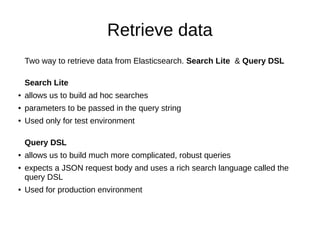
Retrieve data
Two way to retrieve data from Elasticsearch. Search Lite & Query DSL
Search Lite
● allows us to build ad hoc searches
● parameters to be passed in the query string
● Used only for test environment
Query DSL
● allows us to build much more complicated, robust queries
● expects a JSON request body and uses a rich search language called the
query DSL
● Used for production environment
Retrieve data(Search Lite)
● Search for all employees in the index cefalo
GET /cefalo/employee/_search
● searching for employees with their last name in
cefalo index
GET /cefalo/employee/_search?
q=last_name:hassan
Retrieve data(Query DSL)
● Search for all employees in the cefalo index
GET /cefalo/employee/_search{
}
● Searching for employees with their last name in the cefalo index
GET /cefalo/employee/_search
{
"query" : {
"match" : {
"last_name" : "Hassan"
}
}
}
Thanks
&

Elasticsearch presentation 1

  • 1.
  • 2.
    Contents ● Introduction ● Installation ●Configuration ● Tools(plugin) ● Terms used in Elasticsearch ● Talking with Elasticsearch ● Indexing data ● Retrieving data
  • 3.
    Introduction What is Elasticsearch? ●Elasticsearch is an open-source search engine ● Elasticsearch is written in Java ● Built on top of Apache Lucene™ ● A distributed real-time document store where every field is indexed and searchable ● A distributed search engine with real-time analytics
  • 4.
    Installation Setup ● Download zipfile for elasticsearch web site (https://www.elastic.co/downloads/elasticsearch) ● Unzip it anywhere in you pc Run ● Go to unzip directory & run the following command ./bin/elasticsearch Test ● To test installation hit on browser @ http://localhost:9200/?pretty or curl 'http://localhost:9200/?pretty' “You Know, for Search” Yahoo! everything is file :)
  • 5.
    Configuration ● elasticsearch.yml fileis the main configuration file in the config directory ● Need restart Elasticsearch to perform update configuration(if you edit elasticsearch.yml )
  • 6.
    Tools(plugin) Installation ● Marvel (plugin)is a monitoring tools, to install ./bin/plugin -i elasticsearch/marvel/latest ● Sense is interactive console inside Marvel.(I like it very much) ● Elasticsearch-head is a document browser, to install ./bin/plugin -install mobz/elasticsearch-head Run ● To run marvel hit brouwser @ http://localhost:9200/_plugin/marvel/ ● To run sence hit brouwser @ http://localhost:9200/_plugin/marvel/sense/ ● To run head hit brouwser @ http://localhost:9200/_plugin/head/
  • 7.
    Terms used inElasticsearch ● node: running instance of Elasticsearch ● cluster: group of nodes with the same cluster name ● elasticsearch = relational DB ● indices = databases ● types = tables ● documents = rows
  • 8.
    Terms used inElasticsearch ● fields = columns ● index (noun) = like a database in a traditional relational database ● Index (verb) = to index a document is to store a document in an index (noun) ● Inverted index = relational databases add an index, such as a B-tree index, to specific columns in order to improve the speed of data retrieval. Elasticsearch and Lucene use a structure called an inverted index for exactly the same purpose.
  • 9.
    Talking to Elasticsearch Twoway for java. Node client & Transport client 1. Node client: Work as a node in local cluster, but don’t hold any data 2. Transport client: Send request to remote cluster, don’t join One way for all ● RESTful API with JSON over HTTP Port ● Both Java clients talk to the cluster over port 9300 ● All other languages can communicate with Elasticsearch over port 9200 using RESTful API
  • 10.
    Indexing data ● PUTverb used for indexing(inserting data) ● URL path contains three pieces of information index_name/type_name/id_of_document ● PUT body contain the document as a json Example: PUT /cefalo/employee/1 { "first_name" : "Maruf", "last_name" : "Hassan", "age" : 28, "about" : "Happy to help", "interests": [ "science", "music", "internet" ] }
  • 11.
    Retrieve data Two wayto retrieve data from Elasticsearch. Search Lite & Query DSL Search Lite ● allows us to build ad hoc searches ● parameters to be passed in the query string ● Used only for test environment Query DSL ● allows us to build much more complicated, robust queries ● expects a JSON request body and uses a rich search language called the query DSL ● Used for production environment
  • 12.
    Retrieve data(Search Lite) ●Search for all employees in the index cefalo GET /cefalo/employee/_search ● searching for employees with their last name in cefalo index GET /cefalo/employee/_search? q=last_name:hassan
  • 13.
    Retrieve data(Query DSL) ●Search for all employees in the cefalo index GET /cefalo/employee/_search{ } ● Searching for employees with their last name in the cefalo index GET /cefalo/employee/_search { "query" : { "match" : { "last_name" : "Hassan" } } }
  • 14.