Elastic Search
• Elasticsearch is a real-time distributed search
and analytics engine.
• Elasticsearch to provide full-text search.
• Elasticsearch is an open-source search engine built
on top of Apache Lucene.
• Lucene creates the “inverted index” that is
used for searching.
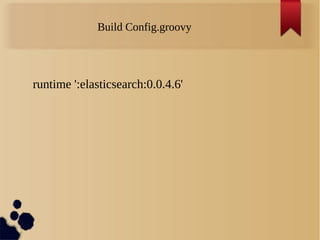
Build Config.groovy
runtime ':elasticsearch:0.0.4.6'
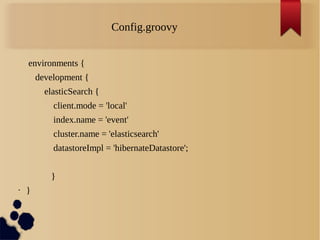
Config.groovy
environments {
development {
elasticSearch {
client.mode = 'local'
index.name = 'event'
cluster.name = 'elasticsearch'
datastoreImpl = 'hibernateDatastore';
}
• }
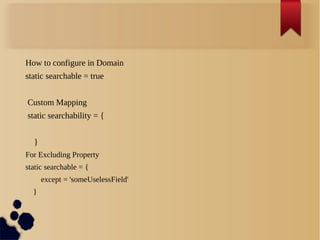
How to configure in Domain
static searchable = true
Custom Mapping
static searchability = {
}
For Excluding Property
static searchable = {
except = 'someUselessField'
}
Analyzer
• Simple Analyzer
An analyzer of type simple that is built using a Lower Case Tokenizer.
• Whitespace Analyzer
An analyzer of type whitespace that is built using a Whitespace
Tokenizer.
• Keyword Analyzer
An analyzer of type keyword that "tokenizes" an entire stream as a
single token., it might make more sense to simply mark the field as
not_analyzed.
Controller
def eventSearch = { String search ->
def result = Event.search(search)
Integer countHits = Event.countHits(search)
List list = []
println("===========FOUND==========$
{result.total}")
result.searchResults.eachWithIndex { i, index ->
println('''========i.result========='')
}
Cluster
A cluster is a collection of one or more nodes (servers)
that together holds your entire data and provides
federated indexing and search capabilities across all
nodes. A cluster is identified by a unique name which
by default is "elasticsearch".
Node
A node is a single server that is part of your cluster,
stores your data, and participates in the cluster’s
indexing and search capabilities.
A node can be configured to join a specific cluster by
the cluster name.each node is set up to join a cluster
named elasticsearch.
Shard
Elasticsearch provides the ability to subdivide your
index into multiple pieces called shards. When you
create an index, you can simply define the number of
shards that you want.
By default, each index in Elasticsearch is allocated 5
primary shards and 1 replica which means that if you
have at least two nodes in your cluster, your index will
have 5 primary shards and another 5 replica shards (1
complete replica) for a total of 10 shards per index.
Replica
In a network/cloud environment where failures can be
expected anytime, it is very useful and highly
recommended to have a failover mechanism in case a
shard/node somehow goes offline or disappears for
whatever reason. To this end, Elasticsearch allows you
to make one or more copies of your index’s shards into
what are called replica shards, or replicas for short.
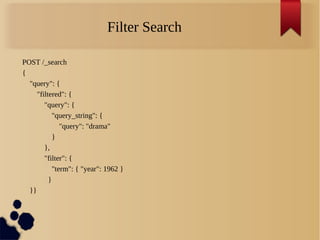
Filter Search
POST /_search
{
"query": {
"filtered": {
"query": {
"query_string": {
"query": "drama"
}
},
"filter": {
"term": { "year": 1962 }
}
}}
References
• https://www.elastic.co/guide/index.html
• http://joelabrahamsson.com/elasticsearch-101/
Thank You!!!

Elastic search

  • 1.
  • 2.
    • Elasticsearch isa real-time distributed search and analytics engine. • Elasticsearch to provide full-text search. • Elasticsearch is an open-source search engine built on top of Apache Lucene. • Lucene creates the “inverted index” that is used for searching.
  • 3.
  • 4.
    Config.groovy environments { development { elasticSearch{ client.mode = 'local' index.name = 'event' cluster.name = 'elasticsearch' datastoreImpl = 'hibernateDatastore'; } • }
  • 5.
    How to configurein Domain static searchable = true Custom Mapping static searchability = { } For Excluding Property static searchable = { except = 'someUselessField' }
  • 6.
    Analyzer • Simple Analyzer Ananalyzer of type simple that is built using a Lower Case Tokenizer. • Whitespace Analyzer An analyzer of type whitespace that is built using a Whitespace Tokenizer. • Keyword Analyzer An analyzer of type keyword that "tokenizes" an entire stream as a single token., it might make more sense to simply mark the field as not_analyzed.
  • 7.
    Controller def eventSearch ={ String search -> def result = Event.search(search) Integer countHits = Event.countHits(search) List list = [] println("===========FOUND==========$ {result.total}") result.searchResults.eachWithIndex { i, index -> println('''========i.result========='') }
  • 8.
    Cluster A cluster isa collection of one or more nodes (servers) that together holds your entire data and provides federated indexing and search capabilities across all nodes. A cluster is identified by a unique name which by default is "elasticsearch".
  • 9.
    Node A node isa single server that is part of your cluster, stores your data, and participates in the cluster’s indexing and search capabilities. A node can be configured to join a specific cluster by the cluster name.each node is set up to join a cluster named elasticsearch.
  • 10.
    Shard Elasticsearch provides theability to subdivide your index into multiple pieces called shards. When you create an index, you can simply define the number of shards that you want. By default, each index in Elasticsearch is allocated 5 primary shards and 1 replica which means that if you have at least two nodes in your cluster, your index will have 5 primary shards and another 5 replica shards (1 complete replica) for a total of 10 shards per index.
  • 11.
    Replica In a network/cloudenvironment where failures can be expected anytime, it is very useful and highly recommended to have a failover mechanism in case a shard/node somehow goes offline or disappears for whatever reason. To this end, Elasticsearch allows you to make one or more copies of your index’s shards into what are called replica shards, or replicas for short.
  • 12.
    Filter Search POST /_search { "query":{ "filtered": { "query": { "query_string": { "query": "drama" } }, "filter": { "term": { "year": 1962 } } }}
  • 13.
  • 14.