












From Zero to Hero 
Rafał Kuć – Sematext Group, Inc. 
@kucrafal @sematext sematext.com 
Easy log centralization 
with Logstash & Elasticsearch
About me… 
Sematext consultant & engineer 
Solr.pl co-founder 
Father and husband 
The problem
The problem 
Log 
Log 
Log 
Log 
Log 
Log 
Log 
Log 
Log
Let’s find something 
http://www.likesbooks.com/aarafterhours/?p=750
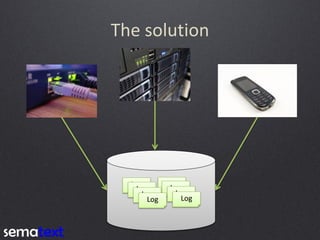
The solution 
Log 
Log 
Log 
Log 
Log 
Log 
Log 
Log
Available tools
Available tools 
…
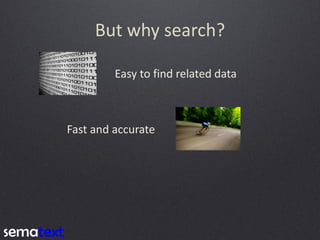
But why search? 
Easy to find related data
But why search? 
Easy to find related data 
Fast and accurate
But why search? 
Easy to find related data 
Fast and accurate 
Real time data insight and analysis
Why Elasticsearch? 
Reasonable 
defaults 
Distributed 
by design 
http://www.dailypets.co.uk/2007/06/17/kittens-rest-at-half-time/
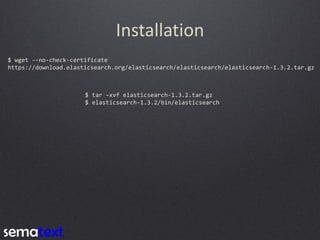
Installation 
$ wget --no-check-certificate 
https://download.elasticsearch.org/elasticsearch/elasticsearch/elasticsearch-1.3.2.tar.gz
Installation 
$ wget --no-check-certificate 
https://download.elasticsearch.org/elasticsearch/elasticsearch/elasticsearch-1.3.2.tar.gz 
$ tar –xvf elasticsearch-1.3.2.tar.gz 
$ elasticsearch-1.3.2/bin/elasticsearch
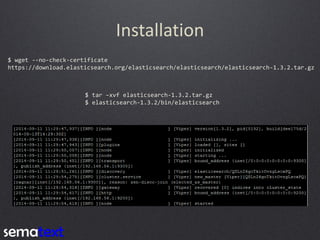
Installation 
$ wget --no-check-certificate 
https://download.elasticsearch.org/elasticsearch/elasticsearch/elasticsearch-1.3.2.tar.gz 
$ tar –xvf elasticsearch-1.3.2.tar.gz 
$ elasticsearch-1.3.2/bin/elasticsearch
Scalable
Scalable
Scalable
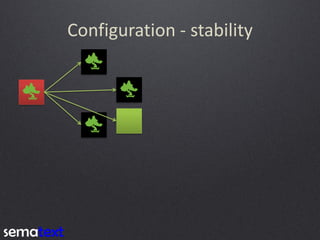
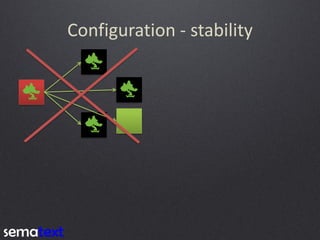
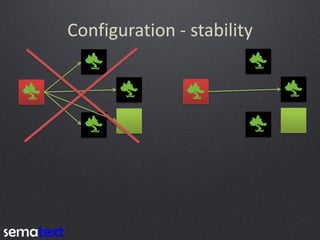
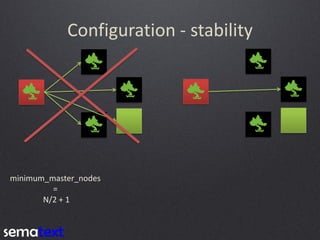
Configuration - stability
Configuration - stability 
minimum_master_nodes 
= 
N/2 + 1
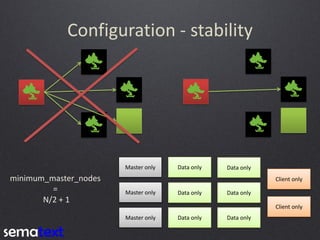
Configuration - stability 
Master only 
Master only 
Master only 
Data only 
Data only 
Data only 
Data only 
Data only 
Data only 
Client only 
Client only 
minimum_master_nodes 
= 
N/2 + 1
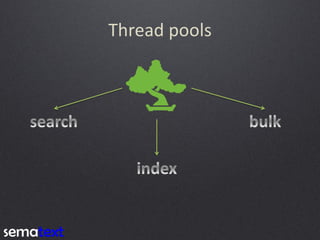
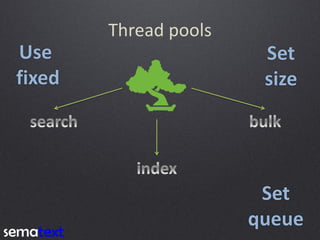
Thread pools
Thread pools 
Use 
fixed 
Set 
size 
Set 
queue
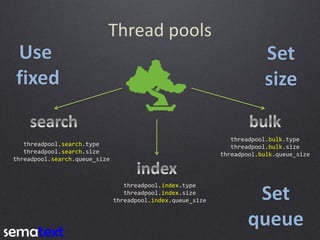
Thread pools 
threadpool.search.type 
threadpool.search.size 
threadpool.search.queue_size 
threadpool.index.type 
threadpool.index.size 
threadpool.index.queue_size 
threadpool.bulk.type 
threadpool.bulk.size 
threadpool.bulk.queue_size 
Use 
fixed 
Set 
size 
Set 
queue
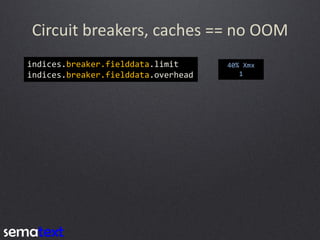
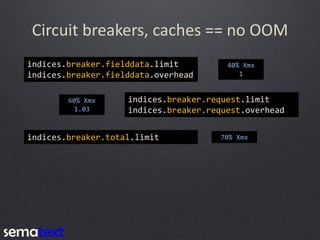
Circuit breakers, caches == no OOM 
indices.breaker.fielddata.limit 
indices.breaker.fielddata.overhead 
40% Xmx 
1
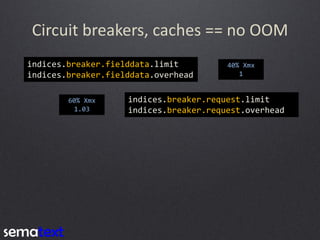
Circuit breakers, caches == no OOM 
indices.breaker.fielddata.limit 
indices.breaker.fielddata.overhead 
indices.breaker.request.limit 
indices.breaker.request.overhead 
60% Xmx 
1.03 
40% Xmx 
1
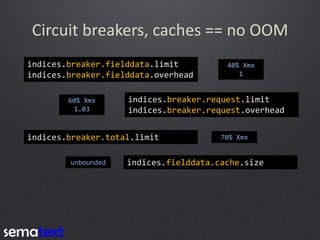
Circuit breakers, caches == no OOM 
indices.breaker.fielddata.limit 
indices.breaker.fielddata.overhead 
indices.breaker.request.limit 
indices.breaker.request.overhead 
indices.breaker.total.limit 
70% Xmx 
60% Xmx 
1.03 
40% Xmx 
1
Circuit breakers, caches == no OOM 
indices.breaker.fielddata.limit 
indices.breaker.fielddata.overhead 
indices.breaker.request.limit 
indices.breaker.request.overhead 
indices.breaker.total.limit 
indices.fielddata.cache.size 
unbounded 
70% Xmx 
60% Xmx 
1.03 
40% Xmx 
1
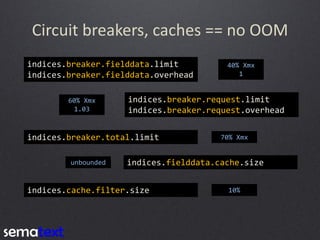
Circuit breakers, caches == no OOM 
indices.breaker.fielddata.limit 
indices.breaker.fielddata.overhead 
indices.breaker.request.limit 
indices.breaker.request.overhead 
indices.breaker.total.limit 
indices.fielddata.cache.size 
indices.cache.filter.size 
unbounded 
10% 
70% Xmx 
60% Xmx 
1.03 
40% Xmx 
1
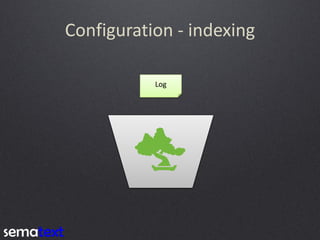
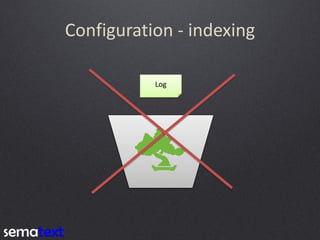
Configuration - indexing 
Log
Configuration - indexing 
Log
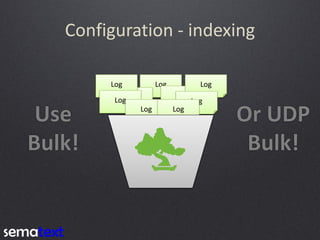
Configuration - indexing 
Log 
Log 
Log 
Log 
Log 
Log 
Log 
Log 
Log 
Use 
Bulk! 
Or UDP 
Bulk!
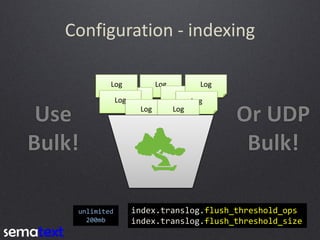
Configuration - indexing 
Log 
Log 
Log 
Log 
Log 
Log 
Log 
Log 
Log 
index.translog.flush_threshold_ops 
index.translog.flush_threshold_size 
unlimited 
200mb 
Use 
Bulk! 
Or UDP 
Bulk!
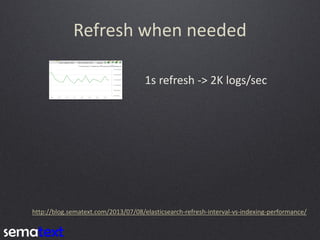
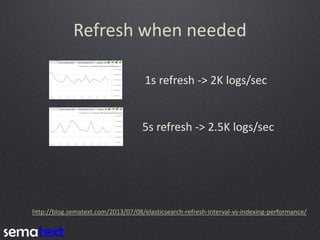
Refresh when needed 
1s refresh -> 2K logs/sec 
http://blog.sematext.com/2013/07/08/elasticsearch-refresh-interval-vs-indexing-performance/
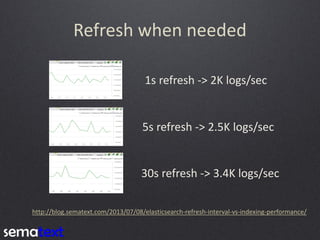
Refresh when needed 
1s refresh -> 2K logs/sec 
http://blog.sematext.com/2013/07/08/elasticsearch-refresh-interval-vs-indexing-performance/ 
5s refresh -> 2.5K logs/sec
Refresh when needed 
1s refresh -> 2K logs/sec 
http://blog.sematext.com/2013/07/08/elasticsearch-refresh-interval-vs-indexing-performance/ 
5s refresh -> 2.5K logs/sec 
30s refresh -> 3.4K logs/sec
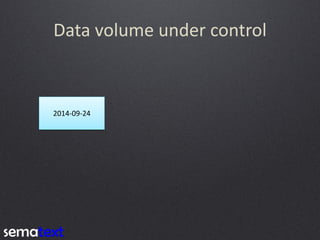
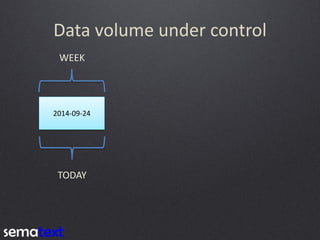
Data volume under control 
2014-09-24
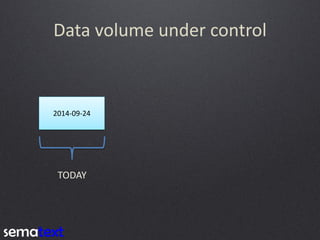
Data volume under control 
2014-09-24 
TODAY
Data volume under control 
2014-09-24 
TODAY 
WEEK
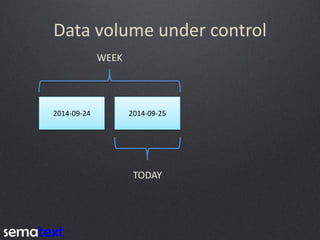
Data volume under control 
2014-09-24 
2014-09-25 
TODAY 
WEEK
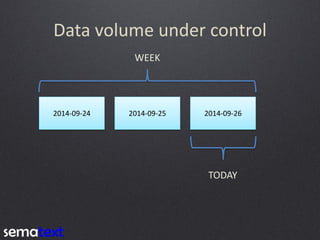
Data volume under control 
2014-09-24 
2014-09-25 
2014-09-26 
TODAY 
WEEK
Monitoring
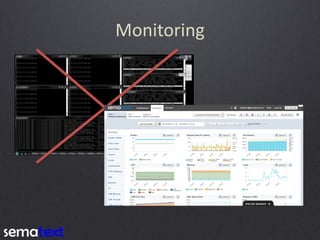
Monitoring
Monitoring
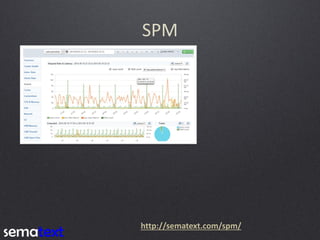
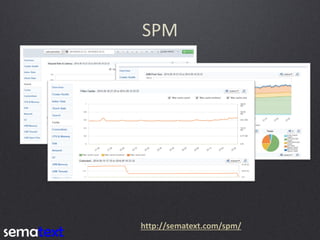
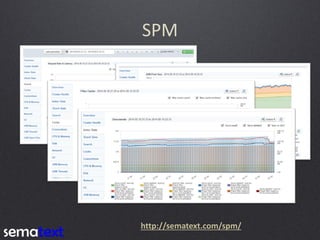
SPM 
http://sematext.com/spm/
SPM 
http://sematext.com/spm/
SPM 
http://sematext.com/spm/
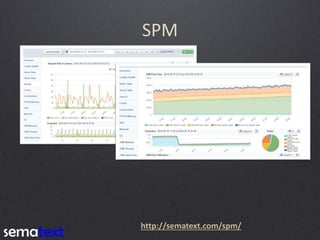
SPM 
http://sematext.com/spm/
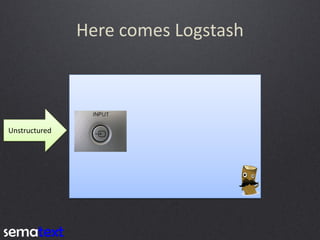
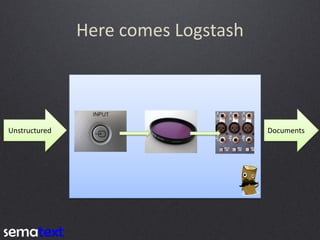
Here comes Logstash 
Unstructured
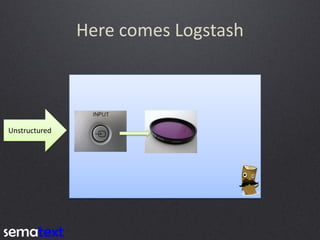
Here comes Logstash 
Unstructured
Here comes Logstash 
Unstructured 
Documents
Processing example 
127.0.0.1 - - [05/Feb/2014:17:11:55 +0000] "GET /css/main.css HTTP/1.1" 200 140 "http://www.onet.pl" 
"Mozilla/5.0 (Windows NT 6.0; WOW64; rv:2.0.1) Gecko/20100101 Firefox/4.0.1"
Processing example 
127.0.0.1 - - [05/Feb/2014:17:11:55 +0000] "GET /css/main.css HTTP/1.1" 200 140 "http://www.onet.pl" 
"Mozilla/5.0 (Windows NT 6.0; WOW64; rv:2.0.1) Gecko/20100101 Firefox/4.0.1"
Processing example 
127.0.0.1 - - [05/Feb/2014:17:11:55 +0000] "GET /css/main.css HTTP/1.1" 200 140 "http://www.onet.pl" 
"Mozilla/5.0 (Windows NT 6.0; WOW64; rv:2.0.1) Gecko/20100101 Firefox/4.0.1" 
{ 
"host" : "127.0.0.1", 
"@timestamp" : "2014-02-05T17:11:55+0000", 
... 
"verb" : "GET" 
}
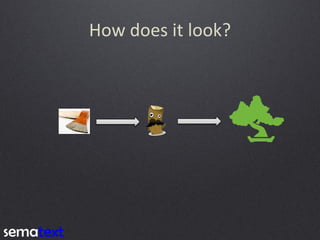
How does it look?
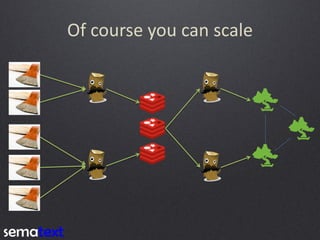
Of course you can scale
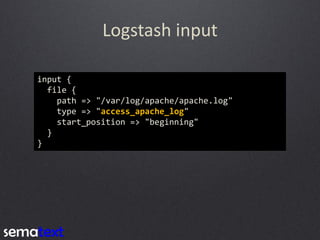
Logstash input 
input { 
file { 
path => "/var/log/apache/apache.log" 
type => "access_apache_log" 
start_position => "beginning" 
} 
}
Grok 
filter { 
if [type] == "access_apache_log" { 
grok { 
match => { 
"message" => "%{COMBINEDAPACHELOG}" 
} 
} 
} 
}
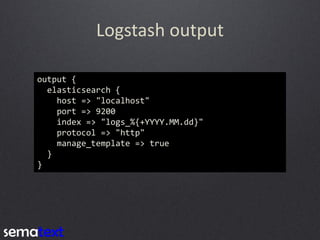
Logstash output 
output { 
elasticsearch { 
host => "localhost" 
port => 9200 
index => "logs_%{+YYYY.MM.dd}" 
protocol => "http" 
manage_template => true 
} 
}
Sample Logstash-forwarder config 
{ 
"network": { 
"servers": [ "localhost:5043" ], 
"timeout": 15 
}, 
"files": [ 
{ 
"paths": [ 
"/var/log/apache/apache*.log" 
], 
"fields": { "type": "access_apache_log" } 
} 
] 
}
Sample Logstash-forwarder config 
{ 
"network": { 
"servers": [ "localhost:5043" ], 
"timeout": 15 
}, 
"files": [ 
{ 
"paths": [ 
"/var/log/apache/apache*.log" 
], 
"fields": { "type": "access_apache_log" } 
} 
] 
} 
Logstash side: 
input { 
lumberjack { 
port => 5043 
type => "access_apache_log" 
} 
}
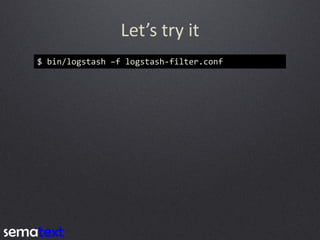
Let’s try it 
$ bin/logstash –f logstash-filter.conf
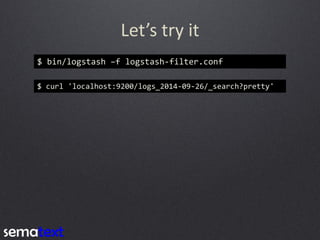
Let’s try it 
$ bin/logstash –f logstash-filter.conf 
$ curl 'localhost:9200/logs_2014-09-26/_search?pretty'
Let’s try it 
$ bin/logstash –f logstash-filter.conf 
$ curl 'localhost:9200/logs_2014-09-26/_search?pretty' 
{ 
"took" : 3, 
"timed_out" : false, 
"_shards" : { 
"total" : 5, 
"successful" : 5, 
"failed" : 0 
}, 
"hits" : { 
"total" : 3, 
"max_score" : 1.0, 
"hits" : [ { 
"_index" : "logs", 
"_type" : "access_apache_log", 
"_id" : "SI0BZw8BQ0uQNPtk9zfoOQ", 
"_score" : 1.0, 
"_source":{"message":"71.141.244.242 - kurt [18/May/2011:01:48:10 -0700] "GET /admin HTTP/1.1" 301 566 "-" "Mozilla/5.0 (Windows; U; Windows NT 5.1; en-US; rv:1.9.2.3) Gecko/20100401 Firefox/3.6.3"","@version":"1","@timestamp":"2014-09-11T10:21:04.403Z","type":"access_apache_log","host":"developer-vb","path":"/home/gro/devops/apache3.log","clientip":"71.141.244.242","ident":"- ","auth":"kurt","timestamp":"18/May/2011:01:48:10 -0700","verb":"GET","request":"/admin","httpversion":"1.1","response":"301","bytes":"566","referrer":""-"","agent":""Mozilla/5.0 (Windows; U; Windows NT 5.1; en-US; rv:1.9.2.3) Gecko/20100401 Firefox/3.6.3""} 
}, { 
"_index" : "logs", 
"_type" : "access_apache_log", 
"_id" : "zyOc53uwQkegOQr-a3hwIQ", 
"_score" : 1.0, 
"_source":{"message":"98.83.179.51 - - [18/May/2011:19:35:08 -0700] "GET /css/main.css HTTP/1.1" 200 1837 "http://www.safesand.com/information.htm" "Mozilla/5.0 (Windows NT 6.0; WOW64; rv:2.0.1) Gecko/20100101 Firefox/4.0.1"","@version":"1","@timestamp":"2014-09-11T10:21:04.405Z","type":"access_apache_log","host":"developer- vb","path":"/home/gro/devops/apache3.log","clientip":"98.83.179.51","ident":"-","auth":"-","timestamp":"18/May/2011:19:35:08 - 0700","verb":"GET","request":"/css/main.css","httpversion":"1.1","response":"200","bytes":"1837","referrer":""http://www.safesand.com/information.htm"","agent":""Mozilla/5.0 (Windows NT 6.0; WOW64; rv:2.0.1) Gecko/20100101 Firefox/4.0.1""} 
}, { 
"_index" : "logs", 
"_type" : "access_apache_log", 
"_id" : "evP0I--3TWOlDsQzalQtAw", 
"_score" : 1.0, 
"_source":{"message":"134.39.72.245 - - [18/May/2011:12:40:18 -0700] "GET /favicon.ico HTTP/1.1" 200 1189 "-" "Mozilla/4.0 (compatible; MSIE 8.0; Windows NT 5.1; Trident/4.0; .NET CLR 2.0.50727; .NET CLR 3.0.4506.2152; .NET CLR 3.5.30729; InfoPath.2; .NET4.0C; .NET4.0E)"","@version":"1","@timestamp":"2014-09-11T10:21:04.404Z","type":"access_apache_log","host":"developer- vb","path":"/home/gro/devops/apache3.log","clientip":"134.39.72.245","ident":"-","auth":"-","timestamp":"18/May/2011:12:40:18 - 0700","verb":"GET","request":"/favicon.ico","httpversion":"1.1","response":"200","bytes":"1189","referrer":""-"","agent":""Mozilla/4.0 (compatible; MSIE 8.0; Windows NT 5.1; Trident/4.0; .NET CLR 2.0.50727; .NET CLR 3.0.4506.2152; .NET CLR 3.5.30729; InfoPath.2; .NET4.0C; .NET4.0E)""} 
} ] 
} 
}
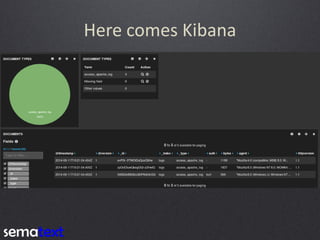
Here comes Kibana
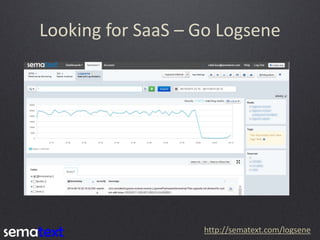
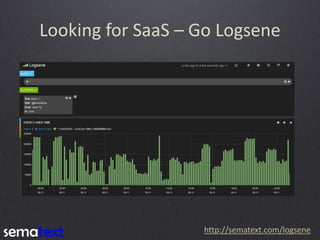
Looking for SaaS – Go Logsene 
http://sematext.com/logsene
Looking for SaaS – Go Logsene 
http://sematext.com/logsene
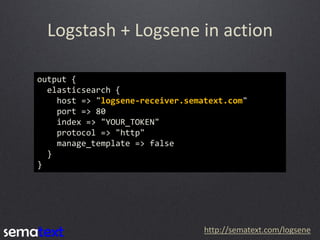
Logstash + Logsene in action 
output { 
elasticsearch { 
host => "logsene-receiver.sematext.com" 
port => 80 
index => "YOUR_TOKEN" 
protocol => "http" 
manage_template => false 
} 
} 
http://sematext.com/logsene
Short summary 
http://www.soothetube.com/2013/12/29/thats-all-folks/
We Are Hiring ! 
Dig Search ? 
Dig Analytics ? 
Dig Big Data ? 
Dig Performance ? 
Dig Logging ? 
Dig working with and in open – source ? 
We’re hiring world – wide ! 
http://sematext.com/about/jobs.html
Rafał Kuć 
@kucrafal 
rafal.kuc@sematext.com 
Sematext 
@sematext 
http://sematext.com 
http://blog.sematext.com 
Thank You !

From zero to hero - Easy log centralization with Logstash and Elasticsearch

  • 1.
    From Zero toHero Rafał Kuć – Sematext Group, Inc. @kucrafal @sematext sematext.com Easy log centralization with Logstash & Elasticsearch
  • 2.
    About me… Sematextconsultant & engineer Solr.pl co-founder Father and husband 
  • 3.
  • 4.
    The problem Log Log Log Log Log Log Log Log Log
  • 5.
    Let’s find something http://www.likesbooks.com/aarafterhours/?p=750
  • 6.
    The solution Log Log Log Log Log Log Log Log
  • 7.
  • 8.
  • 9.
    But why search? Easy to find related data
  • 10.
    But why search? Easy to find related data Fast and accurate
  • 11.
    But why search? Easy to find related data Fast and accurate Real time data insight and analysis
  • 12.
    Why Elasticsearch? Reasonable defaults Distributed by design http://www.dailypets.co.uk/2007/06/17/kittens-rest-at-half-time/
  • 13.
    Installation $ wget--no-check-certificate https://download.elasticsearch.org/elasticsearch/elasticsearch/elasticsearch-1.3.2.tar.gz
  • 14.
    Installation $ wget--no-check-certificate https://download.elasticsearch.org/elasticsearch/elasticsearch/elasticsearch-1.3.2.tar.gz $ tar –xvf elasticsearch-1.3.2.tar.gz $ elasticsearch-1.3.2/bin/elasticsearch
  • 15.
    Installation $ wget--no-check-certificate https://download.elasticsearch.org/elasticsearch/elasticsearch/elasticsearch-1.3.2.tar.gz $ tar –xvf elasticsearch-1.3.2.tar.gz $ elasticsearch-1.3.2/bin/elasticsearch
  • 16.
  • 17.
  • 18.
  • 19.
  • 20.
  • 21.
  • 22.
    Configuration - stability minimum_master_nodes = N/2 + 1
  • 23.
    Configuration - stability Master only Master only Master only Data only Data only Data only Data only Data only Data only Client only Client only minimum_master_nodes = N/2 + 1
  • 24.
  • 25.
    Thread pools Use fixed Set size Set queue
  • 26.
    Thread pools threadpool.search.type threadpool.search.size threadpool.search.queue_size threadpool.index.type threadpool.index.size threadpool.index.queue_size threadpool.bulk.type threadpool.bulk.size threadpool.bulk.queue_size Use fixed Set size Set queue
  • 27.
    Circuit breakers, caches== no OOM indices.breaker.fielddata.limit indices.breaker.fielddata.overhead 40% Xmx 1
  • 28.
    Circuit breakers, caches== no OOM indices.breaker.fielddata.limit indices.breaker.fielddata.overhead indices.breaker.request.limit indices.breaker.request.overhead 60% Xmx 1.03 40% Xmx 1
  • 29.
    Circuit breakers, caches== no OOM indices.breaker.fielddata.limit indices.breaker.fielddata.overhead indices.breaker.request.limit indices.breaker.request.overhead indices.breaker.total.limit 70% Xmx 60% Xmx 1.03 40% Xmx 1
  • 30.
    Circuit breakers, caches== no OOM indices.breaker.fielddata.limit indices.breaker.fielddata.overhead indices.breaker.request.limit indices.breaker.request.overhead indices.breaker.total.limit indices.fielddata.cache.size unbounded 70% Xmx 60% Xmx 1.03 40% Xmx 1
  • 31.
    Circuit breakers, caches== no OOM indices.breaker.fielddata.limit indices.breaker.fielddata.overhead indices.breaker.request.limit indices.breaker.request.overhead indices.breaker.total.limit indices.fielddata.cache.size indices.cache.filter.size unbounded 10% 70% Xmx 60% Xmx 1.03 40% Xmx 1
  • 32.
  • 33.
  • 34.
    Configuration - indexing Log Log Log Log Log Log Log Log Log Use Bulk! Or UDP Bulk!
  • 35.
    Configuration - indexing Log Log Log Log Log Log Log Log Log index.translog.flush_threshold_ops index.translog.flush_threshold_size unlimited 200mb Use Bulk! Or UDP Bulk!
  • 36.
    Refresh when needed 1s refresh -> 2K logs/sec http://blog.sematext.com/2013/07/08/elasticsearch-refresh-interval-vs-indexing-performance/
  • 37.
    Refresh when needed 1s refresh -> 2K logs/sec http://blog.sematext.com/2013/07/08/elasticsearch-refresh-interval-vs-indexing-performance/ 5s refresh -> 2.5K logs/sec
  • 38.
    Refresh when needed 1s refresh -> 2K logs/sec http://blog.sematext.com/2013/07/08/elasticsearch-refresh-interval-vs-indexing-performance/ 5s refresh -> 2.5K logs/sec 30s refresh -> 3.4K logs/sec
  • 39.
    Data volume undercontrol 2014-09-24
  • 40.
    Data volume undercontrol 2014-09-24 TODAY
  • 41.
    Data volume undercontrol 2014-09-24 TODAY WEEK
  • 42.
    Data volume undercontrol 2014-09-24 2014-09-25 TODAY WEEK
  • 43.
    Data volume undercontrol 2014-09-24 2014-09-25 2014-09-26 TODAY WEEK
  • 44.
  • 45.
  • 46.
  • 47.
  • 48.
  • 49.
  • 50.
  • 51.
    Here comes Logstash Unstructured
  • 52.
    Here comes Logstash Unstructured
  • 53.
    Here comes Logstash Unstructured Documents
  • 54.
    Processing example 127.0.0.1- - [05/Feb/2014:17:11:55 +0000] "GET /css/main.css HTTP/1.1" 200 140 "http://www.onet.pl" "Mozilla/5.0 (Windows NT 6.0; WOW64; rv:2.0.1) Gecko/20100101 Firefox/4.0.1"
  • 55.
    Processing example 127.0.0.1- - [05/Feb/2014:17:11:55 +0000] "GET /css/main.css HTTP/1.1" 200 140 "http://www.onet.pl" "Mozilla/5.0 (Windows NT 6.0; WOW64; rv:2.0.1) Gecko/20100101 Firefox/4.0.1"
  • 56.
    Processing example 127.0.0.1- - [05/Feb/2014:17:11:55 +0000] "GET /css/main.css HTTP/1.1" 200 140 "http://www.onet.pl" "Mozilla/5.0 (Windows NT 6.0; WOW64; rv:2.0.1) Gecko/20100101 Firefox/4.0.1" { "host" : "127.0.0.1", "@timestamp" : "2014-02-05T17:11:55+0000", ... "verb" : "GET" }
  • 57.
  • 58.
    Of course youcan scale
  • 59.
    Logstash input input{ file { path => "/var/log/apache/apache.log" type => "access_apache_log" start_position => "beginning" } }
  • 60.
    Grok filter { if [type] == "access_apache_log" { grok { match => { "message" => "%{COMBINEDAPACHELOG}" } } } }
  • 61.
    Logstash output output{ elasticsearch { host => "localhost" port => 9200 index => "logs_%{+YYYY.MM.dd}" protocol => "http" manage_template => true } }
  • 62.
    Sample Logstash-forwarder config { "network": { "servers": [ "localhost:5043" ], "timeout": 15 }, "files": [ { "paths": [ "/var/log/apache/apache*.log" ], "fields": { "type": "access_apache_log" } } ] }
  • 63.
    Sample Logstash-forwarder config { "network": { "servers": [ "localhost:5043" ], "timeout": 15 }, "files": [ { "paths": [ "/var/log/apache/apache*.log" ], "fields": { "type": "access_apache_log" } } ] } Logstash side: input { lumberjack { port => 5043 type => "access_apache_log" } }
  • 64.
    Let’s try it $ bin/logstash –f logstash-filter.conf
  • 65.
    Let’s try it $ bin/logstash –f logstash-filter.conf $ curl 'localhost:9200/logs_2014-09-26/_search?pretty'
  • 66.
    Let’s try it $ bin/logstash –f logstash-filter.conf $ curl 'localhost:9200/logs_2014-09-26/_search?pretty' { "took" : 3, "timed_out" : false, "_shards" : { "total" : 5, "successful" : 5, "failed" : 0 }, "hits" : { "total" : 3, "max_score" : 1.0, "hits" : [ { "_index" : "logs", "_type" : "access_apache_log", "_id" : "SI0BZw8BQ0uQNPtk9zfoOQ", "_score" : 1.0, "_source":{"message":"71.141.244.242 - kurt [18/May/2011:01:48:10 -0700] "GET /admin HTTP/1.1" 301 566 "-" "Mozilla/5.0 (Windows; U; Windows NT 5.1; en-US; rv:1.9.2.3) Gecko/20100401 Firefox/3.6.3"","@version":"1","@timestamp":"2014-09-11T10:21:04.403Z","type":"access_apache_log","host":"developer-vb","path":"/home/gro/devops/apache3.log","clientip":"71.141.244.242","ident":"- ","auth":"kurt","timestamp":"18/May/2011:01:48:10 -0700","verb":"GET","request":"/admin","httpversion":"1.1","response":"301","bytes":"566","referrer":""-"","agent":""Mozilla/5.0 (Windows; U; Windows NT 5.1; en-US; rv:1.9.2.3) Gecko/20100401 Firefox/3.6.3""} }, { "_index" : "logs", "_type" : "access_apache_log", "_id" : "zyOc53uwQkegOQr-a3hwIQ", "_score" : 1.0, "_source":{"message":"98.83.179.51 - - [18/May/2011:19:35:08 -0700] "GET /css/main.css HTTP/1.1" 200 1837 "http://www.safesand.com/information.htm" "Mozilla/5.0 (Windows NT 6.0; WOW64; rv:2.0.1) Gecko/20100101 Firefox/4.0.1"","@version":"1","@timestamp":"2014-09-11T10:21:04.405Z","type":"access_apache_log","host":"developer- vb","path":"/home/gro/devops/apache3.log","clientip":"98.83.179.51","ident":"-","auth":"-","timestamp":"18/May/2011:19:35:08 - 0700","verb":"GET","request":"/css/main.css","httpversion":"1.1","response":"200","bytes":"1837","referrer":""http://www.safesand.com/information.htm"","agent":""Mozilla/5.0 (Windows NT 6.0; WOW64; rv:2.0.1) Gecko/20100101 Firefox/4.0.1""} }, { "_index" : "logs", "_type" : "access_apache_log", "_id" : "evP0I--3TWOlDsQzalQtAw", "_score" : 1.0, "_source":{"message":"134.39.72.245 - - [18/May/2011:12:40:18 -0700] "GET /favicon.ico HTTP/1.1" 200 1189 "-" "Mozilla/4.0 (compatible; MSIE 8.0; Windows NT 5.1; Trident/4.0; .NET CLR 2.0.50727; .NET CLR 3.0.4506.2152; .NET CLR 3.5.30729; InfoPath.2; .NET4.0C; .NET4.0E)"","@version":"1","@timestamp":"2014-09-11T10:21:04.404Z","type":"access_apache_log","host":"developer- vb","path":"/home/gro/devops/apache3.log","clientip":"134.39.72.245","ident":"-","auth":"-","timestamp":"18/May/2011:12:40:18 - 0700","verb":"GET","request":"/favicon.ico","httpversion":"1.1","response":"200","bytes":"1189","referrer":""-"","agent":""Mozilla/4.0 (compatible; MSIE 8.0; Windows NT 5.1; Trident/4.0; .NET CLR 2.0.50727; .NET CLR 3.0.4506.2152; .NET CLR 3.5.30729; InfoPath.2; .NET4.0C; .NET4.0E)""} } ] } }
  • 67.
  • 68.
    Looking for SaaS– Go Logsene http://sematext.com/logsene
  • 69.
    Looking for SaaS– Go Logsene http://sematext.com/logsene
  • 70.
    Logstash + Logsenein action output { elasticsearch { host => "logsene-receiver.sematext.com" port => 80 index => "YOUR_TOKEN" protocol => "http" manage_template => false } } http://sematext.com/logsene
  • 71.
  • 72.
    We Are Hiring! Dig Search ? Dig Analytics ? Dig Big Data ? Dig Performance ? Dig Logging ? Dig working with and in open – source ? We’re hiring world – wide ! http://sematext.com/about/jobs.html
  • 73.
    Rafał Kuć @kucrafal rafal.kuc@sematext.com Sematext @sematext http://sematext.com http://blog.sematext.com Thank You !