Revised Annual Plan 2010
Strategic Goal: to enhance high quality
learning with the use of ICTs
Research:
"The technology is not the focus of the learning, but it
provides an essential vehicle for getting to the destination ...
The inquiry - what the student wants to learn - provides the
fuel for the vehicle. Without fuel the vehicle is useless."
Owens, Hester & Teale, 2002
e-tools are a vehicle for learning
It is important our school community (children,
staff, parents & BOT) to understand why they
using the technology - it needs to be embedded
into the learning in our classroom programmes
Annual Goal: by November 2011
90% of students will often use a
computer in their learning
Our goal has been driven by the student engagement survey
and the 3 Year ICT PD Ministry contract we are currently involved in
What has happened so far?
Strategies to meet annual plan
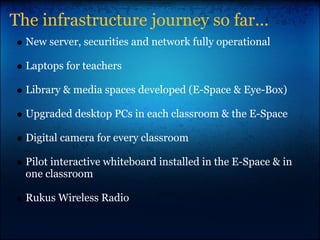
The infrastructure journey so far...
New server, securities and network fully operational
Laptops for teachers
Library & media spaces developed (E-Space & Eye-Box)
Upgraded desktop PCs in each classroom & the E-Space
Digital camera for every classroom
Pilot interactive whiteboard installed in the E-Space & in
one classroom
Rukus Wireless Radio
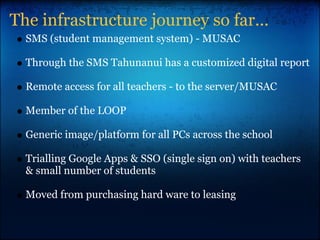
The infrastructure journey so far...
SMS (student management system) - MUSAC
Through the SMS Tahunanui has a customized digital report
Remote access for all teachers - to the server/MUSAC
Member of the LOOP
Generic image/platform for all PCs across the school
Trialling Google Apps & SSO (single sign on) with teachers
& small number of students
Moved from purchasing hard ware to leasing
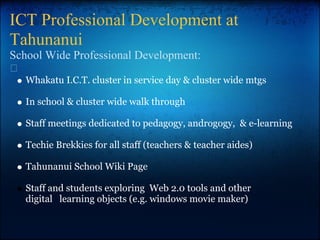
ICT Professional Development at
Tahunanui
School Wide Professional Development:
Whakatu I.C.T. cluster in service day & cluster wide mtgs
In school & cluster wide walk through
Staff meetings dedicated to pedagogy, androgogy, & e-learning
Techie Brekkies for all staff (teachers & teacher aides)
Tahunanui School Wiki Page
Staff and students exploring Web 2.0 tools and other
digital learning objects (e.g. windows movie maker)
What next?
Strategies to meet annual plan
The Model of Professional Development at
Tahunanui
We have embarked on a personalised professional
development for individual teachers:
1:1 release with lead e-learning teacher - to personalise
professional development (45 minute session x2 per term)
Lead e-learning teachers to work with teachers and their class in
the e-space and in the classroom
Teachers developing their individual goals set in 1:1 sessions in
their CRT time through e-tools or professional reading
Purpose of 1:1 sessions with teachers
Make syndicate I.C.T. goals more precise
Personalise professional development
Identify who can help achieve goals
Identify I.C.T.s to be used on the cluster wide walk
through
(The four points/purposes for 1:1 sessions are interelated)
Where will our infrastructure and
professional development journey take us
next?
SNUP upgrades
Aligning teaching & learning models with our school value
Developing our classrooms for 21st century learning
Identifying the best use and distribution of e-tools &
hardware across the school
“Imagine saying to your students,
‘Okay class, now we’re all going to
get up and go down the hall to the
room where the pens are.”
Mary Cuillane (Microsoft)
"The research (Becker, 2000; Norris, Sullivan, Poirot &
Soloway, 2003; Ravitz, Wong and Becker,1998) supports
computers being located in classrooms if they are going to
be used by teachers and students. Additionally, having
computers in labs means it is not as easy to integrate
computers into the classroom programme or for teachers
and students to use them as they would any other
classroom tool..."
Jan-Marie Kellow
http://www.inquiringmind.co.nz/:
Welcome to the Inquiring Mind site. This site is a collection of information,
research results and resources about inquiry learning that I compiled
during my time as a Ministry of Education e-learning fellow. The views
expressed on this website are my own, developed through research,
reading and over 20 years experience in the classroom.
Research:
"The technology is not the focus of the learning, but it
provides an essential vehicle for getting to the destination ...
The inquiry - what the student wants to learn - provides the
fuel for the vehicle. Without fuel the vehicle is useless."
Owens, Hester & Teale, 2002
"...1:5 or 1:6 ratio in the classroom and then a
shared mobile pod of wireless laptops to bring
the ratio down to 1:2 when needed. This solution
is a lower cost alternative, takes less space and
the computers would be able to move to areas
of need rather than lying idle (McKenzie, 2001)."
Jan-Marie Kellow
When thinking about what constitutes an ICT-rich
classroom environment Jan-Marie Kellow states the
research of Wilson:
Wilson (1995) defines this as " a place where learners
may work together and support each other as they use a
variety of tools and information resources in their pursuit
of learning goals and problem-solving activities."
Jan-Marie Kellow
Web 2.0 Applications
Using the computer within our
classroom programmes
Why use Web 2.0?
Web 2.0 can...
Create opportunities for students to reflect on and discuss what
they are learning
Practice the written expression of ideas and opinions with an
authentic audience
Help students explore classroom learning through what others
have written
Receive support and feedback on their own ideas through
teacher/peer comments
Learn about and practice collaboration, respect, and relating to
others online
Promote the overall teaching and learning goals of the classroom
information from netsafe.org.nz
Health & Safety
protecting and respecting ourselves &
others online
So far at Tahunanui we have...
Created cyber safety agreements for senior & junior students
which are signed by students & parents
Created cyber safety agreements for staff
Provided cyber information at the KOS parents evening (John
Parsons from Stimulate 2 Educate)
Used Web 2.0 tools to provide a safe platform for students to
explore issues of cyber safety and develop a code of ethics to help
them protect and respect themselves & others on line
Suggestions for where to next...
Implement structured unit/lesson plans based around cyber safety,
digital citizenship & respecting and protecting on line identities
Turn our senior and junior cyber safety agreements into 'living
documents'
Continue to use Web 2.0 tools to provide a safe platform for
students to explore issues of cyber safety and develop a code of
ethics to help them protect and respect themselves & others on
line
Year 5/6 partake in digital health & safety, a staff meeting (and
another parent evening?) with John Parsons from Stimulate 2
Educate.
We need to be continually reflecting upon and adapting our
pedagogy and androgogy to enable our school community to
become...
...confident, connected,
actively involved and life
long learners.
Page 8 NZC
infrastructure - use of e-tools - health & safety

Revised annual plan_2010[1]

  • 1.
    Revised Annual Plan2010 Strategic Goal: to enhance high quality learning with the use of ICTs
  • 2.
    Research: "The technology isnot the focus of the learning, but it provides an essential vehicle for getting to the destination ... The inquiry - what the student wants to learn - provides the fuel for the vehicle. Without fuel the vehicle is useless." Owens, Hester & Teale, 2002
  • 3.
    e-tools are avehicle for learning It is important our school community (children, staff, parents & BOT) to understand why they using the technology - it needs to be embedded into the learning in our classroom programmes Annual Goal: by November 2011 90% of students will often use a computer in their learning Our goal has been driven by the student engagement survey and the 3 Year ICT PD Ministry contract we are currently involved in
  • 4.
    What has happenedso far? Strategies to meet annual plan
  • 5.
    The infrastructure journeyso far... New server, securities and network fully operational Laptops for teachers Library & media spaces developed (E-Space & Eye-Box) Upgraded desktop PCs in each classroom & the E-Space Digital camera for every classroom Pilot interactive whiteboard installed in the E-Space & in one classroom Rukus Wireless Radio
  • 6.
    The infrastructure journeyso far... SMS (student management system) - MUSAC Through the SMS Tahunanui has a customized digital report Remote access for all teachers - to the server/MUSAC Member of the LOOP Generic image/platform for all PCs across the school Trialling Google Apps & SSO (single sign on) with teachers & small number of students Moved from purchasing hard ware to leasing
  • 7.
    ICT Professional Developmentat Tahunanui School Wide Professional Development: Whakatu I.C.T. cluster in service day & cluster wide mtgs In school & cluster wide walk through Staff meetings dedicated to pedagogy, androgogy, & e-learning Techie Brekkies for all staff (teachers & teacher aides) Tahunanui School Wiki Page Staff and students exploring Web 2.0 tools and other digital learning objects (e.g. windows movie maker)
  • 8.
    What next? Strategies tomeet annual plan
  • 9.
    The Model ofProfessional Development at Tahunanui We have embarked on a personalised professional development for individual teachers: 1:1 release with lead e-learning teacher - to personalise professional development (45 minute session x2 per term) Lead e-learning teachers to work with teachers and their class in the e-space and in the classroom Teachers developing their individual goals set in 1:1 sessions in their CRT time through e-tools or professional reading
  • 10.
    Purpose of 1:1sessions with teachers Make syndicate I.C.T. goals more precise Personalise professional development Identify who can help achieve goals Identify I.C.T.s to be used on the cluster wide walk through (The four points/purposes for 1:1 sessions are interelated)
  • 11.
    Where will ourinfrastructure and professional development journey take us next? SNUP upgrades Aligning teaching & learning models with our school value Developing our classrooms for 21st century learning Identifying the best use and distribution of e-tools & hardware across the school
  • 12.
    “Imagine saying toyour students, ‘Okay class, now we’re all going to get up and go down the hall to the room where the pens are.” Mary Cuillane (Microsoft)
  • 13.
    "The research (Becker,2000; Norris, Sullivan, Poirot & Soloway, 2003; Ravitz, Wong and Becker,1998) supports computers being located in classrooms if they are going to be used by teachers and students. Additionally, having computers in labs means it is not as easy to integrate computers into the classroom programme or for teachers and students to use them as they would any other classroom tool..." Jan-Marie Kellow http://www.inquiringmind.co.nz/: Welcome to the Inquiring Mind site. This site is a collection of information, research results and resources about inquiry learning that I compiled during my time as a Ministry of Education e-learning fellow. The views expressed on this website are my own, developed through research, reading and over 20 years experience in the classroom.
  • 14.
    Research: "The technology isnot the focus of the learning, but it provides an essential vehicle for getting to the destination ... The inquiry - what the student wants to learn - provides the fuel for the vehicle. Without fuel the vehicle is useless." Owens, Hester & Teale, 2002
  • 15.
    "...1:5 or 1:6ratio in the classroom and then a shared mobile pod of wireless laptops to bring the ratio down to 1:2 when needed. This solution is a lower cost alternative, takes less space and the computers would be able to move to areas of need rather than lying idle (McKenzie, 2001)." Jan-Marie Kellow
  • 16.
    When thinking aboutwhat constitutes an ICT-rich classroom environment Jan-Marie Kellow states the research of Wilson: Wilson (1995) defines this as " a place where learners may work together and support each other as they use a variety of tools and information resources in their pursuit of learning goals and problem-solving activities." Jan-Marie Kellow
  • 17.
    Web 2.0 Applications Usingthe computer within our classroom programmes
  • 18.
    Why use Web2.0? Web 2.0 can... Create opportunities for students to reflect on and discuss what they are learning Practice the written expression of ideas and opinions with an authentic audience Help students explore classroom learning through what others have written Receive support and feedback on their own ideas through teacher/peer comments Learn about and practice collaboration, respect, and relating to others online Promote the overall teaching and learning goals of the classroom information from netsafe.org.nz
  • 19.
    Health & Safety protectingand respecting ourselves & others online
  • 20.
    So far atTahunanui we have... Created cyber safety agreements for senior & junior students which are signed by students & parents Created cyber safety agreements for staff Provided cyber information at the KOS parents evening (John Parsons from Stimulate 2 Educate) Used Web 2.0 tools to provide a safe platform for students to explore issues of cyber safety and develop a code of ethics to help them protect and respect themselves & others on line
  • 21.
    Suggestions for whereto next... Implement structured unit/lesson plans based around cyber safety, digital citizenship & respecting and protecting on line identities Turn our senior and junior cyber safety agreements into 'living documents' Continue to use Web 2.0 tools to provide a safe platform for students to explore issues of cyber safety and develop a code of ethics to help them protect and respect themselves & others on line Year 5/6 partake in digital health & safety, a staff meeting (and another parent evening?) with John Parsons from Stimulate 2 Educate.
  • 22.
    We need tobe continually reflecting upon and adapting our pedagogy and androgogy to enable our school community to become... ...confident, connected, actively involved and life long learners. Page 8 NZC infrastructure - use of e-tools - health & safety