Remote Desktop Services
Who Needs It?
Remote Desktop Services
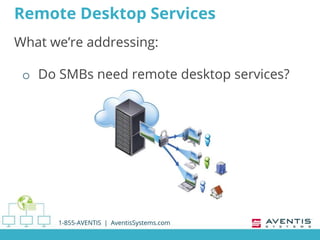
What we’re addressing:
o Do SMBs need remote desktop services?
1-855-AVENTIS | AventisSystems.com
RDS Defined
o Server role
 Windows Server 2008 R2 and newer
o Allows users to remotely access Windows
apps installed on a host server
 Or remotely access the full Windows desktop
 Access from within a network or via the internet
o ‘Terminal Services’
 Windows Server 2008 and older
1-855-AVENTIS | AventisSystems.com
General Benefits
o Quick deployment of programs
o Consolidated software updates
1-855-AVENTIS | AventisSystems.com
General Benefits
o Remote access for users & admins
o Improved performance of programs
1-855-AVENTIS | AventisSystems.com
Who Needs RDS?
o Benefits large organizations
 High number of users
o Also benefits SMBs!
1-855-AVENTIS | AventisSystems.com
SMB Benefits
o Access numerous apps that use shared
resources
o Remotely access company data over
secure connection
o No need to drive to the office or data
center
o No need to store info on personal devices
• Personal devices = data at risk
1-855-AVENTIS | AventisSystems.com
Call Us
1-855-AVENTIS | AventisSystems.com
1-855-AVENTIS
(1-855-283-6847)
Select Option 1
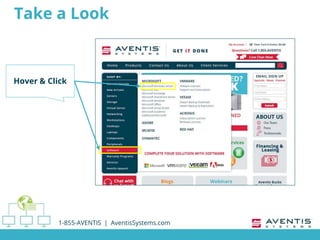
Take a Look
1-855-AVENTIS | AventisSystems.com
Hover & Click
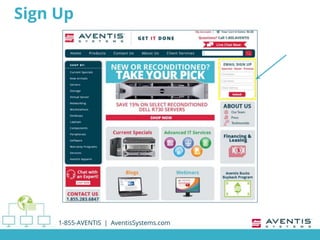
Sign Up
1-855-AVENTIS | AventisSystems.com
Follow Us
1-855-AVENTIS | AventisSystems.com
@AventisSystems
Thank you!
1-855-AVENTIS | AventisSystems.com

Remote Desktop Services - Who Needs It?

  • 1.
  • 2.
    Remote Desktop Services Whatwe’re addressing: o Do SMBs need remote desktop services? 1-855-AVENTIS | AventisSystems.com
  • 3.
    RDS Defined o Serverrole  Windows Server 2008 R2 and newer o Allows users to remotely access Windows apps installed on a host server  Or remotely access the full Windows desktop  Access from within a network or via the internet o ‘Terminal Services’  Windows Server 2008 and older 1-855-AVENTIS | AventisSystems.com
  • 4.
    General Benefits o Quickdeployment of programs o Consolidated software updates 1-855-AVENTIS | AventisSystems.com
  • 5.
    General Benefits o Remoteaccess for users & admins o Improved performance of programs 1-855-AVENTIS | AventisSystems.com
  • 6.
    Who Needs RDS? oBenefits large organizations  High number of users o Also benefits SMBs! 1-855-AVENTIS | AventisSystems.com
  • 7.
    SMB Benefits o Accessnumerous apps that use shared resources o Remotely access company data over secure connection o No need to drive to the office or data center o No need to store info on personal devices • Personal devices = data at risk 1-855-AVENTIS | AventisSystems.com
  • 8.
    Call Us 1-855-AVENTIS |AventisSystems.com 1-855-AVENTIS (1-855-283-6847) Select Option 1
  • 9.
    Take a Look 1-855-AVENTIS| AventisSystems.com Hover & Click
  • 10.
    Sign Up 1-855-AVENTIS |AventisSystems.com
  • 11.
    Follow Us 1-855-AVENTIS |AventisSystems.com @AventisSystems
  • 12.
    Thank you! 1-855-AVENTIS |AventisSystems.com

Editor's Notes

  • #2 "Remote Desktop Services - Who Needs It?" brought to you by Aventis Systems.
  • #3 Many of our small and midsize customers ask us if they need remote desktop services. In this short webinar we hope to cover the high points to help you decide just that. Moderator Interjection Before we get into how our viewers can decide if their businesses need remote desktop services, or RDS, could you give us a brief explanation of what it is exactly? Chad - RDS Summary Sure, Amber.
  • #4 RDS is a server role in Windows Server 2008 R2, and up, that allows users to remotely access Windows apps installed on a host server or the full Windows desktop, from within a network or via the internet. Windows Server 2008 and older versions call this role ‘Terminal Services’ Moderator Interjection Thanks, Chad. Where should viewers begin when assessing RDS needs?
  • #5 Well to start with, Amber, IT pros should understand the general benefits of RDS. First, deploying a program on a host server instead of each device allows for quick deployment of Windows-based apps. Second, software updates are consolidated which saves network bandwidth and IT team resources. Third, users can access programs from remote devices. And, finally, remote users experience improved performance of data intensive programs. Moderator Interjection So, in a nutshell, RDS allows IT pros to deploy, upgrade, and maintain software programs easily; and users experience better performance for data-heavy apps since they’re installed and run on a host server. It sounds like organizations of any size would benefit from RDS. Is that right, Chad?
  • #6 Well to start with, Amber, IT pros should understand the general benefits of RDS. First, deploying a program on a host server instead of each device allows for quick deployment of Windows-based apps. Second, software updates are consolidated which saves network bandwidth and IT team resources. Third, users can access programs from remote devices. And, finally, remote users experience improved performance of data intensive programs. Moderator Interjection So, in a nutshell, RDS allows IT pros to deploy, upgrade, and maintain software programs easily; and users experience better performance for data-heavy apps since they’re installed and run on a host server. It sounds like organizations of any size would benefit from RDS. Is that right, Chad?
  • #7 I’m glad you brought that up, Amber. People tend to think RDS is just a fit for larger enterprises due to the high number of users on their networks, but RDS also benefits smaller organizations as well.
  • #8 In addition to the general benefits we just covered, SMBs benefit from The ability to access company data over a secure connection from a remote location, A multitude of applications that utilize shared resources, including Office, Accounting Package, Internal CRM, File Server, etc. And the ability to work remotely, or even on vacation, without having to drive to the office or store information on personal devices. Many small business owners have company information on a personal device, and without proper backup, they put that data at risk. Moderator Wrap-up & Close Thanks, Chad!
  • #9 Viewers, call us to discuss any questions about RDS and terminal services
  • #10 Or take a look at our selection of current and previous versions of Windows Server to best suit your new or legacy systems.
  • #11 While you’re on our website, sign up to receive product specials and more.
  • #12 Follow us on social media to get the latest resources for IT pros.
  • #13 Thank you for watching!