Introducing Citrix XenApp 6
April 2010
Introducing XenApp 6
• The de facto standard for on-demand app delivery to any desktop

• Work from anywhere on any device from PC to Mac, smartphone to netbook

• Self-service storefront for apps, desktops and IT services

• Hi-def experience for rich multi-media applications over any network

• Purpose built for Microsoft WS08 R2 for advanced management and scalability
XenApp 6 themes


Any device,   Self-service    RealTime        Single
anywhere         apps            and       management
                             Plug-n-Play     console
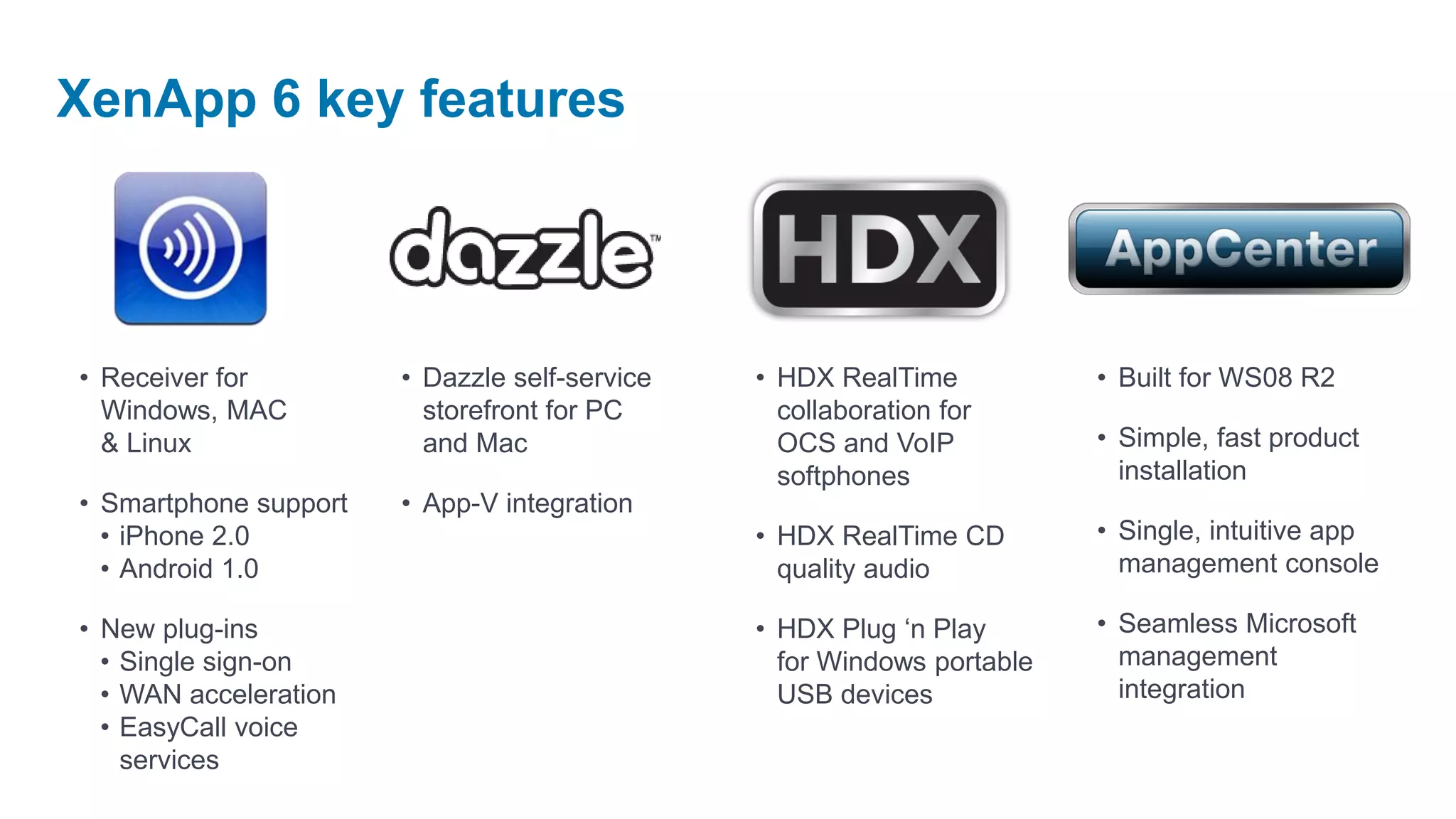
XenApp 6 key features


• Receiver for         • Dazzle self-service   • HDX RealTime           • Built for WS08 R2
  Windows, MAC           storefront for PC       collaboration for
  & Linux                and Mac                 OCS and VoIP           • Simple, fast product
                                                 softphones               installation
• Smartphone support   • App-V integration
  • iPhone 2.0                                 • HDX RealTime CD        • Single, intuitive app
  • Android 1.0                                  quality audio            management console

• New plug-ins                                 • HDX Plug ‘n Play       • Seamless Microsoft
  • Single sign-on                               for Windows portable     management
  • WAN acceleration                             USB devices              integration
  • EasyCall voice
    services
Single management console
Enterprise-class scalability
Built for Windows Server 2008 R2
Easier management, improved performance

• Citrix performance improvements for R2 result
  in 15% or more users per server
• Single application management console
  modeled after MMC 3.0
• Active Directory Group Policy extensions
  enable policy-based management of XenApp
• Broader peripheral support enables
  enhanced Citrix HDX experience
• PowerShell 2.0 enables automation of
  management workflows
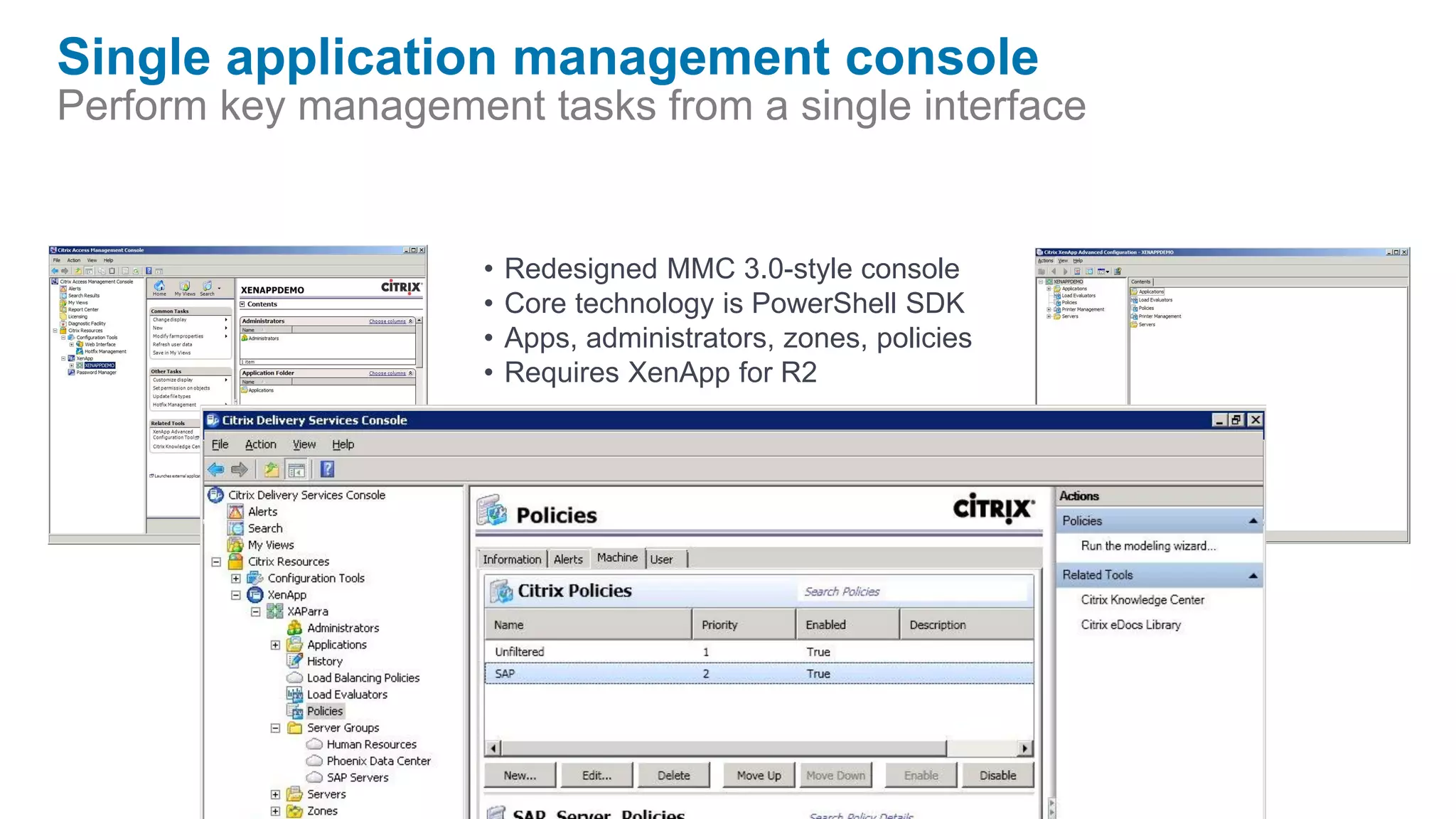
Single application management console
Perform key management tasks from a single interface


                     •   Redesigned MMC 3.0-style console
                     •   Core technology is PowerShell SDK
                     •   Apps, administrators, zones, policies
                     •   Requires XenApp for R2
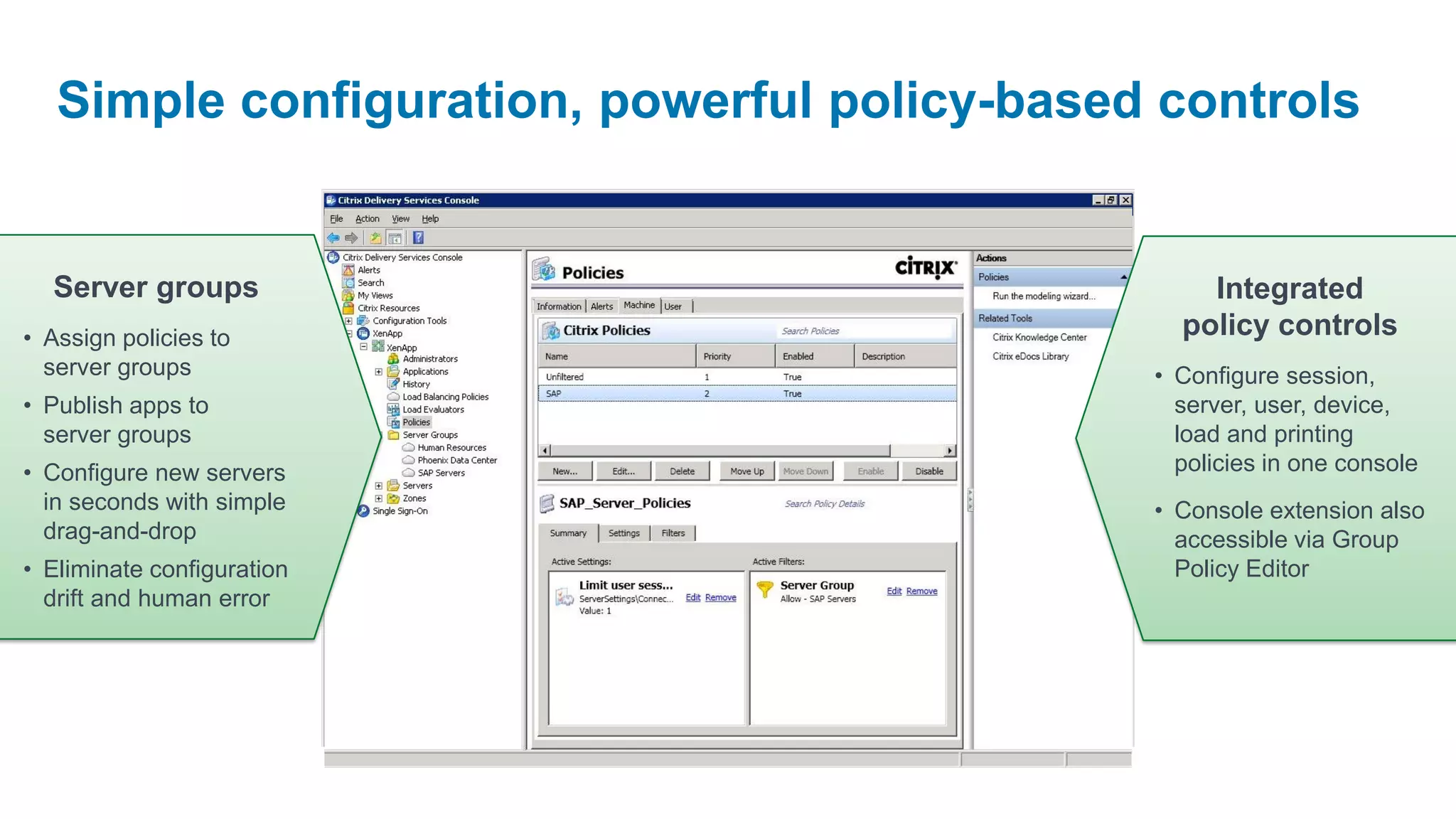
Simple configuration, powerful policy-based controls


  Server groups                                   Integrated
• Assign policies to                            policy controls
  server groups                               • Configure session,
• Publish apps to                               server, user, device,
  server groups                                 load and printing
• Configure new servers                         policies in one console
  in seconds with simple                      • Console extension also
  drag-and-drop                                 accessible via Group
• Eliminate configuration                       Policy Editor
  drift and human error
Active Directory integration
Simplify management and reduce complexity

• Manage XenApp using familiar
  group policy style management
  • Create policies as Citrix IMA and/or
    Active directory group policies
  • Active directory not required (e.g. works even
    without admin access to Active Directory)
  • Assign policies to user or server groups
    for automated configuration

• Requirements
  • Requires XenApp for Windows Server 2008 R2
  • Published apps, load balancing, group
    preference and fail-over managed in IMA only
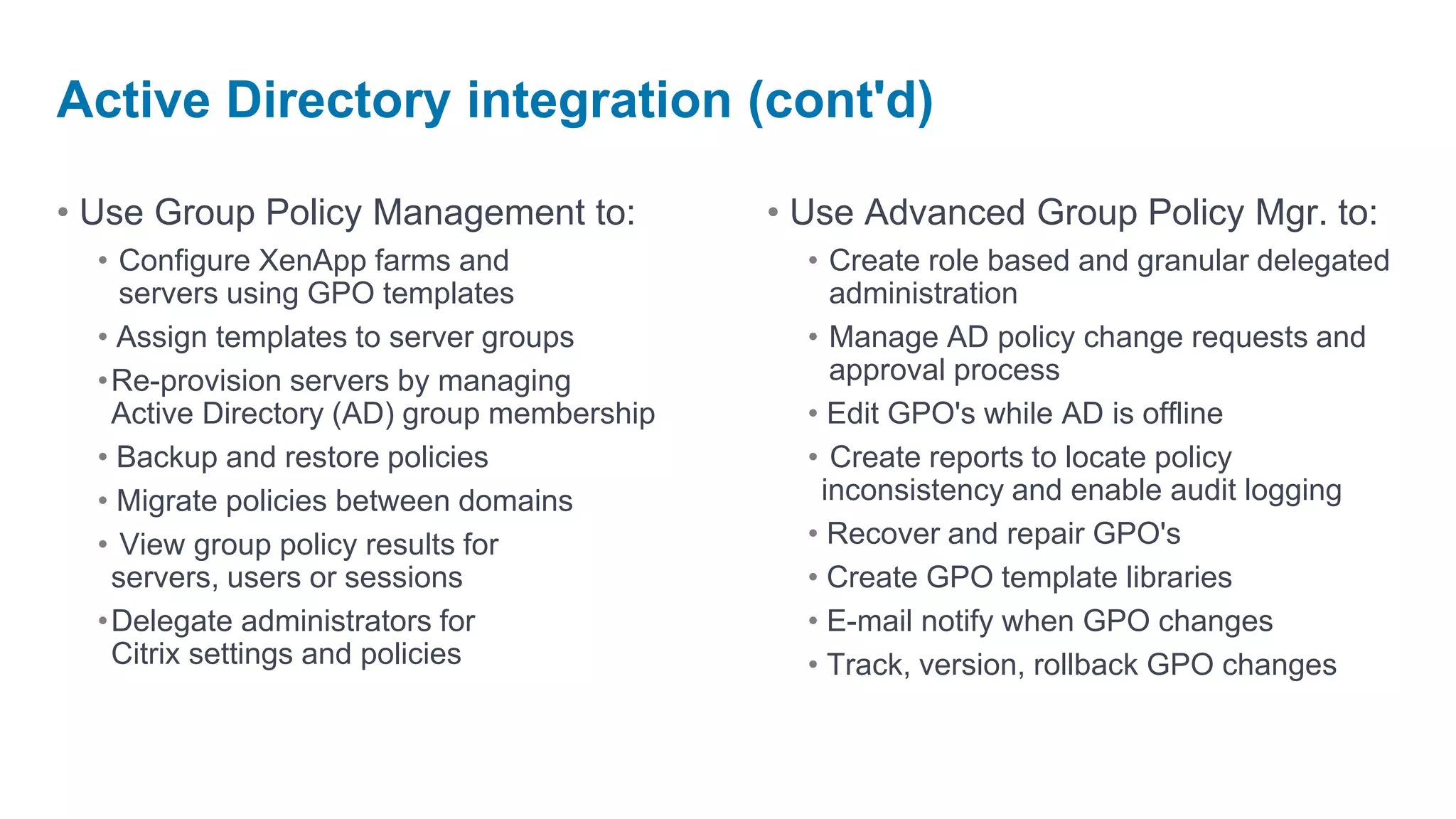
Active Directory integration (cont'd)

• Use Group Policy Management to:           • Use Advanced Group Policy Mgr. to:
  • Configure XenApp farms and                • Create role based and granular delegated
    servers using GPO templates                 administration
  • Assign templates to server groups         • Manage AD policy change requests and
  •Re-provision servers by managing             approval process
   Active Directory (AD) group membership     • Edit GPO's while AD is offline
  • Backup and restore policies               • Create reports to locate policy
  • Migrate policies between domains           inconsistency and enable audit logging
  • View group policy results for             • Recover and repair GPO's
   servers, users or sessions                 • Create GPO template libraries
  •Delegate administrators for                • E-mail notify when GPO changes
   Citrix settings and policies               • Track, version, rollback GPO changes
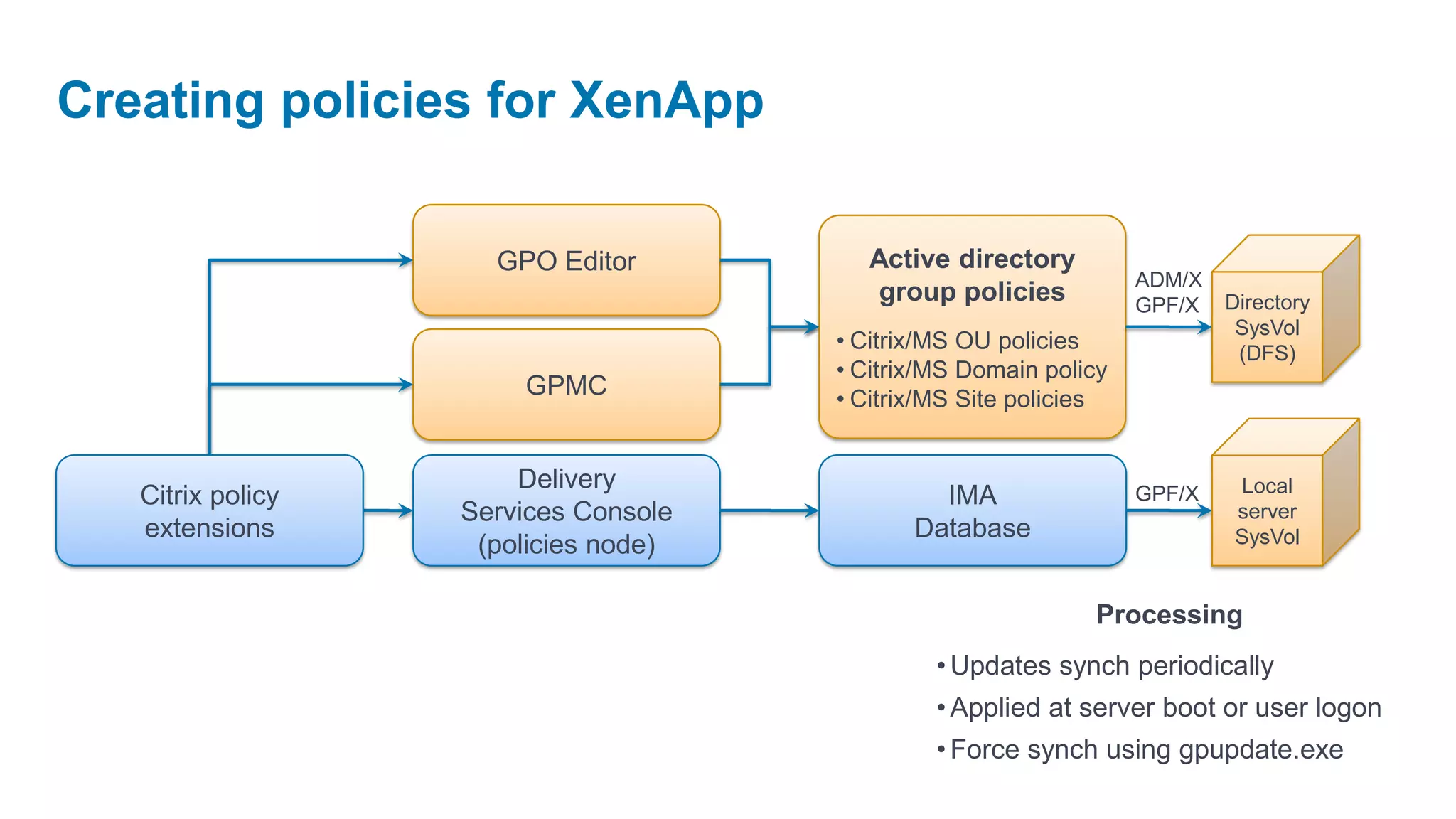
Creating policies for XenApp

                     GPO Editor          Active directory
                                                                  ADM/X
                                          group policies          GPF/X   Directory
                                                                           SysVol
                                      • Citrix/MS OU policies              (DFS)
                                      • Citrix/MS Domain policy
                       GPMC           • Citrix/MS Site policies


                       Delivery                                            Local
   Citrix policy                               IMA                GPF/X
                   Services Console                                        server
   extensions                                Database                      SysVol
                    (policies node)

                                                             Processing
                                               • Updates synch periodically
                                               • Applied at server boot or user logon
                                               • Force synch using gpupdate.exe
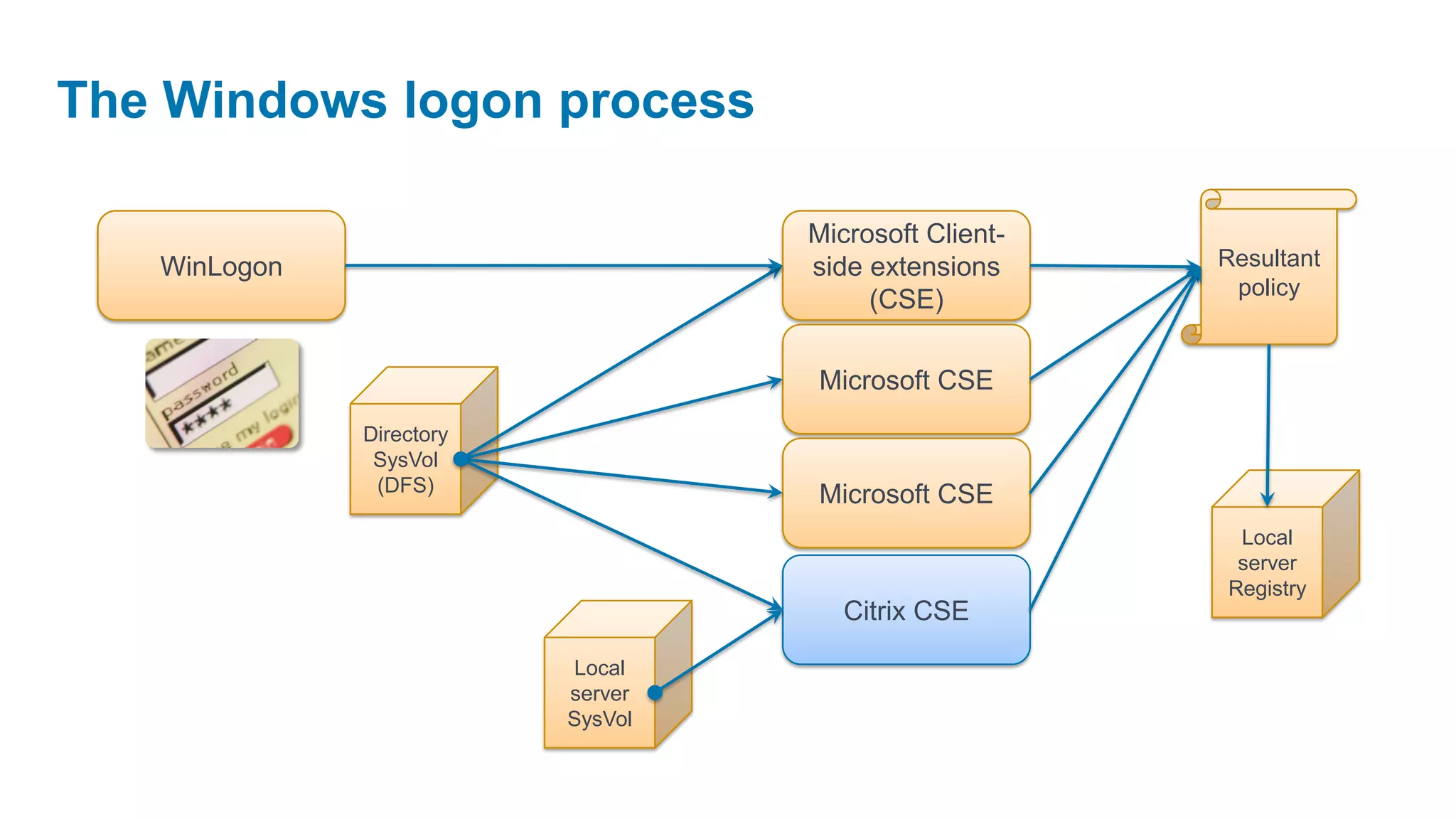
The Windows logon process

                                   Microsoft Client-
   WinLogon                        side extensions     Resultant
                                                        policy
                                        (CSE)

                                   Microsoft CSE
              Directory
               SysVol
               (DFS)
                                   Microsoft CSE
                                                        Local
                                                        server
                                                       Registry
                                      Citrix CSE

                          Local
                          server
                          SysVol
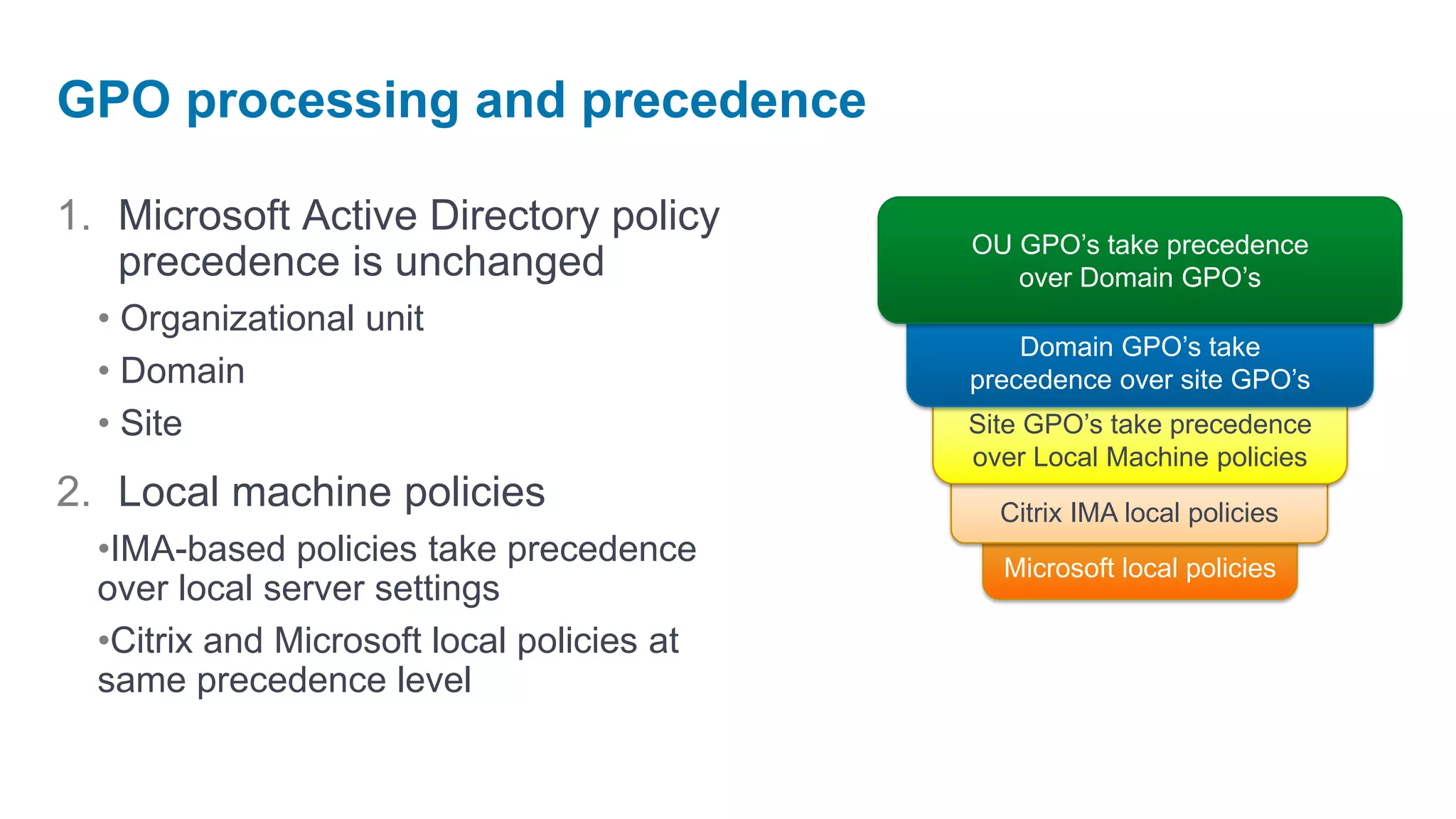
GPO processing and precedence

1. Microsoft Active Directory policy
                                            OU GPO’s take precedence
   precedence is unchanged                     over Domain GPO’s
  • Organizational unit
                                                Domain GPO’s take
  • Domain                                  precedence over site GPO’s
  • Site                                    Site GPO’s take precedence
                                            over Local Machine policies
2. Local machine policies                     Citrix IMA local policies
  •IMA-based policies take precedence         Microsoft local policies
  over local server settings
  •Citrix and Microsoft local policies at
  same precedence level
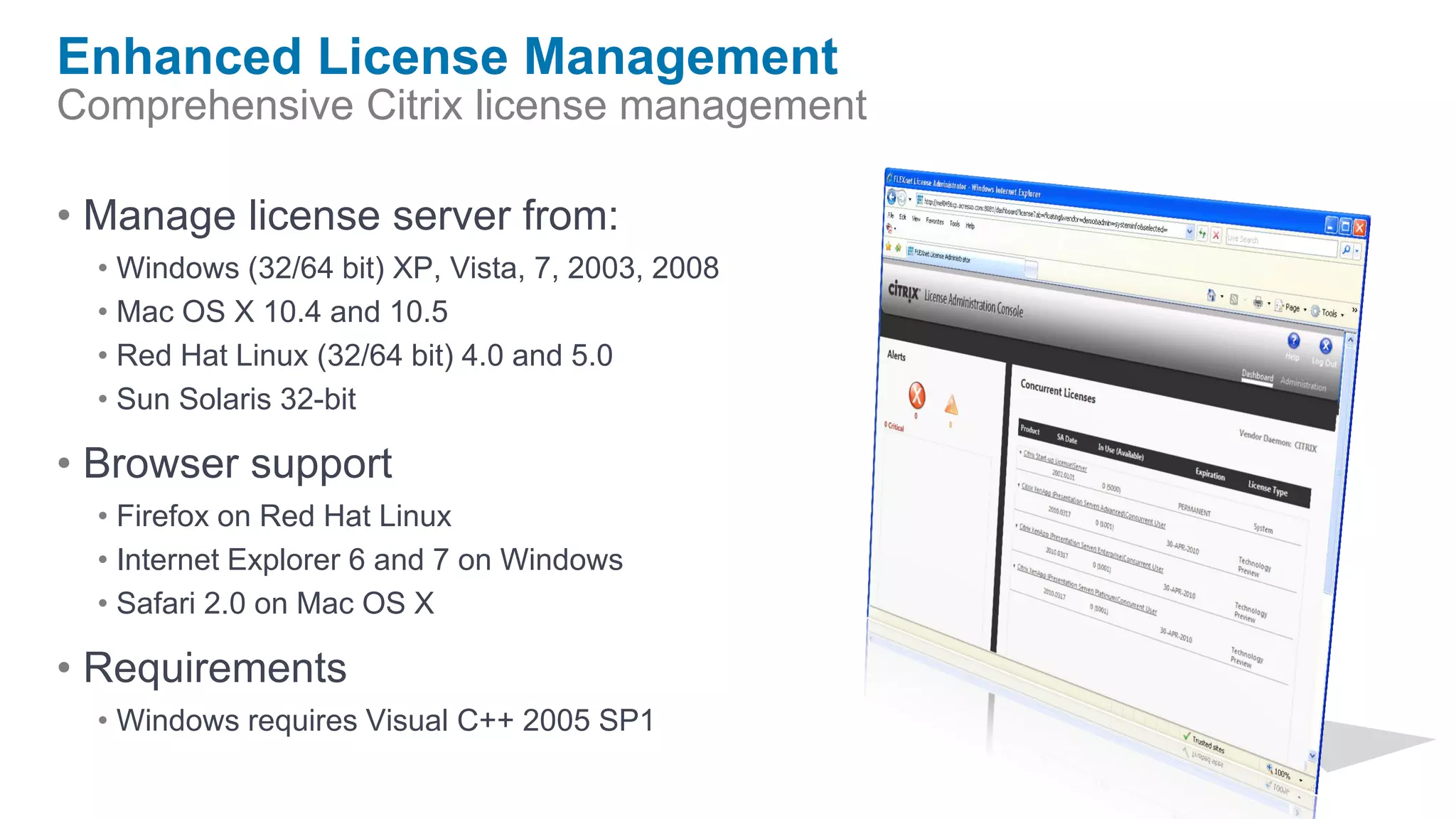
Enhanced License Management
Comprehensive Citrix license management

• Manage license server from:
  • Windows (32/64 bit) XP, Vista, 7, 2003, 2008
  • Mac OS X 10.4 and 10.5
  • Red Hat Linux (32/64 bit) 4.0 and 5.0
  • Sun Solaris 32-bit

• Browser support
  • Firefox on Red Hat Linux
  • Internet Explorer 6 and 7 on Windows
  • Safari 2.0 on Mac OS X

• Requirements
  • Windows requires Visual C++ 2005 SP1
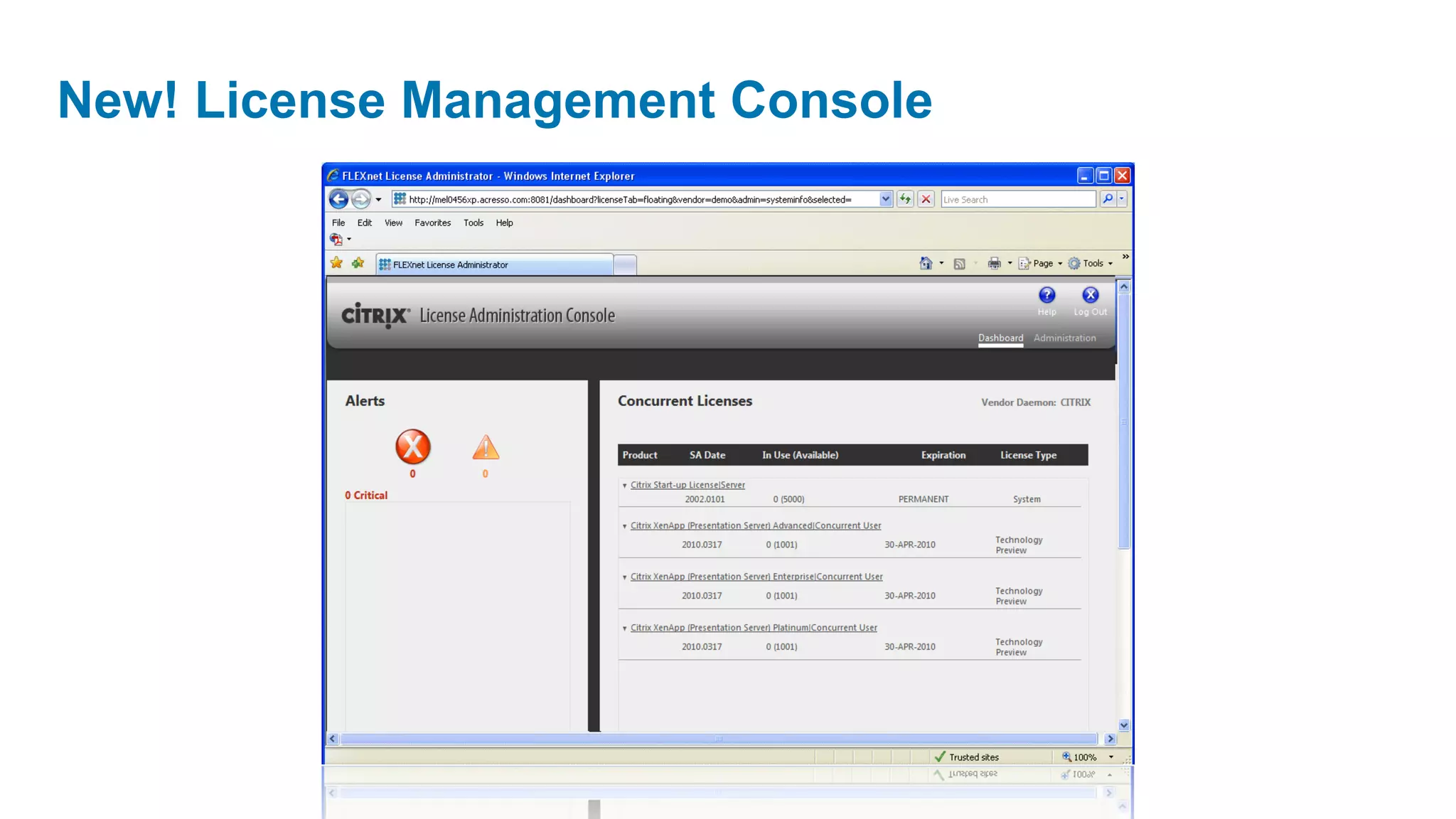
New! License Management Console
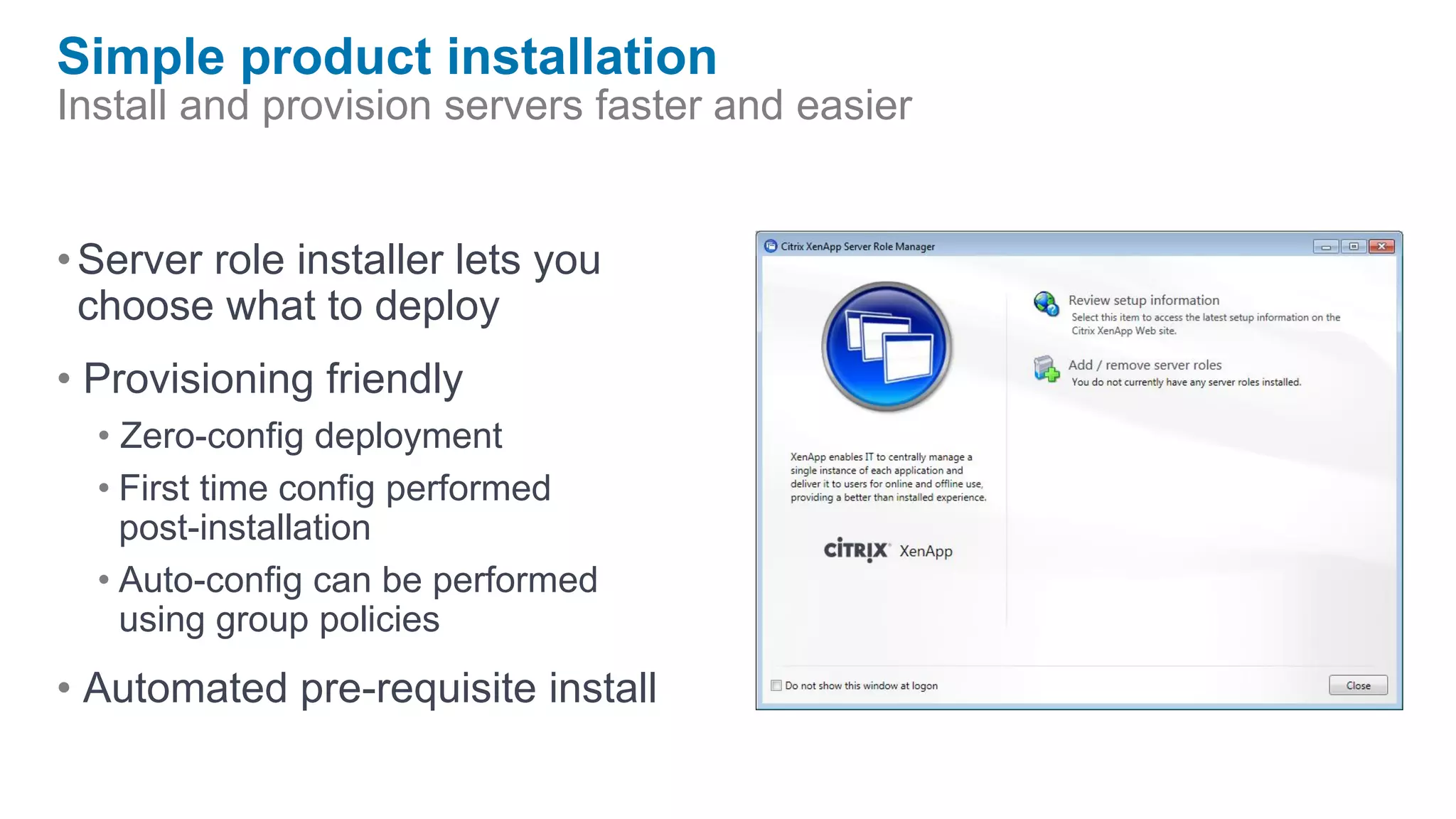
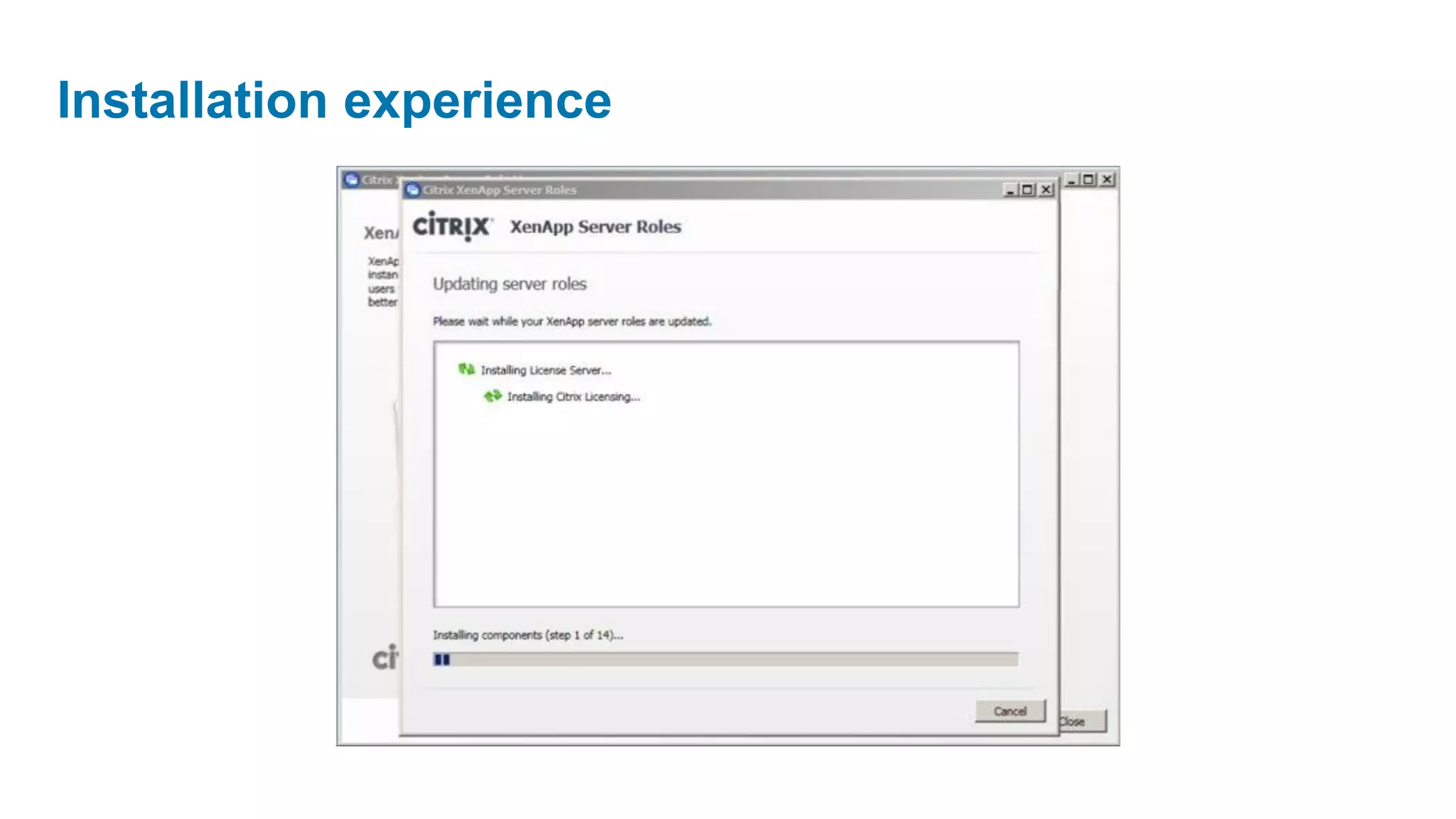
Simple product installation
Install and provision servers faster and easier


• Server role installer lets you
  choose what to deploy
• Provisioning friendly
  • Zero-config deployment
  • First time config performed
    post-installation
  • Auto-config can be performed
    using group policies
• Automated pre-requisite install
Installation experience
Optimized user profile management
Reduce profile load time up to 80%

• Profile loading postponed until logon
  process is completed
• User profile can be set to:
  • Load settings on-demand
  • Pre-cache files of specific sizes
    (download in background)
  • Cache entire profile after logon
    (download in background)
• Modified settings updated to profile
  intermittently without requiring logoff
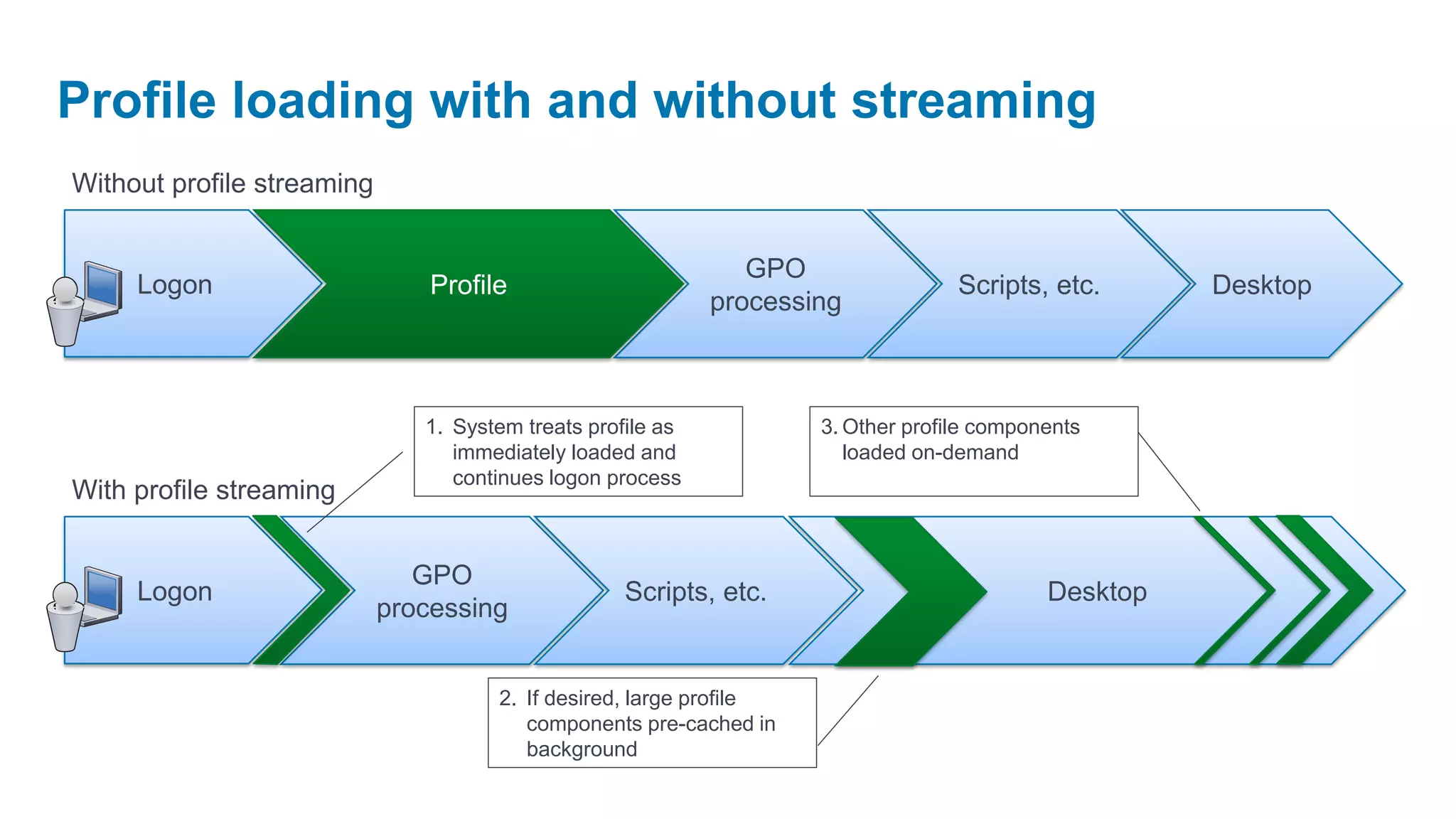
Profile loading with and without streaming
Without profile streaming


                                                                GPO
     Logon                      Profile                                            Scripts, etc.      Desktop
                                                             processing


                               1. System treats profile as           3. Other profile components
                                  immediately loaded and                loaded on-demand
                                  continues logon process
With profile streaming


                               GPO
     Logon                                          Scripts, etc.                           Desktop
                            processing


                                      2. If desired, large profile
                                         components pre-cached in
                                         background
PowerShell 2.0 SDK
Automate management tasks to improve efficiency


• All tasks in management console
  can be automated with PowerShell
• New SDK replaces MFCOM
• Automate via Workflow Studio or
  PowerShell
A whole new class of apps with
HDX RealTime and Plug-n-Play
High Definition User Experience
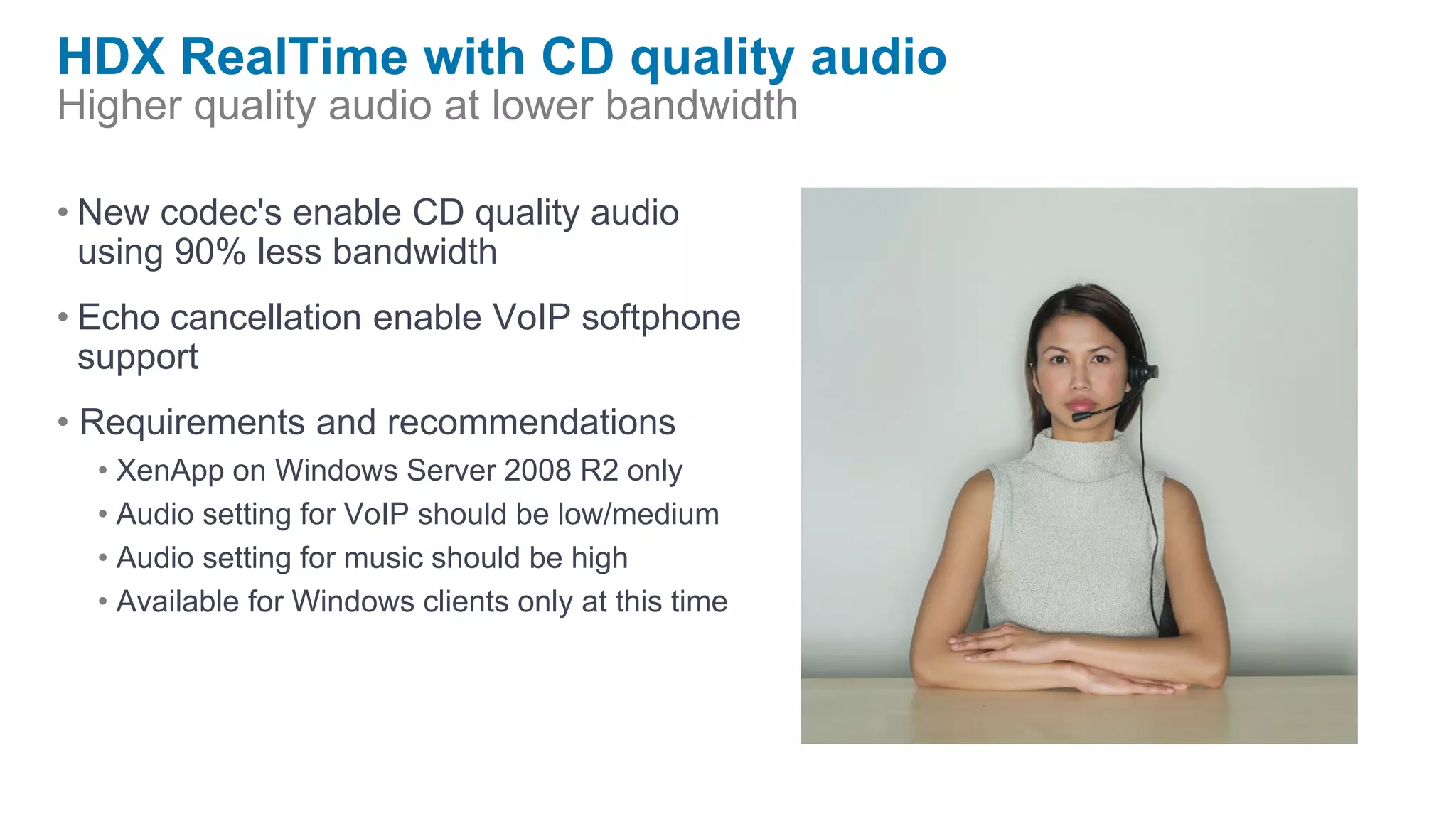
HDX RealTime with CD quality audio
Higher quality audio at lower bandwidth

• New codec's enable CD quality audio
  using 90% less bandwidth
• Echo cancellation enable VoIP softphone
  support
• Requirements and recommendations
  • XenApp on Windows Server 2008 R2 only
  • Audio setting for VoIP should be low/medium
  • Audio setting for music should be high
  • Available for Windows clients only at this time
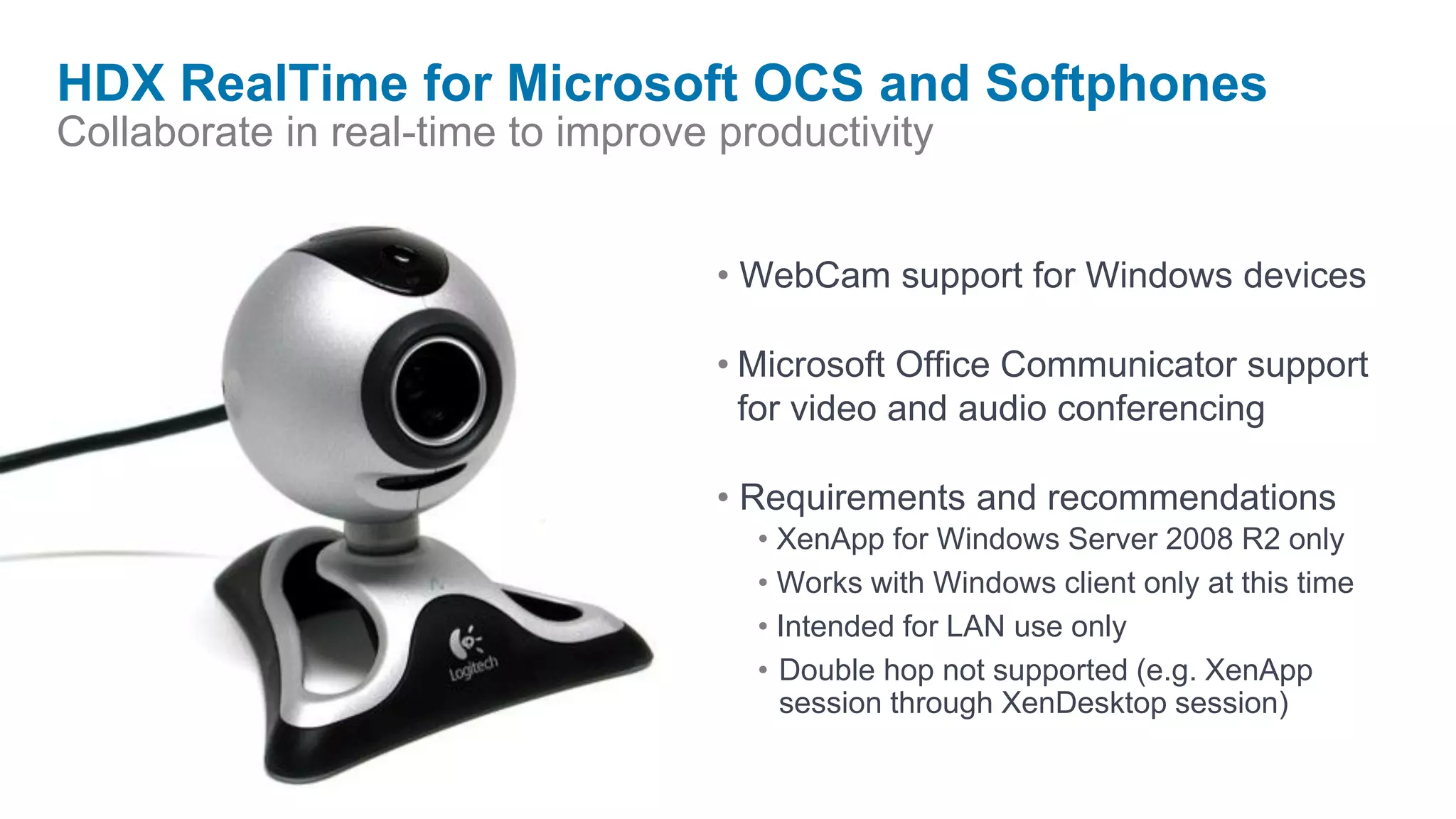
HDX RealTime for Microsoft OCS and Softphones
Collaborate in real-time to improve productivity


                                    • WebCam support for Windows devices

                                    • Microsoft Office Communicator support
                                      for video and audio conferencing

                                    • Requirements and recommendations
                                      • XenApp for Windows Server 2008 R2 only
                                      • Works with Windows client only at this time
                                      • Intended for LAN use only
                                      • Double hop not supported (e.g. XenApp
                                        session through XenDesktop session)
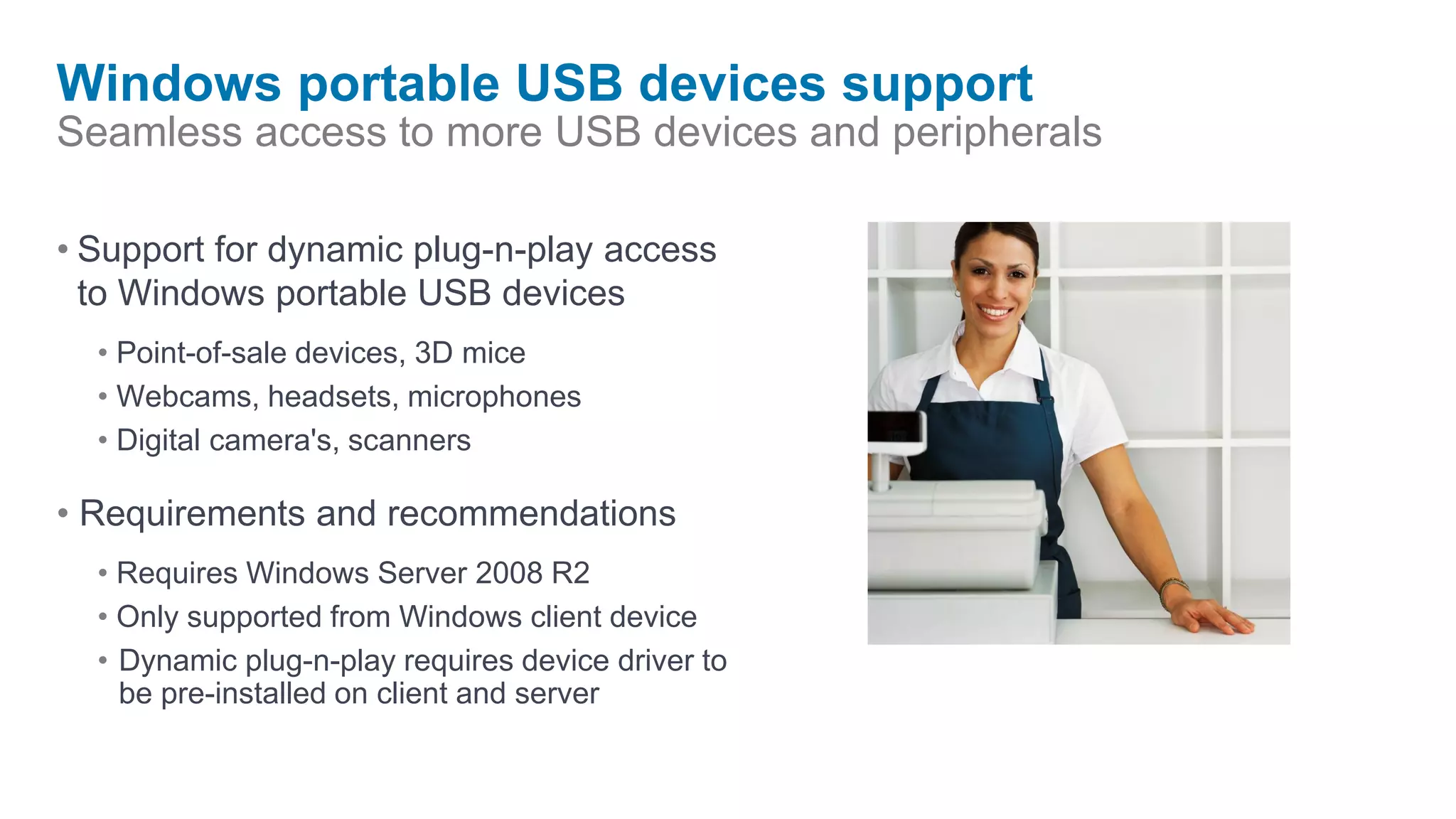
Windows portable USB devices support
Seamless access to more USB devices and peripherals

• Support for dynamic plug-n-play access
  to Windows portable USB devices
  • Point-of-sale devices, 3D mice
  • Webcams, headsets, microphones
  • Digital camera's, scanners

• Requirements and recommendations
  • Requires Windows Server 2008 R2
  • Only supported from Windows client device
  • Dynamic plug-n-play requires device driver to
    be pre-installed on client and server
Enhanced color and monitor support
Improved compatibility for graphics-dependent applications

• Improved compatibility with applications
  that require:
  • True delineated video space
    for multiple monitors
  • 32-bit color depth

• App positions are persistent across
  multiple monitors and sessions
• Requirements and recommendations
  • Requires Windows Server 2008 R2
  • Legacy multi-monitor support used for
    Windows Server 2008 R1 or prior
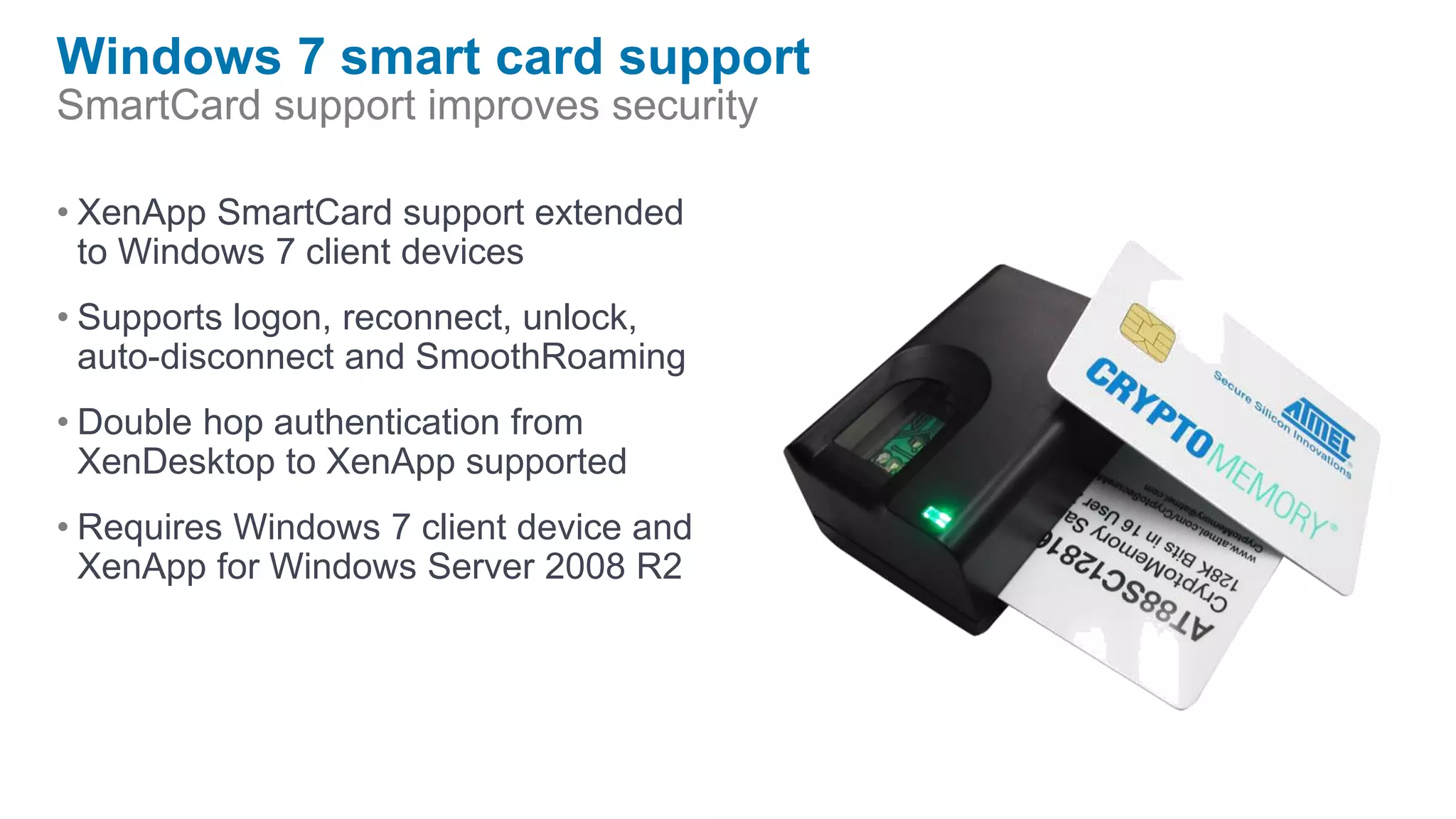
Windows 7 smart card support
SmartCard support improves security

• XenApp SmartCard support extended
  to Windows 7 client devices
• Supports logon, reconnect, unlock,
  auto-disconnect and SmoothRoaming
• Double hop authentication from
  XenDesktop to XenApp supported
• Requires Windows 7 client device and
  XenApp for Windows Server 2008 R2
32-bit graphics support
32-bit graphics support enhances application compatibility


• DirectX/Direct3D hardware acceleration
  enabled in 32-bit sessions
• Alpha-channel graphics enabled for
  apps that require 32-bit support
• Uses same bandwidth as 24-bit session
• Requires Windows Server 2008 R2
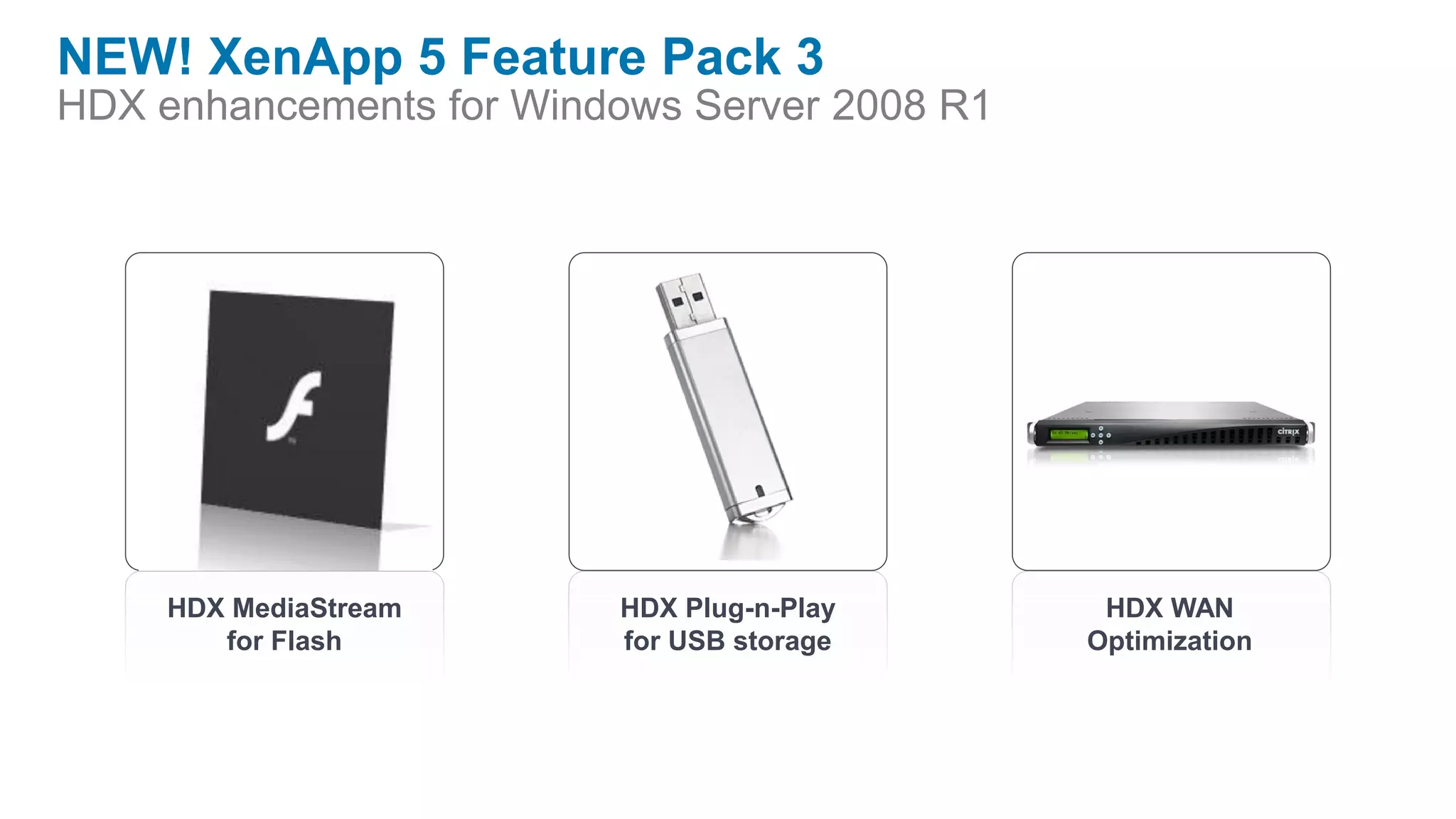
NEW! XenApp 5 Feature Pack 3
HDX enhancements for Windows Server 2008 R1


     HDX MediaStream     HDX Plug-n-Play       HDX WAN
        for Flash        for USB storage      Optimization
Self-service apps gives
users ultimate flexibility
On-demand application delivery
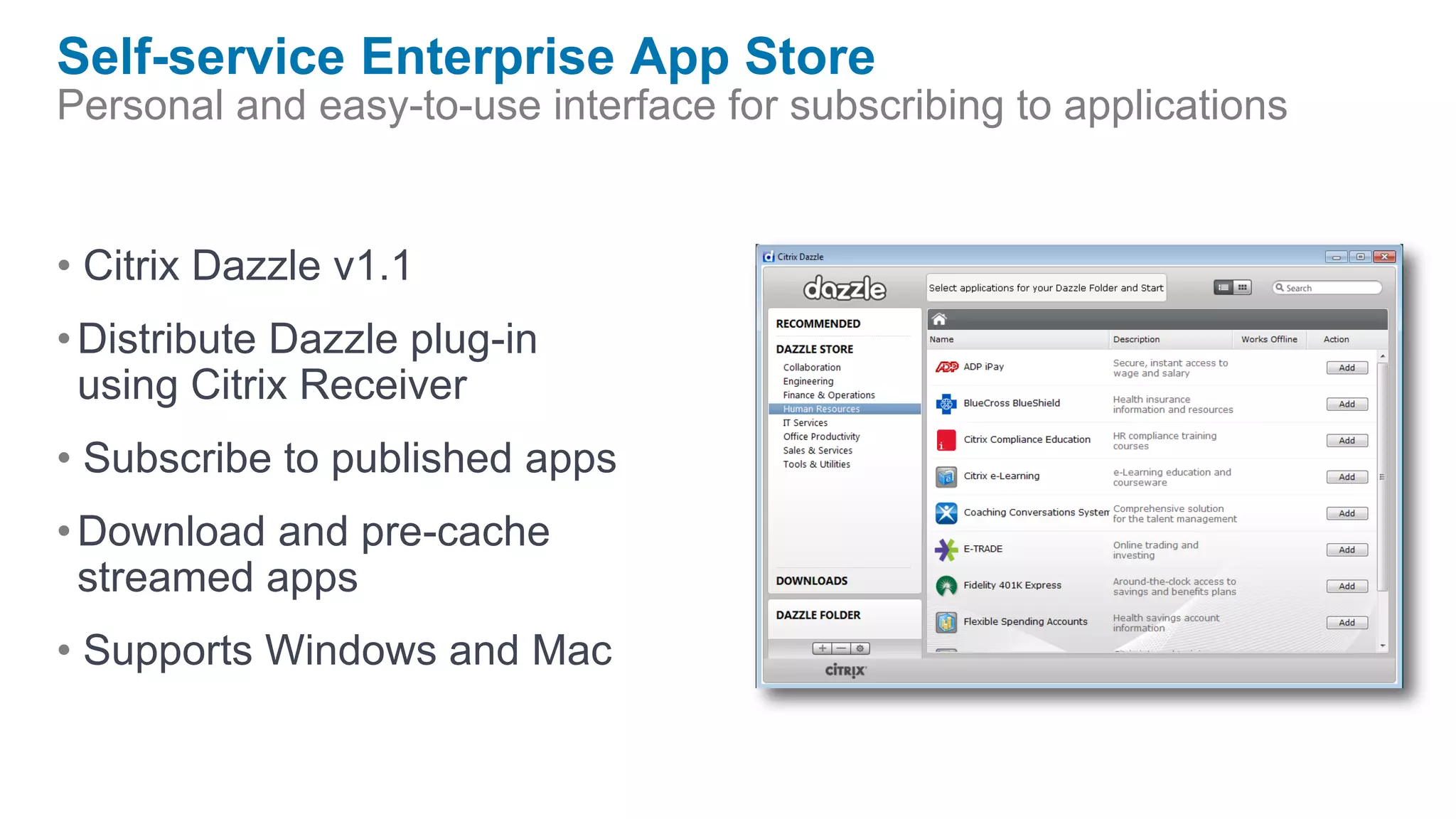
Self-service Enterprise App Store
Personal and easy-to-use interface for subscribing to applications


• Citrix Dazzle v1.1
• Distribute Dazzle plug-in
  using Citrix Receiver
• Subscribe to published apps
• Download and pre-cache
  streamed apps
• Supports Windows and Mac
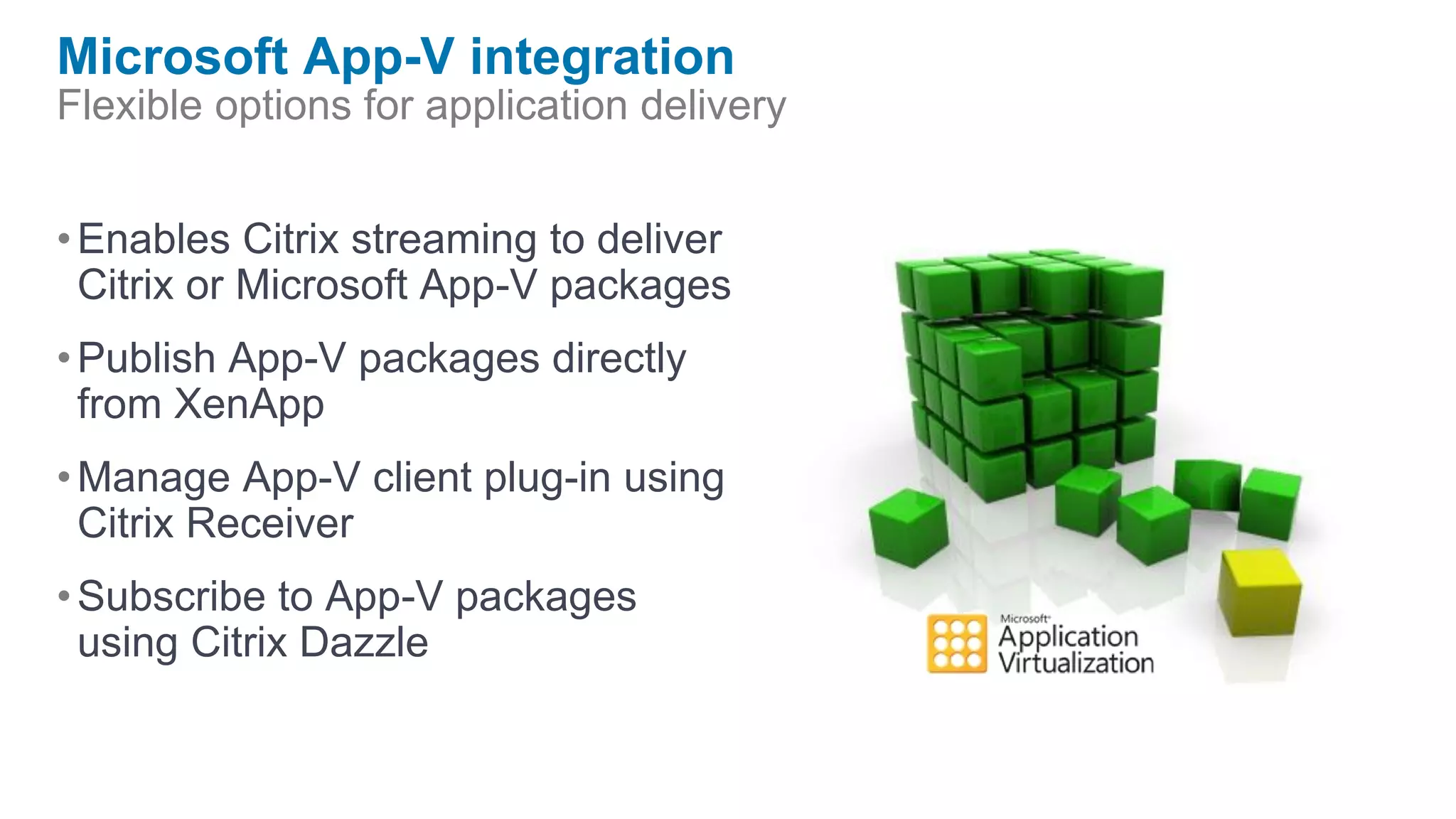
Microsoft App-V integration
Flexible options for application delivery


• Enables Citrix streaming to deliver
  Citrix or Microsoft App-V packages
• Publish App-V packages directly
  from XenApp
• Manage App-V client plug-in using
  Citrix Receiver
• Subscribe to App-V packages
  using Citrix Dazzle
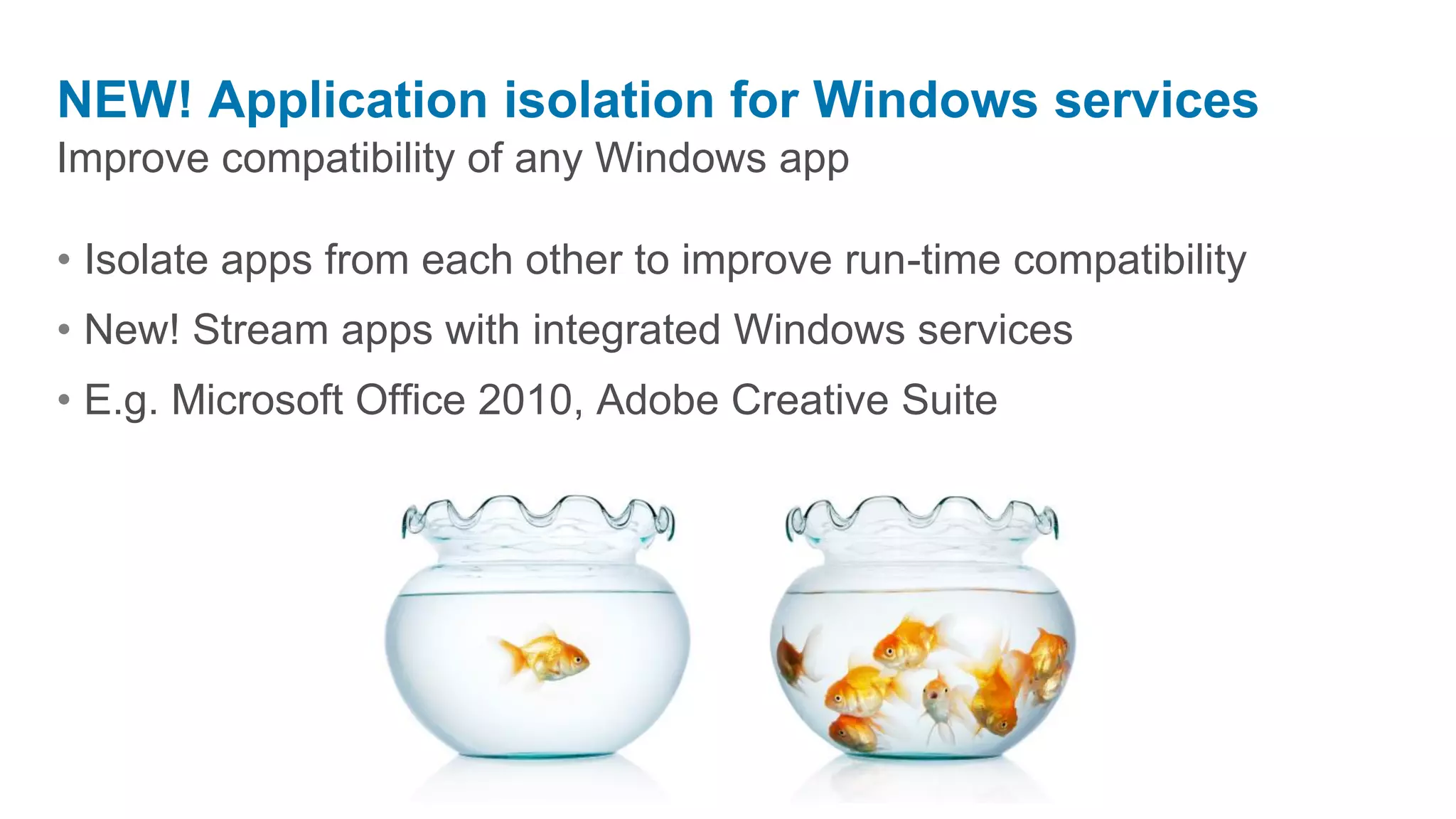
NEW! Application isolation for Windows services
Improve compatibility of any Windows app

• Isolate apps from each other to improve run-time compatibility
• New! Stream apps with integrated Windows services
• E.g. Microsoft Office 2010, Adobe Creative Suite
Complete mobility from
any device, anywhere
NEW! Citrix Receiver for Mac
Ensure a consistent and simple user experience

• Universal device support for
  Mac operating systems
• Secure application access
  from Mac devices with
  Access Gateway plug-in
• Requirements
 • Mac OS X 10.4 or higher
 • Merchandising Server 1.1 or higher
NEW! Expanded plug-in support for Citrix Receiver
Flexible access options for Windows and Mac users

• Dazzle plug-in for Windows/Mac
• Online plug-in for Mac
• App-V plug-in for Windows
• WAN acceleration plug-in for Windows
• Single sign-on plug-in for Windows
• Voice communications plug-in for
  Windows and Mac
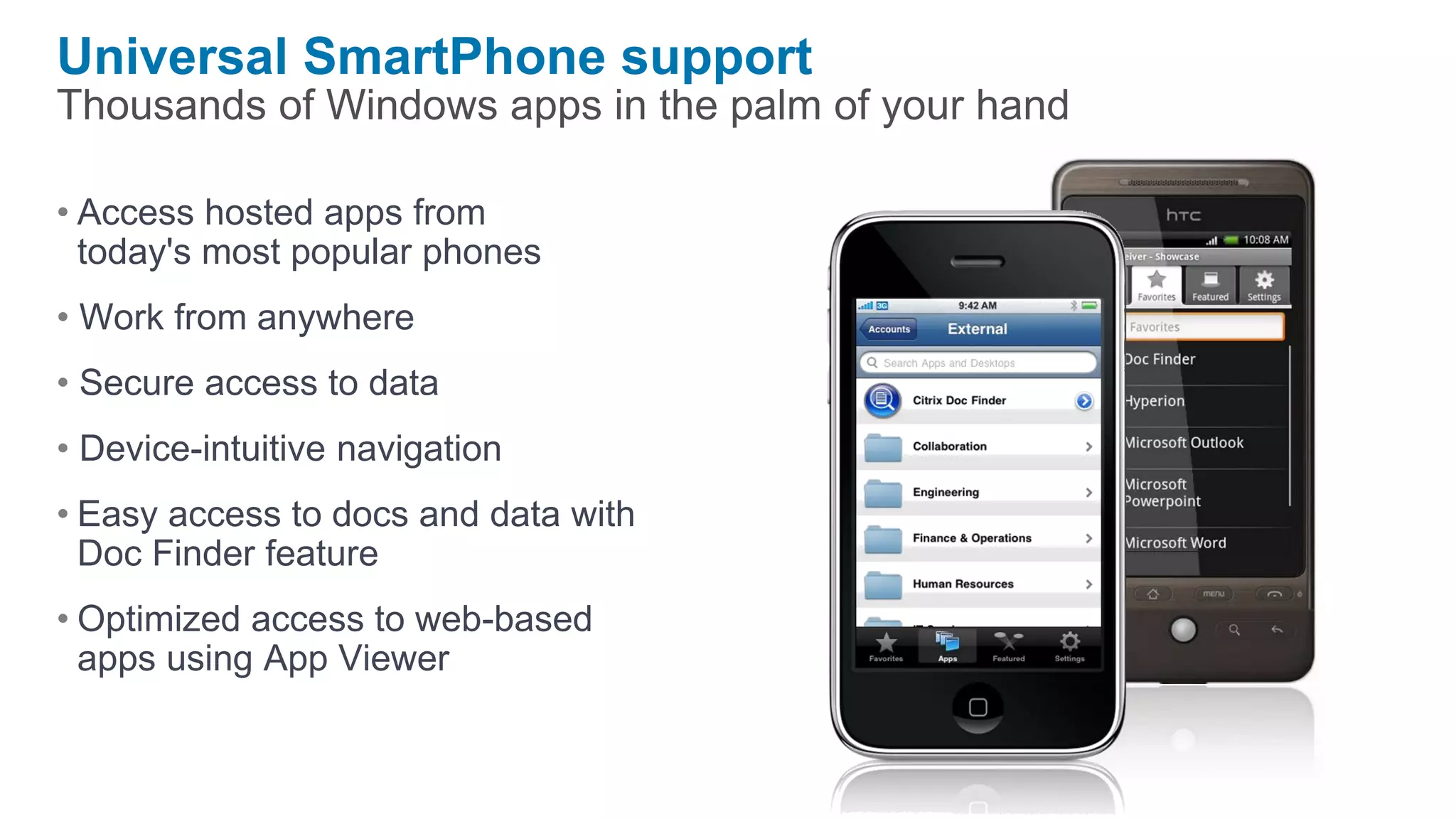
Universal SmartPhone support
Thousands of Windows apps in the palm of your hand

• Access hosted apps from
  today's most popular phones
• Work from anywhere
• Secure access to data
• Device-intuitive navigation
• Easy access to docs and data with
  Doc Finder feature
• Optimized access to web-based
  apps using App Viewer
Universal smartphone support
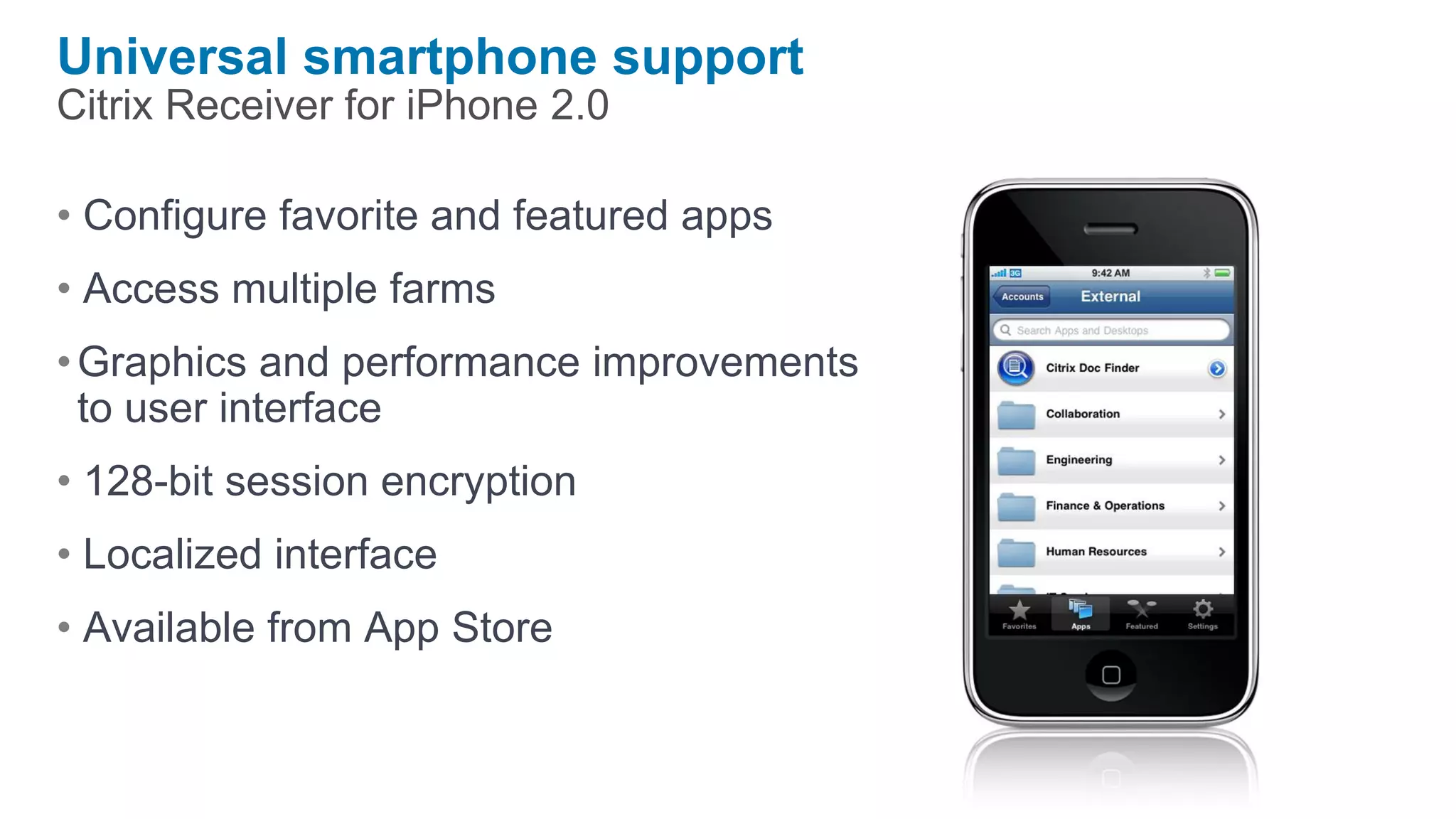
Citrix Receiver for iPhone 2.0

• Configure favorite and featured apps
• Access multiple farms
• Graphics and performance improvements
  to user interface
• 128-bit session encryption
• Localized interface
• Available from App Store
Universal smartphone support
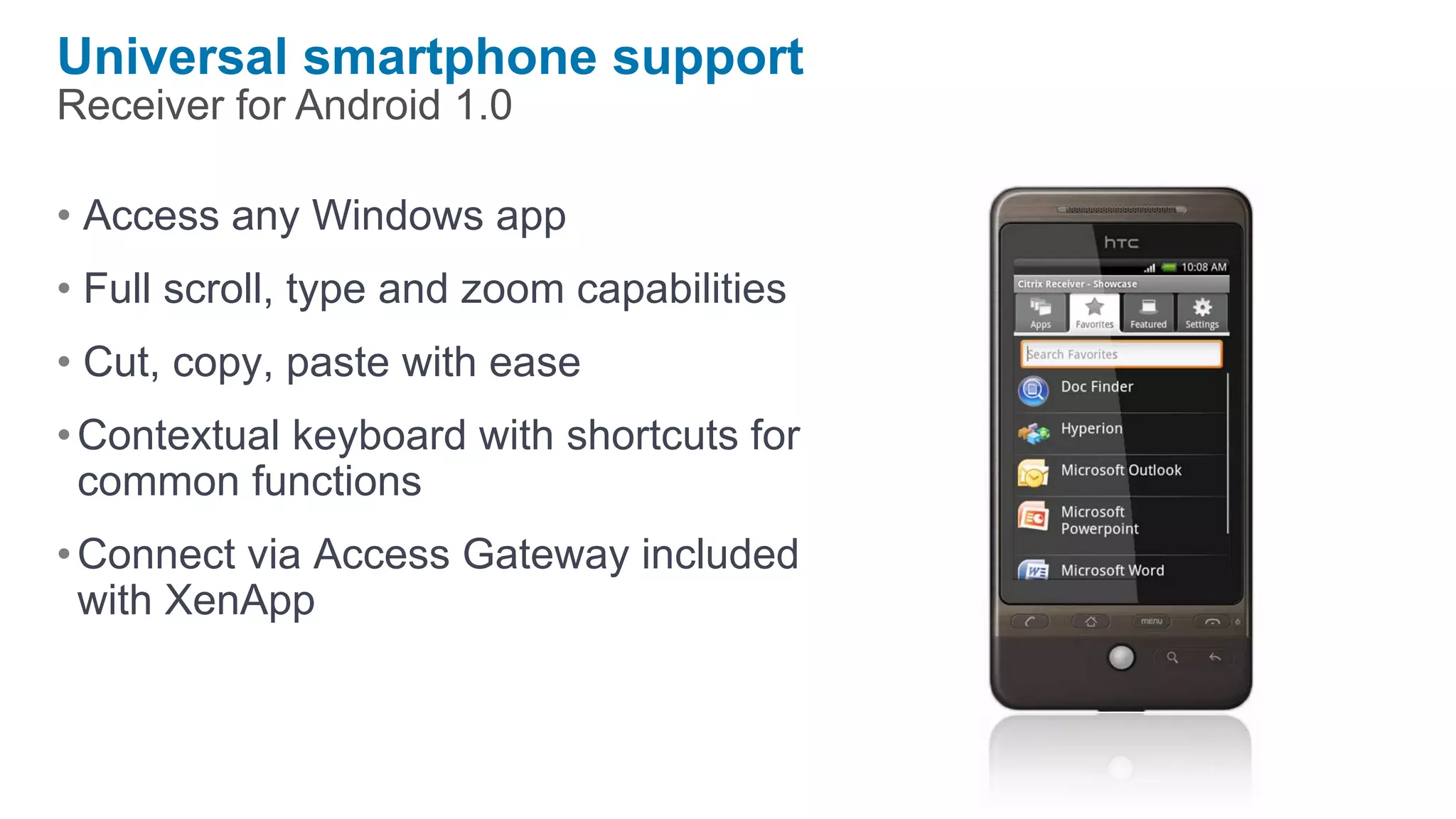
Receiver for Android 1.0

• Access any Windows app
• Full scroll, type and zoom capabilities
• Cut, copy, paste with ease
• Contextual keyboard with shortcuts for
  common functions
• Connect via Access Gateway included
  with XenApp
Universal smartphone support
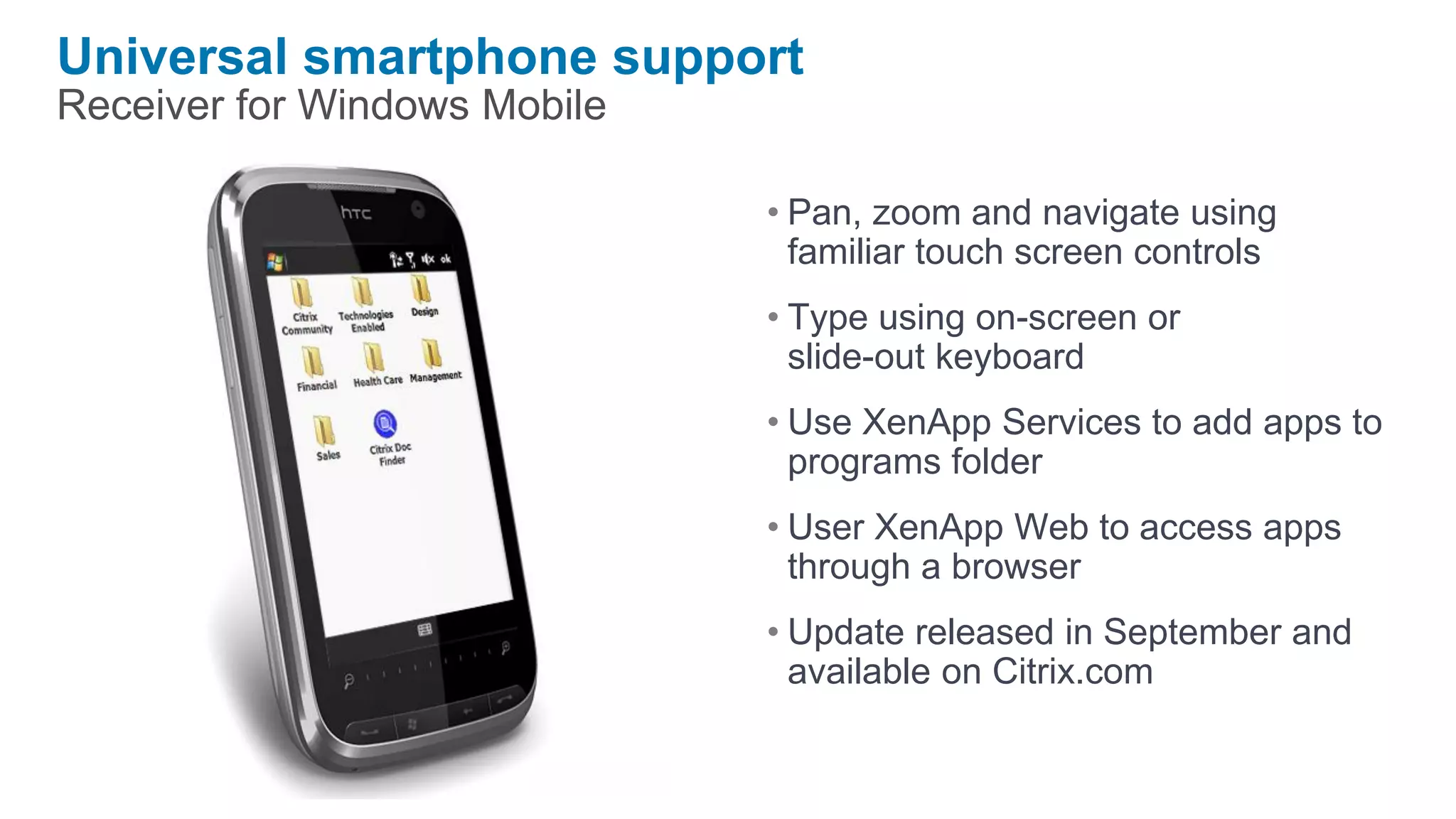
Receiver for Windows Mobile

                              • Pan, zoom and navigate using
                                familiar touch screen controls
                              • Type using on-screen or
                                slide-out keyboard
                              • Use XenApp Services to add apps to
                                programs folder
                              • User XenApp Web to access apps
                                through a browser
                              • Update released in September and
                                available on Citrix.com
XenApp 6 themes


Any device,   Self-service    RealTime         Single
anywhere         apps            and        management
                             Plug-n-Play      console


          Get it at Citrix.com/xenapp/download
Whats new in Citrix XenApp 6

Whats new in Citrix XenApp 6

  • 1.
  • 2.
    Introducing XenApp 6 •The de facto standard for on-demand app delivery to any desktop • Work from anywhere on any device from PC to Mac, smartphone to netbook • Self-service storefront for apps, desktops and IT services • Hi-def experience for rich multi-media applications over any network • Purpose built for Microsoft WS08 R2 for advanced management and scalability
  • 3.
    XenApp 6 themes Anydevice, Self-service RealTime Single anywhere apps and management Plug-n-Play console
  • 4.
    XenApp 6 keyfeatures • Receiver for • Dazzle self-service • HDX RealTime • Built for WS08 R2 Windows, MAC storefront for PC collaboration for & Linux and Mac OCS and VoIP • Simple, fast product softphones installation • Smartphone support • App-V integration • iPhone 2.0 • HDX RealTime CD • Single, intuitive app • Android 1.0 quality audio management console • New plug-ins • HDX Plug ‘n Play • Seamless Microsoft • Single sign-on for Windows portable management • WAN acceleration USB devices integration • EasyCall voice services
  • 5.
  • 6.
    Built for WindowsServer 2008 R2 Easier management, improved performance • Citrix performance improvements for R2 result in 15% or more users per server • Single application management console modeled after MMC 3.0 • Active Directory Group Policy extensions enable policy-based management of XenApp • Broader peripheral support enables enhanced Citrix HDX experience • PowerShell 2.0 enables automation of management workflows
  • 7.
    Single application managementconsole Perform key management tasks from a single interface • Redesigned MMC 3.0-style console • Core technology is PowerShell SDK • Apps, administrators, zones, policies • Requires XenApp for R2
  • 8.
    Simple configuration, powerfulpolicy-based controls Server groups Integrated • Assign policies to policy controls server groups • Configure session, • Publish apps to server, user, device, server groups load and printing • Configure new servers policies in one console in seconds with simple • Console extension also drag-and-drop accessible via Group • Eliminate configuration Policy Editor drift and human error
  • 9.
    Active Directory integration Simplifymanagement and reduce complexity • Manage XenApp using familiar group policy style management • Create policies as Citrix IMA and/or Active directory group policies • Active directory not required (e.g. works even without admin access to Active Directory) • Assign policies to user or server groups for automated configuration • Requirements • Requires XenApp for Windows Server 2008 R2 • Published apps, load balancing, group preference and fail-over managed in IMA only
  • 10.
    Active Directory integration(cont'd) • Use Group Policy Management to: • Use Advanced Group Policy Mgr. to: • Configure XenApp farms and • Create role based and granular delegated servers using GPO templates administration • Assign templates to server groups • Manage AD policy change requests and •Re-provision servers by managing approval process Active Directory (AD) group membership • Edit GPO's while AD is offline • Backup and restore policies • Create reports to locate policy • Migrate policies between domains inconsistency and enable audit logging • View group policy results for • Recover and repair GPO's servers, users or sessions • Create GPO template libraries •Delegate administrators for • E-mail notify when GPO changes Citrix settings and policies • Track, version, rollback GPO changes
  • 11.
    Creating policies forXenApp GPO Editor Active directory ADM/X group policies GPF/X Directory SysVol • Citrix/MS OU policies (DFS) • Citrix/MS Domain policy GPMC • Citrix/MS Site policies Delivery Local Citrix policy IMA GPF/X Services Console server extensions Database SysVol (policies node) Processing • Updates synch periodically • Applied at server boot or user logon • Force synch using gpupdate.exe
  • 12.
    The Windows logonprocess Microsoft Client- WinLogon side extensions Resultant policy (CSE) Microsoft CSE Directory SysVol (DFS) Microsoft CSE Local server Registry Citrix CSE Local server SysVol
  • 13.
    GPO processing andprecedence 1. Microsoft Active Directory policy OU GPO’s take precedence precedence is unchanged over Domain GPO’s • Organizational unit Domain GPO’s take • Domain precedence over site GPO’s • Site Site GPO’s take precedence over Local Machine policies 2. Local machine policies Citrix IMA local policies •IMA-based policies take precedence Microsoft local policies over local server settings •Citrix and Microsoft local policies at same precedence level
  • 14.
    Enhanced License Management ComprehensiveCitrix license management • Manage license server from: • Windows (32/64 bit) XP, Vista, 7, 2003, 2008 • Mac OS X 10.4 and 10.5 • Red Hat Linux (32/64 bit) 4.0 and 5.0 • Sun Solaris 32-bit • Browser support • Firefox on Red Hat Linux • Internet Explorer 6 and 7 on Windows • Safari 2.0 on Mac OS X • Requirements • Windows requires Visual C++ 2005 SP1
  • 15.
  • 16.
    Simple product installation Installand provision servers faster and easier • Server role installer lets you choose what to deploy • Provisioning friendly • Zero-config deployment • First time config performed post-installation • Auto-config can be performed using group policies • Automated pre-requisite install
  • 17.
  • 18.
    Optimized user profilemanagement Reduce profile load time up to 80% • Profile loading postponed until logon process is completed • User profile can be set to: • Load settings on-demand • Pre-cache files of specific sizes (download in background) • Cache entire profile after logon (download in background) • Modified settings updated to profile intermittently without requiring logoff
  • 19.
    Profile loading withand without streaming Without profile streaming GPO Logon Profile Scripts, etc. Desktop processing 1. System treats profile as 3. Other profile components immediately loaded and loaded on-demand continues logon process With profile streaming GPO Logon Scripts, etc. Desktop processing 2. If desired, large profile components pre-cached in background
  • 20.
    PowerShell 2.0 SDK Automatemanagement tasks to improve efficiency • All tasks in management console can be automated with PowerShell • New SDK replaces MFCOM • Automate via Workflow Studio or PowerShell
  • 21.
    A whole newclass of apps with HDX RealTime and Plug-n-Play High Definition User Experience
  • 22.
    HDX RealTime withCD quality audio Higher quality audio at lower bandwidth • New codec's enable CD quality audio using 90% less bandwidth • Echo cancellation enable VoIP softphone support • Requirements and recommendations • XenApp on Windows Server 2008 R2 only • Audio setting for VoIP should be low/medium • Audio setting for music should be high • Available for Windows clients only at this time
  • 23.
    HDX RealTime forMicrosoft OCS and Softphones Collaborate in real-time to improve productivity • WebCam support for Windows devices • Microsoft Office Communicator support for video and audio conferencing • Requirements and recommendations • XenApp for Windows Server 2008 R2 only • Works with Windows client only at this time • Intended for LAN use only • Double hop not supported (e.g. XenApp session through XenDesktop session)
  • 24.
    Windows portable USBdevices support Seamless access to more USB devices and peripherals • Support for dynamic plug-n-play access to Windows portable USB devices • Point-of-sale devices, 3D mice • Webcams, headsets, microphones • Digital camera's, scanners • Requirements and recommendations • Requires Windows Server 2008 R2 • Only supported from Windows client device • Dynamic plug-n-play requires device driver to be pre-installed on client and server
  • 25.
    Enhanced color andmonitor support Improved compatibility for graphics-dependent applications • Improved compatibility with applications that require: • True delineated video space for multiple monitors • 32-bit color depth • App positions are persistent across multiple monitors and sessions • Requirements and recommendations • Requires Windows Server 2008 R2 • Legacy multi-monitor support used for Windows Server 2008 R1 or prior
  • 26.
    Windows 7 smartcard support SmartCard support improves security • XenApp SmartCard support extended to Windows 7 client devices • Supports logon, reconnect, unlock, auto-disconnect and SmoothRoaming • Double hop authentication from XenDesktop to XenApp supported • Requires Windows 7 client device and XenApp for Windows Server 2008 R2
  • 27.
    32-bit graphics support 32-bitgraphics support enhances application compatibility • DirectX/Direct3D hardware acceleration enabled in 32-bit sessions • Alpha-channel graphics enabled for apps that require 32-bit support • Uses same bandwidth as 24-bit session • Requires Windows Server 2008 R2
  • 28.
    NEW! XenApp 5Feature Pack 3 HDX enhancements for Windows Server 2008 R1 HDX MediaStream HDX Plug-n-Play HDX WAN for Flash for USB storage Optimization
  • 29.
    Self-service apps gives usersultimate flexibility On-demand application delivery
  • 30.
    Self-service Enterprise AppStore Personal and easy-to-use interface for subscribing to applications • Citrix Dazzle v1.1 • Distribute Dazzle plug-in using Citrix Receiver • Subscribe to published apps • Download and pre-cache streamed apps • Supports Windows and Mac
  • 31.
    Microsoft App-V integration Flexibleoptions for application delivery • Enables Citrix streaming to deliver Citrix or Microsoft App-V packages • Publish App-V packages directly from XenApp • Manage App-V client plug-in using Citrix Receiver • Subscribe to App-V packages using Citrix Dazzle
  • 32.
    NEW! Application isolationfor Windows services Improve compatibility of any Windows app • Isolate apps from each other to improve run-time compatibility • New! Stream apps with integrated Windows services • E.g. Microsoft Office 2010, Adobe Creative Suite
  • 33.
  • 34.
    NEW! Citrix Receiverfor Mac Ensure a consistent and simple user experience • Universal device support for Mac operating systems • Secure application access from Mac devices with Access Gateway plug-in • Requirements • Mac OS X 10.4 or higher • Merchandising Server 1.1 or higher
  • 35.
    NEW! Expanded plug-insupport for Citrix Receiver Flexible access options for Windows and Mac users • Dazzle plug-in for Windows/Mac • Online plug-in for Mac • App-V plug-in for Windows • WAN acceleration plug-in for Windows • Single sign-on plug-in for Windows • Voice communications plug-in for Windows and Mac
  • 36.
    Universal SmartPhone support Thousandsof Windows apps in the palm of your hand • Access hosted apps from today's most popular phones • Work from anywhere • Secure access to data • Device-intuitive navigation • Easy access to docs and data with Doc Finder feature • Optimized access to web-based apps using App Viewer
  • 37.
    Universal smartphone support CitrixReceiver for iPhone 2.0 • Configure favorite and featured apps • Access multiple farms • Graphics and performance improvements to user interface • 128-bit session encryption • Localized interface • Available from App Store
  • 38.
    Universal smartphone support Receiverfor Android 1.0 • Access any Windows app • Full scroll, type and zoom capabilities • Cut, copy, paste with ease • Contextual keyboard with shortcuts for common functions • Connect via Access Gateway included with XenApp
  • 39.
    Universal smartphone support Receiverfor Windows Mobile • Pan, zoom and navigate using familiar touch screen controls • Type using on-screen or slide-out keyboard • Use XenApp Services to add apps to programs folder • User XenApp Web to access apps through a browser • Update released in September and available on Citrix.com
  • 40.
    XenApp 6 themes Anydevice, Self-service RealTime Single anywhere apps and management Plug-n-Play console Get it at Citrix.com/xenapp/download