WEL-COME
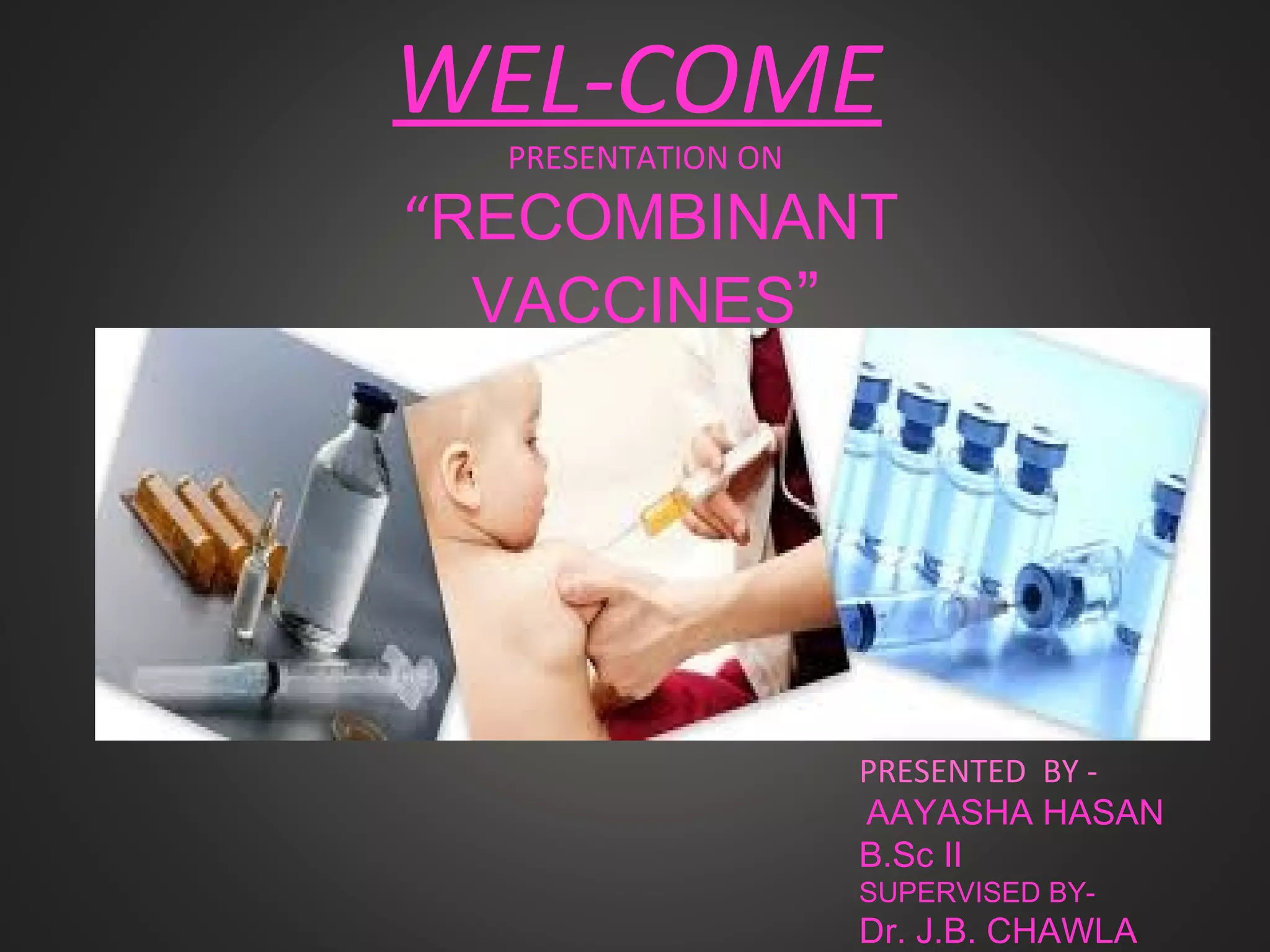
PRESENTATION ON
“RECOMBINANT
VACCINES”
PRESENTED BY -
AAYASHA HASAN
B.Sc II
SUPERVISED BY-
Dr. J.B. CHAWLA
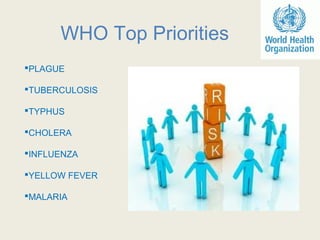
WHO Top Priorities
PLAGUE
TUBERCULOSIS
TYPHUS
CHOLERA
INFLUENZA
YELLOW FEVER
MALARIA
PANDEMICS
AND
NOTABLE EPIDEMICS
THROUGH HISTORY
PLAGUE
Europe's population dropped by around 50% between 550 and 700
A.D.
TYPHUS
During World War I, typhus epidemics killed over 150,000 in Serbia.
SMALLPOX
Killed around 400,000 Europeans per year during the end of the 18th
century.
MALARIA
Each year, there are approximately 350–500 million cases of malaria.
TUBERCULOSIS
Annually, 8 million people become ill with tuberculosis, and 2 million
people die from the disease worldwide.
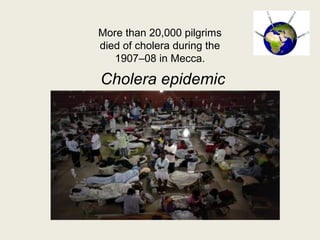
Cholera epidemic
More than 20,000 pilgrims
died of cholera during the
1907–08 in Mecca.
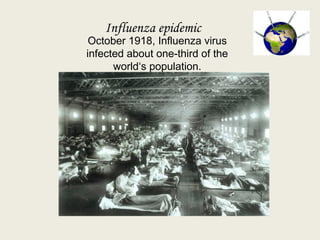
Influenza epidemic
October 1918, Influenza virus
infected about one-third of the
world‘s population.
METHODS TO CONTROL THE
DISEASES
 Destruction of the source
Blocking the modes of
transmission
Protecting the susceptible host
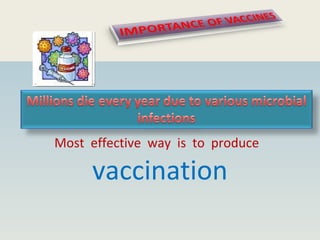
Most effective way is to produce
vaccination
Any antigenic preparation which stimulates host
immune system to form antibodies or T-Cells
against it and which will protect the host against
future infections is known as vaccines.
Cost effective
Effective after a single dose
Applicable to number of
diseases
Administered by a oral route
Could be given early in life
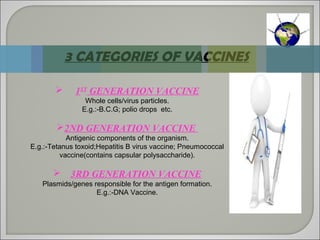
 1ST
GENERATION VACCINE
Whole cells/virus particles.
E.g.:-B.C.G; polio drops etc.
2ND GENERATION VACCINE
Antigenic components of the organism.
E.g.:-Tetanus toxoid;Hepatitis B virus vaccine; Pneumococcal
vaccine(contains capsular polysaccharide).
 3RD GENERATION VACCINE
Plasmids/genes responsible for the antigen formation.
E.g.:-DNA Vaccine.
3 CATEGORIES OF VACCINES
DRAWBACKS OF
TRADITIONAL VACCINES
Not possible for organisms
which are difficult to cultivate.
Yield of vaccine is low.
Large number of antigens
stimulate immune system which
is not desirable.
Danger of reverting back to
pathogenic state.
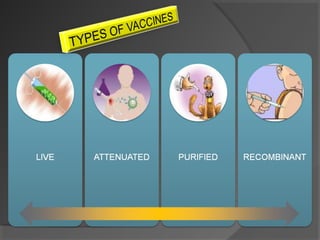
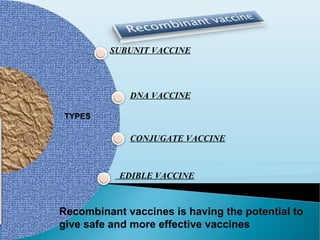
SUBUNIT VACCINE
DNA VACCINE
CONJUGATE VACCINE
EDIBLE VACCINE
Recombinant vaccines is having the potential to
give safe and more effective vaccines
TYPES
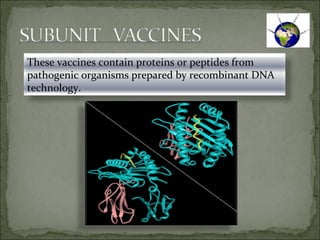
These vaccines contain proteins or peptides from
pathogenic organisms prepared by recombinant DNA
technology.
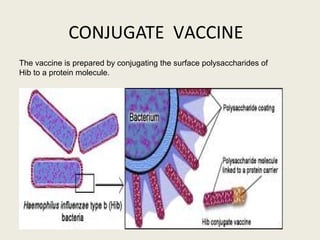
CONJUGATE VACCINE
The vaccine is prepared by conjugating the surface polysaccharides of
Hib to a protein molecule.
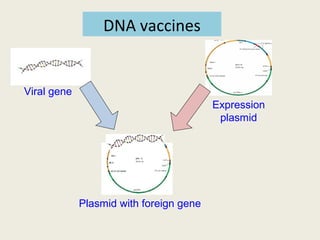
Viral gene
Expression
plasmid
Plasmid with foreign gene
DNA vaccines
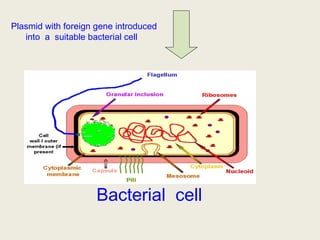
Bacterial cell
Plasmid with foreign gene introduced
into a suitable bacterial cell
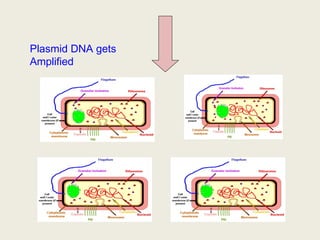
Plasmid DNA gets
Amplified
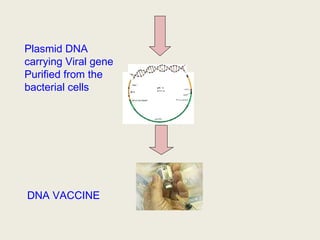
Plasmid DNA
carrying Viral gene
Purified from the
bacterial cells
DNA VACCINE
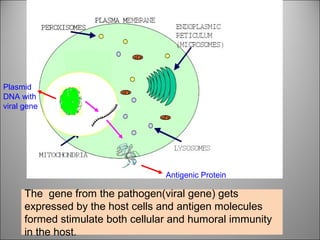
The gene from the pathogen(viral gene) gets
expressed by the host cells and antigen molecules
formed stimulate both cellular and humoral immunity
in the host.
Plasmid
DNA with
viral gene
Antigenic Protein
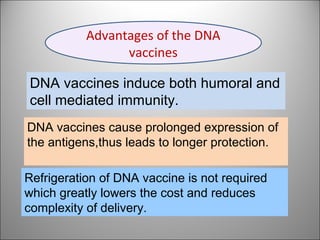
DNA vaccines induce both humoral and
cell mediated immunity.
DNA vaccines cause prolonged expression of
the antigens,thus leads to longer protection.
Refrigeration of DNA vaccine is not required
which greatly lowers the cost and reduces
complexity of delivery.
Advantages of the DNA
vaccines
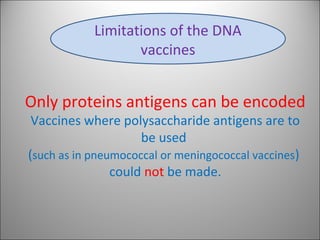
Only proteins antigens can be encoded
Vaccines where polysaccharide antigens are to
be used
(such as in pneumococcal or meningococcal vaccines)
could not be made.
Limitations of the DNA
vaccines
Present Scenerio
Human trials are underway with several DNA vaccines
AIDS
Influenza
Ebola
Herpes virus
Malaria
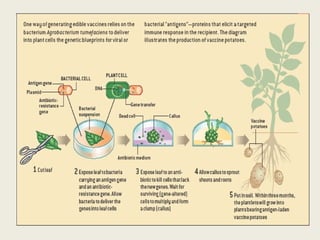
A vaccine in which an
antigenic protein is
engineered into an edible
plant;
after ingestion,
the protein stimulates the
immune system of the host.
EDIBLE VACCINE
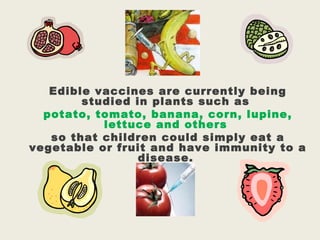
Edible vaccines are currently being
studied in plants such as
potato, tomato, banana, corn, lupine,
lettuce and others
so that children could simply eat a
vegetable or fruit and have immunity to a
disease.
Shoud I take Injection
Or
Should I Eat Banana?
CHOICE IS YOURS
Recombinant vaccines are in pipeline
for
Cancer
Filaria
Diarrhoea
AIDS
Influenza
Ebola
Herpes
Malaria
Near Future
possibilities
THANKS TO ALL!!!
THE END….
ANY QUERIES… … … …

Recombinant vaccines

  • 1.
    WEL-COME PRESENTATION ON “RECOMBINANT VACCINES” PRESENTED BY- AAYASHA HASAN B.Sc II SUPERVISED BY- Dr. J.B. CHAWLA
  • 2.
  • 3.
    PANDEMICS AND NOTABLE EPIDEMICS THROUGH HISTORY PLAGUE Europe'spopulation dropped by around 50% between 550 and 700 A.D. TYPHUS During World War I, typhus epidemics killed over 150,000 in Serbia. SMALLPOX Killed around 400,000 Europeans per year during the end of the 18th century. MALARIA Each year, there are approximately 350–500 million cases of malaria. TUBERCULOSIS Annually, 8 million people become ill with tuberculosis, and 2 million people die from the disease worldwide.
  • 4.
    Cholera epidemic More than20,000 pilgrims died of cholera during the 1907–08 in Mecca.
  • 5.
    Influenza epidemic October 1918,Influenza virus infected about one-third of the world‘s population.
  • 6.
    METHODS TO CONTROLTHE DISEASES  Destruction of the source Blocking the modes of transmission Protecting the susceptible host
  • 7.
    Most effective wayis to produce vaccination
  • 8.
    Any antigenic preparationwhich stimulates host immune system to form antibodies or T-Cells against it and which will protect the host against future infections is known as vaccines.
  • 9.
    Cost effective Effective aftera single dose Applicable to number of diseases Administered by a oral route Could be given early in life
  • 11.
     1ST GENERATION VACCINE Wholecells/virus particles. E.g.:-B.C.G; polio drops etc. 2ND GENERATION VACCINE Antigenic components of the organism. E.g.:-Tetanus toxoid;Hepatitis B virus vaccine; Pneumococcal vaccine(contains capsular polysaccharide).  3RD GENERATION VACCINE Plasmids/genes responsible for the antigen formation. E.g.:-DNA Vaccine. 3 CATEGORIES OF VACCINES
  • 12.
    DRAWBACKS OF TRADITIONAL VACCINES Notpossible for organisms which are difficult to cultivate. Yield of vaccine is low. Large number of antigens stimulate immune system which is not desirable. Danger of reverting back to pathogenic state.
  • 13.
    SUBUNIT VACCINE DNA VACCINE CONJUGATEVACCINE EDIBLE VACCINE Recombinant vaccines is having the potential to give safe and more effective vaccines TYPES
  • 14.
    These vaccines containproteins or peptides from pathogenic organisms prepared by recombinant DNA technology.
  • 15.
    CONJUGATE VACCINE The vaccineis prepared by conjugating the surface polysaccharides of Hib to a protein molecule.
  • 16.
  • 17.
    Bacterial cell Plasmid withforeign gene introduced into a suitable bacterial cell
  • 18.
  • 19.
    Plasmid DNA carrying Viralgene Purified from the bacterial cells DNA VACCINE
  • 21.
    The gene fromthe pathogen(viral gene) gets expressed by the host cells and antigen molecules formed stimulate both cellular and humoral immunity in the host. Plasmid DNA with viral gene Antigenic Protein
  • 22.
    DNA vaccines induceboth humoral and cell mediated immunity. DNA vaccines cause prolonged expression of the antigens,thus leads to longer protection. Refrigeration of DNA vaccine is not required which greatly lowers the cost and reduces complexity of delivery. Advantages of the DNA vaccines
  • 23.
    Only proteins antigenscan be encoded Vaccines where polysaccharide antigens are to be used (such as in pneumococcal or meningococcal vaccines) could not be made. Limitations of the DNA vaccines
  • 24.
    Present Scenerio Human trialsare underway with several DNA vaccines AIDS Influenza Ebola Herpes virus Malaria
  • 25.
    A vaccine inwhich an antigenic protein is engineered into an edible plant; after ingestion, the protein stimulates the immune system of the host. EDIBLE VACCINE
  • 27.
    Edible vaccines arecurrently being studied in plants such as potato, tomato, banana, corn, lupine, lettuce and others so that children could simply eat a vegetable or fruit and have immunity to a disease.
  • 28.
    Shoud I takeInjection Or Should I Eat Banana? CHOICE IS YOURS
  • 29.
    Recombinant vaccines arein pipeline for Cancer Filaria Diarrhoea AIDS Influenza Ebola Herpes Malaria Near Future possibilities
  • 30.
    THANKS TO ALL!!! THEEND…. ANY QUERIES… … … …

Editor's Notes

  • #11 SmartArt custom animation effects: continuous picture list (Basic) To reproduce the SmartArt effects on this slide, do the following: On the Home tab, in the Slides group, click Layout, and then click Blank. On the Insert tab, in the Illustrations group, click SmartArt. In the Choose a SmartArt Graphic dialog box, in the left pane, click List. In the List pane, double-click Continuous Picture List (third row, fourth option from the left) to insert the graphic into the slide. On the slide, select the graphic. Under SmartArt Tools, on the Format tab, click Size, and then do the following: In the Height box, enter 5.05”. In the Width box, enter 7.57”. Under SmartArt Tools, on the Format tab, click Arrange, click Align, and then do the following: Click Align to Slide. Click Align Middle. Click Align Center. Select the graphic, and then click one of the arrows on the left border. In the Type your text here dialog box, enter text. Select the graphic. Under SmartArt Tools, on the Design tab, in the SmartArt Styles group, click More, and then under Best Match for Document click select Moderate Effect (fourth option from the left). Click each of the three picture placeholders in the SmartArt graphic, and then in the Insert Picture dialog box, select a picture and click Insert. Press and hold CTRL, and then select the three circle pictures on the slide. Under Picture Tools, on the Format tab, in the Picture Styles group, click Picture Effects, point to Glow, and then do the following: Under Glow Variations, click Accent color 1, 8 pt glow (second row, first option from the left). Point to More Glow Colors, and then under Theme Colors click Orange, Accent 6, Lighter 80% (second row, 10th option from the left). Select the left-right arrow at the bottom of the SmartArt graphic. Under SmartArt Tools, on the Format tab, in the Shape Styles group, click the arrow next to Shape Fill, point to Gradient, and then click More Gradients. In the Format Shape dialog box, click Fill in the left pane, select Gradient fill in the Fill pane, and then do the following: In the Type list, select Linear. Click the button next to Direction, and then select Linear Right (first row, fourth option from the left). Under Gradient stops, click Add or Remove until three stops appear in the drop-down list. Also under Gradient stops, customize the gradient stops as follows: Select Stop 1 from the list, and then do the following: In the Stop position box, enter 0%. Click the button next to Color, and then under Theme Colors click Orange, Accent 6, Darker 25% (fifth row, 10th option from the left). Select Stop 2 from the list, and then do the following: In the Stop position box, enter 50%. Click the button next to Color, and then click More Colors. In the Colors dialog box, on the Custom tab, enter values for Red: 255, Green: 192, Blue: 0. Select Stop 3 from the list, and then do the following: In the Stop position box, enter 100%. Click the button next to Color, and then under Theme Colors click Orange, Accent 6, Darker 25% (fifth row, 10th option from the left). Press and hold CTRL, and then select the three rounded rectangles on the slide. On the Home tab, in the Font group, select Gill Sans MT from the Font list, enter 30 pt in the Font Size box, click the arrow next to Font Color, and then click White, Background 1 (first row, first option from the left). Under SmartArt Tools, on the Format tab, in the Shape Styles group, click Shape Effects, point to Reflection, and then under Reflection Variations click Tight reflection, touching (first row, first option from the left). Under SmartArt Tools, on the Format tab, in the Shape Styles group, click Shape Fill, point to Gradient, and then click More Gradients. In the Format Shape dialog box, in the left pane, click Fill, select Gradient fill in the Fill pane, and then do the following: In the Type list, select Linear. In the Direction list, select Linear Down (first row, second option from the left). Under Gradient stops, click Add or Remove until two stops appear in the drop-down list. Also under Gradient stops, customize the gradient stops as follows: Select Stop 1 from the list, and then do the following: In the Stop position box, enter 19%. Click the button next to Color, and then under Theme Colors click Black, Text 1 (first row, second option from the left). Select Stop 2 from the list, and then do the following: In the Stop position box, enter 100%. Click the button next to Color, and then under Theme Colors click Black, Text 1, Lighter 50% (second row, second option from the left). To reproduce the animation effects on this slide, do the following: On the Animations tab, in the Animations group, click Custom Animation. On the slide, select the graphic. In the Custom Animation task pane, do the following: Click Add Effect, point to Entrance, and then click More Effects. In the Add Entrance Effect dialog box, under Moderate, click Stretch. Under Modify: Stretch, in the Speed list, select Fast. Also in the Custom Animation task pane, click the arrow to the right of the animation effect, and then click Effect Options. In the Stretch dialog box, on the SmartArt Animation tab, in the Group graphic list, select One by One. Also in the Custom Animation task pane, click the double arrows under the animation effect to expand the list of effects. Press and hold CTRL, and then select all of the animation effects in the Custom Animation task pane. Under Modify: Stretch, in the Start list, select With Previous. Select the first animation effect (stretch effect for the left-right arrow) in the Custom Animation task pane. Under Modify: Stretch, click the arrow to the right of the effect, and then click Timing. In the Stretch dialog box, on the Timing tab, do the following: In the Delay box, enter 0.5. In the Speed box, enter 1.5 seconds. Press and hold CTRL, and then select the second and third animation effects (stretch effects for the left panel) in the Custom Animation task pane. Under Modify: Stretch, in the Direction list, select From Right. Also in the Custom Animation task pane, with the second and third animation effects still selected, click the arrow to the right of one of those effects, and then click Timing. In the Stretch dialog box, on the Timing tab, in the Delay box, enter 1, and then click OK. Press and hold CTRL, and then select the sixth and seventh animation effects (stretch effects for the right panel) in the Custom Animation task pane. Under Modify: Stretch, in the Direction list, select From Left. Also in the Custom Animation task pane, with the sixth and seventh animation effects still selected, click the arrow to the right of one of those effects, and then click Timing. In the Stretch dialog box, on the Timing tab, in the Delay box, enter 1. To reproduce the background effects on this slide, do the following: Right-click the slide background area, and then click Format Background. In the Format Background dialog box, click Fill in the left pane, select Gradient fill in the Fill pane, and then do the following: In the Type list, select Radial. Click the button next to Direction, and then click From Center (third option from the left). Under Gradient stops, click Add or Remove until two stops appear in the drop-down list. Also under Gradient stops, customize the gradient stops as follows: Select Stop 1 from the list, and then do the following: In the Stop position box, enter 0%. Click the button next to Color, and then under Theme Colors click White, Background 1 (first row, first option from the left). Select Stop 2 from the list, and then do the following: In the Stop position box, enter 100%. Click the button next to Color, and then under Theme Colors click Black, Text 1, Lighter 25% (fourth row, second option from the left).