Rapid
Application
Development
Damian Gordon
Rapid
Application
Development
Damian Gordon
Contents
1. Overview
2. Details
3. Advantages
4. Disadvantages
5. Interesting
6. Reflection
7. Review
8. Summary
1. Overview
Overview
• “Rapid Application Development” is a model
that represents one method as to how
software can be developed.
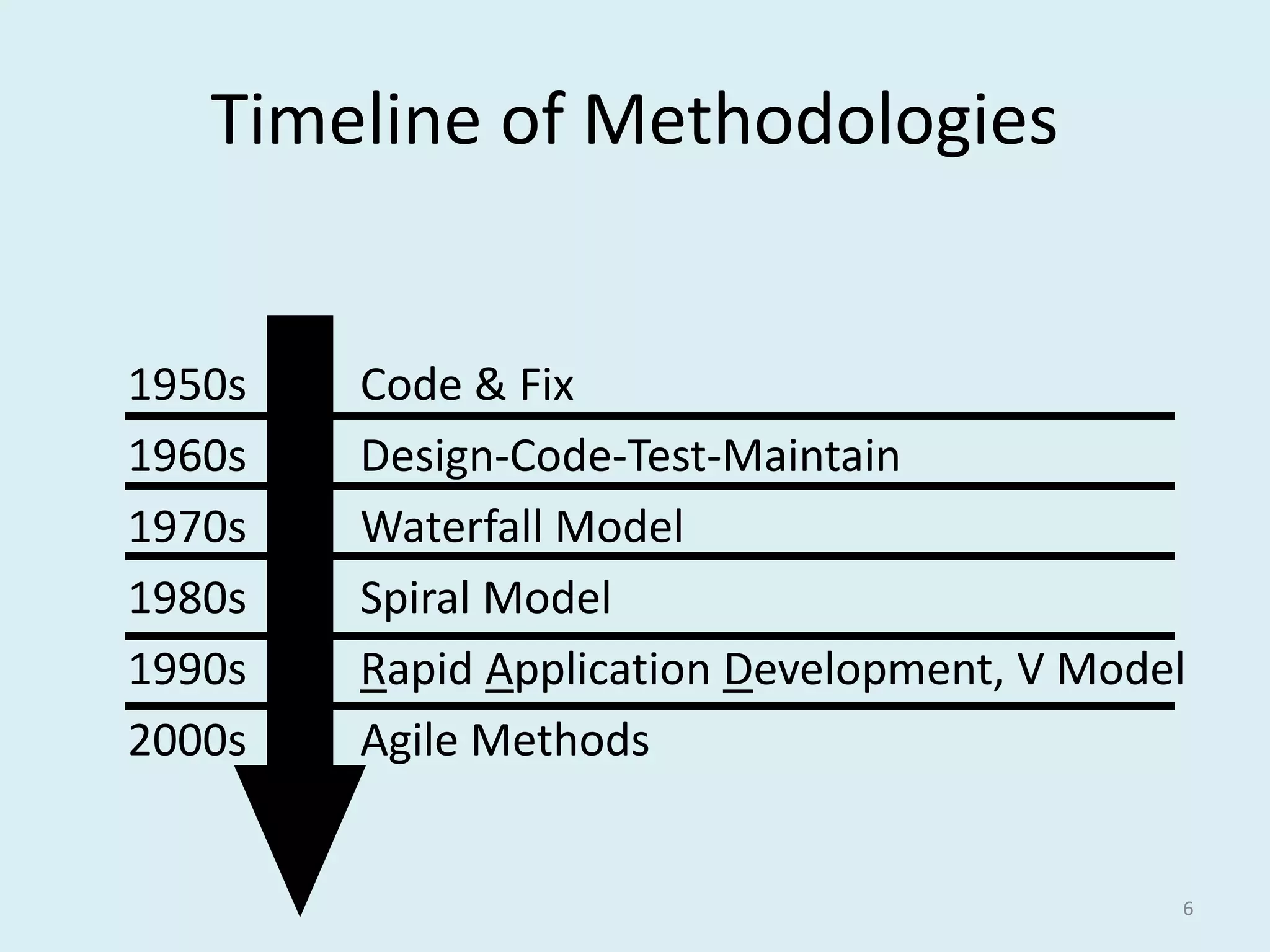
Timeline of Methodologies
6
1950s Code & Fix
1960s Design-Code-Test-Maintain
1970s Waterfall Model
1980s Spiral Model
1990s Rapid Application Development, V Model
2000s Agile Methods
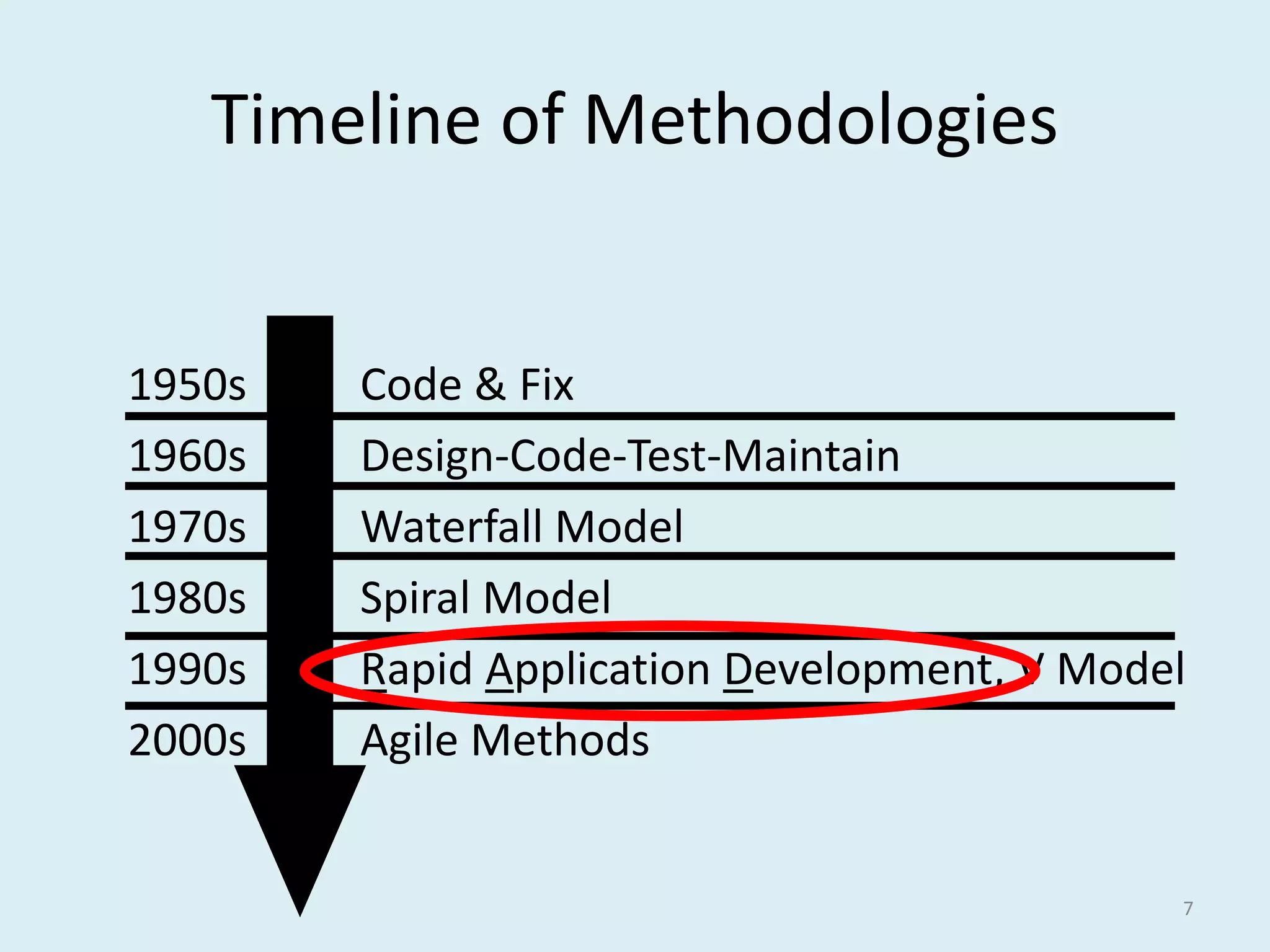
Timeline of Methodologies
7
1950s Code & Fix
1960s Design-Code-Test-Maintain
1970s Waterfall Model
1980s Spiral Model
1990s Rapid Application Development, V Model
2000s Agile Methods
Reference
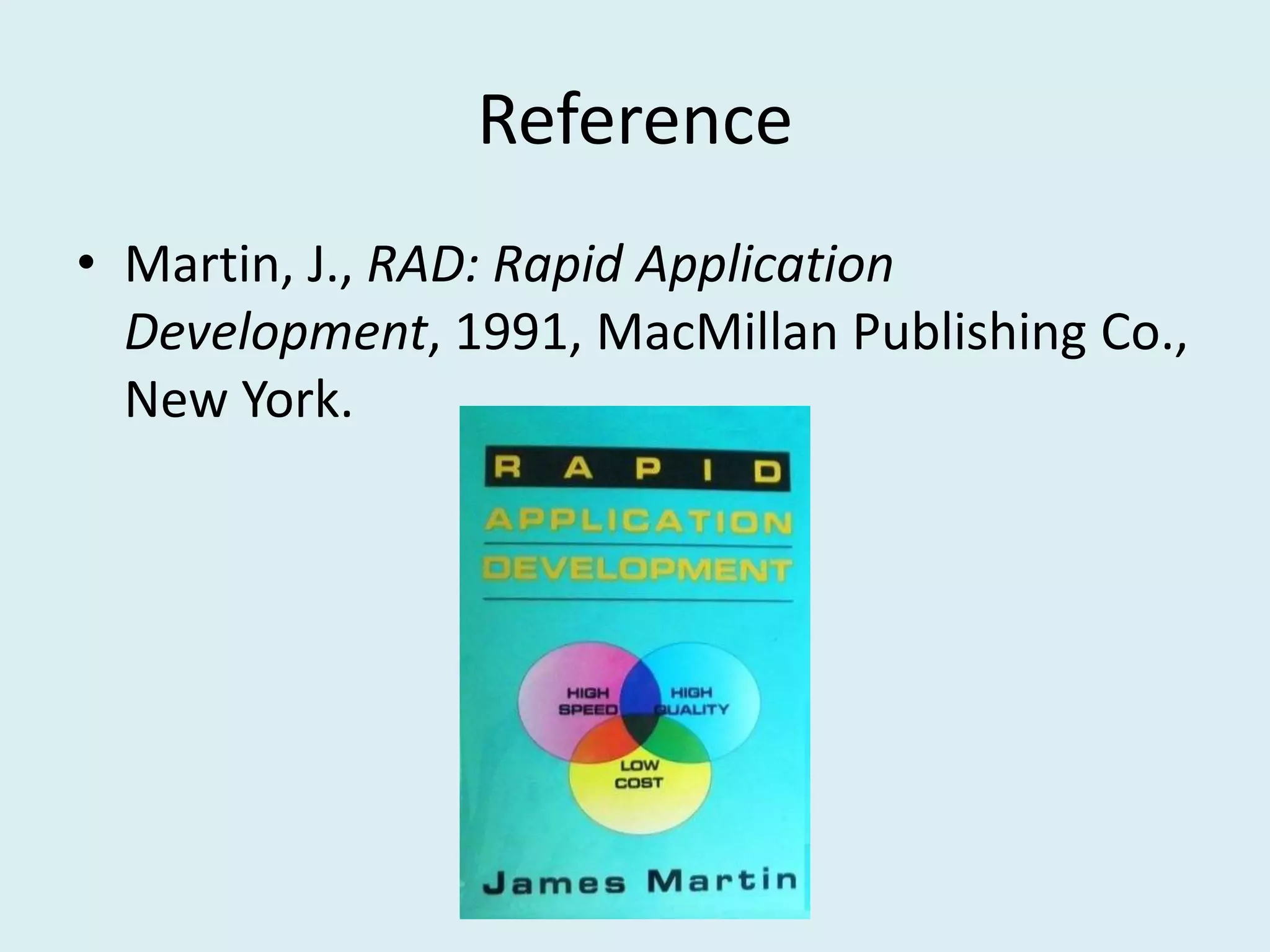
• Martin, J., RAD: Rapid Application
Development, 1991, MacMillan Publishing Co.,
New York.
Reference
• Martin, J., RAD: Rapid Application
Development, 1991, MacMillan Publishing Co.,
New York.
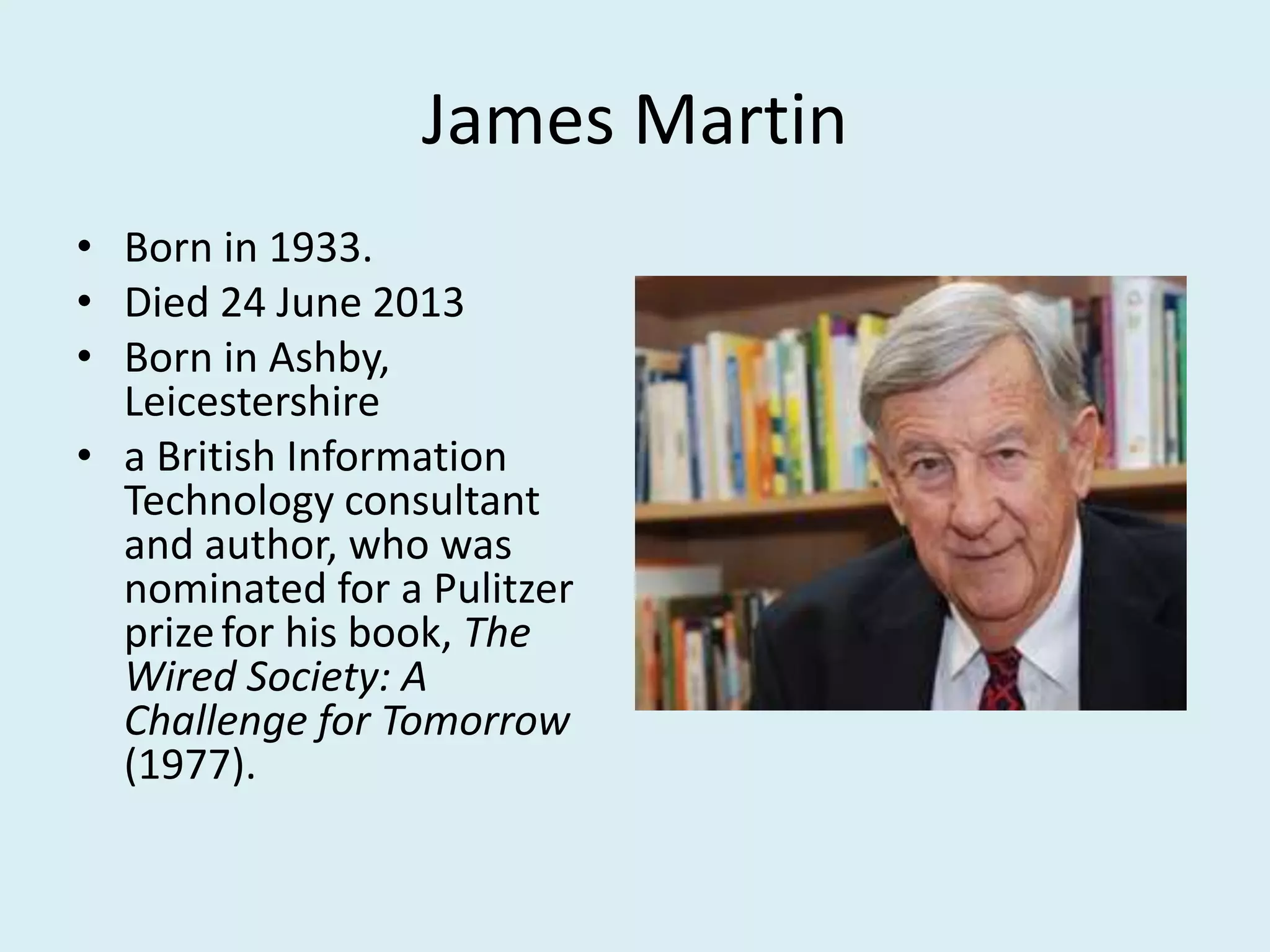
James Martin
• Born in 1933.
• Died 24 June 2013
• Born in Ashby,
Leicestershire
• a British Information
Technology consultant
and author, who was
nominated for a Pulitzer
prizefor his book, The
Wired Society: A
Challenge for Tomorrow
(1977).
2. Details
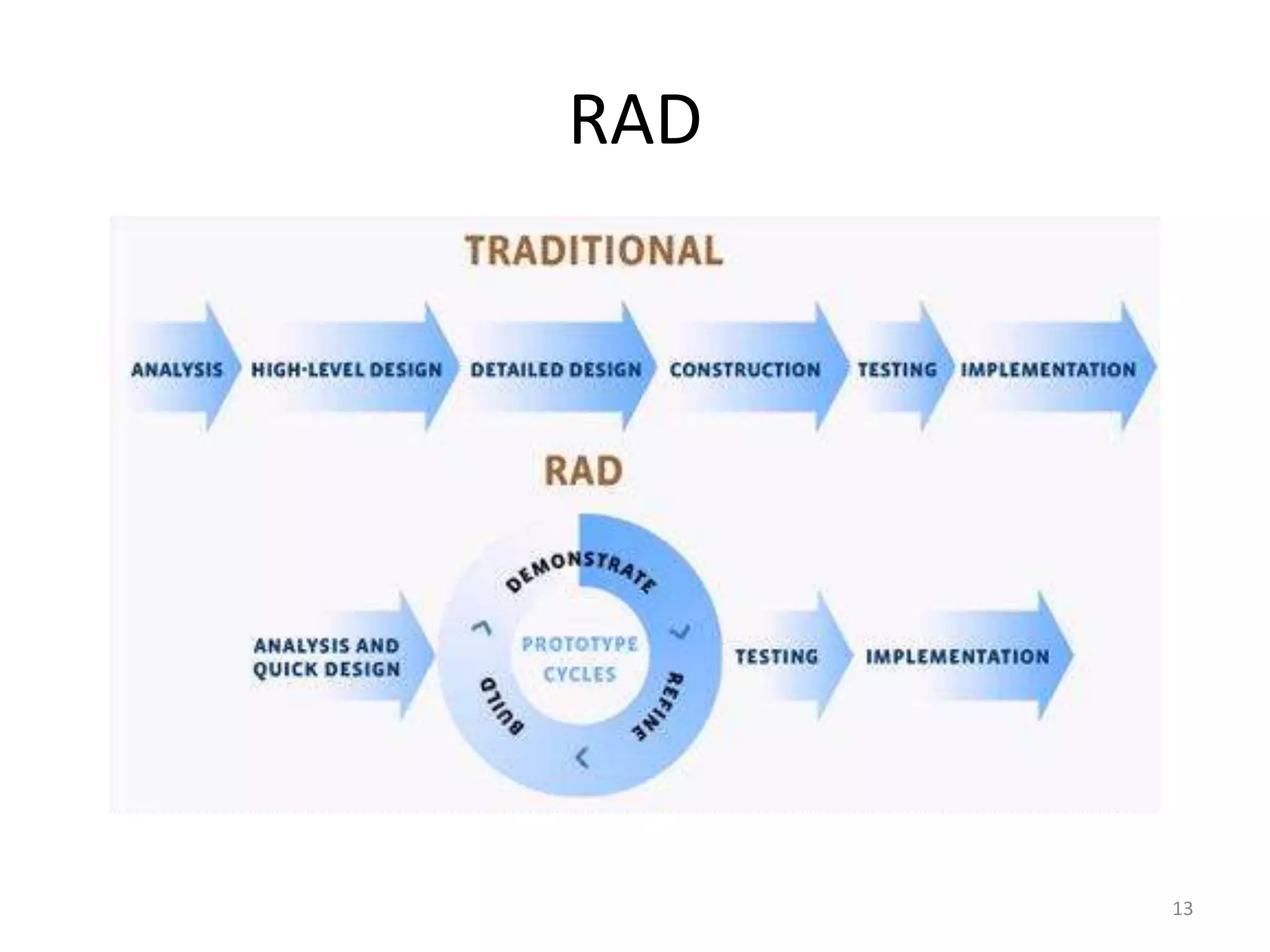
13
RAD
14
RAD
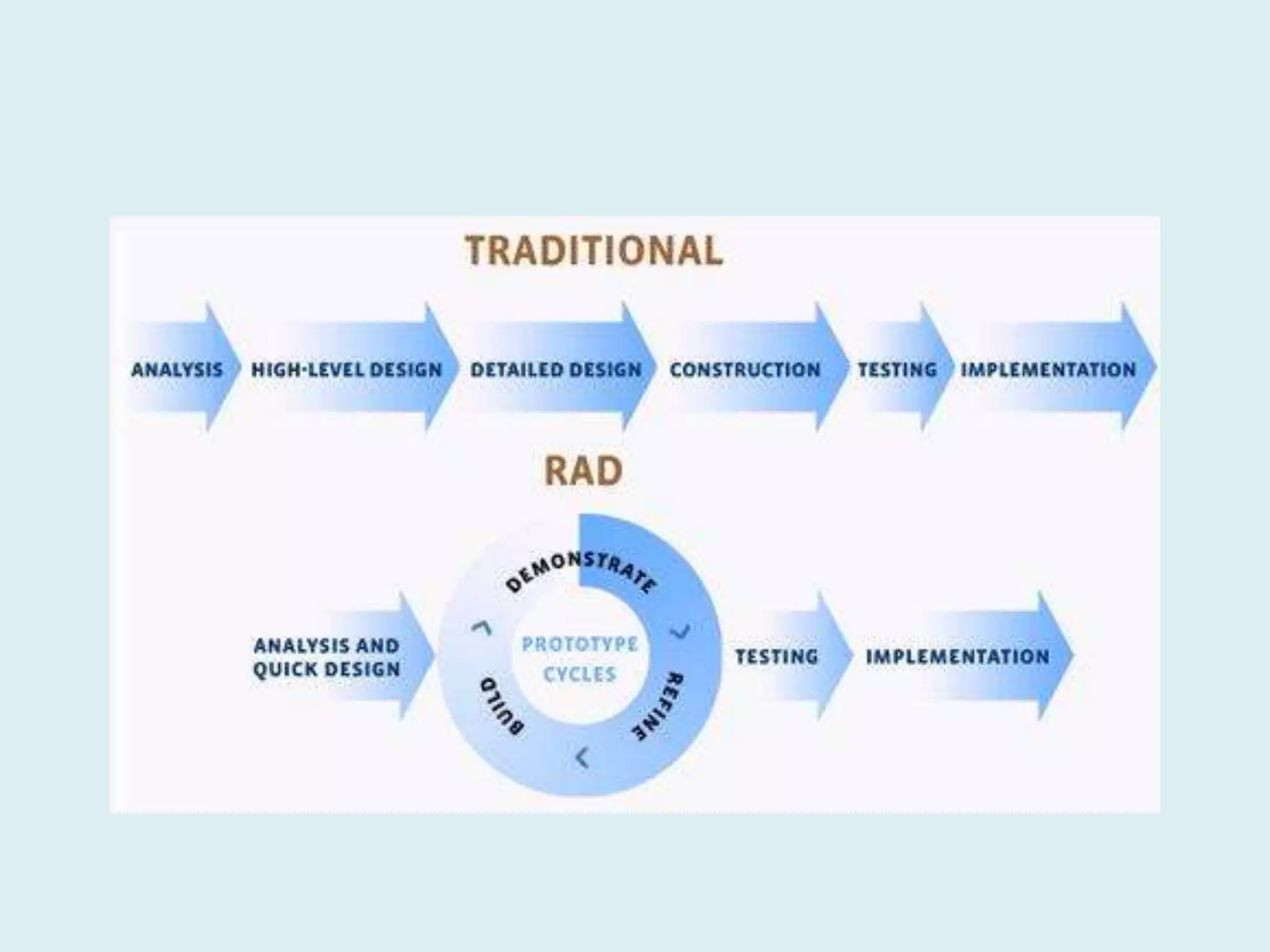
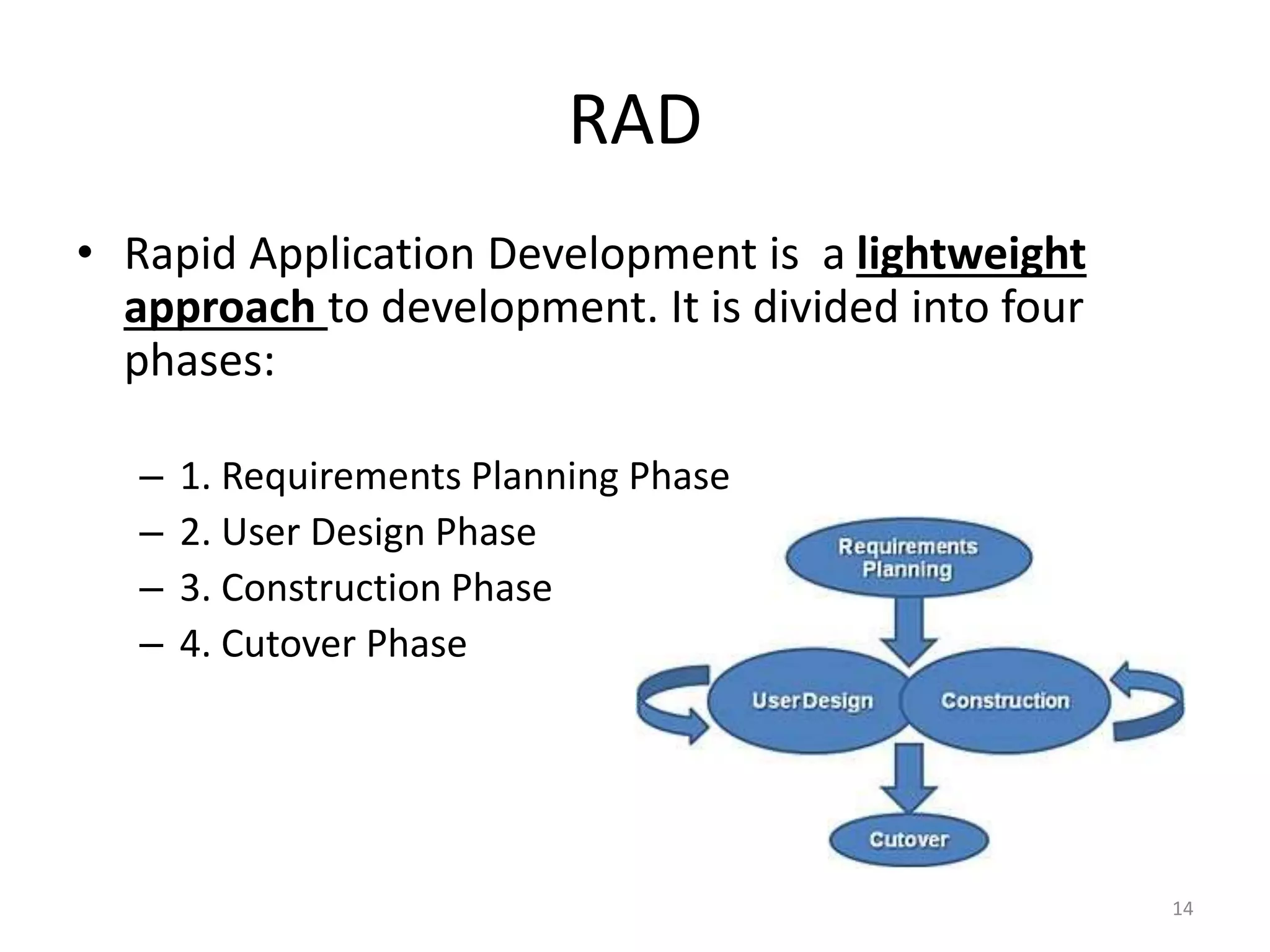
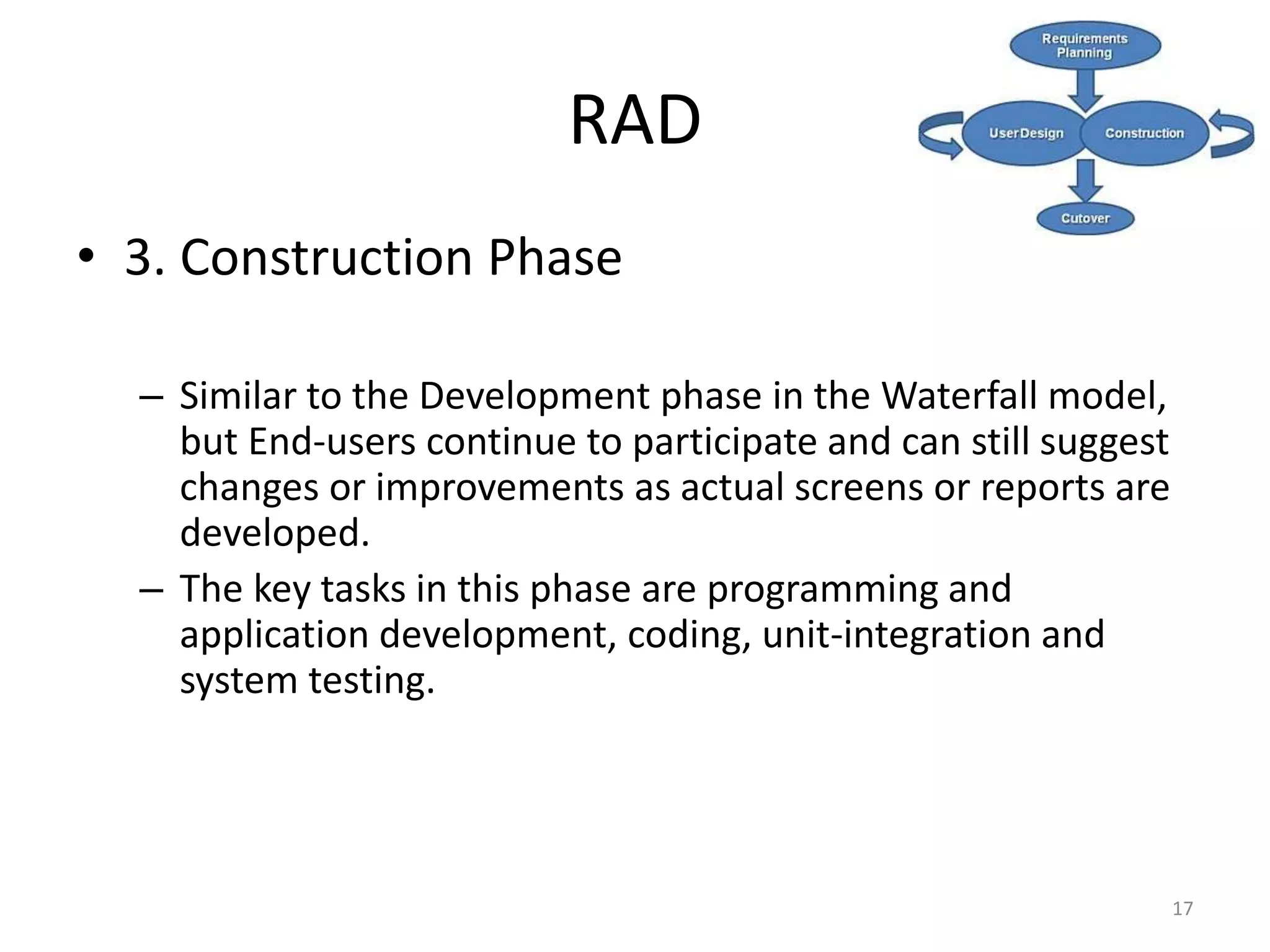
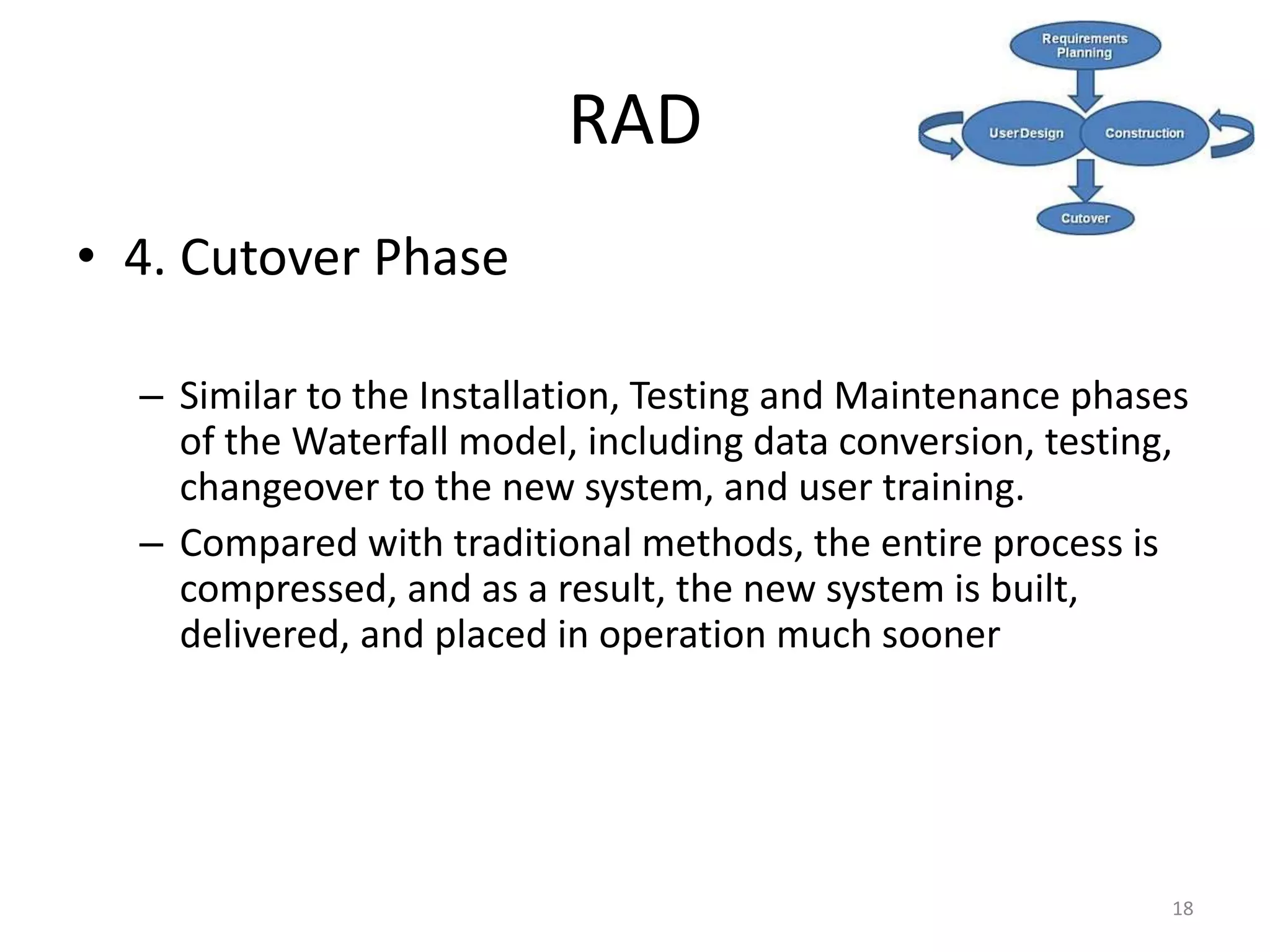
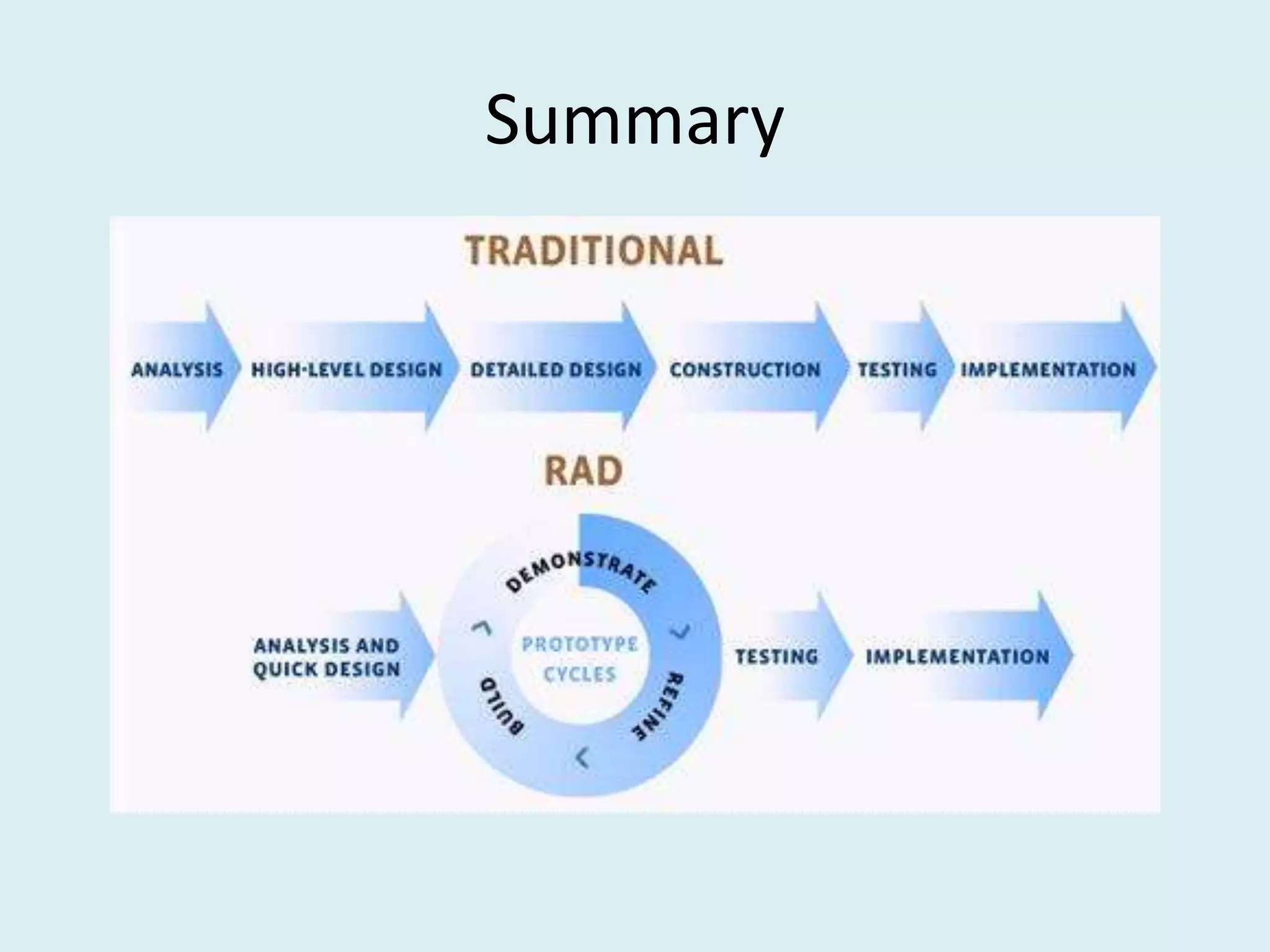
• Rapid Application Development is a lightweight
approach to development. It is divided into four
phases:
– 1. Requirements Planning Phase
– 2. User Design Phase
– 3. Construction Phase
– 4. Cutover Phase
15
RAD
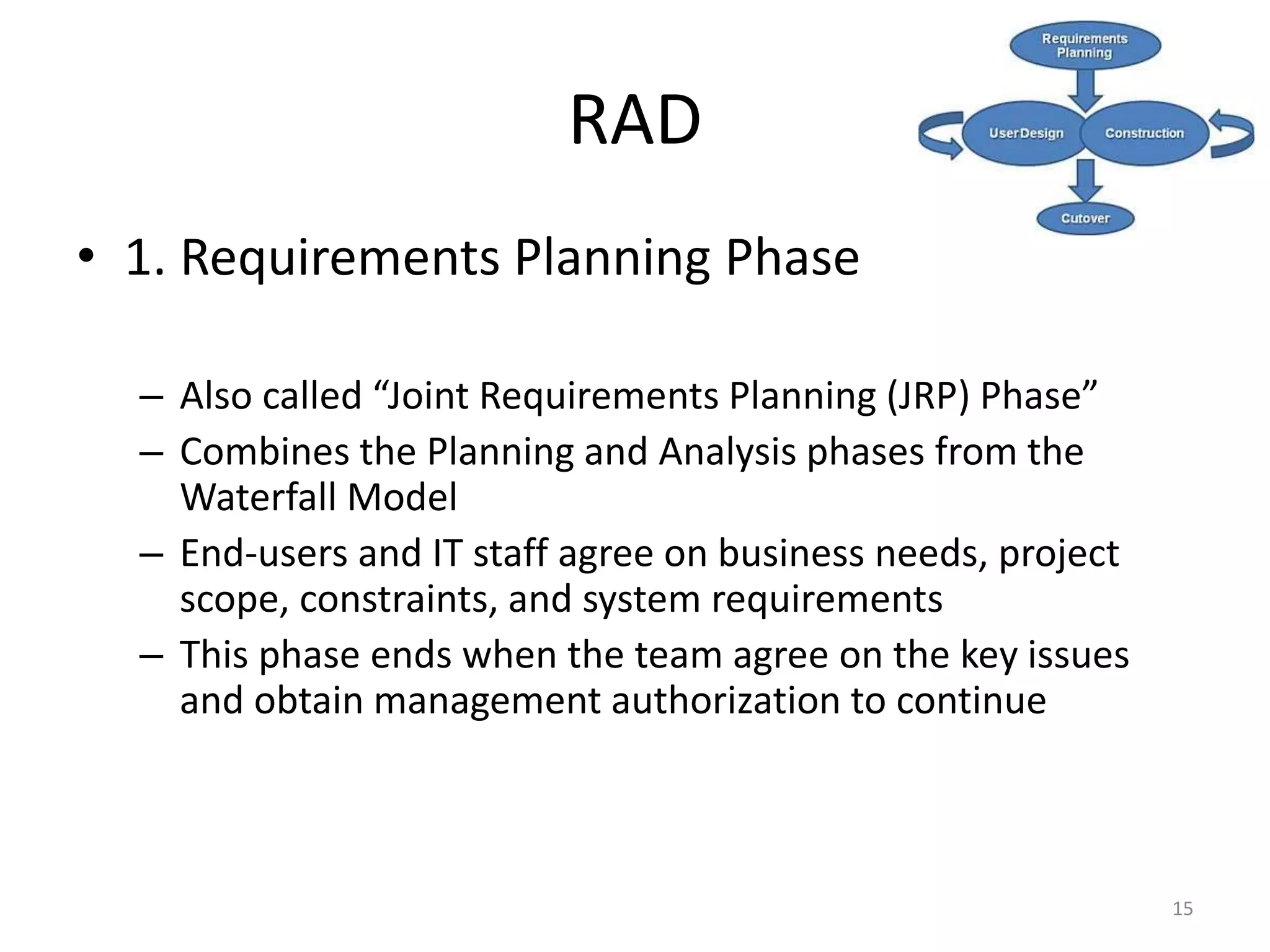
• 1. Requirements Planning Phase
– Also called “Joint Requirements Planning (JRP) Phase”
– Combines the Planning and Analysis phases from the
Waterfall Model
– End-users and IT staff agree on business needs, project
scope, constraints, and system requirements
– This phase ends when the team agree on the key issues
and obtain management authorization to continue
16
RAD
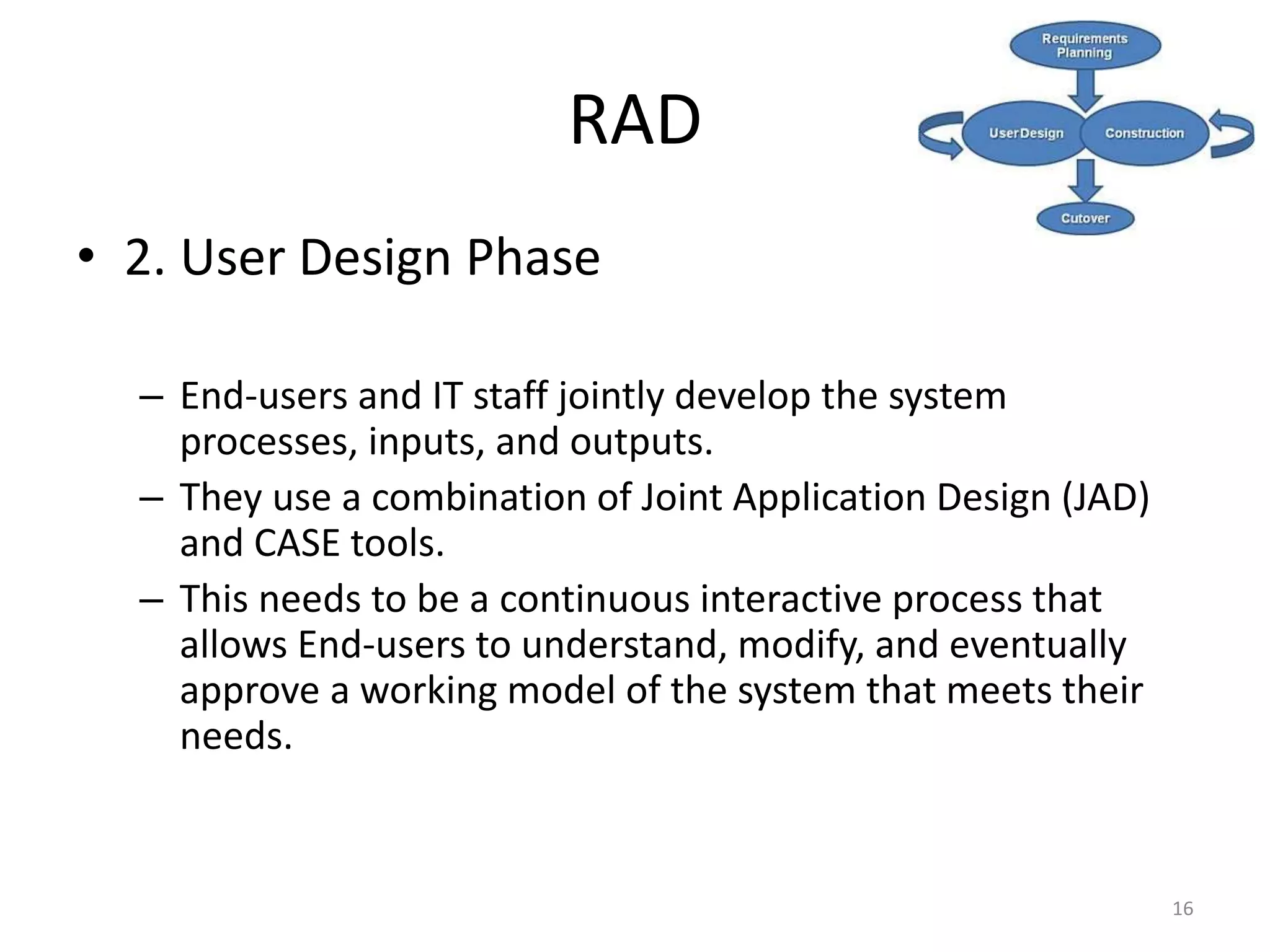
• 2. User Design Phase
– End-users and IT staff jointly develop the system
processes, inputs, and outputs.
– They use a combination of Joint Application Design (JAD)
and CASE tools.
– This needs to be a continuous interactive process that
allows End-users to understand, modify, and eventually
approve a working model of the system that meets their
needs.
17
RAD
• 3. Construction Phase
– Similar to the Development phase in the Waterfall model,
but End-users continue to participate and can still suggest
changes or improvements as actual screens or reports are
developed.
– The key tasks in this phase are programming and
application development, coding, unit-integration and
system testing.
18
RAD
• 4. Cutover Phase
– Similar to the Installation, Testing and Maintenance phases
of the Waterfall model, including data conversion, testing,
changeover to the new system, and user training.
– Compared with traditional methods, the entire process is
compressed, and as a result, the new system is built,
delivered, and placed in operation much sooner
19
RAD
20
RAD
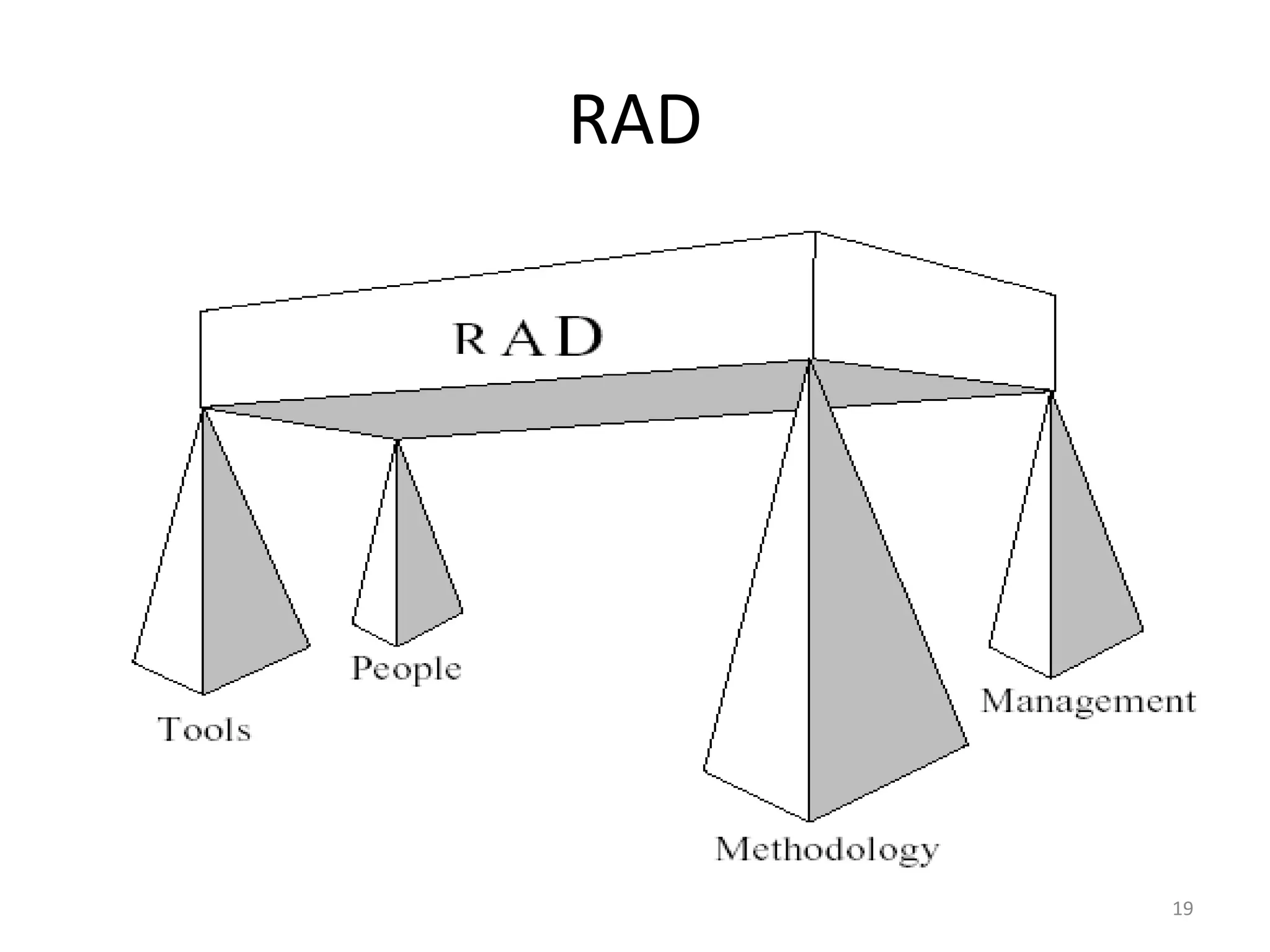
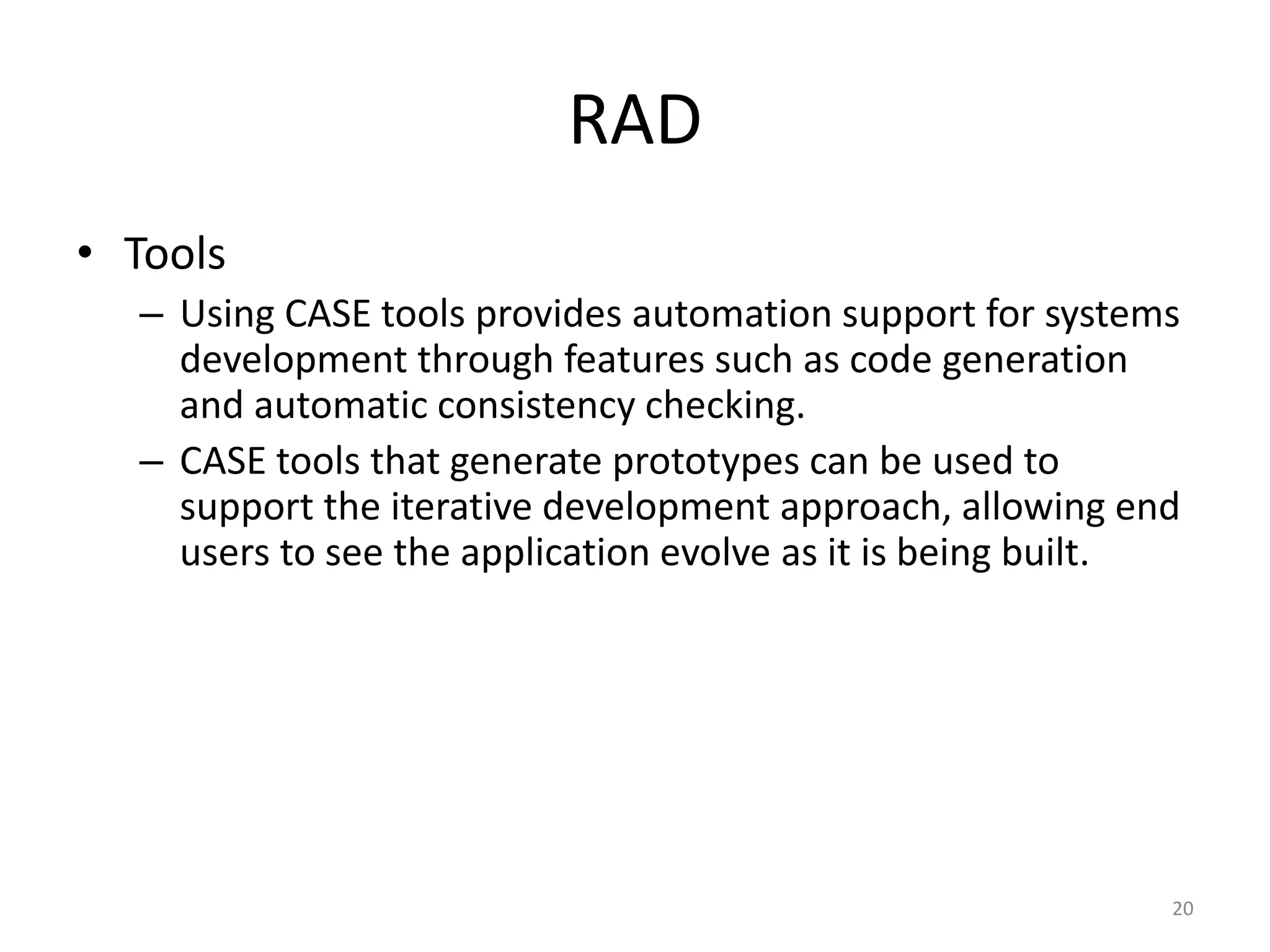
• Tools
– Using CASE tools provides automation support for systems
development through features such as code generation
and automatic consistency checking.
– CASE tools that generate prototypes can be used to
support the iterative development approach, allowing end
users to see the application evolve as it is being built.
21
RAD
• Methodology
– The most effective family of techniques must be
formalised and used to deliver the system.
– A complete list of tasks is provided to ensure that no
essential activity is overlooked, while techniques are fully
documented to ensure that a task is performed in the
proper way.
22
RAD
• People
– The best people must be well-trained in both the
methodology and the tools.
– Small teams that work consistently well together should be
grouped together on assignments.
23
RAD
• Management
– The project must be managed for speed through the use of
techniques such as facilitated Joint Requirements Planning
(JRP) and Joint Application Design (JAD) workshops to
extract users' requirements quickly.
– Timebox Management is used in Rapid Construction to
iteratively deliver the system to the users.
3. Advantages
Advantages
• Significantly reduced development time
compared to other models.
Advantages
• The approach increases reusability of
components
Advantages
• Quick initial reviews occur
Advantages
• It encourages customer feedback
Advantages
• Integration from very beginning solves a lot of
integration issues.
4. Disadvantages
Disadvantages
• Depends on strong team and individual
performances for identifying business
requirements.
Disadvantages
• Only system that can be easily modularized
can be built using RAD.
Disadvantages
• Requires highly skilled developers/designers.
Disadvantages
• High dependency on modelling skills.
Disadvantages
• Inapplicable to cheaper projects as cost of
modelling and automated code generation is
very high.
5. Interesting
Interesting
• RAD is a way to deliver systems very fast, but it
should be noted that the longer a project, the
greater its likelihood of failure.
38
Interesting
• RAD uses proven technologies and methodologies
effectively.
39
Interesting
• RAD should be used when there is a need to create a
system that can be modularized in 2-3 months of
time.
40
Interesting
• RAD should only be used be used:
– if there’s high availability of designers for
modelling
– if the budget is high enough to afford their cost
along with the cost of automated code generating
tools.
– if resources with high business knowledge are
available and there is a need to produce the
system in a short span of time (2-3 months).
Interesting
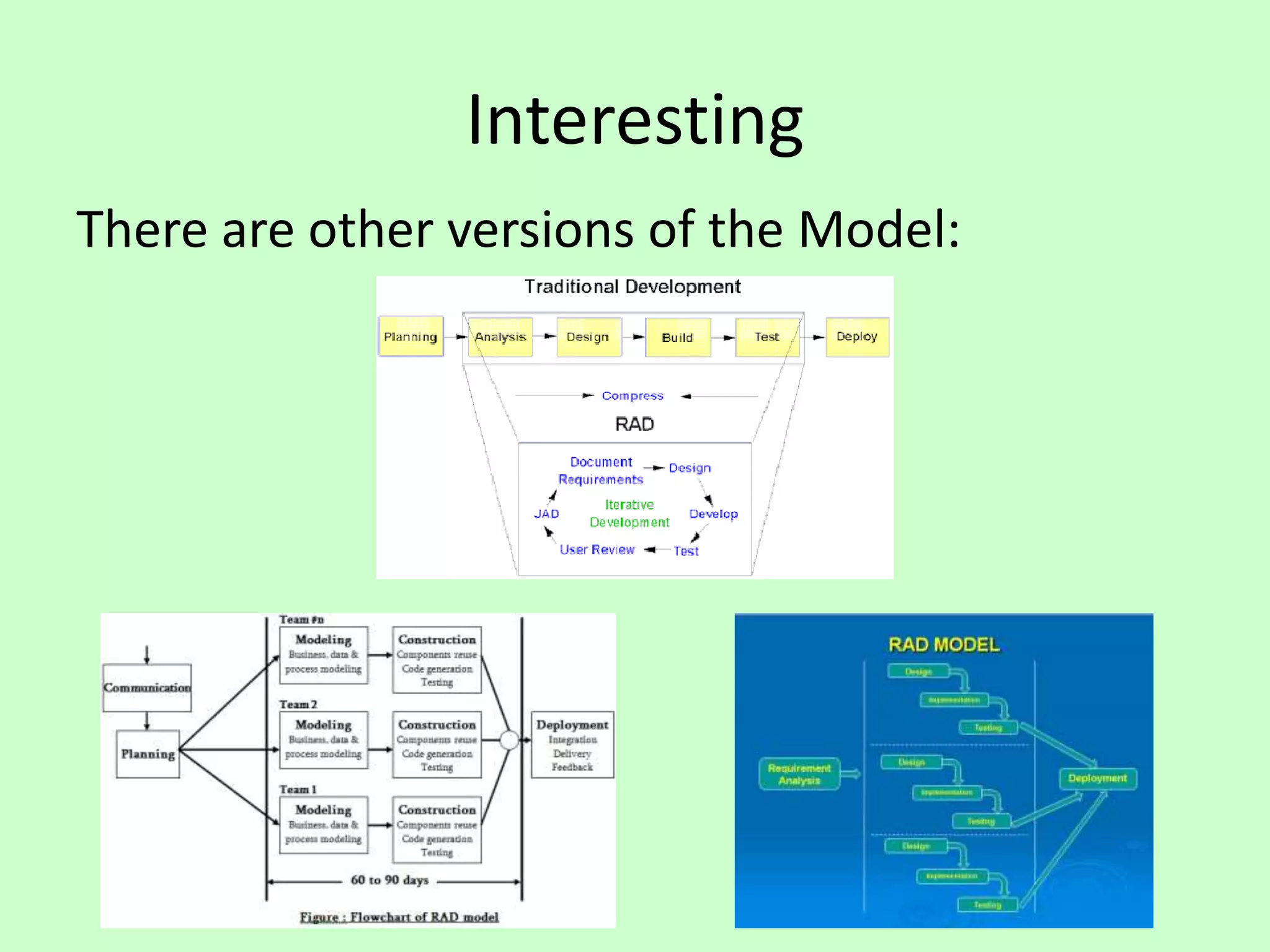
There are other versions of the Model:
6. Reflections
43
RAD
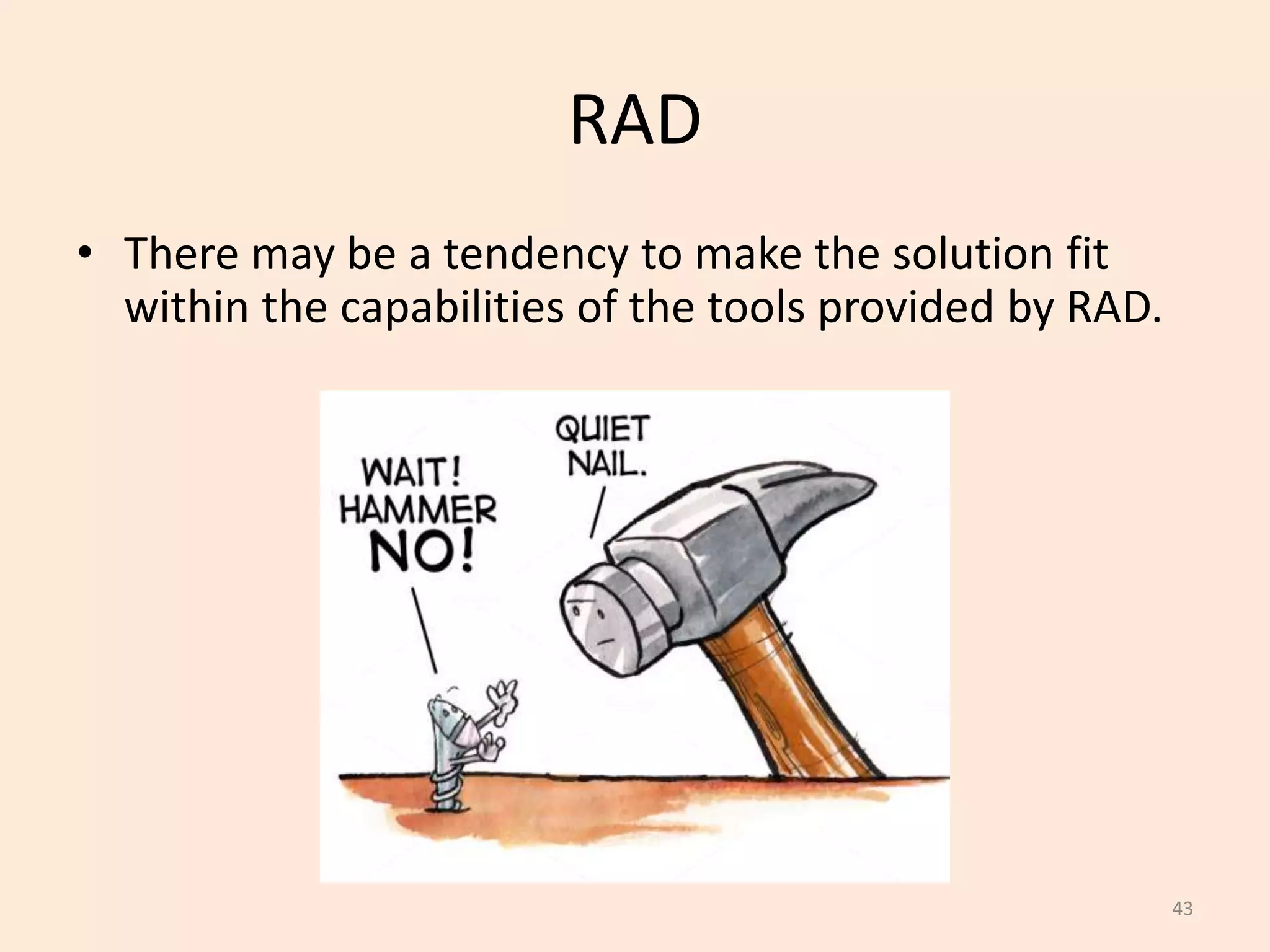
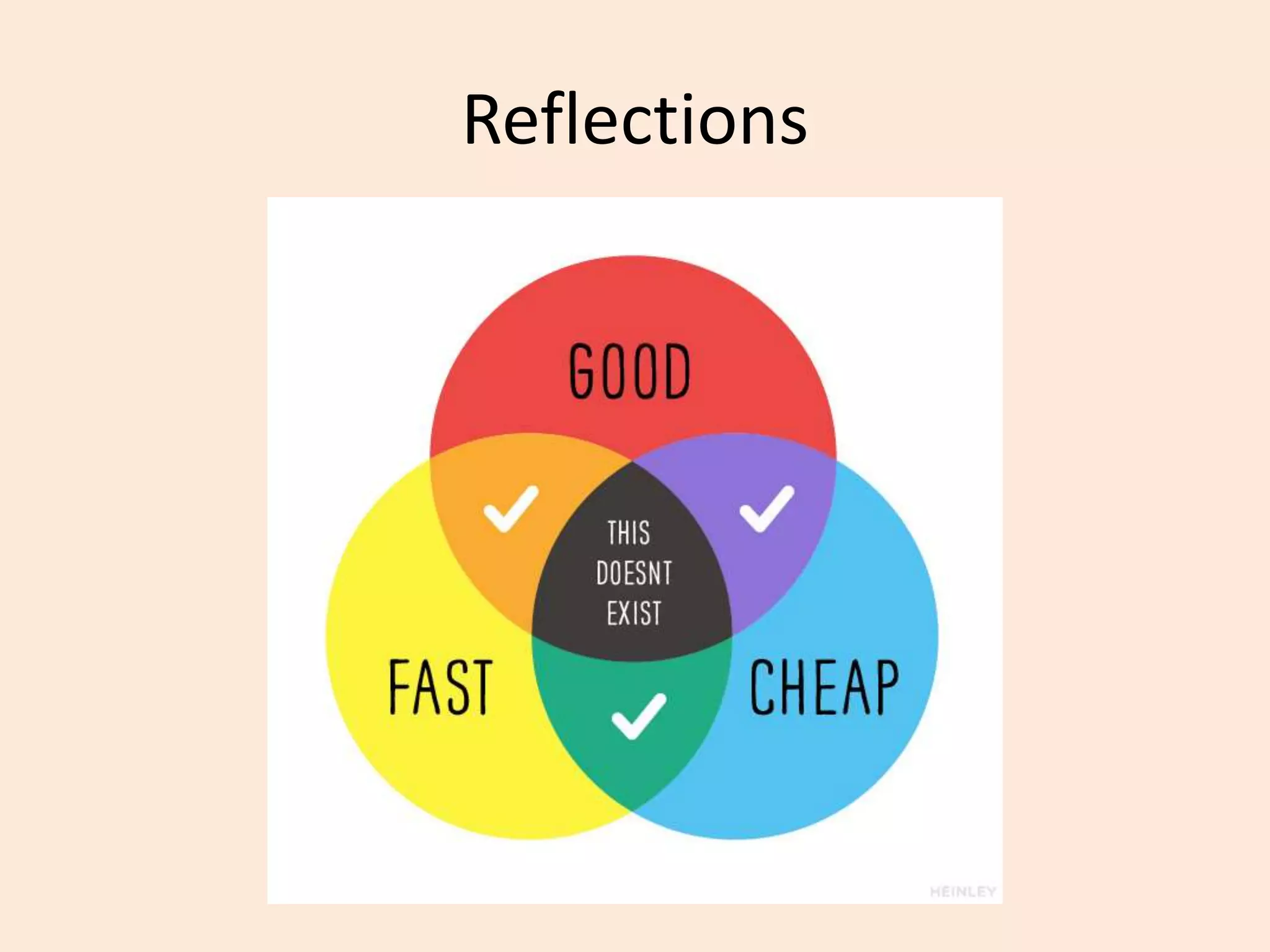
• There may be a tendency to make the solution fit
within the capabilities of the tools provided by RAD.
44
RAD
• RAD can’t be used in all situations, and required
highly motived and skills IT staff and End-users.
45
RAD
• Modelling might include:
– Data Flow Diagram
– UML Activity Models
– Use Case Diagrams
– Interaction Sequence Diagrams
46
RAD
• Software Tools might include:
– MicroSoft Visio (drawing tool)
– FileMaker (wed publishing)
– MicroSoft Access (front-end & back-end prototypes)
– Visual Basic (GUIs)
– Oracle Enterprise Development Suite
– Microsoft Visual Studio (front-end & back-end prototypes)
– Rational Rose XDE (drawing tool)
Reflections
7. Review
Review
• What did we learn?
8. Summary
Summary
Rapid Application Development Model

Rapid Application Development Model

  • 1.
  • 2.
    Contents 1. Overview 2. Details 3.Advantages 4. Disadvantages 5. Interesting 6. Reflection 7. Review 8. Summary
  • 4.
  • 5.
    Overview • “Rapid ApplicationDevelopment” is a model that represents one method as to how software can be developed.
  • 6.
    Timeline of Methodologies 6 1950sCode & Fix 1960s Design-Code-Test-Maintain 1970s Waterfall Model 1980s Spiral Model 1990s Rapid Application Development, V Model 2000s Agile Methods
  • 7.
    Timeline of Methodologies 7 1950sCode & Fix 1960s Design-Code-Test-Maintain 1970s Waterfall Model 1980s Spiral Model 1990s Rapid Application Development, V Model 2000s Agile Methods
  • 9.
    Reference • Martin, J.,RAD: Rapid Application Development, 1991, MacMillan Publishing Co., New York.
  • 10.
    Reference • Martin, J.,RAD: Rapid Application Development, 1991, MacMillan Publishing Co., New York.
  • 11.
    James Martin • Bornin 1933. • Died 24 June 2013 • Born in Ashby, Leicestershire • a British Information Technology consultant and author, who was nominated for a Pulitzer prizefor his book, The Wired Society: A Challenge for Tomorrow (1977).
  • 12.
  • 13.
  • 14.
    14 RAD • Rapid ApplicationDevelopment is a lightweight approach to development. It is divided into four phases: – 1. Requirements Planning Phase – 2. User Design Phase – 3. Construction Phase – 4. Cutover Phase
  • 15.
    15 RAD • 1. RequirementsPlanning Phase – Also called “Joint Requirements Planning (JRP) Phase” – Combines the Planning and Analysis phases from the Waterfall Model – End-users and IT staff agree on business needs, project scope, constraints, and system requirements – This phase ends when the team agree on the key issues and obtain management authorization to continue
  • 16.
    16 RAD • 2. UserDesign Phase – End-users and IT staff jointly develop the system processes, inputs, and outputs. – They use a combination of Joint Application Design (JAD) and CASE tools. – This needs to be a continuous interactive process that allows End-users to understand, modify, and eventually approve a working model of the system that meets their needs.
  • 17.
    17 RAD • 3. ConstructionPhase – Similar to the Development phase in the Waterfall model, but End-users continue to participate and can still suggest changes or improvements as actual screens or reports are developed. – The key tasks in this phase are programming and application development, coding, unit-integration and system testing.
  • 18.
    18 RAD • 4. CutoverPhase – Similar to the Installation, Testing and Maintenance phases of the Waterfall model, including data conversion, testing, changeover to the new system, and user training. – Compared with traditional methods, the entire process is compressed, and as a result, the new system is built, delivered, and placed in operation much sooner
  • 19.
  • 20.
    20 RAD • Tools – UsingCASE tools provides automation support for systems development through features such as code generation and automatic consistency checking. – CASE tools that generate prototypes can be used to support the iterative development approach, allowing end users to see the application evolve as it is being built.
  • 21.
    21 RAD • Methodology – Themost effective family of techniques must be formalised and used to deliver the system. – A complete list of tasks is provided to ensure that no essential activity is overlooked, while techniques are fully documented to ensure that a task is performed in the proper way.
  • 22.
    22 RAD • People – Thebest people must be well-trained in both the methodology and the tools. – Small teams that work consistently well together should be grouped together on assignments.
  • 23.
    23 RAD • Management – Theproject must be managed for speed through the use of techniques such as facilitated Joint Requirements Planning (JRP) and Joint Application Design (JAD) workshops to extract users' requirements quickly. – Timebox Management is used in Rapid Construction to iteratively deliver the system to the users.
  • 24.
  • 25.
    Advantages • Significantly reduceddevelopment time compared to other models.
  • 26.
    Advantages • The approachincreases reusability of components
  • 27.
  • 28.
  • 29.
    Advantages • Integration fromvery beginning solves a lot of integration issues.
  • 30.
  • 31.
    Disadvantages • Depends onstrong team and individual performances for identifying business requirements.
  • 32.
    Disadvantages • Only systemthat can be easily modularized can be built using RAD.
  • 33.
    Disadvantages • Requires highlyskilled developers/designers.
  • 34.
  • 35.
    Disadvantages • Inapplicable tocheaper projects as cost of modelling and automated code generation is very high.
  • 36.
  • 37.
    Interesting • RAD isa way to deliver systems very fast, but it should be noted that the longer a project, the greater its likelihood of failure.
  • 38.
    38 Interesting • RAD usesproven technologies and methodologies effectively.
  • 39.
    39 Interesting • RAD shouldbe used when there is a need to create a system that can be modularized in 2-3 months of time.
  • 40.
    40 Interesting • RAD shouldonly be used be used: – if there’s high availability of designers for modelling – if the budget is high enough to afford their cost along with the cost of automated code generating tools. – if resources with high business knowledge are available and there is a need to produce the system in a short span of time (2-3 months).
  • 41.
    Interesting There are otherversions of the Model:
  • 42.
  • 43.
    43 RAD • There maybe a tendency to make the solution fit within the capabilities of the tools provided by RAD.
  • 44.
    44 RAD • RAD can’tbe used in all situations, and required highly motived and skills IT staff and End-users.
  • 45.
    45 RAD • Modelling mightinclude: – Data Flow Diagram – UML Activity Models – Use Case Diagrams – Interaction Sequence Diagrams
  • 46.
    46 RAD • Software Toolsmight include: – MicroSoft Visio (drawing tool) – FileMaker (wed publishing) – MicroSoft Access (front-end & back-end prototypes) – Visual Basic (GUIs) – Oracle Enterprise Development Suite – Microsoft Visual Studio (front-end & back-end prototypes) – Rational Rose XDE (drawing tool)
  • 47.
  • 48.
  • 49.
  • 50.
  • 51.