PERFORMING
COMPUTER
OPERATIONS
TLE_IACSS9- 12PCO-Ic-d-4
Most Essential Learning Competencies (MELC)
After going through this activity, you are expected
to:
a. Enter the data into the computer using appropriate
program/application in accordance with company procedures;
b. Access information using computer;
c. Use basic functions of a www - browser to locate information; and
d. Maintain computer equipment and systems
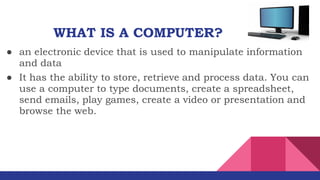
● an electronic device that is used to manipulate information
and data
WHAT IS A COMPUTER?
● It has the ability to store, retrieve and process data. You can
use a computer to type documents, create a spreadsheet,
send emails, play games, create a video or presentation and
browse the web.
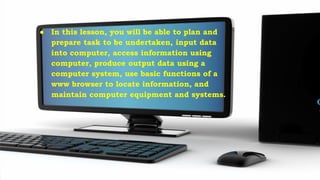
● In this lesson, you will be able to plan and
prepare task to be undertaken, input data
into computer, access information using
computer, produce output data using a
computer system, use basic functions of a
www browser to locate information, and
maintain computer equipment and systems.
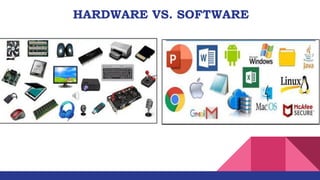
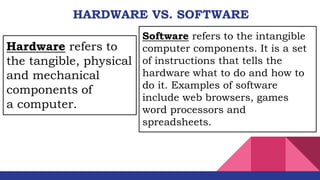
HARDWARE VS. SOFTWARE
Software refers to the intangible
computer components. It is a set
of instructions that tells the
hardware what to do and how to
do it. Examples of software
include web browsers, games
word processors and
spreadsheets.
Hardware refers to
the tangible, physical
and mechanical
components of
a computer.
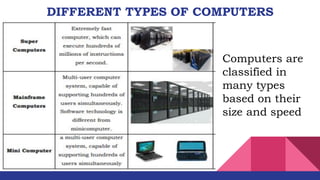
DIFFERENT TYPES OF COMPUTERS
Computers are
classified in
many types
based on their
size and speed
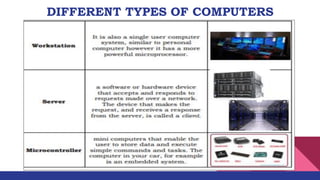
DIFFERENT TYPES OF COMPUTERS
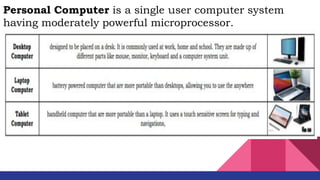
Personal Computer is a single user computer system
having moderately powerful microprocessor.
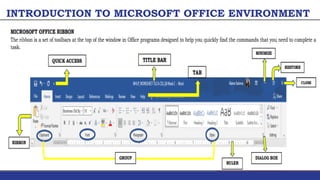
INTRODUCTION TO MICROSOFT OFFICE ENVIRONMENT
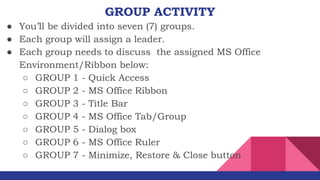
GROUP ACTIVITY
● You’ll be divided into seven (7) groups.
● Each group will assign a leader.
● Each group needs to discuss the assigned MS Office
Environment/Ribbon below:
○ GROUP 1 - Quick Access
○ GROUP 2 - MS Office Ribbon
○ GROUP 3 - Title Bar
○ GROUP 4 - MS Office Tab/Group
○ GROUP 5 - Dialog box
○ GROUP 6 - MS Office Ruler
○ GROUP 7 - Minimize, Restore & Close button

Q4W2-Performing-Computer-Operations-PCO_for-student.pdf

  • 1.
  • 2.
    Most Essential LearningCompetencies (MELC) After going through this activity, you are expected to: a. Enter the data into the computer using appropriate program/application in accordance with company procedures; b. Access information using computer; c. Use basic functions of a www - browser to locate information; and d. Maintain computer equipment and systems
  • 3.
    ● an electronicdevice that is used to manipulate information and data WHAT IS A COMPUTER? ● It has the ability to store, retrieve and process data. You can use a computer to type documents, create a spreadsheet, send emails, play games, create a video or presentation and browse the web.
  • 4.
    ● In thislesson, you will be able to plan and prepare task to be undertaken, input data into computer, access information using computer, produce output data using a computer system, use basic functions of a www browser to locate information, and maintain computer equipment and systems.
  • 5.
  • 6.
    HARDWARE VS. SOFTWARE Softwarerefers to the intangible computer components. It is a set of instructions that tells the hardware what to do and how to do it. Examples of software include web browsers, games word processors and spreadsheets. Hardware refers to the tangible, physical and mechanical components of a computer.
  • 7.
    DIFFERENT TYPES OFCOMPUTERS Computers are classified in many types based on their size and speed
  • 8.
  • 9.
    Personal Computer isa single user computer system having moderately powerful microprocessor.
  • 10.
    INTRODUCTION TO MICROSOFTOFFICE ENVIRONMENT
  • 11.
    GROUP ACTIVITY ● You’llbe divided into seven (7) groups. ● Each group will assign a leader. ● Each group needs to discuss the assigned MS Office Environment/Ribbon below: ○ GROUP 1 - Quick Access ○ GROUP 2 - MS Office Ribbon ○ GROUP 3 - Title Bar ○ GROUP 4 - MS Office Tab/Group ○ GROUP 5 - Dialog box ○ GROUP 6 - MS Office Ruler ○ GROUP 7 - Minimize, Restore & Close button