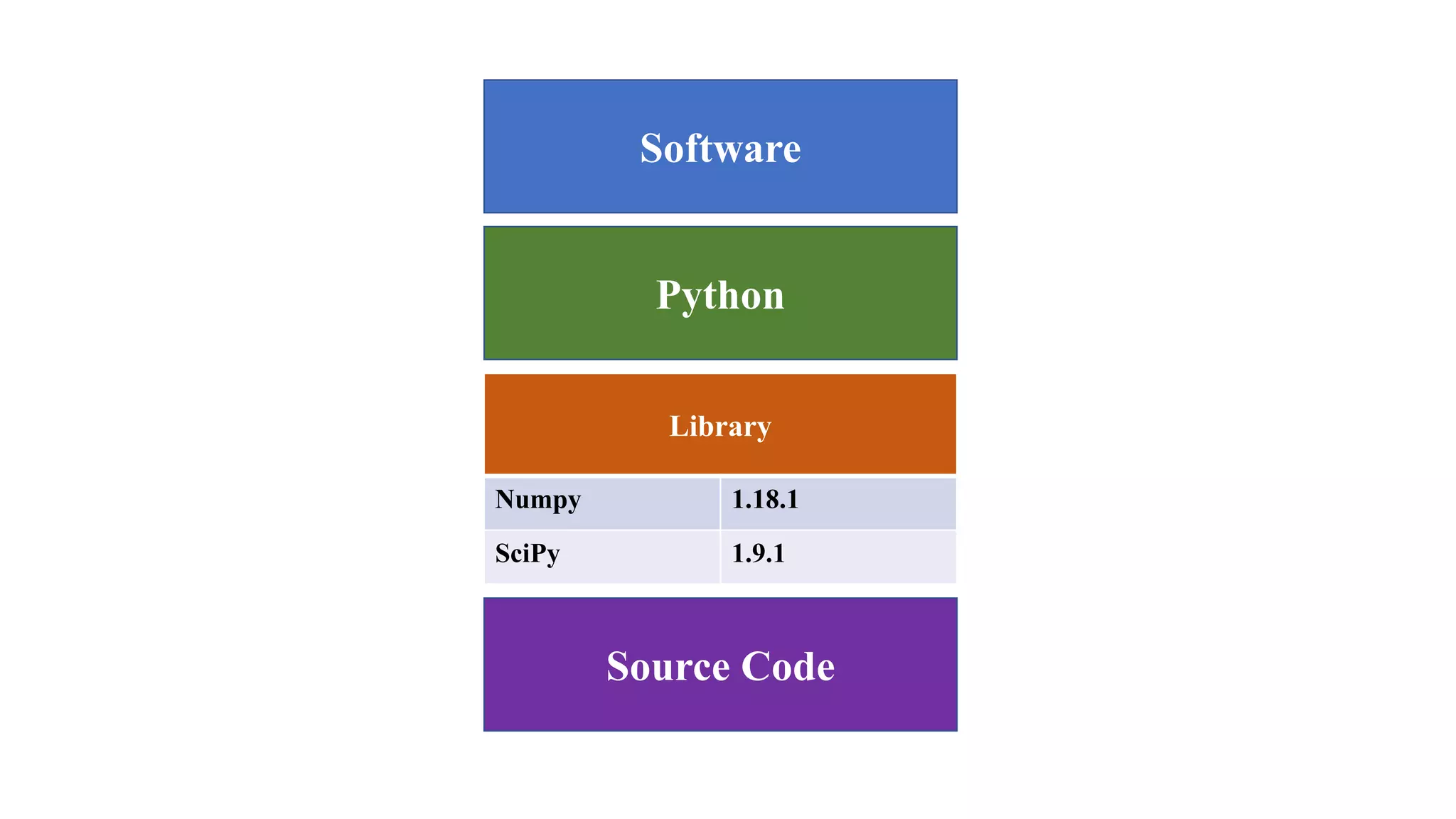
Library
Numpy 1.18.1
SciPy 1.9.1
Software
Python
Source Code
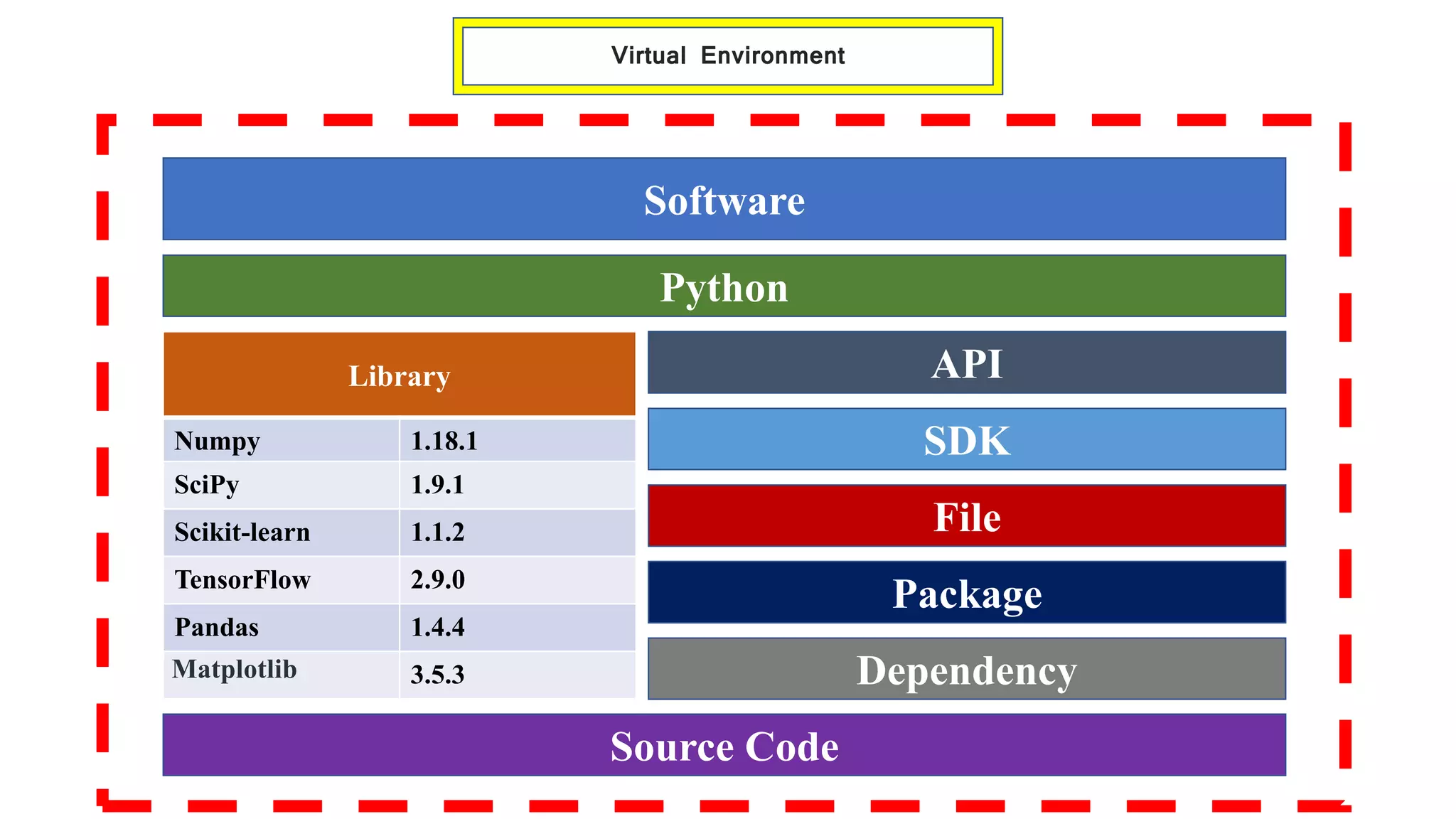
Library
Numpy 1.18.1
SciPy 1.9.1
Scikit-learn 1.1.2
TensorFlow 2.9.0
Pandas 1.4.4
Matplotlib 3.5.3
Software
Python
Source Code
API
SDK
File
Package
Dependency
Virtual Environment
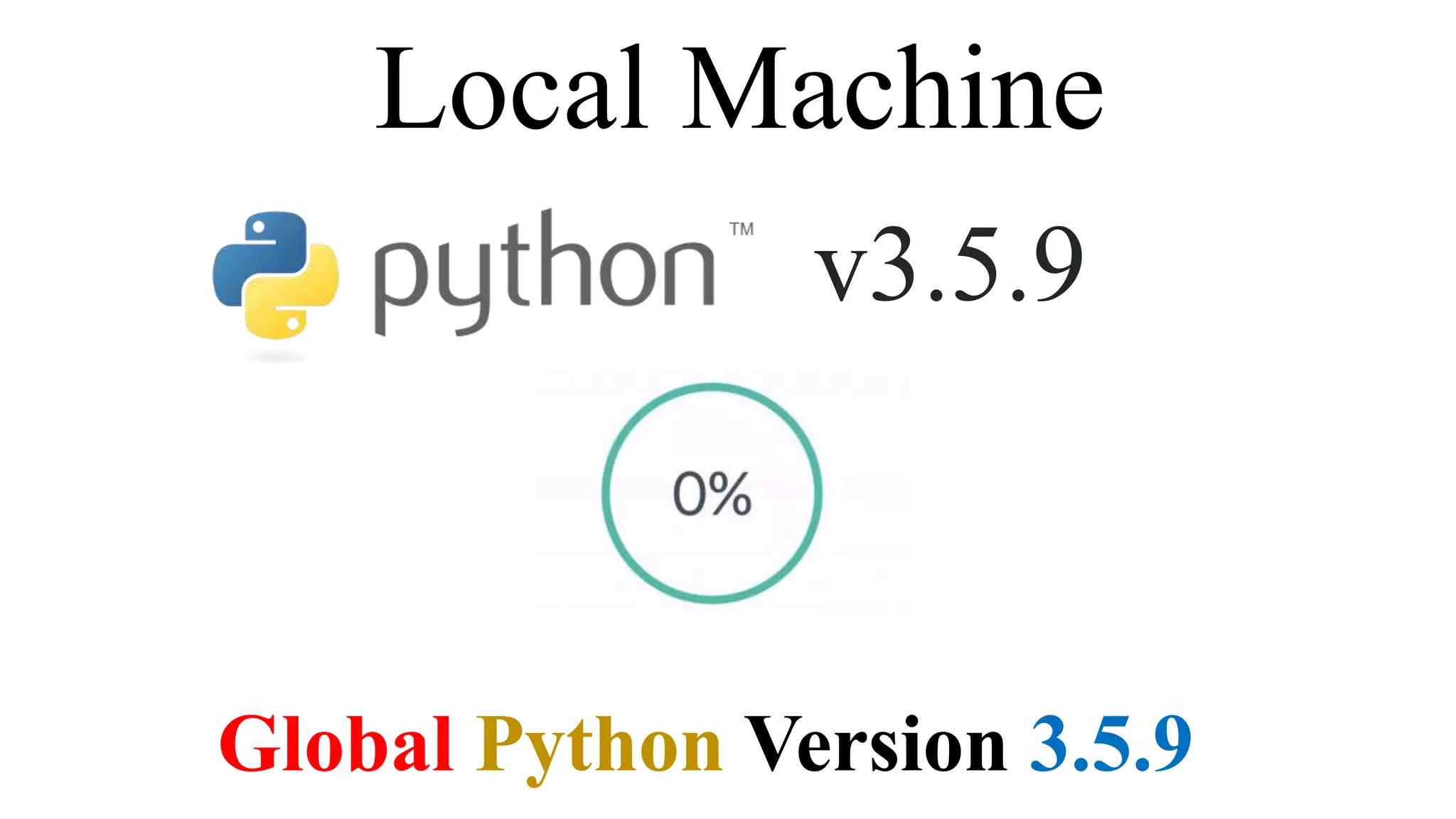
Local Machine
v3.5.9
Global Python Version 3.5.9
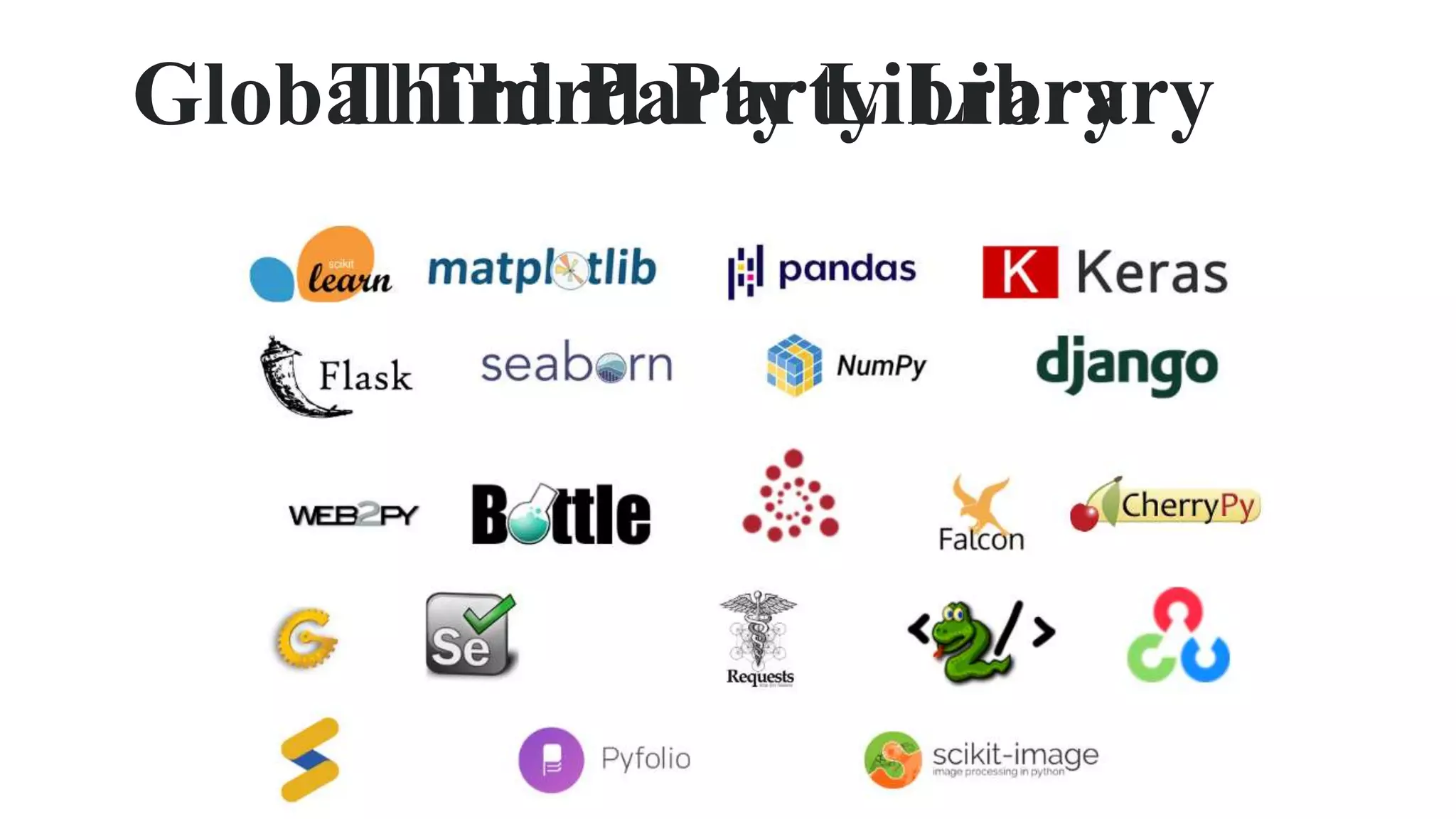
Third Party Library
Global Third Party Library
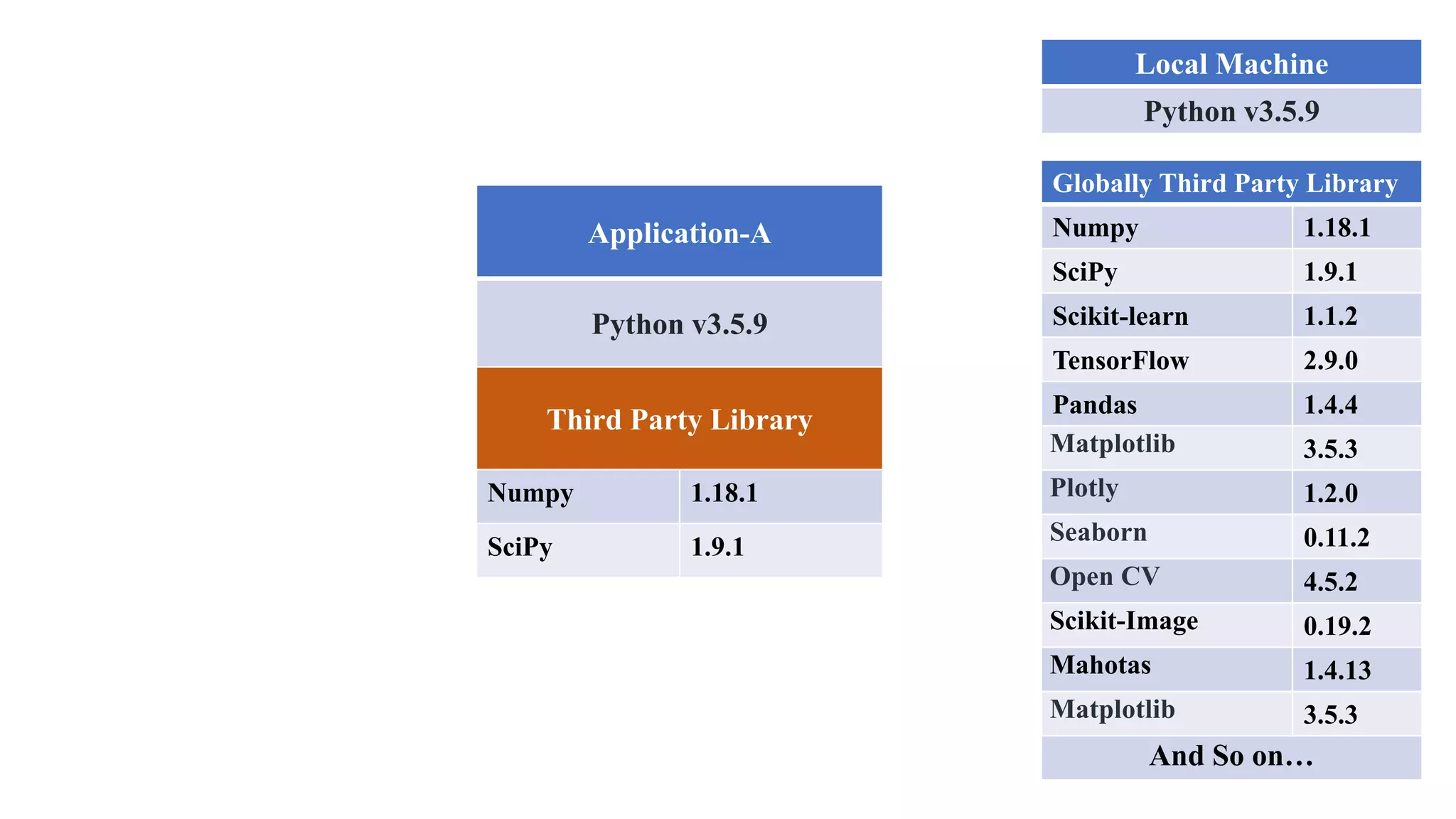
Local Machine
Python v3.5.9
Globally Third Party Library
Numpy 1.18.1
SciPy 1.9.1
Scikit-learn 1.1.2
TensorFlow 2.9.0
Pandas 1.4.4
Matplotlib 3.5.3
Plotly 1.2.0
Seaborn 0.11.2
Open CV 4.5.2
Scikit-Image 0.19.2
Mahotas 1.4.13
Matplotlib 3.5.3
And So on…
Application-A
Python v3.5.9
Third Party Library
Numpy 1.18.1
SciPy 1.9.1
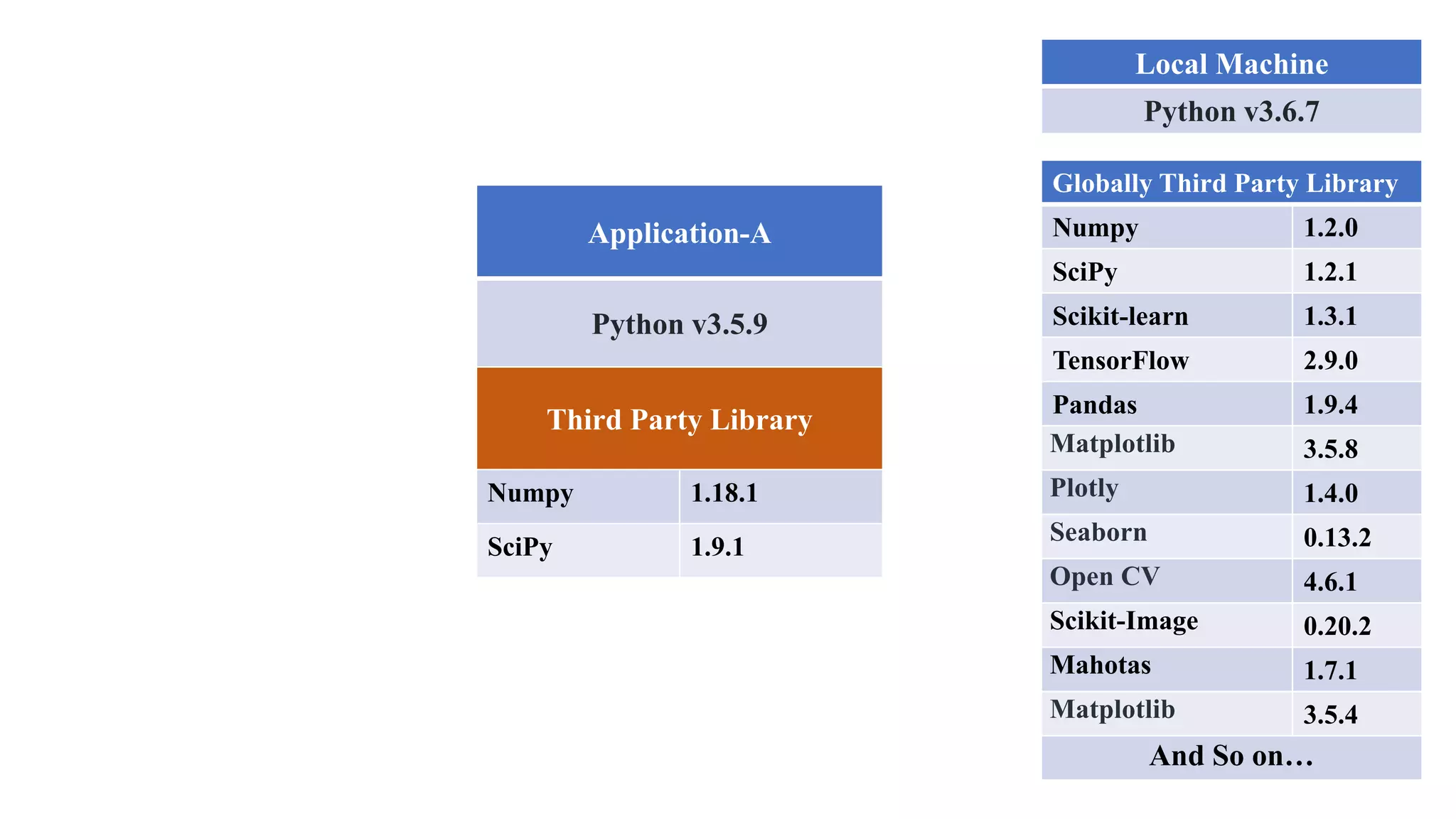
Local Machine
Python v3.6.7
Globally Third Party Library
Numpy 1.2.0
SciPy 1.2.1
Scikit-learn 1.3.1
TensorFlow 2.9.0
Pandas 1.9.4
Matplotlib 3.5.8
Plotly 1.4.0
Seaborn 0.13.2
Open CV 4.6.1
Scikit-Image 0.20.2
Mahotas 1.7.1
Matplotlib 3.5.4
And So on…
Application-A
Python v3.5.9
Third Party Library
Numpy 1.18.1
SciPy 1.9.1
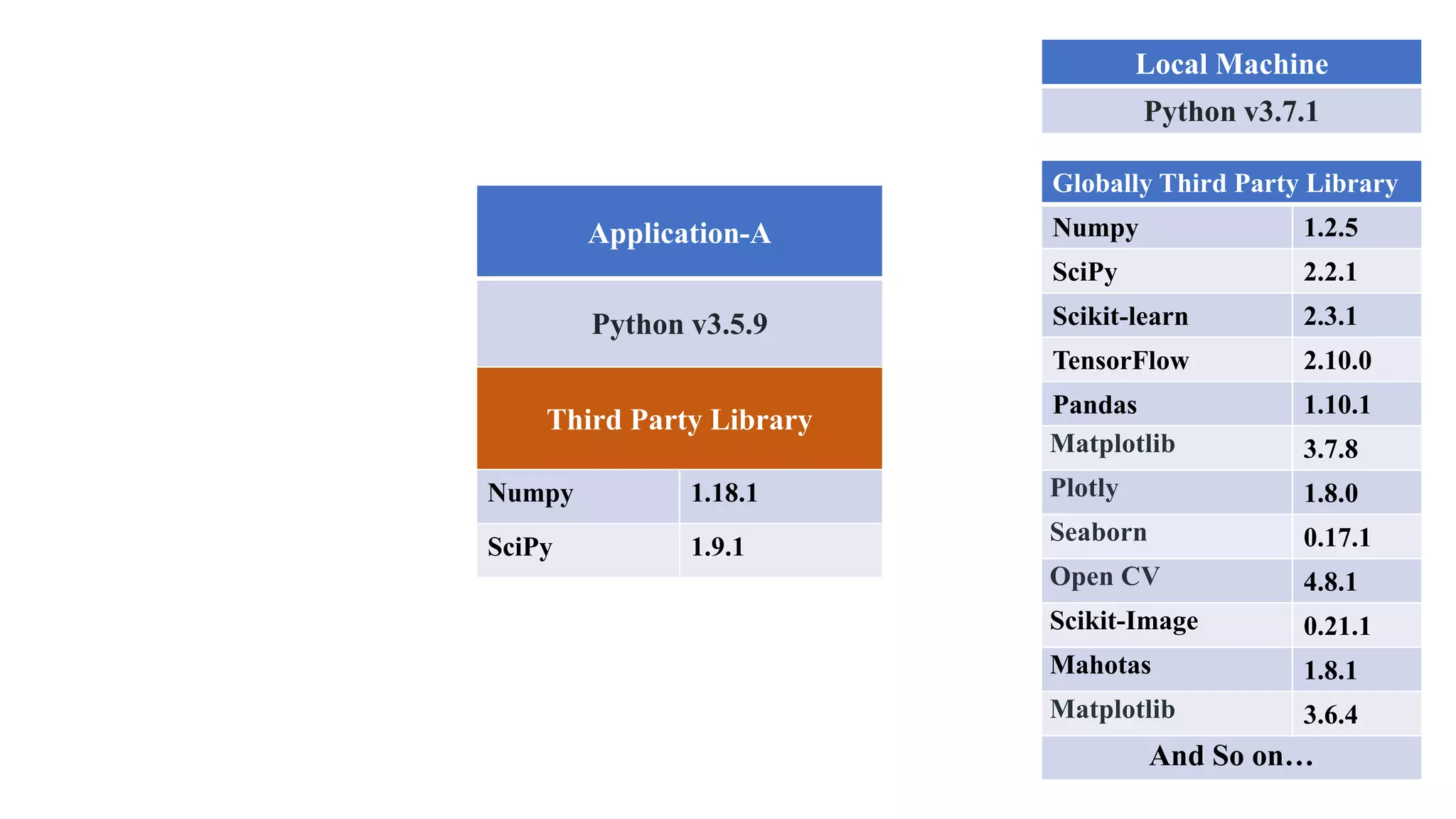
Local Machine
Python v3.7.1
Globally Third Party Library
Numpy 1.2.5
SciPy 2.2.1
Scikit-learn 2.3.1
TensorFlow 2.10.0
Pandas 1.10.1
Matplotlib 3.7.8
Plotly 1.8.0
Seaborn 0.17.1
Open CV 4.8.1
Scikit-Image 0.21.1
Mahotas 1.8.1
Matplotlib 3.6.4
And So on…
Application-A
Python v3.5.9
Third Party Library
Numpy 1.18.1
SciPy 1.9.1
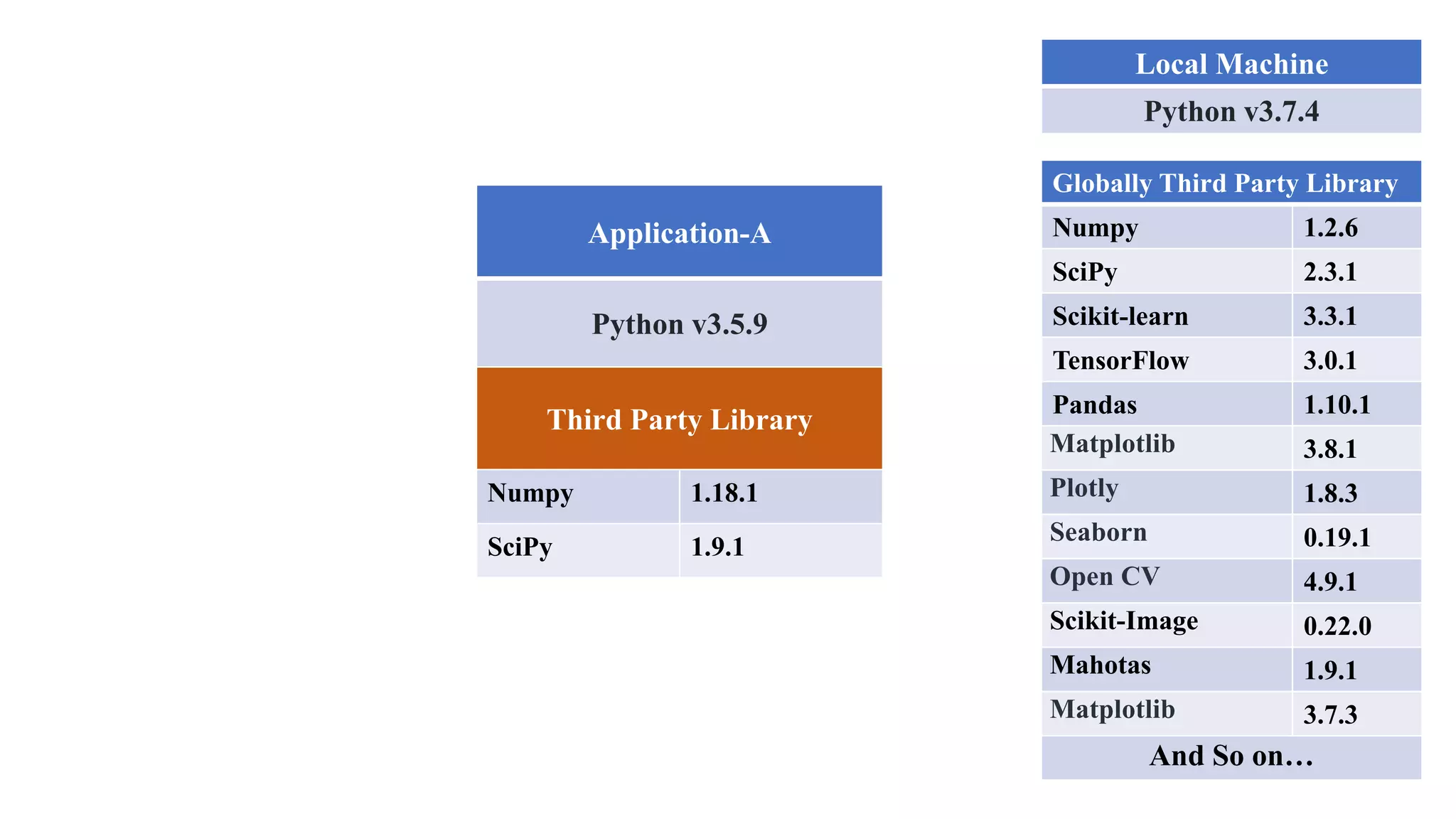
Local Machine
Python v3.7.4
Globally Third Party Library
Numpy 1.2.6
SciPy 2.3.1
Scikit-learn 3.3.1
TensorFlow 3.0.1
Pandas 1.10.1
Matplotlib 3.8.1
Plotly 1.8.3
Seaborn 0.19.1
Open CV 4.9.1
Scikit-Image 0.22.0
Mahotas 1.9.1
Matplotlib 3.7.3
And So on…
Application-A
Python v3.5.9
Third Party Library
Numpy 1.18.1
SciPy 1.9.1
Local Machine
Python v3.8.1
Globally Third Party Library
Numpy 1.3.2
SciPy 3.1.1
Scikit-learn 4.3.0
TensorFlow 3.5.1
Pandas 1.11.0
Matplotlib 3.9.1
Plotly 1.10.2
Seaborn 0.20.0
Open CV 5.2.1
Scikit-Image 1.10.0
Mahotas 2.0.1
Matplotlib 3.9.1
And So on…
Application-A
Python v3.5.9
Third Party Library
Numpy 1.18.1
SciPy 1.9.1
Local Machine
Python v3.8.5
Globally Third Party Library
Numpy 2.1.2
SciPy 3.2.1
Scikit-learn 5.0.1
TensorFlow 3.7.1
Pandas 1.13.0
Matplotlib 4.0.1
Plotly 1.13.1
Seaborn 0.21.0
Open CV 5.8.2
Scikit-Image 1.12.1
Mahotas 2.3.1
Matplotlib 3.0.2
And So on…
Application-A
Python v3.5.9
Third Party Library
Numpy 1.18.1
SciPy 1.9.1
Local Machine
Python v3.5.9
Globally Third Party Library
Numpy 1.18.1
SciPy 1.9.1
Scikit-learn 1.1.2
TensorFlow 2.9.0
Pandas 1.4.4
Matplotlib 3.5.3
Plotly 1.2.0
Seaborn 0.11.2
Open CV 4.5.2
Scikit-Image 0.19.2
Mahotas 1.4.13
Matplotlib 3.5.3
And So on…
Application-A
Python v3.5.9
Third Party Library
Numpy 1.18.1
SciPy 1.9.1
Application-B
Python v3.7.10
Third Party Library
Numpy 1.23.2
TensorFlow 2.9.0
Virtual Environment
Virtual Environment
Virtual Environment
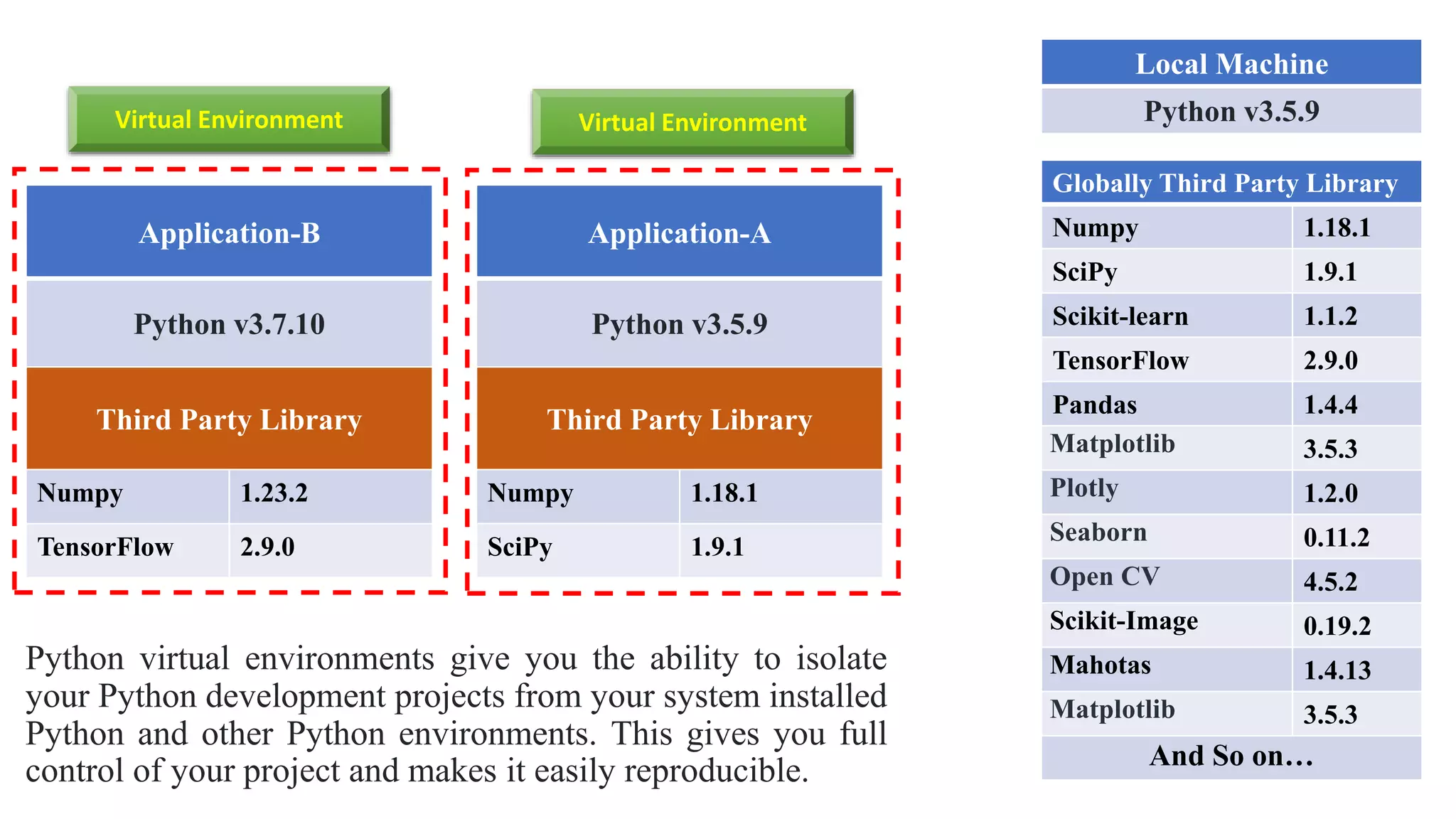
A virtual environment is a Python environment
such that the Python interpreter, libraries and
scripts installed into it are isolated from those
installed in other virtual environments, and (by
default) any libraries installed in a “system”
Python, i.e., one which is installed as part of your
operating system.
Local Machine
Python v3.5.9
Globally Third Party Library
Numpy 1.18.1
SciPy 1.9.1
Scikit-learn 1.1.2
TensorFlow 2.9.0
Pandas 1.4.4
Matplotlib 3.5.3
Plotly 1.2.0
Seaborn 0.11.2
Open CV 4.5.2
Scikit-Image 0.19.2
Mahotas 1.4.13
Matplotlib 3.5.3
And So on…
Application-A
Python v3.5.9
Third Party Library
Numpy 1.18.1
SciPy 1.9.1
Application-B
Python v3.7.10
Third Party Library
Numpy 1.23.2
TensorFlow 2.9.0
Virtual Environment
Virtual Environment
Python virtual environments give you the ability to isolate
your Python development projects from your system installed
Python and other Python environments. This gives you full
control of your project and makes it easily reproducible.
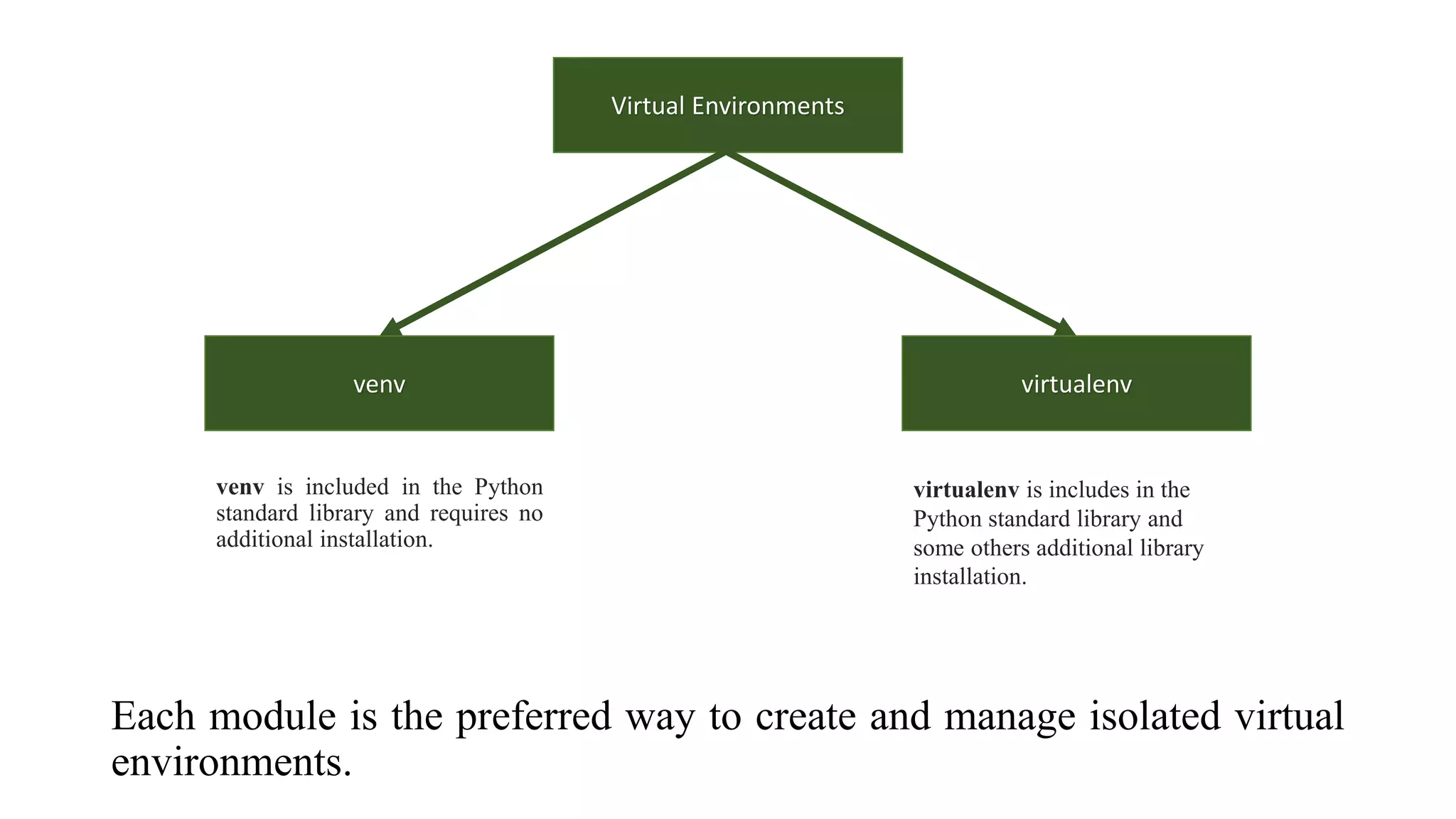
Each module is the preferred way to create and manage isolated virtual
environments.
Virtual Environments
venv virtualenv
venv is included in the Python
standard library and requires no
additional installation.
virtualenv is includes in the
Python standard library and
some others additional library
installation.

Python Virtual Environment.pptx

  • 1.
  • 2.
    Library Numpy 1.18.1 SciPy 1.9.1 Scikit-learn1.1.2 TensorFlow 2.9.0 Pandas 1.4.4 Matplotlib 3.5.3 Software Python Source Code API SDK File Package Dependency Virtual Environment
  • 3.
  • 4.
    Third Party Library GlobalThird Party Library
  • 5.
    Local Machine Python v3.5.9 GloballyThird Party Library Numpy 1.18.1 SciPy 1.9.1 Scikit-learn 1.1.2 TensorFlow 2.9.0 Pandas 1.4.4 Matplotlib 3.5.3 Plotly 1.2.0 Seaborn 0.11.2 Open CV 4.5.2 Scikit-Image 0.19.2 Mahotas 1.4.13 Matplotlib 3.5.3 And So on… Application-A Python v3.5.9 Third Party Library Numpy 1.18.1 SciPy 1.9.1
  • 6.
    Local Machine Python v3.6.7 GloballyThird Party Library Numpy 1.2.0 SciPy 1.2.1 Scikit-learn 1.3.1 TensorFlow 2.9.0 Pandas 1.9.4 Matplotlib 3.5.8 Plotly 1.4.0 Seaborn 0.13.2 Open CV 4.6.1 Scikit-Image 0.20.2 Mahotas 1.7.1 Matplotlib 3.5.4 And So on… Application-A Python v3.5.9 Third Party Library Numpy 1.18.1 SciPy 1.9.1
  • 7.
    Local Machine Python v3.7.1 GloballyThird Party Library Numpy 1.2.5 SciPy 2.2.1 Scikit-learn 2.3.1 TensorFlow 2.10.0 Pandas 1.10.1 Matplotlib 3.7.8 Plotly 1.8.0 Seaborn 0.17.1 Open CV 4.8.1 Scikit-Image 0.21.1 Mahotas 1.8.1 Matplotlib 3.6.4 And So on… Application-A Python v3.5.9 Third Party Library Numpy 1.18.1 SciPy 1.9.1
  • 8.
    Local Machine Python v3.7.4 GloballyThird Party Library Numpy 1.2.6 SciPy 2.3.1 Scikit-learn 3.3.1 TensorFlow 3.0.1 Pandas 1.10.1 Matplotlib 3.8.1 Plotly 1.8.3 Seaborn 0.19.1 Open CV 4.9.1 Scikit-Image 0.22.0 Mahotas 1.9.1 Matplotlib 3.7.3 And So on… Application-A Python v3.5.9 Third Party Library Numpy 1.18.1 SciPy 1.9.1
  • 9.
    Local Machine Python v3.8.1 GloballyThird Party Library Numpy 1.3.2 SciPy 3.1.1 Scikit-learn 4.3.0 TensorFlow 3.5.1 Pandas 1.11.0 Matplotlib 3.9.1 Plotly 1.10.2 Seaborn 0.20.0 Open CV 5.2.1 Scikit-Image 1.10.0 Mahotas 2.0.1 Matplotlib 3.9.1 And So on… Application-A Python v3.5.9 Third Party Library Numpy 1.18.1 SciPy 1.9.1
  • 10.
    Local Machine Python v3.8.5 GloballyThird Party Library Numpy 2.1.2 SciPy 3.2.1 Scikit-learn 5.0.1 TensorFlow 3.7.1 Pandas 1.13.0 Matplotlib 4.0.1 Plotly 1.13.1 Seaborn 0.21.0 Open CV 5.8.2 Scikit-Image 1.12.1 Mahotas 2.3.1 Matplotlib 3.0.2 And So on… Application-A Python v3.5.9 Third Party Library Numpy 1.18.1 SciPy 1.9.1
  • 11.
    Local Machine Python v3.5.9 GloballyThird Party Library Numpy 1.18.1 SciPy 1.9.1 Scikit-learn 1.1.2 TensorFlow 2.9.0 Pandas 1.4.4 Matplotlib 3.5.3 Plotly 1.2.0 Seaborn 0.11.2 Open CV 4.5.2 Scikit-Image 0.19.2 Mahotas 1.4.13 Matplotlib 3.5.3 And So on… Application-A Python v3.5.9 Third Party Library Numpy 1.18.1 SciPy 1.9.1 Application-B Python v3.7.10 Third Party Library Numpy 1.23.2 TensorFlow 2.9.0 Virtual Environment Virtual Environment
  • 12.
    Virtual Environment A virtualenvironment is a Python environment such that the Python interpreter, libraries and scripts installed into it are isolated from those installed in other virtual environments, and (by default) any libraries installed in a “system” Python, i.e., one which is installed as part of your operating system.
  • 13.
    Local Machine Python v3.5.9 GloballyThird Party Library Numpy 1.18.1 SciPy 1.9.1 Scikit-learn 1.1.2 TensorFlow 2.9.0 Pandas 1.4.4 Matplotlib 3.5.3 Plotly 1.2.0 Seaborn 0.11.2 Open CV 4.5.2 Scikit-Image 0.19.2 Mahotas 1.4.13 Matplotlib 3.5.3 And So on… Application-A Python v3.5.9 Third Party Library Numpy 1.18.1 SciPy 1.9.1 Application-B Python v3.7.10 Third Party Library Numpy 1.23.2 TensorFlow 2.9.0 Virtual Environment Virtual Environment Python virtual environments give you the ability to isolate your Python development projects from your system installed Python and other Python environments. This gives you full control of your project and makes it easily reproducible.
  • 14.
    Each module isthe preferred way to create and manage isolated virtual environments. Virtual Environments venv virtualenv venv is included in the Python standard library and requires no additional installation. virtualenv is includes in the Python standard library and some others additional library installation.

Editor's Notes

  • #2 When developing software with Python, a basic approach is to install Python on your machine, install all your required libraries via the terminal and write all of your source code. This works fine for simple Python scripting projects.
  • #3 But to implement complex software development projects, is required a Python interpreter, Python library, an API, or software development kit, often you will be working with multiple files, multiple packages, dependencies and as well as your source code. As a result, you will need to isolate your Python development environment for that particular project. This isolated environment is known as Virtual Environment. In this tutorial, I would like to present a clear explanation about Virtual Environment and how can you implement it on your python project.
  • #4 For example, in your Local Machine you have installed Python 3.5.9. This Python version 3.5.9 is a Global Version for your computer.
  • #5 As you know that python has thousands of “Third Party Library” such as Numpy 1.18.1, SciPy 1.9.1, Scikit-learn 1.1.2, TensorFlow 2.9.0, Pandas 1.4.4 and so on. You have installed anyone library as you want. I would like to called it “Global Third-Party Library”.
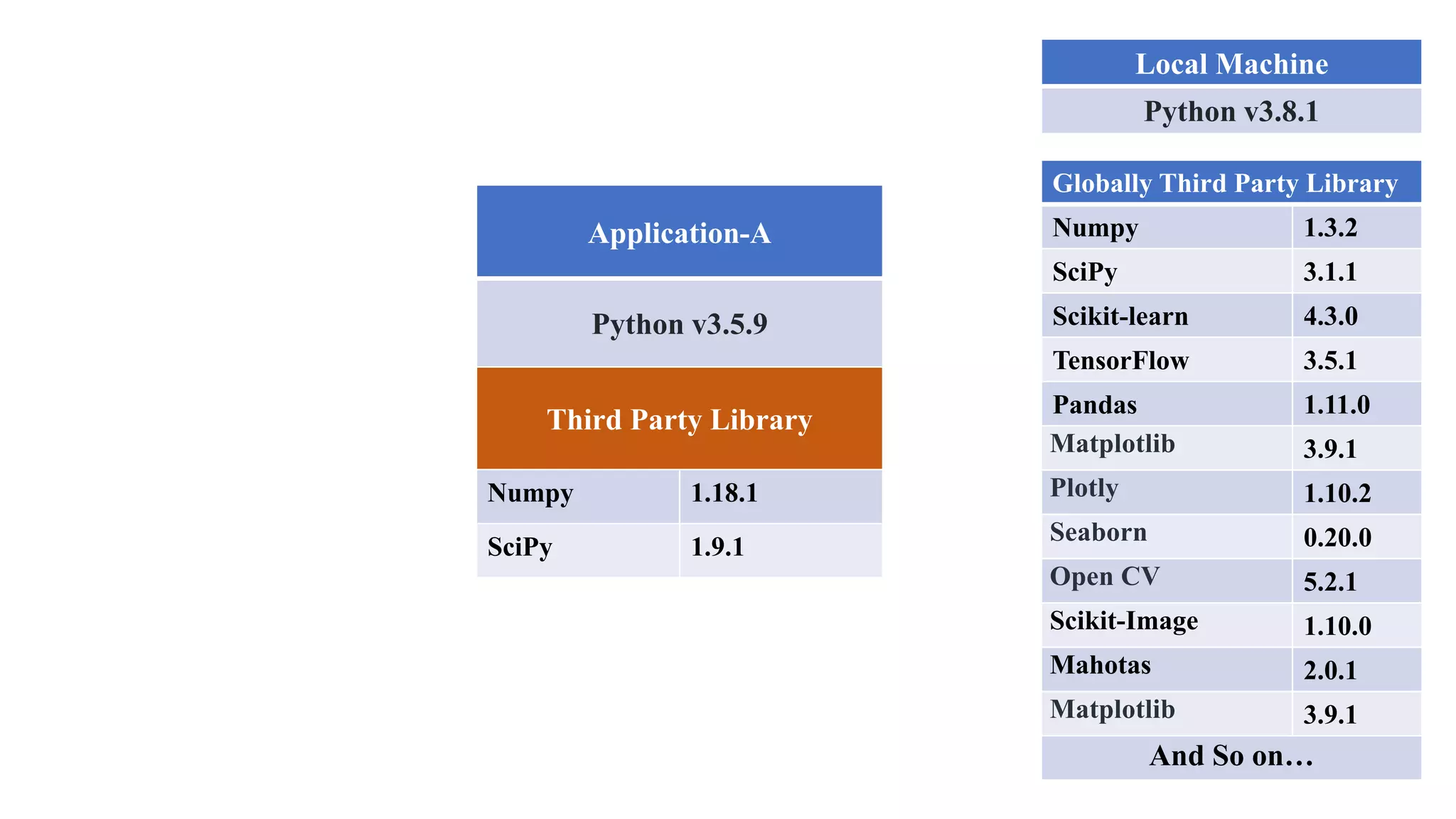
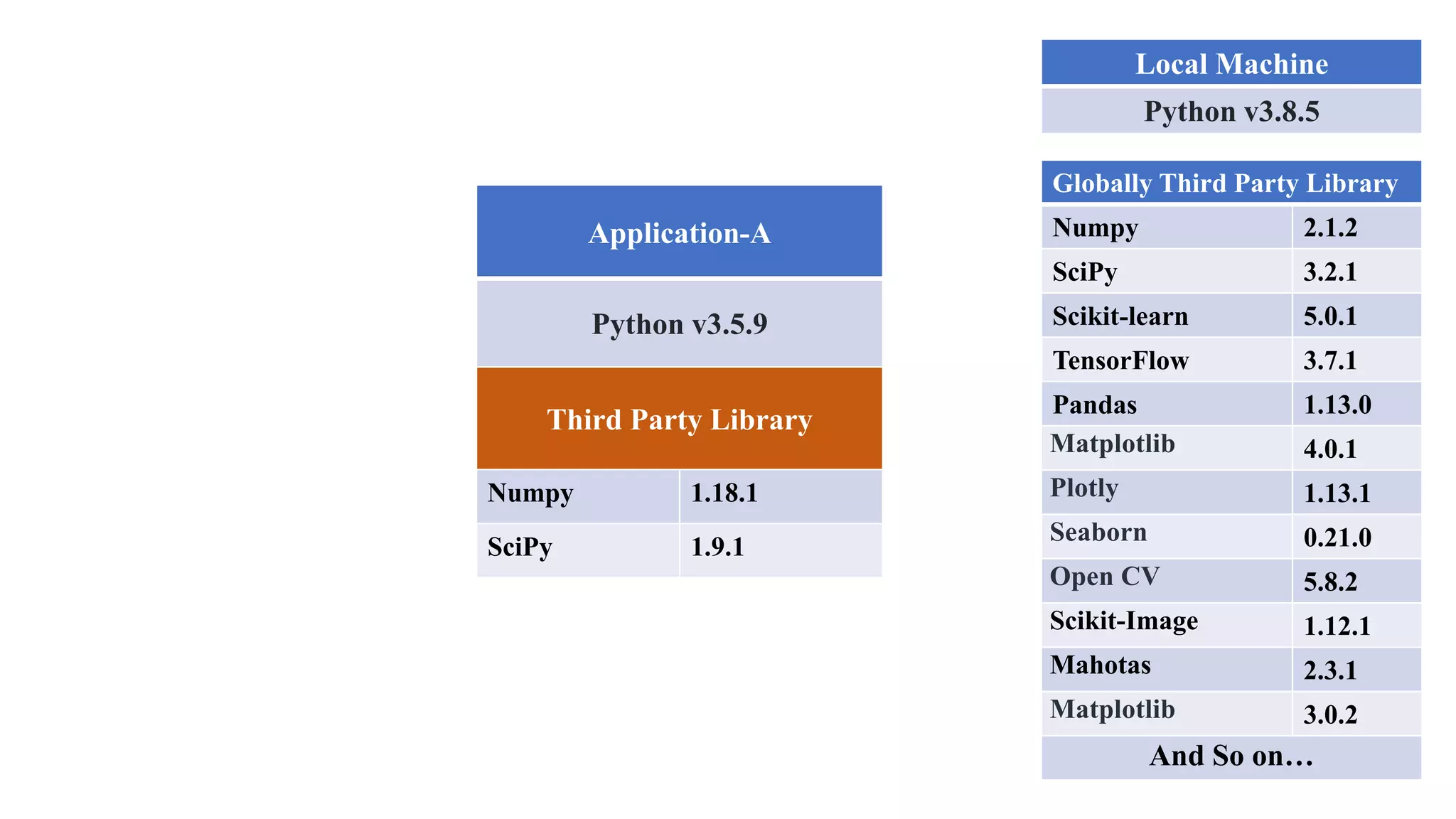
  • #6 Now, you have created a python project “Application-A” by the Python version 3.5.9. And imagine, in your Local Machine you have installed Python 3.5.9. To implement this “Application-A”, you need to import some “Third Party Library” such Numpy version 1.18.1, SciPy version 1.9.1. You can import those “Third-Party Library” Numpy and SciPy from the “Globally installed Third-Party Library”. But problem is that with the over time being Python, Numpy and SciPy version can be changed. So “Application-A” source code can be interrupted if you update the Python, Numpy and SciPy.
  • #7 Now, you have created a python project “Application-A” by the Python version 3.5.9. And imagine, in your Local Machine you have installed Python 3.5.9. To implement this “Application-A”, you need to import some “Third Party Library” such Numpy version 1.18.1, SciPy version 1.9.1. You can import those “Third-Party Library” Numpy and SciPy from the “Globally installed Third-Party Library”. But problem is that with the over time being Python, Numpy and SciPy version can be changed. So “Application-A” source code can be interrupted if you update the Python, Numpy and SciPy.
  • #8 Now, you have created a python project “Application-A” by the Python version 3.5.9. And imagine, in your Local Machine you have installed Python 3.5.9. To implement this “Application-A”, you need to import some “Third Party Library” such Numpy version 1.18.1, SciPy version 1.9.1. You can import those “Third-Party Library” Numpy and SciPy from the “Globally installed Third-Party Library”. But problem is that with the over time being Python, Numpy and SciPy version can be changed. So “Application-A” source code can be interrupted if you update the Python, Numpy and SciPy.
  • #9 Now, you have created a python project “Application-A” by the Python version 3.5.9. And imagine, in your Local Machine you have installed Python 3.5.9. To implement this “Application-A”, you need to import some “Third Party Library” such Numpy version 1.18.1, SciPy version 1.9.1. You can import those “Third-Party Library” Numpy and SciPy from the “Globally installed Third-Party Library”. But problem is that with the over time being Python, Numpy and SciPy version can be changed. So “Application-A” source code can be interrupted if you update the Python, Numpy and SciPy.
  • #10 Now, you have created a python project “Application-A” by the Python version 3.5.9. And imagine, in your Local Machine you have installed Python 3.5.9. To implement this “Application-A”, you need to import some “Third Party Library” such Numpy version 1.18.1, SciPy version 1.9.1. You can import those “Third-Party Library” Numpy and SciPy from the “Globally installed Third-Party Library”. But problem is that with the over time being Python, Numpy and SciPy version can be changed. So “Application-A” source code can be interrupted if you update the Python, Numpy and SciPy.
  • #11 Now, you have created a python project “Application-A” by the Python version 3.5.9. And imagine, in your Local Machine you have installed Python 3.5.9. To implement this “Application-A”, you need to import some “Third Party Library” such Numpy version 1.18.1, SciPy version 1.9.1. You can import those “Third-Party Library” Numpy and SciPy from the “Globally installed Third-Party Library”. But problem is that with the over time being Python, Numpy and SciPy version can be changed. So “Application-A” source code can be interrupted if you update the Python, Numpy and SciPy.
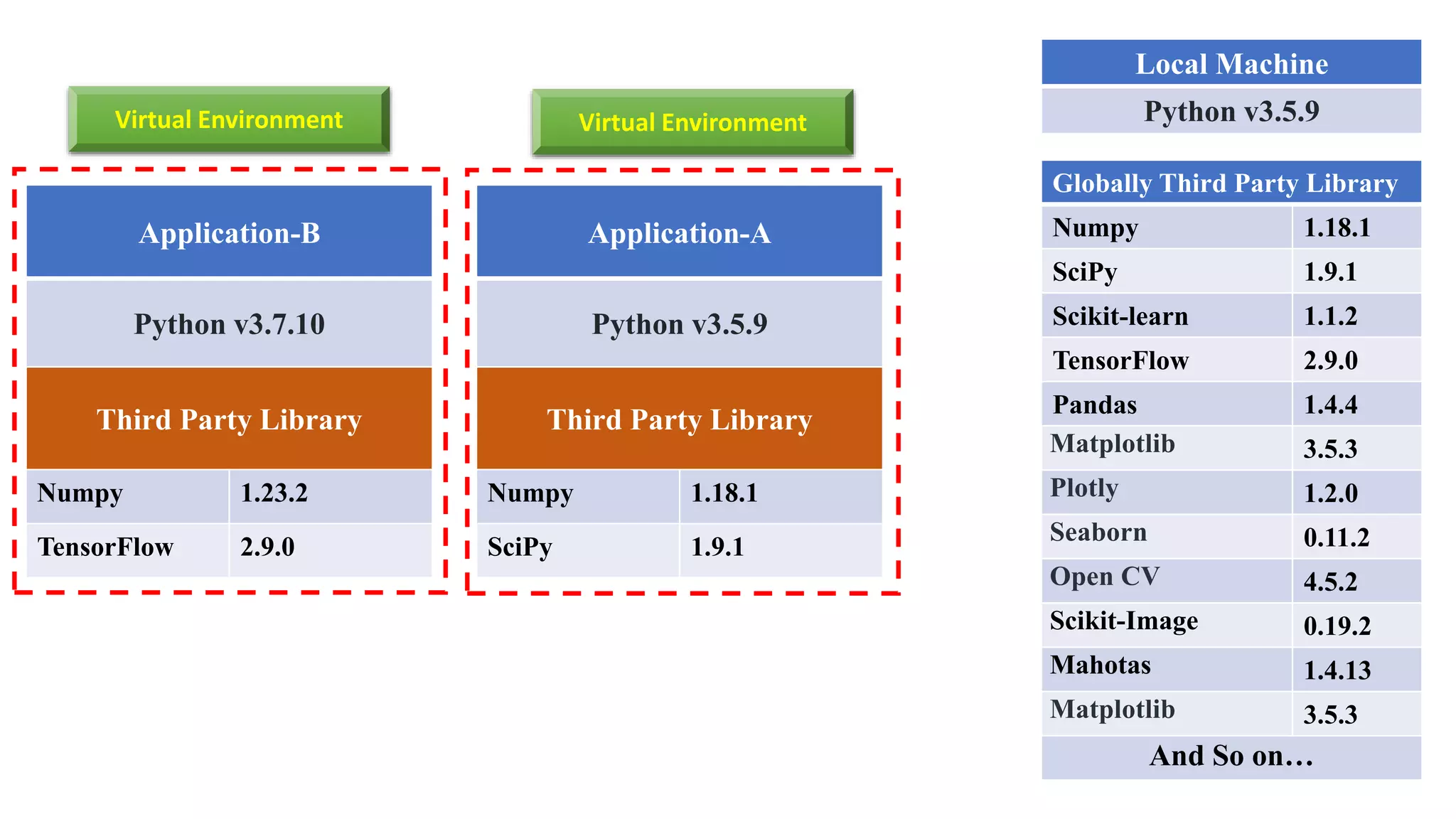
  • #12 Consider another scenario, you have created another Python project “Application-B” by the Python version 3.7.10. In your Local Machine installed Python version is 3.5.9. And need to import “Third Party Library” such Numpy version 1.23.2, TensorFlow version 2.9.0. Here you can’t import globally installed Numpy third party library because of version mismatch. But can be import globally installed TensorFlow third party library as both version is same.
  • #14 Python virtual environments give you the ability to isolate your Python development projects from your system installed Python and other Python environments. This gives you full control of your project and makes it easily reproducible.
  • #15 Now time to implement the virtual environment for your python project. Here I would like to know you that virtual environment manager: either venv or virtualenv for Python. Each module is the preferred way to create and manage isolated virtual environments. venv is included in the Python standard library and requires no additional installation. Whereas virtualenv is includes in the Python standard library and some others additional library installation.