Conda: A Cross-Platform
Package Manager for Any
Binary Distribution
Aaron Meurer	

Ilan Schnell	

Continuum Analytics, Inc
or,	

Solving the Packaging
Problem
What is the packaging problem?
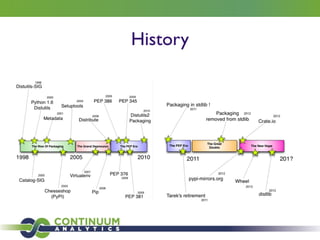
History
Two sides
Installing Building
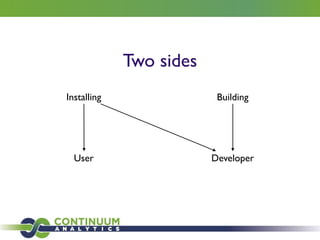
Two sides
Installing Building
User Developer
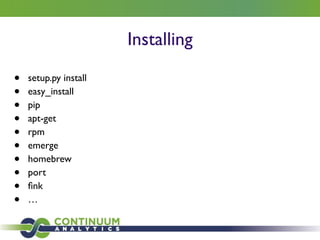
Installing
• setup.py install	

• easy_install	

• pip	

• apt-get	

• rpm	

• emerge	

• homebrew	

• port	

• fink	

• …
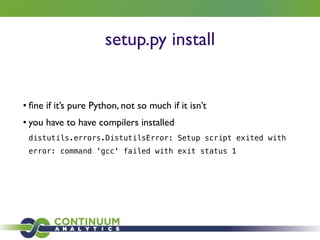
setup.py install
• fine if it’s pure Python, not so much if it isn’t	

• you have to have compilers installed	

distutils.errors.DistutilsError: Setup script exited with
error: command 'gcc' failed with exit status 1
setup.py install
You are your own package manager
pip
• Only works with Python	

• Not so great for scientific packages that depend on big C libraries	

• Try installing h5py if you don’t have HDF5
pip
You are a “self integrator”
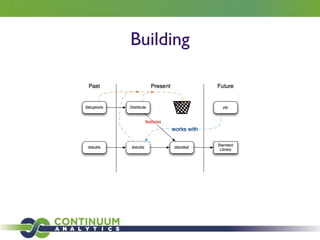
Building
Problems
• distutils is not really designed for compiled packages	

• numpy.distutils “fork”	

• setuptools is over complicated	

• import setuptools monkeypatches distutils	

• Entry points require pkg_resources	

• pkg_resources.DistributionNotFound: flake8==2.1.0
• Each egg adds an entry to sys.path	

• import sys; new=sys.path[sys.__plen:]; del
sys.path[sys.__plen:]; p=getattr(sys,'__egginsert',0);
sys.path[p:p]=new; sys.__egginsert = p+len(new)
Package maintainers hate having packages
that no one can install
What is the packaging problem?
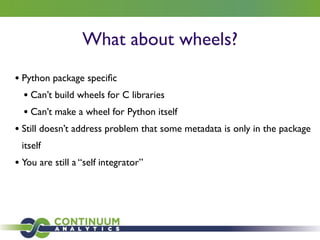
What about wheels?
• Python package specific	

• Can’t build wheels for C libraries 	

• Can’t make a wheel for Python itself	

• Still doesn’t address problem that some metadata is only in the package
itself	

• You are still a “self integrator”
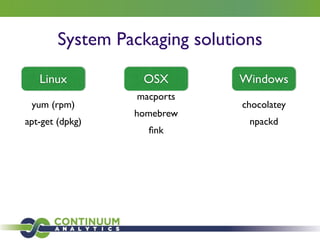
System Packaging solutions
yum (rpm)	

apt-get (dpkg)
Linux OSX
macports 	

homebrew 	

fink
Windows
chocolatey	

npackd
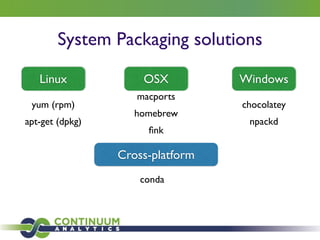
System Packaging solutions
yum (rpm)	

apt-get (dpkg)
Linux OSX
macports 	

homebrew 	

fink
Windows
chocolatey	

npackd
Cross-platform
conda
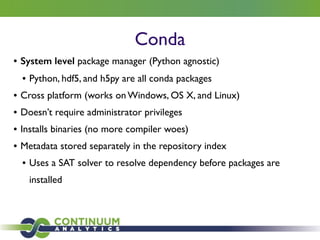
Conda
• System level package manager (Python agnostic)	

• Python, hdf5, and h5py are all conda packages	

• Cross platform (works on Windows, OS X, and Linux)	

• Doesn’t require administrator privileges	

• Installs binaries (no more compiler woes)	

• Metadata stored separately in the repository index	

• Uses a SAT solver to resolve dependency before packages are
installed
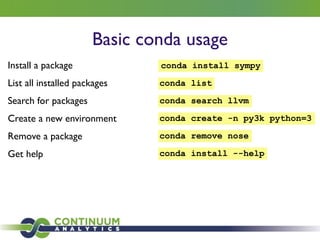
Basic conda usage
Install a package conda install sympy
List all installed packages conda list
Search for packages conda search llvm
Create a new environment conda create -n py3k python=3
Remove a package conda remove nose
Get help conda install --help
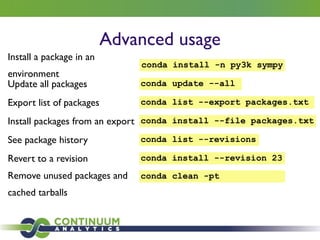
Advanced usage
Install a package in an
environment
conda install -n py3k sympy
Update all packages conda update --all
Export list of packages conda list --export packages.txt
Install packages from an export conda install --file packages.txt
See package history conda list --revisions
Revert to a revision conda install --revision 23
Remove unused packages and
cached tarballs
conda clean -pt
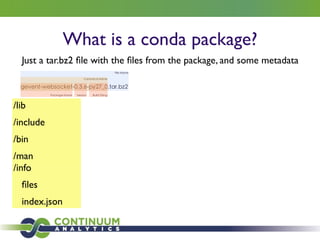
What is a conda package?
Just a tar.bz2 file with the files from the package, and some metadata
/lib	

/include	

/bin	

/man
/info	

files	

index.json
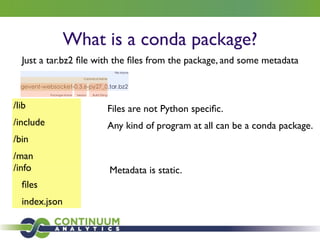
What is a conda package?
Just a tar.bz2 file with the files from the package, and some metadata
/lib	

/include	

/bin	

/man
/info	

files	

index.json
Files are not Python specific. 	

Any kind of program at all can be a conda package.
Metadata is static.
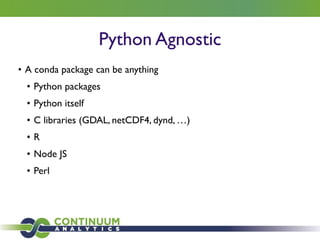
Python Agnostic
• A conda package can be anything	

• Python packages	

• Python itself	

• C libraries (GDAL, netCDF4, dynd, …)	

• R	

• Node JS	

• Perl
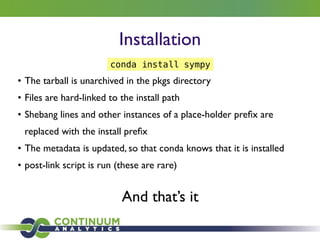
Installation
• The tarball is unarchived in the pkgs directory	

• Files are hard-linked to the install path	

• Shebang lines and other instances of a place-holder prefix are
replaced with the install prefix	

• The metadata is updated, so that conda knows that it is installed 	

• post-link script is run (these are rare)
And that’s it
conda install sympy
Installation
And that’s it
conda install sympy
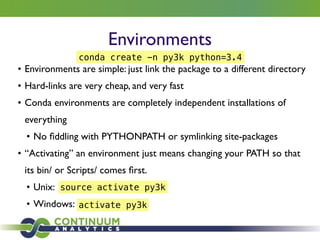
Environments
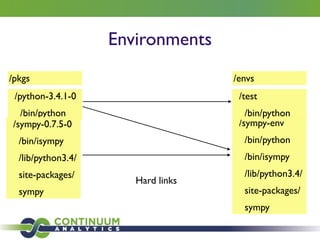
• Environments are simple: just link the package to a different directory	

• Hard-links are very cheap, and very fast	

• Conda environments are completely independent installations of
everything	

• No fiddling with PYTHONPATH or symlinking site-packages	

• “Activating” an environment just means changing your PATH so that
its bin/ or Scripts/ comes first.	

• Unix:	

• Windows:
conda create -n py3k python=3.4
source activate py3k
activate py3k
Environments
/python-3.4.1-0	

/bin/python
/sympy-0.7.5-0	

/bin/isympy	

/lib/python3.4/	

site-packages/	

sympy
/envs
/sympy-env	

/bin/python	

/bin/isympy	

/lib/python3.4/	

site-packages/	

sympy
Hard links
/pkgs
/test	

/bin/python
Environments
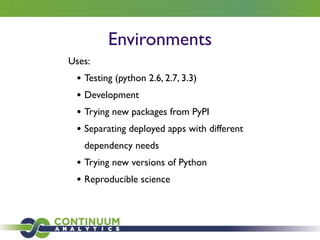
Uses:	

• Testing (python 2.6, 2.7, 3.3)	

• Development	

• Trying new packages from PyPI	

• Separating deployed apps with different
dependency needs	

• Trying new versions of Python	

• Reproducible science
Building
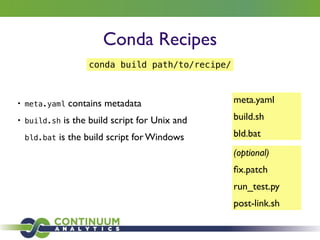
Conda Recipes
• meta.yaml contains metadata	

• build.sh is the build script for Unix and
bld.bat is the build script for Windows
meta.yaml	

build.sh	

bld.bat
(optional)	

fix.patch	

run_test.py	

post-link.sh
conda build path/to/recipe/
Example meta.yaml
Conda Recipes
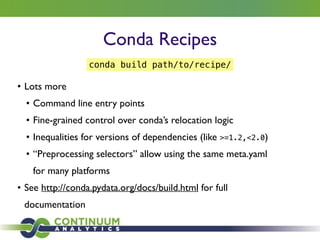
• Lots more 	

• Command line entry points	

• Fine-grained control over conda’s relocation logic	

• Inequalities for versions of dependencies (like >=1.2,<2.0)	

• “Preprocessing selectors” allow using the same meta.yaml
for many platforms	

• See http://conda.pydata.org/docs/build.html for full
documentation
conda build path/to/recipe/
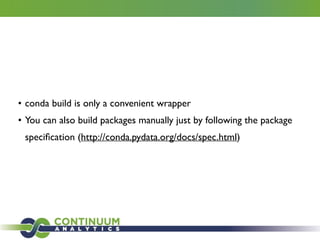
• conda build is only a convenient wrapper	

• You can also build packages manually just by following the package
specification (http://conda.pydata.org/docs/spec.html)
Sharing	

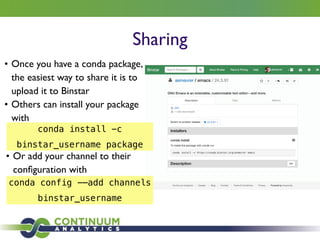
• Once you have a conda package,
the easiest way to share it is to
upload it to Binstar	

• Others can install your package
with
conda install -c
binstar_username package
• Or add your channel to their
configuration with
conda config -—add channels
binstar_username
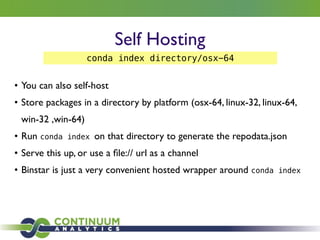
Self Hosting
• You can also self-host	

• Store packages in a directory by platform (osx-64, linux-32, linux-64,
win-32 ,win-64)	

• Run conda index on that directory to generate the repodata.json	

• Serve this up, or use a file:// url as a channel	

• Binstar is just a very convenient hosted wrapper around conda index
conda index directory/osx-64
Final words
• conda is completely open source (BSD) https://github.com/conda/conda	

• We have a mailing list (conda@continuum.io)	

• A big thanks to Continuum for paying me to work on open source
Thanks!
Sean Ross-Ross (principal binstar.org developer)
BryanVan deVen (original conda author)
Ilan Schnell (principal conda developer)
Travis Oliphant (Continuum CEO)

Conda: A Cross-Platform Package Manager for Any Binary Distribution (SciPy 2014)

  • 1.
    Conda: A Cross-Platform PackageManager for Any Binary Distribution Aaron Meurer Ilan Schnell Continuum Analytics, Inc
  • 2.
  • 3.
    What is thepackaging problem?
  • 4.
  • 5.
  • 6.
  • 7.
    Installing • setup.py install •easy_install • pip • apt-get • rpm • emerge • homebrew • port • fink • …
  • 8.
    setup.py install • fineif it’s pure Python, not so much if it isn’t • you have to have compilers installed distutils.errors.DistutilsError: Setup script exited with error: command 'gcc' failed with exit status 1
  • 9.
    setup.py install You areyour own package manager
  • 10.
    pip • Only workswith Python • Not so great for scientific packages that depend on big C libraries • Try installing h5py if you don’t have HDF5
  • 11.
    pip You are a“self integrator”
  • 12.
  • 13.
    Problems • distutils isnot really designed for compiled packages • numpy.distutils “fork” • setuptools is over complicated • import setuptools monkeypatches distutils • Entry points require pkg_resources • pkg_resources.DistributionNotFound: flake8==2.1.0 • Each egg adds an entry to sys.path • import sys; new=sys.path[sys.__plen:]; del sys.path[sys.__plen:]; p=getattr(sys,'__egginsert',0); sys.path[p:p]=new; sys.__egginsert = p+len(new)
  • 14.
    Package maintainers hatehaving packages that no one can install
  • 15.
    What is thepackaging problem?
  • 17.
    What about wheels? •Python package specific • Can’t build wheels for C libraries • Can’t make a wheel for Python itself • Still doesn’t address problem that some metadata is only in the package itself • You are still a “self integrator”
  • 18.
    System Packaging solutions yum(rpm) apt-get (dpkg) Linux OSX macports homebrew fink Windows chocolatey npackd
  • 19.
    System Packaging solutions yum(rpm) apt-get (dpkg) Linux OSX macports homebrew fink Windows chocolatey npackd Cross-platform conda
  • 20.
    Conda • System levelpackage manager (Python agnostic) • Python, hdf5, and h5py are all conda packages • Cross platform (works on Windows, OS X, and Linux) • Doesn’t require administrator privileges • Installs binaries (no more compiler woes) • Metadata stored separately in the repository index • Uses a SAT solver to resolve dependency before packages are installed
  • 21.
    Basic conda usage Installa package conda install sympy List all installed packages conda list Search for packages conda search llvm Create a new environment conda create -n py3k python=3 Remove a package conda remove nose Get help conda install --help
  • 22.
    Advanced usage Install apackage in an environment conda install -n py3k sympy Update all packages conda update --all Export list of packages conda list --export packages.txt Install packages from an export conda install --file packages.txt See package history conda list --revisions Revert to a revision conda install --revision 23 Remove unused packages and cached tarballs conda clean -pt
  • 23.
    What is aconda package?
  • 24.
    What is aconda package? Just a tar.bz2 file with the files from the package, and some metadata /lib /include /bin /man /info files index.json
  • 25.
    What is aconda package? Just a tar.bz2 file with the files from the package, and some metadata /lib /include /bin /man /info files index.json Files are not Python specific. Any kind of program at all can be a conda package. Metadata is static.
  • 26.
    Python Agnostic • Aconda package can be anything • Python packages • Python itself • C libraries (GDAL, netCDF4, dynd, …) • R • Node JS • Perl
  • 27.
    Installation • The tarballis unarchived in the pkgs directory • Files are hard-linked to the install path • Shebang lines and other instances of a place-holder prefix are replaced with the install prefix • The metadata is updated, so that conda knows that it is installed • post-link script is run (these are rare) And that’s it conda install sympy
  • 28.
  • 29.
    Environments • Environments aresimple: just link the package to a different directory • Hard-links are very cheap, and very fast • Conda environments are completely independent installations of everything • No fiddling with PYTHONPATH or symlinking site-packages • “Activating” an environment just means changing your PATH so that its bin/ or Scripts/ comes first. • Unix: • Windows: conda create -n py3k python=3.4 source activate py3k activate py3k
  • 30.
  • 31.
    Environments Uses: • Testing (python2.6, 2.7, 3.3) • Development • Trying new packages from PyPI • Separating deployed apps with different dependency needs • Trying new versions of Python • Reproducible science
  • 32.
  • 33.
    Conda Recipes • meta.yamlcontains metadata • build.sh is the build script for Unix and bld.bat is the build script for Windows meta.yaml build.sh bld.bat (optional) fix.patch run_test.py post-link.sh conda build path/to/recipe/
  • 34.
  • 35.
    Conda Recipes • Lotsmore • Command line entry points • Fine-grained control over conda’s relocation logic • Inequalities for versions of dependencies (like >=1.2,<2.0) • “Preprocessing selectors” allow using the same meta.yaml for many platforms • See http://conda.pydata.org/docs/build.html for full documentation conda build path/to/recipe/
  • 36.
    • conda buildis only a convenient wrapper • You can also build packages manually just by following the package specification (http://conda.pydata.org/docs/spec.html)
  • 37.
    Sharing • Once youhave a conda package, the easiest way to share it is to upload it to Binstar • Others can install your package with conda install -c binstar_username package • Or add your channel to their configuration with conda config -—add channels binstar_username
  • 38.
    Self Hosting • Youcan also self-host • Store packages in a directory by platform (osx-64, linux-32, linux-64, win-32 ,win-64) • Run conda index on that directory to generate the repodata.json • Serve this up, or use a file:// url as a channel • Binstar is just a very convenient hosted wrapper around conda index conda index directory/osx-64
  • 39.
    Final words • condais completely open source (BSD) https://github.com/conda/conda • We have a mailing list (conda@continuum.io) • A big thanks to Continuum for paying me to work on open source
  • 40.
    Thanks! Sean Ross-Ross (principalbinstar.org developer) BryanVan deVen (original conda author) Ilan Schnell (principal conda developer) Travis Oliphant (Continuum CEO)