Download to read offline
![features
1. Open Source
2. Quick to Learn
3. Simple to read and understand
4. Powerful
5. Ubiquitous
6. Object Oriented +Procedural
7. Dynamically Type
8. Strongly Type
9. Wide space delimited [indentation]
10. Interpreted](https://image.slidesharecdn.com/python-190520151338/85/Python-Course-19-320.jpg)
![Unbiquitious
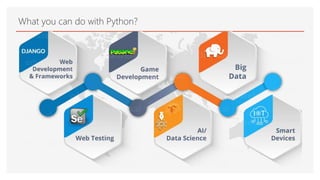
1. Web Scripting [Django]
2. 3 D modeling [Blender]
3. Desktop Applications [eg drop box]
4. Games [PyGames]
5. Scientific [PySci]](https://image.slidesharecdn.com/python-190520151338/85/Python-Course-21-320.jpg)
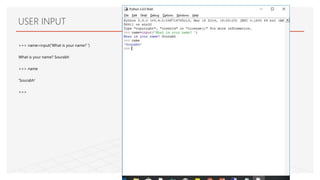
![>>> name=input('What is your name? ‘)
What is your name? Sourabh
>>> name
'Sourabh'
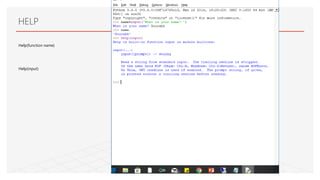
>>> help(input)
Help on built-in function input in module builtins:
input(...)
input([prompt]) -> string
Read a string from standard input. The trailing newline is stripped.
If the user hits EOF (Unix: Ctl-D, Windows: Ctl-Z+Return), raise EOFError.
On Unix, GNU readline is used if enabled. The prompt string, if given,
Concatenation](https://image.slidesharecdn.com/python-190520151338/85/Python-Course-45-320.jpg)
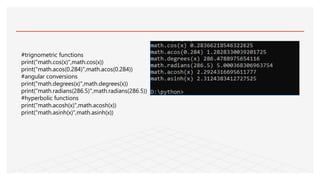
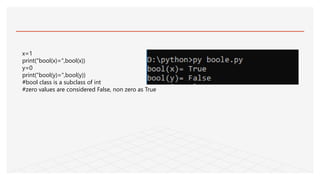
![#values considered as False in python
if not None:print("None is False")
if not False:print("False is False")
if not (0 or 0.0 or 0j):print("Zero is False")
if not({} or set([])):print("Empty sequence is False")
#Boolean or returns first true, or last false value
print("True or False returns",True or False)
print("1 or 0 returns",1 or 0)
print("None or 0 returns",None or 0)](https://image.slidesharecdn.com/python-190520151338/85/Python-Course-61-320.jpg)
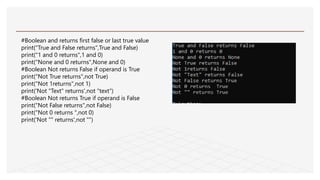
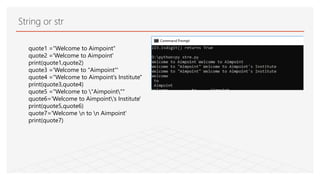
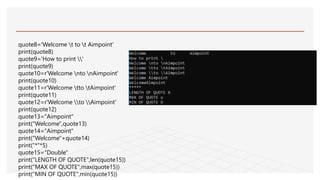
![quote16="Welcome to aimpoint"
print("welcome in quote16 or not ","bhopal" not in
quote16)
print("welcome in quote16 or not ","aimpoint" in quote16)
###string methods
quote17="Welcome to Aimpoint"
print("Count no of e",quote17.count('e'))
print("index of e",quote17.index('e'))
print("index of 0 between 10 15",quote17.index("o",5,12))
print("find l",quote17.find('l'))
print("starts with wel",quote17.startswith("Wel"))
print("ends with point",quote17.endswith("point"))
print("UPPER",quote17.upper())
print("LOWER",quote17.lower())
csv='a,b,c'
print("csv.split(',') returns",csv.split(','))
print("','.join(['x','y','z','w'])",",".join(["x","y","z","w"]))
print("A5e3.isalpha() returns","A533!".isalpha())
print("223.isdigit() returns","223".isdigit())](https://image.slidesharecdn.com/python-190520151338/85/Python-Course-65-320.jpg)
![a = "Welcome, Aimpoint"
print(a[1])
print(a[2:5])
b = " Welcome, Aimpoint"
print(b)
print(b.strip())
print(b.replace("t","t!!!"))](https://image.slidesharecdn.com/python-190520151338/85/Python-Course-66-320.jpg)
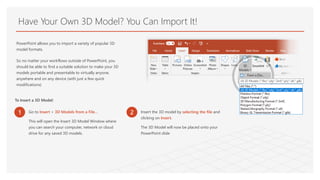
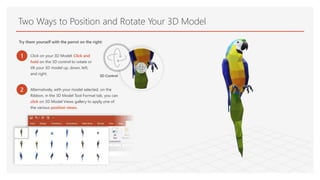
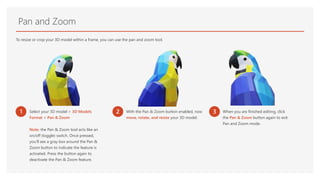
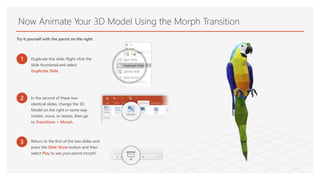

PowerPoint allows users to import various 3D model formats from files, the cloud, or a network. To insert a 3D model, select "Insert > 3D Models from a File..." which will open a window to search for and select a 3D file to insert. Users can then position and rotate the 3D model using the 3D control or selecting different view options. The pan and zoom tool also allows resizing or cropping the 3D model within a frame.


