Putting the User 
back in User Experience 
@jeremyjohnson
@jeremyjohnson 
(yes, we’re hiring)
http://www.slideshare.net/jeremy/presentations
WORKED FOR
WORKED WITH
Uncover user needs, 
Design great solutions, 
and build out solutions to launch.
USER EXPERIENCE
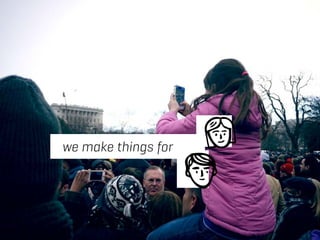
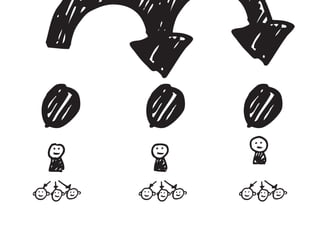
we make things for
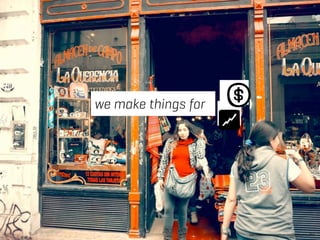
we make things for 
http://500px.com/jeremyjohnson/sets/buenos_aires_2012
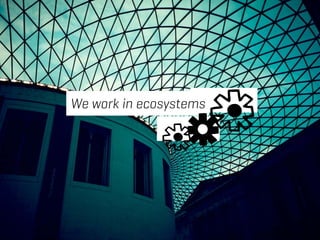
We work in ecosystems 
http://500px.com/jeremyjohnson/sets/london_2012
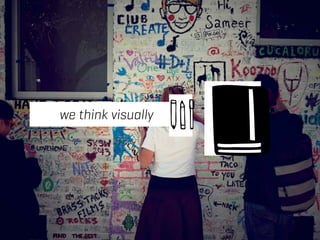
we think visually
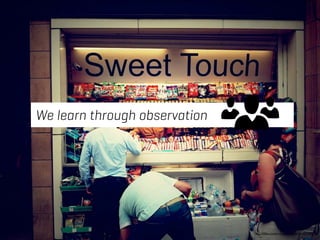
We learn through observation 
http://500px.com/jeremyjohnson/sets/london_2012
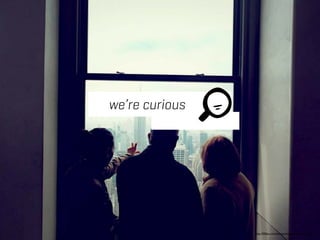
we’re curious 
http://500px.com/jeremyjohnson/sets/london_2012
USER EXPERIENCE
USER EXPERIENCE
Mr. User
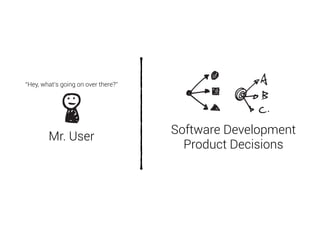
Mr. User Software Development 
Product Decisions 
“Hey, what’s going on over there?”
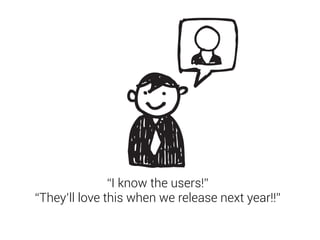
“I know the users!” 
“They’ll love this when we release next year!!”
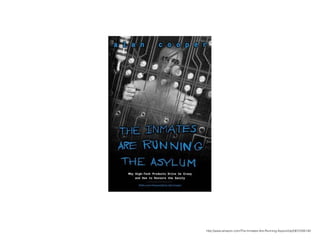
http://www.amazon.com/The-Inmates-Are-Running-Asylum/dp/0672326140
I’ve got… 2
#1 You don’t really 
know your 
customers as well 
as you think you do 
(usually)…
#2 If you’re 
launching twelve 
months from now, 
and are not involving 
your customer, 
that’s a big gamble…
Getting everything 
right the first time, 
is hard.
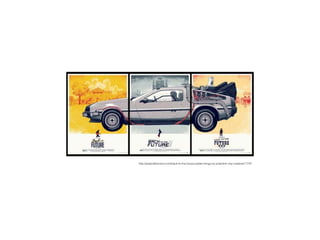
http://weandthecolor.com/back-to-the-future-poster-trilogy-by-phantom-city-creative/11727
2000
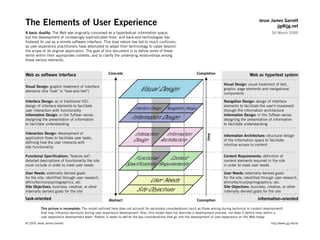
The Elements of User Experience 
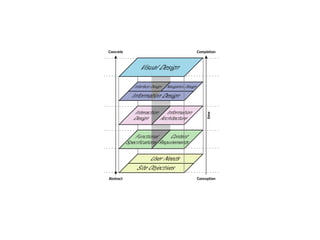
A basic duality: The Web was originally conceived as a hypertextual information space; 
but the development of increasingly sophisticated front- and back-end technologies has 
fostered its use as a remote software interface. This dual nature has led to much confusion, 
as user experience practitioners have attempted to adapt their terminology to cases beyond 
the scope of its original application. The goal of this document is to define some of these 
terms within their appropriate contexts, and to clarify the underlying relationships among 
these various elements. 
Jesse James Garrett 
jjg@jjg.net 
Completion 
30 March 2000 
Web as software interface Web as hypertext system 
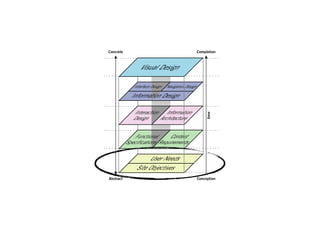
Visual Design: graphic treatment of interface 
elements (the "look" in "look-and-feel") 
Information Architecture: structural design 
of the information space to facilitate 
intuitive access to content 
Interaction Design: development of 
application flows to facilitate user tasks, 
defining how the user interacts with 
site functionality 
Navigation Design: design of interface 
elements to facilitate the user's movement 
through the information architecture 
Information Design: in the Tuftean sense: 
designing the presentation of information 
to facilitate understanding 
Functional Specifications: "feature set": 
detailed descriptions of functionality the site 
must include in order to meet user needs 
User Needs: externally derived goals 
for the site; identified through user research, 
ethno/techno/psychographics, etc. 
Site Objectives: business, creative, or other 
internally derived goals for the site 
Content Requirements: definition of 
content elements required in the site 
in order to meet user needs 
Interface Design: as in traditional HCI: 
design of interface elements to facilitate 
user interaction with functionality 
Information Design: in the Tuftean sense: 
designing the presentation of information 
to facilitate understanding 
Visual Design: visual treatment of text, 
graphic page elements and navigational 
components 
Concrete 
task-oriented information-oriented 
Abstract 
time 
Interface Design Navigation Design 
Conception 
Visual Design 
Information Design 
Interaction 
Design 
Architecture 
Functional 
Specifications 
Information 
Content 
Requirements 
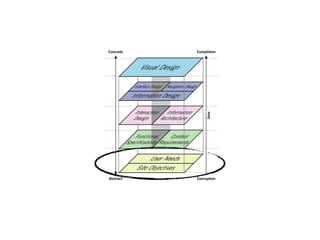
User Needs 
Site Objectives 
User Needs: externally derived goals 
for the site; identified through user research, 
ethno/techno/psychographics, etc. 
Site Objectives: business, creative, or other 
internally derived goals for the site 
This picture is incomplete: The model outlined here does not account for secondary considerations (such as those arising during technical or content development) 
that may influence decisions during user experience development. Also, this model does not describe a development process, nor does it define roles within a 
user experience development team. Rather, it seeks to define the key considerations that go into the development of user experience on the Web today. 
© 2000 Jesse James Garrett http://www.jjg.net/ia/
http://www.smashingmagazine.com/2014/09/01/think-your-app-is-beautiful-not-without-user-experience-design/
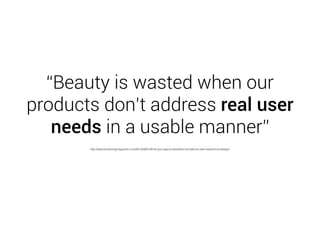
“Beauty is wasted when our 
products don’t address real user 
needs in a usable manner” 
http://www.smashingmagazine.com/2014/09/01/think-your-app-is-beautiful-not-without-user-experience-design/
http://t.co/vzaW4WSJil
We’re not just painters!
SO MUCH 
MORE 
COMPLEX.
UX
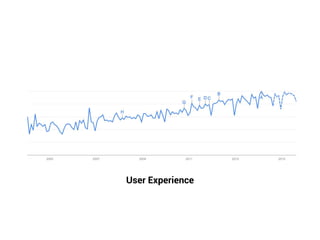
User Experience
The Elements of User Experience 
A basic duality: The Web was originally conceived as a hypertextual information space; 
but the development of increasingly sophisticated front- and back-end technologies has 
fostered its use as a remote software interface. This dual nature has led to much confusion, 
as user experience practitioners have attempted to adapt their terminology to cases beyond 
the scope of its original application. The goal of this document is to define some of these 
terms within their appropriate contexts, and to clarify the underlying relationships among 
these various elements. 
Jesse James Garrett 
jjg@jjg.net 
Completion 
30 March 2000 
Web as software interface Web as hypertext system 
Visual Design: graphic treatment of interface 
elements (the "look" in "look-and-feel") 
Information Architecture: structural design 
of the information space to facilitate 
intuitive access to content 
Interaction Design: development of 
application flows to facilitate user tasks, 
defining how the user interacts with 
site functionality 
Navigation Design: design of interface 
elements to facilitate the user's movement 
through the information architecture 
Information Design: in the Tuftean sense: 
designing the presentation of information 
to facilitate understanding 
Functional Specifications: "feature set": 
detailed descriptions of functionality the site 
must include in order to meet user needs 
User Needs: externally derived goals 
for the site; identified through user research, 
ethno/techno/psychographics, etc. 
Site Objectives: business, creative, or other 
internally derived goals for the site 
Content Requirements: definition of 
content elements required in the site 
in order to meet user needs 
Interface Design: as in traditional HCI: 
design of interface elements to facilitate 
user interaction with functionality 
Information Design: in the Tuftean sense: 
designing the presentation of information 
to facilitate understanding 
Visual Design: visual treatment of text, 
graphic page elements and navigational 
components 
Concrete 
task-oriented information-oriented 
Abstract 
time 
Interface Design Navigation Design 
Conception 
Visual Design 
Information Design 
Interaction 
Design 
Architecture 
Functional 
Specifications 
Information 
Content 
Requirements 
User Needs 
Site Objectives 
User Needs: externally derived goals 
for the site; identified through user research, 
ethno/techno/psychographics, etc. 
Site Objectives: business, creative, or other 
internally derived goals for the site 
This picture is incomplete: The model outlined here does not account for secondary considerations (such as those arising during technical or content development) 
that may influence decisions during user experience development. Also, this model does not describe a development process, nor does it define roles within a 
user experience development team. Rather, it seeks to define the key considerations that go into the development of user experience on the Web today. 
© 2000 Jesse James Garrett http://www.jjg.net/ia/
2010
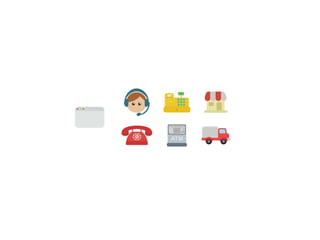
We own so much more than the website!
SERVICE 
DESIGN
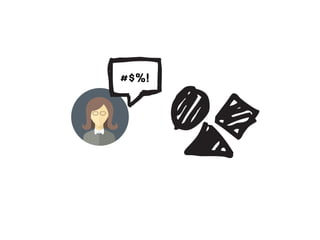
#$%!
WOOT
Systems Thinking 
Ecosystems 
Service Design
“SEAT AT 
THE 
TABLE”
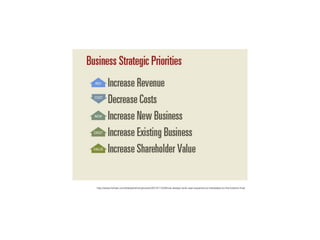
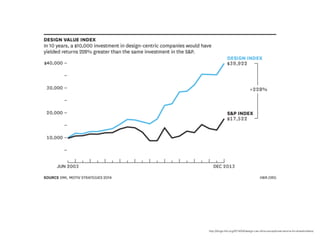
http://www.forbes.com/sites/anthonykosner/2013/11/23/how-design-and-user-experience-translates-to-the-bottom-line/
We’ve 
#WON
http://blogs.hbr.org/2014/04/design-can-drive-exceptional-returns-for-shareholders/
It’s not that easy.
There are still 100s of 
companies that make 
revenue off software in the 
$100s of millions that don’t 
have a user experience team.
“The problem from a user experience perspective is that 
enterprise systems are generally procured and 
implemented with the focus purely on solving problems 
for the business with little attention paid to who the 
users are and how they want to work.” 
http://www.foolproof.co.uk/thinking/the-user-experience-of-enterprise-technology/
Solving Problems by 
Automating Solutions
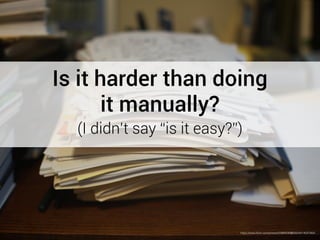
Is it harder than doing 
it manually? 
(I didn’t say “is it easy?”) 
https://www.flickr.com/photos/33989236@N00/4214027902/
software users 
have raised the 
bar 
their expectations 
have changed.
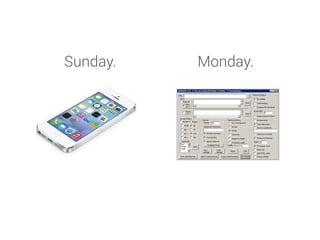
Sunday. Monday.
“We’re focusing on 
User Experience”
“We’re focusing on 
User Experience” 
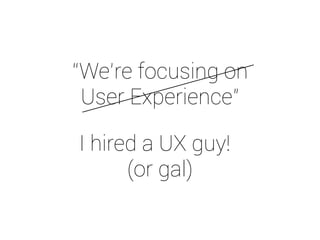
I hired a UX guy! 
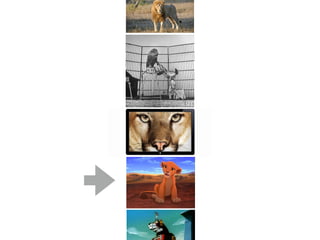
(or gal)
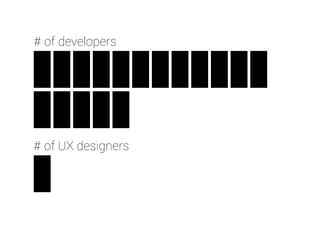
# of developers 
# of UX designers
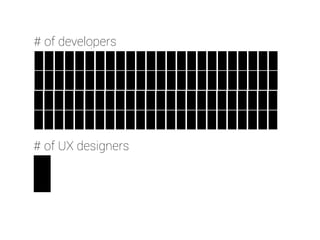
# of developers 
# of UX designers
UX Magic
UX is complex. 
UX is everywhere. 
UX is business.
2015
forgetting…
UX is complex. 
UX is everywhere. 
UX is business. 
UX is for people.
“users”
“users” 
“people”
The Elements of User Experience 
A basic duality: The Web was originally conceived as a hypertextual information space; 
but the development of increasingly sophisticated front- and back-end technologies has 
fostered its use as a remote software interface. This dual nature has led to much confusion, 
as user experience practitioners have attempted to adapt their terminology to cases beyond 
the scope of its original application. The goal of this document is to define some of these 
terms within their appropriate contexts, and to clarify the underlying relationships among 
these various elements. 
Jesse James Garrett 
jjg@jjg.net 
Completion 
30 March 2000 
Web as software interface Web as hypertext system 
Visual Design: graphic treatment of interface 
elements (the "look" in "look-and-feel") 
Information Architecture: structural design 
of the information space to facilitate 
intuitive access to content 
Interaction Design: development of 
application flows to facilitate user tasks, 
defining how the user interacts with 
site functionality 
Navigation Design: design of interface 
elements to facilitate the user's movement 
through the information architecture 
Information Design: in the Tuftean sense: 
designing the presentation of information 
to facilitate understanding 
Functional Specifications: "feature set": 
detailed descriptions of functionality the site 
must include in order to meet user needs 
User Needs: externally derived goals 
for the site; identified through user research, 
ethno/techno/psychographics, etc. 
Site Objectives: business, creative, or other 
internally derived goals for the site 
Content Requirements: definition of 
content elements required in the site 
in order to meet user needs 
Interface Design: as in traditional HCI: 
design of interface elements to facilitate 
user interaction with functionality 
Information Design: in the Tuftean sense: 
designing the presentation of information 
to facilitate understanding 
Visual Design: visual treatment of text, 
graphic page elements and navigational 
components 
Concrete 
task-oriented information-oriented 
Abstract 
time 
Interface Design Navigation Design 
Conception 
Visual Design 
Information Design 
Interaction 
Design 
Architecture 
Functional 
Specifications 
Information 
Content 
Requirements 
User Needs 
Site Objectives 
User Needs: externally derived goals 
for the site; identified through user research, 
ethno/techno/psychographics, etc. 
Site Objectives: business, creative, or other 
internally derived goals for the site 
This picture is incomplete: The model outlined here does not account for secondary considerations (such as those arising during technical or content development) 
that may influence decisions during user experience development. Also, this model does not describe a development process, nor does it define roles within a 
user experience development team. Rather, it seeks to define the key considerations that go into the development of user experience on the Web today. 
© 2000 Jesse James Garrett http://www.jjg.net/ia/
“user needs”
The Elements of User Experience 
A basic duality: The Web was originally conceived as a hypertextual information space; 
but the development of increasingly sophisticated front- and back-end technologies has 
fostered its use as a remote software interface. This dual nature has led to much confusion, 
as user experience practitioners have attempted to adapt their terminology to cases beyond 
the scope of its original application. The goal of this document is to define some of these 
terms within their appropriate contexts, and to clarify the underlying relationships among 
these various elements. 
Jesse James Garrett 
jjg@jjg.net 
Completion 
30 March 2000 
Web as software interface Web as hypertext system 
Visual Design: graphic treatment of interface 
elements (the "look" in "look-and-feel") 
Information Architecture: structural design 
of the information space to facilitate 
intuitive access to content 
Interaction Design: development of 
application flows to facilitate user tasks, 
defining how the user interacts with 
site functionality 
Navigation Design: design of interface 
elements to facilitate the user's movement 
through the information architecture 
Information Design: in the Tuftean sense: 
designing the presentation of information 
to facilitate understanding 
Functional Specifications: "feature set": 
detailed descriptions of functionality the site 
must include in order to meet user needs 
User Needs: externally derived goals 
for the site; identified through user research, 
ethno/techno/psychographics, etc. 
Site Objectives: business, creative, or other 
internally derived goals for the site 
Content Requirements: definition of 
content elements required in the site 
in order to meet user needs 
Interface Design: as in traditional HCI: 
design of interface elements to facilitate 
user interaction with functionality 
Information Design: in the Tuftean sense: 
designing the presentation of information 
to facilitate understanding 
Visual Design: visual treatment of text, 
graphic page elements and navigational 
components 
Concrete 
task-oriented information-oriented 
Abstract 
time 
Interface Design Navigation Design 
Conception 
Visual Design 
Information Design 
Interaction 
Design 
Architecture 
Functional 
Specifications 
Information 
Content 
Requirements 
User Needs 
Site Objectives 
User Needs: externally derived goals 
for the site; identified through user research, 
ethno/techno/psychographics, etc. 
Site Objectives: business, creative, or other 
internally derived goals for the site 
This picture is incomplete: The model outlined here does not account for secondary considerations (such as those arising during technical or content development) 
that may influence decisions during user experience development. Also, this model does not describe a development process, nor does it define roles within a 
user experience development team. Rather, it seeks to define the key considerations that go into the development of user experience on the Web today. 
© 2000 Jesse James Garrett http://www.jjg.net/ia/
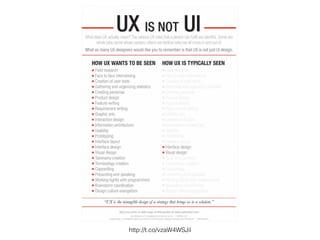
What UX isn’t 
https://medium.com/@jamieskella/what-ux-isnt-dee0436a194d
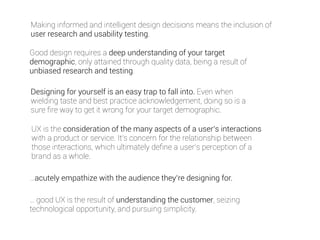
Making informed and intelligent design decisions means the inclusion of 
user research and usability testing. 
Good design requires a deep understanding of your target 
demographic, only attained through quality data, being a result of 
unbiased research and testing. 
Designing for yourself is an easy trap to fall into. Even when 
wielding taste and best practice acknowledgement, doing so is a 
sure fire way to get it wrong for your target demographic. 
UX is the consideration of the many aspects of a user’s interactions 
with a product or service. It’s concern for the relationship between 
those interactions, which ultimately define a user’s perception of a 
brand as a whole. 
…acutely empathize with the audience they’re designing for. 
… good UX is the result of understanding the customer, seizing 
technological opportunity, and pursuing simplicity.
http://www.nngroup.com/articles/ux-without-user-research/
User experience cannot exist without users. Creating user interfaces involves 
intricate and complex decisions. User research is a tool that can help you 
achieve your goals. 
Even the most well thought out designs are assumptions until they are 
tested by real users. Different types of research can answer different types of 
questions. Know the tools and apply them accordingly. Leaving the user out 
is not an option. 
UX - U = X
http://blogs.wsj.com/accelerators/2014/02/19/braden-kowitz-why-you-should-listen-to-the-customer/
Investing in user research is just about the only way to consistently 
generate a rich stream of data about customer needs and behaviors. As 
a designer, I can’t live without it. And as data about customers flows 
through your team, it informs product managers, engineers, and just 
about everyone else. It forms the foundation of intuitive designs, 
indispensable products, and successful companies. So what are you 
waiting for? Go listen to your customers!
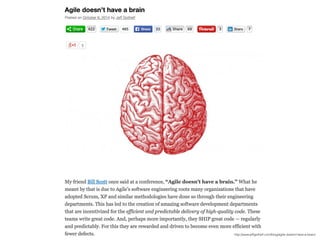
http://www.jeffgothelf.com/blog/agile-doesnt-have-a-brain/
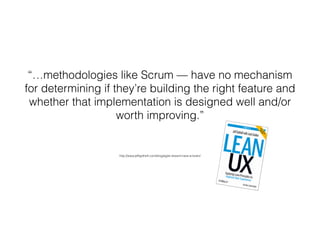
“…methodologies like Scrum — have no mechanism 
for determining if they’re building the right feature and 
whether that implementation is designed well and/or 
worth improving.” 
http://www.jeffgothelf.com/blog/agile-doesnt-have-a-brain/
Let’s talk about Listening to customers
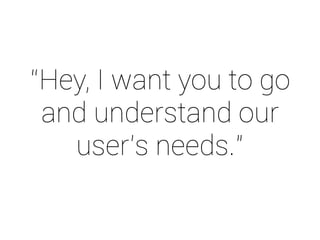
“Hey, I want you to go 
and understand our 
user’s needs.”
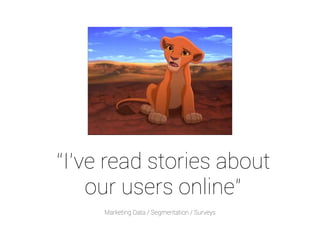
“I’ve read stories about 
our users online” 
Marketing Data / Segmentation / Surveys
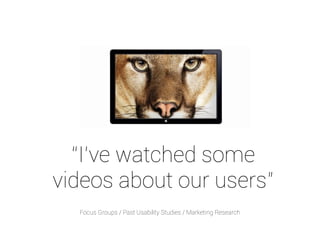
“I’ve watched some 
videos about our users” 
Focus Groups / Past Usability Studies / Marketing Research
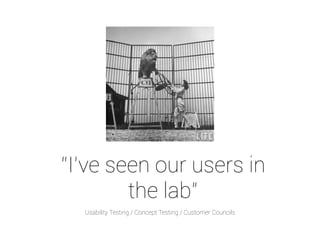
“I’ve seen our users in 
the lab” 
Usability Testing / Concept Testing / Customer Councils
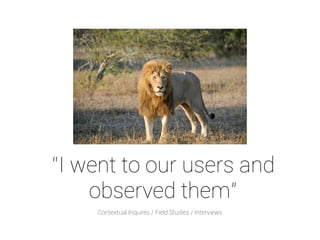
“I went to our users and 
observed them” 
Contextual Inquires / Field Studies / Interviews
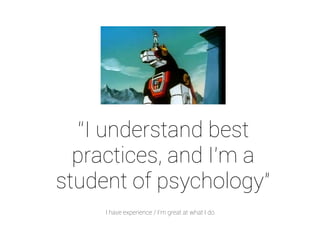
“I understand best 
practices, and I’m a 
student of psychology" 
I have experience / I’m great at what I do
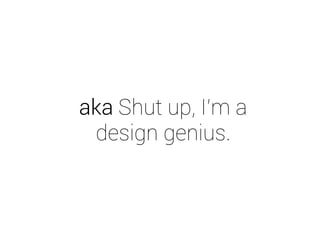
aka Shut up, I’m a 
design genius.
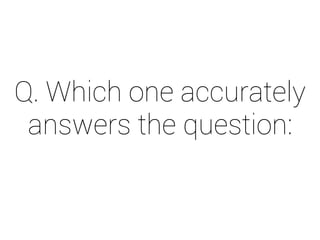
Q. Which one accurately 
answers the question:
“Hey, I want you to go 
and understand our 
user’s needs.”
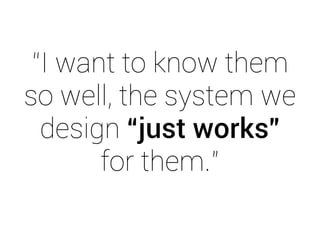
“I want to know them 
so well, the system we 
design “just works” 
for them.”
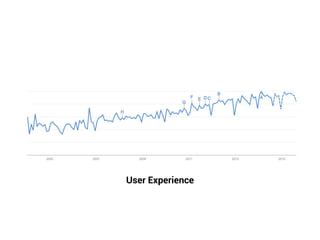
User Experience
User Experience
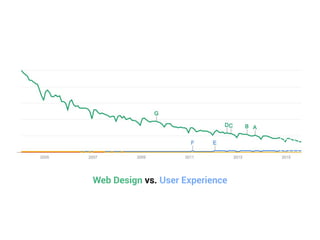
Web Design vs. User Experience
User Experience
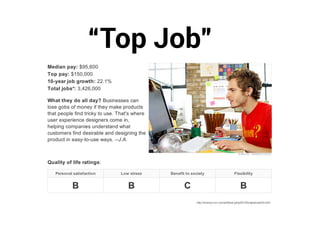
“Top Job” 
http://money.cnn.com/pf/best-jobs/2012/snapshots/43.html
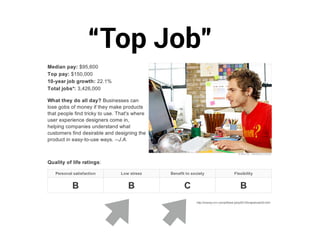
“Top Job” 
http://money.cnn.com/pf/best-jobs/2012/snapshots/43.html
http://www.uxutd.com/
“Give me three skills a ux 
designer needs today and 
for the future”
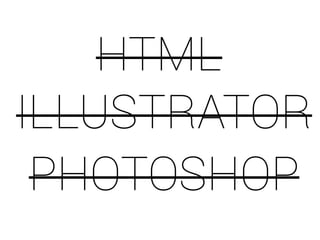
HTML 
ILLUSTRATOR 
PHOTOSHOP
“empathy”
http://poetpainter.com/
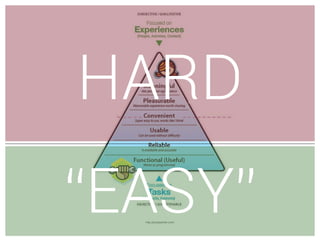
HARD 
http://poetpainter.com/ “EASY”
http://poetpainter.com/
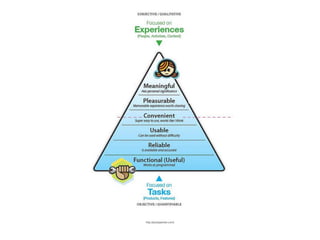
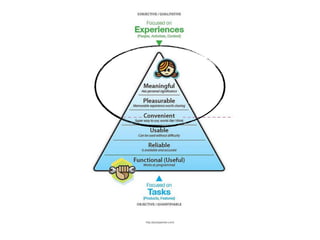
“personal significance” 
“works like I think”
“Hey, I want you to go 
and understand our 
user’s needs, wants, 
and desires.”
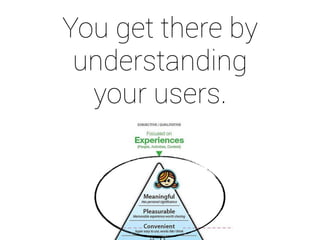
You get there by 
understanding 
your users.
5 WAYS 
Getting to know your 
users helps YOU.
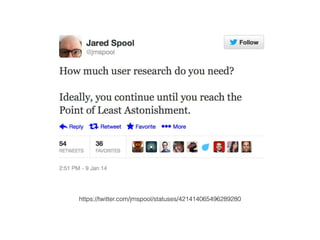
Learn the unexpected
https://twitter.com/jmspool/statuses/421414065496289280
1. 
Business needs data to 
backup decisions.
2. 
Mind-blowing, 
astonishing, insights.
3. 
Something 
in-between…
Observations will 
speak volumes for 
your users.
User Quotes
“I like the idea, but I’d 
never use this.”
“What I really need is a 
way to save this for later.”
“I have no idea how to 
use this, so I just skip 
that whole step”
“I usually just print it out 
and file it away.”
“I use this because it 
makes me feel like I’m 
mastering something”
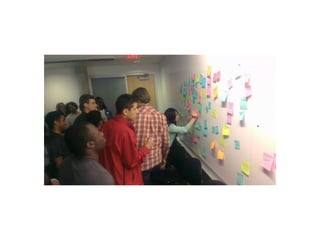
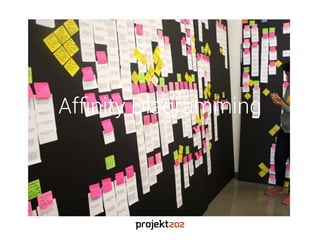
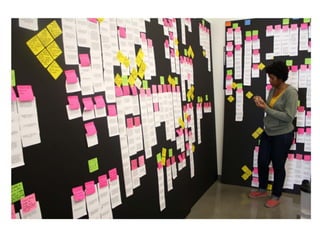
Affinity Diagramming
Solving the right problems
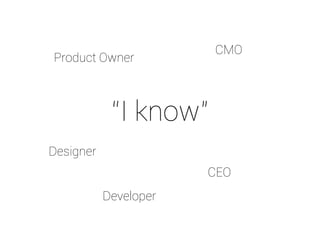
Product Owner 
“I know” 
CEO 
Designer 
CMO 
Developer
Institutional Knowledge
The 8 Monkeys 
http://speakingofresearch.com/category/news/campus-activism/
http://www.nbcnews.com/feature/making-a-difference/striking-out-als-ice-bucket-challenge-brings-flood-donations-n177896
The 8 Monkeys 
http://speakingofresearch.com/category/news/campus-activism/
Institutional Knowledge
Go observe, talk to, and 
interact with your users! 
Get first hand experience of your 
user’s problems!
Show you care
#1 reaction when 
observing users of 
business-to-business 
software?
“Wow, you care about us? 
I thought we were 
abandoned to the depths 
of bad software!”
+ Signed longer contracts 
+Bought new software 
+ Excited user base
#1 reaction when 
observing users.
Hugs.
You’re the expert
“Hey, who do I go to, I 
have a question 
about what we 
should do here?”
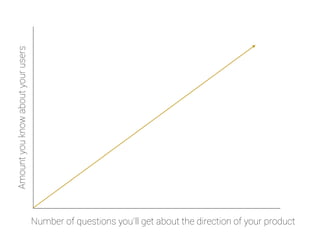
Amount you know about your users Number of questions you’ll get about the direction of your product
“SEAT AT 
THE 
TABLE”
+ You know what will set you apart 
+ Quotes are Business Ammo 
+ You understand the problems 
+ You’re users love you 
+ You’re now the expert
Design Research 
(or User Research)
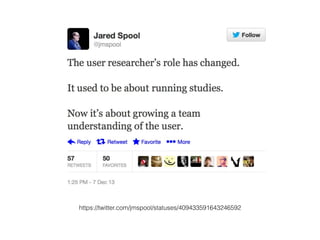
https://twitter.com/jmspool/statuses/409433591643246592
https://twitter.com/userfocus/status/519437111540584449
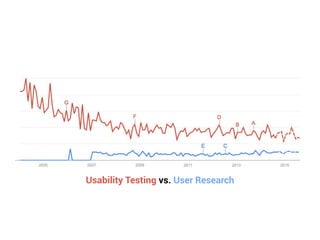
Usability Testing vs. User Research
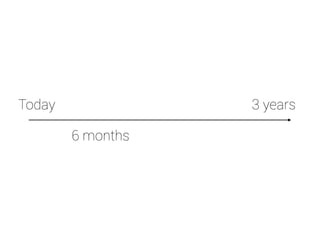
Today 
6 months 
3 years
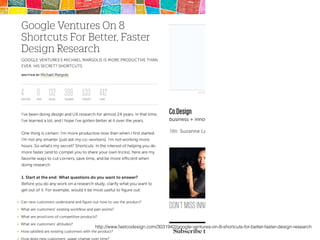
http://www.fastcodesign.com/3031942/google-ventures-on-8-shortcuts-for-better-faster-design-research
http://www.slideshare.net/jeremy/failing-fast-learning-along-the-way-big-design-2013
8 Design Research 
practices to kick start your 
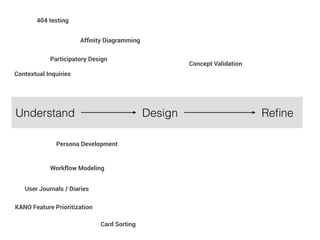
user knowledge!
Participatory Design 
Contextual Inquiries 
Affinity Diagramming 
Understand Design Refine 
Persona Development 
Concept Validation 
Workflow Modeling 
KANO Feature Prioritization 
Card Sorting 
404 testing 
User Journals / Diaries
http://michaelvhurley.com/2013/01/04/my-worthless-degree/
Psychology, cognitive 
science, etc…
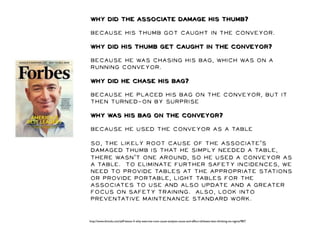
Why did the associate damage his thumb? 
Because his thumb got caught in the conveyor. 
Why did his thumb get caught in the conveyor? 
Because he was chasing his bag, which was on a 
running conveyor. 
Why did he chase his bag? 
Because he placed his bag on the conveyor, but it 
then turned-on by surprise 
Why was his bag on the conveyor? 
Because he used the conveyor as a table 
So, the likely root cause of the associate’s 
damaged thumb is that he simply needed a table, 
there wasn’t one around, so he used a conveyor as 
a table. To eliminate further safety incidences, we 
need to provide tables at the appropriate stations 
or provide portable, light tables for the 
associates to use and also update and a greater 
focus on safety training. Also, look into 
preventative maintenance standard work. 
http://www.shmula.com/jeff-bezos-5-why-exercise-root-cause-analysis-cause-and-effect-ishikawa-lean-thinking-six-sigma/987/
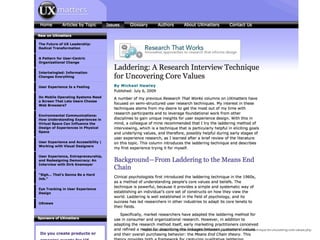
http://www.uxmatters.com/mt/archives/2009/07/laddering-a-research-interview-technique-for-uncovering-core-values.php
Contextual 
Inquiries
A contextual inquiry interview is usually 
structured as an approximately two-hour, 
one-on-one interaction in which the 
researcher watches the user do their normal 
activities and discusses what they see with 
the user. 
http://en.wikipedia.org/wiki/Contextual_inquiry
Observing Users.
Persona 
Development
Primary Persona 
David 
Corporate Employee, 40 yrs old 
Health Conscious 
“I workout a couple times a week, 
and want to make sure I’m as 
healthy as I can be” 
Number of doctor visits a year: 
5 
Years without major health issue: 
8 
About David: 
Experience: 
Health Motivators: 
Goals: 
Technology Adoption: 
90% 55% 100% 
Ideal State: 
David’s Edge: 
Lorem ipsum dolor sit amet, consectetur 
adipiscing elit. Praesent eu ligula est. 
Pellentesque a dolor molestie, vestibulum 
metus a, luctus dolor. Cras est dui, lobortis et 
nisi quis, viverra vehicula purus. Vestibulum 
ultrices ut eros a egestas. Phasellus egestas 
ligula sit amet nulla vehicula egestas. Maecenas 
interdum porta faucibus. Sed id mauris ac turpis 
pretium pretium. Praesent euismod vitae sem 
vitae tincidunt. Mauris interdum. 
• Lorem ipsum dolor sit amet, consectetur 
• adipiscing elit. Praesent eu ligula est. 
• Pellentesque a dolor molestie, vestibulum 
• metus a, luctus dolor. Cras est dui, lobortis et 
• nisi quis, viverra vehicula purus. Vestibulum 
• ]ultrices ut eros a egestas. Phasellus egestas 
Lorem ipsum dolor sit amet, consectetur 
adipiscing elit. Praesent eu ligula est. 
Pellentesque a dolor molestie, vestibulum 
metus a, luctus dolor. 
Lorem ipsum dolor sit amet, consectetur 
adipiscing elit. Praesent eu ligula est. 
Pellentesque a dolor molestie, vestibulum 
metus a, luctus dolor. Cras est dui, lobortis 
et nisi quis, viverra vehicula purus. 
Vestibulum ultrices ut eros a egestas. 
Phasellus egestas ligula sit amet nulla 
vehicula egestas. Maecenas interdum porta 
faucibus. Sed id mauris ac turpis pretium 
pretium. Praesent euismod vitae sem vitae 
tincidunt. Mauris interdum. 
Lorem ipsum dolor sit amet, consectetur 
adipiscing elit. Praesent eu ligula est. 
Pellentesque a dolor molestie, vestibulum 
metus a, luctus dolor. Cras est dui, lobortis et 
nisi quis, viverra vehicula purus. Vestibulum 
ultrices ut eros a egestas. Phasellus egestas 
ligula sit amet nulla vehicula egestas. 
Maecenas interdum porta faucibus. Sed id 
mauris ac turpis pretium pretium. Praesent 
euismod.
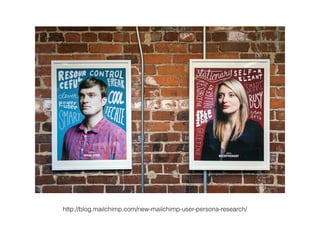
http://blog.mailchimp.com/new-mailchimp-user-persona-research/
As a user… 
Jane needs to…
Concept 
Validation
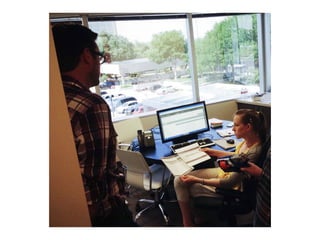
User-centered design can be characterized as a 
multi-stage problem solving process that not only 
requires designers to analyze and foresee how 
users are likely to use a product, but also to test 
the validity of their assumptions with regard to 
user behavior in real world tests with actual 
users. Such testing is necessary as it is often very 
difficult for the designers of a product to 
understand intuitively what a first-time user of 
their design experiences, and what each user's 
learning curve may look like. 
http://en.wikipedia.org/wiki/User-centered_design
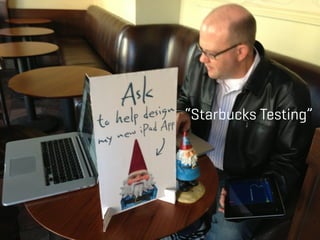
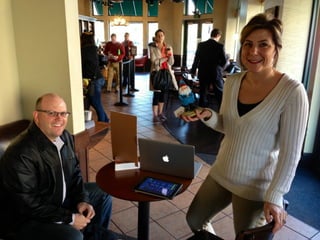
“Starbucks Testing”
x 
x
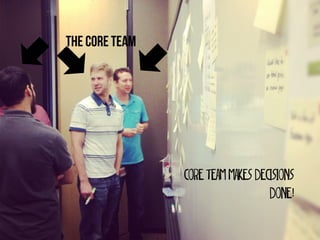
Core team makes decisions 
Done! 
the core team
Affinity 
Diagramming
Participatory 
Design
“Participatory design aims to bring users into 
the design process by facilitating conversations 
through the creation and completion of a wide 
range of activities.” 
http://designmind.frogdesign.com/blog/bringing-users-into-your-process-through-participatory-design.html
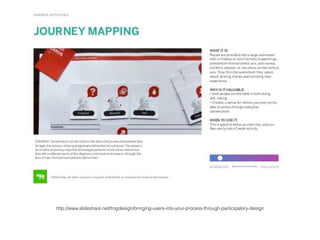
http://www.slideshare.net/frogdesign/bringing-users-into-your-process-through-participatory-design
Card 
Sorting
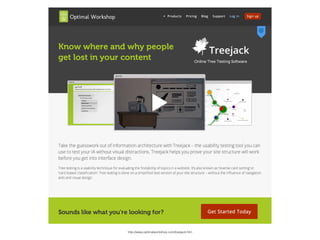
http://www.optimalworkshop.com/treejack.htm
404 
testing
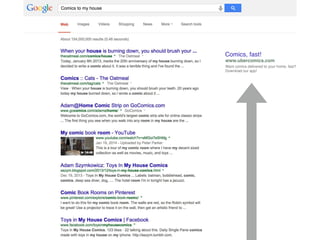
Comics, fast! 
www.ubercomics.com 
Want comics delivered to your home, fast? 
Download our app!
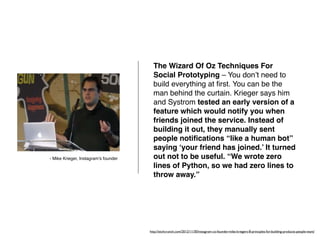
The Wizard Of Oz Techniques For 
Social Prototyping – You don’t need to 
build everything at first. You can be the 
man behind the curtain. Krieger says him 
and Systrom tested an early version of a 
feature which would notify you when 
friends joined the service. Instead of 
building it out, they manually sent 
people notifications “like a human bot” 
saying ‘your friend has joined.’ It turned 
out not to be useful. “We wrote zero 
lines of Python, so we had zero lines to 
throw away.” 
http://techcrunch.com/2012/11/30/instagram-co-founder-mike-kriegers-8-principles-for-building-products-people-want/ 
- Mike Krieger, Instagram’s founder
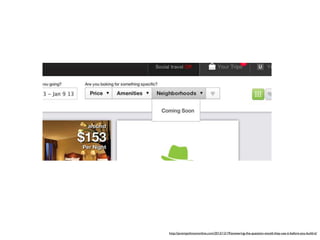
http://jeremyjohnsononline.com/2012/12/19/answering-the-question-would-they-use-it-before-you-build-it/
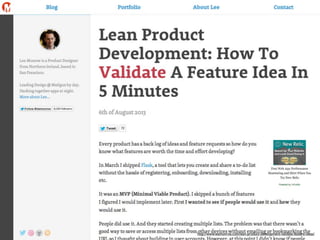
http://www.leemunroe.com/lean-product-development-validate-feature-ideas/
It was an MVP (Minimal Viable Product). I skipped a bunch of 
features I figured I would implement later. First I wanted to see if 
people would use it and how they would use it. 
(...) 
Implementing user accounts (in Rails) would take me 2 weekends of work; 
registration, accounts, saving lists, removing lists, tracking, designing screens, 
edge cases etc. 
I didn’t want to spend the time if it turned out no one signed up so I ran an 
experiment. 
I dropped in a link on the top of the page that said “Sign up to save 
multiple lists.” and tracked the number of clicks it got with 
Mixpanel. 
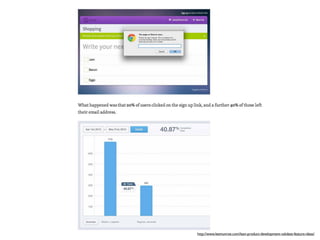
http://www.leemunroe.com/lean-product-development-validate-feature-ideas/
User 
Journals / 
Diaries
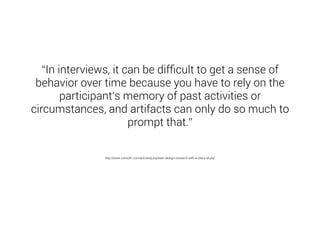
“In interviews, it can be difficult to get a sense of 
behavior over time because you have to rely on the 
participant’s memory of past activities or 
circumstances, and artifacts can only do so much to 
prompt that.” 
http://www.uxbooth.com/articles/jumpstart-design-research-with-a-diary-study/
http://www.slideshare.net/jaremfan/the-goodness-of-diary-studies
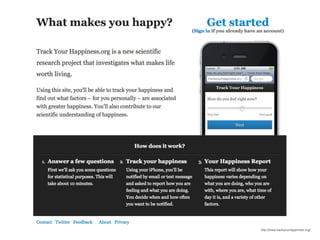
http://www.trackyourhappiness.org/
“46.9 percent of the time the responders said 
their minds were wandering when the iPhone 
rang to query their thoughts.” 
http://blogs.discovermagazine.com/80beats/2010/11/11/iphone-users-report-that-daydreams-make-them-sad/
8 Design Research 
practices to kick start your 
user knowledge!
Rockstars!
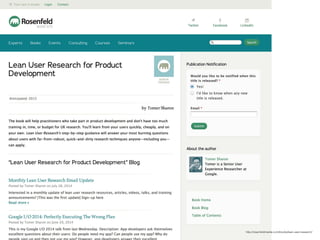
Tomer Sharon 
User Experience Researcher at Google Search 
https://plus.google.com/+TomerSharon/about
http://rosenfeldmedia.com/books/lean-user-research/
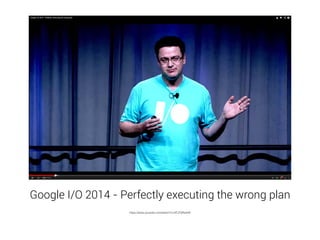
Google I/O 2014 - Perfectly executing the wrong plan 
https://www.youtube.com/watch?v=9TJTbRw4ri8
Research 
+ 
Lean Startup
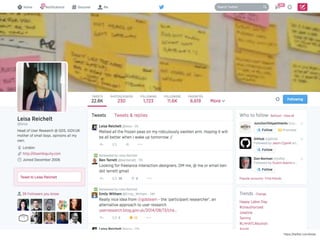
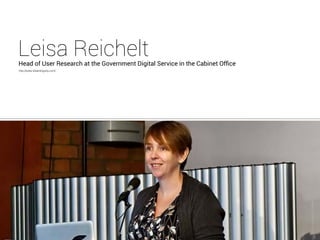
Leisa Reichelt 
Head of User Research at the Government Digital Service in the Cabinet Office 
http://www.disambiguity.com/
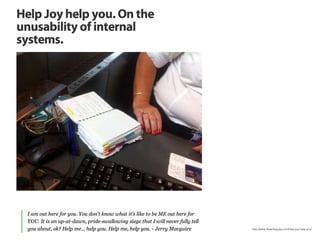
http://www.disambiguity.com/help-joy-help-you/
https://twitter.com/leisa
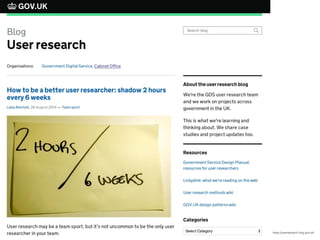
https://userresearch.blog.gov.uk/
Big Government 
+ 
Empathy
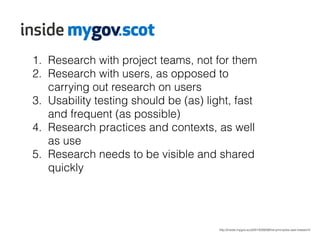
1. Research with project teams, not for them 
2. Research with users, as opposed to 
http://inside.mygov.scot/2014/09/09/five-principles-user-research/ 
carrying out research on users 
3. Usability testing should be (as) light, fast 
and frequent (as possible) 
4. Research practices and contexts, as well 
as use 
5. Research needs to be visible and shared 
quickly
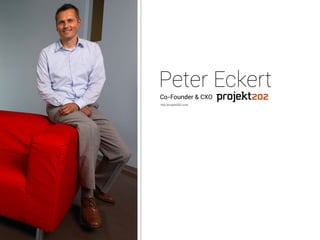
Peter Eckert 
Co-Founder & CXO 
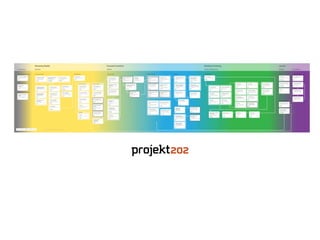
http://projekt202.com/
10+ Years
Enterprise / Complex 
Software 
+ 
Design Research
Last…
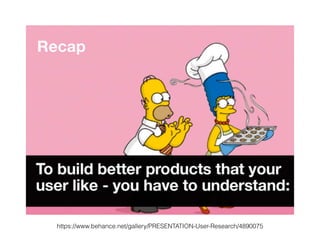
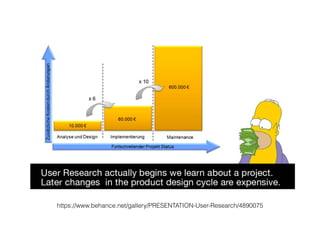
https://www.behance.net/gallery/PRESENTATION-User-Research/4890075
Thanks! 
@jeremyjohnson
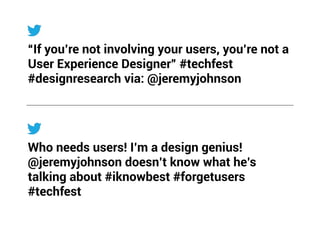
“If you’re not involving your users, you’re not a 
User Experience Designer” #techfest 
#designresearch via: @jeremyjohnson 
Who needs users! I’m a design genius! 
@jeremyjohnson doesn’t know what he’s 
talking about #iknowbest #forgetusers 
#techfest
Thanks! 
Questions? 
Jeremy Johnson 
Director of User Experience @ 
@jeremyjohnson 
214-228-2894 
.com 
@projekt202 
jeremy.johnson@projekt202.com

Putting the "User" back in User Experience (Dallas Techfest Edition)

  • 1.
    Putting the User back in User Experience @jeremyjohnson
  • 2.
  • 3.
  • 4.
  • 5.
  • 7.
    Uncover user needs, Design great solutions, and build out solutions to launch.
  • 8.
  • 9.
  • 10.
    we make thingsfor http://500px.com/jeremyjohnson/sets/buenos_aires_2012
  • 11.
    We work inecosystems http://500px.com/jeremyjohnson/sets/london_2012
  • 12.
  • 13.
    We learn throughobservation http://500px.com/jeremyjohnson/sets/london_2012
  • 14.
  • 16.
  • 17.
  • 18.
  • 19.
    Mr. User SoftwareDevelopment Product Decisions “Hey, what’s going on over there?”
  • 20.
    “I know theusers!” “They’ll love this when we release next year!!”
  • 21.
  • 22.
  • 23.
    #1 You don’treally know your customers as well as you think you do (usually)…
  • 24.
    #2 If you’re launching twelve months from now, and are not involving your customer, that’s a big gamble…
  • 25.
    Getting everything rightthe first time, is hard.
  • 26.
  • 27.
  • 28.
    The Elements ofUser Experience A basic duality: The Web was originally conceived as a hypertextual information space; but the development of increasingly sophisticated front- and back-end technologies has fostered its use as a remote software interface. This dual nature has led to much confusion, as user experience practitioners have attempted to adapt their terminology to cases beyond the scope of its original application. The goal of this document is to define some of these terms within their appropriate contexts, and to clarify the underlying relationships among these various elements. Jesse James Garrett jjg@jjg.net Completion 30 March 2000 Web as software interface Web as hypertext system Visual Design: graphic treatment of interface elements (the "look" in "look-and-feel") Information Architecture: structural design of the information space to facilitate intuitive access to content Interaction Design: development of application flows to facilitate user tasks, defining how the user interacts with site functionality Navigation Design: design of interface elements to facilitate the user's movement through the information architecture Information Design: in the Tuftean sense: designing the presentation of information to facilitate understanding Functional Specifications: "feature set": detailed descriptions of functionality the site must include in order to meet user needs User Needs: externally derived goals for the site; identified through user research, ethno/techno/psychographics, etc. Site Objectives: business, creative, or other internally derived goals for the site Content Requirements: definition of content elements required in the site in order to meet user needs Interface Design: as in traditional HCI: design of interface elements to facilitate user interaction with functionality Information Design: in the Tuftean sense: designing the presentation of information to facilitate understanding Visual Design: visual treatment of text, graphic page elements and navigational components Concrete task-oriented information-oriented Abstract time Interface Design Navigation Design Conception Visual Design Information Design Interaction Design Architecture Functional Specifications Information Content Requirements User Needs Site Objectives User Needs: externally derived goals for the site; identified through user research, ethno/techno/psychographics, etc. Site Objectives: business, creative, or other internally derived goals for the site This picture is incomplete: The model outlined here does not account for secondary considerations (such as those arising during technical or content development) that may influence decisions during user experience development. Also, this model does not describe a development process, nor does it define roles within a user experience development team. Rather, it seeks to define the key considerations that go into the development of user experience on the Web today. © 2000 Jesse James Garrett http://www.jjg.net/ia/
  • 29.
  • 30.
    “Beauty is wastedwhen our products don’t address real user needs in a usable manner” http://www.smashingmagazine.com/2014/09/01/think-your-app-is-beautiful-not-without-user-experience-design/
  • 31.
  • 32.
  • 33.
    SO MUCH MORE COMPLEX.
  • 34.
  • 35.
  • 36.
    The Elements ofUser Experience A basic duality: The Web was originally conceived as a hypertextual information space; but the development of increasingly sophisticated front- and back-end technologies has fostered its use as a remote software interface. This dual nature has led to much confusion, as user experience practitioners have attempted to adapt their terminology to cases beyond the scope of its original application. The goal of this document is to define some of these terms within their appropriate contexts, and to clarify the underlying relationships among these various elements. Jesse James Garrett jjg@jjg.net Completion 30 March 2000 Web as software interface Web as hypertext system Visual Design: graphic treatment of interface elements (the "look" in "look-and-feel") Information Architecture: structural design of the information space to facilitate intuitive access to content Interaction Design: development of application flows to facilitate user tasks, defining how the user interacts with site functionality Navigation Design: design of interface elements to facilitate the user's movement through the information architecture Information Design: in the Tuftean sense: designing the presentation of information to facilitate understanding Functional Specifications: "feature set": detailed descriptions of functionality the site must include in order to meet user needs User Needs: externally derived goals for the site; identified through user research, ethno/techno/psychographics, etc. Site Objectives: business, creative, or other internally derived goals for the site Content Requirements: definition of content elements required in the site in order to meet user needs Interface Design: as in traditional HCI: design of interface elements to facilitate user interaction with functionality Information Design: in the Tuftean sense: designing the presentation of information to facilitate understanding Visual Design: visual treatment of text, graphic page elements and navigational components Concrete task-oriented information-oriented Abstract time Interface Design Navigation Design Conception Visual Design Information Design Interaction Design Architecture Functional Specifications Information Content Requirements User Needs Site Objectives User Needs: externally derived goals for the site; identified through user research, ethno/techno/psychographics, etc. Site Objectives: business, creative, or other internally derived goals for the site This picture is incomplete: The model outlined here does not account for secondary considerations (such as those arising during technical or content development) that may influence decisions during user experience development. Also, this model does not describe a development process, nor does it define roles within a user experience development team. Rather, it seeks to define the key considerations that go into the development of user experience on the Web today. © 2000 Jesse James Garrett http://www.jjg.net/ia/
  • 37.
  • 38.
    We own somuch more than the website!
  • 39.
  • 42.
  • 44.
  • 45.
  • 48.
    “SEAT AT THE TABLE”
  • 50.
  • 51.
  • 52.
  • 53.
  • 54.
    There are still100s of companies that make revenue off software in the $100s of millions that don’t have a user experience team.
  • 55.
    “The problem froma user experience perspective is that enterprise systems are generally procured and implemented with the focus purely on solving problems for the business with little attention paid to who the users are and how they want to work.” http://www.foolproof.co.uk/thinking/the-user-experience-of-enterprise-technology/
  • 56.
    Solving Problems by Automating Solutions
  • 57.
    Is it harderthan doing it manually? (I didn’t say “is it easy?”) https://www.flickr.com/photos/33989236@N00/4214027902/
  • 58.
    software users haveraised the bar their expectations have changed.
  • 59.
  • 60.
    “We’re focusing on User Experience”
  • 61.
    “We’re focusing on User Experience” I hired a UX guy! (or gal)
  • 62.
    # of developers # of UX designers
  • 63.
    # of developers # of UX designers
  • 64.
  • 65.
    UX is complex. UX is everywhere. UX is business.
  • 66.
  • 67.
  • 68.
    UX is complex. UX is everywhere. UX is business. UX is for people.
  • 69.
  • 70.
  • 72.
    The Elements ofUser Experience A basic duality: The Web was originally conceived as a hypertextual information space; but the development of increasingly sophisticated front- and back-end technologies has fostered its use as a remote software interface. This dual nature has led to much confusion, as user experience practitioners have attempted to adapt their terminology to cases beyond the scope of its original application. The goal of this document is to define some of these terms within their appropriate contexts, and to clarify the underlying relationships among these various elements. Jesse James Garrett jjg@jjg.net Completion 30 March 2000 Web as software interface Web as hypertext system Visual Design: graphic treatment of interface elements (the "look" in "look-and-feel") Information Architecture: structural design of the information space to facilitate intuitive access to content Interaction Design: development of application flows to facilitate user tasks, defining how the user interacts with site functionality Navigation Design: design of interface elements to facilitate the user's movement through the information architecture Information Design: in the Tuftean sense: designing the presentation of information to facilitate understanding Functional Specifications: "feature set": detailed descriptions of functionality the site must include in order to meet user needs User Needs: externally derived goals for the site; identified through user research, ethno/techno/psychographics, etc. Site Objectives: business, creative, or other internally derived goals for the site Content Requirements: definition of content elements required in the site in order to meet user needs Interface Design: as in traditional HCI: design of interface elements to facilitate user interaction with functionality Information Design: in the Tuftean sense: designing the presentation of information to facilitate understanding Visual Design: visual treatment of text, graphic page elements and navigational components Concrete task-oriented information-oriented Abstract time Interface Design Navigation Design Conception Visual Design Information Design Interaction Design Architecture Functional Specifications Information Content Requirements User Needs Site Objectives User Needs: externally derived goals for the site; identified through user research, ethno/techno/psychographics, etc. Site Objectives: business, creative, or other internally derived goals for the site This picture is incomplete: The model outlined here does not account for secondary considerations (such as those arising during technical or content development) that may influence decisions during user experience development. Also, this model does not describe a development process, nor does it define roles within a user experience development team. Rather, it seeks to define the key considerations that go into the development of user experience on the Web today. © 2000 Jesse James Garrett http://www.jjg.net/ia/
  • 73.
  • 74.
    The Elements ofUser Experience A basic duality: The Web was originally conceived as a hypertextual information space; but the development of increasingly sophisticated front- and back-end technologies has fostered its use as a remote software interface. This dual nature has led to much confusion, as user experience practitioners have attempted to adapt their terminology to cases beyond the scope of its original application. The goal of this document is to define some of these terms within their appropriate contexts, and to clarify the underlying relationships among these various elements. Jesse James Garrett jjg@jjg.net Completion 30 March 2000 Web as software interface Web as hypertext system Visual Design: graphic treatment of interface elements (the "look" in "look-and-feel") Information Architecture: structural design of the information space to facilitate intuitive access to content Interaction Design: development of application flows to facilitate user tasks, defining how the user interacts with site functionality Navigation Design: design of interface elements to facilitate the user's movement through the information architecture Information Design: in the Tuftean sense: designing the presentation of information to facilitate understanding Functional Specifications: "feature set": detailed descriptions of functionality the site must include in order to meet user needs User Needs: externally derived goals for the site; identified through user research, ethno/techno/psychographics, etc. Site Objectives: business, creative, or other internally derived goals for the site Content Requirements: definition of content elements required in the site in order to meet user needs Interface Design: as in traditional HCI: design of interface elements to facilitate user interaction with functionality Information Design: in the Tuftean sense: designing the presentation of information to facilitate understanding Visual Design: visual treatment of text, graphic page elements and navigational components Concrete task-oriented information-oriented Abstract time Interface Design Navigation Design Conception Visual Design Information Design Interaction Design Architecture Functional Specifications Information Content Requirements User Needs Site Objectives User Needs: externally derived goals for the site; identified through user research, ethno/techno/psychographics, etc. Site Objectives: business, creative, or other internally derived goals for the site This picture is incomplete: The model outlined here does not account for secondary considerations (such as those arising during technical or content development) that may influence decisions during user experience development. Also, this model does not describe a development process, nor does it define roles within a user experience development team. Rather, it seeks to define the key considerations that go into the development of user experience on the Web today. © 2000 Jesse James Garrett http://www.jjg.net/ia/
  • 75.
    What UX isn’t https://medium.com/@jamieskella/what-ux-isnt-dee0436a194d
  • 76.
    Making informed andintelligent design decisions means the inclusion of user research and usability testing. Good design requires a deep understanding of your target demographic, only attained through quality data, being a result of unbiased research and testing. Designing for yourself is an easy trap to fall into. Even when wielding taste and best practice acknowledgement, doing so is a sure fire way to get it wrong for your target demographic. UX is the consideration of the many aspects of a user’s interactions with a product or service. It’s concern for the relationship between those interactions, which ultimately define a user’s perception of a brand as a whole. …acutely empathize with the audience they’re designing for. … good UX is the result of understanding the customer, seizing technological opportunity, and pursuing simplicity.
  • 77.
  • 78.
    User experience cannotexist without users. Creating user interfaces involves intricate and complex decisions. User research is a tool that can help you achieve your goals. Even the most well thought out designs are assumptions until they are tested by real users. Different types of research can answer different types of questions. Know the tools and apply them accordingly. Leaving the user out is not an option. UX - U = X
  • 79.
  • 80.
    Investing in userresearch is just about the only way to consistently generate a rich stream of data about customer needs and behaviors. As a designer, I can’t live without it. And as data about customers flows through your team, it informs product managers, engineers, and just about everyone else. It forms the foundation of intuitive designs, indispensable products, and successful companies. So what are you waiting for? Go listen to your customers!
  • 81.
  • 82.
    “…methodologies like Scrum— have no mechanism for determining if they’re building the right feature and whether that implementation is designed well and/or worth improving.” http://www.jeffgothelf.com/blog/agile-doesnt-have-a-brain/
  • 83.
    Let’s talk aboutListening to customers
  • 84.
    “Hey, I wantyou to go and understand our user’s needs.”
  • 85.
    “I’ve read storiesabout our users online” Marketing Data / Segmentation / Surveys
  • 86.
    “I’ve watched some videos about our users” Focus Groups / Past Usability Studies / Marketing Research
  • 87.
    “I’ve seen ourusers in the lab” Usability Testing / Concept Testing / Customer Councils
  • 88.
    “I went toour users and observed them” Contextual Inquires / Field Studies / Interviews
  • 89.
    “I understand best practices, and I’m a student of psychology" I have experience / I’m great at what I do
  • 90.
    aka Shut up,I’m a design genius.
  • 91.
    Q. Which oneaccurately answers the question:
  • 92.
    “Hey, I wantyou to go and understand our user’s needs.”
  • 93.
    “I want toknow them so well, the system we design “just works” for them.”
  • 101.
  • 102.
  • 103.
    Web Design vs.User Experience
  • 104.
  • 105.
  • 106.
  • 107.
  • 109.
    “Give me threeskills a ux designer needs today and for the future”
  • 111.
  • 112.
  • 114.
  • 115.
  • 116.
  • 117.
  • 118.
    “Hey, I wantyou to go and understand our user’s needs, wants, and desires.”
  • 119.
    You get thereby understanding your users.
  • 120.
    5 WAYS Gettingto know your users helps YOU.
  • 121.
  • 122.
  • 123.
    1. Business needsdata to backup decisions.
  • 124.
  • 125.
  • 126.
    Observations will speakvolumes for your users.
  • 127.
  • 128.
    “I like theidea, but I’d never use this.”
  • 129.
    “What I reallyneed is a way to save this for later.”
  • 130.
    “I have noidea how to use this, so I just skip that whole step”
  • 131.
    “I usually justprint it out and file it away.”
  • 132.
    “I use thisbecause it makes me feel like I’m mastering something”
  • 133.
  • 134.
  • 135.
    Product Owner “Iknow” CEO Designer CMO Developer
  • 136.
  • 137.
    The 8 Monkeys http://speakingofresearch.com/category/news/campus-activism/
  • 138.
  • 139.
    The 8 Monkeys http://speakingofresearch.com/category/news/campus-activism/
  • 140.
  • 141.
    Go observe, talkto, and interact with your users! Get first hand experience of your user’s problems!
  • 142.
  • 143.
    #1 reaction when observing users of business-to-business software?
  • 144.
    “Wow, you careabout us? I thought we were abandoned to the depths of bad software!”
  • 145.
    + Signed longercontracts +Bought new software + Excited user base
  • 146.
    #1 reaction when observing users.
  • 147.
  • 148.
  • 149.
    “Hey, who doI go to, I have a question about what we should do here?”
  • 150.
    Amount you knowabout your users Number of questions you’ll get about the direction of your product
  • 151.
    “SEAT AT THE TABLE”
  • 152.
    + You knowwhat will set you apart + Quotes are Business Ammo + You understand the problems + You’re users love you + You’re now the expert
  • 153.
    Design Research (orUser Research)
  • 154.
  • 155.
  • 156.
    Usability Testing vs.User Research
  • 157.
  • 158.
  • 159.
  • 160.
    8 Design Research practices to kick start your user knowledge!
  • 161.
    Participatory Design ContextualInquiries Affinity Diagramming Understand Design Refine Persona Development Concept Validation Workflow Modeling KANO Feature Prioritization Card Sorting 404 testing User Journals / Diaries
  • 162.
  • 163.
  • 164.
    Why did theassociate damage his thumb? Because his thumb got caught in the conveyor. Why did his thumb get caught in the conveyor? Because he was chasing his bag, which was on a running conveyor. Why did he chase his bag? Because he placed his bag on the conveyor, but it then turned-on by surprise Why was his bag on the conveyor? Because he used the conveyor as a table So, the likely root cause of the associate’s damaged thumb is that he simply needed a table, there wasn’t one around, so he used a conveyor as a table. To eliminate further safety incidences, we need to provide tables at the appropriate stations or provide portable, light tables for the associates to use and also update and a greater focus on safety training. Also, look into preventative maintenance standard work. http://www.shmula.com/jeff-bezos-5-why-exercise-root-cause-analysis-cause-and-effect-ishikawa-lean-thinking-six-sigma/987/
  • 165.
  • 166.
  • 167.
    A contextual inquiryinterview is usually structured as an approximately two-hour, one-on-one interaction in which the researcher watches the user do their normal activities and discusses what they see with the user. http://en.wikipedia.org/wiki/Contextual_inquiry
  • 169.
  • 170.
  • 171.
    Primary Persona David Corporate Employee, 40 yrs old Health Conscious “I workout a couple times a week, and want to make sure I’m as healthy as I can be” Number of doctor visits a year: 5 Years without major health issue: 8 About David: Experience: Health Motivators: Goals: Technology Adoption: 90% 55% 100% Ideal State: David’s Edge: Lorem ipsum dolor sit amet, consectetur adipiscing elit. Praesent eu ligula est. Pellentesque a dolor molestie, vestibulum metus a, luctus dolor. Cras est dui, lobortis et nisi quis, viverra vehicula purus. Vestibulum ultrices ut eros a egestas. Phasellus egestas ligula sit amet nulla vehicula egestas. Maecenas interdum porta faucibus. Sed id mauris ac turpis pretium pretium. Praesent euismod vitae sem vitae tincidunt. Mauris interdum. • Lorem ipsum dolor sit amet, consectetur • adipiscing elit. Praesent eu ligula est. • Pellentesque a dolor molestie, vestibulum • metus a, luctus dolor. Cras est dui, lobortis et • nisi quis, viverra vehicula purus. Vestibulum • ]ultrices ut eros a egestas. Phasellus egestas Lorem ipsum dolor sit amet, consectetur adipiscing elit. Praesent eu ligula est. Pellentesque a dolor molestie, vestibulum metus a, luctus dolor. Lorem ipsum dolor sit amet, consectetur adipiscing elit. Praesent eu ligula est. Pellentesque a dolor molestie, vestibulum metus a, luctus dolor. Cras est dui, lobortis et nisi quis, viverra vehicula purus. Vestibulum ultrices ut eros a egestas. Phasellus egestas ligula sit amet nulla vehicula egestas. Maecenas interdum porta faucibus. Sed id mauris ac turpis pretium pretium. Praesent euismod vitae sem vitae tincidunt. Mauris interdum. Lorem ipsum dolor sit amet, consectetur adipiscing elit. Praesent eu ligula est. Pellentesque a dolor molestie, vestibulum metus a, luctus dolor. Cras est dui, lobortis et nisi quis, viverra vehicula purus. Vestibulum ultrices ut eros a egestas. Phasellus egestas ligula sit amet nulla vehicula egestas. Maecenas interdum porta faucibus. Sed id mauris ac turpis pretium pretium. Praesent euismod.
  • 172.
  • 173.
    As a user… Jane needs to…
  • 174.
  • 175.
    User-centered design canbe characterized as a multi-stage problem solving process that not only requires designers to analyze and foresee how users are likely to use a product, but also to test the validity of their assumptions with regard to user behavior in real world tests with actual users. Such testing is necessary as it is often very difficult for the designers of a product to understand intuitively what a first-time user of their design experiences, and what each user's learning curve may look like. http://en.wikipedia.org/wiki/User-centered_design
  • 177.
  • 182.
  • 183.
    Core team makesdecisions Done! the core team
  • 184.
  • 186.
  • 187.
    “Participatory design aimsto bring users into the design process by facilitating conversations through the creation and completion of a wide range of activities.” http://designmind.frogdesign.com/blog/bringing-users-into-your-process-through-participatory-design.html
  • 188.
  • 189.
  • 190.
  • 191.
  • 192.
    Comics, fast! www.ubercomics.com Want comics delivered to your home, fast? Download our app!
  • 193.
    The Wizard OfOz Techniques For Social Prototyping – You don’t need to build everything at first. You can be the man behind the curtain. Krieger says him and Systrom tested an early version of a feature which would notify you when friends joined the service. Instead of building it out, they manually sent people notifications “like a human bot” saying ‘your friend has joined.’ It turned out not to be useful. “We wrote zero lines of Python, so we had zero lines to throw away.” http://techcrunch.com/2012/11/30/instagram-co-founder-mike-kriegers-8-principles-for-building-products-people-want/ - Mike Krieger, Instagram’s founder
  • 194.
  • 196.
  • 197.
    It was anMVP (Minimal Viable Product). I skipped a bunch of features I figured I would implement later. First I wanted to see if people would use it and how they would use it. (...) Implementing user accounts (in Rails) would take me 2 weekends of work; registration, accounts, saving lists, removing lists, tracking, designing screens, edge cases etc. I didn’t want to spend the time if it turned out no one signed up so I ran an experiment. I dropped in a link on the top of the page that said “Sign up to save multiple lists.” and tracked the number of clicks it got with Mixpanel. http://www.leemunroe.com/lean-product-development-validate-feature-ideas/
  • 198.
  • 199.
  • 200.
    “In interviews, itcan be difficult to get a sense of behavior over time because you have to rely on the participant’s memory of past activities or circumstances, and artifacts can only do so much to prompt that.” http://www.uxbooth.com/articles/jumpstart-design-research-with-a-diary-study/
  • 201.
  • 202.
  • 203.
    “46.9 percent ofthe time the responders said their minds were wandering when the iPhone rang to query their thoughts.” http://blogs.discovermagazine.com/80beats/2010/11/11/iphone-users-report-that-daydreams-make-them-sad/
  • 204.
    8 Design Research practices to kick start your user knowledge!
  • 205.
  • 206.
    Tomer Sharon UserExperience Researcher at Google Search https://plus.google.com/+TomerSharon/about
  • 207.
  • 208.
    Google I/O 2014- Perfectly executing the wrong plan https://www.youtube.com/watch?v=9TJTbRw4ri8
  • 209.
  • 210.
    Leisa Reichelt Headof User Research at the Government Digital Service in the Cabinet Office http://www.disambiguity.com/
  • 211.
  • 212.
  • 213.
  • 214.
  • 215.
    1. Research withproject teams, not for them 2. Research with users, as opposed to http://inside.mygov.scot/2014/09/09/five-principles-user-research/ carrying out research on users 3. Usability testing should be (as) light, fast and frequent (as possible) 4. Research practices and contexts, as well as use 5. Research needs to be visible and shared quickly
  • 216.
    Peter Eckert Co-Founder& CXO http://projekt202.com/
  • 217.
  • 218.
    Enterprise / Complex Software + Design Research
  • 221.
  • 222.
  • 223.
  • 224.
  • 225.
    “If you’re notinvolving your users, you’re not a User Experience Designer” #techfest #designresearch via: @jeremyjohnson Who needs users! I’m a design genius! @jeremyjohnson doesn’t know what he’s talking about #iknowbest #forgetusers #techfest
  • 226.
    Thanks! Questions? JeremyJohnson Director of User Experience @ @jeremyjohnson 214-228-2894 .com @projekt202 jeremy.johnson@projekt202.com