Project based learning Joel Krentz & Ann Perez, Toronto District School Board
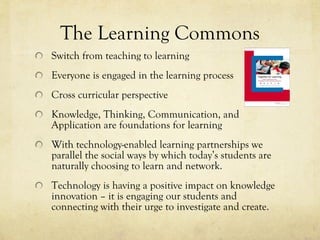
The Learning Commons Switch from teaching to learning Everyone is engaged in the learning process Cross curricular perspective Knowledge, Thinking, Communication, and Application are foundations for learning With technology-enabled learning partnerships we parallel the social ways by which today’s students are naturally choosing to learn and network. Technology is having a positive impact on knowledge innovation – it is engaging our students and connecting with their urge to investigate and create.
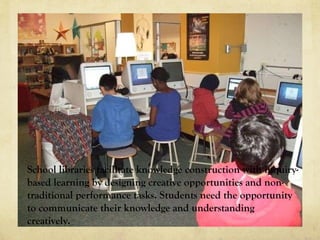
School libraries facilitate knowledge construction with inquiry-based learning by designing creative opportunities and non-traditional performance tasks. Students need the opportunity to communicate their knowledge and understanding creatively.
Project-Based Learning Common Craft explains project-based learning:
Digital Field Trips
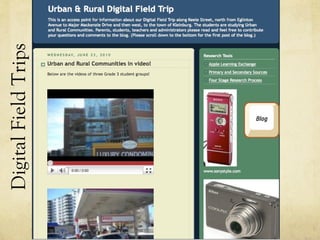
Digital Field Trips
Healthy Eating Webquest
Q-Chart
Q-Wheel  (Notebook 10)
Natural Disaster Glogs
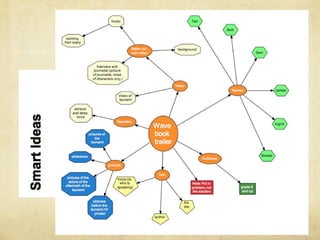
The Book Trailer Project
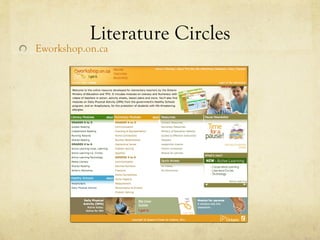
Literature Circles Eworkshop.on.ca
Author Visit
Brainstorming
 
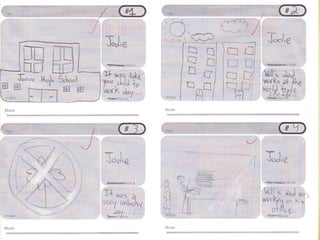
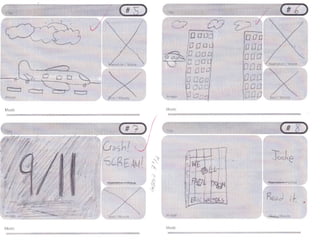
Storyboard Template
 
 
Production Ethical use of images and music
Putting it all together
Assessment Tools Student checklists Observational checklists Conferencing Rubric Group assessments Journals Voice thread
Book Trailers
Group Assessment
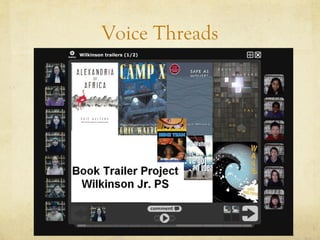
Voice Threads
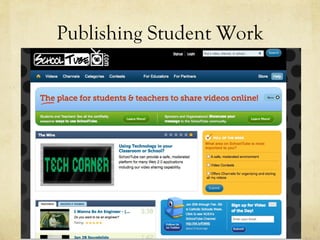
Publishing Student Work

Project Based Learning - OLA Super Conference 2011

Editor's Notes

  • #3 The project work that we’re going to show you today aligns well with the idea of a learning commons. Many of you are familiar with Together for Learning the OLA document that was released last year. The vision for libraries from this document is the learning commons where there is a shift in the way we work with students. There is an emphasis on cross curricular work, away from content delivery toward inquiry. Everyone is engaged in the learning process. The use of technology engages our students and connects with their desire to investigate and create.
  • #4 Working through projects makes learning more interesting and challenging for students. We’re going to show you a number of examples of students expressing their learning through creative opportunities using technology. These projects integrate expectations from a number of subject areas and present a challenge to students
  • #5 Here is a short video by common craft explaining pbls.
  • #6 Using the inquiry research model we have worked with Teacher-Librarians and classroom teachers to design student-directed projects. This blog is a capture of the project management and students’ construction of knowledge, focused on an iPod Digital Field Trip. Tapping into a network of professional contacts, we immersed the students in primary source information gathering with interviews of scientists at the Ontario Science Centre. The students prepared for their roles by using the research guide ‘Imagine the Learning’. The project design led them through the gradual release of responsibility, to construct valid questions, collect data and creatively communicate their learning. There were several opportunities for assessment along the way and in partnership with individuals from Media Services, teachers refined their technology skills to support student production of quality media products. Here is a sample of a video created by Grade 6 students studying Biodiversity.
  • #7 A similar inquiry-based student project was designed for Grade 3 students studying Urban and Rural Communities. These students were given the opportunity to augment their in-class learning with a digital field trip, using cameras and voice recorders. Working in groups, they assumed authentic roles of interviewer, photographer and story boarder. We speak of ‘bridging the opportunity gap’; this class of young students from an Inner City Model School had the chance to develop their subject content knowledge and demonstrate their learning skills in a real-life collaborative project. Working with students in a grade 3 class in Kleinburg, they gained a new perspective on urban and rural communities. The teachers involved learned new technologies and project-management skills. They share this learning with colleagues in their Family of Schools, as a fine example of technology based curriculum connections like those listed in the recently revised ICT standards. Let’s take a look at one group’s video.
  • #12 Ill turn it over to Joel who will talk about the book trailer project