PROGRAMMING IN C
UNIT - II
HISTORY AND INTRODUCTION
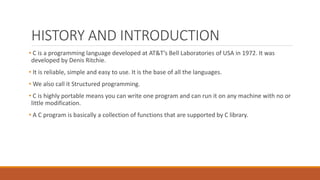
• C is a programming language developed at AT&T’s Bell Laboratories of USA in 1972. It was
developed by Denis Ritchie.
• It is reliable, simple and easy to use. It is the base of all the languages.
• We also call it Structured programming.
• C is highly portable means you can write one program and can run it on any machine with no or
little modification.
• A C program is basically a collection of functions that are supported by C library.
STRUCTURE OF C PROGRAM
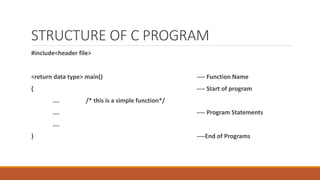
#include<header file>
<return data type> main() ---- Function Name
{ ---- Start of program
…. /* this is a simple function*/
…. ---- Program Statements
….
} ----End of Programs
…
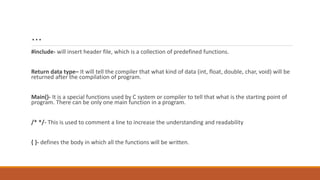
#include- will insert header file, which is a collection of predefined functions.
Return data type– It will tell the compiler that what kind of data (int, float, double, char, void) will be
returned after the compilation of program.
Main()- It is a special functions used by C system or compiler to tell that what is the starting point of
program. There can be only one main function in a program.
/* */- This is used to comment a line to increase the understanding and readability
{ }- defines the body in which all the functions will be written.
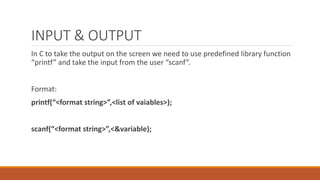
INPUT & OUTPUT
In C to take the output on the screen we need to use predefined library function
“printf” and take the input from the user “scanf”.
Format:
printf(“<format string>”,<list of vaiables>);
scanf(“<format string>”,<&variable);
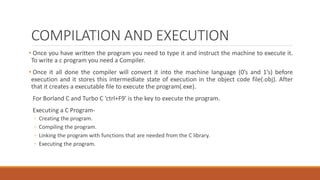
COMPILATION AND EXECUTION
• Once you have written the program you need to type it and instruct the machine to execute it.
To write a c program you need a Compiler.
• Once it all done the compiler will convert it into the machine language (0’s and 1’s) before
execution and it stores this intermediate state of execution in the object code file(.obj). After
that it creates a executable file to execute the program(.exe).
For Borland C and Turbo C ‘ctrl+F9’ is the key to execute the program.
Executing a C Program-
◦ Creating the program.
◦ Compiling the program.
◦ Linking the program with functions that are needed from the C library.
◦ Executing the program.
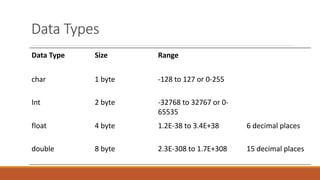
Data Types
Data Type Size Range
char 1 byte -128 to 127 or 0-255
Int 2 byte -32768 to 32767 or 0-
65535
float 4 byte 1.2E-38 to 3.4E+38 6 decimal places
double 8 byte 2.3E-308 to 1.7E+308 15 decimal places
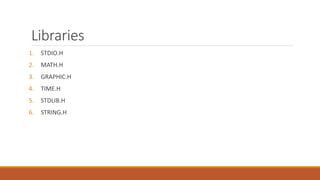
Libraries
1. STDIO.H
2. MATH.H
3. GRAPHIC.H
4. TIME.H
5. STDLIB.H
6. STRING.H
Variables
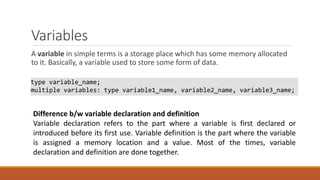
A variable in simple terms is a storage place which has some memory allocated
to it. Basically, a variable used to store some form of data.
type variable_name;
multiple variables: type variable1_name, variable2_name, variable3_name;
Difference b/w variable declaration and definition
Variable declaration refers to the part where a variable is first declared or
introduced before its first use. Variable definition is the part where the variable
is assigned a memory location and a value. Most of the times, variable
declaration and definition are done together.
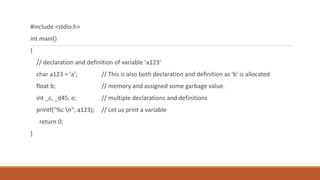
#include <stdio.h>
int main()
{
// declaration and definition of variable 'a123'
char a123 = 'a’; // This is also both declaration and definition as 'b' is allocated
float b; // memory and assigned some garbage value.
int _c, _d45, e; // multiple declarations and definitions
printf("%c n", a123); // Let us print a variable
return 0;
}
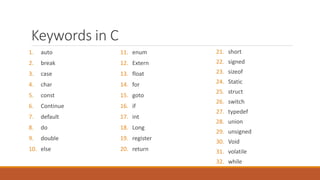
Keywords in C
1. auto
2. break
3. case
4. char
5. const
6. Continue
7. default
8. do
9. double
10. else
11. enum
12. Extern
13. float
14. for
15. goto
16. if
17. int
18. Long
19. register
20. return
21. short
22. signed
23. sizeof
24. Static
25. struct
26. switch
27. typedef
28. union
29. unsigned
30. Void
31. volatile
32. while
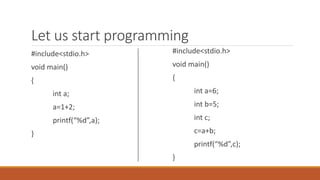
Let us start programming
#include<stdio.h>
void main()
{
int a;
a=1+2;
printf(“%d”,a);
}
#include<stdio.h>
void main()
{
int a=6;
int b=5;
int c;
c=a+b;
printf(“%d”,c);
}
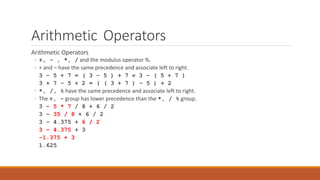
Arithmetic Operators
◦ +, - , *, / and the modulus operator %.
◦ + and – have the same precedence and associate left to right.
3 – 5 + 7 = ( 3 – 5 ) + 7  3 – ( 5 + 7 )
3 + 7 – 5 + 2 = ( ( 3 + 7 ) – 5 ) + 2
◦ *, /, % have the same precedence and associate left to right.
◦ The +, - group has lower precedence than the *, / % group.
3 – 5 * 7 / 8 + 6 / 2
3 – 35 / 8 + 6 / 2
3 – 4.375 + 6 / 2
3 – 4.375 + 3
-1.375 + 3
1.625
..
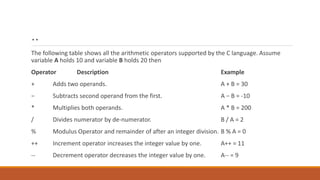
The following table shows all the arithmetic operators supported by the C language. Assume
variable A holds 10 and variable B holds 20 then
Operator Description Example
+ Adds two operands. A + B = 30
− Subtracts second operand from the first. A − B = -10
* Multiplies both operands. A * B = 200
/ Divides numerator by de-numerator. B / A = 2
% Modulus Operator and remainder of after an integer division. B % A = 0
++ Increment operator increases the integer value by one. A++ = 11
-- Decrement operator decreases the integer value by one. A-- = 9
Logical
Operators
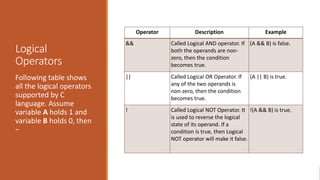
Following table shows
all the logical operators
supported by C
language. Assume
variable A holds 1 and
variable B holds 0, then
−
Operator Description Example
&& Called Logical AND operator. If
both the operands are non-
zero, then the condition
becomes true.
(A && B) is false.
|| Called Logical OR Operator. If
any of the two operands is
non-zero, then the condition
becomes true.
(A || B) is true.
! Called Logical NOT Operator. It
is used to reverse the logical
state of its operand. If a
condition is true, then Logical
NOT operator will make it false.
!(A && B) is true.
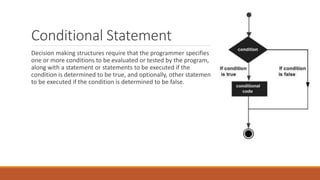
Conditional Statement
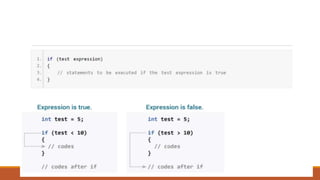
Decision making structures require that the programmer specifies
one or more conditions to be evaluated or tested by the program,
along with a statement or statements to be executed if the
condition is determined to be true, and optionally, other statements
to be executed if the condition is determined to be false.
...
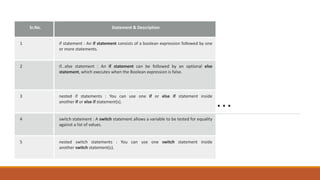
Sr.No. Statement & Description
1 if statement : An if statement consists of a boolean expression followed by one
or more statements.
2 if...else statement : An if statement can be followed by an optional else
statement, which executes when the Boolean expression is false.
3 nested if statements : You can use one if or else if statement inside
another if or else if statement(s).
4 switch statement : A switch statement allows a variable to be tested for equality
against a list of values.
5 nested switch statements : You can use one switch statement inside
another switch statement(s).
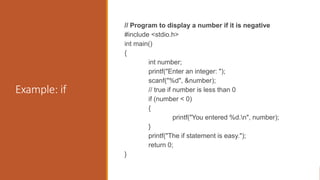
Example: if
// Program to display a number if it is negative
#include <stdio.h>
int main()
{
int number;
printf("Enter an integer: ");
scanf("%d", &number);
// true if number is less than 0
if (number < 0)
{
printf("You entered %d.n", number);
}
printf("The if statement is easy.");
return 0;
}
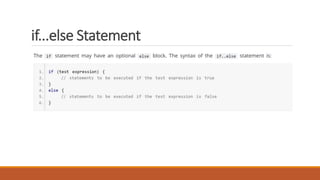
if...else Statement
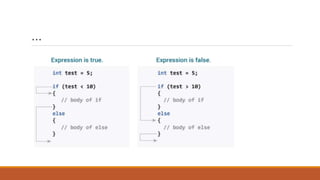
If the test expression is evaluated to true,
statements inside the body of if are executed.
statements inside the body of else are skipped from execution.
If the test expression is evaluated to false,
statements inside the body of else are executed
statements inside the body of if are skipped from execution.
…
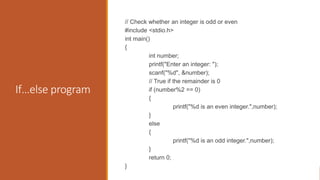
If…else program
// Check whether an integer is odd or even
#include <stdio.h>
int main()
{
int number;
printf("Enter an integer: ");
scanf("%d", &number);
// True if the remainder is 0
if (number%2 == 0)
{
printf("%d is an even integer.",number);
}
else
{
printf("%d is an odd integer.",number);
}
return 0;
}
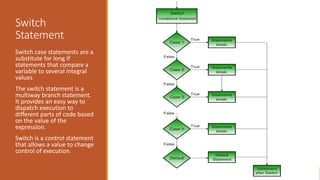
Switch
Statement
Switch case statements are a
substitute for long if
statements that compare a
variable to several integral
values
The switch statement is a
multiway branch statement.
It provides an easy way to
dispatch execution to
different parts of code based
on the value of the
expression.
Switch is a control statement
that allows a value to change
control of execution.
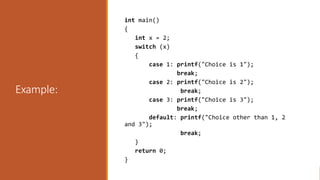
Example:
int main()
{
int x = 2;
switch (x)
{
case 1: printf("Choice is 1");
break;
case 2: printf("Choice is 2");
break;
case 3: printf("Choice is 3");
break;
default: printf("Choice other than 1, 2
and 3");
break;
}
return 0;
}
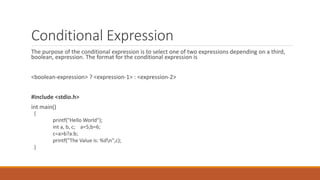
Conditional Expression
The purpose of the conditional expression is to select one of two expressions depending on a third,
boolean, expression. The format for the conditional expression is
<boolean-expression> ? <expression-1> : <expression-2>
#include <stdio.h>
int main()
{
printf("Hello World");
int a, b, c; a=5;b=6;
c=a>b?a:b;
printf("The Value is: %dn",c);
}
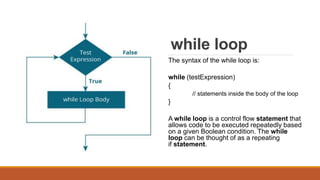
while loop
The syntax of the while loop is:
while (testExpression)
{
// statements inside the body of the loop
}
A while loop is a control flow statement that
allows code to be executed repeatedly based
on a given Boolean condition. The while
loop can be thought of as a repeating
if statement.
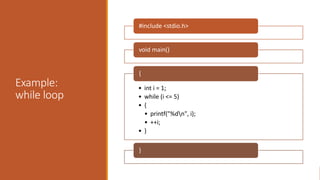
Example:
while loop
#include <stdio.h>
void main()
• int i = 1;
• while (i <= 5)
• {
• printf("%dn", i);
• ++i;
• }
{
}
do-while loop
do
{
// statements inside the body of the
loop
}
while (testExpression);
--------------------------------------------------------------
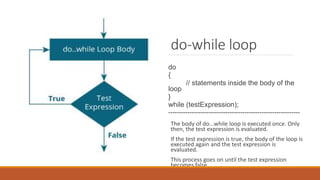
The body of do...while loop is executed once. Only
then, the test expression is evaluated.
If the test expression is true, the body of the loop is
executed again and the test expression is
evaluated.
This process goes on until the test expression
becomes false.
If the test expression is false, the loop ends.
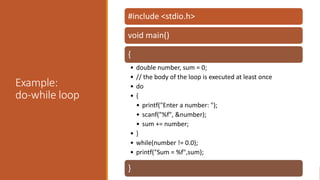
Example:
do-while loop
#include <stdio.h>
void main()
{
• double number, sum = 0;
• // the body of the loop is executed at least once
• do
• {
• printf("Enter a number: ");
• scanf("%f", &number);
• sum += number;
• }
• while(number != 0.0);
• printf("Sum = %f",sum);
}
for loop
The syntax of the while loop is:
for (initializationStatement;
testExpression;updateStatement)
{
// statements inside the body of loop
}
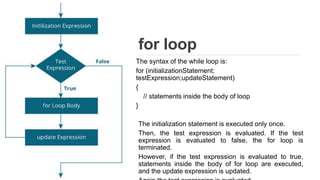
The initialization statement is executed only once.
Then, the test expression is evaluated. If the test
expression is evaluated to false, the for loop is
terminated.
However, if the test expression is evaluated to true,
statements inside the body of for loop are executed,
and the update expression is updated.
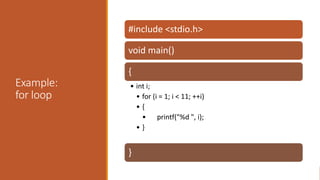
Example:
for loop
#include <stdio.h>
void main()
{
• int i;
• for (i = 1; i < 11; ++i)
• {
• printf("%d ", i);
• }
}

Programming in C

  • 1.
  • 2.
    HISTORY AND INTRODUCTION •C is a programming language developed at AT&T’s Bell Laboratories of USA in 1972. It was developed by Denis Ritchie. • It is reliable, simple and easy to use. It is the base of all the languages. • We also call it Structured programming. • C is highly portable means you can write one program and can run it on any machine with no or little modification. • A C program is basically a collection of functions that are supported by C library.
  • 3.
    STRUCTURE OF CPROGRAM #include<header file> <return data type> main() ---- Function Name { ---- Start of program …. /* this is a simple function*/ …. ---- Program Statements …. } ----End of Programs
  • 4.
    … #include- will insertheader file, which is a collection of predefined functions. Return data type– It will tell the compiler that what kind of data (int, float, double, char, void) will be returned after the compilation of program. Main()- It is a special functions used by C system or compiler to tell that what is the starting point of program. There can be only one main function in a program. /* */- This is used to comment a line to increase the understanding and readability { }- defines the body in which all the functions will be written.
  • 5.
    INPUT & OUTPUT InC to take the output on the screen we need to use predefined library function “printf” and take the input from the user “scanf”. Format: printf(“<format string>”,<list of vaiables>); scanf(“<format string>”,<&variable);
  • 6.
    COMPILATION AND EXECUTION •Once you have written the program you need to type it and instruct the machine to execute it. To write a c program you need a Compiler. • Once it all done the compiler will convert it into the machine language (0’s and 1’s) before execution and it stores this intermediate state of execution in the object code file(.obj). After that it creates a executable file to execute the program(.exe). For Borland C and Turbo C ‘ctrl+F9’ is the key to execute the program. Executing a C Program- ◦ Creating the program. ◦ Compiling the program. ◦ Linking the program with functions that are needed from the C library. ◦ Executing the program.
  • 7.
    Data Types Data TypeSize Range char 1 byte -128 to 127 or 0-255 Int 2 byte -32768 to 32767 or 0- 65535 float 4 byte 1.2E-38 to 3.4E+38 6 decimal places double 8 byte 2.3E-308 to 1.7E+308 15 decimal places
  • 8.
    Libraries 1. STDIO.H 2. MATH.H 3.GRAPHIC.H 4. TIME.H 5. STDLIB.H 6. STRING.H
  • 9.
    Variables A variable insimple terms is a storage place which has some memory allocated to it. Basically, a variable used to store some form of data. type variable_name; multiple variables: type variable1_name, variable2_name, variable3_name; Difference b/w variable declaration and definition Variable declaration refers to the part where a variable is first declared or introduced before its first use. Variable definition is the part where the variable is assigned a memory location and a value. Most of the times, variable declaration and definition are done together.
  • 10.
    #include <stdio.h> int main() { //declaration and definition of variable 'a123' char a123 = 'a’; // This is also both declaration and definition as 'b' is allocated float b; // memory and assigned some garbage value. int _c, _d45, e; // multiple declarations and definitions printf("%c n", a123); // Let us print a variable return 0; }
  • 11.
    Keywords in C 1.auto 2. break 3. case 4. char 5. const 6. Continue 7. default 8. do 9. double 10. else 11. enum 12. Extern 13. float 14. for 15. goto 16. if 17. int 18. Long 19. register 20. return 21. short 22. signed 23. sizeof 24. Static 25. struct 26. switch 27. typedef 28. union 29. unsigned 30. Void 31. volatile 32. while
  • 12.
    Let us startprogramming #include<stdio.h> void main() { int a; a=1+2; printf(“%d”,a); } #include<stdio.h> void main() { int a=6; int b=5; int c; c=a+b; printf(“%d”,c); }
  • 13.
    Arithmetic Operators Arithmetic Operators ◦+, - , *, / and the modulus operator %. ◦ + and – have the same precedence and associate left to right. 3 – 5 + 7 = ( 3 – 5 ) + 7  3 – ( 5 + 7 ) 3 + 7 – 5 + 2 = ( ( 3 + 7 ) – 5 ) + 2 ◦ *, /, % have the same precedence and associate left to right. ◦ The +, - group has lower precedence than the *, / % group. 3 – 5 * 7 / 8 + 6 / 2 3 – 35 / 8 + 6 / 2 3 – 4.375 + 6 / 2 3 – 4.375 + 3 -1.375 + 3 1.625
  • 14.
    .. The following tableshows all the arithmetic operators supported by the C language. Assume variable A holds 10 and variable B holds 20 then Operator Description Example + Adds two operands. A + B = 30 − Subtracts second operand from the first. A − B = -10 * Multiplies both operands. A * B = 200 / Divides numerator by de-numerator. B / A = 2 % Modulus Operator and remainder of after an integer division. B % A = 0 ++ Increment operator increases the integer value by one. A++ = 11 -- Decrement operator decreases the integer value by one. A-- = 9
  • 15.
    Logical Operators Following table shows allthe logical operators supported by C language. Assume variable A holds 1 and variable B holds 0, then − Operator Description Example && Called Logical AND operator. If both the operands are non- zero, then the condition becomes true. (A && B) is false. || Called Logical OR Operator. If any of the two operands is non-zero, then the condition becomes true. (A || B) is true. ! Called Logical NOT Operator. It is used to reverse the logical state of its operand. If a condition is true, then Logical NOT operator will make it false. !(A && B) is true.
  • 16.
    Conditional Statement Decision makingstructures require that the programmer specifies one or more conditions to be evaluated or tested by the program, along with a statement or statements to be executed if the condition is determined to be true, and optionally, other statements to be executed if the condition is determined to be false.
  • 17.
    ... Sr.No. Statement &Description 1 if statement : An if statement consists of a boolean expression followed by one or more statements. 2 if...else statement : An if statement can be followed by an optional else statement, which executes when the Boolean expression is false. 3 nested if statements : You can use one if or else if statement inside another if or else if statement(s). 4 switch statement : A switch statement allows a variable to be tested for equality against a list of values. 5 nested switch statements : You can use one switch statement inside another switch statement(s).
  • 19.
    Example: if // Programto display a number if it is negative #include <stdio.h> int main() { int number; printf("Enter an integer: "); scanf("%d", &number); // true if number is less than 0 if (number < 0) { printf("You entered %d.n", number); } printf("The if statement is easy."); return 0; }
  • 20.
  • 21.
    If the testexpression is evaluated to true, statements inside the body of if are executed. statements inside the body of else are skipped from execution. If the test expression is evaluated to false, statements inside the body of else are executed statements inside the body of if are skipped from execution.
  • 22.
  • 23.
    If…else program // Checkwhether an integer is odd or even #include <stdio.h> int main() { int number; printf("Enter an integer: "); scanf("%d", &number); // True if the remainder is 0 if (number%2 == 0) { printf("%d is an even integer.",number); } else { printf("%d is an odd integer.",number); } return 0; }
  • 24.
    Switch Statement Switch case statementsare a substitute for long if statements that compare a variable to several integral values The switch statement is a multiway branch statement. It provides an easy way to dispatch execution to different parts of code based on the value of the expression. Switch is a control statement that allows a value to change control of execution.
  • 25.
    Example: int main() { int x= 2; switch (x) { case 1: printf("Choice is 1"); break; case 2: printf("Choice is 2"); break; case 3: printf("Choice is 3"); break; default: printf("Choice other than 1, 2 and 3"); break; } return 0; }
  • 26.
    Conditional Expression The purposeof the conditional expression is to select one of two expressions depending on a third, boolean, expression. The format for the conditional expression is <boolean-expression> ? <expression-1> : <expression-2> #include <stdio.h> int main() { printf("Hello World"); int a, b, c; a=5;b=6; c=a>b?a:b; printf("The Value is: %dn",c); }
  • 27.
    while loop The syntaxof the while loop is: while (testExpression) { // statements inside the body of the loop } A while loop is a control flow statement that allows code to be executed repeatedly based on a given Boolean condition. The while loop can be thought of as a repeating if statement.
  • 28.
    Example: while loop #include <stdio.h> voidmain() • int i = 1; • while (i <= 5) • { • printf("%dn", i); • ++i; • } { }
  • 29.
    do-while loop do { // statementsinside the body of the loop } while (testExpression); -------------------------------------------------------------- The body of do...while loop is executed once. Only then, the test expression is evaluated. If the test expression is true, the body of the loop is executed again and the test expression is evaluated. This process goes on until the test expression becomes false. If the test expression is false, the loop ends.
  • 30.
    Example: do-while loop #include <stdio.h> voidmain() { • double number, sum = 0; • // the body of the loop is executed at least once • do • { • printf("Enter a number: "); • scanf("%f", &number); • sum += number; • } • while(number != 0.0); • printf("Sum = %f",sum); }
  • 31.
    for loop The syntaxof the while loop is: for (initializationStatement; testExpression;updateStatement) { // statements inside the body of loop } The initialization statement is executed only once. Then, the test expression is evaluated. If the test expression is evaluated to false, the for loop is terminated. However, if the test expression is evaluated to true, statements inside the body of for loop are executed, and the update expression is updated.
  • 32.
    Example: for loop #include <stdio.h> voidmain() { • int i; • for (i = 1; i < 11; ++i) • { • printf("%d ", i); • } }