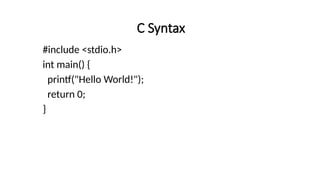
C Syntax
#include <stdio.h>
int main() {
printf("Hello World!");
return 0;
}
Output (Print Text)
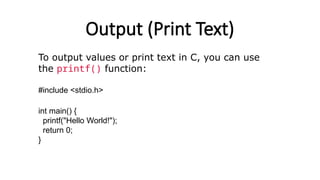
To output values or print text in C, you can use
the printf() function:
#include <stdio.h>
int main() {
printf("Hello World!");
return 0;
}
New Lines
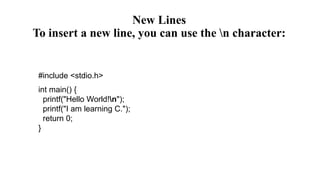
To insert a new line, you can use the n character:
#include <stdio.h>
int main() {
printf("Hello World!n");
printf("I am learning C.");
return 0;
}
Comments in C
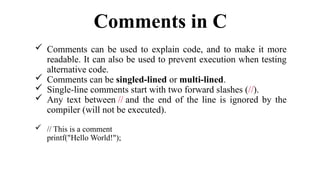
 Comments can be used to explain code, and to make it more
readable. It can also be used to prevent execution when testing
alternative code.
 Comments can be singled-lined or multi-lined.
 Single-line comments start with two forward slashes (//).
 Any text between // and the end of the line is ignored by the
compiler (will not be executed).
 // This is a comment
printf("Hello World!");
Comments in C
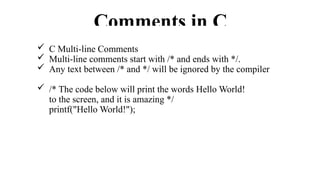
 C Multi-line Comments
 Multi-line comments start with /* and ends with */.
 Any text between /* and */ will be ignored by the compiler
 /* The code below will print the words Hello World!
to the screen, and it is amazing */
printf("Hello World!");
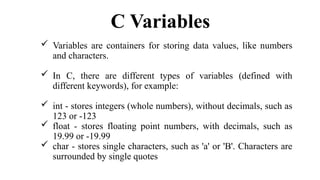
C Variables
 Variables are containers for storing data values, like numbers
and characters.
 In C, there are different types of variables (defined with
different keywords), for example:
 int - stores integers (whole numbers), without decimals, such as
123 or -123
 float - stores floating point numbers, with decimals, such as
19.99 or -19.99
 char - stores single characters, such as 'a' or 'B'. Characters are
surrounded by single quotes
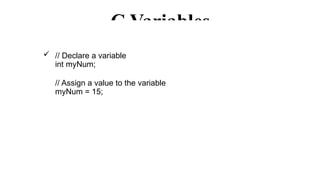
C Variables
 // Declare a variable
int myNum;
// Assign a value to the variable
myNum = 15;
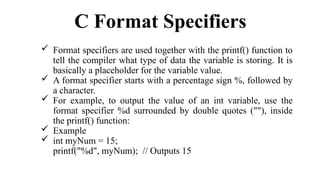
C Format Specifiers
 Format specifiers are used together with the printf() function to
tell the compiler what type of data the variable is storing. It is
basically a placeholder for the variable value.
 A format specifier starts with a percentage sign %, followed by
a character.
 For example, to output the value of an int variable, use the
format specifier %d surrounded by double quotes (""), inside
the printf() function:
 Example
 int myNum = 15;
printf("%d", myNum); // Outputs 15
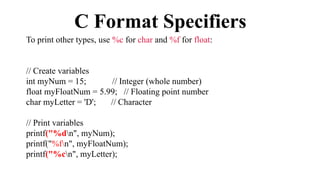
C Format Specifiers
To print other types, use %c for char and %f for float:
// Create variables
int myNum = 15; // Integer (whole number)
float myFloatNum = 5.99; // Floating point number
char myLetter = 'D'; // Character
// Print variables
printf("%dn", myNum);
printf("%fn", myFloatNum);
printf("%cn", myLetter);
C Operators
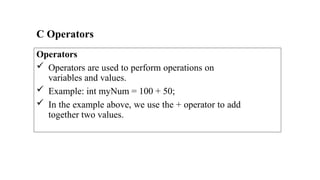
Operators
 Operators are used to perform operations on
variables and values.
 Example: int myNum = 100 + 50;
 In the example above, we use the + operator to add
together two values.
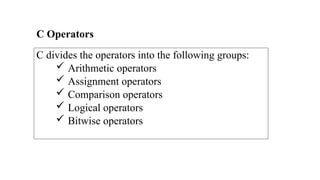
C divides the operators into the following groups:
 Arithmetic operators
 Assignment operators
 Comparison operators
 Logical operators
 Bitwise operators
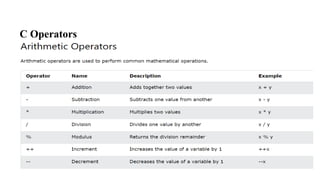
C Operators
C Operators
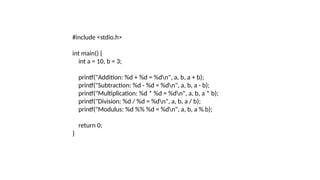
#include <stdio.h>
int main() {
int a = 10, b = 3;
printf("Addition: %d + %d = %dn", a, b, a + b);
printf("Subtraction: %d - %d = %dn", a, b, a - b);
printf("Multiplication: %d * %d = %dn", a, b, a * b);
printf("Division: %d / %d = %dn", a, b, a / b);
printf("Modulus: %d %% %d = %dn", a, b, a % b);
return 0;
}
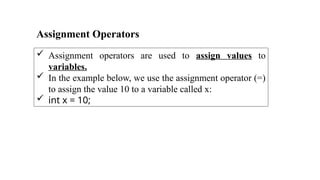
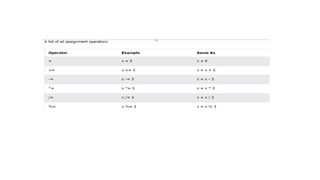
Assignment Operators
 Assignment operators are used to assign values to
variables.
 In the example below, we use the assignment operator (=)
to assign the value 10 to a variable called x:
 int x = 10;
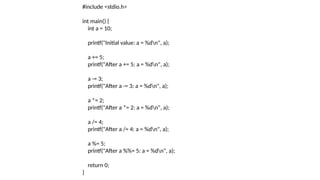
#include <stdio.h>
int main() {
int a = 10;
printf("Initial value: a = %dn", a);
a += 5;
printf("After a += 5: a = %dn", a);
a -= 3;
printf("After a -= 3: a = %dn", a);
a *= 2;
printf("After a *= 2: a = %dn", a);
a /= 4;
printf("After a /= 4: a = %dn", a);
a %= 5;
printf("After a %%= 5: a = %dn", a);
return 0;
}
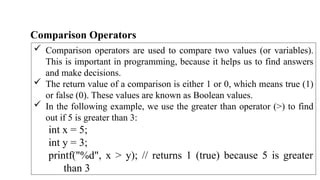
Comparison Operators
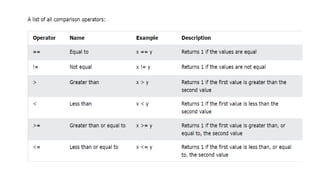
 Comparison operators are used to compare two values (or variables).
This is important in programming, because it helps us to find answers
and make decisions.
 The return value of a comparison is either 1 or 0, which means true (1)
or false (0). These values are known as Boolean values.
 In the following example, we use the greater than operator (>) to find
out if 5 is greater than 3:
int x = 5;
int y = 3;
printf("%d", x > y); // returns 1 (true) because 5 is greater
than 3
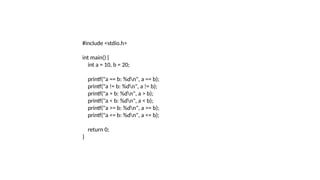
#include <stdio.h>
int main() {
int a = 10, b = 20;
printf("a == b: %dn", a == b);
printf("a != b: %dn", a != b);
printf("a > b: %dn", a > b);
printf("a < b: %dn", a < b);
printf("a >= b: %dn", a >= b);
printf("a <= b: %dn", a <= b);
return 0;
}
Logical Operators
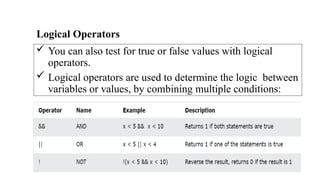
 You can also test for true or false values with logical
operators.
 Logical operators are used to determine the logic between
variables or values, by combining multiple conditions:
C If ... Else
 Conditions and If Statements
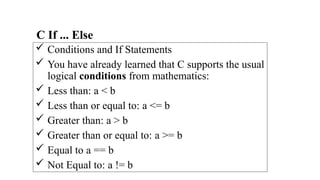
 You have already learned that C supports the usual
logical conditions from mathematics:
 Less than: a < b
 Less than or equal to: a <= b
 Greater than: a > b
 Greater than or equal to: a >= b
 Equal to a == b
 Not Equal to: a != b
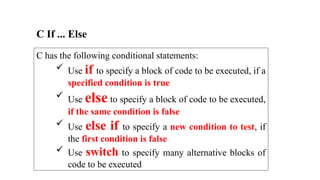
C has the following conditional statements:
 Use if to specify a block of code to be executed, if a
specified condition is true
 Use else to specify a block of code to be executed,
if the same condition is false
 Use else if to specify a new condition to test, if
the first condition is false
 Use switch to specify many alternative blocks of
code to be executed
C If ... Else
C If ... Else
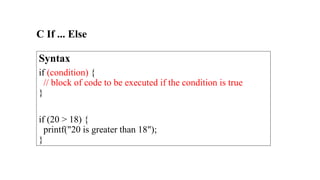
Syntax
if (condition) {
// block of code to be executed if the condition is true
}
if (20 > 18) {
printf("20 is greater than 18");
}
C If ... Else
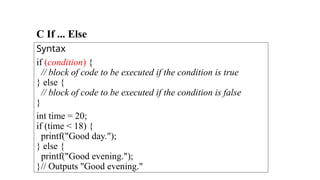
Syntax
if (condition) {
// block of code to be executed if the condition is true
} else {
// block of code to be executed if the condition is false
}
int time = 20;
if (time < 18) {
printf("Good day.");
} else {
printf("Good evening.");
}// Outputs "Good evening."
C If ... Else
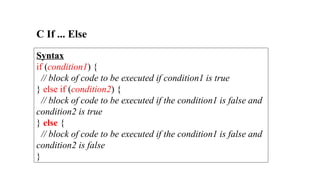
Syntax
if (condition1) {
// block of code to be executed if condition1 is true
} else if (condition2) {
// block of code to be executed if the condition1 is false and
condition2 is true
} else {
// block of code to be executed if the condition1 is false and
condition2 is false
}
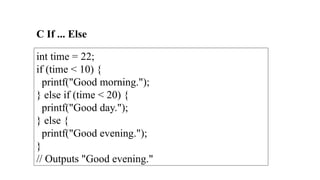
C If ... Else
int time = 22;
if (time < 10) {
printf("Good morning.");
} else if (time < 20) {
printf("Good day.");
} else {
printf("Good evening.");
}
// Outputs "Good evening."
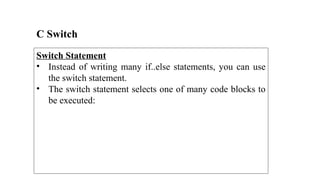
C Switch
Switch Statement
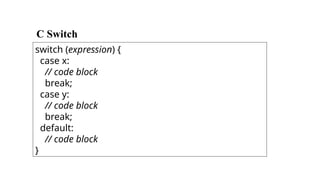
• Instead of writing many if..else statements, you can use
the switch statement.
• The switch statement selects one of many code blocks to
be executed:
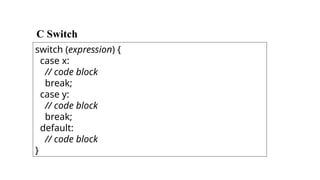
C Switch
switch (expression) {
case x:
// code block
break;
case y:
// code block
break;
default:
// code block
}
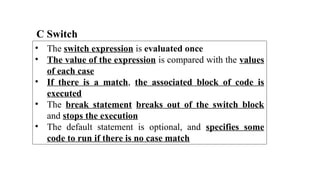
C Switch
• The switch expression is evaluated once
• The value of the expression is compared with the values
of each case
• If there is a match, the associated block of code is
executed
• The break statement breaks out of the switch block
and stops the execution
• The default statement is optional, and specifies some
code to run if there is no case match
C Switch
switch (expression) {
case x:
// code block
break;
case y:
// code block
break;
default:
// code block
}
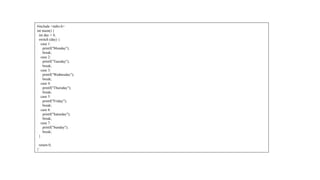
#include <stdio.h>
int main() {
int day = 4;
switch (day) {
case 1:
printf("Monday");
break;
case 2:
printf("Tuesday");
break;
case 3:
printf("Wednesday");
break;
case 4:
printf("Thursday");
break;
case 5:
printf("Friday");
break;
case 6:
printf("Saturday");
break;
case 7:
printf("Sunday");
break;
}
return 0;
}`
For Loop
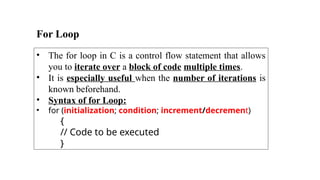
• The for loop in C is a control flow statement that allows
you to iterate over a block of code multiple times.
• It is especially useful when the number of iterations is
known beforehand.
• Syntax of for Loop:
• for (initialization; condition; increment/decrement)
{
// Code to be executed
}
For Loop
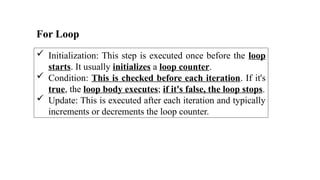
 Initialization: This step is executed once before the loop
starts. It usually initializes a loop counter.
 Condition: This is checked before each iteration. If it's
true, the loop body executes; if it's false, the loop stops.
 Update: This is executed after each iteration and typically
increments or decrements the loop counter.
For Loop
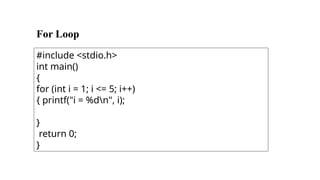
#include <stdio.h>
int main()
{
for (int i = 1; i <= 5; i++)
{ printf("i = %dn", i);
}
return 0;
}
Problem 1
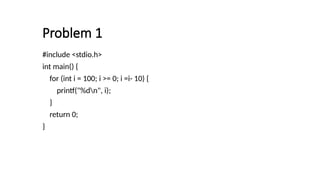
#include <stdio.h>
int main() {
for (int i = 100; i >= 0; i =i- 10) {
printf("%dn", i);
}
return 0;
}
Problem 2
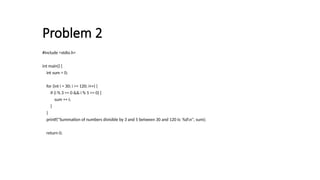
#include <stdio.h>
int main() {
int sum = 0;
for (int i = 30; i <= 120; i++) {
if (i % 3 == 0 && i % 5 == 0) {
sum += i;
}
}
printf("Summation of numbers divisible by 3 and 5 between 30 and 120 is: %dn", sum);
return 0;
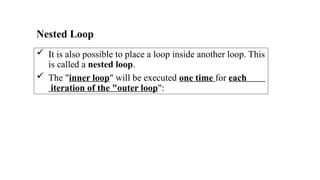
Nested Loop
 It is also possible to place a loop inside another loop. This
is called a nested loop.
 The "inner loop" will be executed one time for each
iteration of the "outer loop":
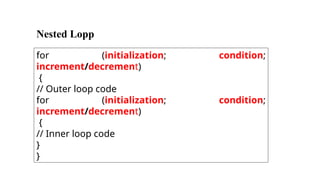
Nested Lopp
for (initialization; condition;
increment/decrement)
{
// Outer loop code
for (initialization; condition;
increment/decrement)
{
// Inner loop code
}
}
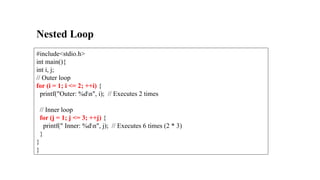
Nested Loop
#include<stdio.h>
int main(){
int i, j;
// Outer loop
for (i = 1; i <= 2; ++i) {
printf("Outer: %dn", i); // Executes 2 times
// Inner loop
for (j = 1; j <= 3; ++j) {
printf(" Inner: %dn", j); // Executes 6 times (2 * 3)
}
}
}
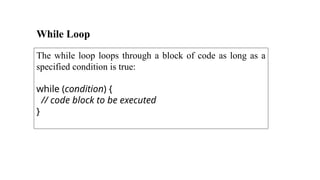
While Loop
The while loop loops through a block of code as long as a
specified condition is true:
while (condition) {
// code block to be executed
}
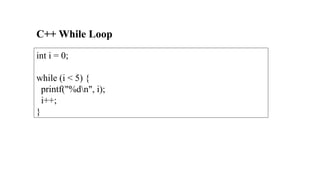
C++ While Loop
int i = 0;
while (i < 5) {
printf("%dn", i);
i++;
}
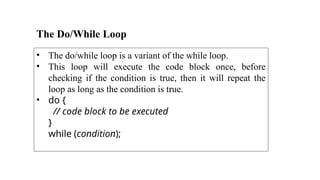
The Do/While Loop
• The do/while loop is a variant of the while loop.
• This loop will execute the code block once, before
checking if the condition is true, then it will repeat the
loop as long as the condition is true.
• do {
// code block to be executed
}
while (condition);
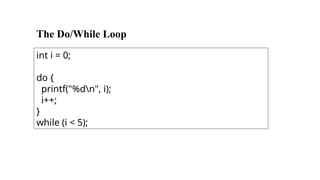
The Do/While Loop
int i = 0;
do {
printf("%dn", i);
i++;
}
while (i < 5);
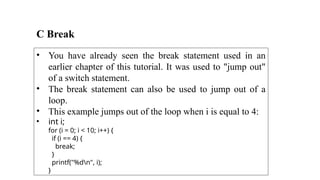
C Break
• You have already seen the break statement used in an
earlier chapter of this tutorial. It was used to "jump out"
of a switch statement.
• The break statement can also be used to jump out of a
loop.
• This example jumps out of the loop when i is equal to 4:
• int i;
for (i = 0; i < 10; i++) {
if (i == 4) {
break;
}
printf("%dn", i);
}
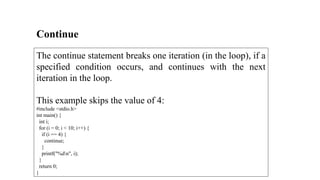
Continue
The continue statement breaks one iteration (in the loop), if a
specified condition occurs, and continues with the next
iteration in the loop.
This example skips the value of 4:
#include <stdio.h>
int main() {
int i;
for (i = 0; i < 10; i++) {
if (i == 4) {
continue;
}
printf("%dn", i);
}
return 0;
}

C programming Fundamental Theories .pptx

  • 1.
    C Syntax #include <stdio.h> intmain() { printf("Hello World!"); return 0; }
  • 2.
    Output (Print Text) Tooutput values or print text in C, you can use the printf() function: #include <stdio.h> int main() { printf("Hello World!"); return 0; }
  • 3.
    New Lines To inserta new line, you can use the n character: #include <stdio.h> int main() { printf("Hello World!n"); printf("I am learning C."); return 0; }
  • 4.
    Comments in C Comments can be used to explain code, and to make it more readable. It can also be used to prevent execution when testing alternative code.  Comments can be singled-lined or multi-lined.  Single-line comments start with two forward slashes (//).  Any text between // and the end of the line is ignored by the compiler (will not be executed).  // This is a comment printf("Hello World!");
  • 5.
    Comments in C C Multi-line Comments  Multi-line comments start with /* and ends with */.  Any text between /* and */ will be ignored by the compiler  /* The code below will print the words Hello World! to the screen, and it is amazing */ printf("Hello World!");
  • 6.
    C Variables  Variablesare containers for storing data values, like numbers and characters.  In C, there are different types of variables (defined with different keywords), for example:  int - stores integers (whole numbers), without decimals, such as 123 or -123  float - stores floating point numbers, with decimals, such as 19.99 or -19.99  char - stores single characters, such as 'a' or 'B'. Characters are surrounded by single quotes
  • 7.
    C Variables  //Declare a variable int myNum; // Assign a value to the variable myNum = 15;
  • 8.
    C Format Specifiers Format specifiers are used together with the printf() function to tell the compiler what type of data the variable is storing. It is basically a placeholder for the variable value.  A format specifier starts with a percentage sign %, followed by a character.  For example, to output the value of an int variable, use the format specifier %d surrounded by double quotes (""), inside the printf() function:  Example  int myNum = 15; printf("%d", myNum); // Outputs 15
  • 9.
    C Format Specifiers Toprint other types, use %c for char and %f for float: // Create variables int myNum = 15; // Integer (whole number) float myFloatNum = 5.99; // Floating point number char myLetter = 'D'; // Character // Print variables printf("%dn", myNum); printf("%fn", myFloatNum); printf("%cn", myLetter);
  • 10.
    C Operators Operators  Operatorsare used to perform operations on variables and values.  Example: int myNum = 100 + 50;  In the example above, we use the + operator to add together two values.
  • 11.
    C divides theoperators into the following groups:  Arithmetic operators  Assignment operators  Comparison operators  Logical operators  Bitwise operators C Operators
  • 12.
  • 13.
    #include <stdio.h> int main(){ int a = 10, b = 3; printf("Addition: %d + %d = %dn", a, b, a + b); printf("Subtraction: %d - %d = %dn", a, b, a - b); printf("Multiplication: %d * %d = %dn", a, b, a * b); printf("Division: %d / %d = %dn", a, b, a / b); printf("Modulus: %d %% %d = %dn", a, b, a % b); return 0; }
  • 14.
    Assignment Operators  Assignmentoperators are used to assign values to variables.  In the example below, we use the assignment operator (=) to assign the value 10 to a variable called x:  int x = 10;
  • 16.
    #include <stdio.h> int main(){ int a = 10; printf("Initial value: a = %dn", a); a += 5; printf("After a += 5: a = %dn", a); a -= 3; printf("After a -= 3: a = %dn", a); a *= 2; printf("After a *= 2: a = %dn", a); a /= 4; printf("After a /= 4: a = %dn", a); a %= 5; printf("After a %%= 5: a = %dn", a); return 0; }
  • 17.
    Comparison Operators  Comparisonoperators are used to compare two values (or variables). This is important in programming, because it helps us to find answers and make decisions.  The return value of a comparison is either 1 or 0, which means true (1) or false (0). These values are known as Boolean values.  In the following example, we use the greater than operator (>) to find out if 5 is greater than 3: int x = 5; int y = 3; printf("%d", x > y); // returns 1 (true) because 5 is greater than 3
  • 19.
    #include <stdio.h> int main(){ int a = 10, b = 20; printf("a == b: %dn", a == b); printf("a != b: %dn", a != b); printf("a > b: %dn", a > b); printf("a < b: %dn", a < b); printf("a >= b: %dn", a >= b); printf("a <= b: %dn", a <= b); return 0; }
  • 20.
    Logical Operators  Youcan also test for true or false values with logical operators.  Logical operators are used to determine the logic between variables or values, by combining multiple conditions:
  • 21.
    C If ...Else  Conditions and If Statements  You have already learned that C supports the usual logical conditions from mathematics:  Less than: a < b  Less than or equal to: a <= b  Greater than: a > b  Greater than or equal to: a >= b  Equal to a == b  Not Equal to: a != b
  • 22.
    C has thefollowing conditional statements:  Use if to specify a block of code to be executed, if a specified condition is true  Use else to specify a block of code to be executed, if the same condition is false  Use else if to specify a new condition to test, if the first condition is false  Use switch to specify many alternative blocks of code to be executed C If ... Else
  • 23.
    C If ...Else Syntax if (condition) { // block of code to be executed if the condition is true } if (20 > 18) { printf("20 is greater than 18"); }
  • 24.
    C If ...Else Syntax if (condition) { // block of code to be executed if the condition is true } else { // block of code to be executed if the condition is false } int time = 20; if (time < 18) { printf("Good day."); } else { printf("Good evening."); }// Outputs "Good evening."
  • 25.
    C If ...Else Syntax if (condition1) { // block of code to be executed if condition1 is true } else if (condition2) { // block of code to be executed if the condition1 is false and condition2 is true } else { // block of code to be executed if the condition1 is false and condition2 is false }
  • 26.
    C If ...Else int time = 22; if (time < 10) { printf("Good morning."); } else if (time < 20) { printf("Good day."); } else { printf("Good evening."); } // Outputs "Good evening."
  • 27.
    C Switch Switch Statement •Instead of writing many if..else statements, you can use the switch statement. • The switch statement selects one of many code blocks to be executed:
  • 28.
    C Switch switch (expression){ case x: // code block break; case y: // code block break; default: // code block }
  • 29.
    C Switch • Theswitch expression is evaluated once • The value of the expression is compared with the values of each case • If there is a match, the associated block of code is executed • The break statement breaks out of the switch block and stops the execution • The default statement is optional, and specifies some code to run if there is no case match
  • 30.
    C Switch switch (expression){ case x: // code block break; case y: // code block break; default: // code block }
  • 31.
    #include <stdio.h> int main(){ int day = 4; switch (day) { case 1: printf("Monday"); break; case 2: printf("Tuesday"); break; case 3: printf("Wednesday"); break; case 4: printf("Thursday"); break; case 5: printf("Friday"); break; case 6: printf("Saturday"); break; case 7: printf("Sunday"); break; } return 0; }`
  • 32.
    For Loop • Thefor loop in C is a control flow statement that allows you to iterate over a block of code multiple times. • It is especially useful when the number of iterations is known beforehand. • Syntax of for Loop: • for (initialization; condition; increment/decrement) { // Code to be executed }
  • 33.
    For Loop  Initialization:This step is executed once before the loop starts. It usually initializes a loop counter.  Condition: This is checked before each iteration. If it's true, the loop body executes; if it's false, the loop stops.  Update: This is executed after each iteration and typically increments or decrements the loop counter.
  • 34.
    For Loop #include <stdio.h> intmain() { for (int i = 1; i <= 5; i++) { printf("i = %dn", i); } return 0; }
  • 36.
    Problem 1 #include <stdio.h> intmain() { for (int i = 100; i >= 0; i =i- 10) { printf("%dn", i); } return 0; }
  • 37.
    Problem 2 #include <stdio.h> intmain() { int sum = 0; for (int i = 30; i <= 120; i++) { if (i % 3 == 0 && i % 5 == 0) { sum += i; } } printf("Summation of numbers divisible by 3 and 5 between 30 and 120 is: %dn", sum); return 0;
  • 38.
    Nested Loop  Itis also possible to place a loop inside another loop. This is called a nested loop.  The "inner loop" will be executed one time for each iteration of the "outer loop":
  • 39.
    Nested Lopp for (initialization;condition; increment/decrement) { // Outer loop code for (initialization; condition; increment/decrement) { // Inner loop code } }
  • 40.
    Nested Loop #include<stdio.h> int main(){ inti, j; // Outer loop for (i = 1; i <= 2; ++i) { printf("Outer: %dn", i); // Executes 2 times // Inner loop for (j = 1; j <= 3; ++j) { printf(" Inner: %dn", j); // Executes 6 times (2 * 3) } } }
  • 41.
    While Loop The whileloop loops through a block of code as long as a specified condition is true: while (condition) { // code block to be executed }
  • 42.
    C++ While Loop inti = 0; while (i < 5) { printf("%dn", i); i++; }
  • 43.
    The Do/While Loop •The do/while loop is a variant of the while loop. • This loop will execute the code block once, before checking if the condition is true, then it will repeat the loop as long as the condition is true. • do { // code block to be executed } while (condition);
  • 44.
    The Do/While Loop inti = 0; do { printf("%dn", i); i++; } while (i < 5);
  • 45.
    C Break • Youhave already seen the break statement used in an earlier chapter of this tutorial. It was used to "jump out" of a switch statement. • The break statement can also be used to jump out of a loop. • This example jumps out of the loop when i is equal to 4: • int i; for (i = 0; i < 10; i++) { if (i == 4) { break; } printf("%dn", i); }
  • 46.
    Continue The continue statementbreaks one iteration (in the loop), if a specified condition occurs, and continues with the next iteration in the loop. This example skips the value of 4: #include <stdio.h> int main() { int i; for (i = 0; i < 10; i++) { if (i == 4) { continue; } printf("%dn", i); } return 0; }

Editor's Notes

  • #1 Example explained Line 1: #include <stdio.h> is a header file library that lets us work with input and output functions, such as printf() (used in line 4). Header files add functionality to C programs. Don't worry if you don't understand how #include <stdio.h> works. Just think of it as something that (almost) always appears in your program. Line 2: A blank line. C ignores white space. But we use it to make the code more readable. Line 3: Another thing that always appear in a C program is main(). This is called a function. Any code inside its curly brackets {} will be executed. Line 4: printf() is a function used to output/print text to the screen. In our example, it will output "Hello World!". Note that: Every C statement ends with a semicolon ; Note: The body of int main() could also been written as: int main(){printf("Hello World!");return 0;} Remember: The compiler ignores white spaces. However, multiple lines makes the code more readable. Line 5: return 0 ends the main() function. Line 6: Do not forget to add the closing curly bracket } to actually end the main function.
  • #13 Addition: 10 + 3 = 13 Subtraction: 10 - 3 = 7 Multiplication: 10 * 3 = 30 Division: 10 / 3 = 3 Modulus: 10 % 3 = 1
  • #16 Initial value: a = 10 After a += 5: a = 15 After a -= 3: a = 12 After a *= 2: a = 24 After a /= 4: a = 6 After a %= 5: a = 1
  • #19 a == b: 0 a != b: 1 a > b: 0 a < b: 1 a >= b: 0 a <= b: 1