A Glimpse into C's History
• C was created in 1972 by Dennis Ritchie at Bell Labs.
• It emerged from the need for a language that was both
powerful and portable across different machines.
• C borrowed elements from earlier languages like BCPL
and B.
Why C Matters
• C is a foundational language for many modern
programming languages.
• It offers precise control over hardware, making it ideal
for system programming.
• C's efficiency and speed make it perfect for
performance-critical applications.
C in Action: Real-World Applications
• C forms the foundation of the Unix operating system, a
cornerstone of modern computing.
• Embedded systems, prevalent in everyday devices like
smartphones and automobiles, heavily rely on C.
• C's efficiency makes it a favorite for graphics
programming and game development.
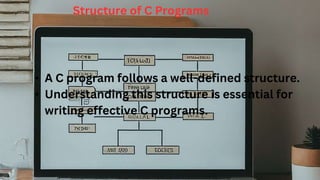
Structure of C Programs
• A C program follows a well-defined structure.
• Understanding this structure is essential for
writing effective C programs.
A Stepping Stone to Programming
Greatness
• C equips you with a solid foundation for programming
concepts.
• Mastering C opens doors to a vast array of programming
opportunities.
• The knowledge gained from C empowers you to tackle
more complex languages.
Building Blocks of a C Program
• Preprocessor Directives: Instructions for the preprocessor, like #include for
header files.
• Header Files: Contain essential declarations and function prototypes. (e.g.,
stdio.h for input/output)
• Global Variables: Variables declared outside functions, accessible throughout the
program.
• Function Prototypes: Declarations of functions before their definition, ensuring
proper calling.
• Main Function: The program's entry point, where execution begins.
• Code Block: The core logic of the program, enclosed in curly braces {}.
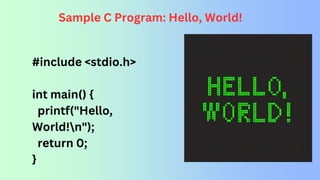
Sample C Program: Hello, World!
#include <stdio.h>
int main() {
printf("Hello,
World!n");
return 0;
}
Elements
of
C Language
Data Types in C
• Data types define the type of data a variable can
hold.
• Common data types include:
• int: Stores integers (whole numbers).
• float: Stores single-precision floating-point
numbers (decimal numbers).
• char: Stores a single character.
• double: Stores double-precision floating-point
numbers (more precise than float).
• void: Represents the absence of a value.
Character Set: The Building Blocks of Communication
• The character set defines the
characters recognized by the C
compiler.
• It encompasses letters
(uppercase and lowercase),
digits (0-9), special characters
(+, -, *, /, etc.), and whitespace
(spaces, tabs, newlines).
C Tokens: The Fundamental Units of Meaning
• C tokens are the smallest meaningful units in a C program.
• There are six primary types of tokens:
• Keywords: Predefined words with specific meanings (e.g., int, if, for).
• Identifiers: User-defined names for variables, functions (must start with a
letter or underscore and can contain letters, digits, and underscores).
• Constants: Fixed values that cannot be changed during program execution
(e.g., integers, floating-point numbers, characters).
• Operators: Symbols that perform operations on operands (e.g., +, -, *, /).
• Special Characters: Punctuation marks with specific meanings (e.g.,
parentheses, braces, brackets, semicolon).
• Strings: Sequences of characters enclosed in double quotes (e.g., "Hello,
World!").
Keywords: The Reserved Vocabulary of
C
• Keywords are reserved words with predefined meanings in C.
• They cannot be used as variable names or identifiers.
Some common keywords include:
• int: Denotes integer data type.
• float: Denotes single-precision floating-point data type.
• char: Denotes character data type.
• if: Used for conditional statements.
• else: Used for alternative execution paths.
• for: Used for loop constructs.
• while: Used for loop constructs based on a condition.
• do: Used for do-while loops.
• switch: Used for multi-way branching.
• break: Used to exit loops or switch statements.
• continue: Used to skip to the next iteration in a loop.
• return: Used to return a value from a function.
• void: Indicates no value or absence of a type.
Identifiers: Assigning Meaningful
Names
Identifiers are user-defined names
given to variables, functions, and other
program elements.
They must follow specific naming
rules:
• Start with a letter (uppercase or
lowercase) or an underscore (_).
• Can contain letters, digits, and
underscores.
• Case-sensitive (e.g., age and Age
are different identifiers).
• Cannot be reserved keywords in C.
Constants: Fixed Values that Endure
• Constants represent fixed values
that cannot be modified during
program execution.
• They are similar to constants in
mathematics, maintaining their
value throughout the program.
• Examples of constants in C:
• Integers (e.g., 10, -5)
• Floating-point numbers (e.g., 3.14, -
2.5e2)
• Characters (e.g., 'A', 'n')
• Character strings enclosed in double
quotes (e.g., "Hello, World!")
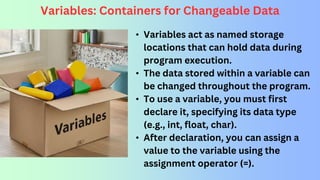
Variables: Containers for Changeable Data
• Variables act as named storage
locations that can hold data during
program execution.
• The data stored within a variable can
be changed throughout the program.
• To use a variable, you must first
declare it, specifying its data type
(e.g., int, float, char).
• After declaration, you can assign a
value to the variable using the
assignment operator (=).
Building with Blocks: Variable Declaration and
Assignment in C
int age
(declares an integer
variable named age)
float pi =
3.14159
(declares a float
variable named pi
and assigns the initial
value)
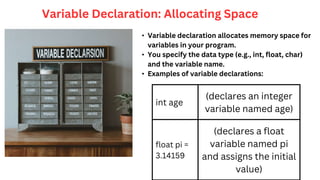
Variable Declaration: Allocating Space
• Variable declaration allocates memory space for
variables in your program.
• You specify the data type (e.g., int, float, char)
and the variable name.
• Examples of variable declarations:
Variable Assignment: Filling the
Blocks
• Variable assignment stores a value in the
memory location allocated for a variable.
• The assignment operator (=) is used to
assign a value to a variable.
• Example: age = 25; (assigns the value 25
to the previously declared integer
variable age)
C Operators: The Tools of the Trade
• Operators are symbols that perform
operations on operands (data values or
variables).
• C offers a rich set of operators for various
purposes.
• Common C operators include:
• Arithmetic operators (+, -, *, /, %) for mathematical
calculations.
• Relational operators (==, !=, <, >, <=, >=) for
comparisons.
• Logical operators (&&, ||, !) for logical operations
(AND, OR, NOT).
• Assignment operators (=, +=, -=, *=, /=, %=) for
assignment and combined operations.
• Increment/decrement operators (++, --) to increment
or decrement a variable's value.
Flow Control: Charting the Course
• Flow control statements dictate the
execution flow of your C program.
• They determine the order in which
program statements are executed.
• Common flow control statements include:
• if statements for conditional execution.
• if-else statements for two-way branching.
• switch statements for multi-way branching.
The if Statement
• The if statement executes a block of code only if a specified condition
is true.
• The condition is typically an expression that evaluates to true or false.
• Syntax:
if (condition) {
// code to execute if condition is true
}
The if-else
Statement
• The if-else statement provides two execution
paths based on a condition.
• If the condition is true, the code block following
if is executed.
• If the condition is false, the code block
following else is executed.
• Syntax:
if (condition) {
// code to execute if condition is true
} else {
// code to execute if condition is false
}
The switch Statement
• The switch statement allows for multi-way branching based
on the value of an expression.
• The expression is compared to a list of case values.
• If a match is found, the corresponding code block is executed.
• The break statement exits the switch after the matching code
block is executed.
• A default case can be included to handle unmatched values.
Looping Statements
• Looping statements enable the repeated execution of a
code block.
• This allows for automation of tasks and processing of
sequences of data.
• Common looping statements in C include:
⚬ for loop
⚬ while loop
⚬ do while loop
The for
Loop
• The for loop executes a code block repeatedly for a predetermined number
of iterations.
• It consists of three parts:
⚬ Initialization: Executes once before the loop starts (often used for
variable initialization).
⚬ Condition: Evaluated before each iteration; loop continues as long as the
condition is true.
⚬ Increment/Decrement: Executed after each iteration (often used for
updating loop counter).
• Syntax:
for (initialization; condition; increment/decrement) {
// code to be executed repeatedly
}
The while Loop
• The while loop executes a code block repeatedly as long as a
specified condition remains true.
• The condition is evaluated at the beginning of each iteration.
• Syntax:
while (condition) {
// code to be executed repeatedly
}
Do-While Loop
• The do-while loop executes a code block at least once,
followed by repeated execution as long as a condition is
true.
• The condition is evaluated after the code block is
executed.
• Syntax:
do {
// code to be executed at least once
} while (condition);
Arrays in C
• Arrays are collections of elements of the same data type
stored in contiguous memory locations.
• Elements are accessed using an index, starting from 0.
• Syntax:
data_type array_name[size];
Functions in C
• Functions are declared with a return
type, name, and parameter list
(optional).
• The function body contains the code to
be executed when the function is called.
• Syntax:
return_type
function_name(parameter_list) {
// function body
}
Calling Functions
• Functions are invoked by their name followed by
parentheses.
• Arguments (if any) are passed within the
parentheses during the call.
• The function executes its code and (optionally)
returns a value.
int result = add(5, 3); // Calling the add function and storing the
return value in result
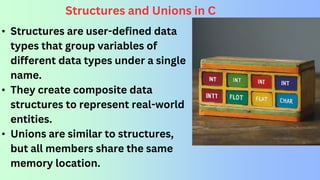
• Structures are user-defined data
types that group variables of
different data types under a single
name.
• They create composite data
structures to represent real-world
entities.
• Unions are similar to structures,
but all members share the same
memory location.
Structures and Unions in C
Declaring Structures
• Structures are declared using the struct keyword followed by a
name and a member list enclosed in curly braces.
struct Student {
int age;
char name[50];
float gpa;
};
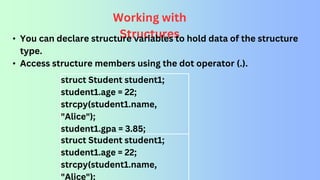
struct Student student1;
student1.age = 22;
strcpy(student1.name,
"Alice");
student1.gpa = 3.85;
struct Student student1;
student1.age = 22;
strcpy(student1.name,
"Alice");
Working with
Structures
• You can declare structure variables to hold data of the structure
type.
• Access structure members using the dot operator (.).
Union
s
• Unions are declared using the union keyword followed by a
name and a member list enclosed in curly braces.
• Similar to structures, members can be of different data types.
union Data {
int i;
float f;
char str[20];
};
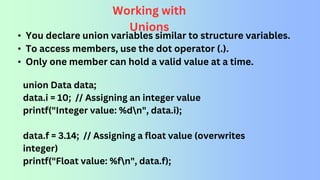
Working with
Unions
• You declare union variables similar to structure variables.
• To access members, use the dot operator (.).
• Only one member can hold a valid value at a time.
union Data data;
data.i = 10; // Assigning an integer value
printf("Integer value: %dn", data.i);
data.f = 3.14; // Assigning a float value (overwrites
integer)
printf("Float value: %fn", data.f);
Introduction to Pointers in C
• Pointers are declared
using the asterisk (*)
symbol before the
data type they point
to.
int *ptr; // Declares a pointer 'ptr'
that can point to integer variables
int num = 10
int *ptr = &num // Assigns the memory address of
'num' to the pointer 'ptr'
The Address-of Operator
(&)
• The address-of operator (&) retrieves the memory
address of a variable.
THANKS

C programming language:- Introduction to C Programming - Overview and Importance of C .pptx

  • 2.
    A Glimpse intoC's History • C was created in 1972 by Dennis Ritchie at Bell Labs. • It emerged from the need for a language that was both powerful and portable across different machines. • C borrowed elements from earlier languages like BCPL and B.
  • 3.
    Why C Matters •C is a foundational language for many modern programming languages. • It offers precise control over hardware, making it ideal for system programming. • C's efficiency and speed make it perfect for performance-critical applications.
  • 4.
    C in Action:Real-World Applications • C forms the foundation of the Unix operating system, a cornerstone of modern computing. • Embedded systems, prevalent in everyday devices like smartphones and automobiles, heavily rely on C. • C's efficiency makes it a favorite for graphics programming and game development.
  • 5.
    Structure of CPrograms • A C program follows a well-defined structure. • Understanding this structure is essential for writing effective C programs.
  • 6.
    A Stepping Stoneto Programming Greatness • C equips you with a solid foundation for programming concepts. • Mastering C opens doors to a vast array of programming opportunities. • The knowledge gained from C empowers you to tackle more complex languages.
  • 7.
    Building Blocks ofa C Program • Preprocessor Directives: Instructions for the preprocessor, like #include for header files. • Header Files: Contain essential declarations and function prototypes. (e.g., stdio.h for input/output) • Global Variables: Variables declared outside functions, accessible throughout the program. • Function Prototypes: Declarations of functions before their definition, ensuring proper calling. • Main Function: The program's entry point, where execution begins. • Code Block: The core logic of the program, enclosed in curly braces {}.
  • 8.
    Sample C Program:Hello, World! #include <stdio.h> int main() { printf("Hello, World!n"); return 0; }
  • 9.
  • 10.
    Data Types inC • Data types define the type of data a variable can hold. • Common data types include: • int: Stores integers (whole numbers). • float: Stores single-precision floating-point numbers (decimal numbers). • char: Stores a single character. • double: Stores double-precision floating-point numbers (more precise than float). • void: Represents the absence of a value.
  • 11.
    Character Set: TheBuilding Blocks of Communication • The character set defines the characters recognized by the C compiler. • It encompasses letters (uppercase and lowercase), digits (0-9), special characters (+, -, *, /, etc.), and whitespace (spaces, tabs, newlines).
  • 12.
    C Tokens: TheFundamental Units of Meaning • C tokens are the smallest meaningful units in a C program. • There are six primary types of tokens: • Keywords: Predefined words with specific meanings (e.g., int, if, for). • Identifiers: User-defined names for variables, functions (must start with a letter or underscore and can contain letters, digits, and underscores). • Constants: Fixed values that cannot be changed during program execution (e.g., integers, floating-point numbers, characters). • Operators: Symbols that perform operations on operands (e.g., +, -, *, /). • Special Characters: Punctuation marks with specific meanings (e.g., parentheses, braces, brackets, semicolon). • Strings: Sequences of characters enclosed in double quotes (e.g., "Hello, World!").
  • 13.
    Keywords: The ReservedVocabulary of C • Keywords are reserved words with predefined meanings in C. • They cannot be used as variable names or identifiers. Some common keywords include: • int: Denotes integer data type. • float: Denotes single-precision floating-point data type. • char: Denotes character data type. • if: Used for conditional statements. • else: Used for alternative execution paths. • for: Used for loop constructs. • while: Used for loop constructs based on a condition. • do: Used for do-while loops. • switch: Used for multi-way branching. • break: Used to exit loops or switch statements. • continue: Used to skip to the next iteration in a loop. • return: Used to return a value from a function. • void: Indicates no value or absence of a type.
  • 14.
    Identifiers: Assigning Meaningful Names Identifiersare user-defined names given to variables, functions, and other program elements. They must follow specific naming rules: • Start with a letter (uppercase or lowercase) or an underscore (_). • Can contain letters, digits, and underscores. • Case-sensitive (e.g., age and Age are different identifiers). • Cannot be reserved keywords in C.
  • 15.
    Constants: Fixed Valuesthat Endure • Constants represent fixed values that cannot be modified during program execution. • They are similar to constants in mathematics, maintaining their value throughout the program. • Examples of constants in C: • Integers (e.g., 10, -5) • Floating-point numbers (e.g., 3.14, - 2.5e2) • Characters (e.g., 'A', 'n') • Character strings enclosed in double quotes (e.g., "Hello, World!")
  • 16.
    Variables: Containers forChangeable Data • Variables act as named storage locations that can hold data during program execution. • The data stored within a variable can be changed throughout the program. • To use a variable, you must first declare it, specifying its data type (e.g., int, float, char). • After declaration, you can assign a value to the variable using the assignment operator (=).
  • 17.
    Building with Blocks:Variable Declaration and Assignment in C
  • 18.
    int age (declares aninteger variable named age) float pi = 3.14159 (declares a float variable named pi and assigns the initial value) Variable Declaration: Allocating Space • Variable declaration allocates memory space for variables in your program. • You specify the data type (e.g., int, float, char) and the variable name. • Examples of variable declarations:
  • 19.
    Variable Assignment: Fillingthe Blocks • Variable assignment stores a value in the memory location allocated for a variable. • The assignment operator (=) is used to assign a value to a variable. • Example: age = 25; (assigns the value 25 to the previously declared integer variable age)
  • 20.
    C Operators: TheTools of the Trade • Operators are symbols that perform operations on operands (data values or variables). • C offers a rich set of operators for various purposes. • Common C operators include: • Arithmetic operators (+, -, *, /, %) for mathematical calculations. • Relational operators (==, !=, <, >, <=, >=) for comparisons. • Logical operators (&&, ||, !) for logical operations (AND, OR, NOT). • Assignment operators (=, +=, -=, *=, /=, %=) for assignment and combined operations. • Increment/decrement operators (++, --) to increment or decrement a variable's value.
  • 21.
    Flow Control: Chartingthe Course • Flow control statements dictate the execution flow of your C program. • They determine the order in which program statements are executed. • Common flow control statements include: • if statements for conditional execution. • if-else statements for two-way branching. • switch statements for multi-way branching.
  • 22.
    The if Statement •The if statement executes a block of code only if a specified condition is true. • The condition is typically an expression that evaluates to true or false. • Syntax: if (condition) { // code to execute if condition is true }
  • 23.
    The if-else Statement • Theif-else statement provides two execution paths based on a condition. • If the condition is true, the code block following if is executed. • If the condition is false, the code block following else is executed. • Syntax: if (condition) { // code to execute if condition is true } else { // code to execute if condition is false }
  • 24.
    The switch Statement •The switch statement allows for multi-way branching based on the value of an expression. • The expression is compared to a list of case values. • If a match is found, the corresponding code block is executed. • The break statement exits the switch after the matching code block is executed. • A default case can be included to handle unmatched values.
  • 25.
    Looping Statements • Loopingstatements enable the repeated execution of a code block. • This allows for automation of tasks and processing of sequences of data. • Common looping statements in C include: ⚬ for loop ⚬ while loop ⚬ do while loop
  • 26.
    The for Loop • Thefor loop executes a code block repeatedly for a predetermined number of iterations. • It consists of three parts: ⚬ Initialization: Executes once before the loop starts (often used for variable initialization). ⚬ Condition: Evaluated before each iteration; loop continues as long as the condition is true. ⚬ Increment/Decrement: Executed after each iteration (often used for updating loop counter). • Syntax: for (initialization; condition; increment/decrement) { // code to be executed repeatedly }
  • 27.
    The while Loop •The while loop executes a code block repeatedly as long as a specified condition remains true. • The condition is evaluated at the beginning of each iteration. • Syntax: while (condition) { // code to be executed repeatedly }
  • 28.
    Do-While Loop • Thedo-while loop executes a code block at least once, followed by repeated execution as long as a condition is true. • The condition is evaluated after the code block is executed. • Syntax: do { // code to be executed at least once } while (condition);
  • 29.
    Arrays in C •Arrays are collections of elements of the same data type stored in contiguous memory locations. • Elements are accessed using an index, starting from 0. • Syntax: data_type array_name[size];
  • 30.
    Functions in C •Functions are declared with a return type, name, and parameter list (optional). • The function body contains the code to be executed when the function is called. • Syntax: return_type function_name(parameter_list) { // function body }
  • 31.
    Calling Functions • Functionsare invoked by their name followed by parentheses. • Arguments (if any) are passed within the parentheses during the call. • The function executes its code and (optionally) returns a value. int result = add(5, 3); // Calling the add function and storing the return value in result
  • 32.
    • Structures areuser-defined data types that group variables of different data types under a single name. • They create composite data structures to represent real-world entities. • Unions are similar to structures, but all members share the same memory location. Structures and Unions in C
  • 33.
    Declaring Structures • Structuresare declared using the struct keyword followed by a name and a member list enclosed in curly braces. struct Student { int age; char name[50]; float gpa; };
  • 34.
    struct Student student1; student1.age= 22; strcpy(student1.name, "Alice"); student1.gpa = 3.85; struct Student student1; student1.age = 22; strcpy(student1.name, "Alice"); Working with Structures • You can declare structure variables to hold data of the structure type. • Access structure members using the dot operator (.).
  • 35.
    Union s • Unions aredeclared using the union keyword followed by a name and a member list enclosed in curly braces. • Similar to structures, members can be of different data types. union Data { int i; float f; char str[20]; };
  • 36.
    Working with Unions • Youdeclare union variables similar to structure variables. • To access members, use the dot operator (.). • Only one member can hold a valid value at a time. union Data data; data.i = 10; // Assigning an integer value printf("Integer value: %dn", data.i); data.f = 3.14; // Assigning a float value (overwrites integer) printf("Float value: %fn", data.f);
  • 37.
    Introduction to Pointersin C • Pointers are declared using the asterisk (*) symbol before the data type they point to. int *ptr; // Declares a pointer 'ptr' that can point to integer variables
  • 38.
    int num =10 int *ptr = &num // Assigns the memory address of 'num' to the pointer 'ptr' The Address-of Operator (&) • The address-of operator (&) retrieves the memory address of a variable.
  • 39.