Presentation
Software
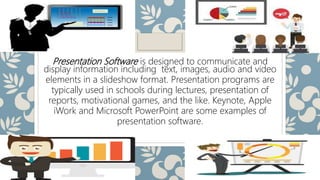
Presentation Software is designed to communicate and
display information including text, images, audio and video
elements in a slideshow format. Presentation programs are
typically used in schools during lectures, presentation of
reports, motivational games, and the like. Keynote, Apple
iWork and Microsoft PowerPoint are some examples of
presentation software.
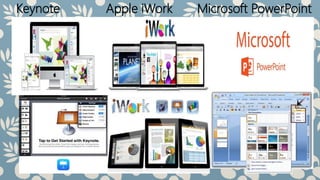
Keynote Apple iWork Microsoft PowerPoint
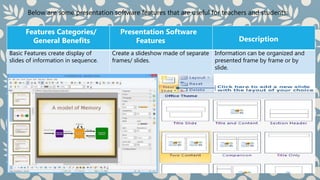
Below are some presentation software features that are useful for teachers and students:
Features Categories/
General Benefits
Presentation Software
Features Description
Basic Features create display of
slides of information in sequence.
Create a slideshow made of separate
frames/ slides.
Information can be organized and
presented frame by frame or by
slide.
Features Categories/
General Benefits
Presentation Software
Features Description
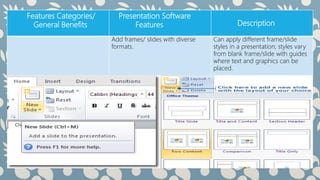
Add frames/ slides with diverse
formats.
Can apply different frame/slide
styles in a presentation; styles vary
from blank frame/slide with guides
where text and graphics can be
placed.
Features Categories/
General Benefits
Presentation Software
Features Description
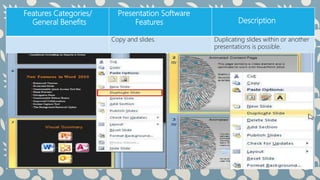
Copy and slides. Duplicating slides within or another
presentations is possible.
Features Categories/
General Benefits
Presentation Software
Features Description
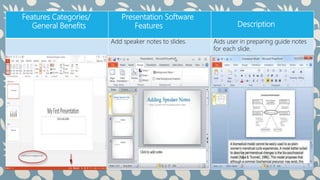
Add speaker notes to slides. Aids user in preparing guide notes
for each slide.
Features Categories/
General Benefits
Presentation Software
Features Description
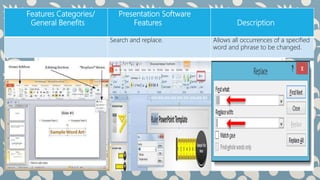
Search and replace. Allows all occurrences of a specified
word and phrase to be changed.
Features Categories/
General Benefits
Presentation Software
Features Description
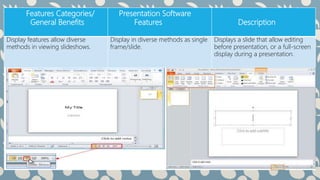
Display features allow diverse
methods in viewing slideshows.
Display in diverse methods as single
frame/slide.
Displays a slide that allow editing
before presentation, or a full-screen
display during a presentation.
Features Categories/
General Benefits
Presentation Software
Features Description
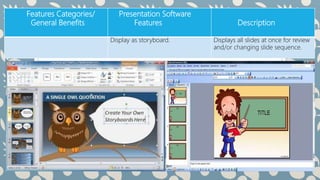
Display as storyboard. Displays all slides at once for review
and/or changing slide sequence.
Features Categories/
General Benefits
Presentation Software
Features Description
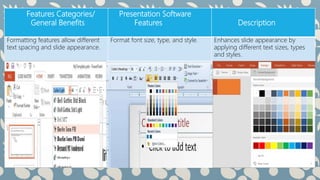
Formatting features allow different
text spacing and slide appearance.
Format font size, type, and style. Enhances slide appearance by
applying different text sizes, types
and styles.
Features Categories/
General Benefits
Presentation Software
Features Description
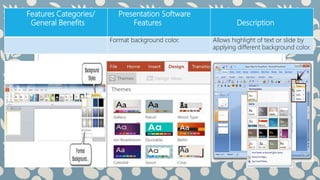
Format background color. Allows highlight of text or slide by
applying different background color.

Presentation software

  • 1.
  • 2.
    Presentation Software isdesigned to communicate and display information including text, images, audio and video elements in a slideshow format. Presentation programs are typically used in schools during lectures, presentation of reports, motivational games, and the like. Keynote, Apple iWork and Microsoft PowerPoint are some examples of presentation software.
  • 3.
    Keynote Apple iWorkMicrosoft PowerPoint
  • 4.
    Below are somepresentation software features that are useful for teachers and students: Features Categories/ General Benefits Presentation Software Features Description Basic Features create display of slides of information in sequence. Create a slideshow made of separate frames/ slides. Information can be organized and presented frame by frame or by slide.
  • 5.
    Features Categories/ General Benefits PresentationSoftware Features Description Add frames/ slides with diverse formats. Can apply different frame/slide styles in a presentation; styles vary from blank frame/slide with guides where text and graphics can be placed.
  • 6.
    Features Categories/ General Benefits PresentationSoftware Features Description Copy and slides. Duplicating slides within or another presentations is possible.
  • 7.
    Features Categories/ General Benefits PresentationSoftware Features Description Add speaker notes to slides. Aids user in preparing guide notes for each slide.
  • 8.
    Features Categories/ General Benefits PresentationSoftware Features Description Search and replace. Allows all occurrences of a specified word and phrase to be changed.
  • 9.
    Features Categories/ General Benefits PresentationSoftware Features Description Display features allow diverse methods in viewing slideshows. Display in diverse methods as single frame/slide. Displays a slide that allow editing before presentation, or a full-screen display during a presentation.
  • 10.
    Features Categories/ General Benefits PresentationSoftware Features Description Display as storyboard. Displays all slides at once for review and/or changing slide sequence.
  • 11.
    Features Categories/ General Benefits PresentationSoftware Features Description Formatting features allow different text spacing and slide appearance. Format font size, type, and style. Enhances slide appearance by applying different text sizes, types and styles.
  • 12.
    Features Categories/ General Benefits PresentationSoftware Features Description Format background color. Allows highlight of text or slide by applying different background color.