Making the Learning (more) Visible
Can iPads help in the Media classroom?
“Know thy impact…”
John Hattie
“Practice in the classroom is formative to the extent that
the evidence about student achievement is elicited,
interpreted, and used by teachers, learners or their peers,
to make decisions about the next steps in instruction that
are likely to be better, or better founded, than the
decisions they would have taken in the absence of the
evidence that was elicited.”
P. Black and D. Wiliam
• Research
• Collaborative work
• AFL
• Critique
• Redrafting
Time saving!
–No waiting around for computers to start
–Internet access from any room
–iPad camera cuts down on getting out
other equipment
–AND videos can be uploaded to a Youtube
channel instantly
–Combined with iMovie, videos can be
quickly edited and uploaded
Research
• In the classroom, on the spot…
– Internet searches: reference sites, articles, videos,
blog posts, twitter searches…
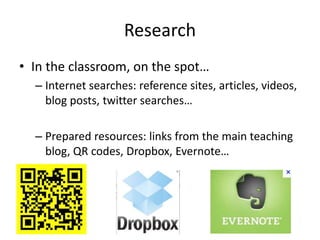
– Prepared resources: links from the main teaching
blog, QR codes, Dropbox, Evernote…
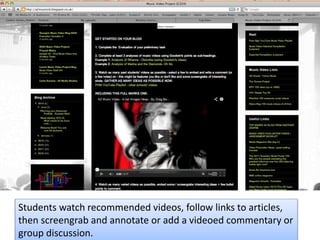
Students watch recommended videos, follow links to articles,
then screengrab and annotate or add a videoed commentary or
group discussion.
QR code readers are a
quick way of allowing
students to go directly to a
site / article.
Prepare a series of QR
codes to allow them to
research a topic.
http://www.mediaknowall.com/as_alevel/alev
keyconcepts/alevelkeycon.php?pageID=narrati
ve
Narrative
Notes:
The difference between men and women:
Stereotypical gender roles
Thoughts and Questions:
Kim Kardashian: my life as a brand
Thoughts and Questions:
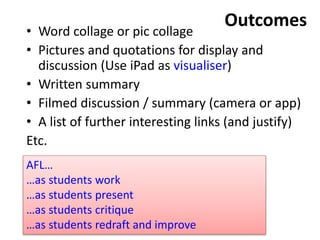
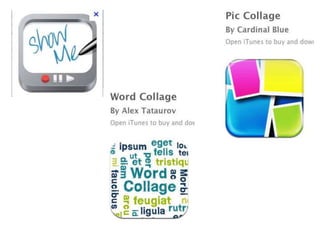
Outcomes• Word collage or pic collage
• Pictures and quotations for display and
discussion (Use iPad as visualiser)
• Written summary
• Filmed discussion / summary (camera or app)
• A list of further interesting links (and justify)
Etc.
AFL…
…as students work
…as students present
…as students critique
…as students redraft and improve
Example of A2 lesson
• Gender representation: Women
• http://monkeylearns.blogspot.co.uk/2012/10/
trying-to-use-ipads-qr-codes-and.html
More collaborative tasks
Learn and create…
…Using the camera
…Using ShowMe app or better, Explain Everything
…Using iMovie to create a trailer
Aim: Record learning as it happens.
Advantages: save to camera roll, export to YouTube
and embed into blog… comments on the blog for
self- and peer-assessment
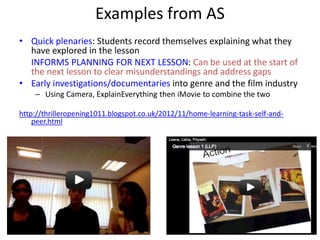
Examples from AS
• Quick plenaries: Students record themselves explaining what they
have explored in the lesson
INFORMS PLANNING FOR NEXT LESSON: Can be used at the start of
the next lesson to clear misunderstandings and address gaps
• Early investigations/documentaries into genre and the film industry
– Using Camera, ExplainEverything then iMovie to combine the two
http://thrilleropening1011.blogspot.co.uk/2012/11/home-learning-task-self-and-
peer.html
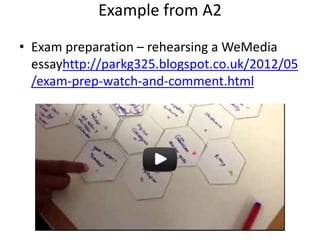
Example from A2
• Exam preparation – rehearsing a WeMedia
essayhttp://parkg325.blogspot.co.uk/2012/05
/exam-prep-watch-and-comment.html
Oracy to improve Literacy
• If you can articulate it well, you have a better
chance of writing it well!
• ExplainEverything is a great tool for that.
Your turn to have a go!
• Use ExplainEverything to prepare a presentation
for us
• You can redraft and improve as you go, one slide
at a time.
• Combine pictures, annotations and audio
commentary.
• Selection of tasks.
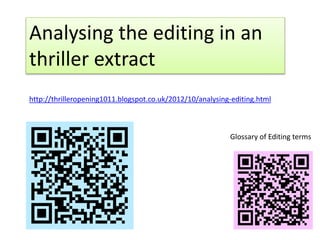
Analysing the editing in an
thriller extract
http://thrilleropening1011.blogspot.co.uk/2012/10/analysing-editing.html
Glossary of Editing terms
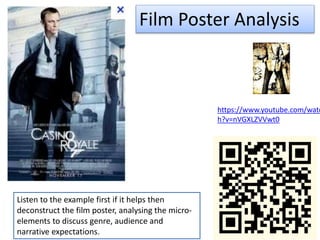
Film Poster Analysis
Listen to the example first if it helps then
deconstruct the film poster, analysing the micro-
elements to discuss genre, audience and
narrative expectations.
https://www.youtube.com/watc
h?v=nVGXLZVVwt0
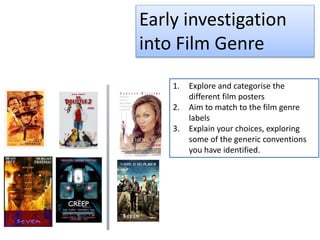
Early investigation
into Film Genre
1. Explore and categorise the
different film posters
2. Aim to match to the film genre
labels
3. Explain your choices, exploring
some of the generic conventions
you have identified.
http://msinduction.blogspot.co.uk/2012/10/the-berger-slides.html
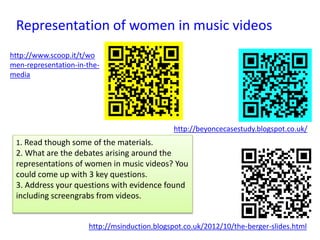
Representation of women in music videos
http://www.scoop.it/t/wo
men-representation-in-the-
media
http://beyoncecasestudy.blogspot.co.uk/
1. Read though some of the materials.
2. What are the debates arising around the
representations of women in music videos? You
could come up with 3 key questions.
3. Address your questions with evidence found
including screengrabs from videos.
Peer Critique
and
Reflecting/Redra
fting
• Be Kind
• Be Helpful
• Be specific
From the front: iPad as visualiser
Or swapping iPad with another group – Use post-its for
critique
Then before handing back, share your findings!
Finally, have a go at making improvements or record what
improvements you would make.
Redrafting with ExplainEverything
• Students can re-record their audio
commentary for each separate slide until it’s
as good as possible.
• Example from GCSE Media: Student with SEN
with TA assistance
– Preparing a revision presentation on the
conventions of Action Adventure Genre
(Prepared slides with headings and terminology)
Time to share ideas
• Suggestions?
• @hgaldinoshea
• @parkhighmedia
• http://parksmediagateway.blogspot.co.uk

Presentation Mea bfi Conference 14

  • 1.
    Making the Learning(more) Visible Can iPads help in the Media classroom? “Know thy impact…” John Hattie “Practice in the classroom is formative to the extent that the evidence about student achievement is elicited, interpreted, and used by teachers, learners or their peers, to make decisions about the next steps in instruction that are likely to be better, or better founded, than the decisions they would have taken in the absence of the evidence that was elicited.” P. Black and D. Wiliam
  • 2.
    • Research • Collaborativework • AFL • Critique • Redrafting
  • 3.
    Time saving! –No waitingaround for computers to start –Internet access from any room –iPad camera cuts down on getting out other equipment –AND videos can be uploaded to a Youtube channel instantly –Combined with iMovie, videos can be quickly edited and uploaded
  • 4.
    Research • In theclassroom, on the spot… – Internet searches: reference sites, articles, videos, blog posts, twitter searches… – Prepared resources: links from the main teaching blog, QR codes, Dropbox, Evernote…
  • 5.
    Students watch recommendedvideos, follow links to articles, then screengrab and annotate or add a videoed commentary or group discussion.
  • 6.
    QR code readersare a quick way of allowing students to go directly to a site / article. Prepare a series of QR codes to allow them to research a topic.
  • 7.
  • 8.
    The difference betweenmen and women: Stereotypical gender roles Thoughts and Questions:
  • 9.
    Kim Kardashian: mylife as a brand Thoughts and Questions:
  • 10.
    Outcomes• Word collageor pic collage • Pictures and quotations for display and discussion (Use iPad as visualiser) • Written summary • Filmed discussion / summary (camera or app) • A list of further interesting links (and justify) Etc. AFL… …as students work …as students present …as students critique …as students redraft and improve
  • 12.
    Example of A2lesson • Gender representation: Women • http://monkeylearns.blogspot.co.uk/2012/10/ trying-to-use-ipads-qr-codes-and.html
  • 13.
    More collaborative tasks Learnand create… …Using the camera …Using ShowMe app or better, Explain Everything …Using iMovie to create a trailer Aim: Record learning as it happens. Advantages: save to camera roll, export to YouTube and embed into blog… comments on the blog for self- and peer-assessment
  • 14.
    Examples from AS •Quick plenaries: Students record themselves explaining what they have explored in the lesson INFORMS PLANNING FOR NEXT LESSON: Can be used at the start of the next lesson to clear misunderstandings and address gaps • Early investigations/documentaries into genre and the film industry – Using Camera, ExplainEverything then iMovie to combine the two http://thrilleropening1011.blogspot.co.uk/2012/11/home-learning-task-self-and- peer.html
  • 15.
    Example from A2 •Exam preparation – rehearsing a WeMedia essayhttp://parkg325.blogspot.co.uk/2012/05 /exam-prep-watch-and-comment.html
  • 16.
    Oracy to improveLiteracy • If you can articulate it well, you have a better chance of writing it well! • ExplainEverything is a great tool for that.
  • 17.
    Your turn tohave a go! • Use ExplainEverything to prepare a presentation for us • You can redraft and improve as you go, one slide at a time. • Combine pictures, annotations and audio commentary. • Selection of tasks.
  • 18.
    Analysing the editingin an thriller extract http://thrilleropening1011.blogspot.co.uk/2012/10/analysing-editing.html Glossary of Editing terms
  • 19.
    Film Poster Analysis Listento the example first if it helps then deconstruct the film poster, analysing the micro- elements to discuss genre, audience and narrative expectations. https://www.youtube.com/watc h?v=nVGXLZVVwt0
  • 20.
    Early investigation into FilmGenre 1. Explore and categorise the different film posters 2. Aim to match to the film genre labels 3. Explain your choices, exploring some of the generic conventions you have identified.
  • 21.
    http://msinduction.blogspot.co.uk/2012/10/the-berger-slides.html Representation of womenin music videos http://www.scoop.it/t/wo men-representation-in-the- media http://beyoncecasestudy.blogspot.co.uk/ 1. Read though some of the materials. 2. What are the debates arising around the representations of women in music videos? You could come up with 3 key questions. 3. Address your questions with evidence found including screengrabs from videos.
  • 22.
    Peer Critique and Reflecting/Redra fting • BeKind • Be Helpful • Be specific From the front: iPad as visualiser Or swapping iPad with another group – Use post-its for critique Then before handing back, share your findings! Finally, have a go at making improvements or record what improvements you would make.
  • 23.
    Redrafting with ExplainEverything •Students can re-record their audio commentary for each separate slide until it’s as good as possible. • Example from GCSE Media: Student with SEN with TA assistance – Preparing a revision presentation on the conventions of Action Adventure Genre (Prepared slides with headings and terminology)
  • 24.
    Time to shareideas • Suggestions?
  • 25.
    • @hgaldinoshea • @parkhighmedia •http://parksmediagateway.blogspot.co.uk