Best PracticesJanuary 19th and 20th
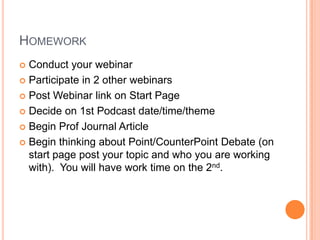
Point/CounterPoint AssignmentPoint/CounterPoint DebateYou will design, develop, research and present an engaging debate on a current topic in education technology. You will work with one or two other people to develop your debate. The debate will be presented in class for 50 minutes (an additional 10 minutes will be used for question/answer at the end of the debate). You are not required to use technology in your debate, but are strongly encouraged to be creative in the structure (in the past people have used puppets, created movies or slideshows, done skits, or even dressed up). You are required to show all sides of the issue (some issues have three or four perspectives, so make sure these are represented). In addition, you MUST include at least 2 pieces of key research and/or statistics revolving around the issue. Topics for debate:Are Internet Filters Helping or Harming?Should Student Cell Phones be Used in Classroom Instruction?Can Video Games Be Used to Teach?Should Social Networking be Used in Classroom Instruction?Is PowerPoint Harming Our Students?Is Technology Necessary for School Learning?Should All Schools Use Open Source Software?Are Virtual Schools An Appropriate Alternative to Face to Face Instruction?Are 1:1 Laptop Programs Helping Students Learn?
Netvibeshttp://netvibes.com
Podcast Assignmenthttp://blogtalkradio.com(post link on your start page)
What is a Podcast?iPod + Broadcast=PodcastAn audio recording that is distributed via the internet.It can be downloaded and listen to via a PC or mobile deviceIt has a syndicated feed that uses RSS to pull the files to the user
Types of PodcastsAudio (MP3 format)Enhanced Audio-with images (Mv4 format)Video (mpg4 or mov format)PDF (ebooks)
Ideas for PodcastsPersonal Narratives, Original Work..PoetryMock Conventions or Science FairsOral historiesVocab and/or concept practiceBrainstorming SessionsOverview of unitOral Reports or SpeechesRadio Theater or broadcastsRadio commercialsInterviewsNewscast-Information for parents
Podcasting ProcessDecide on the “type” of podcastRadio broadcast, Radio Theater, Interview…etcWrite a pitchParagraph on “this is a podcast about…”Get it approved by teacher, then…Write a scriptGet the Media Images, sounds, music…etcPractice, Practice, PracticeRecord the PodcastPost to the web
Sample Classroom PodcastsEducators Podcasting Networkhttp://epnweb.orgTony Vincenthttp://learninginhand.com/podcasting/find.htmlPodcasts for Teachershttp://www.podcastforteachers.org/Wes Fryer’s Podcasting Sitehttp://teachdigital.pbwiki.com/podcasting
How can I listen to a podcast?RSSRich Site Summary OR Real Simple Syndication.
Assignment:  Live PodcastYou and a partner will be in charge of creating a podcast two times.You will create an account at http://blogtalkradio.comEach podcast must be 30 minutesThe topic (theme) of each podcast should relate to education (but does not necessarily need to related to technology).Post a link to your podcast on your startpage.Post the date/time of each podcast on your startpage (at least 1 week before the podcast)
Sample Podcast0-.30:  Introduction Music and overview of agenda
.30-5:00:  Current Events in Education
5:00-25:00:  Interview with School Principal on how they deal with cell phones and students.
25:00-30:00:  Closing article—select a few quotes (something to wrap up discussion on topic of cell phones)Sample Blog Talk Podcastshttp://www.blogtalkradio.com/mac09http://www.blogtalkradio.com/soe0910http://www.blogtalkradio.com/elikeren
Your PodcastingSiteBlog Talk Radiohttp://blogtalkradio.comCreate an accountSet up your podcastPost a link on your startpageDecide on two dates/timesDecide on “themes” or “topics”
Professional Journal Article Share5 minutes or lessProject your resource and explain WHY it is helpful.Make sure your link is posted on your start page.
Webinars
Ideas for using webinars in teaching and learning?Study/review session for interested students before big testsGive students who miss school (illness, etc) a chance to make-up a class presentation assignmentRecordings of webinars can be used to re-teach material as needed.Allows for students to teach other student - have them attend webinars as homework assignmentsStudents can develop their own webinars on a particular research topic.
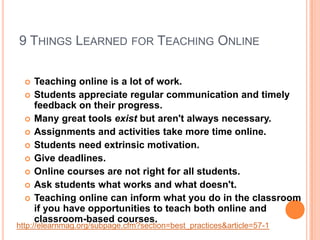
9 Things Learned for Teaching OnlineTeaching online is a lot of work.Students appreciate regular communication and timely feedback on their progress.Many great tools exist but aren't always necessary.Assignments and activities take more time online.Students need extrinsic motivation.Give deadlines. Online courses are not right for all students. Ask students what works and what doesn't.Teaching online can inform what you do in the classroom if you have opportunities to teach both online and classroom-based courses.http://elearnmag.org/subpage.cfm?section=best_practices&article=57-1
How to create a Webinarhttp://dimdim.com
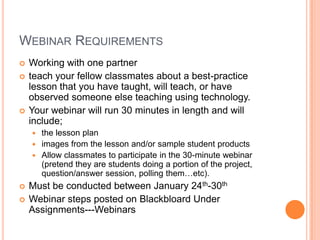
Webinar RequirementsWorking with one partnerteach your fellow classmates about a best-practice lesson that you have taught, will teach, or have observed someone else teaching using technology.  Your webinar will run 30 minutes in length and will include;the lesson planimages from the lesson and/or sample student productsAllow classmates to participate in the 30-minute webinar (pretend they are students doing a portion of the project, question/answer session, polling them…etc).  Must be conducted between January 24th-30thWebinar steps posted on Blackbloard Under Assignments---Webinars

Jan19

  • 1.
  • 2.
    Point/CounterPoint AssignmentPoint/CounterPoint DebateYouwill design, develop, research and present an engaging debate on a current topic in education technology. You will work with one or two other people to develop your debate. The debate will be presented in class for 50 minutes (an additional 10 minutes will be used for question/answer at the end of the debate). You are not required to use technology in your debate, but are strongly encouraged to be creative in the structure (in the past people have used puppets, created movies or slideshows, done skits, or even dressed up). You are required to show all sides of the issue (some issues have three or four perspectives, so make sure these are represented). In addition, you MUST include at least 2 pieces of key research and/or statistics revolving around the issue. Topics for debate:Are Internet Filters Helping or Harming?Should Student Cell Phones be Used in Classroom Instruction?Can Video Games Be Used to Teach?Should Social Networking be Used in Classroom Instruction?Is PowerPoint Harming Our Students?Is Technology Necessary for School Learning?Should All Schools Use Open Source Software?Are Virtual Schools An Appropriate Alternative to Face to Face Instruction?Are 1:1 Laptop Programs Helping Students Learn?
  • 3.
  • 4.
  • 5.
    What is aPodcast?iPod + Broadcast=PodcastAn audio recording that is distributed via the internet.It can be downloaded and listen to via a PC or mobile deviceIt has a syndicated feed that uses RSS to pull the files to the user
  • 6.
    Types of PodcastsAudio(MP3 format)Enhanced Audio-with images (Mv4 format)Video (mpg4 or mov format)PDF (ebooks)
  • 7.
    Ideas for PodcastsPersonalNarratives, Original Work..PoetryMock Conventions or Science FairsOral historiesVocab and/or concept practiceBrainstorming SessionsOverview of unitOral Reports or SpeechesRadio Theater or broadcastsRadio commercialsInterviewsNewscast-Information for parents
  • 8.
    Podcasting ProcessDecide onthe “type” of podcastRadio broadcast, Radio Theater, Interview…etcWrite a pitchParagraph on “this is a podcast about…”Get it approved by teacher, then…Write a scriptGet the Media Images, sounds, music…etcPractice, Practice, PracticeRecord the PodcastPost to the web
  • 9.
    Sample Classroom PodcastsEducatorsPodcasting Networkhttp://epnweb.orgTony Vincenthttp://learninginhand.com/podcasting/find.htmlPodcasts for Teachershttp://www.podcastforteachers.org/Wes Fryer’s Podcasting Sitehttp://teachdigital.pbwiki.com/podcasting
  • 10.
    How can Ilisten to a podcast?RSSRich Site Summary OR Real Simple Syndication.
  • 11.
    Assignment: LivePodcastYou and a partner will be in charge of creating a podcast two times.You will create an account at http://blogtalkradio.comEach podcast must be 30 minutesThe topic (theme) of each podcast should relate to education (but does not necessarily need to related to technology).Post a link to your podcast on your startpage.Post the date/time of each podcast on your startpage (at least 1 week before the podcast)
  • 12.
    Sample Podcast0-.30: Introduction Music and overview of agenda
  • 13.
    .30-5:00: CurrentEvents in Education
  • 14.
    5:00-25:00: Interviewwith School Principal on how they deal with cell phones and students.
  • 15.
    25:00-30:00: Closingarticle—select a few quotes (something to wrap up discussion on topic of cell phones)Sample Blog Talk Podcastshttp://www.blogtalkradio.com/mac09http://www.blogtalkradio.com/soe0910http://www.blogtalkradio.com/elikeren
  • 16.
    Your PodcastingSiteBlog TalkRadiohttp://blogtalkradio.comCreate an accountSet up your podcastPost a link on your startpageDecide on two dates/timesDecide on “themes” or “topics”
  • 17.
    Professional Journal ArticleShare5 minutes or lessProject your resource and explain WHY it is helpful.Make sure your link is posted on your start page.
  • 18.
  • 19.
    Ideas for usingwebinars in teaching and learning?Study/review session for interested students before big testsGive students who miss school (illness, etc) a chance to make-up a class presentation assignmentRecordings of webinars can be used to re-teach material as needed.Allows for students to teach other student - have them attend webinars as homework assignmentsStudents can develop their own webinars on a particular research topic.
  • 20.
    9 Things Learnedfor Teaching OnlineTeaching online is a lot of work.Students appreciate regular communication and timely feedback on their progress.Many great tools exist but aren't always necessary.Assignments and activities take more time online.Students need extrinsic motivation.Give deadlines. Online courses are not right for all students. Ask students what works and what doesn't.Teaching online can inform what you do in the classroom if you have opportunities to teach both online and classroom-based courses.http://elearnmag.org/subpage.cfm?section=best_practices&article=57-1
  • 21.
    How to createa Webinarhttp://dimdim.com
  • 22.
    Webinar RequirementsWorking withone partnerteach your fellow classmates about a best-practice lesson that you have taught, will teach, or have observed someone else teaching using technology. Your webinar will run 30 minutes in length and will include;the lesson planimages from the lesson and/or sample student productsAllow classmates to participate in the 30-minute webinar (pretend they are students doing a portion of the project, question/answer session, polling them…etc). Must be conducted between January 24th-30thWebinar steps posted on Blackbloard Under Assignments---Webinars

Editor's Notes