



Preparing for a Security Breach
A guide to surviving the Infosec worst case scenario.
Conrad Constantine
Community Manager
@AlienVault
Sandy Hawke
VP, Product Marketing
@AlienVault
Introductions
Meet today’s presenters
Sandy Hawke, CISSP
“I used to be an infosec guy”
VP, Product Marketing
AlienVault
@sandybeachSF
Conrad Constantine
“I’m just some infosec guy”
Community Manager, Head Geek
AlienVault
@cpconstantine
2
“Everyone has a plan until they
get punched in the face.”
--Mike Tyson
Image source: http://www.onpath.com/blog-0/bid/74760/Everybody-has-a-plan-until-they-get-punched-in-the-face 3
Image source: http://richardultra.blogspot.com/2012/07/preparation.html
4
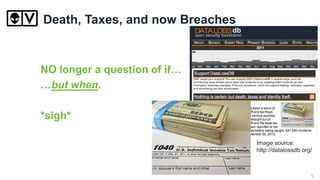
Death, Taxes, and now Breaches
NO longer a question of if…
…but when.
*sigh*
Image source:
http://datalossdb.org/
5
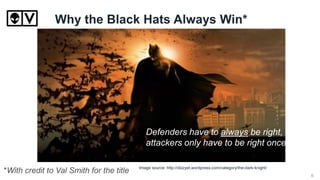
Why the Black Hats Always Win*
*With credit to Val Smith for the title
Defenders have to always be right,
attackers only have to be right once.
Image source: http://dizzyet.wordpress.com/category/the-dark-knight/
6
Tales from the Trenches…
Worked in Infosec since the mid-90’s
Been a sysadmin, a pen-tester and an incident
responder.
I’ve worked on breaches ranging from mom and
pop mail servers to the 2011 RSA Breach.
I’ve never worked for one of those
companies you pay to come in and
handle your breach for you.
It’s always been personal.
7
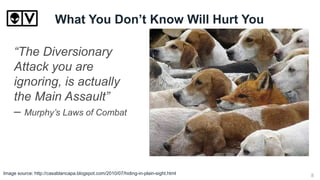
What You Don’t Know Will Hurt You
“The Diversionary
Attack you are
ignoring, is actually
the Main Assault”
– Murphy’s Laws of Combat
Image source: http://casablancapa.blogspot.com/2010/07/hiding-in-plain-sight.html 8
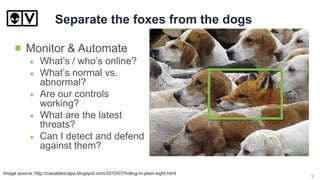
Separate the foxes from the dogs
Monitor & Automate
What’s / who’s online?
What’s normal vs.
abnormal?
Are our controls
working?
What are the latest
threats?
Can I detect and defend
against them?
Image source: http://casablancapa.blogspot.com/2010/07/hiding-in-plain-sight.html 9
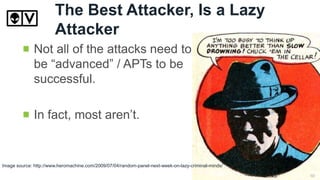
The Best Attacker, Is a Lazy
Attacker
Image source: http://www.heromachine.com/2009/07/04/random-panel-next-week-on-lazy-criminal-minds/
Not all of the attacks need to
be “advanced” / APTs to be
successful.
In fact, most aren’t.
10
Rule #1 – Don’t Panic!
I must not fear.
Fear is the mind-killer.
Fear is the little-death that brings
total obliteration.
I will face my fear.
I will permit it to pass over me
and through me.
And when it has gone past I will
turn the inner eye to see its path.
Where the fear has gone there
will be nothing.
Only I will remain”
Litany Against Fear
– Frank Herbert – “DUNE”
Image source: Hitchhiker’s Guide to the Galaxy
11
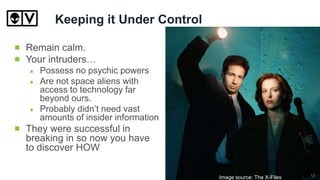
Keeping it Under Control
Remain calm.
Your intruders…
Possess no psychic powers
Are not space aliens with
access to technology far
beyond ours.
Probably didn’t need vast
amounts of insider information
They were successful in
breaking in so now you have
to discover HOW
Image source: The X-Files 12
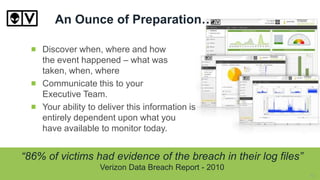
An Ounce of Preparation…
Discover when, where and how
the event happened – what was
taken, when, where
Communicate this to your
Executive Team.
Your ability to deliver this information is
entirely dependent upon what you
have available to monitor today.
“86% of victims had evidence of the breach in their log files”
Verizon Data Breach Report - 2010
13
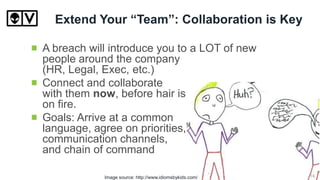
Extend Your “Team”: Collaboration is Key
A breach will introduce you to a LOT of new
people around the company
(HR, Legal, Exec, etc.)
Connect and collaborate
with them now, before hair is
on fire.
Goals: Arrive at a common
language, agree on priorities,
communication channels,
and chain of command
Image source: http://www.idiomsbykids.com/ 14
Containing The Fire
Leave No Stone Unturned.
There are no absolutes.
Burn out their access.
Be prepared to prove the
unprovable (as in, they’re now GONE)
Logs are your friend. Make sure you can search
them.
15
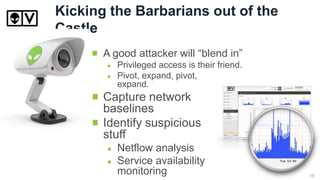
Kicking the Barbarians out of the
Castle
A good attacker will “blend in”
Privileged access is their friend.
Pivot, expand, pivot,
expand.
Capture network
baselines
Identify suspicious
stuff
Netflow analysis
Service availability
monitoring 16
Establishing a timeline
Image source: http://www.n2growth.com/blog/the-facts-maam-just-the-facts/ 17
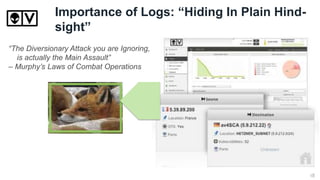
Importance of Logs: “Hiding In Plain Hind-
sight”
“The Diversionary Attack you are Ignoring,
is actually the Main Assault”
– Murphy’s Laws of Combat Operations
18
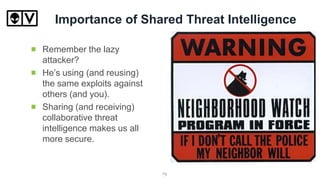
Importance of Shared Threat Intelligence
Remember the lazy
attacker?
He’s using (and reusing)
the same exploits against
others (and you).
Sharing (and receiving)
collaborative threat
intelligence makes us all
more secure.
19
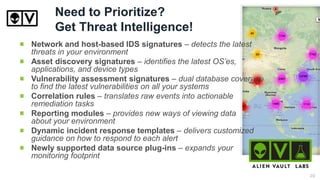
Need to Prioritize?
Get Threat Intelligence!
Network and host-based IDS signatures – detects the latest
threats in your environment
Asset discovery signatures – identifies the latest OS’es,
applications, and device types
Vulnerability assessment signatures – dual database coverage
to find the latest vulnerabilities on all your systems
Correlation rules – translates raw events into actionable
remediation tasks
Reporting modules – provides new ways of viewing data
about your environment
Dynamic incident response templates – delivers customized
guidance on how to respond to each alert
Newly supported data source plug-ins – expands your
monitoring footprint
20
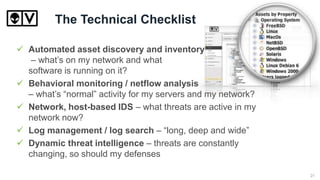
The Technical Checklist
 Automated asset discovery and inventory
– what’s on my network and what
software is running on it?
 Behavioral monitoring / netflow analysis
– what’s “normal” activity for my servers and my network?
 Network, host-based IDS – what threats are active in my
network now?
 Log management / log search – “long, deep and wide”
 Dynamic threat intelligence – threats are constantly
changing, so should my defenses
21
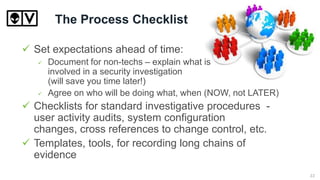
The Process Checklist
 Set expectations ahead of time:
 Document for non-techs – explain what is
involved in a security investigation
(will save you time later!)
 Agree on who will be doing what, when (NOW, not LATER)
 Checklists for standard investigative procedures -
user activity audits, system configuration
changes, cross references to change control, etc.
 Templates, tools, for recording long chains of
evidence
22
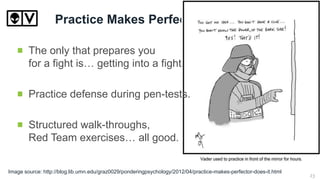
Practice Makes Perfect
The only that prepares you
for a fight is… getting into a fight.
Practice defense during pen-tests.
Structured walk-throughs,
Red Team exercises… all good.
Image source: http://blog.lib.umn.edu/graz0029/ponderingpsychology/2012/04/practice-makes-perfector-does-it.html
23
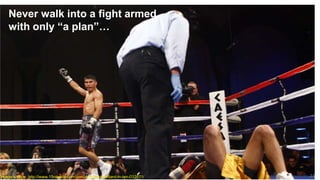
Never walk into a fight armed
with only “a plan”…
Image source: http://www.15rounds.com/garcia-stops-remillard-in-ten-032611/ 24
Summary
During a breach… it’s all about process
and personalities.
What can you do now?
Implement essential monitoring and detection
technologies.
Build strong relationships – they will be tested during
crisis time!
Develop established communication channels, and
document them.
Run through your checklists and practice sessions
25
Next Steps / Q&A
Request an AlienVault USM demo at:
www.alienvault.com/schedule-demo.html
Request a free trial of AlienVault USM:
http://www.alienvault.com/free-trial
Not quite ready for all that? Test drive our open
source project - OSSIM here:
communities.alienvault.com/
Need more info to get started? Try our knowledge
base here:
alienvault.bloomfire.com
These resources are also in the Attachments section
Join the
conversation!
@alienvault
#AlienIntel
26

Preparing for a Security Breach

  • 1.
    Preparing for aSecurity Breach A guide to surviving the Infosec worst case scenario. Conrad Constantine Community Manager @AlienVault Sandy Hawke VP, Product Marketing @AlienVault
  • 2.
    Introductions Meet today’s presenters SandyHawke, CISSP “I used to be an infosec guy” VP, Product Marketing AlienVault @sandybeachSF Conrad Constantine “I’m just some infosec guy” Community Manager, Head Geek AlienVault @cpconstantine 2
  • 3.
    “Everyone has aplan until they get punched in the face.” --Mike Tyson Image source: http://www.onpath.com/blog-0/bid/74760/Everybody-has-a-plan-until-they-get-punched-in-the-face 3
  • 4.
  • 5.
    Death, Taxes, andnow Breaches NO longer a question of if… …but when. *sigh* Image source: http://datalossdb.org/ 5
  • 6.
    Why the BlackHats Always Win* *With credit to Val Smith for the title Defenders have to always be right, attackers only have to be right once. Image source: http://dizzyet.wordpress.com/category/the-dark-knight/ 6
  • 7.
    Tales from theTrenches… Worked in Infosec since the mid-90’s Been a sysadmin, a pen-tester and an incident responder. I’ve worked on breaches ranging from mom and pop mail servers to the 2011 RSA Breach. I’ve never worked for one of those companies you pay to come in and handle your breach for you. It’s always been personal. 7
  • 8.
    What You Don’tKnow Will Hurt You “The Diversionary Attack you are ignoring, is actually the Main Assault” – Murphy’s Laws of Combat Image source: http://casablancapa.blogspot.com/2010/07/hiding-in-plain-sight.html 8
  • 9.
    Separate the foxesfrom the dogs Monitor & Automate What’s / who’s online? What’s normal vs. abnormal? Are our controls working? What are the latest threats? Can I detect and defend against them? Image source: http://casablancapa.blogspot.com/2010/07/hiding-in-plain-sight.html 9
  • 10.
    The Best Attacker,Is a Lazy Attacker Image source: http://www.heromachine.com/2009/07/04/random-panel-next-week-on-lazy-criminal-minds/ Not all of the attacks need to be “advanced” / APTs to be successful. In fact, most aren’t. 10
  • 11.
    Rule #1 –Don’t Panic! I must not fear. Fear is the mind-killer. Fear is the little-death that brings total obliteration. I will face my fear. I will permit it to pass over me and through me. And when it has gone past I will turn the inner eye to see its path. Where the fear has gone there will be nothing. Only I will remain” Litany Against Fear – Frank Herbert – “DUNE” Image source: Hitchhiker’s Guide to the Galaxy 11
  • 12.
    Keeping it UnderControl Remain calm. Your intruders… Possess no psychic powers Are not space aliens with access to technology far beyond ours. Probably didn’t need vast amounts of insider information They were successful in breaking in so now you have to discover HOW Image source: The X-Files 12
  • 13.
    An Ounce ofPreparation… Discover when, where and how the event happened – what was taken, when, where Communicate this to your Executive Team. Your ability to deliver this information is entirely dependent upon what you have available to monitor today. “86% of victims had evidence of the breach in their log files” Verizon Data Breach Report - 2010 13
  • 14.
    Extend Your “Team”:Collaboration is Key A breach will introduce you to a LOT of new people around the company (HR, Legal, Exec, etc.) Connect and collaborate with them now, before hair is on fire. Goals: Arrive at a common language, agree on priorities, communication channels, and chain of command Image source: http://www.idiomsbykids.com/ 14
  • 15.
    Containing The Fire LeaveNo Stone Unturned. There are no absolutes. Burn out their access. Be prepared to prove the unprovable (as in, they’re now GONE) Logs are your friend. Make sure you can search them. 15
  • 16.
    Kicking the Barbariansout of the Castle A good attacker will “blend in” Privileged access is their friend. Pivot, expand, pivot, expand. Capture network baselines Identify suspicious stuff Netflow analysis Service availability monitoring 16
  • 17.
    Establishing a timeline Imagesource: http://www.n2growth.com/blog/the-facts-maam-just-the-facts/ 17
  • 18.
    Importance of Logs:“Hiding In Plain Hind- sight” “The Diversionary Attack you are Ignoring, is actually the Main Assault” – Murphy’s Laws of Combat Operations 18
  • 19.
    Importance of SharedThreat Intelligence Remember the lazy attacker? He’s using (and reusing) the same exploits against others (and you). Sharing (and receiving) collaborative threat intelligence makes us all more secure. 19
  • 20.
    Need to Prioritize? GetThreat Intelligence! Network and host-based IDS signatures – detects the latest threats in your environment Asset discovery signatures – identifies the latest OS’es, applications, and device types Vulnerability assessment signatures – dual database coverage to find the latest vulnerabilities on all your systems Correlation rules – translates raw events into actionable remediation tasks Reporting modules – provides new ways of viewing data about your environment Dynamic incident response templates – delivers customized guidance on how to respond to each alert Newly supported data source plug-ins – expands your monitoring footprint 20
  • 21.
    The Technical Checklist Automated asset discovery and inventory – what’s on my network and what software is running on it?  Behavioral monitoring / netflow analysis – what’s “normal” activity for my servers and my network?  Network, host-based IDS – what threats are active in my network now?  Log management / log search – “long, deep and wide”  Dynamic threat intelligence – threats are constantly changing, so should my defenses 21
  • 22.
    The Process Checklist Set expectations ahead of time:  Document for non-techs – explain what is involved in a security investigation (will save you time later!)  Agree on who will be doing what, when (NOW, not LATER)  Checklists for standard investigative procedures - user activity audits, system configuration changes, cross references to change control, etc.  Templates, tools, for recording long chains of evidence 22
  • 23.
    Practice Makes Perfect Theonly that prepares you for a fight is… getting into a fight. Practice defense during pen-tests. Structured walk-throughs, Red Team exercises… all good. Image source: http://blog.lib.umn.edu/graz0029/ponderingpsychology/2012/04/practice-makes-perfector-does-it.html 23
  • 24.
    Never walk intoa fight armed with only “a plan”… Image source: http://www.15rounds.com/garcia-stops-remillard-in-ten-032611/ 24
  • 25.
    Summary During a breach…it’s all about process and personalities. What can you do now? Implement essential monitoring and detection technologies. Build strong relationships – they will be tested during crisis time! Develop established communication channels, and document them. Run through your checklists and practice sessions 25
  • 26.
    Next Steps /Q&A Request an AlienVault USM demo at: www.alienvault.com/schedule-demo.html Request a free trial of AlienVault USM: http://www.alienvault.com/free-trial Not quite ready for all that? Test drive our open source project - OSSIM here: communities.alienvault.com/ Need more info to get started? Try our knowledge base here: alienvault.bloomfire.com These resources are also in the Attachments section Join the conversation! @alienvault #AlienIntel 26