



Preparing for Microsoft 365
Copilot: Best Practices for
Governance and Data Security
Nikki Chapple (Microsoft MVP)
Platinum
Gold
Silver
Community
Thanks to our sponsors!
Organized by
SharePint
Nikki Chapple
MVP | Principal Cloud Architect @ CloudWay
• Security and Compliance Evangelist Award winner 2023
• 30 years+ experience in IT & business transformation
• Passionate about Microsoft 365 governance &
compliance
• Community speaker & blogger
• Co-host on the All Things M365 Compliance Podcast
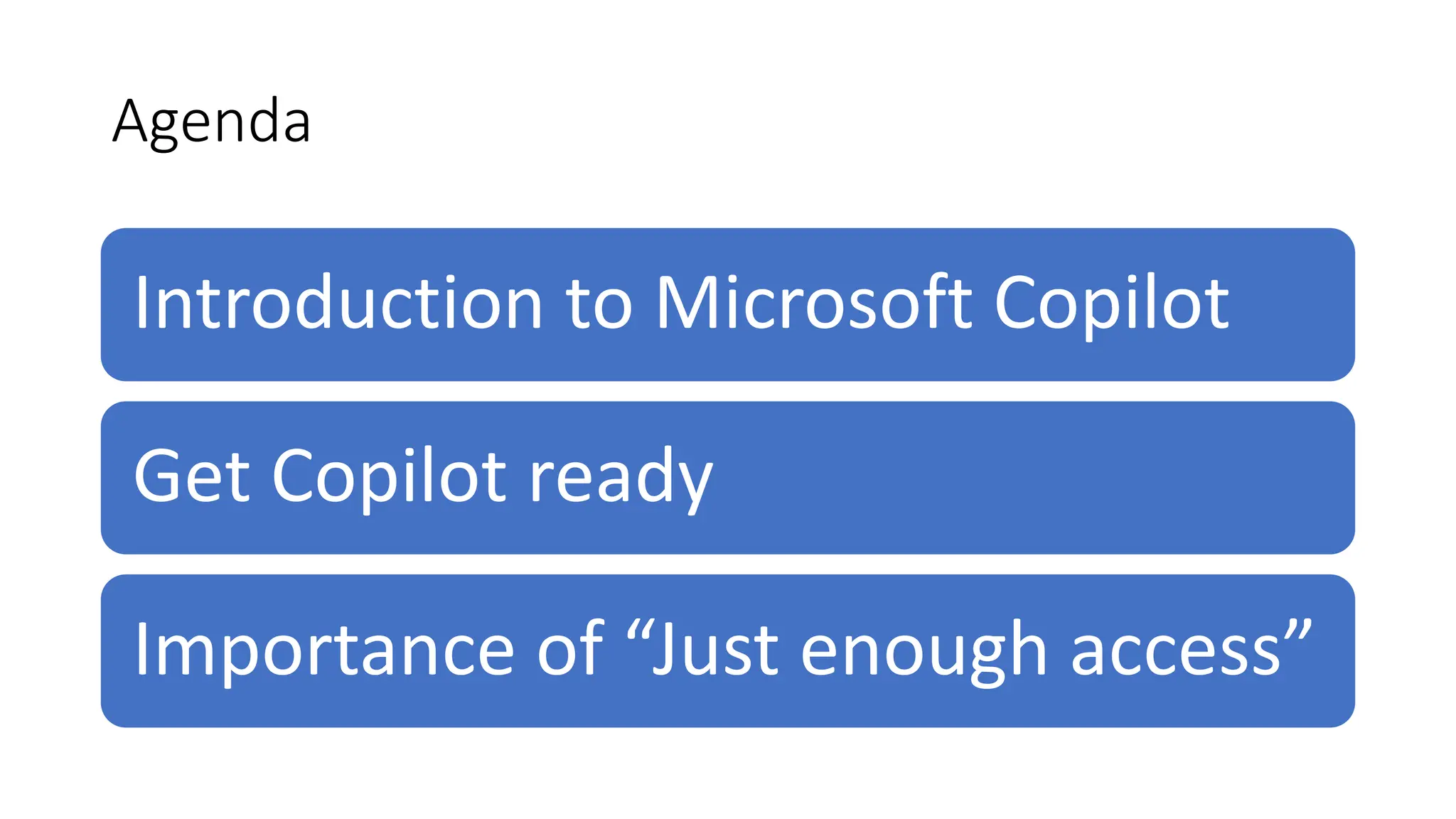
Agenda
Introduction to Microsoft Copilot
Get Copilot ready
Importance of “Just enough access”
Brief
Introduction
to Microsoft
Copilot
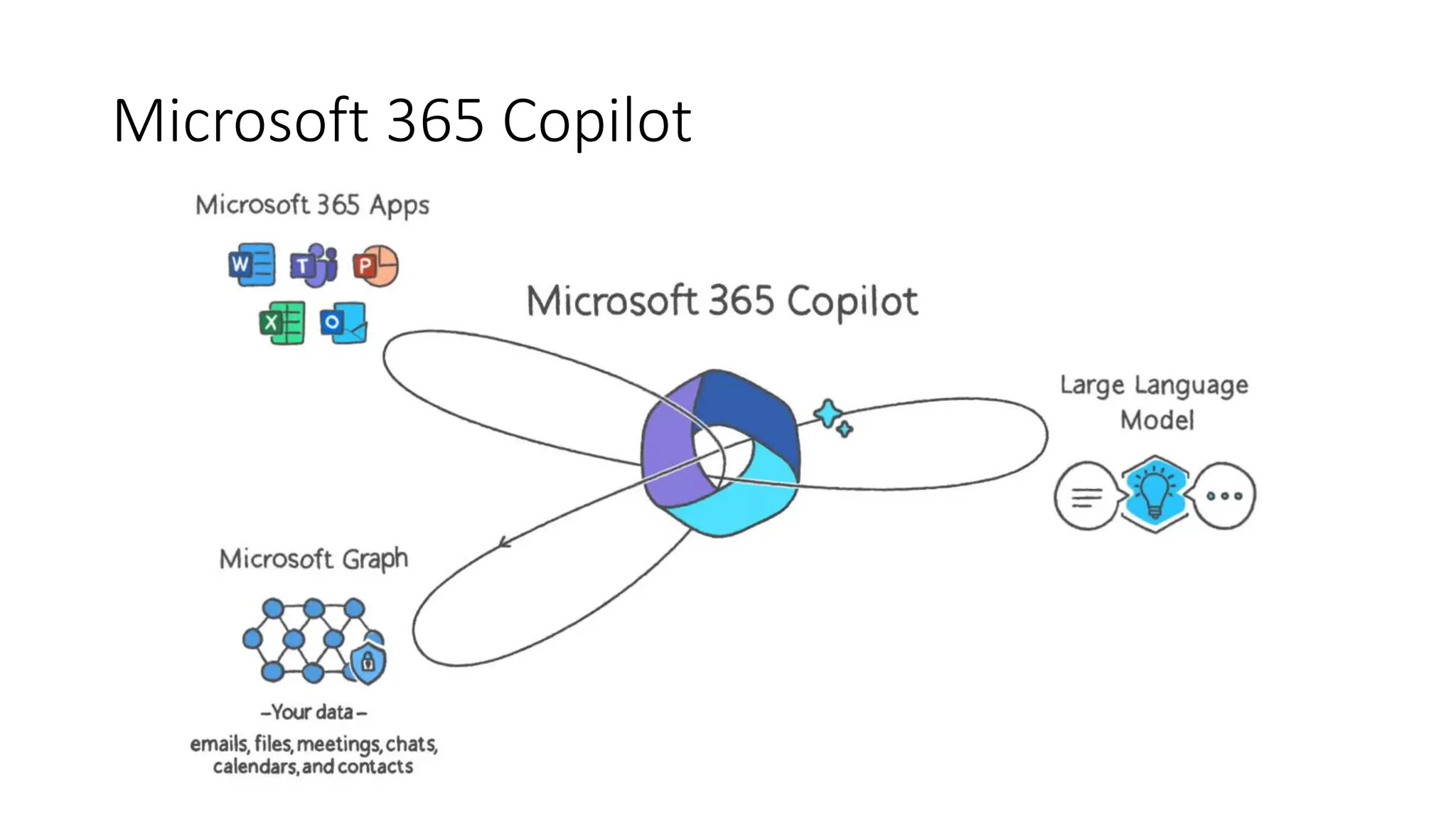
Microsoft 365 Copilot
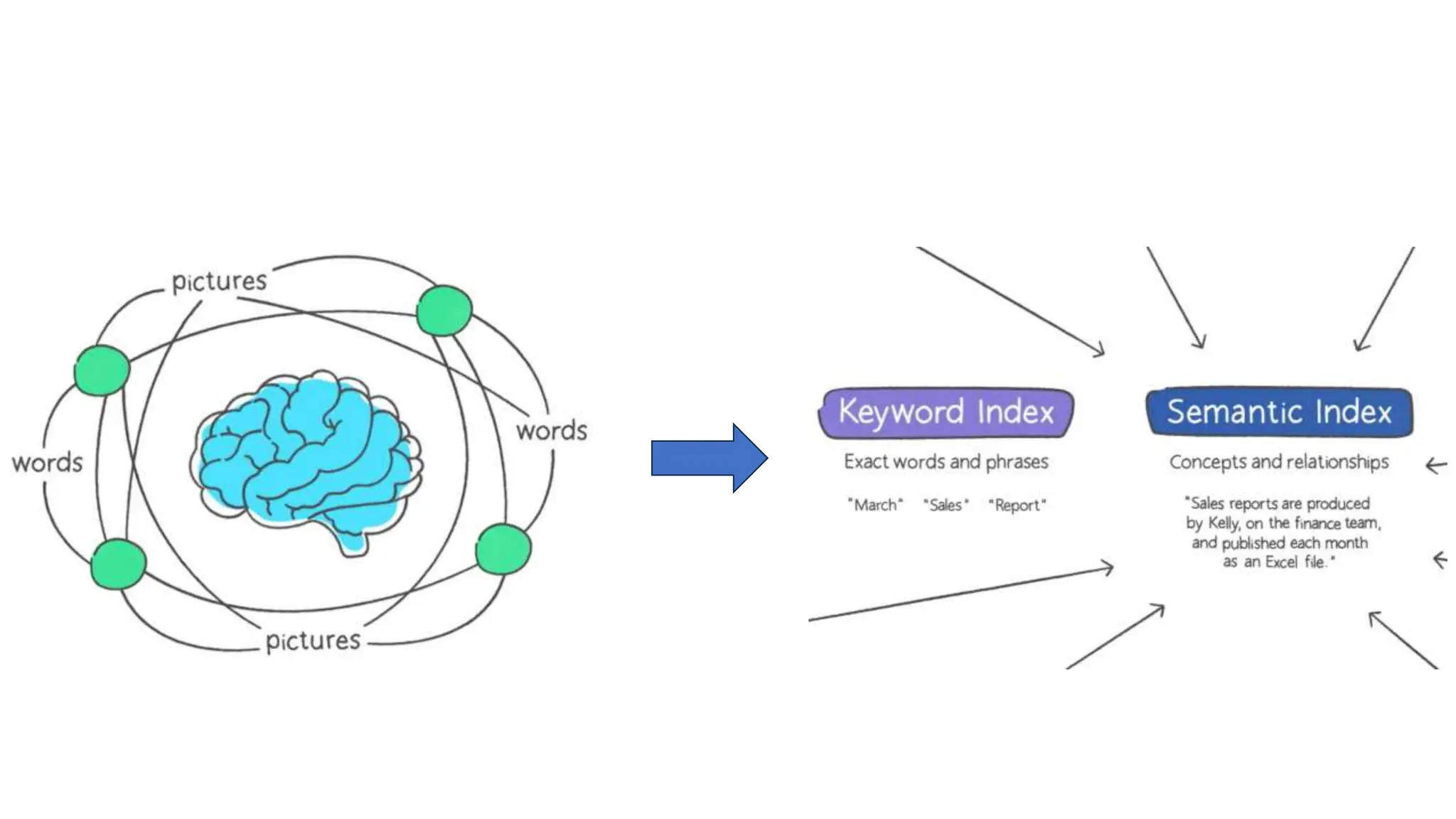
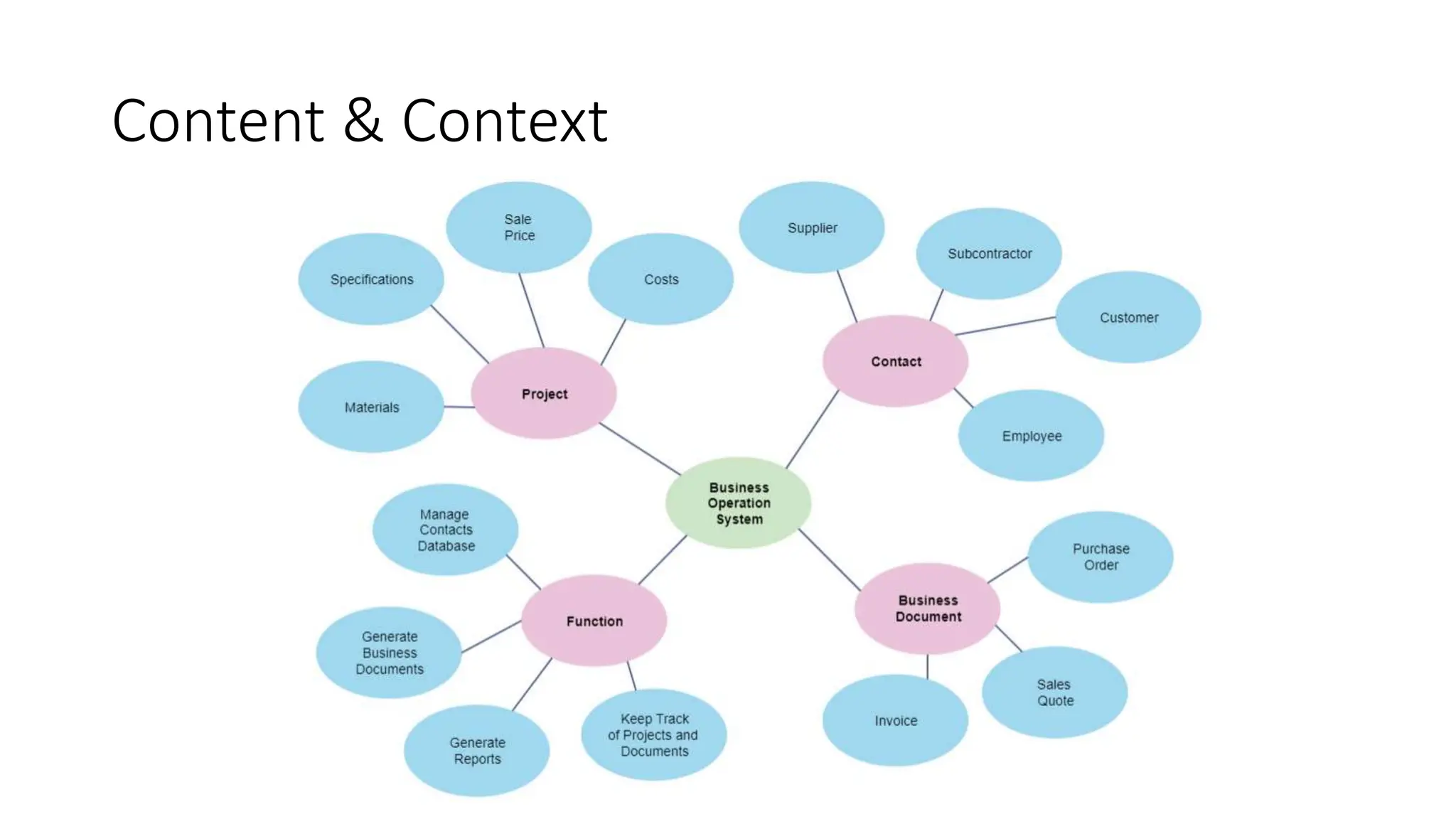
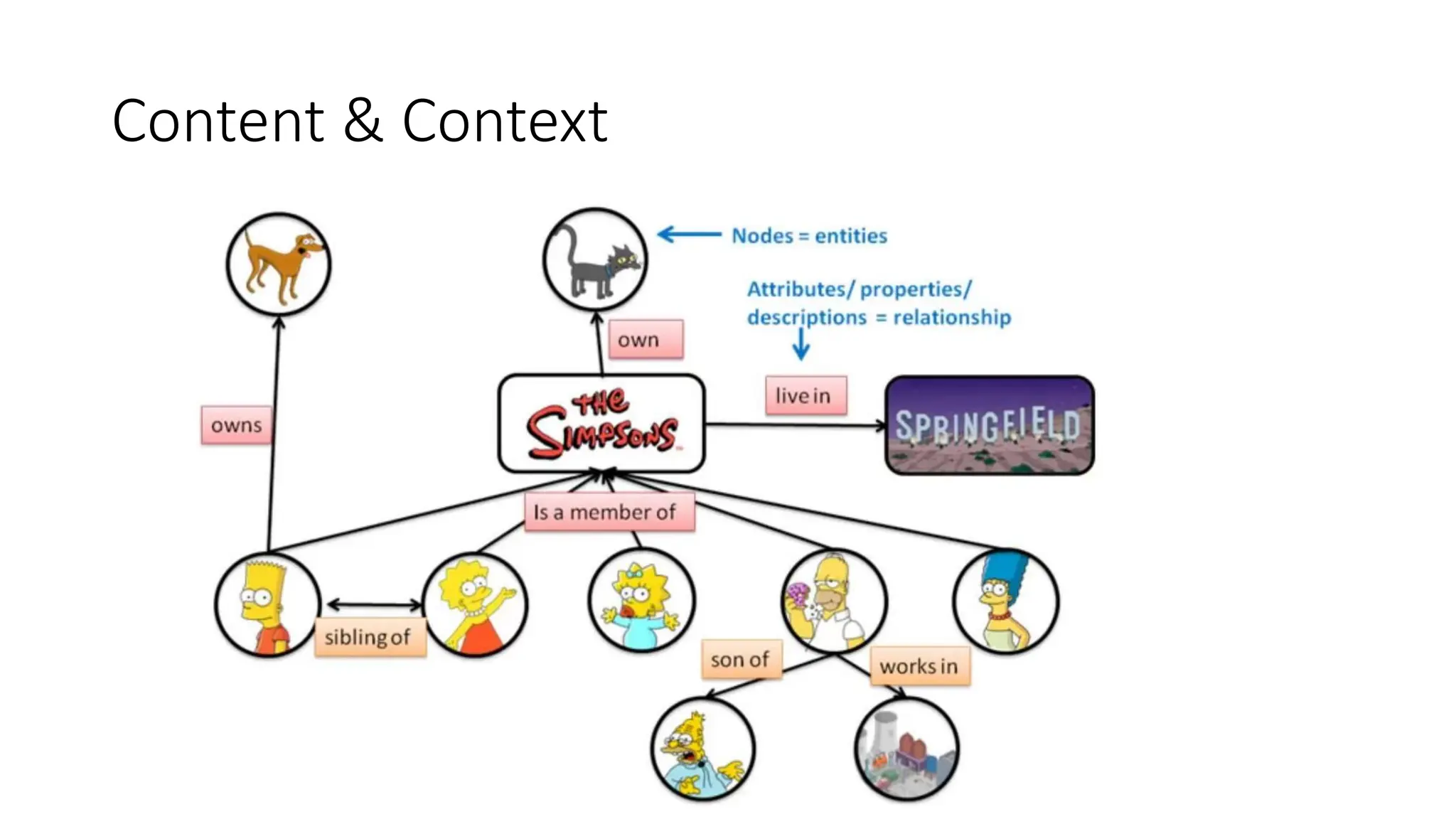
Content & Context
Content & Context
What data does Microsoft 365 Copilot access?
Emails, Meetings,
Calendar, Contacts
Documents, other
business data
Documents, other
business data
Chat and Channel
messages
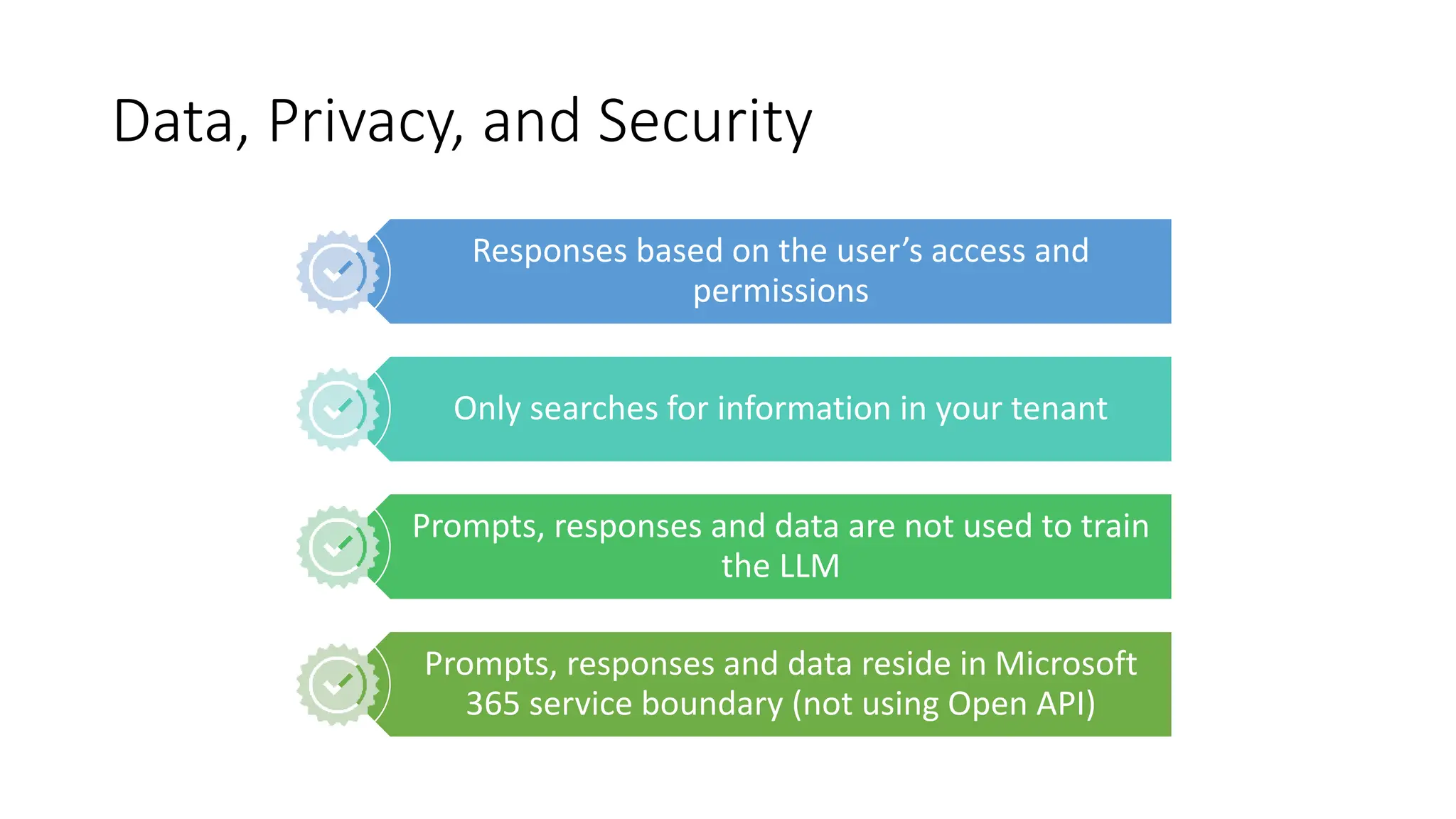
Data, Privacy, and Security
Responses based on the user’s access and
permissions
Only searches for information in your tenant
Prompts, responses and data are not used to train
the LLM
Prompts, responses and data reside in Microsoft
365 service boundary (not using Open API)
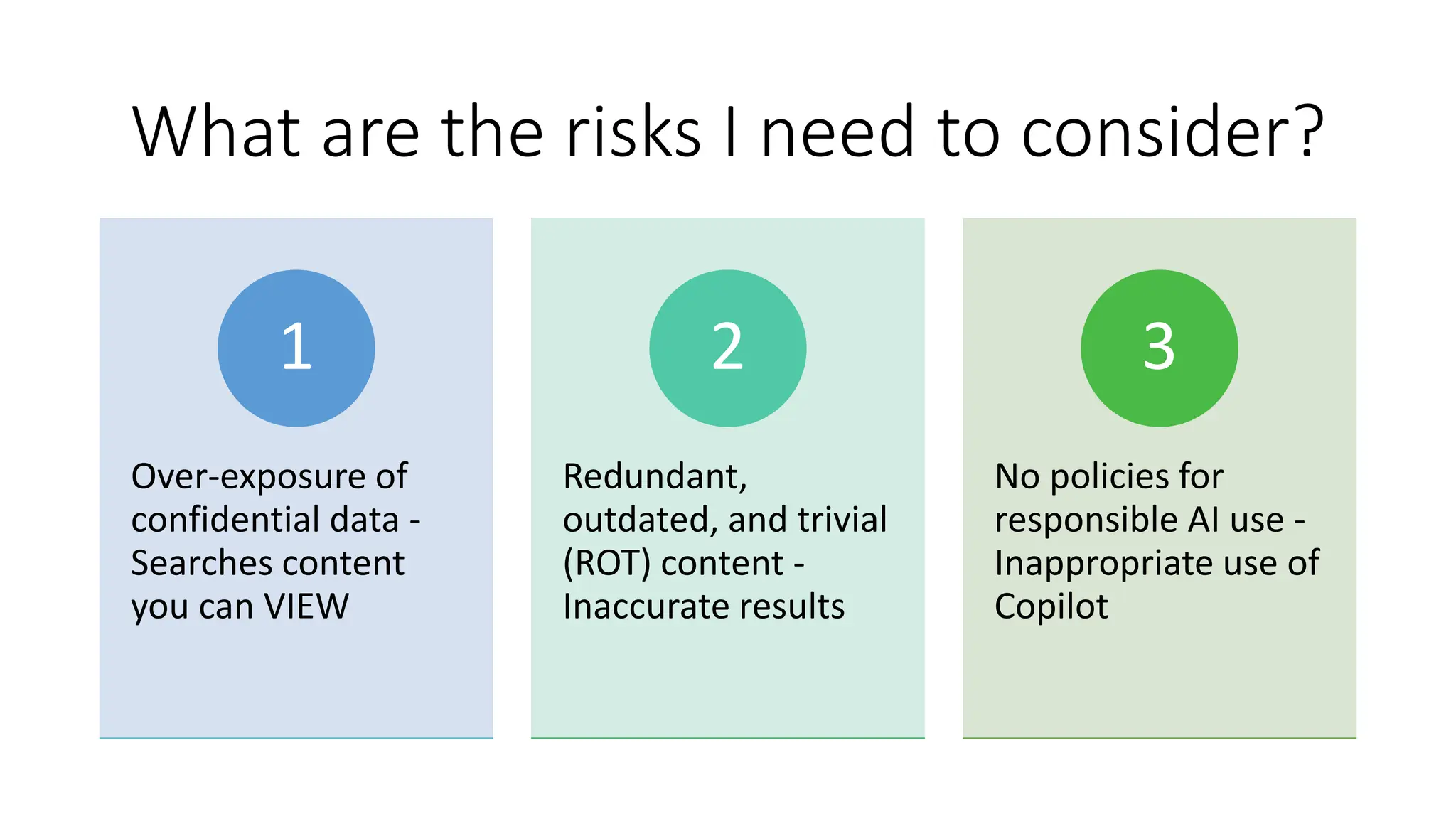
What are the risks I need to consider?
Over-exposure of
confidential data -
Searches content
you can VIEW
1
Redundant,
outdated, and trivial
(ROT) content -
Inaccurate results
2
No policies for
responsible AI use -
Inappropriate use of
Copilot
3
Get Copilot
ready
Stakeholders
• Chief Data
Officer
•
• Change
management
• DPO
• Security
• Business
analyst
• Legal/
Compliance
• IT
• Data Steward
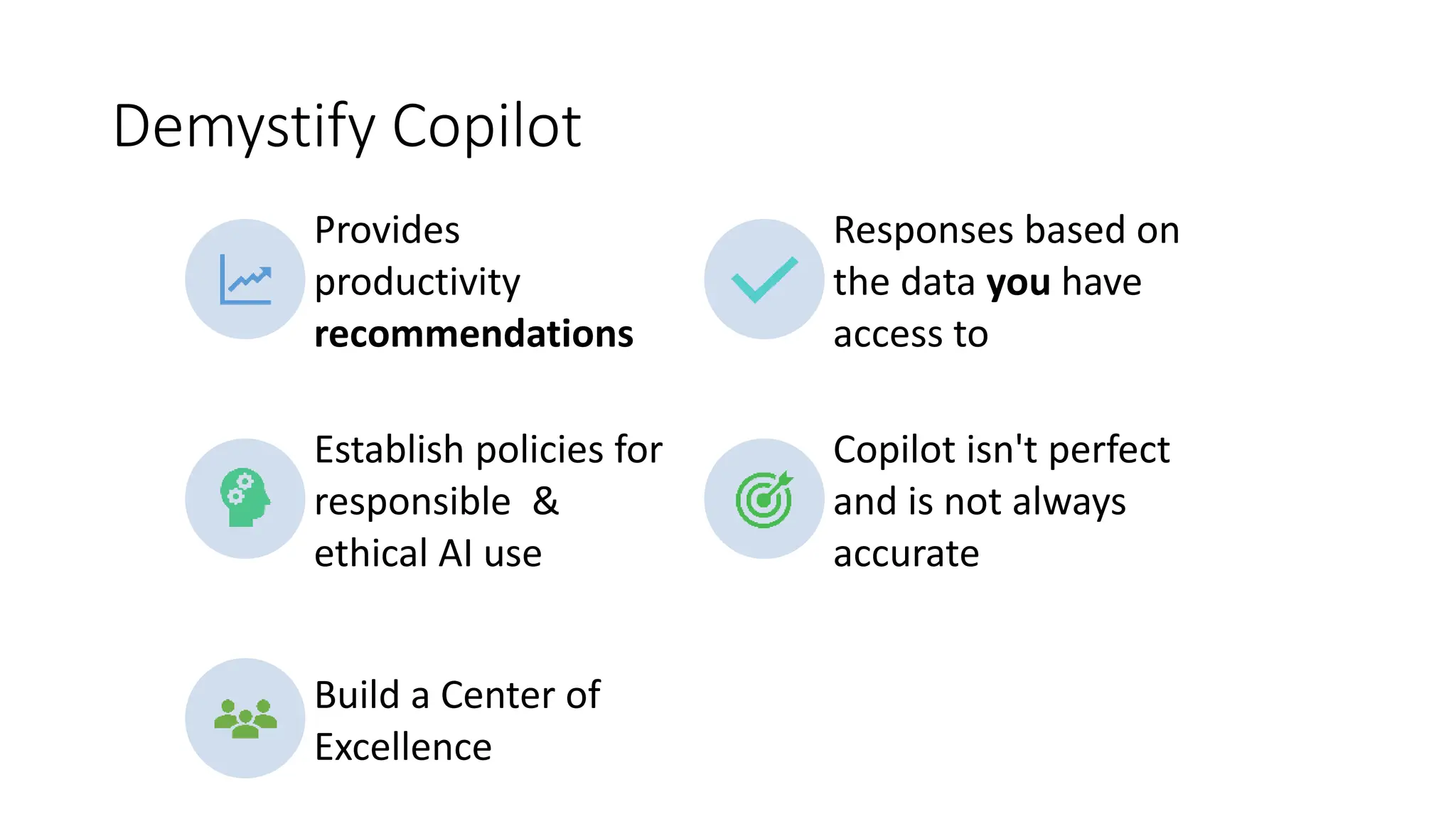
Demystify Copilot
Provides
productivity
recommendations
Responses based on
the data you have
access to
Establish policies for
responsible &
ethical AI use
Copilot isn't perfect
and is not always
accurate
Build a Center of
Excellence
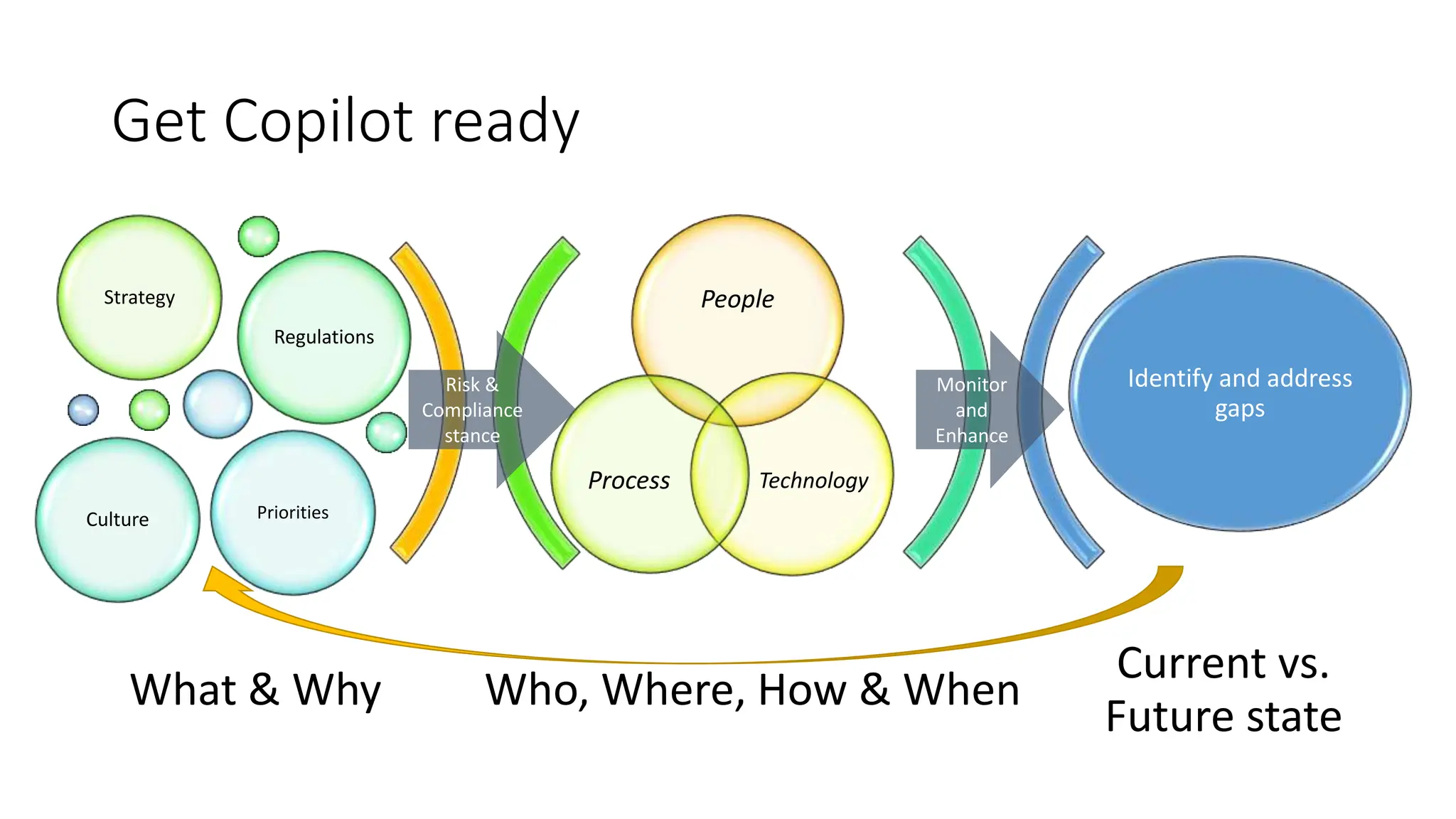
Who, Where, How & When
Current vs.
Future state
People
Technology
Process
Strategy
Regulations
Culture Priorities
Identify and address
gaps
What & Why
Risk &
Compliance
stance
Monitor
and
Enhance
Get Copilot ready
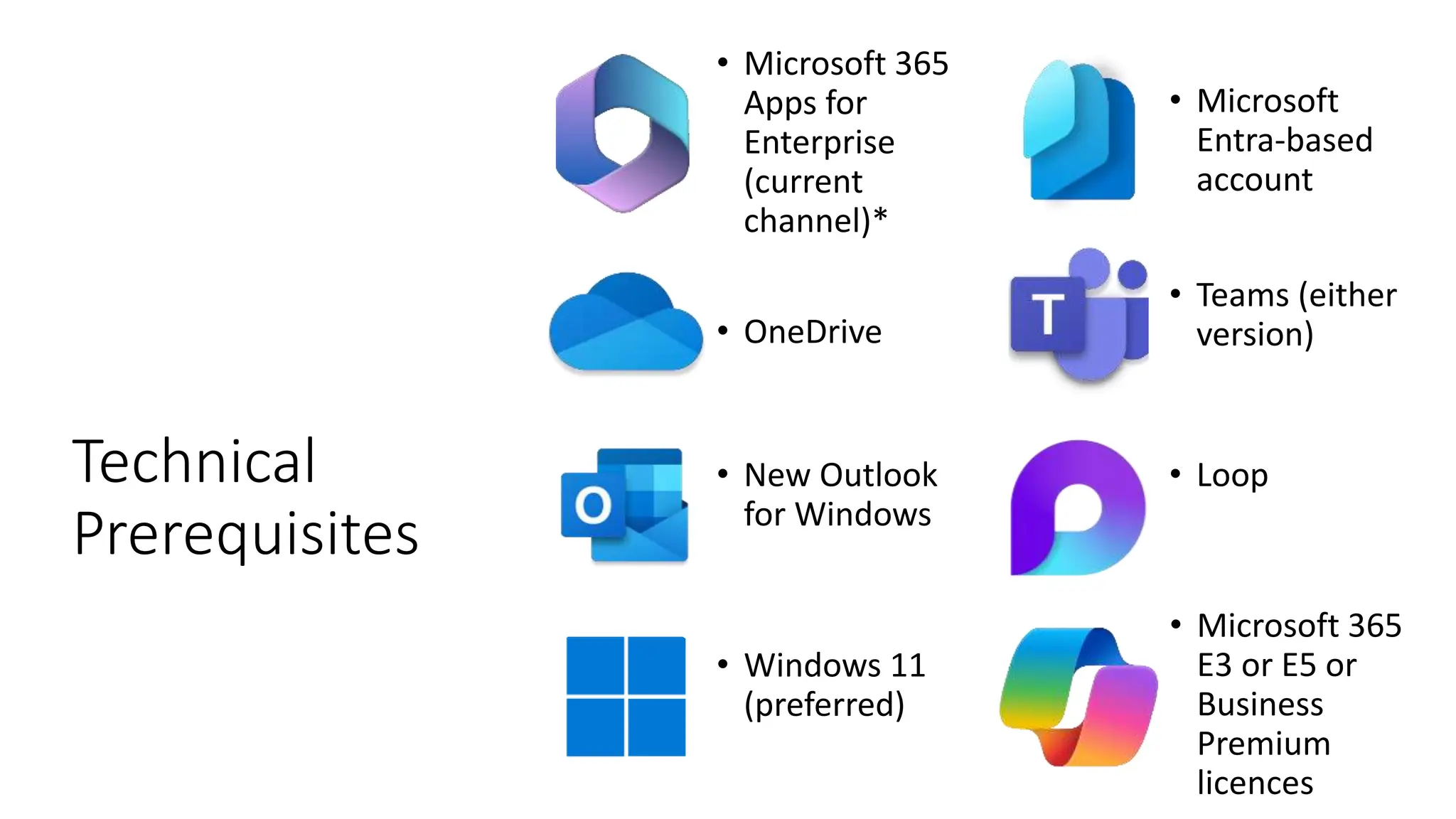
Technical
Prerequisites
• Microsoft 365
Apps for
Enterprise
(current
channel)*
• Microsoft
Entra-based
account
• OneDrive
• Teams (either
version)
• New Outlook
for Windows
• Loop
• Windows 11
(preferred)
• Microsoft 365
E3 or E5 or
Business
Premium
licences
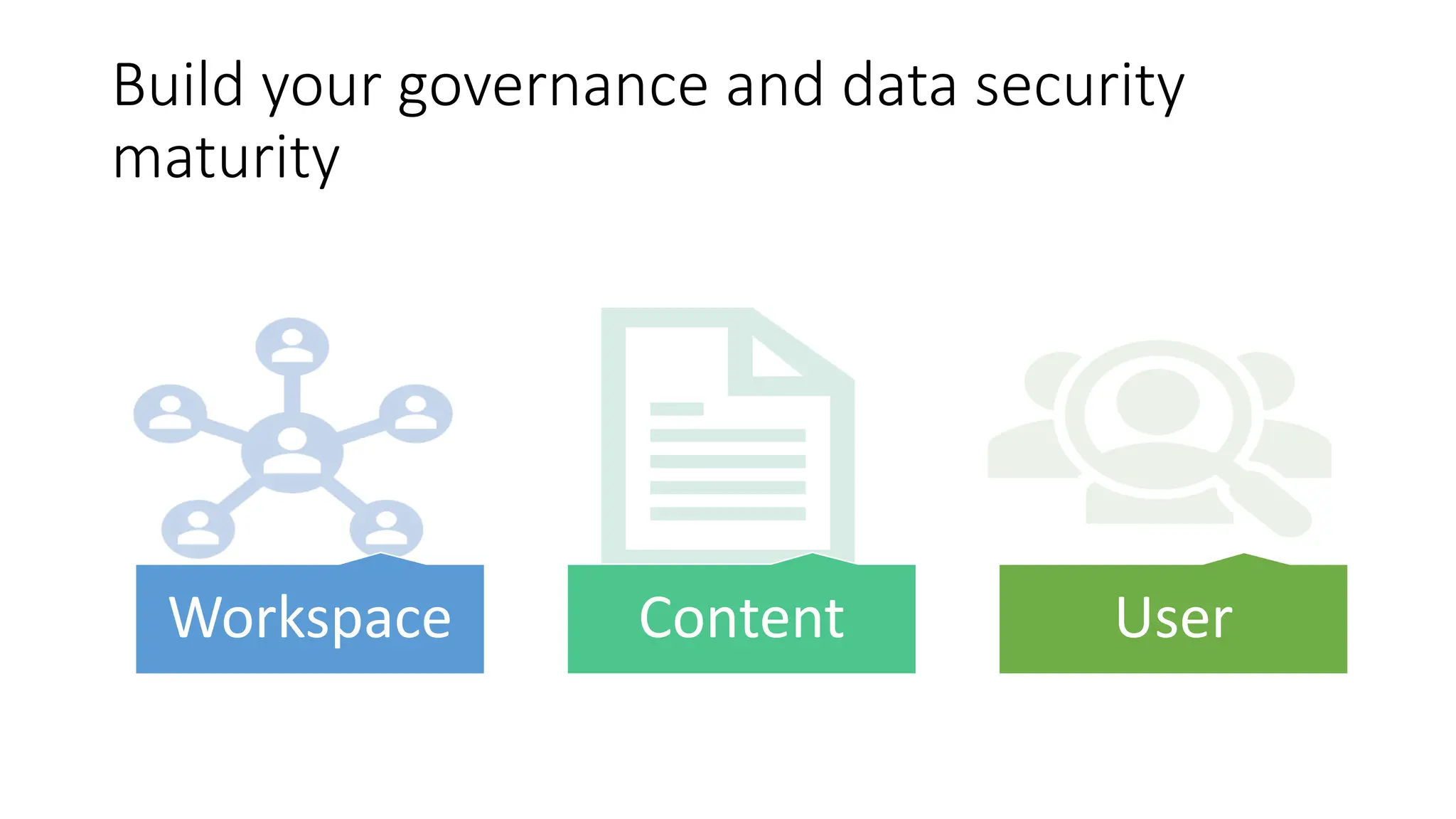
Build your governance and data security
maturity
Workspace Content User
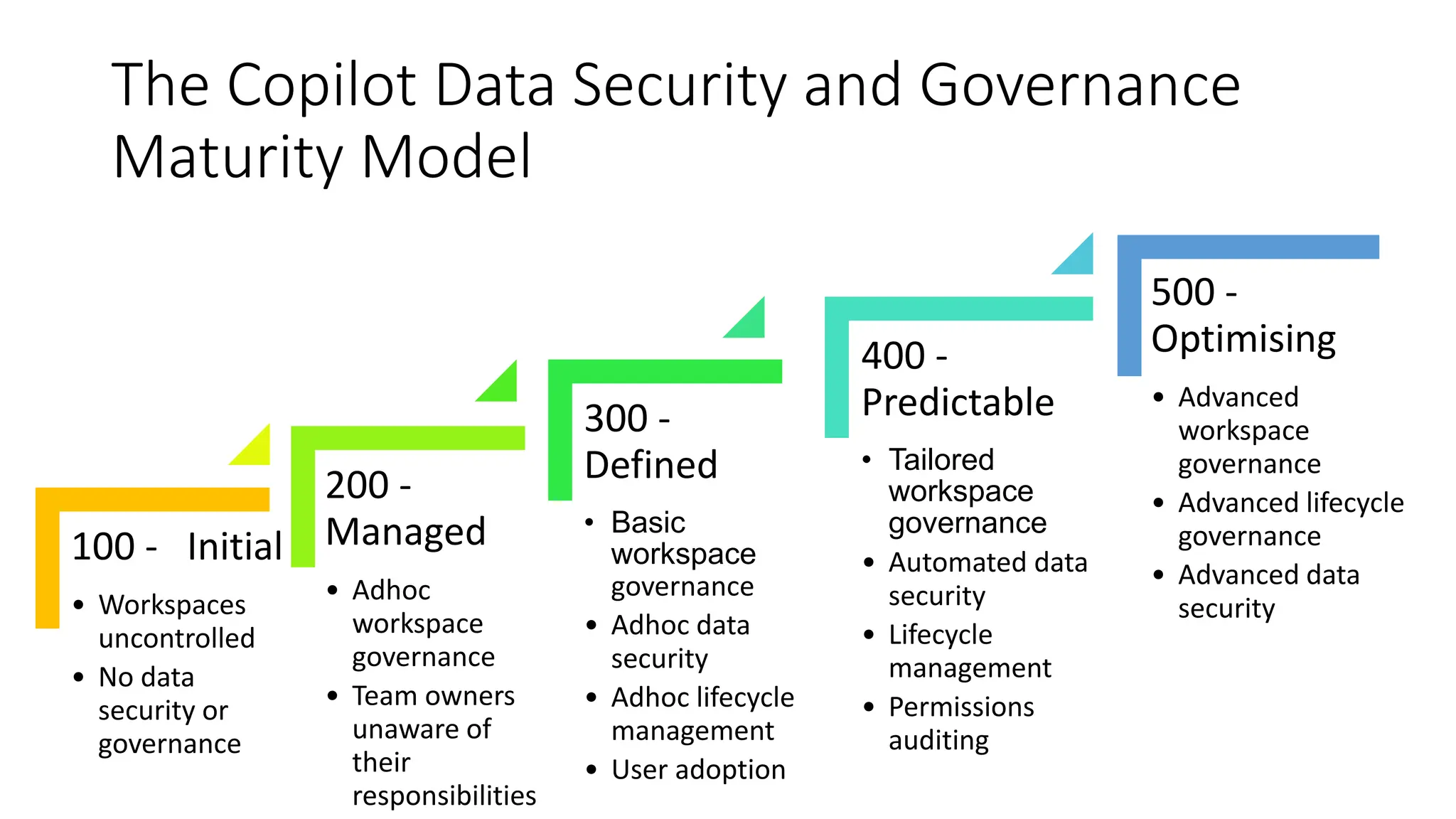
The Copilot Data Security and Governance
Maturity Model
100 - Initial
• Workspaces
uncontrolled
• No data
security or
governance
200 -
Managed
• Adhoc
workspace
governance
• Team owners
unaware of
their
responsibilities
300 -
Defined
• Basic
workspace
governance
• Adhoc data
security
• Adhoc lifecycle
management
• User adoption
400 -
Predictable
• Tailored
workspace
governance
• Automated data
security
• Lifecycle
management
• Permissions
auditing
500 -
Optimising
• Advanced
workspace
governance
• Advanced lifecycle
governance
• Advanced data
security
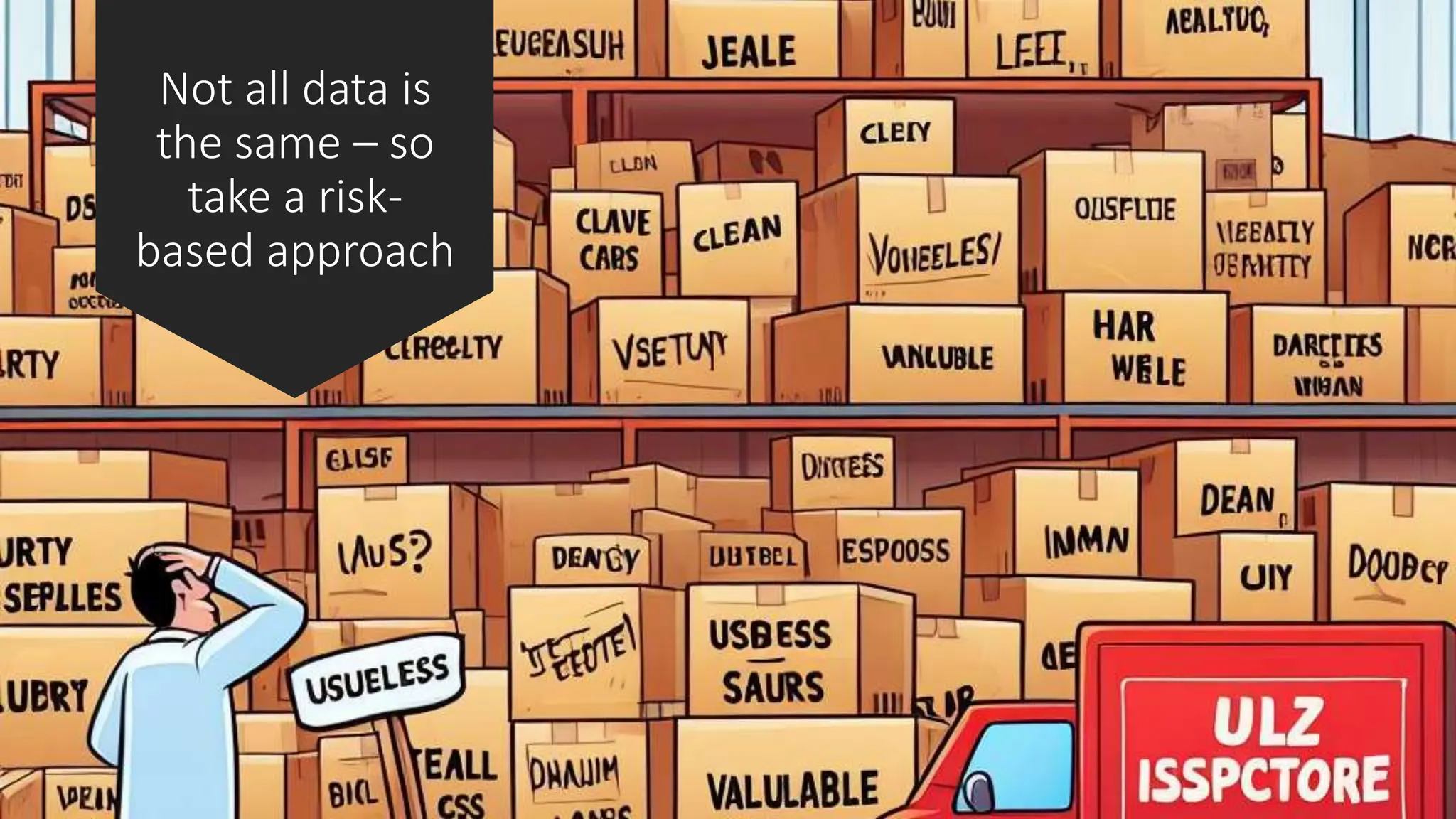
Not all data is
the same – so
take a risk-
based approach
The
importance of
“Just enough
access”
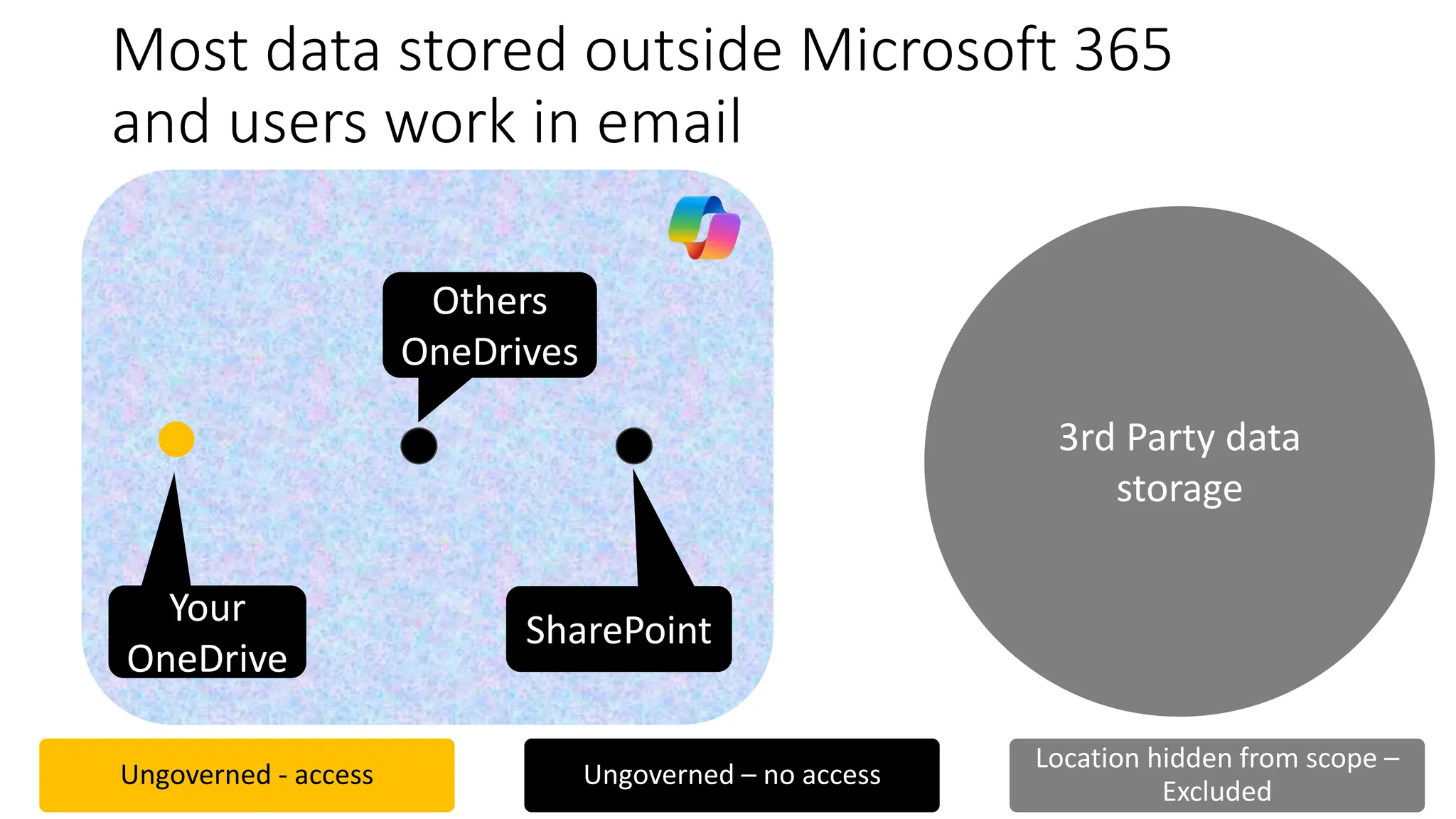
Most data stored outside Microsoft 365
and users work in email
3rd Party data
storage
Ungoverned - access Ungoverned – no access
Location hidden from scope –
Excluded
SharePoint
Your
OneDrive
Others
OneDrives
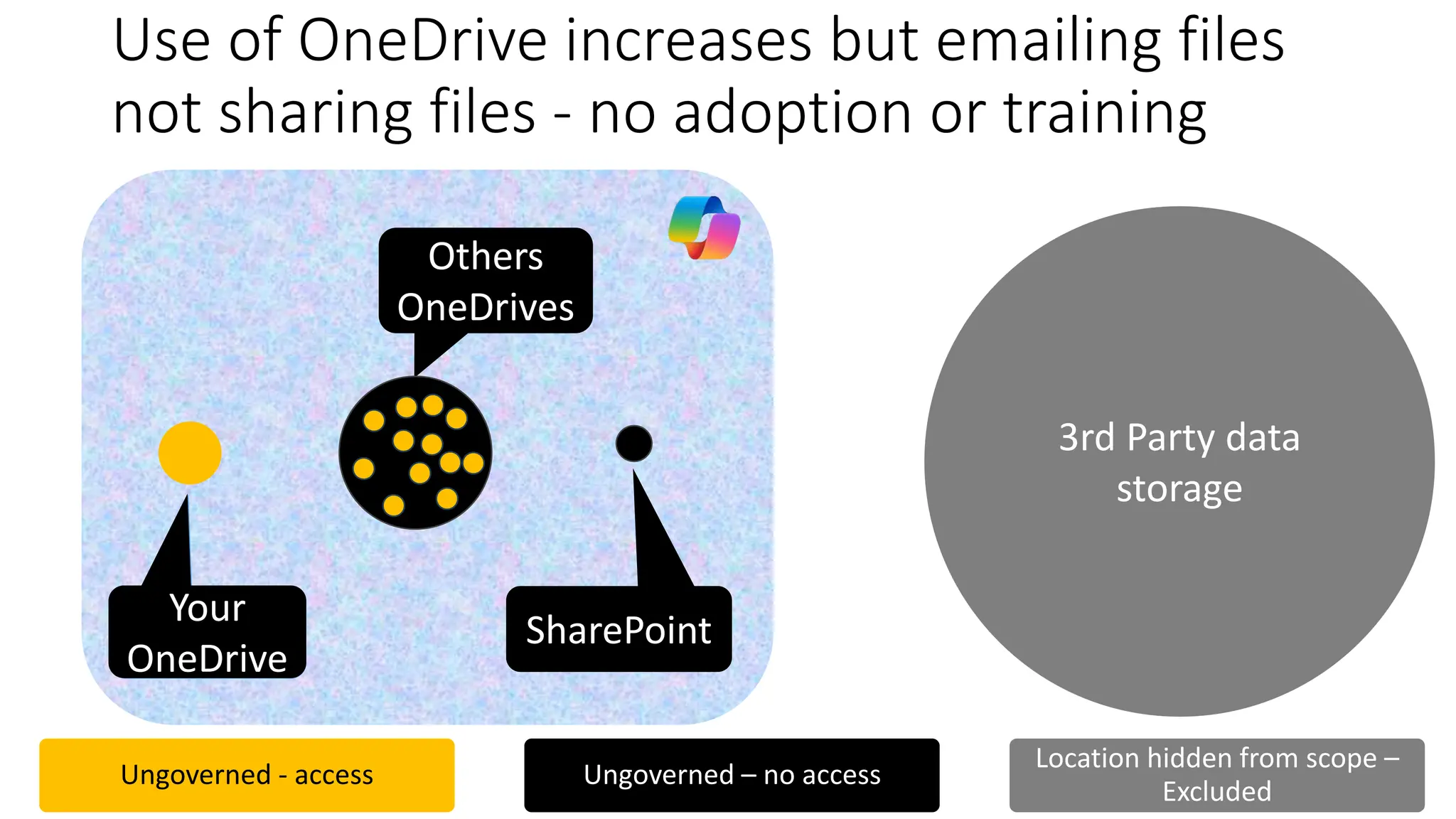
Use of OneDrive increases but emailing files
not sharing files - no adoption or training
Ungoverned - access Ungoverned – no access
Location hidden from scope –
Excluded
Your
OneDrive
SharePoint
3rd Party data
storage
Your
OneDrive
Others
OneDrives
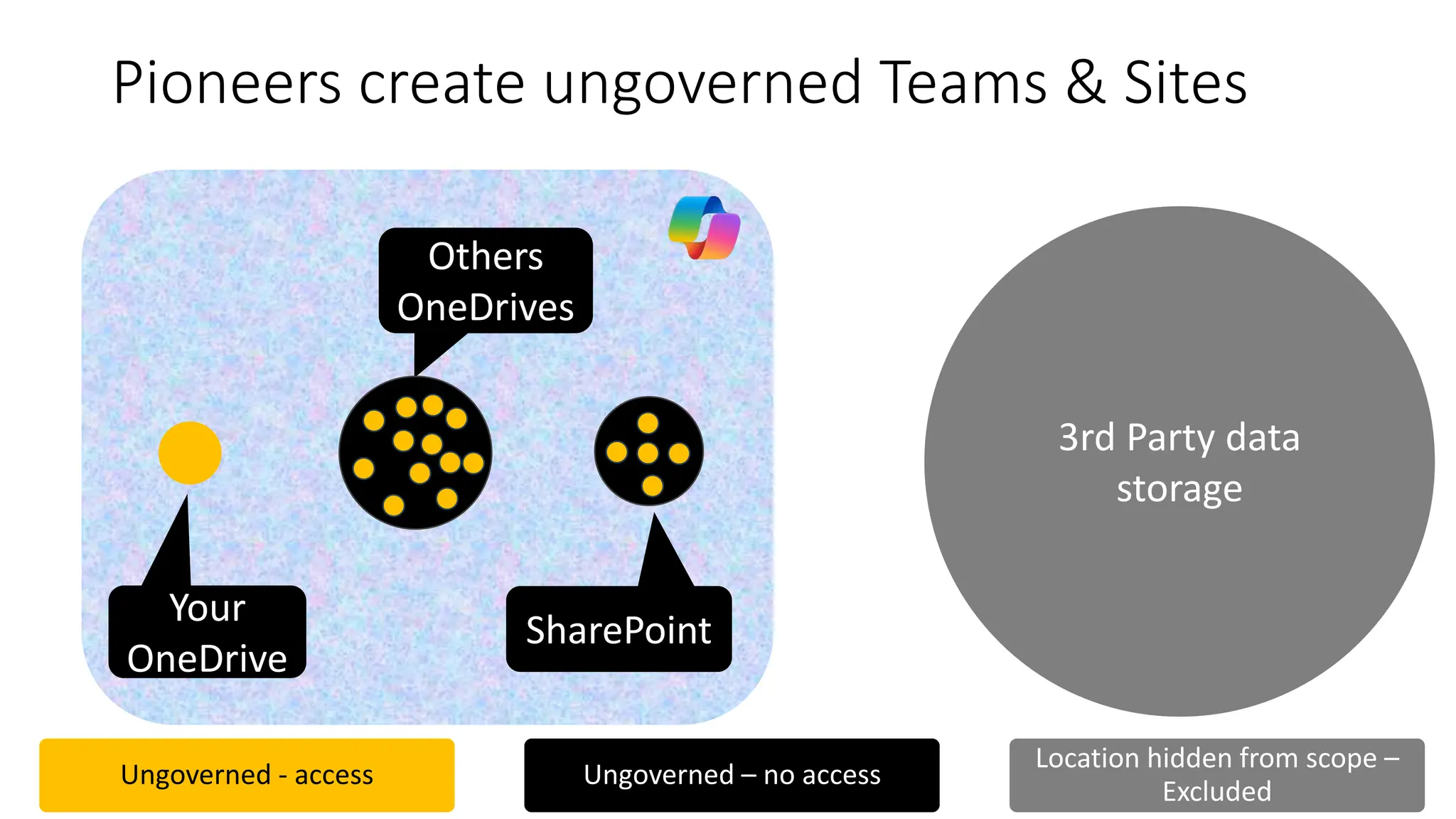
Pioneers create ungoverned Teams & Sites
Ungoverned - access Ungoverned – no access
Location hidden from scope –
Excluded
Your
OneDrive
Others
OneDrives
SharePoint
3rd Party data
storage
3rd Party
data
storage
SPO
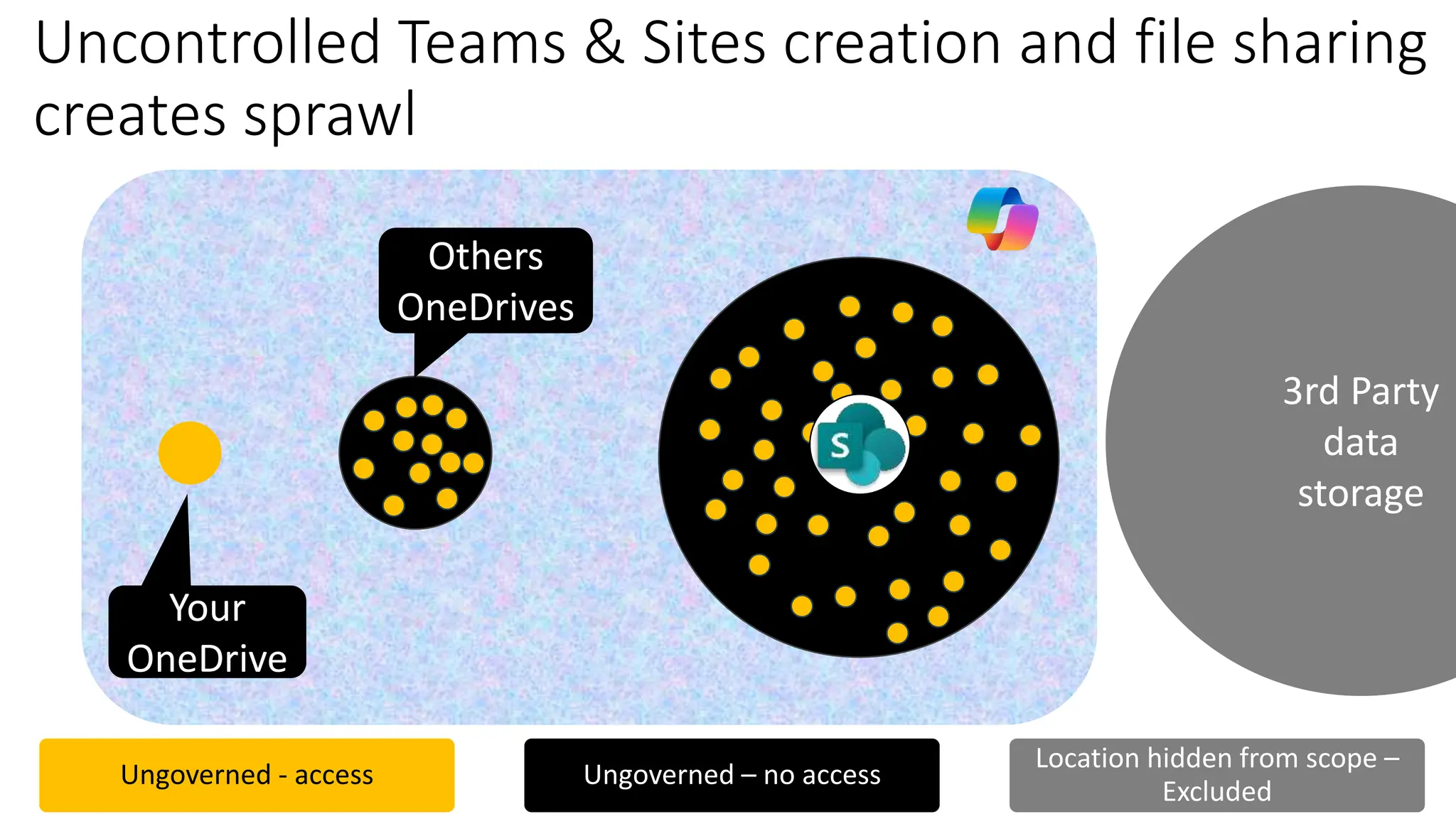
Uncontrolled Teams & Sites creation and file sharing
creates sprawl
Ungoverned - access Ungoverned – no access
Location hidden from scope –
Excluded
Others
OneDrives
Your
OneDrive
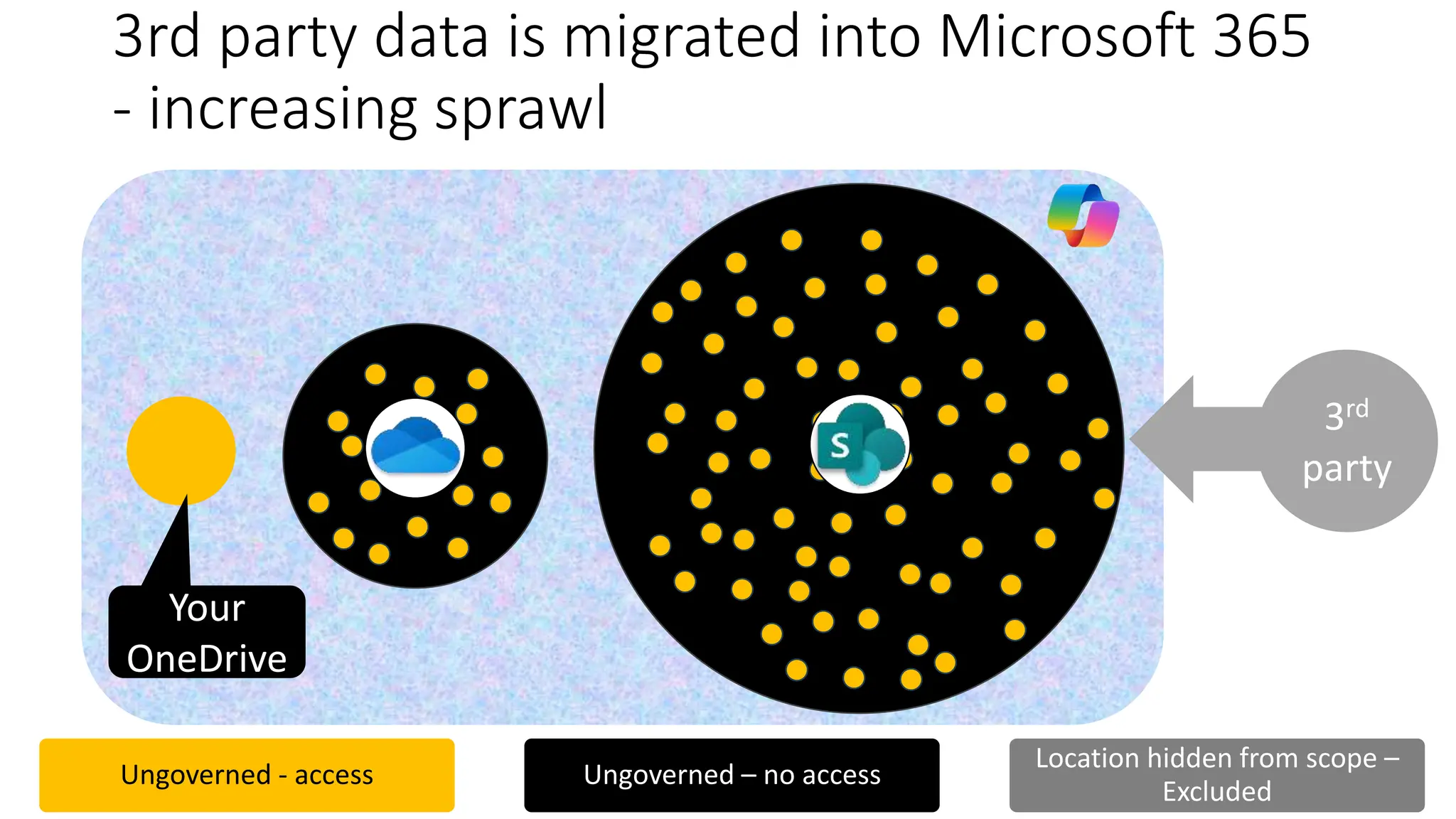
3rd party data is migrated into Microsoft 365
- increasing sprawl
3rd
party
SPO
Your
OneDrive
Ungoverned - access Ungoverned – no access
Location hidden from scope –
Excluded
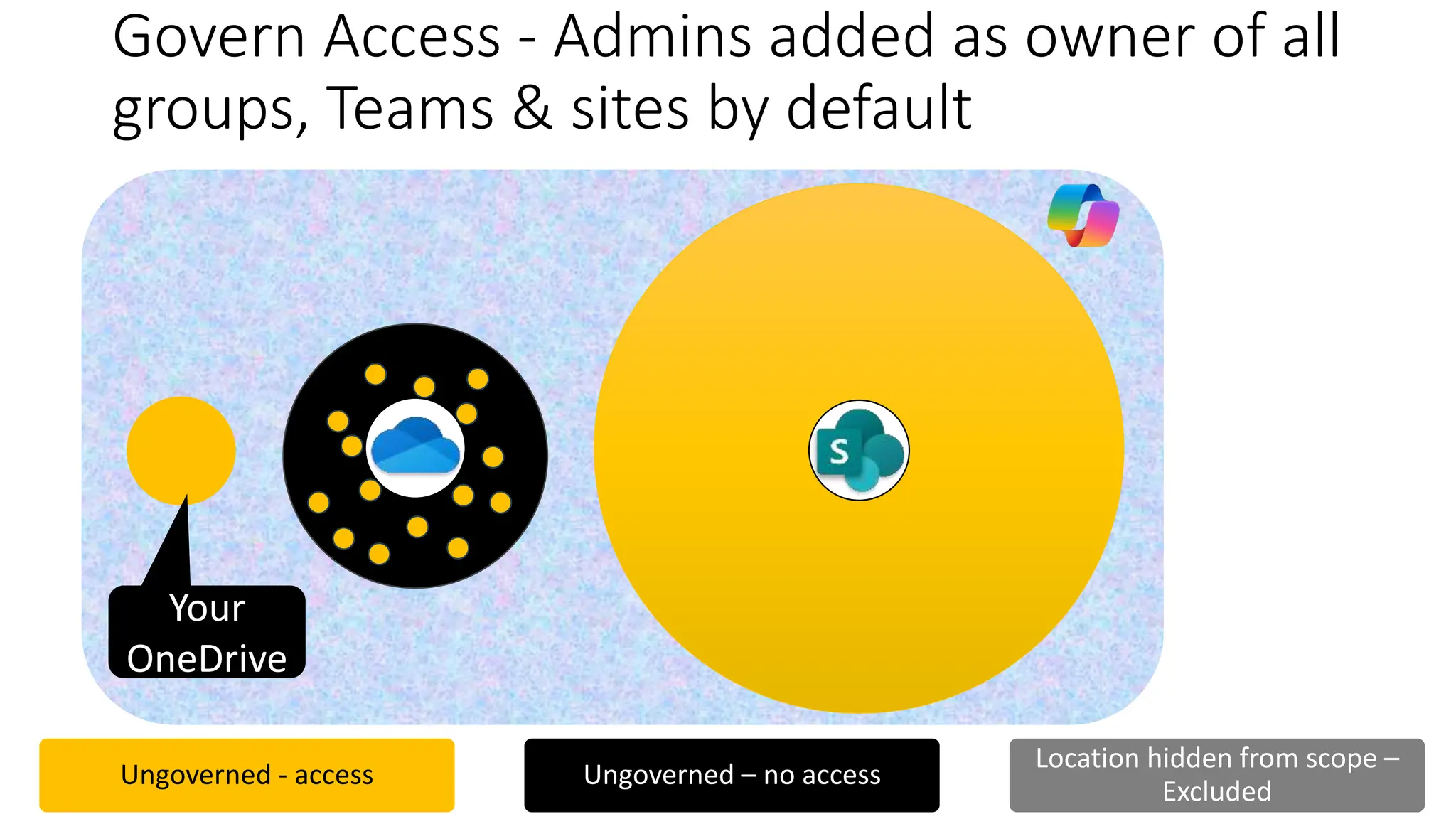
Govern Access - Admins added as owner of all
groups, Teams & sites by default
SPO
Your
OneDrive
Ungoverned - access Ungoverned – no access
Location hidden from scope –
Excluded
SPO
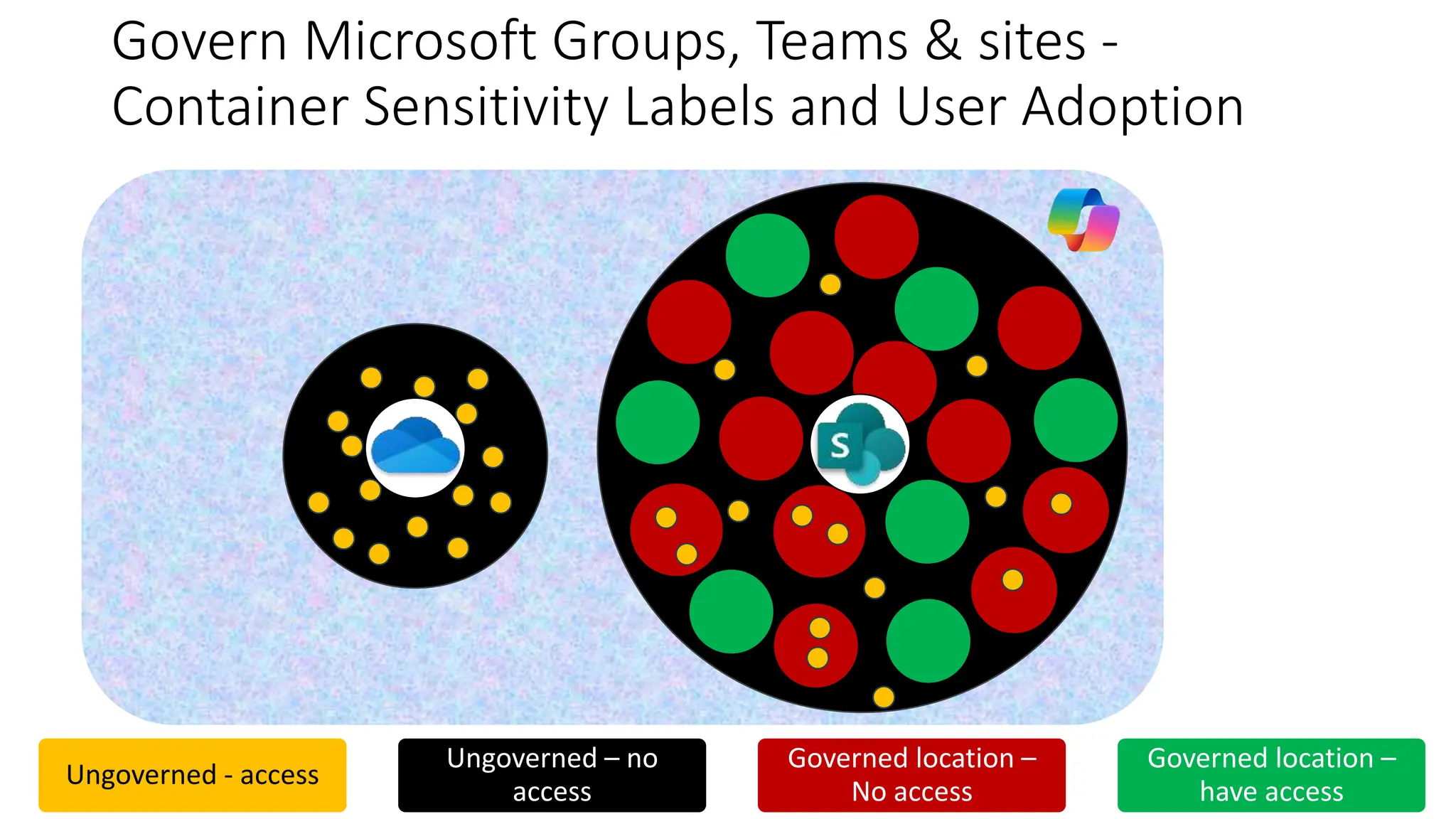
Govern Microsoft Groups, Teams & sites -
Container Sensitivity Labels and User Adoption
Ungoverned - access
Ungoverned – no
access
Governed location –
No access
Governed location –
have access
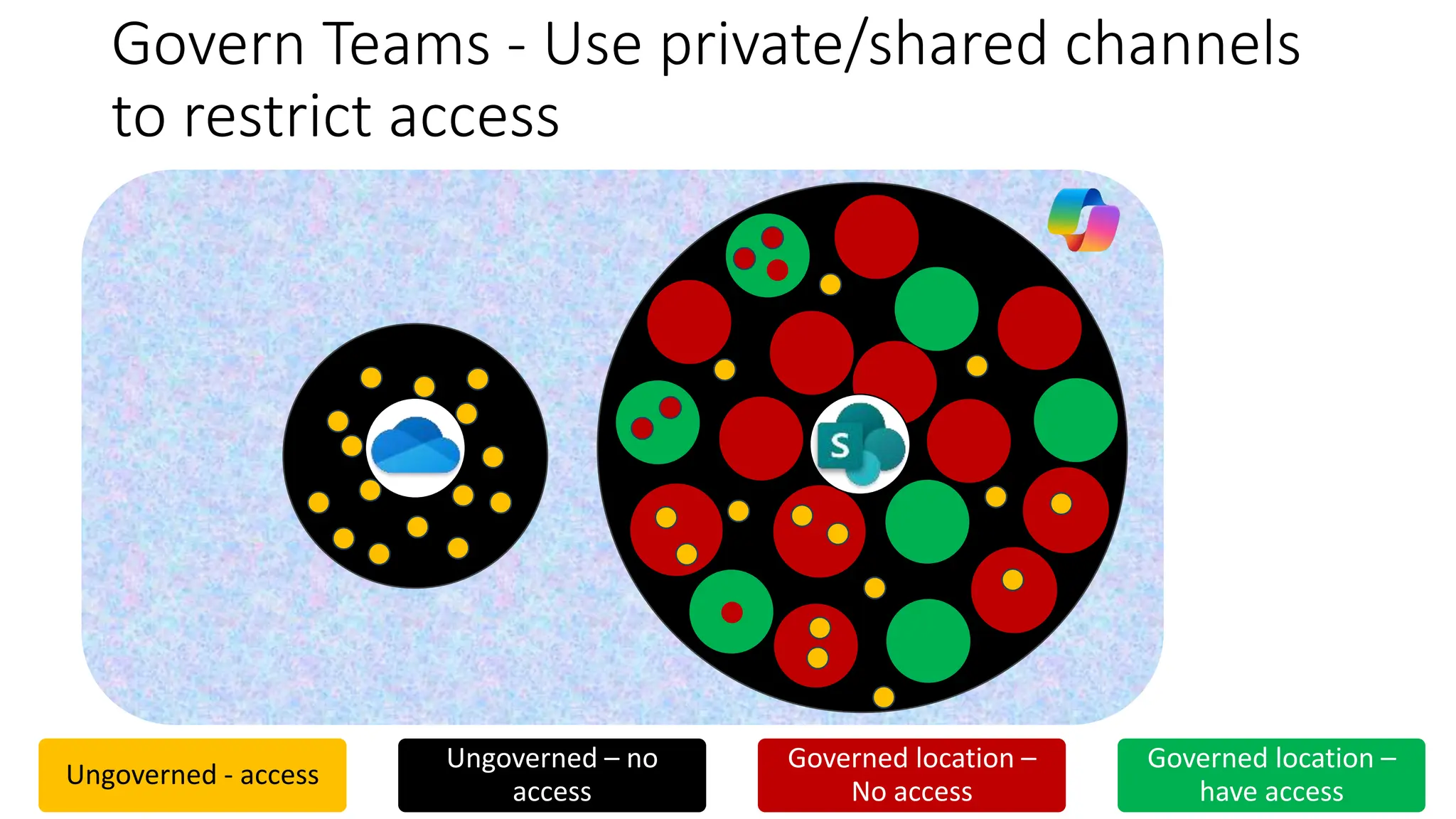
Govern Teams - Use private/shared channels
to restrict access
Ungoverned - access
Ungoverned – no
access
Governed location –
No access
Governed location –
have access
SPO
SPO
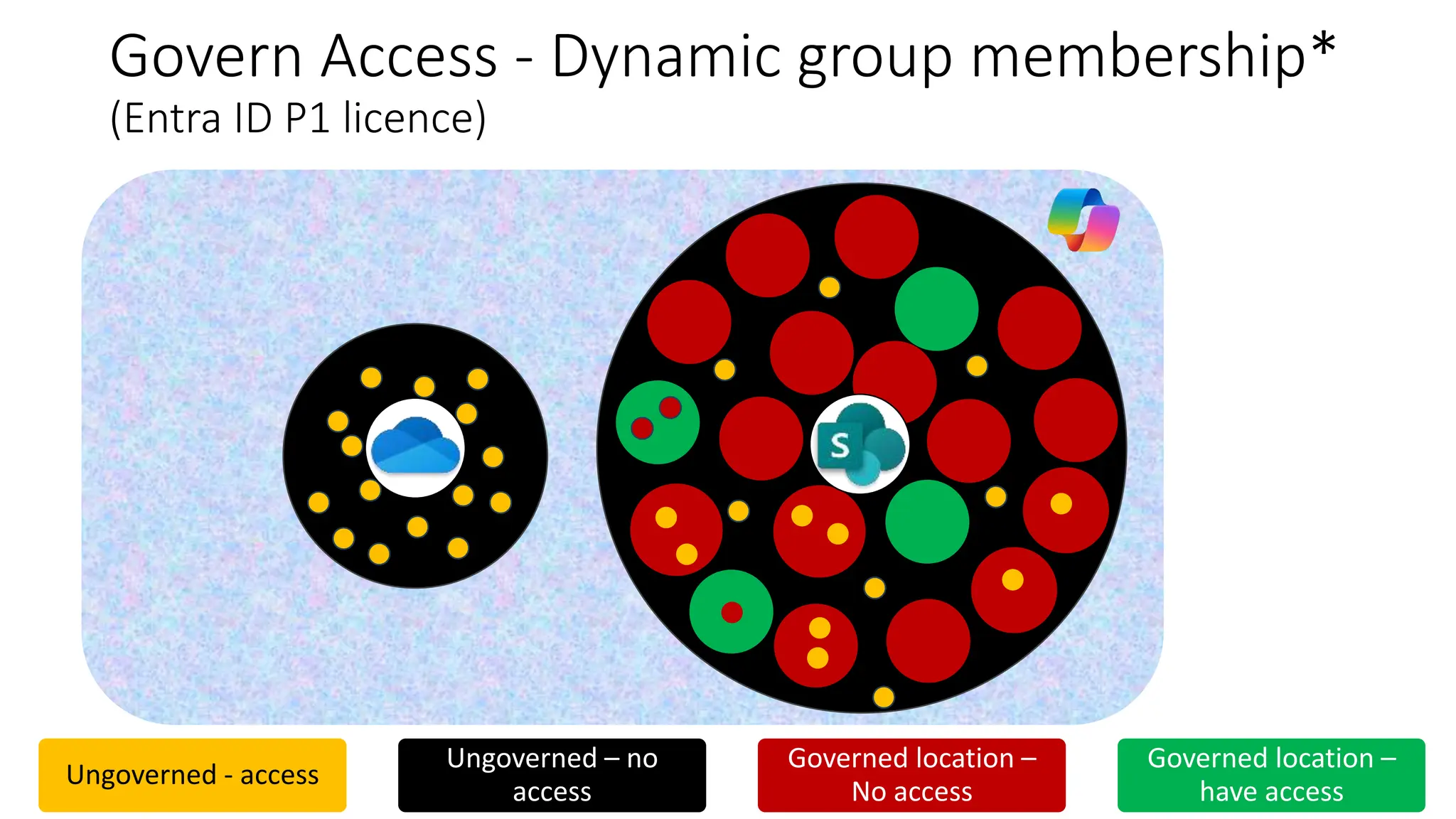
Govern Access - Dynamic group membership*
(Entra ID P1 licence)
Ungoverned - access
Ungoverned – no
access
Governed location –
No access
Governed location –
have access
SPO
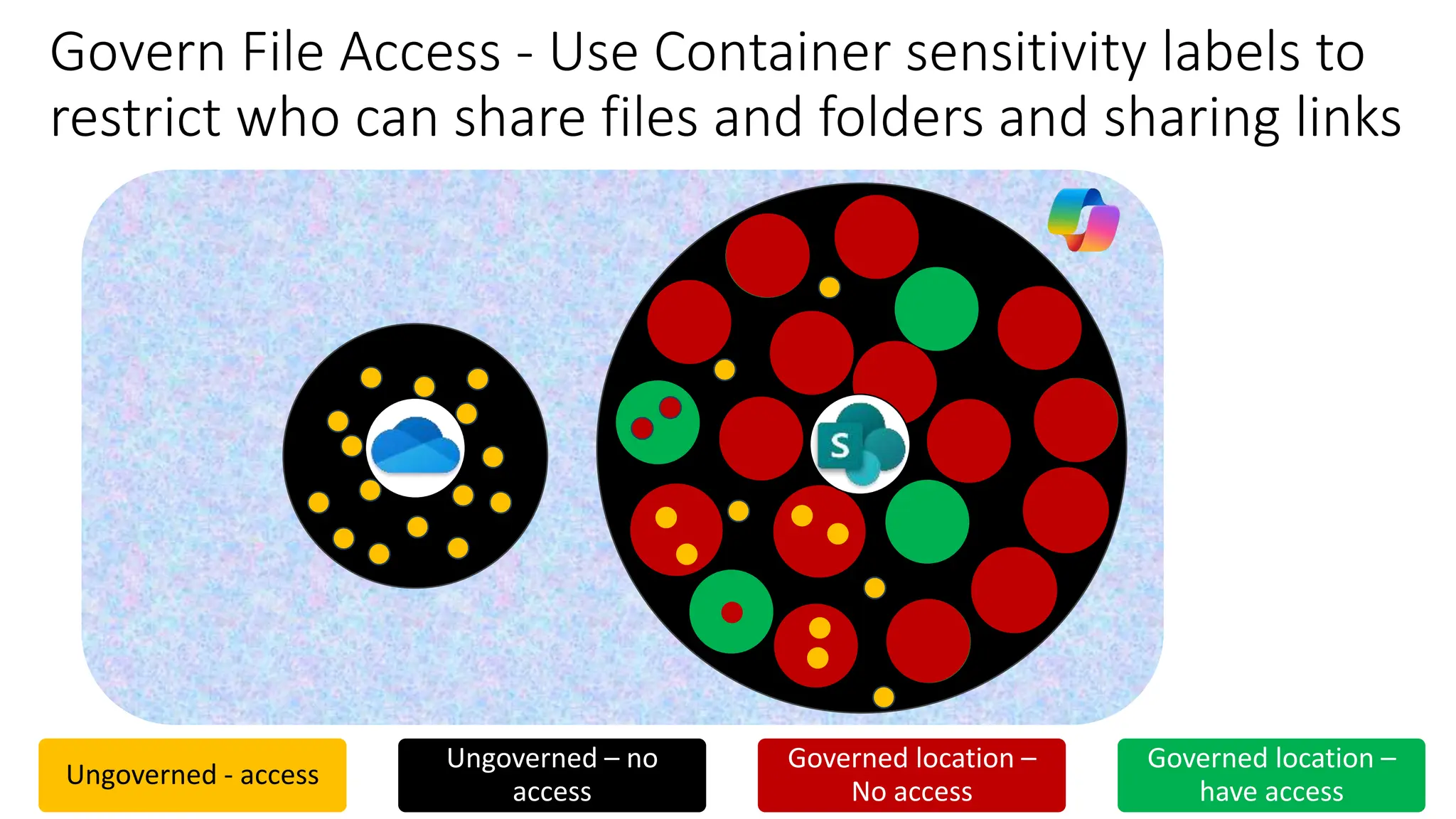
Govern File Access - Use Container sensitivity labels to
restrict who can share files and folders and sharing links
Ungoverned - access
Ungoverned – no
access
Governed location –
No access
Governed location –
have access
SPO
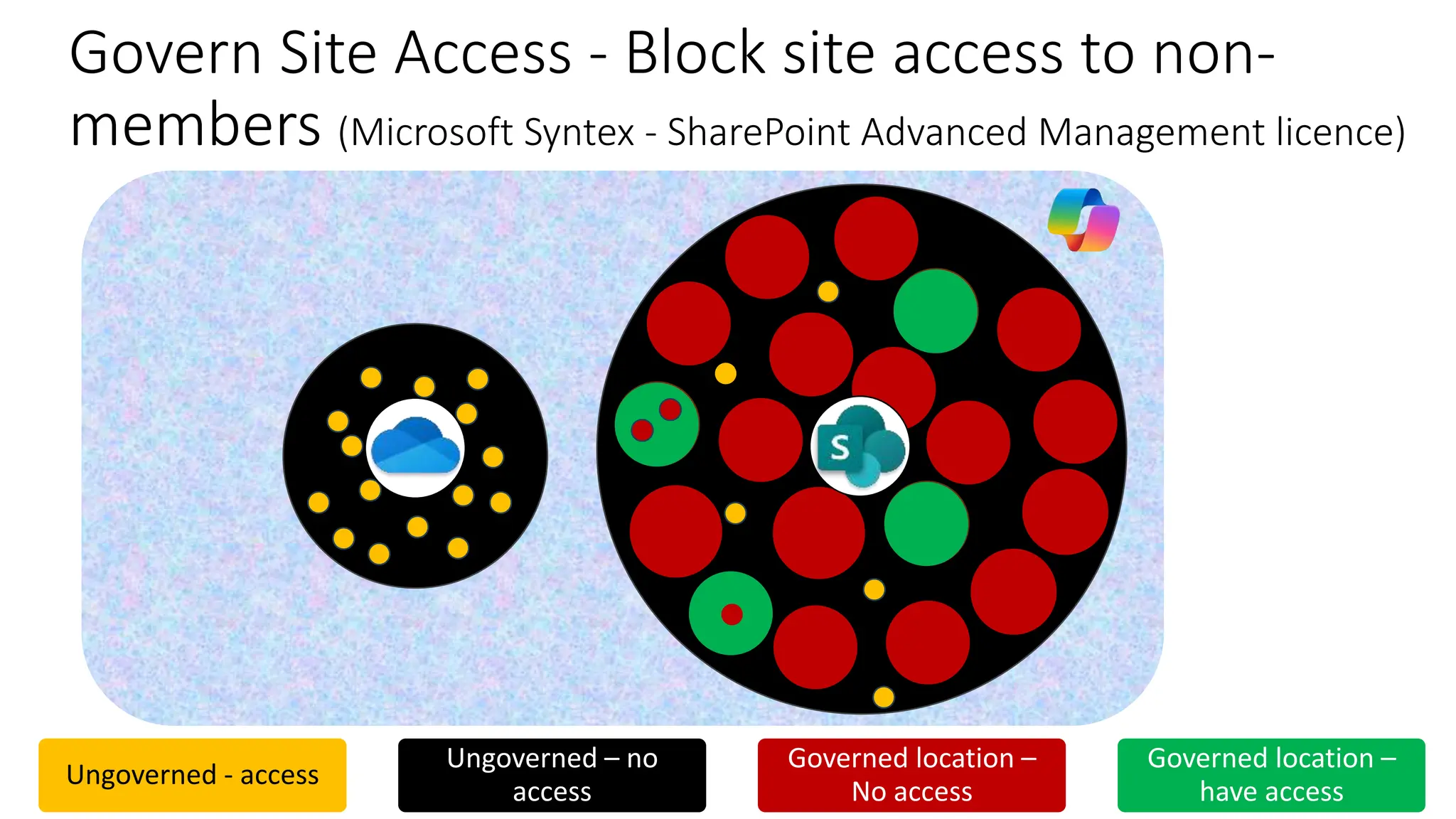
Govern Site Access - Block site access to non-
members (Microsoft Syntex - SharePoint Advanced Management licence)
Ungoverned - access
Ungoverned – no
access
Governed location –
No access
Governed location –
have access
SPO
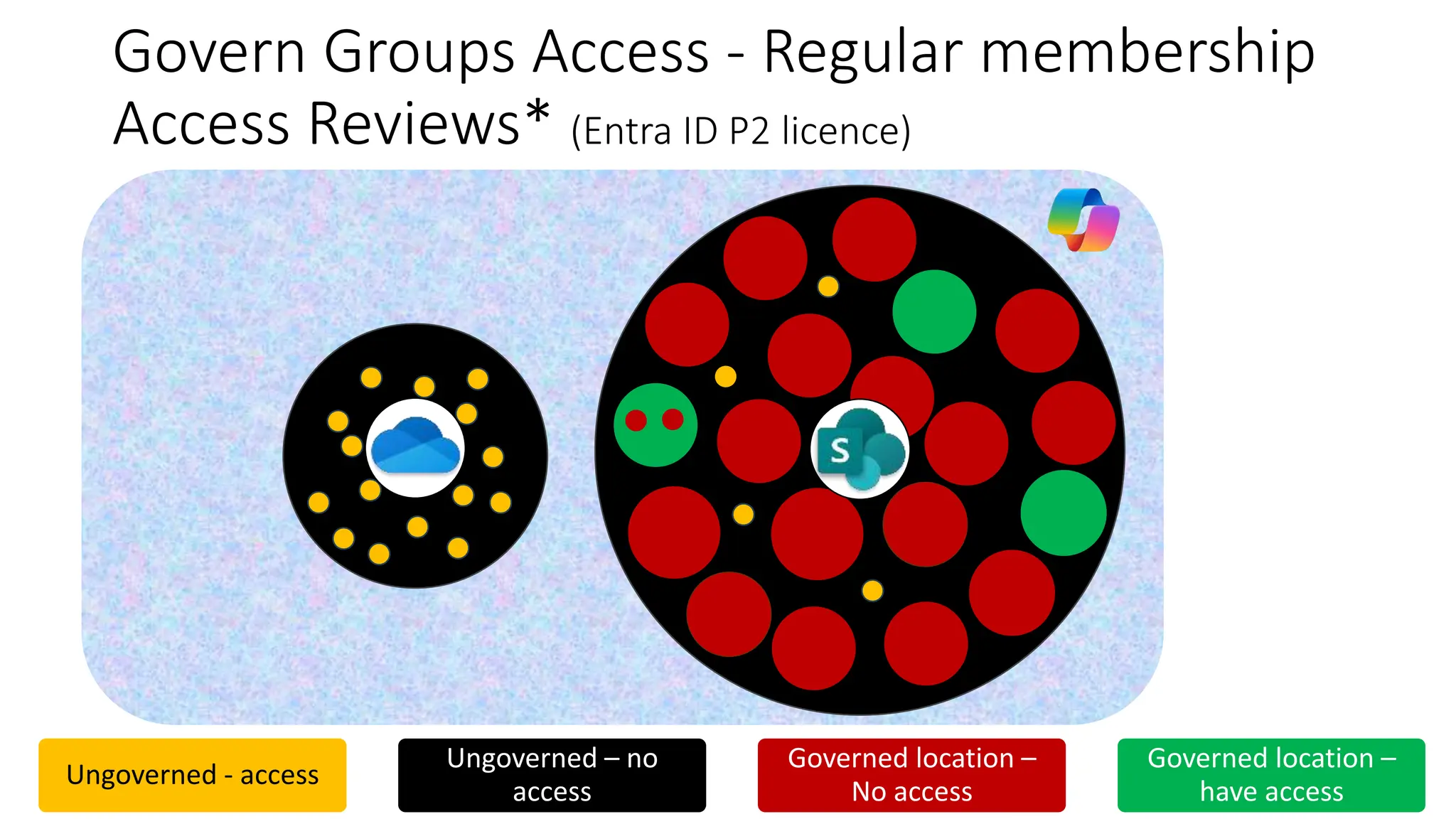
Govern Groups Access - Regular membership
Access Reviews* (Entra ID P2 licence)
Ungoverned - access
Ungoverned – no
access
Governed location –
No access
Governed location –
have access
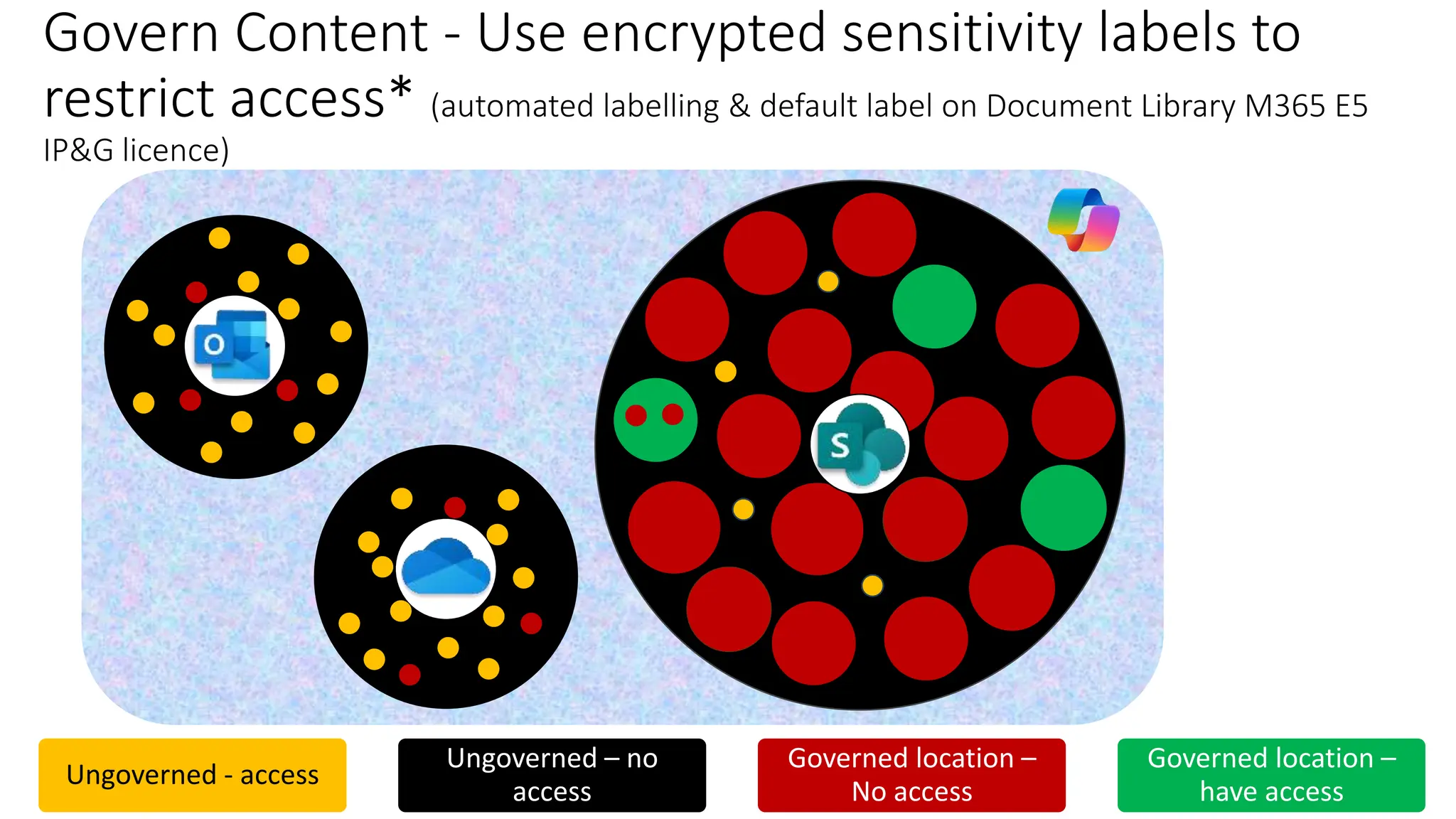
Govern Content - Use encrypted sensitivity labels to
restrict access* (automated labelling & default label on Document Library M365 E5
IP&G licence)
Ungoverned - access
Ungoverned – no
access
Governed location –
No access
Governed location –
have access
Teams
SPO
SPO
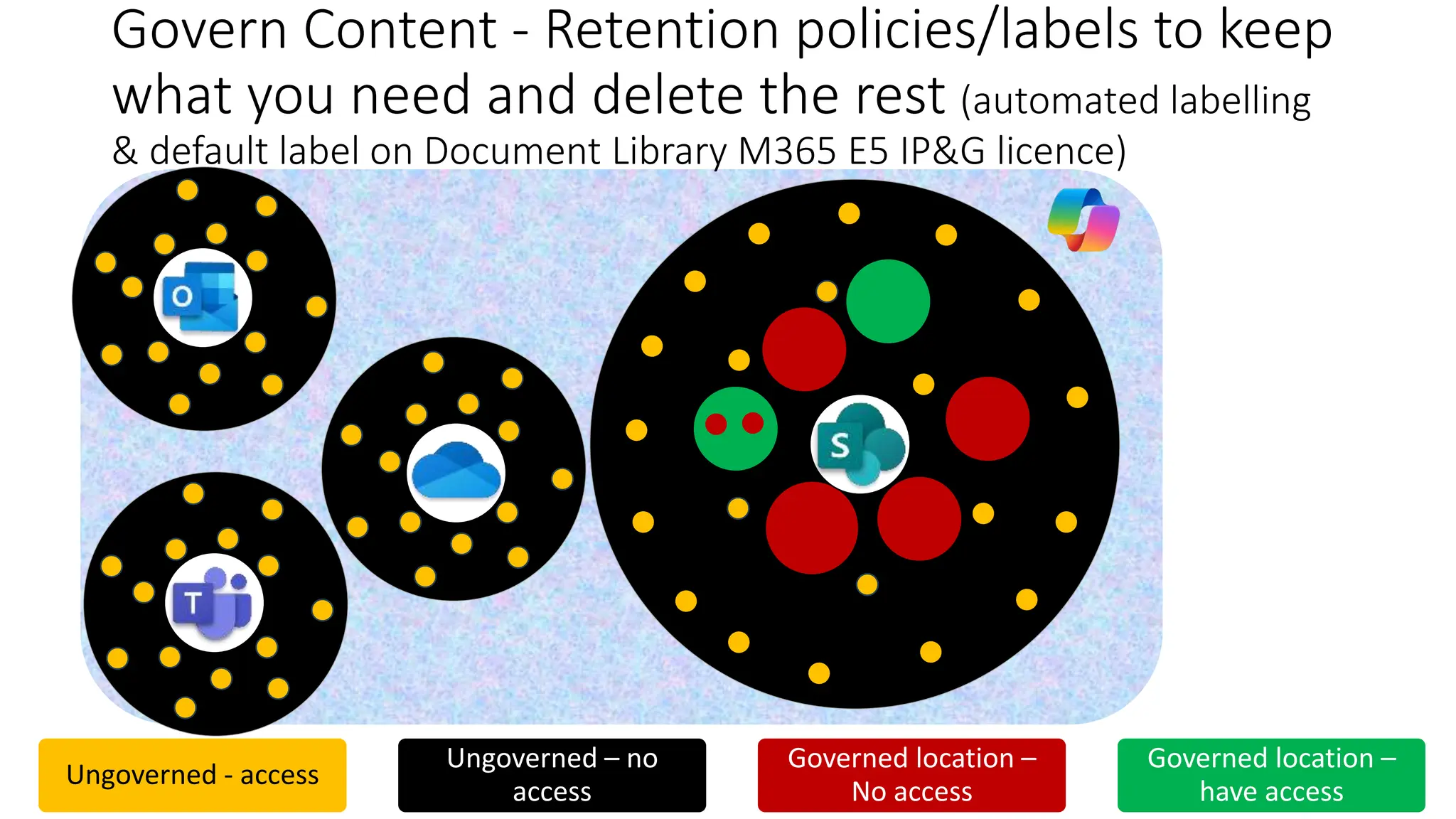
Govern Content - Retention policies/labels to keep
what you need and delete the rest (automated labelling
& default label on Document Library M365 E5 IP&G licence)
Others
OneDrive
Teams
Teams
Ungoverned - access
Ungoverned – no
access
Governed location –
No access
Governed location –
have access
SPO Archive
SPO
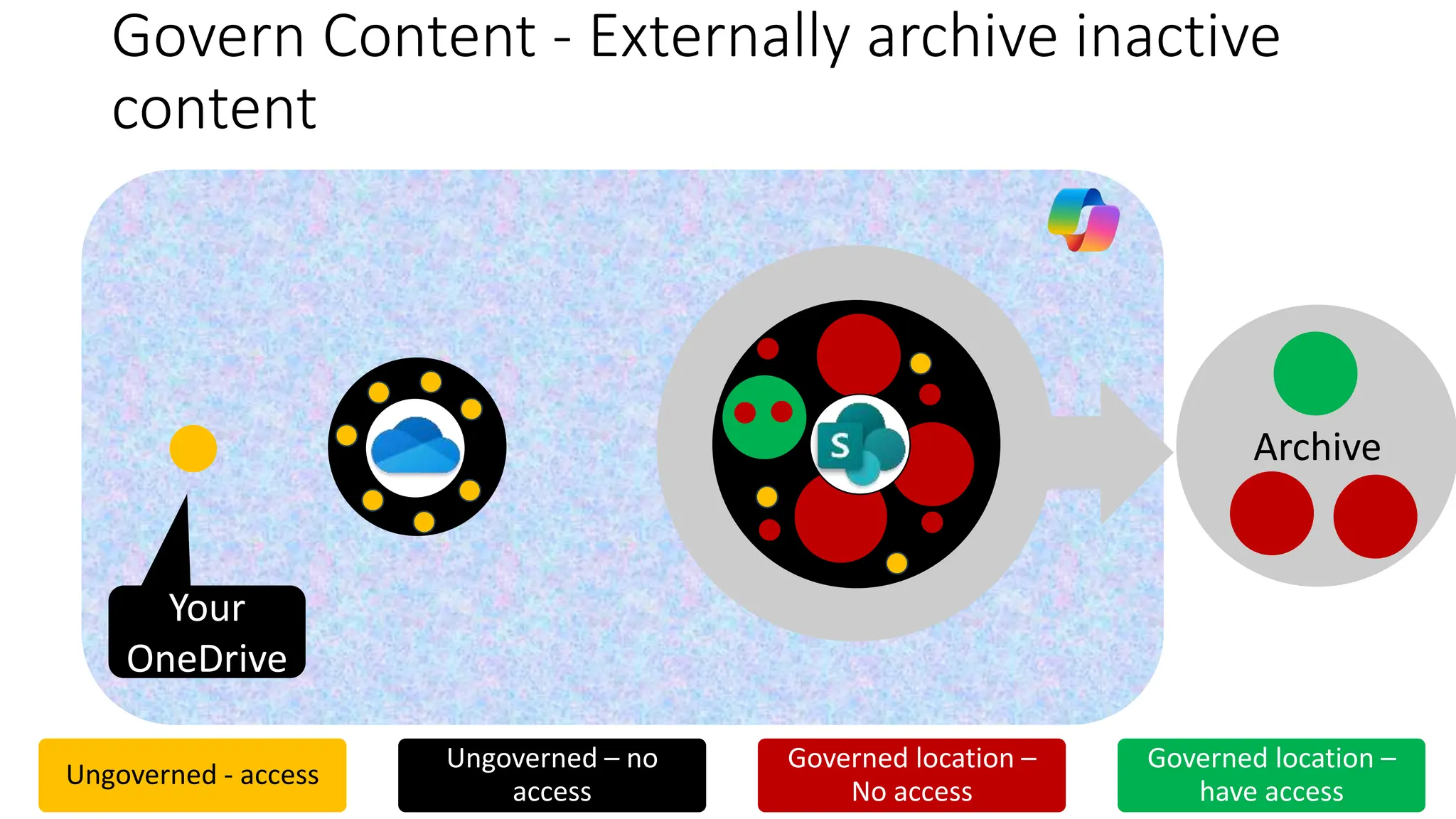
Govern Content - Externally archive inactive
content
Others
OneDrive
Ungoverned - access
Ungoverned – no
access
Governed location –
No access
Governed location –
have access
Your
OneDrive
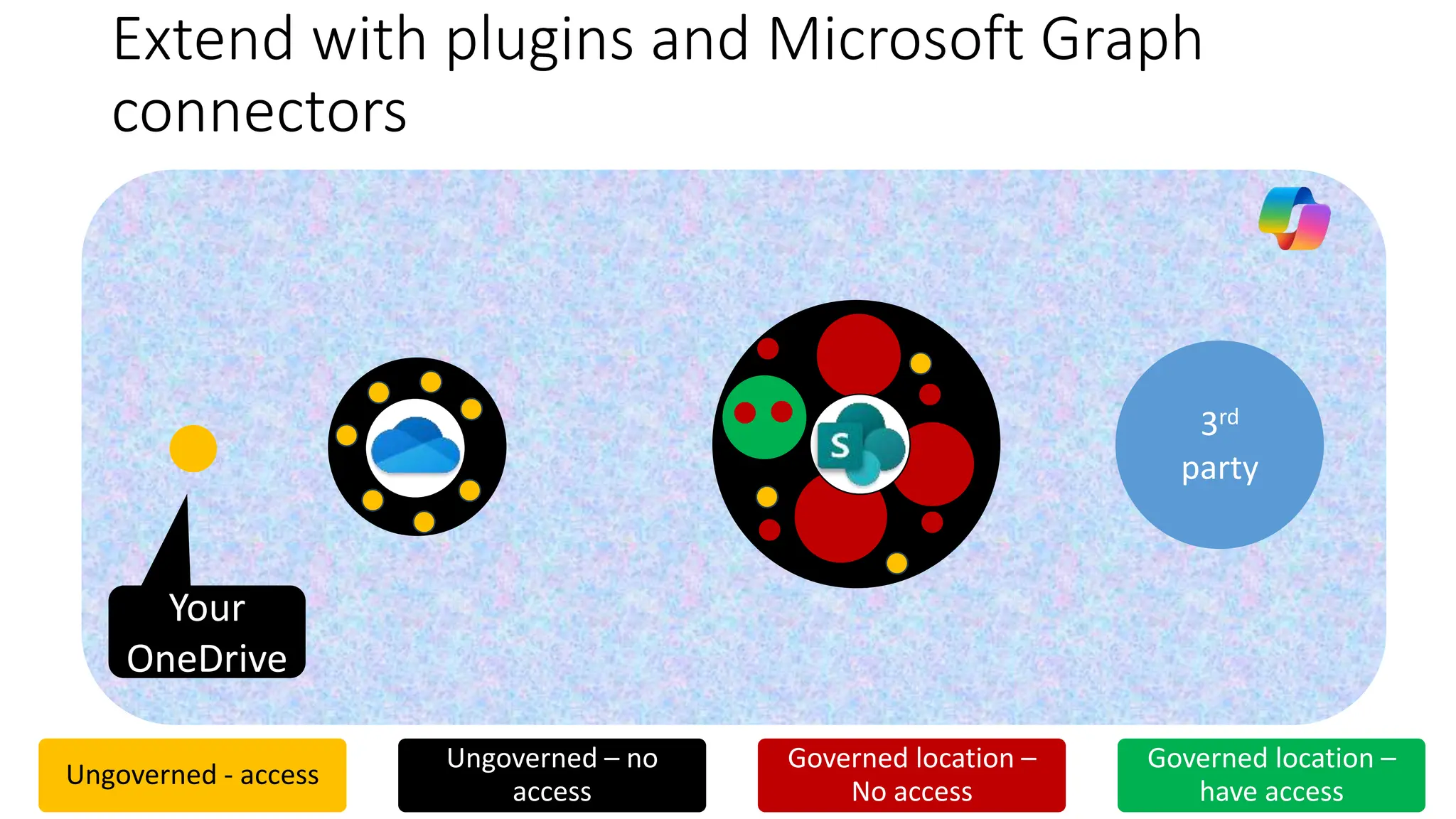
Extend with plugins and Microsoft Graph
connectors
3rd
party
SPO
Others
OneDrive
Your
OneDrive
Ungoverned - access
Ungoverned – no
access
Governed location –
No access
Governed location –
have access
Wrap Up
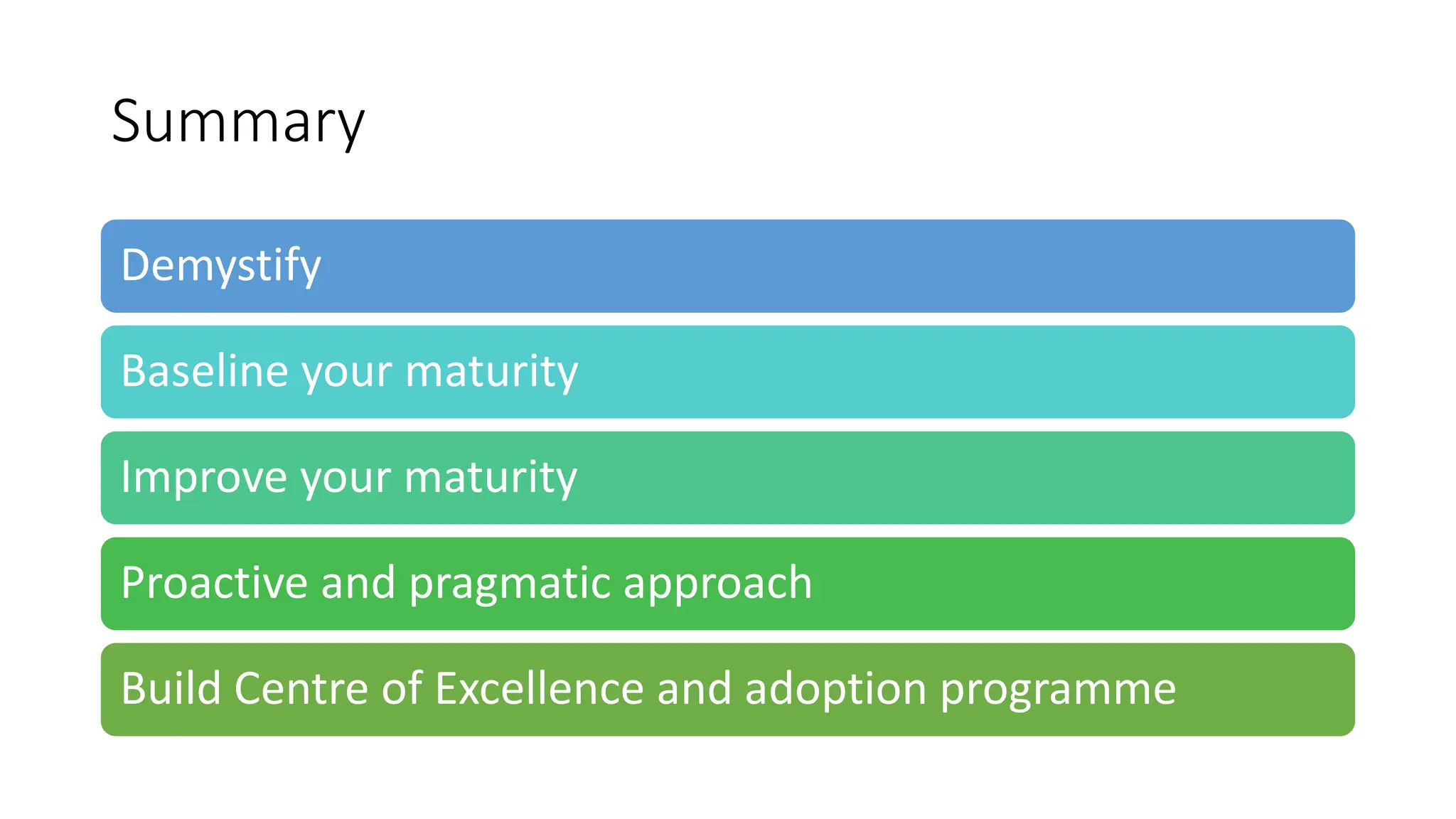
Summary
Demystify
Baseline your maturity
Improve your maturity
Proactive and pragmatic approach
Build Centre of Excellence and adoption programme

Preparing for Microsoft 365 Copilot - Best Practices for Governance and Data Security

  • 1.
    Preparing for Microsoft365 Copilot: Best Practices for Governance and Data Security Nikki Chapple (Microsoft MVP)
  • 2.
    Platinum Gold Silver Community Thanks to oursponsors! Organized by SharePint
  • 3.
    Nikki Chapple MVP |Principal Cloud Architect @ CloudWay • Security and Compliance Evangelist Award winner 2023 • 30 years+ experience in IT & business transformation • Passionate about Microsoft 365 governance & compliance • Community speaker & blogger • Co-host on the All Things M365 Compliance Podcast
  • 4.
    Agenda Introduction to MicrosoftCopilot Get Copilot ready Importance of “Just enough access”
  • 5.
  • 6.
  • 8.
  • 9.
  • 10.
    What data doesMicrosoft 365 Copilot access? Emails, Meetings, Calendar, Contacts Documents, other business data Documents, other business data Chat and Channel messages
  • 11.
    Data, Privacy, andSecurity Responses based on the user’s access and permissions Only searches for information in your tenant Prompts, responses and data are not used to train the LLM Prompts, responses and data reside in Microsoft 365 service boundary (not using Open API)
  • 12.
    What are therisks I need to consider? Over-exposure of confidential data - Searches content you can VIEW 1 Redundant, outdated, and trivial (ROT) content - Inaccurate results 2 No policies for responsible AI use - Inappropriate use of Copilot 3
  • 13.
  • 14.
    Stakeholders • Chief Data Officer • •Change management • DPO • Security • Business analyst • Legal/ Compliance • IT • Data Steward
  • 15.
    Demystify Copilot Provides productivity recommendations Responses basedon the data you have access to Establish policies for responsible & ethical AI use Copilot isn't perfect and is not always accurate Build a Center of Excellence
  • 16.
    Who, Where, How& When Current vs. Future state People Technology Process Strategy Regulations Culture Priorities Identify and address gaps What & Why Risk & Compliance stance Monitor and Enhance Get Copilot ready
  • 17.
    Technical Prerequisites • Microsoft 365 Appsfor Enterprise (current channel)* • Microsoft Entra-based account • OneDrive • Teams (either version) • New Outlook for Windows • Loop • Windows 11 (preferred) • Microsoft 365 E3 or E5 or Business Premium licences
  • 18.
    Build your governanceand data security maturity Workspace Content User
  • 19.
    The Copilot DataSecurity and Governance Maturity Model 100 - Initial • Workspaces uncontrolled • No data security or governance 200 - Managed • Adhoc workspace governance • Team owners unaware of their responsibilities 300 - Defined • Basic workspace governance • Adhoc data security • Adhoc lifecycle management • User adoption 400 - Predictable • Tailored workspace governance • Automated data security • Lifecycle management • Permissions auditing 500 - Optimising • Advanced workspace governance • Advanced lifecycle governance • Advanced data security
  • 20.
    Not all datais the same – so take a risk- based approach
  • 21.
  • 22.
    Most data storedoutside Microsoft 365 and users work in email 3rd Party data storage Ungoverned - access Ungoverned – no access Location hidden from scope – Excluded SharePoint Your OneDrive Others OneDrives
  • 23.
    Use of OneDriveincreases but emailing files not sharing files - no adoption or training Ungoverned - access Ungoverned – no access Location hidden from scope – Excluded Your OneDrive SharePoint 3rd Party data storage Your OneDrive Others OneDrives
  • 24.
    Pioneers create ungovernedTeams & Sites Ungoverned - access Ungoverned – no access Location hidden from scope – Excluded Your OneDrive Others OneDrives SharePoint 3rd Party data storage
  • 25.
    3rd Party data storage SPO Uncontrolled Teams& Sites creation and file sharing creates sprawl Ungoverned - access Ungoverned – no access Location hidden from scope – Excluded Others OneDrives Your OneDrive
  • 26.
    3rd party datais migrated into Microsoft 365 - increasing sprawl 3rd party SPO Your OneDrive Ungoverned - access Ungoverned – no access Location hidden from scope – Excluded
  • 27.
    Govern Access -Admins added as owner of all groups, Teams & sites by default SPO Your OneDrive Ungoverned - access Ungoverned – no access Location hidden from scope – Excluded
  • 28.
    SPO Govern Microsoft Groups,Teams & sites - Container Sensitivity Labels and User Adoption Ungoverned - access Ungoverned – no access Governed location – No access Governed location – have access
  • 29.
    Govern Teams -Use private/shared channels to restrict access Ungoverned - access Ungoverned – no access Governed location – No access Governed location – have access SPO
  • 30.
    SPO Govern Access -Dynamic group membership* (Entra ID P1 licence) Ungoverned - access Ungoverned – no access Governed location – No access Governed location – have access
  • 31.
    SPO Govern File Access- Use Container sensitivity labels to restrict who can share files and folders and sharing links Ungoverned - access Ungoverned – no access Governed location – No access Governed location – have access
  • 32.
    SPO Govern Site Access- Block site access to non- members (Microsoft Syntex - SharePoint Advanced Management licence) Ungoverned - access Ungoverned – no access Governed location – No access Governed location – have access
  • 33.
    SPO Govern Groups Access- Regular membership Access Reviews* (Entra ID P2 licence) Ungoverned - access Ungoverned – no access Governed location – No access Governed location – have access
  • 34.
    Govern Content -Use encrypted sensitivity labels to restrict access* (automated labelling & default label on Document Library M365 E5 IP&G licence) Ungoverned - access Ungoverned – no access Governed location – No access Governed location – have access Teams SPO
  • 35.
    SPO Govern Content -Retention policies/labels to keep what you need and delete the rest (automated labelling & default label on Document Library M365 E5 IP&G licence) Others OneDrive Teams Teams Ungoverned - access Ungoverned – no access Governed location – No access Governed location – have access
  • 36.
    SPO Archive SPO Govern Content- Externally archive inactive content Others OneDrive Ungoverned - access Ungoverned – no access Governed location – No access Governed location – have access Your OneDrive
  • 37.
    Extend with pluginsand Microsoft Graph connectors 3rd party SPO Others OneDrive Your OneDrive Ungoverned - access Ungoverned – no access Governed location – No access Governed location – have access
  • 38.
  • 39.
    Summary Demystify Baseline your maturity Improveyour maturity Proactive and pragmatic approach Build Centre of Excellence and adoption programme

Editor's Notes

  • #2 MANDATORY SLIDE
  • #4 Hyperlinks in PowerPoint are active for the attendees if you use PowerPoint Live sharing in Teams.
  • #11 Data includes users’ calendars, emails, chats, documents, meetings, contacts, calendar, and other business data stored in Exchange, OneDrive, SharePoint, Teams in your Microsoft 365 tenant It does not return results from other Microsoft 365 tenant where You have access - In scope e.g. Guest access. Microsoft 365 Copilot will only return data where the user has at least View permissions
  • #17 SH An overall organisational approach really should: 1. Start with understanding the inputs - The market environment and your organisational strategy for these combined with your risk and compliance stance 2. Establish a company wide approach; a Risk and Compliance stance 3. Implement through People, Process and Technology Note importance of stakeholders across the business (not just IT) 4. Monitored and kept relevant using something like a maturity model approach as part of a continuous cycle