Unlock the Potential
of Copilot for
Microsoft 365
Nikki Chapple | MVP | Principal
Cloud Architect CloudWay
Nikki Chapple
Principal Cloud Architect
nikkichapple
@chapplenikki
www.nikkichapple.com
All Things M365 Compliance
Agenda
• The risks of not addressing data security and governance as part of
your Microsoft 365 Copilot transformation
• How to configure Microsoft 365 for “just enough access” to safeguard
your sensitive data
• How to improve data governance to deliver more accurate and
relevant recommendations
Technical considerations for compliance
and security of deployment
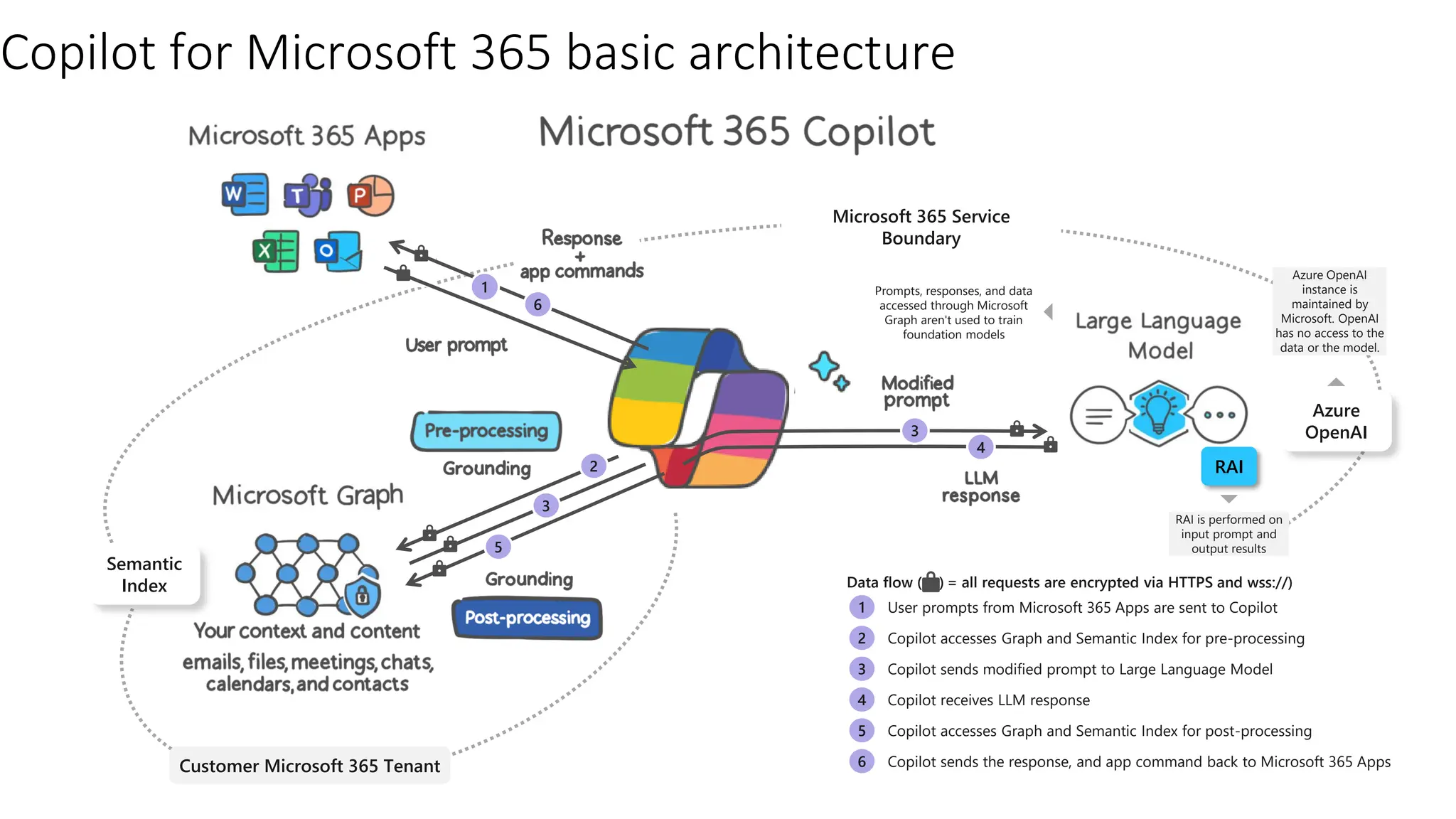
Copilot for Microsoft 365 basic architecture
6
2
3
5
3
4
Microsoft 365 Service
Boundary
Customer Microsoft 365 Tenant
Semantic
Index
Azure
OpenAI
RAI
Azure OpenAI
instance is
maintained by
Microsoft. OpenAI
has no access to the
data or the model.
RAI is performed on
input prompt and
output results
Prompts, responses, and data
accessed through Microsoft
Graph aren't used to train
foundation models
1
Data flow (lock) = all requests are encrypted via HTTPS and wss://)
1 User prompts from Microsoft 365 Apps are sent to Copilot
2 Copilot accesses Graph and Semantic Index for pre-processing
3 Copilot sends modified prompt to Large Language Model
4 Copilot receives LLM response
5 Copilot accesses Graph and Semantic Index for post-processing
6 Copilot sends the response, and app command back to Microsoft 365 Apps
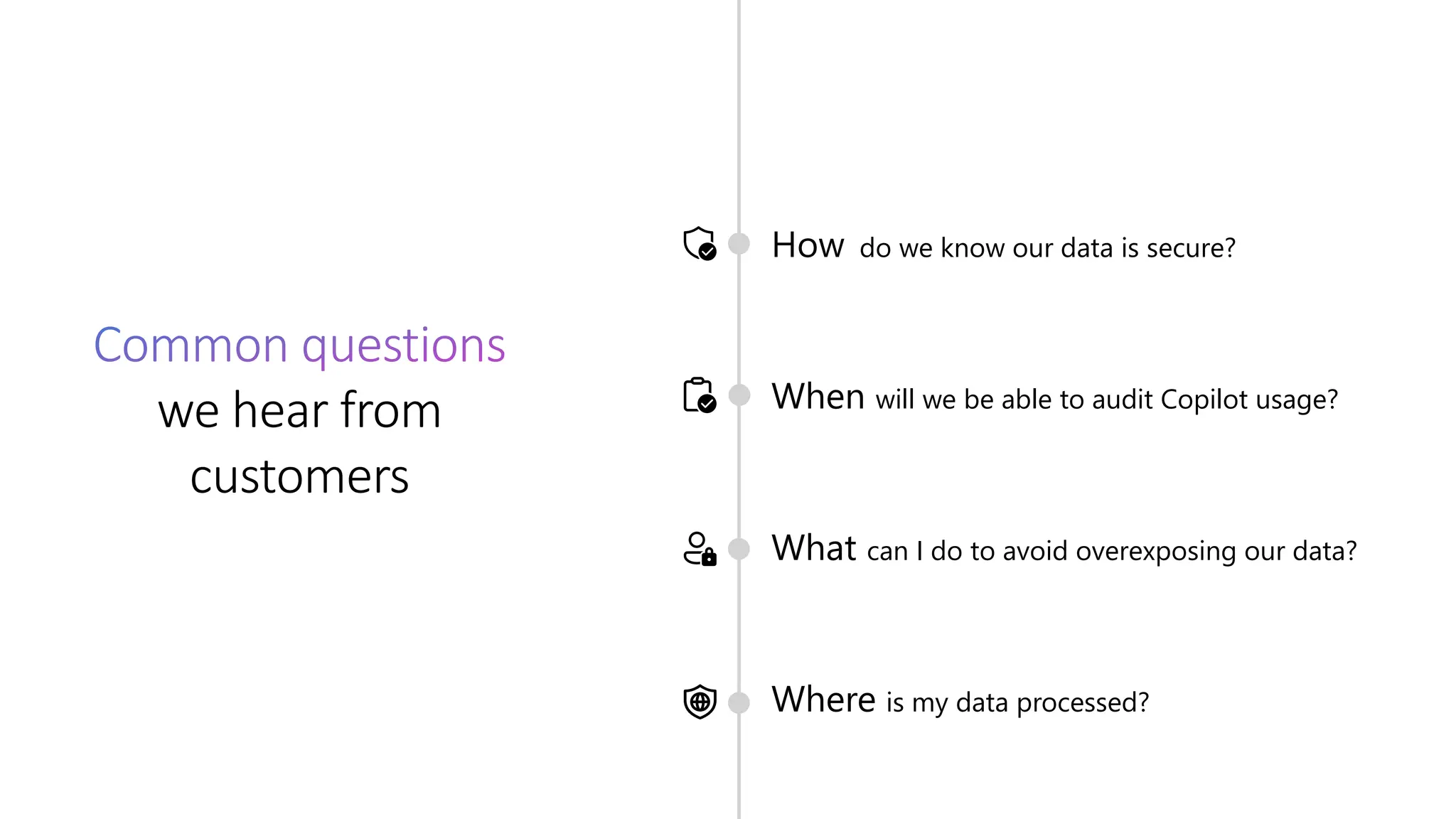
Common questions
we hear from
customers
How do we know our data is secure?
When will we be able to audit Copilot usage?
What can I do to avoid overexposing our data?
Where is my data processed?
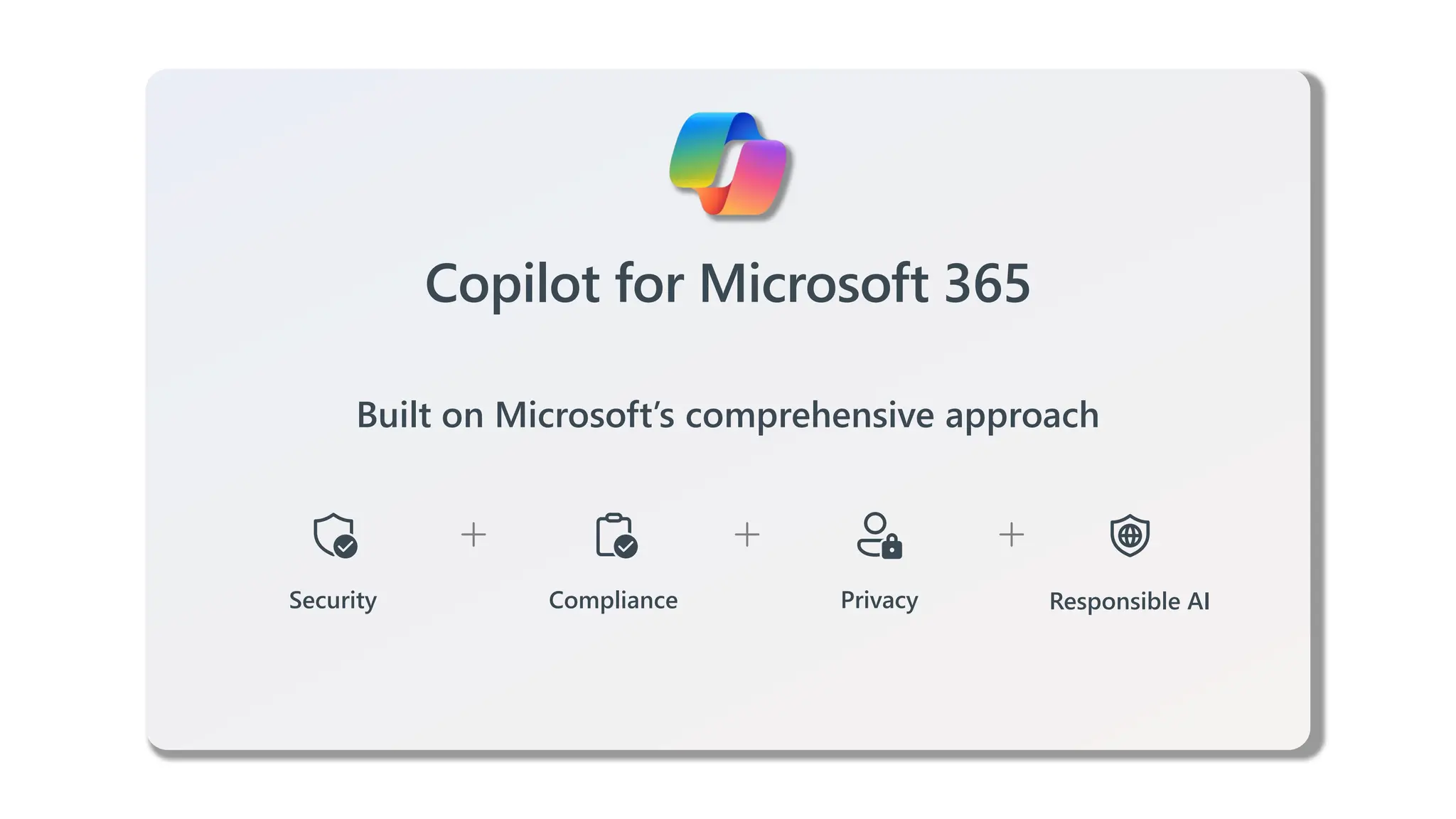
Copilot for Microsoft 365
Built on Microsoft’s comprehensive approach
Security Compliance Privacy Responsible AI
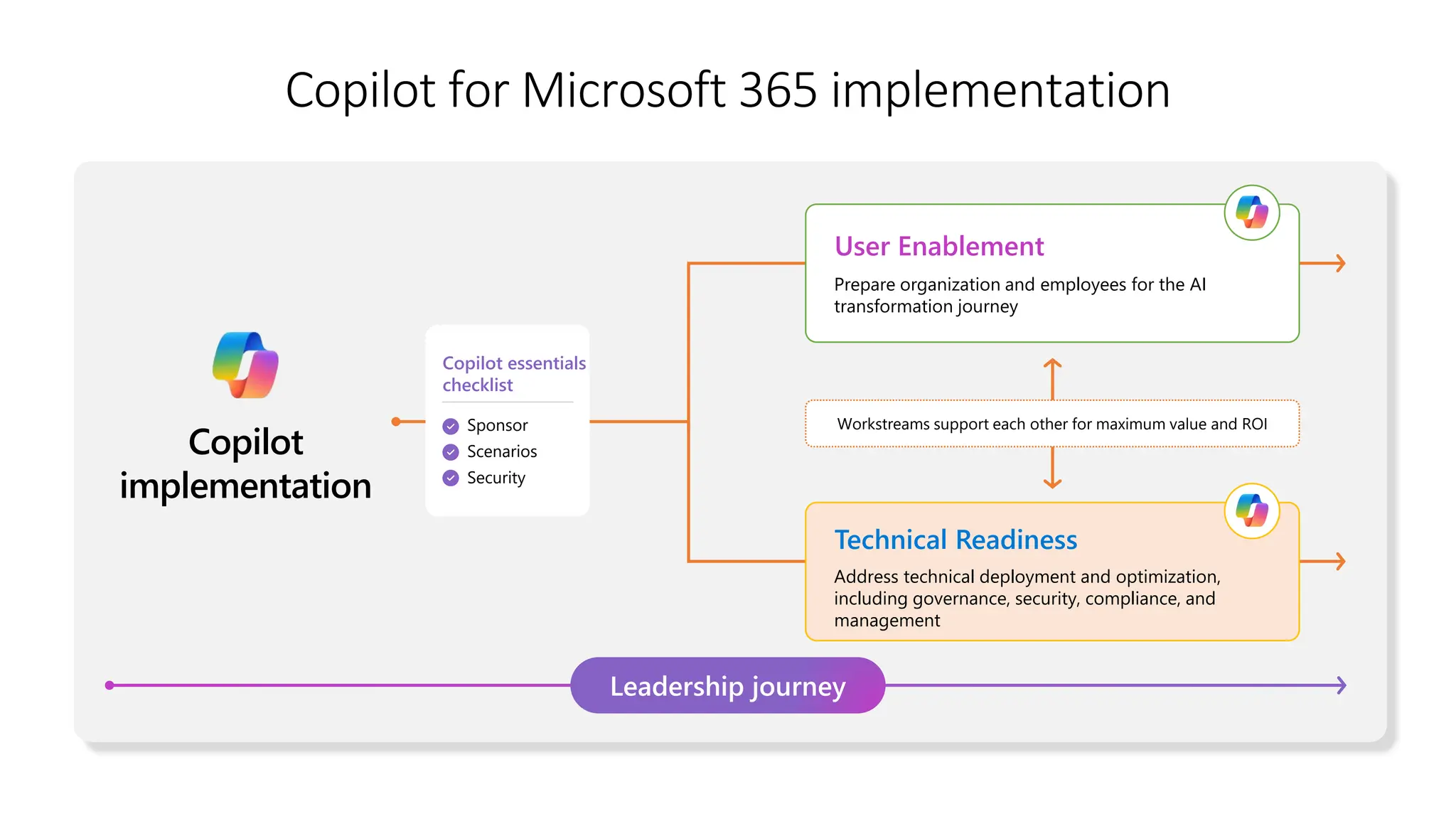
Copilot for Microsoft 365 implementation
Copilot
implementation
Sponsor
Scenarios
Security
Copilot essentials
checklist
User Enablement
Prepare organization and employees for the AI
transformation journey
Workstreams support each other for maximum value and ROI
Technical Readiness
Address technical deployment and optimization,
including governance, security, compliance, and
management
Leadership journey
1. Understand
your current
risks and data
security
readiness
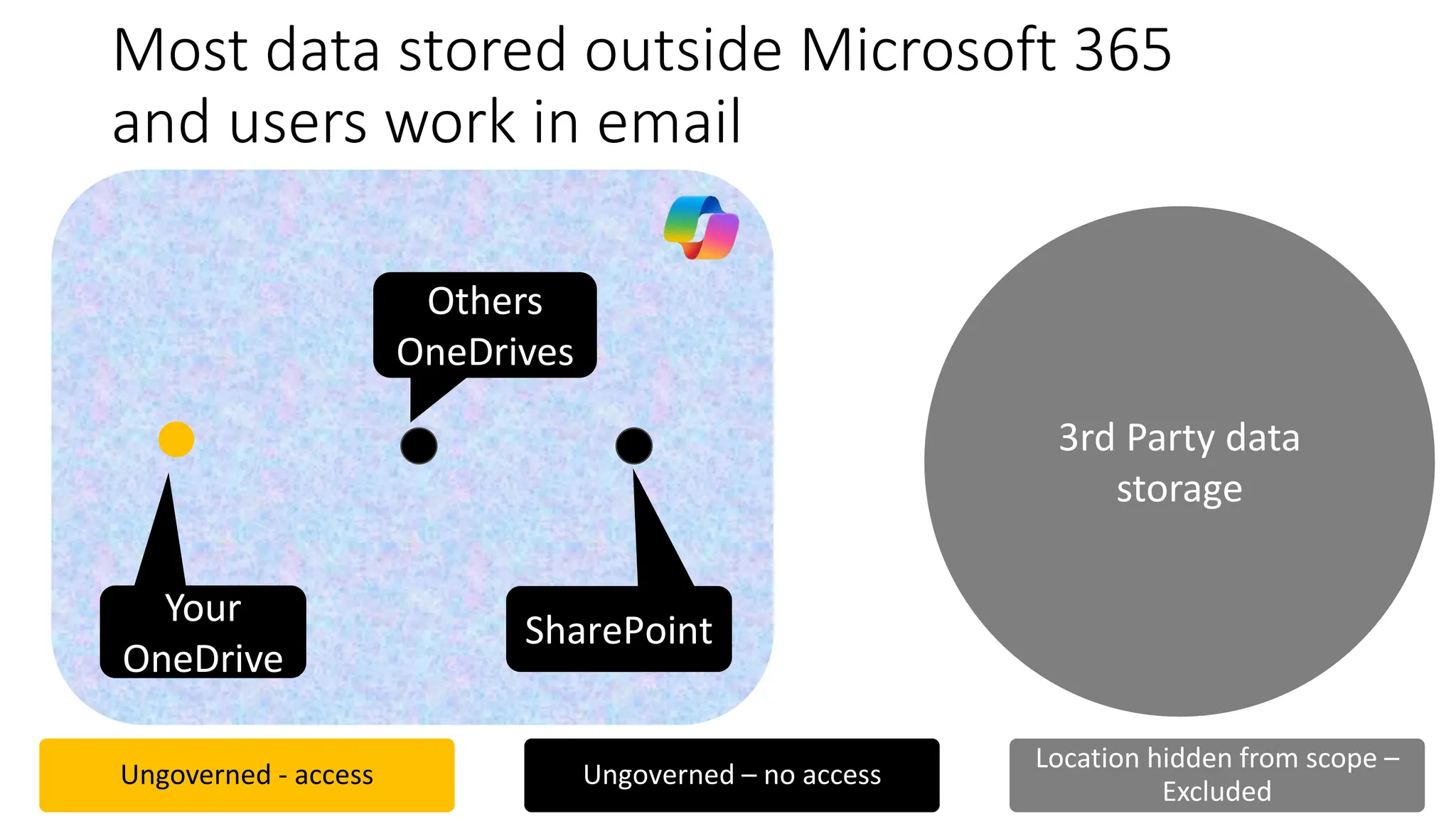
Most data stored outside Microsoft 365
and users work in email
3rd Party data
storage
Ungoverned - access Ungoverned – no access
Location hidden from scope –
Excluded
SharePoint
Your
OneDrive
Others
OneDrives
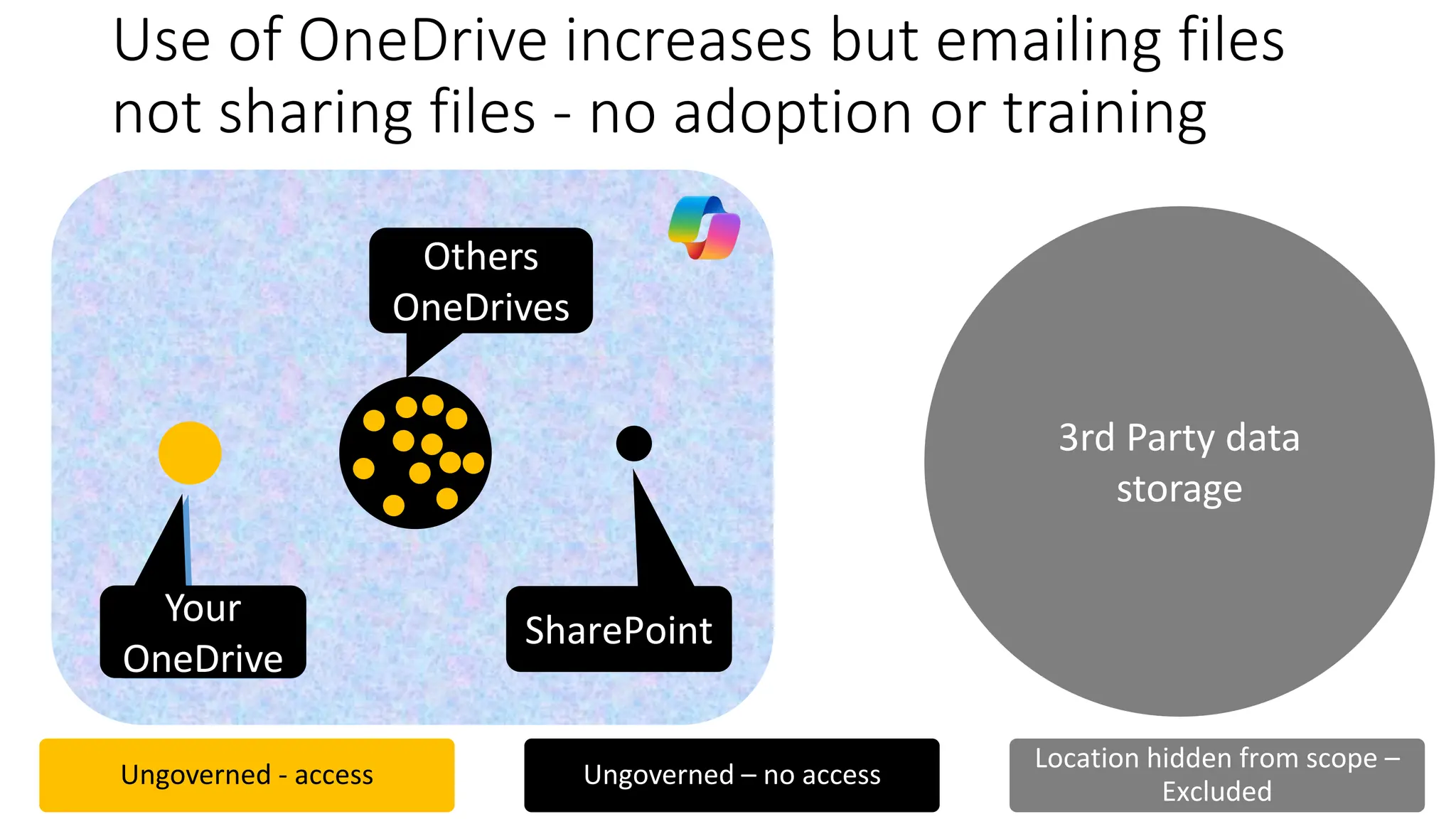
Use of OneDrive increases but emailing files
not sharing files - no adoption or training
Ungoverned - access Ungoverned – no access
Location hidden from scope –
Excluded
Your
OneDrive
SharePoint
3rd Party data
storage
Your
OneDrive
Others
OneDrives
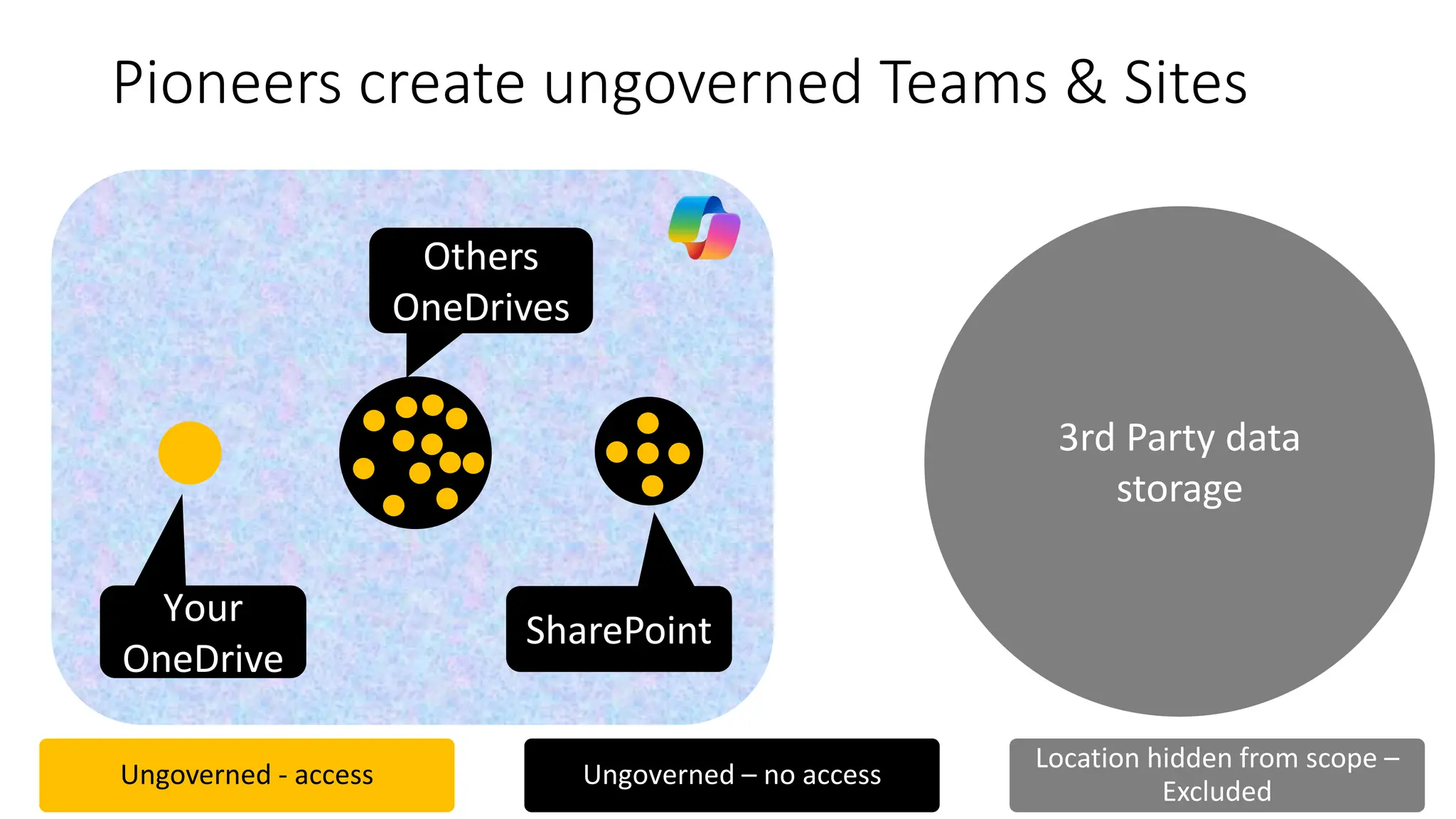
Pioneers create ungoverned Teams & Sites
Ungoverned - access Ungoverned – no access
Location hidden from scope –
Excluded
Your
OneDrive
Others
OneDrives
SharePoint
3rd Party data
storage
3rd Party
data
storage
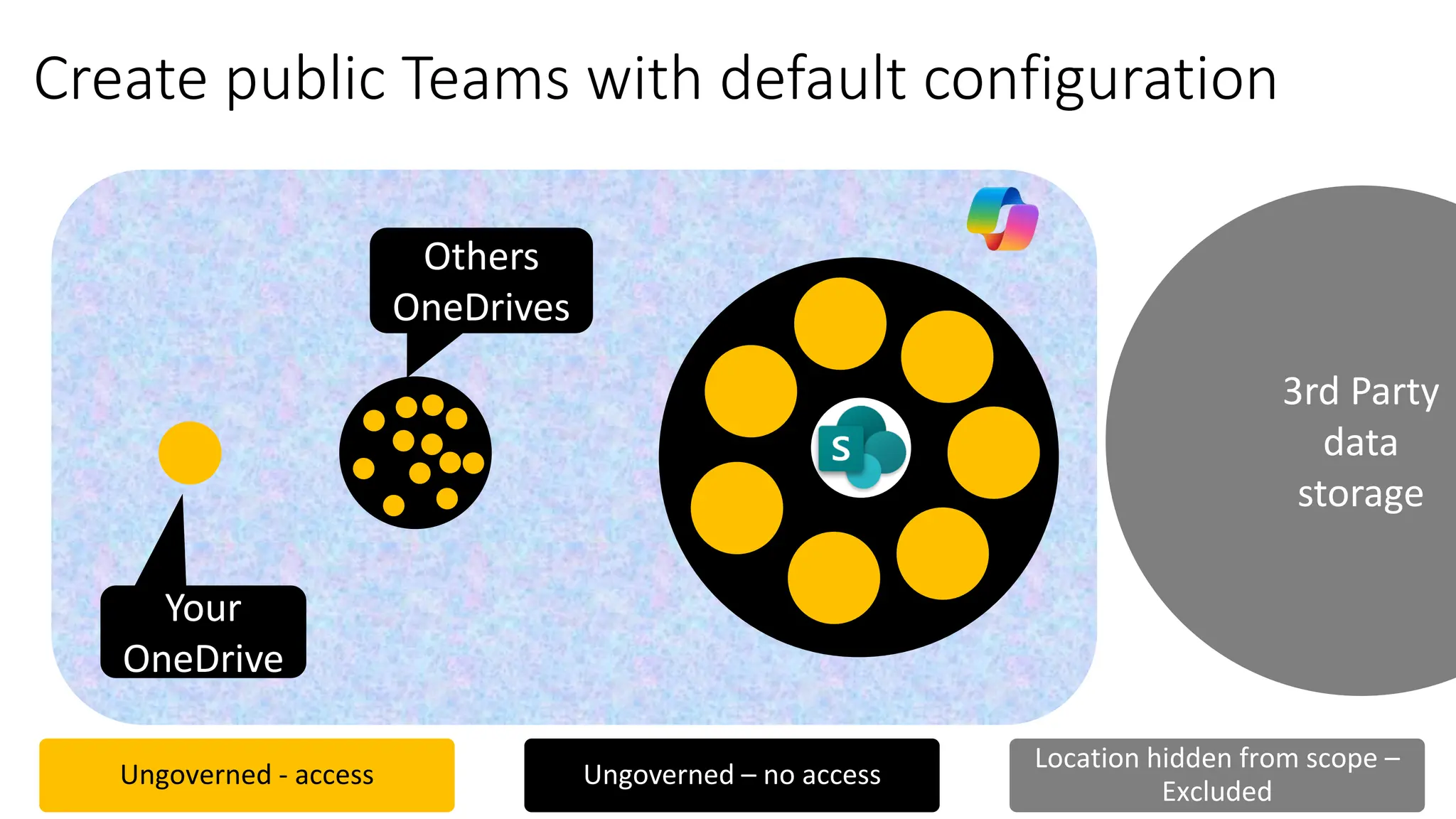
Create public Teams with default configuration
Ungoverned - access Ungoverned – no access
Location hidden from scope –
Excluded
Others
OneDrives
Your
OneDrive
3rd Party
data
storage
SPO
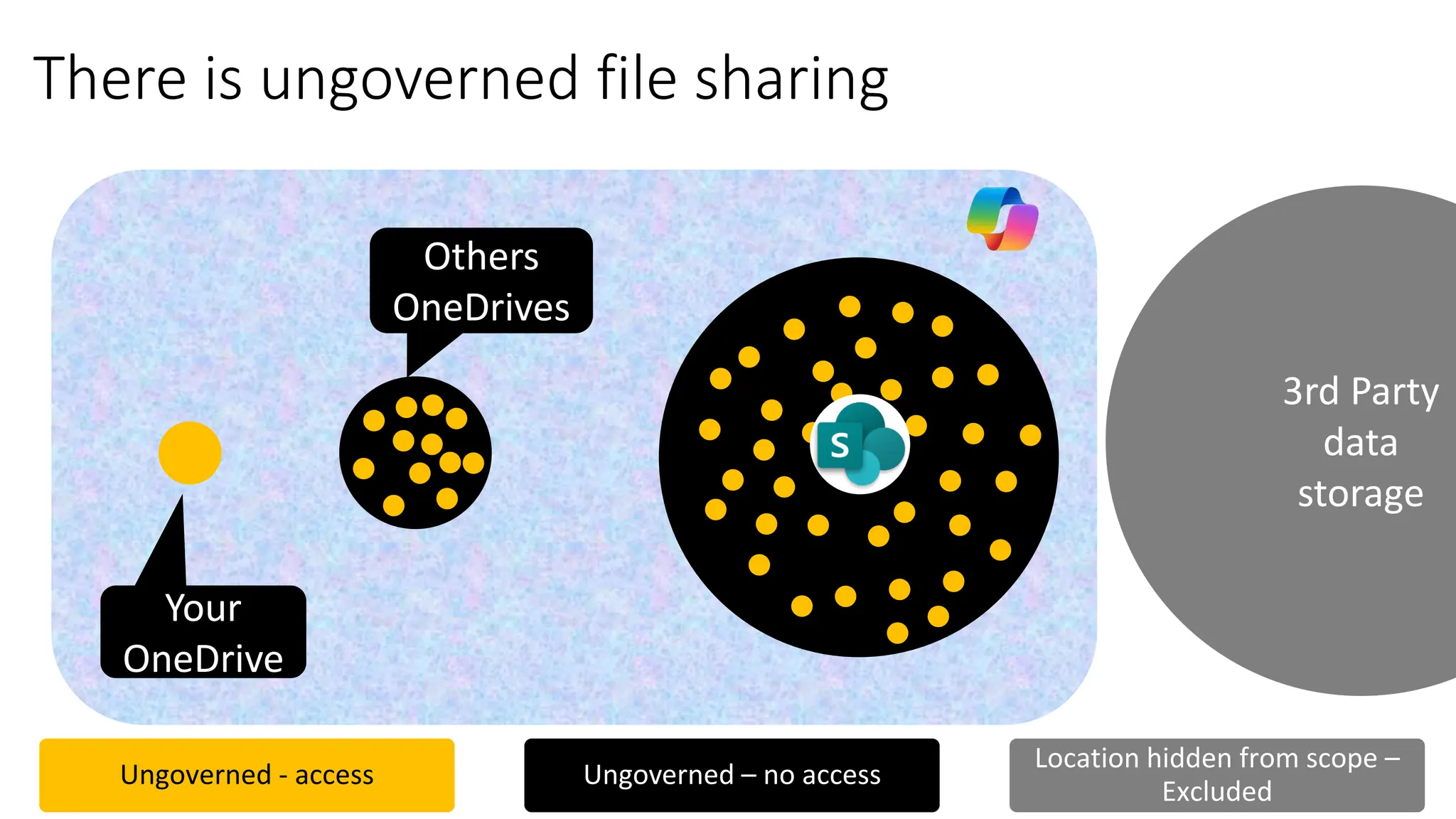
There is ungoverned file sharing
Ungoverned - access Ungoverned – no access
Location hidden from scope –
Excluded
Others
OneDrives
Your
OneDrive
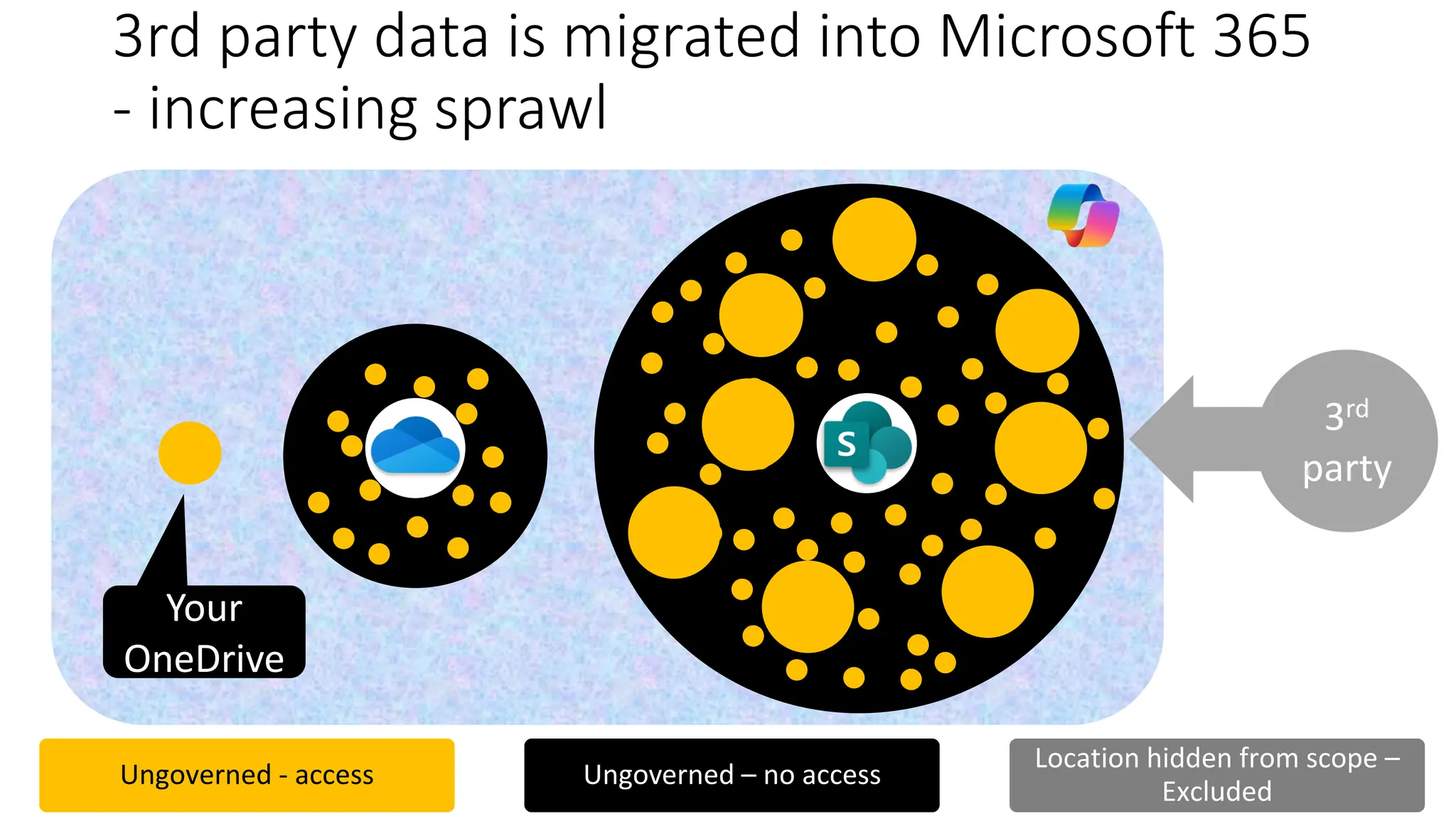
3rd party data is migrated into Microsoft 365
- increasing sprawl
3rd
party
Your
OneDrive
Ungoverned - access Ungoverned – no access
Location hidden from scope –
Excluded
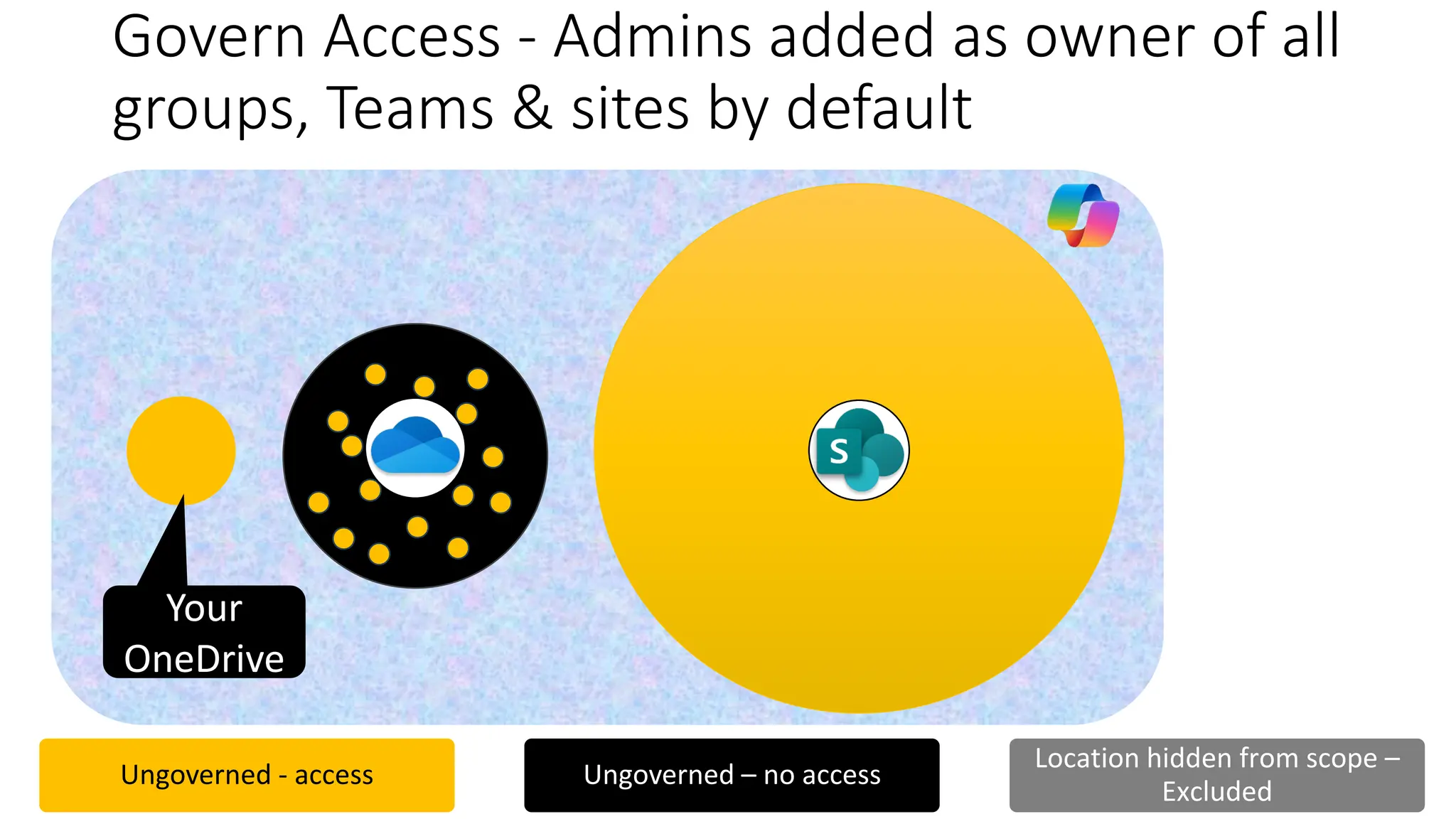
Govern Access - Admins added as owner of all
groups, Teams & sites by default
SPO
Your
OneDrive
Ungoverned - access Ungoverned – no access
Location hidden from scope –
Excluded
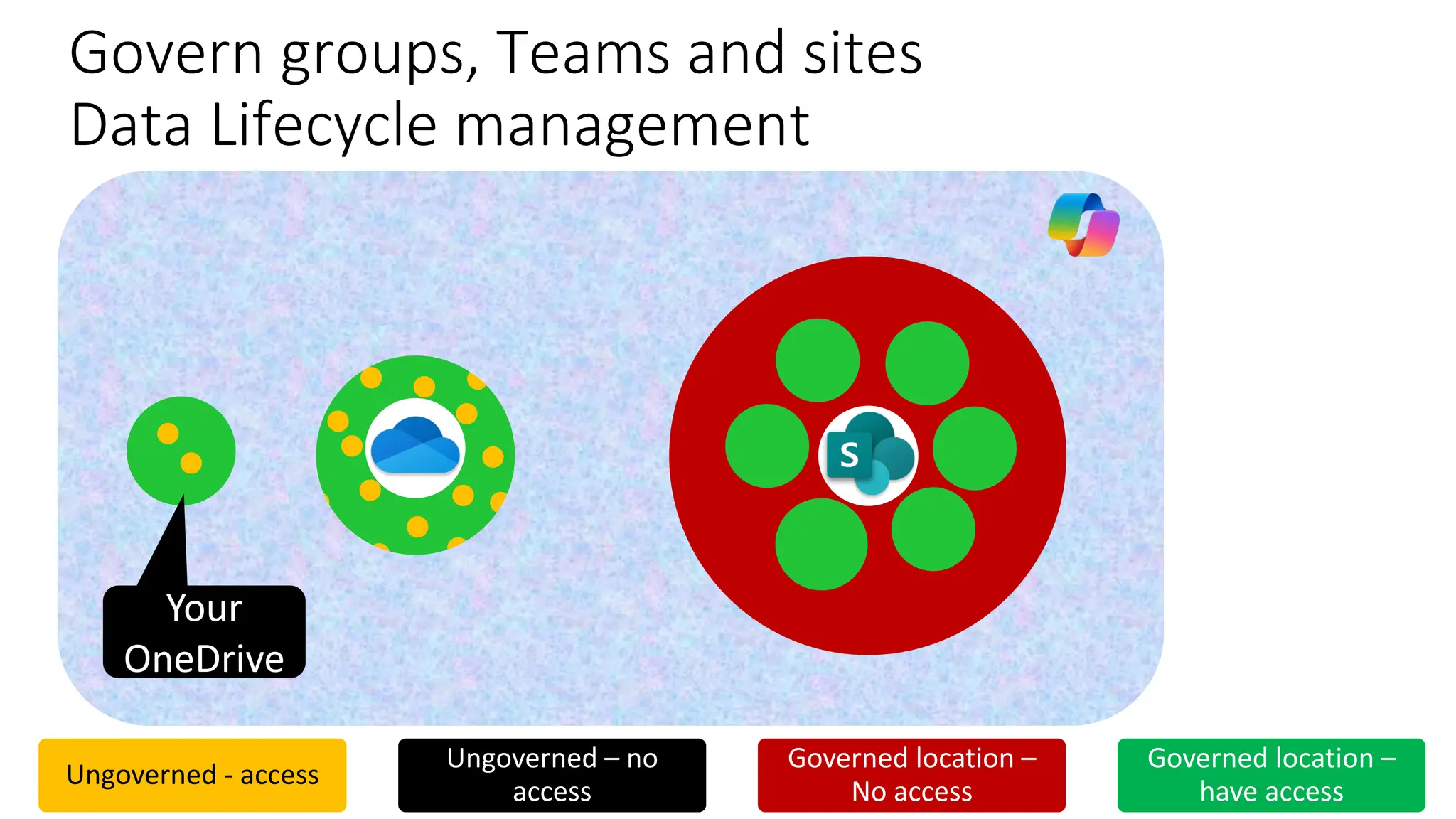
Govern groups, Teams and sites
Data Lifecycle management
Ungoverned - access
Ungoverned – no
access
Governed location –
No access
Governed location –
have access
Your
OneDrive
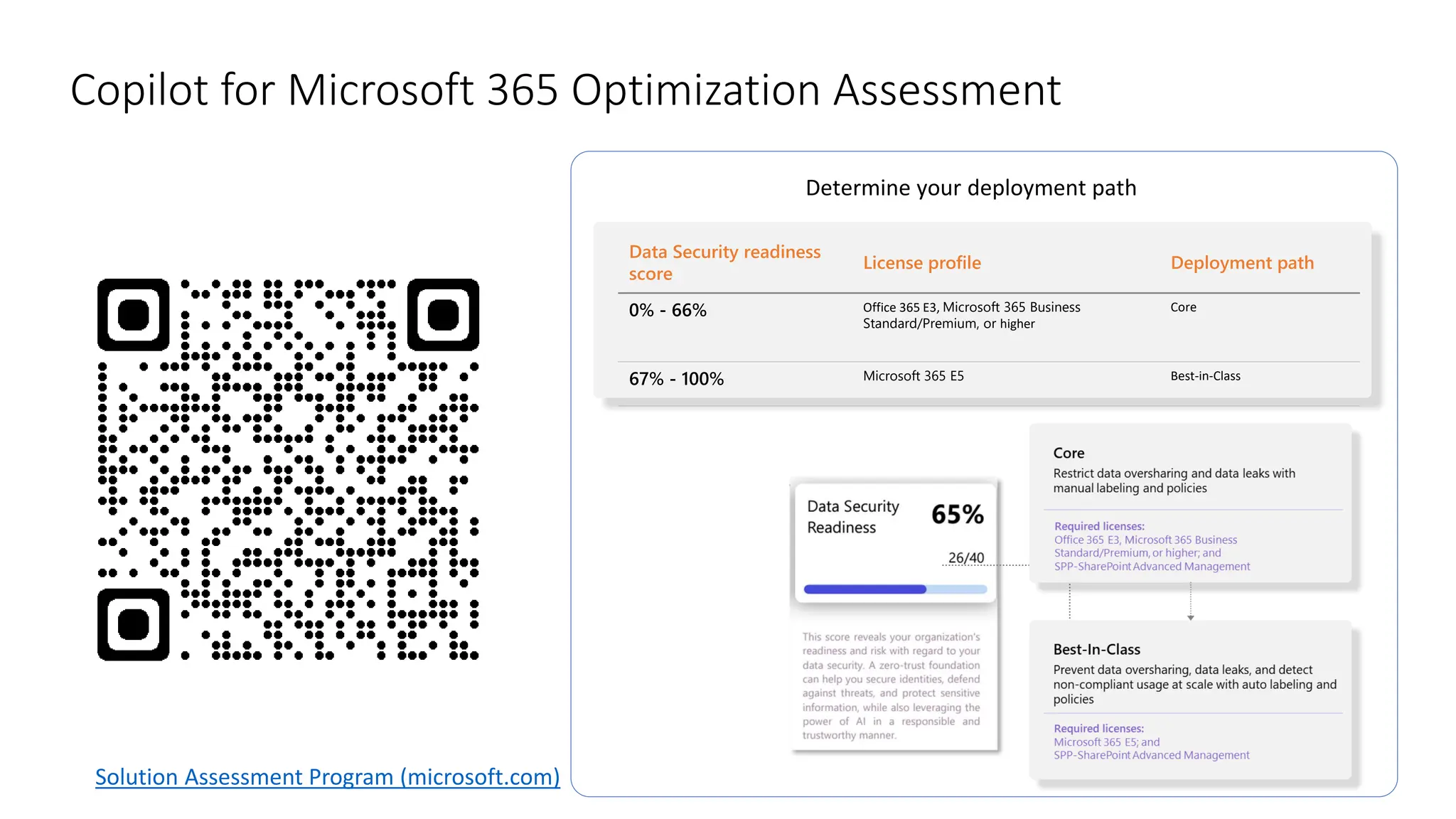
Copilot for Microsoft 365 Optimization Assessment
Data Security readiness
score
License profile Deployment path
0% - 66% Office 365 E3, Microsoft 365 Business
Standard/Premium, or higher
Core
67% - 100% Microsoft 365 E5 Best-in-Class
Determine your deployment path
Solution Assessment Program (microsoft.com)
2. Provide
“Just
enough
access”
5
If used,
disable
Restricted
SharePoint
Search
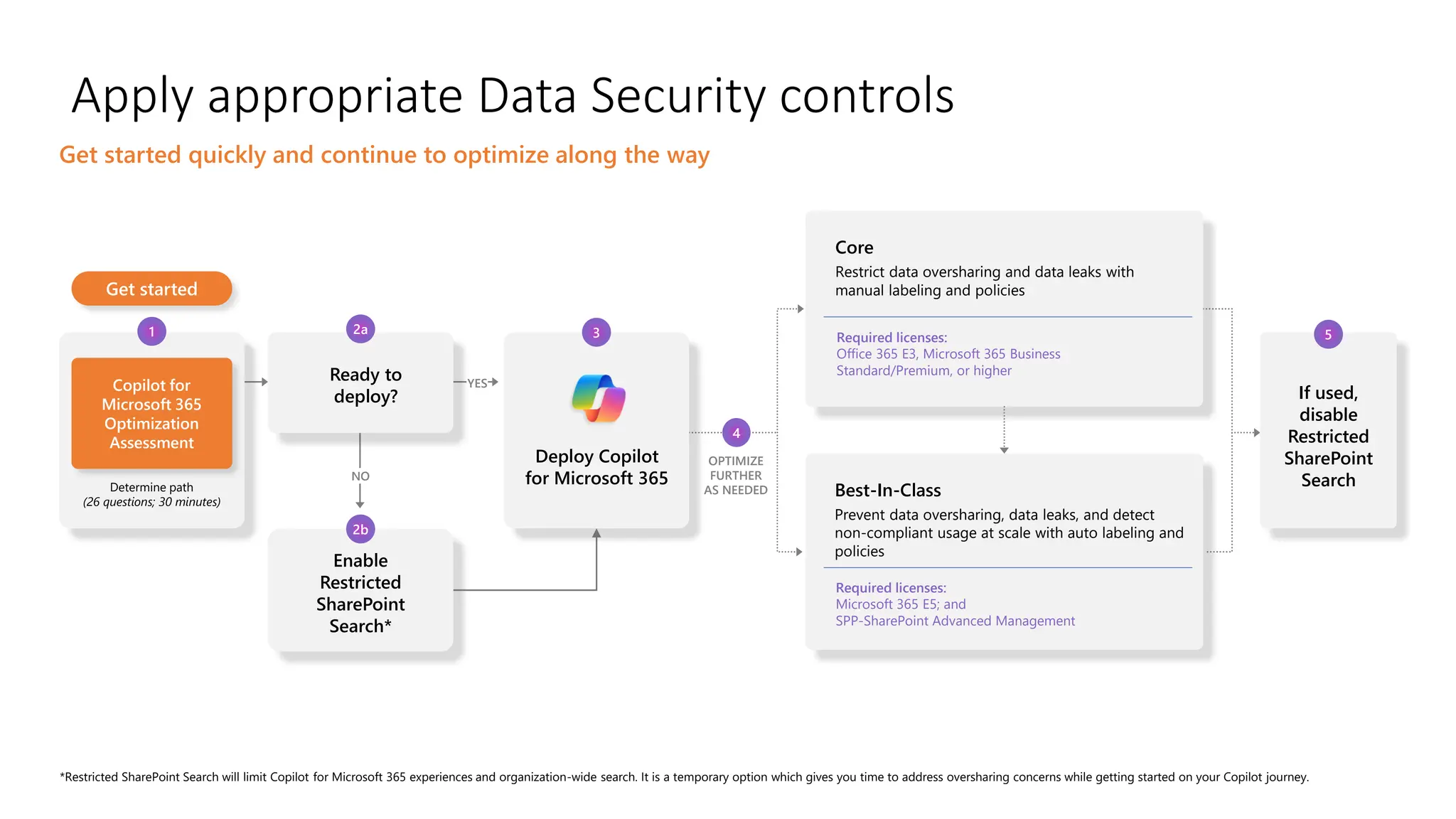
Apply appropriate Data Security controls
Get started quickly and continue to optimize along the way
*Restricted SharePoint Search will limit Copilot for Microsoft 365 experiences and organization-wide search. It is a temporary option which gives you time to address oversharing concerns while getting started on your Copilot journey.
4
OPTIMIZE
FURTHER
AS NEEDED
Core
Restrict data oversharing and data leaks with
manual labeling and policies
Required licenses:
Office 365 E3, Microsoft 365 Business
Standard/Premium, or higher
Best-In-Class
Prevent data oversharing, data leaks, and detect
non-compliant usage at scale with auto labeling and
policies
Required licenses:
Microsoft 365 E5; and
SPP-SharePoint Advanced Management
YES
3
Deploy Copilot
for Microsoft 365
2b
Enable
Restricted
SharePoint
Search*
NO
2a
Ready to
deploy?
Get started
Copilot for
Microsoft 365
Optimization
Assessment
Determine path
(26 questions; 30 minutes)
1
SPO
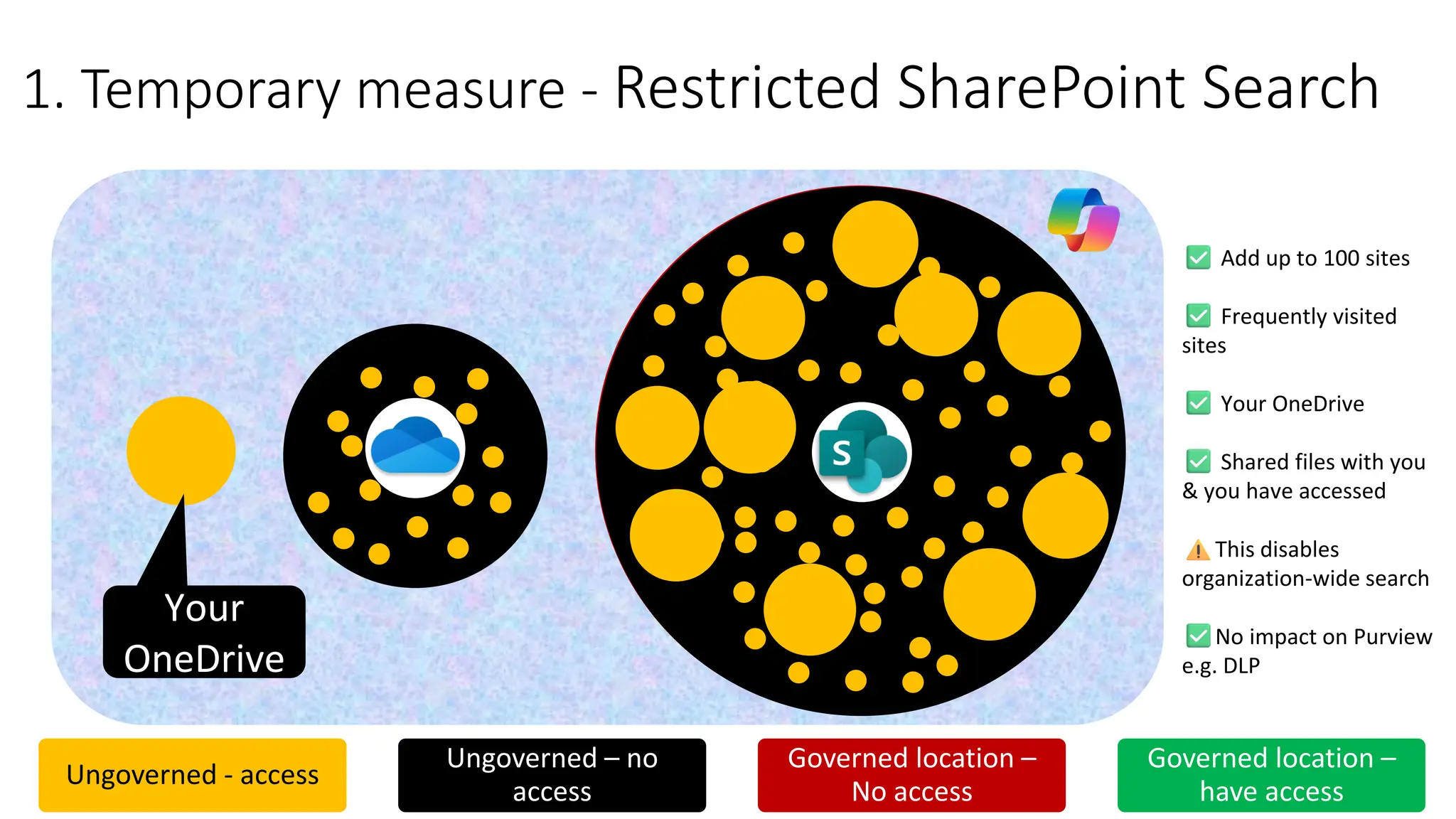
1. Temporary measure - Restricted SharePoint Search
Ungoverned - access
Ungoverned – no
access
Governed location –
No access
Governed location –
have access
Your
OneDrive
Add up to 100 sites
Frequently visited
sites
Your OneDrive
Shared files with you
& you have accessed
This disables
organization-wide search
No impact on Purview
e.g. DLP
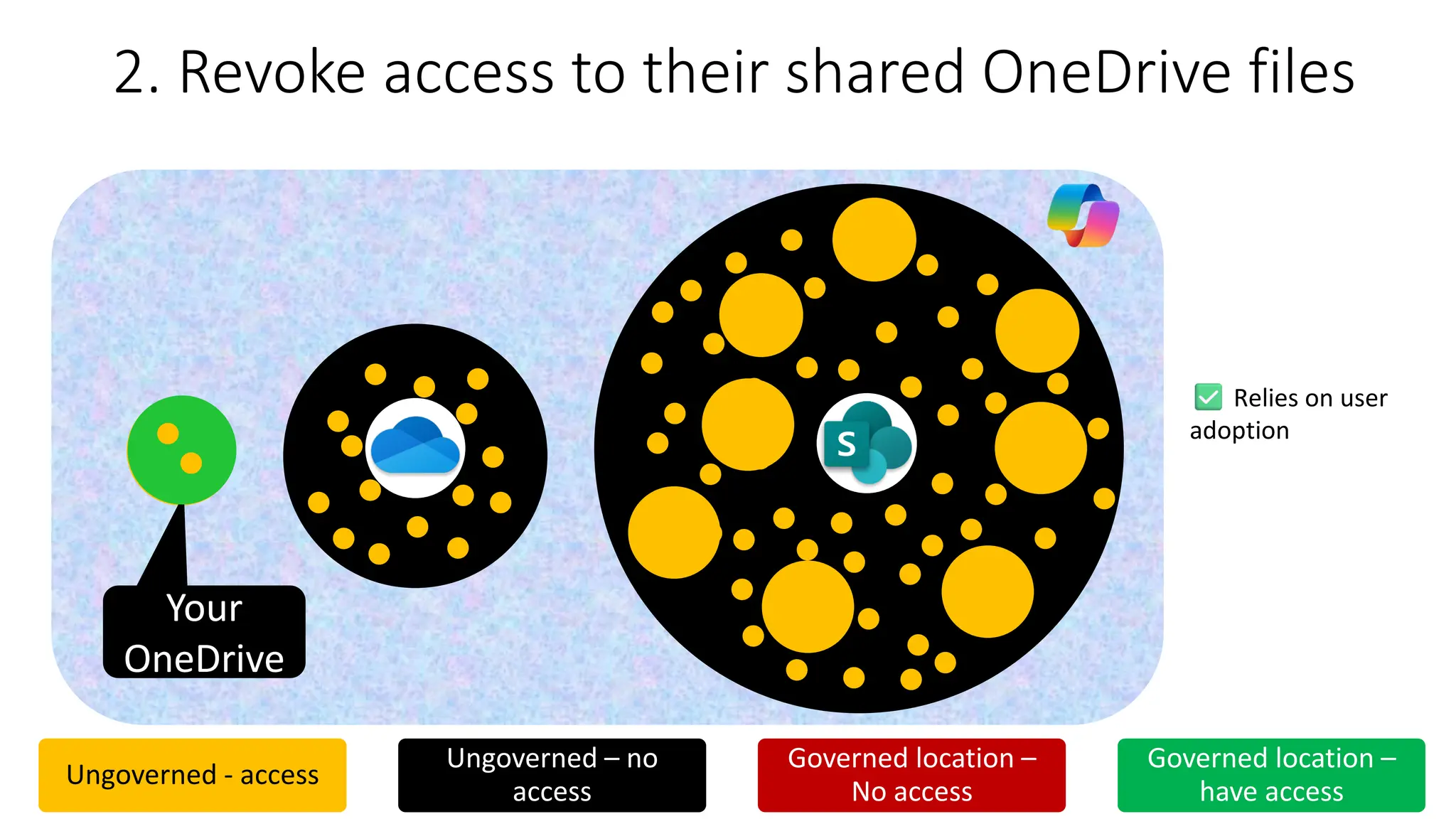
2. Revoke access to their shared OneDrive files
Your
OneDrive
Ungoverned - access
Ungoverned – no
access
Governed location –
No access
Governed location –
have access
Relies on user
adoption
SPO
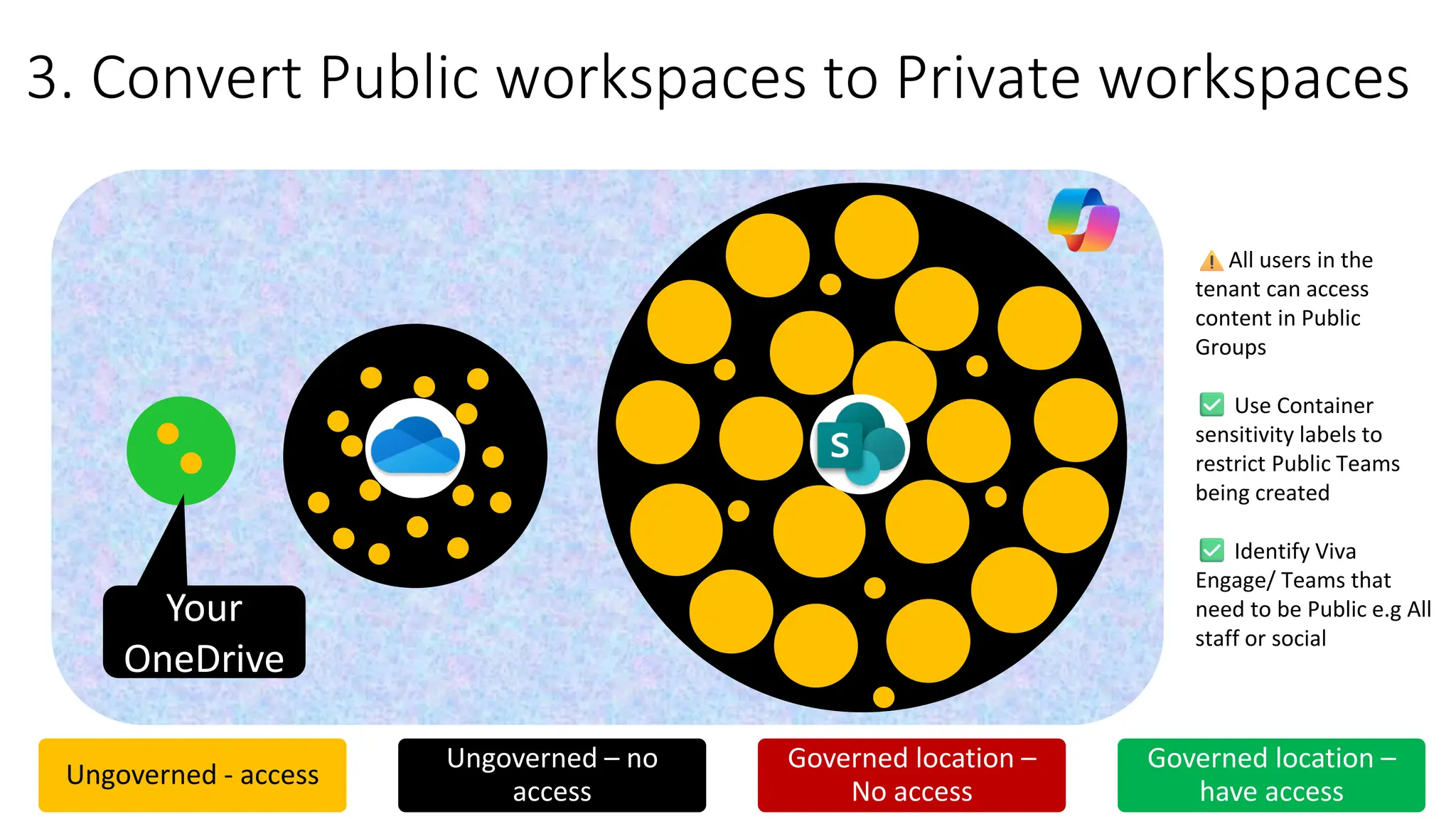
3. Convert Public workspaces to Private workspaces
Ungoverned - access
Ungoverned – no
access
Governed location –
No access
Governed location –
have access
Your
OneDrive
All users in the
tenant can access
content in Public
Groups
Use Container
sensitivity labels to
restrict Public Teams
being created
Identify Viva
Engage/ Teams that
need to be Public e.g All
staff or social
SPO
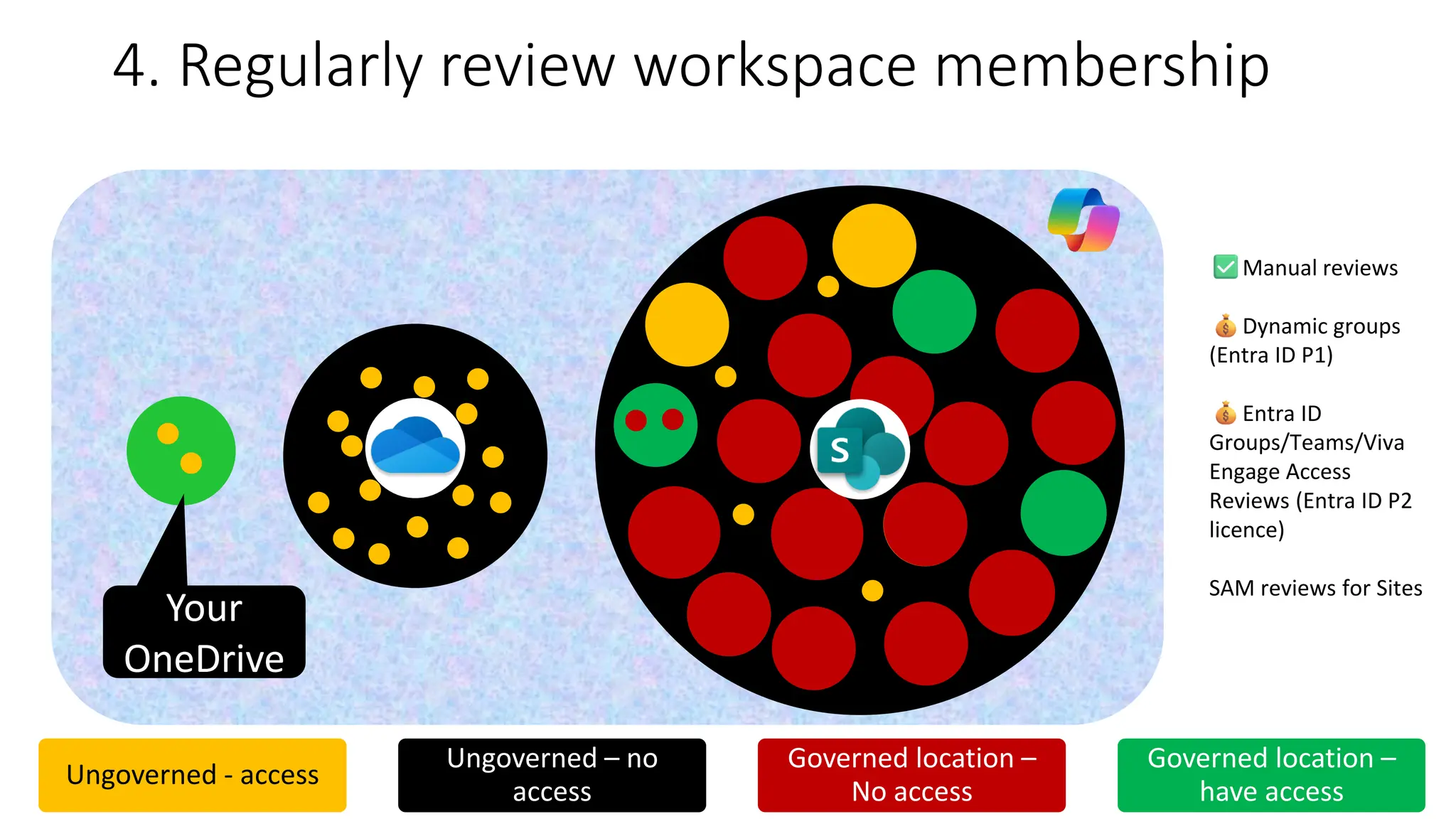
4. Regularly review workspace membership
Ungoverned - access
Ungoverned – no
access
Governed location –
No access
Governed location –
have access
Your
OneDrive
Manual reviews
Dynamic groups
(Entra ID P1)
Entra ID
Groups/Teams/Viva
Engage Access
Reviews (Entra ID P2
licence)
SAM reviews for Sites
SPO
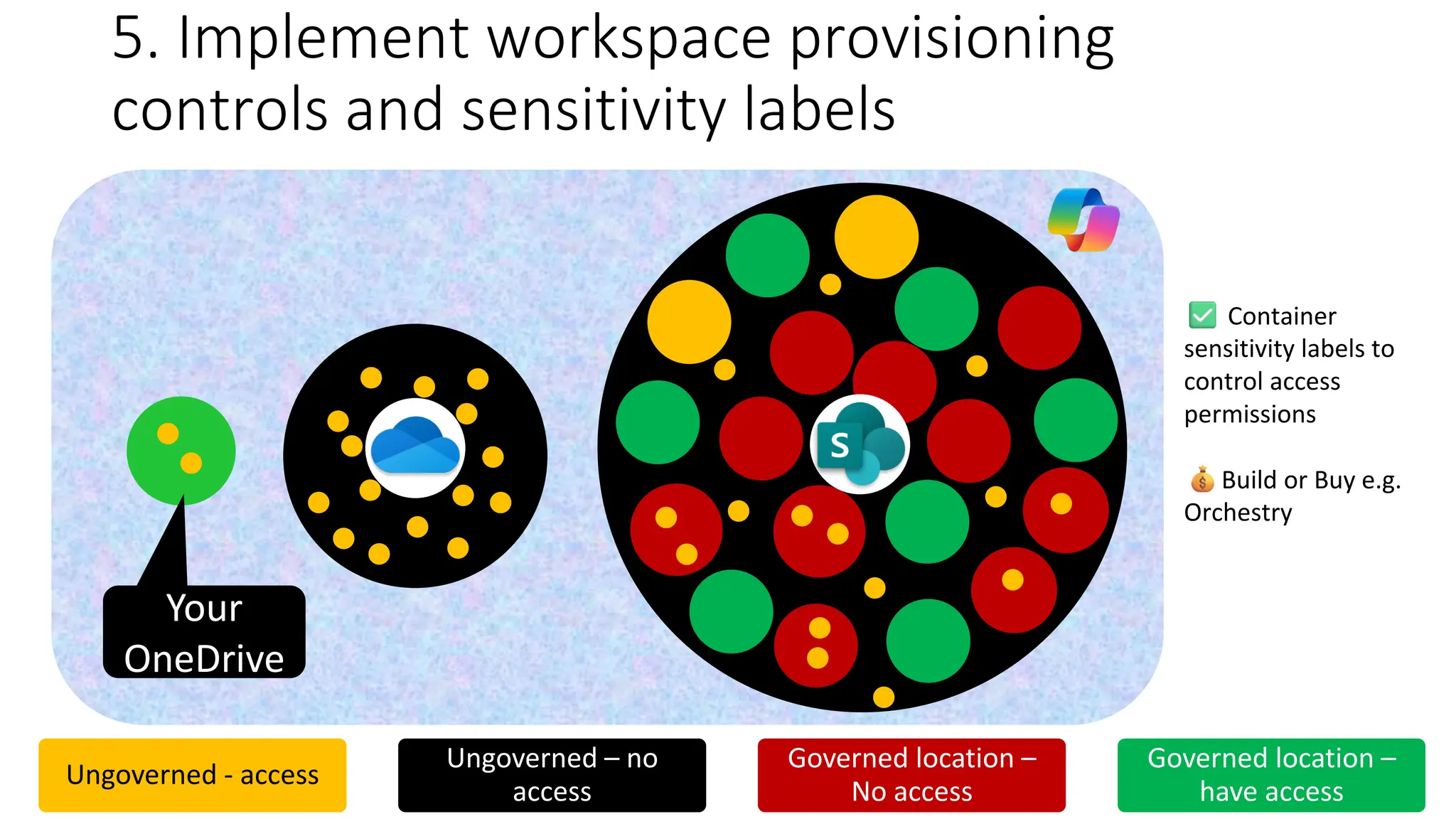
5. Implement workspace provisioning
controls and sensitivity labels
Ungoverned - access
Ungoverned – no
access
Governed location –
No access
Governed location –
have access
Your
OneDrive
Container
sensitivity labels to
control access
permissions
Build or Buy e.g.
Orchestry
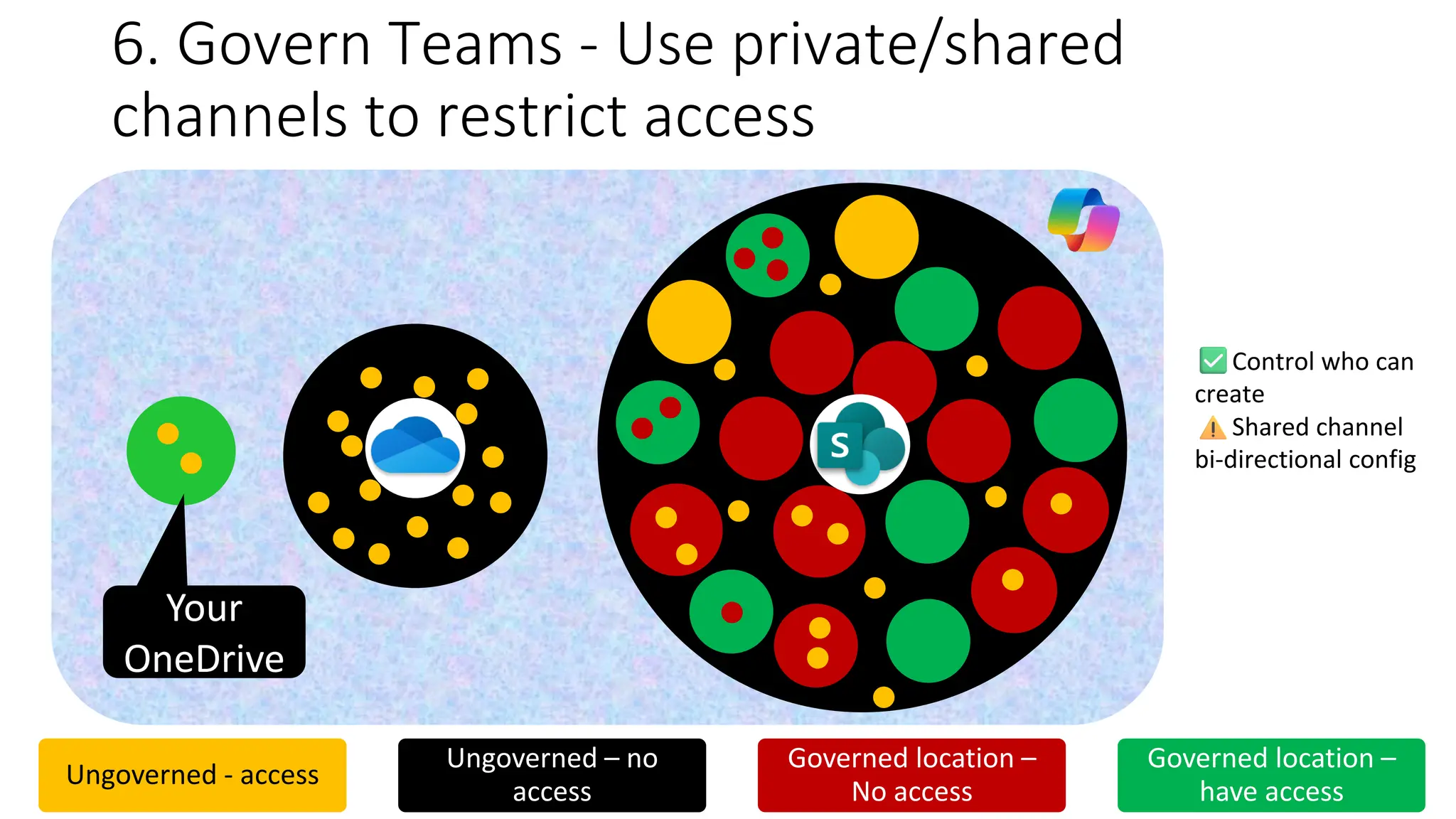
6. Govern Teams - Use private/shared
channels to restrict access
Ungoverned - access
Ungoverned – no
access
Governed location –
No access
Governed location –
have access
SPO
Your
OneDrive
Control who can
create
Shared channel
bi-directional config
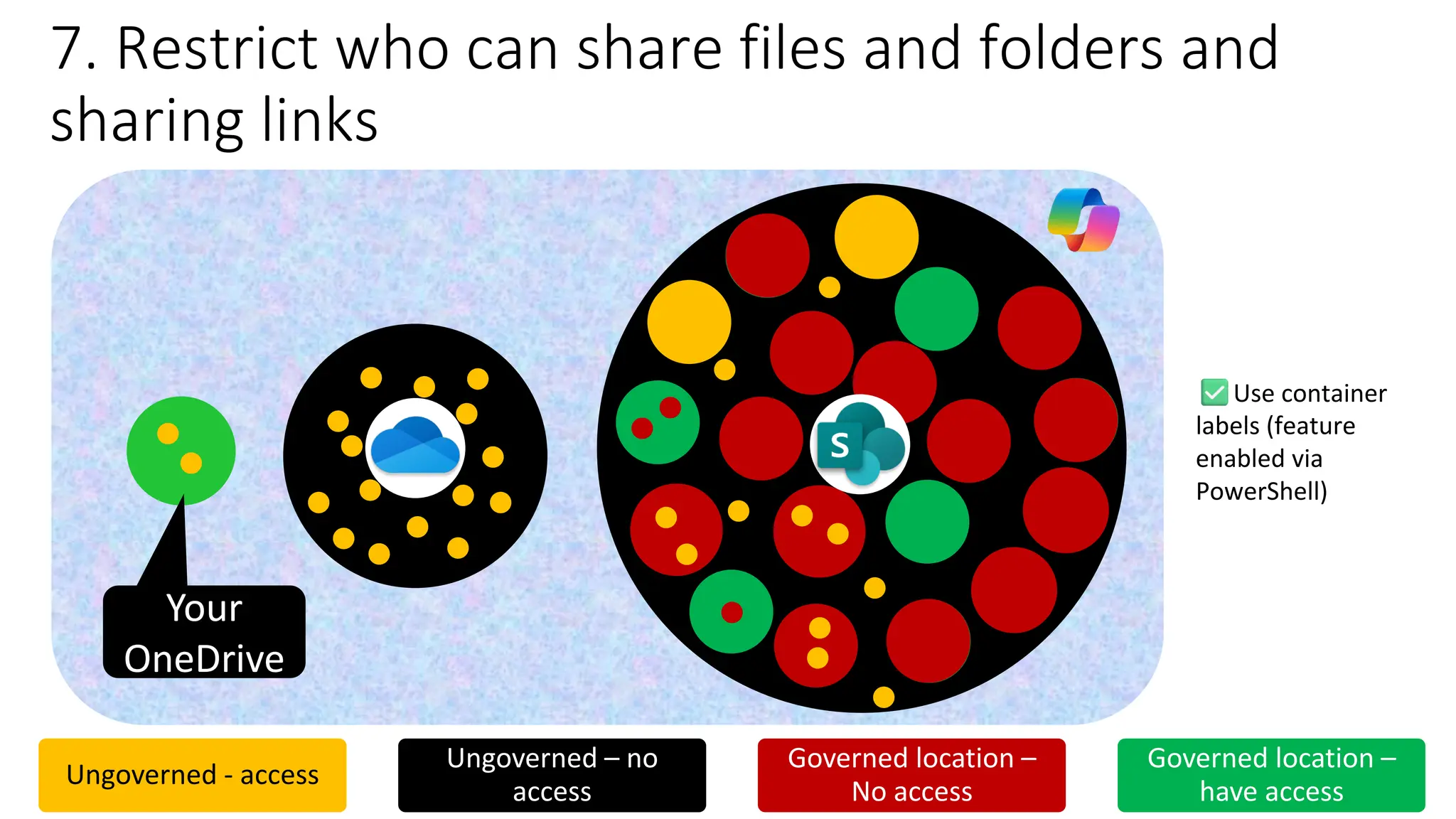
SPO
7. Restrict who can share files and folders and
sharing links
Ungoverned - access
Ungoverned – no
access
Governed location –
No access
Governed location –
have access
Your
OneDrive
Use container
labels (feature
enabled via
PowerShell)
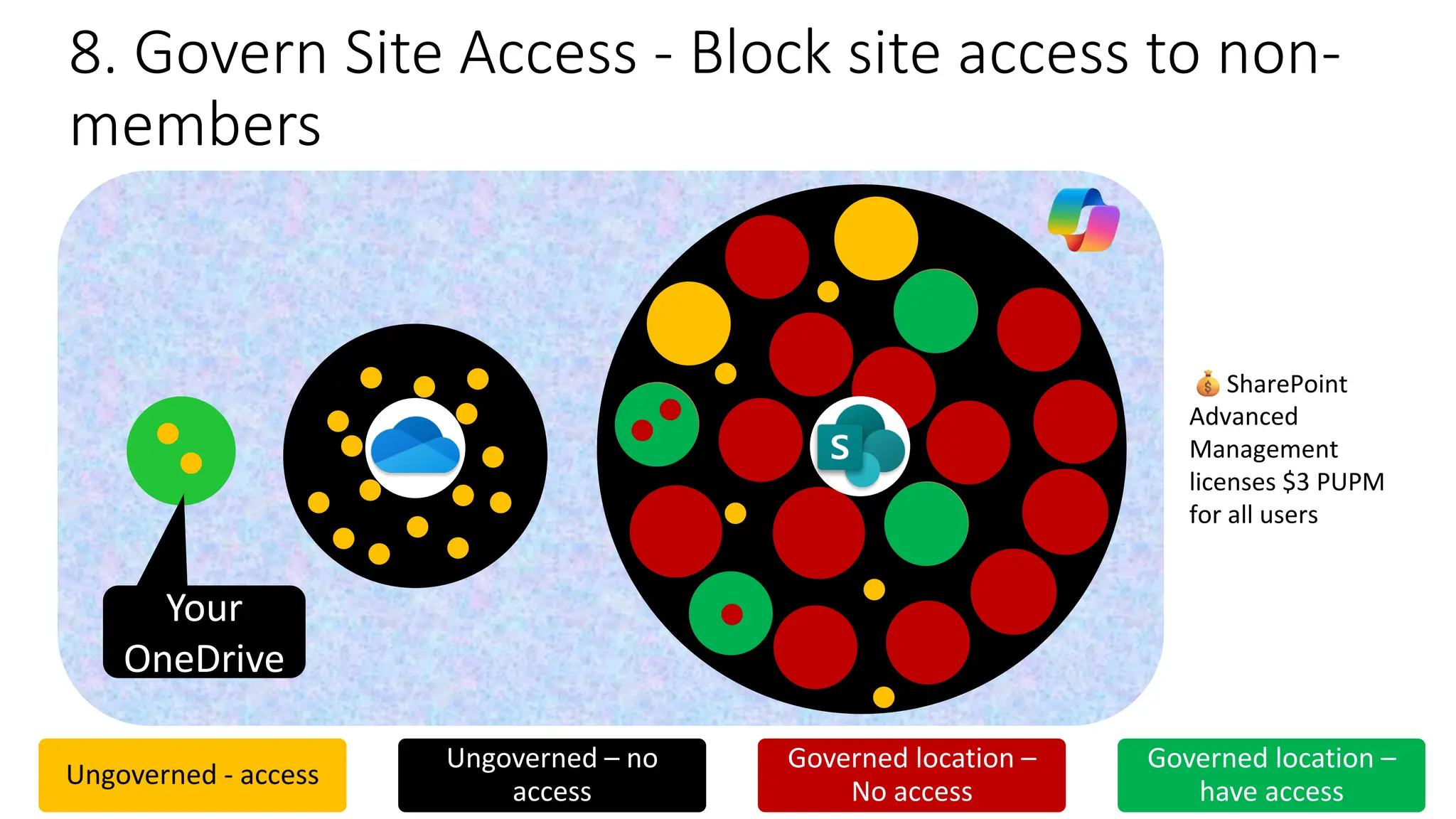
SPO
8. Govern Site Access - Block site access to non-
members
Ungoverned - access
Ungoverned – no
access
Governed location –
No access
Governed location –
have access
Your
OneDrive
SharePoint
Advanced
Management
licenses $3 PUPM
for all users
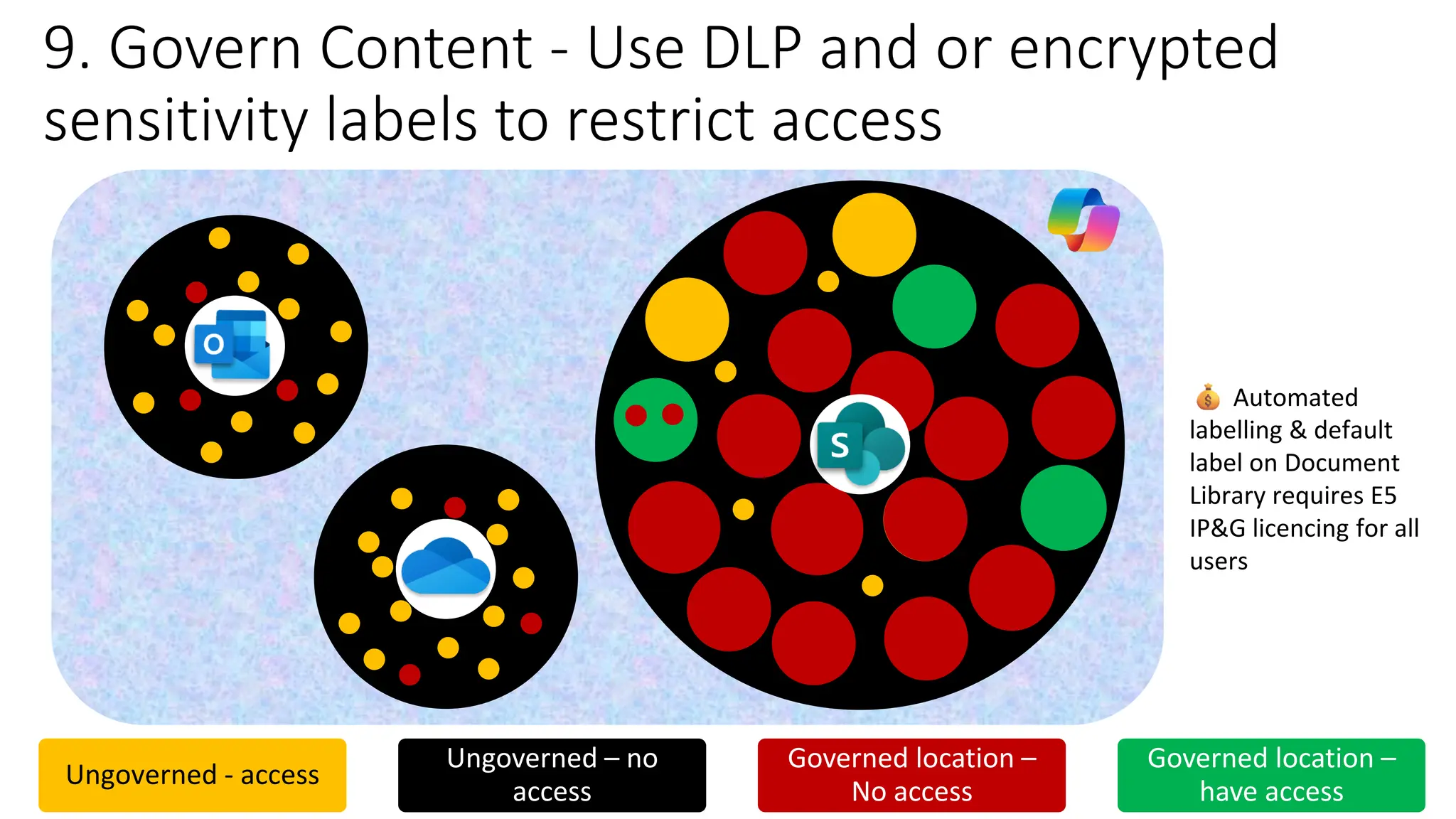
9. Govern Content - Use DLP and or encrypted
sensitivity labels to restrict access
Ungoverned - access
Ungoverned – no
access
Governed location –
No access
Governed location –
have access
Teams
SPO
Automated
labelling & default
label on Document
Library requires E5
IP&G licencing for all
users
SPO
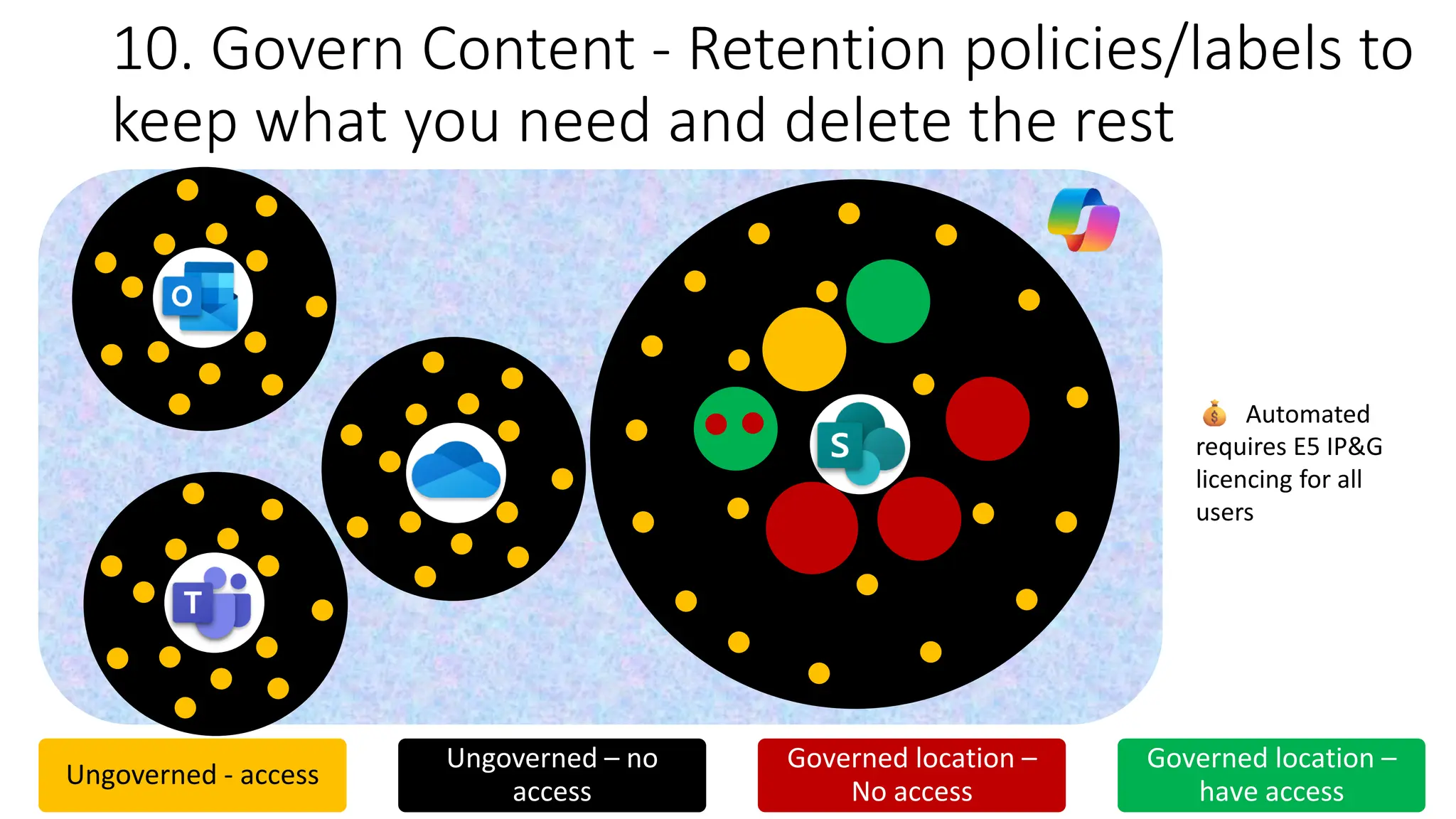
10. Govern Content - Retention policies/labels to
keep what you need and delete the rest
Others
OneDrive
Teams
Teams
Ungoverned - access
Ungoverned – no
access
Governed location –
No access
Governed location –
have access
Automated
requires E5 IP&G
licencing for all
users
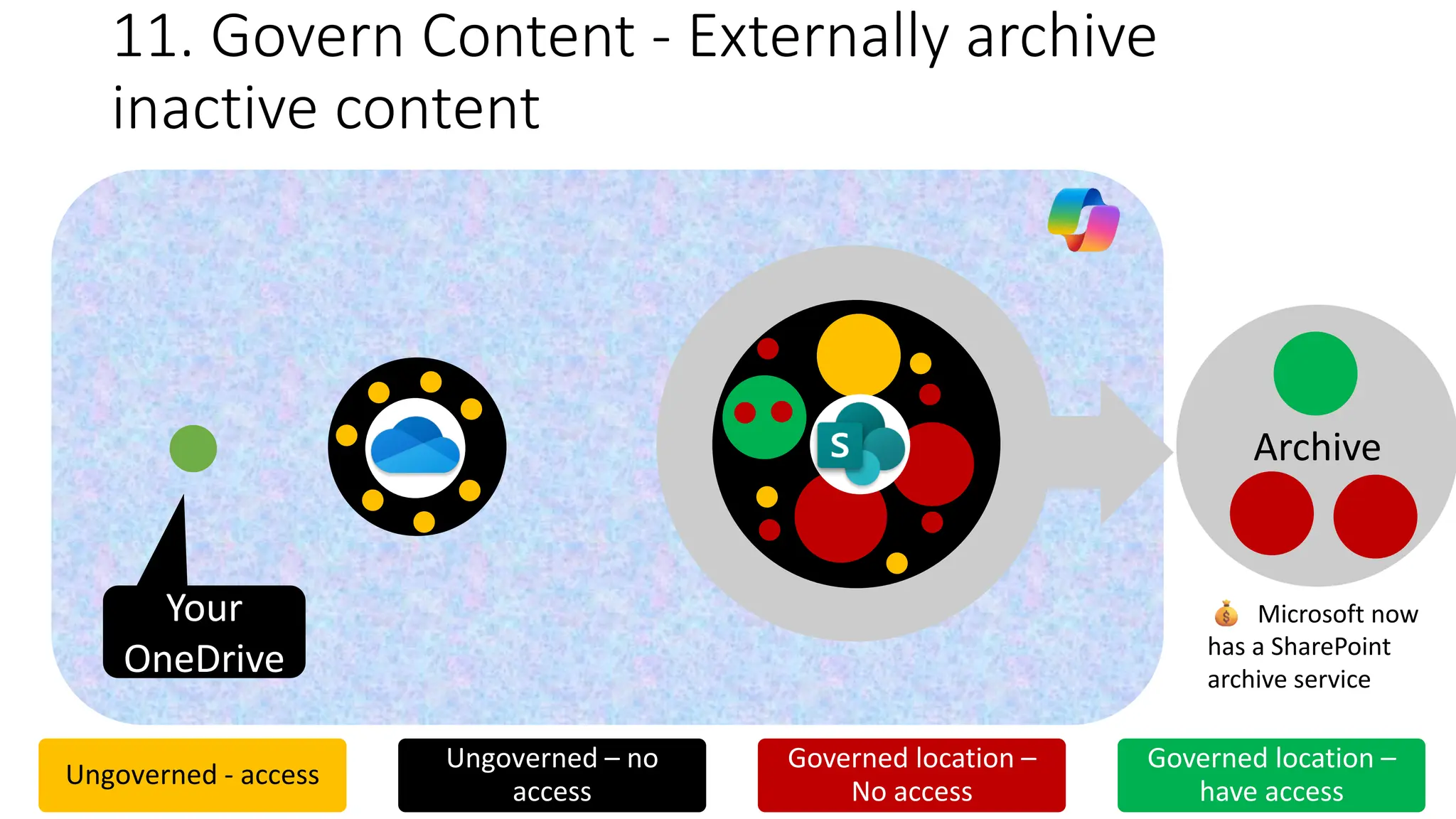
SPO Archive
SPO
11. Govern Content - Externally archive
inactive content
Others
OneDrive
Ungoverned - access
Ungoverned – no
access
Governed location –
No access
Governed location –
have access
Your
OneDrive
Microsoft now
has a SharePoint
archive service
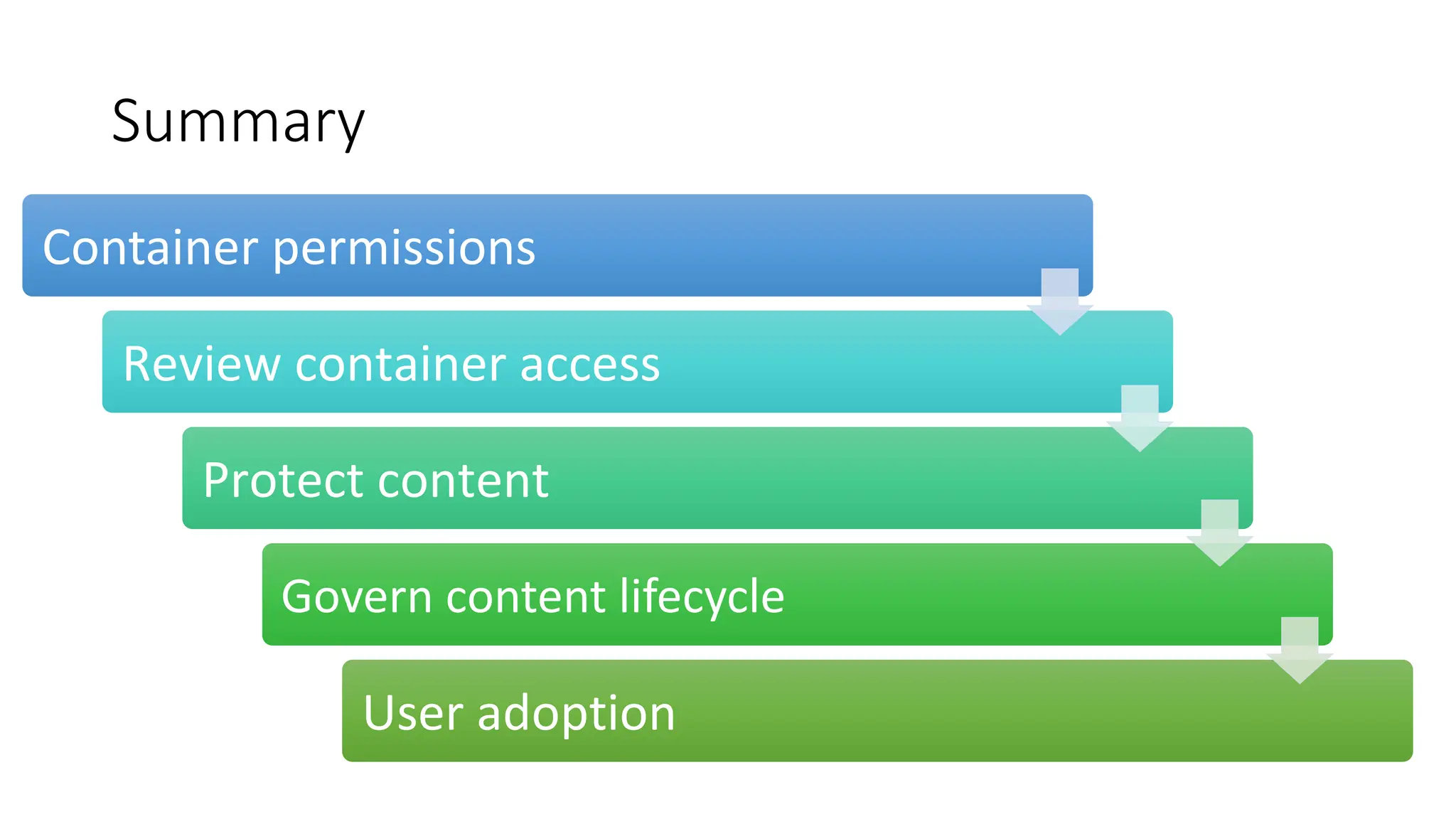
Summary
Container permissions
Review container access
Protect content
Govern content lifecycle
User adoption

Unlock the Potential of Microsoft 365 Copilot | Norwegian M365 User Group | May 2024

  • 1.
    Unlock the Potential ofCopilot for Microsoft 365 Nikki Chapple | MVP | Principal Cloud Architect CloudWay
  • 2.
    Nikki Chapple Principal CloudArchitect nikkichapple @chapplenikki www.nikkichapple.com All Things M365 Compliance
  • 3.
    Agenda • The risksof not addressing data security and governance as part of your Microsoft 365 Copilot transformation • How to configure Microsoft 365 for “just enough access” to safeguard your sensitive data • How to improve data governance to deliver more accurate and relevant recommendations
  • 4.
    Technical considerations forcompliance and security of deployment
  • 5.
    Copilot for Microsoft365 basic architecture 6 2 3 5 3 4 Microsoft 365 Service Boundary Customer Microsoft 365 Tenant Semantic Index Azure OpenAI RAI Azure OpenAI instance is maintained by Microsoft. OpenAI has no access to the data or the model. RAI is performed on input prompt and output results Prompts, responses, and data accessed through Microsoft Graph aren't used to train foundation models 1 Data flow (lock) = all requests are encrypted via HTTPS and wss://) 1 User prompts from Microsoft 365 Apps are sent to Copilot 2 Copilot accesses Graph and Semantic Index for pre-processing 3 Copilot sends modified prompt to Large Language Model 4 Copilot receives LLM response 5 Copilot accesses Graph and Semantic Index for post-processing 6 Copilot sends the response, and app command back to Microsoft 365 Apps
  • 6.
    Common questions we hearfrom customers How do we know our data is secure? When will we be able to audit Copilot usage? What can I do to avoid overexposing our data? Where is my data processed?
  • 7.
    Copilot for Microsoft365 Built on Microsoft’s comprehensive approach Security Compliance Privacy Responsible AI
  • 8.
    Copilot for Microsoft365 implementation Copilot implementation Sponsor Scenarios Security Copilot essentials checklist User Enablement Prepare organization and employees for the AI transformation journey Workstreams support each other for maximum value and ROI Technical Readiness Address technical deployment and optimization, including governance, security, compliance, and management Leadership journey
  • 9.
    1. Understand your current risksand data security readiness
  • 10.
    Most data storedoutside Microsoft 365 and users work in email 3rd Party data storage Ungoverned - access Ungoverned – no access Location hidden from scope – Excluded SharePoint Your OneDrive Others OneDrives
  • 11.
    Use of OneDriveincreases but emailing files not sharing files - no adoption or training Ungoverned - access Ungoverned – no access Location hidden from scope – Excluded Your OneDrive SharePoint 3rd Party data storage Your OneDrive Others OneDrives
  • 12.
    Pioneers create ungovernedTeams & Sites Ungoverned - access Ungoverned – no access Location hidden from scope – Excluded Your OneDrive Others OneDrives SharePoint 3rd Party data storage
  • 13.
    3rd Party data storage Create publicTeams with default configuration Ungoverned - access Ungoverned – no access Location hidden from scope – Excluded Others OneDrives Your OneDrive
  • 14.
    3rd Party data storage SPO There isungoverned file sharing Ungoverned - access Ungoverned – no access Location hidden from scope – Excluded Others OneDrives Your OneDrive
  • 15.
    3rd party datais migrated into Microsoft 365 - increasing sprawl 3rd party Your OneDrive Ungoverned - access Ungoverned – no access Location hidden from scope – Excluded
  • 16.
    Govern Access -Admins added as owner of all groups, Teams & sites by default SPO Your OneDrive Ungoverned - access Ungoverned – no access Location hidden from scope – Excluded
  • 17.
    Govern groups, Teamsand sites Data Lifecycle management Ungoverned - access Ungoverned – no access Governed location – No access Governed location – have access Your OneDrive
  • 18.
    Copilot for Microsoft365 Optimization Assessment Data Security readiness score License profile Deployment path 0% - 66% Office 365 E3, Microsoft 365 Business Standard/Premium, or higher Core 67% - 100% Microsoft 365 E5 Best-in-Class Determine your deployment path Solution Assessment Program (microsoft.com)
  • 19.
  • 20.
    5 If used, disable Restricted SharePoint Search Apply appropriateData Security controls Get started quickly and continue to optimize along the way *Restricted SharePoint Search will limit Copilot for Microsoft 365 experiences and organization-wide search. It is a temporary option which gives you time to address oversharing concerns while getting started on your Copilot journey. 4 OPTIMIZE FURTHER AS NEEDED Core Restrict data oversharing and data leaks with manual labeling and policies Required licenses: Office 365 E3, Microsoft 365 Business Standard/Premium, or higher Best-In-Class Prevent data oversharing, data leaks, and detect non-compliant usage at scale with auto labeling and policies Required licenses: Microsoft 365 E5; and SPP-SharePoint Advanced Management YES 3 Deploy Copilot for Microsoft 365 2b Enable Restricted SharePoint Search* NO 2a Ready to deploy? Get started Copilot for Microsoft 365 Optimization Assessment Determine path (26 questions; 30 minutes) 1
  • 21.
    SPO 1. Temporary measure- Restricted SharePoint Search Ungoverned - access Ungoverned – no access Governed location – No access Governed location – have access Your OneDrive Add up to 100 sites Frequently visited sites Your OneDrive Shared files with you & you have accessed This disables organization-wide search No impact on Purview e.g. DLP
  • 22.
    2. Revoke accessto their shared OneDrive files Your OneDrive Ungoverned - access Ungoverned – no access Governed location – No access Governed location – have access Relies on user adoption
  • 23.
    SPO 3. Convert Publicworkspaces to Private workspaces Ungoverned - access Ungoverned – no access Governed location – No access Governed location – have access Your OneDrive All users in the tenant can access content in Public Groups Use Container sensitivity labels to restrict Public Teams being created Identify Viva Engage/ Teams that need to be Public e.g All staff or social
  • 24.
    SPO 4. Regularly reviewworkspace membership Ungoverned - access Ungoverned – no access Governed location – No access Governed location – have access Your OneDrive Manual reviews Dynamic groups (Entra ID P1) Entra ID Groups/Teams/Viva Engage Access Reviews (Entra ID P2 licence) SAM reviews for Sites
  • 25.
    SPO 5. Implement workspaceprovisioning controls and sensitivity labels Ungoverned - access Ungoverned – no access Governed location – No access Governed location – have access Your OneDrive Container sensitivity labels to control access permissions Build or Buy e.g. Orchestry
  • 26.
    6. Govern Teams- Use private/shared channels to restrict access Ungoverned - access Ungoverned – no access Governed location – No access Governed location – have access SPO Your OneDrive Control who can create Shared channel bi-directional config
  • 27.
    SPO 7. Restrict whocan share files and folders and sharing links Ungoverned - access Ungoverned – no access Governed location – No access Governed location – have access Your OneDrive Use container labels (feature enabled via PowerShell)
  • 28.
    SPO 8. Govern SiteAccess - Block site access to non- members Ungoverned - access Ungoverned – no access Governed location – No access Governed location – have access Your OneDrive SharePoint Advanced Management licenses $3 PUPM for all users
  • 29.
    9. Govern Content- Use DLP and or encrypted sensitivity labels to restrict access Ungoverned - access Ungoverned – no access Governed location – No access Governed location – have access Teams SPO Automated labelling & default label on Document Library requires E5 IP&G licencing for all users
  • 30.
    SPO 10. Govern Content- Retention policies/labels to keep what you need and delete the rest Others OneDrive Teams Teams Ungoverned - access Ungoverned – no access Governed location – No access Governed location – have access Automated requires E5 IP&G licencing for all users
  • 31.
    SPO Archive SPO 11. GovernContent - Externally archive inactive content Others OneDrive Ungoverned - access Ungoverned – no access Governed location – No access Governed location – have access Your OneDrive Microsoft now has a SharePoint archive service
  • 32.
    Summary Container permissions Review containeraccess Protect content Govern content lifecycle User adoption