




Community Day
Governance & Compliance Viva implications
Manchester (UK)
12 November 2022
Nikki Chapple | MVP
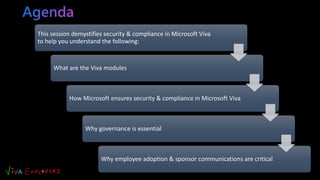
This session demystifies security & compliance in Microsoft Viva
to help you understand the following:
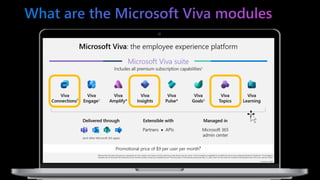
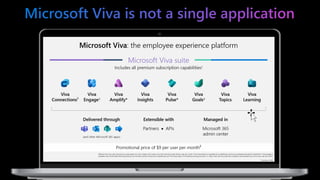
What are the Viva modules
How Microsoft ensures security & compliance in Microsoft Viva
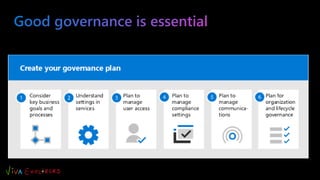
Why governance is essential
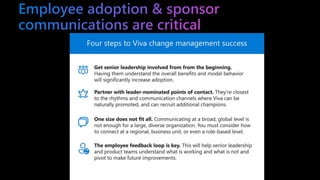
Why employee adoption & sponsor communications are critical
Microsoft MVP
Principal Cloud Architect
• 30 years+ experience in IT & business transformation
• Passionate about Microsoft 365 governance & compliance
• Community speaker & blogger
• Co-host on the All things M365 compliance Podcast
nikkichapple
@chapplenikki
www.nikkichapple.com
All things M365 compliance
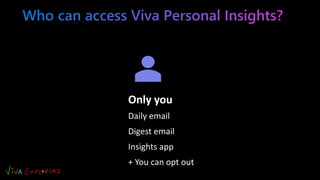
Only you
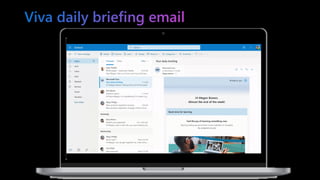
Daily email
Digest email
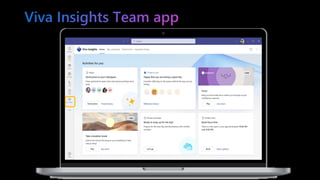
Insights app
+ You can opt out
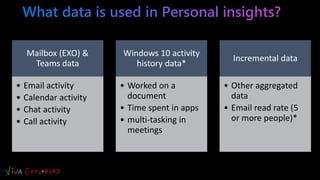
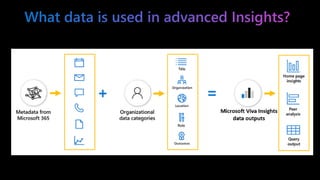
Mailbox (EXO) &
Teams data
• Email activity
• Calendar activity
• Chat activity
• Call activity
Windows 10 activity
history data*
• Worked on a
document
• Time spent in apps
• multi-tasking in
meetings
Incremental data
• Other aggregated
data
• Email read rate (5
or more people)*
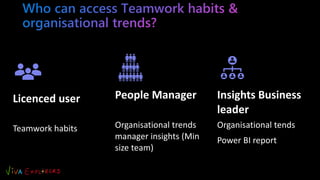
Licenced user
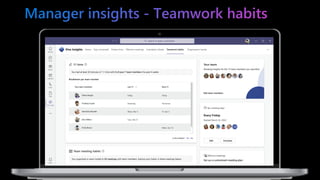
Teamwork habits
People Manager
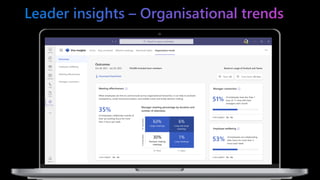
Organisational trends
manager insights (Min
size team)
Insights Business
leader
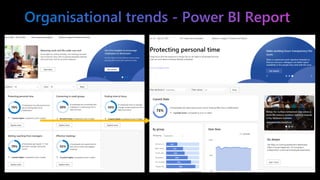
Organisational tends
Power BI report
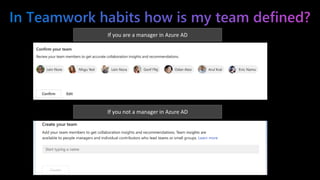
If you are a manager in Azure AD
If you not a manager in Azure AD
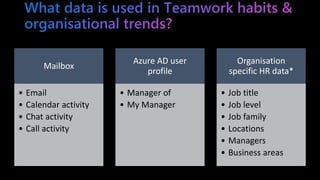
Mailbox
• Email
• Calendar activity
• Chat activity
• Call activity
Azure AD user
profile
• Manager of
• My Manager
Organisation
specific HR data*
• Job title
• Job level
• Job family
• Locations
• Managers
• Business areas
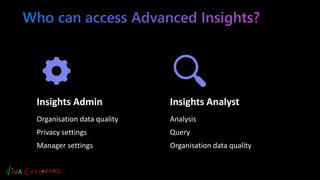
Insights Admin
Organisation data quality
Privacy settings
Manager settings
Insights Analyst
Analysis
Query
Organisation data quality
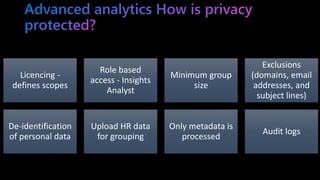
Licencing -
defines scopes
Role based
access - Insights
Analyst
Minimum group
size
Exclusions
(domains, email
addresses, and
subject lines)
De-identification
of personal data
Upload HR data
for grouping
Only metadata is
processed
Audit logs
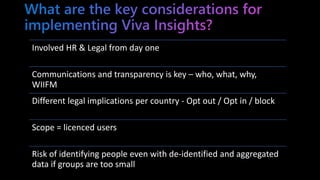
Involved HR & Legal from day one
Communications and transparency is key – who, what, why,
WIIFM
Different legal implications per country - Opt out / Opt in / block
Scope = licenced users
Risk of identifying people even with de-identified and aggregated
data if groups are too small
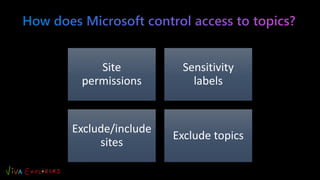
Site
permissions
Sensitivity
labels
Exclude/include
sites
Exclude topics
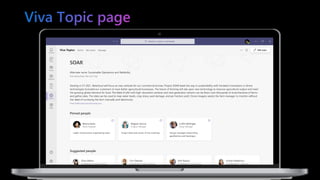
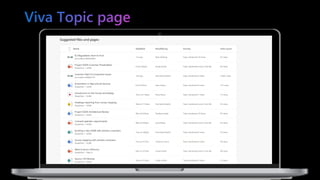
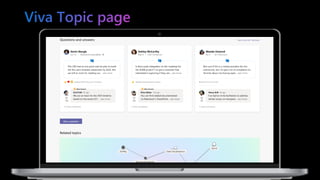
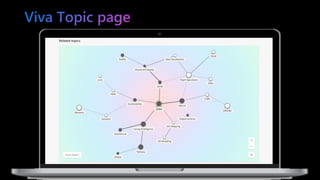
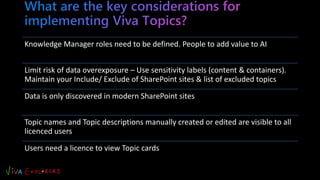
Knowledge Manager roles need to be defined. People to add value to AI
Limit risk of data overexposure – Use sensitivity labels (content & containers).
Maintain your Include/ Exclude of SharePoint sites & list of excluded topics
Data is only discovered in modern SharePoint sites
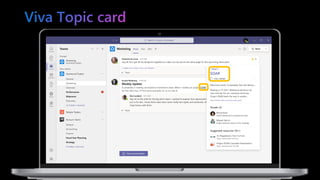
Topic names and Topic descriptions manually created or edited are visible to all
licenced users
Users need a licence to view Topic cards
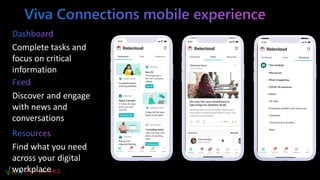
Discover and engage
with news and
conversations
Complete tasks and
focus on critical
information
Find what you need
across your digital
workplace
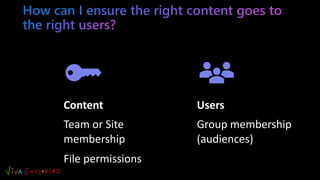
Content
Team or Site
membership
File permissions
Users
Group membership
(audiences)
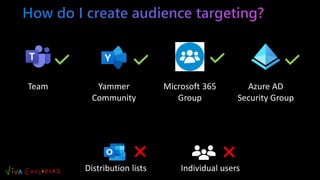
Team Yammer
Community
Microsoft 365
Group
Azure AD
Security Group
Distribution lists Individual users
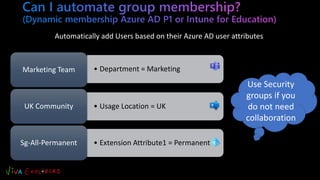
• Department = Marketing
Marketing Team
• Usage Location = UK
UK Community
• Extension Attribute1 = Permanent
Sg-All-Permanent
Automatically add Users based on their Azure AD user attributes
Use Security
groups if you
do not need
collaboration
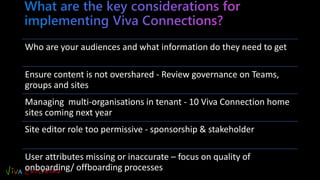
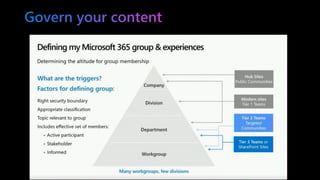
Who are your audiences and what information do they need to get
Ensure content is not overshared - Review governance on Teams,
groups and sites
Managing multi-organisations in tenant - 10 Viva Connection home
sites coming next year
Site editor role too permissive - sponsorship & stakeholder
User attributes missing or inaccurate – focus on quality of
onboarding/ offboarding processes
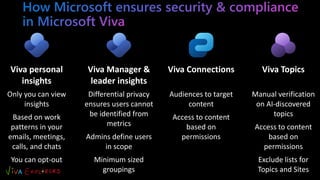
Viva personal
insights
Only you can view
insights
Based on work
patterns in your
emails, meetings,
calls, and chats
You can opt-out
Viva Manager &
leader insights
Differential privacy
ensures users cannot
be identified from
metrics
Admins define users
in scope
Minimum sized
groupings
Viva Connections
Audiences to target
content
Access to content
based on
permissions
Viva Topics
Manual verification
on AI-discovered
topics
Access to content
based on
permissions
Exclude lists for
Topics and Sites
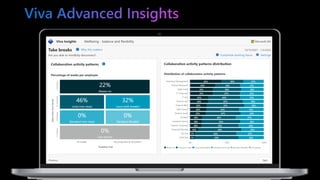
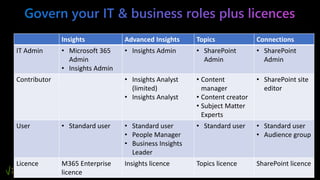
Insights Advanced Insights Topics Connections
IT Admin • Microsoft 365
Admin
• Insights Admin
• Insights Admin • SharePoint
Admin
• SharePoint
Admin
Contributor • Insights Analyst
(limited)
• Insights Analyst
• Content
manager
• Content creator
• Subject Matter
Experts
• SharePoint site
editor
User • Standard user • Standard user
• People Manager
• Business Insights
Leader
• Standard user • Standard user
• Audience group
Licence M365 Enterprise
licence
Insights licence Topics licence SharePoint licence
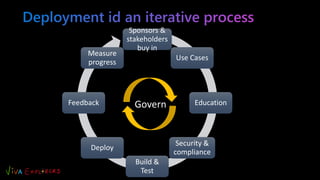
Sponsors &
stakeholders
buy in
Use Cases
Education
Security &
compliance
Build &
Test
Deploy
Feedback
Measure
progress
Govern
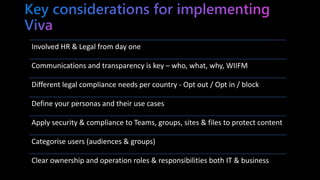
Involved HR & Legal from day one
Communications and transparency is key – who, what, why, WIIFM
Different legal compliance needs per country - Opt out / Opt in / block
Define your personas and their use cases
Apply security & compliance to Teams, groups, sites & files to protect content
Categorise users (audiences & groups)
Clear ownership and operation roles & responsibilities both IT & business
Please
complete our
event feedback
survey
Any Questions?
Feedback
• Microsoft’s Work Trend Index Pulse Report
• Microsoft Viva – Microsoft Adoption

Microsoft Viva governance and compliance implications | Viva Explorers Community Day 2022

  • 1.
    Community Day Governance &Compliance Viva implications Manchester (UK) 12 November 2022 Nikki Chapple | MVP
  • 2.
    This session demystifiessecurity & compliance in Microsoft Viva to help you understand the following: What are the Viva modules How Microsoft ensures security & compliance in Microsoft Viva Why governance is essential Why employee adoption & sponsor communications are critical
  • 3.
    Microsoft MVP Principal CloudArchitect • 30 years+ experience in IT & business transformation • Passionate about Microsoft 365 governance & compliance • Community speaker & blogger • Co-host on the All things M365 compliance Podcast nikkichapple @chapplenikki www.nikkichapple.com All things M365 compliance
  • 10.
    Only you Daily email Digestemail Insights app + You can opt out
  • 11.
    Mailbox (EXO) & Teamsdata • Email activity • Calendar activity • Chat activity • Call activity Windows 10 activity history data* • Worked on a document • Time spent in apps • multi-tasking in meetings Incremental data • Other aggregated data • Email read rate (5 or more people)*
  • 17.
    Licenced user Teamwork habits PeopleManager Organisational trends manager insights (Min size team) Insights Business leader Organisational tends Power BI report
  • 18.
    If you area manager in Azure AD If you not a manager in Azure AD
  • 19.
    Mailbox • Email • Calendaractivity • Chat activity • Call activity Azure AD user profile • Manager of • My Manager Organisation specific HR data* • Job title • Job level • Job family • Locations • Managers • Business areas
  • 20.
    Insights Admin Organisation dataquality Privacy settings Manager settings Insights Analyst Analysis Query Organisation data quality
  • 22.
    Licencing - defines scopes Rolebased access - Insights Analyst Minimum group size Exclusions (domains, email addresses, and subject lines) De-identification of personal data Upload HR data for grouping Only metadata is processed Audit logs
  • 23.
    Involved HR &Legal from day one Communications and transparency is key – who, what, why, WIIFM Different legal implications per country - Opt out / Opt in / block Scope = licenced users Risk of identifying people even with de-identified and aggregated data if groups are too small
  • 33.
  • 34.
    Knowledge Manager rolesneed to be defined. People to add value to AI Limit risk of data overexposure – Use sensitivity labels (content & containers). Maintain your Include/ Exclude of SharePoint sites & list of excluded topics Data is only discovered in modern SharePoint sites Topic names and Topic descriptions manually created or edited are visible to all licenced users Users need a licence to view Topic cards
  • 37.
    Discover and engage withnews and conversations Complete tasks and focus on critical information Find what you need across your digital workplace
  • 38.
    Content Team or Site membership Filepermissions Users Group membership (audiences)
  • 39.
    Team Yammer Community Microsoft 365 Group AzureAD Security Group Distribution lists Individual users
  • 40.
    • Department =Marketing Marketing Team • Usage Location = UK UK Community • Extension Attribute1 = Permanent Sg-All-Permanent Automatically add Users based on their Azure AD user attributes Use Security groups if you do not need collaboration
  • 41.
    Who are youraudiences and what information do they need to get Ensure content is not overshared - Review governance on Teams, groups and sites Managing multi-organisations in tenant - 10 Viva Connection home sites coming next year Site editor role too permissive - sponsorship & stakeholder User attributes missing or inaccurate – focus on quality of onboarding/ offboarding processes
  • 43.
    Viva personal insights Only youcan view insights Based on work patterns in your emails, meetings, calls, and chats You can opt-out Viva Manager & leader insights Differential privacy ensures users cannot be identified from metrics Admins define users in scope Minimum sized groupings Viva Connections Audiences to target content Access to content based on permissions Viva Topics Manual verification on AI-discovered topics Access to content based on permissions Exclude lists for Topics and Sites
  • 46.
    Insights Advanced InsightsTopics Connections IT Admin • Microsoft 365 Admin • Insights Admin • Insights Admin • SharePoint Admin • SharePoint Admin Contributor • Insights Analyst (limited) • Insights Analyst • Content manager • Content creator • Subject Matter Experts • SharePoint site editor User • Standard user • Standard user • People Manager • Business Insights Leader • Standard user • Standard user • Audience group Licence M365 Enterprise licence Insights licence Topics licence SharePoint licence
  • 48.
    Sponsors & stakeholders buy in UseCases Education Security & compliance Build & Test Deploy Feedback Measure progress Govern
  • 50.
    Involved HR &Legal from day one Communications and transparency is key – who, what, why, WIIFM Different legal compliance needs per country - Opt out / Opt in / block Define your personas and their use cases Apply security & compliance to Teams, groups, sites & files to protect content Categorise users (audiences & groups) Clear ownership and operation roles & responsibilities both IT & business
  • 52.
  • 53.
  • 54.
    • Microsoft’s WorkTrend Index Pulse Report • Microsoft Viva – Microsoft Adoption