Practical Tips for Migrating SharePoint
Customizations to Office 365
How to obtain the functionality you really need in the cloud
Haniel Croitoru
July 28, 2018
Thank You!
EVALS & PRIZES
Bring all items to the 6th Info Desk
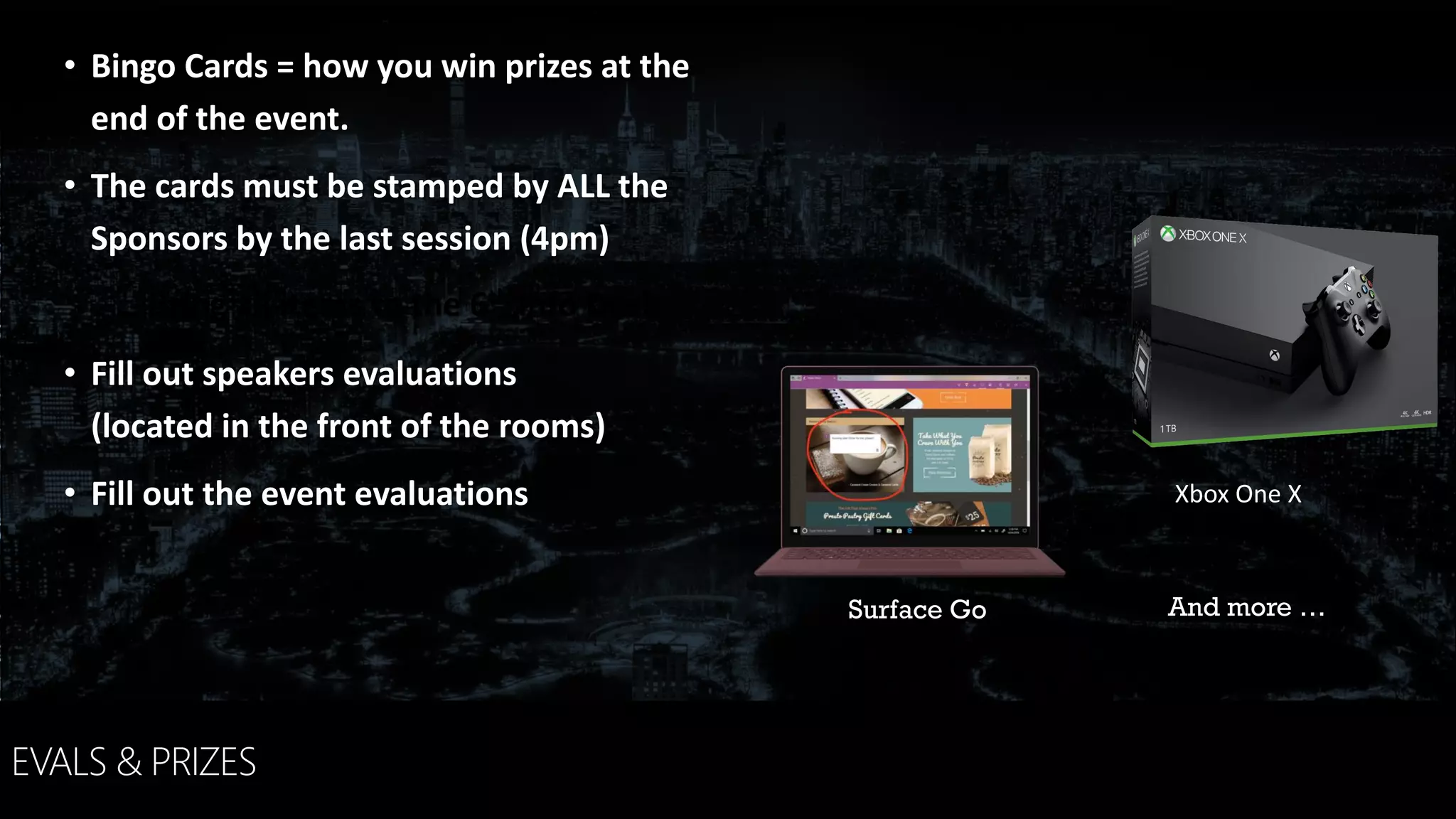
• Bingo Cards = how you win prizes at the
end of the event.
• The cards must be stamped by ALL the
Sponsors by the last session (4pm)
• Fill out speakers evaluations
(located in the front of the rooms)
• Fill out the event evaluations
And more …Surface Go
Xbox One X
HANIEL
CROITORU
Office 365 & SharePoint Consultant
I’m passionate about business process
automation
CONSULTANT | OFFICE 365 MVP | SPEAKER
MIGRATING TO OFFICE 365
CUSTOMIZATION STRATEGY
CUSTOMIZATION APPROACHES
OPTIONS & CONSIDERATIONS
LET’S TALK – OPEN Q&A
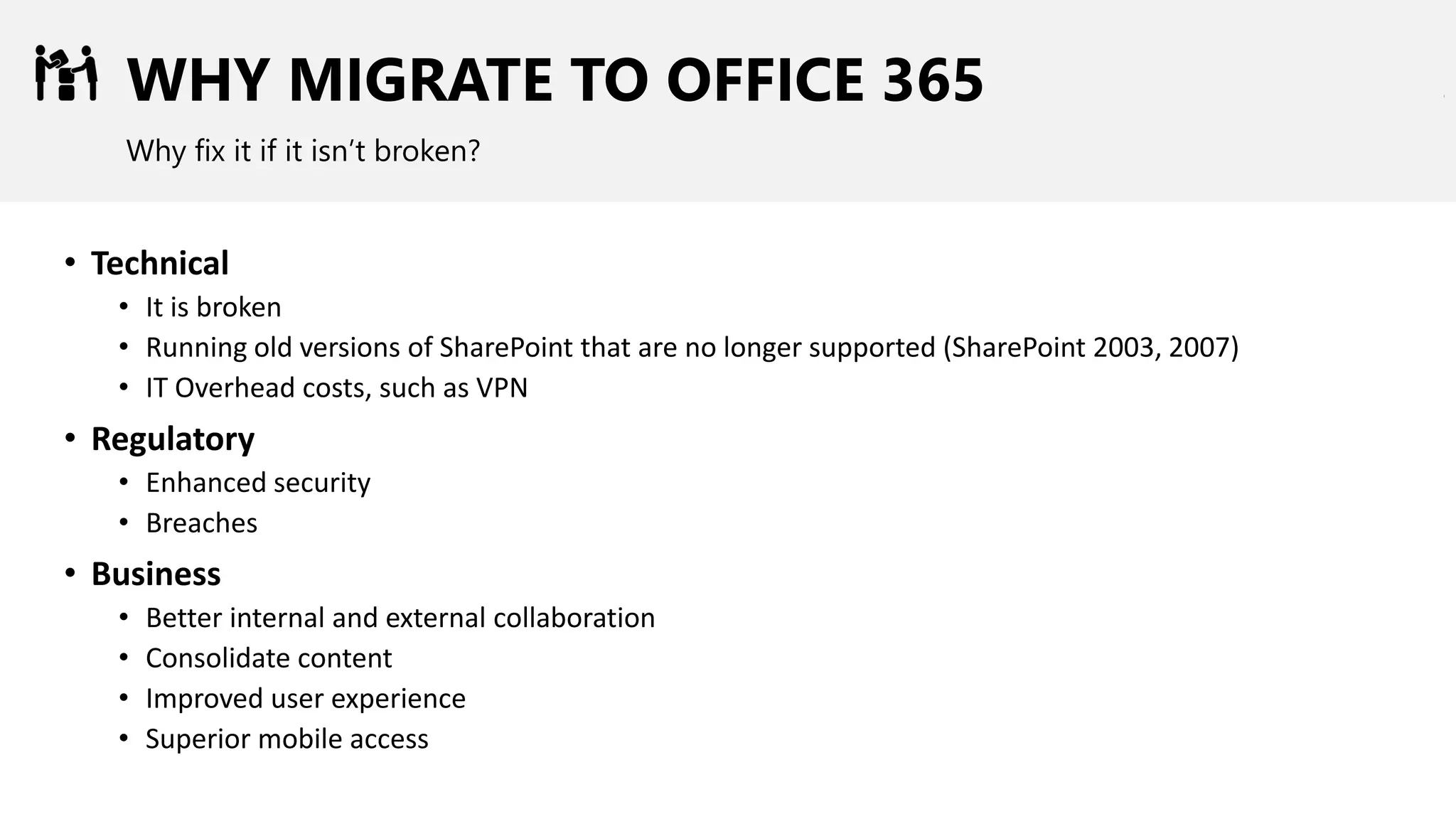
WHY MIGRATE TO OFFICE 365
Why fix it if it isn’t broken?
• Technical
• It is broken
• Running old versions of SharePoint that are no longer supported (SharePoint 2003, 2007)
• IT Overhead costs, such as VPN
• Regulatory
• Enhanced security
• Breaches
• Business
• Better internal and external collaboration
• Consolidate content
• Improved user experience
• Superior mobile access
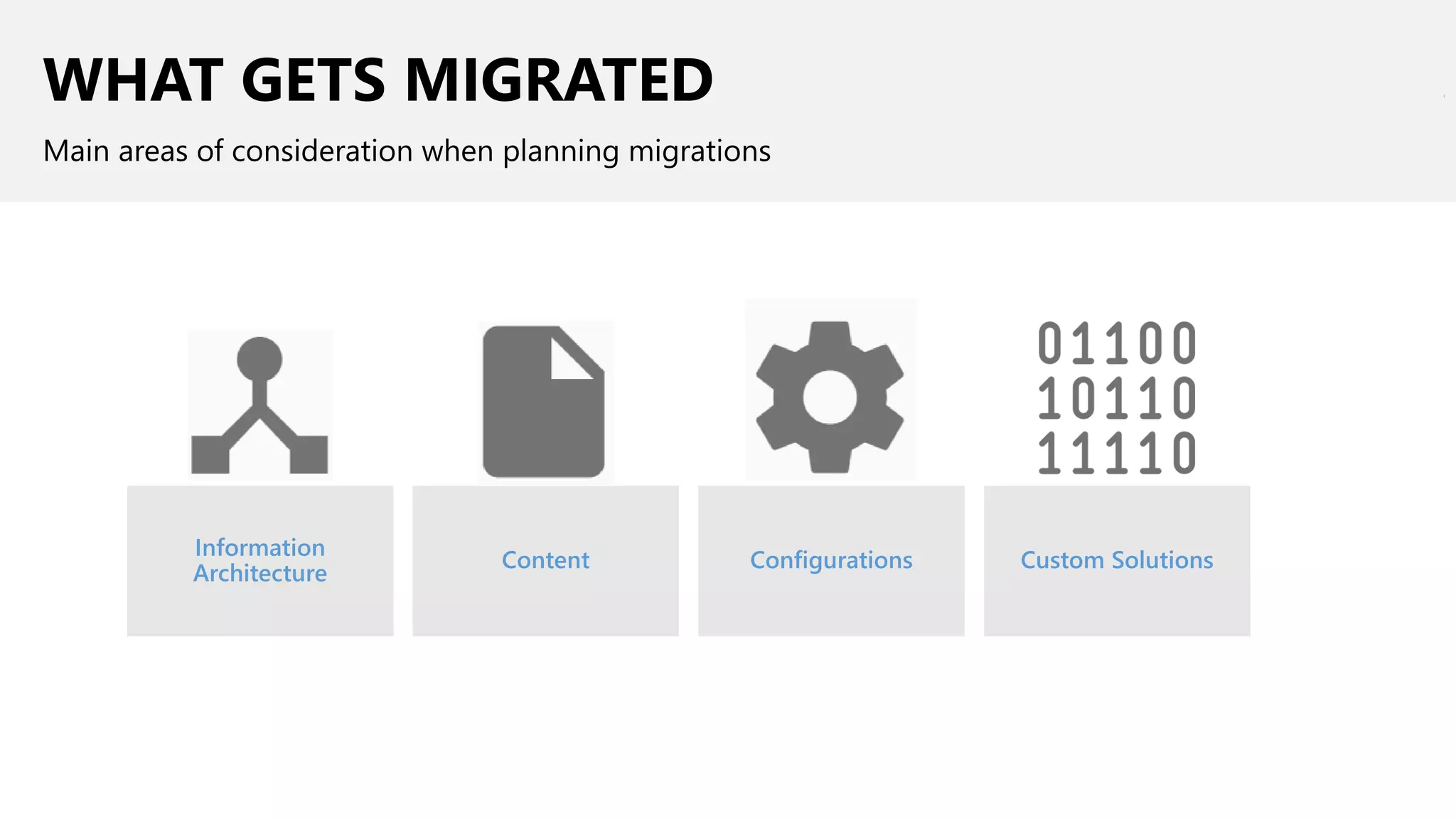
WHAT GETS MIGRATED
Main areas of consideration when planning migrations
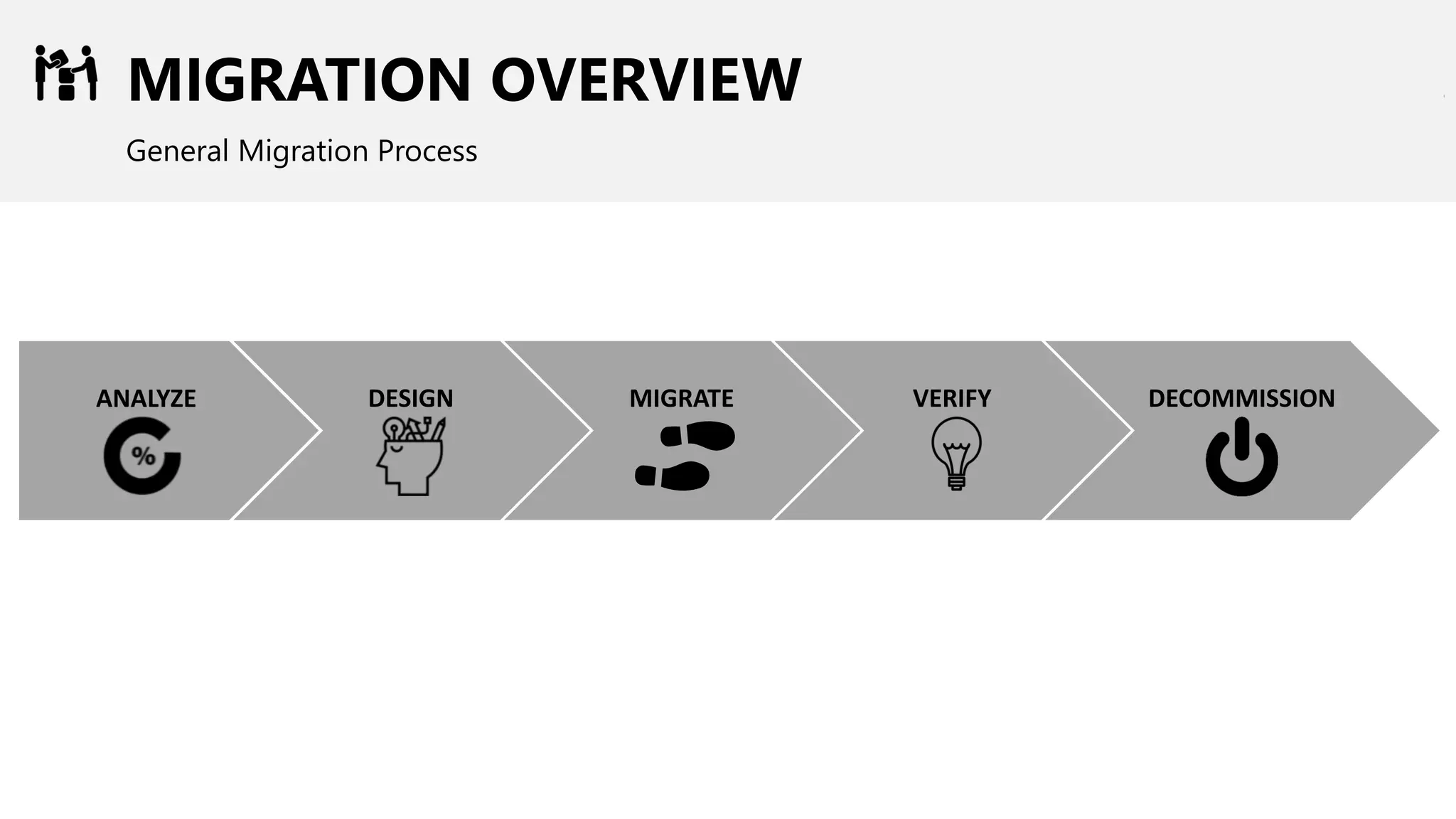
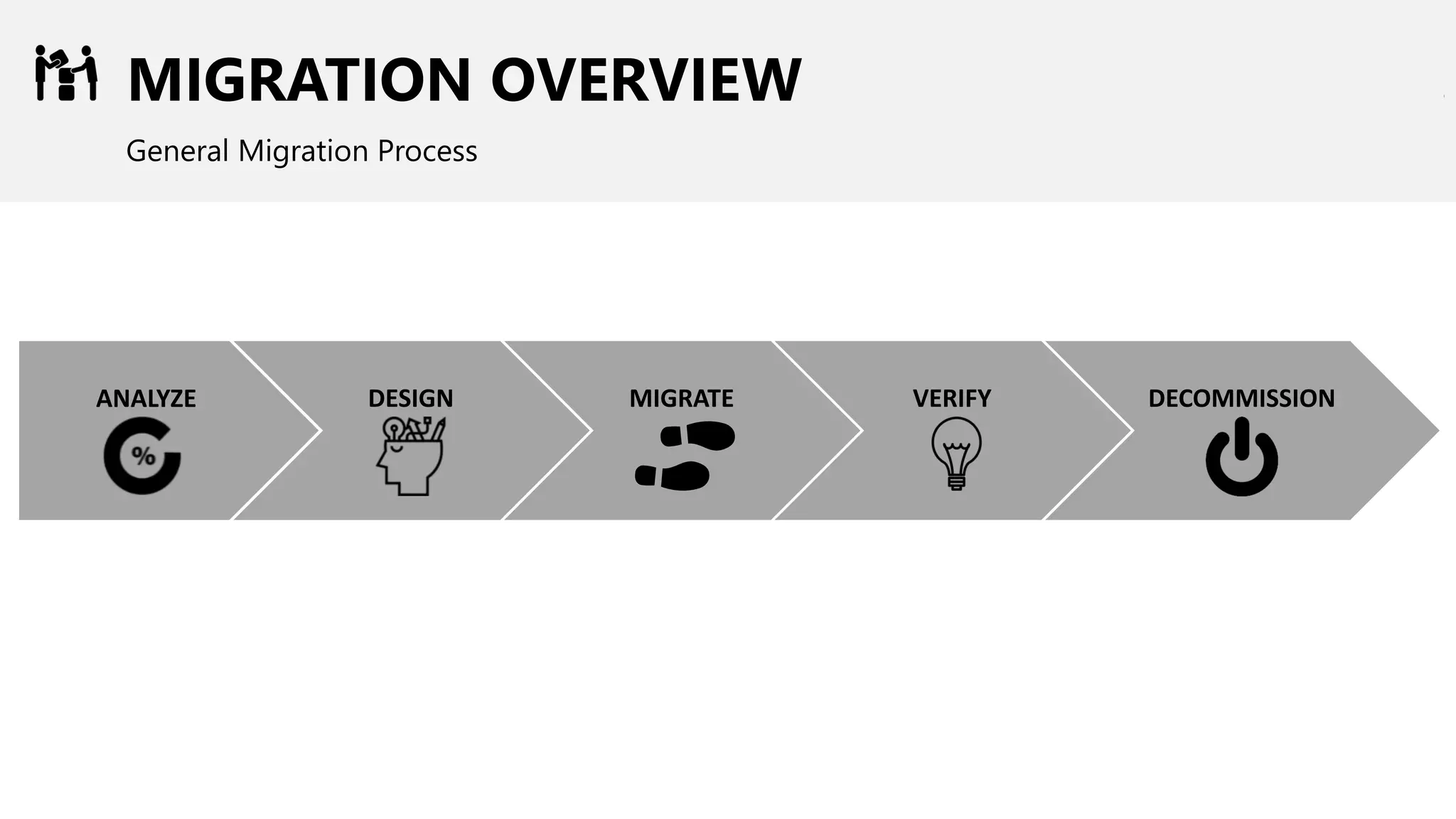
MIGRATION OVERVIEW
General Migration Process
DESIGNANALYZE MIGRATE VERIFY DECOMMISSION
Enable users to respond when they can
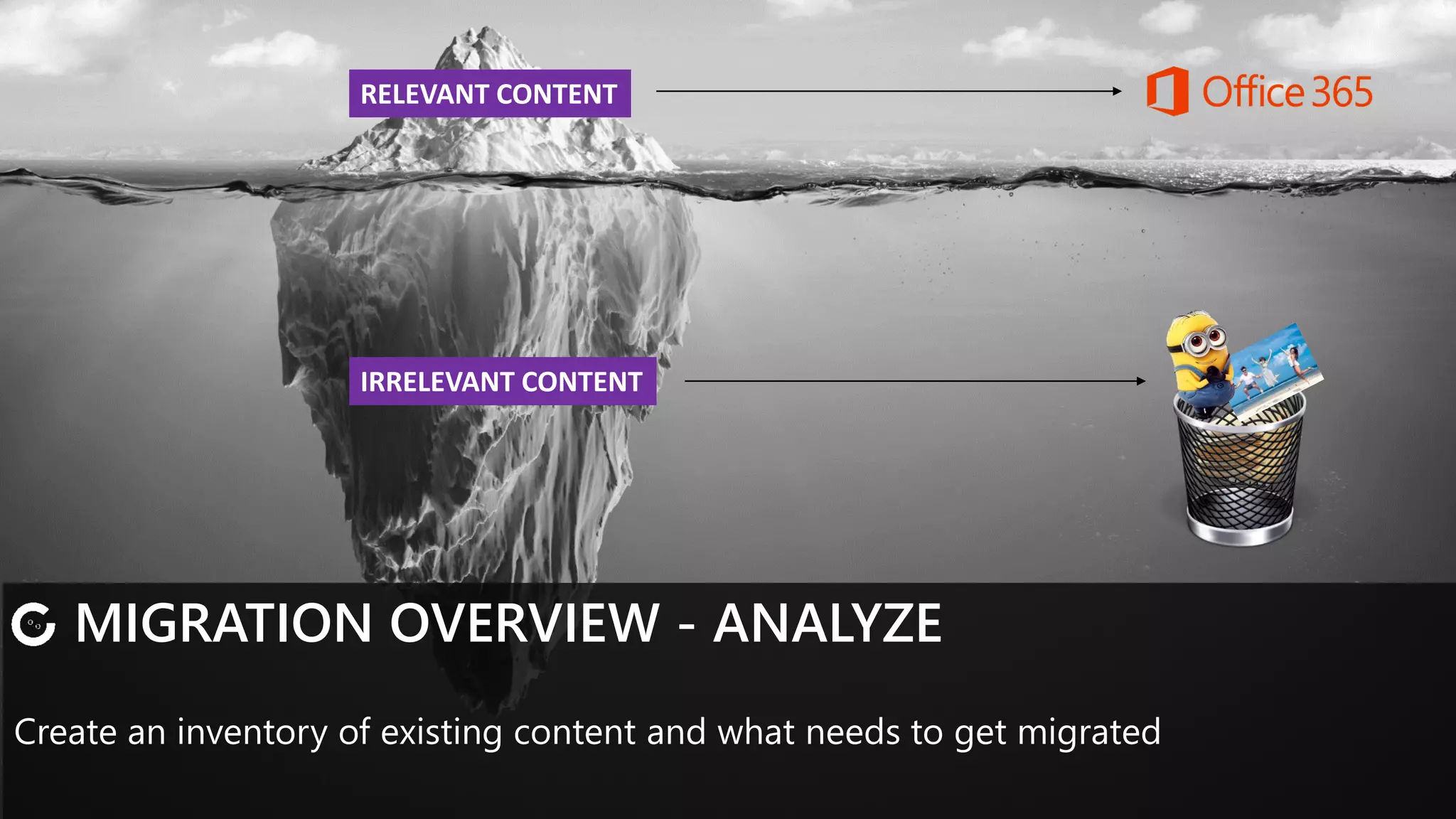
MIGRATION OVERVIEW - ANALYZE
Create an inventory of existing content and what needs to get migrated
IRRELEVANT CONTENT
RELEVANT CONTENT
• Enable users to respond when they can
MIGRATION OVERVIEW - DESIGN
Before migrating to SharePoint Online, you need to set it up first!
•What will the future state look like?
•How will the old map to the new?
•Does existing content need to be updated?
•Do we need new Governance
• Enable users to respond when they can
MIGRATION OVERVIEW - MIGRATE
Before migrating to SharePoint Online, you need to set it up first!
Break down migrations into logical units
Create a migration schedule that will minimize impact
Communicate often
MIGRATION OVERVIEW - VERIFY
Verify your migration often to catch any issues early on
Test out content and solution for various scenarios
Consider users, load, test data, access
• Enable users to respond when they can
MIGRATION OVERVIEW - DECOMMISSION
Once all is said and done, it’s time to sunset your old system
Old solutions can be turned off
Recover license costs, where possible
MIGRATING TO OFFICE 365
CUSTOMIZATION STRATEGY
CUSTOMIZATION APPROACHES
OPTIONS & CONSIDERATIONS
LET’S TALK – OPEN Q&A
CUSTOMIZATION STRATEGY - NEED
Just because you needed it yesterday doesn’t mean you will need it tomorrow
CUSTOMIZATION STRATEGY – COMMON SENSE
Don’t rewrite SharePoint. Make sure your changes are justified and there’s no better
alternative
CUSTOMIZATION STRATEGY – LIMITATIONS
Working in SharePoint Online is quite different from SharePoint on-premises
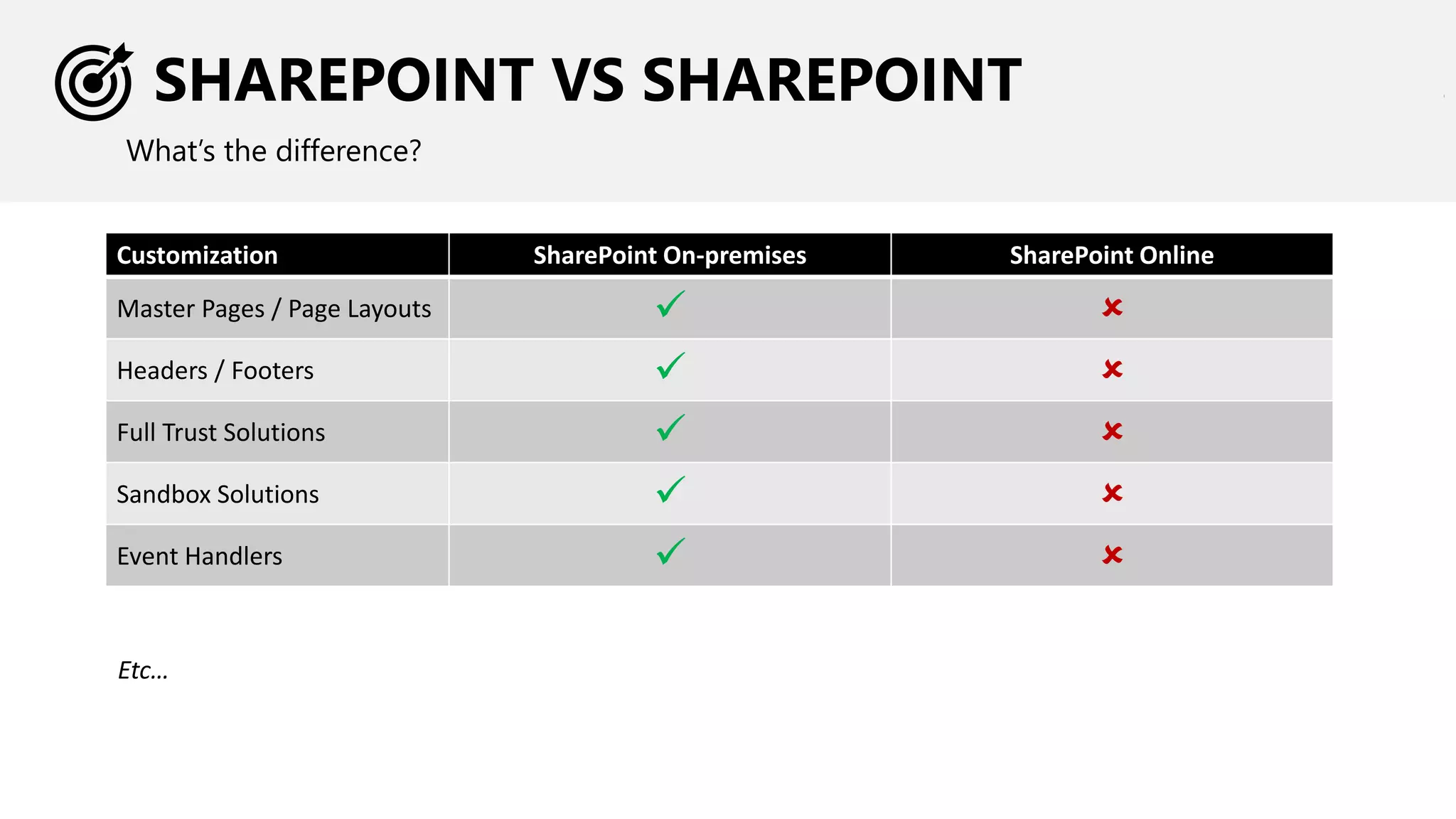
SHAREPOINT VS SHAREPOINT
What’s the difference?
Customization SharePoint On-premises SharePoint Online
Master Pages / Page Layouts ✓ 
Headers / Footers ✓ 
Full Trust Solutions ✓ 
Sandbox Solutions ✓ 
Event Handlers ✓ 
Etc…
CUSTOMIZATION STRATEGY – APPROACH
Choosing Classic or Modern SharePoint sites may impact your customization strategy
MIGRATING TO OFFICE 365
CUSTOMIZATION STRATEGY
CUSTOMIZATION APPROACHES
OPTIONS & CONSIDERATIONS
LET’S TALK – OPEN Q&A
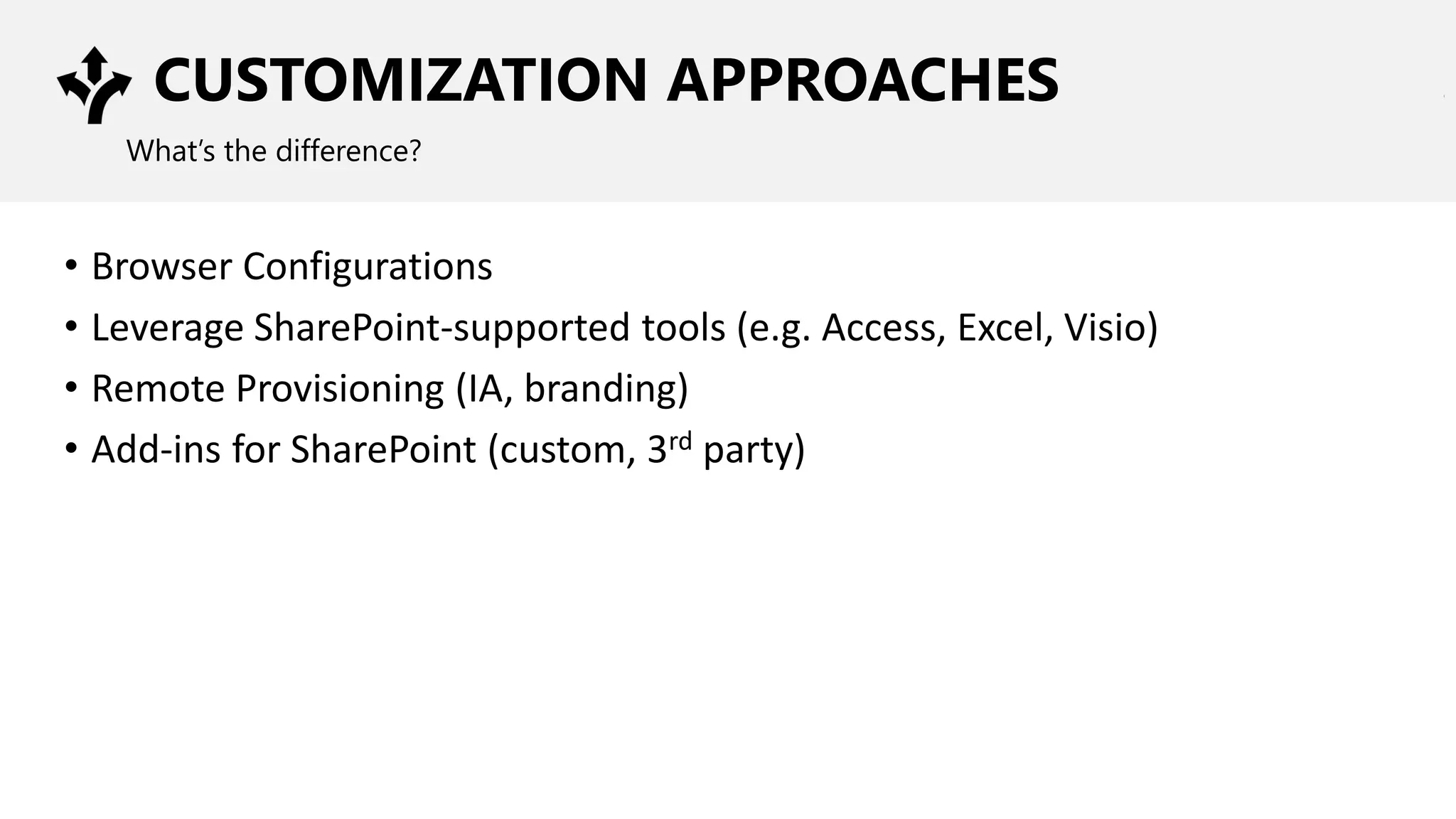
CUSTOMIZATION APPROACHES
What’s the difference?
• Browser Configurations
• Leverage SharePoint-supported tools (e.g. Access, Excel, Visio)
• Remote Provisioning (IA, branding)
• Add-ins for SharePoint (custom, 3rd party)
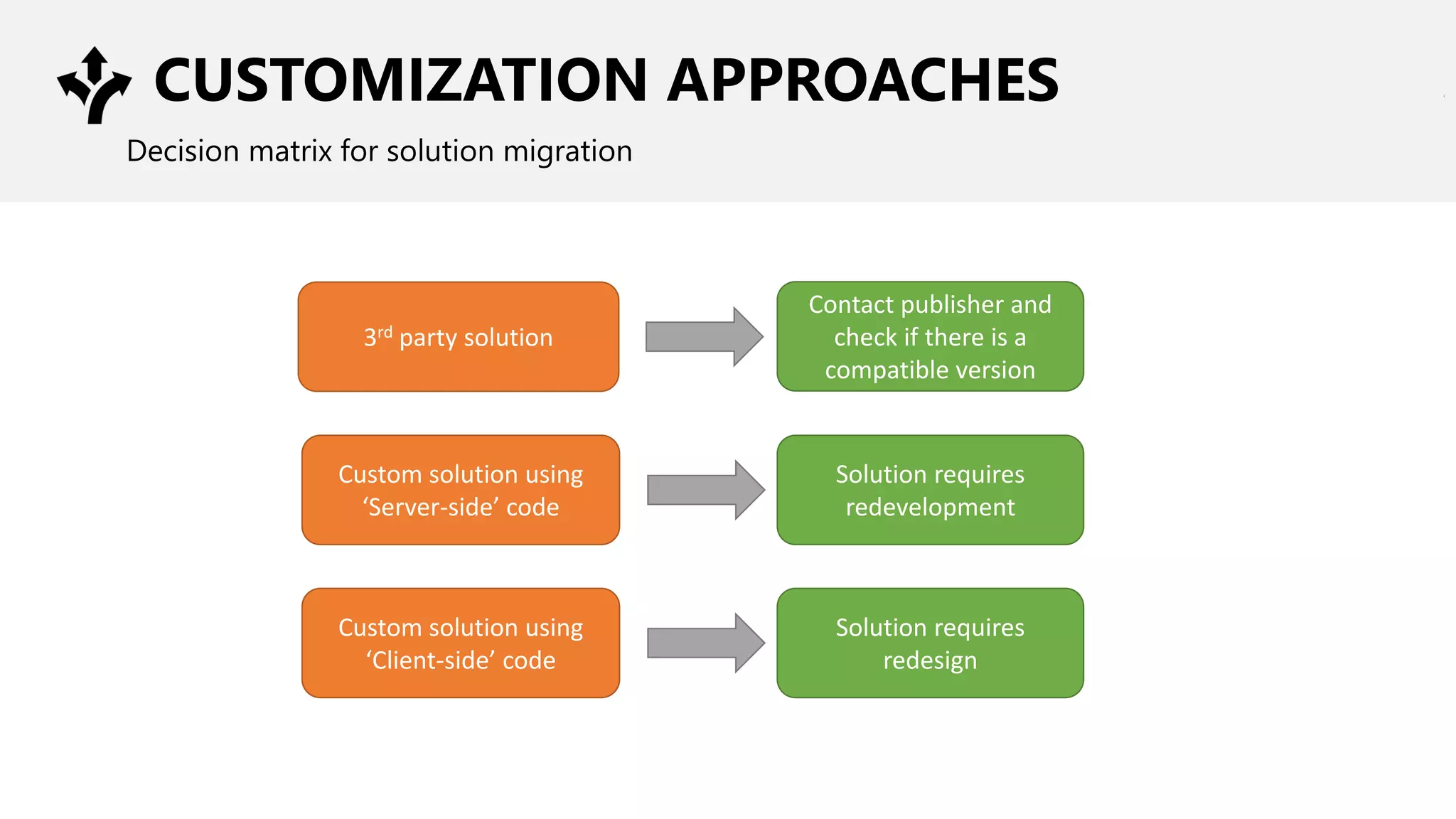
CUSTOMIZATION APPROACHES
Decision matrix for solution migration
3rd party solution
Contact publisher and
check if there is a
compatible version
Custom solution using
‘Server-side’ code
Solution requires
redevelopment
Custom solution using
‘Client-side’ code
Solution requires
redesign
MIGRATING TO OFFICE 365
CUSTOMIZATION STRATEGY
CUSTOMIZATION APPROACHES
OPTIONS & CONSIDERATIONS
LET’S TALK – OPEN Q&A
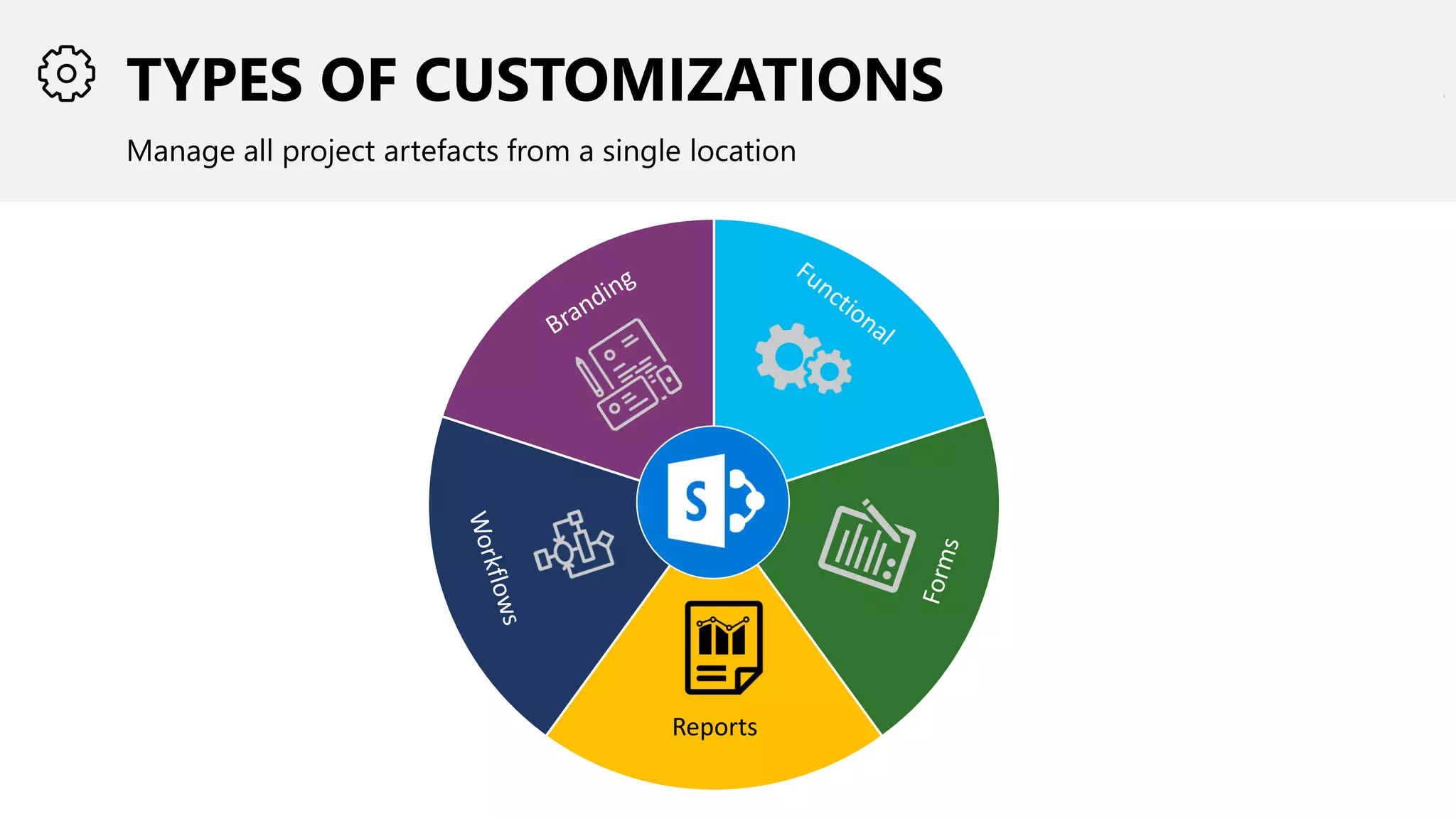
TYPES OF CUSTOMIZATIONS
Manage all project artefacts from a single location
Reports
BRANDING
Colours, Fonts, Logos, Themes
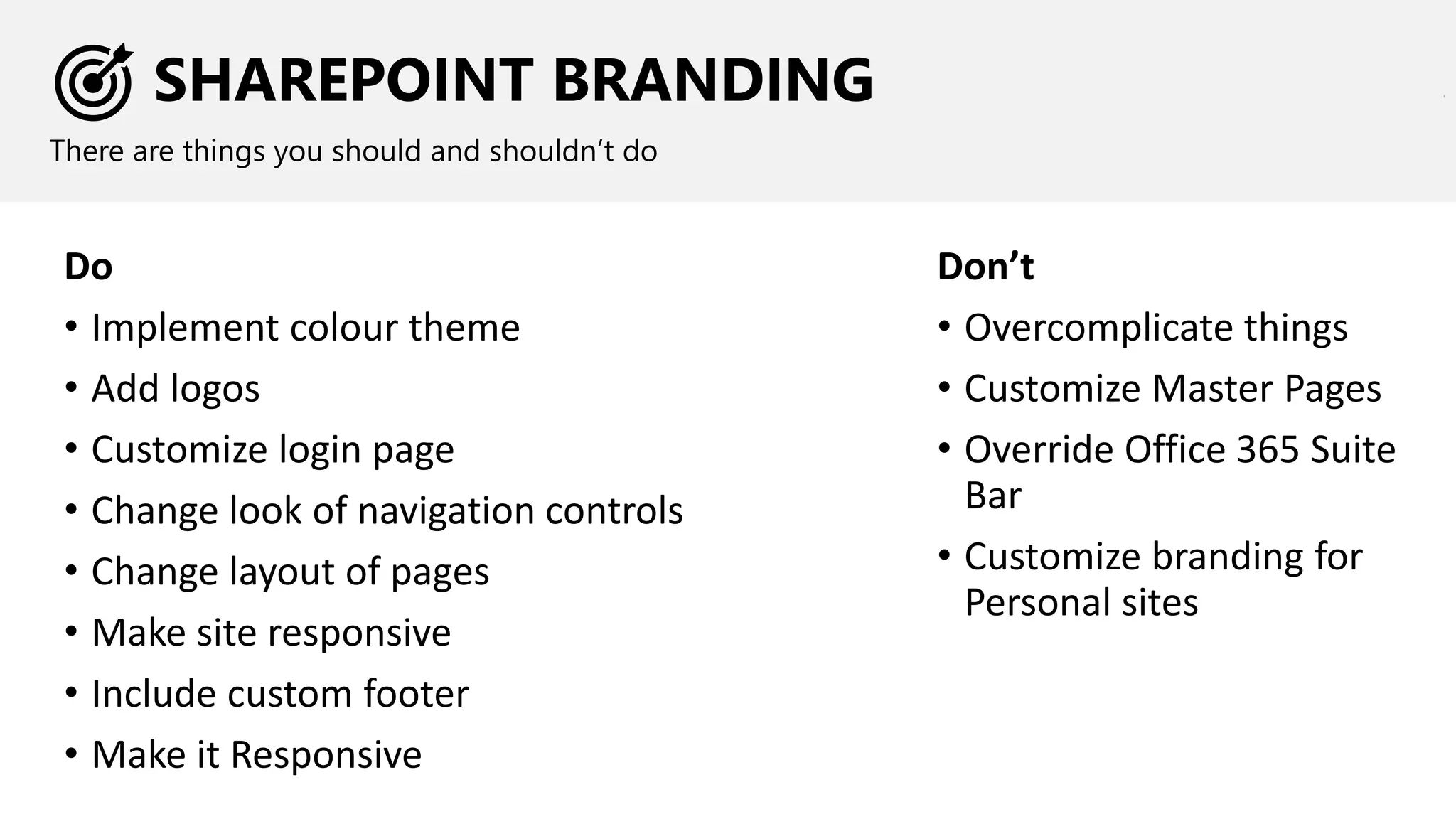
SHAREPOINT BRANDING
There are things you should and shouldn’t do
Do
• Implement colour theme
• Add logos
• Customize login page
• Change look of navigation controls
• Change layout of pages
• Make site responsive
• Include custom footer
• Make it Responsive
Don’t
• Overcomplicate things
• Customize Master Pages
• Override Office 365 Suite
Bar
• Customize branding for
Personal sites
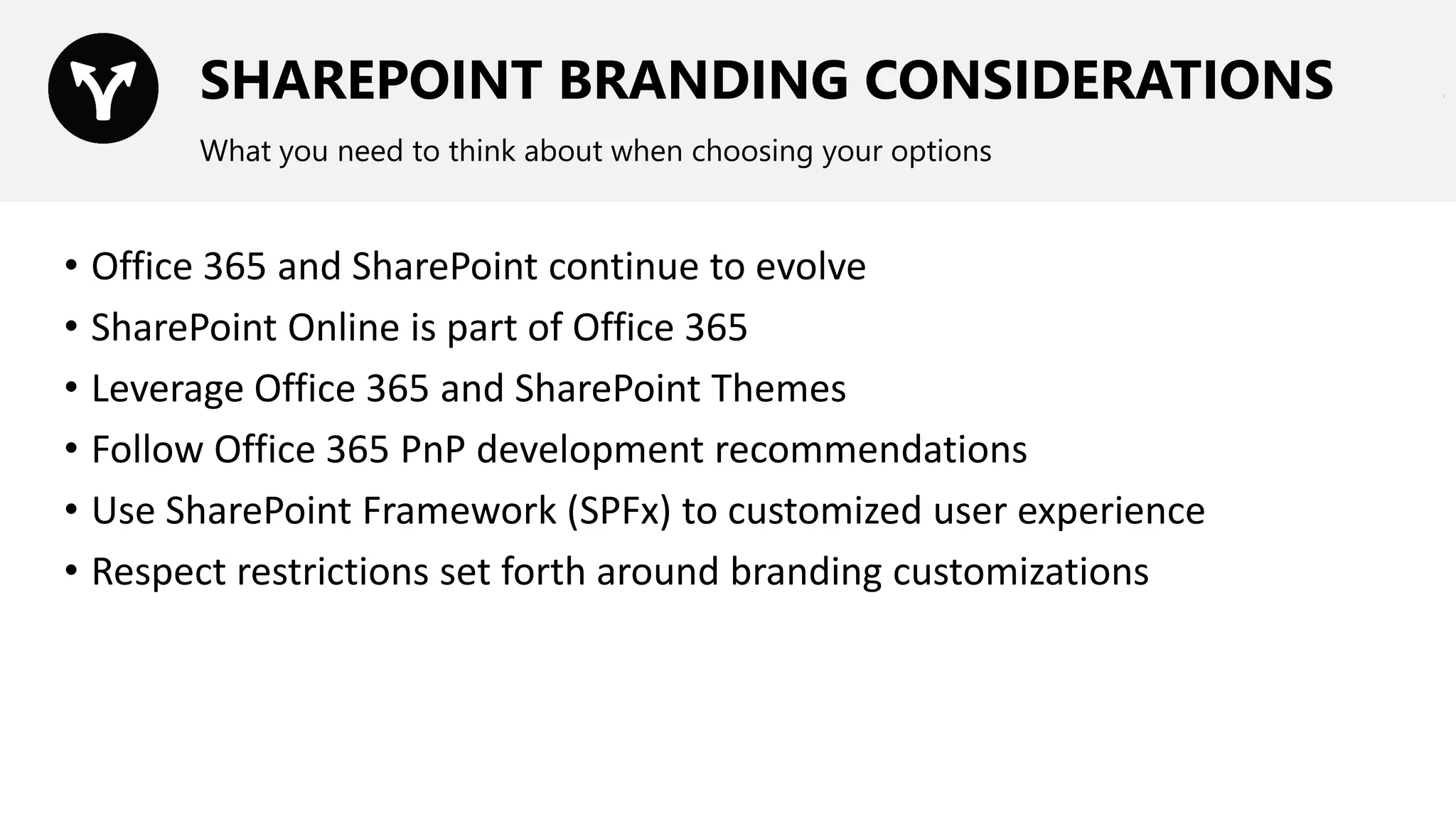
SHAREPOINT BRANDING CONSIDERATIONS
What you need to think about when choosing your options
• Office 365 and SharePoint continue to evolve
• SharePoint Online is part of Office 365
• Leverage Office 365 and SharePoint Themes
• Follow Office 365 PnP development recommendations
• Use SharePoint Framework (SPFx) to customized user experience
• Respect restrictions set forth around branding customizations
TYPES OF CUSTOMIZATIONS - FUNCTIONAL
Computations, web parts, navigation, etc.
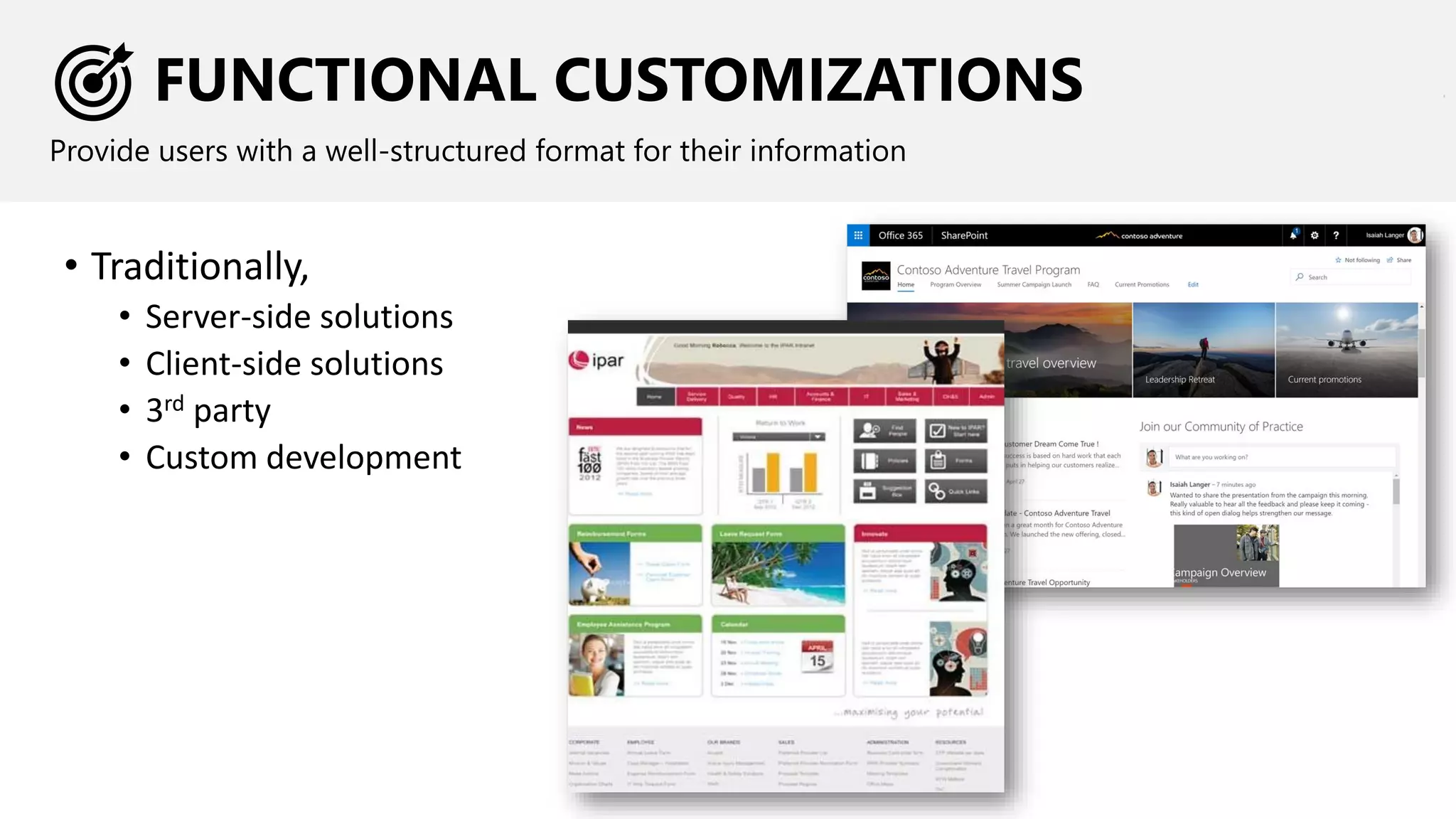
FUNCTIONAL CUSTOMIZATIONS
Provide users with a well-structured format for their information
• Traditionally,
• Server-side solutions
• Client-side solutions
• 3rd party
• Custom development
FUNCTIONAL CUSTOMIZATIONS
CONSIDERATIONS
What you need to think about when choosing your options
• Scope of customization
• Skills required for creation and maintenance
• Published standards / best practices
• SPFx
• Office 365
• OfficeDev PnP
• Most importantly…
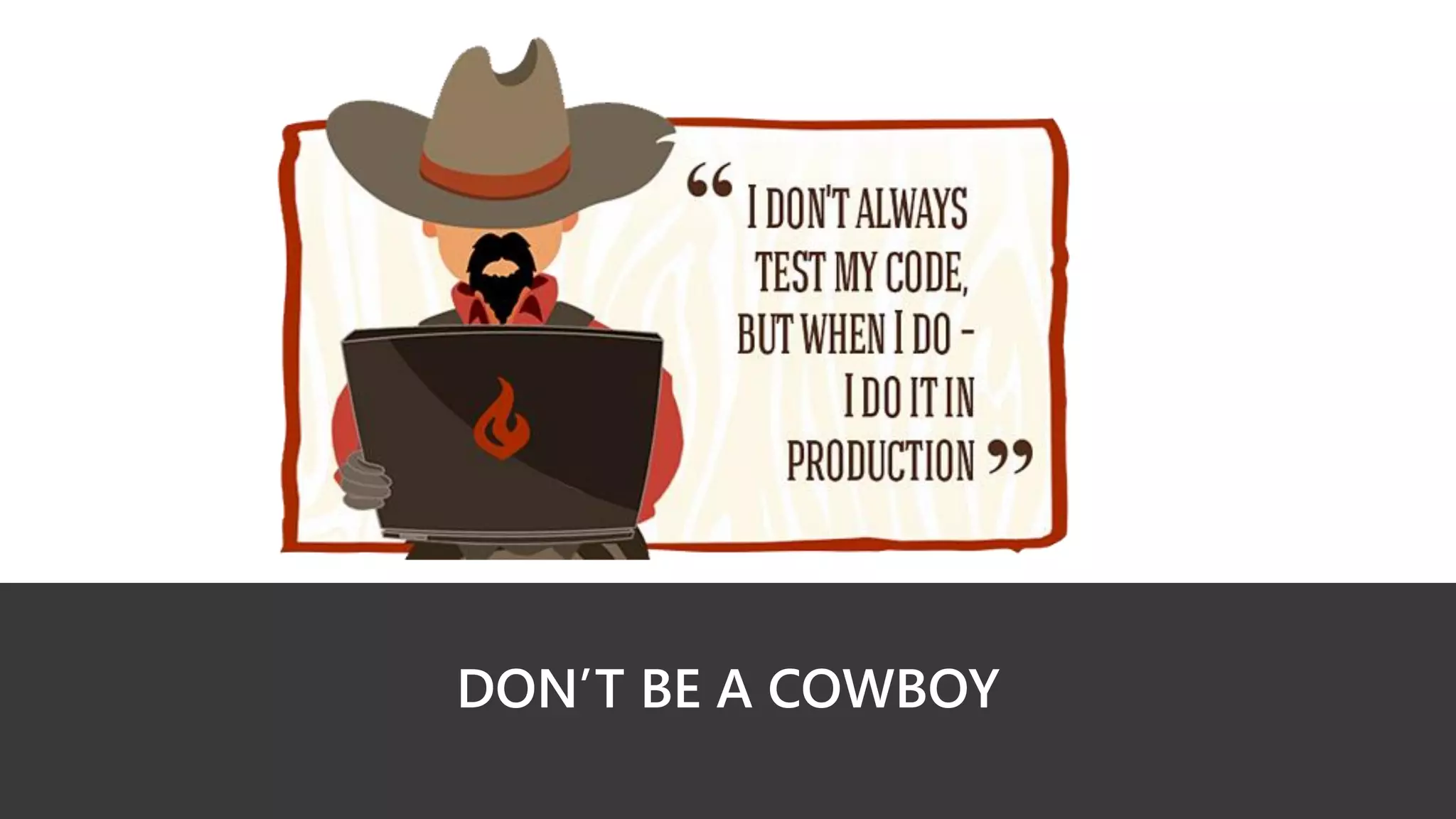
DON’T BE A COWBOY
TYPES OF CUSTOMIZATIONS - WORKFLOW
Approvals, moving content between systems, update content based on events, timer jobs
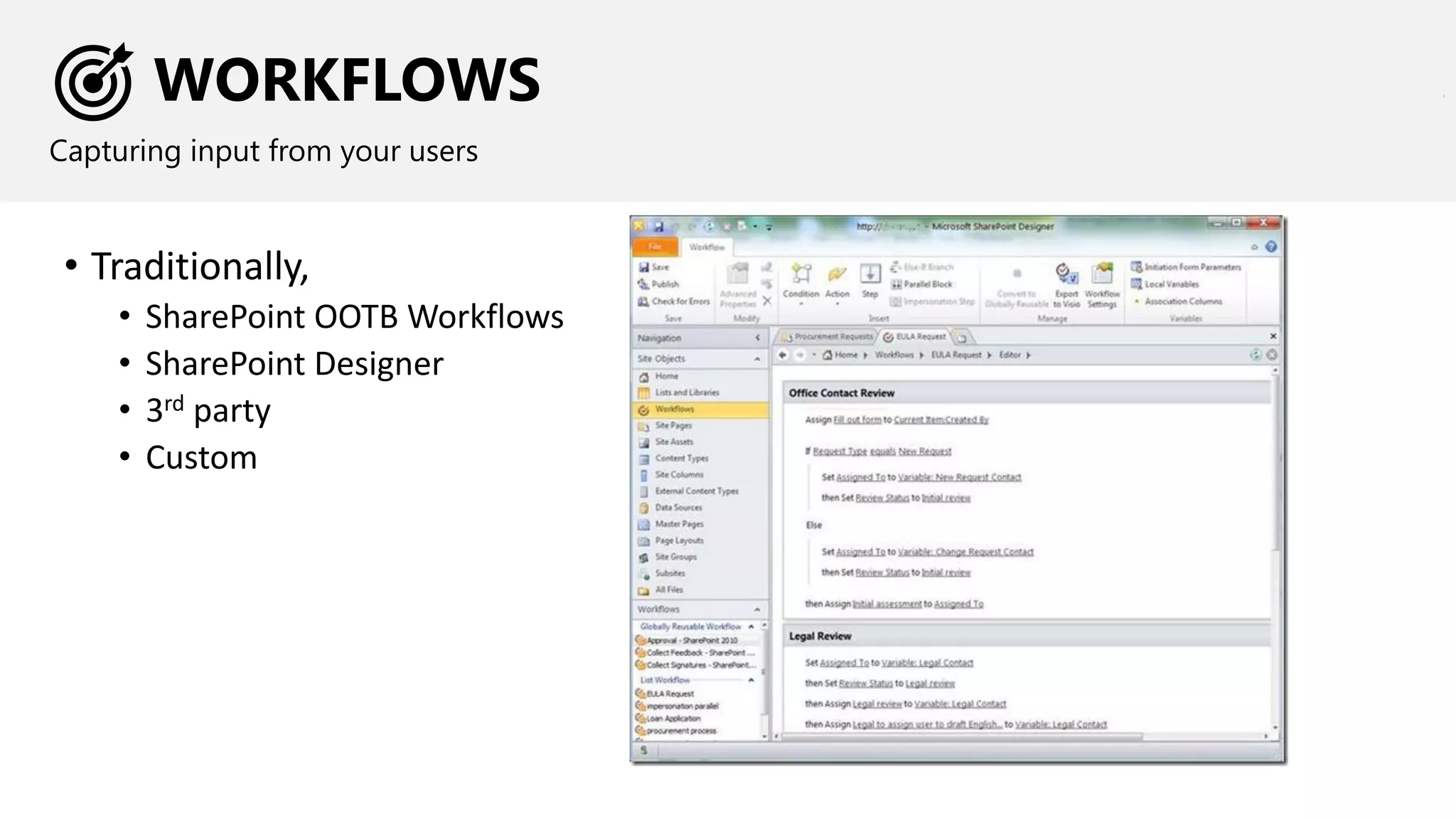
WORKFLOWS
Capturing input from your users
• Traditionally,
• SharePoint OOTB Workflows
• SharePoint Designer
• 3rd party
• Custom
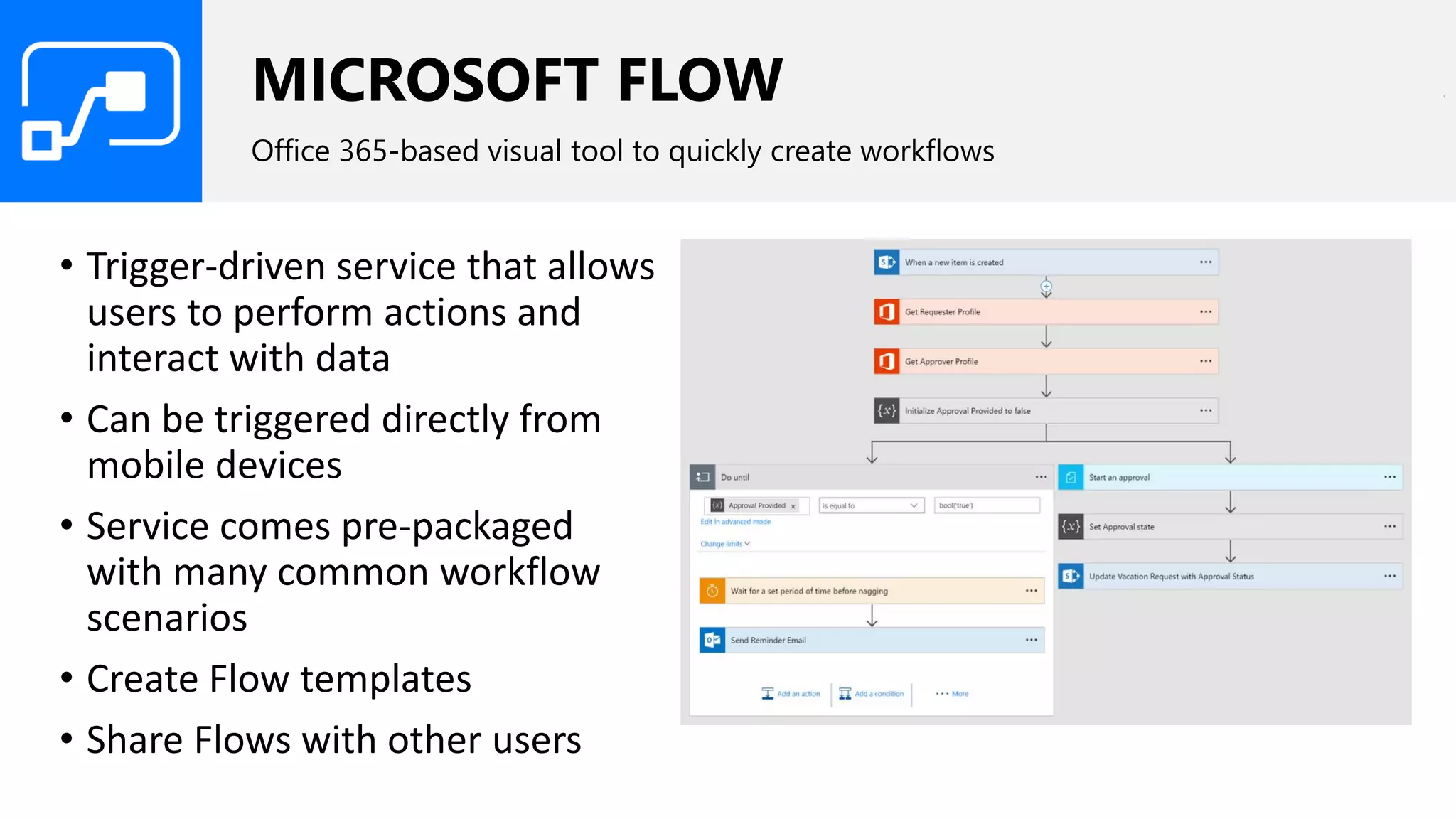
MICROSOFT FLOW
Office 365-based visual tool to quickly create workflows
• Trigger-driven service that allows
users to perform actions and
interact with data
• Can be triggered directly from
mobile devices
• Service comes pre-packaged
with many common workflow
scenarios
• Create Flow templates
• Share Flows with other users
MICROSOFT FLOW
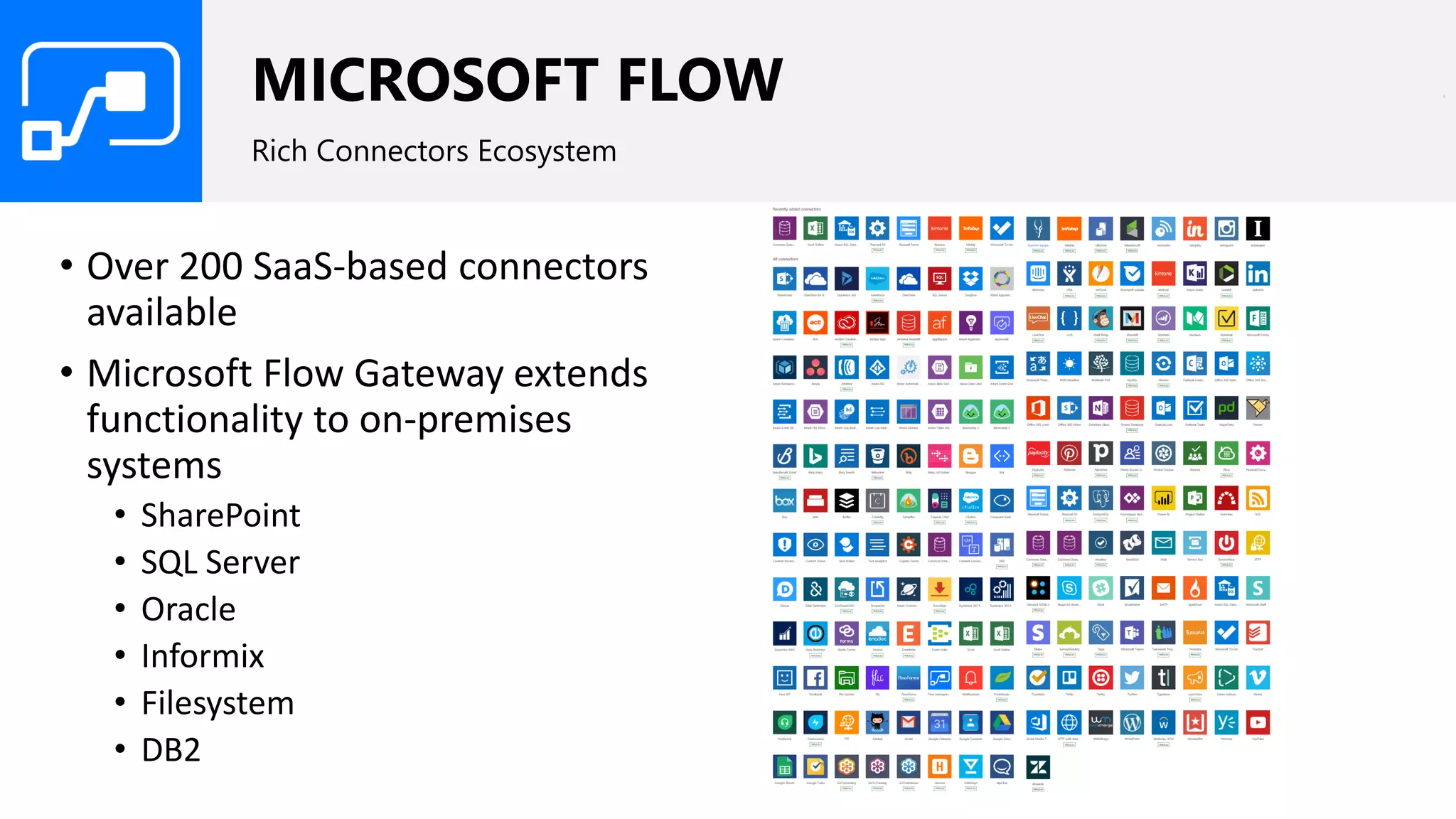
Rich Connectors Ecosystem
• Over 200 SaaS-based connectors
available
• Microsoft Flow Gateway extends
functionality to on-premises
systems
• SharePoint
• SQL Server
• Oracle
• Informix
• Filesystem
• DB2
MICROSOFT FLOW
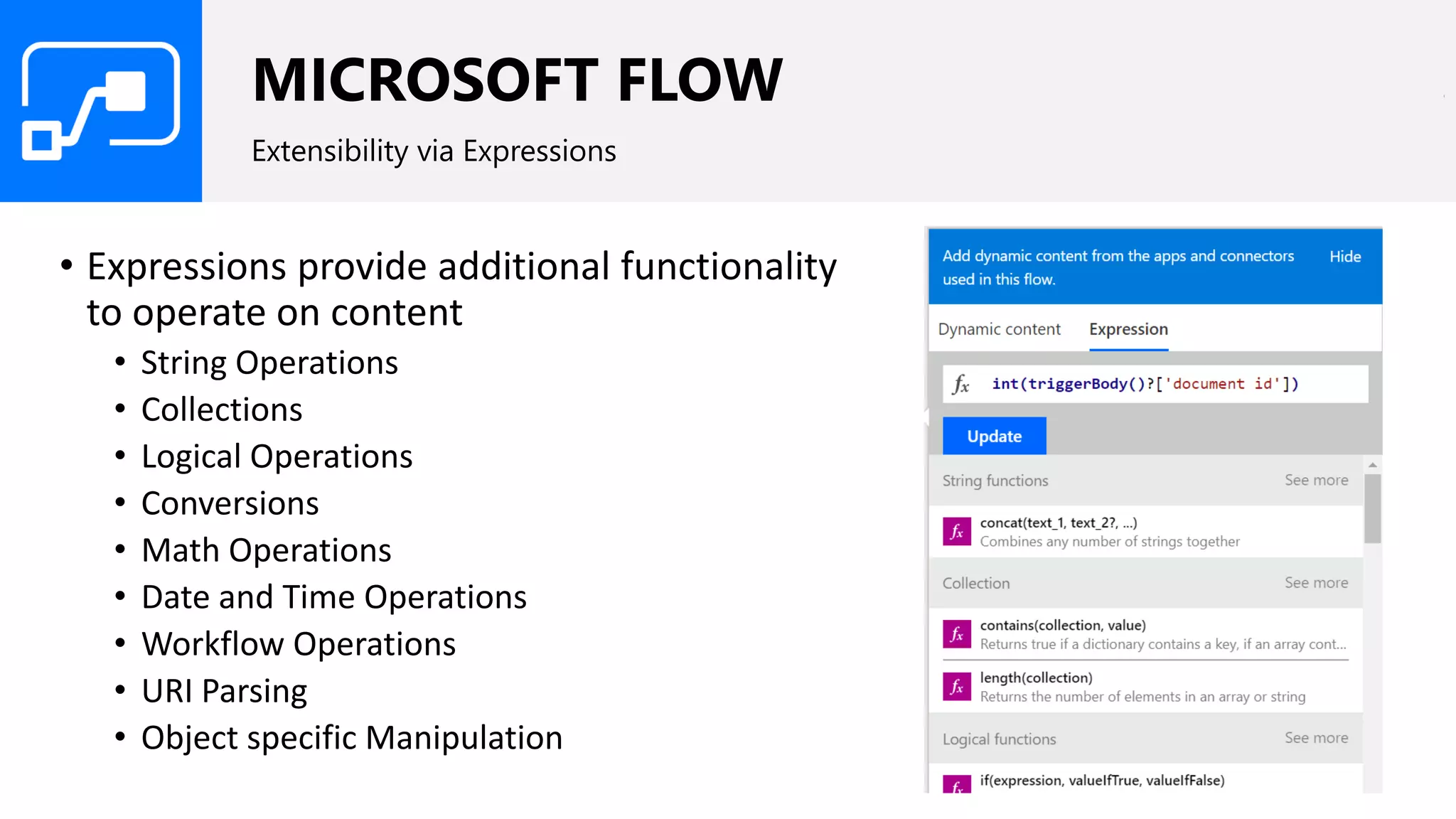
Extensibility via Expressions
• Expressions provide additional functionality
to operate on content
• String Operations
• Collections
• Logical Operations
• Conversions
• Math Operations
• Date and Time Operations
• Workflow Operations
• URI Parsing
• Object specific Manipulation
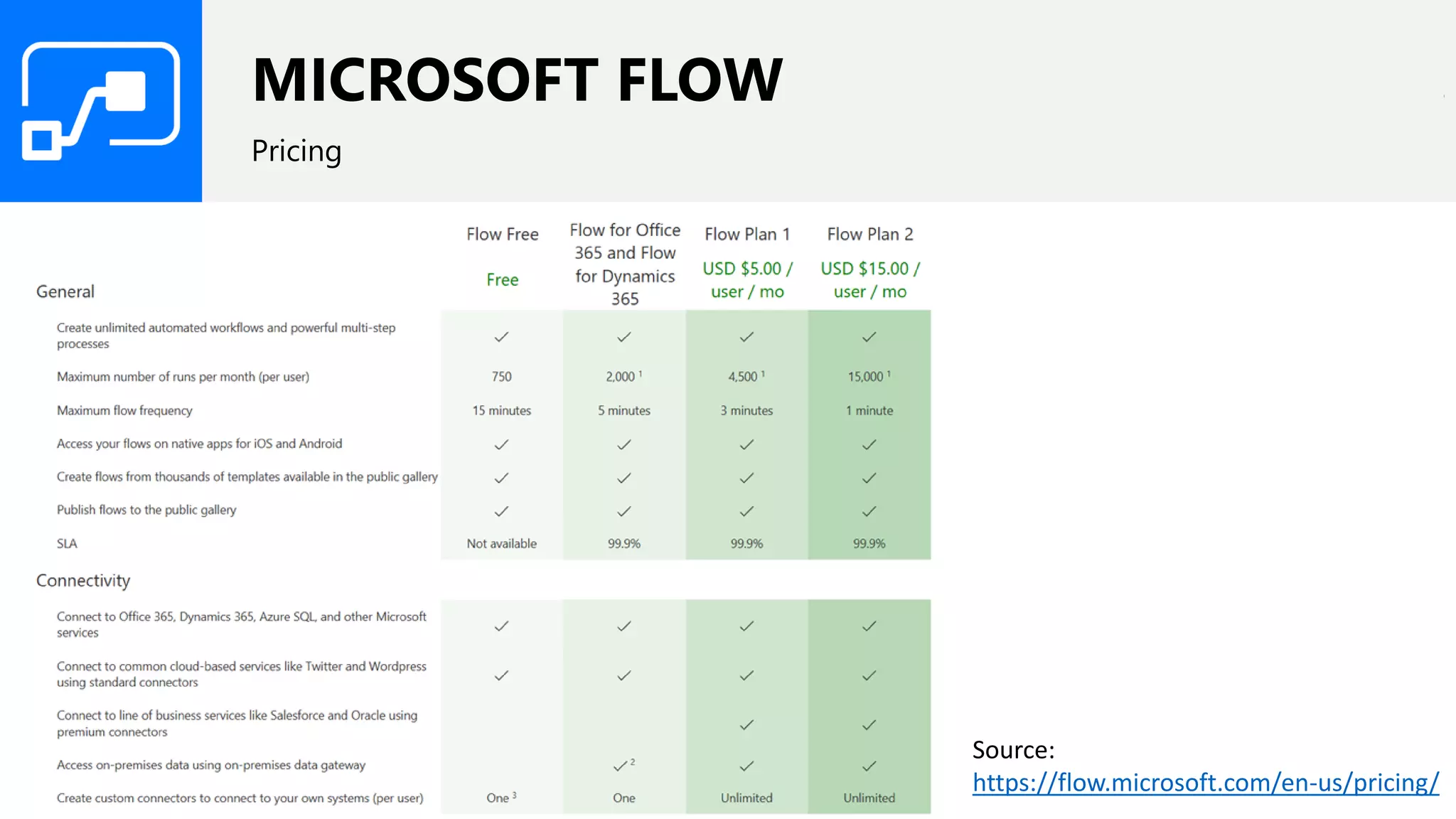
MICROSOFT FLOW
Pricing
Source:
https://flow.microsoft.com/en-us/pricing/
AZURE LOGIC APPS
Azure-based visual tool to quickly create workflows
• Azure service that provides the same great features of Microsoft Flow
plus integration with
• Azure Resource Manager
• Azure Portal
• PowerShell
• xPlat CLI
• Visual Studio
• Additional connectors
AZURE FUNCTIONS
Developer-centric service that provides increased flexibility
• Event-driven, compute on-demand service on the Azure platform (PaaS)
• Intended to run small pieces of code, or "functions," in the cloud without
worrying about the underlying infrastructure it’s running on.
• Triggered by events or run on scheduled batches in Azure or 3rd party
cloud or on-premises systems.
• Developer-centric (Level 300)
AZURE FUNCTIONS
Extend and integrate into other Azure and non-Azure services
• A wide range of triggers and connectors allows developers react to
events in Azure services
• Data processed by Azure Functions can persist into Azure data services
such as Azure storage, Azure SQL DB and Document DB
AZURE FUNCTIONS
Robust Developer Experience
• Implement events in
• Languages - JavaScript, C#, Python, PHP
• Scripting options - Bash, Batch and PowerShell
• Upload and trigger pre-compiled executables
• Support seamless local development and Continuous Integration using
services like Visual Studio Team Services, GitHub and BitBucket
• Developers can monitor and troubleshoot Azure Functions with logging
capabilities included in the Azure Functions experience
• Access and process data from different services
AZURE FUNCTIONS
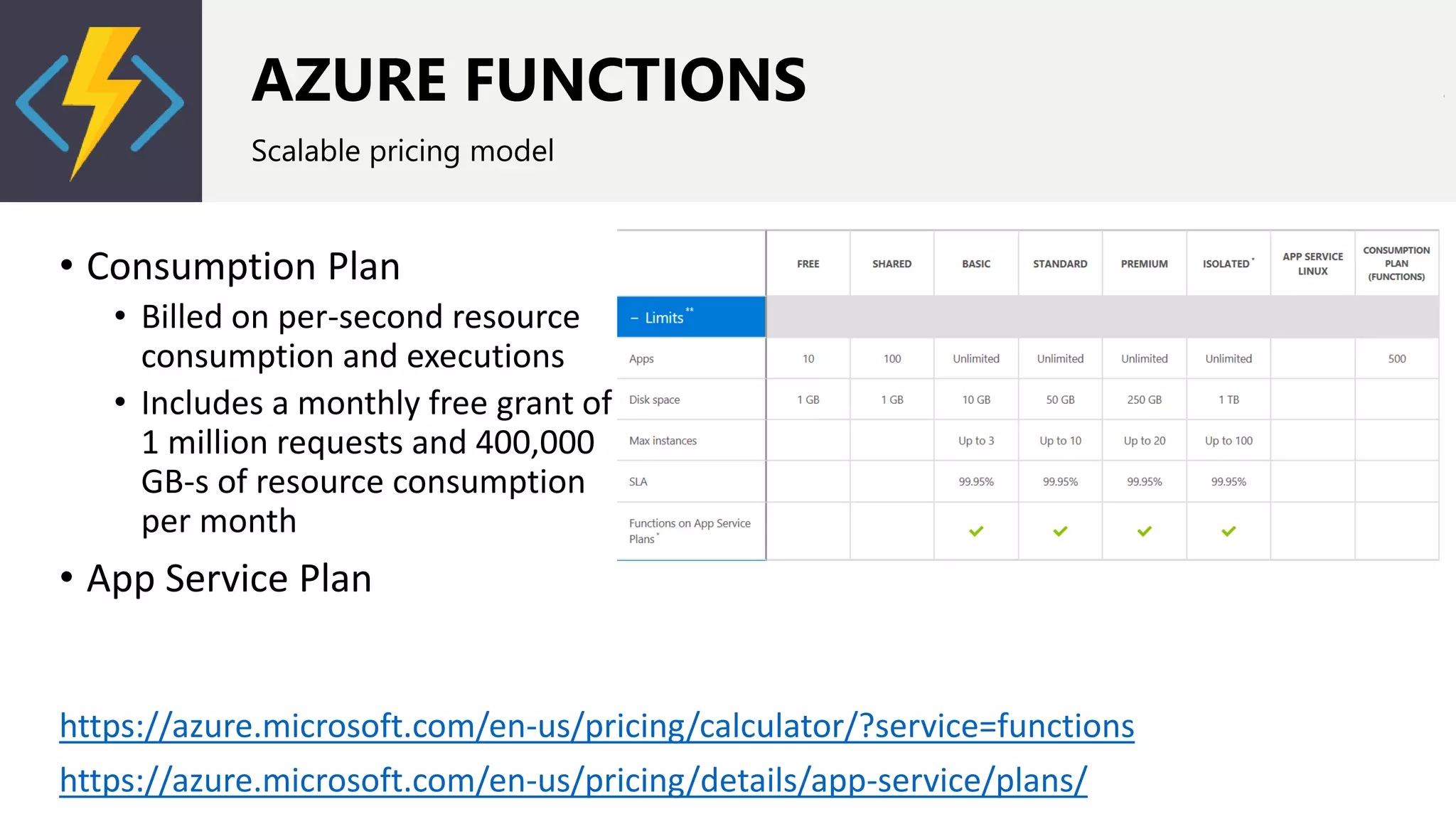
Scalable pricing model
• Consumption Plan
• Billed on per-second resource
consumption and executions
• Includes a monthly free grant of
1 million requests and 400,000
GB-s of resource consumption
per month
• App Service Plan
https://azure.microsoft.com/en-us/pricing/calculator/?service=functions
https://azure.microsoft.com/en-us/pricing/details/app-service/plans/
AZURE WEBJOBS
Azure App Service to run a program or script in the same context as another app
• Managed via the Azure Portal
• Can run either continuous or as a result of a trigger
• WebJobs are developed in Visual Studio
• Requires a VM
• Cost implications if there is no VM host already
WORKFLOW CONSIDERATIONS
What you need to think about when choosing your options
• Scope of workflows
• Skills required for creation and maintenance
• Accessibility to external data sources
• For Office 365-based workflow solutions, consider potential cost
implications based on number of time of execution
TYPES OF CUSTOMIZATIONS - FORMS
Surveys, service requests, HR forms, polls
FORMS
Capturing input from your users
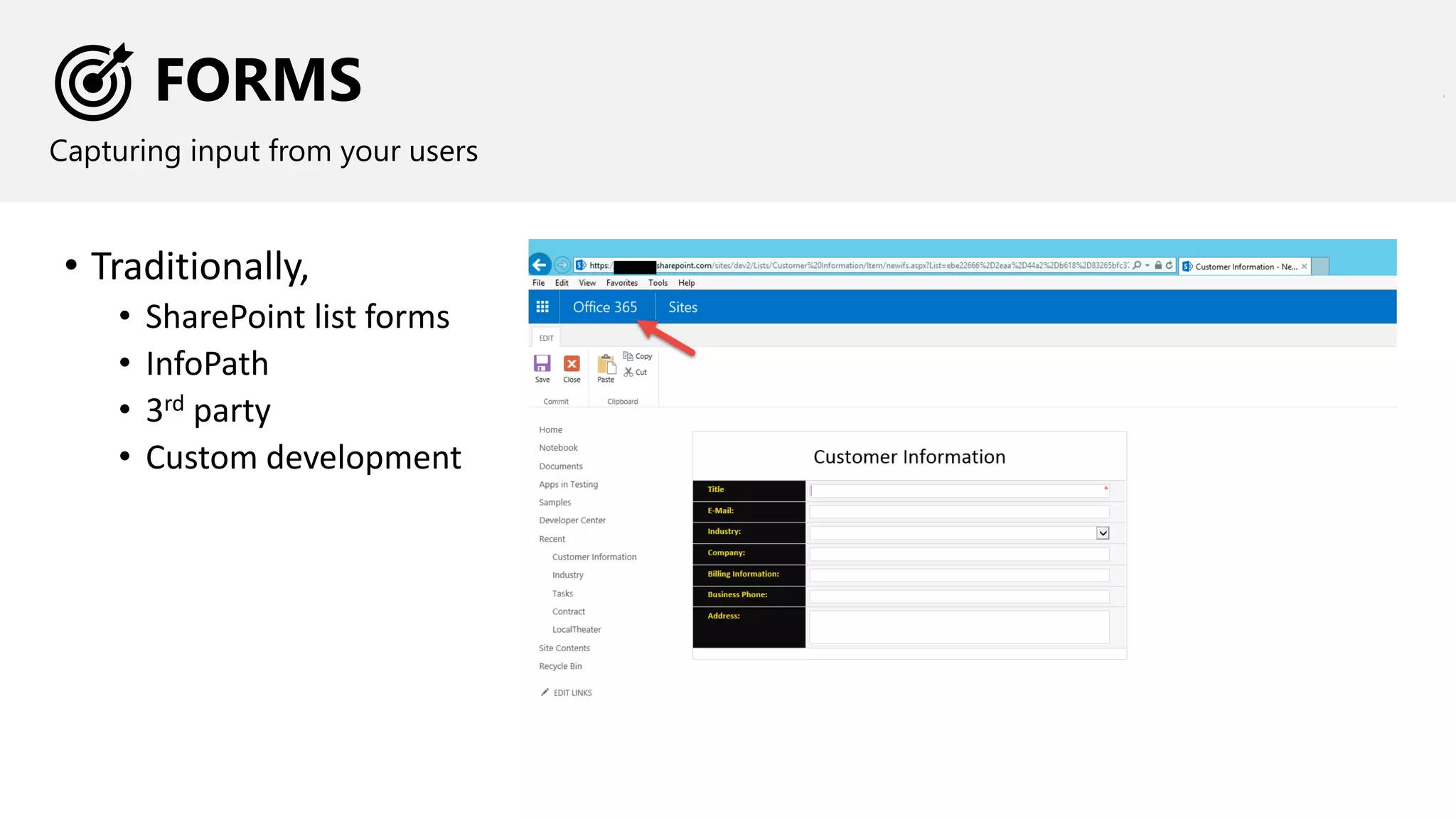
• Traditionally,
• SharePoint list forms
• InfoPath
• 3rd party
• Custom development
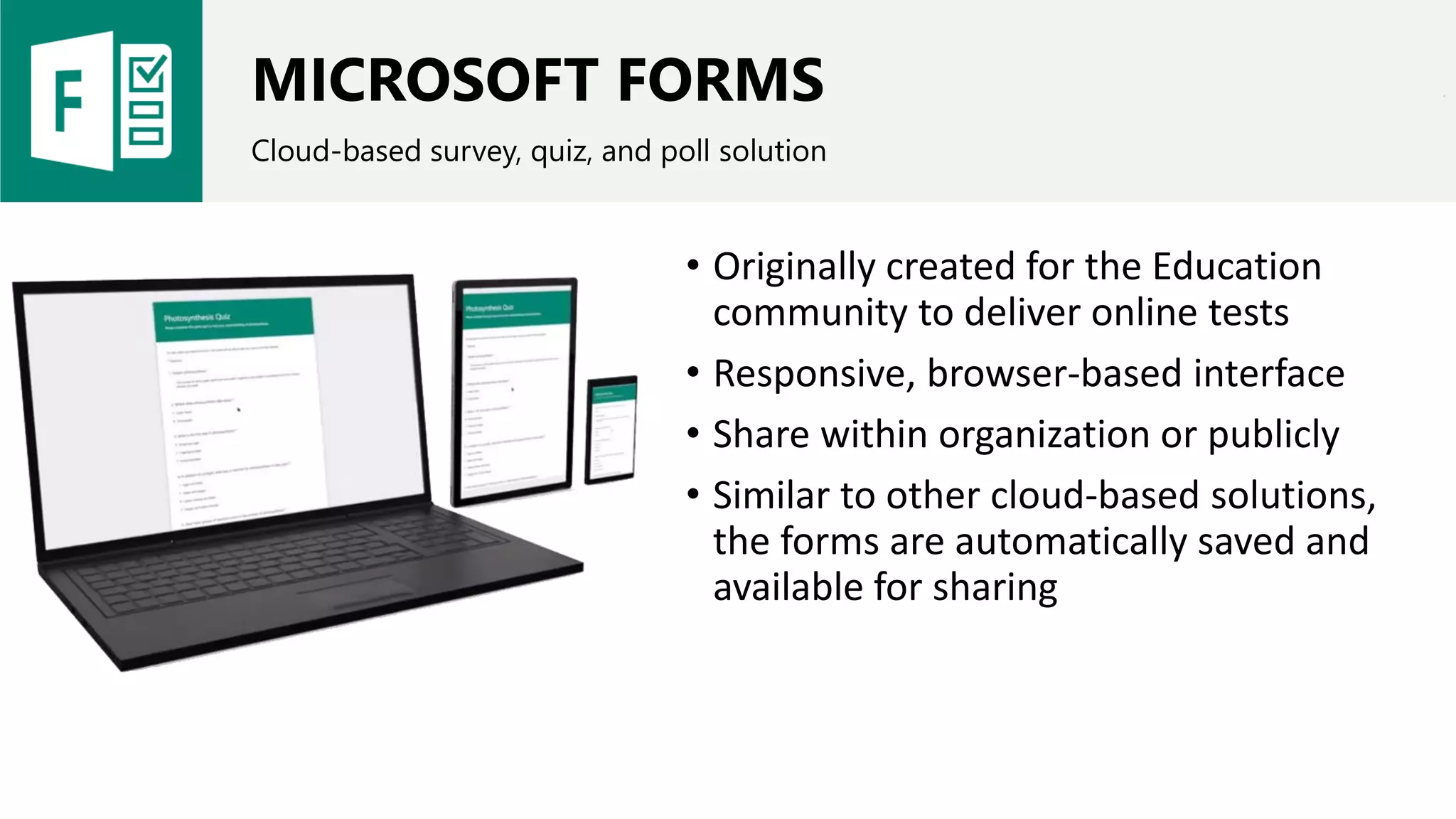
MICROSOFT FORMS
Cloud-based survey, quiz, and poll solution
• Originally created for the Education
community to deliver online tests
• Responsive, browser-based interface
• Share within organization or publicly
• Similar to other cloud-based solutions,
the forms are automatically saved and
available for sharing
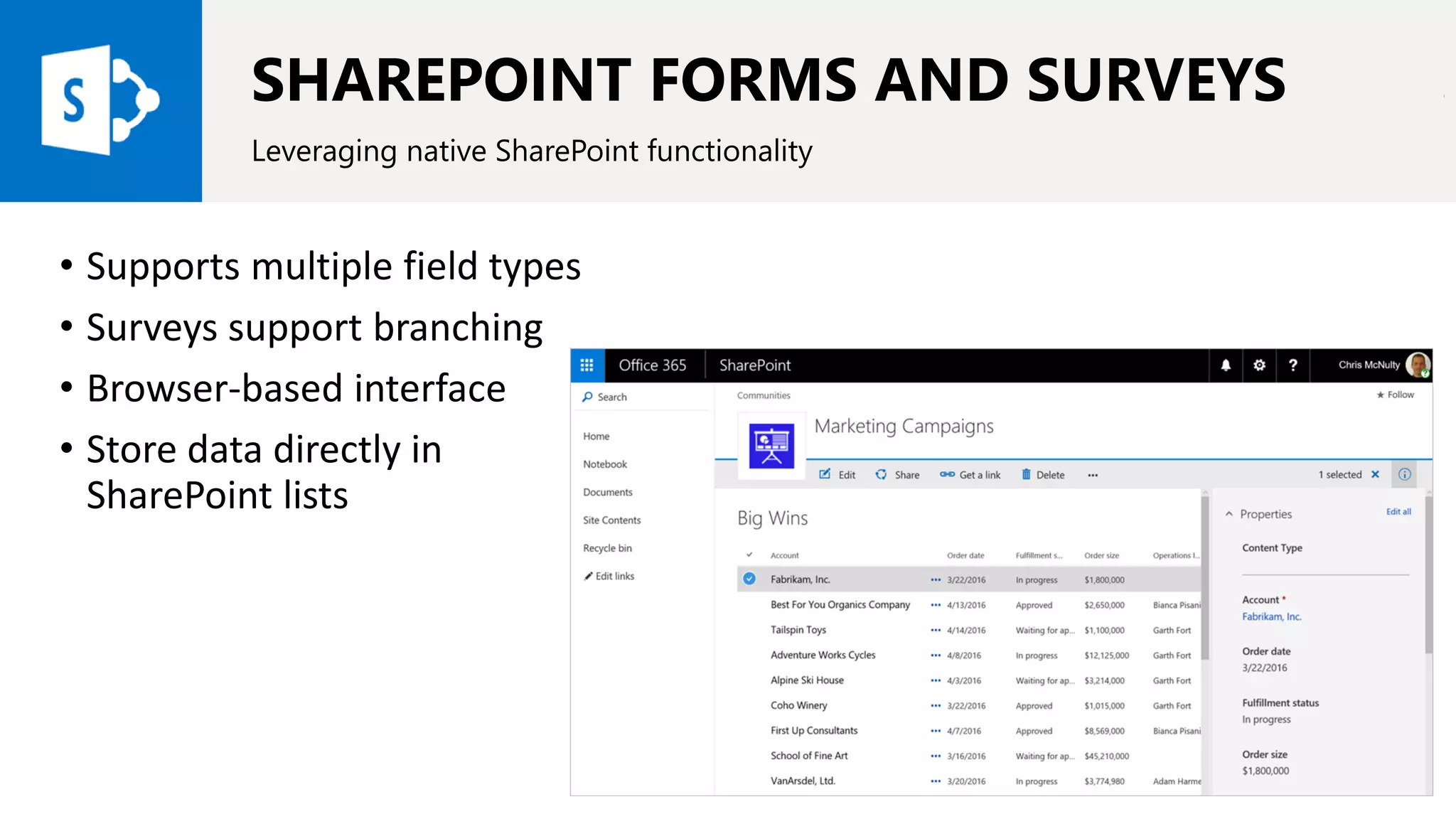
SHAREPOINT FORMS AND SURVEYS
Leveraging native SharePoint functionality
• Supports multiple field types
• Surveys support branching
• Browser-based interface
• Store data directly in
SharePoint lists
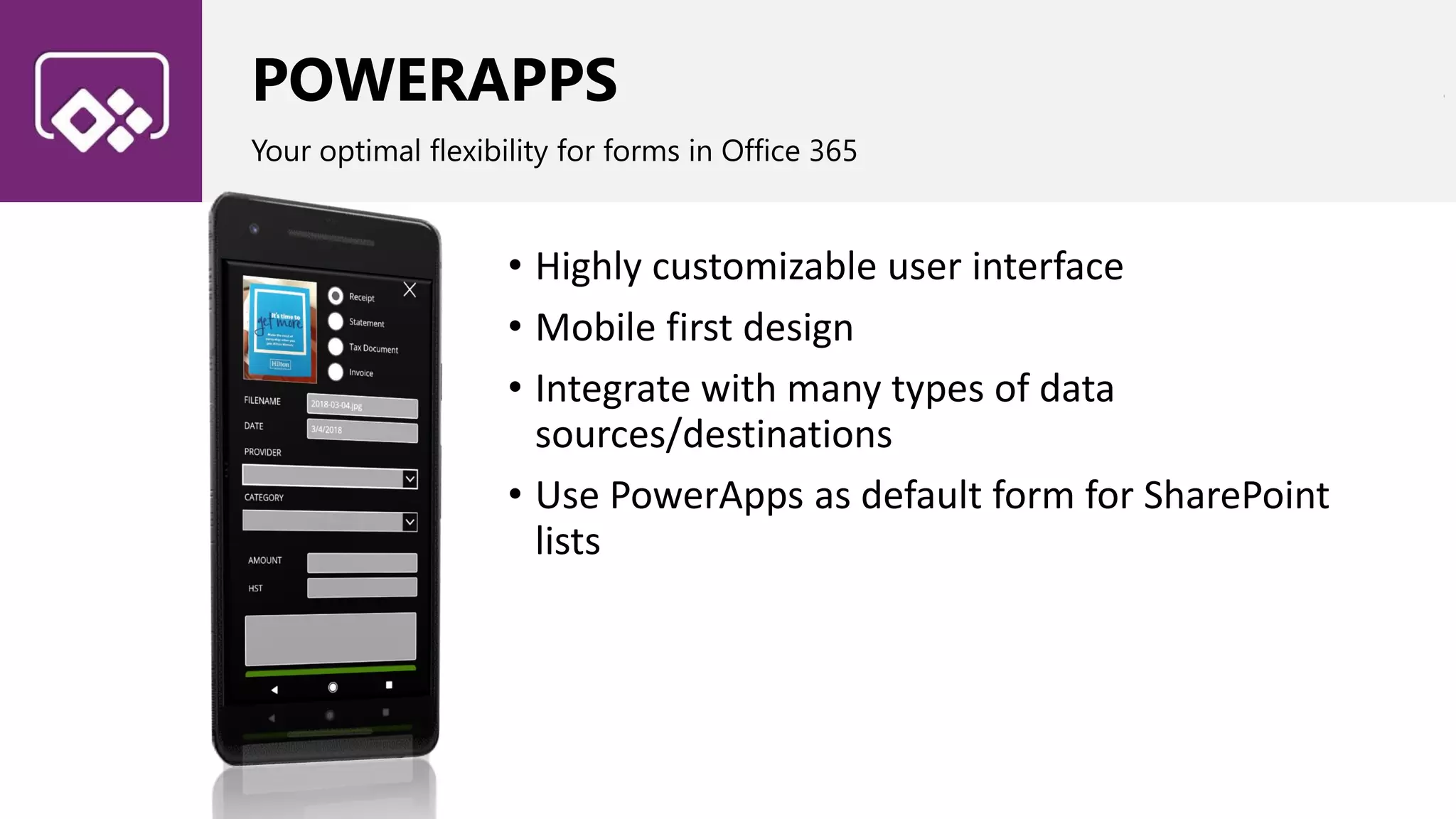
POWERAPPS
Your optimal flexibility for forms in Office 365
• Highly customizable user interface
• Mobile first design
• Integrate with many types of data
sources/destinations
• Use PowerApps as default form for SharePoint
lists
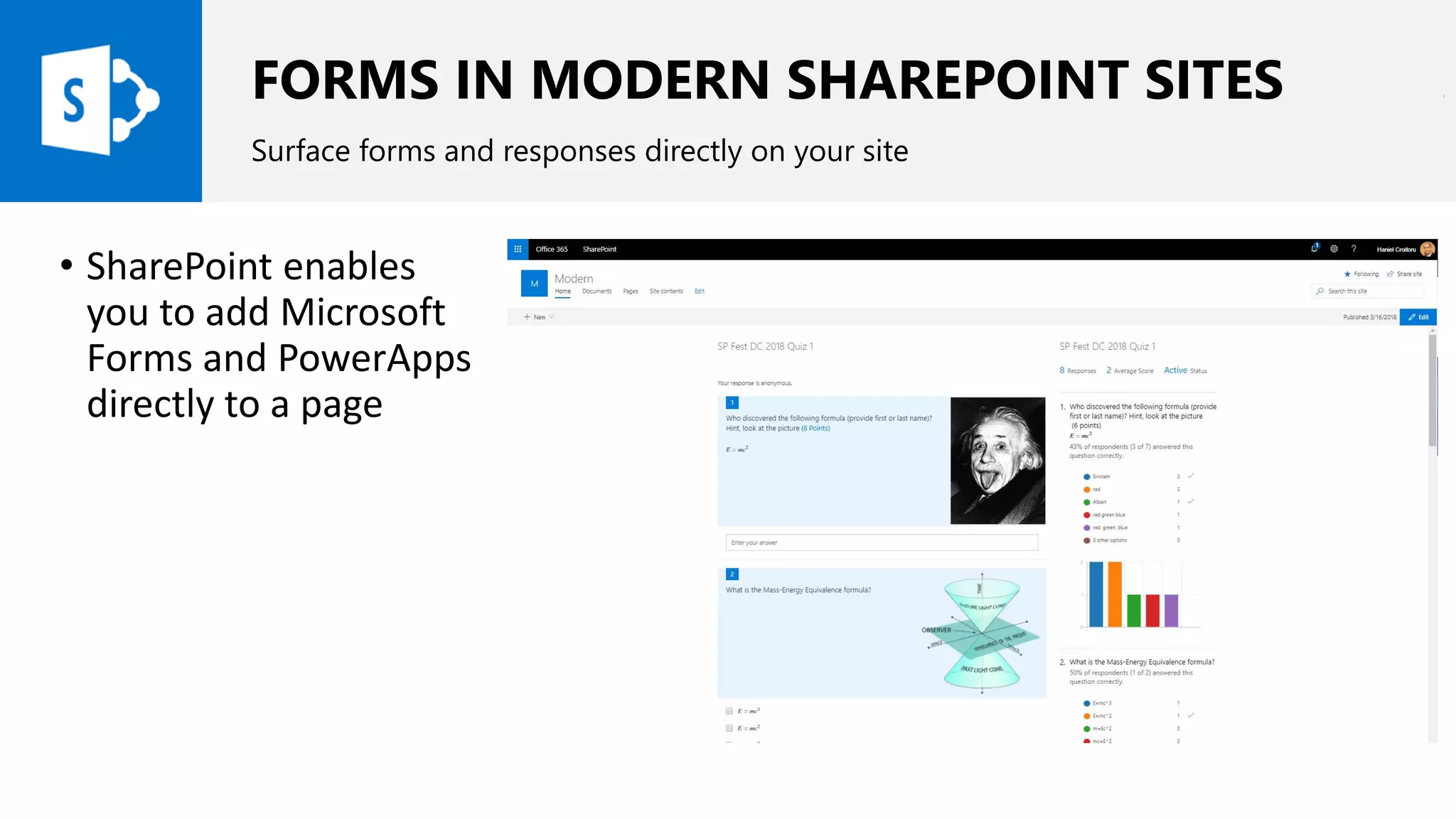
FORMS IN MODERN SHAREPOINT SITES
Surface forms and responses directly on your site
• SharePoint enables
you to add Microsoft
Forms and PowerApps
directly to a page
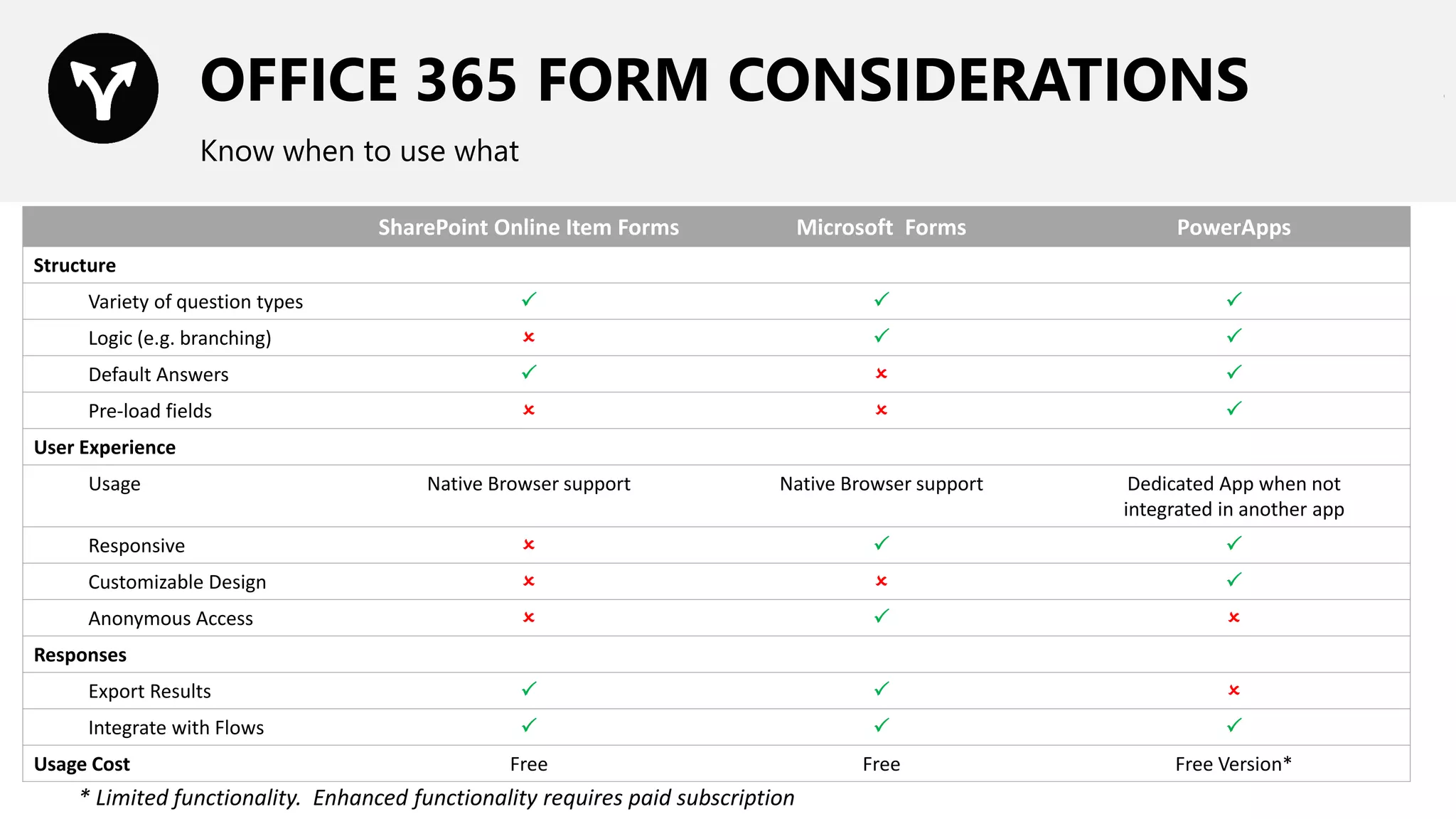
OFFICE 365 FORM CONSIDERATIONS
Know when to use what
SharePoint Online Item Forms Microsoft Forms PowerApps
Structure
Variety of question types   
Logic (e.g. branching)   
Default Answers   
Pre-load fields   
User Experience
Usage Native Browser support Native Browser support Dedicated App when not
integrated in another app
Responsive   
Customizable Design   
Anonymous Access   
Responses
Export Results   
Integrate with Flows   
Usage Cost Free Free Free Version*
* Limited functionality. Enhanced functionality requires paid subscription
TYPES OF CUSTOMIZATIONS - REPORTING
Dashboards, reports for sharing and printing
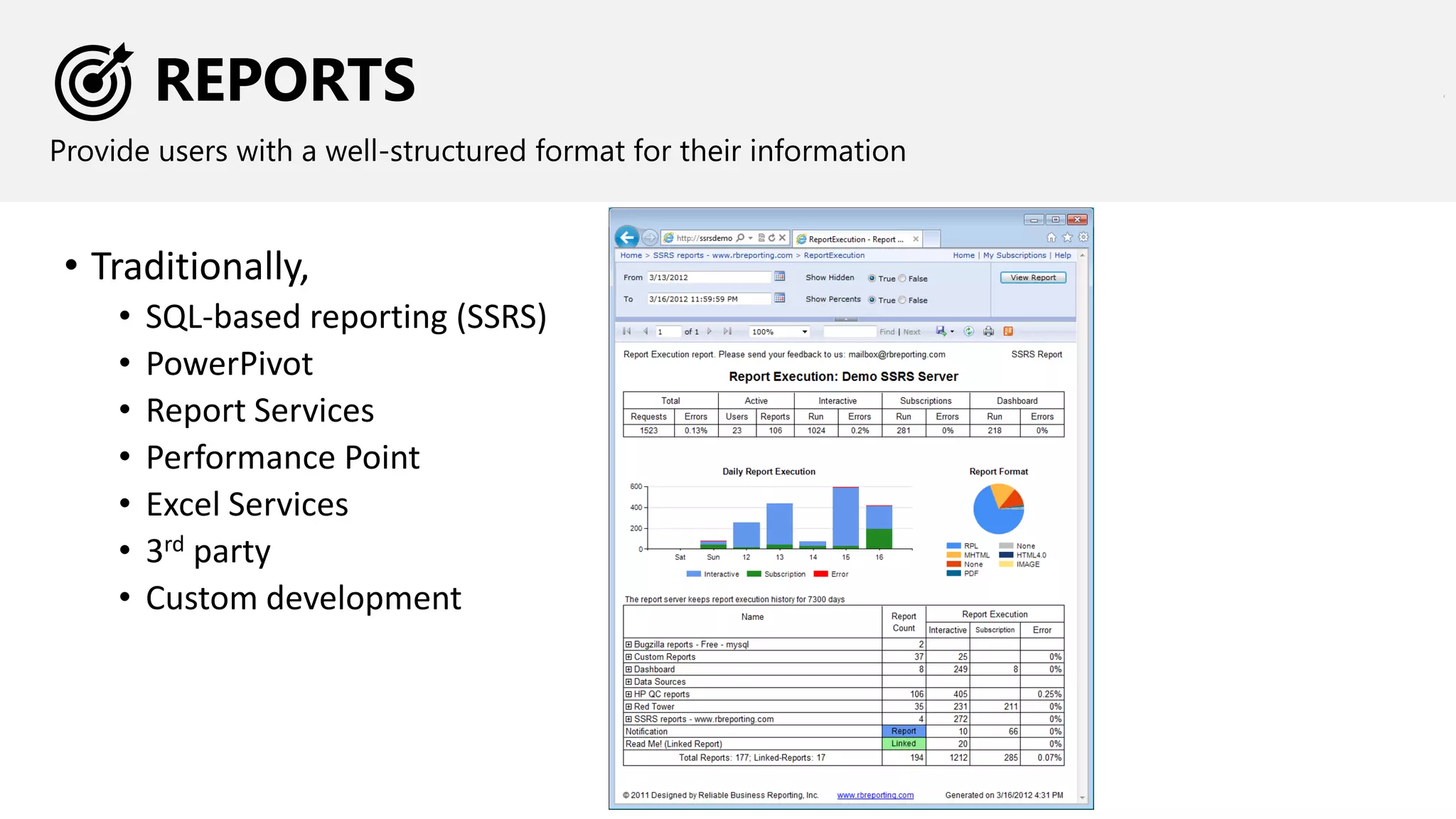
REPORTS
Provide users with a well-structured format for their information
• Traditionally,
• SQL-based reporting (SSRS)
• PowerPivot
• Report Services
• Performance Point
• Excel Services
• 3rd party
• Custom development
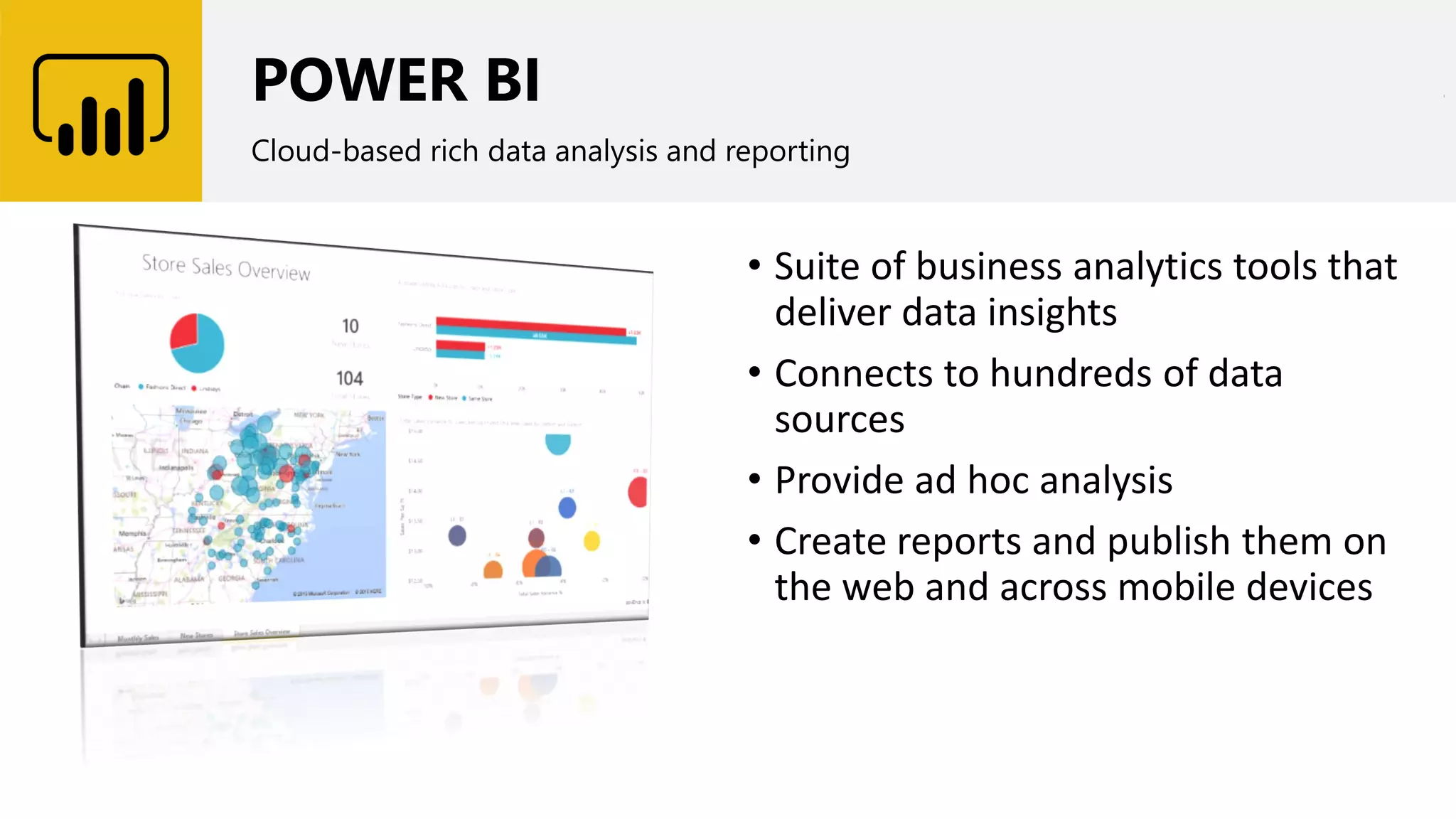
POWER BI
Cloud-based rich data analysis and reporting
• Suite of business analytics tools that
deliver data insights
• Connects to hundreds of data
sources
• Provide ad hoc analysis
• Create reports and publish them on
the web and across mobile devices
REPORT CONSIDERATIONS
What you need to think about when choosing your options
• Scope of report
• Static or dynamic
• Skills required for creation and maintenance
• Accessibility to external data sources
MIGRATION OVERVIEW
General Migration Process
DESIGNANALYZE MIGRATE VERIFY DECOMMISSION
MIGRATING TO OFFICE 365
CUSTOMIZATION STRATEGY
CUSTOMIZATION APPROACHES
OPTIONS & CONSIDERATIONS
LET’S TALK – OPEN Q&A
We work hard, we party hard! ☺
16h00
300W 40th St.
CONSULTANT | OFFICE 365 MVP | SPEAKER
Thank You!
Organizers, SponsorsandYoufor
makingthispossible.
Let’s continue the conversation
linkedin.com/in/hanielcroitoru
@hcroitoru

Practical tips for migrating SharePoint Customizations to Office 365

  • 1.
    Practical Tips forMigrating SharePoint Customizations to Office 365 How to obtain the functionality you really need in the cloud Haniel Croitoru July 28, 2018
  • 2.
  • 3.
    EVALS & PRIZES Bringall items to the 6th Info Desk • Bingo Cards = how you win prizes at the end of the event. • The cards must be stamped by ALL the Sponsors by the last session (4pm) • Fill out speakers evaluations (located in the front of the rooms) • Fill out the event evaluations And more …Surface Go Xbox One X
  • 4.
    HANIEL CROITORU Office 365 &SharePoint Consultant I’m passionate about business process automation CONSULTANT | OFFICE 365 MVP | SPEAKER
  • 5.
    MIGRATING TO OFFICE365 CUSTOMIZATION STRATEGY CUSTOMIZATION APPROACHES OPTIONS & CONSIDERATIONS LET’S TALK – OPEN Q&A
  • 6.
    WHY MIGRATE TOOFFICE 365 Why fix it if it isn’t broken? • Technical • It is broken • Running old versions of SharePoint that are no longer supported (SharePoint 2003, 2007) • IT Overhead costs, such as VPN • Regulatory • Enhanced security • Breaches • Business • Better internal and external collaboration • Consolidate content • Improved user experience • Superior mobile access
  • 7.
    WHAT GETS MIGRATED Mainareas of consideration when planning migrations
  • 8.
    MIGRATION OVERVIEW General MigrationProcess DESIGNANALYZE MIGRATE VERIFY DECOMMISSION
  • 9.
    Enable users torespond when they can MIGRATION OVERVIEW - ANALYZE Create an inventory of existing content and what needs to get migrated IRRELEVANT CONTENT RELEVANT CONTENT
  • 10.
    • Enable usersto respond when they can MIGRATION OVERVIEW - DESIGN Before migrating to SharePoint Online, you need to set it up first! •What will the future state look like? •How will the old map to the new? •Does existing content need to be updated? •Do we need new Governance
  • 11.
    • Enable usersto respond when they can MIGRATION OVERVIEW - MIGRATE Before migrating to SharePoint Online, you need to set it up first! Break down migrations into logical units Create a migration schedule that will minimize impact Communicate often
  • 12.
    MIGRATION OVERVIEW -VERIFY Verify your migration often to catch any issues early on Test out content and solution for various scenarios Consider users, load, test data, access
  • 13.
    • Enable usersto respond when they can MIGRATION OVERVIEW - DECOMMISSION Once all is said and done, it’s time to sunset your old system Old solutions can be turned off Recover license costs, where possible
  • 14.
    MIGRATING TO OFFICE365 CUSTOMIZATION STRATEGY CUSTOMIZATION APPROACHES OPTIONS & CONSIDERATIONS LET’S TALK – OPEN Q&A
  • 15.
    CUSTOMIZATION STRATEGY -NEED Just because you needed it yesterday doesn’t mean you will need it tomorrow
  • 16.
    CUSTOMIZATION STRATEGY –COMMON SENSE Don’t rewrite SharePoint. Make sure your changes are justified and there’s no better alternative
  • 17.
    CUSTOMIZATION STRATEGY –LIMITATIONS Working in SharePoint Online is quite different from SharePoint on-premises
  • 18.
    SHAREPOINT VS SHAREPOINT What’sthe difference? Customization SharePoint On-premises SharePoint Online Master Pages / Page Layouts ✓  Headers / Footers ✓  Full Trust Solutions ✓  Sandbox Solutions ✓  Event Handlers ✓  Etc…
  • 19.
    CUSTOMIZATION STRATEGY –APPROACH Choosing Classic or Modern SharePoint sites may impact your customization strategy
  • 20.
    MIGRATING TO OFFICE365 CUSTOMIZATION STRATEGY CUSTOMIZATION APPROACHES OPTIONS & CONSIDERATIONS LET’S TALK – OPEN Q&A
  • 21.
    CUSTOMIZATION APPROACHES What’s thedifference? • Browser Configurations • Leverage SharePoint-supported tools (e.g. Access, Excel, Visio) • Remote Provisioning (IA, branding) • Add-ins for SharePoint (custom, 3rd party)
  • 22.
    CUSTOMIZATION APPROACHES Decision matrixfor solution migration 3rd party solution Contact publisher and check if there is a compatible version Custom solution using ‘Server-side’ code Solution requires redevelopment Custom solution using ‘Client-side’ code Solution requires redesign
  • 23.
    MIGRATING TO OFFICE365 CUSTOMIZATION STRATEGY CUSTOMIZATION APPROACHES OPTIONS & CONSIDERATIONS LET’S TALK – OPEN Q&A
  • 24.
    TYPES OF CUSTOMIZATIONS Manageall project artefacts from a single location Reports
  • 25.
  • 26.
    SHAREPOINT BRANDING There arethings you should and shouldn’t do Do • Implement colour theme • Add logos • Customize login page • Change look of navigation controls • Change layout of pages • Make site responsive • Include custom footer • Make it Responsive Don’t • Overcomplicate things • Customize Master Pages • Override Office 365 Suite Bar • Customize branding for Personal sites
  • 27.
    SHAREPOINT BRANDING CONSIDERATIONS Whatyou need to think about when choosing your options • Office 365 and SharePoint continue to evolve • SharePoint Online is part of Office 365 • Leverage Office 365 and SharePoint Themes • Follow Office 365 PnP development recommendations • Use SharePoint Framework (SPFx) to customized user experience • Respect restrictions set forth around branding customizations
  • 28.
    TYPES OF CUSTOMIZATIONS- FUNCTIONAL Computations, web parts, navigation, etc.
  • 29.
    FUNCTIONAL CUSTOMIZATIONS Provide userswith a well-structured format for their information • Traditionally, • Server-side solutions • Client-side solutions • 3rd party • Custom development
  • 30.
    FUNCTIONAL CUSTOMIZATIONS CONSIDERATIONS What youneed to think about when choosing your options • Scope of customization • Skills required for creation and maintenance • Published standards / best practices • SPFx • Office 365 • OfficeDev PnP • Most importantly…
  • 31.
  • 32.
    TYPES OF CUSTOMIZATIONS- WORKFLOW Approvals, moving content between systems, update content based on events, timer jobs
  • 33.
    WORKFLOWS Capturing input fromyour users • Traditionally, • SharePoint OOTB Workflows • SharePoint Designer • 3rd party • Custom
  • 34.
    MICROSOFT FLOW Office 365-basedvisual tool to quickly create workflows • Trigger-driven service that allows users to perform actions and interact with data • Can be triggered directly from mobile devices • Service comes pre-packaged with many common workflow scenarios • Create Flow templates • Share Flows with other users
  • 35.
    MICROSOFT FLOW Rich ConnectorsEcosystem • Over 200 SaaS-based connectors available • Microsoft Flow Gateway extends functionality to on-premises systems • SharePoint • SQL Server • Oracle • Informix • Filesystem • DB2
  • 36.
    MICROSOFT FLOW Extensibility viaExpressions • Expressions provide additional functionality to operate on content • String Operations • Collections • Logical Operations • Conversions • Math Operations • Date and Time Operations • Workflow Operations • URI Parsing • Object specific Manipulation
  • 37.
  • 38.
    AZURE LOGIC APPS Azure-basedvisual tool to quickly create workflows • Azure service that provides the same great features of Microsoft Flow plus integration with • Azure Resource Manager • Azure Portal • PowerShell • xPlat CLI • Visual Studio • Additional connectors
  • 39.
    AZURE FUNCTIONS Developer-centric servicethat provides increased flexibility • Event-driven, compute on-demand service on the Azure platform (PaaS) • Intended to run small pieces of code, or "functions," in the cloud without worrying about the underlying infrastructure it’s running on. • Triggered by events or run on scheduled batches in Azure or 3rd party cloud or on-premises systems. • Developer-centric (Level 300)
  • 40.
    AZURE FUNCTIONS Extend andintegrate into other Azure and non-Azure services • A wide range of triggers and connectors allows developers react to events in Azure services • Data processed by Azure Functions can persist into Azure data services such as Azure storage, Azure SQL DB and Document DB
  • 41.
    AZURE FUNCTIONS Robust DeveloperExperience • Implement events in • Languages - JavaScript, C#, Python, PHP • Scripting options - Bash, Batch and PowerShell • Upload and trigger pre-compiled executables • Support seamless local development and Continuous Integration using services like Visual Studio Team Services, GitHub and BitBucket • Developers can monitor and troubleshoot Azure Functions with logging capabilities included in the Azure Functions experience • Access and process data from different services
  • 42.
    AZURE FUNCTIONS Scalable pricingmodel • Consumption Plan • Billed on per-second resource consumption and executions • Includes a monthly free grant of 1 million requests and 400,000 GB-s of resource consumption per month • App Service Plan https://azure.microsoft.com/en-us/pricing/calculator/?service=functions https://azure.microsoft.com/en-us/pricing/details/app-service/plans/
  • 43.
    AZURE WEBJOBS Azure AppService to run a program or script in the same context as another app • Managed via the Azure Portal • Can run either continuous or as a result of a trigger • WebJobs are developed in Visual Studio • Requires a VM • Cost implications if there is no VM host already
  • 44.
    WORKFLOW CONSIDERATIONS What youneed to think about when choosing your options • Scope of workflows • Skills required for creation and maintenance • Accessibility to external data sources • For Office 365-based workflow solutions, consider potential cost implications based on number of time of execution
  • 45.
    TYPES OF CUSTOMIZATIONS- FORMS Surveys, service requests, HR forms, polls
  • 46.
    FORMS Capturing input fromyour users • Traditionally, • SharePoint list forms • InfoPath • 3rd party • Custom development
  • 47.
    MICROSOFT FORMS Cloud-based survey,quiz, and poll solution • Originally created for the Education community to deliver online tests • Responsive, browser-based interface • Share within organization or publicly • Similar to other cloud-based solutions, the forms are automatically saved and available for sharing
  • 48.
    SHAREPOINT FORMS ANDSURVEYS Leveraging native SharePoint functionality • Supports multiple field types • Surveys support branching • Browser-based interface • Store data directly in SharePoint lists
  • 49.
    POWERAPPS Your optimal flexibilityfor forms in Office 365 • Highly customizable user interface • Mobile first design • Integrate with many types of data sources/destinations • Use PowerApps as default form for SharePoint lists
  • 50.
    FORMS IN MODERNSHAREPOINT SITES Surface forms and responses directly on your site • SharePoint enables you to add Microsoft Forms and PowerApps directly to a page
  • 51.
    OFFICE 365 FORMCONSIDERATIONS Know when to use what SharePoint Online Item Forms Microsoft Forms PowerApps Structure Variety of question types    Logic (e.g. branching)    Default Answers    Pre-load fields    User Experience Usage Native Browser support Native Browser support Dedicated App when not integrated in another app Responsive    Customizable Design    Anonymous Access    Responses Export Results    Integrate with Flows    Usage Cost Free Free Free Version* * Limited functionality. Enhanced functionality requires paid subscription
  • 52.
    TYPES OF CUSTOMIZATIONS- REPORTING Dashboards, reports for sharing and printing
  • 53.
    REPORTS Provide users witha well-structured format for their information • Traditionally, • SQL-based reporting (SSRS) • PowerPivot • Report Services • Performance Point • Excel Services • 3rd party • Custom development
  • 54.
    POWER BI Cloud-based richdata analysis and reporting • Suite of business analytics tools that deliver data insights • Connects to hundreds of data sources • Provide ad hoc analysis • Create reports and publish them on the web and across mobile devices
  • 55.
    REPORT CONSIDERATIONS What youneed to think about when choosing your options • Scope of report • Static or dynamic • Skills required for creation and maintenance • Accessibility to external data sources
  • 56.
    MIGRATION OVERVIEW General MigrationProcess DESIGNANALYZE MIGRATE VERIFY DECOMMISSION
  • 57.
    MIGRATING TO OFFICE365 CUSTOMIZATION STRATEGY CUSTOMIZATION APPROACHES OPTIONS & CONSIDERATIONS LET’S TALK – OPEN Q&A
  • 58.
    We work hard,we party hard! ☺ 16h00 300W 40th St.
  • 59.
    CONSULTANT | OFFICE365 MVP | SPEAKER Thank You! Organizers, SponsorsandYoufor makingthispossible. Let’s continue the conversation linkedin.com/in/hanielcroitoru @hcroitoru